




© ROOT-NATION.com - Use of content is permitted with a backlink.

There are numerous angles a single script can lead to in the world of content creation. Whether it is short-form videos or cinematic reels, platforms need diversity. You can target TikTok users with snappy edits or enlighten YouTube viewers with long, informative videos. Having several video versions is not an option anymore; it is a strategy.
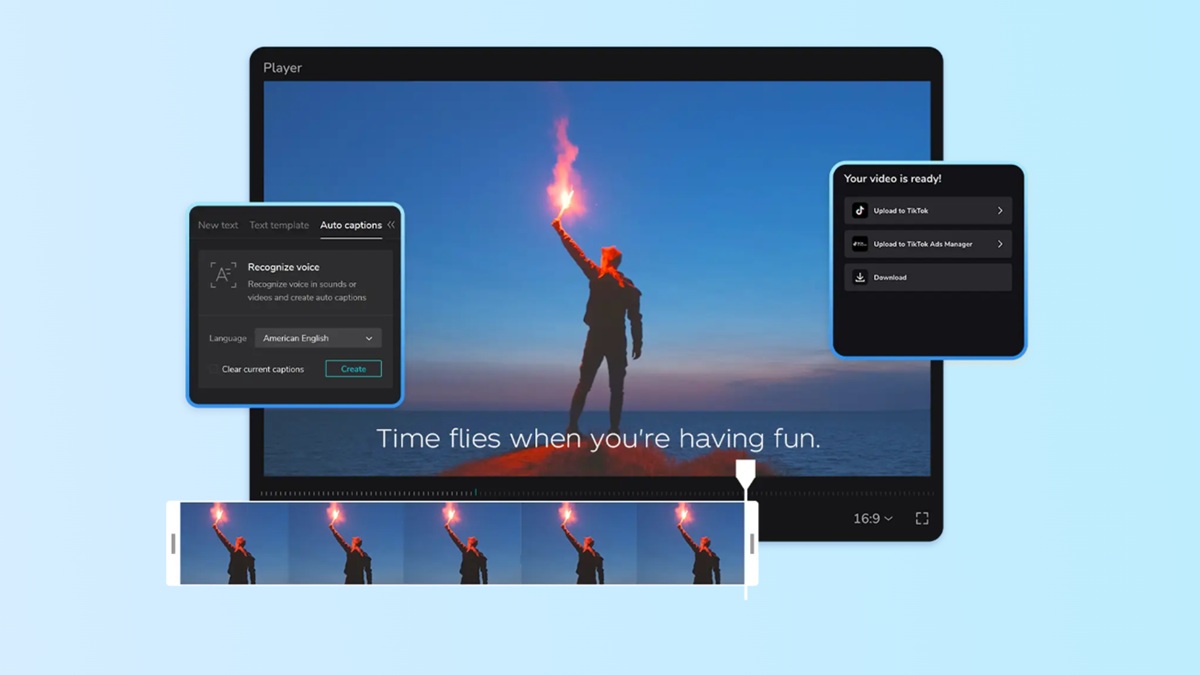
Manual creation of several videos is time-consuming and energy-consuming. The constant trimming, voice modulation, and ratio may dent your creativity. The AI-powered AI caption generator turns the game in such a way. Rather than wasting hours, you can scale content to use correct voiceovers and synced captions in real time.
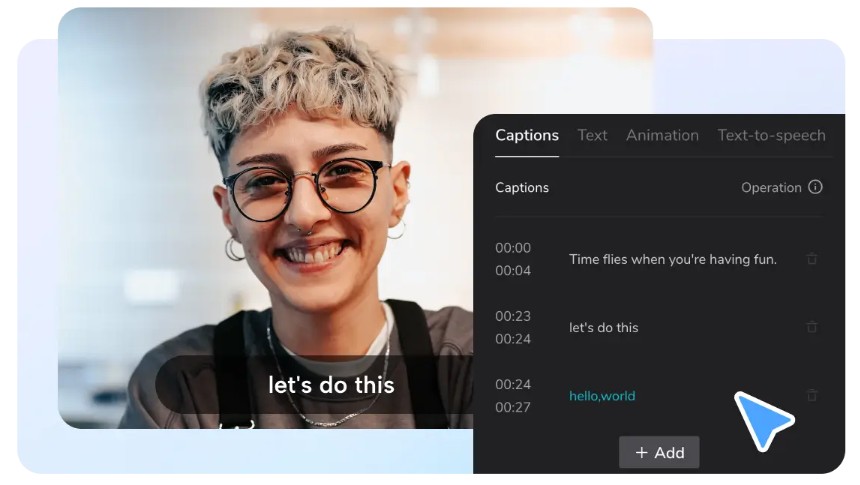
TABLE OF CONTENTS:
CapCut App AI Lab: Your One Script-Multi-Video Machine
One idea can be customized into different styles using the CapCut App. Its exclusive AI lab enables you to convert a single input into a variety of outputs. It has the ability to switch the tone with a single click, be it educational, movie-like or comedic.
The CapCut App has an AI story maker through which you can create videos. Paste your script, pick a style, and your text comes to life. Every format is specific to a particular audience or objective. The result? The more content, the more involvement, the less time.
What Is AI-Driven Content Multiplication?
The AI Lab operates on transforming a single script into numerous storylines and formats. You can maintain the same idea but switch the tone. To take a few examples, a motivational quote may take on a dramatic, comic, or poetic tone. There is no need to rewrite the script; it is the AI that adjusts the delivery.
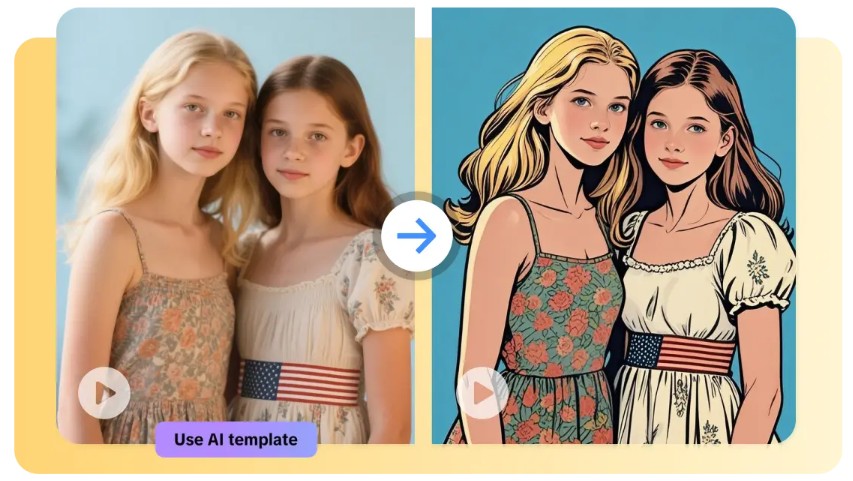
There is also a variation in visual styles. You can have more than 29 styles, whether you prefer a 3D animation or a realistic movie look. The AI selects proper transitions, voiceovers, and pace to fit your choice. You remain in control with the AI doing the heavy lifting.
Purpose and Platform Customization
Various platforms require varied treatments. A one-minute film on YouTube will not fit the rapid rhythm of TikTok. This is why the CapCut App lets you customize the output for the destination. One story can be used as a 15-second reel and a long video.
In the case of education, slow-paced visuals, voiceovers, and bold captions are selected. In inspirational content, opt for a cinematic effect and an emotional voice tone. Every platform and audience is more responsive when the tone is purpose-oriented.
It is also quite convenient to modify voiceover styles, background music, and transitions in the CapCut App. With smooth cuts and dynamic bounces, the AI will handle the foundation work, and you can fine-tune the results.
Easy Styling, Formatting, and Localization
Video formatting and captions are the difference between you and the rest of the world. The CapCut App assists you in adding auto captions in real-time. It also offers translation tools to localize the content for various languages. You do not require any third-party applications to do this.
You can create multilingual videos with these capabilities within the AI Lab. International-based creators employ AI avatars and posters to capture local tones, styles, and images. It is especially beneficial when you are trying to contact various market platforms.
Aspect ratios can be adjusted with a single tap. Move vertical Instagram Reels to horizontal YouTube without compromising quality or flow. The app is the same essence, it repackages it to every screen.
Creative Batch Editing for Marketers and Creators
If you’re managing campaigns, batch video creation is essential. The CapCut App supports versioning for A/B testing, allowing different versions of the same video to test performance.
Using the AI video maker, you can build multiple versions faster. AutoCut arranges visuals and rhythm to match each video’s style. This saves time on sequencing and ensures that pacing fits your message.
Name and organize your files clearly to avoid confusion during batch export. Keeping track of each version lets you measure engagement and tweak future content easily.
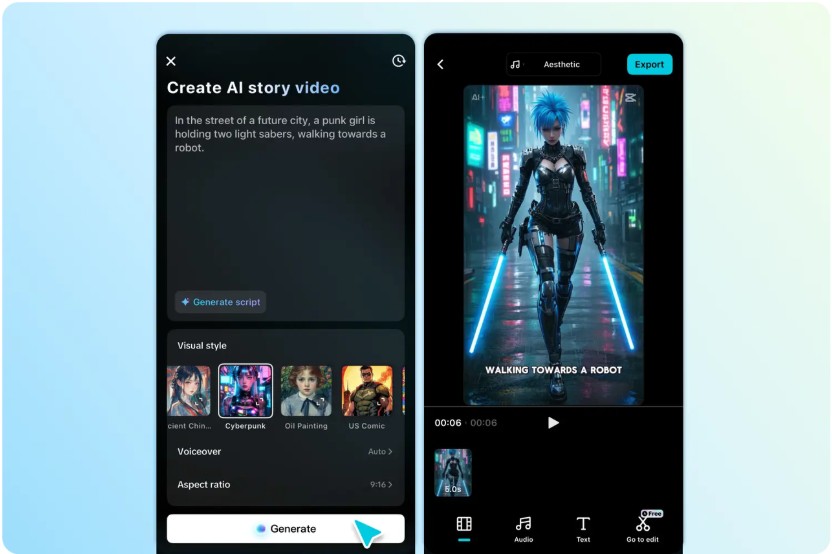
Use One Script to Make Many Videos
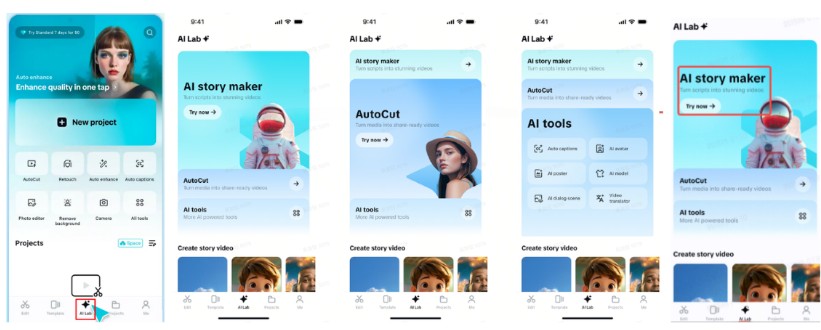
Step 1: Start with AI story maker
First, open CapCut and go to the “AI Lab” tab at the bottom. Select “AI story maker” among the featured tools and press “Try now” to access it.
Step 2: Input Script & Pick Styles
Paste or write your script in the “Create AI story video now” box. You can produce different versions by selecting varying visual styles – like Realistic Film, Cartoon 3D, or Anime. Add a unique “Voiceover”, choose your “Video ratio”, then click “Generate”.
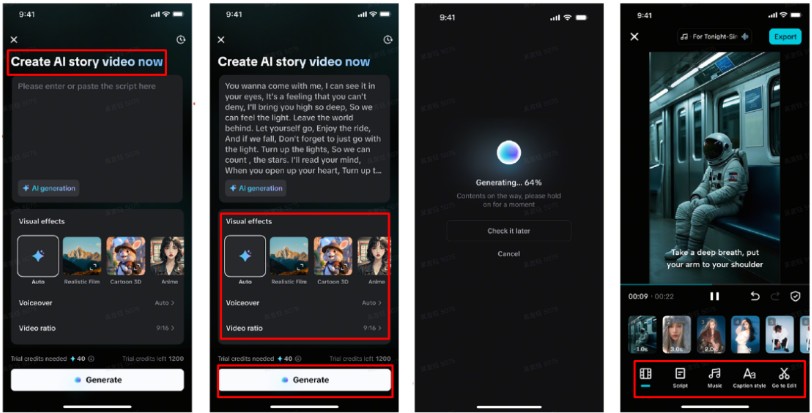
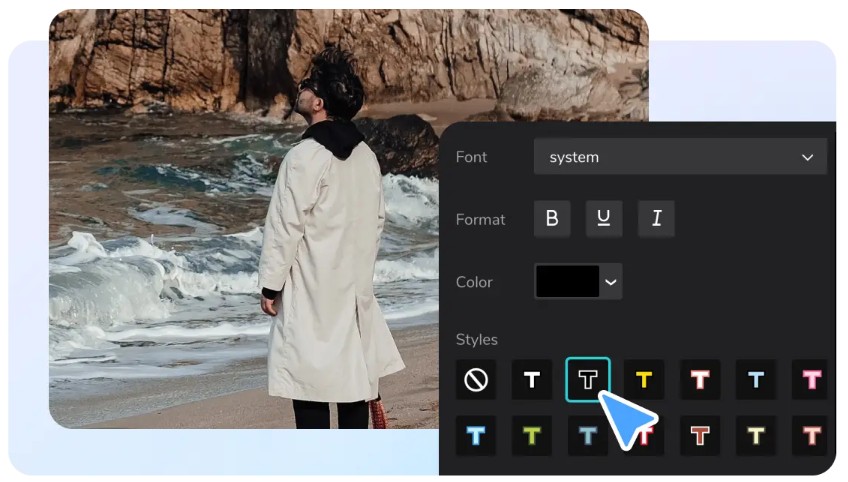
After generating, you can switch things up by exploring the “Music” tab and setting a different tone for each version. Use the “Caption style” tab to stylize captions with different fonts and animations. For full-scale editing with filters, stickers, and more, tap “Go to Edit”.
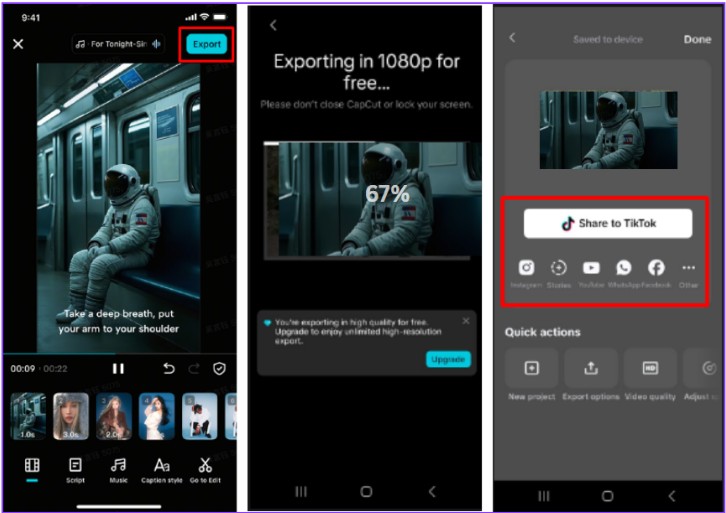
Step 3: Save & Distribute Variants
When you’re happy with the outcome, tap “Export”. Your different versions are now saved and ready to be shared across TikTok, Instagram, YouTube, or wherever your audience is.
Conclusion
Turning one script into multiple videos is no longer a complex task. The CapCut App empowers you to scale content across platforms with accuracy and speed. Using built-in AI tools, you can match different tones, formats, and audiences – without starting from scratch.
Let your voice echo across platforms without losing quality. Stay consistent with your message, experiment with your formats, and reach viewers wherever they scroll. One idea is all it takes.

