





© ROOT-NATION.com - Use of content is permitted with a backlink.

Your phone is a portable archive, a secret collection of stray sunsets, candid portraits, café napkins, and odd textures you liked for a second. Treating that camera roll like a gallery changes how you see – and how others will see – your life.
Start by making a mood board: pull five favorite shots and use an AI photo generator in Dreamina to create stylized hero images that set your exhibition’s tone. From there, the process is less about perfect photos and more about intent: choosing a theme, sequencing images, writing tiny placards, and picking formats that honor each moment.
This isn’t a museum snootery. It’s playful curation: you get to decide what counts as art in your everyday life, and how ordinary time can be hung, framed, and read.
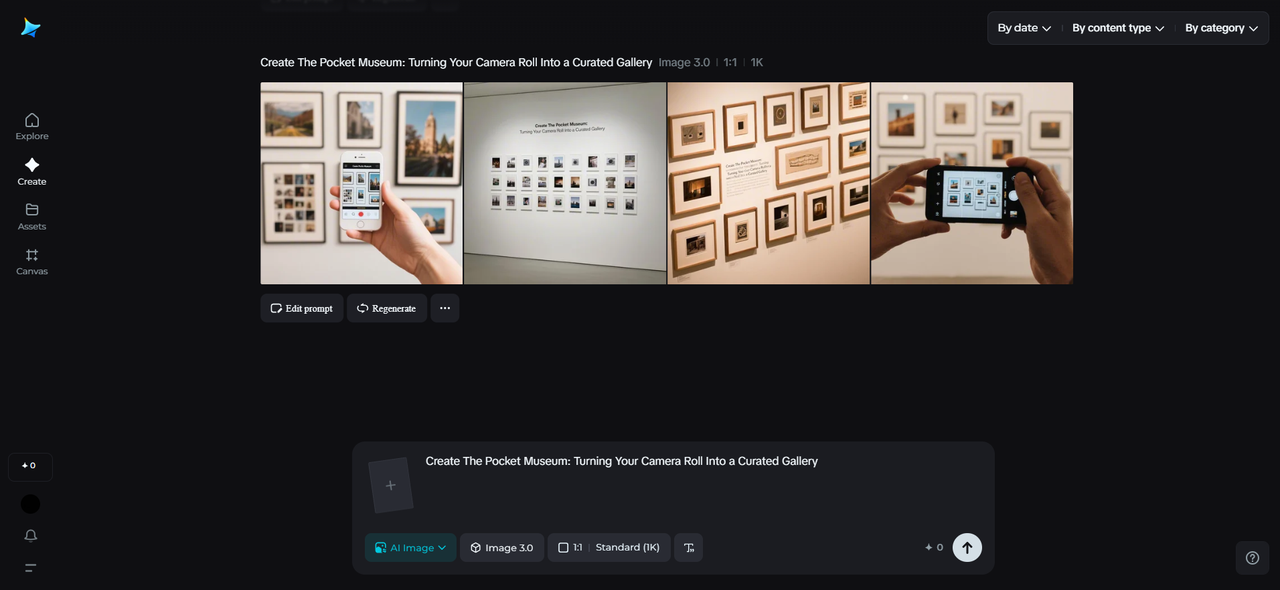
TABLE OF CONTENTS:
Pick a curatorial question, not a folder
A gallery needs a question. “What story does this series of snaps tell?” is better than “Which photos are nicest?”
Consider questions like:
- How did my morning rituals change this year?
- What objects do I keep returning to photograph?
- Which places made me feel small, and which made me feel brave?
Once you frame the question, your camera roll becomes a field to harvest rather than a swamp to slog through. You’ll find patterns – a recurring color, a repeated object, a habit of shooting from a certain angle – that suggest a theme worth building.
Organizing principles that actually work
There are dozens of ways to organize; pick one that feels joyful, then be ruthless in editing.
- Time-slice: group photos by month or season and highlight the evolution of a project or mood.
- Object-focus: curate around a motif (cups, doorways, shadows) to reveal a hidden obsession.
- Color story: make a gallery of teal moments, or all the photos with a single warm highlight.
- Gesture archive: collect human hands, stolen glances, or feet in motion as a study in movement.
Use a simple spreadsheet or a notes app to tag photos with the curatorial principle, a one-line caption, and a desired order – this tiny metadata adds enormous clarity.
Playful expansion: backgrounds, borders, and remixes
When you want to remix the look or create special editions, Dreamina’s free AI art generator is an excellent source for complementary backgrounds, textured borders, or experimental overlays that don’t require you to be a designer. Use these elements sparingly – a subtle paper texture or a hand-painted vignette can turn a digital image into something that reads like a page in a beloved book.
Step 1: Compose a text prompt
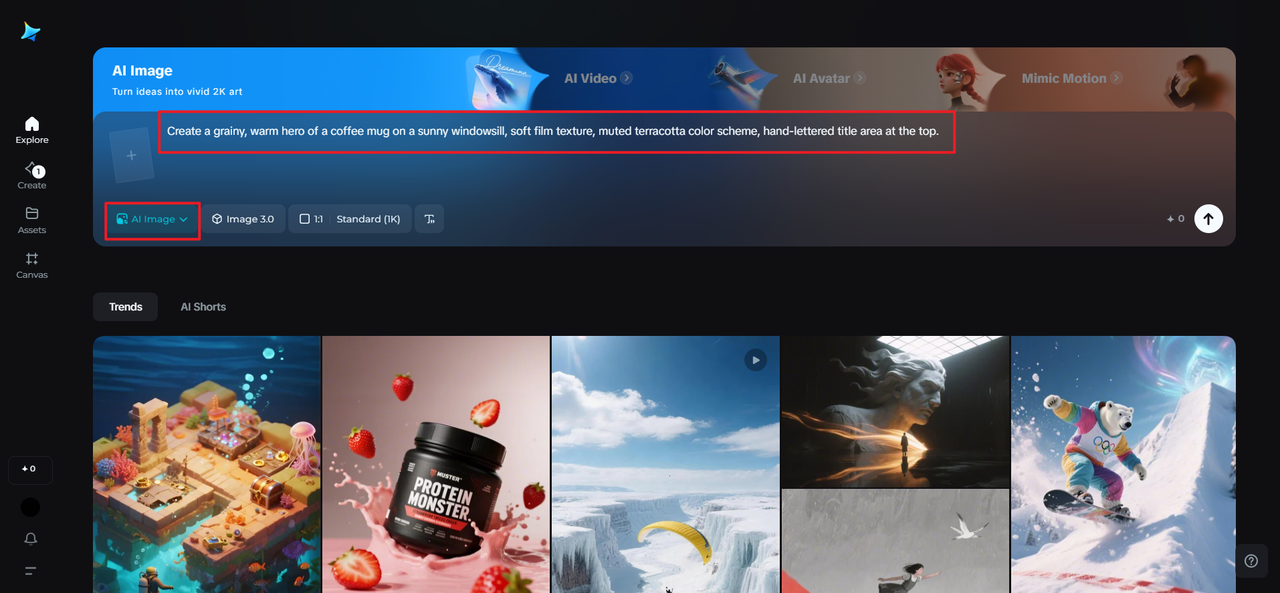
Go to Dreamina’s AI Image and type a descriptive text prompt for the mood and style of your pocket museum cover or hero plate. This provides you with a finished start image to base your exhibition on. For instance: A grainy, warm hero of a coffee mug on a sunny windowsill, soft film texture, muted terracotta color scheme, hand-lettered title area at the top.
Step 2: Set parameters and generate
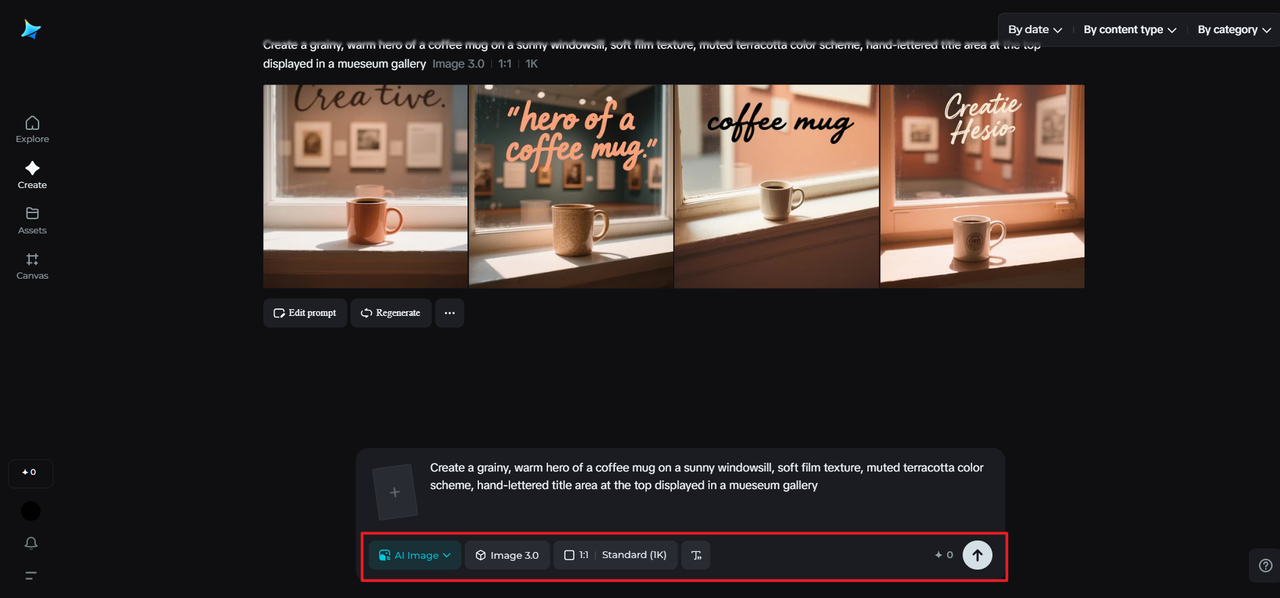
Select the model that is texture-friendly and portrait-sharpness-focused, choose an aspect ratio appropriate to your desired format (square for social grids, vertical for zines), select size, and opt for 1k for rapid experimentation or 2k for printable files. Click the icon of Dreamina to create variations you can blend into your composition.
Step 3: Personalize and save
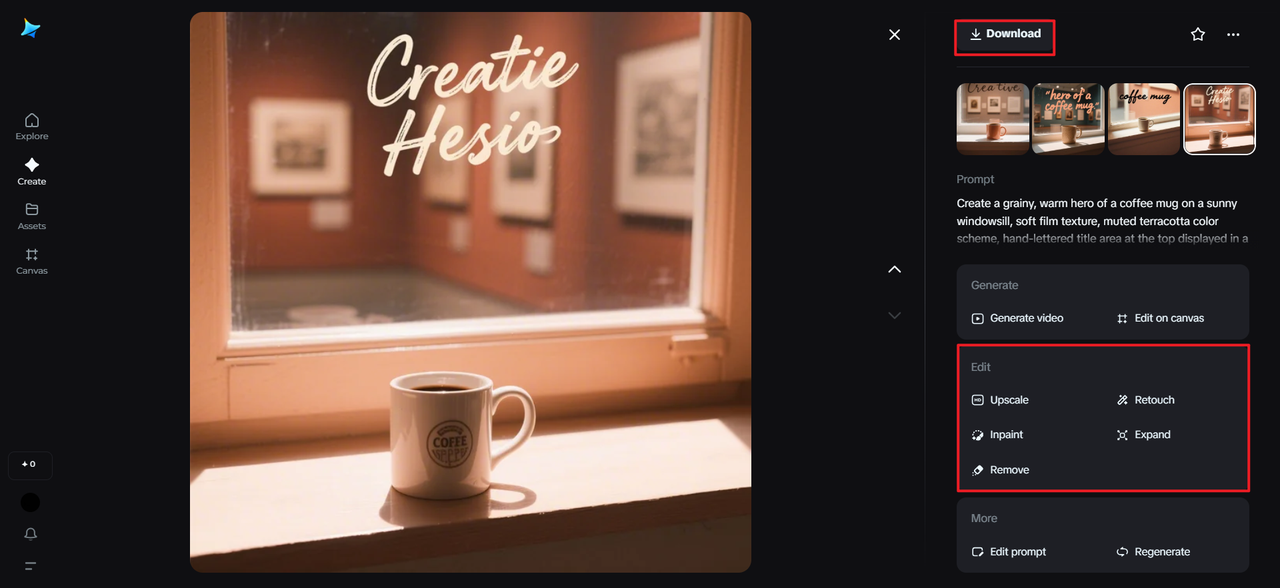
Refine small details using Dreamina’s inpaint, expand to show more context for improved cropping, remove to eliminate artifacts you dislike, and retouch to suit your palette. Once happy, hit the Download button to export high-res assets optimized for digital or print designs.
Sequencing is your secret editor
The order of images is narrative shorthand. Lead with an anchor image – something clear and strong that sets the pace – then alternate detail shots with wider contexts. Use contrast to keep attention: a dense, busy frame followed by quiet negative space refreshes the eye. Think in beats: opening, development, a small twist, and a resonant final image.
Small captions: one sentence or a single evocative phrase – act like placards. They don’t explain everything; they invite looking.
Lightweight edits that unify a roll
You don’t need heavy retouching to make a coherent gallery. A few consistent edits across a set pull everything into one visual language.
- Unify color temperature slightly (warmth is often friendlier)
- Add a subtle grain or film curve for tactile continuity
- Crop for consistent aspect ratios (square or 4:5 works beautifully for grids)
Batch-processing apps and simple presets are your friend here – apply a gentle, repeatable treatment rather than obsessing over individual perfection.
Formats: pocket gallery to printed zine
Decide how the world will encounter your pocket museum. Options include:
- Digital zine: export 8–12 images as a PDF zine that fits a phone screen.
- Instagram carousel: sequence shots with short captions to encourage swipe-throughs.
- Mini-prints: 3×4″ prints in a small accordion fold – tactile and giftable.
- Single-image postcards: a handful of hero shots printed on heavy stock for mailing.
Each format invites a different reading – web carousels for quick scrolls, prints for slow looking. Consider mixing formats: a digital launch followed by a limited print run makes the project feel lived-in.
Staging your pocket show: mockups and moments
Presentation is half the curation. Make quick mockups to preview layouts.
- Lay prints on a table and photograph the spread for social teasers
- Design a simple banner (title + one-line thesis) that sits atop Instagram carousels
- Create a tiny placard image for each photo (title + date + three-word note)
Simple props – a strip of tape, a paper clip, a plant leaf – make the still-life of your gallery feel deliberate and human.
Micro-exhibitions: hosting in small places
Host your pocket museum in unexpected venues:
- A phone screen slideshow during a house party
- A printed flipbook left in a café tip jar (with permission)
- A tiny pop-up on a community board or workplace kitchen
- A password-locked PDF zine shared with friends in a “viewing party”
These micro-exhibitions let you test how people respond at different scales and contexts.
Building a signature: a tiny mark that ties everything together
A consistent visual touch turns a series into a recognizable project. Choose a corner mark, a border, or a short audio sting for video slideshows. If you want various emblem ideas to test quickly, Dreamina’s AI logo generator can produce small badges that read well at tiny sizes – pick one and tuck it in the same corner of each image or printed page. That discrete signature helps your audience recognize the work as part of a collection rather than a scattered stream.
Storytelling beyond images: captions, essays, and interviews
Photos are only part of the narrative. A short essay, an interview with yourself about the series, or a handful of micro-captions can deepen the gallery’s resonance. Try pairing a photo series with:
- A 300-word mini-essay about why you shot the series
- Audio notes you record on location and append to a digital zine
- One-question interviews with collaborators or people who appear in the photos
These small additions let viewers step behind the frame without imposing meaning.
Accessibility and archiving: care for your collection
Make your pocket museum usable and preservable.
- Save a high-resolution archive in cloud storage with clear folder names
- Write alt text for each image to make the work accessible
- Export a printable PDF and back it up to an external drive
Treating your roll as an archive helps the habit stick; the collection becomes an ongoing practice rather than a one-time tidy-up.
Keeping the museum alive: habit, not perfection
A pocket museum is most valuable when it’s a living practice. Schedule a monthly “curation hour” to pull new material, test a different theme, or assemble a micro-zine. Share the work sparingly and intentionally – people treasure things that feel selected rather than stream-fed.
Closing the gallery door (for now)
Turning your camera roll into a curated collection is an act of attention. It trains you to notice repeating motifs, to institute small rituals of editing, and to present the ordinary as something worth looking at. AI generators like Dreamina help you seed the visual language, from hero plates to printable layouts, so your pocket museum looks as considered as it feels.
Start with a single theme, make a tiny zine, and invite a friend to view your show. The smallest exhibitions often leave the biggest impressions!

