





© ROOT-NATION.com - Use of content is permitted with a backlink.

If you’ve been searching for “Slack pricing alternatives” or wondering “why is Slack so expensive,” you’re not alone. Thousands of teams are discovering that Slack’s pricing model – while appearing straightforward – hides costs that can balloon your communication budget by 60-75% more than necessary.
In this comprehensive guide, we’ll break down exactly why Slack pricing feels painful, what hidden costs you might be missing, and introduce you to Zenzap – a better alternative that delivers the same powerful features at a fraction of the cost.

TABLE OF CONTENTS:
The Slack Pricing Problem: Why Teams Are Frustrated
Slack has become synonymous with team communication, but its pricing structure has left many businesses feeling trapped. Here’s what makes Slack pricing particularly painful:
1. The 3-User Minimum Trap
Even if you’re a small team of just two people, Slack forces you to pay for three users on their Pro and Business+ plans. That means you’re paying $21.75/month minimum on the Pro plan – even for unused seats. For startups and small businesses watching every dollar, this feels like throwing money away.
2. External Collaborators Cost Full Price
Here’s a hidden cost many teams don’t discover until after signing up: multi-channel guests (contractors, clients, or partners who need access to more than one channel) count as full paid users on Slack.
If you have 25 employees and regularly work with 10 external collaborators, you’re not paying for 25 users – you’re paying for 35. At $7.25/user/month on the Pro plan, that’s an extra $870/year you probably didn’t budget for.
3. Mandatory Annual Price Increases
According to contract analysis from enterprise software negotiation platforms, Slack enforces a 9% year-over-year price increase at renewal unless you meet specific conditions like demonstrating 15-20% revenue growth or committing to multi-year contracts.
This means a team paying $10,000/year will pay $10,900 next year, $11,881 the following year, and nearly $13,000 three years out – a 30% increase without adding a single user.
4. Feature Gating Behind Expensive Tiers
Want advanced AI features? You’ll need Business+ at $15/user/month (annual) or $18/user/month (monthly) – more than double the Pro plan cost. Need Single Sign-On for security? That’s also locked behind the Business+ paywall.
In July 2025, Slack discontinued their separate AI add-on and bundled everything into Business+, forcing teams who wanted to keep advanced AI features to nearly double their costs or lose functionality.
5. The Enterprise Grid Lock-In
Perhaps most concerning: once you upgrade to Slack’s Enterprise Grid plan, there’s no going back. Ever. Slack doesn’t allow downgrades from Enterprise Grid to lower tiers, creating a permanent commitment that locks you into enterprise-level pricing regardless of whether your needs change.
What Is Zenzap? Your Slack Alternative
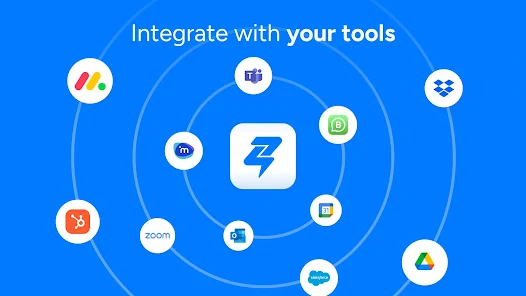
Zenzap is a modern team communication and collaboration platform designed specifically for businesses tired of Slack’s painful pricing and complexity. Built from the ground up with transparent pricing and real-world team needs in mind, Zenzap delivers everything your team loves about Slack – without the financial headaches.
How Zenzap Works
Zenzap provides:
- Unlimited group chats and channels for organizing team communication
- Built-in task management so you don’t need separate tools like Asana or Trello
- File sharing and cloud storage with automatic malware scanning
- Calendar integration to schedule meetings and sync deadlines
- WhatsApp migration tools to easily transition your existing groups
- Mobile-first design that works seamlessly across all devices
- Advanced security features including admin controls and data encryption
But here’s what makes Zenzap different: it’s designed to be as simple as texting, making it perfect for teams that found Slack overwhelming or too technical for frontline workers.
Zenzap vs Slack Pricing: The Real Comparison
Let’s get specific about where Zenzap saves you money:
Zenzap’s Transparent Pricing Structure
Free Plan: $0
- Unlimited users
- 1 GB secure cloud storage
- Basic features including task management, scheduled messages, calendar integration
- Perfect for small teams or trying out the platform
Pro Plan: Starting at $37/month (flat-fee) or $3/user/month
- Flat-fee pricing tiers:
- Up to 20 users: $37/month (annual) or $44/month (monthly)
- Up to 50 users: $66/month (annual) or $78/month (monthly)
- Up to 100 users: $139/month (annual) or $167/month (monthly)
- Up to 250 users: $323/month (annual) or $355/month (monthly)
- Up to 500 users: $690/month (annual) or $758/month (monthly)
- Up to 1000 users: $1,365/month (annual) or $1,502/month (monthly)
- 100 GB secure file storage
- Advanced task management with templates and sub-tasks
- Enhanced privacy controls
- Team onboarding and training
- 24/7 customer support
Business+ Plan: $8/user/month (annual) or $10/user/month (monthly)
- Everything in Pro, plus:
- API integration access
- Unlimited secure file storage
- Third-party app integrations
- Admin analytics dashboard
- Priority customer support
- Enhanced privacy and data controls
Enterprise Plan: Custom pricing
- Custom integrations
- SAML, SCIM, and SSO
- Organization chart and phone book
- Enterprise encryption key management
- Audit logs
- 24/7 enterprise CSM
- Tailored onboarding
The Game-Changing Difference: Flat-Fee Pricing
Zenzap’s team chat app flat-fee pricing model is revolutionary. Instead of paying per user and watching costs spiral as your team grows, you pay one predictable price based on your tier.
For a 50-person team, Slack Pro would cost $435/month ($5,220/year). Zenzap Pro costs just $66/month ($792/year) with the flat-fee tier – saving you $4,428 per year.
External Collaborators Are FREE
Unlike Slack, which charges full price for multi-channel guests, Zenzap lets you add external collaborators to group chats at no additional cost. Only your internal team size matters for pricing.
If you have 25 employees and 10 contractors:
- Slack charges for 35 users: $253.75/month ($3,045/year) on Pro
- Zenzap charges for 25 users: Uses the 50-user tier at $66/month ($792/year)
- Your savings: $2,253/year just by not being charged for external collaborators
No Hidden Fees or Surprise Increases
Zenzap’s pricing is transparent and predictable:
- No 3-user minimums
- No mandatory annual price increases
- No feature gating behind expensive tiers (unless you need enterprise features)
- No surprise charges for storage overages on Pro and Business+ plans
Real-World Savings Examples

Small Business (25 employees, 5 contractors)
Slack Pro Plan:
- 30 total users × $7.25/month = $217.50/month
- Annual cost: $2,610
Zenzap Pro Plan:
- Flat-fee for up to 50 users = $66/month
- Annual cost: $792
Annual Savings: $1,818 (70% less)
Mid-Size Company (100 employees, 20 contractors)
Slack Business+ Plan:
- 120 total users × $15/month = $1,800/month
- Annual cost: $21,600
Zenzap Business+ Plan:
- 100 users × $8/month = $800/month
- Annual cost: $9,600
Annual Savings: $12,000 (56% less)
Growing Team (50 employees, needs SSO)
Slack Business+ Plan:
- 50 users × $15/month = $750/month
- Annual cost: $9,000
Zenzap Business+ Plan:
- 50 users × $8/month = $400/month
- Annual cost: $4,800
Annual Savings: $4,200 (47% less)
Beyond Pricing: Why Teams Choose Zenzap
While the cost savings alone make Zenzap attractive, teams stay because of what you get for that lower price:
1. Built-In Task Management
Slack requires you to integrate with third-party tools like Asana, Trello, or Monday.com – each with their own subscription costs. Zenzap includes robust task management out of the box:
- Create and assign tasks directly in conversations
- Set due dates and priorities
- Break down projects with sub-tasks
- Save recurring workflows as templates
- Sync tasks to your calendar
For teams currently paying $10-15/user/month for a separate project management tool, this alone could save thousands annually.
2. Better Storage Allocation
Compare storage offerings:
- Slack Free: 5GB total for entire workspace
- Slack Pro: 10GB per user
- Slack Business+: 20GB per user (with “fair use” caps)
Versus:
- Zenzap Free: 1GB
- Zenzap Pro: 100GB total
- Zenzap Business+: Unlimited (truly unlimited, not “fair use”)
3. Mobile-First Design
Zenzap was built with frontline workers and mobile teams in mind. While Slack works on mobile, Zenzap’s interface is optimized for on-the-go teams who primarily work from phones or tablets. The app feels as natural as texting – which means better adoption rates and happier employees.
4. Simpler for Non-Technical Teams
Slack’s extensive features can overwhelm teams that just need straightforward communication and task management. Zenzap strikes the perfect balance: powerful enough for complex workflows, simple enough that everyone actually uses it.
5. Admin Controls From Day One
Even on the Free plan, Zenzap gives you complete admin control:
- Manage who can access what
- Remove team members instantly (with no data saved on their devices)
- Moderate content
- Control who can create group chats
- Set working hours and notification preferences
Slack restricts many of these features to paid plans, forcing you to upgrade just to maintain basic security and control.
6. Better Work-Life Balance Features
Zenzap includes working hours and notification controls that respect your team’s personal time. Messages sent outside working hours won’t trigger notifications, helping prevent burnout – a feature that should be standard but isn’t in most team chat tools.
Making the Switch: Migrating from Slack to Zenzap
Worried about the hassle of switching? Zenzap makes migration painless:
WhatsApp and Group Chat Migration
If your team uses WhatsApp groups (a common reality for many businesses), Zenzap includes built-in migration tools that transfer:
- Complete chat history
- Shared files and media
- Group member lists
This keeps your team’s context intact during the transition.
Gradual Adoption
You don’t have to switch overnight. Many teams:
- Start with Zenzap’s Free plan for one department
- Keep Slack running during the trial period
- Migrate fully once everyone’s comfortable
- Cancel Slack and reinvest the savings
Training and Onboarding
Zenzap Pro includes team onboarding and training, so your team gets up to speed quickly. The Zenzap support team helps you:
- Set up your workspace
- Configure permissions and security
- Train admins and team leads
- Create templates for your workflows
- Import existing data
Who Should Consider Zenzap?

Zenzap is particularly well-suited for:
Small to Medium Businesses (10-500 employees)
If Slack’s per-user pricing is eating into your budget, Zenzap’s flat-fee tiers offer dramatic savings while delivering the features you actually need.
Teams with External Collaborators
Work frequently with contractors, clients, or partners? Stop paying full price for external users on Slack. With Zenzap, only your internal team counts toward pricing.
Non-Tech Companies
Retail, hospitality, healthcare, construction, franchises, and other industries where most employees aren’t at desks all day benefit from Zenzap’s mobile-first design and texting-simple interface.
Cost-Conscious Organizations
Nonprofits, educational institutions, and startups watching every dollar can get 50% off Zenzap (versus 85% off Slack), but Zenzap’s base pricing is already so much lower that you still save money.
Teams Frustrated with Slack’s Complexity
If your team finds Slack overwhelming or adoption has been slow, Zenzap’s simpler approach gets everyone on board faster.
When Slack Might Still Make Sense
To be fair, Slack remains the right choice for some teams:
- Large enterprises (500+ employees) with complex needs: Slack’s Enterprise Grid offers features like unlimited workspaces and advanced compliance tools that Zenzap’s Enterprise plan is still building out.
- Teams deeply integrated into Slack’s ecosystem: If you’ve built extensive workflows around Slack-specific integrations and apps, switching costs might outweigh savings.
- Developer-heavy organizations: If your team lives in Slack and has custom bots and integrations that would be difficult to recreate, the switching cost may not be worth it.
However, for the vast majority of teams – especially those in the 10-500 employee range – Zenzap offers better value, simpler pricing, and features that matter for day-to-day work.
Calculate Your Potential Savings
Want to see exactly how much you could save by switching from Slack to Zenzap? Use our free Slack Pricing Calculator:
- Enter your team size
- Add the number of external collaborators
- Select the features you need
- See your Slack costs versus Zenzap side-by-side
Most teams discover they’re overpaying by $5,000-$20,000 annually. The calculator takes less than 60 seconds and requires no email or signup.
[Use the Free Calculator →]
The Bottom Line: Stop Overpaying for Team Communication
Slack pioneered modern team communication, but its pricing model hasn’t kept pace with what businesses actually need. The per-user costs, hidden fees, mandatory minimums, and annual increases make it increasingly difficult to justify – especially when alternatives like Zenzap deliver the same core functionality at 60-75% less cost.
Here’s what you get by switching to Zenzap:
✅ 60-75% cost savings compared to Slack ✅ Flat-fee pricing that doesn’t punish team growth ✅ External collaborators included free ✅ Built-in task management (no separate tool needed) ✅ Better storage allocation (100GB on Pro, unlimited on Business+) ✅ Mobile-optimized design for frontline teams ✅ Simpler interface that everyone actually uses ✅ No surprise fees or mandatory price increases ✅ Admin controls from day one (even on Free plan) ✅ Plus, an app your team will actually love using (and thank you for)
The decision becomes even clearer when you factor in the hidden costs of Slack: the 3-user minimum, charging for external collaborators, storage overages, the need for separate task management tools, and that 9% annual price increase.
Ready to Make the Switch?
Getting started with Zenzap takes just minutes:
- Try Zenzap Free: Start with the Free plan to test it with your team – no credit card required
- Migrate Your Data: Use built-in tools to transfer WhatsApp groups and essential information
- Upgrade When Ready: Choose a Pro or Business+ plan once you’ve confirmed Zenzap works for your team
- Cancel Slack: Stop overpaying and redirect those savings to other business priorities
Thousands of teams have already made the switch and haven’t looked back. Join retail chains, healthcare organizations, franchises, small businesses, and nonprofits who discovered they didn’t need to pay Slack’s premium prices to get premium team communication.
Start saving today: [Try Zenzap Free →]
Want to see it in action first? [Book a 15-minute demo →]
Have specific questions? Our team is available to discuss your exact needs and show you how much you’d save. No pressure, no sales tactics – just honest answers about whether Zenzap is right for your team.
Frequently Asked Questions
Is Zenzap really as good as Slack?
For core team communication, task management, file sharing, and collaboration – yes. Zenzap delivers the features most teams actually use daily. Where Slack pulls ahead is in extensive third-party integrations and enterprise-scale features (like unlimited workspaces on Enterprise Grid). For 95% of teams, Zenzap provides everything you need at a fraction of the cost.
How long does it take to switch from Slack to Zenzap?
Most teams complete the transition in 1-2 weeks. You can run both tools in parallel during migration, then fully switch over once everyone’s comfortable. Zenzap includes migration tools for WhatsApp and other group chats, and Pro plans include onboarding support.
Will my team actually use it?
Zenzap’s adoption rates are typically higher than Slack’s, especially for non-technical teams. The interface is designed to be as intuitive as texting, which means less training time and faster adoption. Many teams report their employees prefer Zenzap’s simplicity.
What about integrations?
Zenzap Business+ includes integrations with popular tools and API access for custom workflows. While the integration library isn’t as extensive as Slack’s 2,400+ apps, most teams only use 5-10 integrations regularly – and those core tools are supported.
Can I really trust a Slack alternative?
Zenzap maintains enterprise-grade security with SOC2, GDPR, CCPA, and HIPAA compliance. Your data is encrypted in transit and at rest, and you maintain complete control over access. Many regulated industries (banking, healthcare) trust Zenzap with sensitive communications.
What if we need more than Zenzap offers?
Zenzap’s Enterprise plan supports custom integrations, SAML/SSO, audit logs, and advanced security features. For teams with truly unique needs, the Zenzap team works directly with you to build custom solutions – something that’s often impossible with Slack unless you’re spending six figures annually.
Do you offer discounts for nonprofits?
Yes! Nonprofits and educational institutions receive 50% off Pro and Business+ plans. While Slack offers 85% off, Zenzap’s base pricing is already so much lower that you still save money versus paying Slack’s discounted rate.

