





© ROOT-NATION.com - Use of content is permitted with a backlink.
A gaming keyboard should combine reliability with user comfort, as it directly affects reaction speed and ease of use during extended gaming sessions. Since the keyboard is often one of the most visible components of any gaming setup, selecting the right model requires careful consideration. It should meet both technical requirements and the user’s aesthetic preferences. This article examines the options offered by Republic of Gamers and highlights the differences between their models.
TABLE OF CONTENTS:
ROG Azoth X

The ROG Azoth X combines aesthetics with practicality. Its distinctive color scheme, futuristic space-themed design elements, and semi-transparent keycaps with sublimation printing make the keyboard visually striking. The ROG NX V2 mechanical switches provide clear tactile and auditory feedback with each press. The 75% layout is convenient for daily use, offering a compact footprint while retaining all essential keys. Additional controls, including a functional display and a three-position rotary dial, further enhance customization options.
Read also: ASUS ROG Azoth X Keyboard Review: Futuristic Design, Hot-Swap Support, and OLED Display
ROG Azoth Extrem

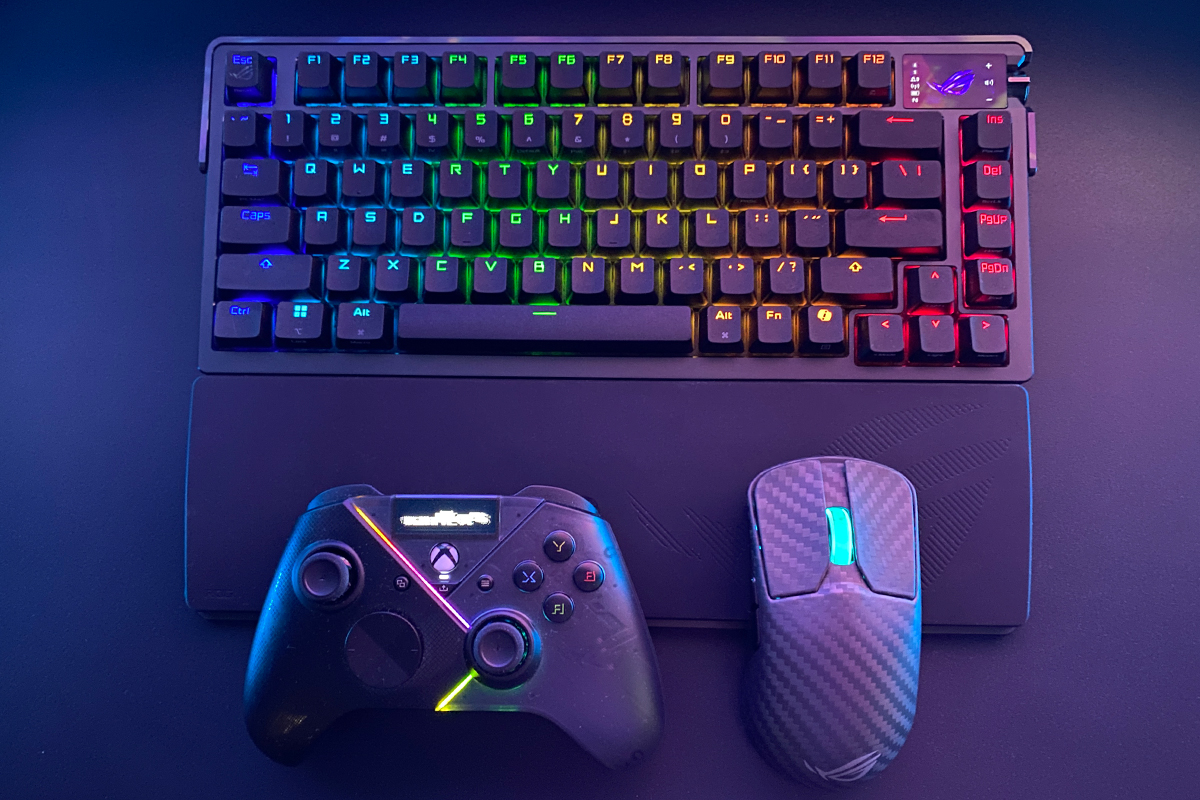
For users seeking a top-tier configuration with premium materials, the ROG Azoth Extreme offers an upgraded design, higher-quality components, and additional features. Key differences include a full-color OLED display instead of a monochrome screen, magnetically attached feet for easier adjustment of the typing angle, and carbon-fiber elements in the chassis, which reduce overall weight without compromising structural strength.
Read also: ASUS ROG Azoth Extreme Wireless Gaming Keyboard Review
ROG Azoth 96 HE

The ROG Azoth 96 HE is the latest iteration in the series, featuring a new type of switch. This model is equipped with ROG HFX V2 Hall-effect switches, which operate using a magnetic field. Compared to standard mechanical switches, they offer improved actuation precision, greater operational stability, and faster response times. These characteristics are particularly noticeable in fast-paced gaming scenarios where timing is critical. The keyboard supports ROG SpeedNova 8K wireless technology for low-latency connections and includes a Zone mode for flexible configuration of different keyboard areas. Its construction incorporates six noise-dampening layers, resulting in quieter operation compared to most mechanical keyboards.
ROG Falchion Ace HFX

The ROG Falchion Ace HFX is an ultra-compact 65% keyboard featuring ROG HFX magnetic switches. Its size makes it suitable for users with limited desk space or those who frequently transport the keyboard. The model includes several gaming-oriented features, such as the Rapid Trigger switch for faster response to repeated key presses, Speed Tap mode, and an 8,000 Hz polling rate.
Read also: ASUS ROG Falchion Ace HFX review: Gaming Keyboard with Magnetic Switches
ROG Falchion Ace 75 HE

The ROG Falchion Ace 75 HE is the latest addition to the Falchion lineup, featuring a notable design revision. While retaining a compact form, the keyboard has been slightly enlarged and is now presented in a 75% layout. It is equipped with next-generation ROG HFX V2 and V2X Hall-effect magnetic switches that support hot-swappable functionality. The keyboard also uses durable ROG doubleshot PBT keycaps. In addition to the interactive touch panel found in previous models, it now includes a physical dial for adjusting switch sensitivity. The approach to portability has also been updated: instead of a rigid cover, primarily intended for dust protection, the new model comes with a soft protective case for easier transport.
ROG Falcata
The ROG Falcata is a split keyboard featuring a separated design and ROG HFX V2 Hall-effect magnetic switches. The main feature of this model is that the two halves can be positioned independently on the desk, allowing users to find the most comfortable hand placement for work or gaming. Additionally, the left half of the keyboard can be used independently, freeing up desk space for greater mouse movement – an aspect particularly relevant for gamers using low mouse sensitivity settings who require more room.

The choice of a keyboard model that fits specific needs and integrates into a gaming setup can be made through the ASUS Official Store.
Read also:
- Choosing a Gaming Mouse: Recommendations from Republic of Gamers
- ASUS ROG Strix OLED XG27AQDPG Monitor Review: 2K QD-OLED, 500 Hz, and 0.03 ms Response Time
- ASUS ROG KJP Accessories Review: Original Collaboration with Kojima Productions

