





© ROOT-NATION.com - Use of content is permitted with a backlink.
Choosing a graphics accelerator for a content creator’s workstation often boils down to a simple recommendation: if you have the budget, buy a GeForce RTX 5090. That’s a perfectly reasonable approach, since the flagship model offers the maximum amount of VRAM and the highest level of computing performance.

In real life, not everyone can afford to spend that much. What’s more, not every content creator needs top-tier performance, as different workflows come with specific requirements for a graphics card. Before making a final purchase decision, it’s worth evaluating several fundamental parameters.
TABLE OF CONTENTS:
VRAM Is Everything: What Graphics Card Does Your PC Really Need?
The best place to start is with the amount of video memory. In creative workflows, VRAM capacity is often the decisive factor in determining what a graphics card can do. When VRAM runs short, the entire system slows down significantly, which is especially noticeable when performing demanding tasks.

If your workload involves large-scale AI models, demanding simulations, cinematic video production, or complex 3D projects, you should be looking at 32 GB of VRAM. In this category, the ASUS ProArt GeForce RTX 5090 is an ideal choice, offering not only the maximum GDDR7 memory capacity but also the highest level of performance for professional workloads.

For the vast majority of photographers, designers, and video editors, 16 GB of VRAM is an excellent baseline. That’s why the performance of the ASUS ProArt GeForce RTX 5080 is more than enough to handle most day-to-day professional workloads.
From 3D Graphics to AI: Choosing the Right GPU for Your Workstation
Performance should match your specific needs. Memory capacity is only one part of the equation. The number of compute cores, memory bandwidth, and the graphics chip’s overall processing power are equally important. For example, when a PC is used to run AI agents locally, VRAM capacity can be the key factor, while peak compute performance is not always critical. This is precisely why compact AI PCs with large amounts of unified memory are rapidly gaining popularity, including the ASUS Ascent GX10.
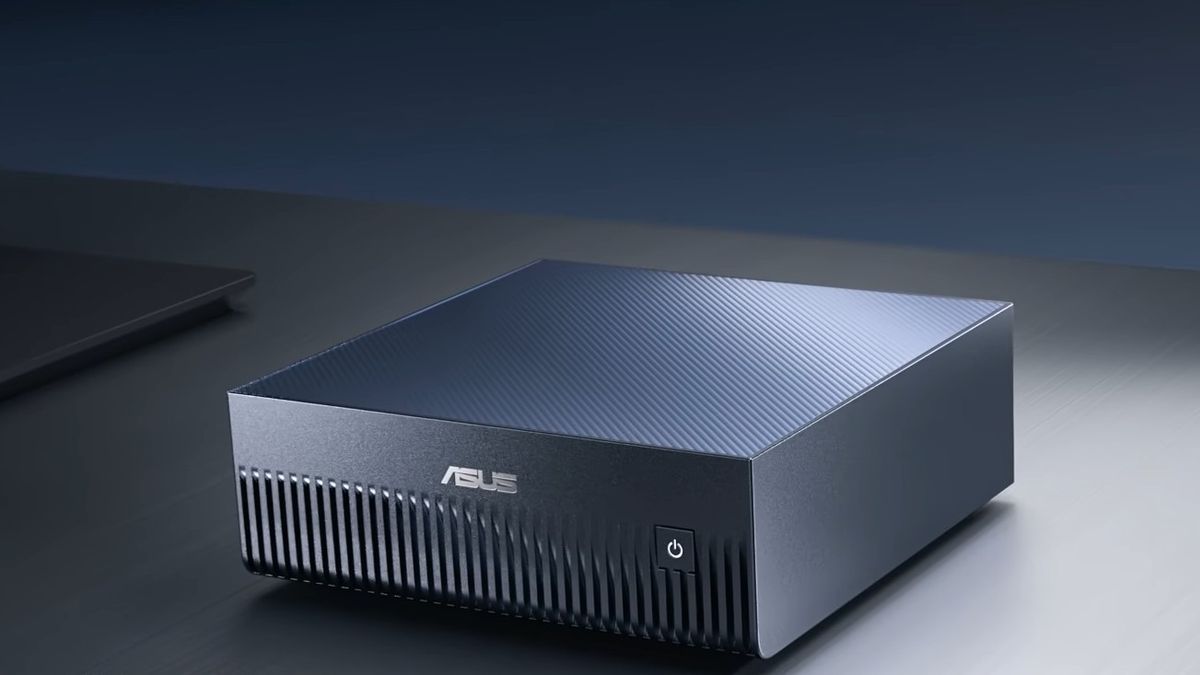
By contrast, video editing, 3D rendering, design, and game development depend much more heavily on GPU compute performance. In such scenarios, it makes sense to choose the most powerful option that fits within your budget.
Form Factor and Ports: What to Look for When Choosing a Graphics Card for Your Studio
Modern high-performance graphics cards have grown significantly larger compared with models from previous years. Larger cooling systems help keep temperatures low even during extended workloads, but before placing an order, it’s important to make sure the card will physically fit inside your case. For most modern creative PCs, more compact designs remain the better choice. In this regard, the ASUS ProArt GeForce RTX 5090 stands out as one of the few RTX 5090 variants with a compact 2.5-slot design, making it suitable even for multi-GPU configurations.

For many professionals, a computer is part of the look and feel of a studio or office, so the appearance of the components matters as well. That’s one reason the ASUS ProArt line features a restrained, minimalist design without aggressive styling or excessive RGB lighting. This aesthetic fits seamlessly into a professional work environment and pairs perfectly with other devices in the ProArt lineup.
NVIDIA 50-Series Graphics Cards: A Complete Breakdown of Their Capabilities for Creators
Most current graphics cards come equipped with several DisplayPort and HDMI outputs, but content creators often also need a USB Type-C port for connecting professional monitors, where a single cable can carry video, data, and power simultaneously. That’s why the latest ASUS ProArt graphics cards come equipped with a USB-C port that supports video output.

A modern graphics card is also about its software ecosystem. The latest NVIDIA GeForce RTX 50 Series models support DLSS 4.5, accelerated AI computing in FP4, as well as ninth-generation NVENC hardware encoders, which speed up video exports and improve overall encoding quality. NVIDIA Studio drivers are equally important, as they are optimized for professional applications and creative software suites.
ProArt Ecosystem vs. the Alternatives: Which GPU Will Speed Up Your Workflow?
Which models are worth considering? If you need maximum performance, the ASUS ProArt GeForce RTX 5090 is the best choice. Its compact 2.5-slot design, efficient heat dissipation, 32 GB of GDDR7 memory, and USB Type-C port make it one of the most appealing options for professional PCs. A somewhat less powerful and significantly more affordable alternative is the ASUS ProArt GeForce RTX 5080, which offers a solid 16 GB of VRAM along with the same distinctive ProArt design, combining effective cooling with a sleek, compact chassis.

If your goal is to strike the best balance between price and functionality, the ASUS Dual GeForce RTX 5060 Ti 16GB is worth considering. It is one of the most affordable graphics cards with 16 GB of VRAM and is well suited to video editing, graphics work, 3D modeling, and getting started with artificial intelligence. It belongs to a different series, so it may not offer the full range of features designed for content creators, but it is still a perfectly reasonable choice when budget is a constraint.
Read also: ASUS ROG Astral RTX 5080 16GB OC Review: A Flagship… but Only for Gamers

At the same time, an interesting alternative for specialized workloads is the ASUS Turbo Radeon AI PRO R9700, with 32 GB of memory and a compact 2-slot design. It is particularly useful in workstations where multiple graphics accelerators operate in parallel for rendering or compute workloads. This is a more niche and specialized solution than the other models, as it is aimed not at individual users but at complex system deployments for organizations working with AI.

