© ROOT-NATION.com - Use of content is permitted with a backlink.
In general, I have a simple way of rating monitors. If I see a price tag above $200, I assume it’s a good one. Above $400, it’s probably a gaming monitor. But when the price hits $700, that’s strictly a work monitor. The expectations are higher, and so are the anticipated benefits. Boring? More like dependable. And that’s exactly how it turned out with the ViewSonic VA3820C.

TABLE OF CONTENTS:
Technical Specifications
- Screen size: 38 inches
- Aspect ratio: 21:9 (Ultra-Wide)
- Panel type: IPS
- Curvature: 2300R
- Resolution: Wide QHD+ (3840 × 1600 pixels)
- Refresh rate: 75 Hz (VRR support)
- Response time: < 5 ms
- Color depth: 10-bit (8-bit + A-FRC)
- Color gamut: 98% DCI-P3, 134% sRGB
- Brightness: Up to 300 nits (HDR10 signal support)
- Contrast ratio: Dynamic 50,000,000:1
- Viewing angles: 178° / 178°
- Screen coating: Matte (3H hardness), Flicker-Free, Blue Light Filter
- Built-in speakers: 2 × 2.5 W
- Ports and connectors: USB Type-C 3.2 (DP Alt Mode, Power Delivery up to 96 W), USB Type-B (upstream for hub), 2 × USB Type-A 5 Gbps (downstream), 2 × HDMI 2.0 (with FRL and HDCP 2.2), DisplayPort 1.4, 3.5 mm audio jack
- Height adjustment: Up to 130 mm
- Swivel: 60° (30° left / 30° right)
- Tilt: -5° to +15°
- VESA mount: 100 × 100 mm
- Weight: 7.2 kg (without stand)
ViewSonic VA3820C Video Review
Price and Positioning
It costs around $700. In the manufacturer’s lineup, it’s not the most expensive model, but it’s not an ultra-professional display either. You can always look at the ColorPro series and models such as the VP3881, where the prices are in a completely different league. And yes, ViewSonic also makes gaming monitors, but today we’re talking about a workhorse.
Package contents
Inside the box, you’ll find:
- A stand arm and mounting hardware for wall installation
- Power adapter
- User manual
- HDMI and DisplayPort cables, plus two USB cables – Type-C and Type-B

Design and Ergonomics
The VA3820C’s design is unexpectedly distinctive. While examining the chassis, I briefly forgot that this was a work monitor rather than some gaming behemoth. The design elements are purely decorative – there’s no RGB lighting, and the entire chassis is black. But those stripes across the front bezel or the contour around the mounting point… It’s all just a bit much! Cool, but definitely a bit much.


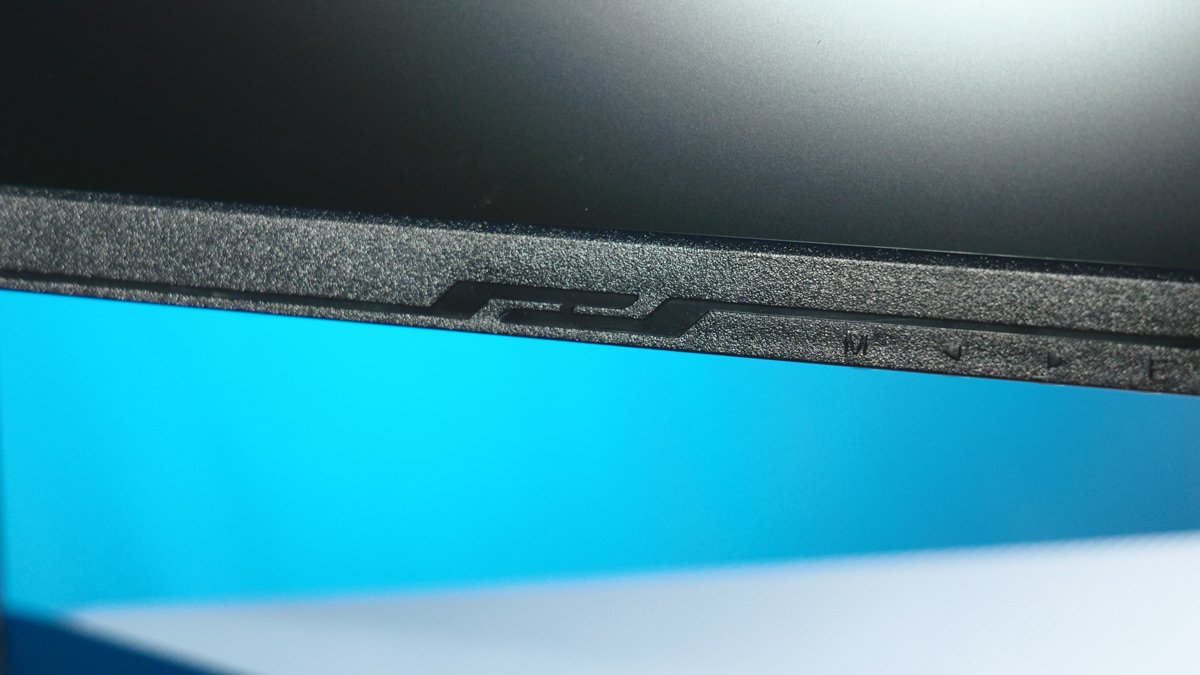
Despite the curved 2300R panel, the monitor comes with a standard stand offering three degrees of freedom:
- Height adjustment: up to 130 mm
- Left-right swivel: up to 60°
- Forward-backward tilt: from -5° to +15°
The only thing missing is rotation into portrait mode, but for a 38-inch curved giant, that’s practically a record in itself. There’s also support for VESA 100 × 100 mounting, although the monitor is a hefty 7.2 kg without the stand.

Connectivity and Power
One thing you certainly can’t fault this monitor for is its generous selection of ports:
- 2 × USB Type-A (5 Gbps) and USB Type-B (for the hub)
- 2 × HDMI 2.0 (with FRL and HDCP 2.2)
- DisplayPort 1.4 and a 3.5 mm audio jack
- Two 2.5 W speakers and a Kensington lock
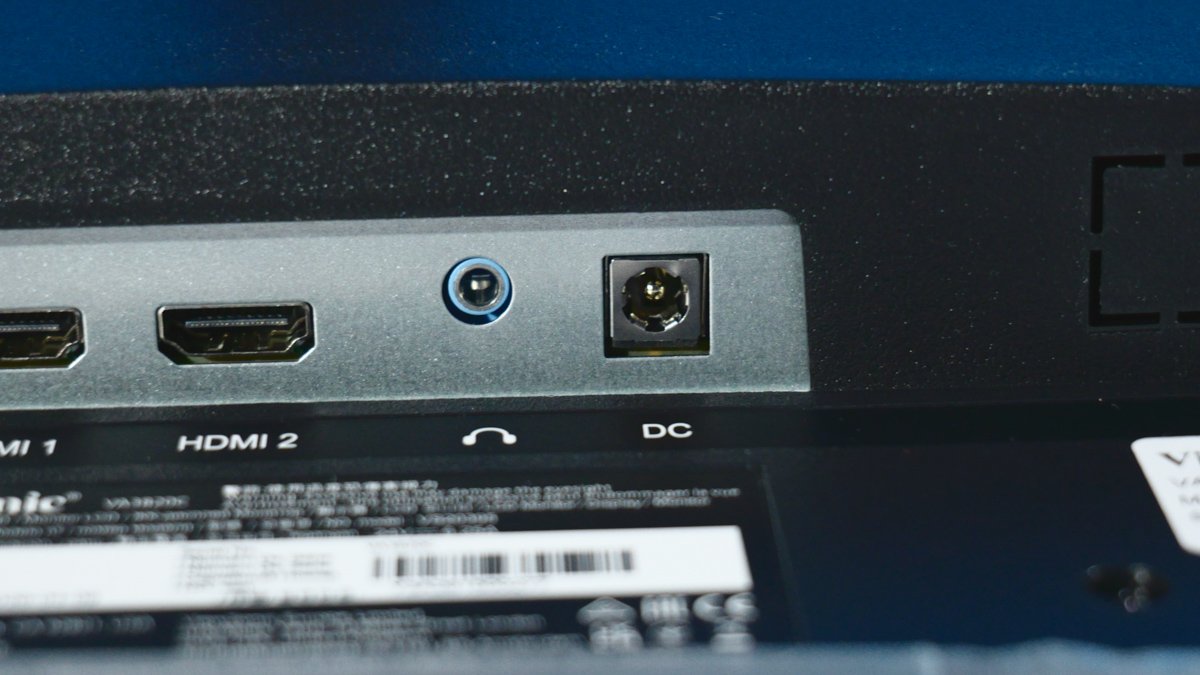
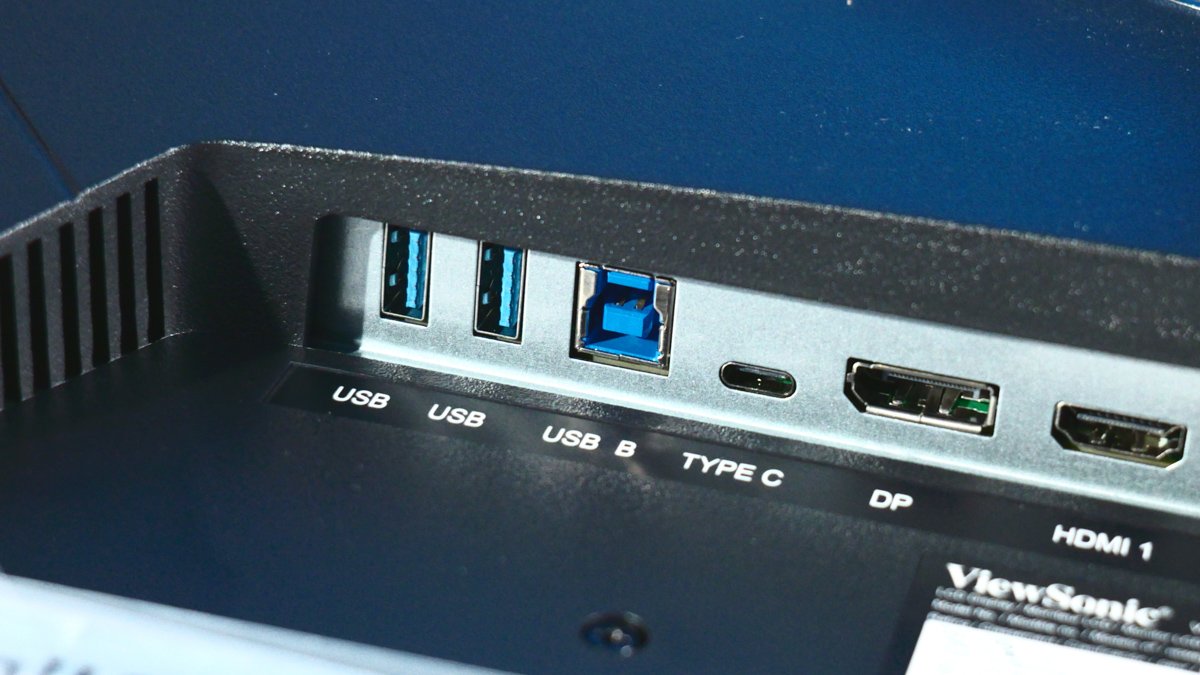
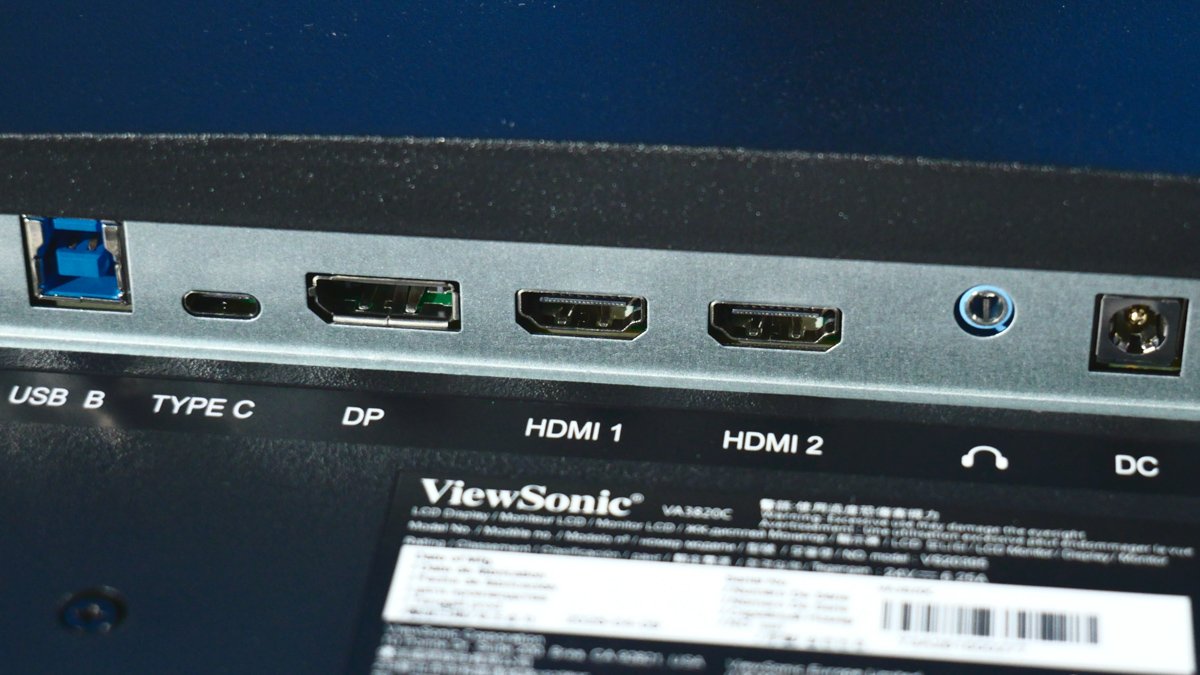
The main star of the show is the USB Type-C 3.2 port (5 Gbps), with support for DP Alt Mode and Power Delivery of up to 96 W. This lets you power your laptop directly from the monitor and forget about extra cables and hubs. (Unless you need a hub with an M.2 SSD inside – we’ve reviewed those, too):
- Beelink EX Mate Pro Review: The Best Hub?
Wavlink WL-UTD58-M Hub Review: Thunderbolt 5 Support at Last
There’s an important caveat here. I wouldn’t recommend powering this ViewSonic from a power bank via a DC adapter. The monitor itself consumes around 39 W at full brightness, but the included power supply is rated for the full 150 W through Power Delivery. How the system will respond to power from a power bank is a big question.
Display: IPS Exotic
Now we get to the most interesting part – the panel. It’s a 38-inch display with a 21:9 aspect ratio and Wide QHD+ resolution (3840 × 1600). That’s less than 4K, but at this screen size, there’s more than enough detail to spare. The refresh rate is 75 Hz, the response time is <5 ms, and VRR (variable refresh rate) is supported.

You’ll notice the difference between 60 and 75 Hz, but it shouldn’t really be counted as a gaming advantage – this monitor isn’t designed for esports, although input lag is genuinely low here. Now for the main highlight: the panel is IPS. That’s a huge rarity, because curved monitors – especially those with a 2300R curvature – are usually built around VA or OLED panels.

Color reproduction and pro-level specs:
- Color depth: 10-bit (8-bit + A-FRC)
- Color gamut: 98% DCI-P3 and 134% sRGB
- Viewing angles: 178°
- Screen coating: Matte, with 3H hardness
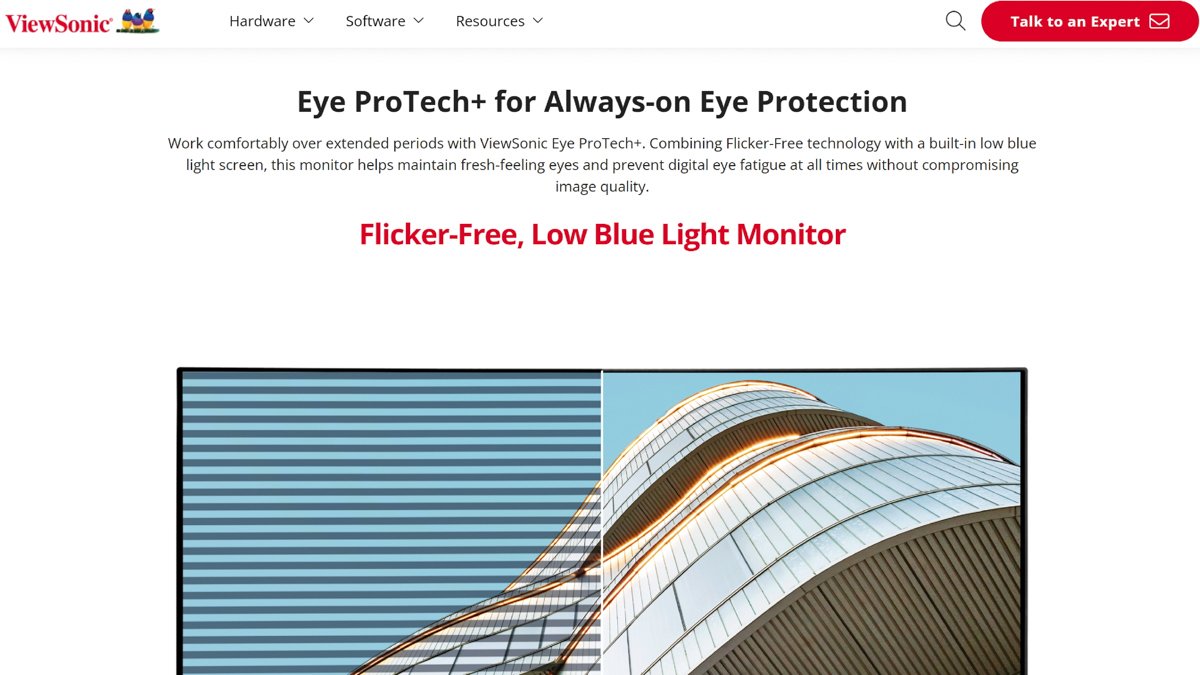
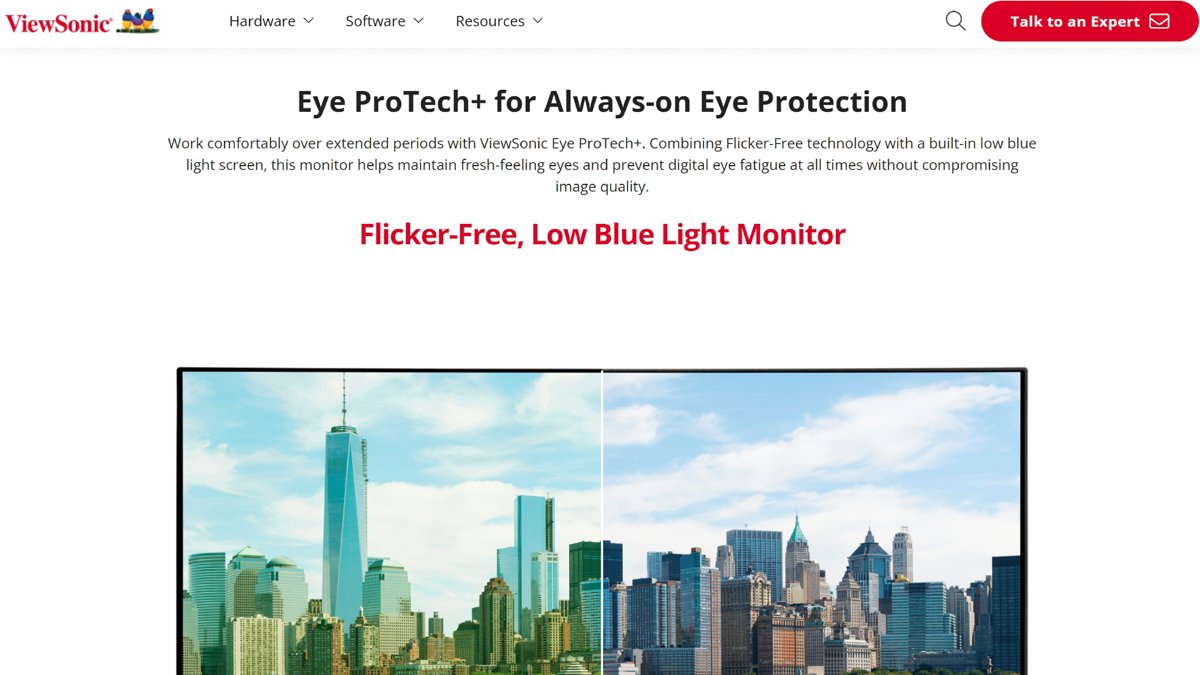
With specs like these, I can confidently say that this monitor is an excellent choice for video editors, colorists, and designers. It also features both hardware and software protection against blue light and flicker (Flicker-Free).
Software and Features
The on-screen menu is standard for ViewSonic and is controlled using the buttons underneath the display. In addition to selecting color profiles, there are detailed Picture-in-Picture (PiP) settings. Thanks to the generous selection of ports, you can display images from two sources simultaneously.


The build quality is rock-solid, the warranty is 24 months, and the LED backlight is rated for at least 30,000 hours. The monitor wobbles slightly when you press the buttons, but that’s just physics: any ultrawide monitor on a stand acts like a lever.
HDR
The only real complaint I had was HDR. And that’s more of a marketing problem than an issue with ViewSonic itself. Let me put it simply: HDR10 is just a signal format. The monitor understands that it has received an extended dynamic range signal, doesn’t “glitch out,” and simply converts it to SDR. HDR400, on the other hand, indicates the hardware is capable of delivering at least 400 nits of peak brightness for actual HDR.

The ViewSonic VA3820C supports HDR10, while its peak brightness is rated at up to 300 nits (and testing showed slightly less). So don’t be tempted by the HDR label. The monitor isn’t dim thanks to its matte coating, but it’s not particularly bright either. This is basic work-level brightness.
Conclusion
This is an excellent work monitor at a reasonable price. As a fan of ultrawide formats for video editing, I was thoroughly impressed by its strengths. The only real downsides are that the price may feel a little steep, while the HDR situation is a broader industry-wide issue rather than a problem specific to this model. So yes, I recommend the ViewSonic VA3820C!
Where to buy ViewSonic VA3820C