





© ROOT-NATION.com - Use of content is permitted with a backlink.
Logitech is my favorite brand when it comes to Apple accessories. Every iPad case I’ve ever had came from Logitech, and I never even bought an Apple Pencil – I was more than happy enough with a much cheaper Crayon. The Flip Folio was seemingly made for me: in the past few months, I’ve grown accustomed to taking my iPad with me instead of a much heavier MacBook, and the new magnetic case promised to give me both freedom and peace of mind. But is it as good as described?

TABLE OF CONTENTS:
Positioning
iPad keyboard cases is a very hot market, with many brands offering their take on what might be considered the most convenient and practical solution. The Flip Folio is available in two sizes to fit various iPad models. The larger version, designed for 13-inch iPad Air and iPad Pro devices, costs $179.99. A more compact option, priced at $159.99, is compatible with the 11-inch iterations of these tablets. Unfortunately, the older models are not supported.
First up, let’s consider Logitech’s own ecosystem. While the Flip Folio is a solid, integrated choice, Logitech also offers the Combo Touch. Now, the Combo Touch’s official price is often higher. However, it’s a frequent flyer on sale racks, often dropping closer to our target range, especially for previous-generation iPads. The key difference here is versatility. The Combo Touch boasts a detachable keyboard and a large trackpad. Crucially, it connects via Apple’s Smart Connector, meaning instant pairing and drawing power directly from your iPad – no separate charging for the keyboard, no finicky Bluetooth.
Read also: Logitech G ASTRO A50 X review: Almost perfect console headset
Next, it’s crucial to acknowledge Apple’s own offerings, but with a big asterisk regarding price. The Apple Magic Keyboard is often seen as the pinnacle of iPad keyboard cases, with its floating cantilever design, backlit keys, and excellent haptic trackpad. It delivers an unparalleled typing experience that feels incredibly polished. However, it’s a luxury item, with a price that’s honestly too wild to even mention – many tablets we’ve reviewed are priced lower. This places it well outside the Flip Folio’s price bracket. While it’s fantastic, it’s not a direct alternative.
That means that the Logitech Flip Folio finds itself in a unique niche – it’s cheaper than some of the other options, while offering something different. Or maybe not? It depends. Do read further to see what we mean.
Read also: Logitech POP Icon review: Eye-Catching Design and Four Magic Buttons
Design
Logitech rarely misses with its design, and the new case is immediately recognizable as a Logi product. As of right now, only the graphite version is available, but another options, presented in a subtle grey and lilac, are set to launch later this year in September 2025, with availability restricted to certain regions. Concurrently, a sand-colored variant will also be introduced, exclusively for the North American market.
There’s not much to say, really. Logitech can be playful, but this graphite version is all about business. It consists of two parts: the protective part and the keyboard, which attaches magnetically to make it easier to transport it. The keyboard is almost completely identical to Keys-To-Go 2, which is still my favorite portable keyboard. You will find almost no differences, safe for maybe the color.
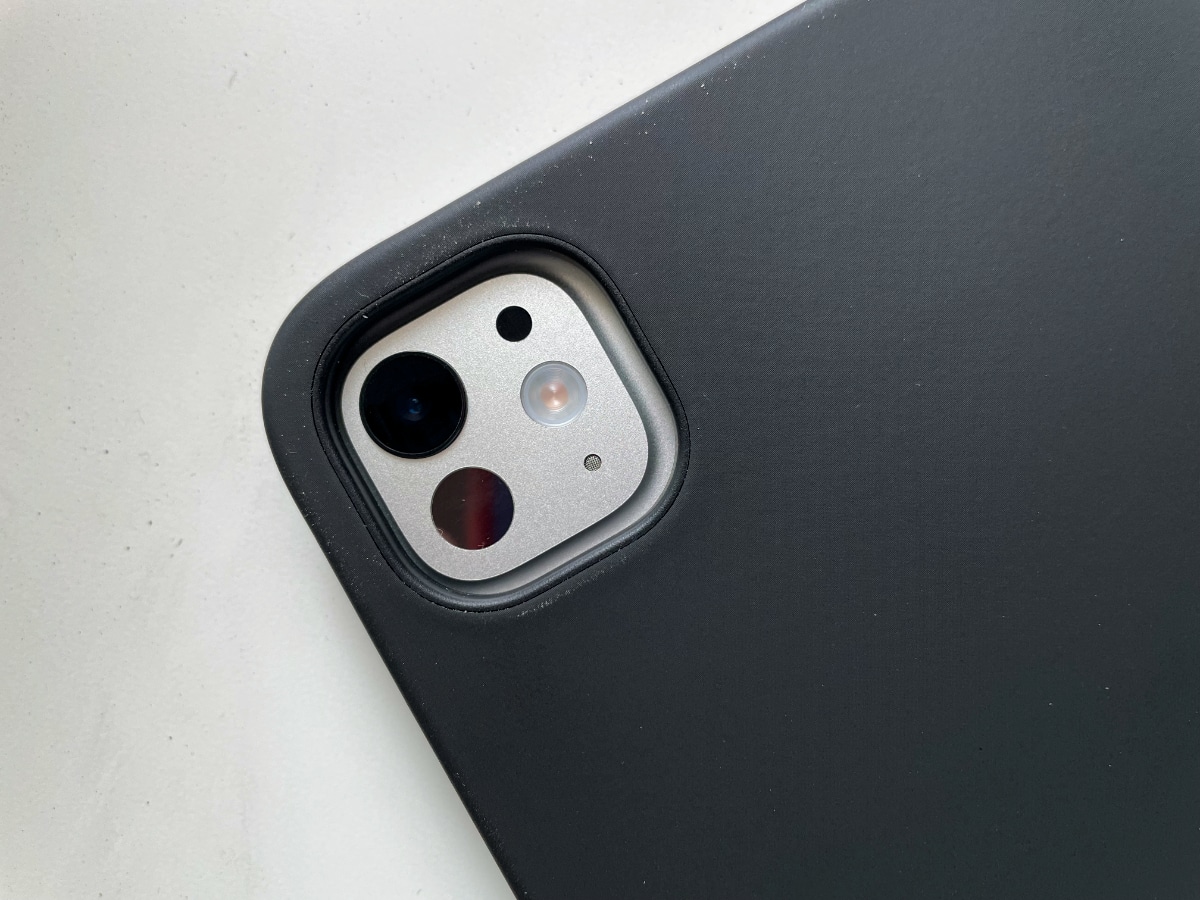
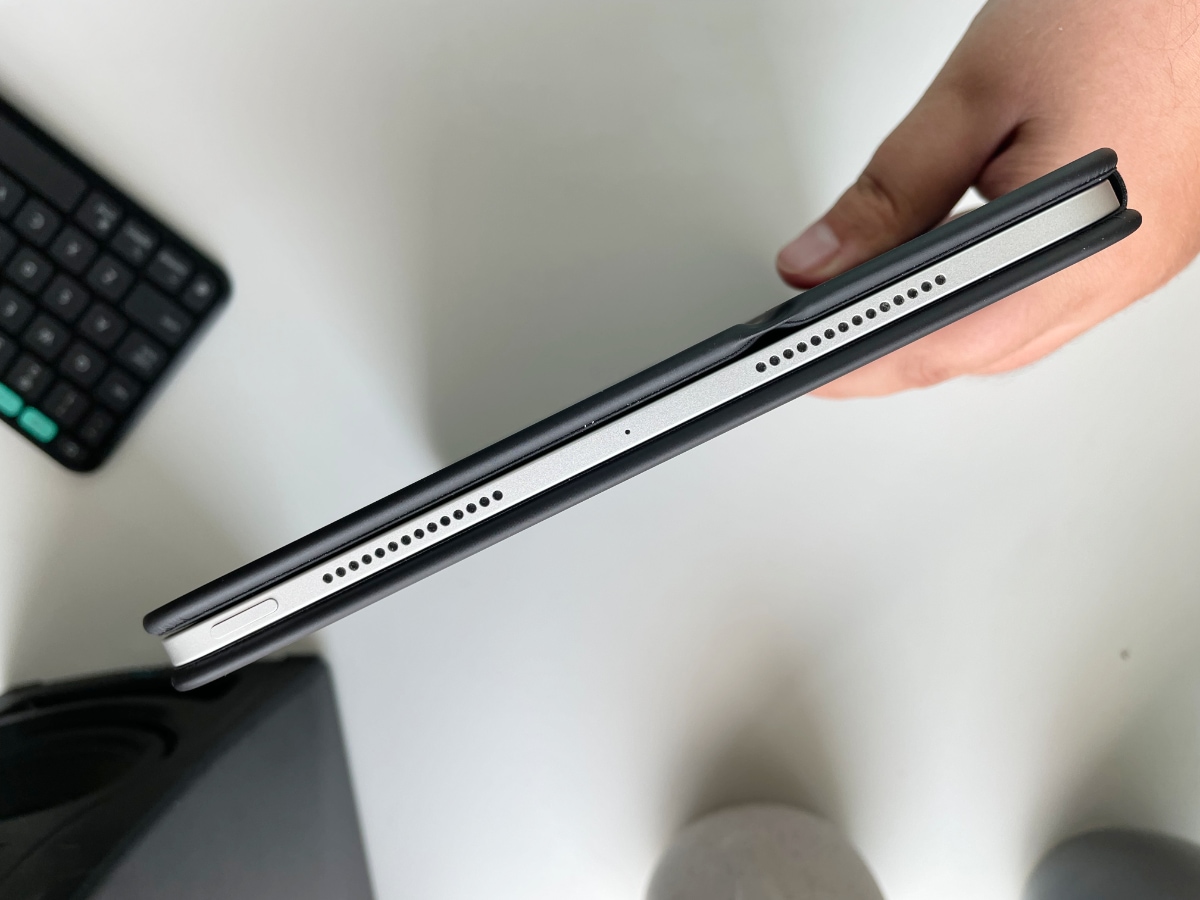
The case itself attaches to the iPad magnetically, which immediately makes it better than the Combo Touch – at least for me. Despite its very many pros, I just can’t stand trying to shove my (very thin, I might add) tablet into the case, praying to gods it just doesn’t snap in two in the process – the case is just too tight for my comfort. Now, the magnets I like. This alone makes it closer to Apple Magic Keyboard with one small distinction – there’s no touchpad.
Despite lacking backlighting, the keyboard offers an impressive two-year battery life and can connect with multiple devices. Its three dedicated colored keys at the top allow for rapid switching between your iPad and two other gadgets, including both Android and iOS phones. Furthermore, the Flip Folio case features a subtle raised edge along its fold. This clever design allows you to tuck the cover back and prop your iPad vertically, while simultaneously providing a convenient resting spot on the lip for your phone right beside it.
In use
The lack of a touchpad is the main issue that I have with the Logitech Flip Folio. It’s a good-looking case with a good proper keyboard and a neat folding system, and yet… why no touchpad? Is this where the price difference would become too much? I don’t know. But to me, a lucky owner of the Keys-To-Go 2, the lack of a touchpad makes this case a sort of useless accessory. After all, I already have a case for it and a keyboard – why would I need another two of those?
But that’s just me. It’s hardly surprising that I have too many cases and accessories for my own good. If you don’t already own a portable keyboard that you like, the Logitech Flip Folio might seem like a very interesting proposition. First of all, it’s convenient. Attaching the iPad is incredibly easy, the level of protection is as good as one would expect, and the keyboard is solid. Even more: you can use the iPad in portrait mode and even add an iPhone beside it. There’s no MagSafe, but the phone stays on the case thanks to the forces of gravity.
Read also: Combo Touch for iPad Pro review: Still better – and cheaper
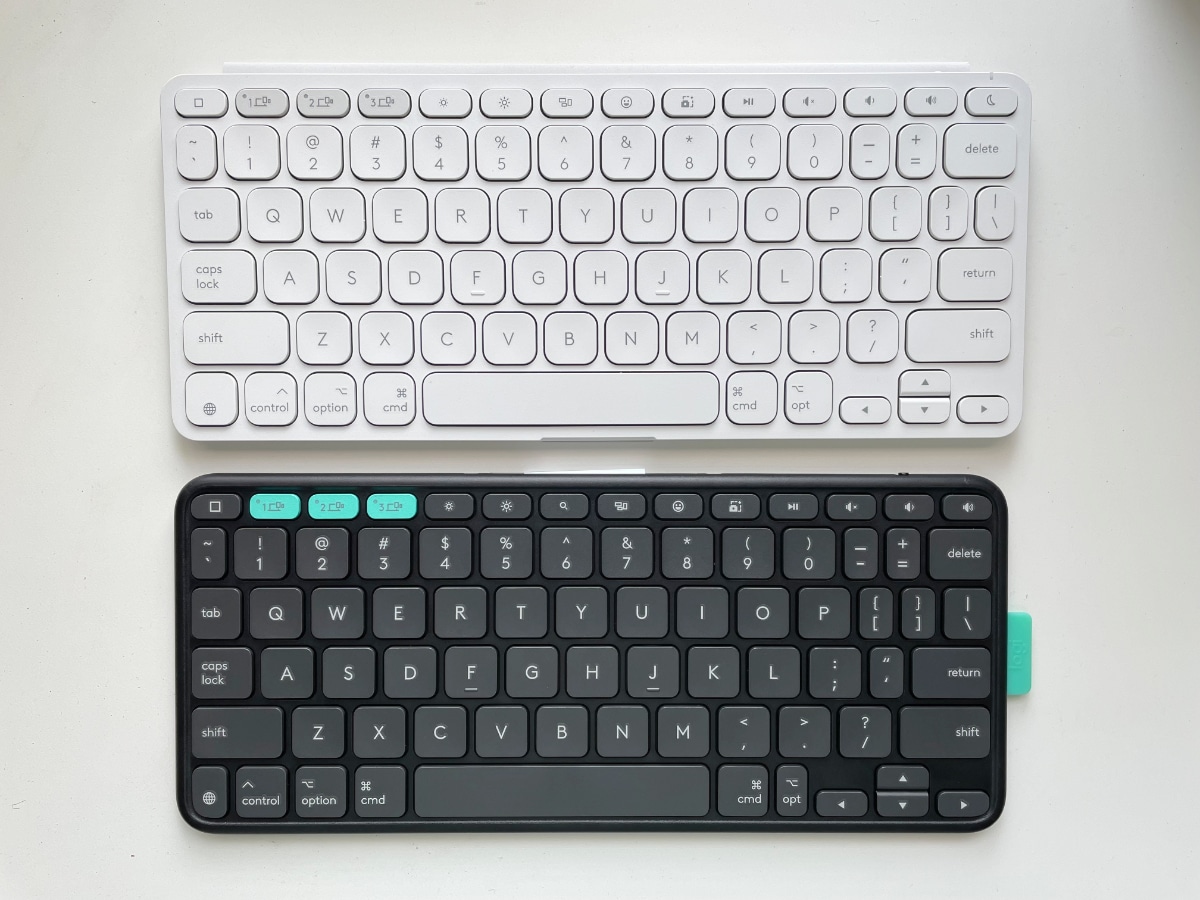
The keyboard’s battery is projected to last up to two years. Once depleted, the coin cell battery requires replacement, as the device operates exclusively on disposable batteries and lacks a USB port for recharging or wired connectivity.
The question remains: is this the killer accessory we’ve all been waiting for? Well, that depends on what you need and how you use your tablet. For me, the lack of a touchpad was a letdown – I already use the combination of Keys-To-Go 2 and POP Mouse for my portable needs. I would like to have Combo Touch’s excellent touchpad here, but alas, that did not happen.
Is it a good case? You bet. It does exactly what Logitech promises, looks and feels great, and gives you peace of mind for at least two years. And with the upcoming iPadOS updates, a case like that is bound to massively improve your productivity.
Verdict
The Logitech Flip Folio is simply excellent. In one bundle, you get a keyboard and a case, transforming your tablet into a laptop – well, almost. And while I would like it to have a touchpad as well, even without it it’s an enticing alternative to a much more pricy Apple Magic Keyboard.


How strong is the magnet holding the keyboard to the case? Is it going to stay on during transport?
It’s quite strong, I think it should.