© ROOT-NATION.com - Use of content is permitted with a backlink.
The modern portable SSD industry is experiencing something of an identity crisis, and pricing dynamics have only made the situation more challenging. One response to this has been the deep integration of industrial design, aesthetics, and marketing positioning into the development of such peripherals. These devices have evolved from purely utilitarian tools into lifestyle accessories intended to reflect the status, profession, or aesthetic preferences of their owners. In this context, the ORICO iFolder Go external SSD stands out as one of the most striking examples of this approach. The device, particularly in its high-contrast orange variant, represents an attempt to rethink what an everyday data storage tool should look like.
Read also: All about external SSD
TABLE OF CONTENTS:
Design and Visual Identity
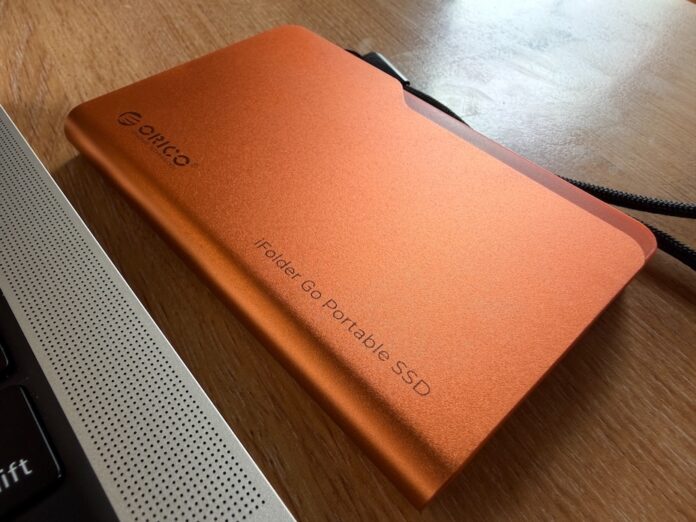
The appearance of the ORICO iFolder Go is its strongest and most immediately recognizable asset. An examination of its design philosophy reveals a deliberate and rather bold departure from the traditional minimalist form factors that dominate the market – for example, austere rectangular blocks or rugged, militaristic rubber bumpers. Instead, the device is styled after the classic computer folder icon or a physical cardboard file folder for documents.
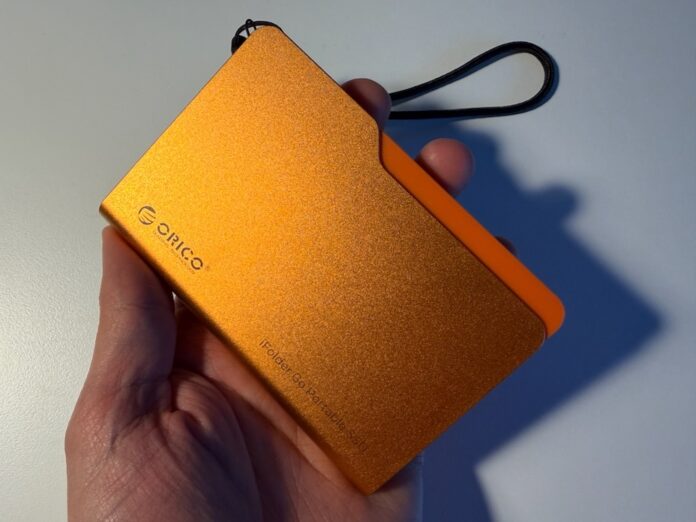
This approach serves a complex psychological function. On the one hand, it acts as a powerful visual trigger: users instinctively associate the folder shape with information storage, archiving, and workflow organization. On the other, it is an attempt to create an accessory that integrates naturally – yet distinctively – into creative and professional work environments. The manufacturer explicitly states that this aesthetic choice is intended to allow the drive to blend seamlessly with the other tools found on the desks of designers, photographers, and managers.
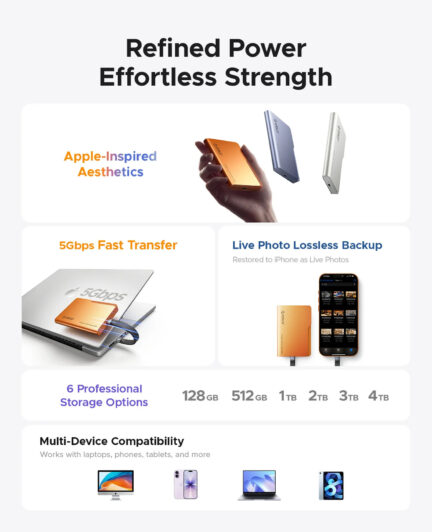
The product line is available in three color options: Orange, Silver, and Blue. The orange version deserves special attention, and it is the variant evaluated here. In professional equipment, bright orange is often used to ensure high visibility, and in this case the shade is remarkably similar to the orange finish of Apple’s iPhone 17 Pro and iPhone 17 Pro Max. The phone shown in the photographs is not mine, but the comparison between the two products was difficult to resist. My personal device is the silver version, and if I were choosing for myself, the silver SSD would undoubtedly be my preference.
From a practical standpoint, however, the orange finish offers clear advantages. The drive is easy to spot in the depths of a poorly lit backpack pocket, among a tangle of cables on a desk, or inside a bag filled with photography equipment. This is not merely a stylistic flourish but a genuinely useful ergonomic decision – one that manufacturers of conventional black or gray drives often underestimate. I experienced this firsthand when comparing it with the silver ORICO K.
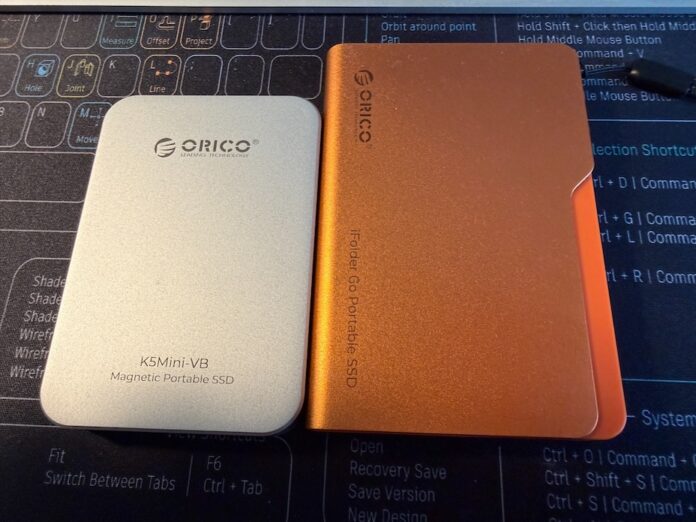
In addition, the device features a sandblasted metal finish that provides a matte appearance, resists fingerprints, and gives the product an aesthetic reminiscent of Apple’s premium design language. The texture is not only pleasant to the touch but also more effective at concealing the minor scratches that inevitably appear during everyday use. Overall, from the standpoint of visual identity, ORICO has created a compelling product that stands out among the hundreds of anonymous rectangular drives found on store shelves.
Materials and Build Quality
When selecting materials for a portable storage device, engineers are always balancing weight, durability, thermal performance, and manufacturing costs. The enclosure of the ORICO iFolder Go combines an aerospace-grade aluminum alloy with plastic components.
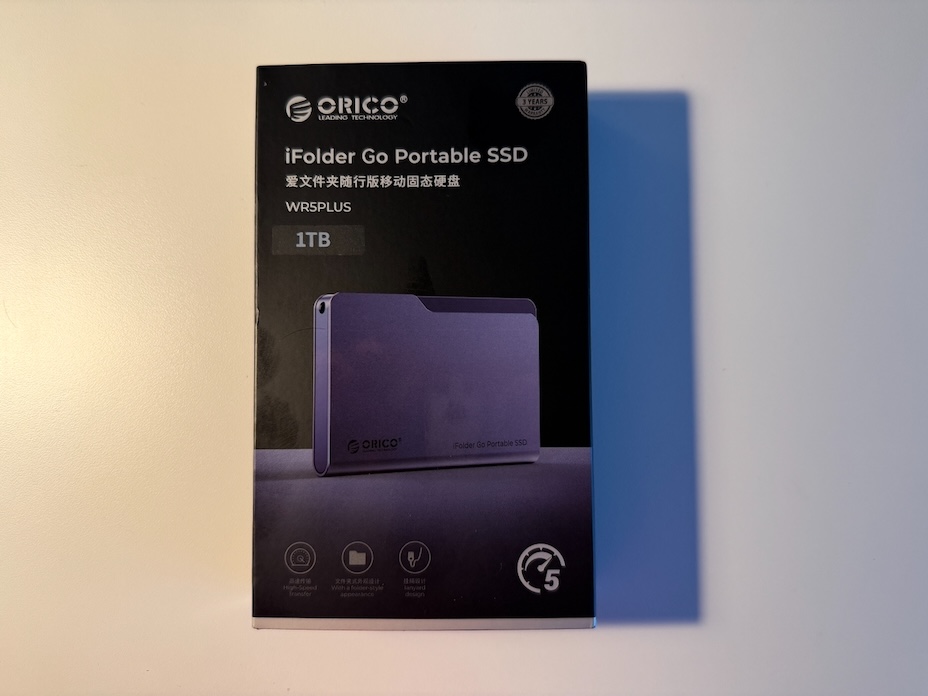
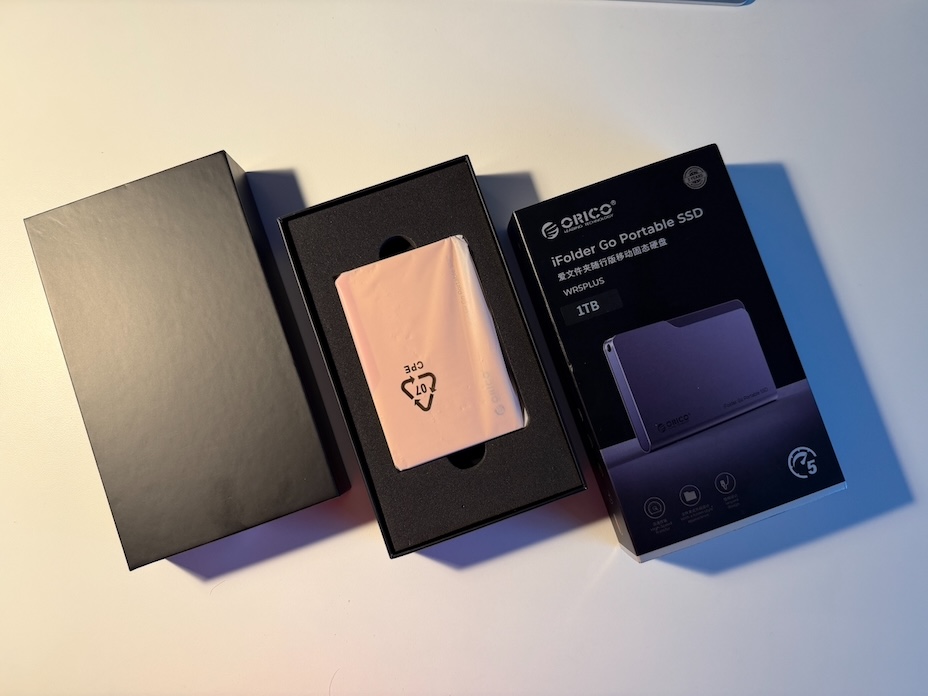
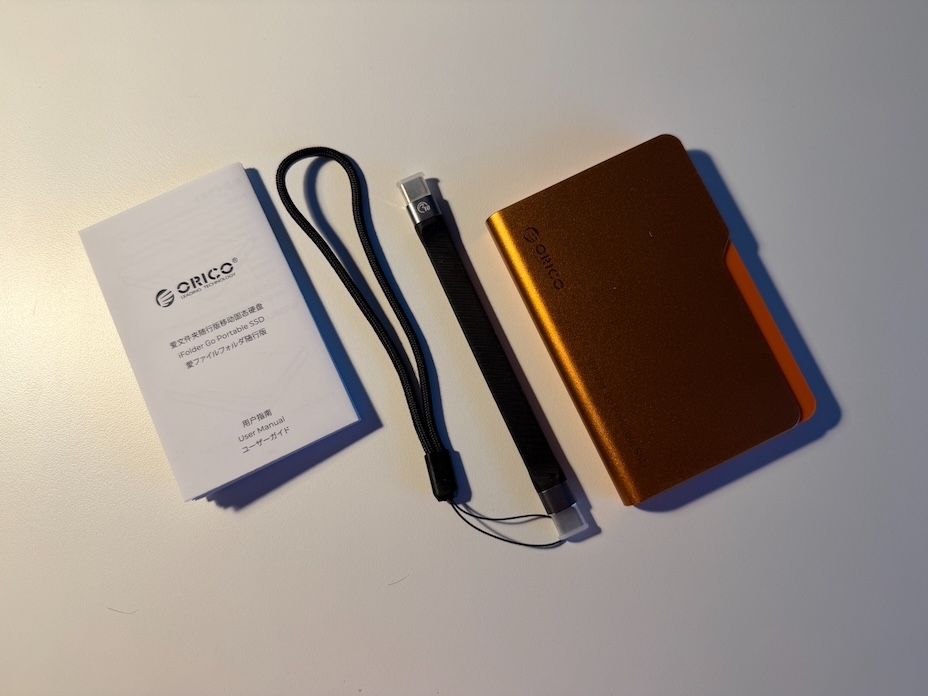
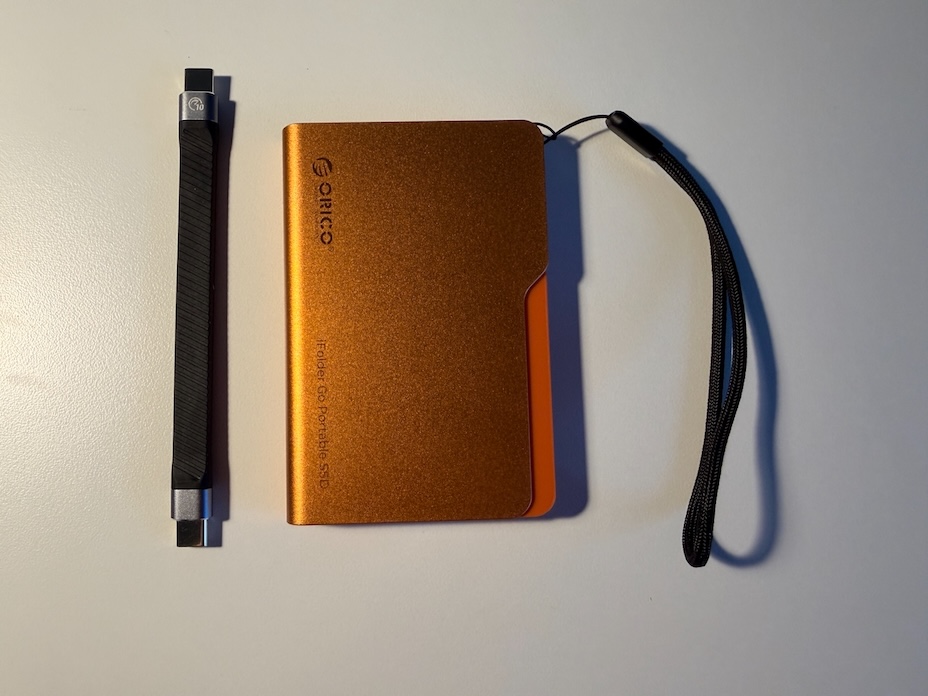
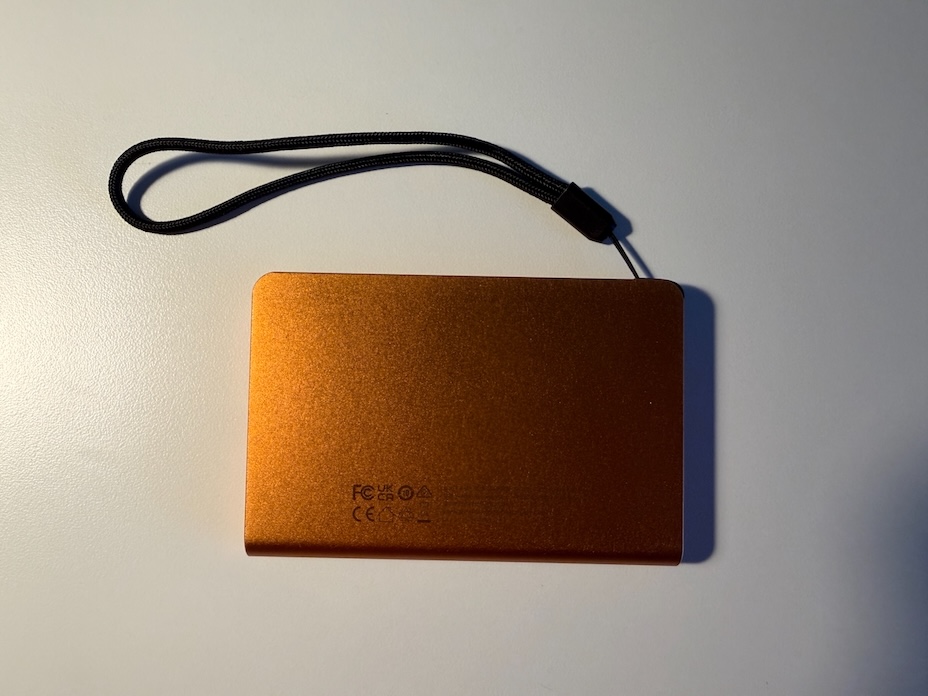
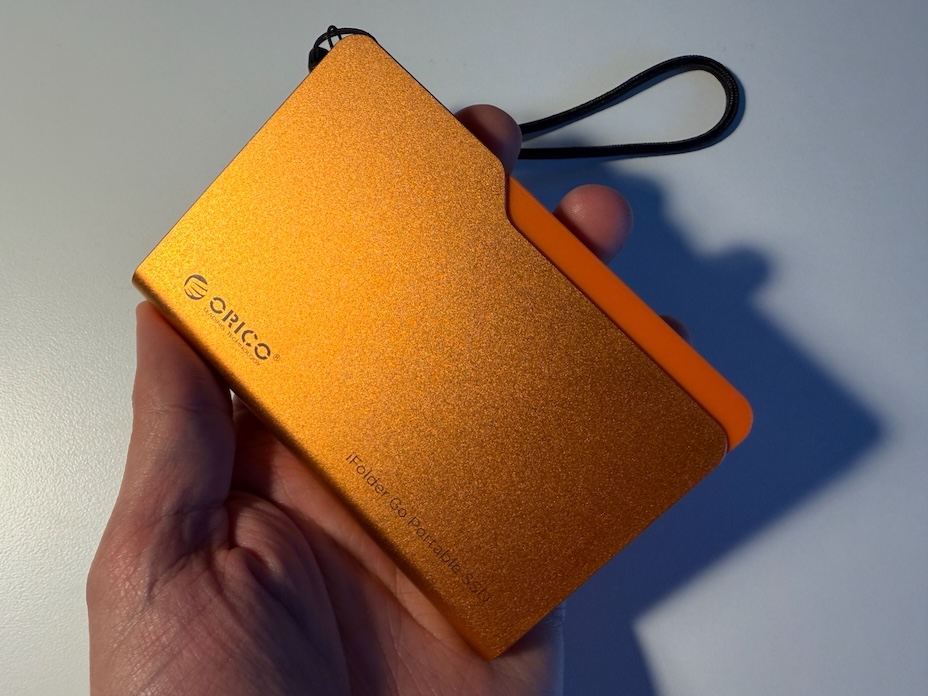
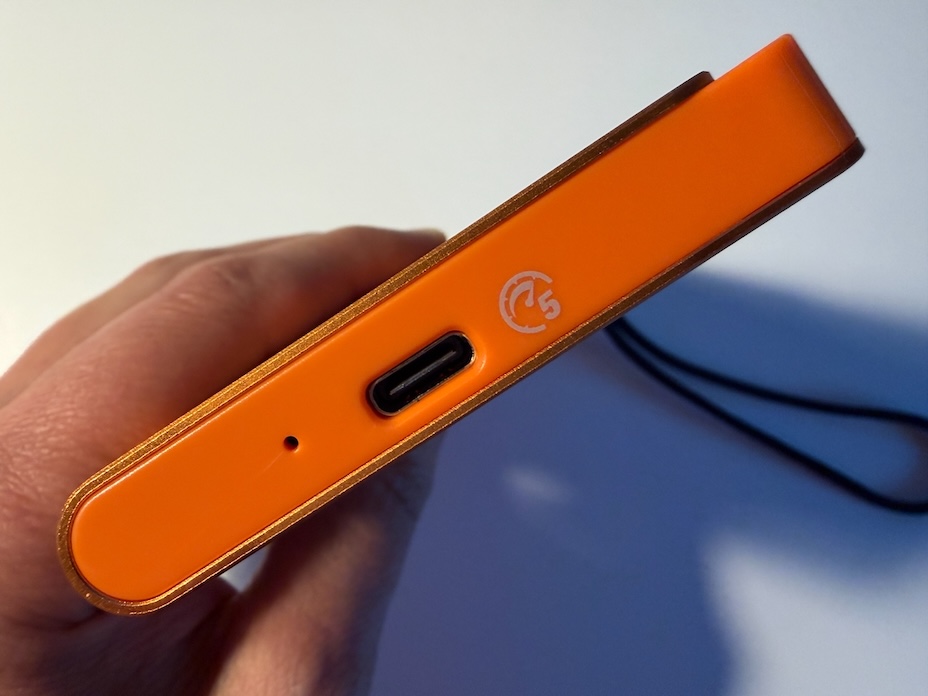
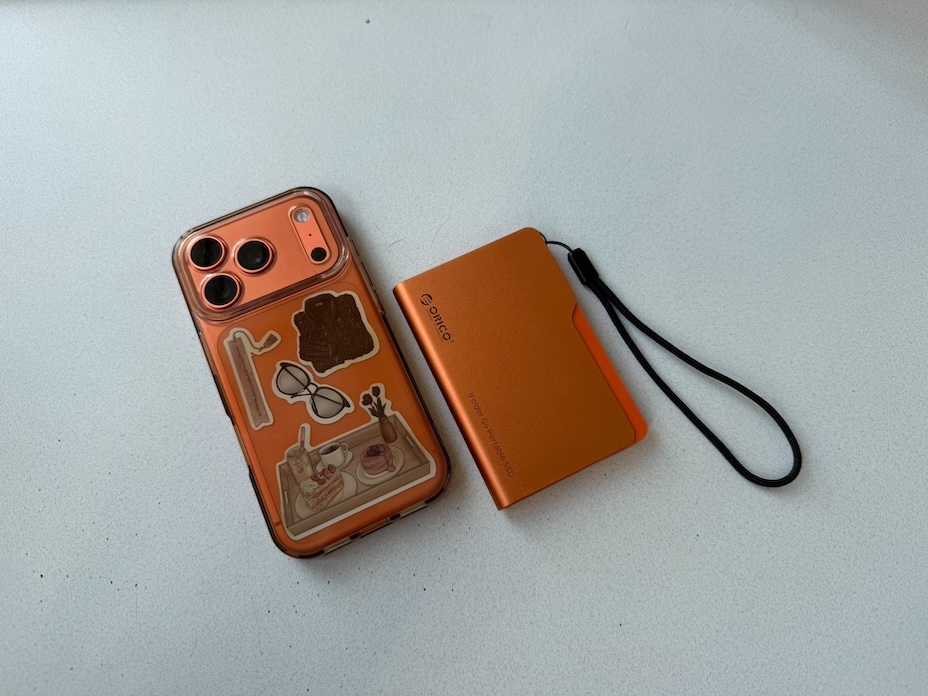
The use of aluminum is critically important for this class of device and extends far beyond simply creating a tactile sense of “premium” quality. Aluminum alloys, particularly those from the 6000 and 7000 series that are often marketed as “aerospace grade,” possess a high thermal conductivity coefficient of approximately 150–200 W/(m·K). In compact enclosures that lack active cooling systems, the metal chassis effectively serves as the device’s sole passive heatsink. It draws heat away from the internal components – the storage controller and the NAND flash chips themselves – and dissipates it into the surrounding environment. This is essential for maintaining stable performance and preventing memory degradation.
The combination of metal and plastic is likely driven by several engineering and economic considerations. Plastic inserts help reduce overall weight while also enabling the creation of specialized structural elements. For example, the area where the integrated cable enters the enclosure requires a flexible yet durable strain-relief mechanism that is better implemented with polymer materials. A metal component in this location could gradually abrade the cable’s outer jacket. In addition, plastic elements simplify and reduce the cost of assembly by serving as clips or guides for the internal printed circuit board.
Read also: Month with Orico K5 Mini: iPhone Memory Just Got Magnetic
Ergonomics and Ease of Use
The ergonomics of mobile accessories often come down to finding a balance between portability, the convenience of direct connectivity, and the long-term durability of moving or detachable components. The defining – and arguably most debatable – ergonomic feature of the ORICO iFolder Go is its separate 13-centimeter USB Type-C interface cable. This design introduces a significant risk of leaving the cable behind at home, in the office, or in a hotel room. For users who lead highly mobile lifestyles, frequently move between locations, and work on the go – such as journalists, photographers, or sales managers – this solution is less than ideal. A more practical, albeit somewhat unconventional, feature is the concealed lanyard hole. Combined with the included strap, it allows the drive to be attached to a backpack or simply pulled out of a pocket or bag by the cord.
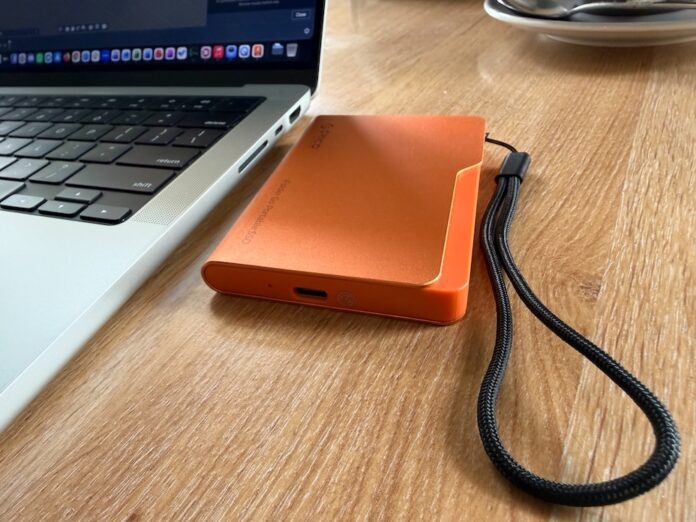
However, practical experience with this cable-based approach reveals a notable design weakness and an ergonomic drawback. At 13 centimeters, the cable is objectively too short for many usage scenarios. It is sufficient when the drive is connected to a laptop sitting on a desk, but the situation changes considerably when the user attempts to connect the SSD to the front or rear ports of a desktop computer – where connectors are often positioned relatively high – or to a tablet mounted on an elevated stand.
In such cases, the drive simply ends up hanging in midair. Here, the magnetic ORICO K5 Mini enjoys a clear advantage. The weight of the metal enclosure and internal components creates a constant mechanical load – a lever effect – on the host device’s USB Type-C port, whether on a computer or a smartphone. Over time, this could contribute to connector wear or even damage to the contacts. On the other hand, because the cable is detachable, users can easily replace it with a longer third-party solution better suited to these scenarios.
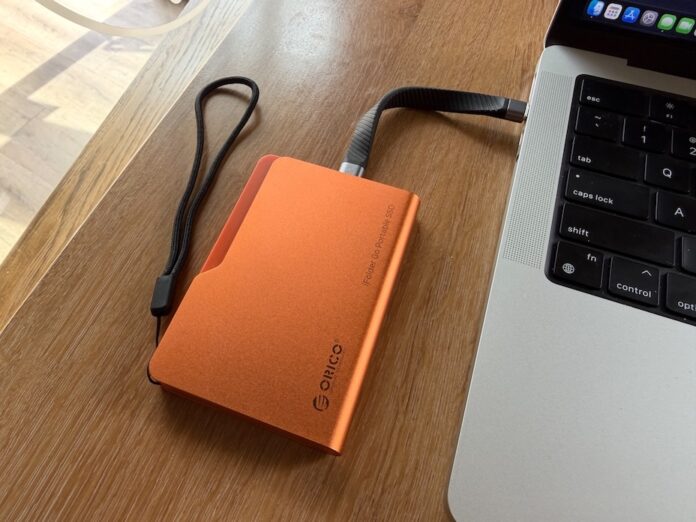 It is also difficult to ignore the question of size, as this portable SSD is not quite as compact as, in theory, it could have been. Judging by its relatively low weight, there appears to have been room for further engineering optimization to reduce its dimensions even more. This point, however, deserves a closer look and will be discussed in the next section.
Compactness and Form Factor
Assessing the compactness of the device requires comparing its dimensions against current technological standards. The ORICO iFolder Go measures 70.5 mm in width, 105 mm in length, and 12 mm in thickness.
At first glance, these dimensions may appear perfectly reasonable for a portable device. In 2026, however, a product of this size inevitably raises questions. An examination of the official specifications provides a clear explanation for its relatively large footprint: the enclosure houses a “built-in 2.5-inch half-height SSD.”
This means that the manufacturer opted not to use a modern, compact M.2 NVMe board – such as the 2230 form factor measuring 22 × 30 mm or the 2280 format at 22 × 80 mm – but instead employed a traditional 2.5-inch PCB design more commonly associated with internal SATA drives for laptops. The drive’s width of more than 7 centimeters is dictated almost entirely by the 2.5-inch standard itself (69.85 mm). Its 12 mm thickness is likewise a consequence of accommodating this larger board, its electronic components, the bridge controller, and a minimal air gap for thermal management.
Independent reviewers have rightly observed that the design would have been considerably more compelling had the device been physically smaller, more closely resembling a true miniature digital folder icon. In its current form, its dimensions are more reminiscent of a traditional enclosure for an older hard drive, somewhat undermining its claim to ultra-portability.
Performance and Hardware Architecture
The performance of any storage device is ultimately defined by two factors: its internal memory protocol and its external data transfer interface. ORICO’s marketing materials promise “5Gbps Fast Transfer,” positioning the device as a solution for rapid backups and efficient work with media files. A closer examination of the underlying hardware, however, together with the results of independent benchmarks, paints a considerably more nuanced picture.
Interface Limitations and the SATA Architecture
As established earlier, the device’s internal component is a 2.5-inch SSD. This unequivocally points to the use of the SATA III (Serial ATA) protocol. Developed more than a decade ago as a replacement for mechanical hard drives, SATA III has a fixed hardware bandwidth limit of 6 Gbps. In practical terms, this means that the internal drive itself is incapable of processing data at speeds beyond approximately 550–600 MB/s, regardless of how fast the external connection may be.
The external interface is implemented via a USB Type-C port rated at “up to 5 Gbps.” This corresponds to the USB 3.2 Gen 1 specification, formerly known as USB 3.0 or USB 3.1 Gen 1. The theoretical limit of 5 Gbps translates to 625 MB/s. However, the USB protocol employs 8b/10b encoding, in which 10 bits of information are transmitted for every 8 bits of actual data in order to maintain signal integrity. This mechanism immediately consumes 20% of the available bandwidth. After accounting for additional packet-transfer overhead, even when using the USB Attached SCSI Protocol (UASP), the realistically achievable peak throughput falls to approximately 450–480 MB/s.
As a result, the engineering architecture of the ORICO iFolder Go is essentially a SATA-to-USB 5 Gbps bridge. It is a reliable and cost-effective design, but one that is fundamentally dated by 2026 standards, when the industry has largely transitioned to NVMe-to-USB bridges offering transfer rates of 10 Gbps (around 1,050 MB/s) or even 20 and 40 Gbps.
Benchmark Results: Synthetic Tests Versus Real-World Performance
Specialized benchmarking tools such as CrystalDiskMark and Blackmagic Disk Speed Test are used to measure both sequential and random read/write operations. Sequential transfer speeds are particularly relevant when copying large, monolithic files such as video projects or ISO images, whereas random access performance with small blocks – typically 4 KB in size – is critically important for operating system responsiveness, application launches, and workloads involving the reading of hundreds of small photographs.
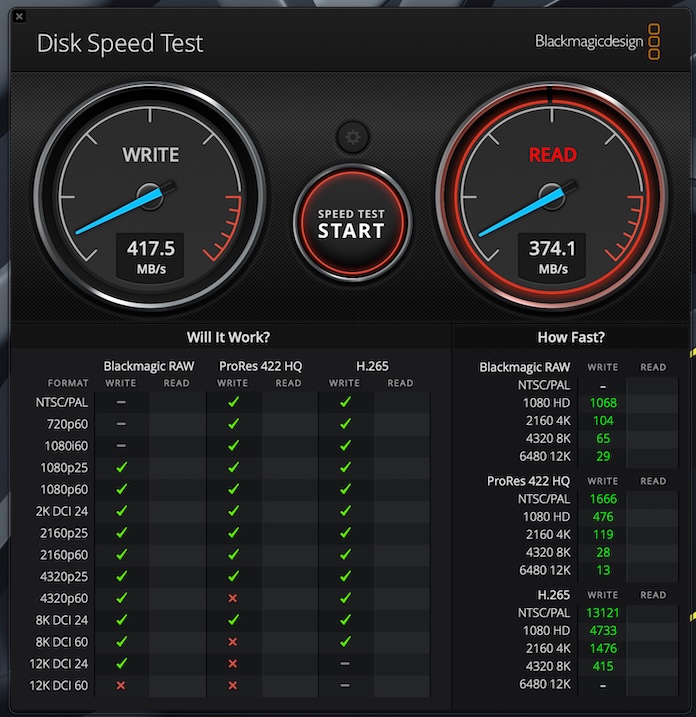
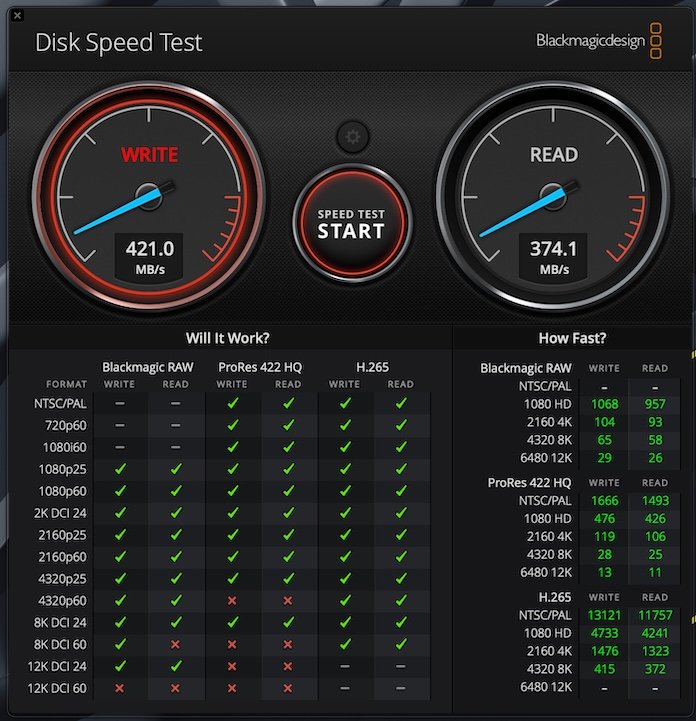
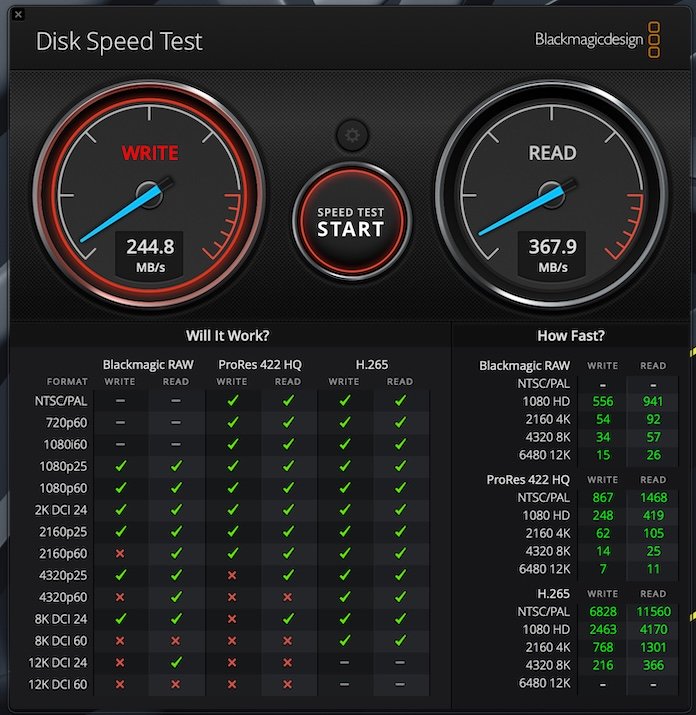
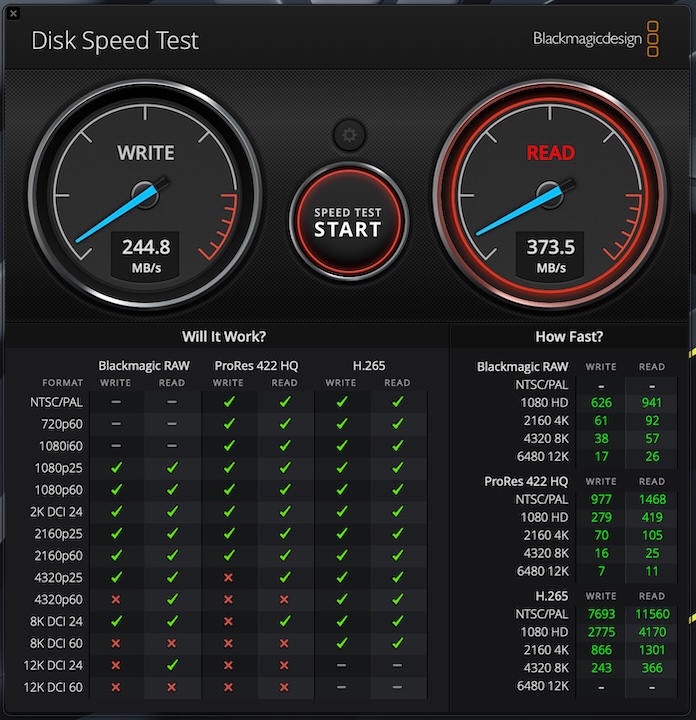
Tests conducted with Blackmagic Disk Speed Test show that write performance does indeed decline over time, while read speeds remain comparatively stable. During the initial minutes of testing, write throughput stays above 420 MB/s, with read performance reaching approximately 370 MB/s. After an hour of sustained stress testing, however, write speeds drop to around 240 MB/s, whereas read performance continues to hold steady at roughly 370 MB/s.
Limitations in Real-World Use Cases
These performance characteristics impose clear limitations on the scenarios in which the device can be used effectively.
- Office workloads: For storing documents, spreadsheets, PDF files, and lightweight presentations, the drive is an excellent fit. Files of this type are generally too small to exhaust the cache, allowing the SSD to maintain its peak performance.
- Video editing: As independent reviewers have noted, read speeds of around 360 MB/s are sufficient for comfortable linear editing of 1080p video. However, this level of performance is critically inadequate for 4K workflows, particularly when working with lightly compressed formats that require sustained high-speed access to large data blocks. Editing applications such as DaVinci Resolve are likely to encounter delays during timeline scrubbing and may exhibit dropped frames.
- Data backup: Somewhat paradoxically, this drive may actually be best suited for backup tasks. Creating backups is rarely time-sensitive, and the device is relatively affordable. Nevertheless, for storing large volumes of archival data, a high-capacity HDD remains the more logical and dependable choice.
Compatibility and the Ecosystem: The Apple ProRes Trap
Compatibility is another area where marketing claims collide with technological reality. The manufacturer advertises support for a wide range of operating systems – including Windows, Linux, macOS, and Android – and places particular emphasis on compatibility with Apple’s smartphones, specifically the iPhone 15 series and newer, describing the drive as a “Perfect Match.”
Apple’s transition to USB Type-C in the iPhone 15 Pro lineup introduced a transformative capability for mobile content creators: the ability to record professional-grade video in the Apple ProRes codec directly to an external SSD. This makes it possible to bypass the storage limitations of the phone’s internal memory when shooting vlogs, documentaries, or commercial productions.
However, ProRes recording places exceptionally demanding requirements on a storage device, particularly in terms of sustained, uninterrupted write performance.
The data-rate requirements illustrate the challenge:
- ProRes 422 HQ at 4K resolution and 30 frames per second generates a bitrate of approximately 880 Mbps, or around 110 MB/s.
- ProRes 4K at 60 fps requires a data stream of roughly 220 MB/s.
- ProRes 4K at 120 fps, available on newer models, demands a minimum sustained transfer rate of approximately 440 MB/s.
In light of the benchmark results, which demonstrate that the ORICO iFolder Go’s write speed drops to as low as 240 MB/s once its cache is exhausted, the conclusion is straightforward: this drive is physically incapable of sustaining ProRes 4K recording at 60 or 120 frames per second. In fact, Blackmagic Disk Speed Test indicates that it struggles even with ProRes 4K at 25 fps.
What does this mean in practice? A user can connect the drive to an iPhone and begin recording, with everything functioning flawlessly during the initial minutes while data is being written to the high-speed pSLC cache at roughly 300 MB/s. Once that cache is depleted – typically after several gigabytes of data, equivalent to one or two minutes of ProRes recording – write performance may fall to around 200 MB/s or even lower. At that point, the smartphone’s camera is no longer able to offload data from its internal buffer to the drive quickly enough, causing recording to stop or generating error messages.
This scenario is far from hypothetical. Users have repeatedly encountered similar issues with other ORICO drives marketed for use with iPhones. Common symptoms of an underpowered controller include excessive smartphone heating during ProRes recording, complete system freezes, instability in the Photos application, and interrupted video capture sessions. As a result, claims of being a “Perfect Match” should be viewed as a marketing overstatement. Reliable mobile video production workflows require NVMe-based storage solutions with 10 Gbps connectivity (approximately 1,050 MB/s) and a dedicated DRAM cache to maintain consistent data throughput under sustained workloads.
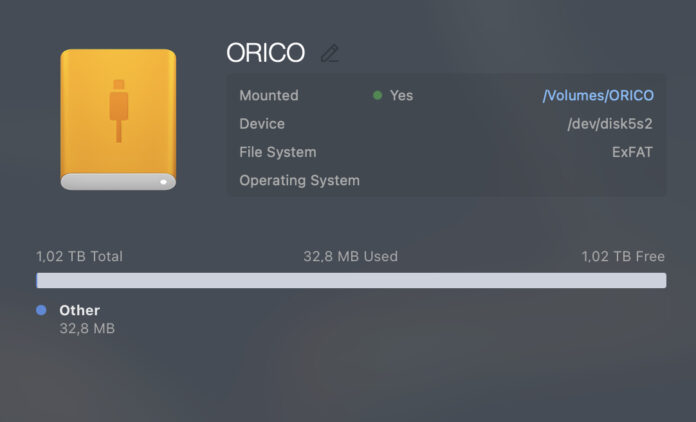
In addition, numerous users have reported compatibility and drive recognition issues with this brand’s products in both the Android and macOS ecosystems after extended periods of use. These problems may be related to the behavior of the bridge controller when interacting with different file systems, such as APFS and exFAT, as well as with operating system-level power management protocols. That said, the issue is more nuanced than it may initially appear. Choosing the appropriate file system for the intended use case plays a significant role in long-term compatibility and reliability, but that is a separate topic that warrants its own dedicated discussion.
Pricing, Warranty, and Market Positioning
The commercial evaluation of any gadget ultimately comes down to the relationship between its price and the value it delivers to the end user.
At the time of writing, the official price of the ORICO iFolder Go stands at $125.99 for the 1 TB version ($129.99 on Amazon and $199.99 on the manufacturer’s website). The company attempts to justify this pricing with additional service commitments, including free worldwide shipping on orders above $39.99, coverage of customs duties and VAT for the United States, the European Union, and the United Kingdom, a 30-day money-back guarantee, and a three-year warranty for the device itself.
From a technical standpoint, however, a price tag of $200 for a 1 TB drive based on a SATA III architecture and a 5 Gbps interface in 2026 appears not merely expensive, but fundamentally disconnected from market realities. The SSD market has seen a significant decline in flash memory prices, substantially altering the value equation.
For considerably less than $200, a technically informed buyer can purchase a fully fledged external NVMe SSD with a 10 Gbps interface (USB 3.2 Gen 2) from leading manufacturers such as Samsung, SanDisk, or Crucial. Such products deliver stable read and write speeds of around 1,000 MB/s without aggressive thermal throttling. Moreover, even within ORICO’s own product lineup there are considerably better-balanced alternatives. The ORICO BookDrive P10, for example, supports 100 W pass-through charging and offers transfer speeds of approximately 900 MB/s, providing a far more compelling balance of price, performance, and functionality.
It is therefore evident that the pricing of the iFolder Go incorporates a substantial “style tax.” A significant portion of its cost is tied to the unconventional folder-shaped design, the machining and sandblasting of its thick aluminum enclosure, and its overall identity as a premium office accessory. In effect, buyers are paying a premium price for outdated technologies – a SATA bridge, a controller prone to rapid throttling, and inexpensive flash memory – concealed beneath an attractive metal exterior.
Conclusions
The ORICO iFolder Go is a paradoxical product that embodies the classic conflict between form and function in contemporary peripheral design. It makes a strong first impression but becomes considerably less convincing under closer technical scrutiny.
Evaluation by key criteria:
- Design and materials: This is unquestionably the device’s strongest aspect. The use of high-quality aerospace-grade aluminum, a matte sandblasted finish, a vibrant orange color scheme, and a creative skeuomorphic “folder” design makes it both visually distinctive and pleasant to handle.
- Ergonomics: The detachable cable offers both advantages and drawbacks. Users can replace it with a different length if the bundled 13 cm cable proves unsuitable or simply swap it out if it becomes damaged. At the same time, choosing the wrong replacement cable – for example, one that supports only power delivery and not data transfer – could effectively leave the drive inaccessible, particularly if the original cable is lost or forgotten.
- Performance: The underlying hardware, based on a 2.5-inch SATA drive, is fundamentally outdated. Sustained write speeds decline rapidly from an initial 300 MB/s to approximately 90–120 MB/s once the SLC cache is exhausted and the limitations of the bridge controller become apparent.
- Compatibility: Despite claims of seamless integration with the iPhone 15 series and newer devices, the drive is physically incapable of sustaining the high-bandwidth write workloads required for Apple ProRes recording. Aggressive write throttling can ultimately lead to recording interruptions and operational errors.
- Stability: The metal enclosure performs well as a passive heatsink, but the historical track record of budget ORICO products – including reports of random disconnections and occasional data loss – raises legitimate questions about long-term reliability for storing critical information.
- Compactness: Owing to its use of a 2.5-inch internal board, the device is noticeably larger and thicker than modern external NVMe M.2 SSDs.
- Price: At $129.99 for 1 TB of SATA-based storage, the product is difficult to justify on purely economic grounds. Its value proposition rests almost entirely on its premium appearance.
This product is not designed for technical enthusiasts who scrutinize benchmarks and measure performance in megabytes per second. Instead, it targets consumers for whom workspace aesthetics take precedence over peak performance. It is best viewed as a stylish, status-oriented accessory or an appealing gift for office workers, writers, and students who primarily deal with text documents, lightweight presentations, and PDF files. In these scenarios, its performance limitations are unlikely to be noticeable, while the convenience of having a cable readily available and the distinctive design become its defining strengths.
Professional video creators – particularly those recording ProRes footage on an iPhone – along with photographers managing large RAW archives and IT professionals, should approach this device with caution. For demanding workloads and the storage of important data, it is far more sensible to invest in a modern, high-performance portable NVMe SSD with 10 Gbps connectivity or higher from a top-tier manufacturer with a proven quality-control record. Ultimately, the ORICO iFolder Go is a beautifully executed exterior that falls short of delivering the technological substance one would expect at its price point.
Where to buy ORICO iFolder Go