





© ROOT-NATION.com - Use of content is permitted with a backlink.
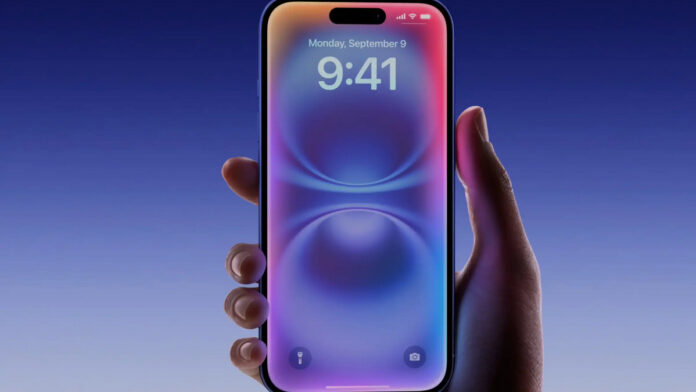
Eager enthusiasts of the latest technologies have finally gotten their chance: Apple has released the first public beta versions of its 2027 software updates. From now on, anyone can install the beta versions of iOS 27, iPadOS 27, watchOS 27, and macOS 27 Golden Gate directly on their devices.
The star of iOS 27 is the long-awaited Siri AI technology. The latest version transforms the familiar voice command tool into a cutting-edge AI assistant. This assistant is now capable of sustaining natural conversations, understanding follow-up questions, providing answers related to the content currently displayed on the screen, and performing complex, multi-step tasks within apps. Owners of modern Apple devices will also be able to customize the emotional tone of the virtual assistant’s voice.
Read also: AERONAUT – everything that flies above the ground: aviation, UAVs and drones, rockets, and space
In addition, a standalone Siri app has been released, where the entire history of interactions is stored. In the public beta version, Siri AI is available for all devices that support Apple Intelligence technology. Since there was a waiting list for access to the new assistant during early testing by developers, you may have to be patient. Currently, the updated Siri only recognizes English and will not be available in European Union countries initially.

However, the capabilities of Apple Intelligence aren’t limited to the Siri update. The Photos app has received a significantly more powerful set of editing tools, among which the spatial cropping feature stands out, allowing you to adjust the composition even after the photo has been taken. The extension tool lets you draw beyond the original edges of images. The Clean Up feature has been significantly improved and now removes unwanted objects from the frame even more effectively. And the Image Playground tool is now capable of generating higher-quality images, particularly in photorealistic styles.
Even if you’re not particularly interested in AI technologies, the iOS 27 update may pleasantly surprise you: Apple promises a significant performance boost across the board. According to the company, apps now launch 30% faster, new photos appear in the gallery 70% faster, and AirDrop transfer speeds have increased by a full 80%. Although it’s difficult to verify the exact figures, devices did indeed run noticeably faster on early beta versions for developers. As for other improvements, the Safari browser now automatically groups tabs, which helps keep your workspace organized. It also features a new notification function that tracks price changes or product availability on web pages. The password manager can now detect weak passwords and update them automatically. Meanwhile, in the Shortcuts app, you can create new automations simply by describing your needs in natural language.
The iOS 27 operating system and its counterparts also address criticism of last year’s major redesign, known as Liquid Glass. The new version improves readability, and a dedicated slider has been added to adjust the intensity of this visual effect. After switching to the iOS 27 beta, you’ll be able to install a public beta build for AirPods, which will bring a customizable equalizer, an adaptive volume slider, and an updated settings menu.

The Siri AI system will also be available on your wrist, which will come in handy for getting answers while working out or on the go. The watchOS 27 operating system now features a dynamic app grid that highlights the apps you’re most likely to need. Apple Watches now have a new single-tap gesture for selecting a widget in the Smart Stack to view more detailed information, though the double-tap gesture for scrolling remains. Menstrual cycle tracking now includes support for menopause and perimenopause. And the Workout Buddy feature has received a number of updates: fresh workout analytics, the ability to function without being paired to an iPhone, and support for Spanish.
In macOS 27 Golden Gate, Apple positions Siri AI as a productivity tool. As on other devices, you can summon the assistant directly via Spotlight, ask it to analyze the content on the screen, or seek help with writing. Mac computers also feature several specific design improvements to Liquid Glass and other visual elements, including unified toolbars, edge-to-edge sidebars, and more refined window shapes and menu bar icons.
For iPad owners, iPadOS 27 offers all the features mentioned for iOS 27, though there are few unique features specifically for this form factor this year. The Visual Intelligence feature, which can analyze anything on the screen using screenshots, now works with the Apple Pencil – simply circle the object you want to learn more about. Support for external hard drives has improved significantly: according to Apple representatives, file transfers between the iPad and SSD drives are now five times faster and happen just as quickly as in Finder on a Mac.

Keep in mind that these are only early versions of the software, so bugs, rapid battery drain, and other issues are highly likely to occur. Apple expects you to use a dedicated feedback app to help the company optimize the system before the final release. If you prefer a safer balance between innovative features and stability, it’s best to wait for at least the second or third public beta.
If you’ve never installed a beta build before, you’ll first need to sign up for Apple’s beta testing program. After that, you can download the beta software by going to Settings, then to the General section, and selecting Software Update (Settings > General > Software Update). In the Beta Updates section, simply select the public beta version numbered 27 for your device.
Read also:
- Get your wallets ready: Apple is preparing to release the most expensive gadget in its history in 2028
- Is the revolution on hold? Apple may have paused development of AirPods Pro with cameras