





© ROOT-NATION.com - Use of content is permitted with a backlink.

Get ready for what may be the most ambitious accessibility feature in Gboard’s history – Sign-to-Text. Researchers at Google DeepMind have been developing AI-powered tools to recognize and interpret sign language. In the latest update to Google’s Gboard app, preparations have been spotted to enable support for the new Sign-to-Text input method. Privacy protection mechanisms keep the live video stream on the device itself, sending only raw data about movements and gestures to Google’s cloud-based AI.
Read also: AERONAUT – everything that flies above the ground: aviation, UAVs and drones, rockets, and space
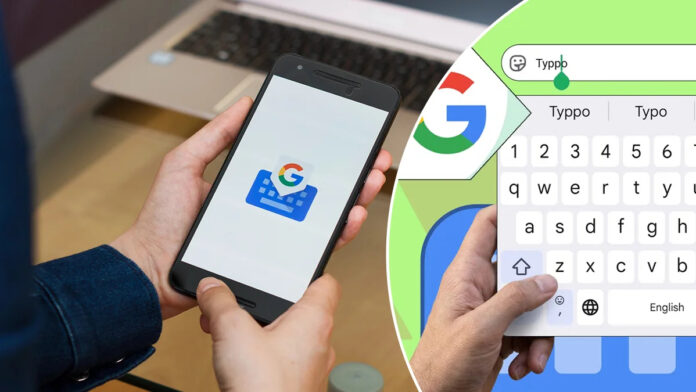
The main goal of Google’s Gboard on-screen keyboard is to make it as easy as possible to turn your thoughts into typed words on the screen. There are plenty of convenient tools for this: from standard letter-by-letter typing and the continuous finger-swiping “Glide” feature to modern voice input. However, Google is now preparing to significantly raise the bar in terms of accessibility, as Gboard is learning to recognize sign language.

The automatic conversion of sign language into text sounds almost like science fiction, but thanks to advances in computer vision and AI processing, this concept is becoming not only a reality but also entirely practical. Last year, Google DeepMind sparked interest with the announcement of its advanced SignGemma model, designed to recognize sign language, and now we’re seeing one of its first major real-world applications.
While researching changes in version 17.8.3.939743344-beta-arm64-v8a of the Gboard app, we got our first look at the new Sign-to-Text input option. Although it’s not yet possible to launch the tool itself in production mode, the introductory information window gives a clear idea of its future capabilities.
As the description makes clear, Google is using a hybrid local-cloud architecture: video signal processing takes place directly on the smartphone to extract raw gesture data, after which these coordinates are transmitted to Google’s servers for final analysis and the generation of corresponding words. Despite the complexity of this approach, it offers undeniable privacy benefits, as the actual video footage of the user is not sent anywhere unless absolutely necessary.

Although the final stage of recognition takes place in the cloud, the question remains as to whether there are any hardware limitations for smartphones capable of supporting the Sign-to-Text feature.
Text prompts have also been found in the app’s code, designed to help users improve visibility for the camera, including a notification about insufficient lighting with the advice to move to a brighter spot: “Poor lighting. Try moving to a brighter spot.”
Although we have a general understanding of how Sign-to-Text works, many important questions regarding the details remain. For example, it is very likely that Google will initially offer support for American Sign Language, but the status of British Sign Language and many other regional sign languages around the world remains unknown. At this time, there is no specific information about the geographic coverage of this feature.
Despite the lack of full details, this tool is already generating genuine excitement. Solutions like this for data entry perfectly showcase the potential of modern smartphones, and the fact that Google is developing technology to expand communication opportunities for people who truly need it is a wonderful initiative. We hope to be able to demonstrate this feature in action very soon.
Read also: A Blow to Adobe and Canva: Google Launches Pics, a Next-Generation Image Generator