





© ROOT-NATION.com - Use of content is permitted with a backlink.
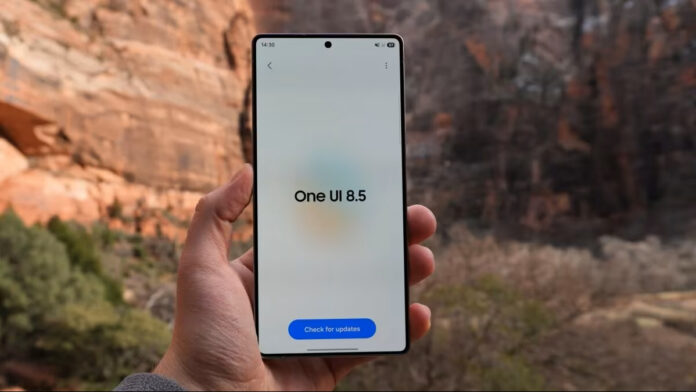
One UI 8.5 is nearing release, and the scale of changes in this update goes far beyond what is usually expected from an interim version. Dozens of Galaxy smartphones and tablets are getting ready to receive the update, and the list of innovations looks really rich. Among the whole list, there are a few key changes that shape the overall impression of the system.
Among the main innovations is a new design concept called Liquid Glass, which is based on transparent elements, floating navigation panels, and soft depth effects. The Quick Settings panel gets the most flexible personalization options in the history of the interface. AI-powered call features allow you to automatically answer unknown calls, instantly decipher voice messages, and filter out spam before the user even interacts with the call. Creative Studio is also introduced as a single hub for generative content, and file transfer is taken to the next level with direct interaction with Apple devices via AirDrop.

The updated Liquid Glass concept clearly demonstrates where the inspiration comes from. After Apple introduced a similar approach in iOS 26, Samsung implemented its own interpretation of this idea in One UI 8.5. The interface changes quite radically: standard flat elements that have been used for years give way to translucent panels, blur effects, and softer shadows. Floating navigation bars add a sense of lightness, and layering creates depth. These changes cover key system applications, including Settings, Phone, Gallery, Calculator, and also affect notifications, widgets, and the Control Center. As a result, the interface looks more cohesive and modern, no matter how obvious the source of the ideas.
The Quick Settings panel no longer restricts the user to a rigid framework. If earlier it remained functional but rather static, now everything is changing. In One UI 8.5, tiles can be freely moved, resized, and even oriented. The brightness and volume sliders can switch between horizontal and vertical display. If you want, you can simplify the interface as much as possible, leaving an almost empty panel, or, on the contrary, saturate it with a large number of elements. For those who experiment with the settings, there is a quick return to the standard view with one click. This is the level of flexibility that experienced Android users have long expected.
One of the most practical features is the AI system for call processing. When a call comes from an unknown number or potential spam, the system can intercept it automatically. Artificial intelligence independently clarifies the purpose of the call, simultaneously generating a real-time text transcript, after which the user decides whether to answer or mark the call as unwanted. This avoids unnecessary interruptions and interaction with automated calls. Voicemail is also processed directly on the device, without the involvement of telecom operators, and the text of the message appears on the screen while it is being recorded. Real-time subtitles are available during conversations, which is especially useful in noisy environments. Additionally, Now Bar displays the number of missed calls without having to unlock the device.

Instead of scattered generative AI tools that were previously scattered across different apps, Samsung is combining them into Creative Studio. This is a separate space where different types of content are created, including wallpapers, stickers, invitations, cards, and profile cards. The source can be text requests, ready-made photos, or even hand-drawn sketches. The user has access to various image formats and styles, including Childhood Sketch, Marker Drawing, and Oil Painting. This approach seems more logical and structured than the previous Galaxy AI implementation, where features appeared gradually and without a single control center.
AirDrop compatibility becomes one of the most important steps towards cross-platform interaction. The Quick Settings menu adds an option to share files with Apple devices, allowing you to transfer data to your iPhone, iPad, or Mac without using third-party solutions. This eliminates one of the most noticeable problems for users working simultaneously with different ecosystems. In parallel, another feature has been implemented for Galaxy devices: through the My Files app, you can view the contents of the memory of another device, such as a tablet, without connecting cables or using cloud services, provided that both gadgets use the same Samsung account.
Read also:
- Samsung Galaxy S26 Ultra Review: Reference Flagship Without Major Changes
- Samsung Galaxy S26 Plus Review: Is It Worth the Price?