




© ROOT-NATION.com - Use of content is permitted with a backlink.
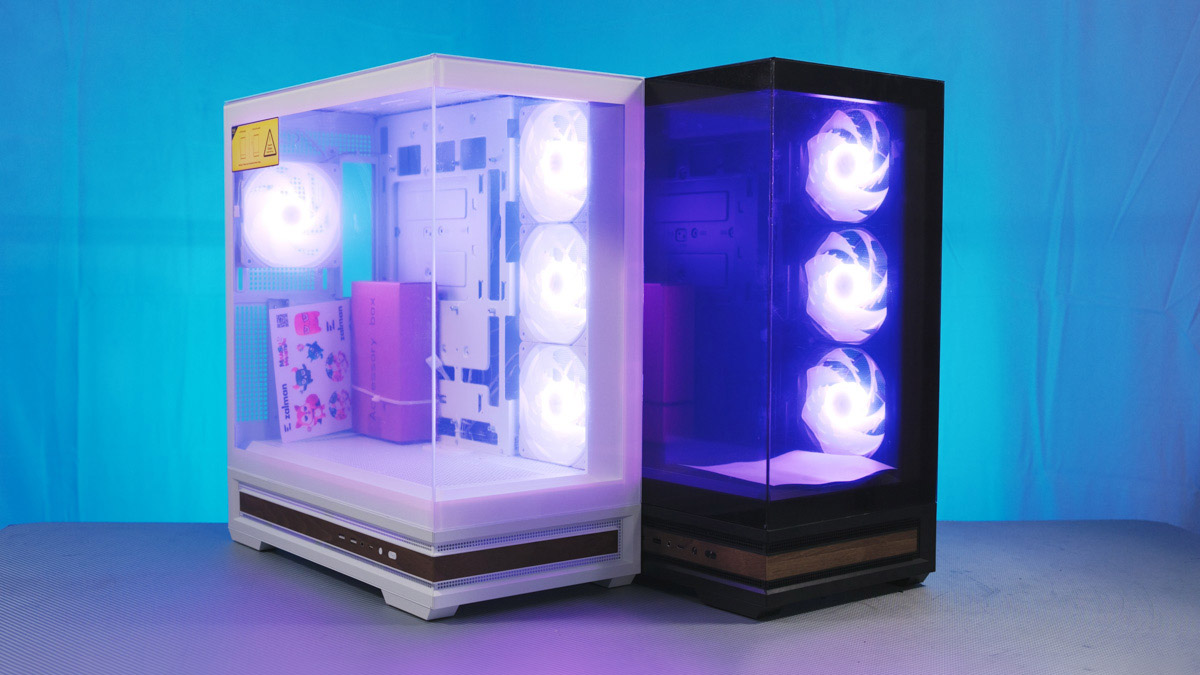
Over a short period, I ended up unboxing and reviewing eight different Zalman cases, including some of the brand’s top models and ones with built-in display panels. By chance, the Zalman P40 Namu was the last case I covered in my filming.
Read also: All reviews of PC cases
Over a short period, I ended up unboxing and reviewing eight different Zalman cases, including some of the brand’s top models and ones with built-in display panels. By chance, the Zalman P40 Namu was the last case I covered in my filming.
TABLE OF CONTENTS:
Specifications
- Weight: 8.7 kg
- Dimensions: 452×235×492 mm
- Motherboard support: ATX / mATX / Mini-ITX
- Top fan support: 3 × 120 mm / 2 × 140 mm
- Side fan support: 3 × 120 mm
- Rear fan support: 1 × 120 mm
- Bottom fan support: 3 × 120 mm
- Included side fans: 3 × 120 mm
- Pre-installed rear fans: 1 × 120mm
- Radiator support: up to 360mm
- Power supply length: up to 150mm
- Graphics card length: up to 420mm
- CPU cooler height: up to 165mm
- PCIe slots: 7
Zalman P40 Namu Video review
Positioning and Price
The case is priced on the higher end of the mid-range, around $115. It’s not a flagship-level price, but it’s also not particularly budget-friendly, especially for a Midi-Tower. That said, it’s still far from being the most expensive Midi-Tower in Zalman’s lineup.
Package contents
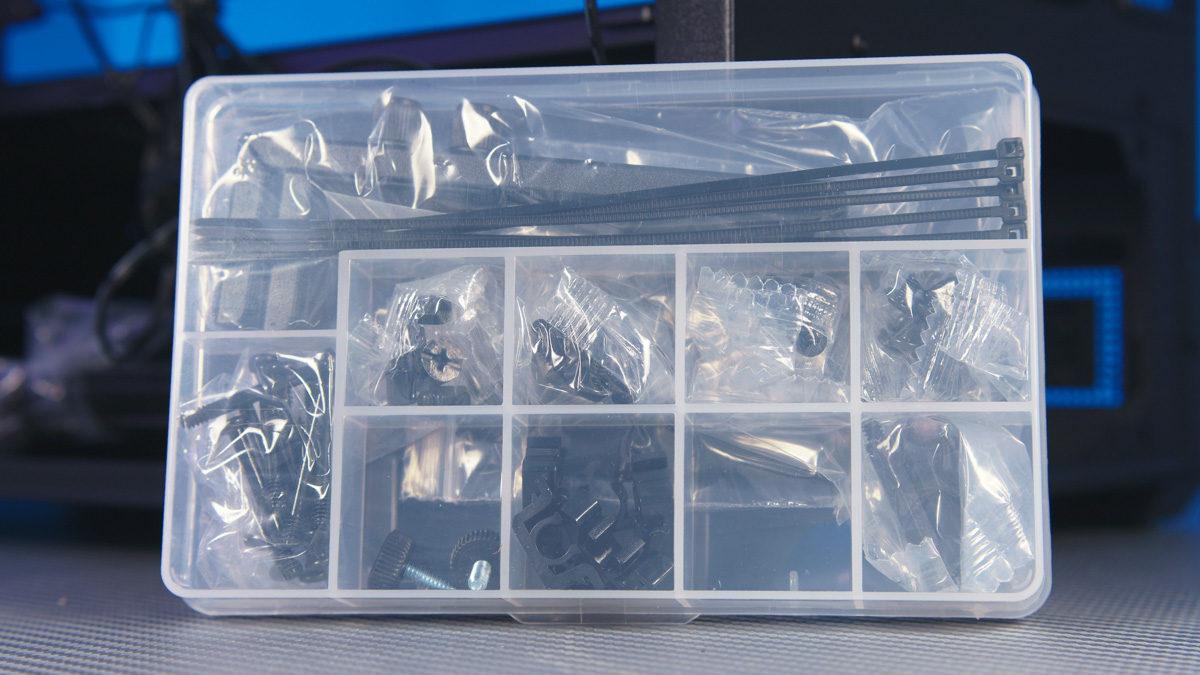
The included accessories are appropriate and, by Zalman’s standards, fully grounded – most of their other cases are about 95% similar in this regard. The manual confirms the contents, and indeed, the box includes a cleaning cloth for the glass panel and basic GPU support. Objectively, this is a solid inclusion.
Zalman P40 Namu Design
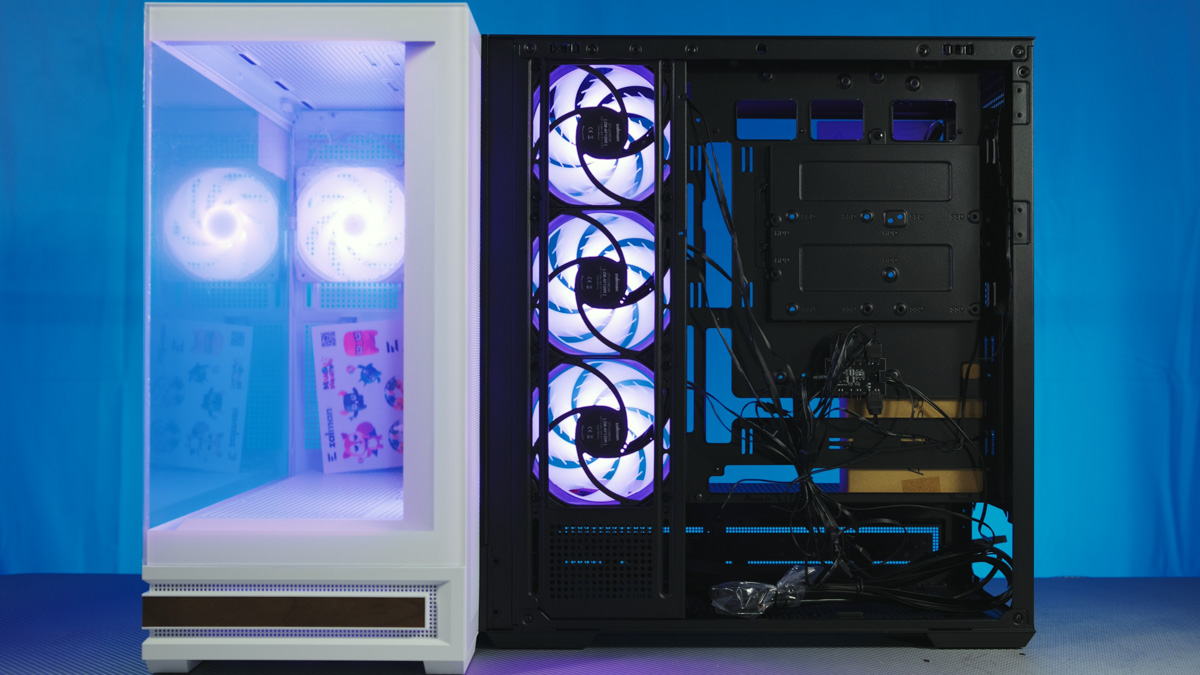
The case features a standard “aquarium” layout with tempered glass on the front and side panels. It can fit up to ten fans: three on top, three on the side, three at the bottom, and one at the rear. However, 140 mm fans can only be installed on the top, and only two of them at that. So, a 420 mm radiator is clearly not an option.
Fans and Hub
The included fans are ZM-AF120 or ZM-AF120R models. The “R” denotes reverse airflow, meaning they intake air instead of pushing it, and the blade design differs slightly; otherwise, the specifications are the same. They use hydrodynamic bearings, have a noise level of up to 23 dBA, and while the speed isn’t specified, given the noise level and low cost, they are likely relatively slow – around 1200 RPM, roughly. They do support PWM control.
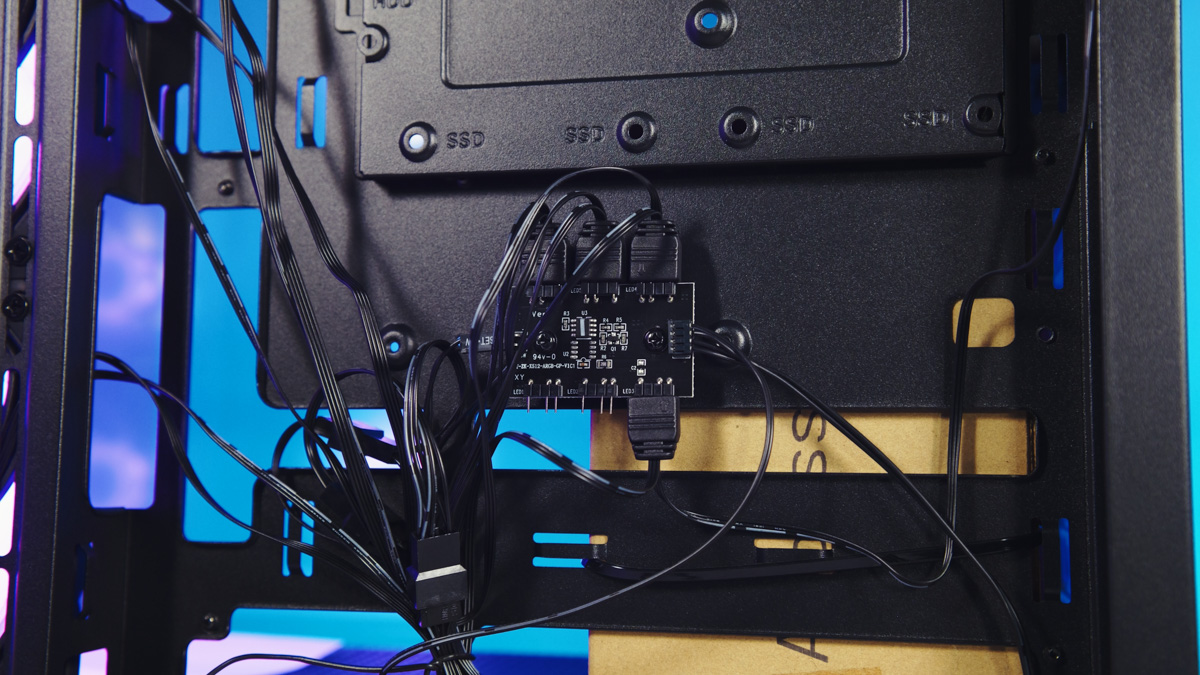
Another interesting detail is the fan hub, which is essentially the same across all modern Zalman cases, at least for Mid-Towers. It has six slots and only controls RGB lighting – it doesn’t provide power, which is a downside. The hub offers the standard set of lighting modes, and holding the reset button turns off the lighting.
Compatibility
Another common detail I noticed: one of the two hard drive mounting plates – the bottom one – is located behind the PSU slot and can generally be removed without taking out the upper part of the PSU bracket, contrary to what the manual suggests. However, doing so can be tricky. The plate can also be moved forward, but in that position, it may interfere with the power supply.
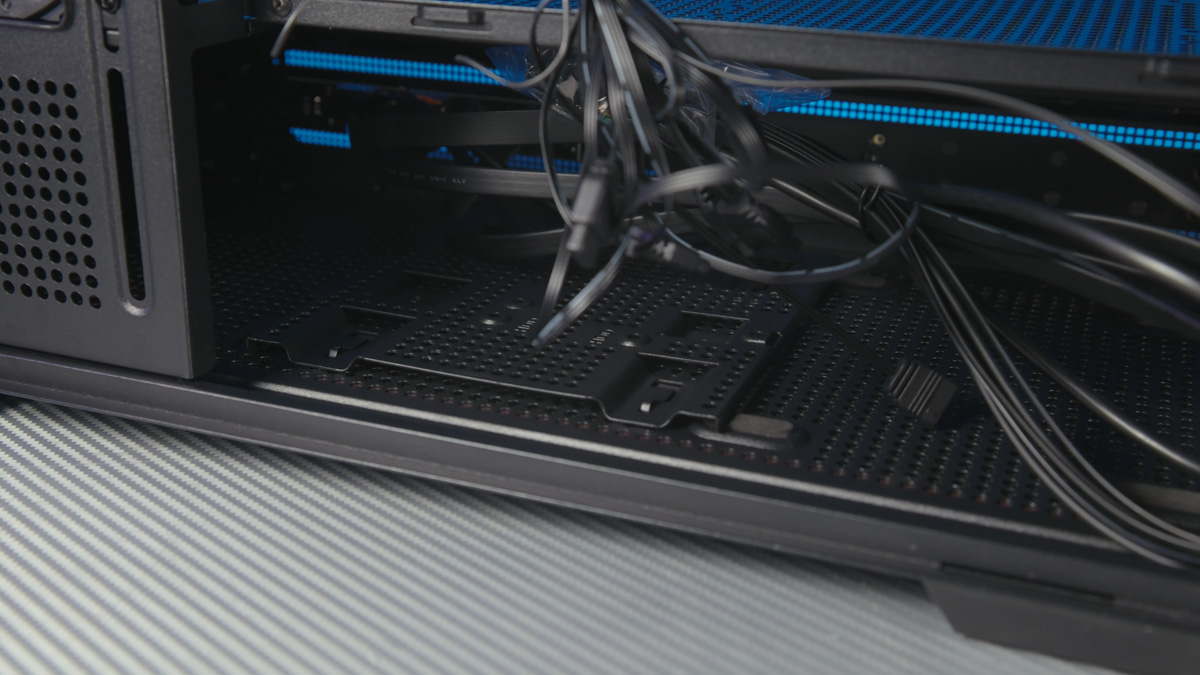
The case supports power supplies up to 150 mm in length and CPU coolers up to 165 mm in height, while the maximum GPU length is an impressive 420 mm. Overall dimensions are 452×235×492 mm, and the empty weight is 8.7 kg – unsurprising, considering the two tempered glass panels. Tool-less installation is provided via ball-lock fasteners.

Dust Filters
The top filter is magnetic, while the side panel is just perforated metal without any removable filter. At the bottom, the design is my least favorite – there are no finger tabs for easy removal.
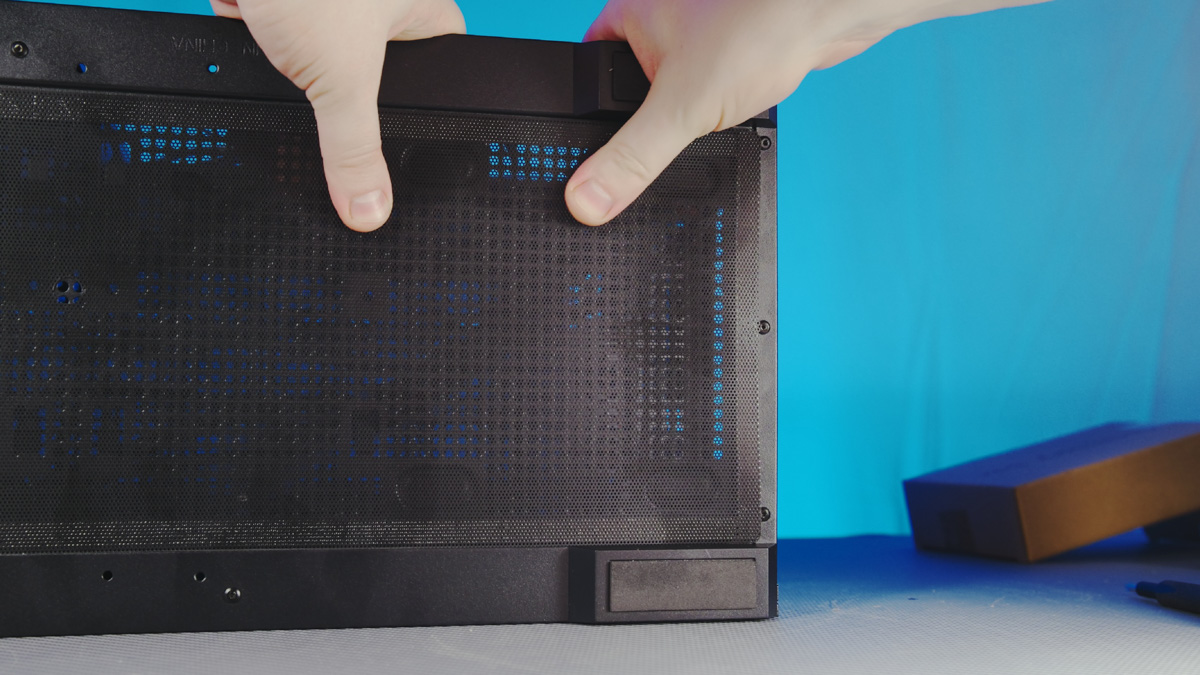
I found a way to remove it: place your fingers closer to the center and slide the filter back until it hits a rivet, then you can lift it with a finger. This does require removing the screws from the drive mounting plate, but even so, it’s an improvement over the previous awkward design.
Wood Accents (Necessary?)
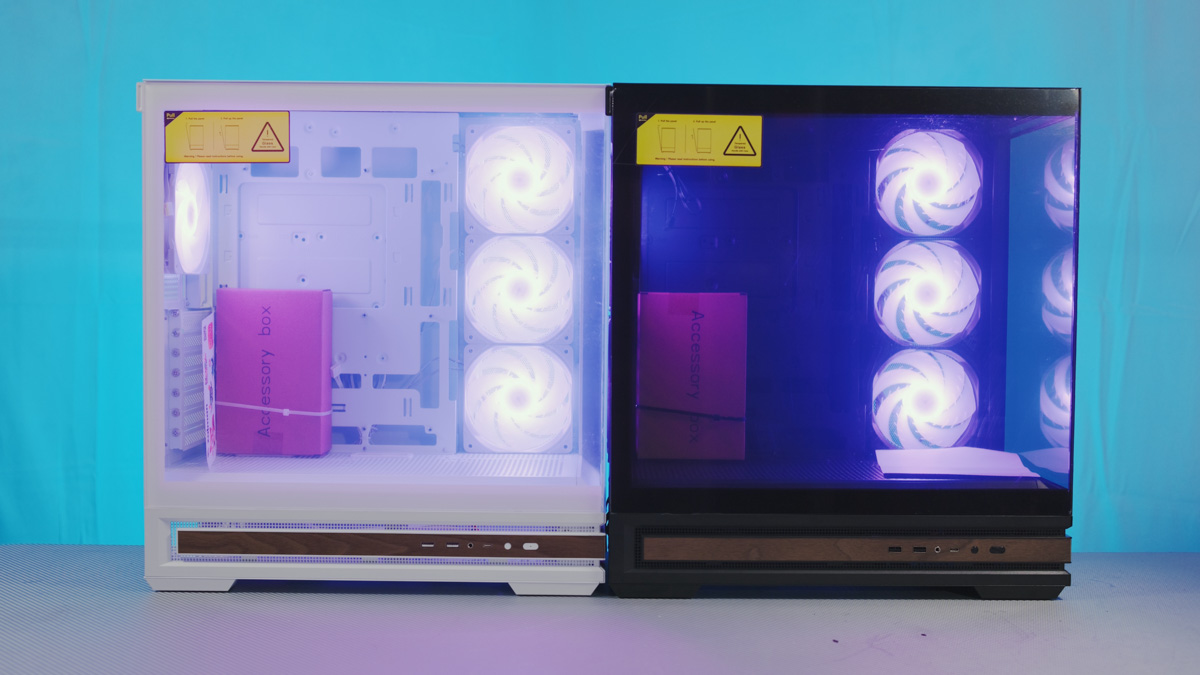
Now, on to the unique feature of the Zalman P40 Namu: the wooden inserts on the front and lower side panels – dark on the white version and light on the black. The front I/O panel is seamlessly integrated into these accents and includes a basic set of ports: two USB Type-A 5 Gbps, one USB-C, a combined 3.5 mm audio jack, and the power and reset buttons.
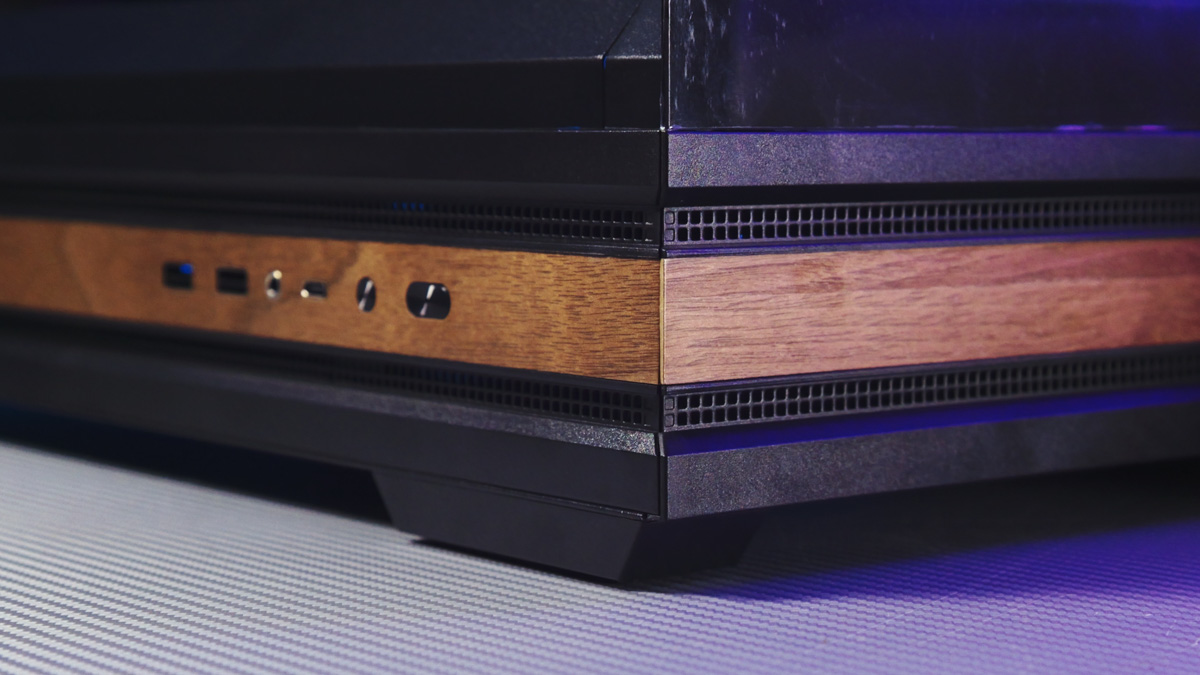
The buttons have different profiles, which is a nice touch, and the reset button doubles as the RGB control by default. However, the solid wooden section in the lower part of the panel comes with a drawback: minimal airflow from the bottom. Where other cases typically have full perforation, here most of the area is covered with wood. Even in places where other cases have tempered glass panels, this one uses wood.
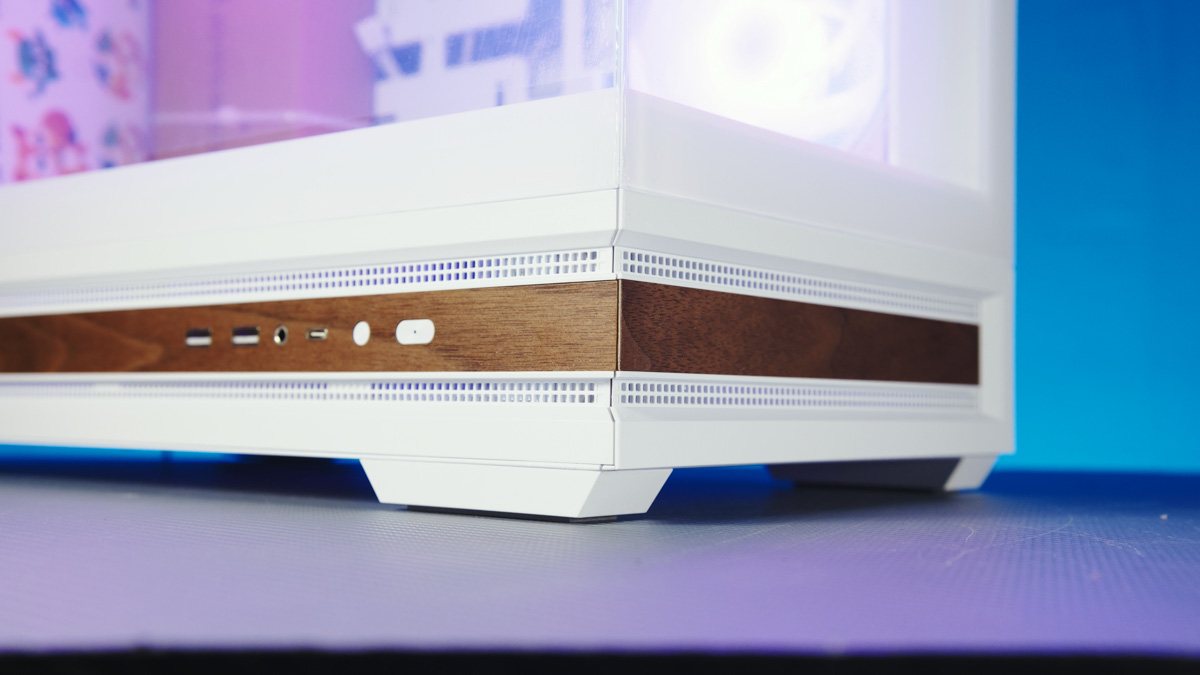
The price is correspondingly lower since wood is cheaper than an LCD panel, but there’s objectively more wood here. What does it provide? Primarily aesthetics. It doesn’t contribute to cooling, there’s no RGB in that section, and in low light it won’t be very visible.
This leads to considerations for different color versions. The same wooden strip looks noticeably different depending on the case color. It’s tricky to give a definitive recommendation. On one hand, the white case gains a significant contrast element in the peripheral vision. Even if the rest of your build is entirely white, the dark strip subtly emphasizes the whiteness.
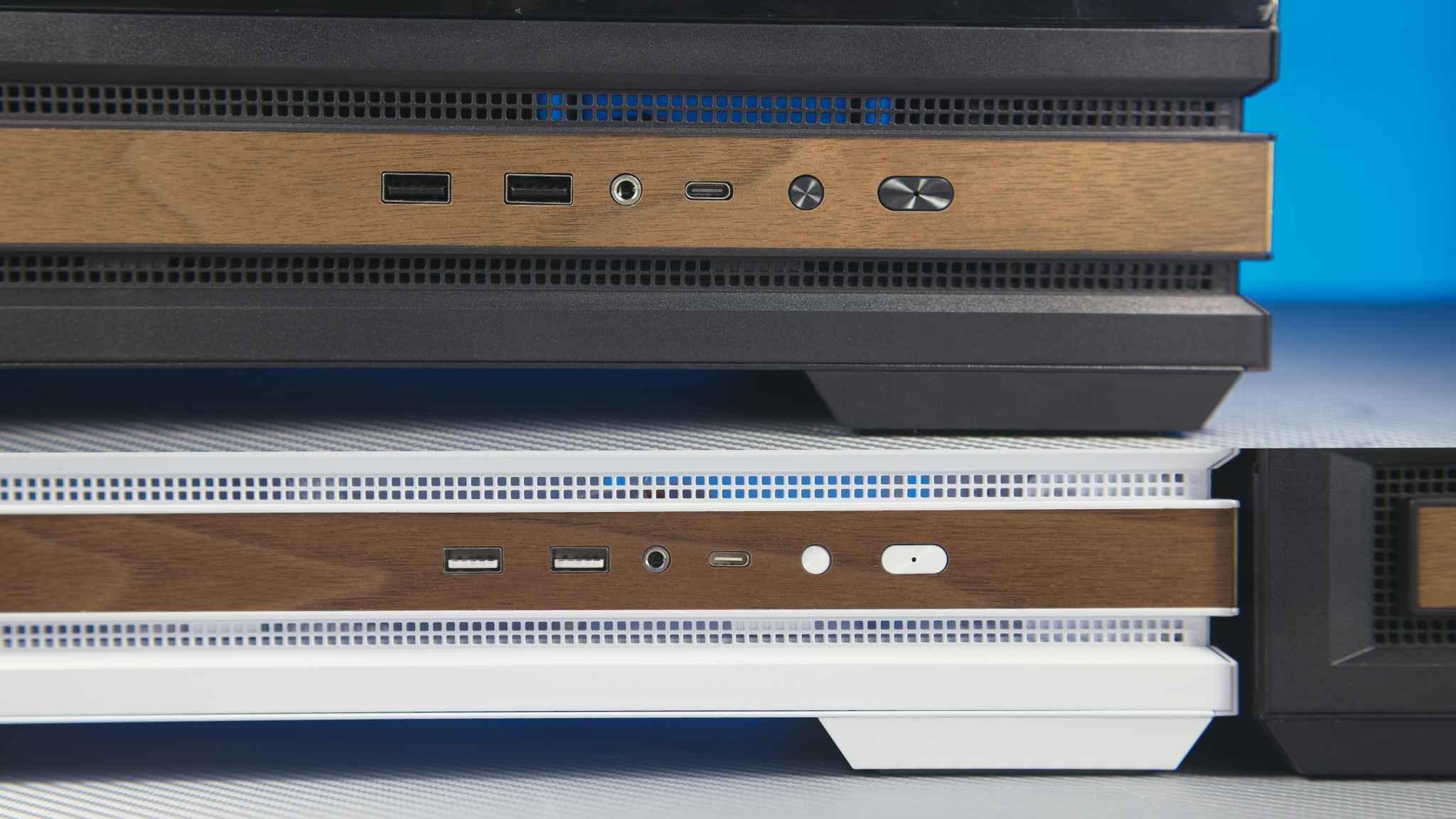
With the black case, it’s a different story. The lighter wood stands out more than, for example, on some ASUS cases, where I barely noticed the wood until the last moment. But here’s the question: are you willing to trade a bit of bottom airflow for a subtle aesthetic accent? There is perforation both at the top and bottom, but whether that’s sufficient depends on your setup – I can’t answer that for you.
Conclusions
How could the Zalman P40 Namu be made more striking or visually prominent? Should the wooden panel be solid, without perforation, or should the accent be limited to the front and part of the side? I don’t know. What I do know is that even as it stands, this case offers excellent build quality, a visually appealing design, solid component compatibility, and a reasonable price. Would I recommend it? Yes, I would.
Read also:
- Zalman Z9 Iceberg MS Case Review: Unique Where It Matters
- Zalman P40 Prism Case Review: One Step Away from Greatness
- Zalman Z10 DS Black Case Review: A Monitor as a Bonus
Where to buy Zalman P40 Namu


