





© ROOT-NATION.com - Use of content is permitted with a backlink.
The modern monitor market remains a dynamic space. New entrants with ambitious positioning can disrupt it, as seen in the laptop segment with Framework. However, established monitor manufacturers have decades of experience and continue to maintain user interest. The ViewSonic VX2779A-HD-Pro serves as a representative example.
Read also: All monitor reviews

TABLE OF CONTENTS:
ViewSonic VX2779A-HD-Pro Specifications
- Screen size: 27 inches
- Panel type: IPS
- Static contrast ratio: 1000:1
- Dynamic contrast ratio: 80 million to 1
- High Dynamic Range: HDR10
- Brightness: 250 nits
- Colour depth: 8-bit (6 + FRC)
- Aspect ratio: 16:9
- Response time (MPRT): 1 ms
- Viewing angles: 178º
- Backlight lifespan: 30,000 hours
- Refresh rate: 240 Hz
- Variable refresh rate technology: FreeSync Premium
- Blue light filter: Yes
- Low Blue Light: Yes, software-based
- Flicker-Free technology: Yes
- Colour gamut coverage: NTSC 72%, sRGB 104%
- Surface finish: Anti-Glare, 3H hardness
- Resolution: up to 1920×1080 pixels
- Connectors: 3.5 mm mini-jack, 2× HDMI 1.4 (2.0), DisplayPort
- Power input: DC
Positioning and Price
This is a budget-oriented gaming model priced at around $150, or approximately €126. Within the monitor market, this falls into the entry-level segment, as finding a model below $100 that offers a satisfactory user experience is generally difficult.
Package Contents and Assembly
The package of the ViewSonic VX2779A-HD-Pro is not particularly limited. It includes a two-part stand, two power cables, an external power adapter with a DC barrel connector, a DisplayPort cable, documentation, a metal screwdriver tool, and a single screw for assembly.

Overall, the package can be considered complete, although there are some reservations. Notably, the manufacturer does not prominently disclose the monitor’s specifications in the box contents or printed documentation, where such details are typically repeated. Instead, this information is primarily available on the official website.

Another detail concerns the included hardware: the screw is magnetic, while the screwdriver tip is not, which makes assembly somewhat less convenient than expected. On the other hand, if the screw misses the thread during installation, it is more likely to fall inside the stand rather than roll off the desk, making it easier to retrieve.

It is also worth noting that the ViewSonic VX2779A-HD-Pro does not include an HDMI cable, only DisplayPort. This may be relevant depending on the intended setup – for example, when testing with a laptop rather than a desktop PC. The ASUS ExpertBook Ultra, for instance, does not feature a native DisplayPort output, although it does support Thunderbolt 4, allowing the use of compatible hubs or adapters.

Overall, assembling the monitor is straightforward – provided you have a Phillips screwdriver with a magnetic tip. The included screw secures the bracket to the monitor from the underside, and without it, the connection relies solely on friction. At the same time, the thumbscrew at the base includes a grip, allowing it to be tightened or removed without additional tools.
ViewSonic VX2779A-HD-Pro Exterior Design
The design of the ViewSonic VX2779A-HD-Pro is simple but refined. On the front, the only notable element is the company logo, which retains a consistent visual style seen on models from 10 and even 20 years ago.
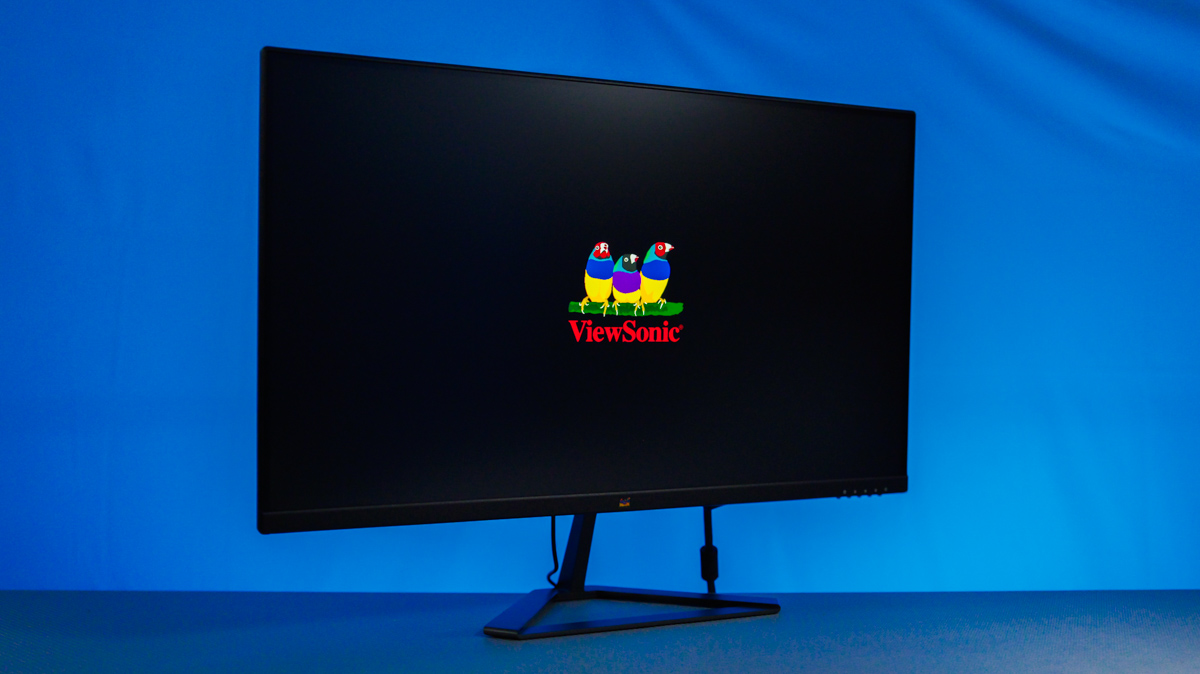

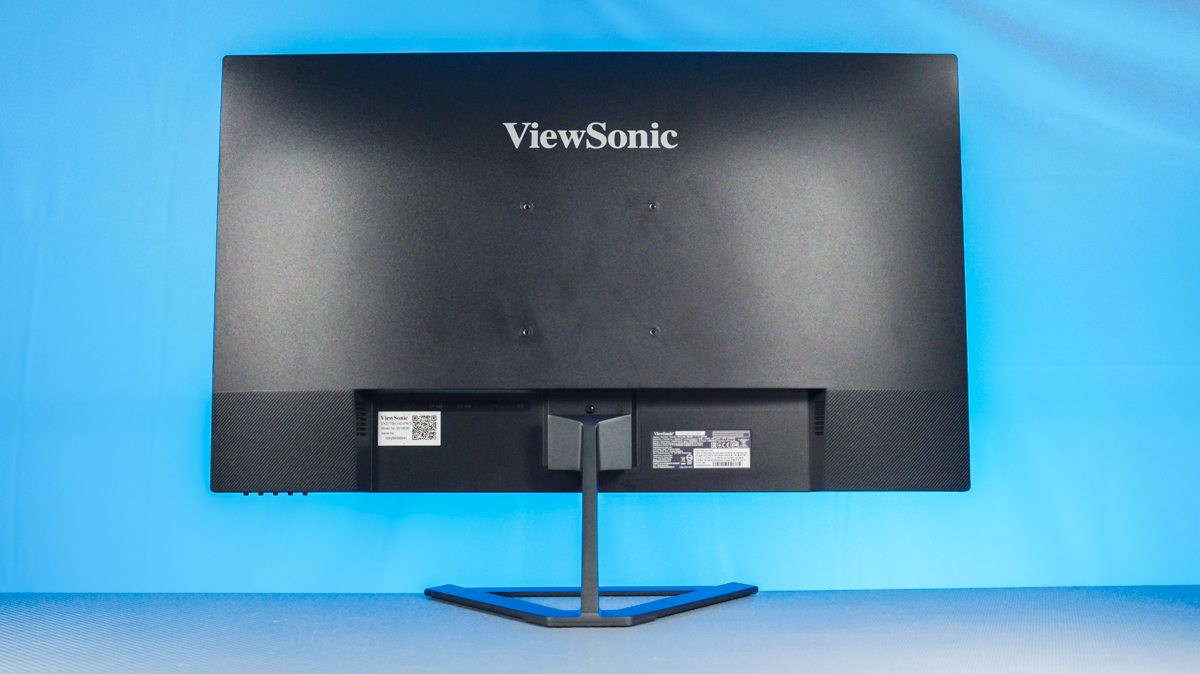
The top and side bezels measure under 30 mm, while the bottom bezel is slightly thicker at nearly 40 mm. The front also features prominent physical buttons for OSD control, whose tactile feedback is notably satisfying.
Technical Specifications
All connectivity ports are located at the lower rear of the monitor. These include two HDMI 1.4 ports (according to the manufacturer), a DisplayPort of unspecified version, a combined audio jack, a Kensington lock, and a 5.5 × 2.1 mm DC power input.

Why do I specify “according to the manufacturer”? Because I was able to connect the ViewSonic VX2779A-HD-Pro via HDMI and achieve FHD at 240 Hz. This would not be possible with HDMI 1.4, which is limited to 120 Hz, so the actual HDMI version is at least 2.0.
A few notes on the stand: it has a rubberized base but offers very limited adjustment. Tilt backward is 20º, tilt forward only 5º, with no height adjustment or swivel. On the other hand, the monitor includes a VESA 100×100 mount, although VESA screws are not provided. There is also no cable management integrated into the design.

A few words on the overall dimensions of the monitor: with the stand, it measures 615.0 × 453.8 × 181.5 mm; without the stand, 615.0 × 363.8 × 46.0 mm. The total weight ranges from 3.7 to 4.1 kg.
ViewSonic VX2779A-HD-Pro Panel
The ViewSonic VX2779A-HD-Pro features a 27-inch Full HD IPS panel with 178º viewing angles. The panel is flat, 6-bit + FRC, with a static contrast ratio of 1000:1 and a dynamic contrast ratio of 80 million to 1. It also supports FreeSync Premium, Low Blue Light, and Flicker-Free technologies.

The good news is that the panel supports a 240 Hz refresh rate, which should satisfy even demanding gamers who are content with FHD resolution. Color accuracy is also notable, with 104% sRGB coverage and 72% NTSC coverage. The screen has a matte protective coating with a hardness rating of 3H, a feature rarely seen on lower-end monitors.

The downside is that the manufacturer advertises HDR10 support. However, the ViewSonic VX2779A-HD-Pro has a peak brightness of only 250 nits, which is not only modest but also insufficient for true HDR10, which requires at least 400 nits. Additionally, the monitor does not include any built-in speakers, so this should be considered if audio output is important.
On Screen Display
The monitor is controlled via a set of buttons located at the lower right. It offers quick source switching, a rapid toggle for an on-screen crosshair (which may not appeal to everyone), color adjustment options, and a wide selection of presets.

There is an OSD timer setting, MPRT and FreeSync Premium toggles, and even an overclocking option that allows roughly a 5% increase in refresh rate at the cost of slightly reducing the panel’s rated lifespan of 30,000 hours. What surprised me was the battery indicator displayed to the left of the brightness meter.

I initially thought it might pull information from the laptop I was testing with, but it does not – it’s purely a decorative indicator. Not sure it adds much value, but that’s how it is.
Power Consumption and User Experience
The first positive aspect of the ViewSonic VX2779A-HD-Pro is that it can operate without issues from a USB Type-C power bank using a DC adapter. This is particularly useful during power outages, as a dedicated power supply is not required. Its minimum power consumption is 11 W.


Regarding refresh rate, performance is excellent – gaming on this display is enjoyable. Even considering that Full HD on a 27-inch panel results in 81 PPI, many users will find this pixel density acceptable. Brightness is sufficient for indoor use, though it may struggle in direct sunlight, which is typical for monitors in this class. The image is sharp, adequately bright, and color reproduction remains accurate.
Conclusion
Is this the absolute cheapest way to get a 240 Hz branded monitor? Probably not. However, the ViewSonic VX2779A-HD-Pro strikes a solid balance in its compromises, delivering a panel that is difficult to fault. The main points for critique are minor – mainly the chassis details and some of the manufacturer’s claims – but the performance for gamers at this price point is, in my view, excellent.
Where to buy the ViewSonic VX2779A-HD-Pro


