




© ROOT-NATION.com - Use of content is permitted with a backlink.
Хочу поділитися з вами своїми враженнями від побаченого на Apple WWDC 2025. Обіцяю, буде цікаво і пізнавально.
As usual, I dutifully tuned in to Apple’s WWDC – this time, the 2025 edition. The show, as expected, was polished to a Cupertino sheen, complete with fanfare, dramatic transitions, and an overabundance of superlatives. Hardware? The usual incremental upgrades: slightly better, slightly pricier – and of course, revolutionary, just like last year. And the year before. And about eight years back.
But the real action, as always, is in the software. As someone who’s been following this theatre of digital illusions for over a decade, I still find it oddly impressive how Apple manages – time and again – to present multitasking, widgets, or heaven forbid, a calculator on the iPad, as if these are world-shaking innovations.
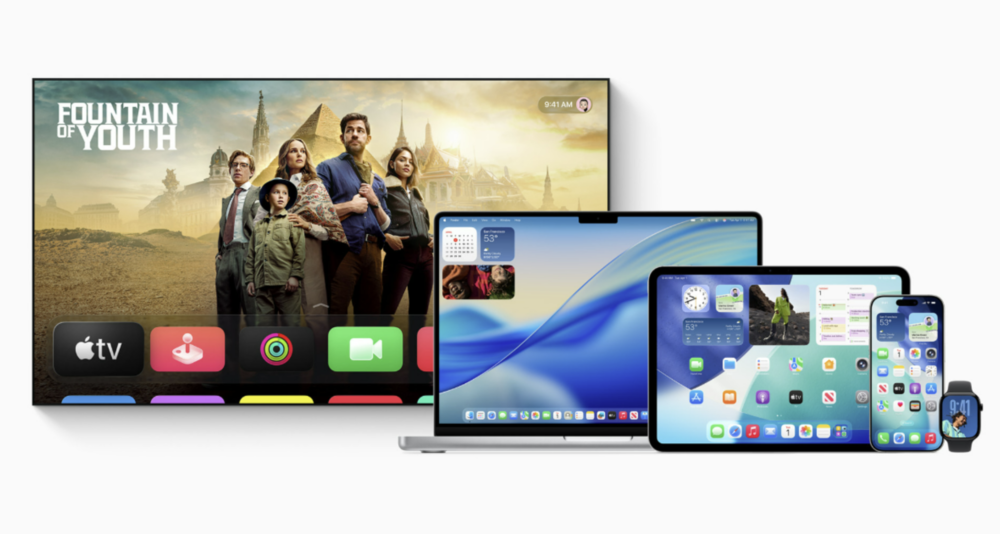
WWDC isn’t just a presentation – it’s a sacred ritual where interface animations often matter more than substance, and comparisons to Android and Windows are a mandatory part of the script. As someone who uses those unenlightened platforms daily, the most interesting parts for me are always the features Apple finally decides to adopt from them. Because when Apple adds something others have had for years, it’s not just an update – it’s a celebration. And naturally, one worth analyzing – with a generous dose of sarcasm.
Read also: When Allies Turn into Rivals: The Core of the Musk–Trump Conflict
TABLE OF CONTENTS:
Is this the future for sure?
So once again, Apple has shown how to take an old idea, flip it sideways, drizzle it with a marketing glaze, and serve it up as something the world has never seen. Welcome to iOS 26 – alongside macOS, watchOS, and the rest of the proudly paraded “-OS” lineup.
The headline feature this time? A new kind of interface. It’s still colorful, yet somehow “subtle” (I’m not entirely sure how that contradiction works either). The big visual twist? A new layer of semi-transparent glass. Sorry – Liquid Glass. Because of course, you can’t just call it “transparent glass” without branding it like some intergalactic material from a sci-fi movie.
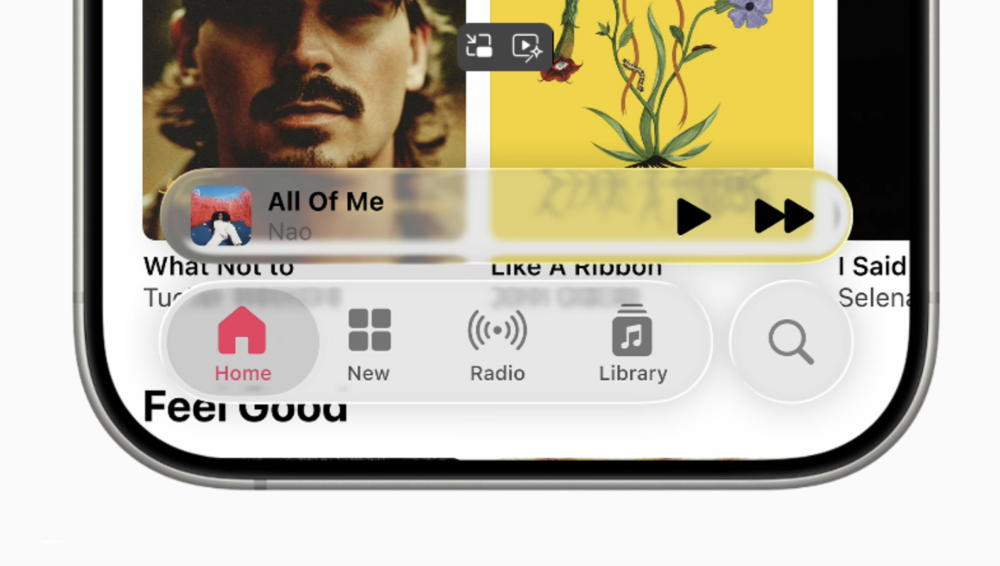
As usual, Apple explained with unwavering conviction that Liquid Glass is the result of a close collaboration – nay, a deep emotional bond – between designers and engineers. It’s transparent, adaptive (because it reacts to your environment), and yes, it sparkles just right when viewed from a proper angle. All of this is rendered in real time, constantly shimmering and shifting – ideally distracting you from the fact that your 128 GB of storage is already 110 GB deep in Safari cache.
Sounds revolutionary – on paper. But as I watched the keynote on YouTube, a wave of déjà vu hit me. Yep, that familiar glow of nostalgia. It was Aero – Windows Vista’s infamous interface from 2007. The same glossy, translucent windows, soft blur effects, light reflections, and all the visual flair meant to feel “lightweight,” but in practice turned your fans into jet engines whenever you dared to open the Control Panel.
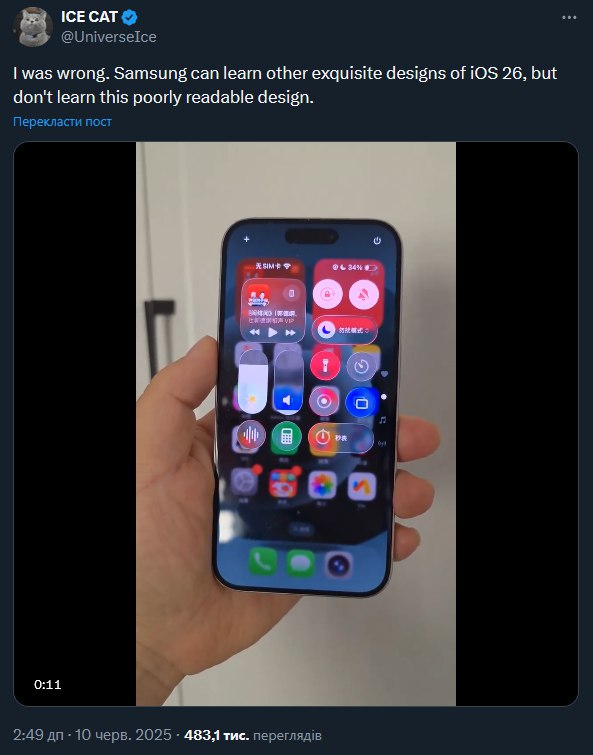
Back in the day, Vista tried hard to be “stylish,” but mostly ended up inspiring mild embarrassment and a quiet longing for the stability of Windows XP. Now, it seems Apple has decided that aesthetic deserves a second chance – just with a new typeface and pricier animations. Sure, it looks more polished on an iPhone or a Mac, but it’s hard to shake the feeling that we’re being sold a visual glitch dressed up as “futurism.”
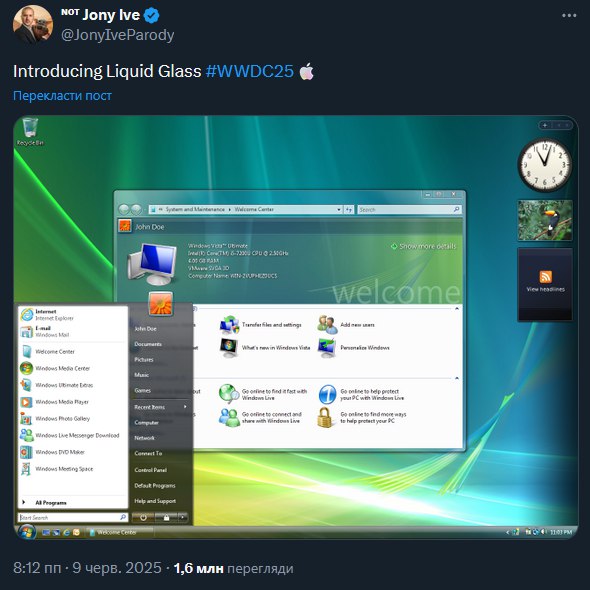
The internet has already jumped on the possible side effects – from the usual visual noise to a potential hit on usability. Transparency looks great… until it’s layered over a mess of notifications, windows, and banners. Personally, I think Apple still has time to rethink this. But for now – sorry, I’m hitting “Dislike.” Glass doesn’t always mean clarity, at least not in concept.
Read also: Everything You Need to Know About Dolby Atmos FlexConnect Wireless Technology
Full-size apps, or How Apple invented the full screen in 2025
“Liquid Glass” already sounds like the name of a new Dior fragrance, but its introduction in iOS 26 wouldn’t be complete without one more “revolutionary” feature – full-screen apps. Yes, apps on the iPhone can now finally take up the entire screen. I know, it’s a wild idea. Maybe next year we’ll even get a battery that lasts more than half a day. But for now – let’s celebrate, because those pesky menus no longer stand between us and the sacred act of consuming content on the holy full screen.
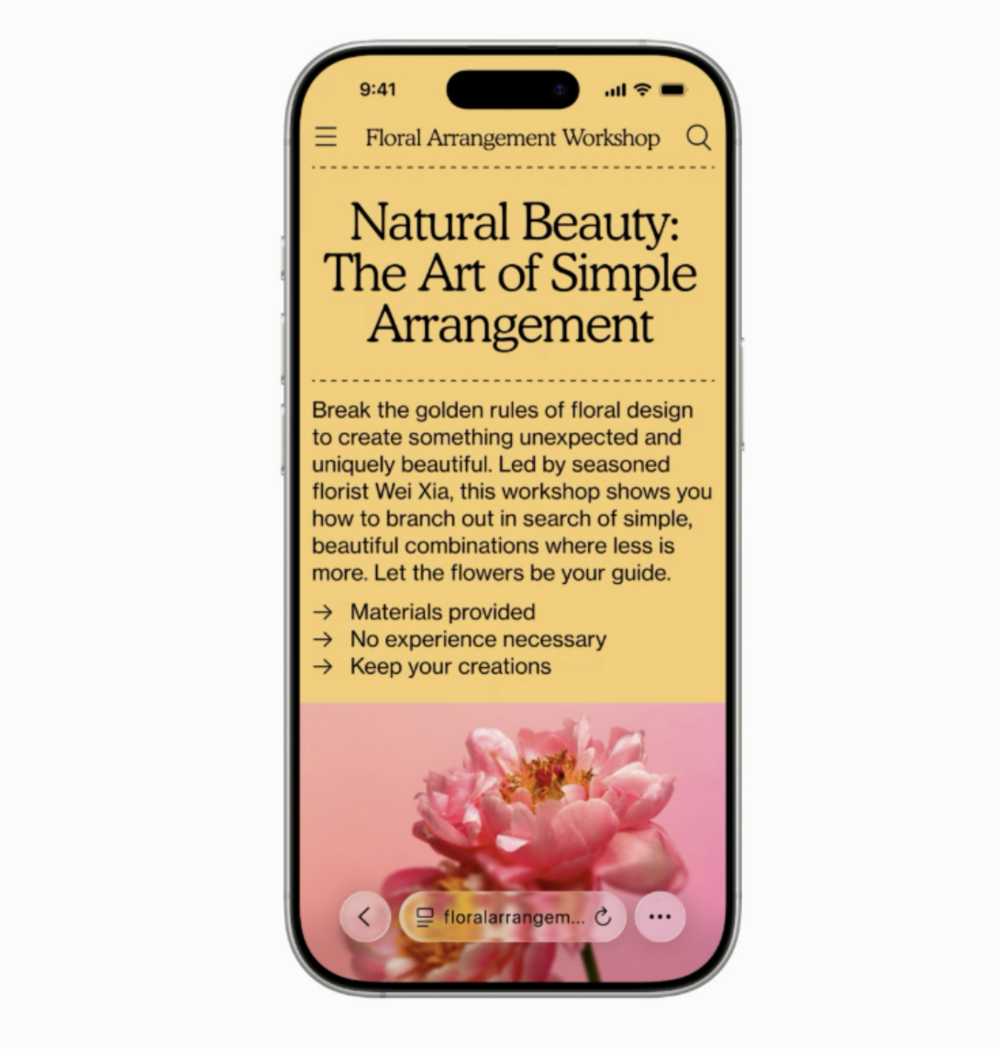
Take Safari, for example. It’s no longer just a browser – it’s now a product of some sort of engineer-designer alchemy. The website takes up nearly the entire screen, while the interface has been reduced to a long, semi-transparent… tablet at the bottom. Minimalism taken to a level even Steve Jobs might have hesitated to approve. Only the “essentials” remain, and everything else vanishes – until you accidentally tap something. Then, the UI makes a grand return, complete with animations clearly meant to impress. Or irritate. Depends on your patience.
Apple claims this approach now applies across the board – from Camera to Podcasts, from Photos to Apple News. The interaction model is new, supposedly delightful, and – as usual – a bit unintuitive at first. But it looks good. And that, evidently, is what matters most. Especially coming from a company that’s long treated UX less as a tool and more as a fashion show, complete with gloss and reflections.
And here I can’t help but think of Microsoft. Dear friends in Redmond, maybe it’s time to stop neglecting the Edge browser on Android? If it used even half as much screen space as Safari with Liquid Glass does, I might actually consider using it for more than just the occasional, accidental tap when setting up a new device.
Read also: Seven Annoying Windows 11 Features – and How to Fix Them
Windows on iPadOS – or how Apple finally opened a window to 2025
The biggest surprise at WWDC 2025 didn’t come with loud fanfare but almost slipped in at the end of the presentation, as if Apple suddenly remembered, “Oh right, we still have an iPad!” And then it began. Honestly, I had accepted that iPadOS was basically a slow, evolutionary offshoot that Apple quietly left out in the field – without updates, new features, or much hope. But suddenly – boom! – iPadOS 26 now supports windows. Yes, in 2025. Windows. On a tablet. From Apple. Bravo.
Now it’s possible to open multiple apps simultaneously and resize their windows. Not just split view, but real windows – with dragging, minimizing, and closing. Basically, a MacBook in a simpler form. For a moment, I even felt a strange urge to buy an iPad. Not for show or TikTok, but as a genuine tool. What’s happening to me?
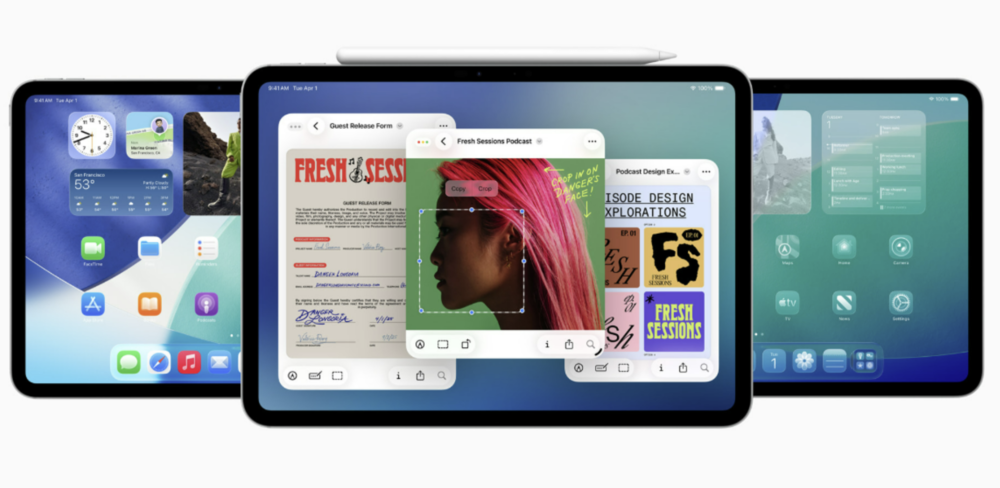
Imagine this: an iPad with a keyboard and trackpad, letting you manage windows on the go like you’re in an office – only without Windows – and with a battery life that actually holds up. What was shown on stage looked surprisingly smooth and natural. Definitely not like Android’s approach, where multitasking often feels like a cat trying to open a can of corn – lots of fuss, little payoff.
I haven’t tried it in real life yet, but on stage, everything was crisp and fluid. Maybe Apple finally realized that a tablet without a proper window manager is just a big iPhone without cellular. And now, it seems like they want to catch up to the point where people actually use tablets for serious work, not just waving them around in the kitchen.
Read also: Everything You Need to Know About NVIDIA DLSS 4.0 and Reflex 2: What They Offer and Why They Matter
Small pleasures and big déjà vu
Amid the main highlights of WWDC 2025, there were smaller moments that made me both smile and raise an eyebrow. For example, Apple introduced a new feature called “Visual Intelligence.” It allows users to search the web using an image directly from the screen – you tap on an object, and the system understands you want to find more information about it. I couldn’t help but smile – not because I was impressed, but because Google has had a similar feature called Circle to Search for quite some time, which I use regularly. Now, of course, it’s being presented as an innovation. After all, a circle is just a circle, but when Apple does it, suddenly it’s a groundbreaking breakthrough.
I found it even more amusing later when they started talking about personalizationin macOS. Finally – I repeat, finally – in 2025, Apple has allowed users to change folder colors. And even add emojis to them. This is something people have wanted since 2003, and now it’s here. You can seriously have a folder named “Report” with a poop emoji on your desktop. The future has arrived, just very slowly.
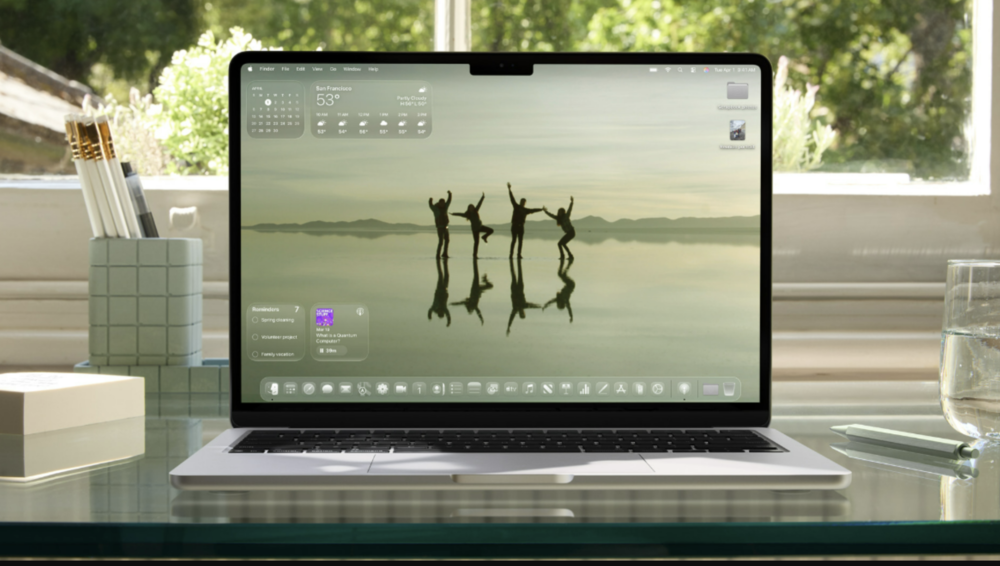
On top of that, there’s another update – frosted glass effects everywhere in macOS. The system looks shinier and more translucent, kind of like Windows Vista showing up at a TikTok party. It even felt like Apple had dug through old Microsoft archives and thought, “Why not?”
And, of course, there’s Continuity. Apple presents this feature as something new every year, even though it’s been around for over a decade. This time, it’s been enhanced to share more “relevant” information between devices. For example, you’ll be able to see when your Uber is arriving, even if you initially checked on your iPad and then switched to your MacBook. So, if staying updated on your transport status is a priority, the system will now keep you informed across devices.
To finish, there’s the new emoji combination feature. Apple once again talked about an “innovative approach to communication,” this time introducing the ability to blend two emojis into one. For example, you can combine a pizza with a cat, or a heart with a robot. And, of course, it’s powered by AI – because nowadays, even a toaster apparently can’t work properly without it.
Read also: Are Noise-Canceling Headphones Harmful? Insights from Audiologists
Apple Intelligence is the same artificial intelligence, but with a thousand-dollar logo
Interestingly, the main focus of WWDC 2025 wasn’t a breakthrough in functionality, but… glass. iOS 26 introduced Liquid Glass effects, and macOS became even more transparent – almost to a distracting degree. But did anyone notice that the AI feature was supposed to be there too? Not just any AI, but Apple Intelligence – the very one promised last year with grand music and bold claims on the slides.
As usual, the story repeats itself: features feel unfinished, bugs are still present, and Siri continues to act like a polite but somewhat confused assistant from 2015. Hopefully, some fixes will come by September. The interface might become a bit clearer, though the chance that users will still click the wrong thing remains. At least, it’s likely to be “usable” – not perfect, but then again, this isn’t Android, where experimentation often happens without much restraint. Here, everything looks polished but incomplete.
The main focus of the press wasn’t on the fact that the AI still isn’t fully functional, but rather on how shiny the Liquid Glass looks. And, to be fair, that’s a smart strategy. Even if the AI can’t do anything impressive yet, the icons are practically works of art – and they’re translucent, too.
And of course, it’s hard to forget the moment when Apple publicly admitted that the Siri features promised last year are still “in progress.” To paraphrase: “We’re working hard, but it’s not ready yet – and it won’t be available in most languages anytime soon.” In other words, languages like Ukrainian or Polish are being politely ignored by this high-tech AI, much like a waiter in a Parisian café.
While competitors have long been generating content, translating, assisting, creating images, and seemingly could even make you a cup of tea, Apple Intelligence is still in the “just watching” stage. But when it does look, it’s visually striking – wrapped in Liquid Glass.
Read also:
- Use It or Lose It: How AI is Changing Human Thinking
- Tectonic Shifts in AI: Is Microsoft Betting on DeepSeek?

