





© ROOT-NATION.com - Use of content is permitted with a backlink.
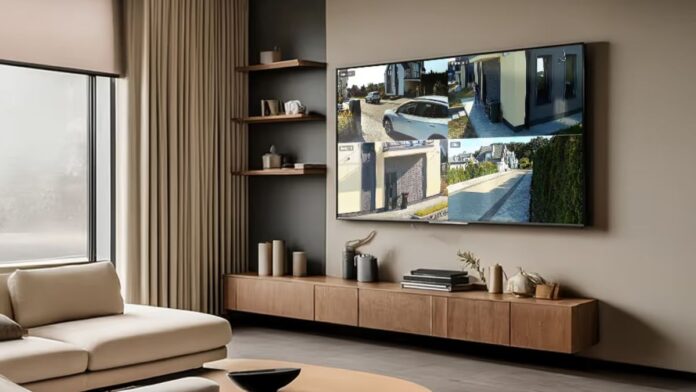
Ajax TV opens up a new way to control the space – now video surveillance is available on the TV screen. Ajax Systems has launched a separate application for Android TV that allows you to quickly and easily watch camera broadcasts in a comfortable format without any extra equipment.
The Ajax TV app is available for installation via Google Play and works on TVs and set-top boxes with Android TV. It displays cameras as a 2×2 video wall – four streams simultaneously on one screen. This is a practical solution for cases where there is no video recorder with HDMI or a separate monitor, and then the TV takes on the role of a surveillance center, and the settings take a minimum of time.

Logging in to the app is simple: just scan the QR code via Ajax Security System. After authorization, all account parameters are automatically updated – the added spaces, user roles, and access levels are applied without additional actions.
Read also: Ajax DoorBell Review: A Smart Video Doorbell
The interface is built around a four-tile video wall. Any stream can be expanded to full screen to see the details and better assess the situation. If the user does not have access rights to a particular camera, an inactive tile with a lock icon is displayed instead of the stream. In full-screen mode, you can quickly switch between cameras – they change in the same order as they are displayed on the video wall.
Additionally, Ajax TV shows the current security mode of the selected space. This provides more context and allows you to immediately understand whether the object is armed or disarmed.
Read also: Top 7 Non-Chinese Security Cameras You Can Trust in 2025
Ajax TV usage scenarios cover both private and commercial spaces. In a private house, it is convenient to display video from street cameras on a TV and monitor the yard or entrance. In an office, the screen at the reception can show entrances or parking lots. In a small store, the staff monitors the sales floor without leaving the cash register. And in an apartment building, a concierge can monitor the elevator area without additional monitors.

For Ajax TV to work, you need to update Ajax Security System to version 3.39 or later. Currently, the app is supported on TVs and set-top boxes running Android TV 8.0 and higher.
To install the app, you need to:
- Open Google Play Store on your TV or Android TV set-top box
- Search for Ajax Security System app
- Install the app and launch it on your device.
Read also:
- Missile Strike on Kharkiv: russia Destroys Nova Post Terminal and Kills Four Civilians
- Ajax Systems Introduces KeyPad Outdoor Jeweller, a Wireless Outdoor Keypad