





© ROOT-NATION.com - Use of content is permitted with a backlink.
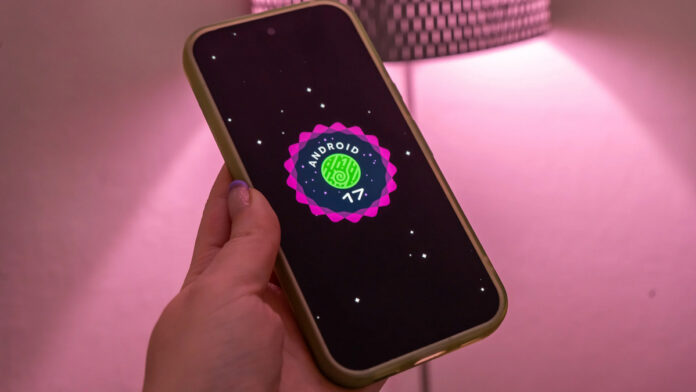
Google has officially concluded the lengthy pre-release testing phase of its new operating system, which lasted four months and included four major beta versions. Developers have now made the final stable build of Android 17 available. The latest software has already begun rolling out to compatible devices from the American brand, and this release is traditionally accompanied by the major June update of the Pixel Feature Drop.
The path to this release began on February 13 with the launch of the first beta version, followed by the release of build 2 on February 26, build 3 on March 26, and the fourth iteration on April 16. The final preparatory step was the release of the 4.1 interim version on June 1, and finally, on June 16, the stable system was fully released.

See also: AERONAUT – everything that flies above the ground: aviation, UAVs and drones, rockets, and space
The latest platform is available for a very large number of the company’s devices, including even models from previous years, starting with the Pixel 6 lineup. Owners of current and older devices can check compatibility in a detailed list, which includes the latest flagship models – the Pixel 10, Pixel 10 Pro, Pixel 10 Pro XL, as well as the foldable Pixel 10 Pro Fold and the more affordable Pixel 10a. Updates have also been prepared for the ninth-generation series, including the base Pixel 9, the high-end Pixel 9 Pro and Pixel 9 Pro XL, the foldable Pixel 9 Pro Fold, and the sub-flagship Pixel 9a. Users of eighth-generation devices – namely the Pixel 8, Pixel 8 Pro, and Pixel 8a – will also receive the latest software. In addition, the update is intended for the Pixel Tablet, the company’s first foldable smartphone, the Pixel Fold, as well as the Pixel 7, Pixel 7 Pro, and Pixel 7a models. Rounding out the list are the lineup’s older models: the Pixel 6, Pixel 6 Pro, and Pixel 6a.
Unlike many other mobile device manufacturers, Google strives to roll out software updates to all compatible models simultaneously, although the actual release date may vary slightly depending on the user’s geographic region.

To check for the latest software update yourself, go to your smartphone’s settings menu, find the “System” section, and select “Check for system updates.” Smartphone owners who have been using standard stable software versions will need to download a package several gigabytes in size. At the same time, for participants in the beta testing programs, the file size will be significantly smaller, since they have already received the majority of the system updates along with previous beta builds.
Among the major upgrades in Android 17, updated AI-powered tools designed to maximize the potential of mobile devices take center stage. One such innovation is the integration of the Lyria 3 model, which is capable of creating unique musical compositions based on text descriptions or images. Meanwhile, the Gemini Omni tool allows users to transform text queries into short, personalized videos, although this requires an active paid Gemini Pro subscription.

The Voice Translate feature is now available on the Pixel 10a, and the coverage area for the Call Screen manual call filtering system has been expanded to include India. The latest firmware update has also brought Quick Share – with support for AirDrop – to the Pixel 9a and Pixel 8a smartphones, while devices in the premium Pixel 10 series now have exclusive access to Magic Cue smart suggestions.
The pop-up window system, known as Bubbles, has also undergone a major overhaul, marking perhaps its biggest improvement ever. Whereas this feature was previously available only in messaging apps, its compatibility has now been expanded to include all software installed on the device. This allows you to turn absolutely any utility into a convenient movable bubble that will appear on top of other open windows. To activate this mode, simply long-press the icon of the desired app and select the appropriate option from the context menu. On the large screens of tablets and flexible devices, a special area called the Bubble Bar has appeared in the lower-right corner of the screen, which is used to conveniently organize and keep such minimized windows.

For content creators and streamers, the developers have added an on-screen reaction tool called Screen Reactions. This feature allows you to simultaneously record what’s happening on the screen and capture the user’s face via the front-facing camera, eliminating the need for chroma key or complex editing. This feature will be extremely useful when creating tutorial videos, reviews, reaction videos, or recording mobile gameplay.
For fans of gaming on foldable smartphones, Google has developed a special “Foldable Gaming Mode,” which splits the unfolded screen in half in a 50/50 ratio, with the top half dedicated to the game itself, while the lower half transforms into an interactive game controller. This feature is fully integrated into Android 17, though its full launch and support in games are expected in the coming months. For added convenience, the system now includes a built-in feature that allows gamers to remap buttons for external gamepads.
An important step in the development of the ecosystem was the introduction of the “Continue On” tool, which has successfully reached its final release and enables the instant transfer of tasks between different Android-based devices. A user can start working on an app on a smartphone and then continue from the exact same place on a tablet, without losing any progress or current data. As Google explains, the tablet’s task bar automatically displays a recommendation for the app that was most recently opened on the smartphone, and tapping this icon launches the app with all open processes fully preserved.

Significant attention has also been paid to security and privacy in Android 17. The operating system now allows users to share their precise location coordinates with apps only for a limited time. Additionally, the proprietary device search hub, Find Hub, now features a new security function that lets users mark their smartphone as lost. This feature locks the lost device using the owner’s biometric data, so even if a malicious user discovers the numeric passcode, they still won’t be able to access the information.
Finally, users can now grant third-party apps temporary permission to view only specific contacts from their address book, and these apps will not be able to track any subsequent changes to those contacts’ information. The new version of Android 17 includes many other useful features and system improvements, which you can explore in detail on the relevant page of the company’s website.
See also:
- Instead of Microsoft Flight Simulator: Google Earth launches free flights right in your browser
- Google ecosystem in story format: Dreambeans, a proactive AI application, is introduced