





© ROOT-NATION.com - Use of content is permitted with a backlink.
A new router recently arrived on the Ukrainian market and has already caught the attention of those who value well-built tech. Meet the Ruijie Reyee RG-EW7200BE PRO. It’s designed to deliver stable internet speeds and reliable coverage for both home and office use. In practice, it performs well enough to stand out in its category.
TABLE OF CONTENTS:
Ruijie Reyee RG-EW7200BE PRO specifications
To begin with, let’s take a quick look at the key features that will help you form a first impression of the router:
- Type: wireless
- Coverage area: 50+ square meters
- Installation method: desktop
- Wi-Fi generation: 7
- Frequency range: 2.4 GHz and 5 GHz (dual-band)
- Maximum speed: 2.4 GHz – 1377 Mbps, 5 GHz – 5765 Mbps
- Number and speed of LAN ports: 3 LAN ports – 2.5 Gbps and 4 LAN ports – 1 Gbps
- Number and speed of WAN ports: 2 WAN ports 2.5 Gbps
- WAN port: Ethernet
- USB 3.0 port
- Number of antennas: 9 antennas and 9 finite element modules (FEMs)
- Processor: 4-core MT7992
- Memory: 1 GB RAM and 256 MB ROM
- Dimensions: 214×209×60 mm
- Weight: 0.74 kg
- Additional features: Mesh, remote control, MU-MIMO, IPTV, MLO.
Read also:
Positioning and price
The Ruijie Reyee RG-EW7200BE PRO is a next-generation router that sits somewhere between a high-performance home gaming device and a practical solution for office environments with heavy network demands. Notably, it supports seamless Wi-Fi coverage expansion through Ruijie Mesh. All it takes is another compatible device to extend the network. This feature is especially useful for users who need a stable and scalable networking setup in a larger space.
So, what’s the cost of this device? At the time of writing, the Ruijie Reyee RG-EW7200BE PRO is priced at $236 / €209. Given its capabilities, this puts it in a reasonable price range for a router of this class.
What’s in the package
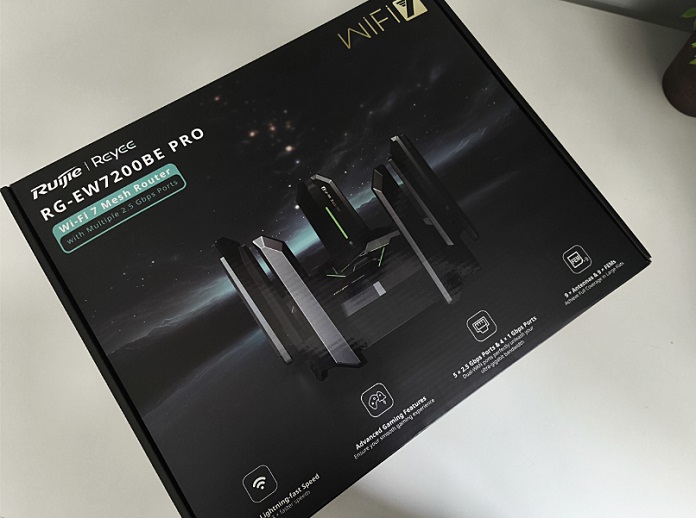
As for the packaging, it’s clear that the company aimed to make a strong first impression. The box looks sleek and well-designed, with a presentation that feels more premium than typical networking gear. It invites curiosity and makes you want to get the router out and set it up right away.
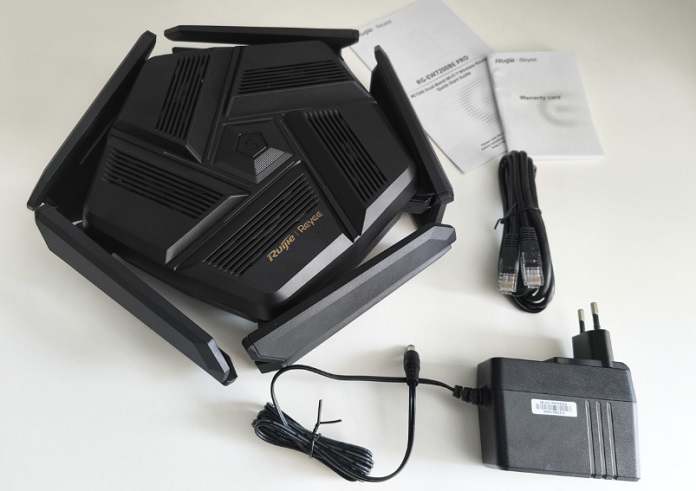
Inside the box, you’ll find the router itself neatly packed, along with a power adapter, a single Ethernet cable, a user manual, and a warranty card.
Ruijie Reyee RG-EW7200BE PRO design
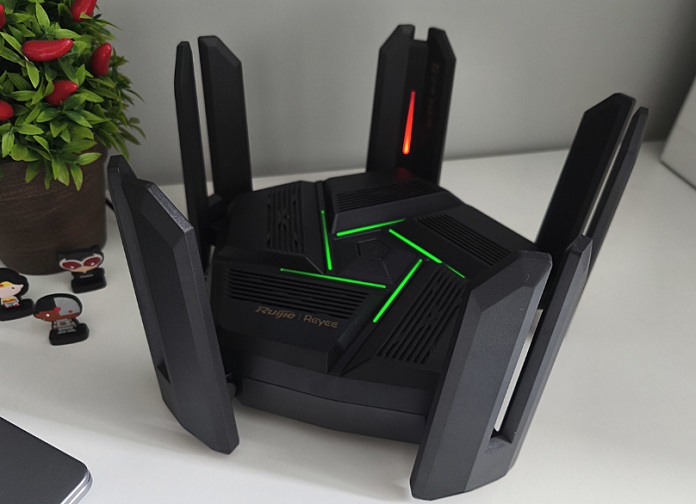
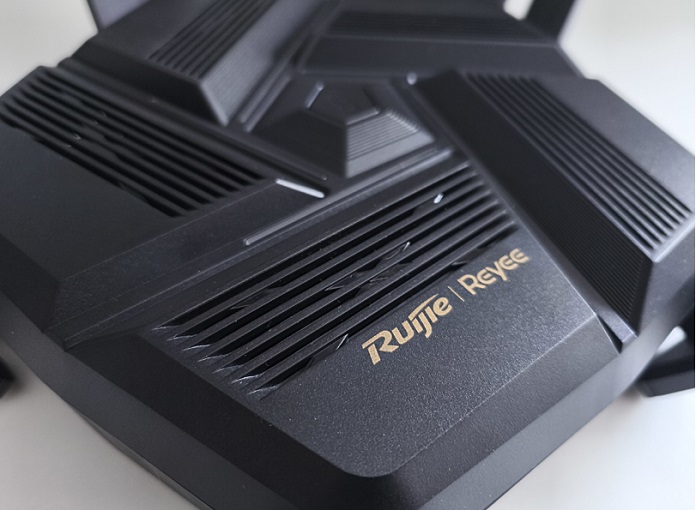
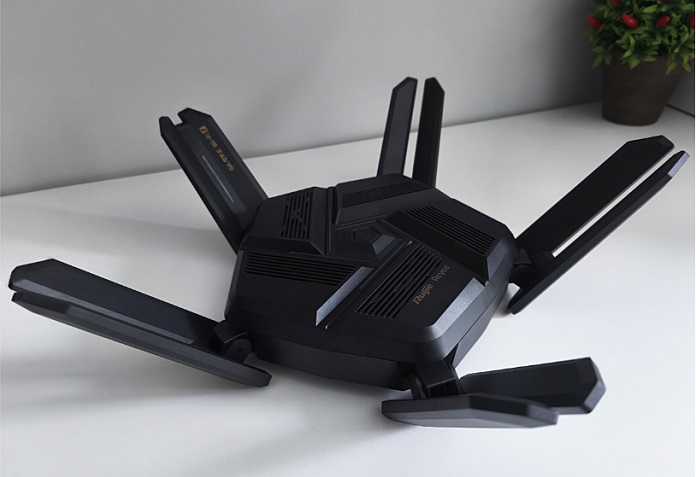
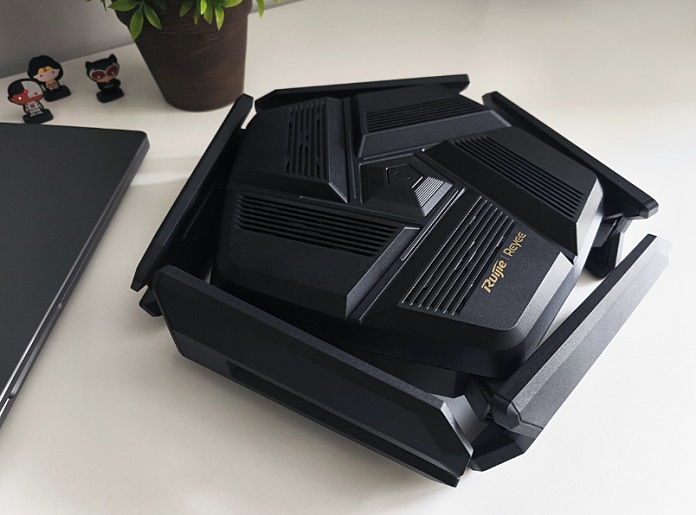
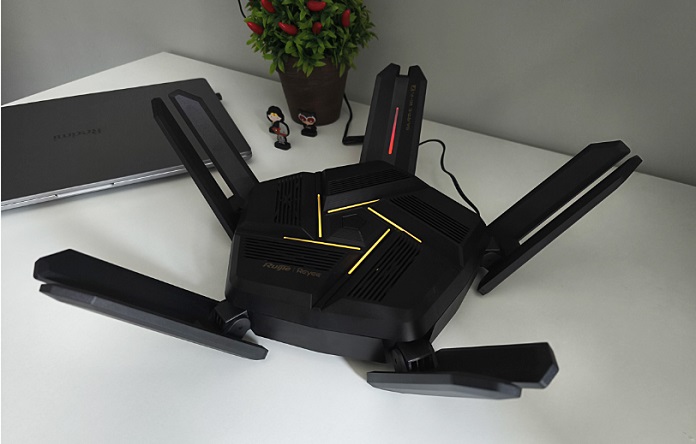
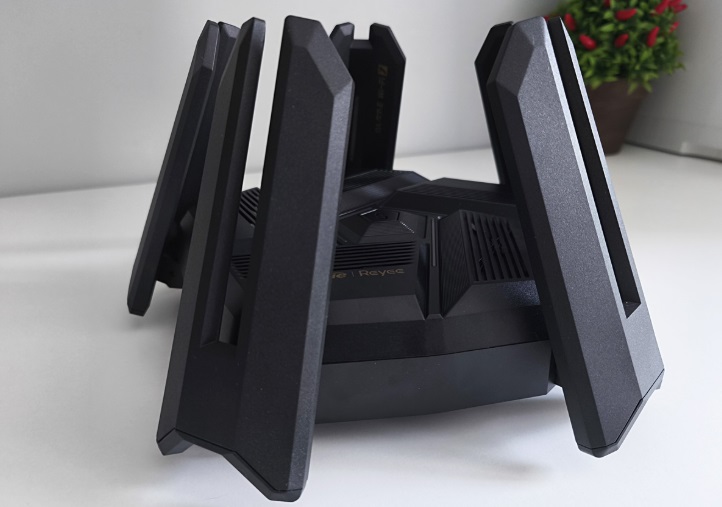
Like many gaming-oriented routers, the RG-EW7200BE PRO has a bold, futuristic design. It features a matte black, pentagon-shaped body with sharp lines, eight large external antennas, LED indicators, and grille-like accents that add a bit of visual flair. While design is subjective, it’s clear this router was built to stand out. It won’t blend quietly into the background – and that’s likely the point.
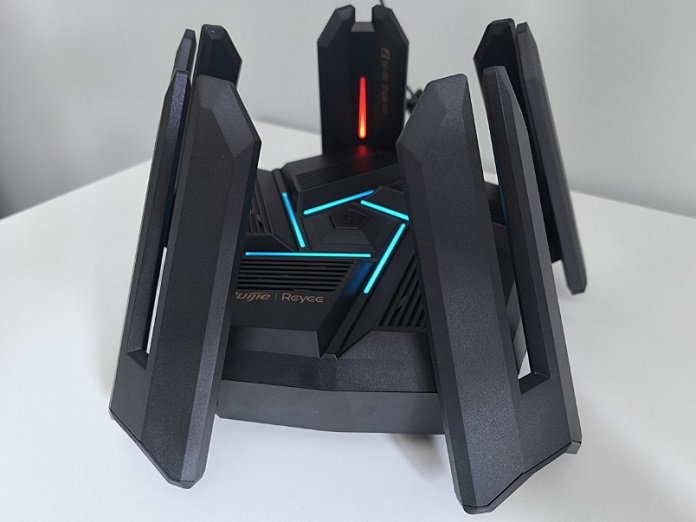
The materials used here feel solid, and all components are tightly assembled with no loose parts or creaking. Build quality is clearly a priority – everything fits together well, and there’s a reassuring sense of durability. Even under close inspection, there’s little to criticize.
Read also: Netduma R3 Gaming Router Review
Both the antennas and the router itself feature subtle branding and model information, but these markings are understated and don’t draw attention away from the overall design. The focus remains on the router’s distinctive aesthetic, which clearly takes center stage.
The antennas are adjustable and can be positioned in various directions as needed. You can fold or extend them based on your setup preferences, which adds flexibility when optimizing signal coverage.
Since the router doesn’t support wall mounting, it’s best to prepare a spot for it on a desk, shelf, or table. Wherever you place it, the device’s striking design is likely to draw attention and become a noticeable feature in the room.
A few words about hardware
The Ruijie Reyee RG-EW7200BE PRO is thoughtfully engineered, featuring a recent 4-core MediaTek MT7992 chipset designed specifically for the Wi-Fi 7 standard. Paired with 1 GB of RAM and 256 MB of flash storage, it delivers fast data processing and stable performance. Even under heavy network load with many connected devices, the router handles traffic without noticeable lag. It supports up to 96 users simultaneously, maintaining consistent internet quality for all connected clients.
The router operates in two bands:
- 2.4 GHz – up to 1377 Mbps
- 5 GHz – up to 5765 Mbps.
Thanks to Multi-Link Operation (MLO) technology, the router can use both frequency bands simultaneously, dynamically balancing the load to improve connection stability.
Another notable feature is the 4×4 MU-MIMO support, which allocates dedicated data streams to individual devices for smooth and uninterrupted performance. This is especially useful for smart home setups where multiple devices frequently exchange data. The result is a stable Wi-Fi signal without delays or congestion.
Given the router’s range of features, finding an equivalent alternative won’t be easy. This doesn’t even take into account the gaming and other specialized modes, which I’ll cover in more detail in the “Connection Features” section. For now, let’s take a closer look at the ports.
Ports and buttons
There are ports on the front side of the device. There are a lot of them, and this is a huge plus.
What we have on the one hand:
- a connector for connecting the power supply
- reset button
- four gigabit LAN ports.
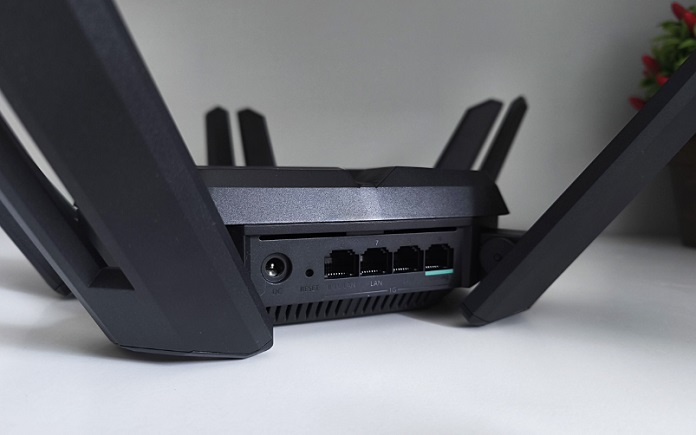
On the other hand, there are 2.5 gigabit connectors:
- WAN port
- combined WAN/LAN port
- three additional LAN ports
- A USB port for connecting a hard disk.
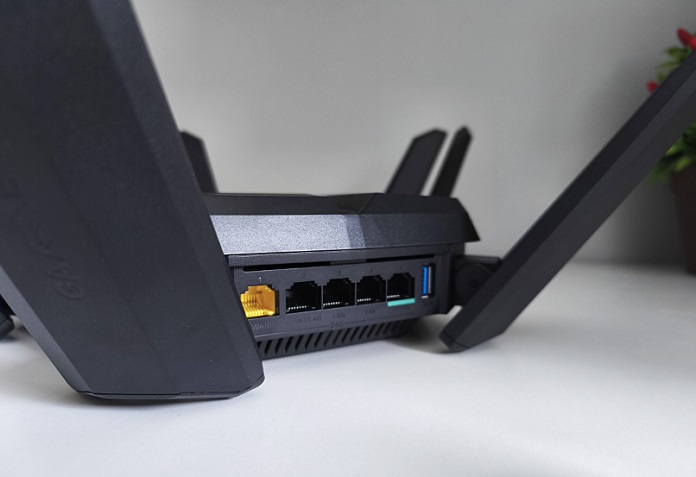
One notable feature of the Ruijie Reyee RG-EW7200BE PRO is its ability to connect to two different internet providers simultaneously. This approach can either maximize speed or create a backup connection. The router’s settings allow you to manage these options, including selecting a primary provider and enabling or disabling additional network sources as needed.
Connection features
If you’re worried that setting all this up might be complicated, there’s good news: the process is straightforward enough that even a beginner could manage it. Thanks to the remote management feature and the Reyee Router app, you can control the device from across town or even from another country. This level of control adds a lot of convenience.
Once connected to the network, the router immediately takes you to a menu with basic setup options. I found it easier to configure these settings via the phone app. The interface is intuitive and straightforward.
Read also:
- HUAWEI AX1 Review: Straightforward and Reliable Router
- ASUS TUF Gaming BE6500 Review: Cool Wi-Fi 7 Router
Setting the frequency band involves choosing whether the router will automatically switch between bands or if you want to manage that manually. I opted to keep a single band active for now to see how the device performs under that configuration.
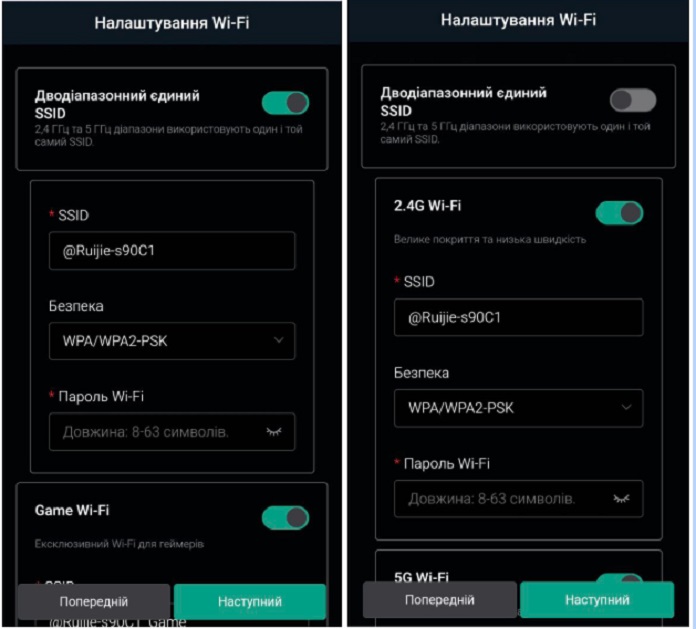
To connect the Wi-Fi 7 connection standard, select this option in the security settings.

Next, you set passwords for each individual network. You can either use the same password for all or create different ones for each. I chose to keep it simple with a single password to avoid unnecessary hassle.
However, I would recommend setting a separate password for router management to ensure that only you have access to the main settings. Security is important.
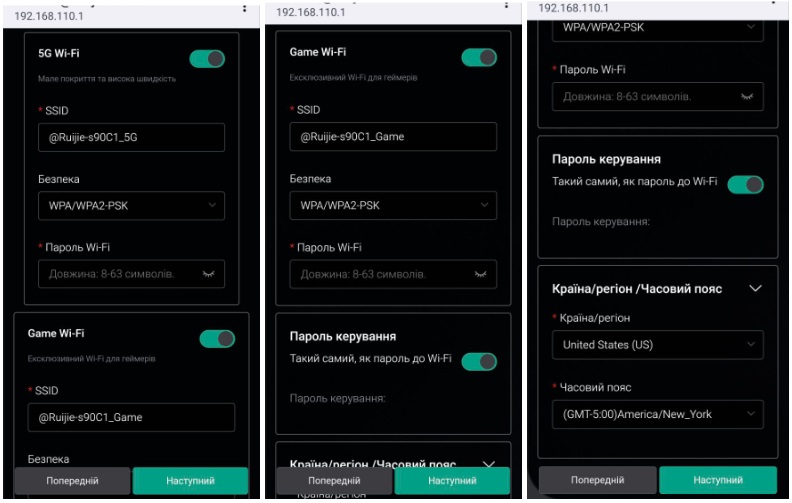
Next, you select your country, and the time zone is set automatically. After saving these settings, you can dive into the router’s more detailed configuration options. For convenience, I switched over to my computer.
Typing 192.168.110.1 into the browser brings you to the main control panel, where all the advanced settings are accessible. Let’s take a closer look at what’s available.
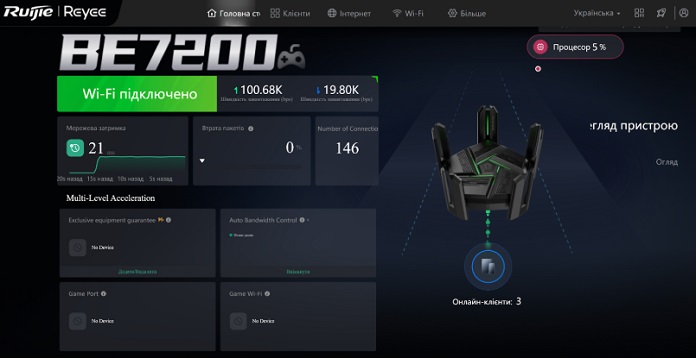
On the main page, you immediately see the number of connected devices. By clicking on the icon showing online clients, you can view detailed information about each device, and if needed, disconnect or even block specific devices.
The “Internet” and “Wi-Fi” tabs contain the basic settings you configured during the initial setup. These can be adjusted if necessary. The “More” tab offers a wider range of options for deeper customization.
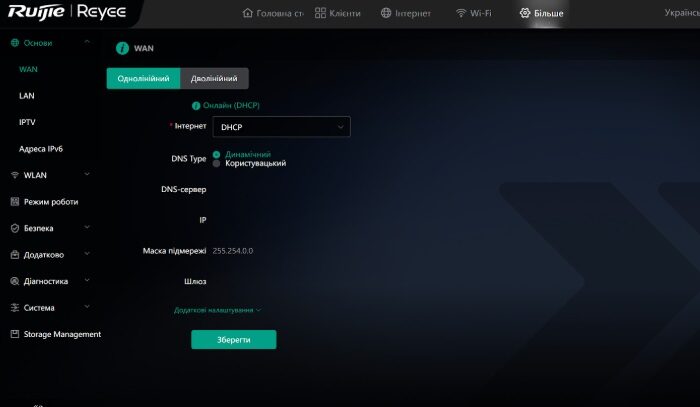
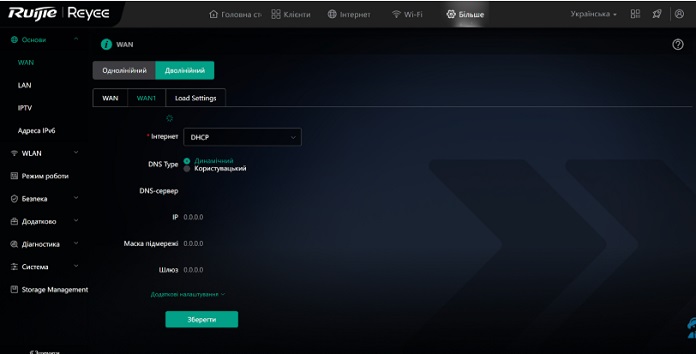
Here, you can also configure connections for two internet providers by selecting the “Dual WAN” option. This lets you choose the operating mode and set priorities for which network to use first.
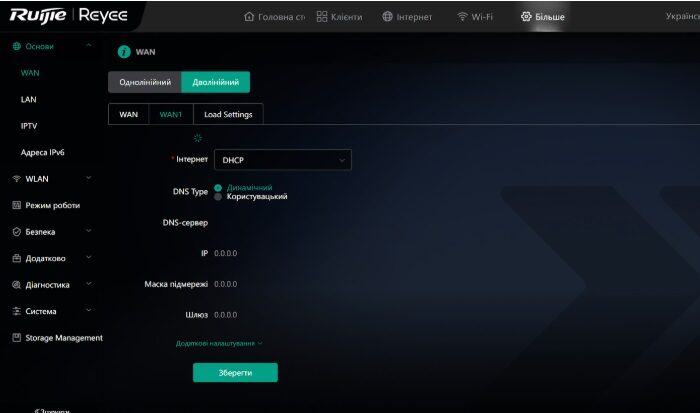
Let’s head straight to the “WLAN” tab to explore the Wi-Fi settings. Here, you’ll find a range of additional options:
- creating a guest Wi-Fi
- connecting IoT devices that use Wi-Fi for correct operation (for example, cameras, security systems, smart home elements)
- turning on the “Health” mode to reduce power and, accordingly, radiation strength. I don’t know how well this function works and how to track the radiation parameters in general, but if it’s important to you, then use the functionality to your health
- roaming optimization
- additional settings.
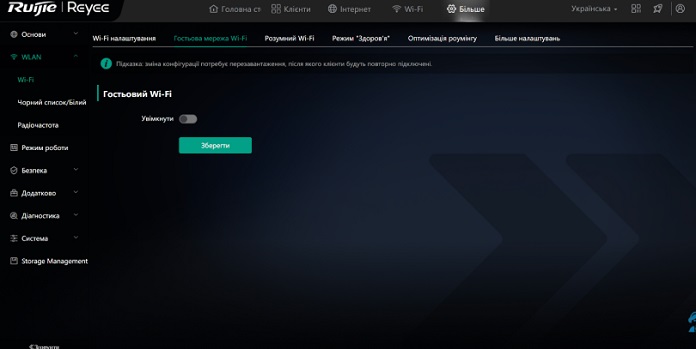
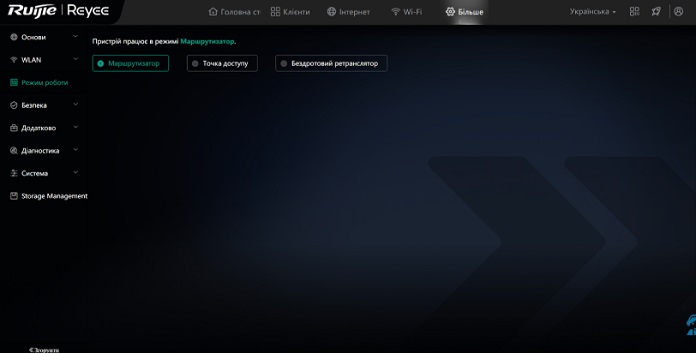
You can configure the device to operate as a standard router, an access point, or a wireless repeater. All of these settings are available under the “Operating Mode” tab.
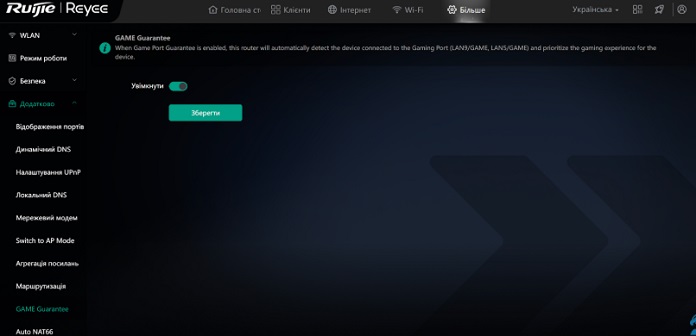
Now for the most interesting part – the gaming mode. You can find it under the “Advanced” tab, then select “GAME Guarantee” from the list. When activated, this mode isolates a specific port or Wi-Fi network to ensure the most stable internet connection possible for streaming, gaming, and similar activities.
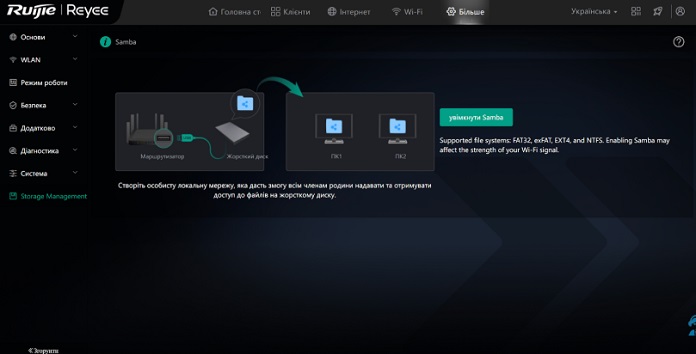
Almost forgot to mention another useful feature – the ability to connect a hard drive directly to the router. This lets you create a local network for quick and easy file sharing. The router provides a step-by-step guide to help you set this up smoothly and without hassle.
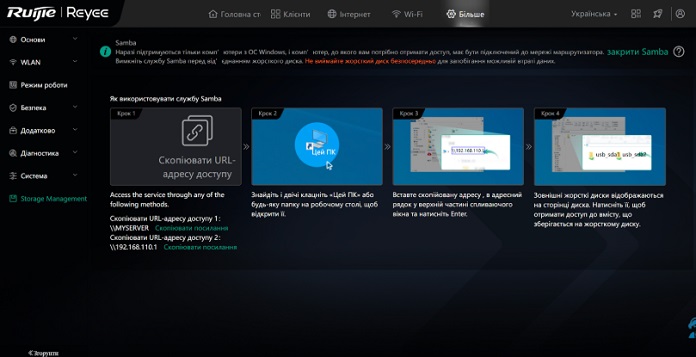
The Ruijie Reyee RG-EW7200BE PRO is more than just a router; it’s a multifunctional device that delivers impressive performance and versatility.
Read also:
- Review of the ASUS RT-BE92U Router with Wi-Fi 7 Support
- ASUS ROG Rapture GT-BE19000 Review: Tri-Band Gaming Router
Ruijie Reyee RG-EW7200BE PRO speed tests
Let’s see what this router is capable of. To ensure a fair test, I ran speed checks on three different websites. Here’s what I found:

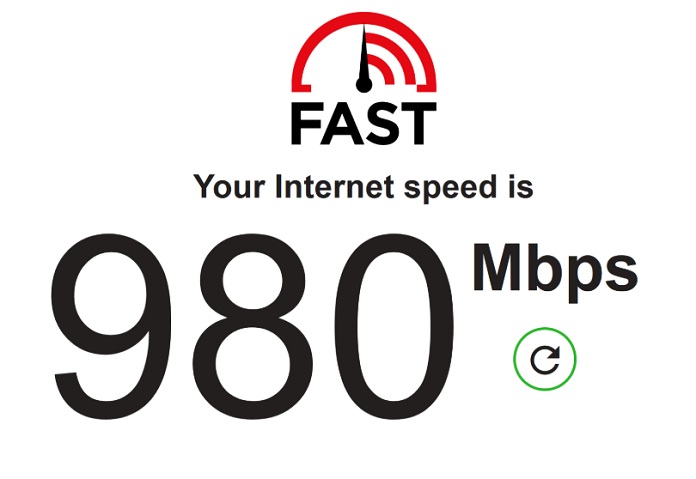
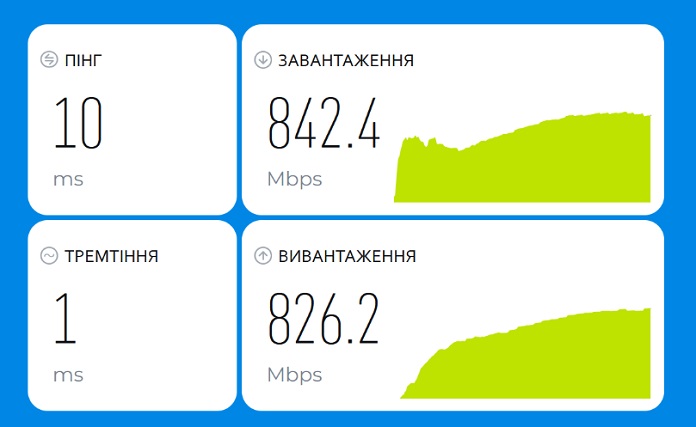
I have a gigabit internet connection, and compared to my regular router, the speed feels noticeably faster and the signal more stable. The router handles the load comfortably, and then some. It’s well suited for:
- owners of large private houses and apartments with a lot of smart gadgets
- streamers and fans of hanging out in games
- for coworking and office use
- anyone who wants to take a device with Wi-Fi 7 to touch and understand how everything works.
In reality, the Ruijie Reyee RG-EW7200BE PRO is a solid device that deserves serious attention. It offers good value for its price.
Conclusions
If you’ve been looking to upgrade a basic home router to a more modern device packed with features – including gaming mode and other extras – the choice is clear. The Ruijie Reyee RG-EW7200BE PRO offers a powerful Wi-Fi hub that should serve your devices well for several years.
Read also:

