© ROOT-NATION.com - Use of content is permitted with a backlink.
The Cougar OmnyX is by no means a typical PC case. In fact, it’s less conventional than open-frame designs like the Blazer Essence, even though its price sits in a similar range at around $90 or €80. Because of this, it makes sense to first highlight its most important aspects before moving on to the smaller details.
Read also: PC case reviews

TABLE OF CONTENTS:
Video about Cougar OmnyX
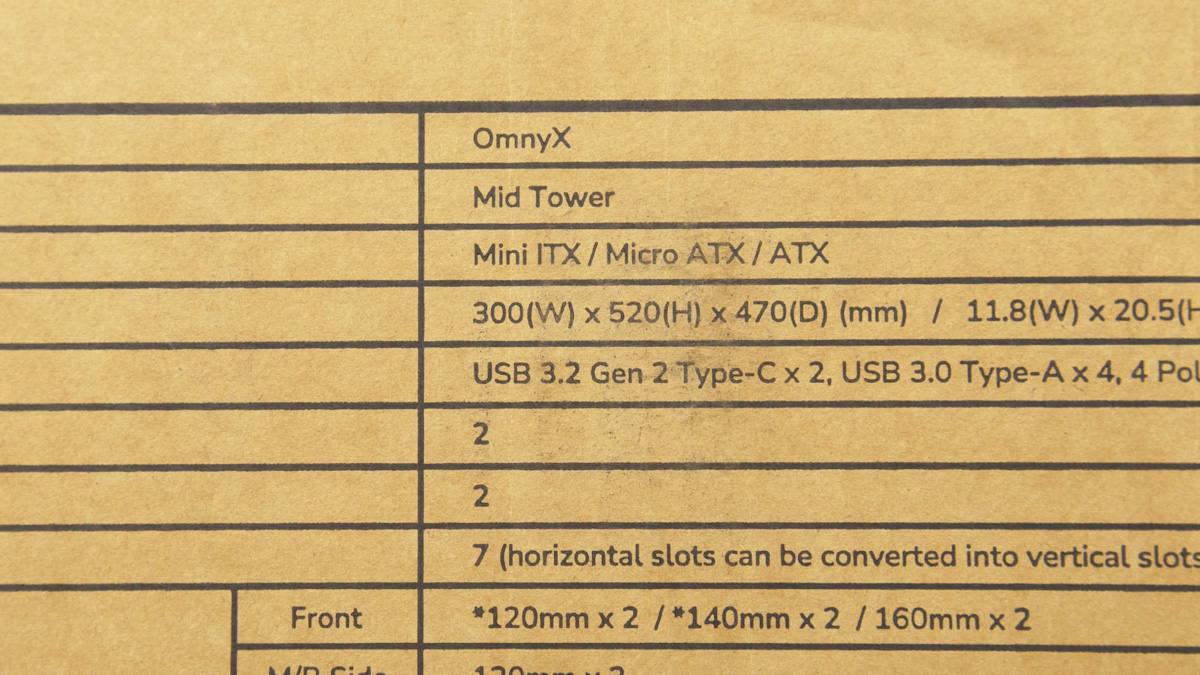
Cougar OmnyX Specifications
- Case form factor: Mid Tower
- Motherboard type: Mini ITX / Micro ATX / ATX
- Dimensions: 300×520×470 mm
- Peripherals: USB-C 10 Gb, USB 3.0 Type-A 5 GB, mini jack
- Drive compatibility: 2×2.5‘ + 2×3.5’
- Expansion slots: 7 (horizontal slots can be converted to vertical slots)
- Front fan slots: 120 mm ×2 / 140 mm ×2 / 160 mm ×2
- Fan slots near the motherboard: 120 mm ×3
- Rear: 120 mm ×2 / 140 mm ×2 / 160 mm ×2
- Included fans: 2×160 mm RGB PWM standard + 2×160 mm RGB PWM reversible
- Maximum number of fans: 7
- Liquid cooling support: up to 360 mm
- Max. graphics card length: 380 mm
- Max. CPU cooler height: 170 mm
- Max. length of power supply unit: 200 mm
Layout and fans
First of all, the case is rotated a quarter turn, or 90°. What does that change? The graphics card no longer hangs off the PCIe slot under several kilograms of weight but instead faces downward with its video outputs. This orientation also makes the installation process noticeably easier.
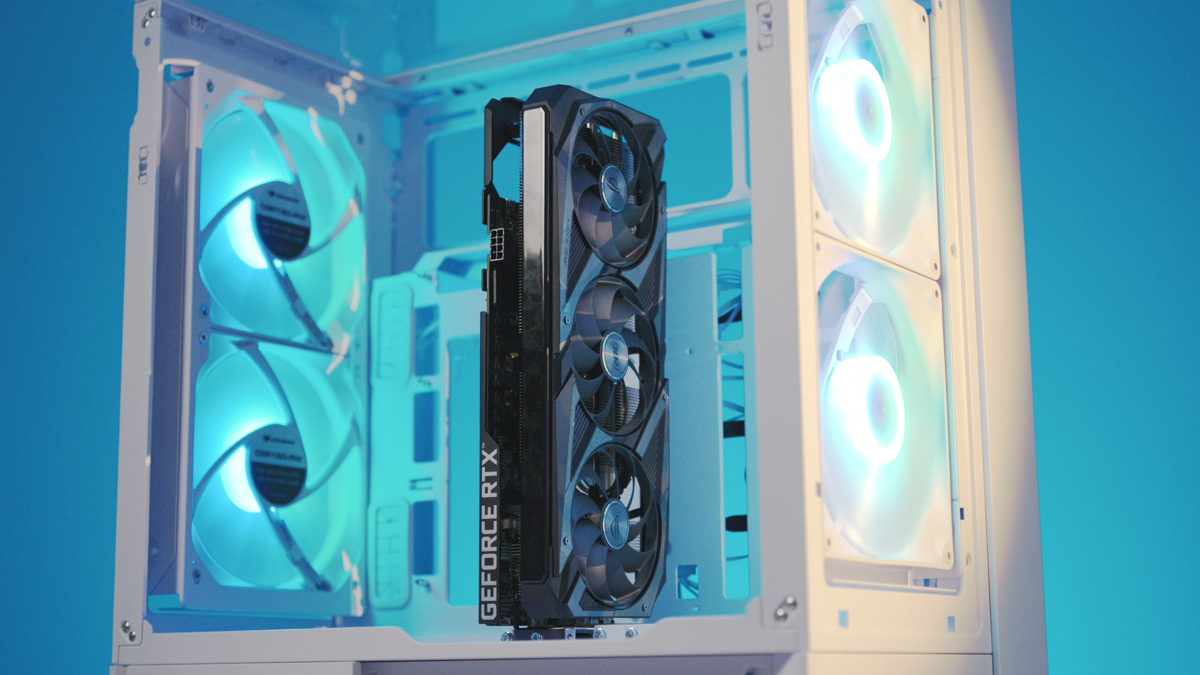
However, this layout also places some specific demands on the graphics card itself. NVIDIA models with pass-through cooling work especially well here, rather than designs that simply exhaust air in multiple directions. The reason is that the Cougar OmnyX is built around a strong right-to-left airflow system. Out of the box, it comes equipped with four proprietary 160 mm fans, two of which are reverse-spinning.
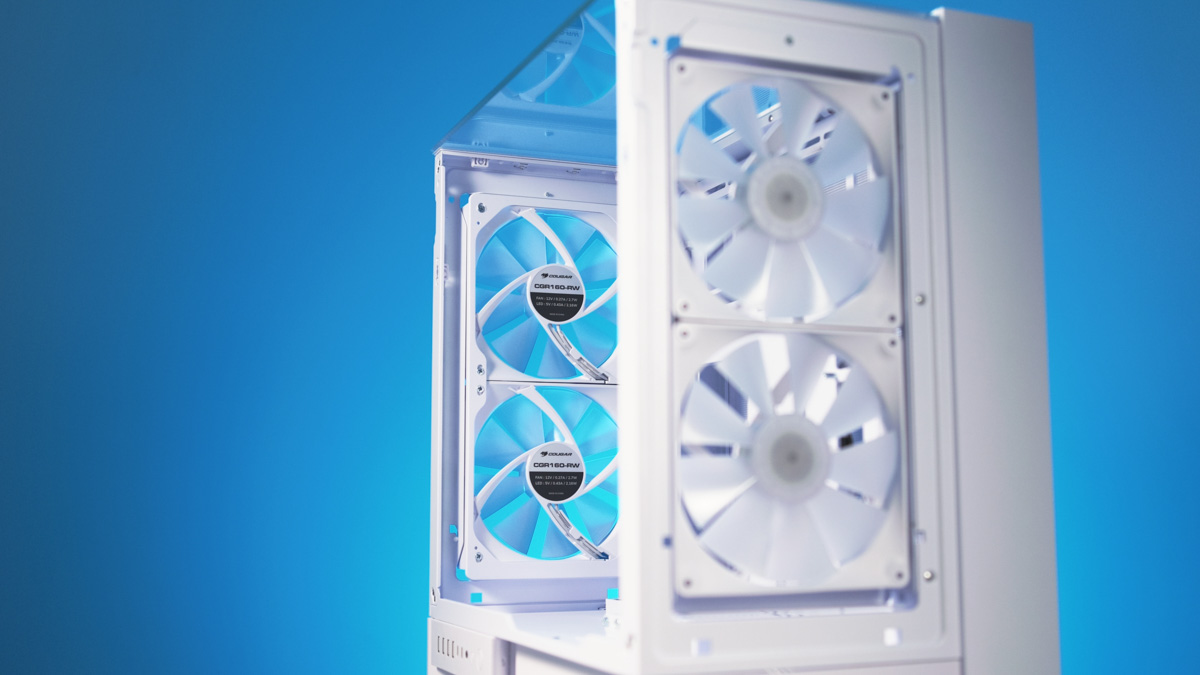
Yes, Cougar now includes reverse-spinning fans in its lineup, alongside seamless modular options in 120 mm and 140 mm sizes (Apolar 120 and SC140). In the OmnyX, the four 160 mm RGB fans provide strong airflow, keeping internal components consistently cool. They can be tuned for either higher performance or quieter operation, with speeds ranging from 300 to 1200 RPM. Dust filters are also included to help maintain cleaner internals.
Neatness and versatility
The third notable feature is cable management. This isn’t just about compatibility with reverse-connector motherboards like ASUS BTF, MSI Project Zero, or Gigabyte Project Stealth. It’s more about ensuring that cables don’t obstruct the airflow, keeping the interior clear and tidy.
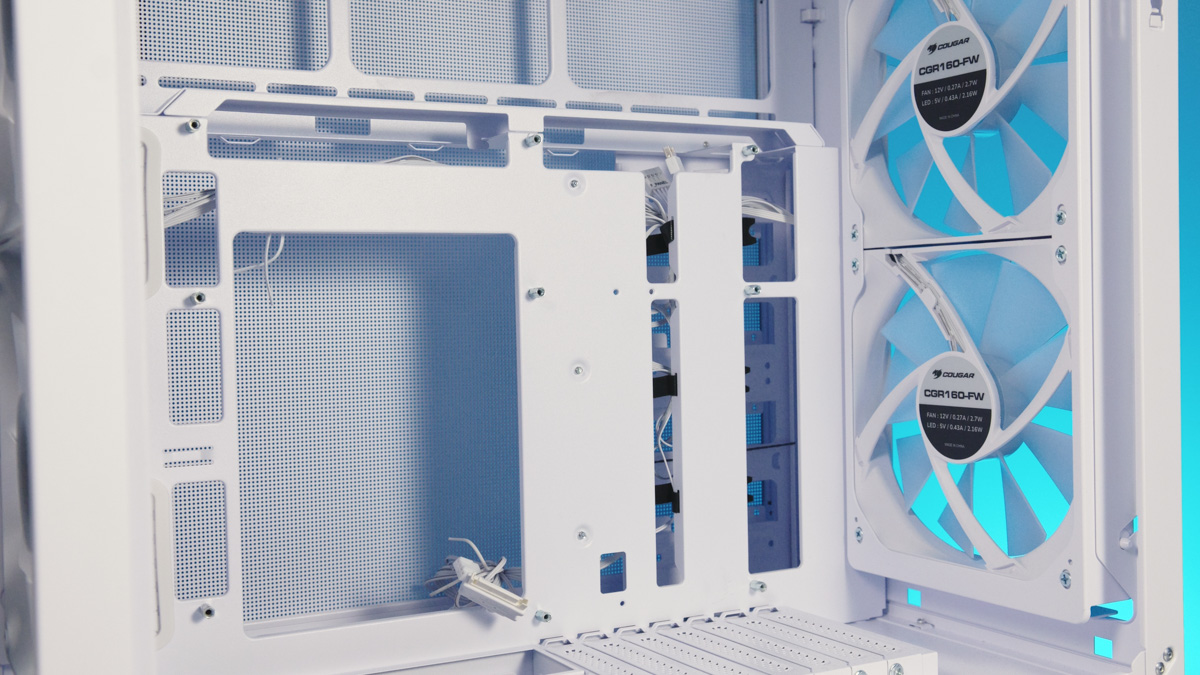
The Cougar OmnyX also introduces a unique approach to cable management. The case is raised about 10 cm above the surface by default, creating a dedicated space underneath. All cables – whether HDMI, power, or otherwise – are routed through this gap, accessible from both the front and the side.
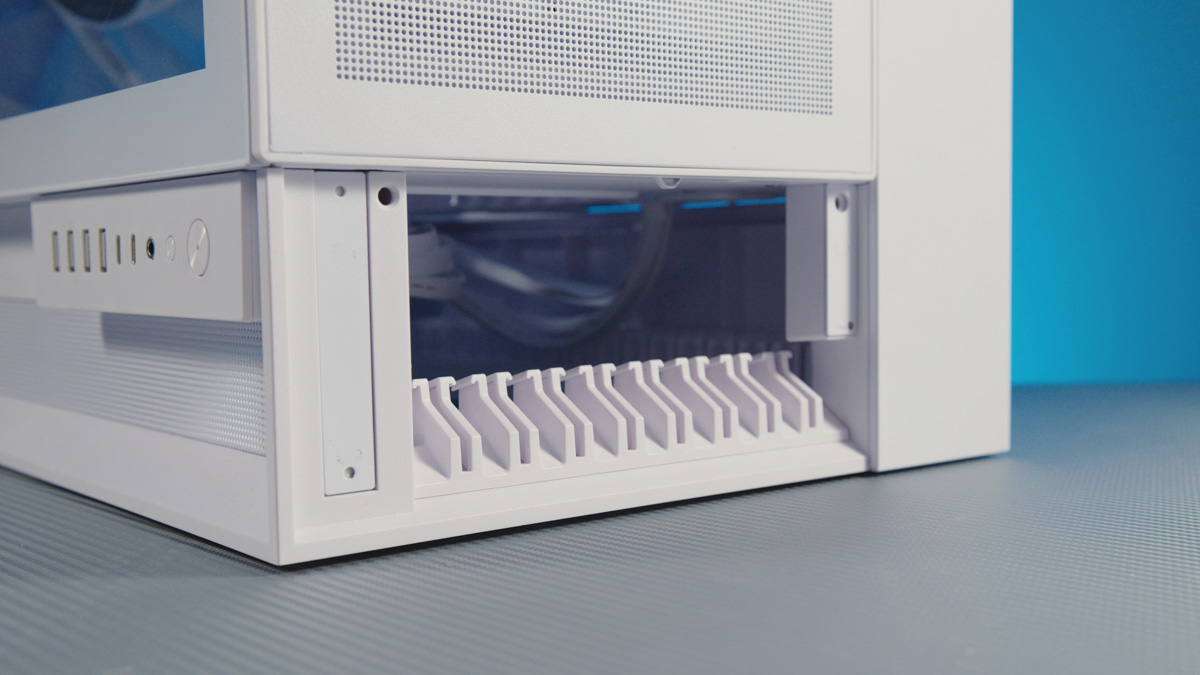
In that space, Cougar has included a large number of cable clips, making it easy to sort and secure cables so they don’t become tangled. This also reduces the risk of accidentally pulling one loose. By default, the cables in this area can be covered, keeping the build cleaner and more organized.
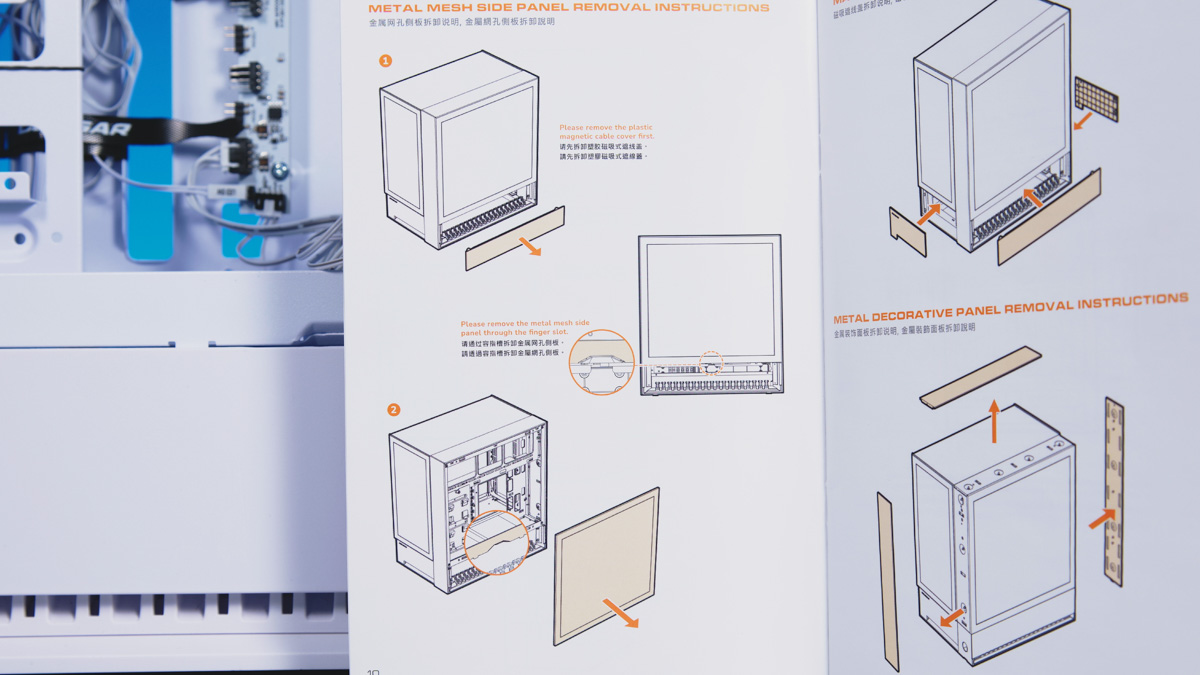
All of this makes it relatively straightforward to build a very clean and well-organized system inside the Cougar OmnyX. The case also highlights the build with panoramic glass panels on the top and front, both of which can be removed without tools. In fact, most of the chassis is designed this way, so a screwdriver is rarely needed during assembly.
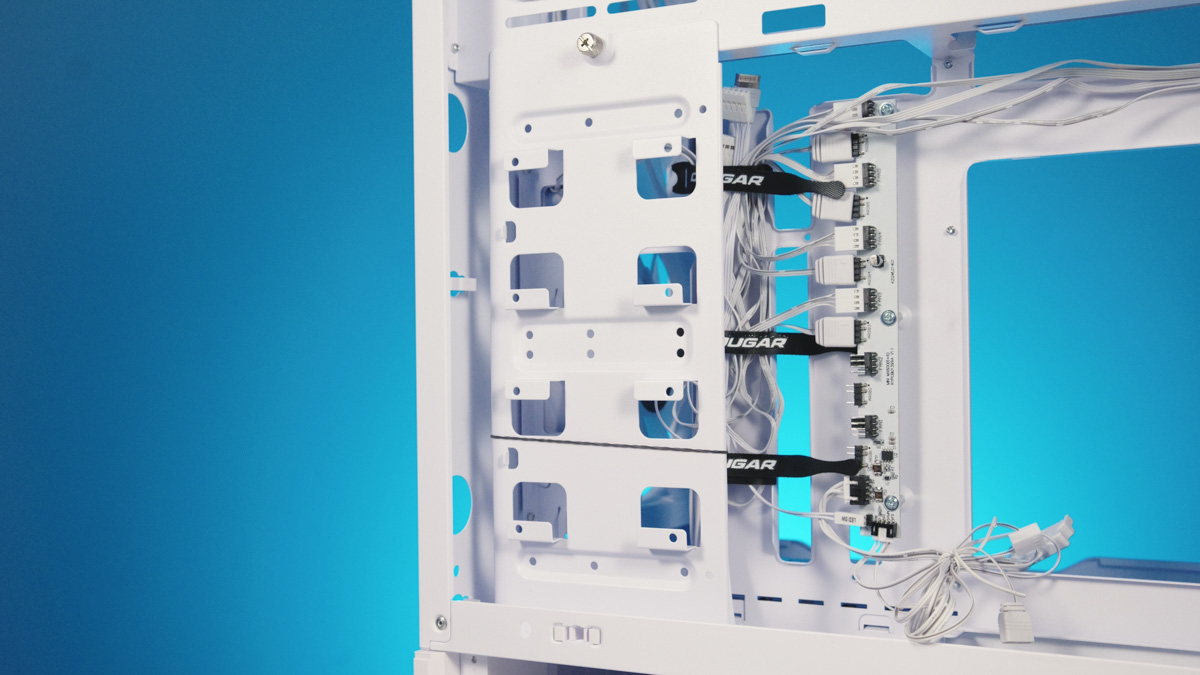
The fourth key feature is versatility. The included fans are connected to a six-port hub that supports both PWM and RGB control, rather than just basic connections. In terms of hardware support, the case accommodates graphics cards up to 380 mm in length, CPU coolers up to 170 mm in height, and power supplies up to 200 mm.
The case supports Mini-ITX, Micro-ATX, and ATX motherboards. It also accommodates two SSDs and two HDDs, 2.5-inch and 3.5-inch respectively, all mounted on a single plate next to the power supply.
Finally, the I/O panel stands out. It’s not just comprehensive – it’s among the best I’ve seen. It includes two 10 Gbps Type-C ports, four 5 Gbps Type-A ports, a hybrid audio jack, and an RGB control button. The panel can also be installed in two positions, either closer to or farther from the user.
Nuances and drawbacks
The fifth and final key point about the Cougar OmnyX concerns the assembly process. While the I/O panel is impressive for its high number of USB ports, some of this is achieved using extension cables that need to be pre-installed on the motherboard.
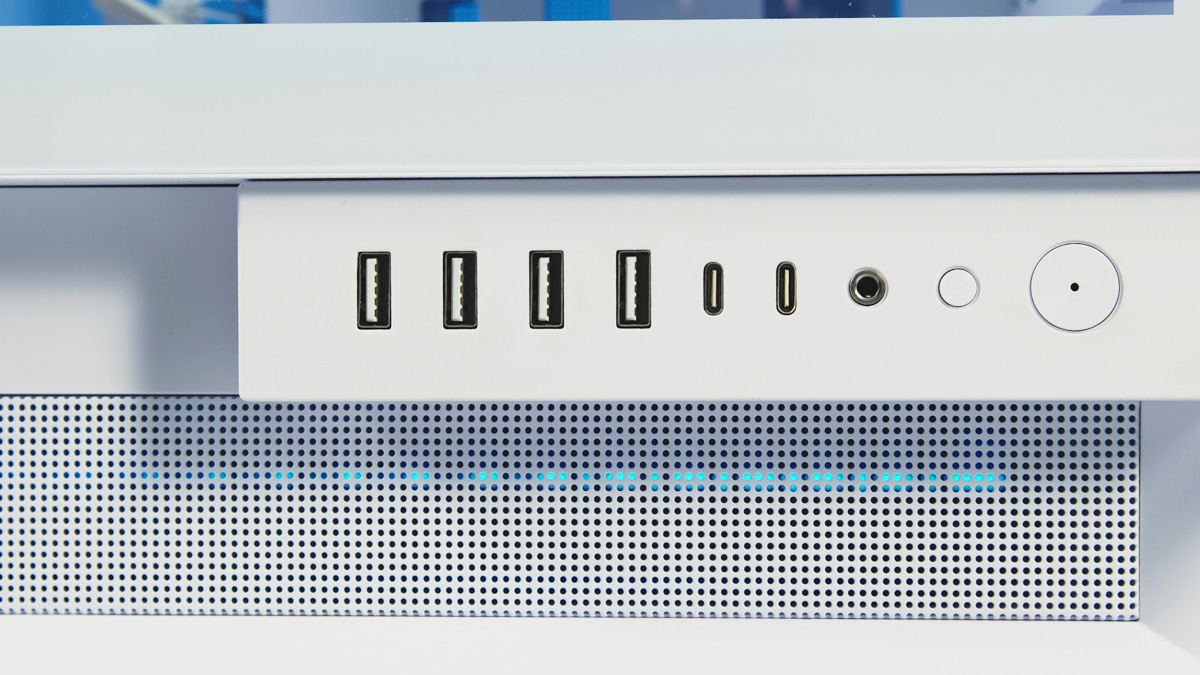
And it has to be done in advance. Assembly in the OmnyX is essentially a one-time setup. Even something as simple as plugging in a USB drive can be tricky – you’ll likely need to lay the case on its side to access the ports, only through the I/O panel. This means all essential connections – mouse, keyboard, DisplayPort, power, and so on – should be connected during the initial build.
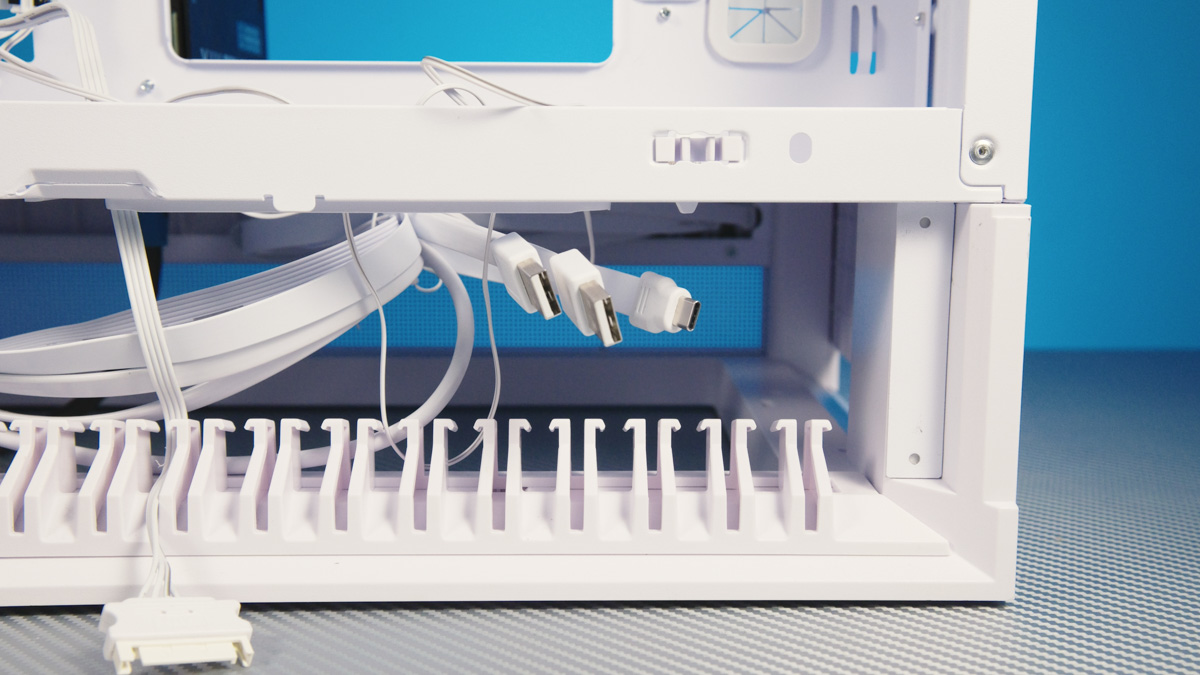
That’s why I mentioned that this case is ideal for a dedicated gaming PC. For a test bench or workstation where components need to be swapped frequently, however, it becomes impractical. The chassis itself weighs around 13 kg, and with components installed, the total weight can easily reach 20 kg, making frequent handling cumbersome.
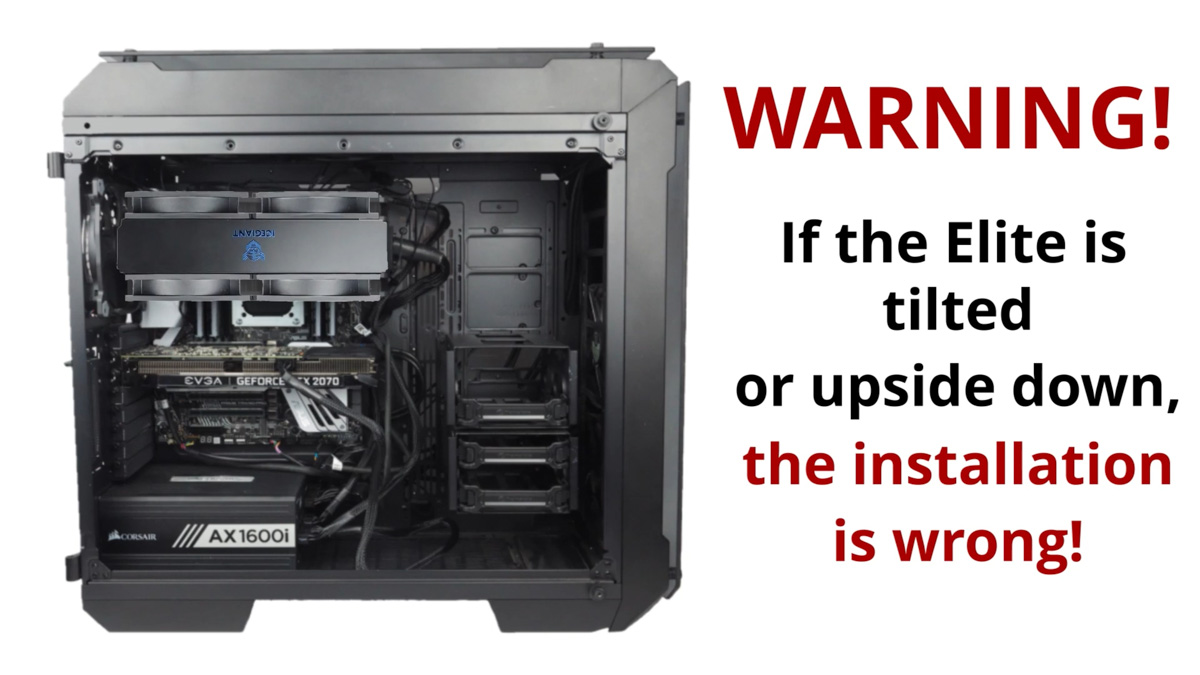
Next, forget about gravity-dependent coolers like the IceGiant ProSiphon Elite – they only function correctly in a single orientation.
Also, don’t expect support for 420 mm radiators. I was hoping to see this, but the OmnyX is a mid-tower, so it doesn’t accommodate them. A 360 mm radiator can fit only on the side, and only with a special bracket that, according to the manual, isn’t always included in the package.
Conclusions
I stand by my assessment: the Cougar OmnyX allows you to build one of the most refined and unique PCs out there. Internal components stay well-cooled, and the exterior presentation is striking – all at a relatively modest price. Yes, there are compromises, mainly in terms of component selection and peripheral access, but they don’t significantly affect everyday use. Overall, it’s a case I can confidently recommend.
Читайте також:
- APNX V1 Gaming Case (and APNX PCIe 5.0 Riser Kit) Review: Thoughtfully Designed and Premium
- Review of Cougar Airface ECO RGB Black/White case
- Zalman Z10 DS Black Case Review: A Monitor as a Bonus