





© ROOT-NATION.com - Use of content is permitted with a backlink.
This year, I’ve tested so many keyboards that they’re all starting to blur together in my mind. But one thing’s for sure: the Clevetura CLVX 1 won’t be forgotten anytime soon. Its concept is refreshingly original – what if we built a touchpad directly into a keyboard? No mouse needed. Tempting, right? Most of us like keeping our hands on the keys as much as possible. Seems like the perfect answer. Or is it?

TABLE OF CONTENTS:
Positioning
It’s rare to come across something truly innovative – a product with no real equivalent. The CLVX 1 is exactly that. There’s nothing quite like it. Sure, Logitech’s K400 Plus or Microsoft’s All-in-One Media Keyboard tried to achieve something similar by simply sticking a touchpad next to the keys, but that’s nowhere near the same idea.
The only thing I can compare is the price: $249.00 USD. Pricey, yes – but what did you expect for something this niche?
Read also: Logitech Signature Slim Solar+ K980 Review – a wireless keyboard that never needs charging!
Design
The central idea – turning the keyboard itself into a touchpad – means the surface has to be silky smooth yet still comfortable for typing. Amazingly, the designers nailed it.
This is an ultra-thin, premium keyboard that’ll make laptop keyboard enthusiasts very happy. Fans of clicky mechanical switches, though, will have to sigh and move on – this one’s not for them.
It’s a full-size keyboard, though a compact model is already in development. Beyond its main party trick, it checks every box: Bluetooth and USB connectivity, quick switching between three devices, and even two physical mouse buttons.
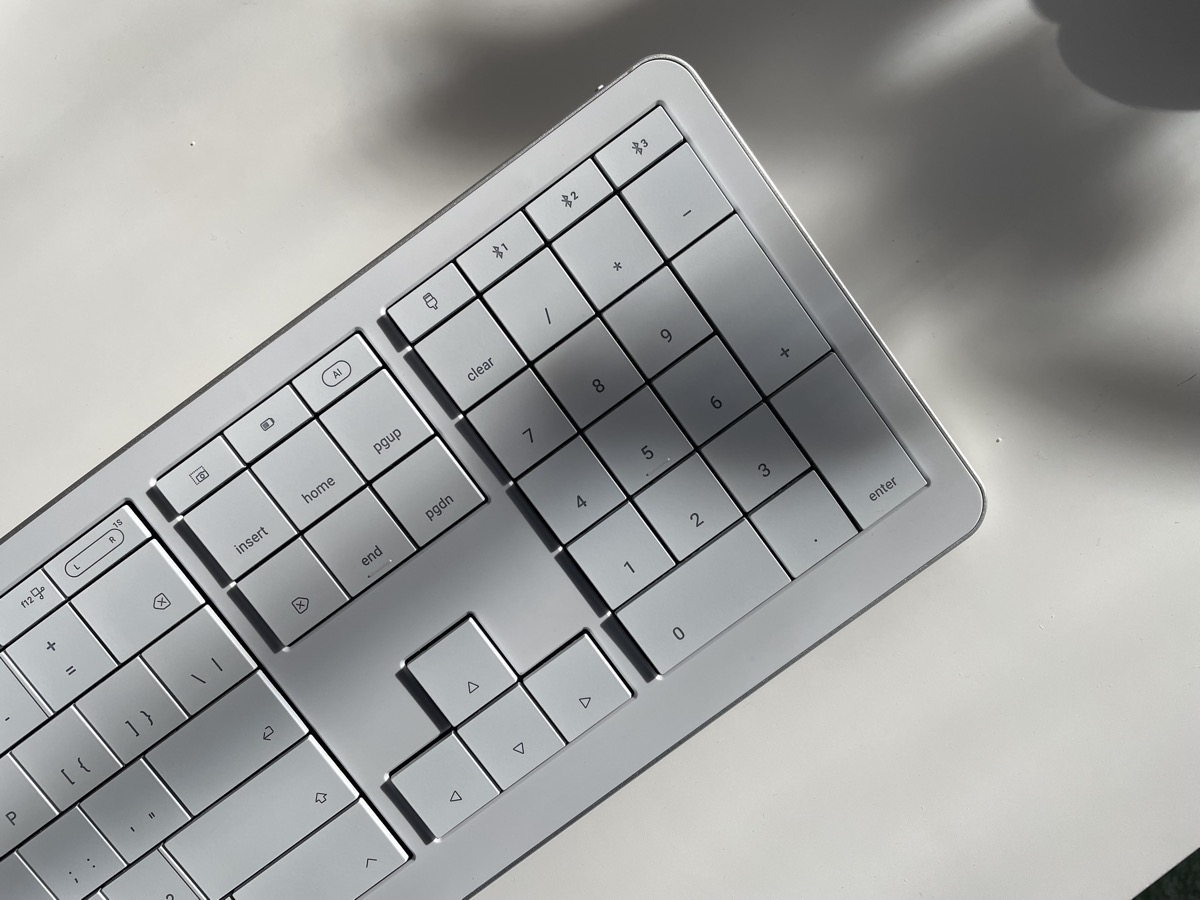
Visually, the keyboard looks stunning – especially my For Mac model. It’s a rare high-end scissor-switch keyboard not made by Logitech, and there’s zero cost-cutting here. The frame combines anodized aluminum and polycarbonate, while the keycaps are made from high-quality ABS plastic.
Typing
Let’s start with the basics: typing. Because no matter how fancy a keyboard is, if it’s awful to type on, it’s dead on arrival. Luckily, the CLVX 1 feels great to use. Surprisingly great, actually.
I expected some trade-offs, but it’s one of the most comfortable scissor-switch boards I’ve ever typed on. I’m used to Logitech’s MX Keys, with its sculpted key wells that guide your fingers for touch typing. The CLVX 1 for Mac doesn’t have that – all the keys are flat and smooth to accommodate the touchpad functionality. Yet I didn’t mistype any more than usual. The scissor mechanism is crisp, firm, and comparable to what I’d expect from a MacBook Pro keyboard.
My version comes with Mac-specific key legends, but functionally it’s identical to the Windows model and works perfectly across devices. Why does that matter? Because the Mac version is the only one in white – and I already know people willing to live with “wrong” key symbols just for that design.
Read also: Epomaker Galaxy100 Lite Review: A Universe of Features on a Budget

Touchpad
Now, the big question – does it actually work?
Yes. And beautifully so. The moment you start gliding your fingers across the keys, the CLVX 1 instantly switches into touchpad mode. It supports all the familiar macOS gestures, so laptop users will feel right at home.
The integrated touchpad covers most of the surface and performs surprisingly well. It’s not as buttery as a MacBook’s glass trackpad, of course, but it’s much smoother than I expected – especially given that, technically, you’re rubbing your fingers across keys. I’ve long outgrown plastic touchpads, yet this one beats what you’d find on most budget laptops.
There’s a clever system behind it, automatically detecting whether you’re typing or gesturing – and it gets it right 97% of the time. Occasionally, a stray touch will nudge the cursor, but those moments are rare. Rarer than I expected, honestly.
The app
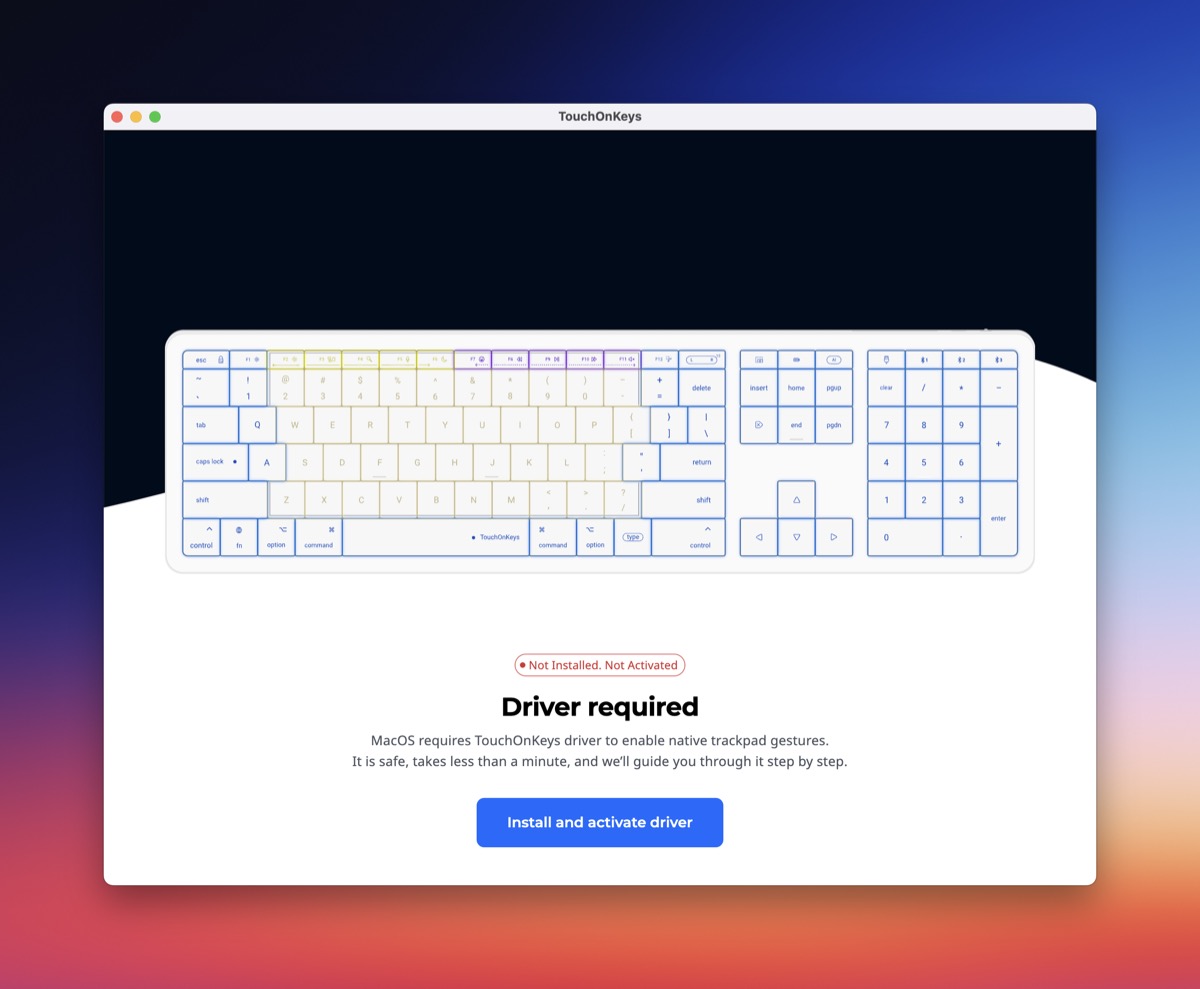
Out of the box, the keyboard works on Windows, but to enable touchpad features on Mac, you’ll need the TouchOnKeys App. Fortunately, it’s available on all major platforms – and it’s actually quite good.
The app lets you control the RGB backlighting, which responds dynamically to touches and gestures. It also handles firmware updates automatically.
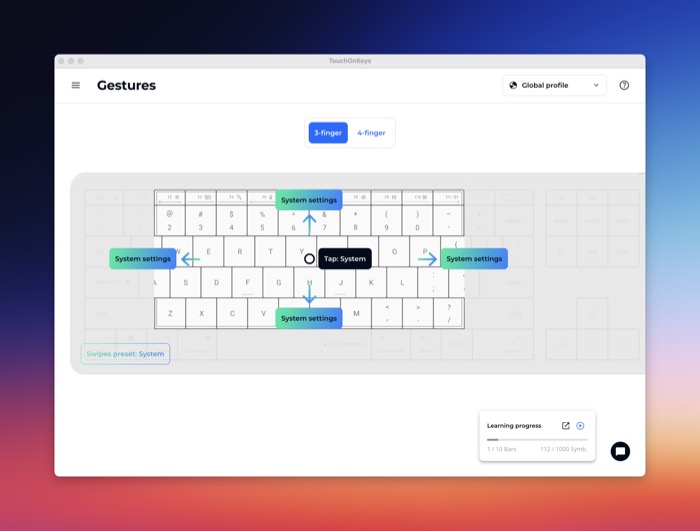
You can create unlimited profiles with custom settings for specific programs – whether that’s Microsoft Office or Adobe Photoshop. Gestures can be remapped or customized; you can assign unique functions to three- or four-finger swipes, or record personalized shortcuts.
There are also programmable touch sliders: by default, the left one adjusts backlight brightness and the right one controls volume, but both can be reassigned.
One standout feature of the app is its so-called Adaptive Intelligence – an AI-driven system that supposedly learns your typing style. After about 10,000 keystrokes, the keyboard fine-tunes its sensitivity to better distinguish between typing and touch gestures. Whether it’s truly “AI” or just smart calibration, it works smoothly and quietly in the background.
Verdict
The Clevetura CLVX 1 is, without question, a curiosity – an attempt to reinvent the wheel for a problem some say never existed. But I’m not convinced that’s fair.
There’s something magical about being able to work without ever lifting your fingers from the keys, and the CLVX 1 pulls that off perfectly. Combined with tools like rcmd, it genuinely changes your workflow.
There’s really nothing to complain about – except, perhaps, the price. But even that’s understandable. A project this unique and non-mass-market has to justify its costs somehow.

