





© ROOT-NATION.com - Use of content is permitted with a backlink.
Everybody’s chasing the perfect weight. Celebrities transform with GLP-1s. Supercars shed pounds to improve their power-to-weight ratio. Even yours truly is proud that regular gym sessions helped him lose 8 pounds. Gaming mice have joined the trend. A year ago, I was happy that my new Keychron mouse weighed under 80 grams. Now, with the 39-gram ATK Dragonfly A9 Mini+ in my hand, almost everything else feels like it needs a new diet. So I spent two weeks with the A9 Mini+ to find out whether my daily driver needs GLP-1 treatment or if going this light comes with heavy drawbacks.
Read also: Gaming mouse reviews

TABLE OF CONTENTS:
ATK Dragonfly A9 Mini+ Specifications
Disclosure: ATK Gear provided the Dragonfly A9 Mini+ for review. No payment was provided, and all opinions are my own.
The Dragonfly A9 Mini+ is part of the broader Dragonfly A9 family, which includes six other models. It is the smallest and lightest of the bunch, with ATK-developed optical switches, a PixArt PAW3955 sensor – a key upgrade over the A9 Mini’s PAW3950 – and polling rates up to 8,000 Hz.
It also comes in several colors, including pink, petal pink, lake green, and the more boring black and white. Since my setup is predominantly black, I chose black for this review.
| Product name | ATK Dragonfly A9 Mini+ |
| Dimensions | 4.66 × 2.41 × 1.52 in / 118.4 x 61.2 x 38.6 mm |
| Weight | 1.38 oz / 39 g |
| Sensor | PAW3955 Master |
| Main Button Switches | ATK custom optical switches |
| Maximum Polling Rate | 8,000 Hz |
| Click Latency | 0.181 ms |
| Sensitivity | From 1 to 50,000 DPI |
| Battery | 200 mAh |
| Claimed Battery Life | Up to 200 hours at 1,000 Hz |
| Connectivity | 2.4 GHz wireless / USB wired |
| Scroll Wheel Encoder | TTC Gold |
| Mouse Feet | Pre-installed dual-layer feet; additional dots included |
| Wireless Receiver | GEM 8K dongle |
More to read: Bloody SG5 Gaming Mouse Review
Unboxing and Design
Unlike the ATK Horizon headset, which came with a pile of accessories, the A9 Mini+ keeps the box focused on the essentials. Inside the stylish black-and-orange package, you get the mouse, a 6-foot braided cable for charging and wired use, the GEM 8K dongle, pre-installed skates with extra dot skates, and grip tape in case the coating feels too slippery.
I left the grip tape in the box. The nano coating already provides a secure grip, and covering the shell would spoil the clean, minimalist look.
Minimalist doesn’t necessarily mean distinctive. The A9 Mini+ looks like… almost every other ambidextrous lightweight gaming mouse. Squint, and you might mistake it for an ASUS ROG Harpe Ace Mini, a Pulsar X2 Crazylight, or a Logitech G Pro X Superlight, especially in one of the brighter colors.
That isn’t a jab at ATK’s designers. The shape is proven, and if it isn’t broken, don’t fix it. There are still enough details to identify the A9 Mini+: ATK | Dragonfly text on the left, A9 Mini branding on the right, and the ATK logo on the palm rest. They add character without getting in your face like the oversized SUPERLIGHT branding on one of its competitors.
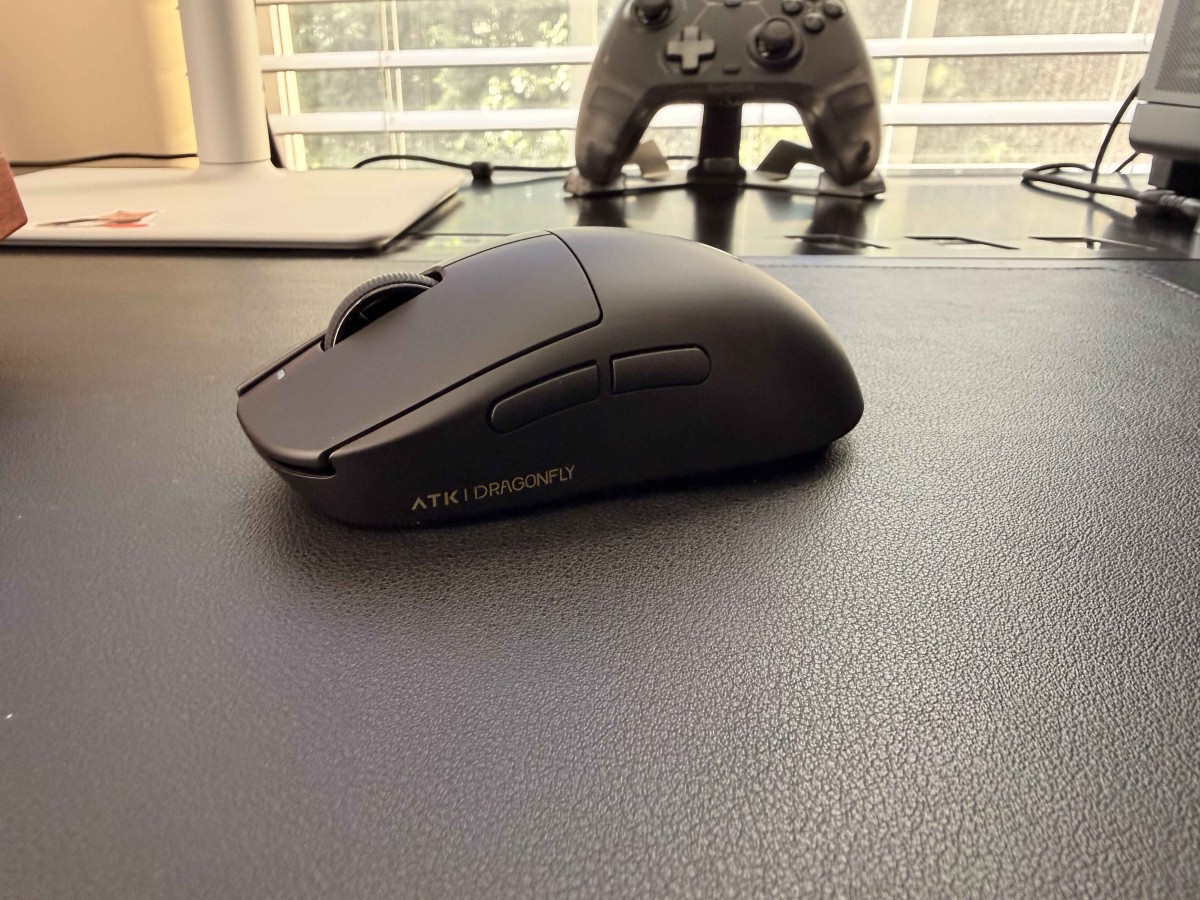
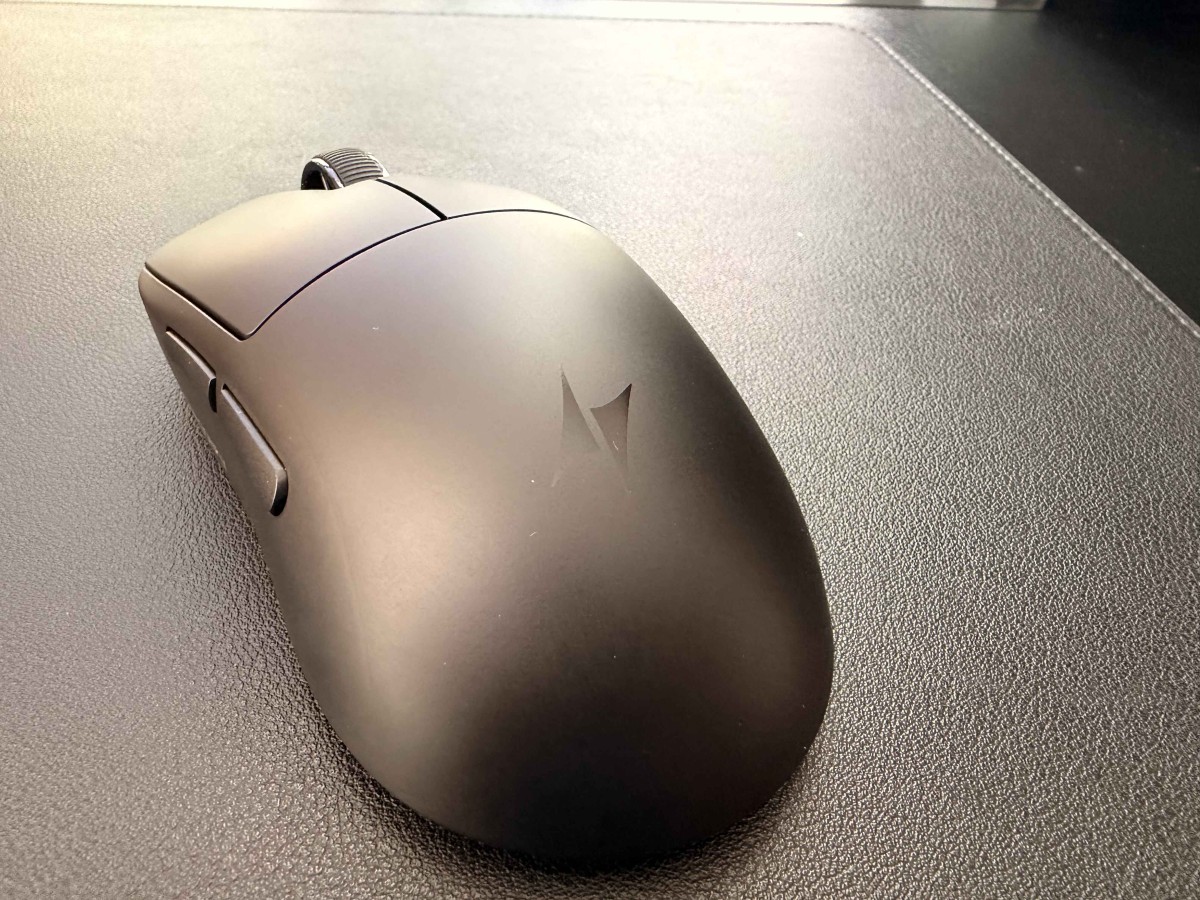
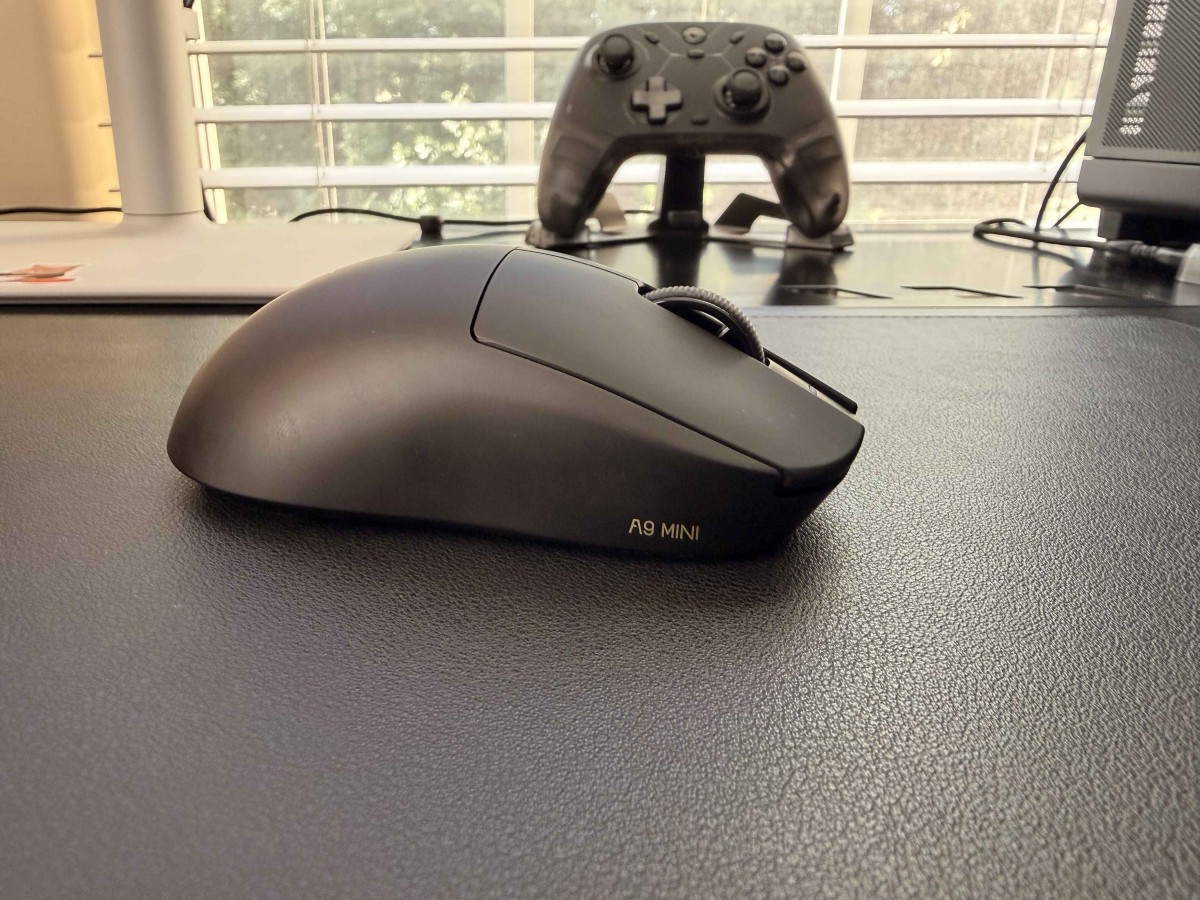
Speaking of attraction, the black shell certainly attracts fingerprints, enough to justify keeping a microfiber cloth nearby. A little demineralized water on the cloth makes it look new again, but next time I would probably choose white or a brighter color.
The bottom is just as minimalist: two large skates, a smaller ring around the sensor, one DPI button, and one power switch.
Let’s flip that switch and connect the mouse to a computer.
More to read: Logitech Mobi Fold Review
ATK Dragonfly A9 Mini+ Connectivity and Software
Because this is an ultra-lightweight performance mouse, its connectivity options are also on a diet.
There is no Bluetooth or multi-device support. Your choices are: wired mode via the bundled USB-C-to-USB-A cable, or 2.4 GHz wireless via the included dongle, and… the same data-and-charging cable.
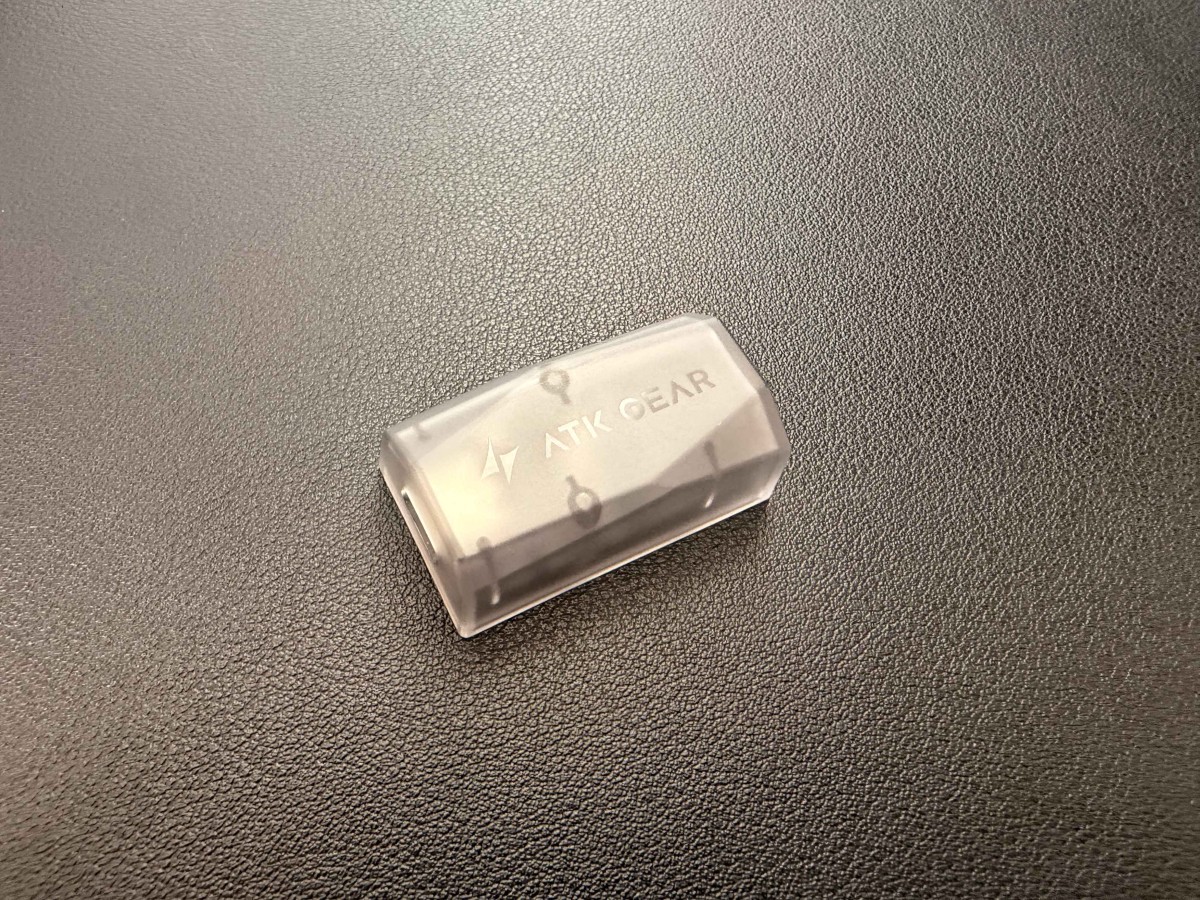
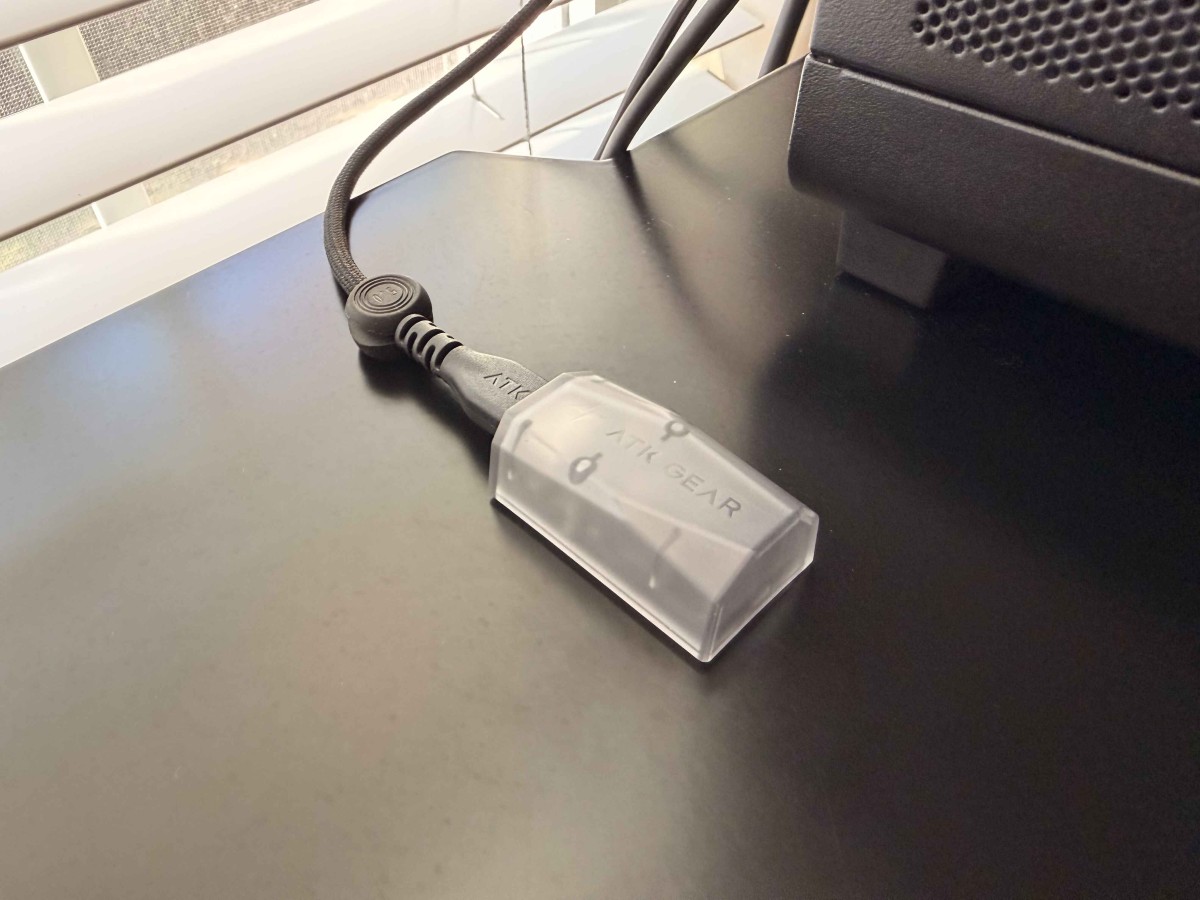
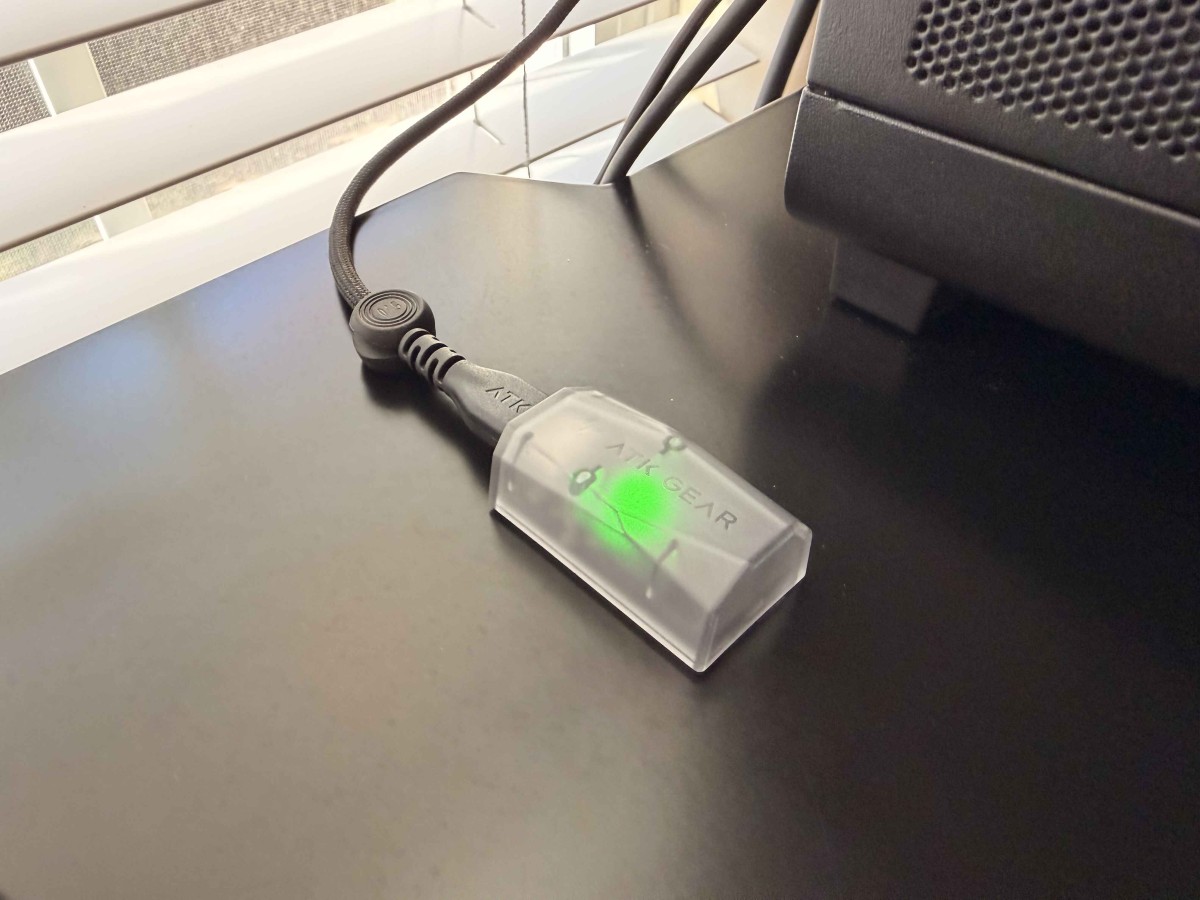
At first, I wanted to complain that the large dongle requires a cable connection: how do you keep playing wirelessly while charging if both use the same cable? Then I realized that, while charging, the mouse still becomes wired. Since the A9 Mini+ is built around one-PC use, I consider this a minor inconvenience rather than a dealbreaker.
I still wish every 8K dongle were as compact as Keychron’s and could plug directly into a PC.
Once everything is connected, the software experience doesn’t disappoint. This time, I used the desktop version of ATK Hub. It matches the web version feature-for-feature and doesn’t require me to switch away from Firefox.
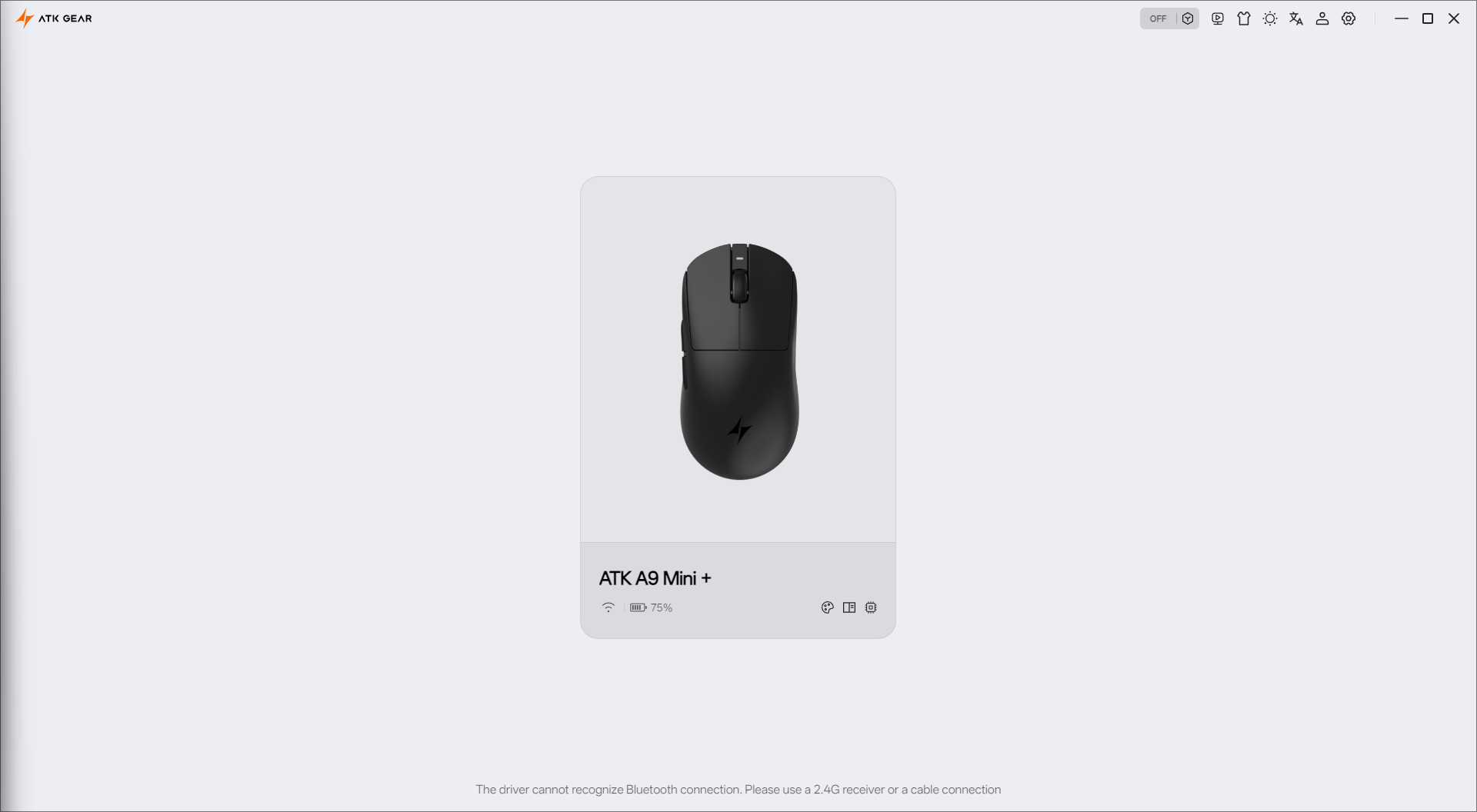
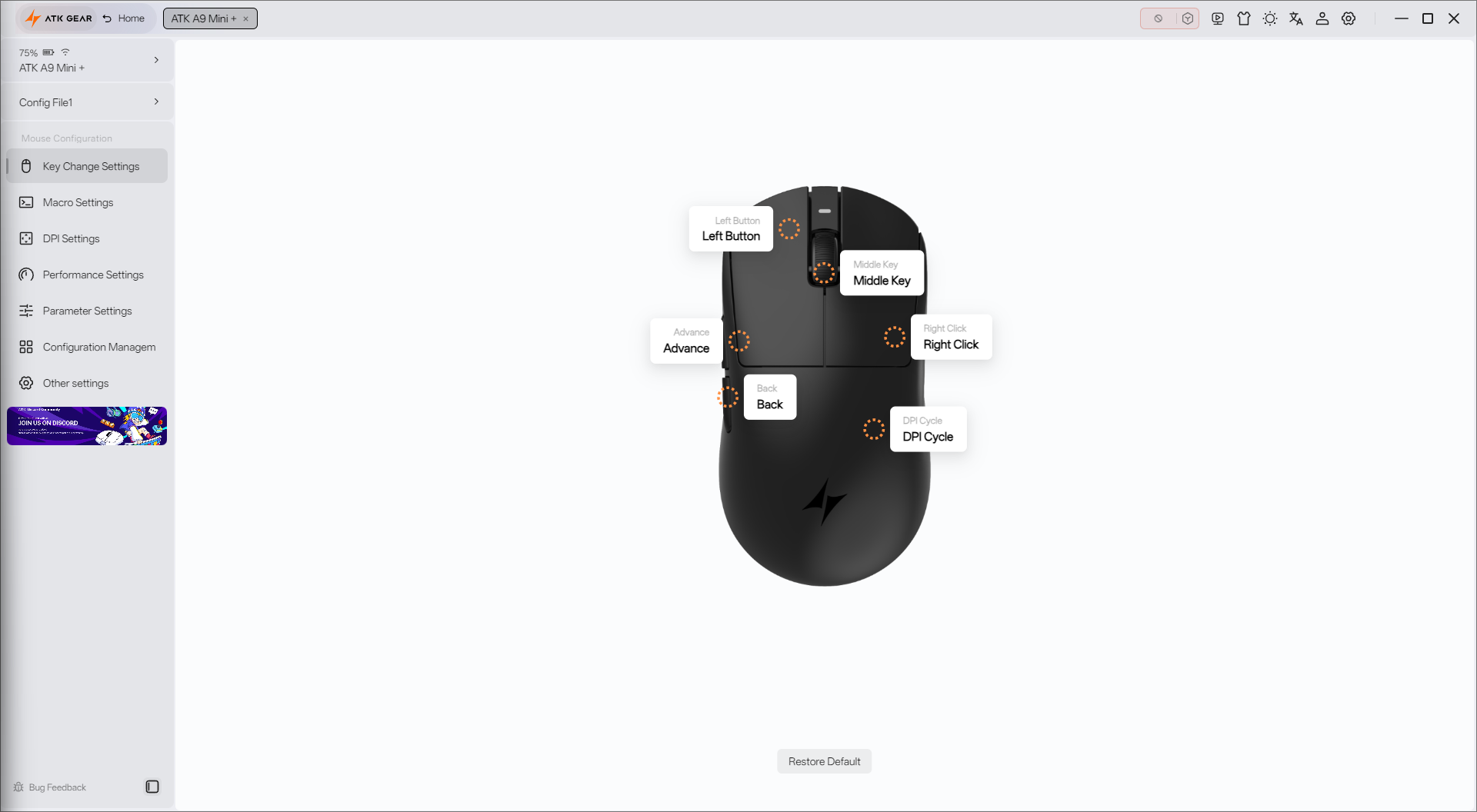
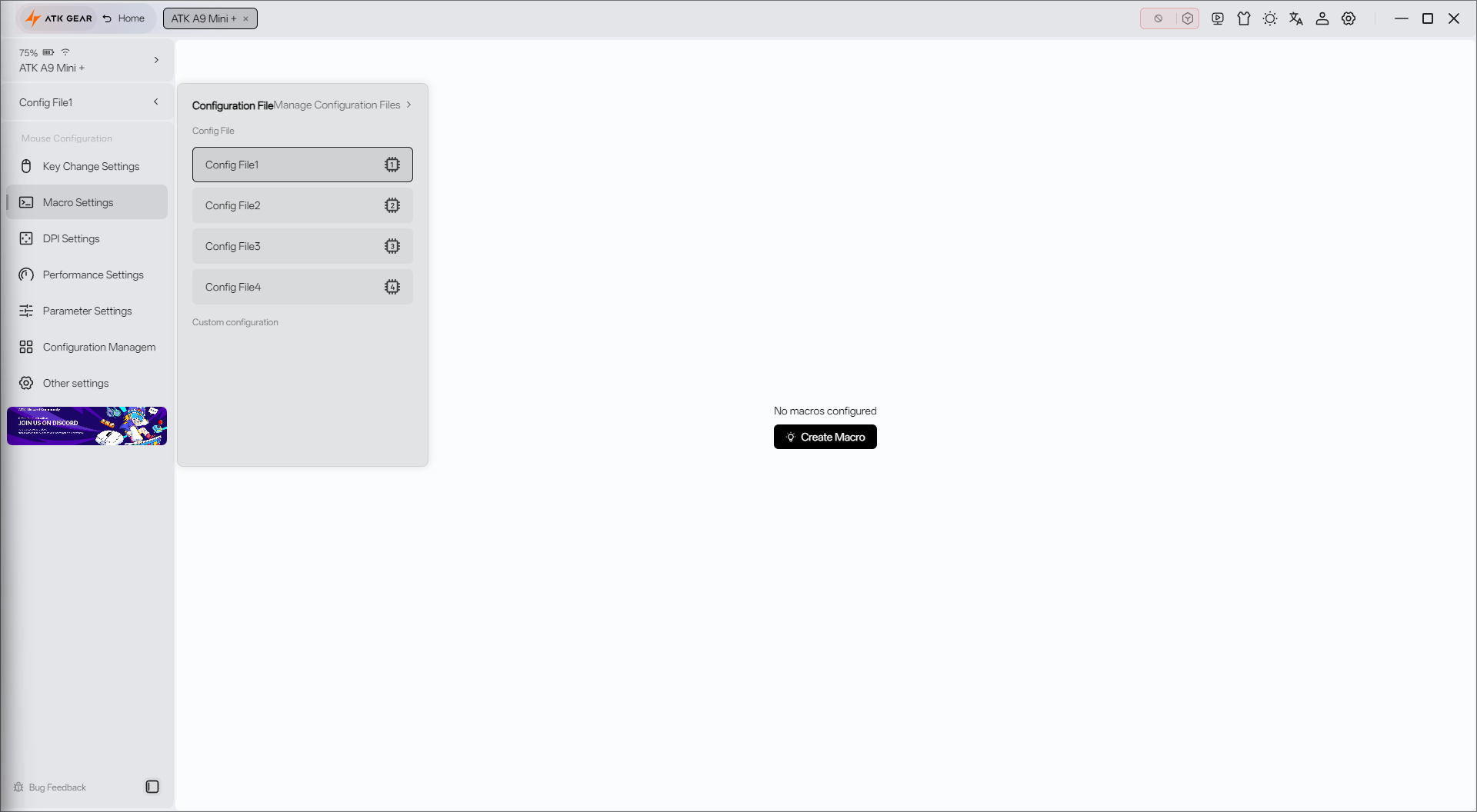
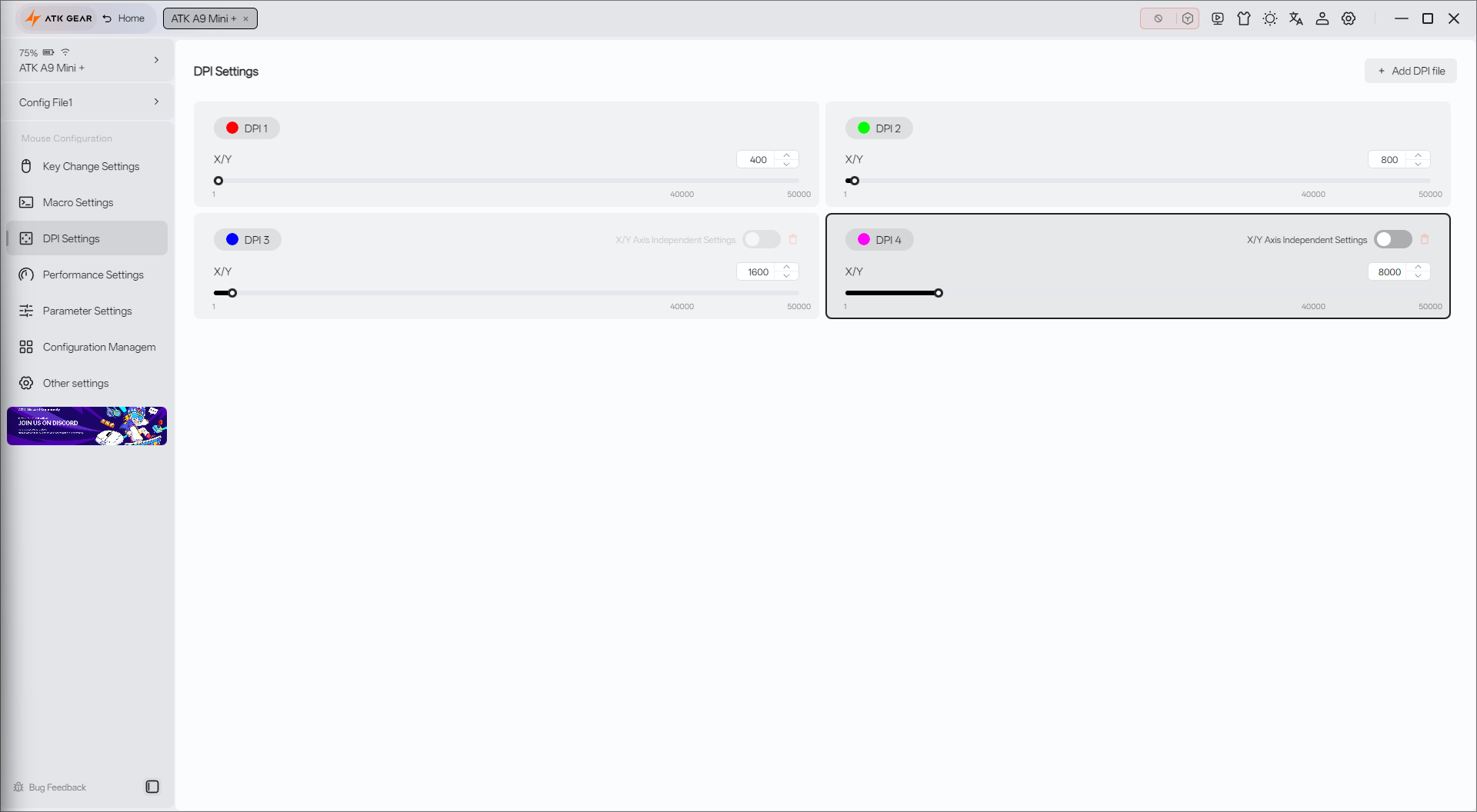
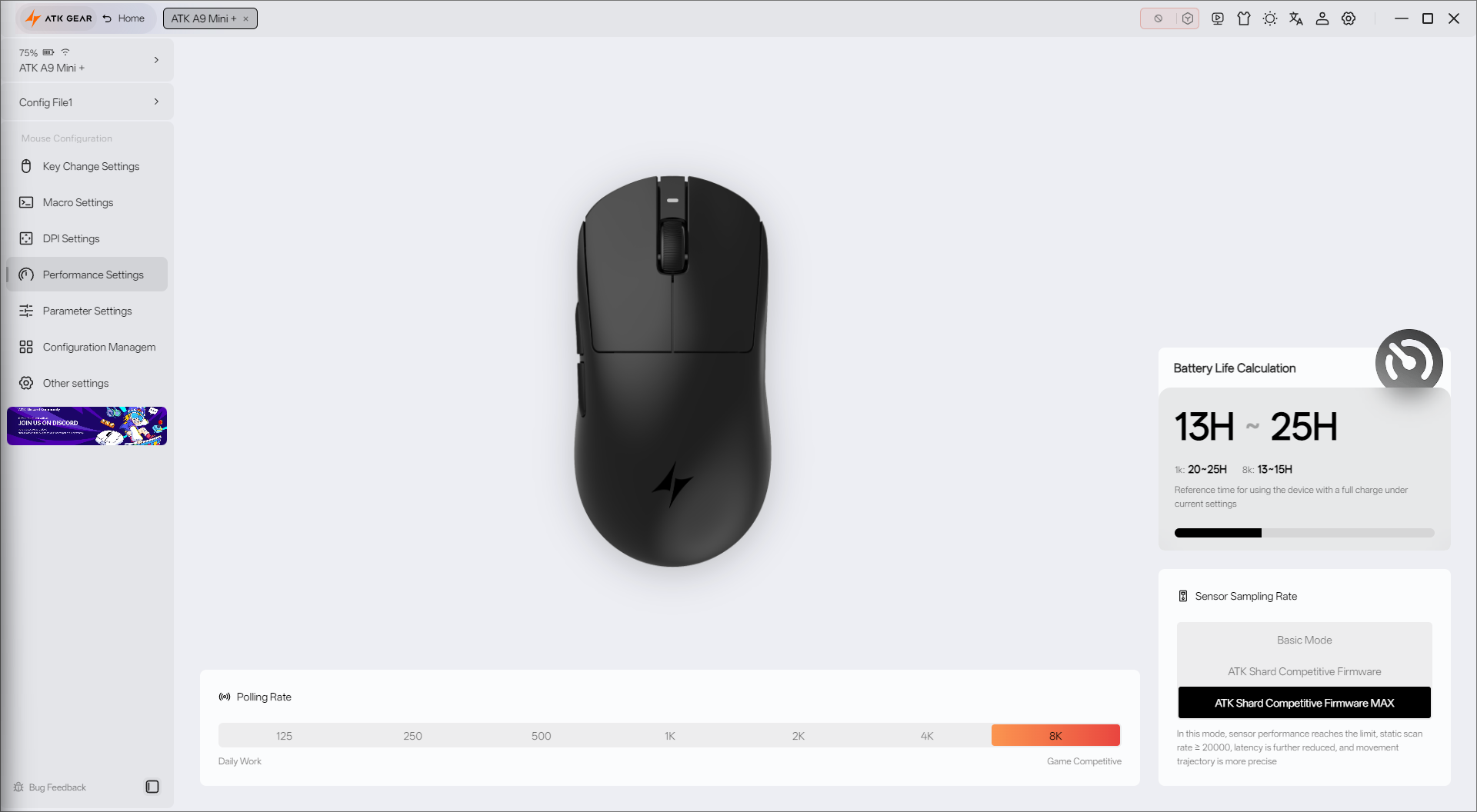
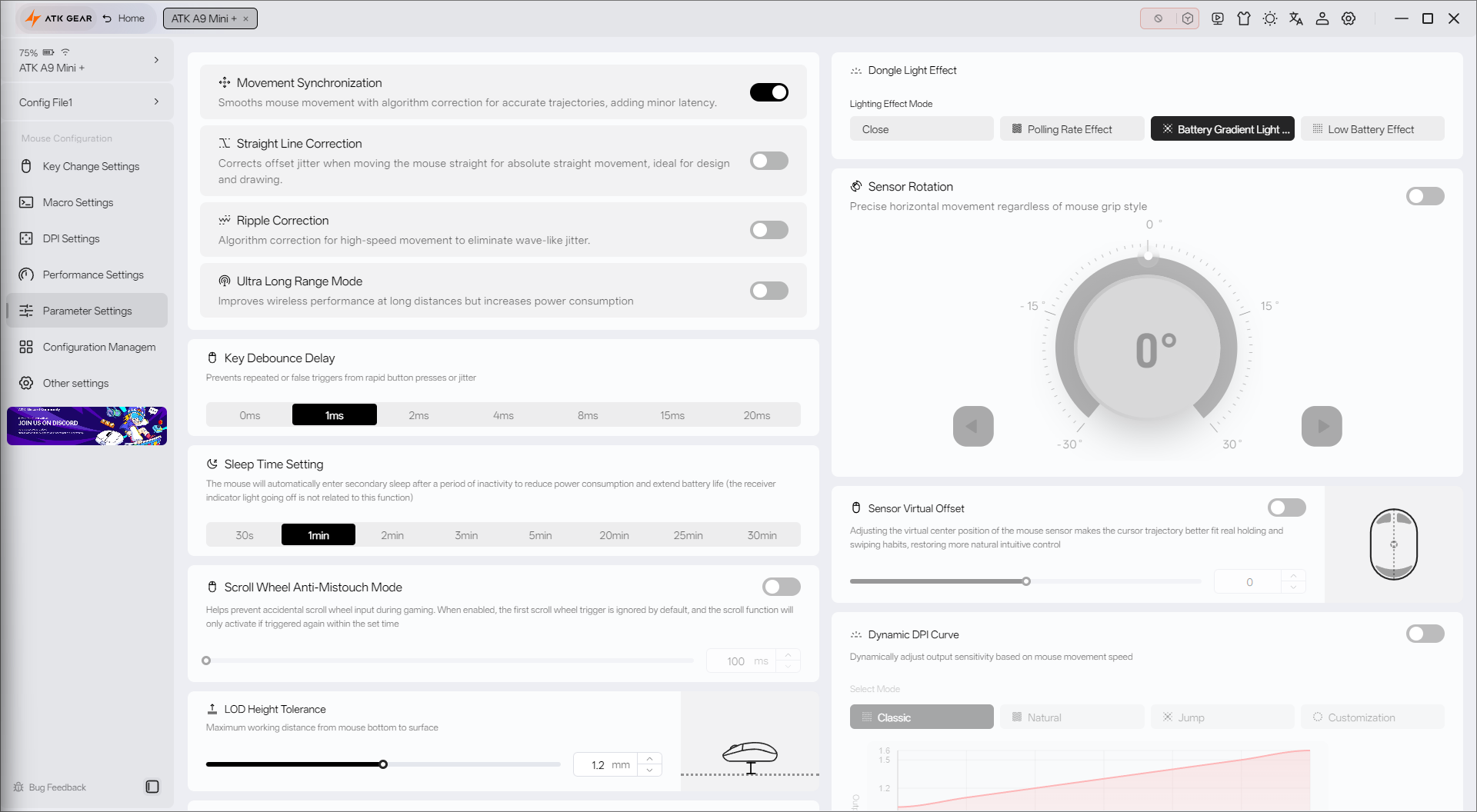
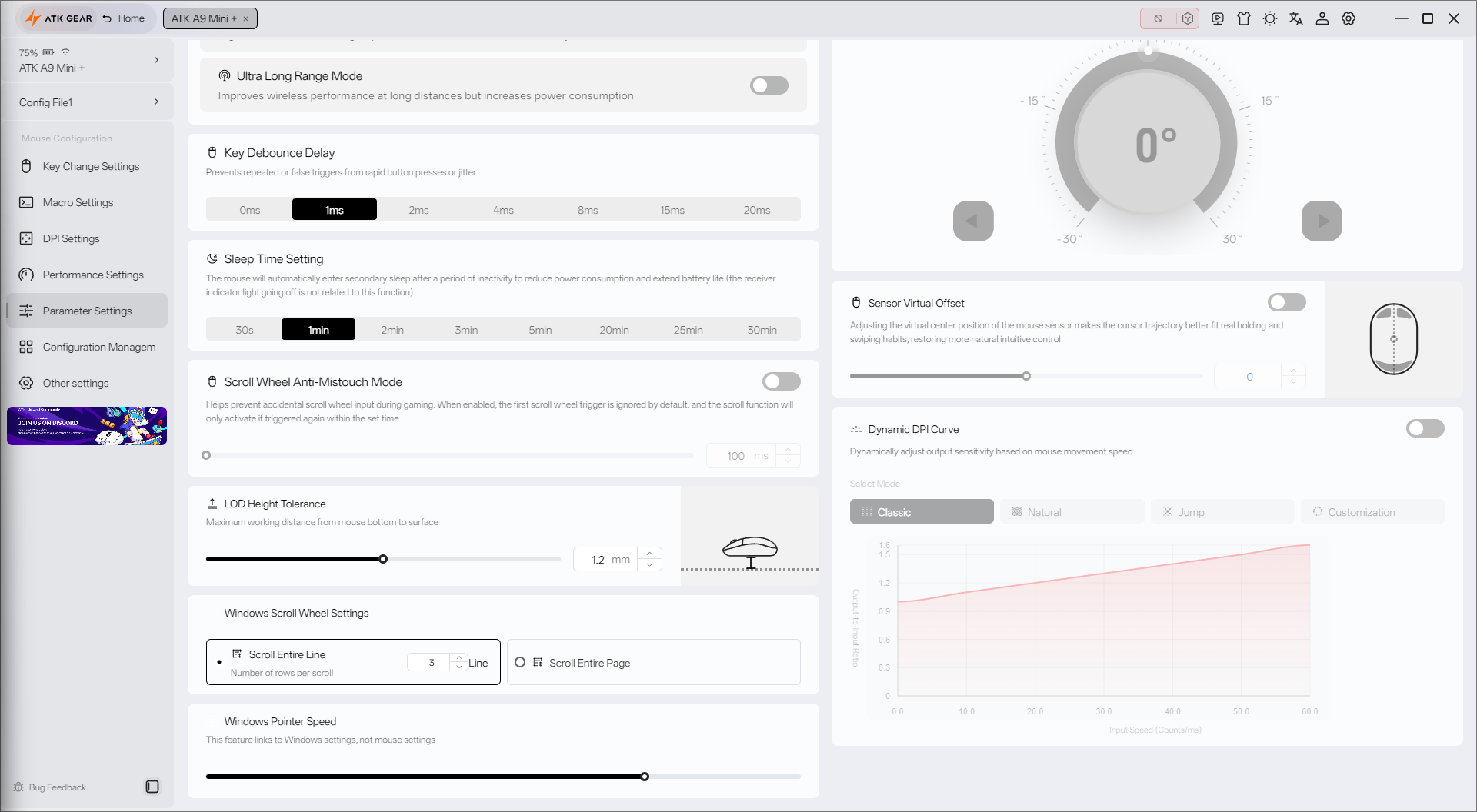
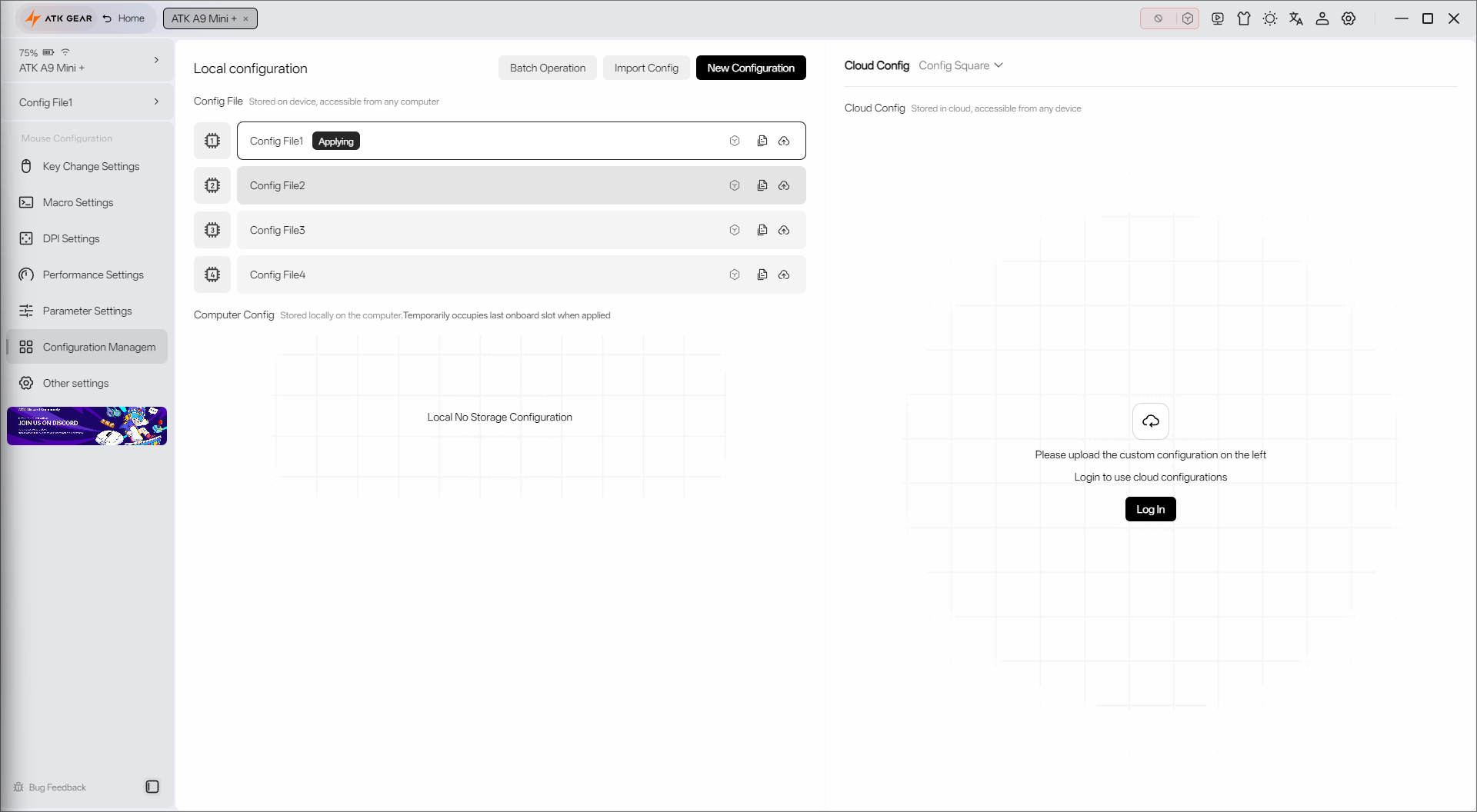
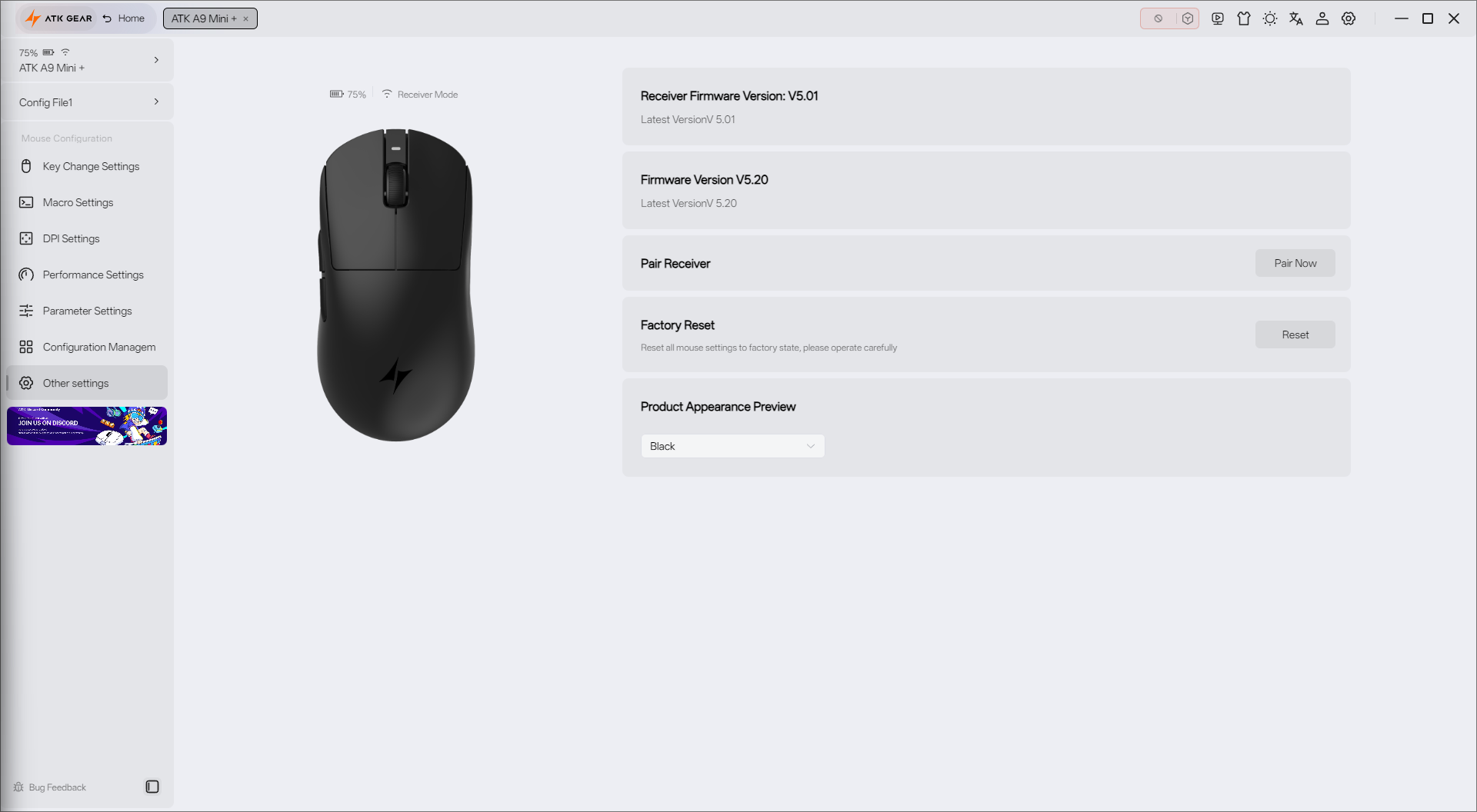
ATK Hub lets you adjust almost every aspect of the mouse. Want to remap buttons? That’s in the first tab. Record a macro? Right next to it. Adjust the four DPI stages? No problem: the range runs from 1 to 50,000 DPI. You can also switch between performance and productivity-focused modes, just remember that polling rate and battery life are directly connected.
There is even a dedicated advanced tab for esports-focused settings, plus four profiles that can store their own configurations.
My only concern is the unfinished English localization, which made the firmware update far more tedious than it needed to be. With ATK mice gaining popularity, I hope that deciphering the update process will soon become unnecessary.
Then I can spend more time simply gaming with the A9 Mini+.
More to read: Hellyberry HM47 Pro Wireless Review
ATK Dragonfly A9 Mini+ in use
ATK clearly built the A9 Mini+ for gamers, but I tested it in three different scenarios: Aimlabs training, actual Counter-Strike 2 matches, and everyday productivity tasks such as writing this review and doing my regular work.
I didn’t have a direct A9 Mini+ competitor on hand, so I compared it with my everyday Keychron M6, limited to a 1,000 Hz polling rate and equipped with a regular scroll wheel.
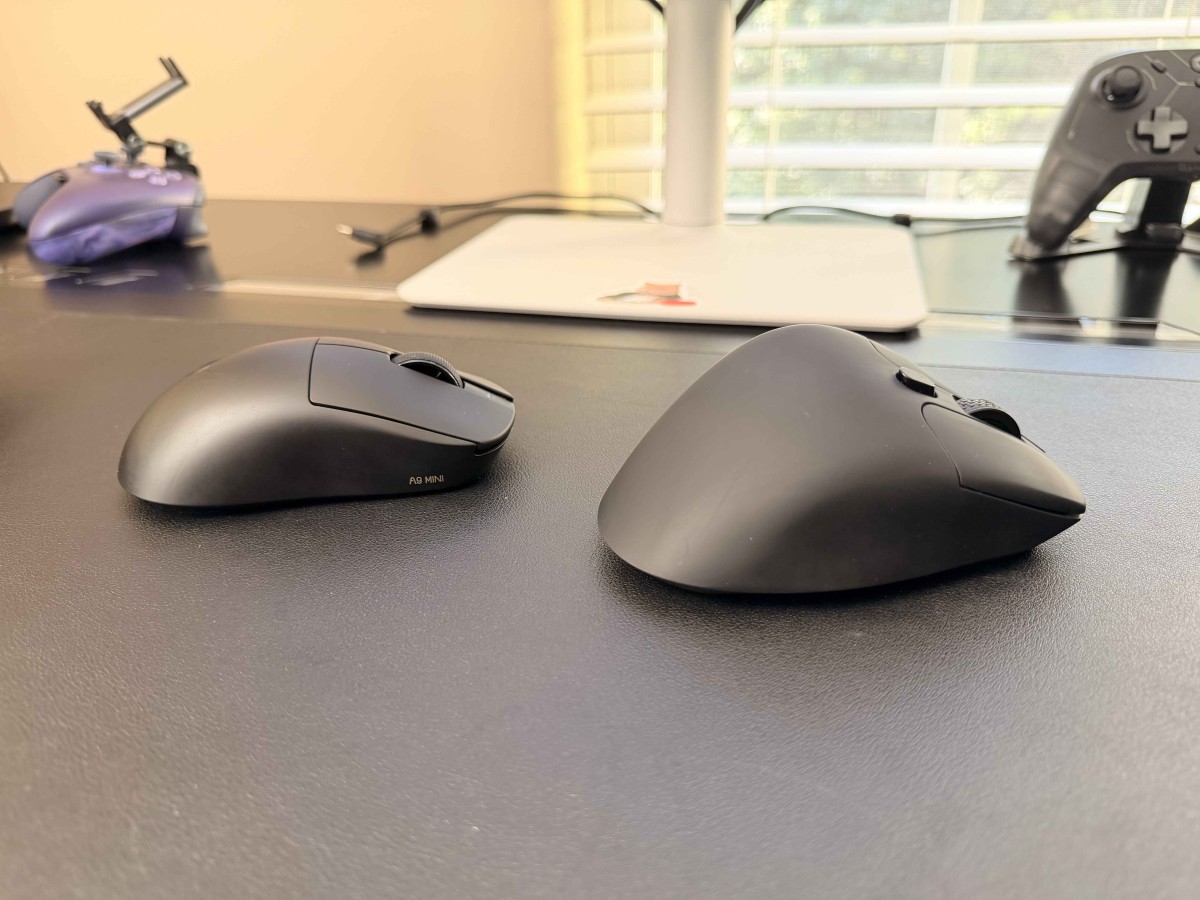
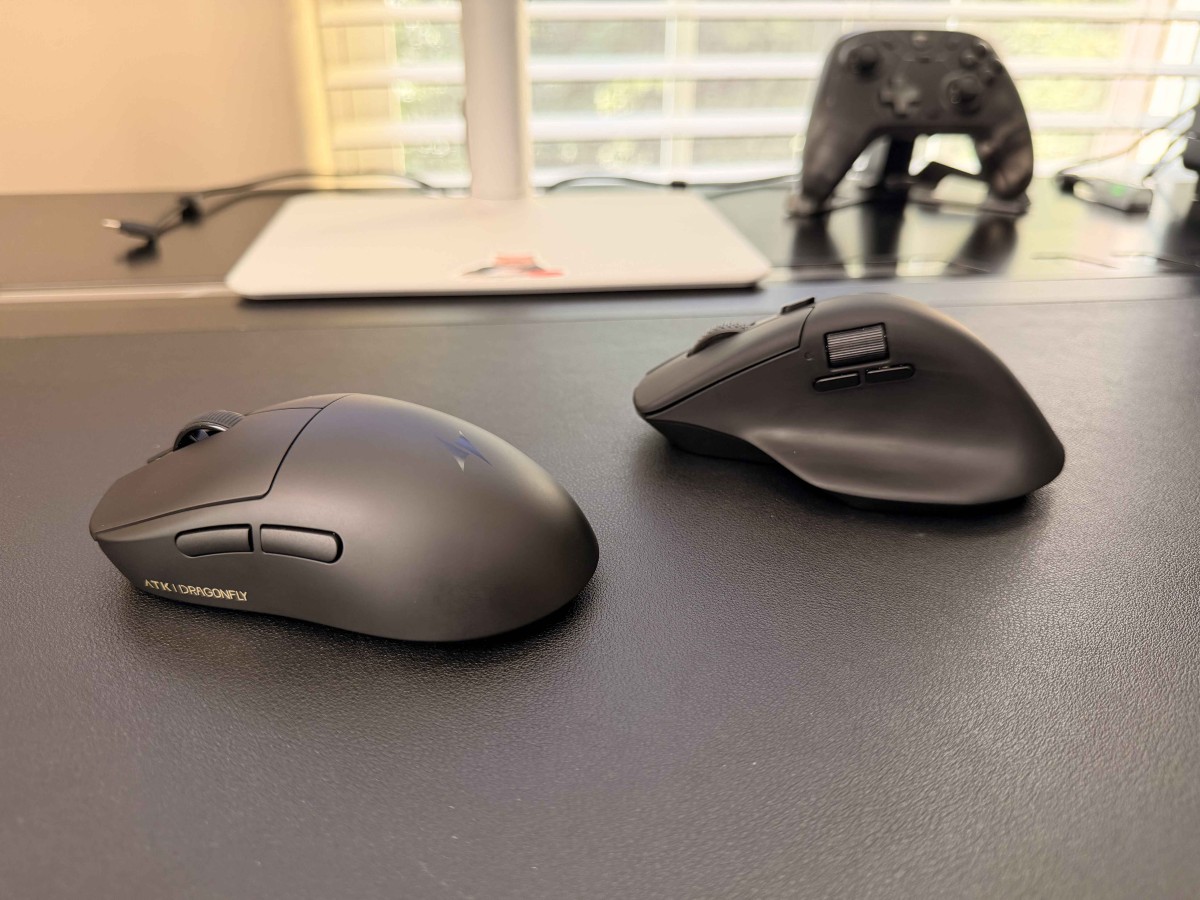
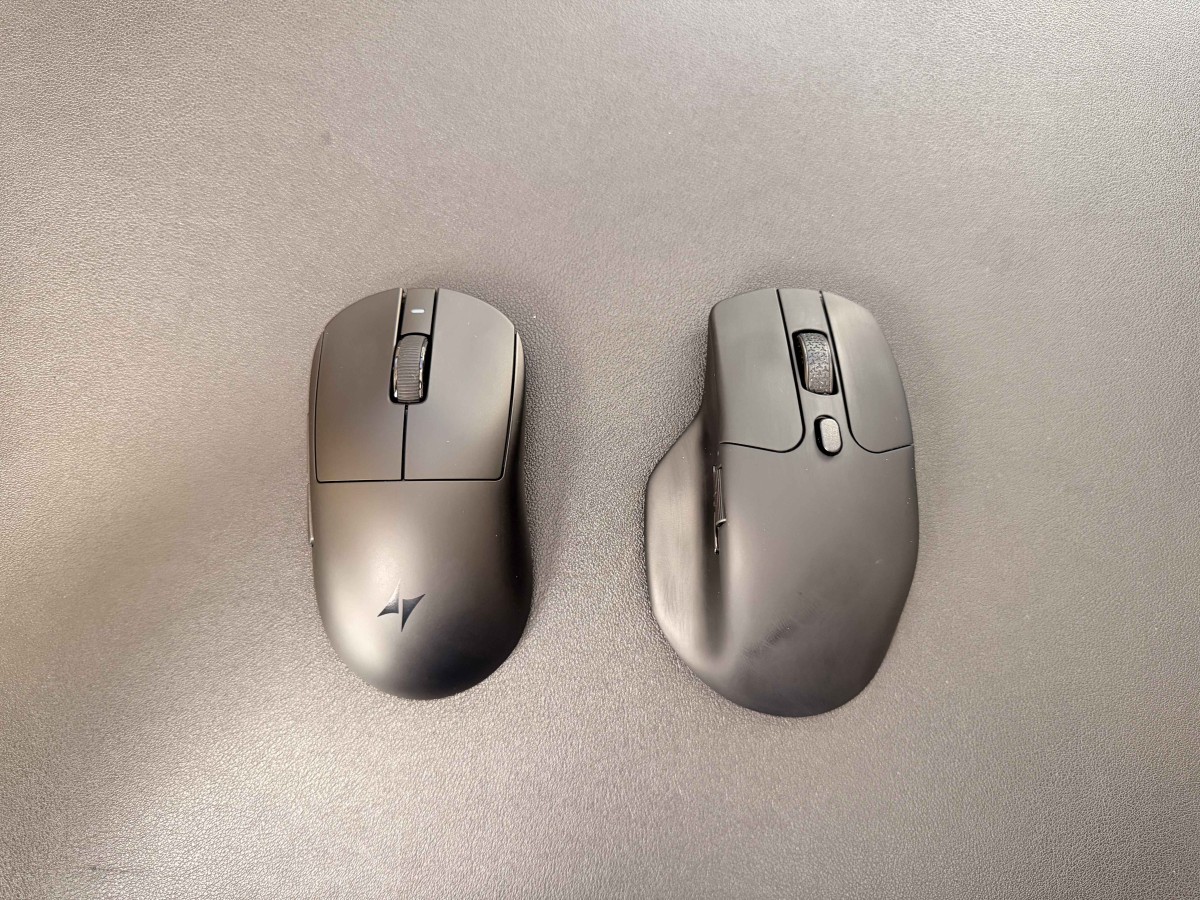
This is not an apples-to-apples comparison. Keychron positions the M6 as an ergonomic productivity mouse. Still, its PixArt PAW3395 sensor supports up to 1,000 Hz polling and 26,000 DPI, making it a useful baseline for measuring what a 39-gram gaming mouse changes in practice.
Spoiler alert: after two weeks of switching between them, I seriously reconsidered what I value in a mouse for both gaming and productivity.
Shape and Comfort
Let’s start with fit. I had grown used to the M6’s “ergonomic” shape and tall hump. The A9 Mini+ has neither, and I quickly realized I didn’t miss them.


A lighter mouse simply takes less effort to start and stop. After the A9 Mini+, moving the M6 across a 4K display feels like a chore, especially when two fingers are enough to guide the ATK precisely.
Aim Training
That feeling carried into aim training. To see whether the A9 Mini+ made a measurable difference, I installed Aimlabs and ran three tests: Sixshot, Spidershot, and Supertrack.

I’m not going to pretend I’m a great marksman. My aim is weak and needs plenty of work. But even at my skill level, the difference between the A9 Mini+ and the Keychron M6 was easy to feel.
The M6 required noticeably more effort to move and stop. The A9 Mini+ felt faster, easier to control, and more comfortable. I still sucked, but my precision improved.
The results supported that impression: with the lighter mouse, my score, accuracy, or reaction time improved in all three tests. This is a small personal test, not proof that the mouse alone caused every gain, but the pattern was consistent:


Sixshot | |
| Keychron M6 | ATK A9 Mini+ |
| Score: 26,941 | Score: 28,833 (+7.0% increase) |
| Accuracy: 68.7% | Accuracy: 73.4% (+4.7 percentage points) |
| Reaction Time: 1,282 ms | Reaction Time: 1,245 ms (37 ms faster) |


Spidershot | |
| Keychron M6 | ATK A9 Mini+ |
| Score: 30,404 | Score: 39,485 (+29.8% increase) |
| Accuracy: 77.9% | Accuracy: 89.7% (+11.8 percentage points) |
| ReactionTime: 809 ms | ReactionTime: 751 ms (58 ms faster) |


Supertrack | |
| Keychron M6 | ATK A9 Mini+ |
| Score: 4,332 | Score: 4,849 (+11.9% increase) |
| Accuracy: 11.3% | Accuracy: 14.3% (+3.0 percentage points) |
| Hits / Shots: 354 / 3,145 | Hits / Shots: 419 / 2,934 (+65 hits, 211 fewer shots) |
Counter-Strike 2
The Aimlabs results carried over into an actual game as well.
The A9 Mini+ responded to light clicks with minimal effort, and even my limited precision improved.
At 8,000 Hz with Ultimate Gaming Driver enabled – whatever that actually means – the A9 Mini+ felt extremely responsive and more forgiving of small corrections. It didn’t magically understand my intent, but it got out of the way of it.
I felt more immersed in the game and less distracted by my arm. My wrist stayed relaxed, and my palm rested on the mouse without extra strain.
Switching back to the M6 brought the discomfort back. I kept rotating my wrist between matches to relieve the strain, and I felt more fatigued overall.
Yes, I still sucked at Counter-Strike 2, so my K/D/A still leans mostly toward the D side. But with the A9 Mini+, the game felt more like a casual, relaxing activity and less like a tedious job.
Productivity
Speaking of actual work, the A9 Mini+ proved to be a great sidekick for navigating Excel spreadsheets, browsing the web, and designing emails in Mailchimp.
The responsiveness helped when moving content blocks in the email builder, while the precise pointer made small edits easier. High DPI also made crossing a 4K display much quicker.
After two weeks of using it with my Windows PC, I seriously considered moving it between my PC and Mac. Then I remembered the missing Bluetooth and multi-device support. I get it: this is a gaming mouse. The problem is that it is also extremely comfortable for productivity.
I only wish I could use it everywhere, and for longer.
Battery life
Because battery life is the clearest cost of the 39-gram design.
ATK made a deliberate trade-off by shrinking the battery to 200 mAh. That is understandable: reaching 39 grams means cutting weight from components that actually weigh something.
At least ATK acknowledges the limitation and gives you detailed control over performance – and therefore battery life – inside ATK Hub.
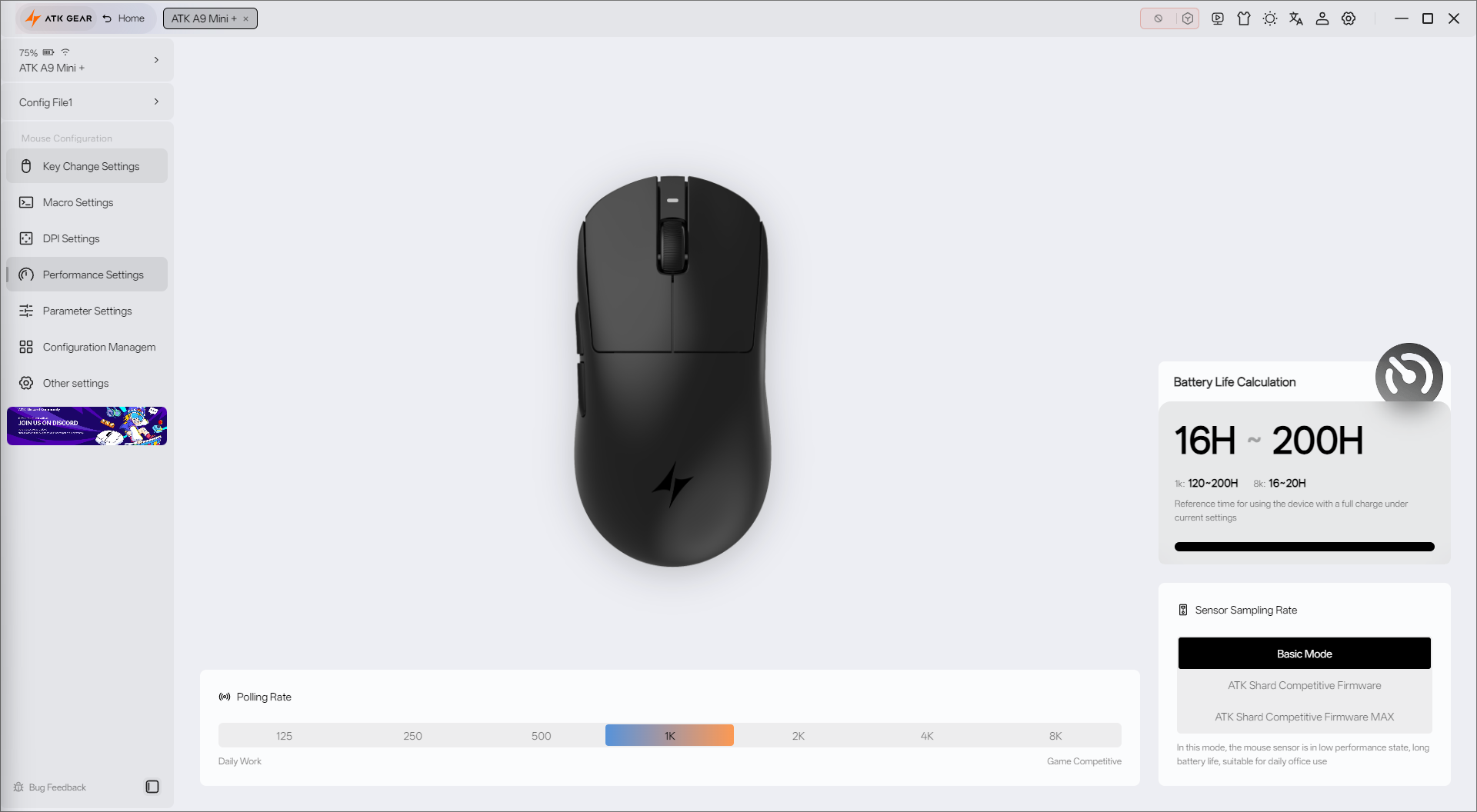
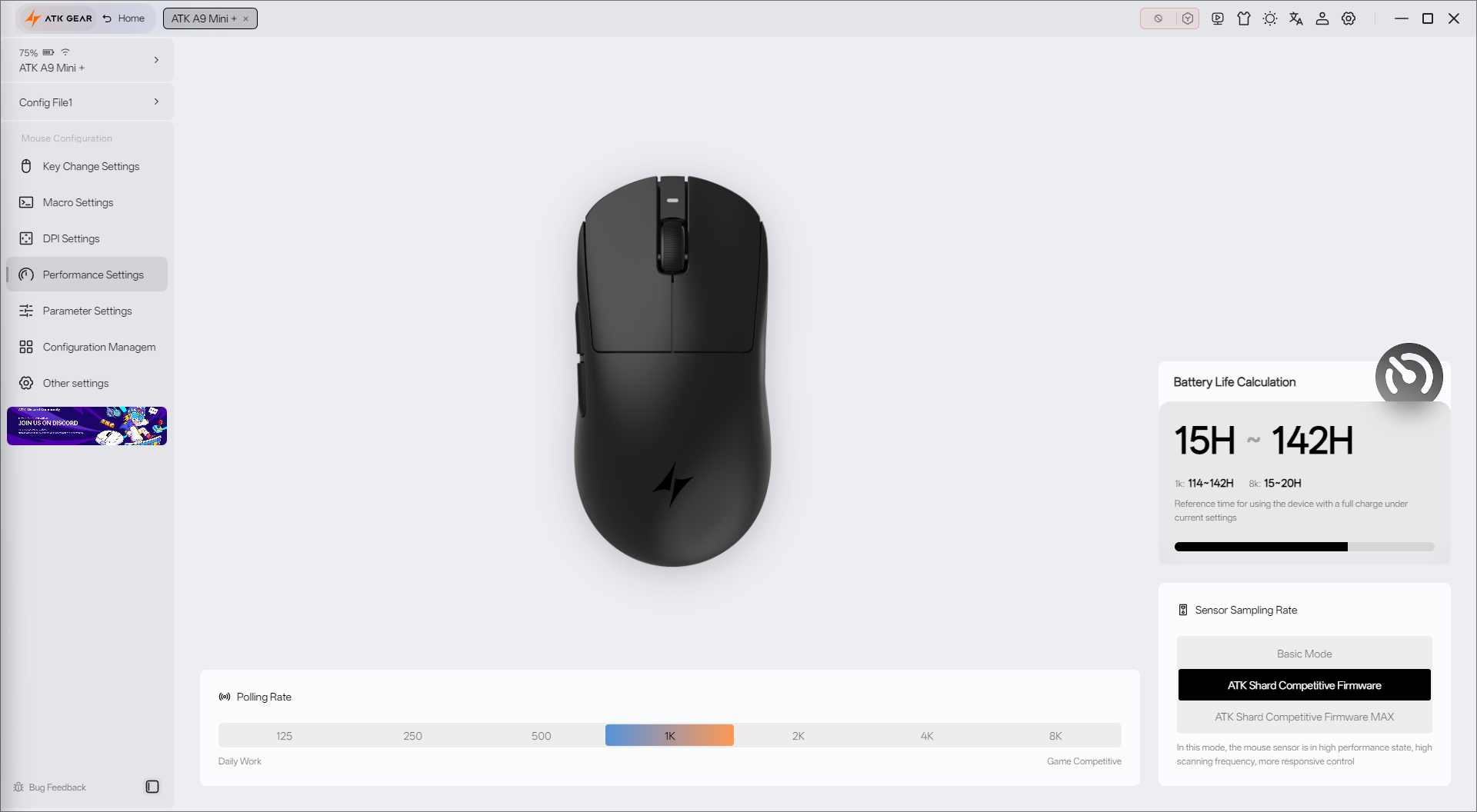
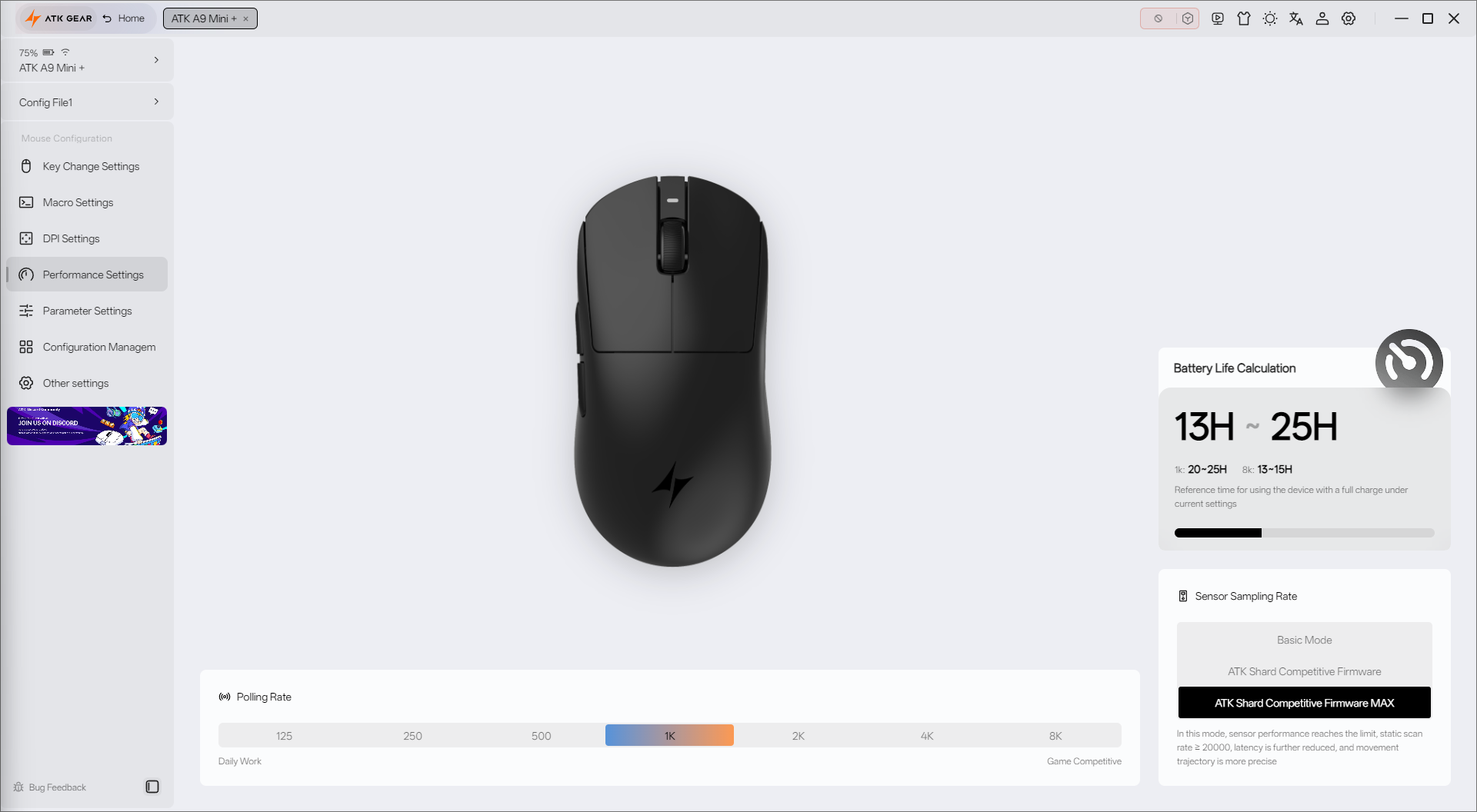
According to ATK Hub’s estimates, enabling every performance option and running at 8,000 Hz can reduce battery life to roughly 13–15 hours. Dropping to 1,000 Hz can more than double that estimate. Pick your perk: endurance or maximum performance. Or use wired mode and get both, at the cost of dealing with a cable.
I chose a fourth option: switching modes depending on whether I was playing CS2 or crunching spreadsheets. Because I rarely use the computer for more than two hours at a time, the battery still showed 35% after two weeks on a single charge.
That is enough for my use case. But is it enough to compete?
More to read: be quiet! Dark Perk Ergo Review: The Company’s “Almost” First Gaming Mouse
Pricing and Competition
The ATK Dragonfly A9 Mini+ has a regular retail price of $89.98, which would put it in a higher price tier if it were not so frequently discounted. At the time of publication, it costs $76.48 through ATK’s official website or $79.98 on Amazon in the US.
That price matters because ATK is far from the only brand putting gaming mice on a diet, and performance-enhancing supplements, to reach ultra-low weights and polling rates up to 8,000 Hz.

I would divide the competition into three categories:
Mainstream
This is where Logitech G and ASUS ROG live. They may not surprise an esports enthusiast, but they are the names most shoppers recognize – and the models you are most likely to find at a major US retailer.


Mainstream Contenders
These brands may already be sitting on a shelf at a major retailer, but many shoppers will not recognize them unless they follow enthusiast hardware. This category belongs to Pulsar and Keychron.


Enthusiast Choices
These are brands I first encountered while researching this comparison, but both offer a serious challenge to the A9 Mini+.


The A9 Mini+ stands out through a rare combination of low weight, high maximum DPI, extensive tuning, and a price below most established rivals.
Verdict
As a gaming-first mouse, the ATK Dragonfly A9 Mini+ gets almost everything right: ultra-low weight, a high polling rate, extreme DPI range, competitive pricing, and feature-rich software.
That software might still need some polish, especially in the English translation… But it’s enough to set you up for the next Counter-Strike 2 match.
Battery life can be a concern if you insist on maximum performance in wireless mode. Still, ATK makes the trade-off clear, the settings give you control over it, and wired charging keeps the mouse usable.

For gaming, ATK delivered on its “All for gaming” promise. Even I, a casual player and forever CS2 loser, enjoyed better precision, less fatigue, and a mouse that demanded almost no effort to control.
Where to buy ATK Dragonfly A9 Mini+



Thanks for sharing!