© ROOT-NATION.com - Use of content is permitted with a backlink.
A few days ago, I reviewed the Logitech G305 X Superlight, the company’s latest gaming mouse, which is essentially a refined take on a legendary classic. In that review, I also mentioned that Logitech had launched a new mechanical keyboard alongside it, expanding its G3 series lineup. Today, we’re taking a closer look at that keyboard – the Logitech G316 X 98. While the G305 X Superlight is easy to recommend as one of the best options in its price range, the G316 X 98 is a more nuanced product. It’s an interesting and original keyboard, but also one with a few controversial design choices. It has several genuine strengths, along with a handful of aspects that are likely to divide opinions. In this review, I’ll take a detailed look at both.
TABLE OF CONTENTS:
Specifications
- Format: 98%
- Key layout: ANSI, Hybrid ISO, ISO (depending on region)
- Connection: wired (USB-C)
- Maximum polling rate: 8,000 Hz
- Switches: Tactile, Linear
- Hot-swap: supported (5-pin connectors, compatible with 3-pin / 5-pin switches)
- Anti-ghosting: full (N-Key Rollover)
- Architecture: Gasket-Mount
- Housing material: plastic
- Keycaps: Double-Shot PBT (OEM profile)
- Backlighting: LIGHTSYNC RGB
- Display and controls: dot-matrix LED display with analogue scroll wheel and game mode button
- Configuration software: Logitech G HUB
- Cable: detachable USB-C to USB-A, 1.8 m
- Dimensions: 384×140×40 mm
- Weight: 880 g (without cable), 990 g (with cable)
- Colours: black, white
- Package contents: keyboard, USB-C to USB-A cable, documentation

Positioning and Price
While the G305 X Superlight is, at its core, a logical evolution of the iconic G305, the G316 X 98 is an entirely new keyboard developed from the ground up specifically for Logitech’s new G3 lineup. The G3 series itself can be summed up quite simply: well-built, competitively priced gaming peripherals designed for a broad audience.

The idea is straightforward: offer solid modern specifications, a useful set of features, and a price point that makes the device accessible to a wide range of users. The new keyboard retails for $100 / €88. Naturally, reaching that price means making a few compromises. While the G305 X Superlight gets away with remarkably few of them, the G316 X 98 has at least a handful that are worth discussing. We’ll take a closer look at those trade-offs in the relevant sections of this review.
Package Contents
The keyboard comes in a compact retail box featuring Logitech’s recognizable branding and detailed information about the device’s key specifications. If you’re wondering why the packaging shows a keyboard with the U.S. ANSI layout while the unit inside uses the European ISO layout, the explanation is fairly simple: the G316 X 98 is available in multiple regional layouts, and the packaging design is most likely standardized using the U.S. version.


The contents of the G316 X 98 package are as basic as they come. Inside the box, you’ll find only the keyboard itself, a detachable cable, and the usual documentation.

The included cable is a standard USB-C to USB-A cable with a conventional rubber jacket and a length of approximately 1.8 meters. It’s moderately flexible and tends to retain some of its shape, but it’s easy enough to straighten and route neatly across a desk if desired. A hook-and-loop cable tie is also included, making it easy to bundle and secure any excess cable length.

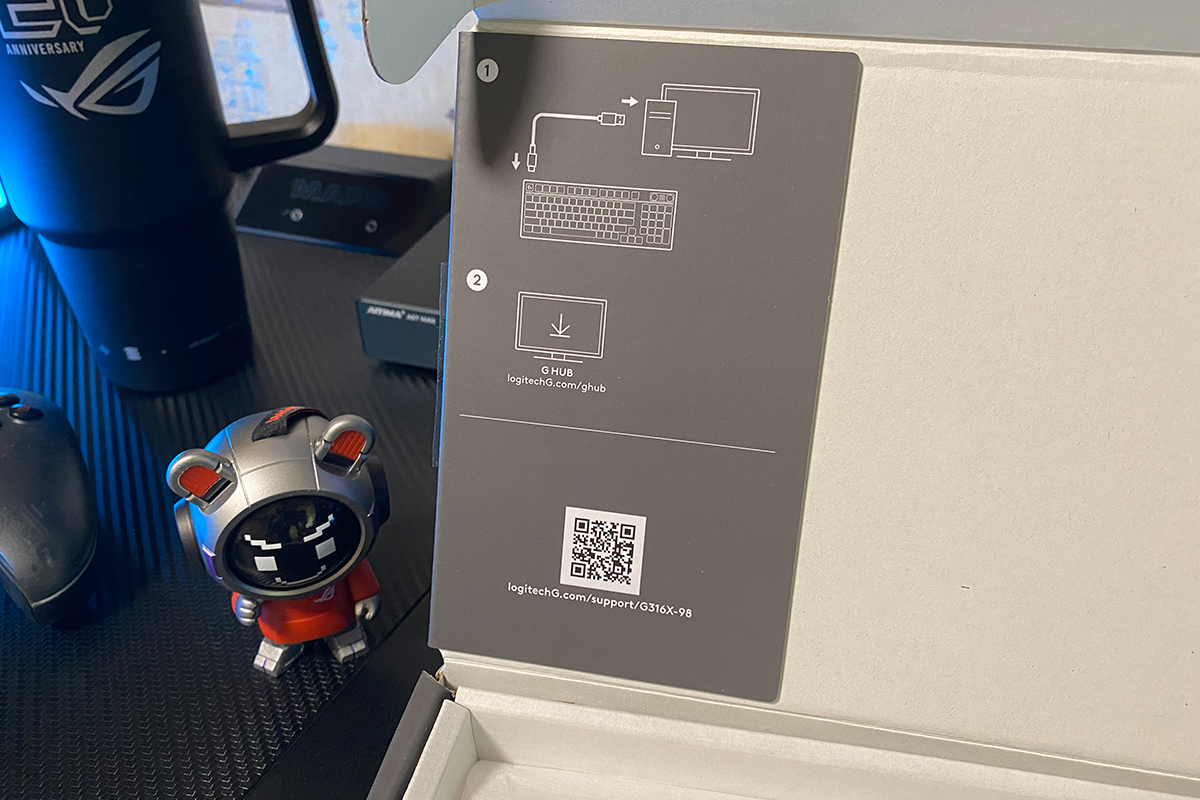
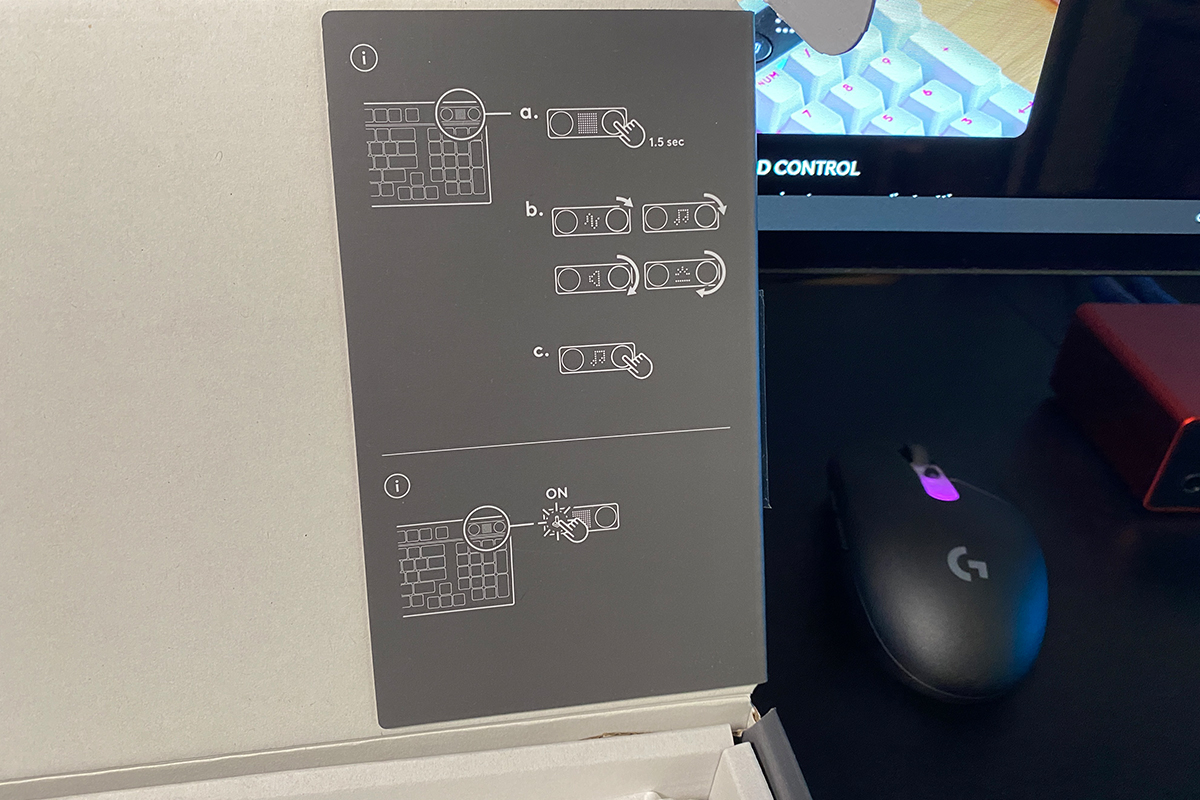
The printed documentation consists solely of a large multilingual warranty leaflet. There is no traditional user manual. Instead, the inside of the box features a set of clear, easy-to-follow diagrams with QR codes linking to the Logitech G HUB software, along with a brief explanation of how to use the multifunction roller and its accompanying function button located next to the built-in display.
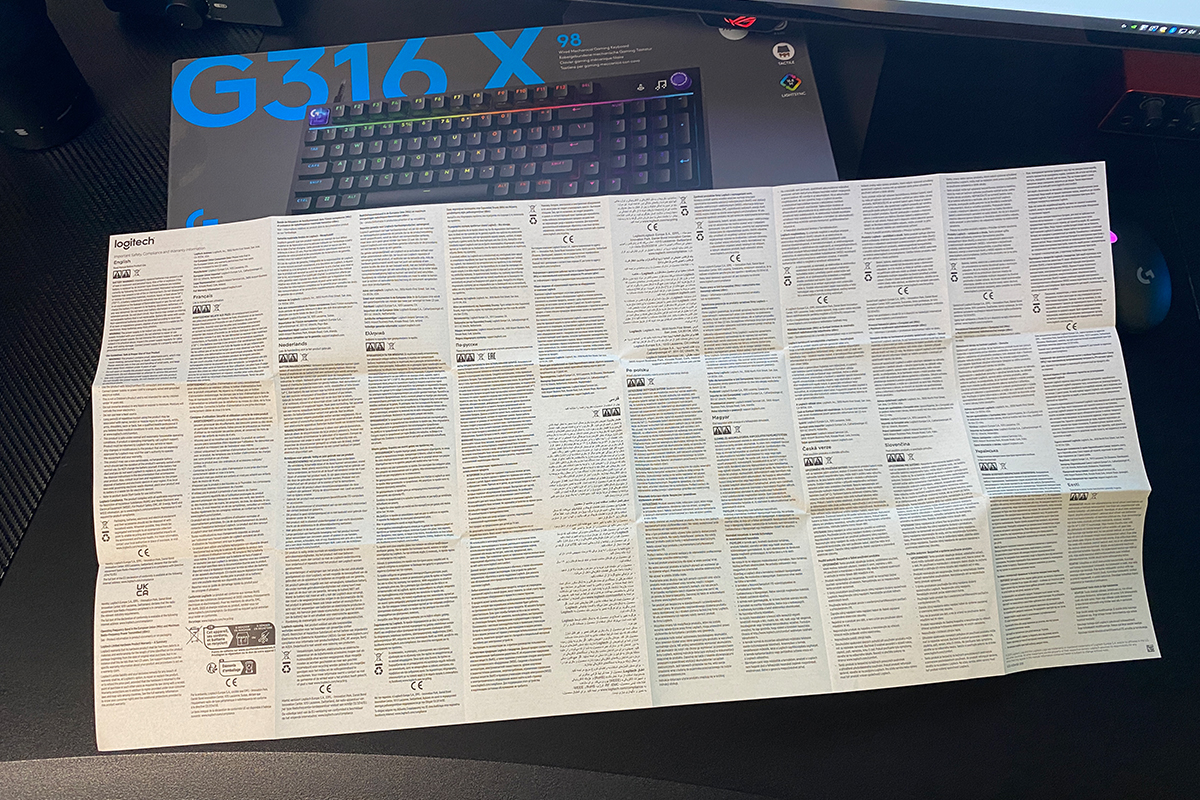
The package does not include a keycap puller or a switch puller, nor are there any spare switches in the box, despite the keyboard supporting hot-swappable switches. I won’t even mention the lack of extra keycaps – that would have been a nice bonus rather than a necessity. The absence of the first two accessories, however, is much harder to overlook. As far as the bundle is concerned, the verdict is fairly straightforward: it’s rather bare-bones.
Read also: Logitech Mobi Fold Review: Foldable Wireless Mouse Designed for Maximum Portability
Design, Ergonomics, and Build Quality
Visually, the G316 X 98 follows the familiar formula of a modern gaming keyboard, with Logitech’s signature design language clearly recognizable throughout. The moment you connect it to your PC, one thought immediately comes to mind: this is a good-looking keyboard. That impression is driven primarily by the vibrant RGB lighting and the built-in dot-matrix display. The latter is subtle rather than distracting and, in my opinion, complements the keyboard’s overall design exceptionally well. From a purely aesthetic standpoint, Logitech has done an excellent job with the G316 X 98.

The G316 X 98 adopts a 98% layout, retaining the full alphanumeric section as well as the dedicated numeric keypad. The only keys removed are a handful of the less frequently used ones positioned between the main cluster and the numpad. This makes the keyboard slightly more compact while preserving virtually the entire keyset needed for both gaming and productivity.

As you can see, my review unit comes with the European ISO layout, which is somewhat uncommon for gaming keyboards. It features the characteristic shorter left Shift key and the two-row Enter key.


The layout options for the Logitech G316 X 98 are rather interesting. On the English version of Logitech’s official website, the keyboard is shown with the familiar ANSI layout, featuring a full-length left Shift key and a single-row Enter key. On the Ukrainian version of the site, however, the product renders depict a less common ANSI/ISO hybrid, combining a long left Shift with a two-row Enter key. My review sample, meanwhile, is a true ISO variant with the shorter left Shift. Taken together, this makes one thing clear: the G316 X 98 is available in several distinct layout configurations, depending on the region.
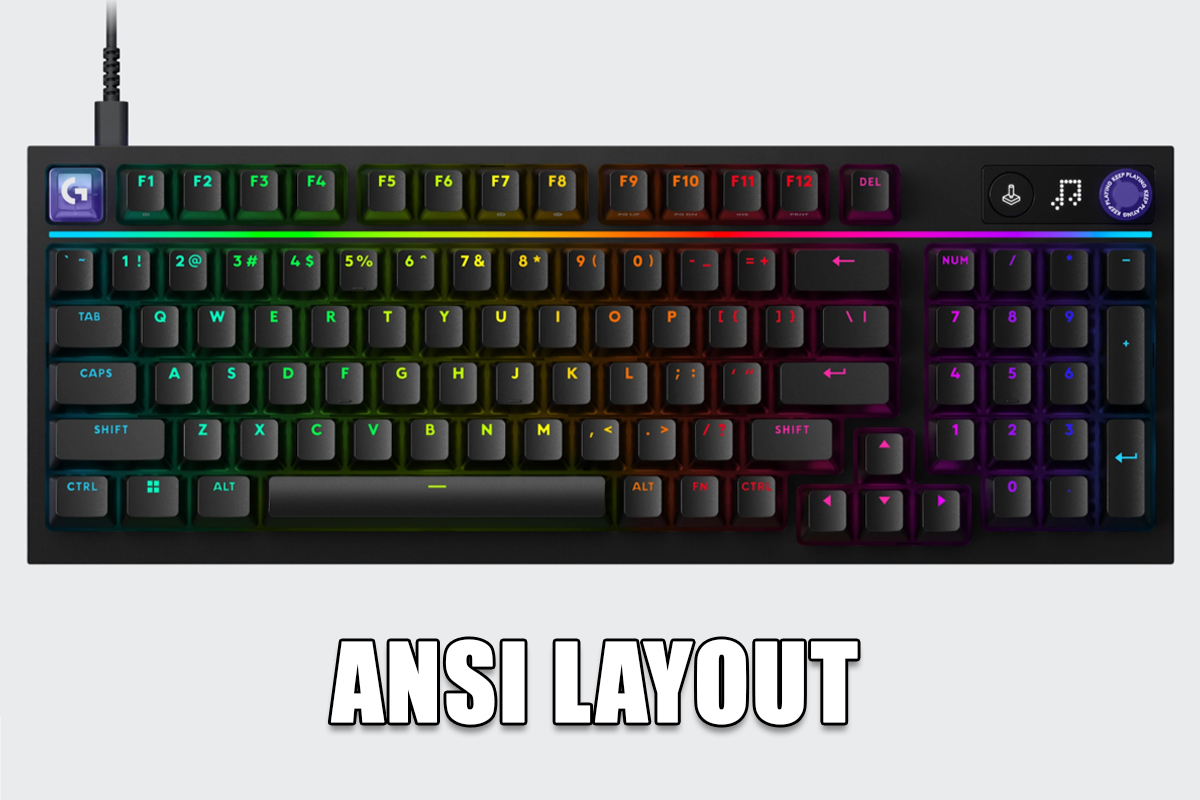
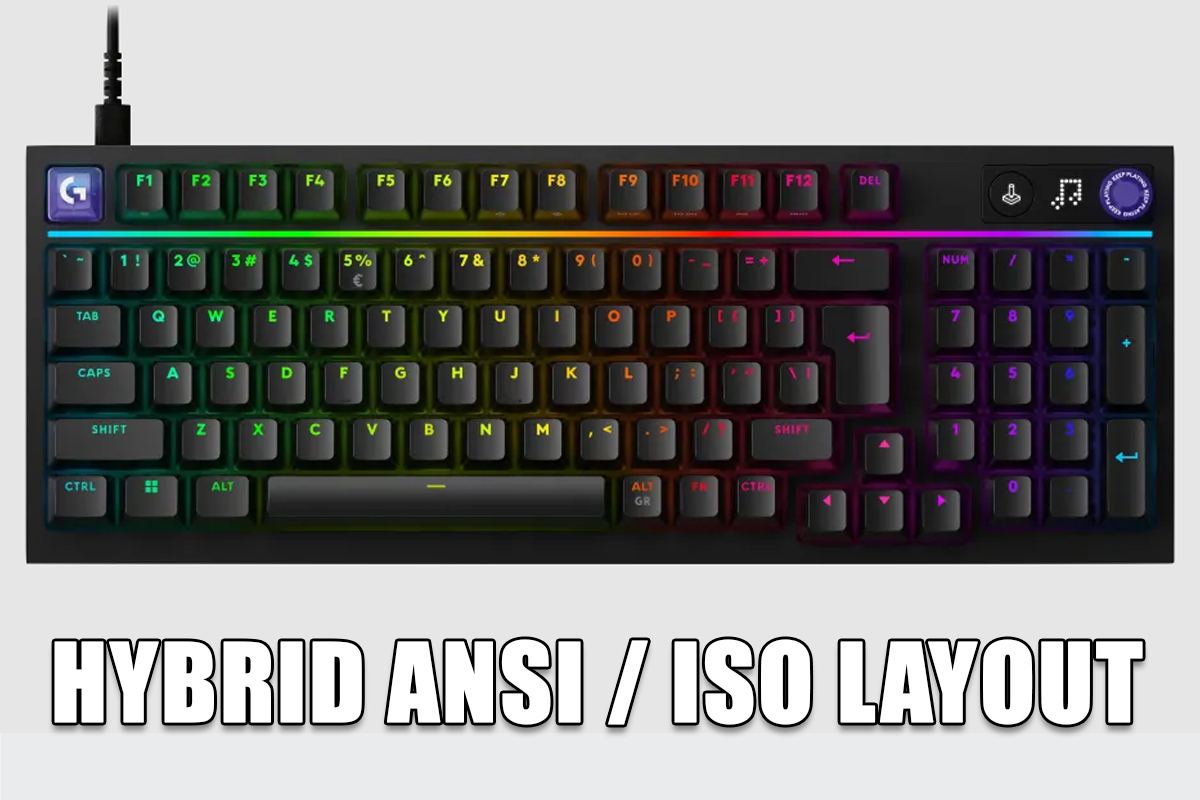
Personally, I have no complaints whatsoever about the first option. ANSI has effectively become the standard layout for gaming keyboards, so it feels immediately familiar. The second option – the ANSI/ISO hybrid – is much less common but arguably the most intriguing. It combines the full-length left Shift of ANSI with the two-row Enter key of ISO, and I have to admit I’d be interested in trying that layout myself.
The third option, however – the full ISO layout found on my review unit – is a bit more divisive. Its shortened left Shift key is something many modern gamers would consider a drawback, or, as the saying goes these days, a red flag. That said, I’ll hold off on drawing conclusions for now. We’ll return to this topic when discussing the keyboard’s ergonomics later in this section. For the moment, let’s continue with the design itself.

For a 98% keyboard, the G316 X 98 is relatively compact, measuring 384 × 140 × 40 mm. Overall, Logitech has struck a good balance between minimizing the keyboard’s footprint and retaining all the essential keys for both gaming and productivity. The only aspect of its dimensions that stands out as somewhat controversial is its height. The keyboard combines a relatively tall top case with a skeleton-style design, where the switches sit fairly exposed rather than being deeply recessed into the chassis. Add the tall OEM-profile keycaps to the equation, and the result is a keyboard that initially feels taller than expected and takes a bit of getting used to.


Since we’ve already mentioned the keycaps, let’s take a closer look at them. According to Logitech, the G316 X 98 comes equipped with double-shot PBT keycaps. As noted earlier, they use the OEM profile, which is noticeably taller than the Cherry profile found on many enthusiast keyboards. The difference in height is best illustrated in the photo below.


As for the keycaps themselves, they’re generally quite good, although the plastic – particularly along the sides – could have been a bit thicker. They also lack the distinctive textured surface that many users associate with typical PBT keycaps. In fact, they feel closer to smooth ABS than to conventional PBT. That said, the overall execution is solid. The molding quality is clean, and every legend is backlit, which is something many custom keyboards still don’t offer. Last but certainly not least, the keycaps include Ukrainian legends – a welcome addition that, even today, is far from standard across the industry.


One interesting detail about the keycaps is worth mentioning – the way they fit onto the switches. The stems grip the switches so tightly that, in about 99% of cases, using a keycap puller will remove the switch along with the keycap. For that reason, it’s worth being careful: don’t pull the keycap at an angle. Instead, pull it straight upward. Even if the switch comes out together with the keycap, there’s little risk of damaging either component. There is, however, an upside to this unusually tight fit. The secure mounting helps minimize keycap wobble, and when combined with the tactile switches, it contributes to a satisfying and well-defined typing feel.

The keys are individually backlit using north-facing LEDs, with the light source positioned above each switch. This is a relatively uncommon configuration, especially compared to the south-facing LED layouts that have become increasingly popular in recent years.

The key backlighting isn’t the keyboard’s only lighting feature. Logitech has also integrated a slim RGB light strip beneath the function row. During normal use, it remains synchronized with the key lighting, while adjusting settings with the multifunction roller triggers smooth animated lighting effects. Together, these elements give the keyboard a polished and visually appealing look.


Personally, I’ve never been much of a fan of RGB lighting on keyboards. On my custom boards, I usually either turn it off completely or set it to a dim static color to serve as subtle background illumination. The G316 X 98 is one of the few exceptions. Its lighting is bright, vibrant, and impressively smooth, with a wide variety of well-executed effects that actually enhance the overall experience rather than distract from it. It also pairs exceptionally well with the built-in display, making the keyboard feel cohesive from a design standpoint.


In the upper-right corner of the keyboard is a built-in dot-matrix LED display accompanied by a multifunction rotary encoder and a dedicated Game Mode button.

The rotary encoder can be used to adjust system volume, control the RGB backlight brightness, switch the keyboard’s polling rate on the fly (1,000, 2,000, 4,000, or 8,000 Hz), and manage media playback.


Pressing and holding the encoder for three seconds cycles through the available control modes. A short press mutes the audio, pauses or resumes media playback, or opens the polling rate selection menu, depending on the active mode. Once a function has been selected, rotating the encoder performs the corresponding adjustment or navigates through the available options.

Navigating the menus, selecting settings, and adjusting parameters is accompanied by charming dot-matrix animations on the built-in display. At the same time, the RGB light strip mentioned earlier plays smooth lighting effects that complement the on-screen animations. Once again, I have to say that the overall presentation feels both original and visually appealing. In fact, the dot-matrix display is one of the keyboard’s strongest design elements. Had Logitech opted for a conventional LCD panel – the kind that has become increasingly common on gaming keyboards – I don’t think the result would have been nearly as distinctive. The simplicity of the dot-matrix display fits the keyboard’s overall aesthetic remarkably well.


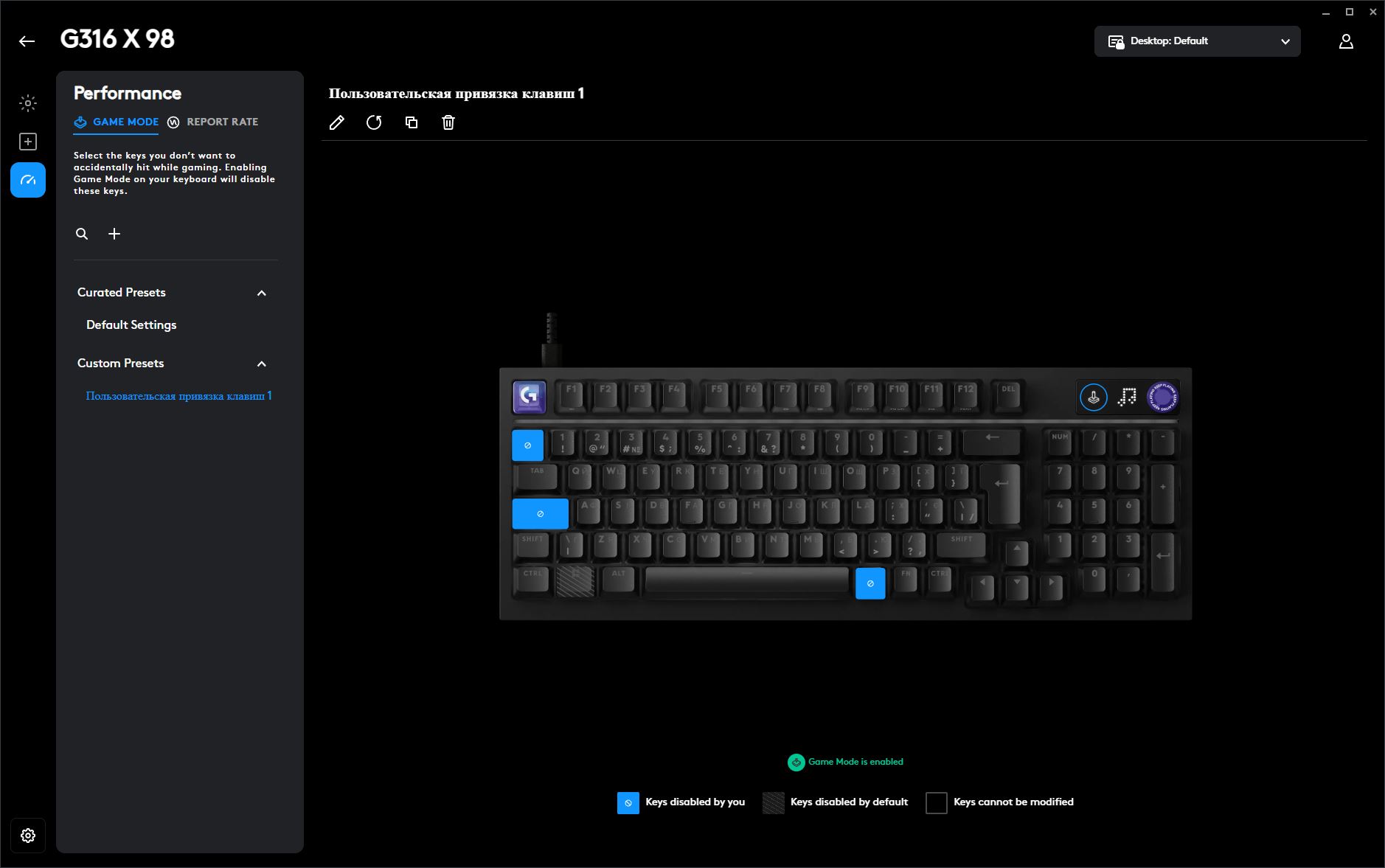
The dedicated function button is used to toggle Game Mode on and off. When enabled, it disables selected keys to prevent accidental presses during gameplay. By default, the Windows key is locked – a sensible choice, as it’s one of the keys gamers most commonly hit by mistake, minimizing their game in the process. Through Logitech G HUB, however, you can customize Game Mode further by choosing additional keys to disable according to your own preferences.

The keyboard features an all-plastic chassis. As with the new G305 X Superlight, more than half of the plastic used in its construction is made from recycled materials, reflecting current sustainability trends and Logitech’s broader environmental efforts. The material itself leaves a positive impression. It has a matte finish with a subtly textured surface, while the clean, sharply defined edges give the keyboard a refined, understated look. Just as importantly, the plastic feels pleasant to the touch, adding to the overall sense of quality.


Internally, the G316 X 98 uses a gasket-mount design, with the plate suspended on gaskets and paired with multiple sound-dampening layers and a silicone base. The goal is to deliver a softer, smoother typing experience while also improving the keyboard’s acoustics. Unlike many Chinese manufacturers, Logitech doesn’t provide an exploded view or detailed breakdown of the keyboard’s internal construction on its website. Even so, based on hands-on experience, I can confidently say that the gasket implementation is well executed. Applying extra pressure to the keys reveals a subtle amount of flex, allowing the plate to compress slightly and soften each keystroke. Combined with the tactile switches, this creates a typing feel that is both distinctive and enjoyable. We’ll take a closer look at that aspect in the next section.

Like the rest of the chassis, the underside of the keyboard is made entirely of plastic. One notable design choice is the absence of the usual flip-out feet for adjusting the typing angle. Instead, the keyboard has a fixed incline, achieved through a small rear elevation and rubber feet positioned along the edges. If you look closely, you’ll notice the marking “4°” on the rubber pads, which most likely indicates the keyboard’s fixed typing angle.


Build quality is impressive. Despite its all-plastic construction, the keyboard feels solid, rigid, and well put together. Tapping on the chassis reveals virtually no hollow spots, suggesting that the internal cavity is well filled with dampening materials. During normal use, there are no noticeable creaks, flex, or structural play. Of course, if you deliberately perform a torsion test by firmly twisting the keyboard, you’ll hear some light creaking. That’s entirely expected for a plastic chassis, however. After all, plastic simply can’t match the rigidity of a solid metal frame.

Now, let’s talk about ergonomics. Overall, I wouldn’t describe the keyboard as uncomfortable – quite the opposite. It’s relatively compact for a 98% layout, and I personally found the fixed typing angle perfectly comfortable. The rotary encoder is also genuinely useful, while the built-in display complements the overall design rather than feeling like a gimmick.
That said, if I’m being as objective as possible, there are two aspects worth highlighting: the ISO layout and the keyboard’s overall height. The latter isn’t a major issue, as it’s something you either get used to over time or mitigate by replacing the stock OEM keycaps with a lower-profile Cherry set. The ISO layout, however, is a more complicated matter.
Put simply, many gamers are unlikely to appreciate an ISO layout with a shortened left Shift key. And it’s not just gamers. Personally, I’ve never fully understood the rationale behind the standard ISO layout. It seems odd to sacrifice one of the most frequently used keys – not only in games but also during everyday typing – in exchange for an additional key that often duplicates the “/” character.

That said, the ISO layout may not be as problematic as it first appears. Speaking from personal experience, I once used an ISO keyboard as my primary board – the Xtrfy K4 TKL. I spent a considerable amount of time working on it and regularly played Battlefield 4 and Battlefield 1. Interestingly, the shorter left Shift key never really affected my gameplay, and I still managed to finish in the top three of the scoreboard on more than a few occasions. In other words, adapting to an ISO layout is entirely possible. Whether it’s worth doing when other layouts are available is a different question altogether.
For that reason, I’d consider the full ISO layout to be the G316 X 98’s most debatable design choice – but only in regions where this particular layout is sold. If the keyboard is available in ANSI or the hybrid ANSI/ISO configuration, then everything discussed above becomes largely irrelevant.
Read also: Logitech Signature Comfort Plus M850 L Review: Wireless Mouse Focused on Everyday Comfort
Polling Rate, Switches, Hot-Swap, and Typing Experience
One of the G316 X 98’s standout features is its 8,000 Hz polling rate. To be honest, this is the first time I’ve come across this particular combination: an 8K polling rate paired with a purely mechanical keyboard rather than a magnetic one. I’ve certainly seen some interesting hybrid designs capable of operating at 8,000 Hz while supporting both magnetic and mechanical switches. Those, however, were fundamentally magnetic keyboards with added compatibility for mechanical switches. The Logitech G316 X 98, by contrast, is a fully mechanical keyboard from the ground up.

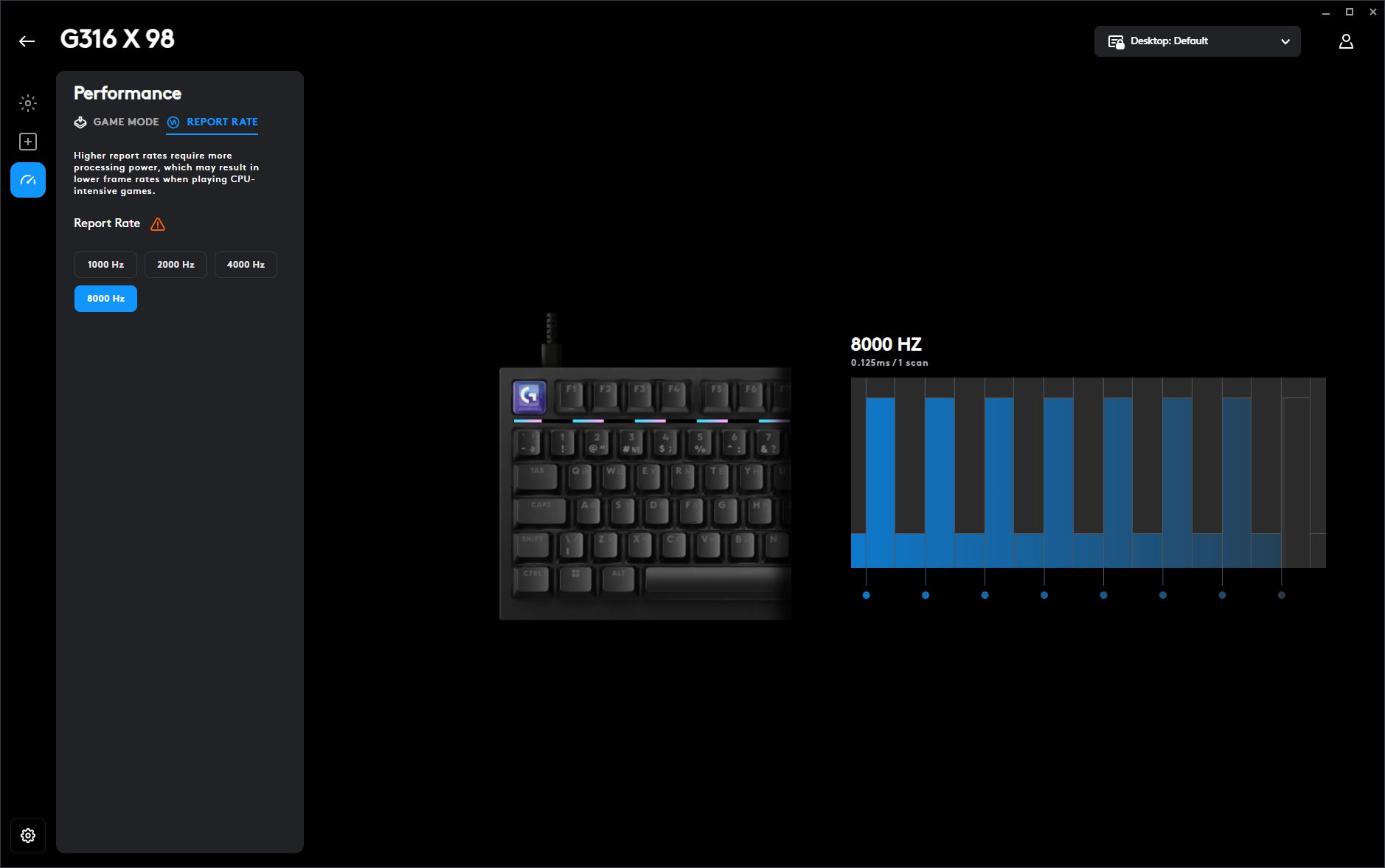
Of course, the keyboard isn’t limited to its maximum polling rate. Both Logitech G HUB and the onboard display menu allow you to choose between 1,000, 2,000, 4,000, and 8,000 Hz. At the highest setting, however, the keyboard reports to the PC every 0.125 ms – eight times more frequently than the standard 1,000 Hz polling rate. Given that the G316 X 98 is a wired-only keyboard, I don’t see much reason to run it at a lower polling rate unless you have a specific compatibility requirement.
The keyboard is available with two types of proprietary switches: Logitech Linear and Logitech Tactile.

The linear switches have an actuation force of 40 gf, an actuation point of 1.9 mm, and a total travel distance of 3.5 mm. In terms of feel and specifications, they are conventional linear switches with a smooth keystroke – an established choice that works well for both gaming and everyday typing.
The tactile switches are noticeably heavier and more deliberate. They require 55 gf of actuation force, actuate at 2.2 mm, and have a slightly shorter total travel of 3.3 mm. As expected, they provide more resistance during the keypress along with a distinctly pronounced tactile bump, resulting in clearer physical feedback with each keystroke.

My review unit came equipped with the tactile switches, and I have to say they offer a very distinctive typing experience – especially when paired with the tall OEM-profile keycaps. The keystrokes feel firm and, in a sense, even somewhat stiff. That said, the switches provide a crisp tactile bump, while the keyboard’s excellent stabilization keeps key wobble to a minimum. Overall, if this type of typing feel appeals to you, the tactile version is an easy recommendation. Those who prefer the traditional smooth, uninterrupted keystroke of linear switches, however, will likely be happier with the linear variant.
Fortunately, the choice isn’t permanent. The G316 X 98 supports hot-swappable switches, allowing them to be replaced without soldering whenever you like. The PCB uses standard 5-pin hot-swap sockets, making it compatible with both 5-pin and 3-pin mechanical switches. In fact, hot-swap support is another of the keyboard’s standout features.

As for the stabilizers, the keyboard uses conventional plate-mounted stabilizers that clip directly into the mounting plate. This design makes them easy to remove for maintenance or replacement if needed. As you can see in the photo below, they come factory-lubricated, and that’s something you can clearly notice in day-to-day use as well.

All of the larger keys feel stable and provide a smooth, consistent keystroke without any noticeable rattling or unwanted resonance. The only exception is the spacebar. Paired with the tactile switches, it feels somewhat stiff, and it seems as though its stabilizer could have benefited from a bit more factory lubrication. As a result, you can occasionally hear a sharper, more metallic click when pressing it. It’s entirely possible that this is specific to my review sample. In any case, it’s hardly a major issue, as applying a bit of additional lubricant to the stabilizer is a straightforward fix. In fact, the stabilizer doesn’t even need to be removed from the keyboard to do so. As for the rest of the stabilized keys, I have no complaints – they feel solid and sound exactly as they should.

Now for the most important part – the typing experience. As mentioned earlier, my review unit came equipped with the tactile switches, and they deliver a very distinctive feel. The keystrokes are firm and highly tactile. If you’re not accustomed to this type of switch, they may even come across as somewhat stiff. This sensation is especially noticeable at the very beginning of the key travel. As for the spacebar, I’ve already covered it: when paired with the tactile switches, it feels slightly dry and resistant, which is fairly typical of this combination.
On the other hand, the tactile switches also bring clear advantages. They make the keys feel exceptionally stable, with very little wobble, while providing crisp, well-defined tactile feedback that is easy to appreciate during both typing and gaming.
The tall OEM-profile keycaps also play a significant role in the overall typing experience. I suspect that if the keyboard shipped with a lower-profile set – Cherry-profile keycaps, for example – it would feel much more familiar, even with the tactile switches. As it stands, some users will likely need a period of adjustment.
From my own experience, gaming on the Logitech G316 X 98 with tactile switches and tall keycaps is comfortable and offers a uniquely satisfying feel. Fast typing, however, proved more challenging for me, even after spending some time with the keyboard. Replacing the stock keycaps with a lower-profile set noticeably improved the typing experience, and, interestingly, the tactile switches revealed a very different character under those conditions.
Finally, let’s talk about the keyboard’s sound profile. The shortest and most accurate way to describe it would be this: it sounds pleasant overall, but it’s definitely on the louder side. I’ll include a typing sound test below so you can judge the acoustics for yourself.
Read also: Logitech G512 X 75 Hybrid Keyboard Review: A Strong Evolution of Magnetic Switch Technology
Logitech G HUB Software
The G316 X 98 can be configured and customized through Logitech’s proprietary G HUB software. Let’s take a closer look at what it has to offer.
Once connected, the keyboard appears automatically in the list of detected devices. From the main screen, you can also toggle the onboard memory mode. When this mode is disabled, all profiles and settings are stored within the G HUB application. When enabled, they are saved directly to the keyboard’s onboard memory, allowing your custom settings to travel with the device without relying on the software.
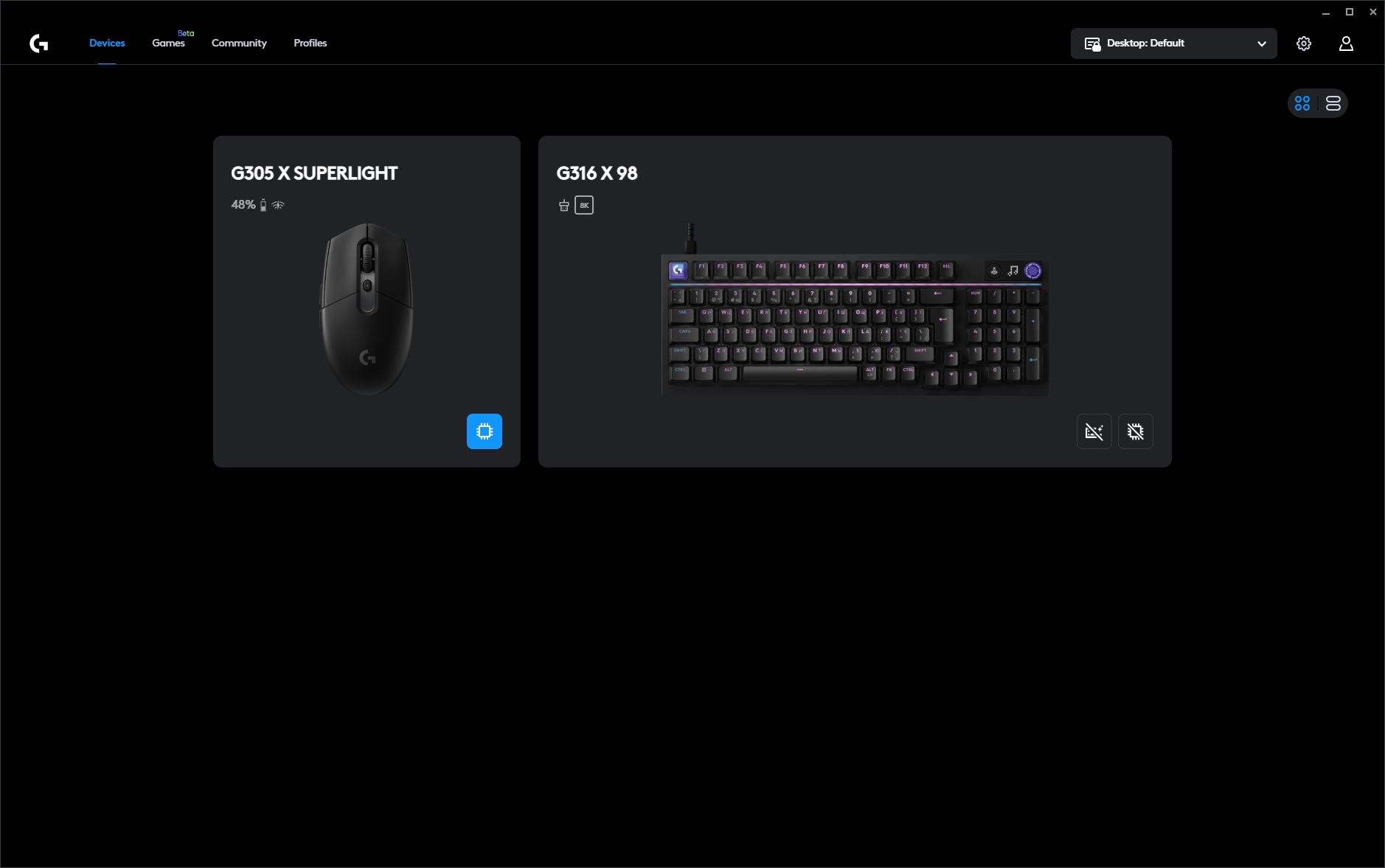
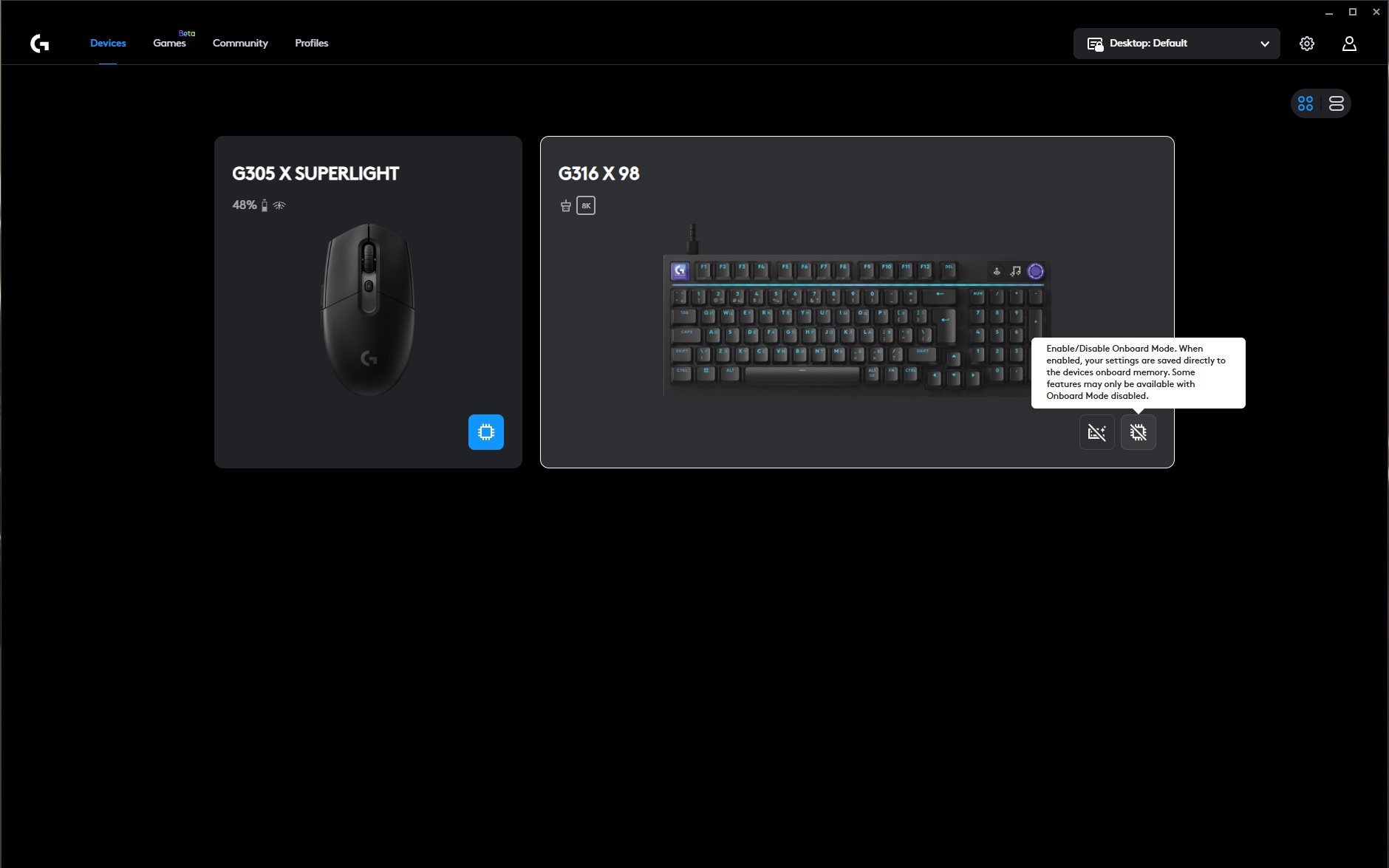
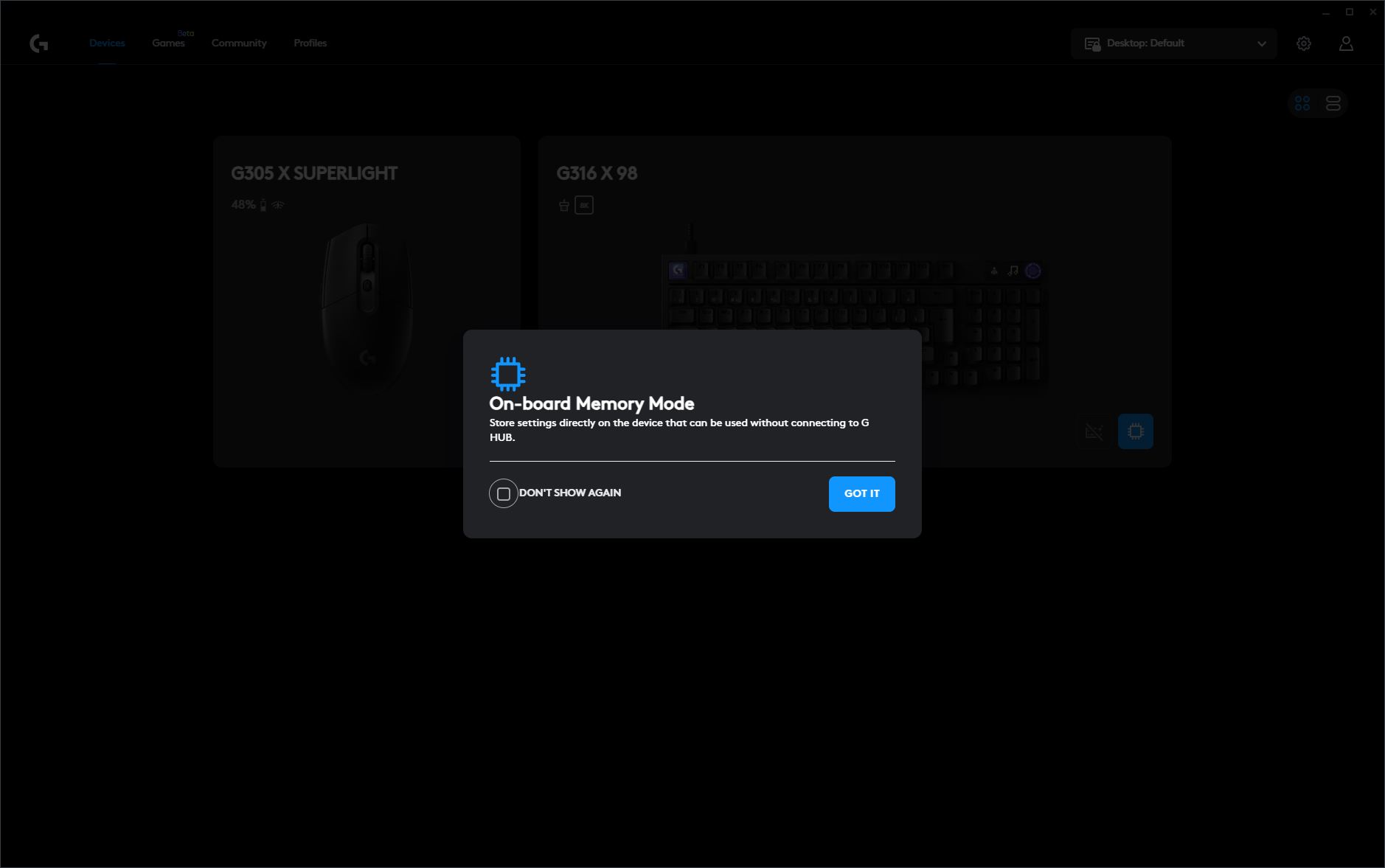
It’s worth noting that Logitech explicitly mentions in the tooltip that some features are only available when onboard memory mode is disabled. If you enable onboard memory immediately and then try to configure the keyboard, you’ll notice that the main settings menus become unavailable. In practice, the workflow is identical to that of the new G305 X mouse: first, configure the keyboard with onboard memory disabled, then simply save or import the finished profile to the keyboard’s onboard memory once everything has been set up.
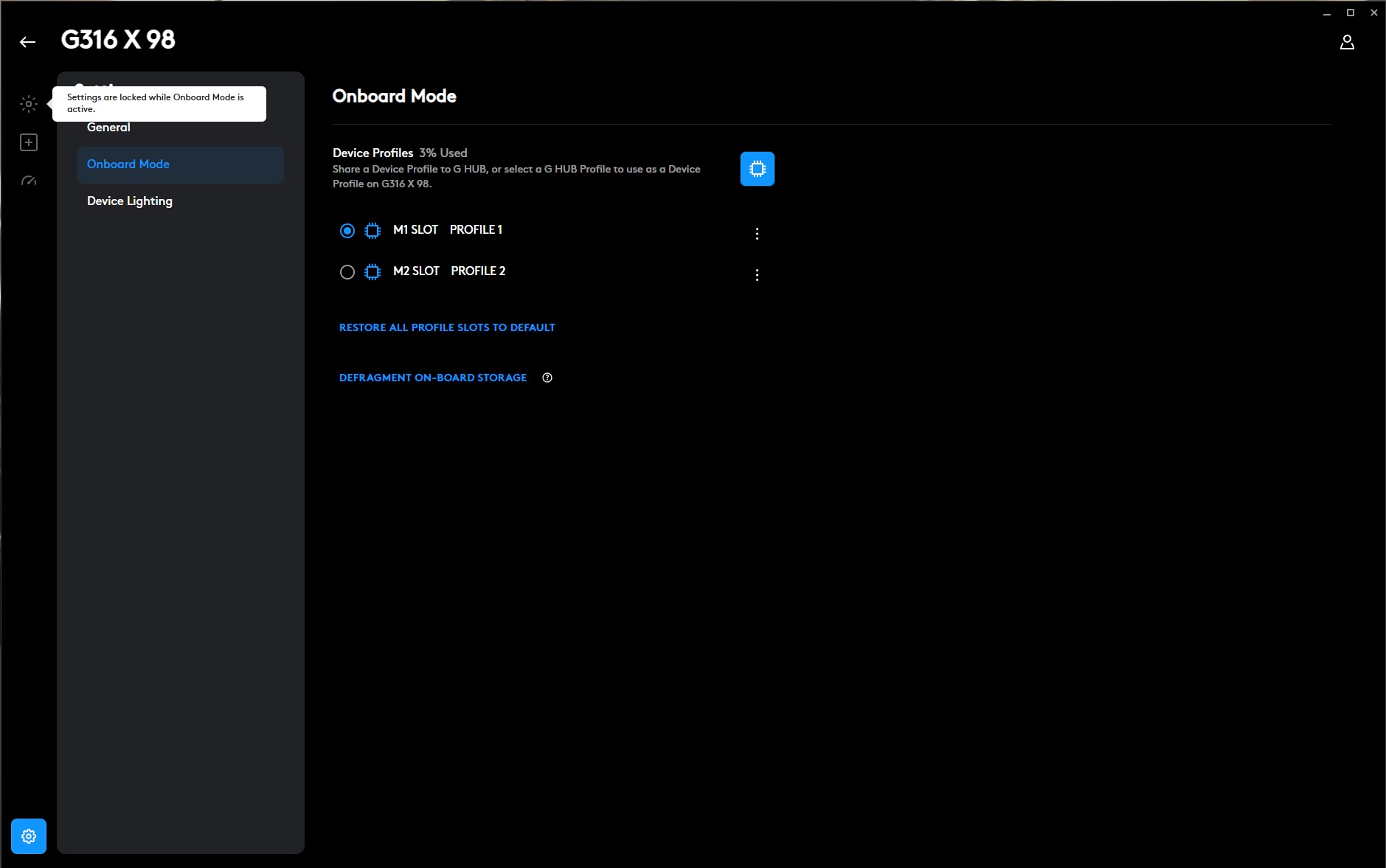
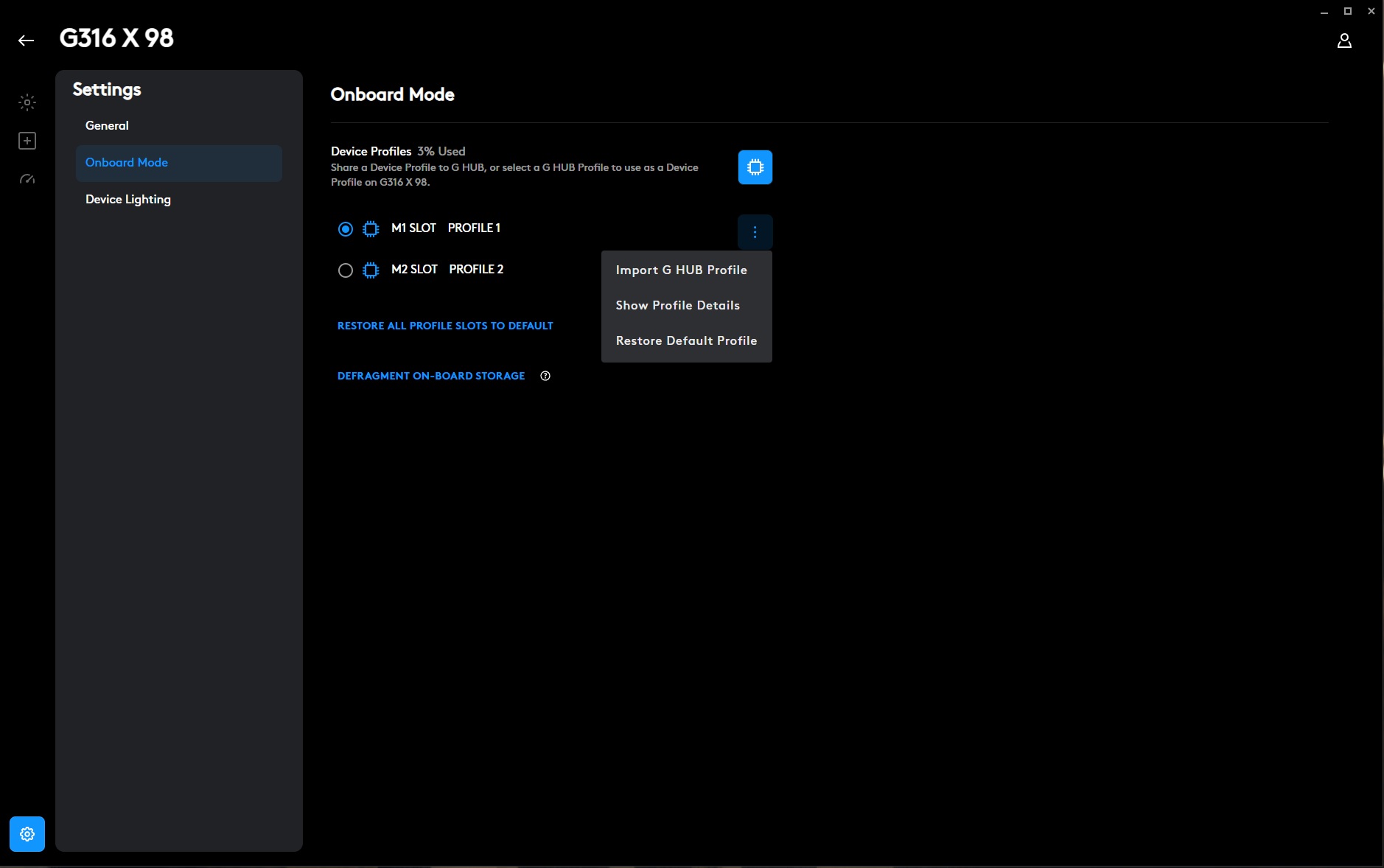
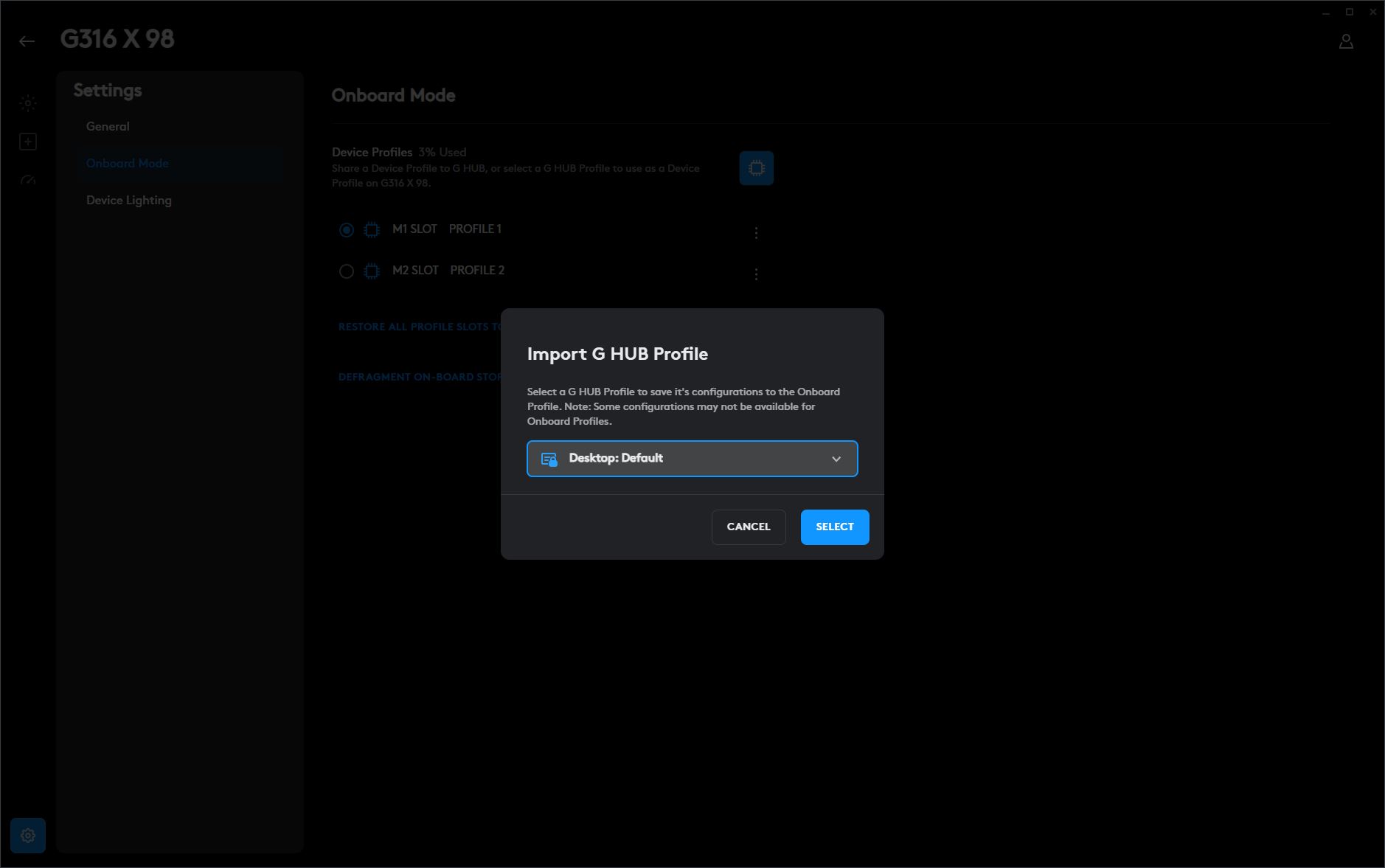
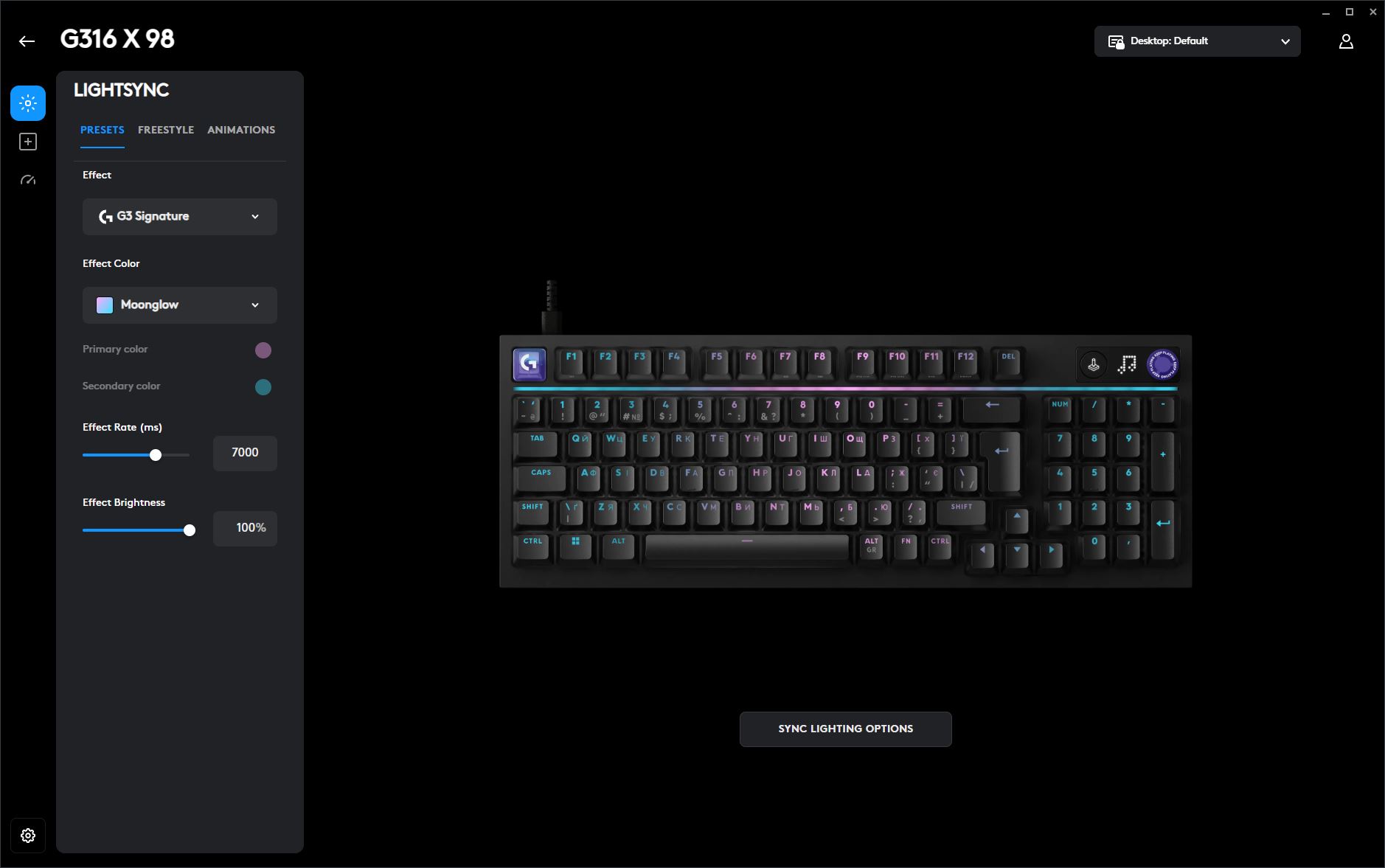
The software is organized into four main sections: LIGHTSYNC, Assignments, Performance, and Global Device and Application Settings.
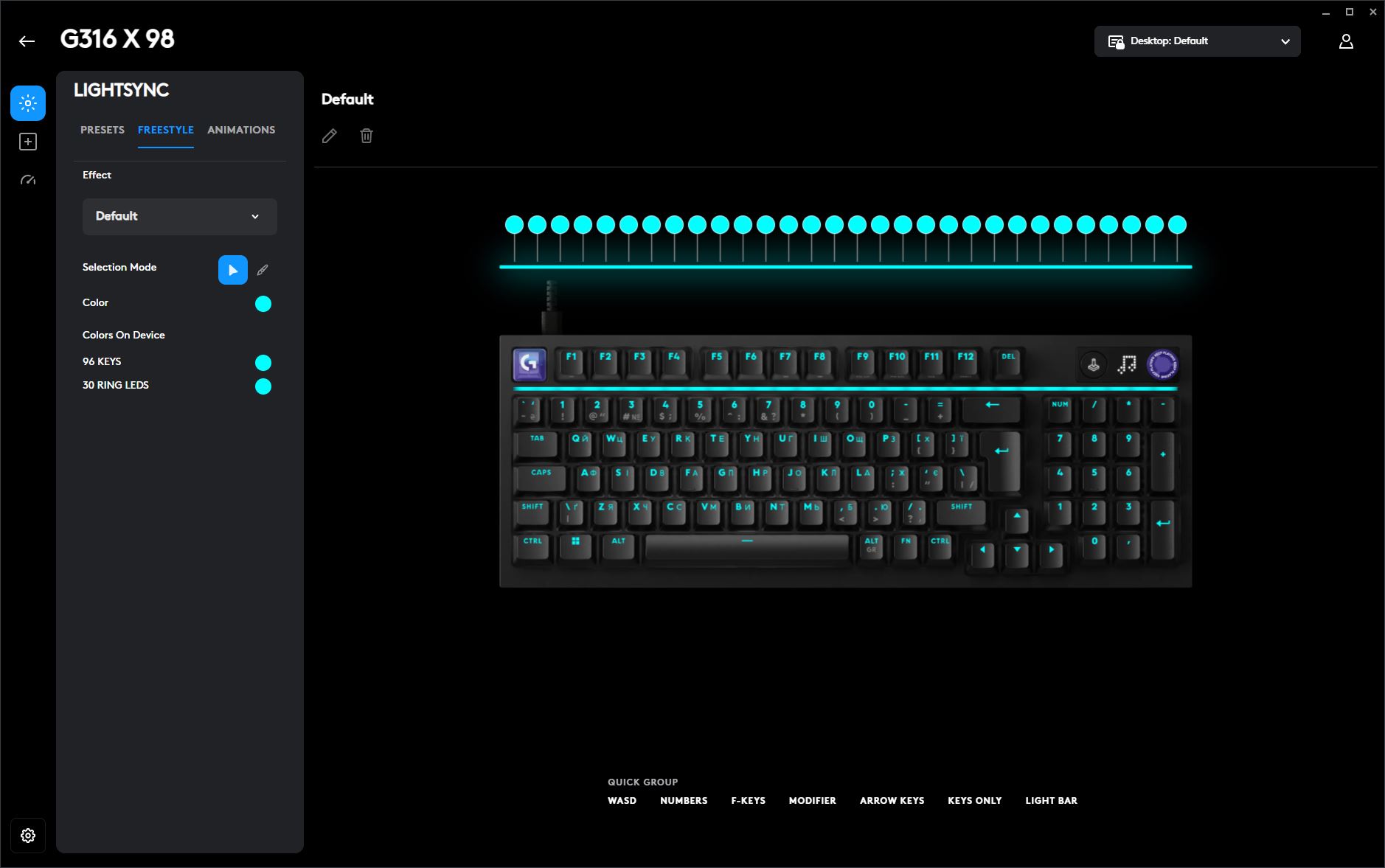
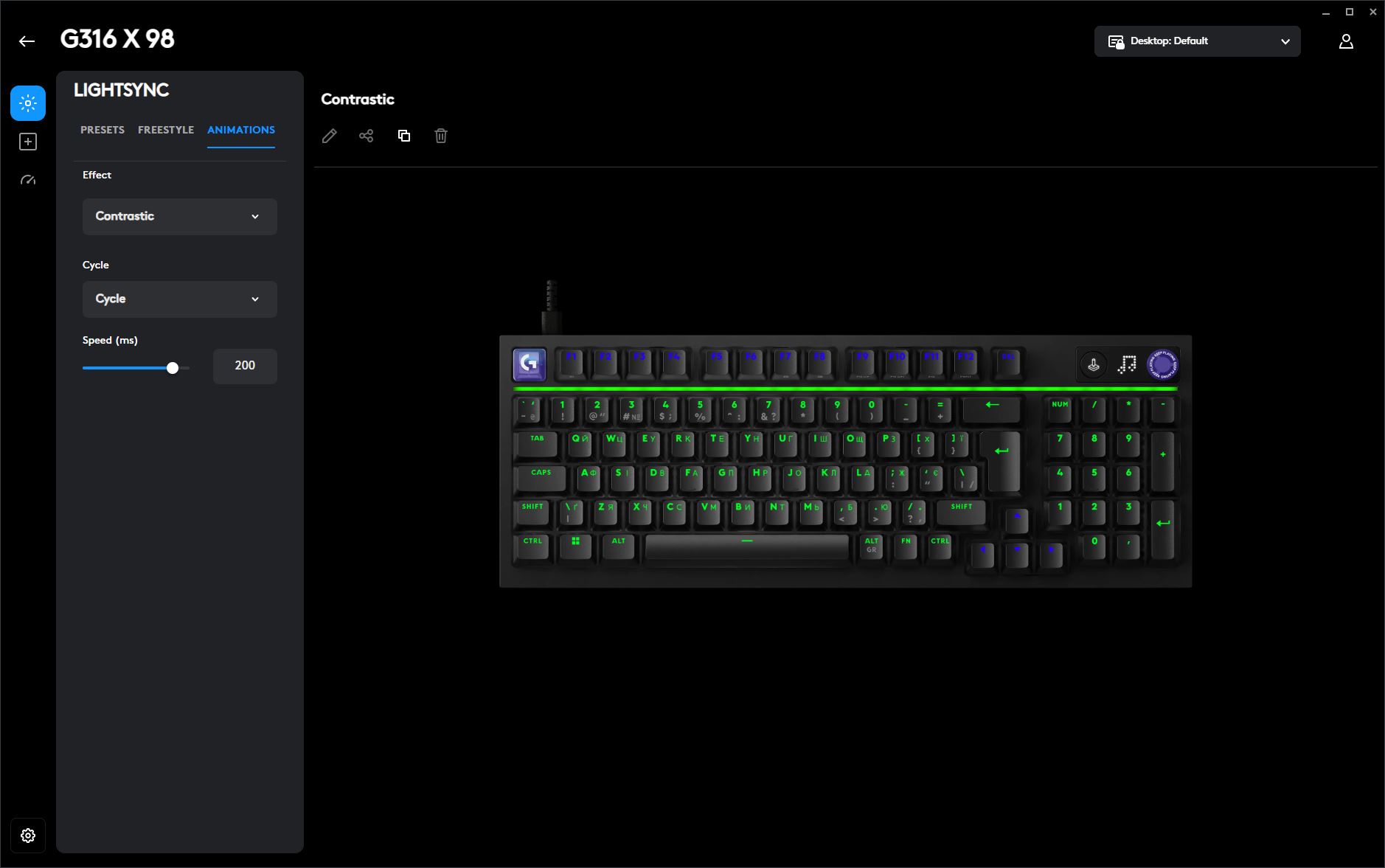
The LIGHTSYNC tab is dedicated to the keyboard’s RGB lighting. Here, you can choose from several preset lighting effects or create a fully customized lighting profile. This section also allows you to synchronize the keyboard’s lighting with other compatible Logitech devices for a unified RGB setup.
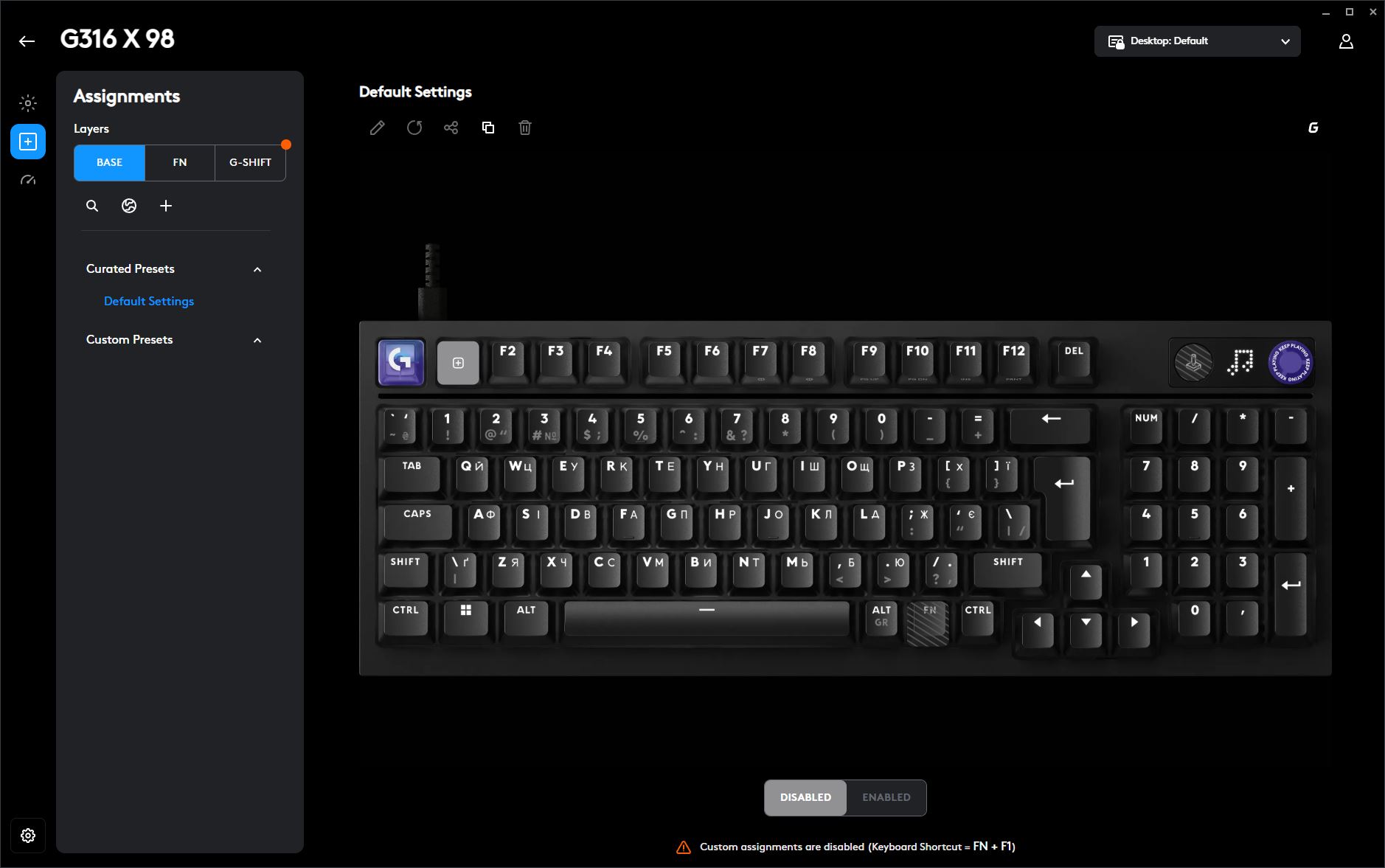
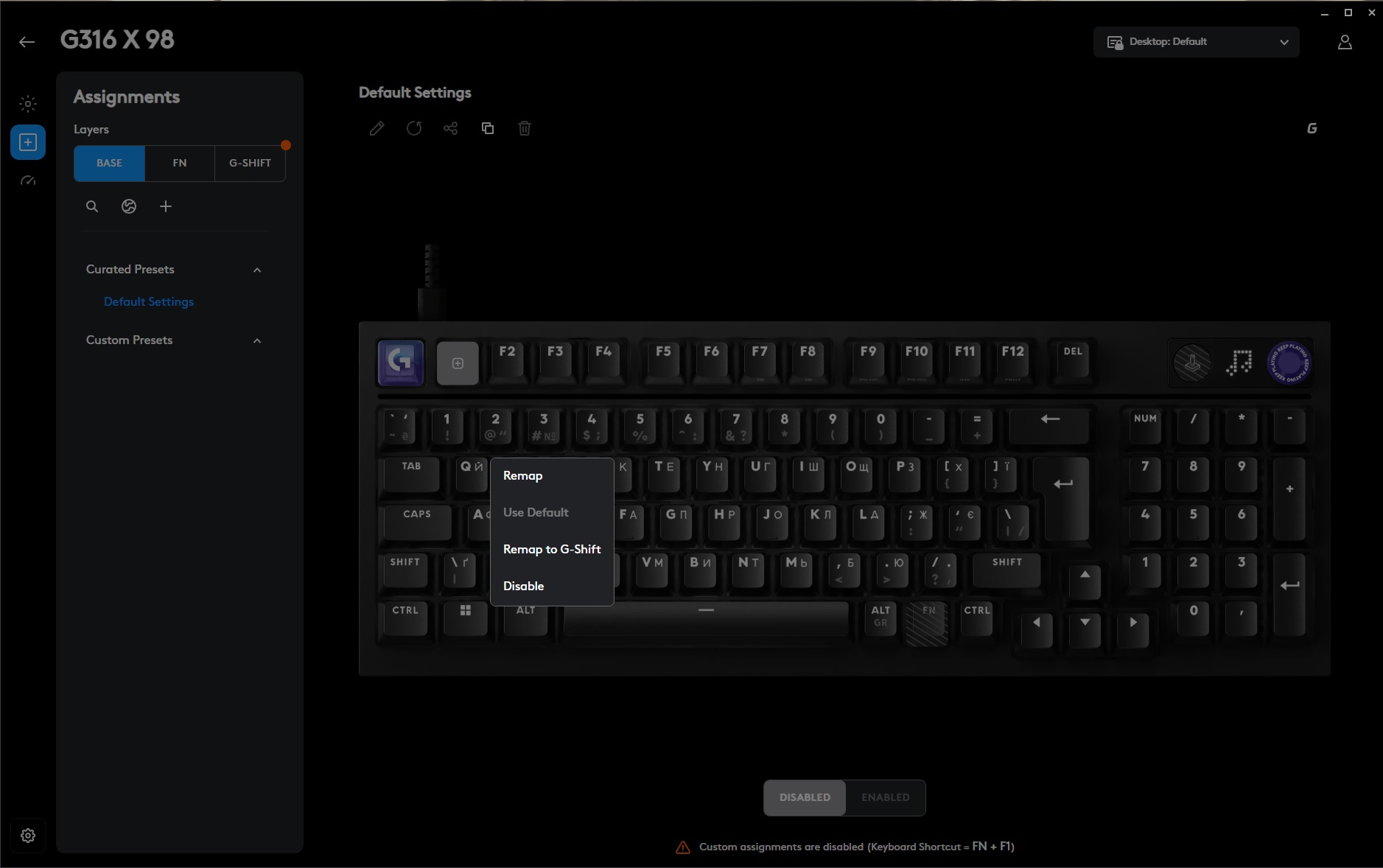
The Assignments section is where you can remap keys and configure the keyboard’s different key layers. As shown here, in addition to the standard Base layer and the Fn layer, G HUB also lets you create and customize a dedicated G-Shift layer, providing an extra set of programmable key assignments.
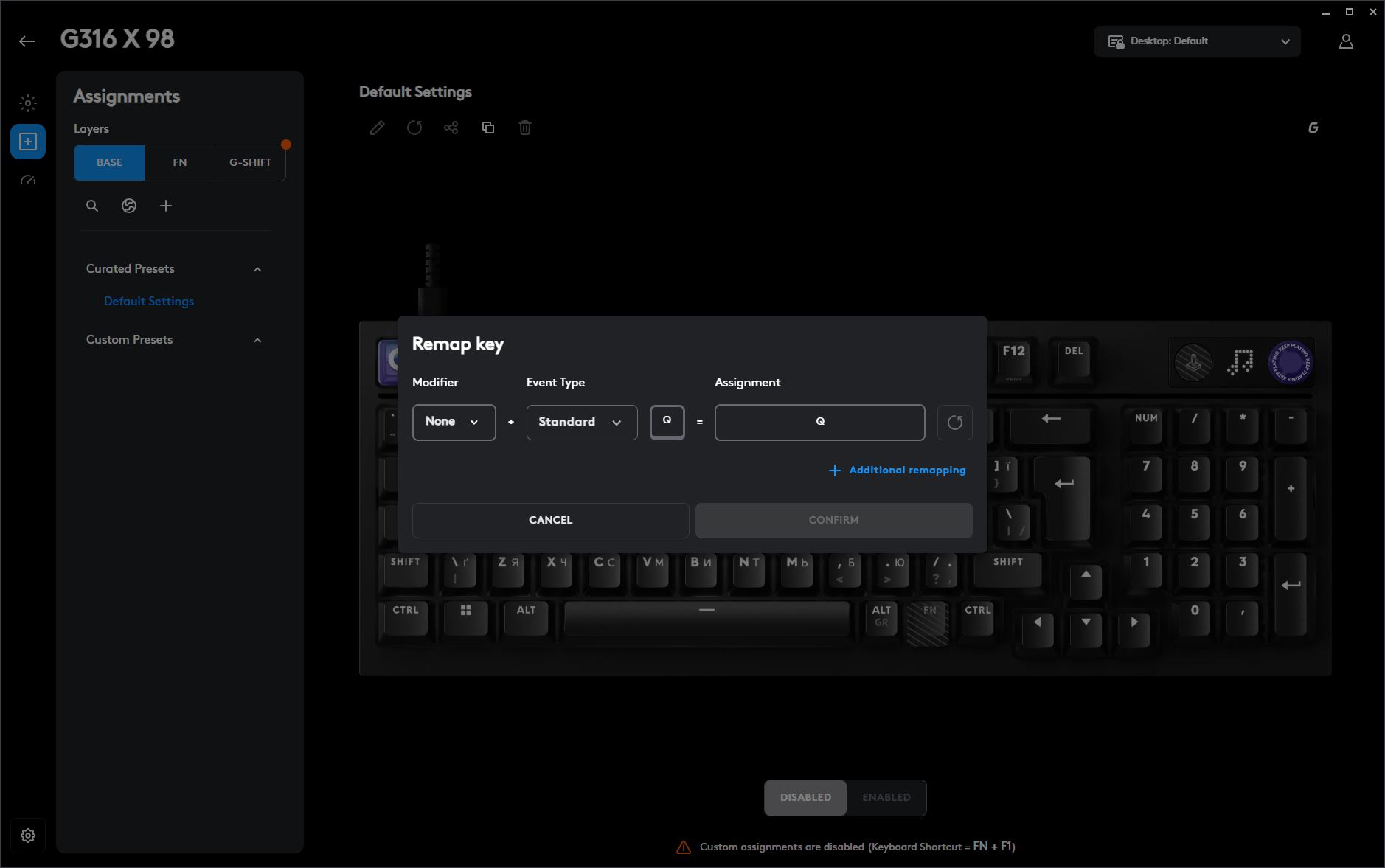
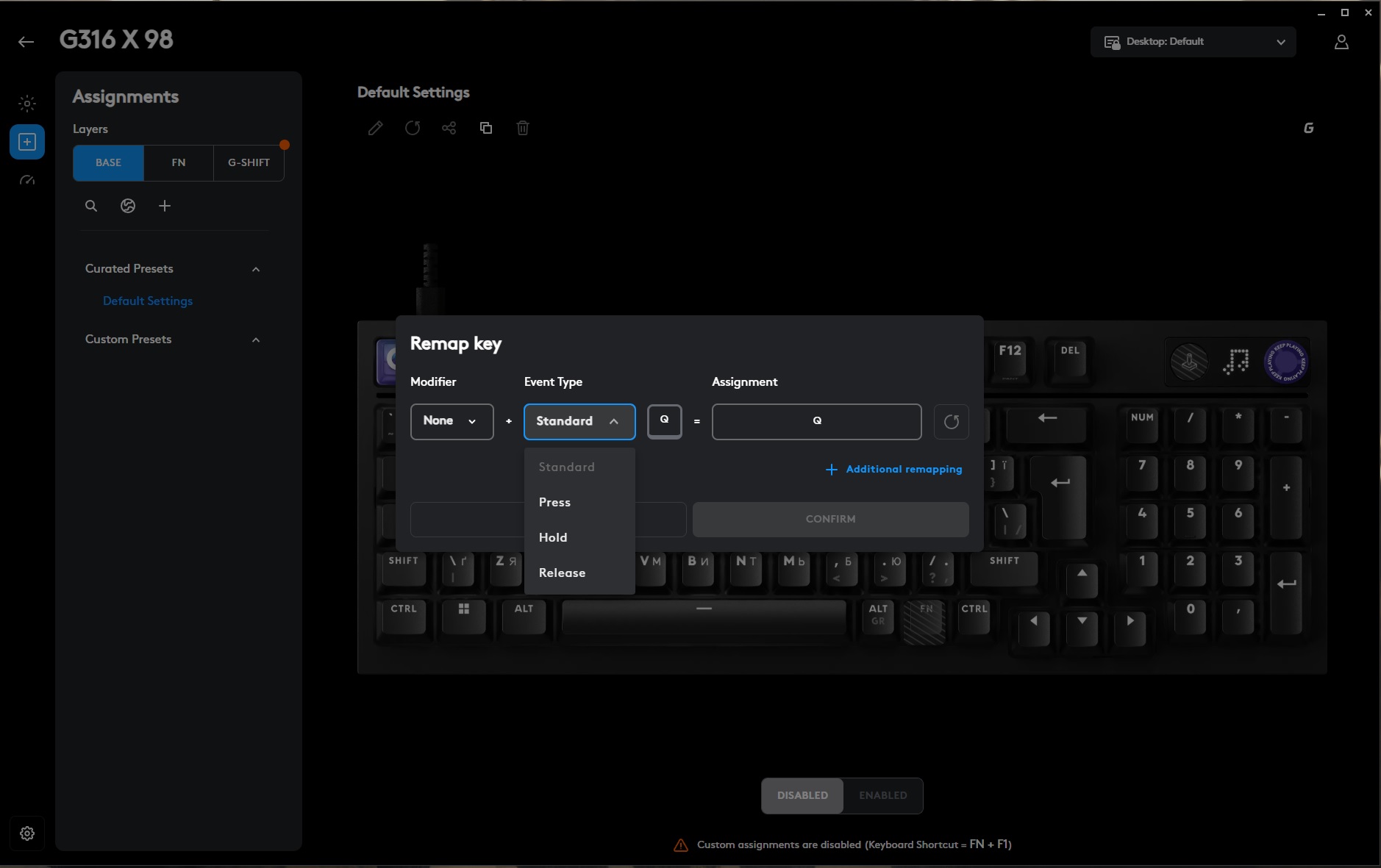
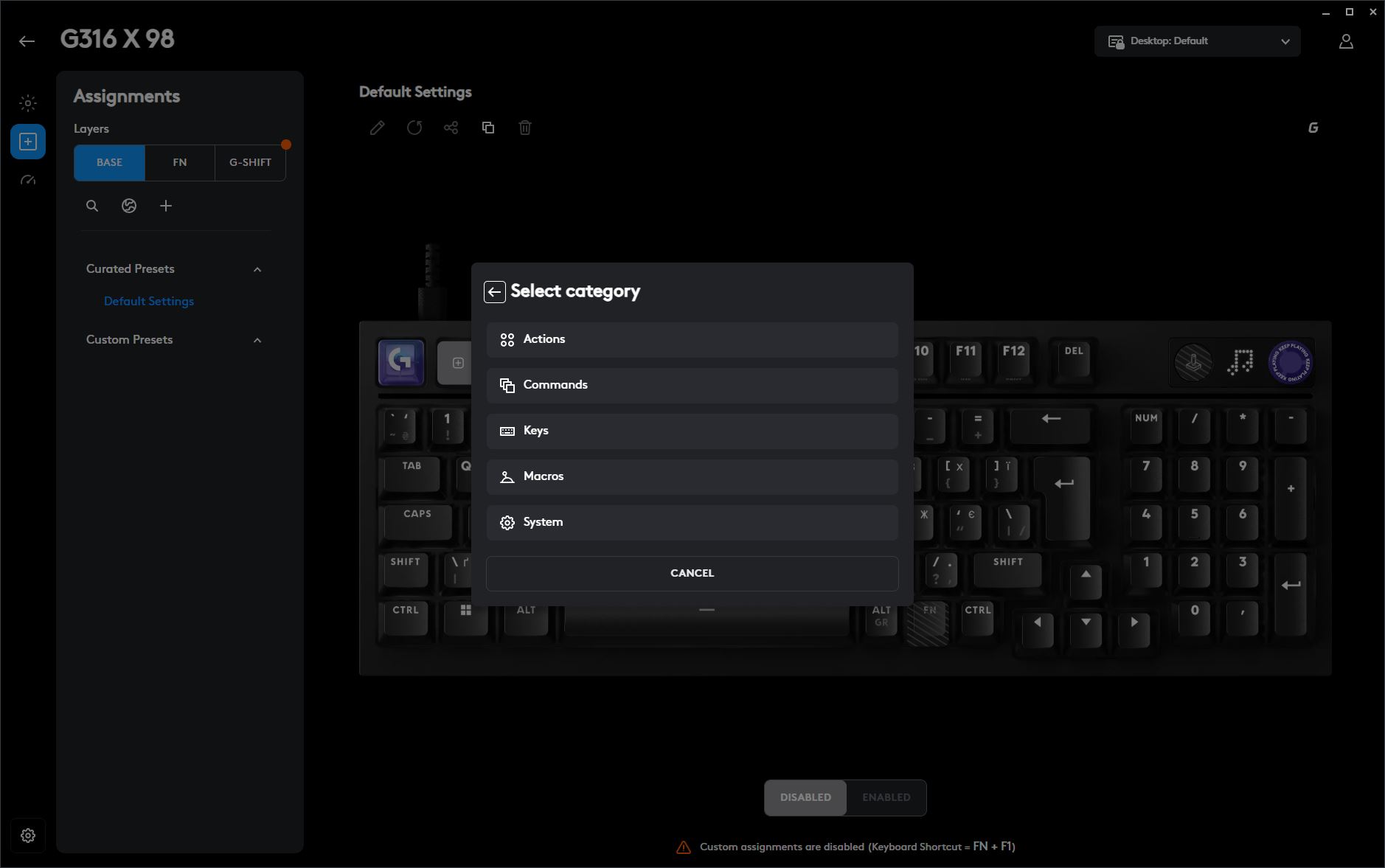
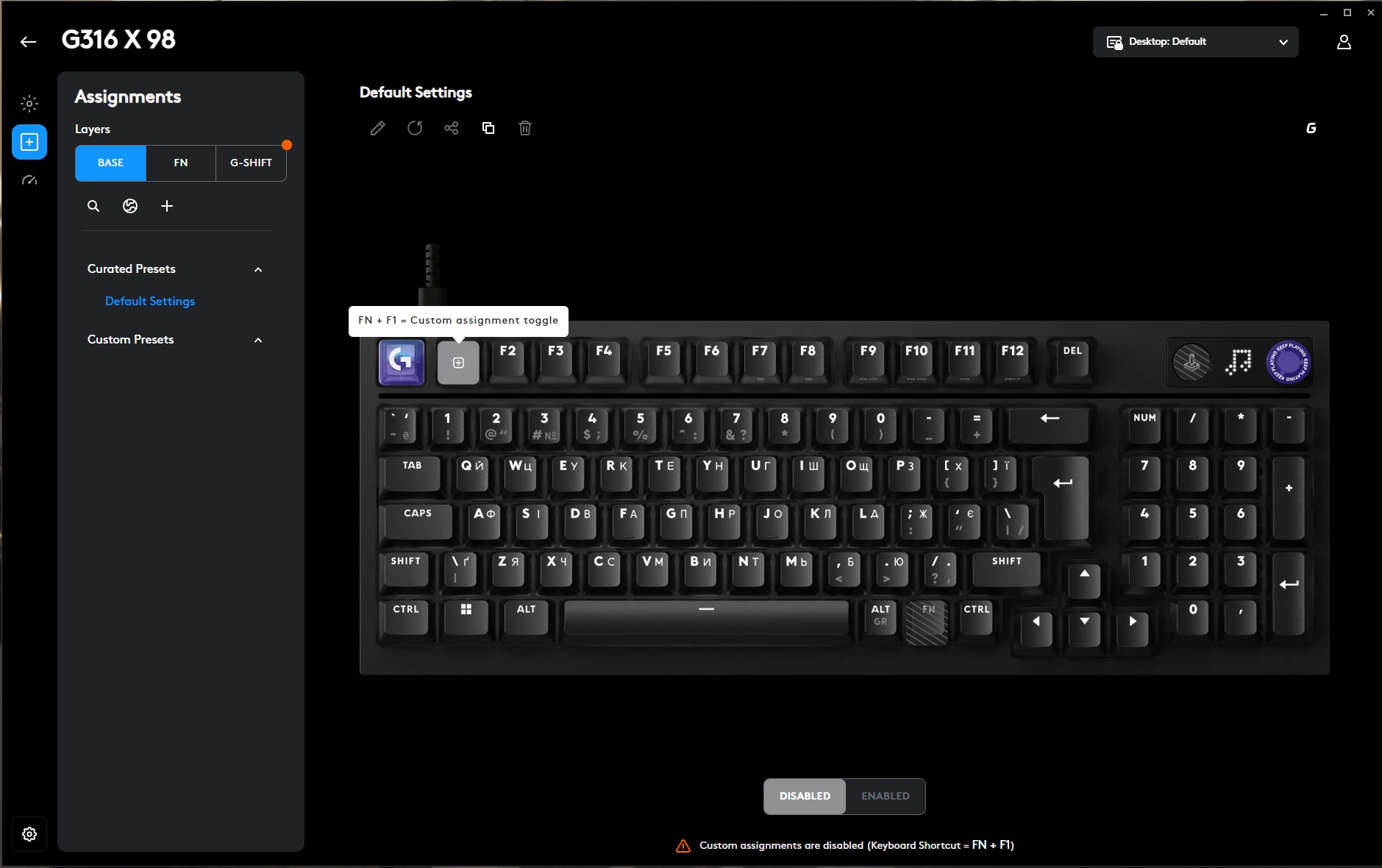
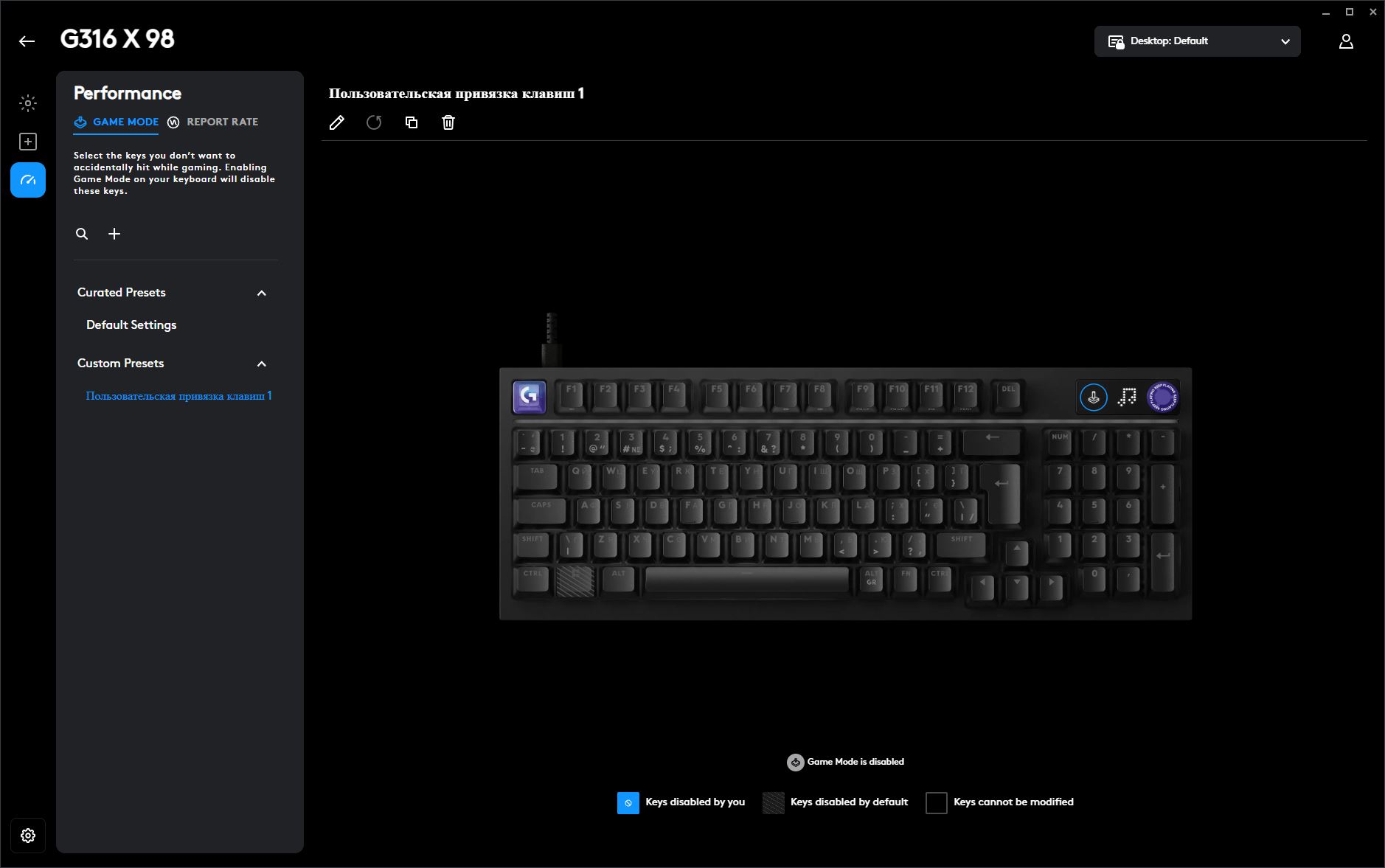
The Performance section contains settings for Game Mode – which can also be activated using the dedicated button next to the built-in display – and the keyboard’s polling rate. Within Game Mode, you can specify which keys should be disabled to prevent accidental presses while gaming. In addition to the Windows key, for example, you can also choose to lock the Caps Lock key. The same menu also lets you select the keyboard’s polling rate, with options of 1,000, 2,000, 4,000, or 8,000 Hz.
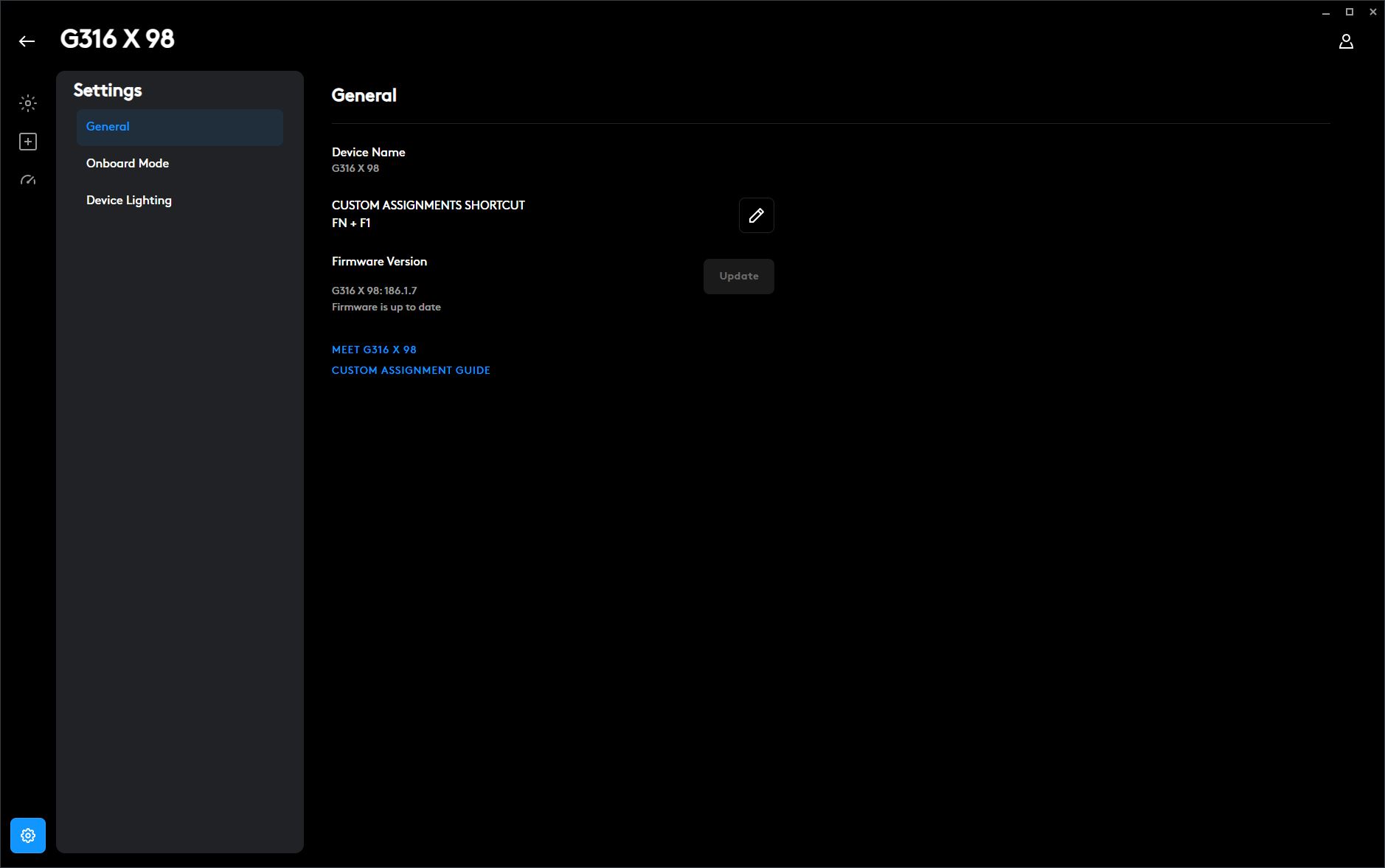
The final section contains global settings for both the keyboard and the G HUB application. From here, you can customize the keyboard shortcut used to switch between custom layouts, check the current firmware version and install updates, open the user manual and quick-start guide, manage onboard memory and user profiles, and upload custom lighting effects directly to the keyboard’s internal memory.
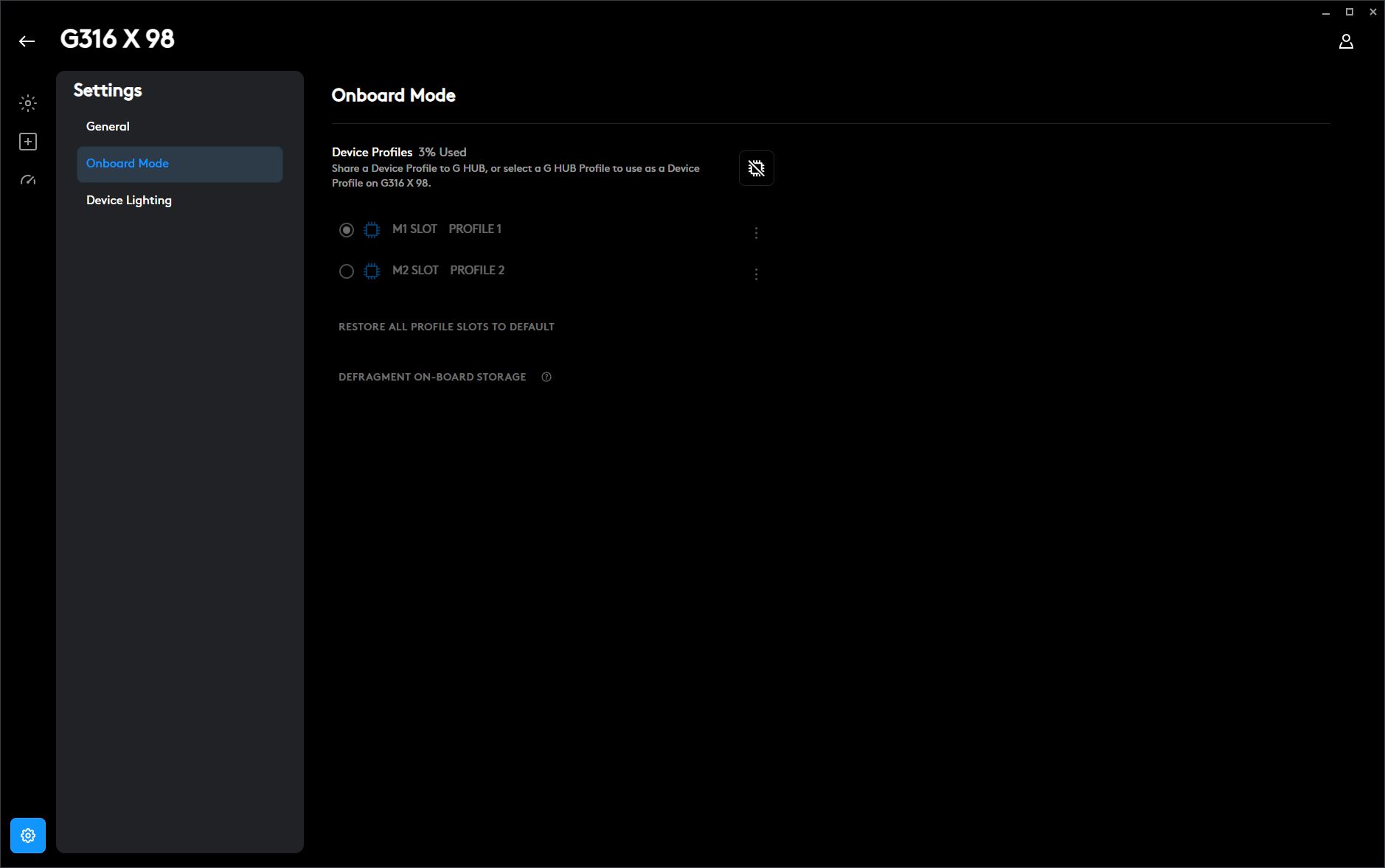
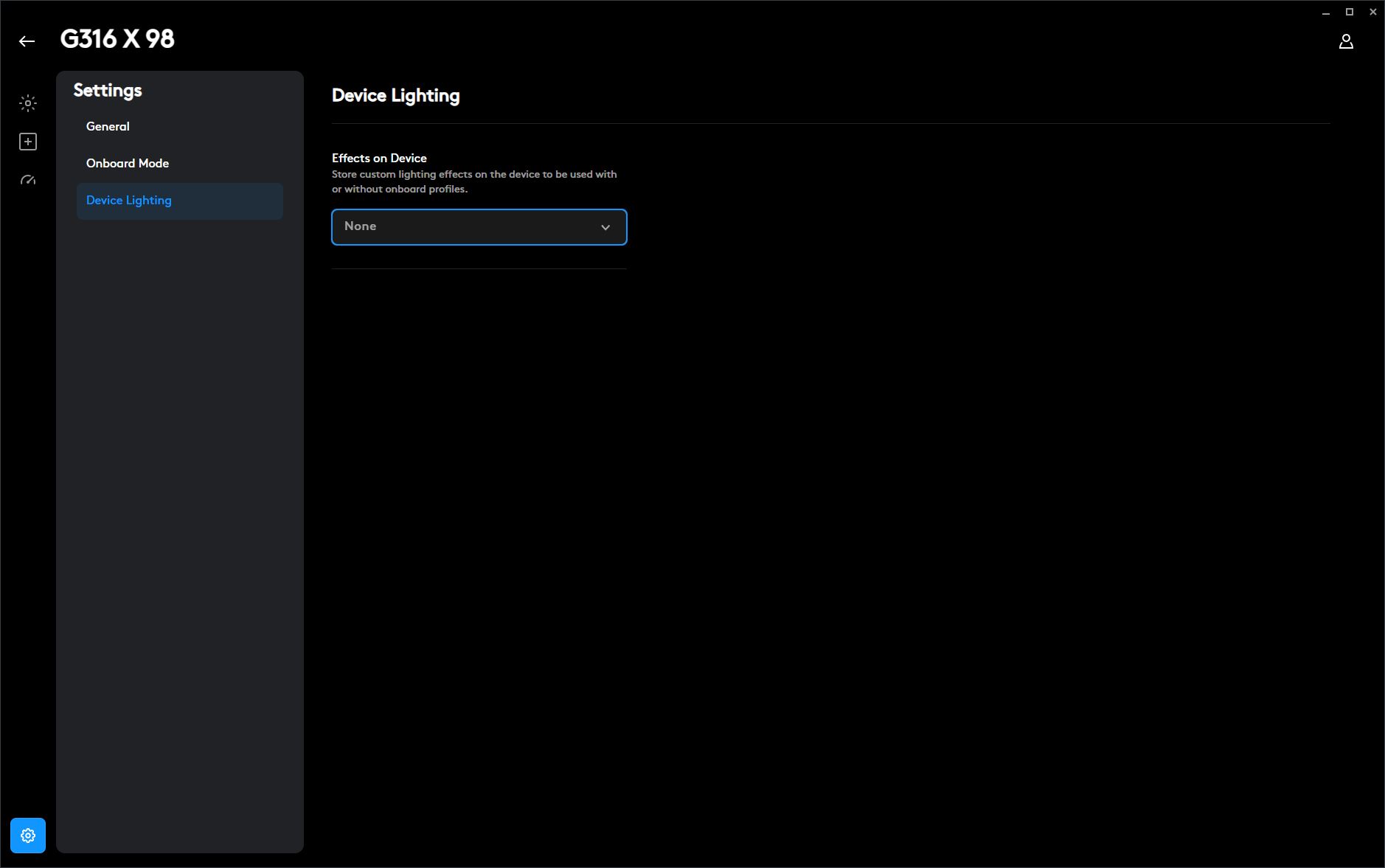
In my review of the G305 X mouse, I was somewhat critical of G HUB for feeling overly complex and occasionally lacking in intuitive navigation. With the G316 X 98, however, I don’t really have the same complaints. In my opinion, the software experience for this keyboard is well organized and easy to understand. The settings are logically grouped into dedicated sections without feeling cluttered, and overall navigation is more intuitive than it was in the case of the mouse. That said, I still think the workflow surrounding onboard memory could be simplified. And, if anything, I’d also welcome a browser-based version of G HUB, allowing users to configure their devices through a web application instead of installing dedicated desktop software.
Read also: Logitech Pro X2 Superstrike Review: Esports Mouse with Magnetic Switches
Conclusion
To sum things up, I’d come back to the same conclusion I reached at the very beginning of this review: the Logitech G316 X 98 is an interesting and original keyboard, but one that can also be quite polarizing in certain respects. Its strengths include the relatively compact 98% layout that retains both the full navigation cluster and the numpad, the 8,000 Hz polling rate, hot-swappable switch support, solid build quality, and the well-executed gasket-mount design. The keyboard also stands out with its attractive appearance, vibrant RGB lighting, and distinctive dot-matrix display, all of which give it a unique identity. The rotary encoder deserves special mention as well – it’s genuinely useful in everyday use – and the dedicated Game Mode button is a welcome convenience. Finally, the keyboard’s competitive price is arguably one of its strongest selling points.

Among the less significant drawbacks, I would mention the rather basic package contents, the spacebar stabilizer that, in my opinion, could use a bit more lubrication, and the tall OEM-profile keycaps, which honestly feel somewhat budget-oriented while also affecting the overall ergonomics. I consider the stabilizer and keycap issues minor because both can be easily addressed with personal modifications.
The lack of wireless connectivity and the very specific typing experience provided by the tactile switches could also be listed as potential drawbacks. However, I wouldn’t classify them that way.
While the $100 price segment offers plenty of keyboards with multi-mode connectivity, one of the G316 X 98’s defining features is its consistent 8,000 Hz polling rate, which is typically achievable only through a wired connection. This model was clearly designed around that priority and aimed at users who value maximum performance over connectivity flexibility.

When it comes to the typing experience, I can summarize it with one simple point: this is not a flaw, it’s a feature. If you enjoy extremely tactile and firm keystrokes, this version will definitely be a great match. If not, then the better choice would be the keyboard with linear switches – or you can simply prepare your own set of switches for replacement.
As for the genuinely significant drawbacks, I would highlight the ISO layout. As mentioned earlier, this is a rather unconventional choice for a gaming keyboard, and many gamers (as well as general users) may not appreciate the shortened left Shift key, to put it mildly.
However, this only applies to the full ISO version and the regions where the keyboard is sold specifically in that configuration. I have no complaints about the ANSI or Hybrid ISO layouts. If the Logitech G316 X 98 is available in one of those versions in your region, then this particular drawback simply does not apply.

Where to buy Logitech G316 X 98