





© ROOT-NATION.com - Use of content is permitted with a backlink.
In recent years, reviews of gaming desks have been something of a rare species on our channel. The reason is simple: size. Desks tend to be large, while my studio ranges from fairly compact to downright tiny. That’s why every compact model immediately catches my attention. And the Cougar E-Ares 120 is exactly the kind of desk I’m interested in.

- Desktop dimensions: 1200 × 600 mm (18 mm thick)
- Height adjustment range: 730–1180 mm
- Maximum load: up to 80 kg
- Desktop material: solid board with a carbon-fiber-style finish
- Lighting: built-in RGB strip along the edge with a remote control
- Controls and connectivity: control panel with 4 memory presets and an 18 W USB Type-C port
- Equipment and accessories: retractable cup holder, headphone hook, cable-management cutout and tray
- Safety features: automatic stop when an obstacle is detected, protective covers for the motor and drive shaft
- Desk weight: 27 kg (unpackaged) / 32 kg (packaged)
TABLE OF CONTENTS:
Cougar E-Ares 120 Video review
Positioning and Price
This model is priced at $380. The series is available with only one desktop size – 120 cm. If you need a larger desk, the brand offers the E-Star 140 series, but the price is in a completely different league.
Assembly and Package Contents
The desk is assembled in a fairly standard way, and the desktop itself is a single solid piece. The instructions strongly recommend assembling the desk with two people, which suggests that some of the components have a fair bit of heft – so watch your feet!

All the screws included are hex socket screws. For the assembly, I used the Toptul GAAV0701 furniture tool set, which has everything needed for the job.
Concept and Ergonomics
I really like the concept behind the Cougar E-Ares 120 – it makes highly efficient use of what is, frankly, very limited space.

A width of 120 cm is essentially the bare minimum for fitting a Mid-Tower case, a large gaming monitor, a mouse pad, and a keyboard. There’s barely any room left for a cup of coffee or a pair of headphones, let alone other accessories. So how does the Cougar E-Ares 120 address this issue? Some of the useful features are built in, while the rest can easily be added:
- Retractable cup holder (integrated into the desktop and doesn’t take up any workspace when not in use)
- Headphone hook (positioned so that it stays within the desk’s overall profile and doesn’t increase its footprint)
- Cable management (a dedicated cutout for cables is provided at the back of the desktop, while a basket-style pocket underneath holds a power strip or extension cord)
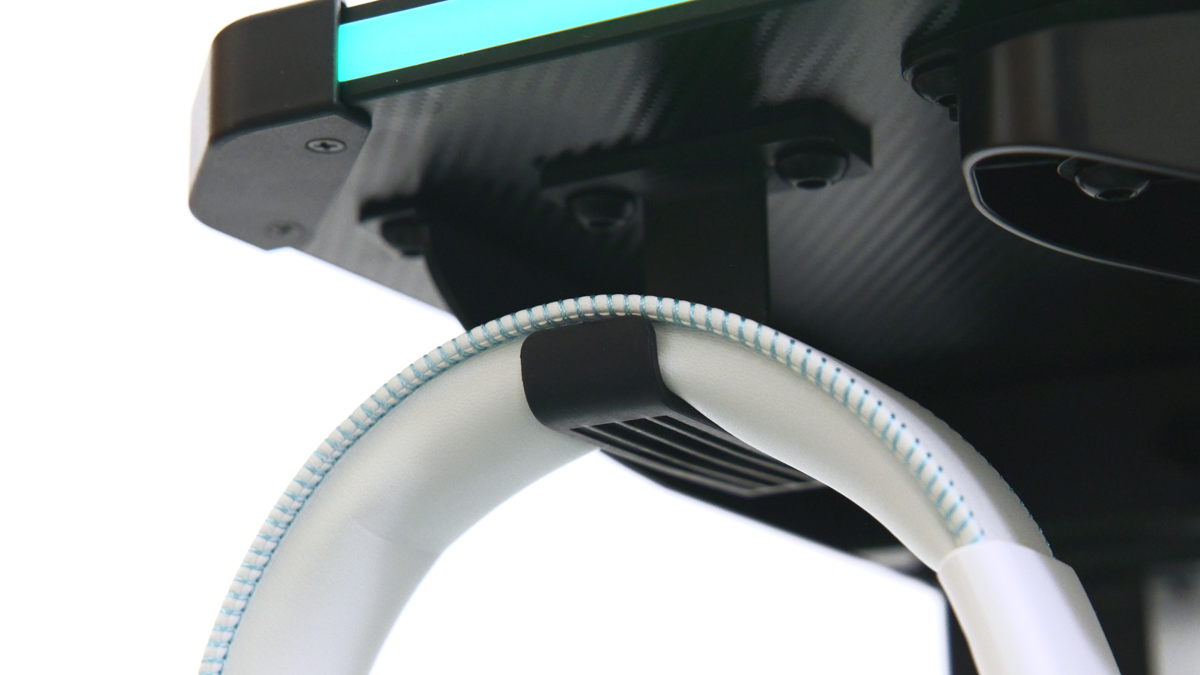
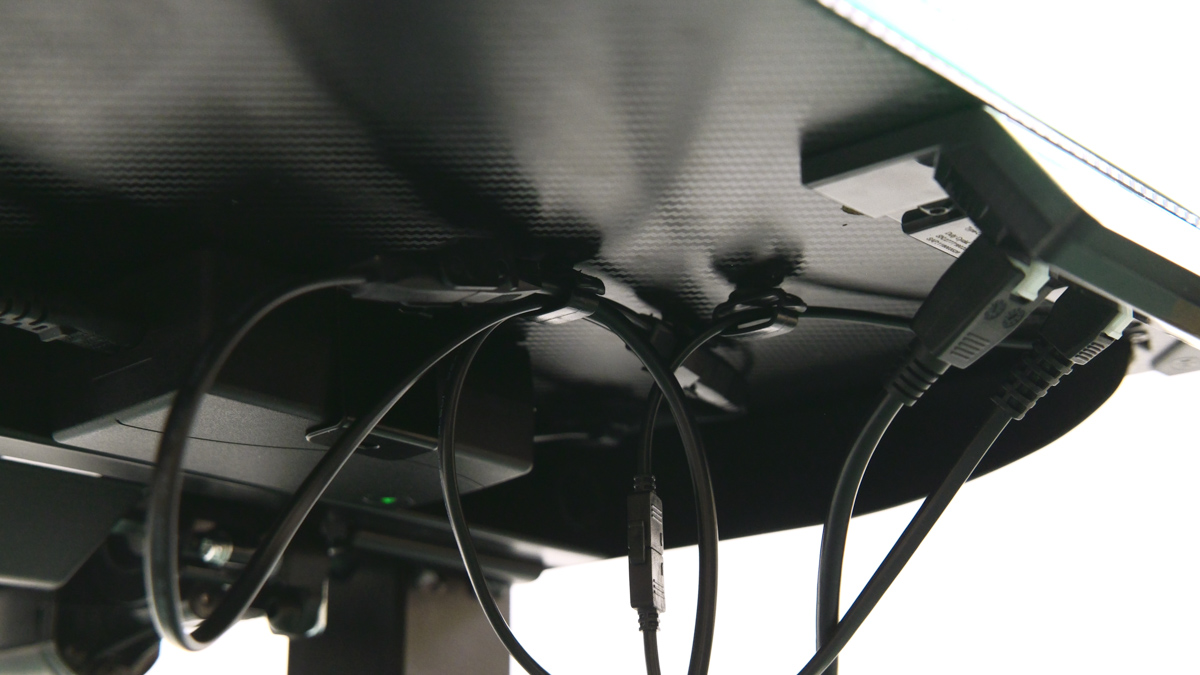
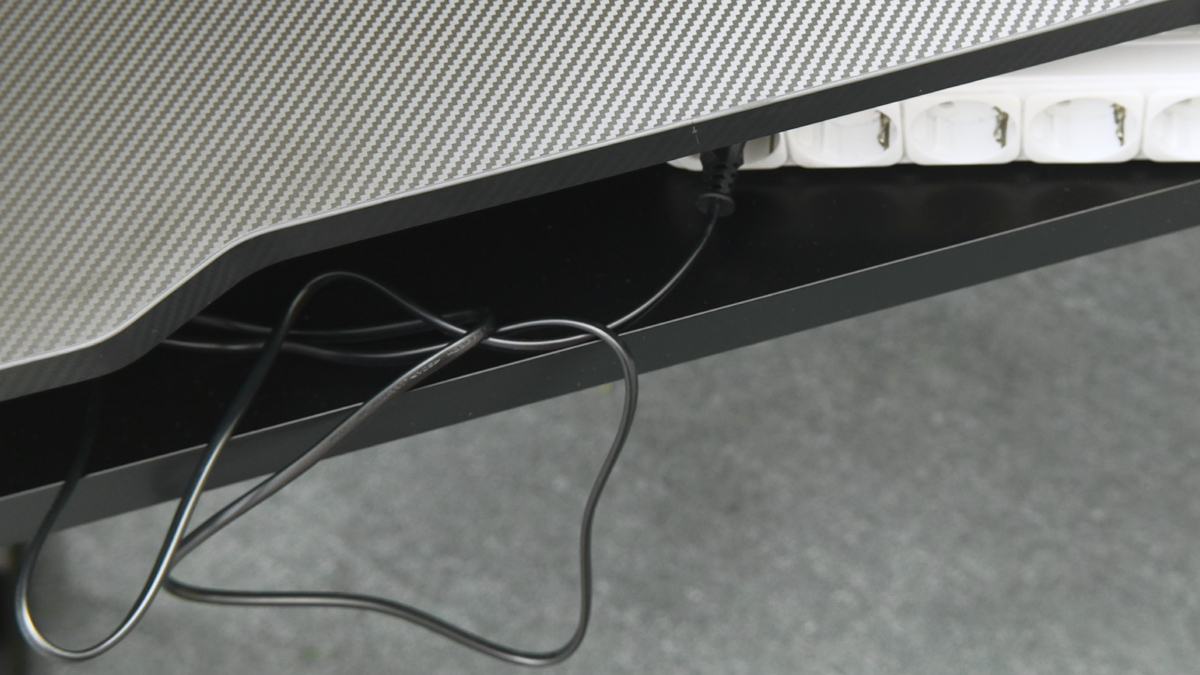
Additional options: you can always add self-adhesive hooks or holders (I often forget about them myself, but they’re a great all-purpose solution).
Expanding the Workspace: Pegboard and RGB
What else is worth adding to the E-Ares 120? A pegboard. You can go with Cougar’s own model or choose one from a third-party manufacturer – the perforation pattern is standard, so hooks and trays should be interchangeable. For a compact desk, expanding the workspace vertically with a pegboard is a crucial advantage.

Lighting
A full-length RGB strip is integrated into the front edge of the desktop, with a wired remote control. There are plenty of lighting modes to choose from, and the brightness can be adjusted easily. Since the connection uses a 4-pin interface, albeit a somewhat custom implementation, I think synchronization with a motherboard should not only be possible but relatively straightforward.

Key Feature: Height Adjustment Mechanism
The Cougar E-Ares 120 is a fully motorized desk with a height adjustment range of 730–1180 mm and a maximum load capacity of up to 80 kg. Dancing the lambada on it probably isn’t a good idea, but it can easily handle a full gaming setup with a heavy PC.

The control panel turned out to be better than I expected:
- 4 memory slots for saving height presets
- USB Type-C charging port with support for up to 18 W
Drawbacks
The only real drawback I’d point out is the limited number of ports. I expected to see a hub with at least four USB ports somewhere on the desktop, since a single 18 W Type-C port is really just the baseline. On the other hand, the lack of built-in I/O modules leaves a clean, seamless surface that works perfectly with large mouse pads – something Cougar also offers in its lineup.

Final Verdict on the Cougar E-Ares 120
This desk can easily and effortlessly serve as the foundation for an ultra-compact workspace or gaming setup. It packs a lot of functionality into its relatively small footprint, the RGB lighting looks premium, and the height-adjustment motor operates smoothly and quietly. If the available connectivity is enough for you and compactness is a priority, I can confidently recommend the Cougar E-Ares 120.

