





© ROOT-NATION.com - Use of content is permitted with a backlink.
Projectors are increasingly becoming an alternative to TVs, especially for rental apartments or for those who want a huge screen without spending a fortune. While budget models used to be “a compromise on top of a compromise,” Chinese manufacturers like OSCAL (known for their rugged smartphones) now offer interesting options. Today we’re looking at the OSCAL PV800 Pro. It promises an honest Full HD picture, 4K content playback, official Netflix support, and bright visuals. But does it really deliver? Let’s find out.

TABLE OF CONTENTS:
OSCAL PV800 Pro Specifications
- Matrix: LCD, 5 inches, 1920×1080 (Full HD), 4K decoding support
- Light source: LED, service life up to 50,000 hours
- Brightness: 1400 lumens (approx. 350-400 ANSI lumens)
- Contrast ratio: 4000:1
- Image diagonal: 40-200″ (optimally 80-100″)
- Processor: Quad-core Hi3751 V352 (Cortex-A53)
- Memory: 1 GB RAM / 8 GB ROM
- Operating system: Android 11 (Google TV interface)
- Audio: 1 x 8 W speaker
- Interfaces: 1×HDMI 1.4, 1×USB 2.0, 1×3.5 mm Audio Out, AC in
- Wireless connections: Wi-Fi 6 (2.4/5 GHz), Bluetooth 5.0, Miracast/iOS Cast support
- Noise level: <35 dB
- Dimensions: 280×241×109.5 mm
- Weight: 2.6 kg
- Additional features: autofocus, automatic keystone correction, Netflix certification
Read also: XGIMI MoGo 3 Pro Review: Portable Projector on Android TV 11
Positioning and Price
The OSCAL PV800 Pro is positioned as an affordable all-in-one home multimedia center. Its main advantage isn’t just projecting content from a laptop – it’s the ability to fully enjoy streaming services without extra “gadgets” like TV boxes, thanks to official Netflix certification and Android TV integration.

The OSCAL PV800 Pro is priced at around €230 or $260. This puts it in the same league as popular models from Wanbo or the entry-level XGIMI projectors, but OSCAL aims to stand out with higher claimed brightness and Wi-Fi 6 support.
Package Contents
The projector comes in a fairly large cardboard box with secure foam padding for protection.

Inside, everything is standard, but without unnecessary savings:
- The OSCAL PV800 Pro projector itself;
- Remote control (minimalistic, with quick access buttons for YouTube/Netflix);
- Power cable;
- HDMI cable (a nice bonus);
- User manual.
Batteries for the remote control are not usually included, so it’s worth stocking up on a couple of AAA batteries.
Read also: XGIMI MoGo 4 Exclusive Creative Set Projector Review: The Best Battery-Powered Projector?
Design and Ergonomics
The PV800 Pro looks more expensive than its price suggests. Its body comes in a “Starlight Silver” finish. The top surface features an interesting fabric-like texture, though it’s made of quality plastic. This is a practical choice, as it helps hide dust and fingerprints.


The PV800 Pro has a classic “box” shape with rounded corners and is fairly hefty at 2.6 kg, hinting at a decent internal cooling system.
- Front: Large lens (covered with glass; included lens cap is basic), autofocus camera, and IR receiver.
- Rear: Hot air exhaust grill and all ports – power input, USB, HDMI, and headphone output.
- Top: Only a backlit power button and the logo.
- Bottom: Four rubber feet.
One important note: there’s no standard 1/4″ tripod thread in the center. If you plan to mount the projector on the ceiling, you’ll need a special bracket that attaches to the threads in the feet or a shelf. The threads are hidden under the rubber feet, so if you don’t see them at first, check underneath.


Inside the PV800 Pro
The image is produced by an LCD panel with a native resolution of 1920×1080. The manufacturer claims 4K support – meaning the projector can handle high-resolution 4K files and downscale them to Full HD.
Brightness is rated at 1400 lumens, but note this is not ANSI lumens. In real-world conditions, it equates to roughly 350–400 ANSI lumens. This is enough for watching movies in complete darkness on a 100-inch screen, or in a dimly lit room on a smaller screen. Daytime viewing without blackout curtains will be challenging, which is typical for projectors in this price range.

The internals are budget-oriented: 1 GB of RAM – the bare minimum for Android 11. The system runs stably, but don’t expect instant switching between heavy apps. On the plus side, Wi‑Fi 6 is supported, which significantly improves the stability of streaming high-bandwidth content wirelessly.
Read also: XGIMI Horizon Ultra Review: Cool Projector for Your Home Theater
Software
This is where the OSCAL PV800 Pro pleasantly surprises. Unlike many “Chinese” devices running stripped-down Android AOSP, it comes with a Google TV interface and, most importantly, Widevine L1 certification.

What does this give the average user?
- Netflix and Megogo Video in Full HD. Most budget projectors show Netflix in terrible quality (480p) or don’t run it at all. Here, everything works officially and in high quality.
- Convenient interface. Everything is adapted for the remote control, large tiles, content recommendations.
- Screen mirroring. Works correctly with both Android and iOS.
Autofocus and keystone correction work well, adjusting the image within 3-5 seconds after turning on or moving the device.


I would also like to note the presence of a separate settings menu from the manufacturer. It contains the crucial focus and tilt formatting parameters of the image in the corresponding menu items. You can also adjust the brightness of the image quite precisely using ready-made presets or manually through the User menu item. In the Bluetooth menu, you can connect an external speaker, and in my case a soundbar, for a different level of content sound. It will also be convenient to select the signal source here. For example, you will connect a console or a laptop for a presentation.
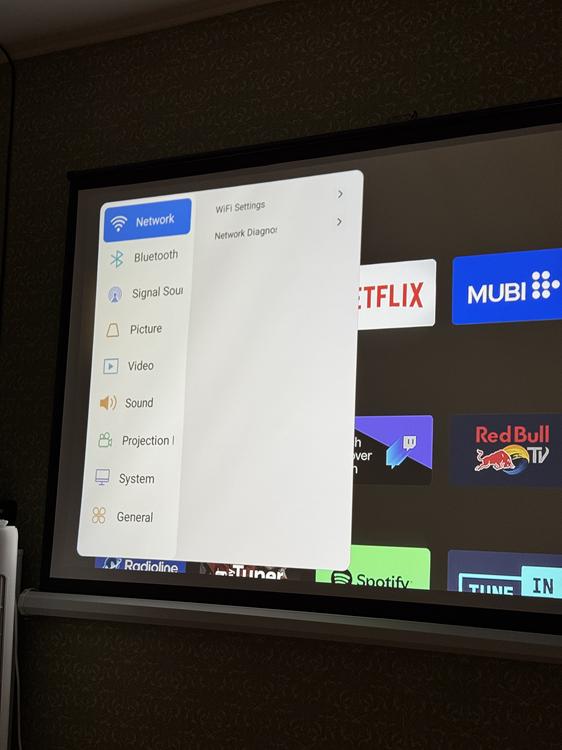
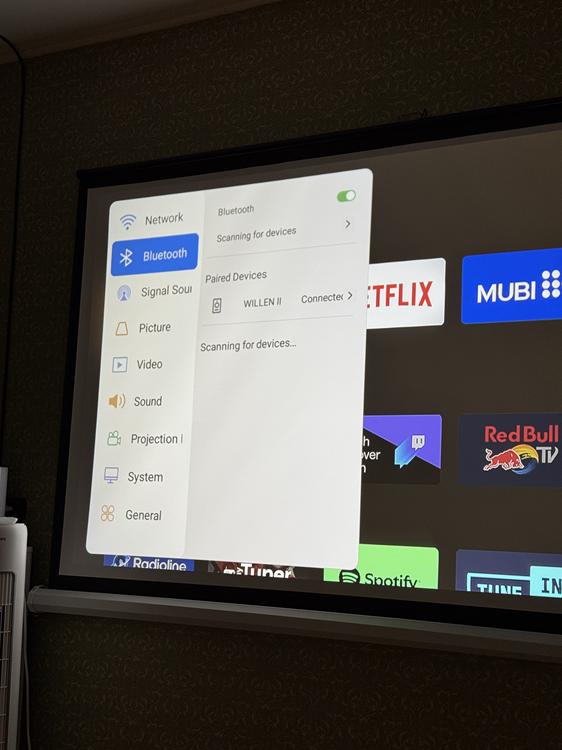
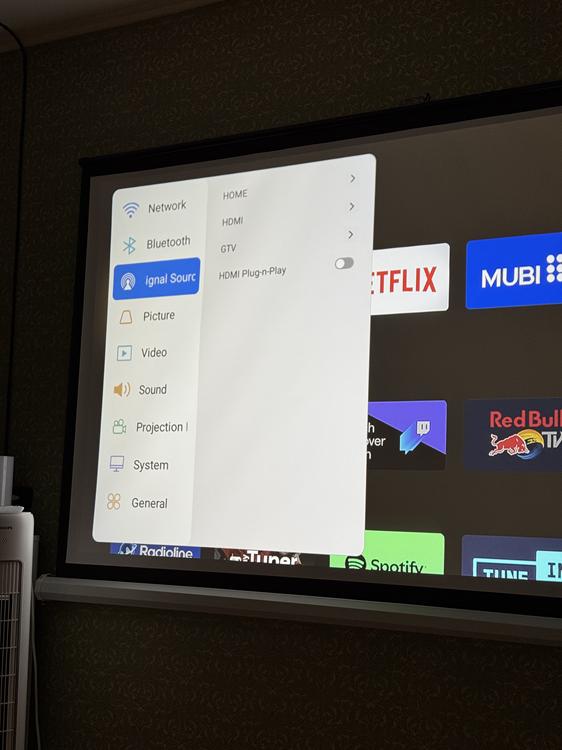
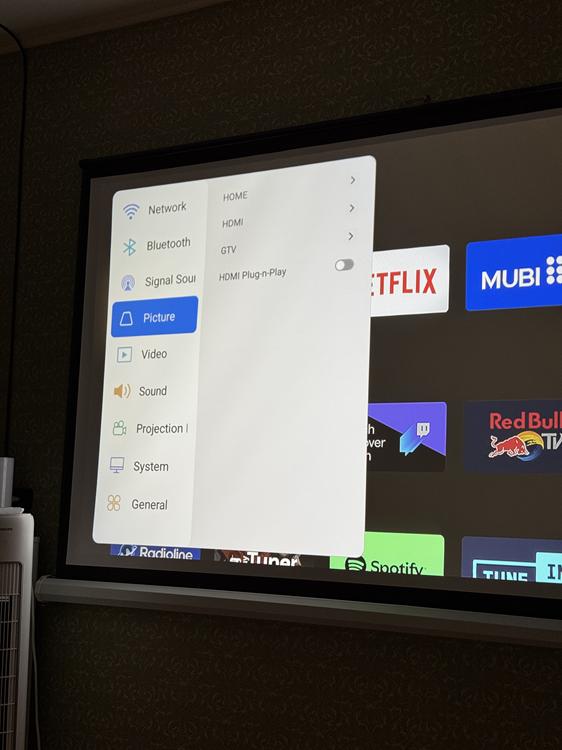
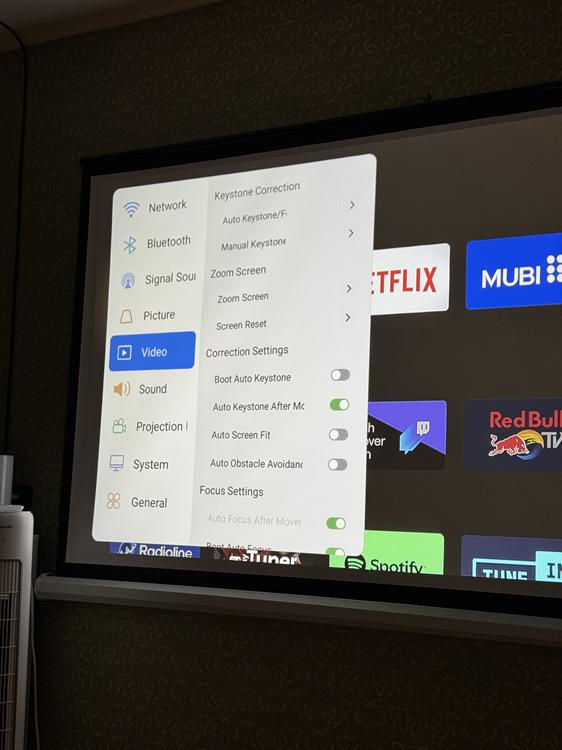
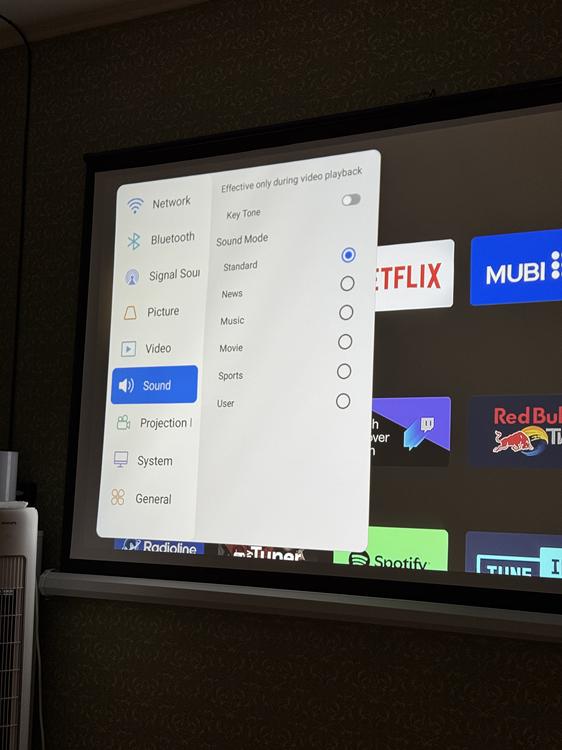
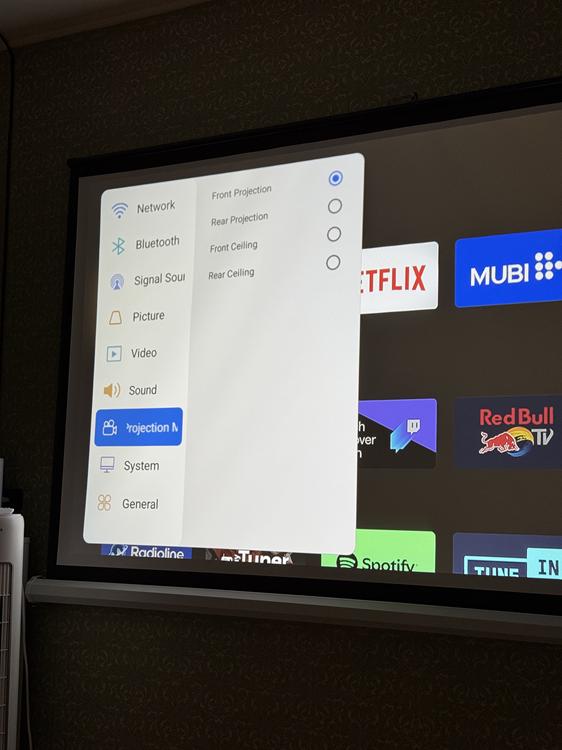
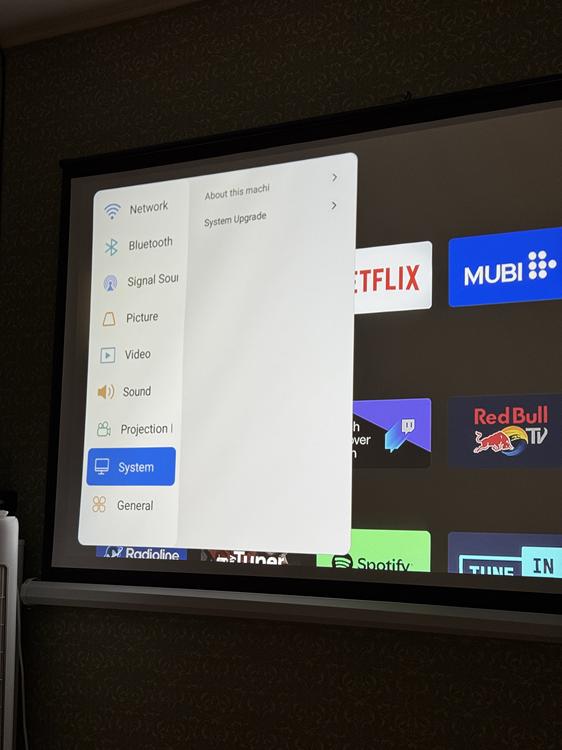
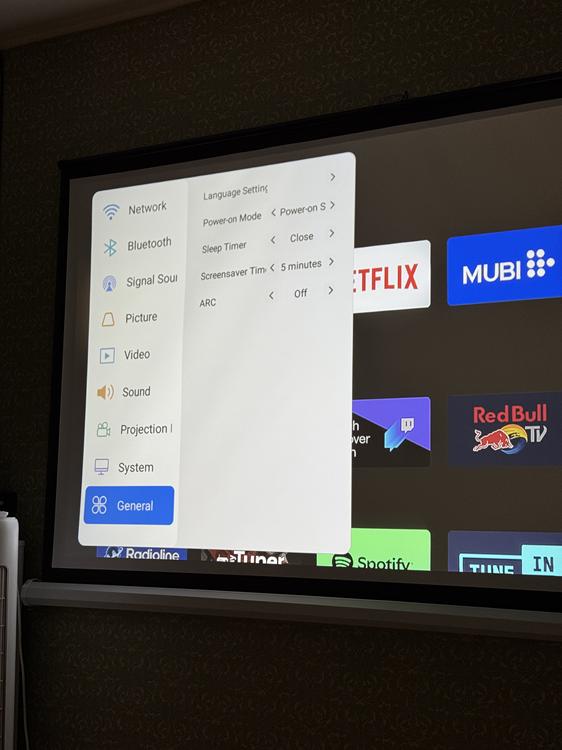
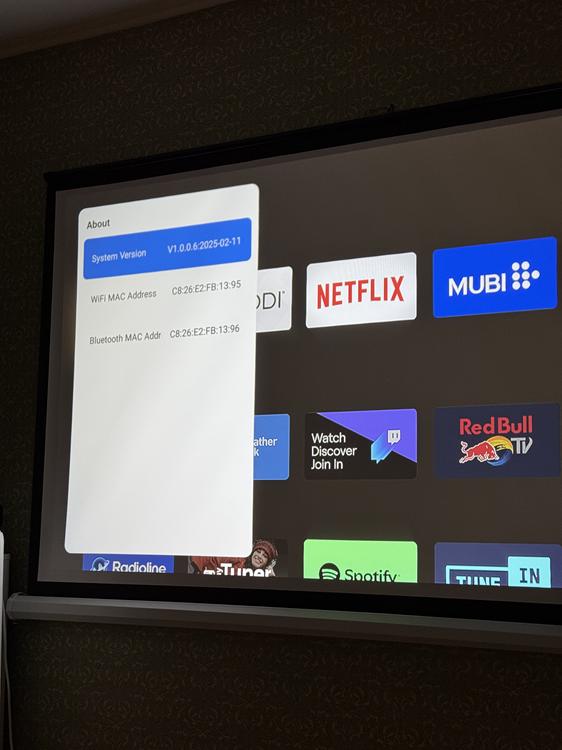
Additionally, the projector has a simple proprietary shell for launching content from a flash drive and a custom implementation of AirPlay, which is called iOS Cast here. Miracast is also located here, if you have Android. You can call the shell home screen through the proprietary menu in the Picture/Home tab. You can also open office documents through the built-in Office Suite program. By the way, it’s funny that the Wi-Fi access point in the Android TV shell and in the manufacturer’s menu can be different. In my case, I simply connected to the same network twice.


Sound
The projector has a single 8 W speaker. It’s loud enough to comfortably fill a 20 m² room. The sound is clear, with dialogues in movies easily understandable, though naturally, bass is lacking.

For watching YouTube videos or news, the built-in speaker is more than sufficient. However, for full immersion – like enjoying the atmosphere of Dune – it’s better to connect a soundbar or external speaker via Bluetooth 5.0 or the AUX port.
Experience and Impressions
In practice, the OSCAL PV800 Pro proves itself as a reliable “workhorse.”

- Image: Colors are vibrant, and the 4000:1 contrast ratio delivers decent blacks for an LCD. Sharpness drops slightly at the edges, but text remains readable.
- Noise: The cooling system is effective. Noise level doesn’t exceed ~35 dB – a quiet whisper that’s easily masked by the sound of a movie at 20–30% volume.
- Gaming: Input lag is noticeable. Fast-paced shooters like CS2 or Call of Duty aren’t ideal, but slower or story-driven games like FIFA are playable comfortably.
- Heat: The body gets warm but never hot, even after three hours of continuous use.
- Maintenance: There’s a small hatch for removing the air filter for cleaning.

As mentioned earlier, the main drawback I noticed is the only 1 GB of RAM. Occasionally, the interface can pause for a second or two when opening heavy menus. However, this is easily solved by using an external device like a Google Chromecast. With that, everything runs smoothly – almost like a projector four times the price.
Read also: XGIMI Elfin Flip Review: Portable Projector with Unusual Form Factor
Conclusions
The OSCAL PV800 Pro is a fantastic entry point into the world of big-screen viewing. It doesn’t try to compete with $1000 laser projectors, but in its category, it offers a killer feature: hassle-free, official software. No “workarounds” are needed to watch a series – just turn it on and enjoy.

This projector is perfect for anyone who wants to create a cozy home cinema, watch cartoons with kids, or enjoy football with friends – without overpaying for top-tier brand names.
Pros
- Official support for Netflix and Megogo (Full HD)
- Wi-Fi 6 and Bluetooth 5.0
- Good brightness and colour reproduction for its class
- Autofocus and auto correction
- Quiet operation
Cons
- 1 GB of RAM (the interface is not fast)
- No standard tripod thread (an adapter or shelf is required)
- One speaker (mono sound)
Where to buy OSCAL PV800 Pro


