





© ROOT-NATION.com - Use of content is permitted with a backlink.
If you regularly read our reviews, you’ve probably already seen the news that Logitech has refreshed one of its most iconic gaming mice – the G305. Today, we’re taking a closer look at that very model: the new Logitech G305 X Superlight. Having only recently gone on sale, the G305 X Superlight is essentially an updated and refined version of the original G305. So, what’s changed, what has been improved, how much does it cost, and what is it actually like to use? Let’s take a detailed look.
Read also: Gaming mouse reviews
TABLE OF CONTENTS:
G305 vs. G305 X: What’s Changed?
The best place to start is with the key question: how does the new G305 X differ from the original G305? The short answer is: almost everything except the shape. Logitech has upgraded the weight, battery, connectivity options, sensor, polling rate, lighting, and materials. What it deliberately left untouched is the mouse’s iconic symmetrical, egg-shaped design – a form factor that made the original G305 a favorite among so many users.


The original G305 weighed 99 grams and was powered by a single AA battery. In the G305 X, Logitech has replaced the disposable battery with a built-in rechargeable battery. This change reduces the mouse’s weight to just 59 grams, firmly placing it in the true ultralight category. At the same time, Logitech has retained the ability to replace the internal battery if necessary – a detail explicitly noted in the included documentation.

The original G305 supported only Logitech’s proprietary LIGHTSPEED wireless connection via a dedicated USB receiver. The new G305 X expands on that by adding both wired connectivity (USB-C to USB-A) and Bluetooth. As a result, the G305 X can operate in three different modes: 2.4 GHz LIGHTSPEED wireless, Bluetooth, and USB wired. Users can switch between these connection modes on the fly using the dedicated controls located on the underside of the mouse.

The sensor has also received a significant upgrade. The original G305 was equipped with Logitech’s HERO 12K sensor, offering a maximum resolution of 12,000 DPI, a tracking speed of up to 400 IPS, and maximum acceleration of 40 G. The new G305 X features the more advanced HERO 44K sensor, increasing the maximum resolution to 44,000 DPI and the tracking speed to 678 IPS. Maximum acceleration remains unchanged at 40 G, which is more than sufficient for modern fast-paced games as well as demanding productivity workloads.

The connectivity upgrades are accompanied by a higher maximum polling rate. The original G305 was limited to the standard 1,000 Hz polling rate, while the new G305 X adds support for up to 8,000 Hz when used in 2.4 GHz LIGHTSPEED wireless mode. There is one important caveat, however. To enable the 8,000 Hz polling rate, users must purchase Logitech’s PRO Wireless Receiver separately. Out of the box, the mouse operates at the standard 1,000 Hz polling rate. In my view, this is a sensible approach. The higher polling rate is available for users who want it, but those who don’t need it aren’t forced to pay for the additional hardware upfront. The G305 X strikes a good balance in that regard.

The original G305 featured no lighting whatsoever, aside from a small status LED on the корпус. The new G305 X introduces a subtle LIGHTSYNC RGB light strip that changes color when switching DPI presets and supports a variety of lighting effects. In my opinion, the addition of RGB lighting in this implementation is somewhat of a mixed decision. We’ll take a closer look at why in the design section later in this review.

The final set of changes concerns the chassis materials and mouse feet. The G305 X features a more matte finish with improved grip, giving it a noticeably more secure feel in the hand. Logitech has also increased the use of recycled materials – the plastic shell is now made from more than 50% post-consumer recycled plastic, reflecting the company’s broader sustainability efforts.

Like its predecessor, the G305 X uses PTFE mouse feet. However, their shape has been redesigned, and when combined with the mouse’s significantly lower weight, they deliver noticeably smoother and more effortless glide across a wide range of surfaces.

That covers the key differences between the new G305 X Superlight and the original G305. As you can see, Logitech has refined almost every aspect of the mouse while preserving the one feature that made the original so popular – its classic shape. If you’d like to learn more about the original G305 and explore its full specifications, you can find them on Logitech’s official website. From this point on, however, we’ll focus exclusively on the technical specifications of the new G305 X, the subject of this review.
Logitech G305 X Superlight Specifications
- Connectivity: wireless (2.4 GHz RF, Bluetooth), wired (USB-C)
- Sensor: HERO 44K
- Maximum sensor resolution: 44,000 DPI
- Maximum speed: 678 IPS
- Maximum acceleration: 40 G
- Polling rate: 1,000 Hz (basic version), 8,000 Hz via PRO Wireless Receiver (sold separately)
- Number of buttons: 6 buttons + scroll wheel
- Backlighting: LIGHTSYNC RGB
- Proprietary software: Logitech G HUB
- Onboard memory: 5 profiles
- Battery life: 130 hours
- Quick charge: 2 minutes of charging = up to 3.5 hours of gameplay
- Shape: symmetrical (right-handed)
- Sidesliders: Teflon
- Cable: detachable USB-A to USB-C, 1.8 m
- Dimensions: 117.3 × 63.9 × 38.2
- Weight: 59 g
- Proprietary technologies: Logitech G HUB, Lightspeed, PRO Wireless Receiver support (8,000 Hz)
- Package contents: mouse, 2.4 GHz RF wireless adapter, USB-A to USB-C cable, documentation

Positioning and Price
The original G305 was positioned primarily as an affordable wireless gaming mouse for the mass market. Its competitive price and impressive performance for the time played a major role in its success. As a result, the G305 consistently appeared in buying guides and roundups as one of the best budget gaming mice available. As you’ve probably gathered from the previous section, the new G305 X is a direct successor and a logical evolution of the original, retaining the same overall market positioning. With a launch price of just $85 / €74, it has every chance of becoming another standout value proposition – and perhaps the new benchmark for budget wireless gaming mice.
Package contents
Like its predecessor, the new G305 X comes in a relatively compact cardboard box featuring Logitech’s signature gray-and-blue color scheme. The sides and back of the packaging prominently highlight the mouse’s key specifications and main features, giving a clear overview of what the new model has to offer before you even open the box.


As for the package contents, they remain just as minimal as with the original model. Inside the box, you’ll find the mouse itself, a 2.4 GHz RF wireless receiver, a USB charging cable, and the usual documentation.

The included charging cable is a standard USB-C to USB-A cable measuring approximately 1.8 meters in length. It features a conventional rubber jacket and a ferrite bead near the end to help reduce electromagnetic interference. The cable is reasonably flexible, although it does retain some of its shape, and its weight is slightly noticeable when using the mouse in wired mode. Overall, it’s a perfectly ordinary charging cable – one that you’ll likely only need to take out once a week, or even less often, given the impressive battery life of the new G305 X.

The 2.4 GHz RF wireless receiver is stored in a dedicated compartment on the underside of the mouse. This is Logitech’s proprietary LIGHTSPEED receiver, which is designed to minimize latency and provide a more stable wireless connection.
As mentioned earlier, however, the included receiver supports the standard 1,000 Hz polling rate only. To unlock the mouse’s full 8,000 Hz wireless polling capability, you’ll need to purchase Logitech’s PRO Wireless Receiver separately. On Logitech’s official website, the adapter is priced at $30 / €26.

The documentation is limited to a warranty leaflet, printed as a large fold-out sheet, and the previously mentioned brief guide explaining how to disassemble the mouse for battery replacement. There is no traditional user manual included in the box. That said, one isn’t really necessary. The G305 X is straightforward to use, and its operation is intuitive right out of the box.

Read also: Logitech Mobi Fold Review: Foldable Wireless Mouse Designed for Maximum Portability
Design, Ergonomics, and Build Quality
The G305 X retains almost the same design language as its predecessor. There are, of course, a few noticeable differences, but they are mostly found in the details: the chassis materials, RGB lighting, mouse feet, additional controls on the underside, and the available color options. Let’s take a closer look at each of these changes in turn.

The original G305 was available in four color options: Black, White, Lilac, and Blue. At launch, the new G305 X is offered in just two classic finishes – Black and White. Logitech may well expand the color lineup in the future, but for now, those are the only options available. As you’ve probably noticed, the review sample I received is the Black version, so that’s the one you’ll see throughout the photos in this review. I’ll also include screenshots below showing the full color range of both the original G305 and the new G305 X for comparison.


As mentioned several times already, the G305 X inherits the exact same shape and dimensions as the original G305, which is clearly illustrated in the comparison below. In other words, this is the same familiar G305, featuring its iconic symmetrical, egg-shaped profile with a slightly rear-biased hump.

Although the G305 X retains the same shape and dimensions as its predecessor, its weight has been reduced significantly – by a full 40 grams. This is arguably the most important upgrade for users who prefer ultralight gaming mice. As mentioned earlier, the weight reduction is primarily the result of replacing the removable AA battery with a built-in rechargeable battery.
From my own experience, as someone who generally prefers ultralight mice, the G305 X feels impressively light in everyday use. That said, at 59 grams it is no longer a record-breaker by today’s standards, as there are now several models on the market that weigh even less.


As mentioned earlier, the chassis has been updated with a more matte finish and a grippier surface texture. As a result, the G305 X feels secure in the hand, provides excellent grip, and resists fingerprints remarkably well. The plastic itself is also pleasant to the touch, giving the mouse a more premium feel than its predecessor. I’ve already touched on Logitech’s sustainability efforts, but it’s worth mentioning again: the plastic used in the G305 X is now made from more than 50% post-consumer recycled materials, bringing the mouse in line with the company’s broader environmental initiatives.

The primary buttons (left and right click) retain virtually the same shape as those on the original G305. There is, however, one subtle design change: the small divider at the front of the mouse, between the two buttons, has been removed. As a result, the buttons now meet at the tip, giving the front of the G305 X a cleaner and slightly sharper appearance.


The primary buttons feel outstanding – there’s really no other way to put it. They deliver a soft yet crisp and quiet click, with barely noticeable pre-travel and a small amount of post-travel that helps soften the bottom-out. Side-to-side play is virtually nonexistent, as both button panels are firmly secured and exhibit no wobble whatsoever.
Personally, I find the main buttons on the G305 X to be close to ideal. They strike an excellent balance between softness, tactile feedback, click precision, and noise level, making them among the best I’ve used in this category. I’ll also include a short video below so you can hear how the mouse sounds in real-world use.
If you’ve already watched the video above, you’ve probably noticed that the scroll wheel is every bit as impressive as the primary buttons. It features a pleasantly textured rubber surface, smooth and well-controlled scrolling with distinct tactile steps, and operates with very little noise. The middle-click is equally satisfying, offering a crisp and precise actuation. Since I frequently use it to open links in new browser tabs, this is something I pay close attention to. Overall, the scroll wheel is excellent – there’s really very little to criticize here.


Above the scroll wheel are the DPI button – just as on the original G305 – and a slim LIGHTSYNC RGB light strip, which is new to the G305 X. When you switch between DPI presets, this lighting zone briefly changes to the corresponding color, while during normal operation it displays a variety of customizable lighting effects.

As I mentioned earlier, I’m not entirely convinced by the way RGB lighting has been implemented on the G305 X. The illumination isn’t particularly bright, and the light strip itself is not evenly lit across its entire length. From a purely subjective standpoint, I actually prefer the original G305’s approach. Its single status LED in the same location looked cleaner, more understated, and ultimately more elegant than the new RGB strip.


Personally, I think the G305 X would have looked just as good – if not better – had Logitech left this area unchanged and omitted the RGB lighting altogether. A more understated design would have given the mouse a cleaner, more refined appearance. As an added bonus, disabling the lighting entirely would likely have resulted in slightly longer battery life as well.

The side panels are solid, smooth, and made from the same material as the rest of the chassis. In fact, nothing has really changed here compared to the original G305: the two side buttons remain on the left side, and there are still no additional textured grip panels. That said, grip is excellent. As I mentioned earlier, the plastic itself has a naturally grippy finish, allowing the G305 X to feel secure and comfortable in the hand even without dedicated rubber side grips.


The side buttons are essentially unchanged from those on the original G305. They’re relatively small and slim, with a distinctive beveled lower edge that makes them easy to actuate with a natural thumb swipe. Their placement is also excellent. Both buttons sit exactly where your thumb naturally rests, so there’s no need to stretch your finger or adjust your grip to reach them.

The side buttons offer a soft, quiet click while still providing excellent tactile feedback. Each press is easy to distinguish by feel alone, making it simple to identify the buttons without taking your eyes off the screen. Both pre-travel and post-travel are minimal, and there is no noticeable side-to-side play – the buttons are firmly mounted and exhibit virtually no wobble.
Overall, I think Logitech did a great job with the side buttons on the G305 X. That said, I personally wouldn’t have minded if they were slightly larger and had a flatter profile. Ultimately, though, that’s a matter of personal preference. In short, the side buttons are well executed and perform exactly as they should.

In my opinion, the underside of the G305 X has received the most substantial redesign. The mouse feet have been reshaped and repositioned, a dedicated button for switching between RF and Bluetooth modes has been added, the power switch has been slightly relocated, and there’s now a small storage compartment for the wireless receiver. Another welcome detail is the screw placement. As you can see, the screws are not hidden beneath the mouse feet or covered by stickers or plastic caps, making disassembly considerably easier and more convenient.

As mentioned earlier, the G305 X uses the same PTFE mouse feet as the original model. However, Logitech has redesigned their shape, and together with the significantly lower weight, this results in noticeably smoother glide performance.
In practice, the mouse glides exceptionally well. During the review, I tested it on several different surfaces, including Logitech’s G Powerplay 2 gaming mouse pad, my older Lenovo Legion Gaming XL pad, and several higher-friction mats from Varmilo. Across all of them, the G305 X delivered consistently excellent performance, offering smooth, effortless movement with just enough resistance to maintain precise control. The G305 X also tracks flawlessly on glass surfaces. While the mouse feet certainly contribute to the overall experience, the credit here largely belongs to the new HERO 44K sensor, which we’ll take a closer look at in the next section.

At the front of the mouse is a standard USB Type-C charging port. As is typical, the connector is slightly recessed into the chassis, ensuring the cable fits securely without any noticeable wobble. In practice, though, this detail isn’t particularly important, since, as mentioned earlier, the G305 X’s battery life is long enough that you’ll only need to plug it in occasionally. This is also one of the key differences compared to the original G305. The previous model didn’t have any wired connectivity at all – it relied exclusively on Logitech’s LIGHTSPEED RF wireless connection.

The build quality is excellent. The chassis feels solid, rigid, and exceptionally well put together. There are no creaks, flex, or loose panels anywhere, even when the mouse is squeezed firmly. As mentioned earlier, all of the buttons are securely mounted with virtually no wobble, while still delivering soft, quiet, and highly tactile clicks. Simply put, the build quality of the new G305 X is outstanding.
As for ergonomics, anyone who has owned – or even briefly used – the original G305 will know exactly what to expect. In essence, the G305 X is the same familiar mouse, only improved in virtually every meaningful way.

For those who have never used the original G305, let me put it into perspective based on my own experience. Before reviewing the G305 X, I had never used the previous model. What’s more, I wouldn’t normally consider this rear-biased shape to be my preferred design. Personally, I tend to favor either ergonomic mice with an asymmetrical profile or symmetrical designs with the hump positioned more centrally.
That said, the moment I picked up the G305 X for the first time, my immediate reaction was simply, “This feels really nice.” The matte, grippy finish, the excellent click feel, the scroll wheel, the size, the weight – everything comes together remarkably well. And despite the fact that the shape isn’t what I’d usually choose, the mouse fit my hand surprisingly comfortably. So, if you’ve never had the chance to try a G305 before, my advice is simple: give it a try. You may find, as I did, that it’s a much better fit than you expected.

Read also: Logitech G512 X 75 Hybrid Keyboard Review: A Strong Evolution of Magnetic Switch Technology
Sensor, Switches, and Encoder
As mentioned earlier, Logitech has significantly upgraded the sensor in the new G305 X Superlight. The original G305 featured the company’s HERO 12K sensor, offering a maximum resolution of 12,000 DPI, a tracking speed of up to 400 IPS, and 40 G acceleration. The new model steps up to the latest HERO 44K sensor, increasing the maximum resolution to an impressive 44,000 DPI and the tracking speed to 678 IPS, while maintaining the same 40 G maximum acceleration.
As you would expect, this is a modern, high-end optical sensor that is more than capable of handling even the fastest-paced games. In practice, it’s virtually impossible to make it lose tracking unless you’re somehow capable of moving a mouse faster than humanly possible.
In real-world use, the sensor performed flawlessly in both gaming and everyday productivity tasks. Tracking is consistently accurate, responsive, and free from any noticeable issues. It also works perfectly on glass surfaces, so if you’re planning to use the G305 X on a glass desk or mouse pad, the HERO 44K sensor handles it without any problems.

Logitech does not provide any specific information about the switches or the scroll wheel encoder on its official website. However, looking at third-party teardowns of the mouse, it becomes clear that the G305 X uses Omron D2FC-F-7N (G1) mechanical switches and a Teal Kailh Dustproof encoder (10 mm).
Overall, this is a very traditional and time-tested combination. Omron switches have long been a standard choice for gaming mice: they are durable, predictable, and relatively easy to replace if they eventually wear out. The dust-resistant Kailh encoder is also a reliable solution. Protection against dust and small debris is especially important here, as contamination is one of the main reasons scroll wheels start behaving inconsistently or developing issues over time.

Read also: Logitech G325 LIGHTSPEED Review: Balanced Headset for Gaming and Work
Software: Logitech G HUB
When it comes to software customization and configuration, nothing has changed compared to the previous model. The original G305 was configured through Logitech G HUB software, and the new G305 X uses the same application. The software can be downloaded from the manufacturer’s official website using the link above, and the installation process includes a brief introductory guide demonstrating the program’s main features. In my case, Logitech G HUB has been installed on my PC for quite some time, so I’ll move directly to the mouse settings.
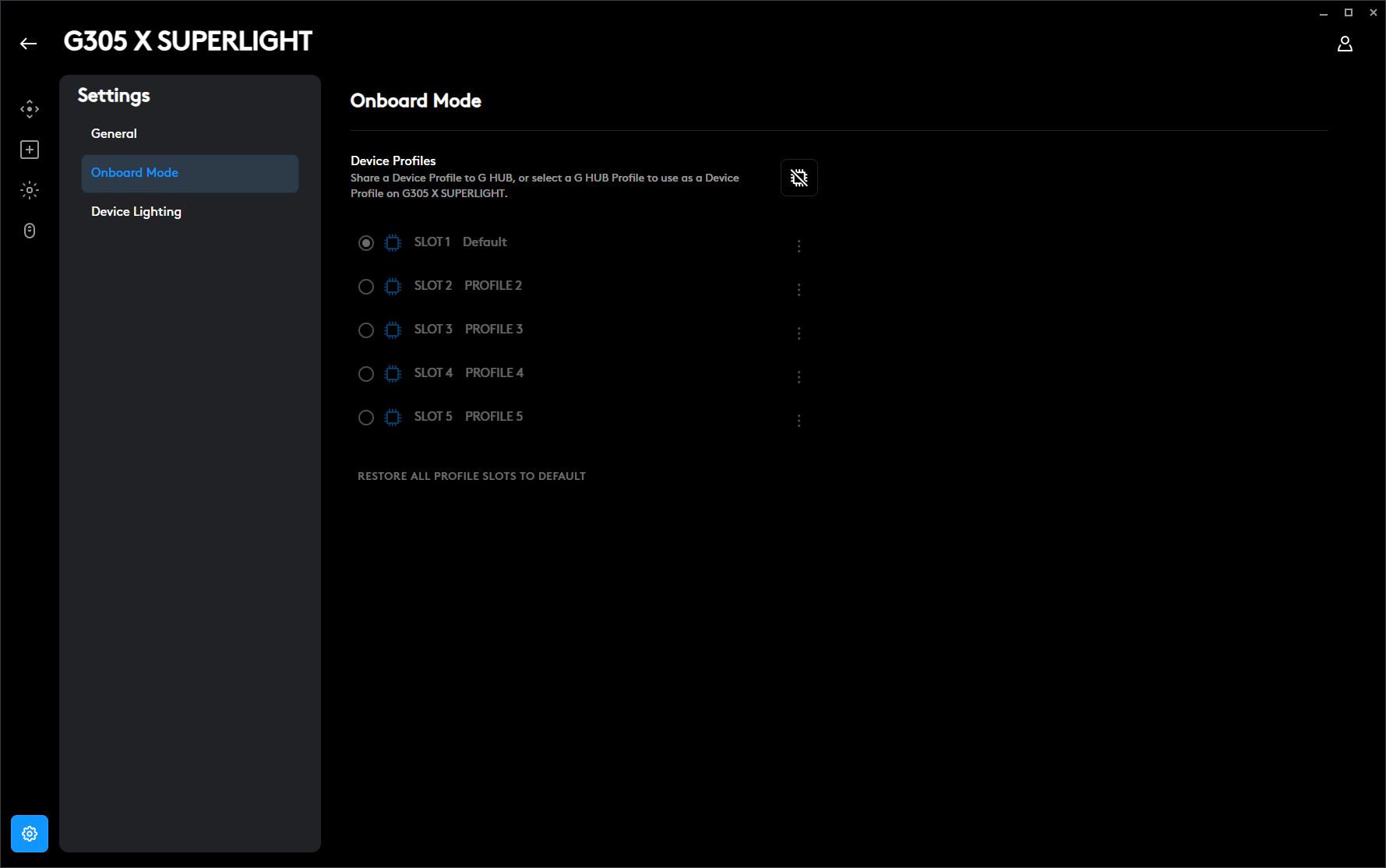
The main “Devices” screen displays all connected and supported peripherals. This is also where you can enable or disable the mouse’s onboard memory mode. When this mode is disabled, all settings are stored within the application, meaning certain features – such as customized side button assignments – will not work unless G HUB is running. When onboard memory mode is enabled, all configurations are saved directly to the mouse’s internal memory and remain active even without the software running. This option is preferable if you want to configure the mouse once and then use it without keeping G HUB open in the background.

However, there is one important detail to keep in mind: once onboard memory mode is enabled, the main mouse configuration options become unavailable. This means you need to first customize the mouse to your liking with onboard memory disabled, and only then activate the mode and import your settings into the mouse’s internal storage.
To be honest, the way Logitech handles onboard memory is not particularly convenient, and the software itself still has some issues with overall intuitiveness. Sooner or later, the company will likely need to rethink this workflow. A better approach would be allowing users to configure the mouse normally at any time and instantly save those settings directly to the onboard memory without additional import steps.
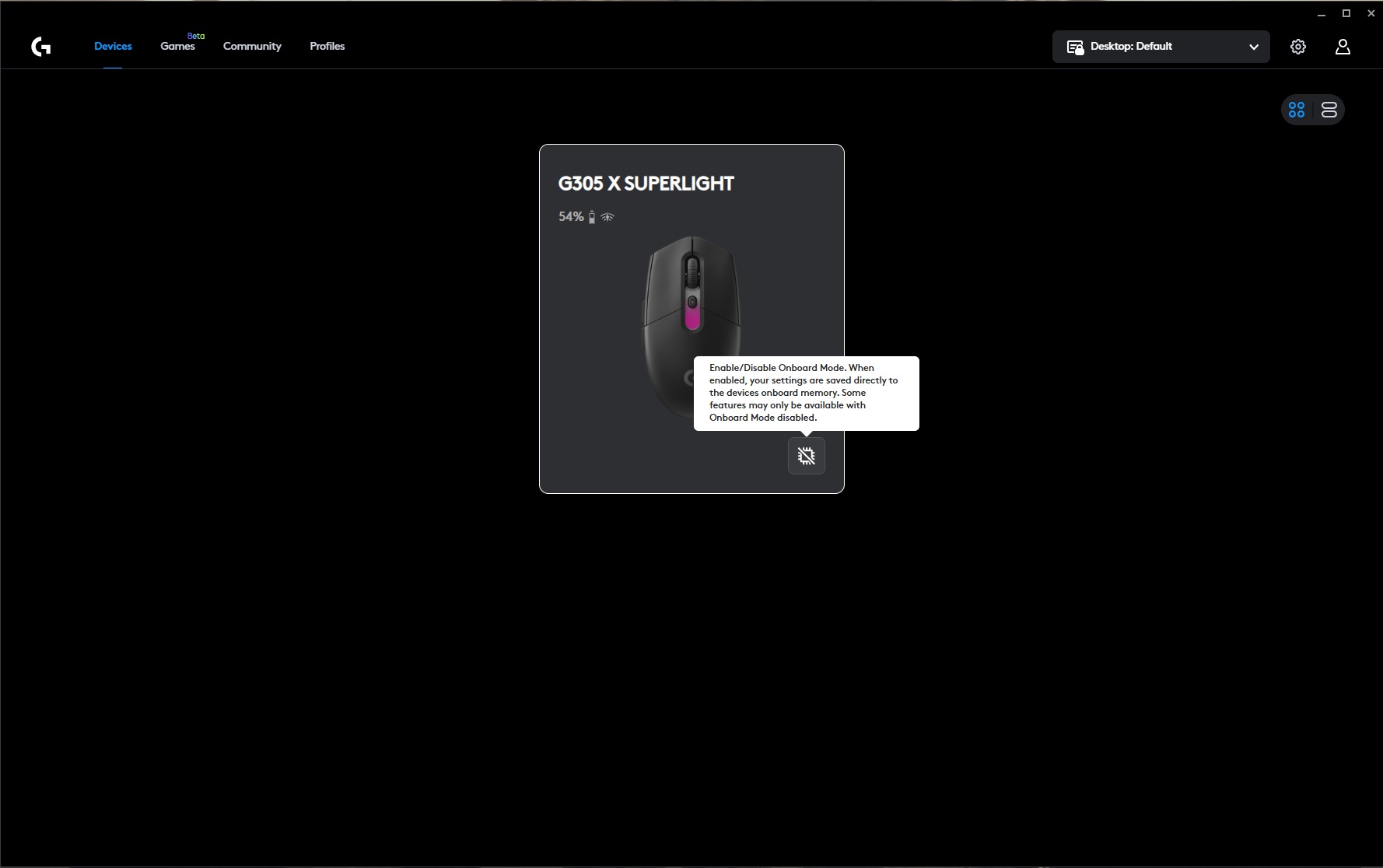

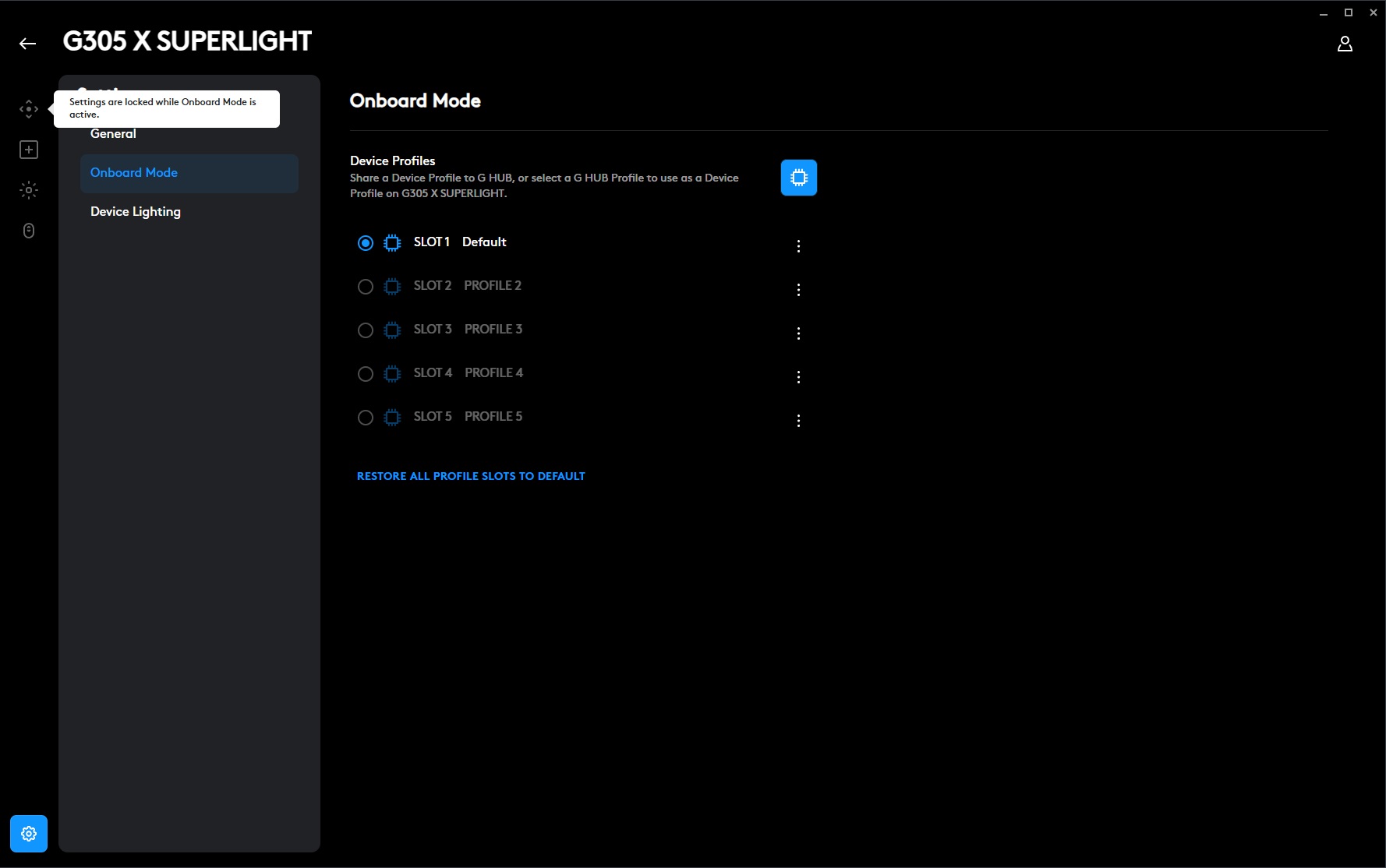
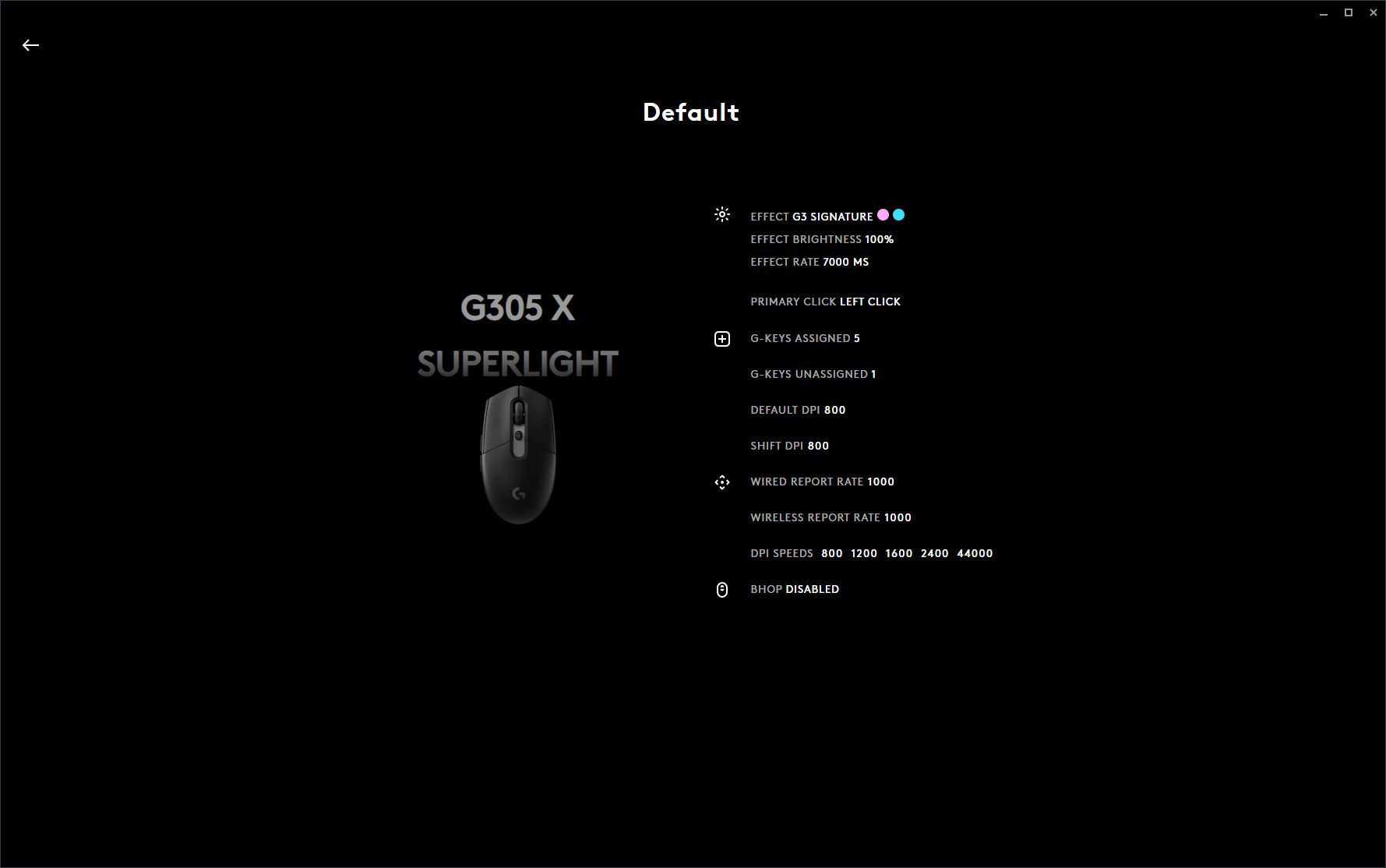

To be fair, there is one exception: DPI settings do not require these extra steps. Your configured DPI values can be saved directly to the mouse’s onboard memory from the same menu.

As for the actual configuration options, Logitech G HUB provides four main sections: Sensitivity, Assignments, LIGHTSYNC, and Scroll Wheel.
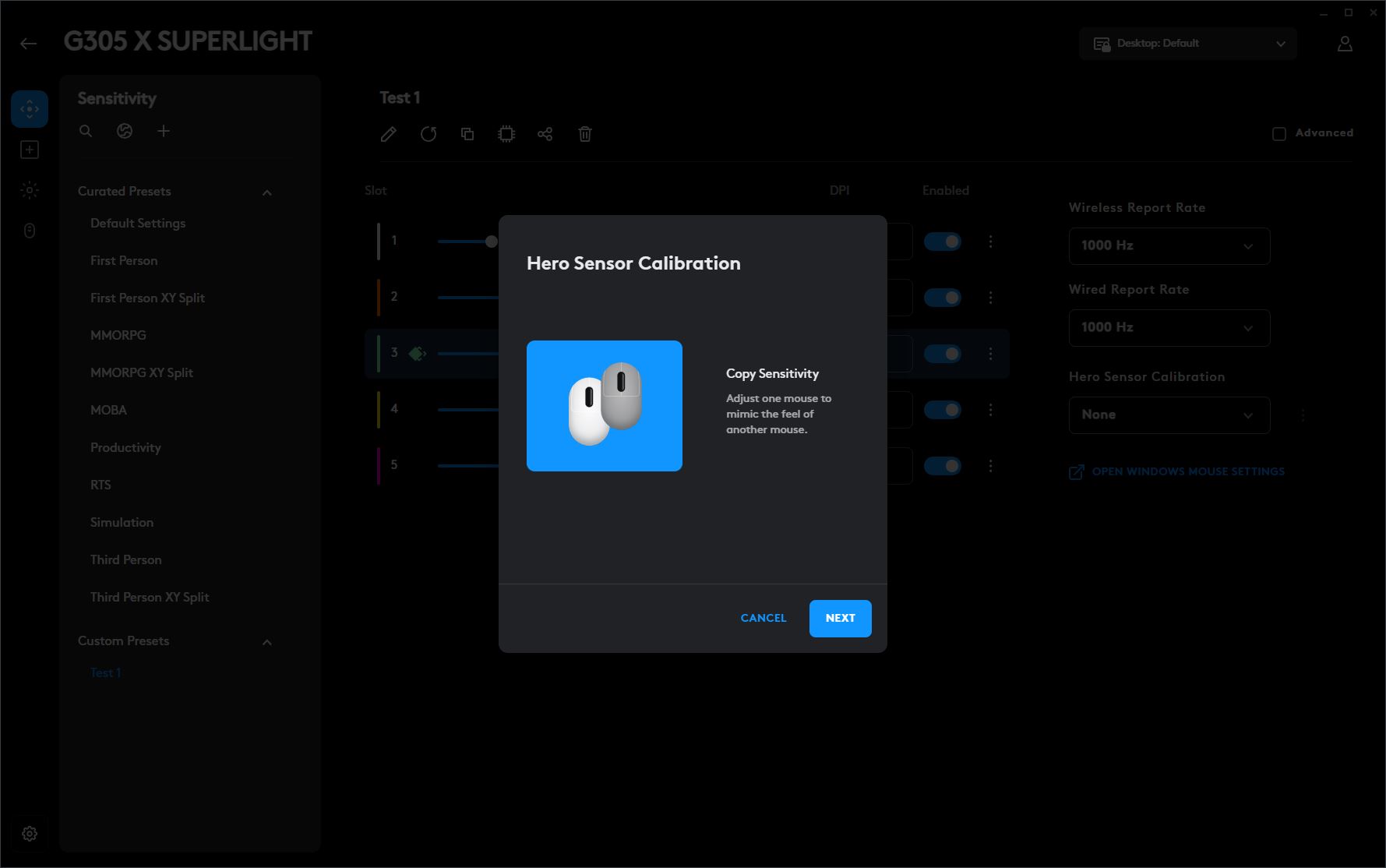
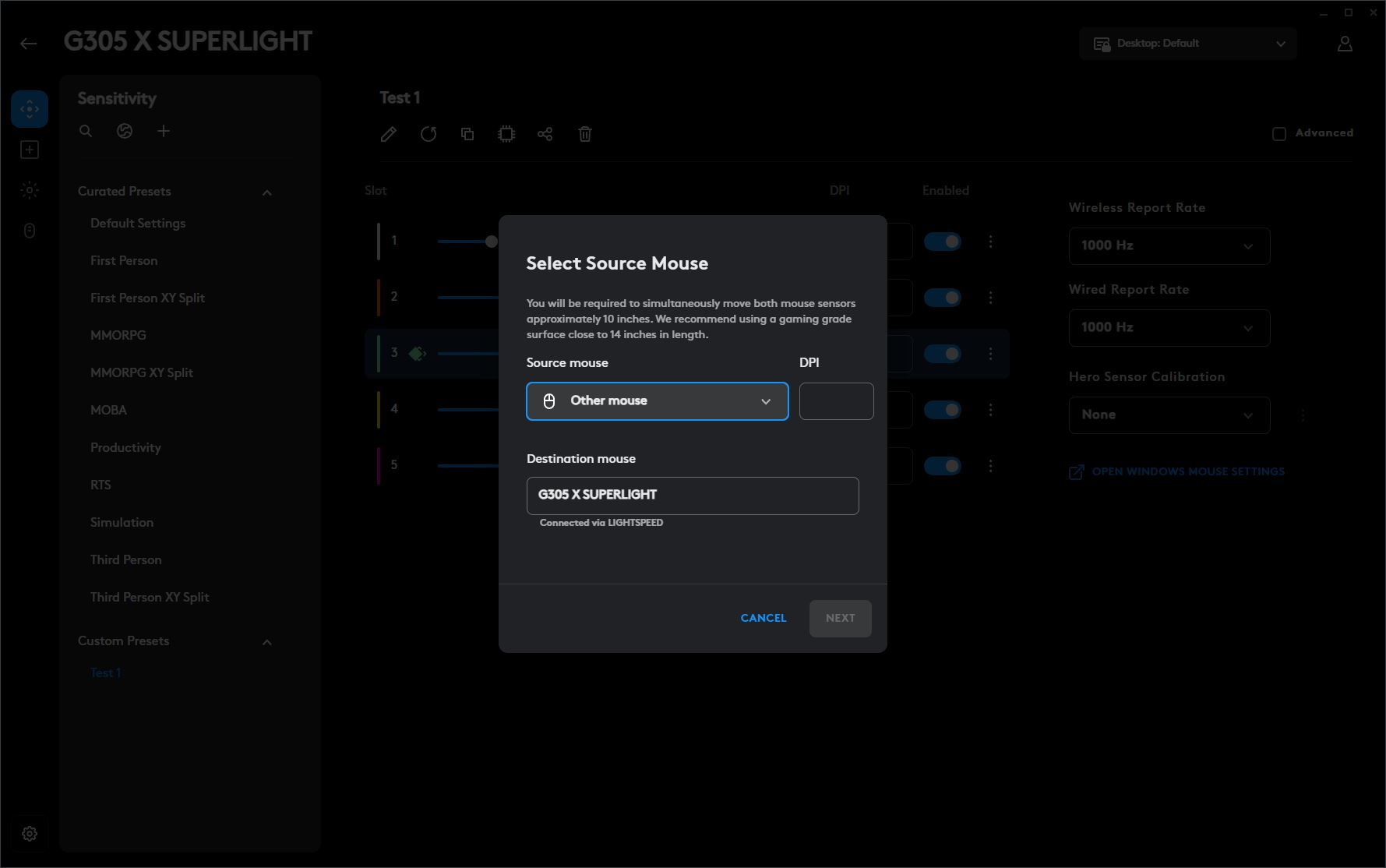
The Sensitivity section is where you adjust the mouse DPI levels and polling rate for both wired and wireless modes. This menu also includes the option to calibrate the HERO sensor for a specific surface, helping optimize tracking accuracy.
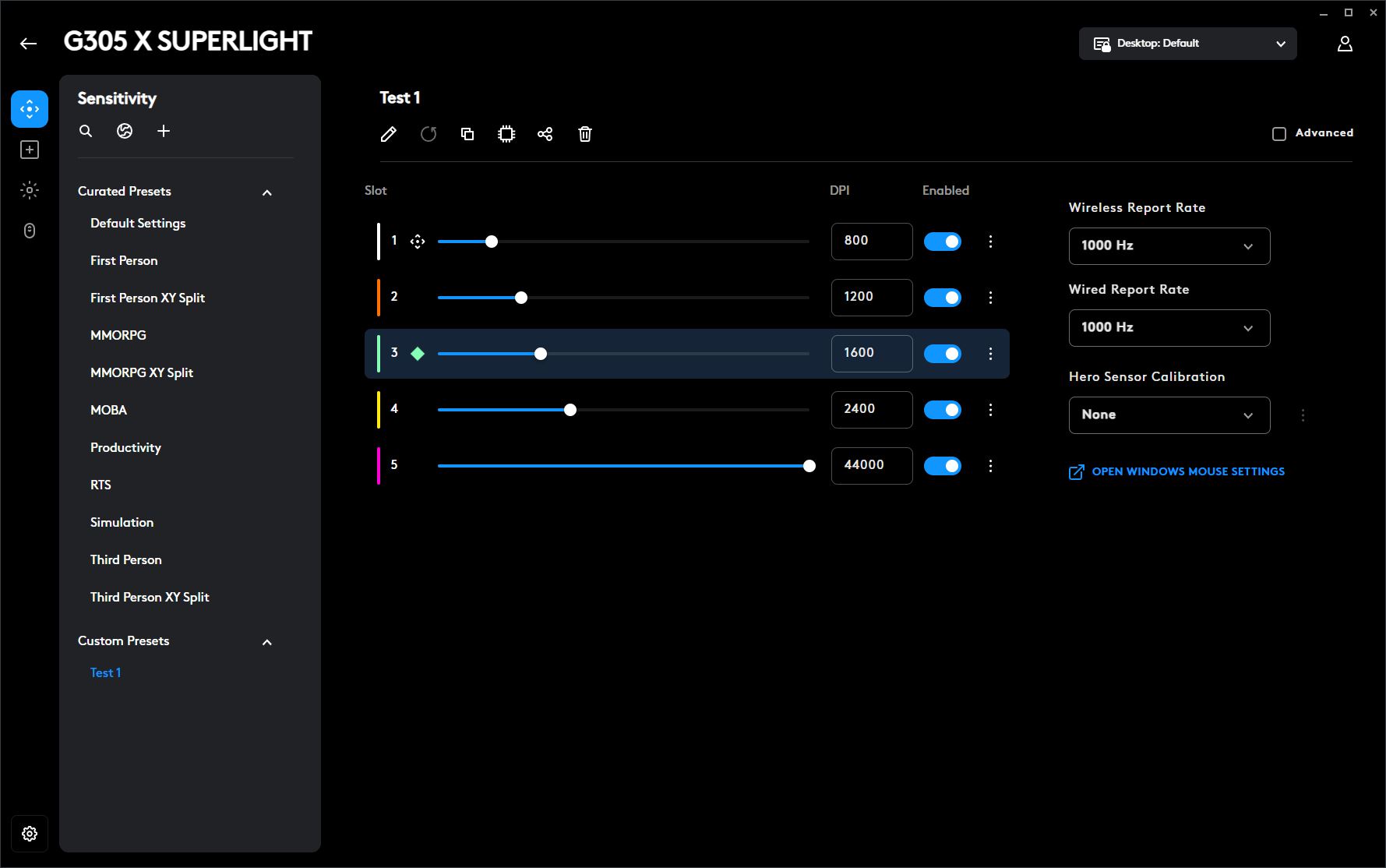
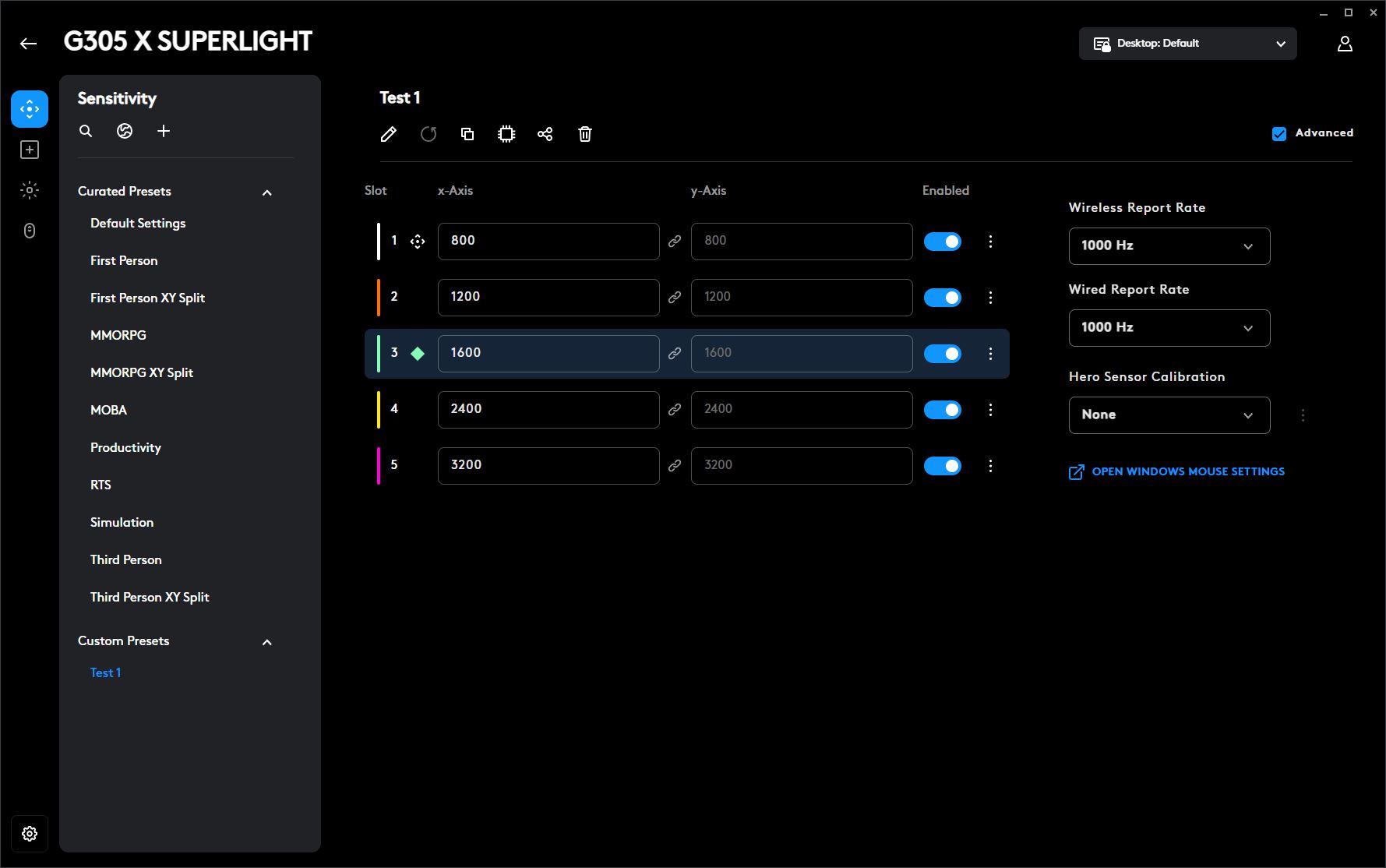
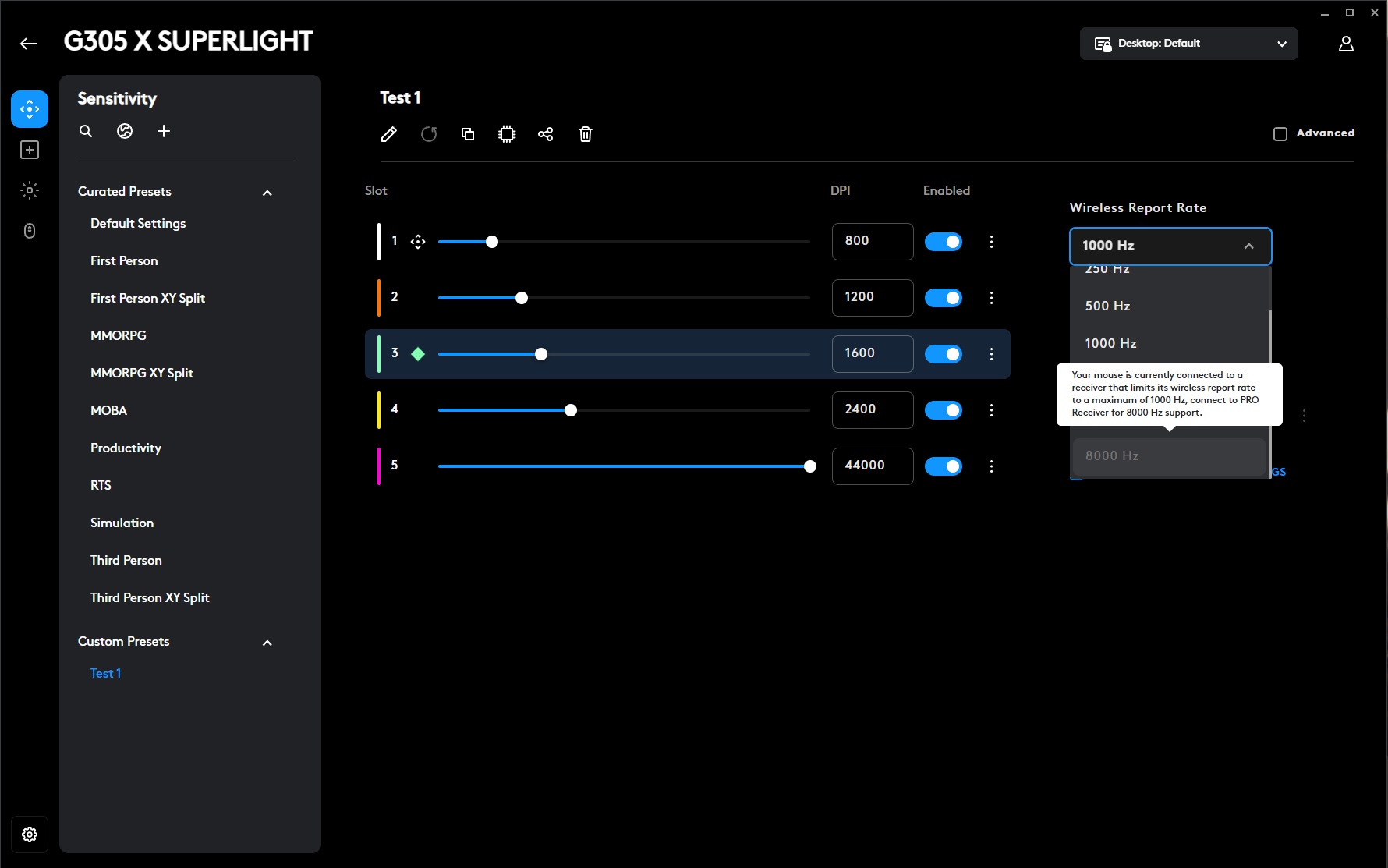
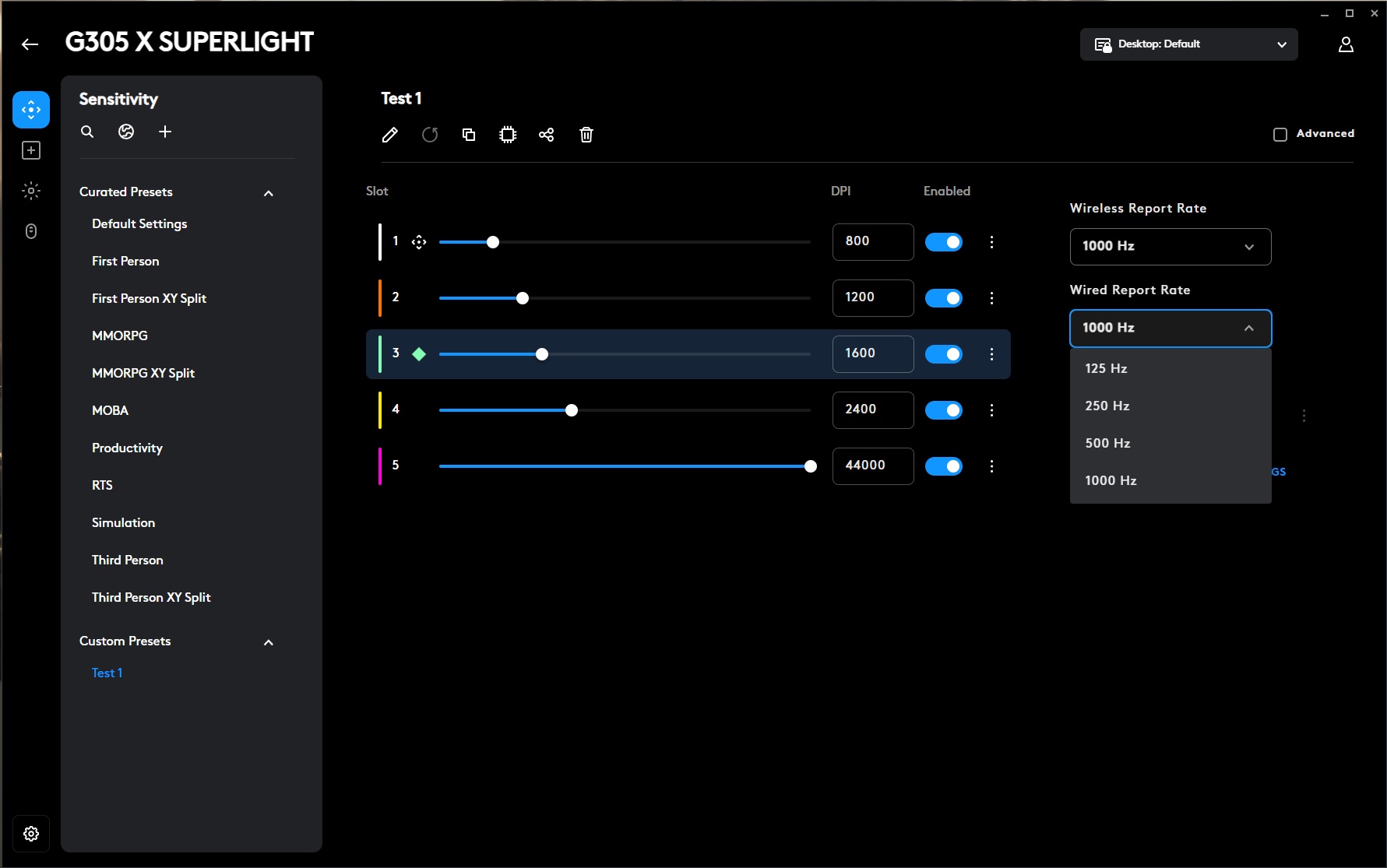
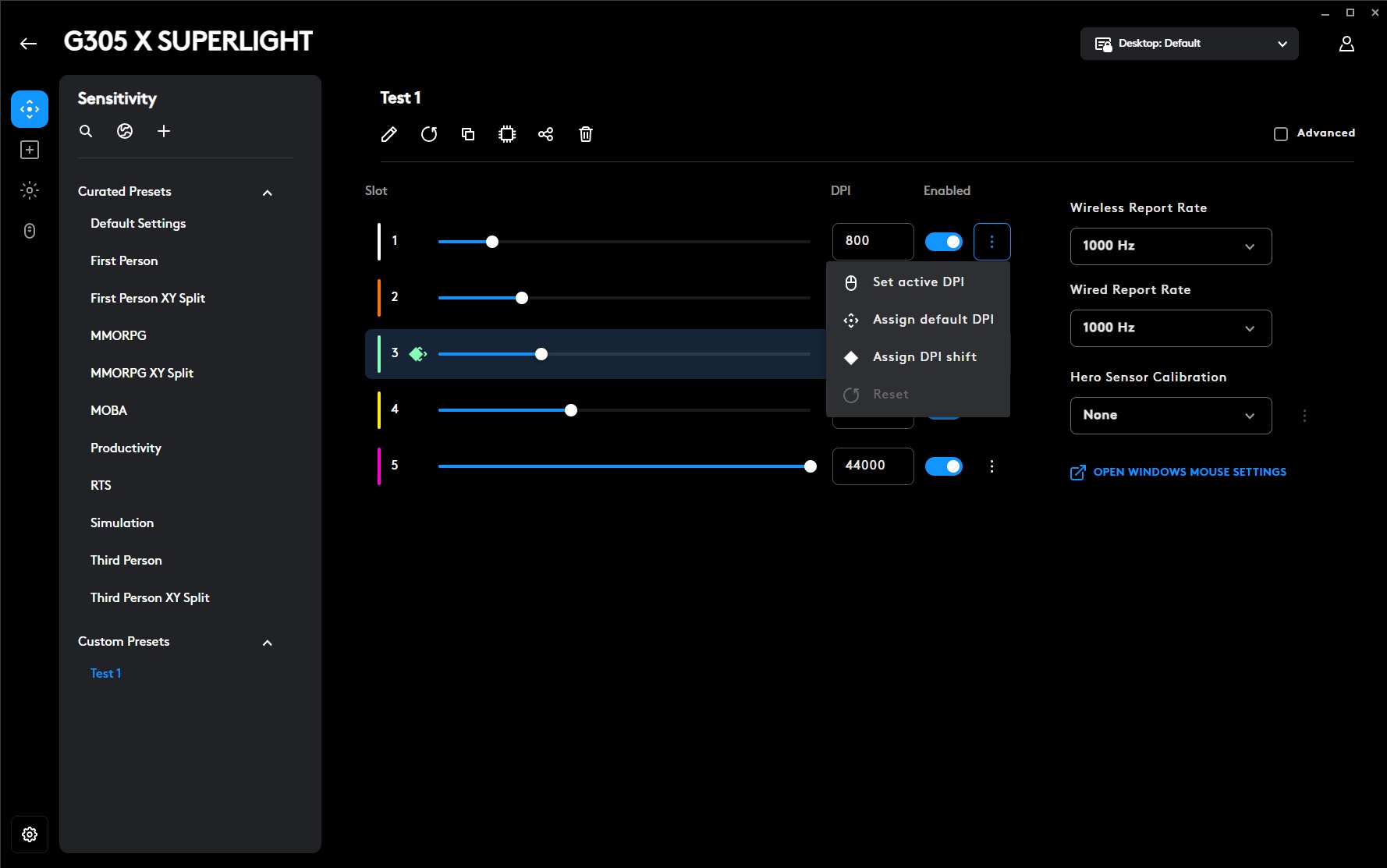
The sensor calibration process here is not a simple surface-specific calibration. Instead, it allows the mouse to replicate the sensor settings of another model. To make the process easier to understand, Logitech provides short explanations throughout the setup, clearly describing what needs to be done and how the calibration works.
The Assignments section is used to configure the mouse buttons and their functions. If needed, buttons can be disabled, reassigned, swapped, or programmed to perform specific actions, shortcuts, and macros. There are plenty of available options, so Logitech has also added a search function to quickly find the required command instead of manually browsing through the entire list.

The same menu also includes the G-SHIFT function. Put as simply as possible, it works like a Shift key – but directly on the mouse. After enabling the feature, you assign G-SHIFT to one of the mouse buttons and then configure a second layer of commands for the remaining buttons. These secondary actions are triggered while holding the assigned G-SHIFT button, effectively doubling the number of available mouse commands.

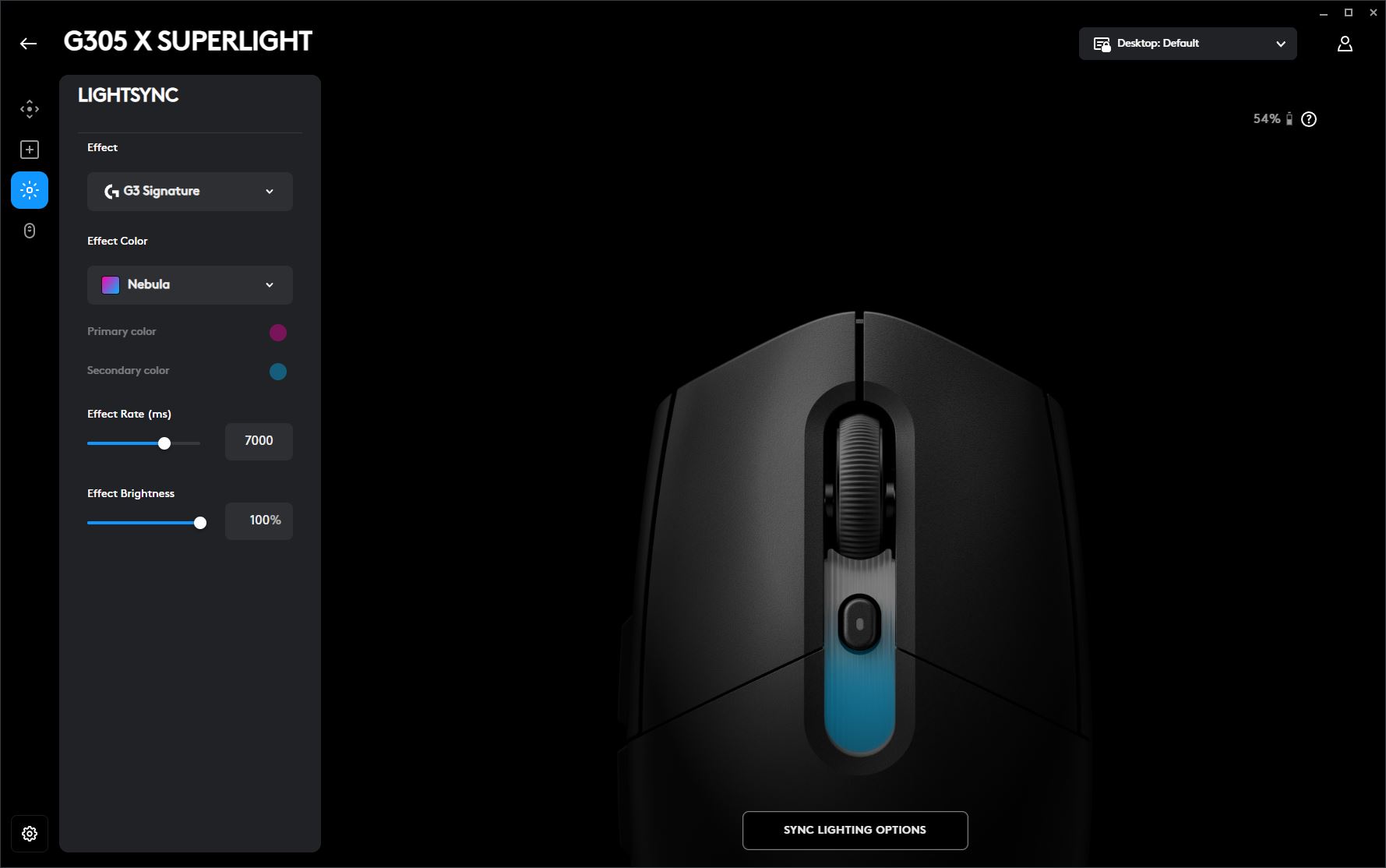
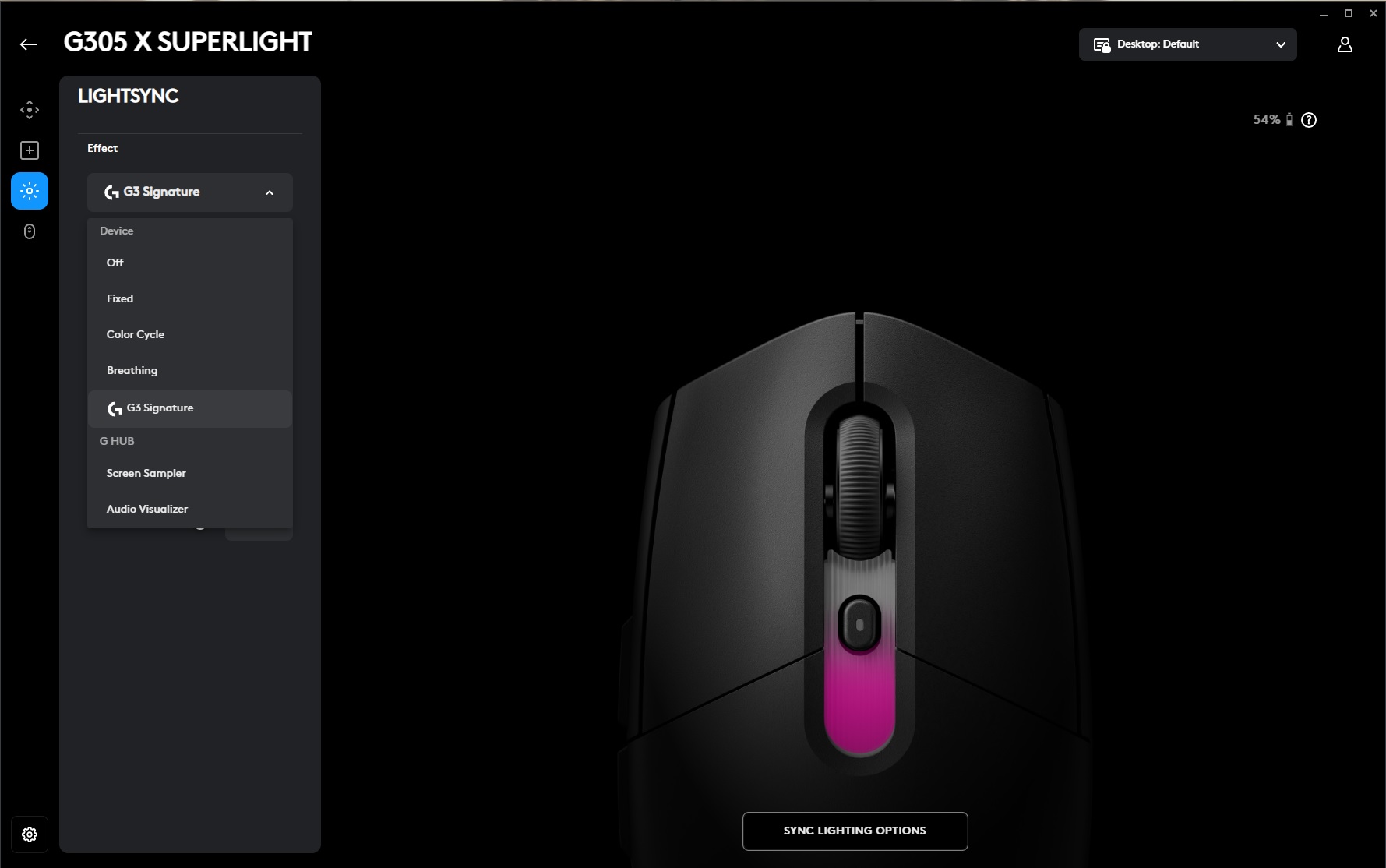
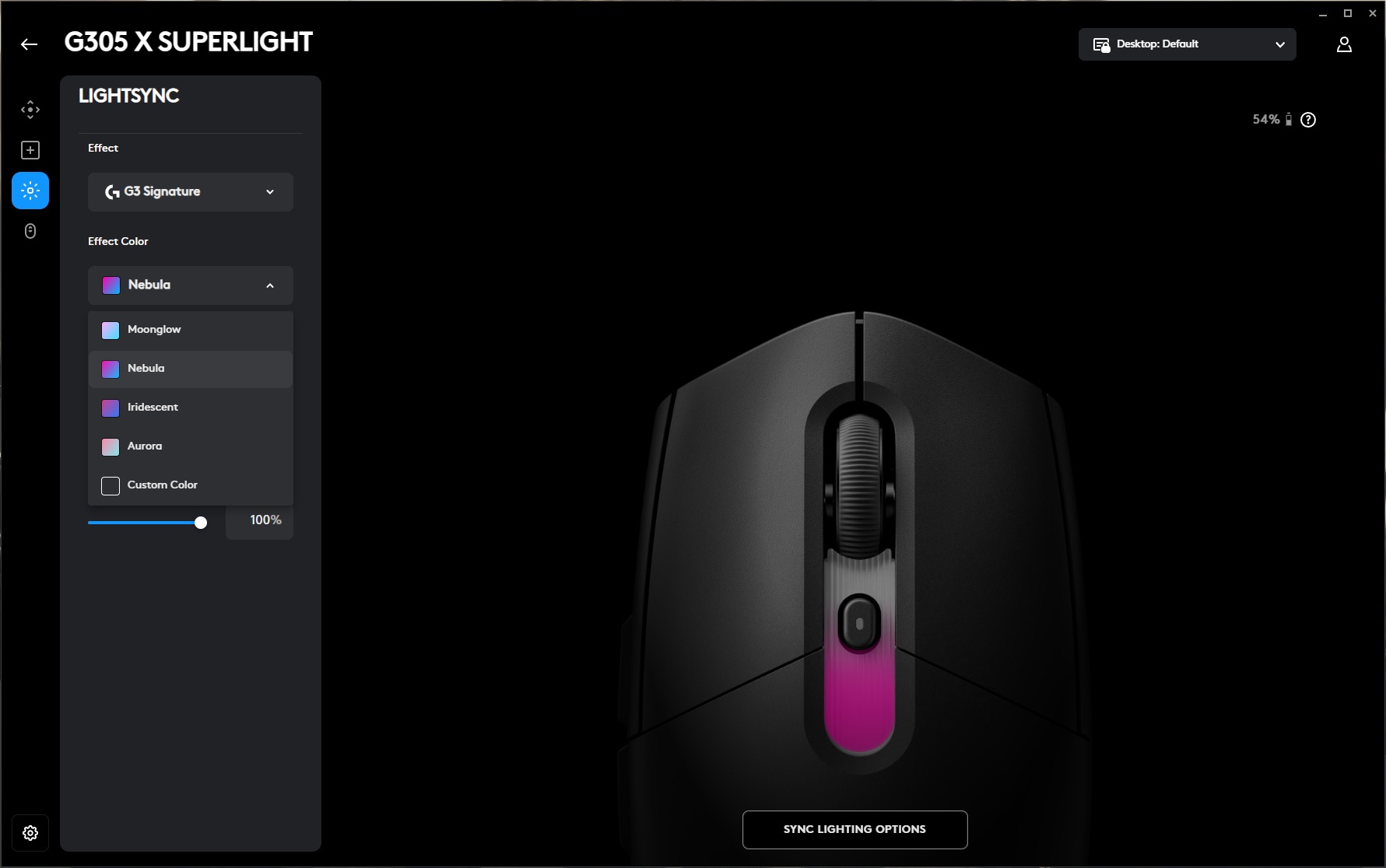
The LIGHTSYNC section is where you configure the mouse lighting. Here you can choose from preset effects, select a custom color, adjust brightness and animation speed, or disable the lighting completely. You can also synchronize the mouse lighting with other Logitech devices that support LIGHTSYNC, allowing all compatible peripherals to share the same lighting profile.
The Scroll Wheel section includes the option to enable the BHOP (Bunny Hop) feature. It is primarily intended for players who bind jumping to the mouse wheel, which is a common setup among both competitive players and regular gamers in titles such as CS2.
In G HUB, the BHOP mode acts as a kind of protection against accidental scroll inputs. If you accidentally touch or slightly move the wheel during gameplay, the algorithm ignores these isolated, unintended inputs and only registers a proper scroll action when you actually perform a deliberate wheel movement to trigger a jump. The activation delay can also be adjusted manually to fine-tune how the feature behaves.

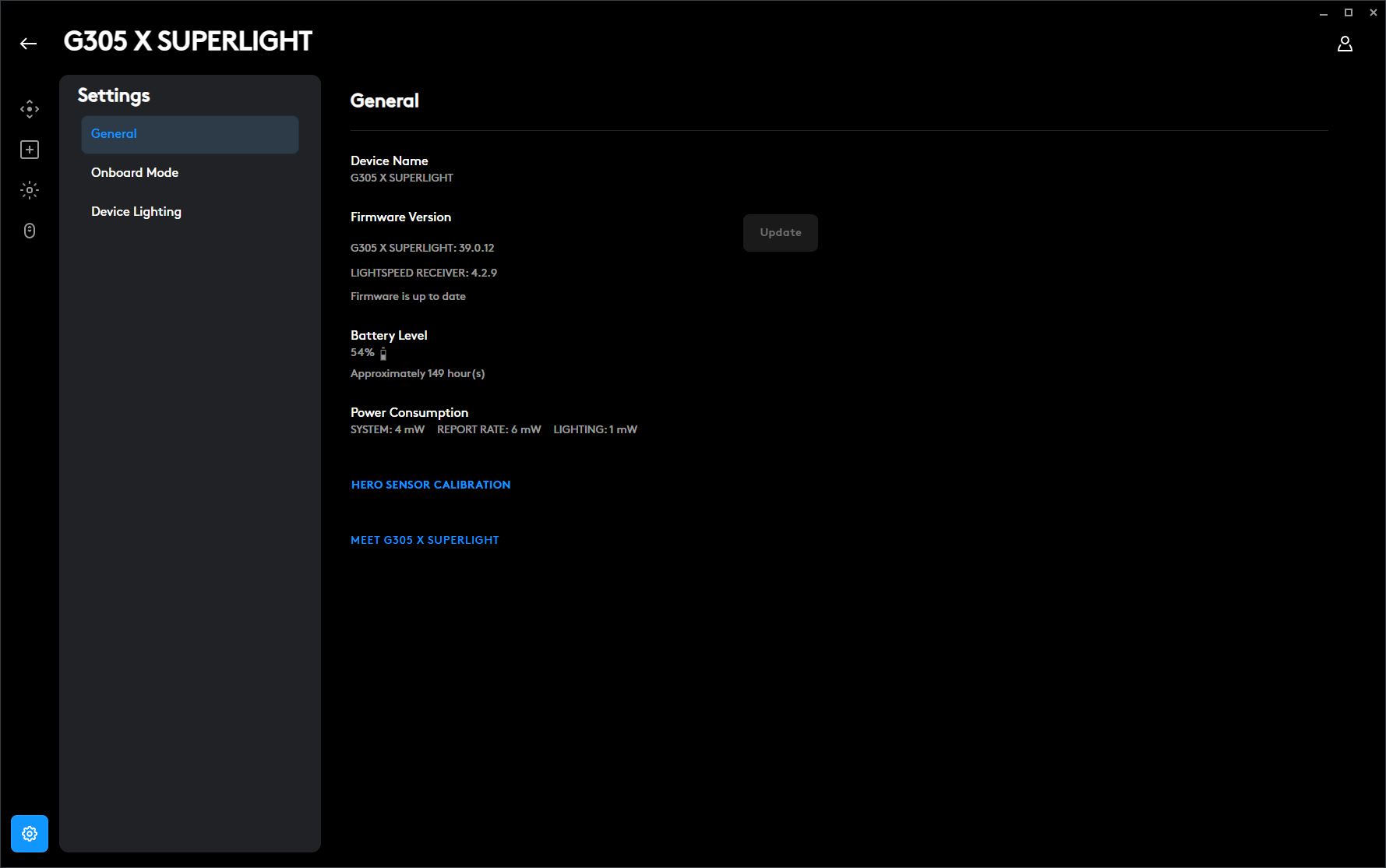
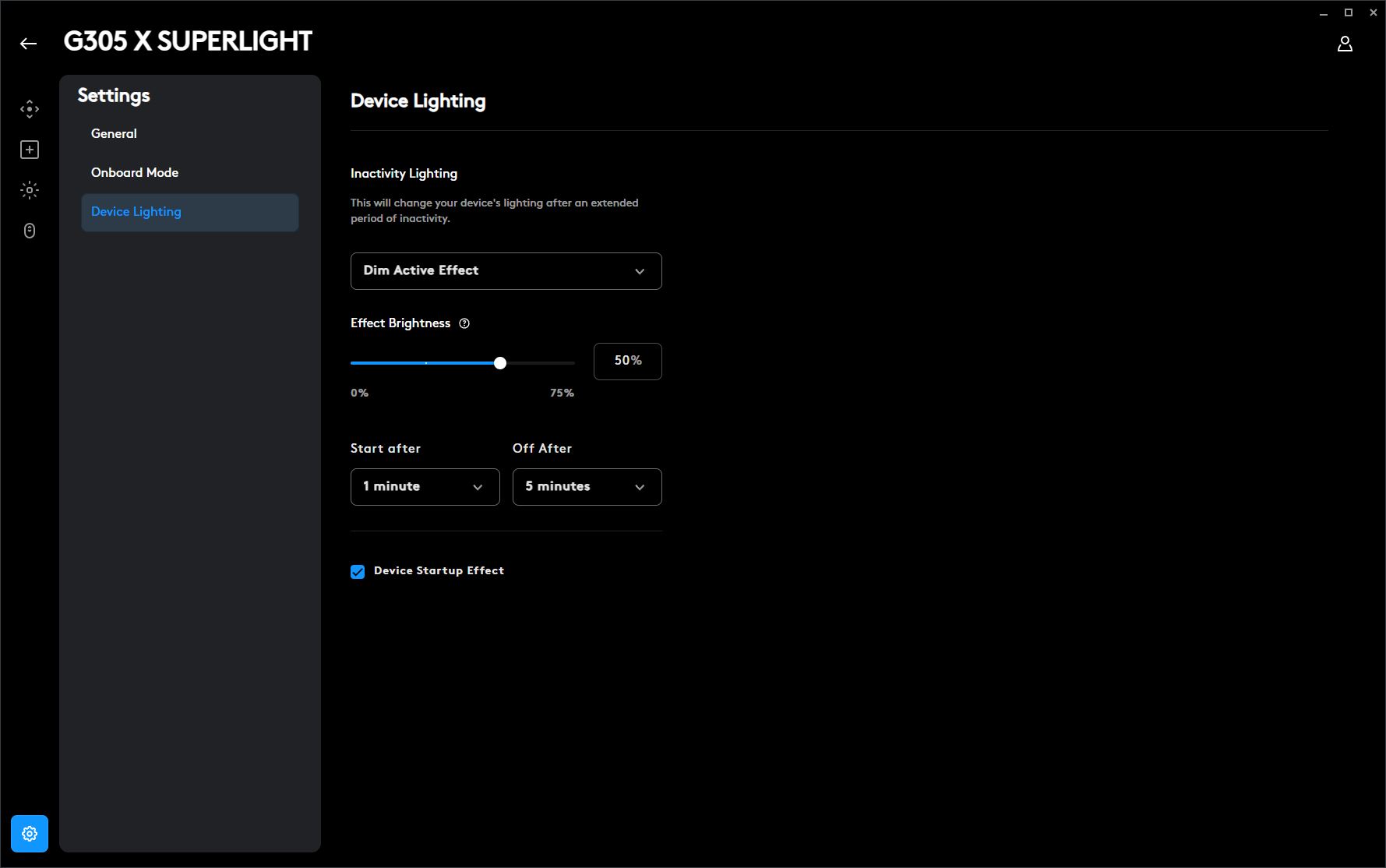
The ‘Settings’ menu contains the global settings. Here, you can: view the current firmware version and update it if a new version is available; check the battery charge and the power consumption of various components; view a brief guide to the mouse’s settings and features; edit profiles in the built-in memory; and set the time before the mouse enters sleep mode.
Read also: Logitech Alto Keys K98M review: The Mechanical Keyboard for the Rest of Us
Logitech G305 X Superlight Battery Life
As mentioned earlier, the original G305 relied exclusively on a single AA battery. In the new G305 X, the replaceable battery has been replaced with a built-in rechargeable battery that can be charged via a standard USB Type-C connection. Logitech does not officially disclose the exact battery capacity, just as it does not provide detailed information about the switches or encoder. However, according to third-party teardowns, the mouse is equipped with a 500 mAh battery.
According to Logitech’s own specifications, a full charge provides approximately 130 hours of battery life. The company does not specify the exact testing conditions, but these figures are most likely achieved when using the 2.4 GHz wireless connection with the standard 1000 Hz polling rate. When switching to the higher 8000 Hz polling rate, battery life will naturally be reduced.

What can I say – 130 hours is more than 5 days of continuous operation, meaning almost an entire week of use without needing to recharge. For a lightweight wireless gaming mouse, this is an excellent result. The new G305 X also supports fast charging, which is another nice advantage. According to the manufacturer, 2 minutes of charging provides up to 3.5 hours of gameplay. In practice, this means that if the battery happens to run out at the worst possible moment, a short 2–5 minute charging session should be enough to get several more hours of gaming time.

To help preserve battery life in wireless mode, the mouse automatically turns off the lighting (if it is enabled) and enters sleep mode after 5 minutes of inactivity. You can easily confirm this in Logitech G HUB: after five minutes without movement or input, the device status changes to inactive. The mouse wakes up instantly as soon as you touch or move it, which, in my opinion, is a very convenient solution.
Read also: Logitech Signature Slim Solar+ K980 Review – a wireless keyboard that never needs charging!
Conclusion
To wrap up this review, I can say that Logitech’s update of this classic model was not just successful – it turned out to be genuinely impressive. The new Logitech G305 X Superlight keeps the proven shape of its predecessor, which has earned plenty of fans, while improving the mouse in practically every other area.
The reduced weight, pleasant and grippy surface finish, excellent build quality, outstanding main clicks and scroll wheel, high-end sensor, three connectivity modes, support for 8000 Hz polling without forcing users to pay extra right away, and strong battery life all come together into a very balanced package. Add to that the affordable price, and the updated G305 X has every chance of becoming one of the best-value wireless gaming mice on the market and earning the same kind of popularity as the original model. Simply put, the new G305 X is a logical upgrade for existing G305 owners and an excellent choice for anyone looking for a reliable, high-quality, affordable wireless gaming mouse.

I personally did not find any significant drawbacks with the mouse. The only questionable aspect I can point out is the somewhat unintuitive Logitech G HUB software – and that’s essentially it.
However, this is not really a criticism of the mouse itself, but rather of the software ecosystem as a whole. In 2026, it would be great to see Logitech simplify G HUB or, even better, transform it into a web-based application that wouldn’t require any installation and would allow users to quickly configure their mouse directly from a browser. Aside from that, the G305 X is an excellent device that I can confidently recommend.
P.S. By the way, alongside the mouse, Logitech has also introduced the new Logitech G316 X mechanical keyboard, expanding its G3 lineup of devices. You may have noticed it appearing in some of the review photos. I also have plenty to say about it, but that will be the subject of a future review.

Where to buy Logitech G305 X Superlight



Thank you for the very nice review, but could you please add to the review how to use the Logitech.OnboardMemoryManager program (winget install –id Logitech.OnboardMemoryManager) instead of using G HUB? This might solve the device configuration issue.