





© ROOT-NATION.com - Use of content is permitted with a backlink.
I’ve been reviewing gadgets for so many years that I often wonder – what could still surprise me? I’m used to devices being interesting, quirky, impressive, or just average. But this time, I couldn’t get the words to flow. Perhaps it’s because this should have been a glowing review of the smaller Bigme B7 e‑reader/tablet, which once truly captured my picky heart and left a warm, very pleasant aftertaste.
Also interesting: All materials about readers

In practice, though, that wasn’t quite the case. Today, we’re looking at its smaller sibling – the Bigme B6. On paper, there’s little difference: similar internals, the same overall concept. But the experience… the experience is entirely different. It’s neither a failure nor a disaster, but the contrast is striking.
The B6 Color is marketed as a tablet with a 6-inch color E‑Ink touchscreen, and at first glance, it seems like – what could go wrong? Yet once you start using it, you realize that even small changes can completely erase the charm of the older model, leaving a sense that something essential has been lost along the way.
Read also: Bigme B7 Review: When an E-Reader Tries to Be a Tablet – and Actually Pulls It Off
TABLE OF CONTENTS:
Bigme B6 Color Specifications
- Screen: 6″ Color E Ink, 1072×1448 (300 ppi for black and white, 150 ppi for color)
- Processor: MediaTek Helio P35, 8-core 2.2 GHz
- Operating system: Android 14, AI support
- Memory: 4/128 GB (microSD slot up to 1 TB)
- Battery: 2100 mAh
- Camera, stylus: not supported
- Wireless interfaces: Wi-Fi, Bluetooth 5.1
- Interfaces: USB‑C, microphone and speaker, 1 physical button
- Dimensions: 108.0×149.30×6.98 mm, weight: 176 g
- File formats: TXT, PDF, EPUB, FB2, AZW3, DJVU, CBZ, CBR, ZIP, RTF, HTM, HTML, MOBI, DOC, DOCX, XLSX, PPT, PPTX
- Additional features: front light with warm/cool light adjustment (36 levels), support for OCR scanning via camera, support for Google Play and mobile applications.
Positioning and price
In terms of positioning, the Bigme B6 Color, priced at $169, occupies a fairly narrow niche of 6-inch color E‑Ink devices. Its competitors include traditional e‑readers like the PocketBook Verse Pro Color, which also features a 6-inch display (plus water resistance) for around $185, and the Kobo Clara Colour, which offers a 6-inch color E‑Ink screen at roughly $160 – dropping to just $100 during the 11.11 sales.
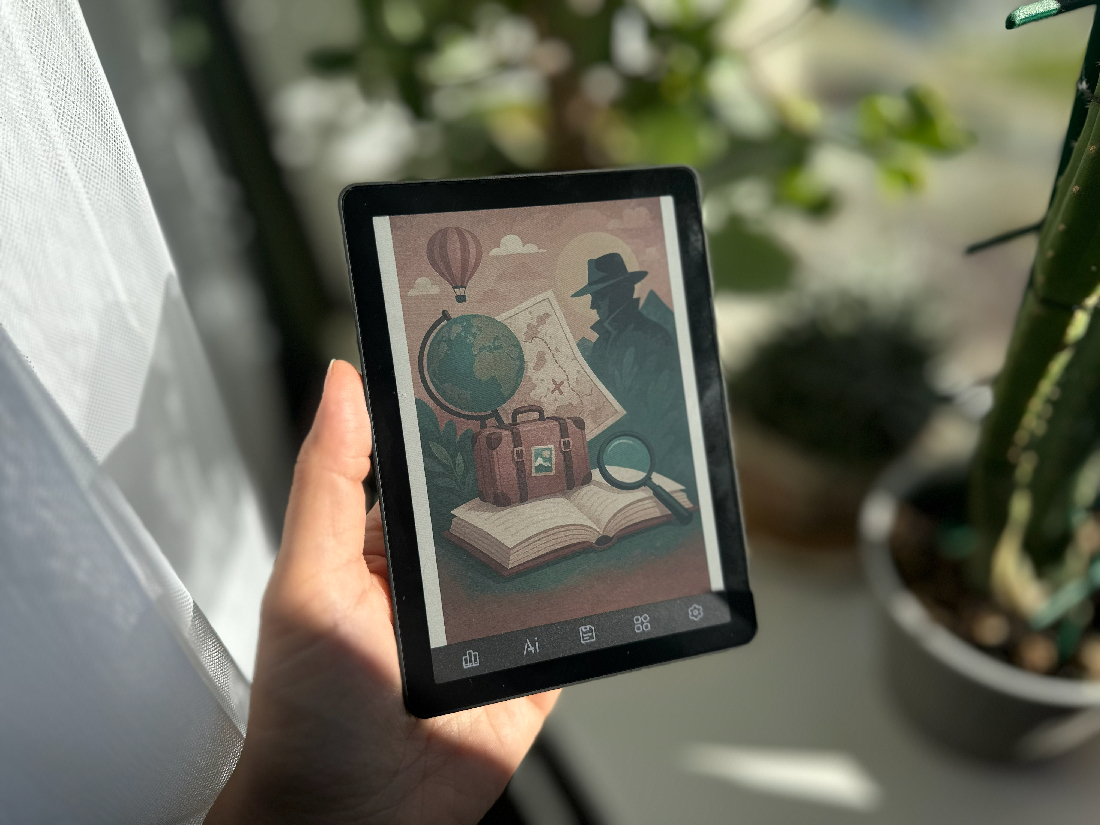
Against its competitors, the Bigme B6 Color presents itself as an intriguing compromise – a sort of hybrid between a budget e‑reader and a small tablet. But what does it actually deliver in practice? And is it even worth the asking price? This question unexpectedly becomes central to the story. The device offers 4 GB RAM and 128 GB storage, runs full Android 14, includes AI features, and allows customization for any reading app. In terms of flexibility and usage scenarios, the B6 Color offers more freedom than traditional e‑readers, making its value-for-money ratio one of the most reasonable in its class. Yet, as always, there’s a catch.
Packaging and Contents
From the very first moments of unboxing, it’s clear that Bigme has its own peculiar philosophy when it comes to packaging: it almost feels as if they assemble each unit at random. One customer might receive a charging cable, while another gets just the device itself. From what I’ve gathered, it seems that Bigme’s approach resembles a lottery more than a standardized set of included accessories.
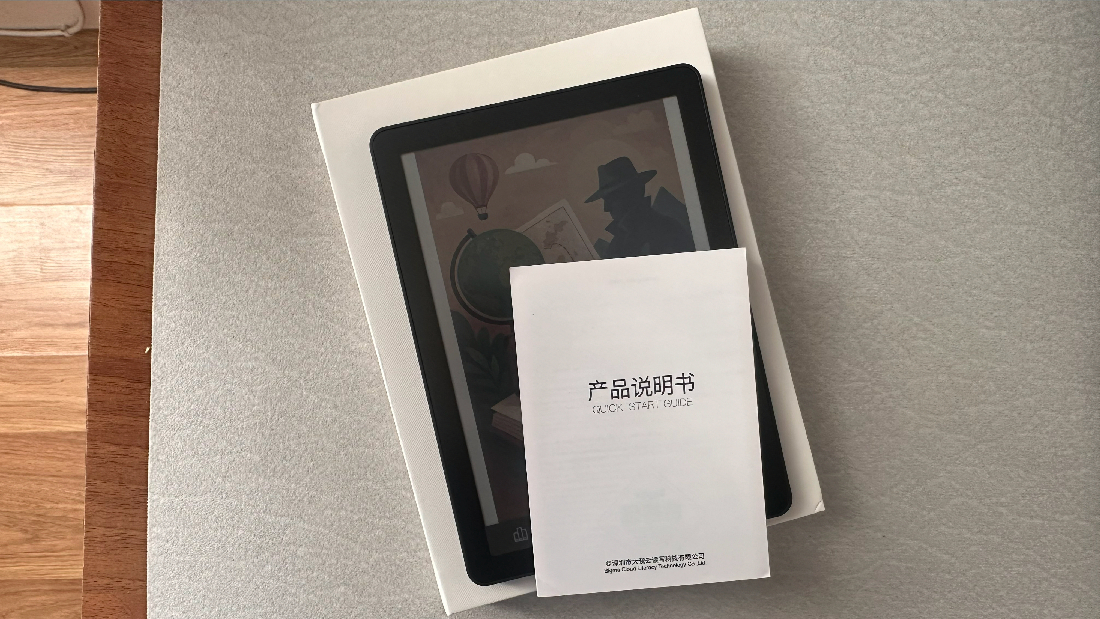
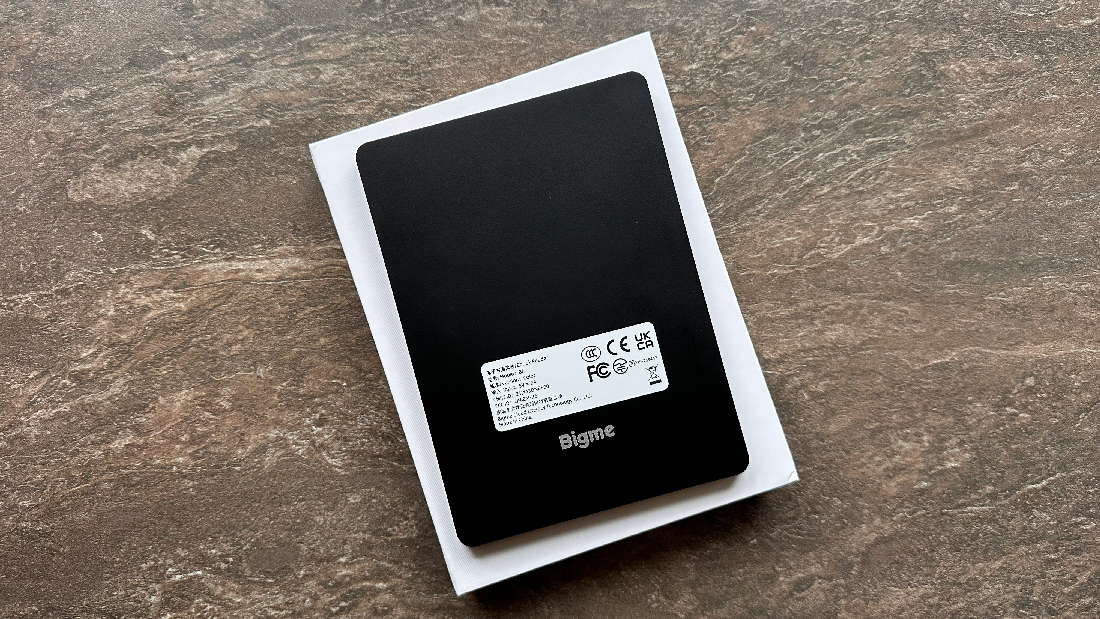
Some buyers receive a full premium set spread across three boxes: the tablet in one, the original magnetic case in another, and an 80 cm USB-A to USB-C cable with a microSD clip in a third. Others get just two boxes – the tablet and case – leaving the charging cable and clip to the imagination. And then there’s the “painfully minimal” option, which is what I received: a single box containing only the device and a quick-start guide. It’s not a disaster, but it’s undeniably frustrating.
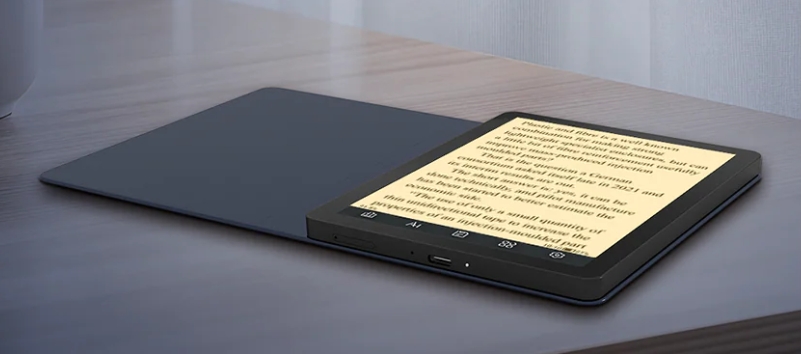
Photo from the brand’s official website
The irony is that this magnetic case is actually part of the device itself, not just an optional accessory. In fact, the device’s menu includes a dedicated section for managing the case’s functions. So how it can sometimes be missing from the package remains a mystery – one that hardly seems to have a logical explanation.
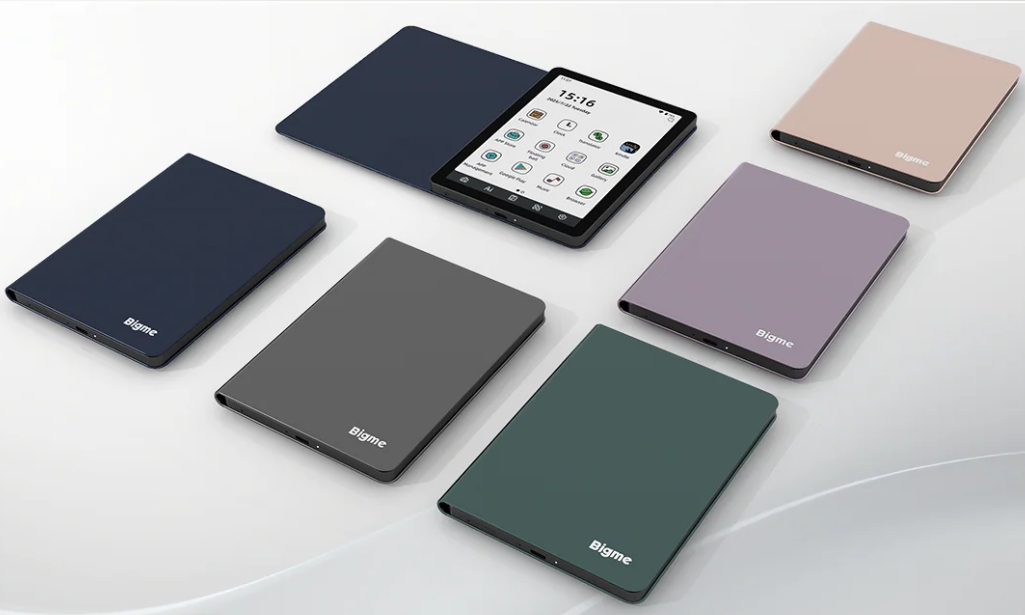
Photo from the brand’s official website
For those who got lucky, the magnetic case works exactly as promised, according to reviews: the tablet snaps firmly onto the magnets, the cover stays securely closed, opening it activates the screen, and closing it puts the device into standby – adjustable via the settings. The luckiest users receive the full premium set, complete with the cable and SD-card tray clip, ready to use straight out of the box. Unfortunately, I didn’t get to experience that little treasure. Thanks, Bigme, for this… unusual experience.
Read also: Bigme B13 Portable E-Ink Monitor Review: Who Is It For and What Is It Good For?
Design, Build, and Display
At least when it comes to design, the Bigme B6 Color does reasonably well. While I often complain in reviews about large, bulky, and awkward devices (with the exception of the rugged Cubot KingKong Mini 4, of course), this is not one of those cases. The device is compact and fits comfortably in the hand, measuring 6.98 mm thick and weighing just 176 g – its lightness is a definite plus.
It comes in several color options: black, white, and a variant with a white frame and light green back. The B6 Color features a touchscreen and a single physical button on the top. The bottom edge houses an LED indicator, a USB-C port, a microphone, and a microSD slot (expandable up to 1 TB). The top edge includes a speaker and a red power button. The matte finish is prone to scratches, and fingerprints are easily visible.
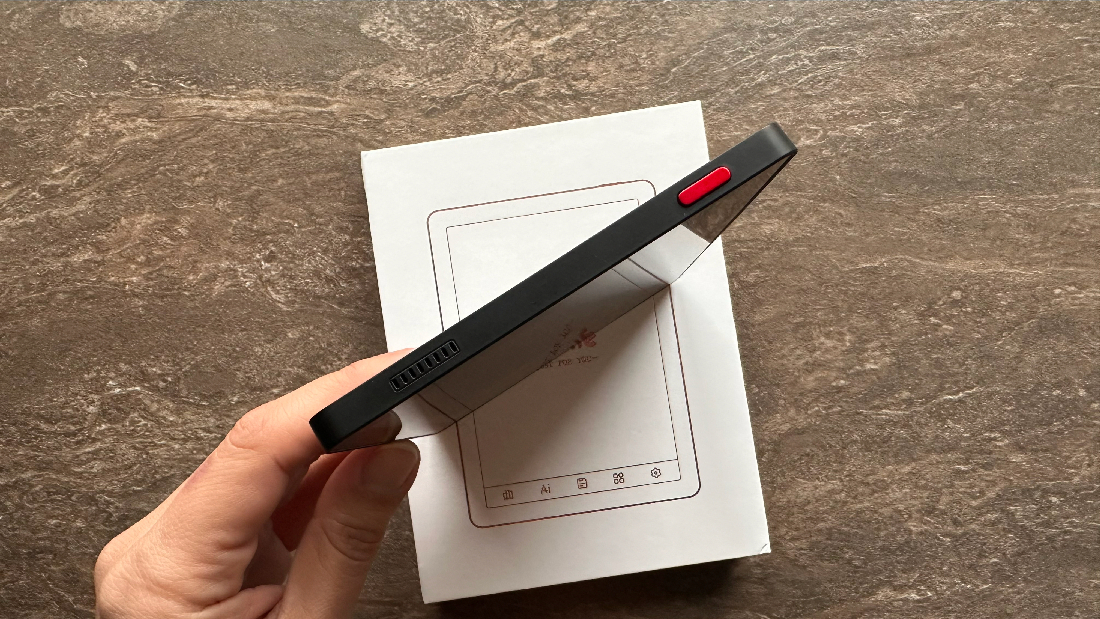
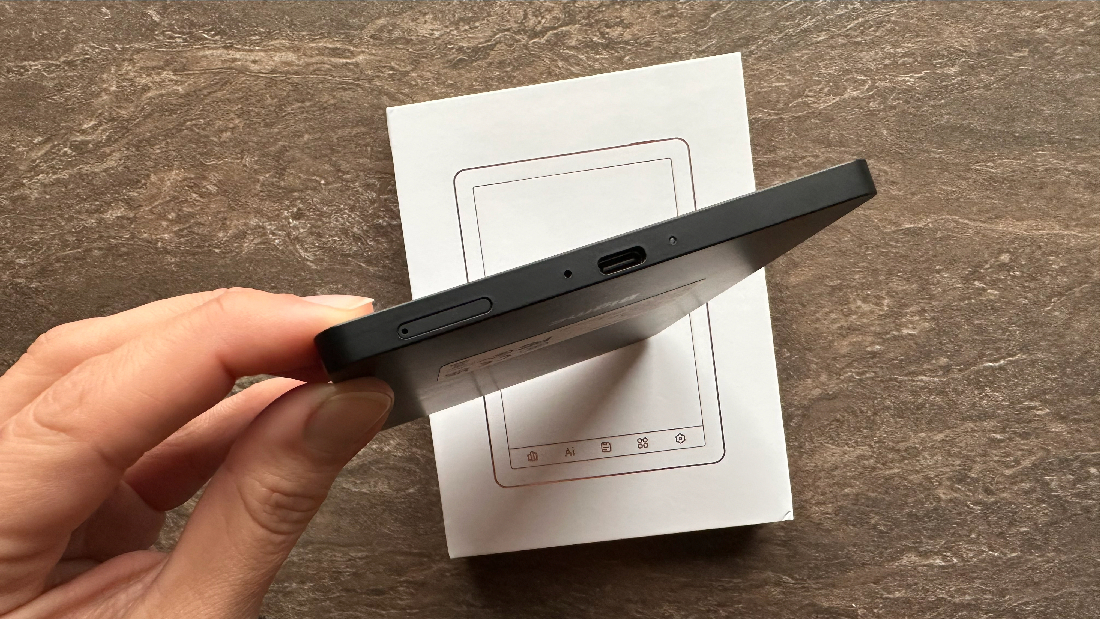
The display is matte, which prevents glare, but it appears rather dim. In direct sunlight, content is legible only with brightness maxed out or in a high-contrast mode. Technically, the Bigme B6 Color features a 6-inch tri‑color Kaleido E‑Ink screen with a resolution of 1720×1448 pixels. The pixel density is 300 PPI for black-and-white content and 150 PPI for color. The screen is flush with the frame and protected by a layer of glass. It includes front lighting with 36 intensity levels. It’s also clear that this e‑reader does not support stylus input.
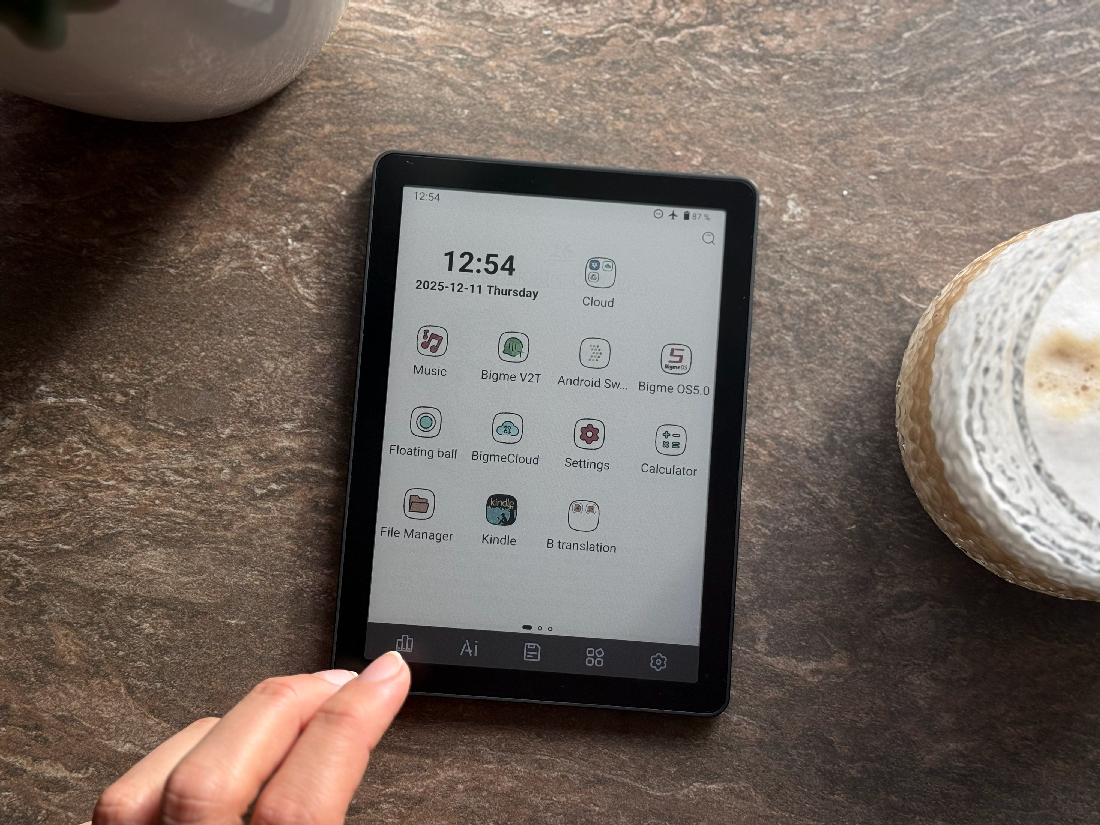
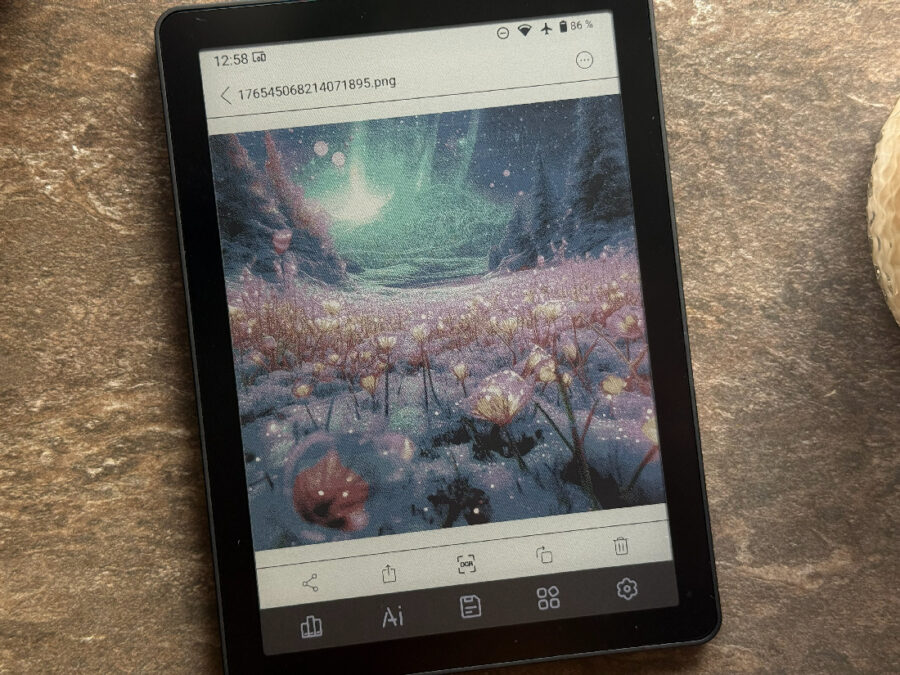
Although the settings include modes optimized for graphics, comics, video, and various apps, the reality is quite different. The color layer on E‑Ink has a characteristic “texture,” and you don’t even need to look closely to notice the graininess. It’s visible in about 95% of cases. One might think this is just a matter of getting used to it – but it’s not.
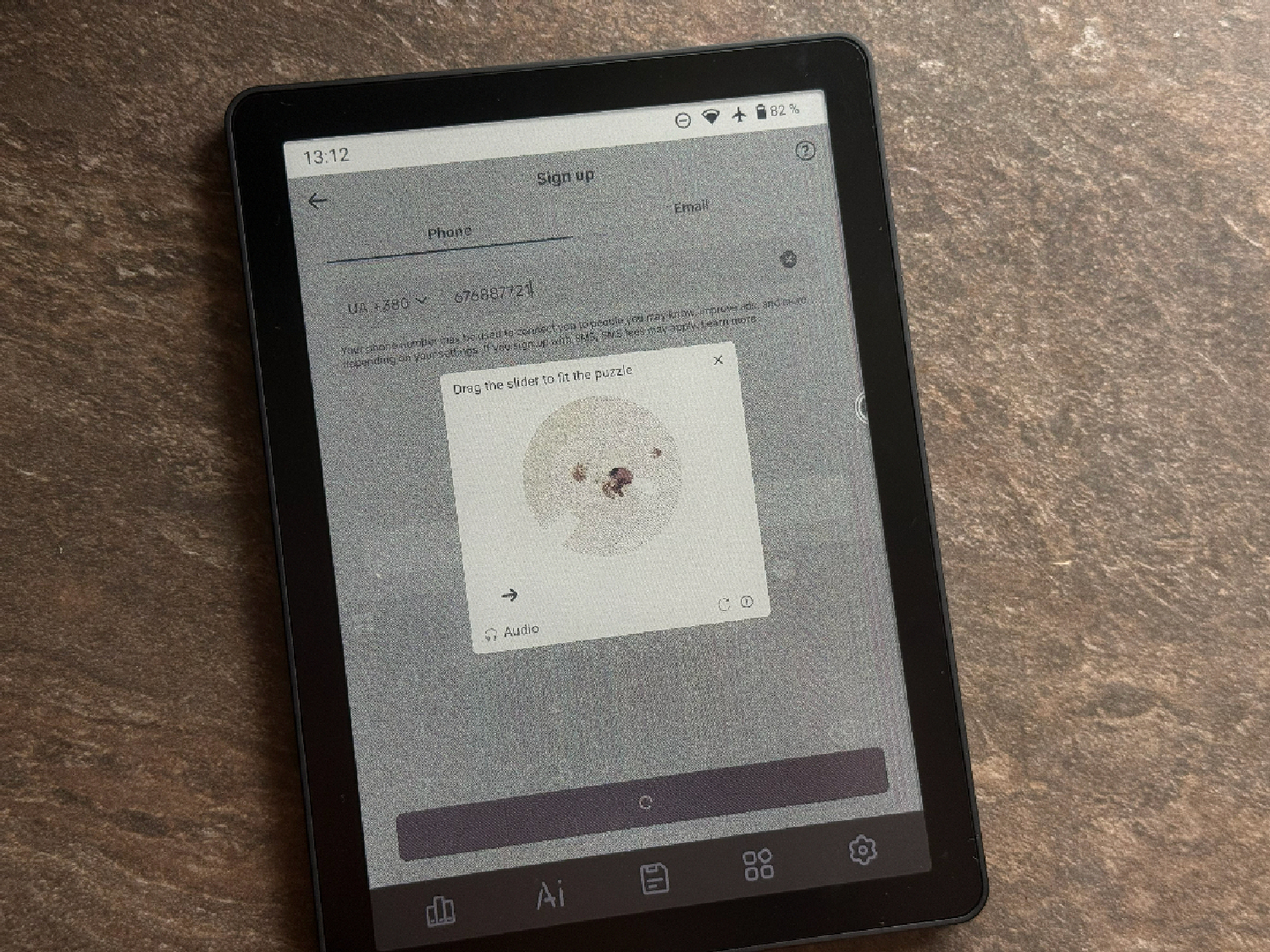
For text reading in apps like PocketBook, Kindle, BookShelf, Kobo, or Rakuten, you can still, as I did, download a plain white background and use it under the text – but the device menu itself doesn’t allow that trick. What you get instead is a view of multi-colored pixels. And that’s without mentioning the persistent artifacts that appear when switching between menu sections or pages. Changing the screen refresh mode – even to the so-called “extreme” setting (one of four available), designed for video and comics – doesn’t solve the issue. It does speed up the system, but remnants of previous images remain visible.

And here’s the biggest irony: Bigme added a separate gesture in the settings called “Full Refresh,” which does exactly one thing – completely refreshes the screen to remove artifacts and ghosting. In other words, instead of fixing the issue at a system level, they just added a gesture to “clean” the screen. Why spend extra effort, right?
The device also claims support for splitting the screen into two zones for multitasking (which, honestly, is a stretch for a single 6-inch display), but technically, it works – albeit slowly. I didn’t have the patience to wait for content updates in this mode, but I can confirm that it does function.
Another point worth mentioning is the bottom panel with five touch-sensitive buttons, which significantly reduces the usable screen area. Or, as Bigme likes to claim, it “visually expands” the 6-inch display to an effective 6.3 inches. From a user’s perspective, it’s not worth it. The buttons cannot be removed, but you can assign actions to them from a preset list. The default functions are mostly useless – except perhaps for quick access to Settings or the Home menu.

Yes, I’m generally not a fan of physical buttons – like those on my PocketBook – but these always-on touch buttons aren’t any better. Instead of offering a clean screen, as with the Bigme B7, or making the buttons disappear when not in use to free up the full reading area, Bigme went with this odd bottom panel that noticeably detracts from the overall look of the device, especially when used without a case.
Another quirk: sometimes, when you pick up the device without pressing the main power button, the screen turns on by itself, and by the time you carry it to where you want to use it, you’ve already tapped who-knows-what. I suspect these incidents would be minimized – or eliminated entirely – with the magnetic case. It would also help keep the device looking much cleaner, instead of covered in an annoying layer of fingerprints everywhere.

One clear advantage is the front light – it’s genuinely bright, with 36 intensity levels, and can be well adjusted across the blue (daytime) and yellow (nighttime) color ranges. It’s exactly the kind of lighting you’d expect from a tablet rather than an e‑reader. No complaints here. The only caveat: without the backlight, using the B6 Color as a reader is extremely difficult – practically impossible, whether day or night. The screen is so dim that almost nothing is visible. So just turn on the lighting, and the experience becomes workable.
Read also: Bigme B1051 Review: Tablet with Colour E ink Display, Stylus and Keyboard
Audio on the Bigme B6
Briefly on connectivity and sound (I’m not an audiobook fan, so a quick run-through): the B6 supports 2.4/5 GHz Wi‑Fi and Bluetooth 5.1. You can connect wireless headphones, listen to audiobooks through the built-in speaker, or via a Bluetooth headset. Volume is adjusted via a touch slider in the pull-down menu – best to leave it off unless you’re actively listening.
Wired headphones are not supported, and USB-C audio doesn’t work. The small external speaker is at least present, but personally, I prefer fewer, well-executed features over a wide range of half-baked ones. Due to the plastic body and other factors, the sound quality is poor; above roughly 60% volume, it distorts. Bottom line: use headphones.


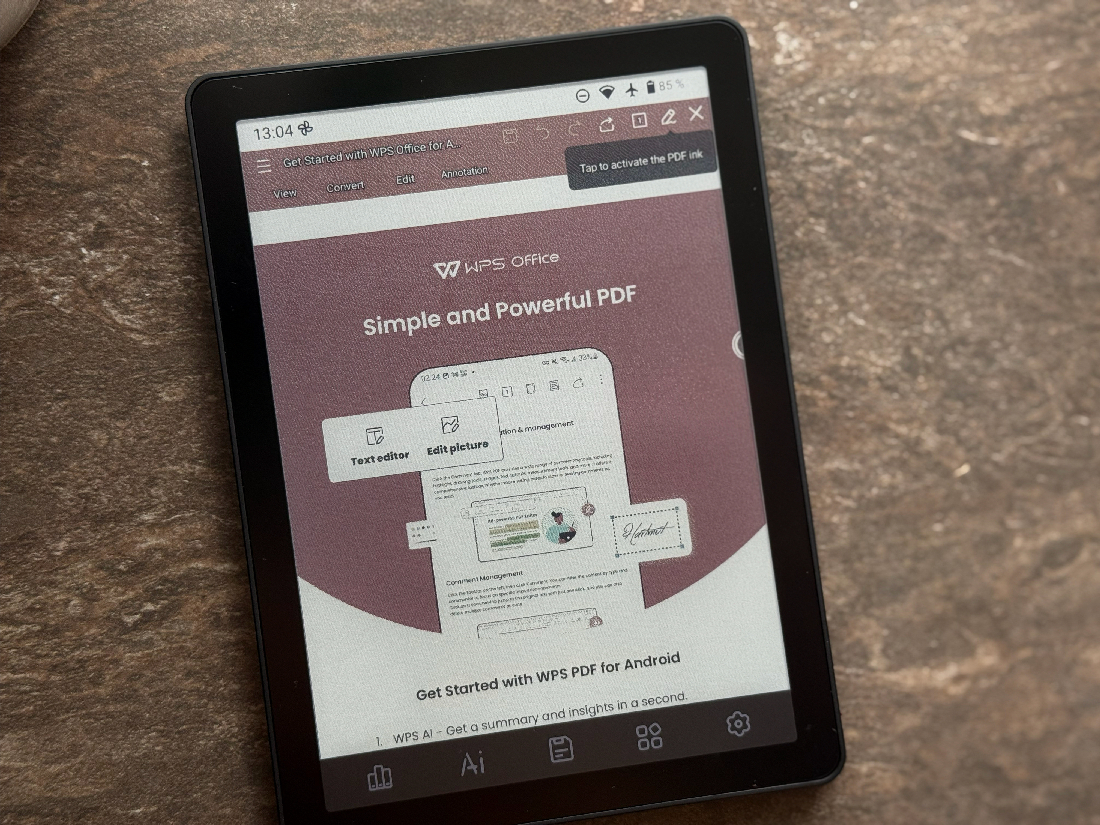
The device also claims support for voice input, which could be used for voice notes. Online translation is also offered, though from an even more limited set of languages. In practice, these features are barely usable – they work poorly and with noticeable lag, making them more of a marketing idea than a reliable tool.
Read also: Kobo Clara Colour Review: Life is Beautiful in Color
Performance, Software, and Hardware
Now we get to one of the most interesting sections: software, hardware, and performance. According to the manufacturer, the device is powered by an 8-core processor. Memory stands at 4 GB RAM and 64 GB storage, with microSD expansion up to 1 TB – a nice bonus, though why anyone would need that much is another question.
What exactly can the Bigme B6 do? In practice, for most users, it boils down to one thing: reading – comfortably, yes, but that’s about it.
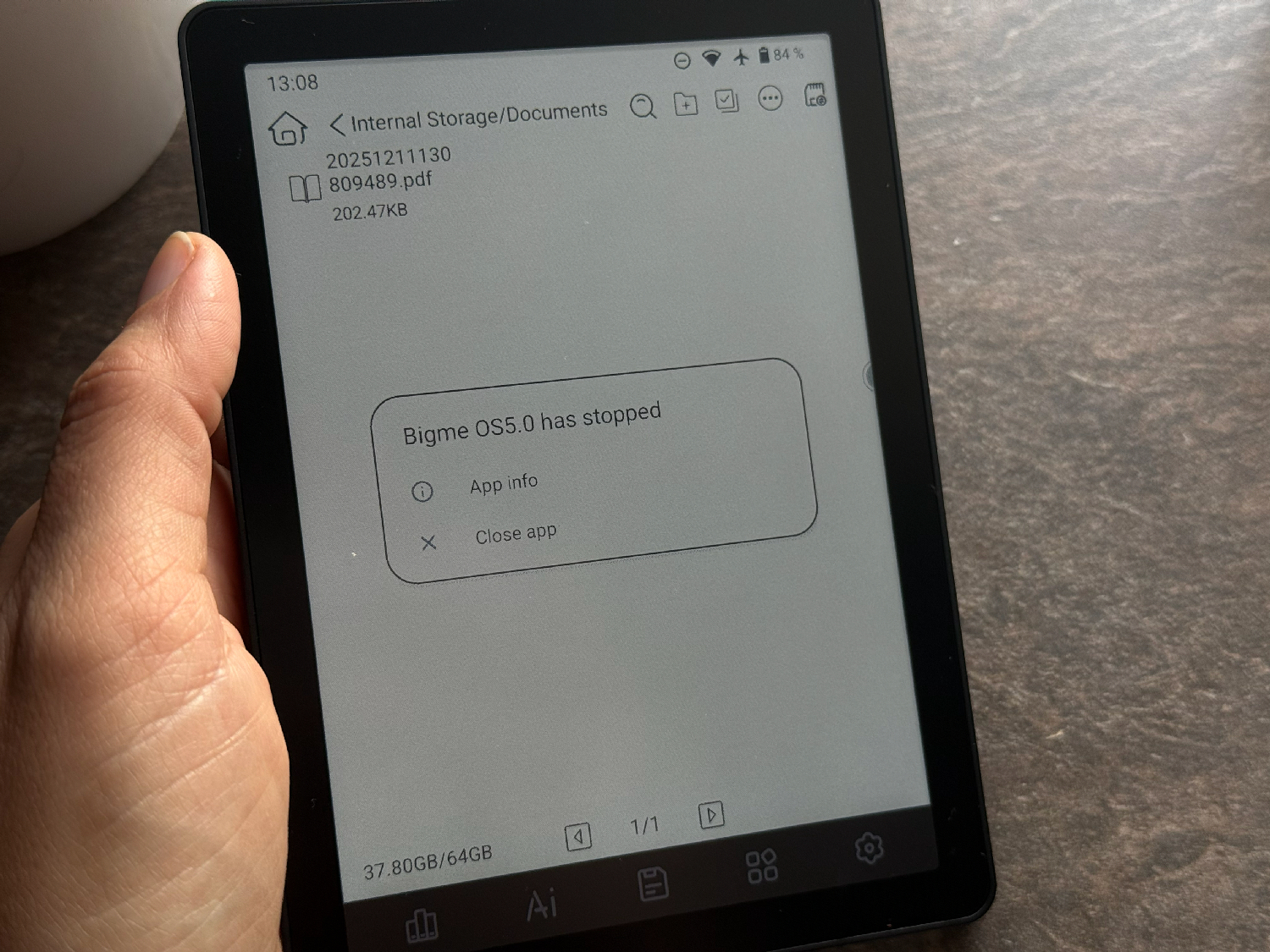
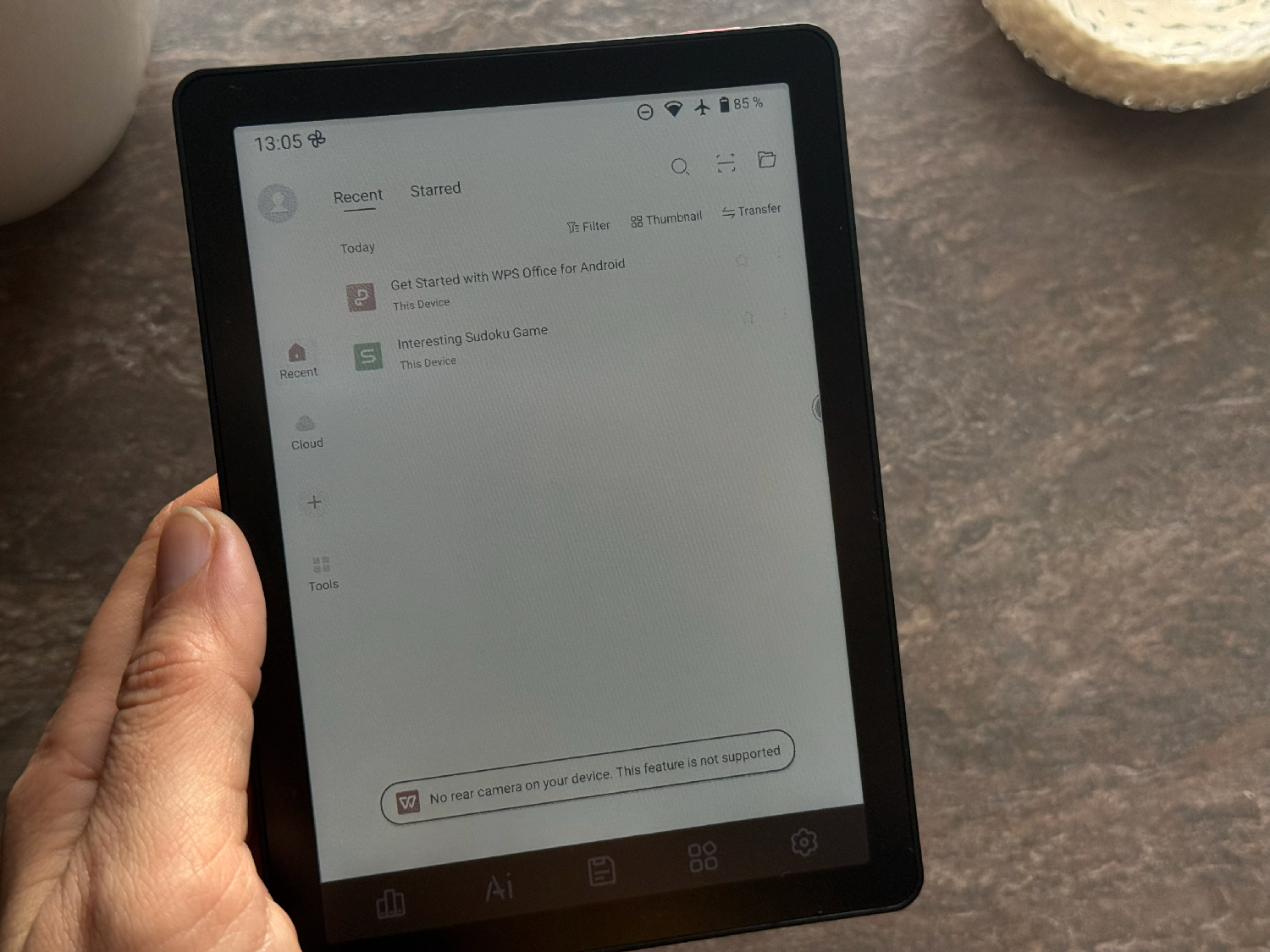
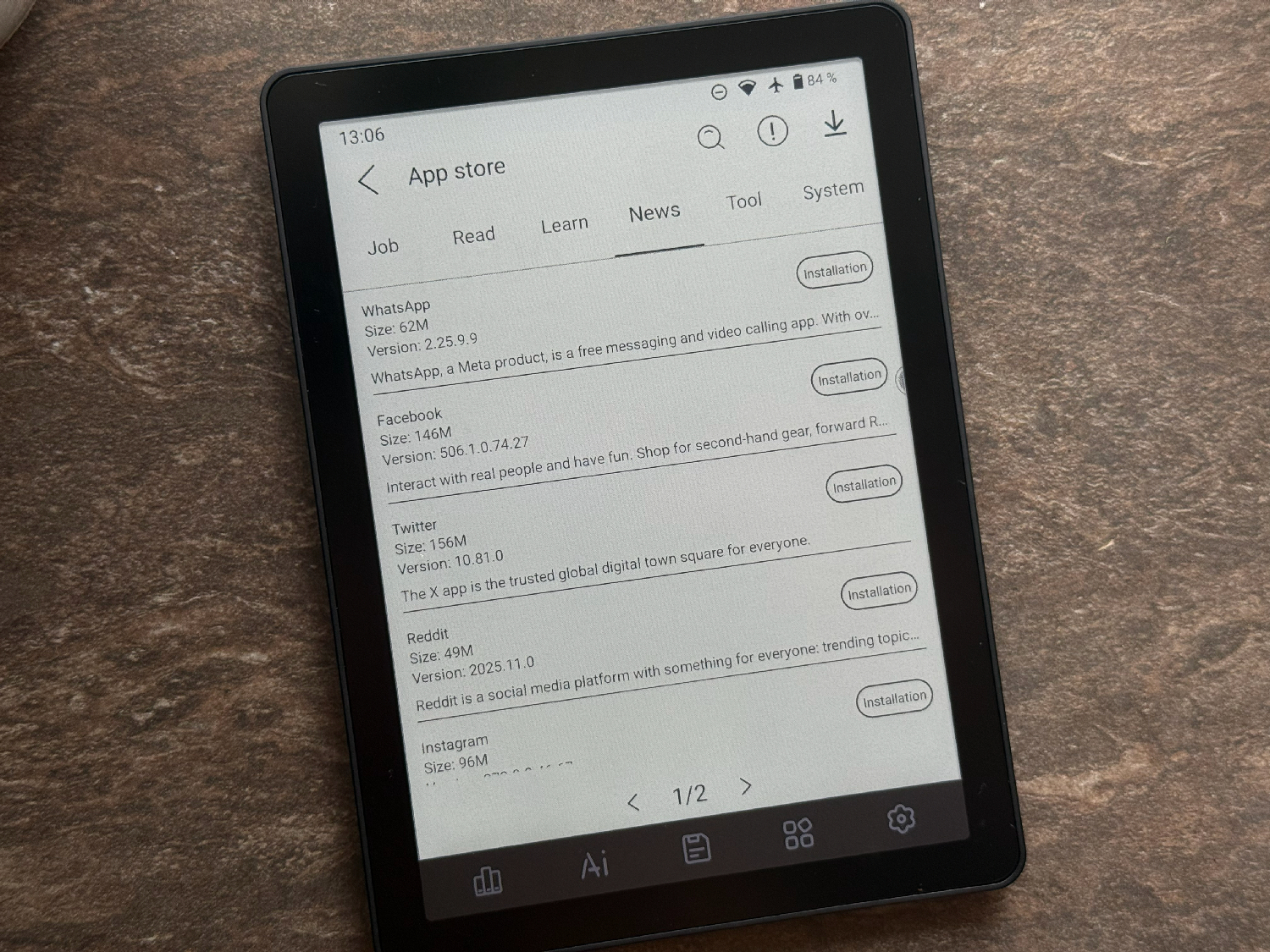
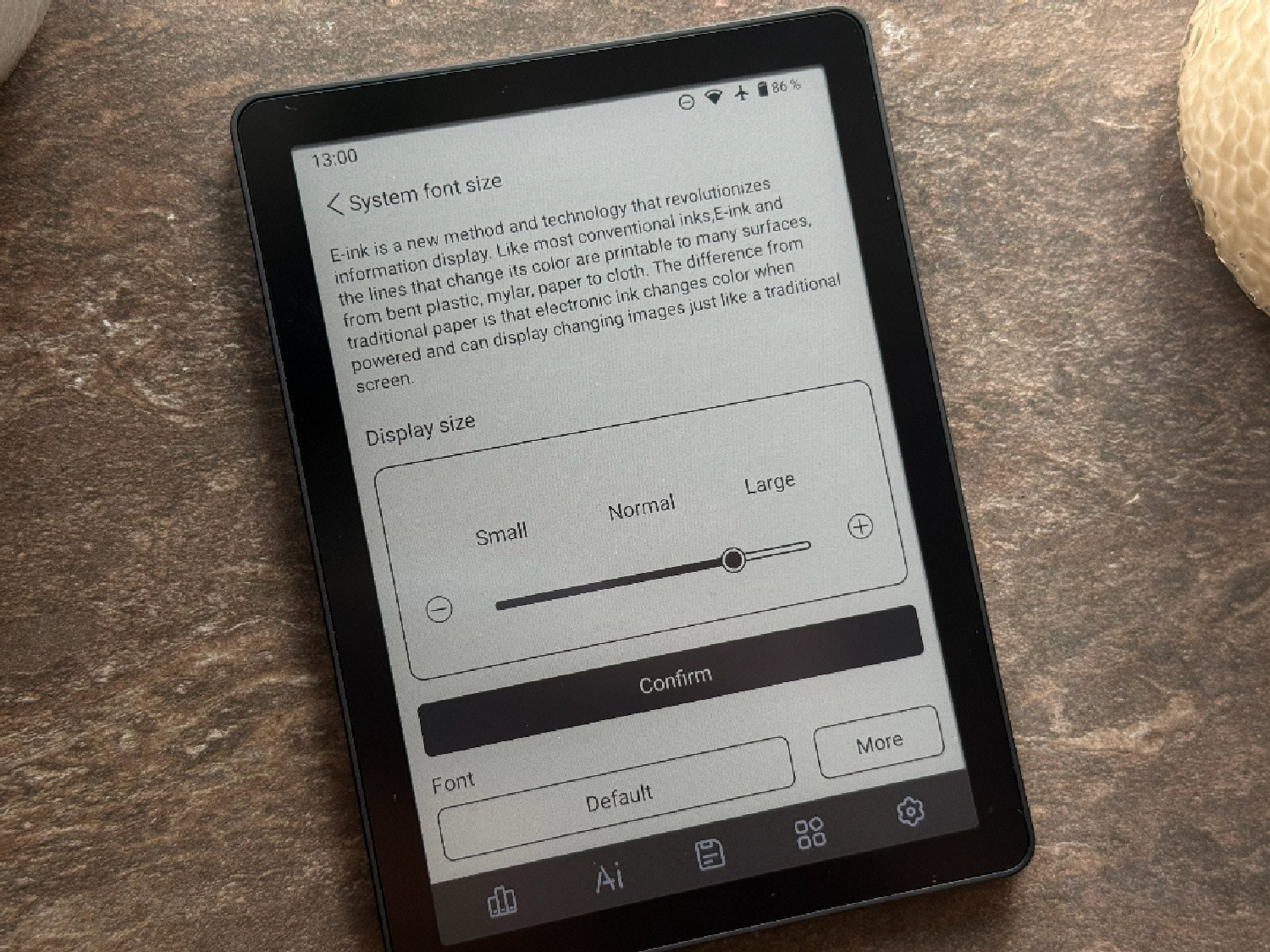
And that’s only if you make a conscious effort to dig into the settings. Trying to read comics, listen to audiobooks without headphones, get accurate voice recognition, scroll through social media feeds, or – heaven forbid – watch videos? Forget it. The device simply can’t handle any of that, no matter how much Bigme’s engineers or marketers might want you to believe otherwise.


The reader is powered by a MediaTek Helio P35 (12 nm), so instant responsiveness isn’t to be expected – but for an E‑Ink device, it feels surprisingly spry, almost as if it’s trying to make a good impression. Unfortunately, optimization quickly undermines this potential, which we’ll get to shortly.
The Bigme B6 Color runs a modified version of Android 14 with a custom interface tailored for E‑Ink screens. While four different screen refresh modes are supported, increasing the refresh rate to achieve genuinely smooth scrolling significantly reduces image quality. On top of that, ghosting from previous screens remains visible, as noted earlier.
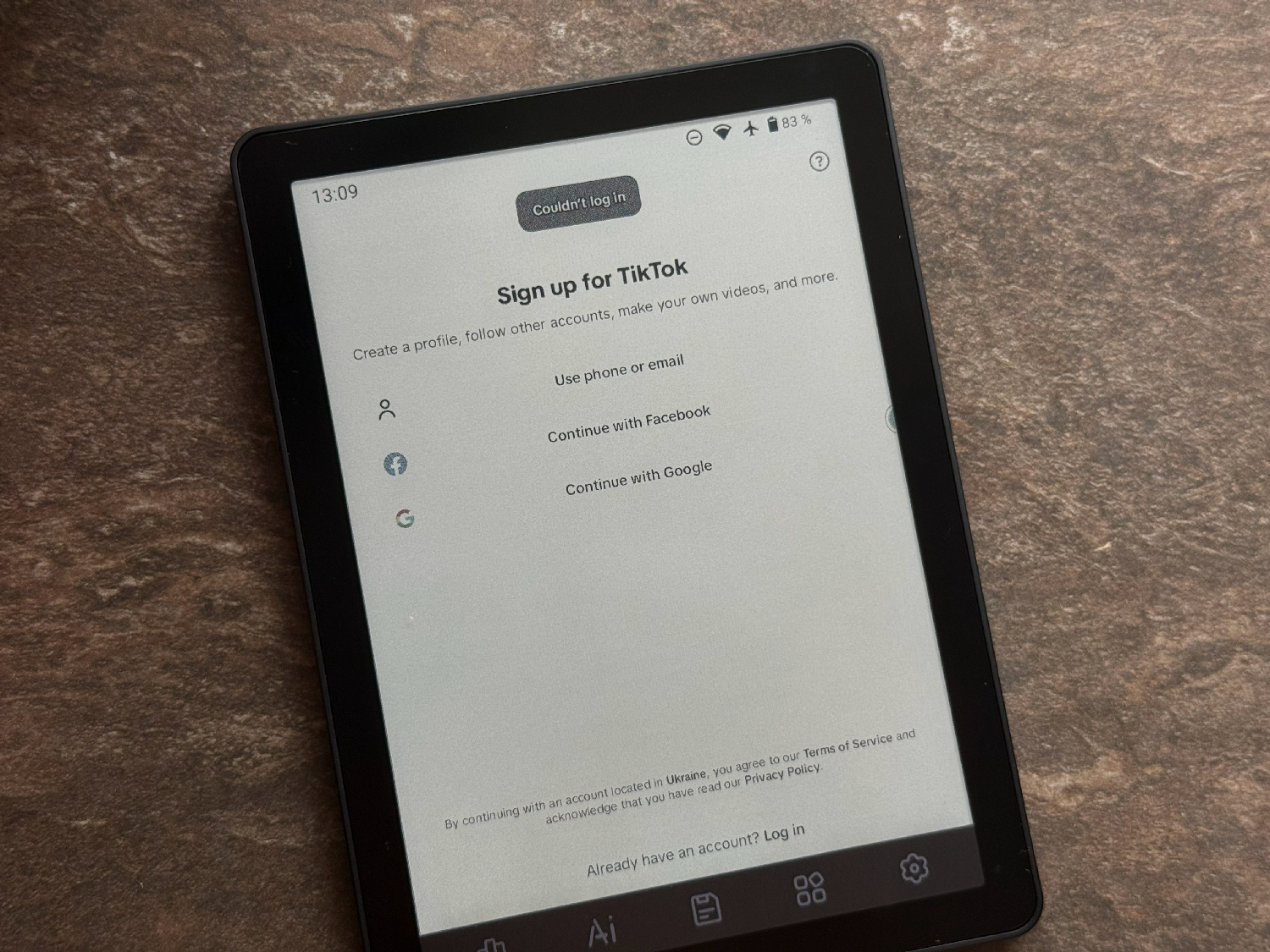
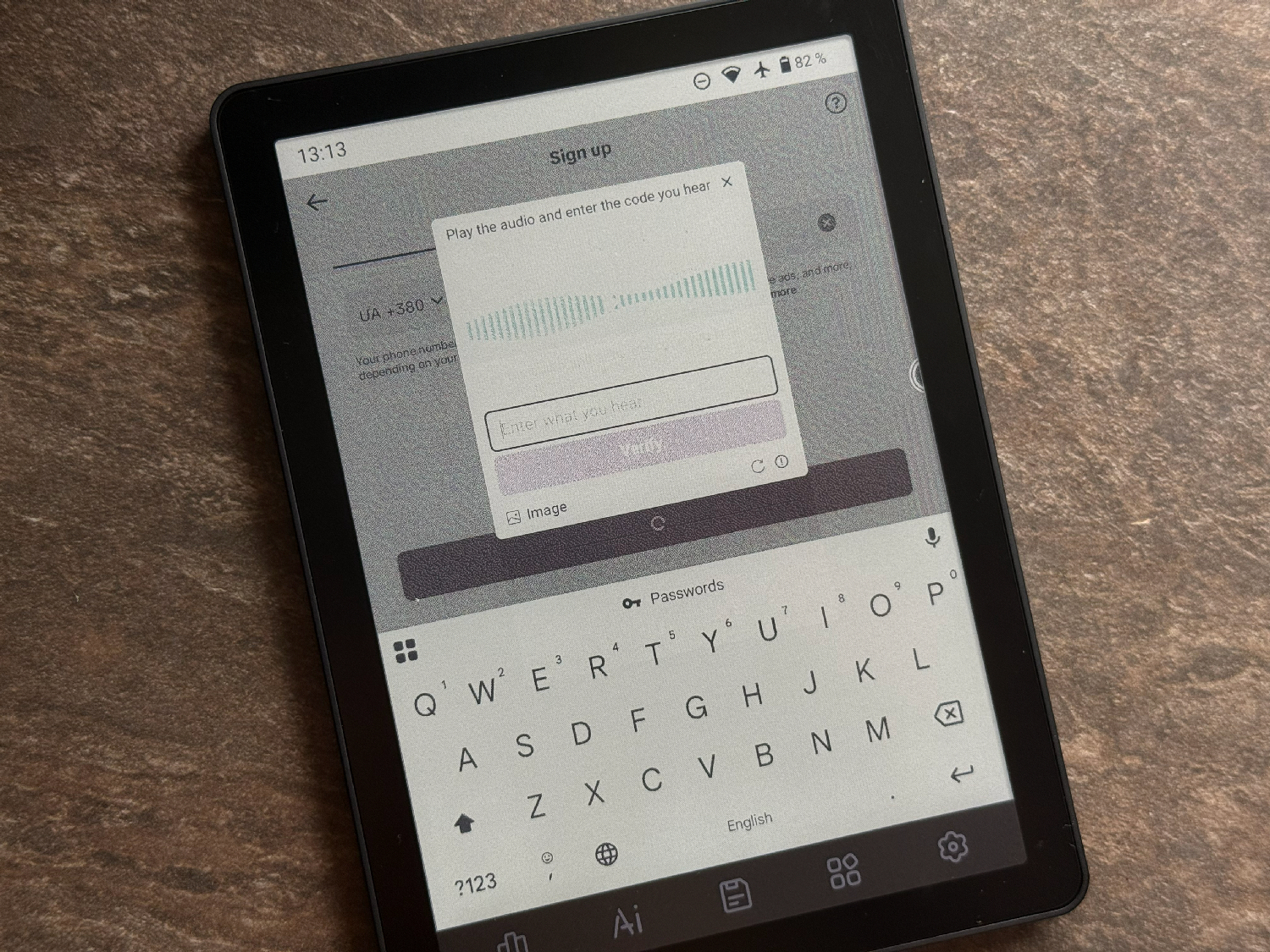
Apps take about a second to launch, but once they do, they generally run fairly smoothly. And honestly, why would you need heavy multitasking on a device where 90% of the time is spent just reading? It would make more sense if the Bigme B6 didn’t try to play the role of a tablet. With 4 GB of RAM, it’s hard to fully max out memory, but returning to a reading app that was quietly “napping” in the background can sometimes trigger a full restart of the app. Be prepared for that.

One of Bigme’s main features is the E‑Ink control center, which gathers a wide range of settings in one place. It allows fairly fine-tuned customization to match personal preferences.
At the top of the list is the refresh rate selection. By default, the HD 256 mode is active, which replaces the standard 16 shades of gray with 256. This mode is advertised for reading e‑books, offering deep black text on a neutral background. Other modes include HD, Regal, and FAST. FAST is best suited for launching apps or browsing web pages. There’s no mode for watching video – which makes sense, as doing so on an E‑Ink reader is a lost cause.
As for recommendations, I can’t give a universal answer. After experimenting, I ended up choosing the old Custom mode and fully adjusted the reader to my own preferences for display. I don’t watch videos, don’t play even simple games, and don’t scroll social media – I just read – so all my settings were tailored for that.


Regarding security, there’s no face or fingerprint unlock here. Everything is classic: password, PIN, or pattern lock – pick your own “samurai path.”
Once connected to Wi‑Fi, the device immediately receives software updates. During nearly a month of use, I got two updates. They twice changed the interface (for reasons unknown), added an extra – mostly unnecessary – launcher, but did not fix the obvious optimization issues.

Regarding additional features, the device includes Miracast support for image casting. In practical terms, Miracast functions as wireless screen mirroring, with the inherent limitations of an E Ink display. The connection itself is stable, but due to the slower refresh rate of electronic ink, the image appears noticeably less responsive, especially during animations. For static use cases – such as presentations, documents, or notes – Miracast is usable. However, it is not suitable for smooth video playback.
More problematic is the overall software optimization. The system gives the impression of lacking coherent design oversight. Applications are scattered throughout the menus without a clear organizational structure, and several functions are duplicated or even triplicated – appearing as standalone apps, entries in a quick-access menu, and separate actions assigned to the bottom touch button. For example, BigmeGPT is referenced repeatedly across the interface, yet its practical usefulness is limited. It is unable to provide explanations or historical context for a selected text excerpt taken directly from a book opened in a neighboring window. By contrast, Kindle handles similar tasks without issue. Whether this difference is related to Kindle’s support for Gemini remains unclear.
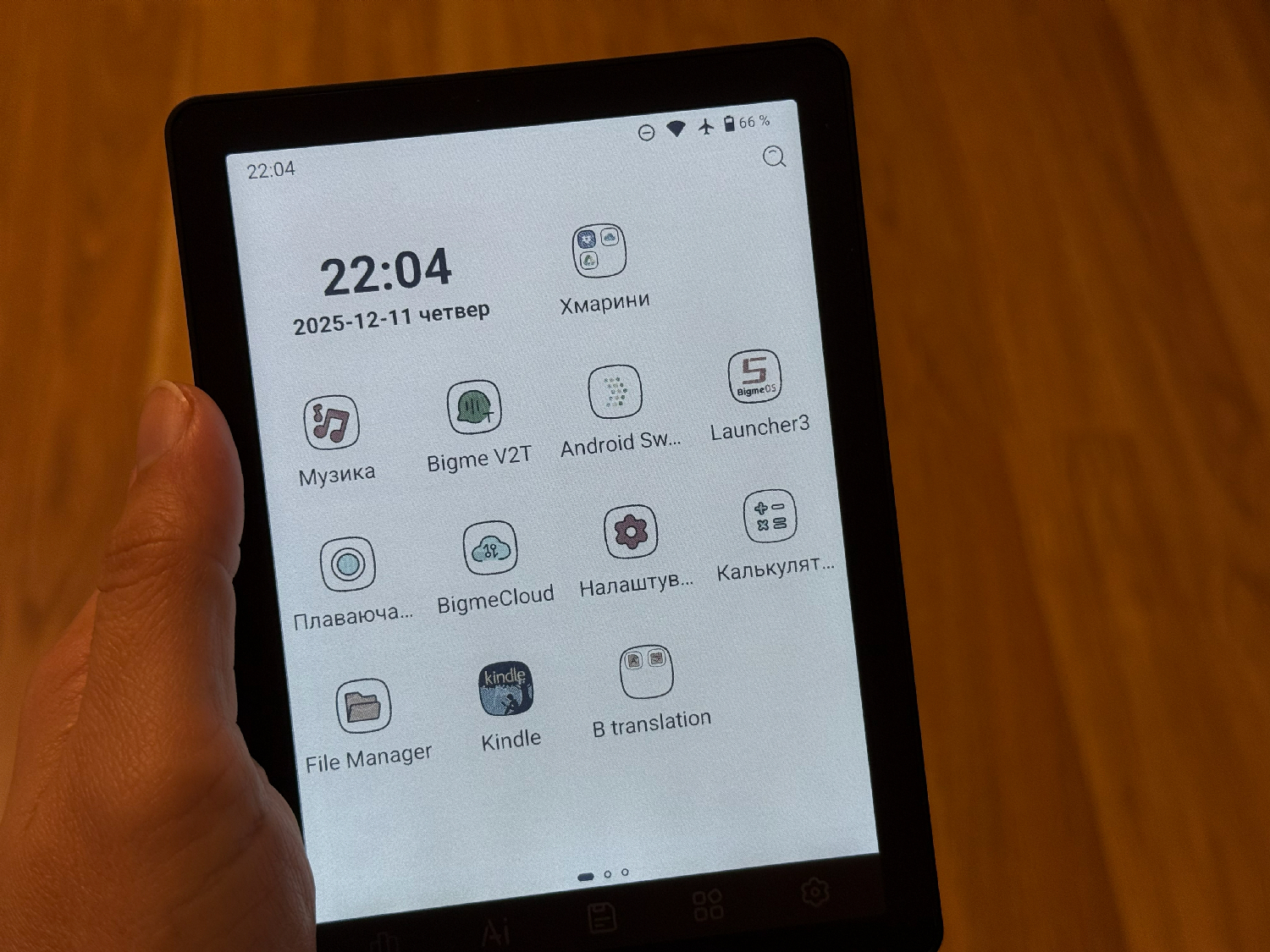
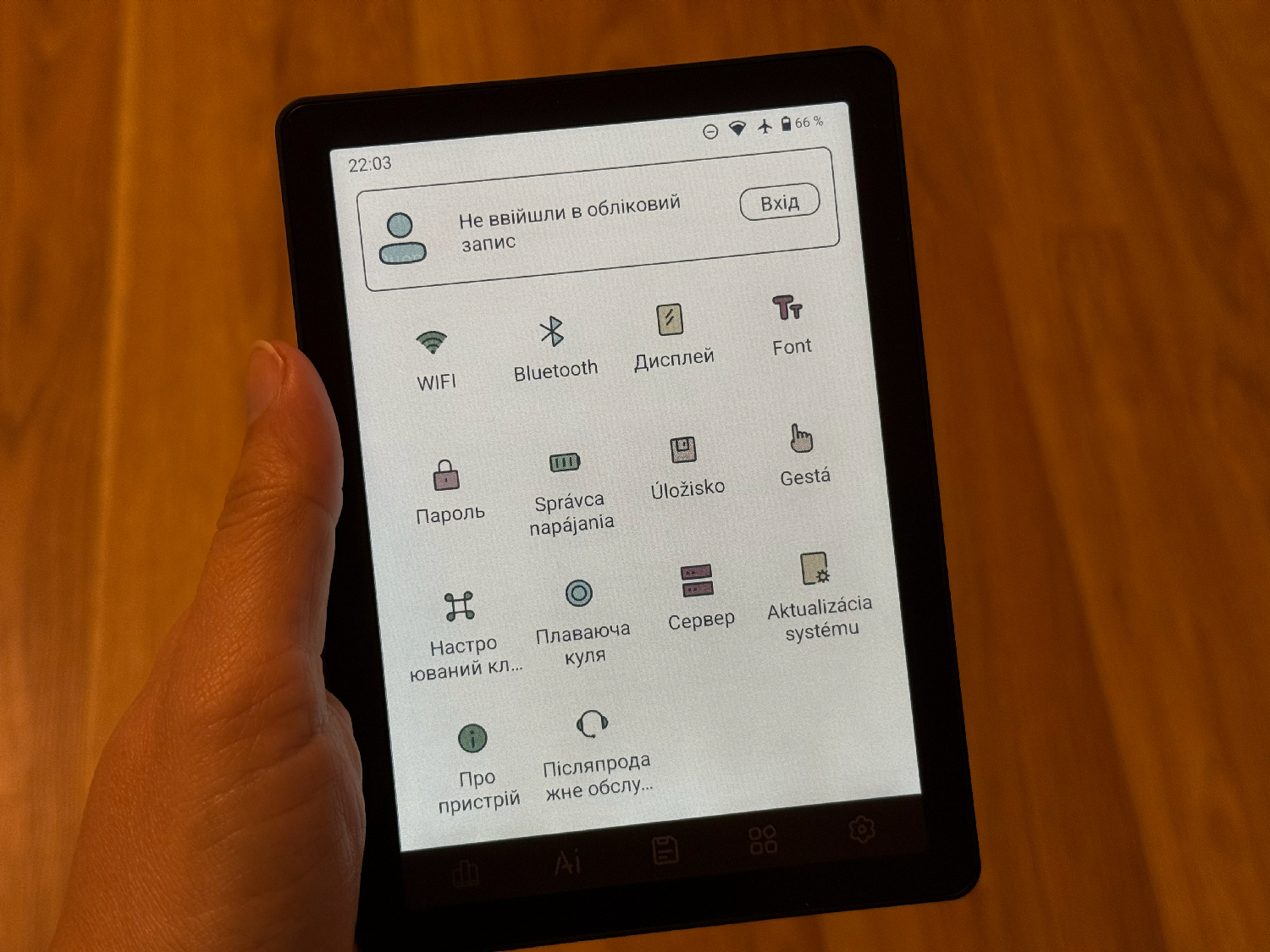
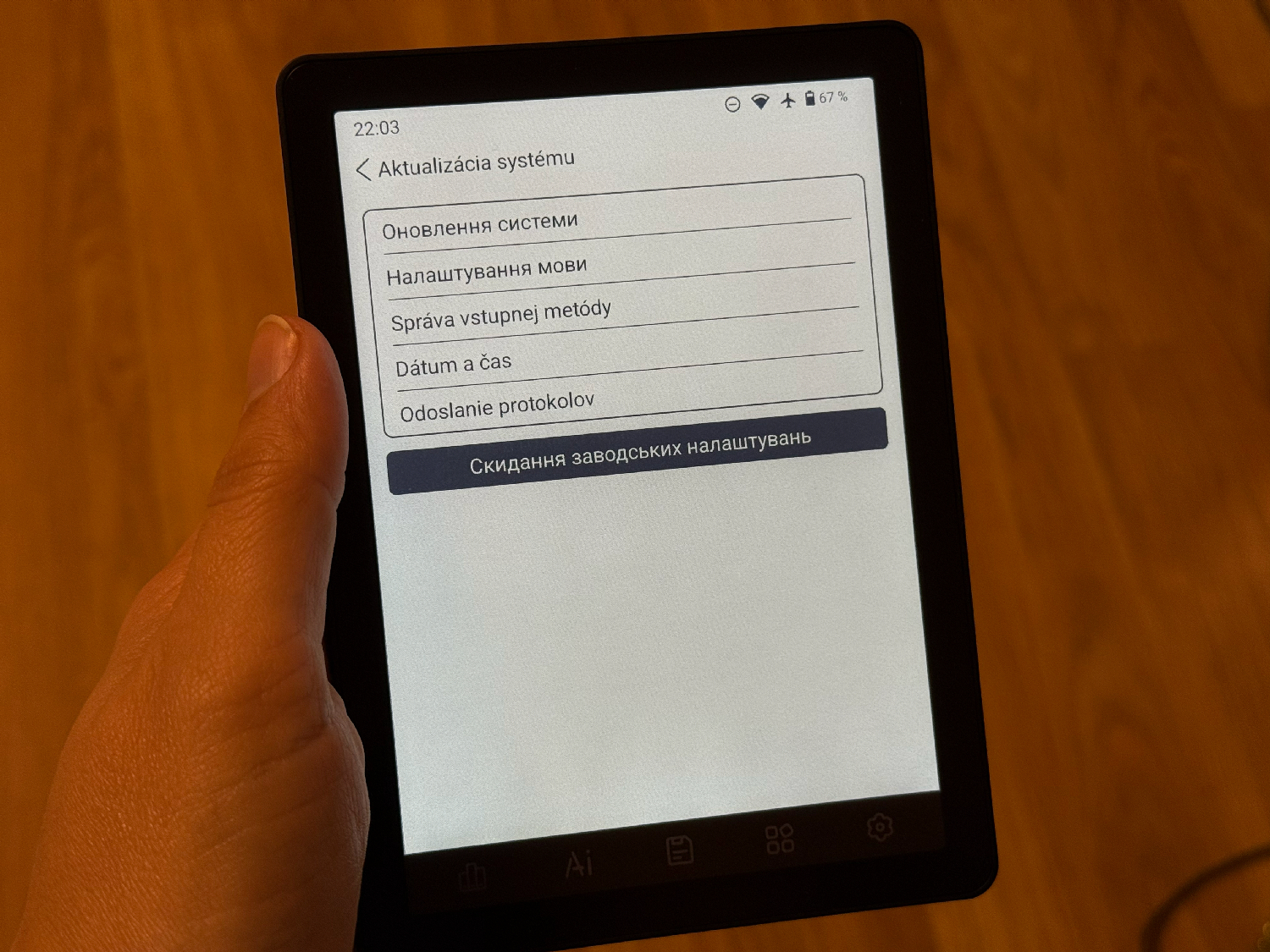
As for the translation features and language support prominently advertised by the manufacturer, these aspects warrant separate criticism. On a device priced at $165 and above, there is no properly implemented support for Ukrainian, Russian, or – even more surprisingly – English. The overall experience recalls early-generation companion applications, where localization felt incomplete and inconsistent rather than intentionally designed.
It is also worth cautioning users who might be considering the Bigme B6 primarily for reading comics or manga. In practice, this use case is not well supported. While the specifications list a “color display,” the real-world result matches what can be seen in sample images. Text inside dialogue bubbles suffers from significant blurring, becoming difficult or impossible to read. As a result, comics and manga are not a practical application for this device.


As for color reproduction, the device does not allow for meaningful appreciation of graphics. Instead of conveying detail, the display presents visible artifacts and pronounced grain, requiring the user to infer the underlying image rather than clearly perceive it. This further limits the practicality of the color screen for visually rich content.


Among the more unusual behaviors observed is the reader’s apparent autonomy in granting application permissions, specifically access to geolocation data. The permissions shown in the referenced image were not explicitly approved by the user. This is notable, as location access is typically disabled by default across devices and applications. Upon further examination, the application name displayed in Chinese characters appears to correspond to a Chinese digital book service. While this may not indicate immediate malicious behavior, the lack of clear consent and transparency around permission management raises concerns about the software’s approach to user privacy and control.
Read also: Bigme B751C review: Finally, Affordable E-Reader With Color E Ink And Android
Battery life
Finally, battery life. It is difficult to frame this aspect positively. The only favorable comparison that comes to mind is the Bigme B7, which demonstrated strong endurance and suggested that similar performance might extend to its smaller counterpart. In practice, this is not the case.
The Bigme B6 Color is equipped with a 2100 mAh battery. In isolation, this capacity could be considered sufficient for a typical e-reader. However, the device positions itself closer to a tablet in terms of functionality, and under those expectations, the battery capacity becomes a limiting factor rather than an advantage.

Whether this impression is influenced by long-term use of PocketBook devices, where battery life can extend to several weeks, or whether it is simply the cost of running Android features – such as receiving Telegram notifications without reaching for a phone – the outcome remains the same. In practical use, the Bigme B6 Color does not last 12 hours on a single charge.
This significantly limits its suitability for extended use away from a power source. Taking it on a trip is possible, but only with a charging cable – which, notably, is not included. Scenarios such as reading for a couple of hours before bed over the course of a week are unrealistic. The device discharges continuously, including overnight.
What makes this particularly notable is that this behavior occurs even with power-saving mode enabled. In this mode, Wi-Fi and Bluetooth are disabled by default once the device enters sleep, which itself is automatically triggered when the cover is closed – assuming, of course, that the cover is actually present.


Notably, the manufacturer explicitly limits its responsibility for the behavior of this mode, stating: “Some scenes may refresh abnormally; tap the screen or swipe to restore normal mode.” In practice, this guidance does not resolve the issue. The only consistent change observed is increased battery drain when “Performance Mode” is enabled.
As a result, the reader is effectively used in Airplane Mode at all times, with as many features disabled as possible. Even under these conditions, the device still loses approximately 40–45% of its charge during a two- to three-hour reading session. It is possible that future software updates may address this behavior, but at present it remains a significant limitation.
Read also: Review of the PocketBook Era reader: A new era of reading?
User experience
With each day of use, it became increasingly clear that this device is, at its core, an e-reader with extended ambitions rather than a true tablet. Under that assumption, the pricing would need to reflect a more focused role. Removing some of the secondary features and refining the remaining core functionality could have resulted in a well-balanced entry-level e-reader.
In its current form, however, the device attempts to serve two purposes simultaneously. As a result, it does not fully succeed in either role, leaving the overall experience fragmented rather than cohesive.


The central issue with the Bigme B6 Color lies in the sense of unlimited capability implied by its use of Android. The operating system encourages users to install applications such as Telegram, Pocket, Gmail, or even a full web browser. In practice, however, interacting with these applications on a 6-inch E Ink display is cumbersome. This limitation is not a matter of hardware performance, but of the physical constraints of electronic ink technology, which the Bigme software attempts – without full success – to work around.
As a result, the device strives to fulfill multiple roles simultaneously. Instead of achieving versatility, it settles into an intermediate space: more complex than a focused e-reader, yet unable to function comfortably as a tablet. The outcome is a product with broad intentions but limited practical coherence.
Is it possible to get used to the Bigme B6 Color? Yes, with some effort. A user willing to spend an evening or two customizing the device – disabling unnecessary services, removing unwanted apps, installing a suitable reading application, and largely ignoring Google Play – can achieve a functional e-reading experience. Under these conditions, the device can serve adequately as a basic e-reader.


Despite its quirks, inconsistencies, and occasional frustrations, the Bigme B6 Color can become a surprisingly reliable companion for reading. When used for its primary purpose – displaying text, turning pages, and conveying stories – it offers a calm and focused reading experience. In the context of a busy daily routine, this quality is particularly valuable.
During these moments, minor flaws become less noticeable, and the device’s screen provides a soft, comfortable reading environment, reminiscent of reading under a lamp in the evening. In this sense, the appeal of the Bigme B6 Color lies less in its technical specifications or feature list and more in its ability to deliver a satisfying, immersive reading experience when used as intended.
Read also: reMarkable Paper Pro Move review: The Little Notebook That Refuses To Become A Tablet
Conclusions
Pros:
- Open Android 14 (freedom of action, if you need it)
- Color screen (despite everything)
- Good build quality and compactness, great looks
- Lots of memory (4/64 GB + memory card)
- High-quality backlight with temperature control
Cons:
- Terrible localization and chaotic menu
- Poor battery life (for an E Ink device)
- “Dirty” screen background (and artifacts)
- Uncomfortable software ergonomics (bottom panel)
- Components are a lottery
- Raw software with a bunch of bugs.
The Bigme B6 Color is best suited for creative users or those new to the E Ink ecosystem. It appeals to individuals who find the closed environment of Kindle or the semi-closed system of PocketBook restrictive, and who prefer to retain access to their favorite Android applications while reading.
However, for users seeking a simple, reliable e-reader with long battery life for casual reading – one that can last several weeks on a single charge – the Bigme B6 Color may not be the most appropriate choice.

At this point, a reasonable question arises: is the issue with the device itself, or with our expectations of it? Perhaps the B6 was never intended to be a direct successor to the B7 or a fully capable tablet. Maybe its goal was simply to serve as an affordable e-reader while providing access to the Android ecosystem.
It appears that Bigme did not clearly communicate this purpose – neither to users nor, perhaps, to the device itself – leaving behind a small but intriguing ambiguity in how the B6 Color is perceived and used.


usb-c audio does work – I also feared the worst the first time I tried it but luckily after a reboot both my usb-c earbuds & usb-c to 3.5mm audio adapter worked. You can also check your settings here …
Settings | About | click “Build Number” 7 times to enable Developer options
… back one page to …
System | Developer options | scroll down to “Media” section
“Disable USB audio routing” must be OFF (mine was off)