





© ROOT-NATION.com - Use of content is permitted with a backlink.
Traditionally, E Ink devices were limited to basic e-readers focused primarily on text consumption. However, recent generations have evolved into more versatile tools that combine reading, note-taking, and mobile computing within a single device. The Bigme B7 Pro aligns with this trend, integrating a 7-inch Kaleido 3 color display with a full Android operating system and an unusually broad range of connectivity options for a device in this form factor.
Read also: All reviews of e-readers


Unlike the base B7 model (review linked here), the Pro version received a significant hardware upgrade, resulting in noticeably faster performance and smoother multitasking. In this review, we’ll explore whether the Bigme B7 Pro remains a simple “e-reader” or if the Chinese engineers have truly elevated the capabilities of color E Ink to a new level. It’s worth noting that this review will take a critical approach, focusing on potential shortcomings, because this device represents the pinnacle of Bigme’s engineering efforts – a high expectation by design.
TABLE OF CONTENTS:
Specifications
- Display: 7-inch colour screen based on E-Ink Kaleido 3 technology
- Resolution: 1264×1680 pixels (300 PPI for black and white content and 150 PPI for colour)
- Processor: MediaTek Dimensity 1080 octa-core chipset with a frequency of 2.3 GHz
- Memory: 8/256 GB, microSD support up to 1 TB
- Operating system: Android 14 (with Google Play support)
- Wireless interfaces: Wi-Fi (2.4/5 GHz), Bluetooth 5.0
- Mobile connectivity: 4G LTE support (Nano-SIM slot) for calls and mobile internet
- Cameras: 5 MP main camera with autofocus and flash (optimised for OCR – text recognition using AI)
- Audio: built-in dual microphones with noise cancellation, speaker
- Battery: 3000 mAh (supports charging via USB-C port)
- Stylus: magnetic stylus support with 4096 pressure levels (included)
- Navigation: built-in GPS/Beidou module
- Additional features: 2 physical buttons, proximity sensor, G-sensor (auto-rotate screen)
- Screen features: proprietary xRapid technology for ultra-fast refresh rates (up to 43 FPS).
Positioning and price
Bigme B7 Pro is a device for those who want more than just a regular e-book: it is an Android reader with Google Play, a stylus, 4G, colour E-Ink and a 7″ screen for reading, note-taking and basic mobile tasks. It is an ideal flexible tool for studying, working and travelling. The price (~$299 / €280) makes it a bridge between readers and tablets.

Competing models include devices such as the Onyx Boox Palma 2 and the Onyx Boox Note Air 3 C, each with its own strengths and trade-offs. The Bigme B7 Pro aims to position itself in the middle ground: a compact form factor combined with a color display, high performance, and 4G connectivity, all within a price range where competitors typically compromise on size or color support, or move into a significantly higher cost bracket.
Read also: Bigme B7 Review: When an E-Reader Tries to Be a Tablet – and Actually Pulls It Off
Bigme B7 Pro Package Contents
Inside the box, all essential accessories are included for immediate use: the tablet itself with a protective film applied, a stylus (with magnetic attachment and wireless charging), a gray PU leather folio case with a stylus holder and a stand for landscape orientation, a USB-A to USB-C cable, a SIM tray ejector tool, one spare pen tip, and a tool for replacing it.


The package also includes a quick start guide, a warranty card, and a nano-SIM ejector pin. A power adapter is not provided; the manufacturer expects users to rely on a standard phone charger.


The included case is well made and relatively lightweight. The tablet itself weighs 215 g, and the case adds only a moderate increase in overall weight. It secures the stylus magnetically and features a flap to prevent it from falling out during transport.
The stylus has a cylindrical shape with a flat side for magnetic attachment and does not include side buttons. It features a hard tip, supports 4,096 levels of pressure sensitivity, and offers palm rejection. However, writing latency is noticeable. While the stylus is functional for drawing and note-taking, the tactile experience and the distinct scratching sound against the screen surface detract from overall comfort. This aspect significantly affected usability in practice, leading to a preference for finger input, which felt more natural and comfortable for everyday interaction.


In addition, the device features two dedicated physical buttons for page turning, reducing the need to rely on the stylus for routine navigation. As a result, the stylus feels more like an optional accessory than an essential tool for everyday use. Overall, the package is practical and well considered. It avoids unnecessary extras while including everything required to begin using the device immediately.
Read also: Bigme B6 Color Review: When an E-Reader Tries to Be a Tablet – and Didn’t Quite Succeed
Design and Ergonomics
The Bigme B7 Pro features a clean, understated design with carefully considered ergonomics. Unlike the base B7 model (available in black and green), the Pro version is offered in blue, white, and green. The white bezel visually enhances the sense of screen space, while the physical buttons and overall build quality reflect attention to detail. The device clearly targets the premium segment in terms of materials and finish.


The B7 Pro differs significantly from its predecessor with the addition of a panel featuring eight touch-sensitive keys, providing immediate access to core functions – Home, task switching, settings, the E Ink control center, applications, control panel, screen refresh, and back navigation. This layout will appeal to users who prefer traditional Android-style navigation over gesture-based controls. The buttons respond reliably to both finger and stylus input. In addition, physical page-turn keys are retained for those who favor tactile controls, and they can also function as volume buttons in video or audio mode.

The B7 Pro adopts an unconventional layout: the USB-C port and speaker are positioned on the left edge. The speaker delivers relatively loud output for such a thin chassis, though with limited depth. Charging requires the case to remain open due to the port placement.
The top-mounted power button does not include a fingerprint scanner. A hybrid tray accommodates both a microSD card and a nano-SIM, enabling 4G connectivity. This allows for SMS, messaging applications, and voice calls, although Bluetooth headphones are recommended, as there is no 3.5 mm audio jack.
Read also: Bigme HiBreak Pro Color Review: Smartphone with E Ink Display
Display
Based on experience reviewing multiple E Ink devices, it is clear that the display defines the overall reading and working experience. In the B7 Pro, this role is fulfilled by a 7-inch E Ink Kaleido 3 color panel with a resolution of 1264 × 1680 pixels. Pixel density reaches 300 ppi in monochrome mode and 150 ppi when displaying color content.


Color saturation is claimed to be 30% higher compared to previous generations, according to the manufacturer. The implementation of E Ink ComfortGaze technology is intended to reduce blue light reflection, which is particularly relevant during extended reading sessions. In practice, the adaptive front light performs effectively across different lighting conditions and helps minimize eye strain during prolonged use.

It’s also worth highlighting Bigme’s proprietary xRapid technology, which, combined with the octa-core processor, drives the E Ink display to an impressive 43 FPS. For a matte E Ink screen, this is a breakthrough, bridging the performance gap with LCDs while maintaining zero glare in sunlight and protecting the eyes. This is the first E Ink device that genuinely impressed me with its responsiveness.


However, it’s important to recognize that color handling and the aggressive refresh rate come with physical limitations. When using the fastest modes, slight ghosting or residual images can appear – artifacts that are characteristic of Kaleido 3 technology due to the presence of the color filter array (CFA).
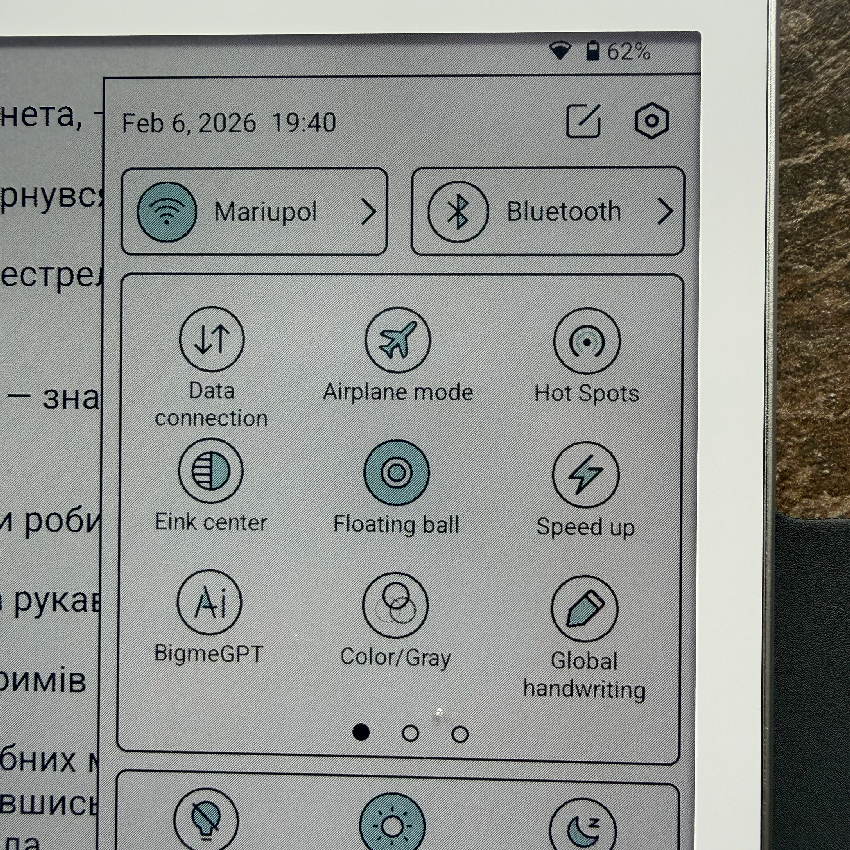
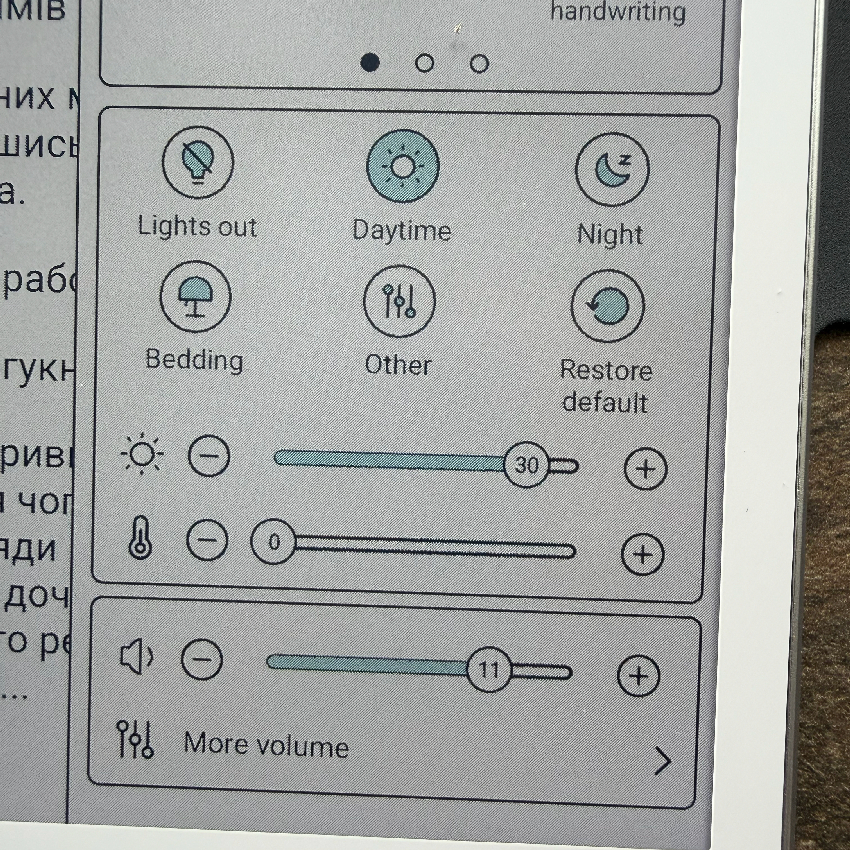
The situation is mitigated by the flexible 36-level ComfortLight backlight, which allows precise adjustment of color temperature. Users can set the screen to a warmer tone for evening reading or a cooler tone for more active daytime use.


The B7 Pro’s display, with a resolution of 1264 × 1680 and 300 ppi in monochrome, delivers crisp text for reading. In color, some graininess is noticeable – a trade-off inherent to Kaleido 3 technology compared to smooth black-and-white E Ink panels. The background appears slightly gray, but the 36-level ComfortLight backlight improves contrast and uniformity, albeit at the cost of battery life.
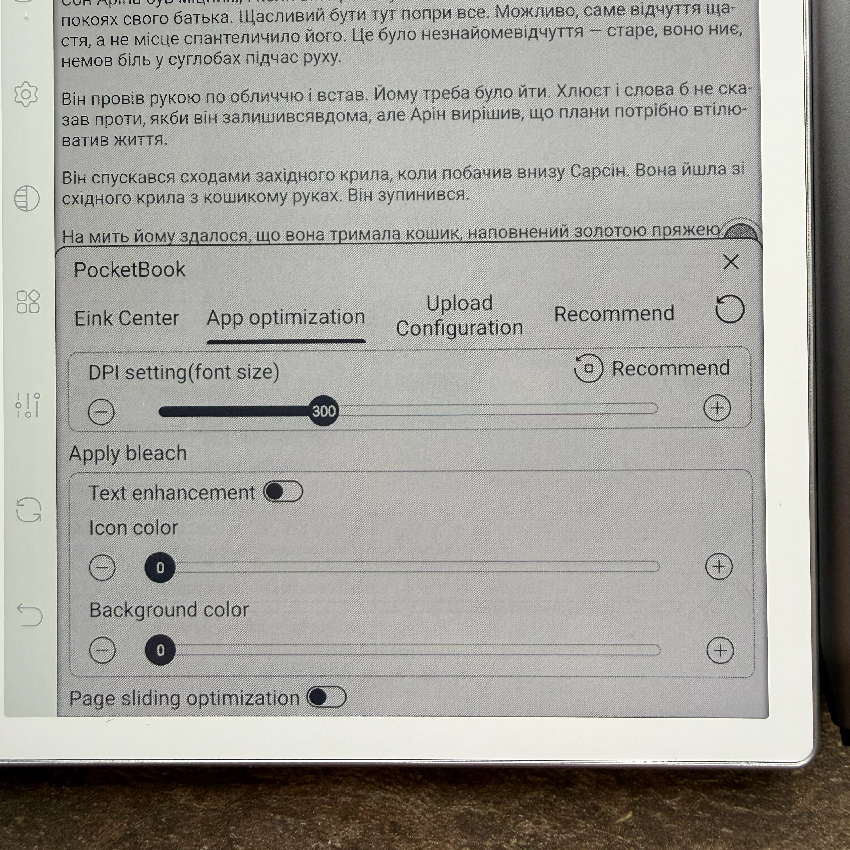
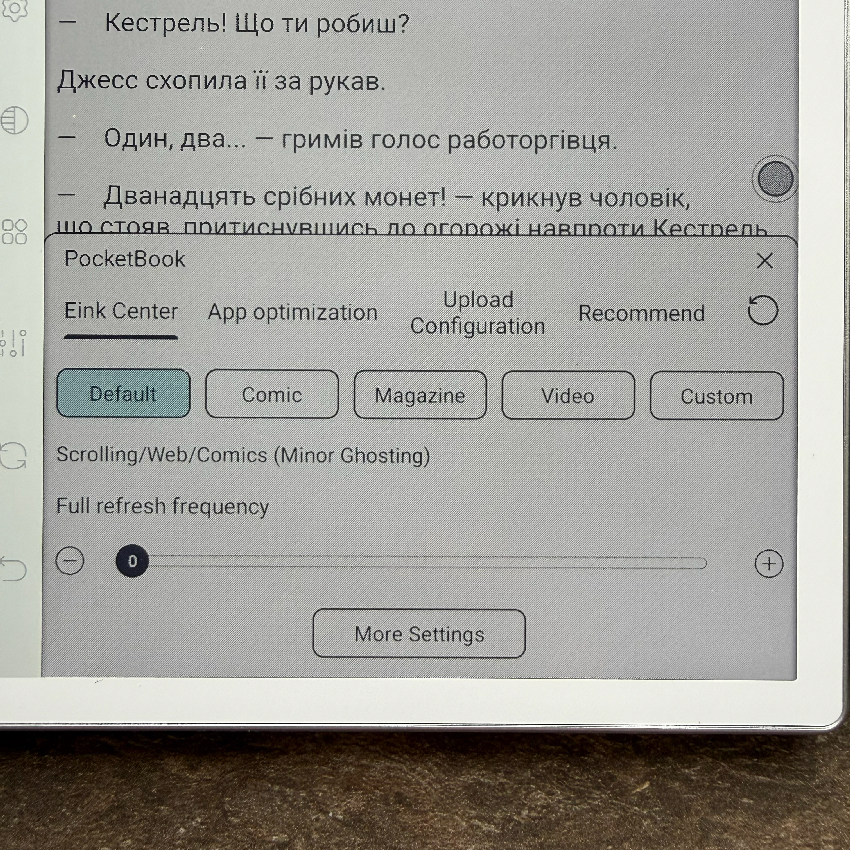
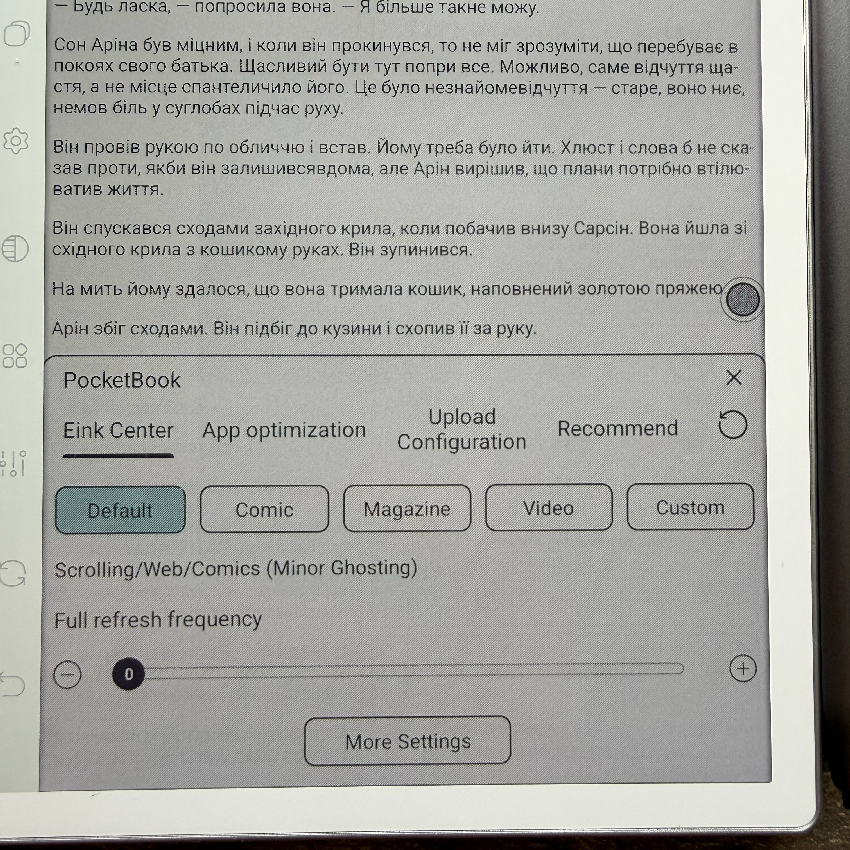
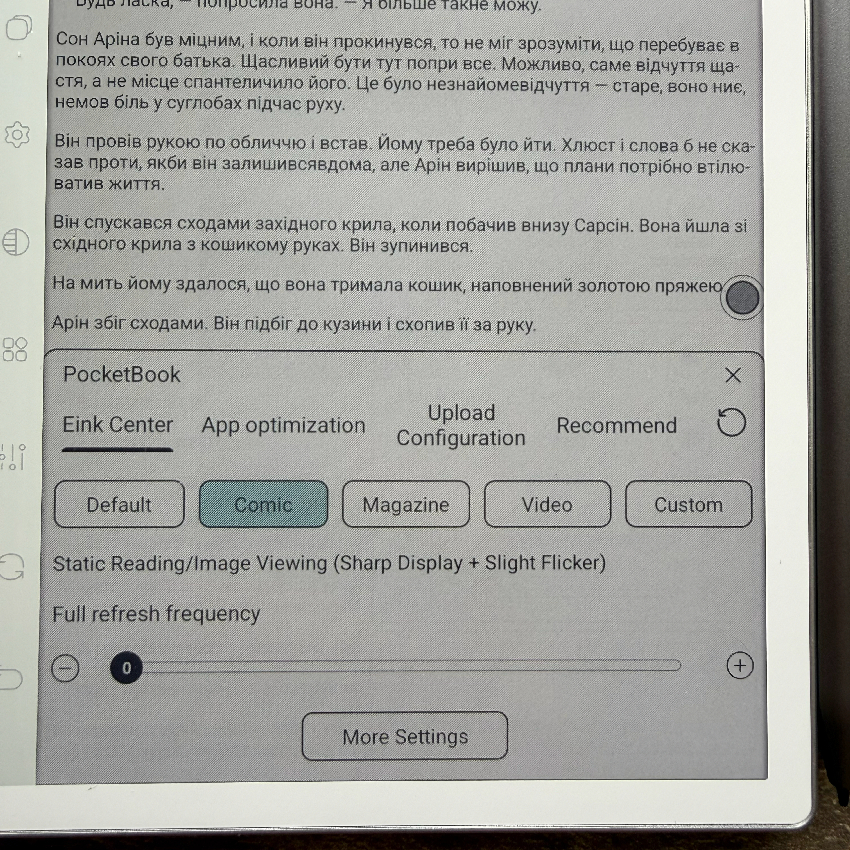
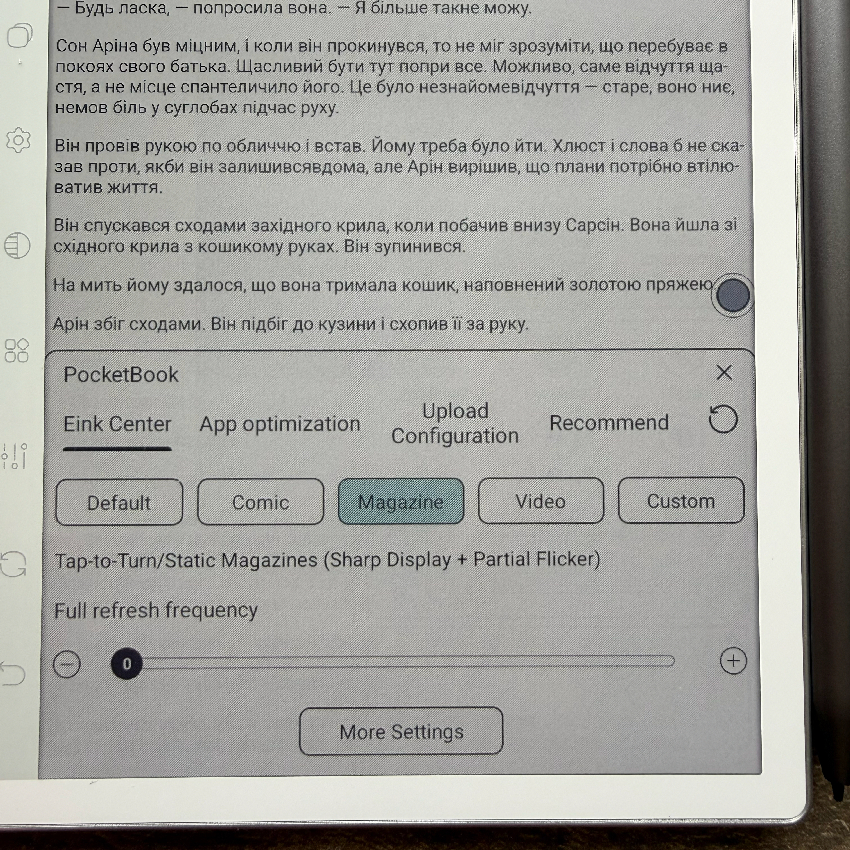
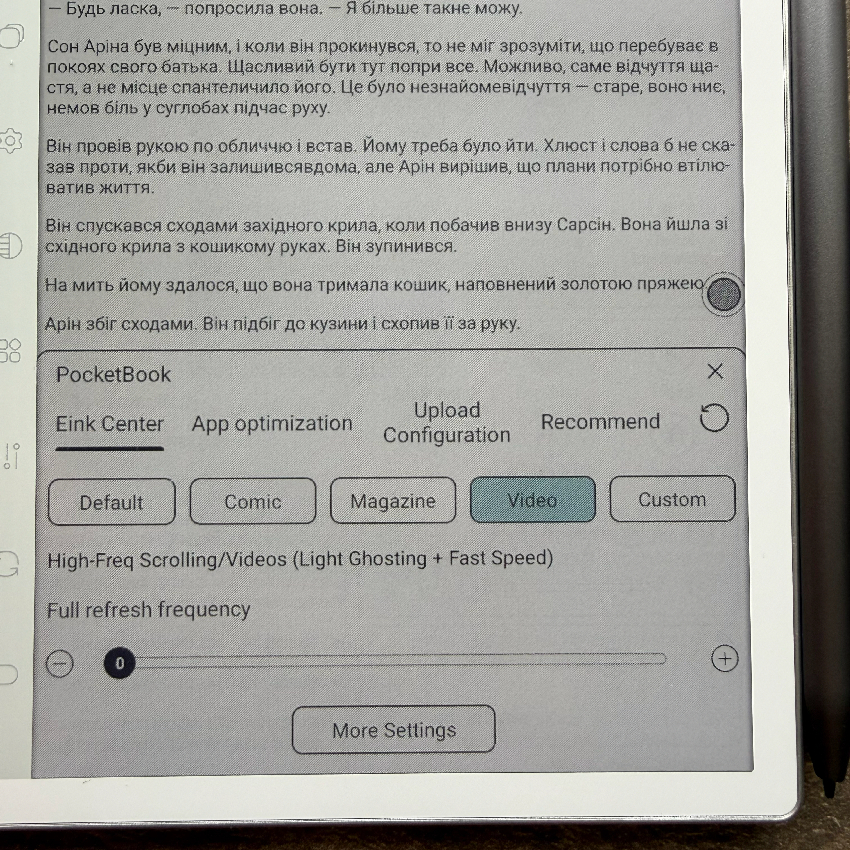
The matte screen reduces glare, and E Ink Center offers several display modes: Default (balanced color, speed, and grain), Magazine (vivid colors with minimal grain but some flickering), Comic (enhanced contrast for illustrations and comics), and Video (maximized refresh speed with sharper motion). Colors are generally subdued – greens, pinks, and oranges appear muted in Default and Video – but they become more vibrant in Magazine and Comic modes, suitable for comics or magazines. However, blacks and text clarity still lag behind traditional monochrome E Ink panels.

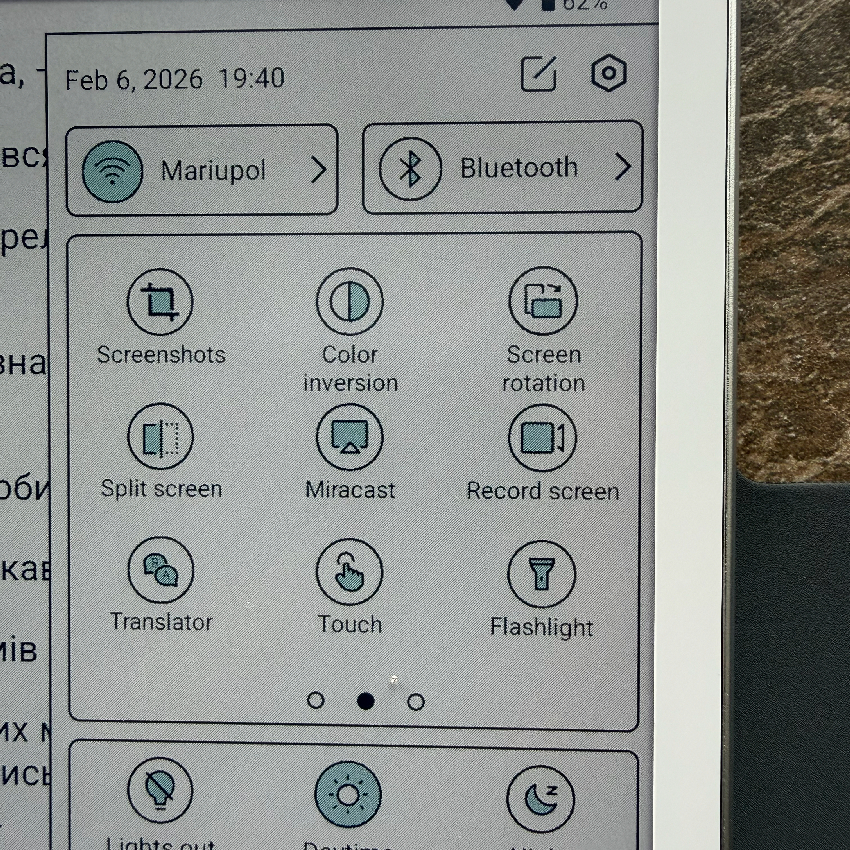
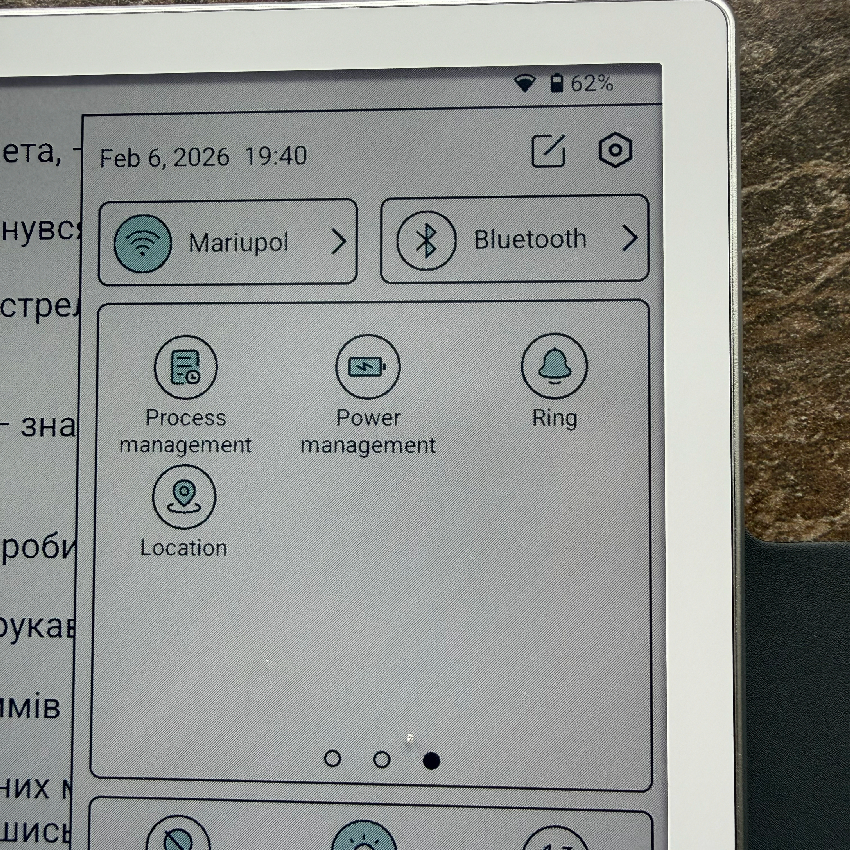
After several weeks of testing, I can confidently say that among 7-inch Kaleido 3 panels, the B7 Pro stands out as a top-tier option – offering excellent clarity, color reproduction, and refresh speed.
Software and Hardware
The upgraded octa-core processor makes the B7 Pro’s interface responsive – apps run smoothly, though the improvement over the non-Pro version isn’t dramatic without direct comparison. The 8 GB of RAM handles multitasking effectively, and a key advantage is the eight touch-sensitive shortcut keys, which prove extremely convenient in daily use.


As mentioned earlier, the software offers flexible customization through E Ink Center, where users can choose between presets – Default, Magazine, or Comic – allowing them to balance refresh speed and image quality according to their preferences.

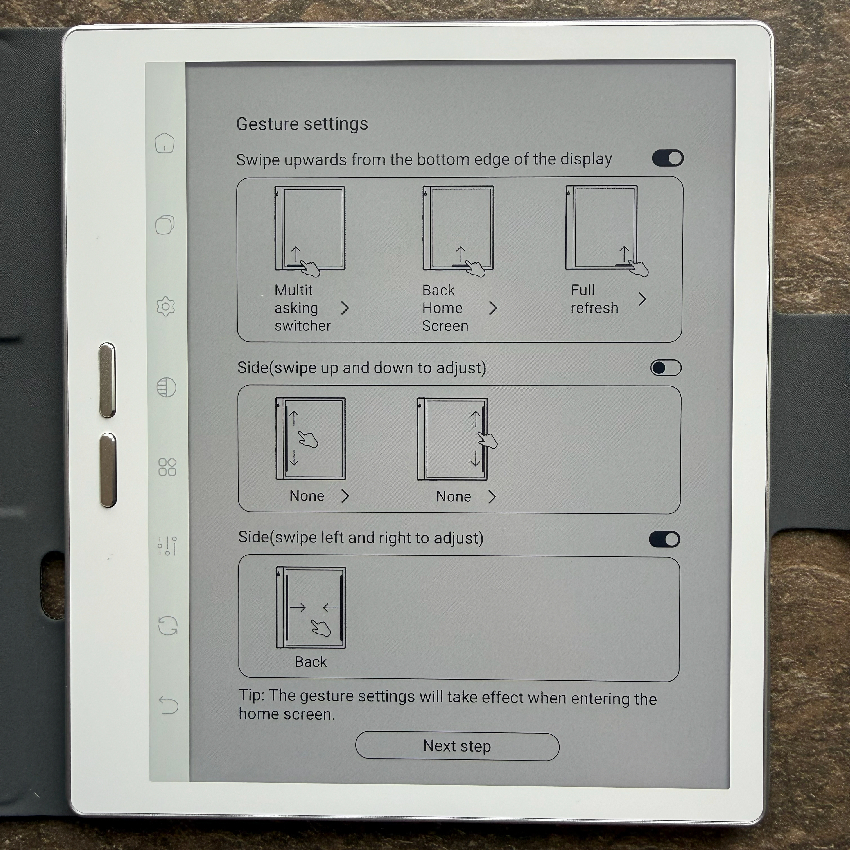
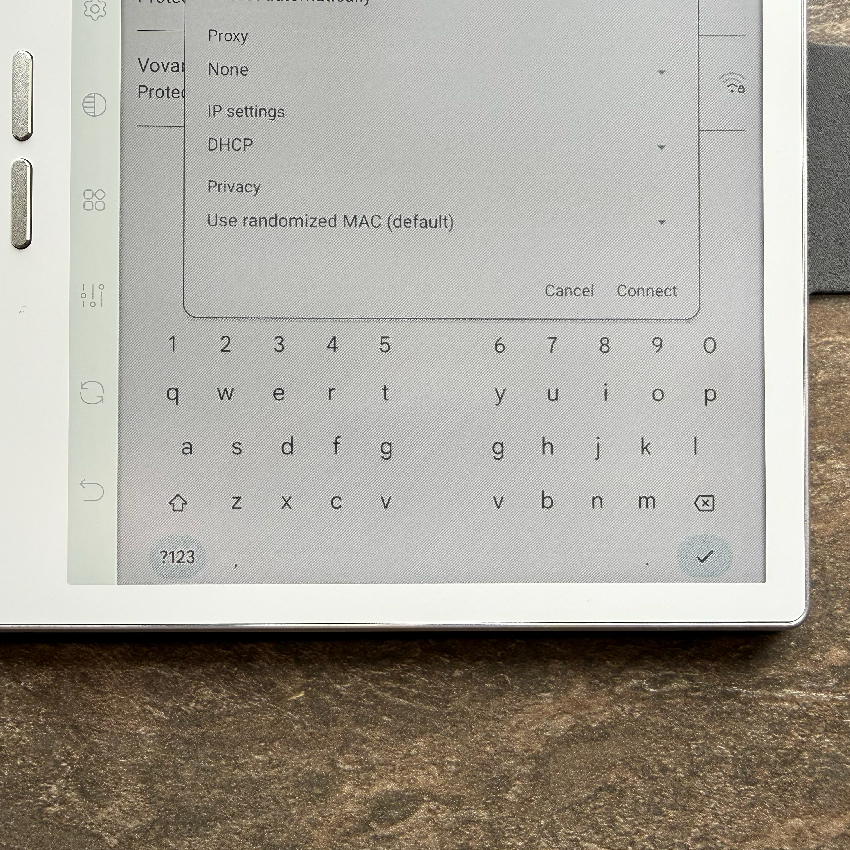
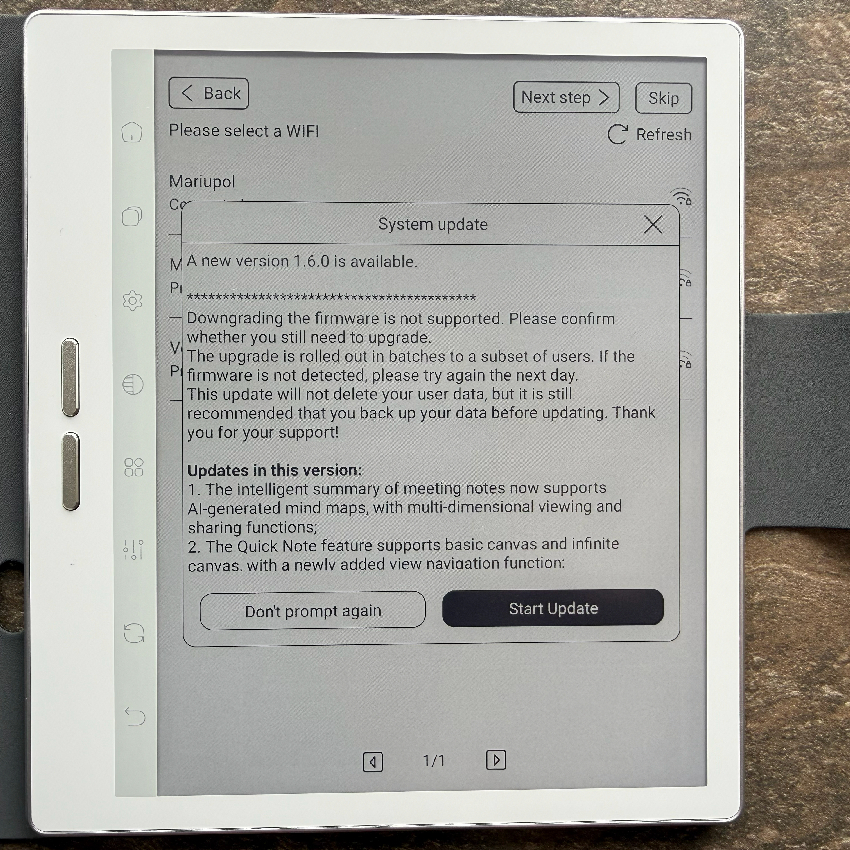

An interesting feature is Global Handwriting, which minimizes input lag in third-party apps like Microsoft OneNote. Despite the nearly laminated display, a slight parallax effect can occur when writing due to the thickness of the screen layer, requiring some adjustment for precise line placement.


The Bigme B7 Pro comes with several useful AI-powered features that enhance everyday usability. The most practical of these is AI-OCR via the 5 MP rear camera: you can capture a document, a page from a book, or handwritten notes, and the system quickly recognizes the text and converts it into an editable digital format. It supports Ukrainian, English, and many other languages.


There’s also a basic AI feature for image enhancement during scanning, which automatically straightens pages, boosts contrast, and removes shadows. Running Android 14 with Google Play, the B7 Pro allows installation of virtually any AI app – from ChatGPT and Gemini to local models for translation or text generation – directly on the device. The clean Android 14 experience, without heavy skins, is fast and familiar. Kindle, PocketBook, browsers, messaging apps, and more can all be installed. The device also supports 4G calls, SMS, VoIP, and Bluetooth headphones, all running smoothly without lag in everyday tasks.
In terms of battery life, I observed around 8–10 hours of active use. For simple e-book reading with Wi-Fi off and minimal backlight, a single charge can last 2–3 days.
Read also: Bigme B13 Portable E-Ink Monitor Review: Who Is It For and What Is It Good For?
Camera and Connectivity
The Bigme B7 Pro is equipped with a 5 MP rear camera with an LED flash, but no front-facing camera. Photo resolution reaches 1920 × 2560 pixels, there is no autofocus, and video recording is limited to 1080p at 30 fps.


The camera is primarily designed for practical tasks, such as importing paper notes or scanning QR codes, rather than photography or 4K recording. While it can capture basic photos adequately, results should be viewed with realistic expectations, as demonstrated in the examples below.




Connectivity includes 4G LTE (up to 150 Mbps, nano-SIM), Wi-Fi 802.11 a/b/g/n/ac dual-band (2.4/5 GHz), and Bluetooth 5.3 A2DP. In real-world use, 4G is stable for calls, SMS, and messaging apps. Wi-Fi maintains a reliable 5 GHz connection up to about 10 meters, and Bluetooth pairs with headphones instantly. The built-in speaker (1 W, mono) produces clear sound without bass – adequate for VoIP calls but not ideal for music, where TWS earbuds are recommended. Battery life drops by roughly 20–30% per day during active 4G use.
Read also: Bigme B1051 Review: Tablet with Colour E ink Display, Stylus and Keyboard
User Experience with the Bigme B7 Pro
I used the B7 Pro as my primary reading device for several weeks, and the most impressive aspect was the Kaleido 3 display. Text feels very close to paper, without the “glassy” sensation typical of tablets, while colored covers and illustrations remain easy on the eyes. Even after several hours of reading, there’s no eye fatigue, which I usually experience on IPS or OLED screens. The front light is warm and evenly distributed, without harsh blue tones – an important factor for me that the device handles very well.


I appreciated that I could read virtually anything – from Kindle books to third-party Android apps – without being tied to a specific ecosystem. Books open quickly, pages turn with minimal lag, and the various refresh modes let you balance clarity and speed. The physical soft keys proved surprisingly convenient; I often found myself turning pages with them instead of touching the screen. In daily use, this creates a sense of a thoughtfully designed device rather than an experimental gadget. For reference, I’ll also show it alongside my personal Bigme B6, so you can compare them directly.

Compared to everything I’ve tested before – including devices from Kindle, Onyx Boox, and PocketBook – the B7 Pro leaves the most cohesive impression. It excels even in the small details, and as a reading tool, it offers the most comfortable color E Ink experience I’ve had. In this category, it’s only the second device to earn such a high personal rating from me (the first being reference device), and the B7 Pro is now my personal favorite: compact, battery-efficient, and very close to what a modern e-reader should be.
Read also:
- Bigme B751C review: Finally, Affordable E-Reader With Color E Ink And Android
- Lenovo ThinkBook Plus Review: E Ink on the Lid – Good or Bad?
- Why Your Phone Isn’t Afraid of Water: A Breakdown of Protection Technologies
Where to buy Bigme B7 Pro


I wonder if you can take pictures directly into an open note.