





© ROOT-NATION.com - Use of content is permitted with a backlink.
The dream of the single-cable life has always been a bit of a lie for Mac users. While Windows laptops have happily daisy-chained monitors for years, MacBook Air and Pro owners have been stuck in a purgatory of dongles, expensive Thunderbolt docks, or the dreaded “mirrored display” limitation that turns a dual-monitor setup into a redundant wallpaper showcase. Baseus claims to have fixed this specific headache with the Nomos NU1 Air Spacemate 12-in-1 Docking Station – specifically the Mac Edition. It is a $200 vertical slab of plastic that promises to turn your MacBook into a legitimate workstation without the usual compromises, and for the most part, it delivers on that promise with a surprising amount of style.

TABLE OF CONTENTS:
A Tower of Power (and Plastic)
The first thing you will notice about the Nomos NU1 Air is that it refuses to hide. Unlike the flat, utilitarian rectangles from Anker or CalDigit that you shove behind a monitor, the Nomos stands upright, demanding a prime spot on your desk. It is finished in a “Space Gray” that is clearly trying to mimic Apple’s anodization, and frankly, it does a convincing job. The vertical orientation isn’t just for show; it minimizes the footprint on your desk, which is a blessing if you are working on a cramped surface.
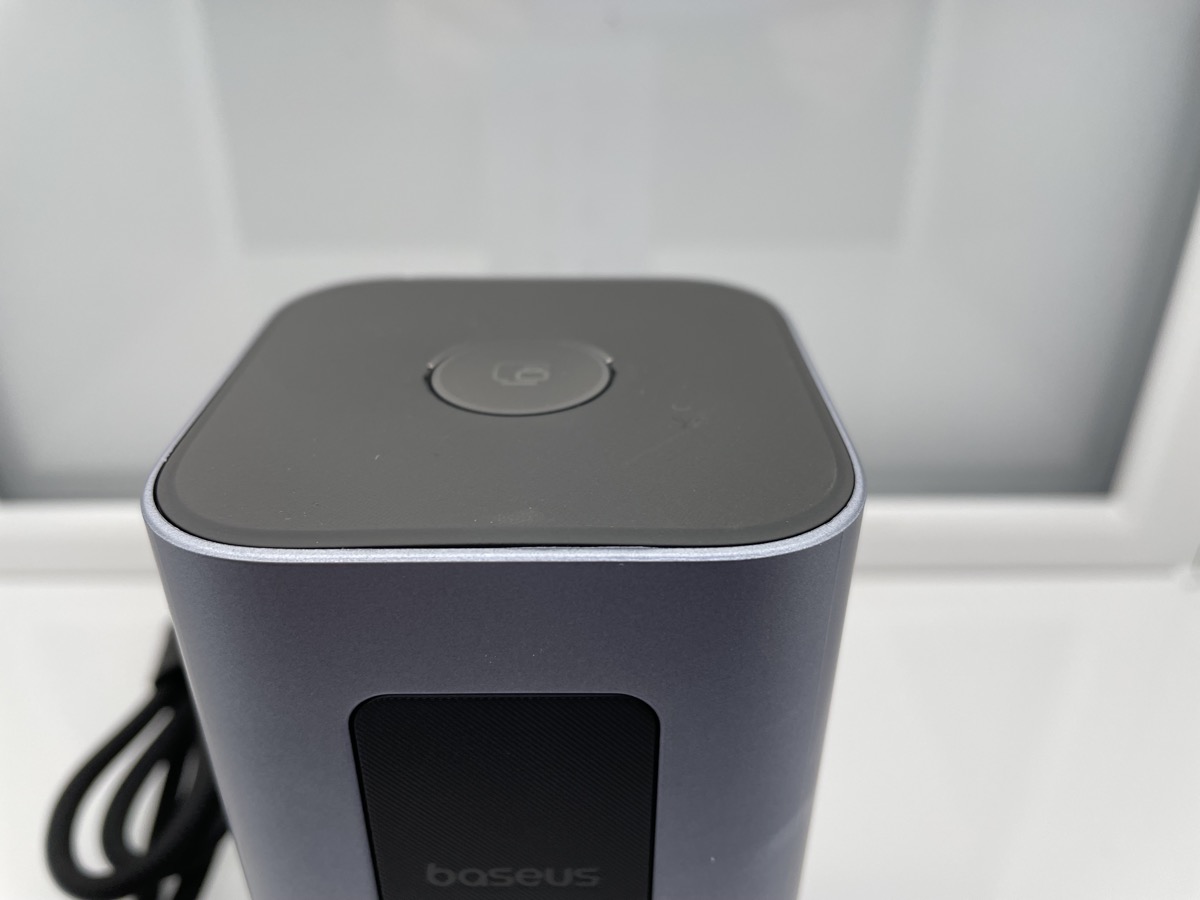
On top of this monolith sits the device’s most “gadgety” feature: a large, clickable button. In an era where everything is a capacitive touch surface, a physical button is deeply satisfying. A single press instantly locks your screen – a “boss key” for the modern age – while a long press puts the dock into an “Energy Saving Mode” that kills data ports but keeps the power flowing to your laptop. It is the kind of feature you didn’t know you needed until you use it to instantly darken your room at night without unplugging everything. Baseus has skipped the flashy LED status screen found on the non-Air “Pro” models, opting for a cleaner look that fits better in a home office where you don’t need a ticker tape of wattage numbers distracting you.
Read also: Logitech MX Master 4 for Mac review: Logitech’s New Mouse Has Good Vibrations

The Magic of Extended Displays
The reason this dock exists, and the reason it has “For Mac” plastered on the box, is its ability to drive two different 4K displays at 60Hz from a single USB-C port. If you have ever tried to plug a standard USB-C hub into a MacBook, you know that macOS notoriously refuses to support MST (Multi-Stream Transport) for extended desktops over non-Thunderbolt connections. Usually, you get two screens showing the exact same thing. Baseus circumvents this using a driver-based solution – likely akin to DisplayLink or a similar proprietary technology – that forces your Mac to treat the external displays as separate entities.
The result is genuinely transformative for a non-Thunderbolt dock. You plug in one cable, and suddenly you have your MacBook screen plus two 4K monitors, all showing different windows. For writers, coders, and spreadsheet warriors, this is the holy grail. The motion is fluid at 60Hz, avoiding the mouse-lag jitter that plagued older iterations of this tech. However, because this relies on software drivers rather than a direct GPU pipeline like Thunderbolt, you might notice a tiny bit of friction if you try to push heavy gaming or intensive 3D rendering across all three screens.
Connectivity: The Good, The Bad, and The Legacy
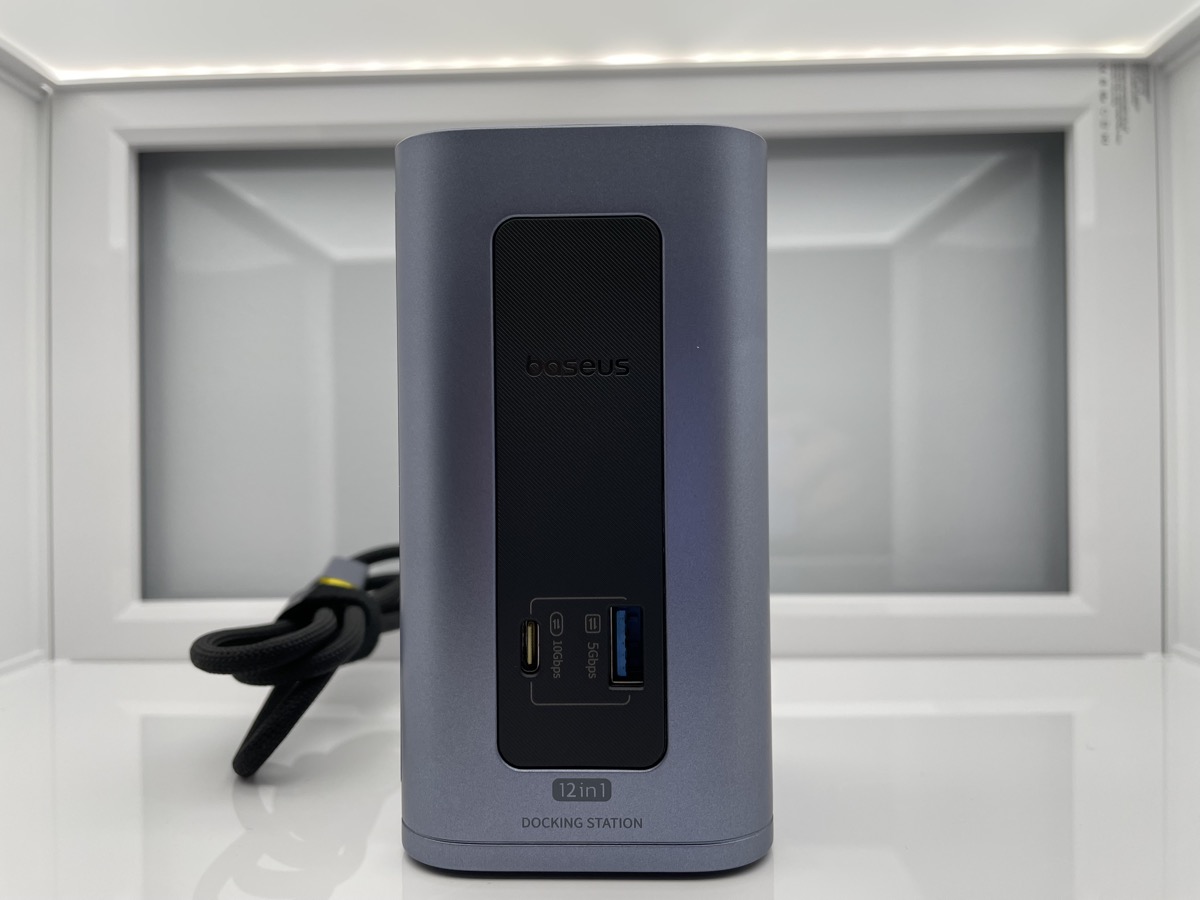
Baseus calls this a 12-in-1 dock, and the port selection is focused squarely on video and data transfer rather than media workflows. On the front, you get quick-access ports: a USB-C 3.2 port capable of 10Gbps speeds and a USB-A port for when you need to plug something in quickly. Unlike the Windows version of this dock, the Mac edition notably lacks SD and TF card readers, which is a curious omission given that many photographers and videographers who might benefit from dual 4K displays are Mac users. The transfer speeds on the USB-C port are snappy, handling large video files without choking, but if you work with camera cards regularly, you will still need a separate reader.
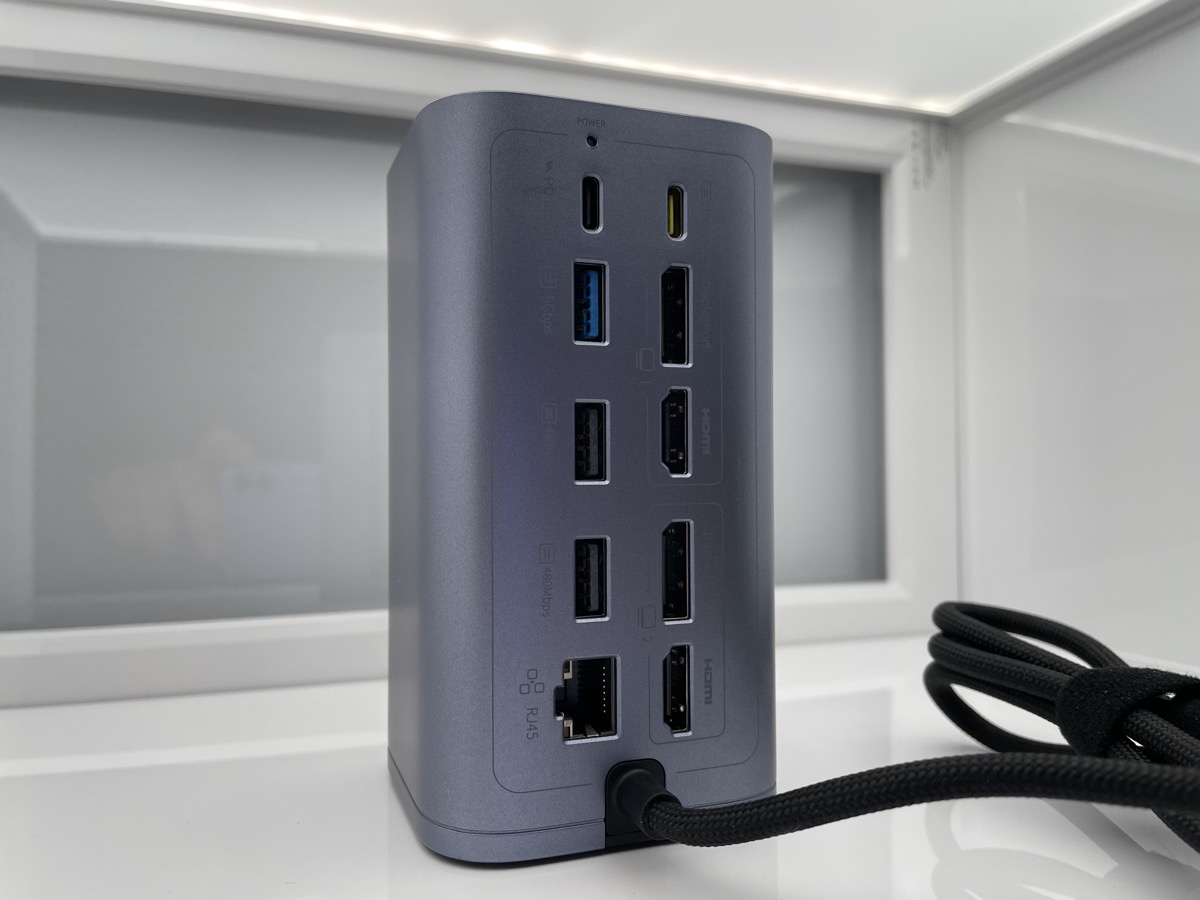
Round back, the situation gets more comprehensive. You have your video outputs – two HDMI ports and two DisplayPorts supporting 4K at 60Hz – along with another USB-C data port running at 10Gbps and a Gigabit Ethernet jack. The USB-A situation is where things get complicated. Baseus has included two USB-A 3.0 ports running at 5Gbps, which are perfectly adequate for external drives and peripherals. But then there are two USB-A 2.0 ports, capped at a painfully slow 480Mbps. In 2025, on a device labeled “Mac Edition,” including USB 2.0 feels like a penny-pinching move. These ports are strictly for your mouse and keyboard dongles; plug a hard drive into them, and you will be waiting until the next presidential election for your files to transfer.
The Ethernet port is also capped at 1Gbps. While this is standard for most home networks, fiber internet is becoming more common, and 2.5GbE is quickly becoming the new baseline for “Pro” gear. If you are pulling massive files from a NAS, this dock will be your bottleneck. It is a reminder that despite the premium looks, this is still a USB-C dock, not a Thunderbolt 4 powerhouse.
Living with the Nomos NU1 Air
In day-to-day use, the Nomos NU1 Air disappears in the best way possible. The single cable connection handles data, video, and power, delivering up to 100W of pass-through charging to your laptop (though the dock reserves about 10-15W for itself, leaving roughly 85W for your Mac). This is plenty to keep a 14-inch MacBook Pro or a MacBook Air charged under load. The vertical design aids in cooling, and while the unit gets warm to the touch, it never reaches the alarming temperatures of smaller, dongle-style hubs.
The “Mac Edition” branding also seems to extend to the software experience. The Baseus app (if you choose to install it for extra features) allows for some customization, but the plug-and-play nature of the display drivers is what matters most. It just works. You sit down, plug in, and your screens light up in the correct arrangement. It effectively mimics the convenience of a $300 Thunderbolt dock for two-thirds of the price.
Read also: DynamicLake Pro review: giving the MacBook notch a reason to exist
However, there is a catch with the “Air” model specifically: it lacks the visual feedback of the more expensive siblings. If a port isn’t working or a connection is loose, you don’t have a screen to tell you why; you are back to the old-school troubleshooting method of wiggling cables.
Verdict
The Baseus Nomos NU1 Air Spacemate 12-in-1 is a product defined by its specific utility. If you are a Mac user desperate for a dual-monitor setup but unwilling to pay the “Thunderbolt Tax,” this is arguably the best-looking and most functional option on the market right now. It solves the macOS multi-stream display problem elegantly and wraps it in a chassis that actually looks good next to your computer.
Is it perfect? No. The inclusion of USB 2.0 ports is a disappointment, and the 1Gbps Ethernet ceiling limits its future-proofing. But for $200, it offers a level of polish and functionality that is hard to beat. It is a desktop tower for the laptop age – a dedicated command center that respects your desire for a clean desk and a simple life. Just make sure you don’t plug your backup drive into the wrong USB port.

 is a product defined by its specific utility.)