





© ROOT-NATION.com - Use of content is permitted with a backlink.
For years, the Logitech MX Master has been less a peripheral and more a permanent fixture on the desks of professionals who live inside their computers. It’s the de facto choice, the undisputed heavyweight champion of productivity mice, a piece of hardware so ergonomically sound and functionally dense that it has created a user base with fierce, unshakable loyalty. Each new iteration arrives with the weight of immense expectation: how do you improve upon perfection? With the MX Master 3S, Logitech achieved a state of near-silent, ultra-precise bliss. So, for the MX Master 4 for Mac, Logitech’s answer isn’t a radical redesign but a foray into a new sensory dimension: haptics. It takes the chassis we know and love and adds a subtle, configurable buzz, promising a workflow that doesn’t just move faster, but feels more connected. It’s a bold, quiet statement in a market Logitech already dominates.

Read also: Logitech MX Master 4 Review: An update to the best professional computer mouse!
TABLE OF CONTENTS:
Positioning
Logitech isn’t trying to win over new converts from the gaming world or budget-conscious buyers; the MX Master 4 is aimed squarely at the power users, the creatives, and the spreadsheet jockeys who already swear by its predecessors. It maintains the premium $119.99 price point, positioning itself as a serious investment for those whose livelihood depends on efficient, comfortable desktop navigation. This mouse is built for the video editor scrubbing through timelines, the designer panning across massive canvases, and the developer juggling multiple virtual desktops. Its competition, ironically, is its own lineage.
The central question for most is not whether the MX Master 4 is a great mouse – it is, unequivocally – but whether its new bag of tricks, primarily the haptic feedback and the new Action Ring, offers a tangible enough benefit to justify the upgrade from the still-excellent MX Master 3S. For Mac users specifically, it also goes head-to-head with Apple’s own Magic Trackpad, offering a different ergonomic philosophy that prioritizes a sculpted grip over a flat, gesture-based surface.
Design
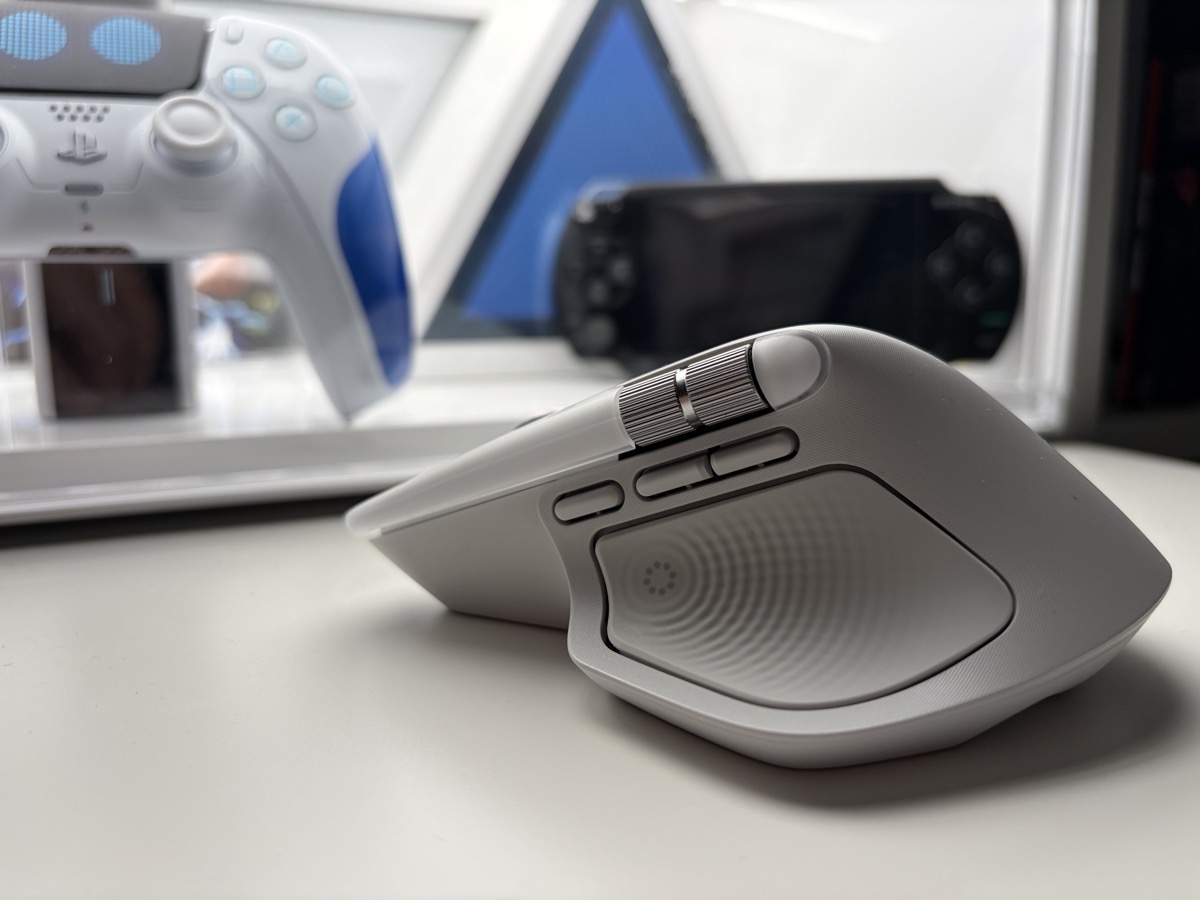
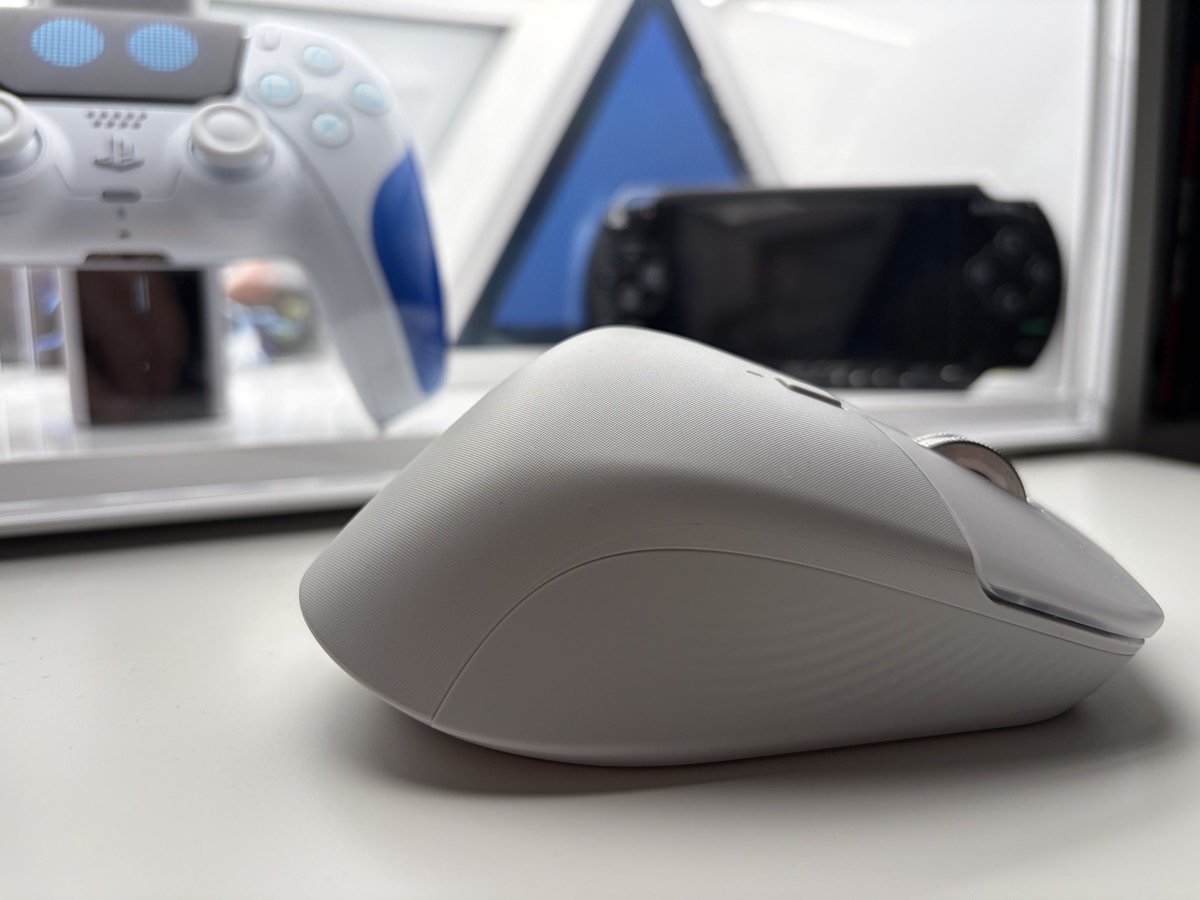
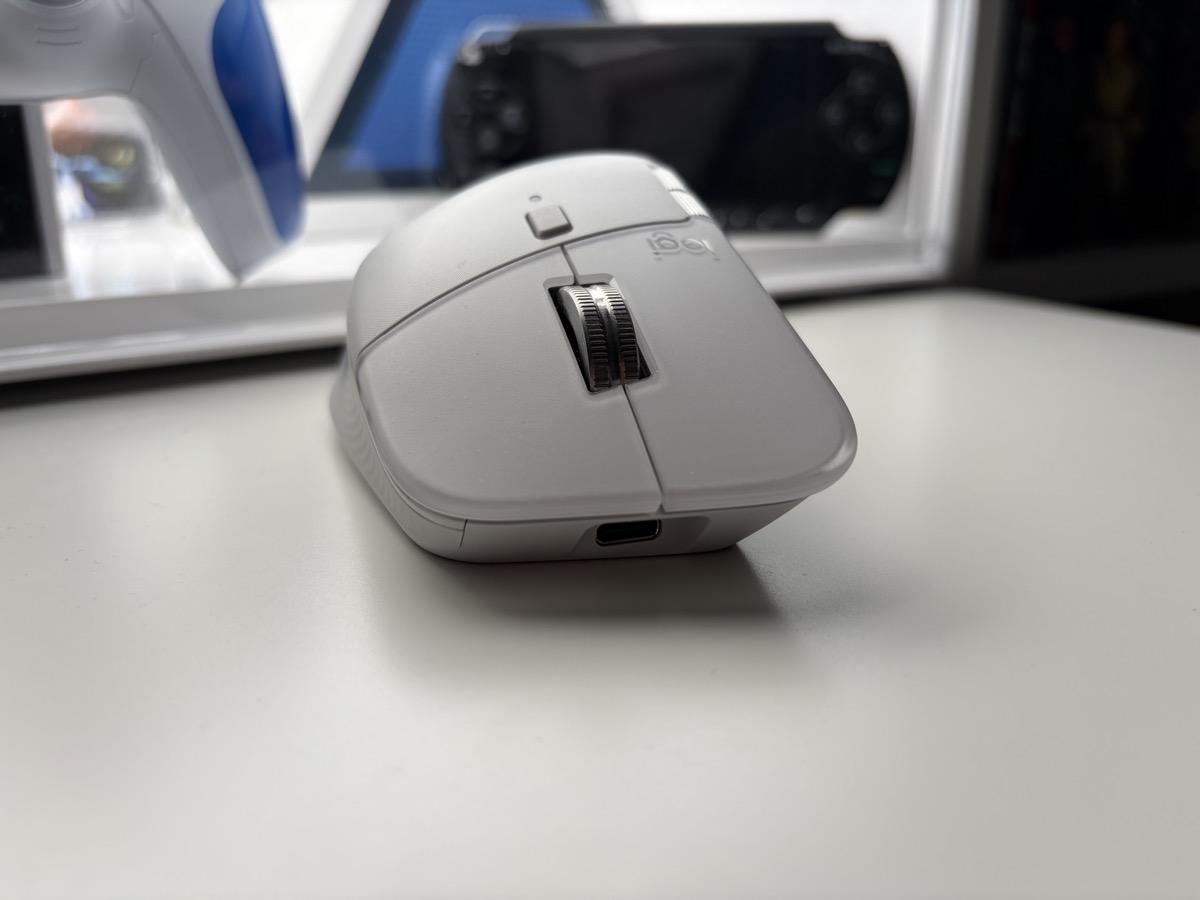
From a distance, the MX Master 4 is indistinguishable from its older sibling, and that’s a good thing. It retains the iconic, large, right-handed shape that cascades downwards to fit the natural contour of the hand, providing support that lasts through an entire workday without fatigue. However, upon closer inspection, subtle but significant material changes become apparent. The soft-touch rubber that adorned previous models, which could sometimes degrade or become sticky over time, has been thoughtfully replaced. The main body now uses a more durable hard plastic, while the thumb rest is coated in a dense, grippy silicone that feels both premium and built to last. The main click panels have a new, frosted semi-transparent finish, adding a touch of visual sophistication.
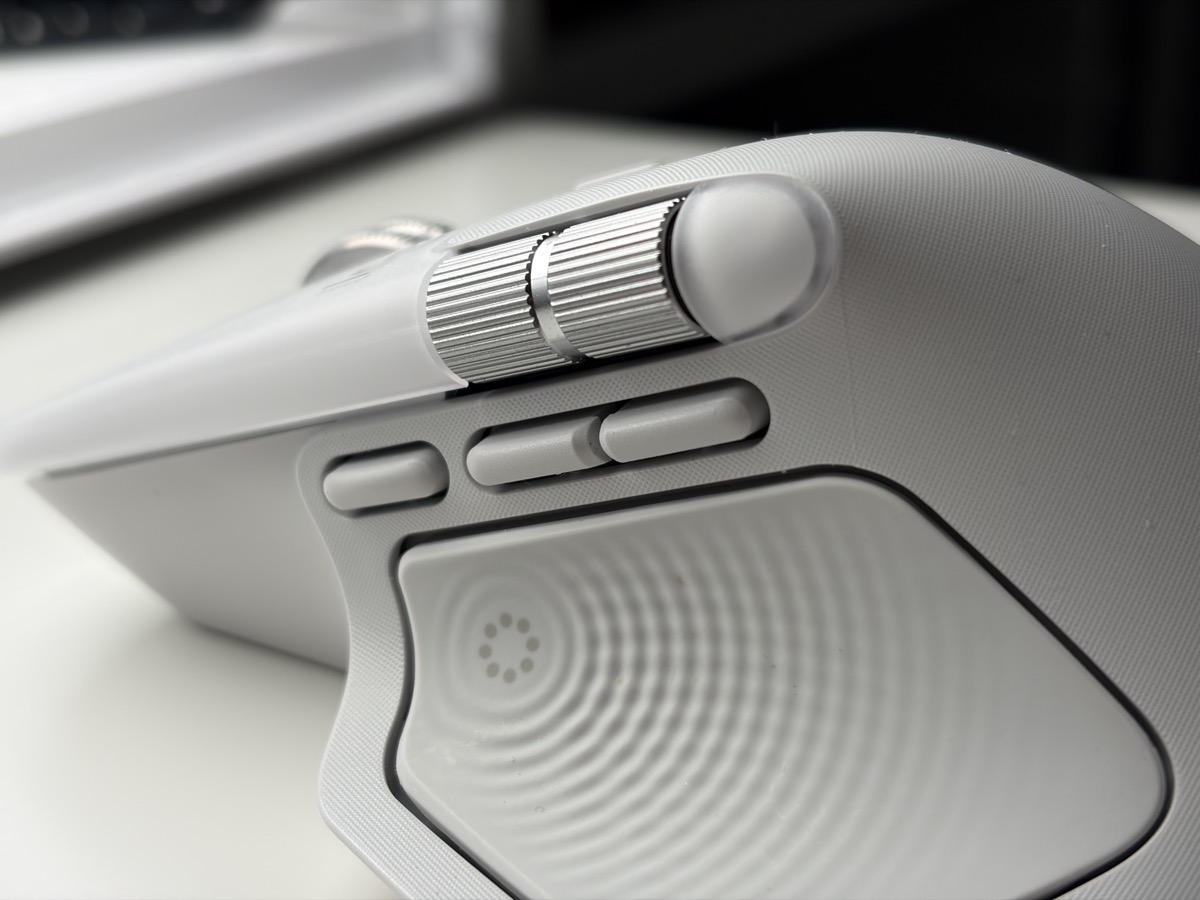
The most impactful design change is the relocation of the gesture button. Previously hidden almost invisibly within the thumb rest, it’s now a distinct, dedicated button sitting just below the horizontal scroll wheel. This makes it far more deliberate and easier to activate, transforming it from a feature you might forget exists into a core part of the user experience. The two main thumb buttons are exactly where your muscle memory expects them to be, and the glorious, machined aluminum scroll wheels still look and feel like precision instruments. Weighing in at a substantial 150 grams, it has a reassuring heft; it’s not designed for the frantic, twitchy movements of FPS gaming but for deliberate, controlled navigation. This is a mouse that feels planted and purposeful on your desk.
Read also: SteelSeries Rival 3 Gen 2 Wireless Review: A Budget-Friendly Gaming Mouse with Competitive Features
Specs
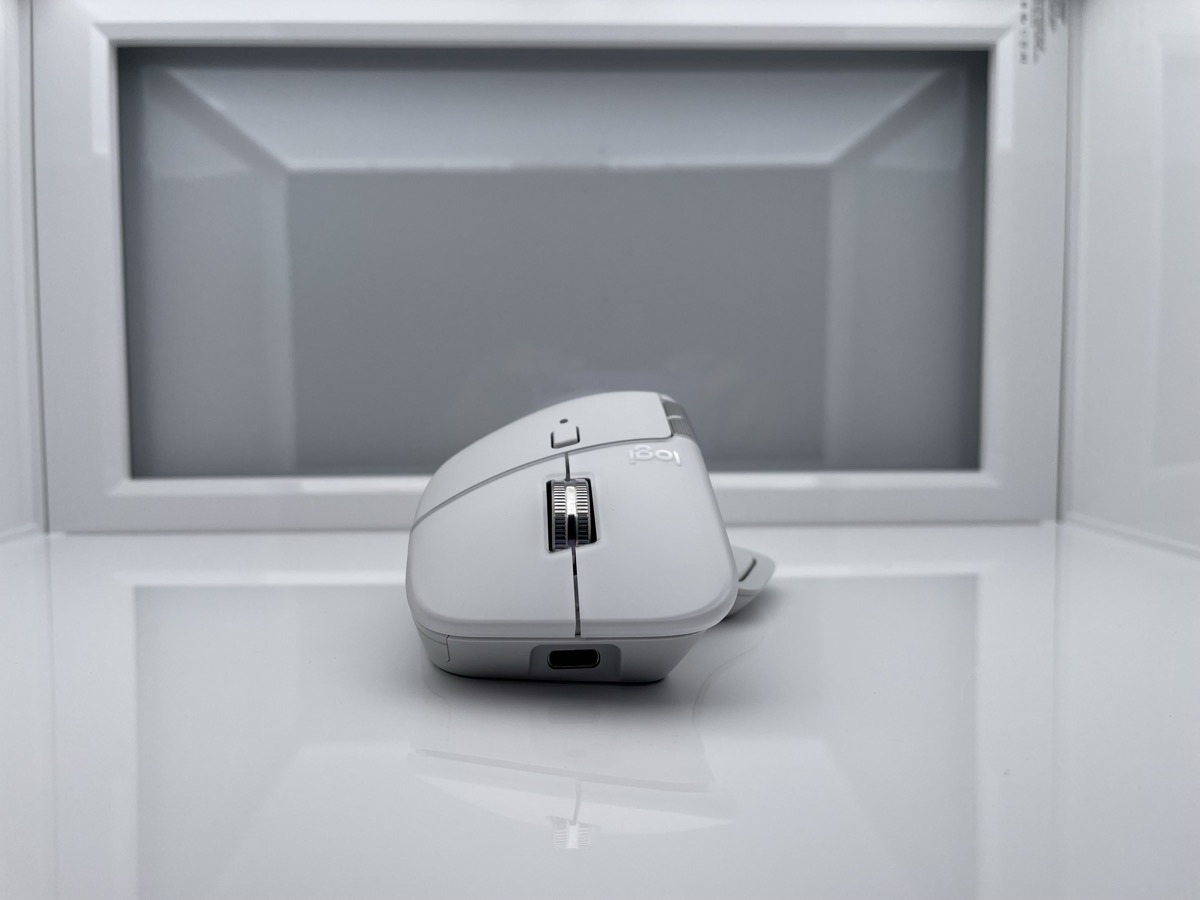
Under the familiar hood, Logitech has made several key updates. The mouse now connects via the modern Logi Bolt USB receiver, a welcome upgrade that offers a more secure and stable connection than the older Unifying standard, and allows it to be paired with other modern Logitech gear like the MX Mechanical keyboard through a single dongle. For those who prefer to go dongle-free, Bluetooth connectivity remains, and the Easy-Switch feature allows the mouse to be paired with up to three different devices – be it a MacBook, an iPad, and a PC – with seamless switching at the press of a button.
The Darkfield sensor remains a star performer, with its DPI now maxing out at an impressive 8,000, ensuring smooth tracking on virtually any surface, including clear glass. Battery life is rated for an exceptional 70 days on a full USB-C charge, though engaging the new haptic engine on higher settings will reasonably shorten that lifespan.
The defining new component is the Haptic Sense Panel, a small motor integrated into the thumb rest that provides the vibrational feedback. One curious omission for a premium device is the lack of a USB-C charging cable in the box for some packages, a minor but noticeable cost-saving measure. Furthermore, the mouse’s polling rate is locked to 125Hz, a decision made to maximize battery life. While perfectly adequate for productivity tasks, users with high-refresh-rate monitors might notice that cursor movements don’t feel quite as fluid as they do with a high-polling-rate gaming mouse.
Read also: ASUS ROG Keris II Origin Wireless Gaming Mouse Review: Sleek and Affordable
In Use
Using the MX Master 4 is an experience defined by refined friction and newfound feedback. The MagSpeed scroll wheel remains a triumph of engineering, automatically shifting from a precise, line-by-line notched scroll to a near-frictionless hyper-fast spin with a quick flick, letting you blast through thousands of lines of code or a long document in seconds. The main clicks are hushed (pretty much silenced), a carryover from the ‘S’ revision, but the new buttons feel tighter, with a higher-pitched acoustic profile than previous models.
The real story, however, is the haptics. Enabled through the Logi Options+ software, the haptic engine adds a subtle, satisfying buzz to a range of actions. When you reach the end of a scroll, the wheel gives a gentle kick. When you switch between virtual desktops using a gesture, the mouse confirms the action with a vibration.
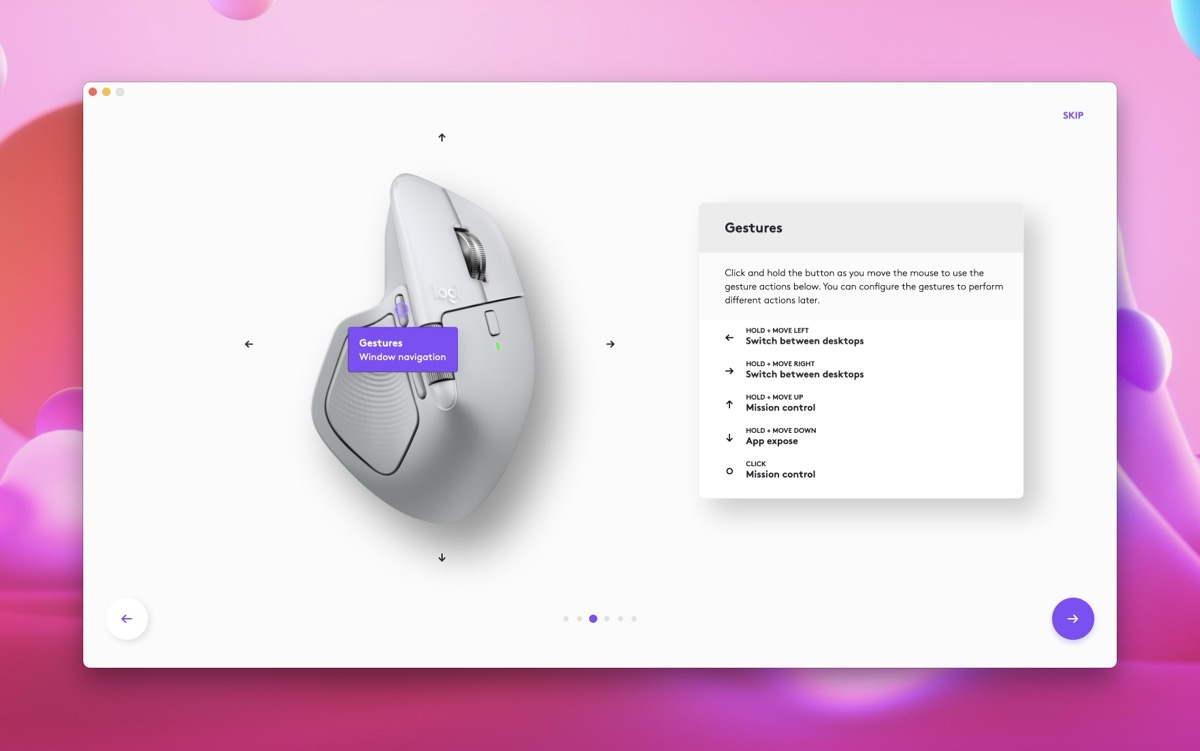
The relocated gesture button is now tied to a new software feature called the Action Ring, an on-screen radial menu that gives you instant access to customizable shortcuts. Holding the button and flicking the mouse in a specific direction can launch an app, engage a macro, or trigger a system command, with each action confirmed by a haptic pulse. This turns the mouse into a powerful command center, especially for Mac users who can map it to functions like Mission Control or specific application tools, reducing reliance on keyboard shortcuts. However, some early reports have noted that the mouse’s performance with Apple’s Universal Control feature can be inconsistent, a software wrinkle that will hopefully be ironed out in future updates.
Read also: Bloody R72 Pro Duo Review: Mouse with Flagship Docking Station
Software
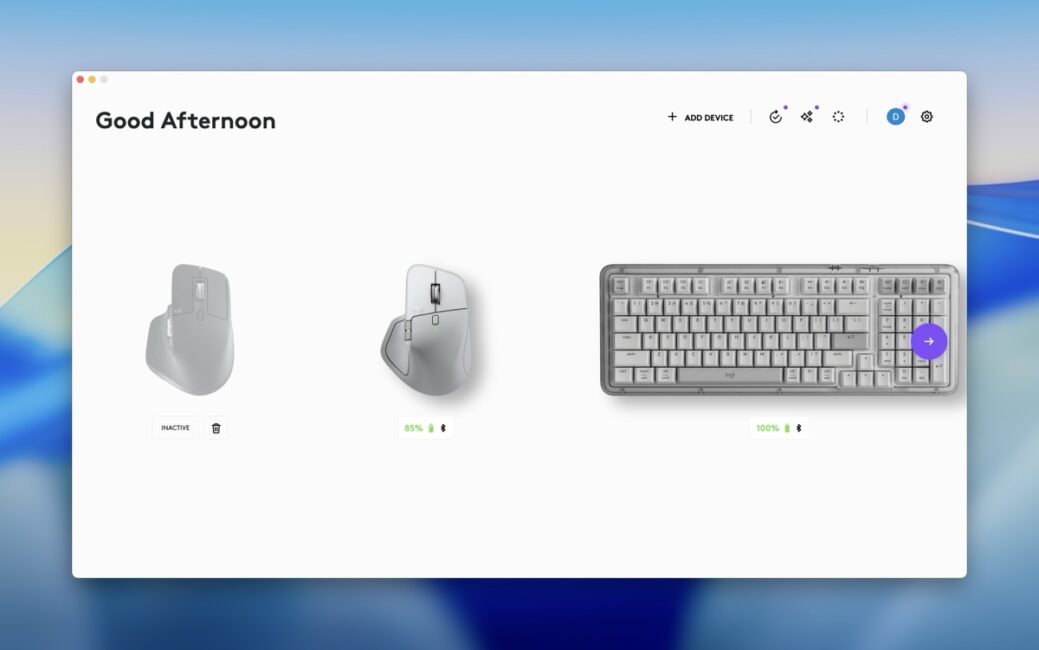
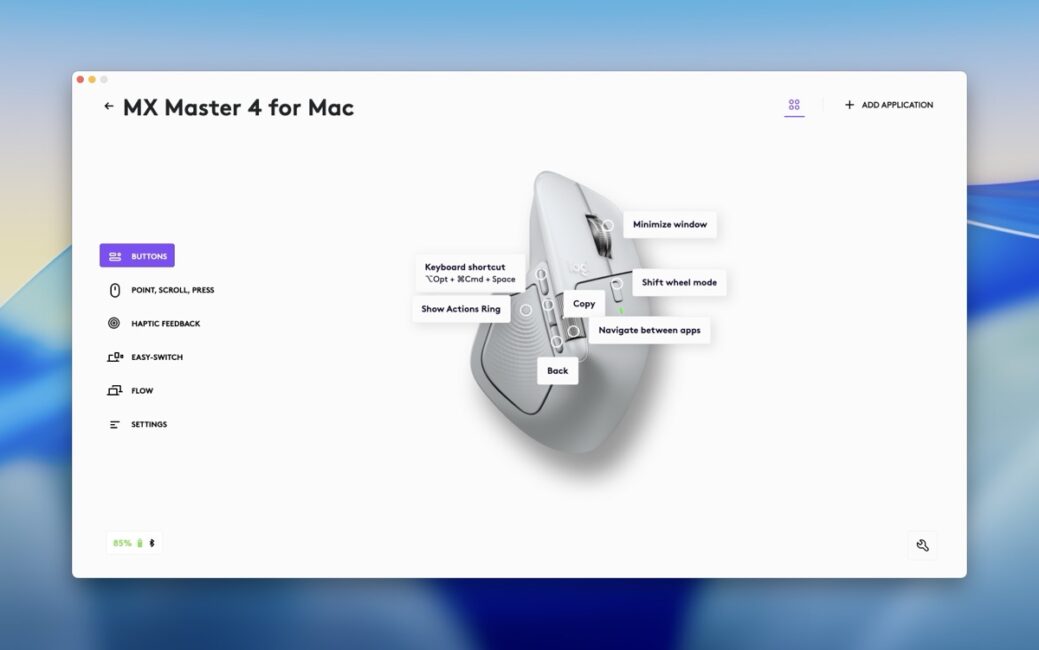
The Logi Options+ software is not just an accessory; it is the brain of the MX Master 4, and it’s required to unlock the mouse’s full, formidable potential. This is where you program the Action Ring, deciding what each directional flick does on a global or per-app basis. You can have it control your timeline in Final Cut Pro, switch tools in Photoshop, and then manage your tabs in Chrome, with the mouse intelligently switching profiles as you switch applications. The software is also home to Smart Actions, Logitech’s take on macros, allowing you to build custom workflows to automate repetitive tasks. The addition of haptic feedback makes these macros feel more robust, as the mouse buzzes to confirm the macro has run successfully.
However, the software experience is never quite polished enough for the mouse to feel like a truly native part of the system. Whether it’s Logitech’s fault for not keeping up with macOS updates or Apple’s for making its ecosystem challenging for third-party hardware is unclear, but the result is the same: occasional but infuriating software hiccups. From time to time, users can get annoying notifications, repeated system requests to grant permissions that have already been given, and, in the worst cases, a sudden amnesia where the app loses all your carefully crafted customizations, forcing you to start over.
It is this persistent software friction that serves as a reminder that you are using a third-party add-on and is one of the reasons some users still prefer Apple’s Magic Mouse, which requires no extra apps to work flawlessly, albeit with far fewer features and ergonomic comfort. Furthermore, the reliance on Logi Options+ can be a significant hurdle in corporate environments where IT policies restrict the installation of third-party applications.
Verdict
The Logitech MX Master 4 for Mac does what seemed nearly impossible: it takes a product that was already at the pinnacle of its category and makes it meaningfully better. The move to more durable materials addresses a long-standing point of wear, and the relocated gesture button makes a powerful feature far more accessible.
For any Mac user in the market for a new, top-tier productivity mouse, the MX Master 4 is the undisputed best choice, provided you can tolerate the occasional software quirk. For those already using the MX Master 3S, the decision to upgrade is more nuanced. The core scrolling and pointing experience remains largely unchanged. The upgrade is for those who are excited by the prospect of a more tactile, feedback-driven interface and who are willing to invest time in customizing the new software features to their specific needs.

