




© ROOT-NATION.com - Use of content is permitted with a backlink.
When it comes to upgrading a computer, most people immediately think of replacing the processor or graphics card. However, there are several simple and inexpensive improvements that can be done independently and deliver noticeable results almost immediately – making the system more stable, quieter, and more comfortable for everyday use. This is especially relevant for users who have limited experience with PC building but want to refresh their system without a significant budget.

TABLE OF CONTENTS:
Thermal Paste: A Small Detail with a Significant Impact
Thermal paste between the processor and the cooling system gradually degrades and dries out over time. As a result, heat transfer becomes less efficient, temperatures increase, and CPU stability may decline. If the computer has become louder or performance issues appear during gaming or heavy workloads, worn thermal paste is a likely cause.

Replacing thermal paste is likely the simplest and most budget-friendly upgrade that delivers tangible results: lower temperatures, quieter fan operation, and restored performance levels. For example, the ROG RG-07 thermal paste offers relatively high thermal conductivity and comes with a set of accessories that simplify the application process.
Read also:
- How and Why Brands Collaborate with Film
- Mission Control: How Ukraine Is Building a Unified Digital Brain for Drone Warfare
GPU Support Bracket
Modern graphics cards are equipped with large cooling systems, often occupying three or more expansion slots and carrying substantial weight. As a result, there is a risk of GPU sag over time. Beyond aesthetic concerns, sagging places mechanical stress on the motherboard’s PCIe slot, which can lead to damage to the connector or even issues with the graphics card itself.

A GPU support bracket is an inexpensive accessory that can be installed in minutes and effectively prevents these potential issues. Models with RGB lighting, such as the ROG Herculx XH01, not only serve a practical purpose but also add a visual accent to a build.
Wi-Fi Adapter
If a PC relies on a motherboard’s built-in Wi-Fi module with modest performance, a dedicated adapter can significantly improve connectivity. Modern solutions such as the ASUS PCE-BE92BT/EU or PCE-BE6500/EU provide higher speeds and more reliable connections, which is especially noticeable during online gaming, streaming, or video conferencing.
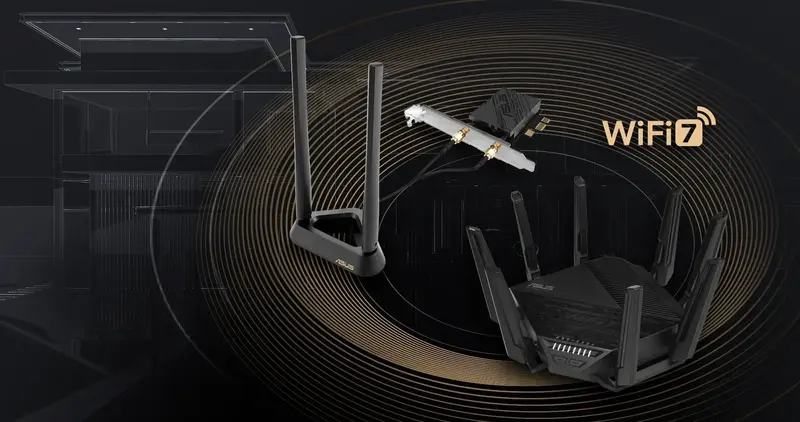
For users who prefer not to deal with internal components and whose primary focus is gaming, an external option such as the ROG USB-BE92 is a practical choice.
Read also:
- Between Empires and Prophecies: What Does “A Knight of the Seven Kingdoms” Really Tell Us? A Preview of Season One
- RAMpocalypse: Everything About the AI Bubble and Rising PC Prices
Additional Case Fans
In many cases, overheating can be addressed without significant investment. Installing one or more case fans improves airflow, reduces operating temperatures of components, and increases overall system efficiency. In some setups, adding a single intake fan can lower GPU temperatures by 5–10 °C.

A versatile option is the PRIME MR120 FAN ARGB, available in both black and white versions. For gaming-oriented builds, the TUF GAMING TR120 FAN ARGB may be a more suitable choice due to its matching design language.
Case Upgrade
When additional fans aren’t enough, the GPU doesn’t fit, or the overall look of the system is unsatisfactory, it may be time to consider a new case. While this is a more labor-intensive and costly option, the results are usually worth the effort.
Even affordable modern cases offer solid construction, efficient ventilation, and well-planned airflow. Key advantages include ease of assembly and use: effective cable management, tool-free access to components, and fast front-panel connectors.
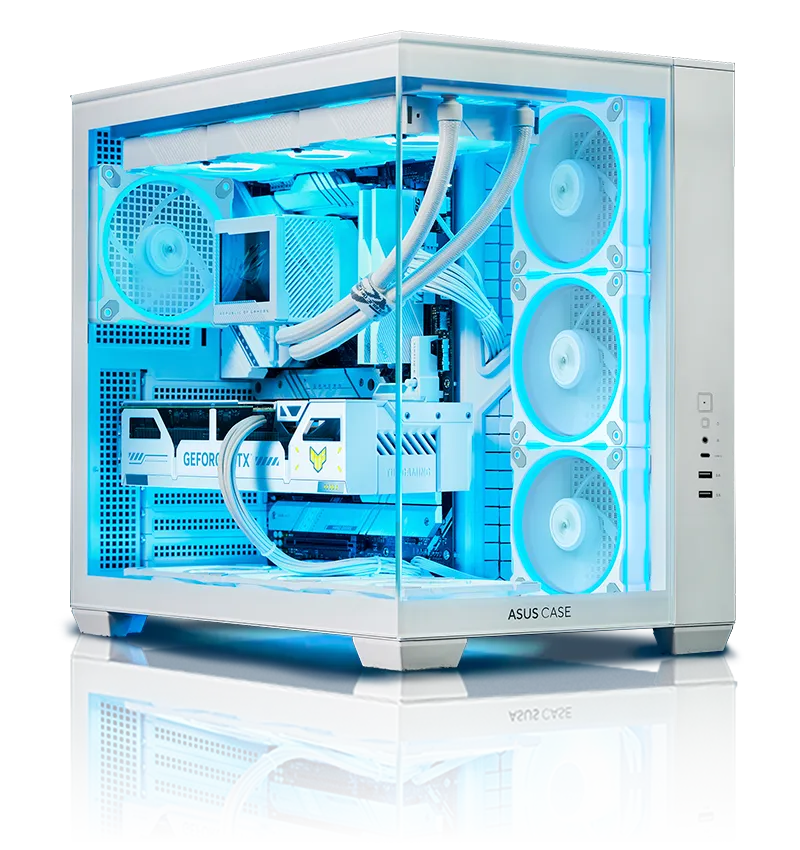
A compact model like the A31 PLUS, available in black or white, is compatible with nearly any configuration thanks to its broad component support, including products from the ASUS BTF ecosystem.

If aesthetics at a reasonable price are a priority, the ASUS A32 PLUS is an excellent choice. It features a dual-chamber design, panoramic visibility, and four pre-installed ARGB fans.
A minor PC upgrade doesn’t necessarily require large expenses or the replacement of key components. A few simple and affordable accessories can noticeably enhance everyday use without the need for a big budget or advanced technical knowledge for installation.
Read also:
- ASUS ROG Herculx Review: ARGB GPU Support Bracket
- How to assemble a relatively low-cost eye-tracking setup for Truck Simulator and similar applications

