© ROOT-NATION.com - Use of content is permitted with a backlink.
We’re used to thinking of E Ink gadgets as simple “e-readers” for text. However, modern devices are evolving into versatile all-in-one tools that can easily replace a paper notebook or complement a smartphone. The Bigme B10 is a great example of this evolution. It features a 10.3-inch Kaleido 3 color display, full-fledged Android 14, and 4G connectivity, making it a powerful tool for work, study, and reading on the go or at home.

Thanks to its powerful hardware, the Bigme B10 runs surprisingly fast and smoothly, even when multitasking. In this review, we’ll find out whether it truly represents a new chapter in color E Ink technology or is simply an expensive “e-reader” wrapped in a beautiful package. And I’m not going to go easy on it: since the manufacturer positions the B10 as the pinnacle of its engineering, I’ll hold it to the highest standards and scrutinize every shortcoming.
TABLE OF CONTENTS:
Technical Specifications
- Display: 10.3-inch color E Ink display with front lighting, based on E Ink Kaleido 3 technology
- Dimensions: 225.4 × 196.5 × 6.1 mm
- Weight: 438 g
- Resolution: 1240 × 930 pixels (150 PPI for color content) and 2480 × 1860 pixels (300 PPI for black-and-white content)
- Processor: octa-core chipset clocked at up to 2.6 GHz, combining ARM Cortex-A55 and ARM Cortex-A78 cores
- Memory: 8 GB RAM / 256 GB storage, with support for microSD cards up to 2 TB
- Operating system: Android 14 with Google Play support
- Wireless connectivity: Wi-Fi 6 (2.4/5 GHz), Bluetooth 5.3
- Mobile connectivity: 4G LTE support via Nano-SIM for calls and mobile data
- Cameras: 20 MP rear camera with autofocus and flash, optimized for AI-powered OCR (text recognition); 5 MP front-facing camera
- Audio: built-in array of 8 noise-canceling microphones, dual speakers
- Battery: 6900 mAh, charged via USB-C
- Stylus: magnetic stylus with 4096 levels of pressure sensitivity and wireless charging, included
- Navigation: built-in GPS/Galileo/BeiDou
- Additional features: 3 physical buttons, proximity sensor, G-sensor for automatic screen rotation, fingerprint scanner, magnetic cover
- Display features: proprietary xRapid technology for faster screen refresh rates
Read also: Bigme B1051 Review: Tablet with Colour E ink Display, Stylus and Keyboard
Positioning and Price
The Bigme B10 is designed for users who find a conventional e-reader too limiting. It’s a full-fledged Android reader with Google Play access, stylus support, 4G connectivity, and a 10.3-inch color E Ink display. It comfortably handles reading, note-taking, and basic mobile tasks, making it a versatile tool for work, study, or travel. At around $700, the device serves as something of a bridge between traditional e-readers and fully fledged tablets.
On the Ukrainian market, its main competitors include models from ONYX BOOX, particularly the Tab Ultra C Pro and Note Air 3 C, as well as the PocketBook InkPad Eo. Each has its own strengths and weaknesses, but the Bigme B10 aims squarely for the “sweet spot.” It offers a rare combination of compactness, a color display, flagship-level performance, and 4G connectivity at a price point where competitors often force you to compromise – either giving up color and screen size or paying considerably more.
Package Contents
For this review, we received the most comprehensive B10 bundle: the device itself, a protective cover, and an additional keyboard cover that significantly expands the tablet’s capabilities. Everything comes packaged in high-quality, stylish white boxes featuring the company name and the “just for you” tagline. Opening the boxes was genuinely a pleasant experience.
Inside, you’ll find everything needed to get up and running right out of the box. The reader itself sits just beneath the protective film, accompanied by a solid selection of accessories. The package includes a proprietary magnetic stylus with wireless charging, a PU leather folio case that doubles as a stand for landscape use, and a USB-A to USB-C cable. The manufacturer also includes a SIM tray ejector and a nice bonus – a spare stylus tip along with a tool for replacing it.


Of course, there’s also the usual paperwork – a quick-start guide and warranty card. But the manufacturer did cut one corner: there’s no power adapter in the box. Bigme seems to be gently suggesting that, by 2026, everyone probably has at least one smartphone charger at home that will work perfectly well with this device.
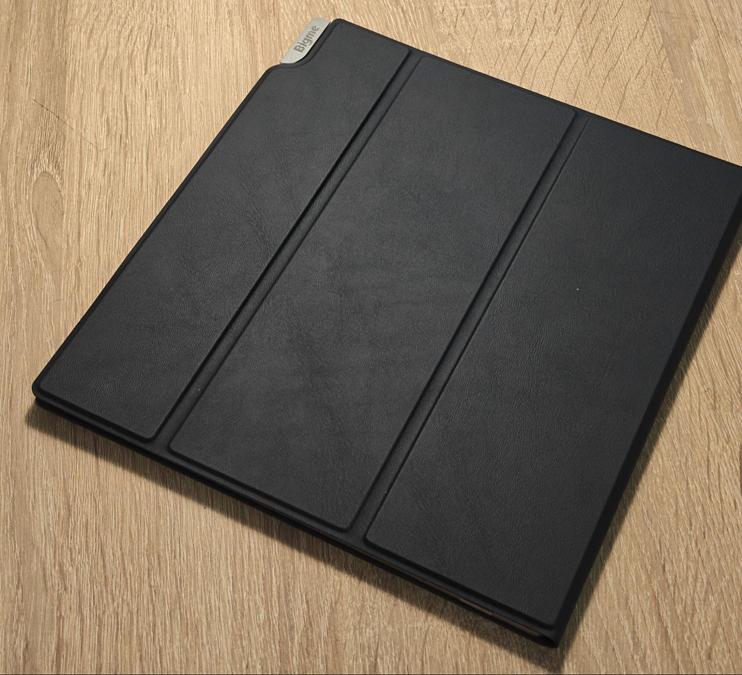
The case impressed me with its quality and reasonable weight. The tablet itself weighs 438 g, and the case doesn’t make it unnecessarily bulky. The magnetic attachment securely holds the stylus, while a dedicated flap helps prevent it from being accidentally lost. The stylus itself has a cylindrical design with a flat magnetic side and no physical side buttons. Technically, everything is solid: 4,096 levels of pressure sensitivity and palm rejection are supported, although there is still some latency when writing. It’s comfortable for drawing and taking notes, but the experience is somewhat spoiled by the hard, scratchy sound of the tip against the screen. For navigating the interface, using your finger feels more natural and pleasant, while the stylus comes into its own for more specialized tasks.
The device also features two dedicated physical page-turn buttons, so there’s no need to constantly reach for the screen or stylus. Overall, the pen feels like a nice, stylish bonus that can really show its potential with the right software. All in all, the Bigme B10’s package is exceptionally practical: there’s nothing unnecessary, but everything you need to get started is included.

Design and Ergonomics
Visually, the Bigme B10 fully lives up to its premium status: a clean, minimalist design, solid build quality, and a white bezel that makes the display appear larger. But the real innovation lies in its ergonomics. Unlike competing models, the B10 features a panel with eight touch-sensitive buttons for quick navigation. With a single tap, you can:
- Return to the Home screen or go back.
- Switch between running applications.
- Open settings, the control panel, or the E Ink optimization center.
- Force a page refresh.
It’s an excellent solution for anyone who finds on-screen gestures inconvenient. The touch-sensitive controls respond flawlessly to both a finger and the stylus. The developers also kept physical buttons on the device, which handle traditional page turning when reading books or volume control in the media player.

The Bigme B10’s design also shows that the company has learned from past mistakes. The USB-C port has finally been moved to the bottom edge, meaning you can charge the device comfortably with the case closed. Owners of previous models, such as the B7 Pro, will remember the frustration of having to keep the case open just to charge the device. The power button now incorporates a fingerprint scanner and is located on the top edge. At the bottom, there’s a versatile tray that supports both microSD cards up to 2 TB and a nano-SIM. Thanks to 4G connectivity, the device can handle messaging apps, receive SMS messages, and even make calls. That said, you’ll probably want to use Bluetooth headphones for calls or music, since there’s no traditional 3.5 mm audio jack.


Read also: Bigme B7 Pro Review: The Gold Standard for Color E Ink Readers
Display
Every e-reader enthusiast can confidently say that the display is the heart of any reader. It determines how comfortable the overall reading and working experience will be. The Bigme B10 features a 10.3-inch color E Ink Kaleido 3 panel. It uses a hybrid resolution: monochrome content is displayed at a sharp 2480 × 1860 pixels (300 PPI), while color content, as expected, drops to 1240 × 930 pixels (150 PPI).


To tackle E Ink’s perennial issue – ghosting, or residual image artifacts – the manufacturer has implemented an updated refresh technology that makes scrolling and text input smoother. There’s also a dedicated touch button for manually refreshing the display. But the real magic lies in the ComfortGaze front light integrated into the Kaleido 3 panel. This technology from E Ink is designed to reduce eye strain during extended use. It allows you to fine-tune both warm and cool color temperatures across dozens of brightness levels. And I can confirm this from personal experience: the adaptive front light works remarkably well in virtually any lighting conditions. Your eyes remain comfortable even after several hours of continuous reading.


The proprietary xRapid technology also deserves special attention. Combined with the powerful octa-core processor, it gives this E Ink display an impressively high refresh rate. For a matte electronic-ink screen, that’s a genuine breakthrough. It brings the experience remarkably close to conventional LCD tablets while retaining E Ink’s key advantages: virtually no glare in direct sunlight and a reading experience that’s much easier on the eyes. Honestly, this is the first E Ink device I’ve used that has impressed me so much with its responsiveness. The company claims that xRapid can deliver up to 80 FPS, so future updates could make the Bigme B10’s display even faster.
However, the miracle hasn’t happened just yet, and you still have to pay a price for aggressive refresh rates and color performance. The physical limitations of the technology haven’t gone anywhere. At the highest refresh rates, slight image retention is noticeable. These artifacts are completely normal for Kaleido 3 panels and are caused by the display’s architecture, which uses a color filter array (CFA). The proprietary ComfortGaze front light helps smooth things out, offering 36 levels of precise adjustment. With such fine control, you can easily tailor the color temperature to your preference: choose warm amber tones for relaxing in the evening or cooler white shades for productive daytime work.
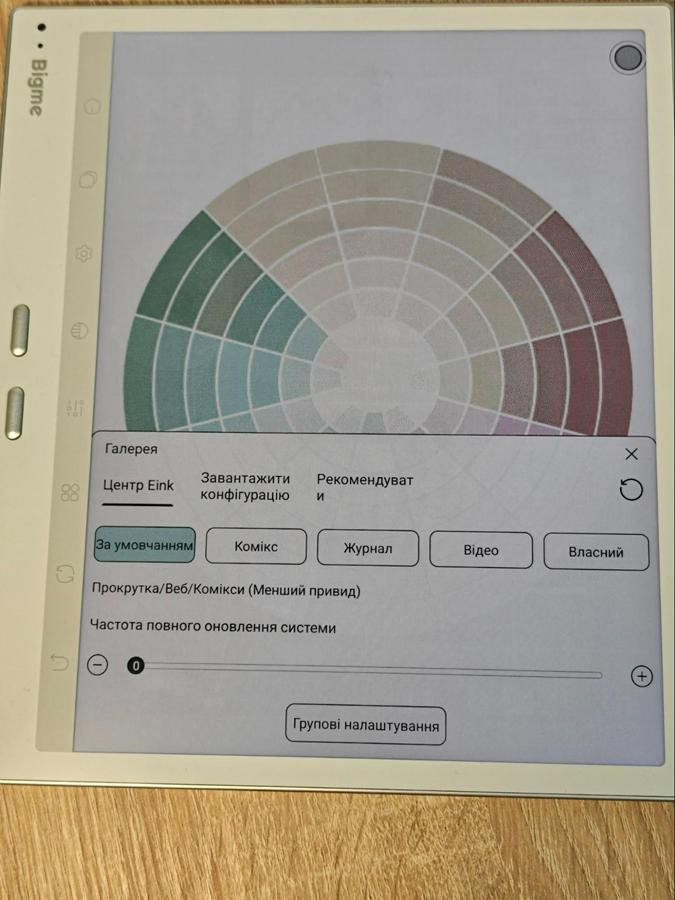
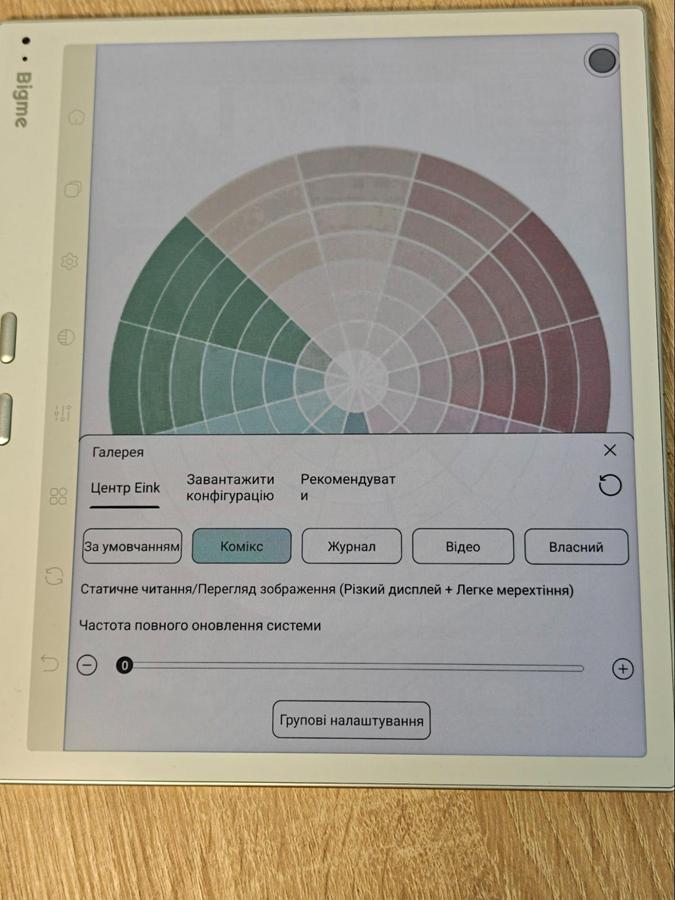
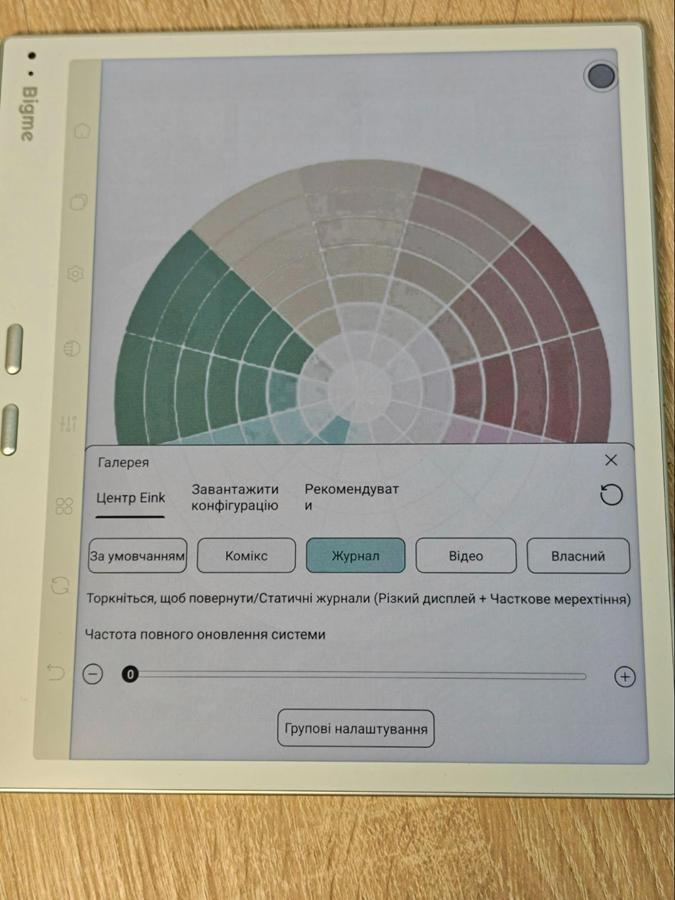
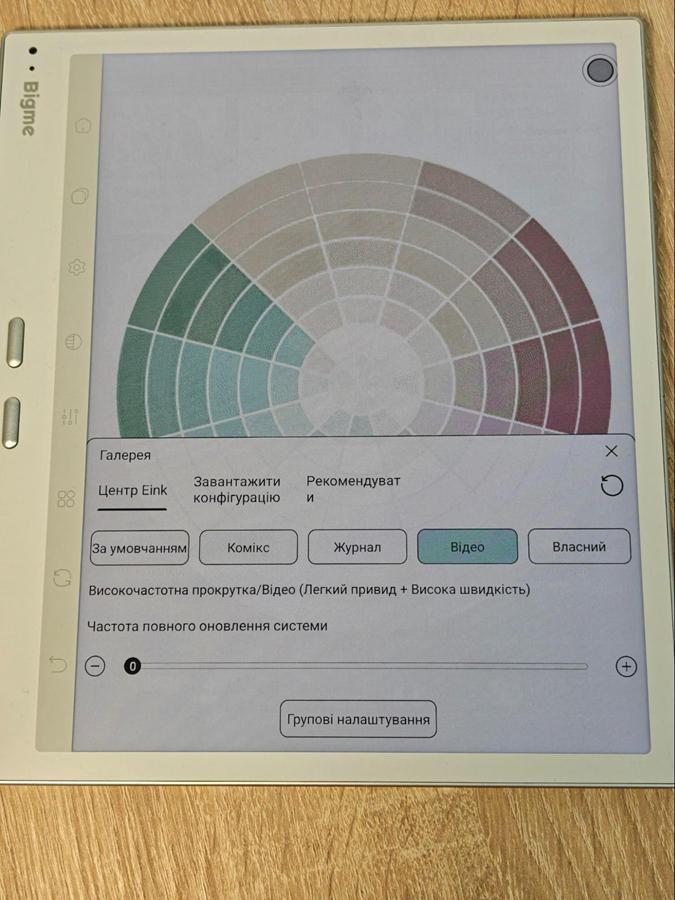
In monochrome mode (300 PPI), text remains exceptionally sharp, but as soon as you enable color, a slight graininess becomes noticeable. That’s an inherent trade-off of Kaleido 3 technology. The screen background is somewhat grayer than that of classic black-and-white E Ink panels, but the ComfortGaze front light does an excellent job of improving contrast and uniformity – albeit at the cost of faster battery drain. The matte coating does a flawless job of eliminating glare. The main tool for fine-tuning the image is the E Ink Center, which offers four modes:
- Default: a balanced compromise between color reproduction, speed, and graininess.
- Magazine: makes colors more saturated and reduces grain, at the cost of some slight screen flickering.
- Comic: boosts contrast, making it ideal for illustrations and manga.
- Video: prioritizes maximum refresh speed, while significantly sacrificing sharpness.
Overall, the color palette is fairly limited. In Default and Video modes, green, pink, and orange tones look rather muted. However, the Magazine and Comic profiles bring the image to life, making magazines and comics quite comfortable to view. That said, in terms of black depth and the sharpness of ordinary text, this hybrid display still falls somewhat short of classic monochrome e-readers.
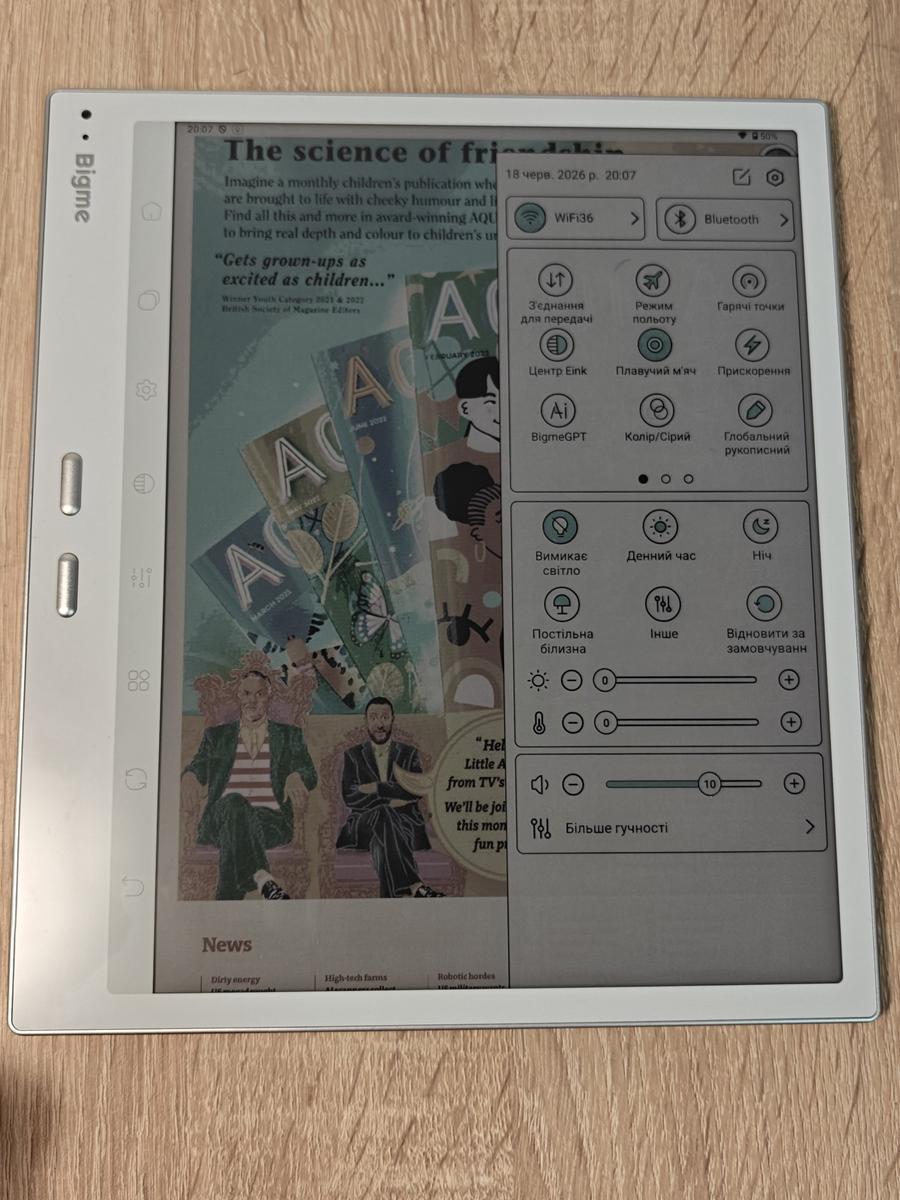
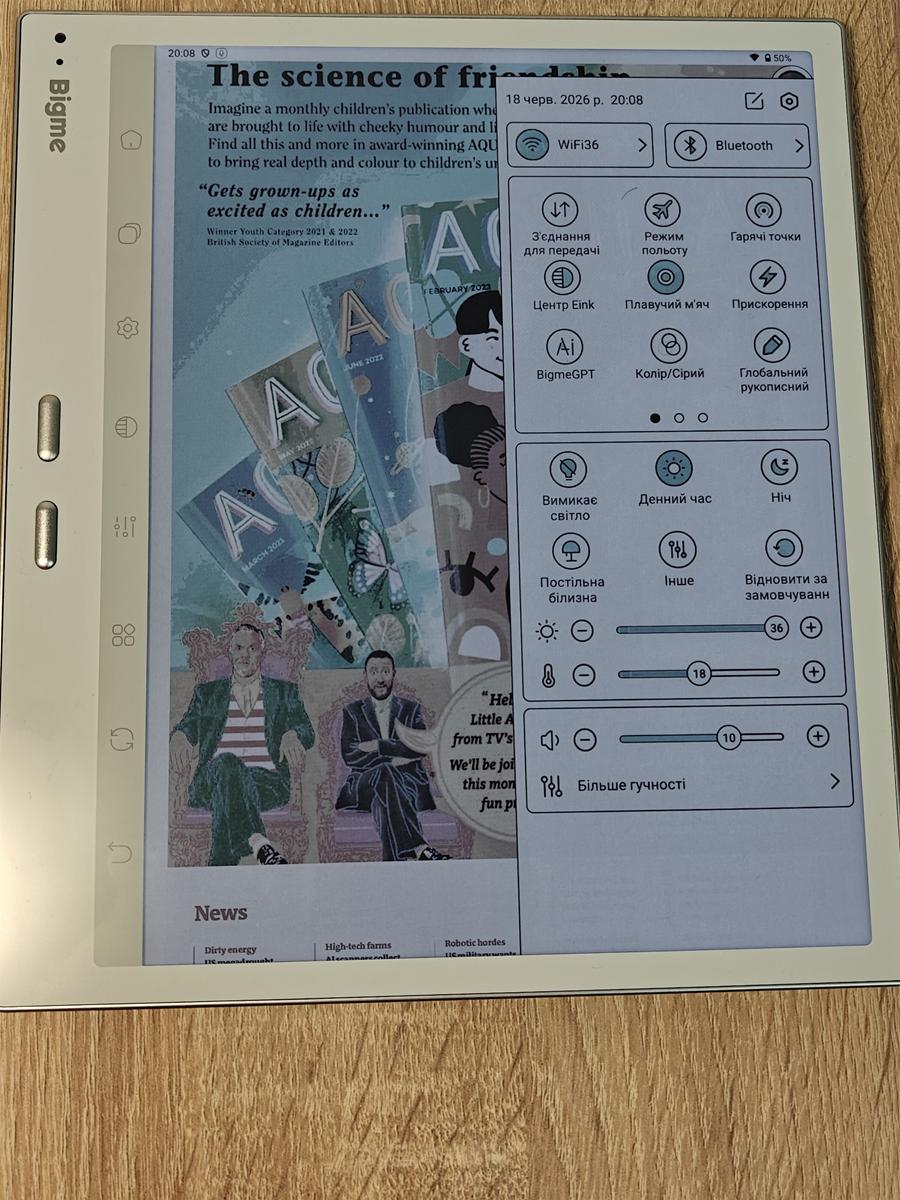
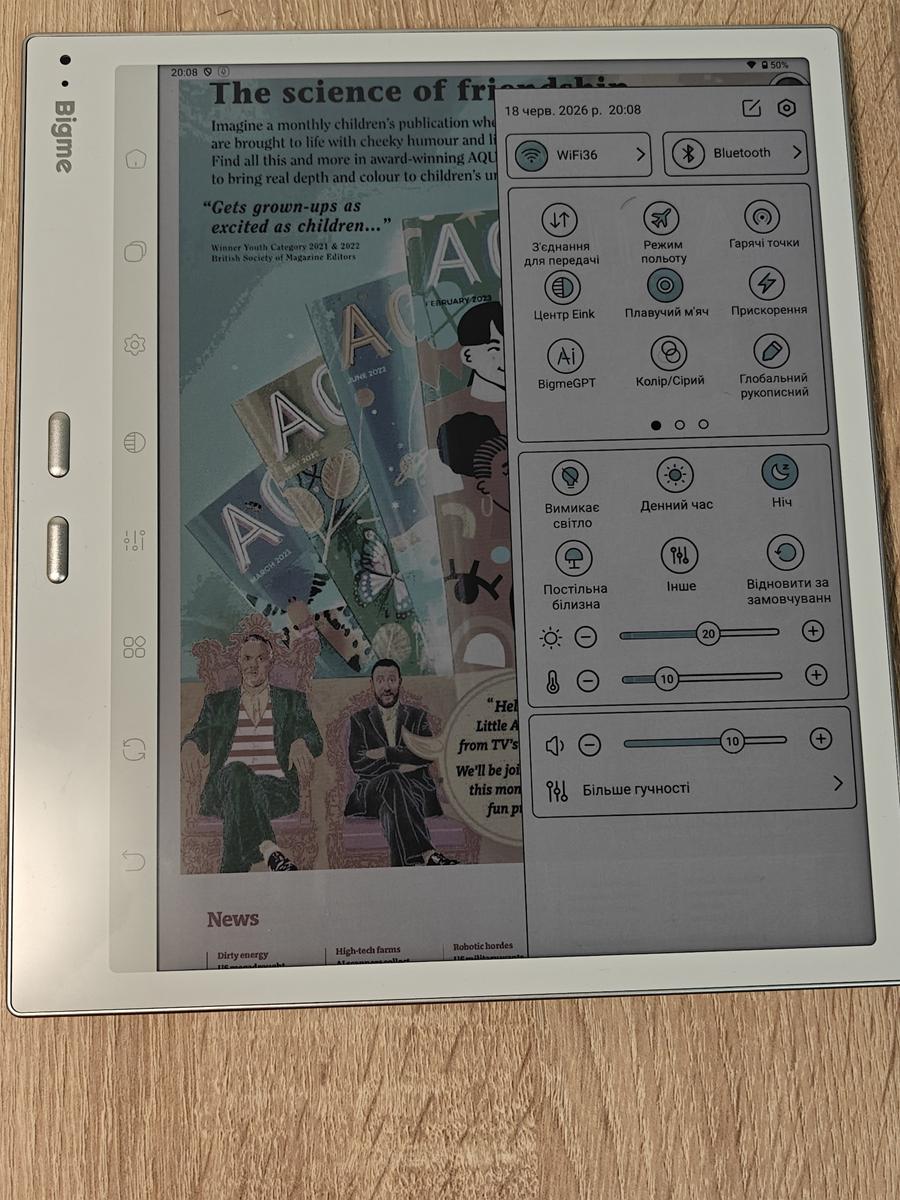
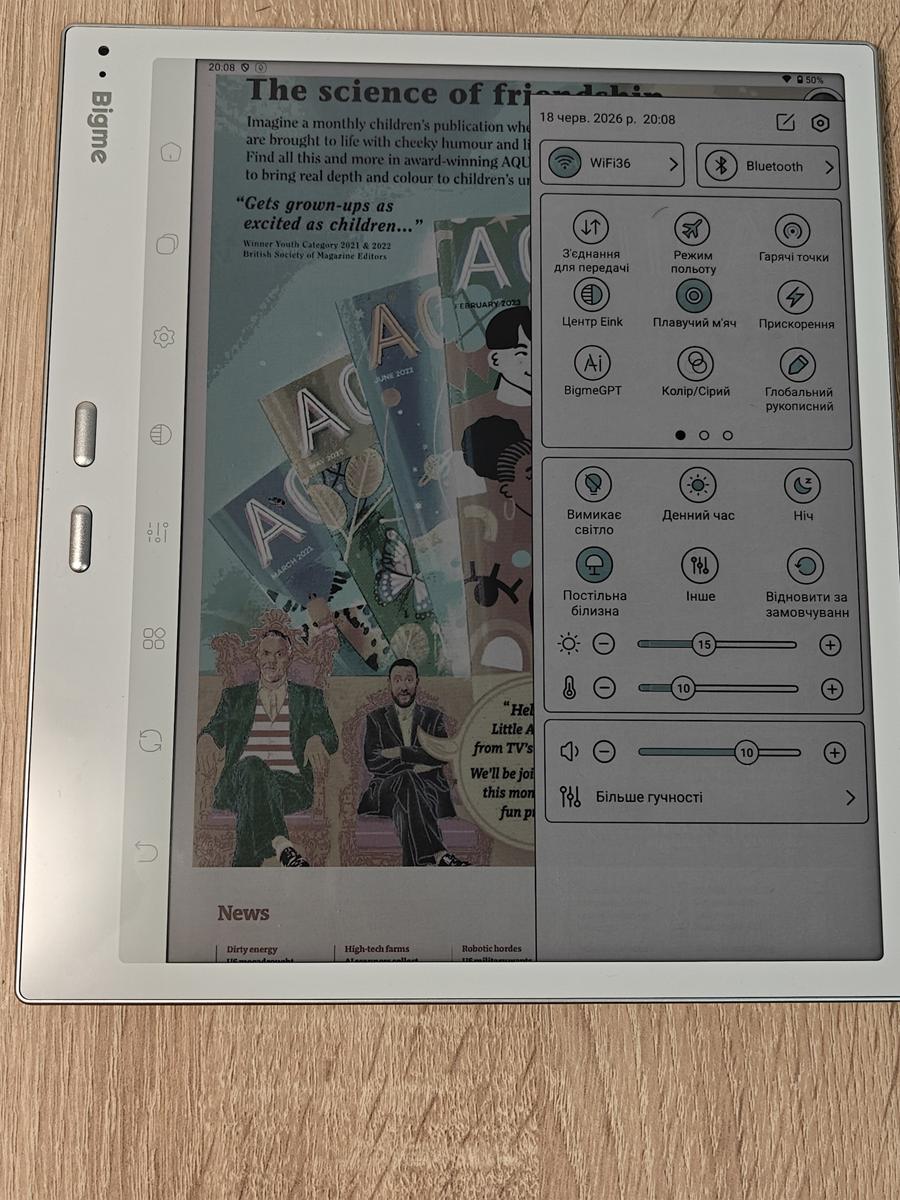
After testing this device for several weeks, I have a clear verdict: in the category of large 10-inch color e-readers, the Bigme B10 is an unequivocal top-tier option. Bigme has pushed Kaleido 3 technology to its limits here, delivering excellent sharpness, vibrant colors, and impressive responsiveness.
Read also: Bigme HiBreak Pro Color Review: Smartphone with E Ink Display
Software and Hardware
Thanks to its powerful octa-core processor, the Bigme B10’s interface feels remarkably responsive, with apps launching and running smoothly. The 8 GB of RAM allows you to keep a large number of applications open in memory without noticeable slowdowns. But, as mentioned earlier, the device’s real trump card is its eight touch-sensitive buttons. In everyday use, they turned out to be incredibly convenient, making navigation much faster and more intuitive.


The Global Handwriting feature is a real lifesaver when working in third-party apps such as OneNote, as it noticeably reduces input latency. On the Bigme B10, this proprietary system feature allows you to write with the stylus directly into virtually any text field in Android 14. The technology automatically recognizes your handwriting and instantly converts it into typed text, eliminating the need to bring up the standard on-screen keyboard. However, the display’s construction does introduce a slight parallax effect. The top layer of the screen creates a small distance between the stylus tip and the actual display panel, so some getting used to is required for precise drawing or handwriting.

Smart AI features make the B10 a genuinely versatile device. One particularly useful tool is AI-powered optical character recognition (AI-OCR), which uses the 20 MP main camera. It’s incredibly simple: take a photo of a printed page or handwritten notes, and the built-in AI quickly converts the content into a convenient text file. The processing speed is impressive, while support for Ukrainian alongside English makes this feature especially useful for studying or office work.


Beyond text recognition, the B10 also includes basic AI tools for enhancing scanned images. They can automatically straighten pages, improve contrast, and remove unwanted shadows. But the system’s biggest advantage lies elsewhere. Full-fledged Android 14 with Google Play access means you can install virtually anything – from official ChatGPT or Gemini apps to local translation tools. The clean Android interface, without an overloaded proprietary skin, runs quickly and predictably. Familiar apps such as Kindle, PocketBook, AIReader, browsers, and messengers install without any problems. Combined with 4G calling, SMS support, and Bluetooth headphones, the device can comfortably handle everyday tasks without noticeable lag.
Bigme has taken a fairly radical approach to battery life by equipping the B10 with a huge, by this category’s standards, 6900 mAh battery. For comparison, conventional 10.3-inch tablets typically offer around 3000–4000 mAh. With such a battery, the device can comfortably last 3–7 days of active use, which is impressive for a color E Ink device running Android 14. Of course, actual battery life depends heavily on how you use it. If you’re primarily reading text in HD mode with wireless connectivity disabled, the B10 can last 2–3 weeks. Turn on xRapid for scrolling or video playback, however, and battery life can drop to around 10–12 hours. The front light also has a noticeable impact: with ComfortGaze LEDs running at maximum brightness, nighttime use can consume up to 40% of the battery. Finally, there’s 4G LTE. Using mobile data on the go, when the device is constantly searching for cellular towers, drains the B10 considerably faster than ordinary Wi-Fi use.
Read also: Bigme B13 Portable E-Ink Monitor Review: Who Is It For and What Is It Good For?
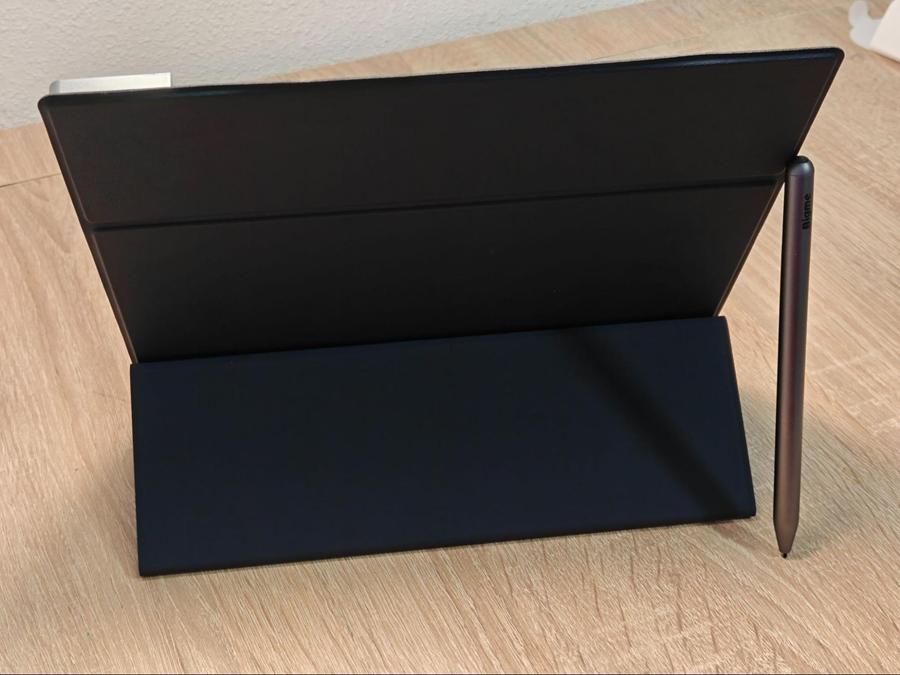
The magnetic keyboard case for the Bigme B10 is a proprietary accessory that uses POGO pins to easily transform the E Ink tablet into a mobile workstation. Its biggest advantage is complete autonomy: there’s no need for a Bluetooth connection or separate charging, as the keyboard draws power directly from the tablet when magnetically attached. The case is made from practical textured faux leather and features a convenient fold-out kickstand for desktop use. Navigation in Android 14 is also more comfortable thanks to the large built-in touchpad, complete with physical left- and right-click feedback.

Thanks to the proprietary xRapid display mode, the accessory offers excellent responsiveness: input latency is minimal, and typed text appears on the screen almost instantly. Since the keyboard is designed specifically for a 10.3-inch form factor, it’s fairly compact. As a result, several character keys on the right side have been reduced to roughly half their standard width, and it takes some time to get used to the layout. At the same time, the device is very comfortable to use thanks to a row of dedicated hotkeys that provide quick access to key Android functions, including adjusting display brightness and front-light warmth, taking screenshots, and switching between active applications.

There are a few design details worth keeping in mind. First, the keyboard has no backlighting, so typing in the dark can be challenging. The E Ink display simply can’t illuminate the surrounding area the way an IPS panel can. Second, the case doesn’t have a dedicated holder for the proprietary stylus. The magnetic Bigme pen simply attaches to the side of the tablet and can easily come loose inside a bag. The case’s bulky mounting elements also make it somewhat harder to quickly access the power button, which houses the fingerprint scanner.
Camera and Connectivity
The Bigme B10’s photographic capabilities are handled by a 20 MP main camera with an LED flash. Its lens sits flush with the rear panel, and this is a deliberate design choice: when you’re writing or drawing with the stylus on a desk, the tablet doesn’t wobble and stays perfectly flat. That said, it’s still a good idea to use the case to protect the lens glass from scratches. Thanks to autofocus and the flash, the camera does a good job of capturing documents even in poorly lit rooms or classrooms. Of course, the camera is intended primarily for practical tasks – scanning notes, recognizing QR codes, and similar jobs – rather than artistic photography or 4K video recording. Still, it handles basic shots reasonably well, as you can see from the examples below.



The 5 MP front-facing camera is positioned in the wide side bezel. This is a very practical solution, since the tablet is typically held horizontally or mounted on the magnetic keyboard during video calls. The resolution is more than sufficient for face recognition and comfortable online meetings via Zoom, Skype, Google Meet, or WhatsApp.
The wireless connectivity package is comprehensive: there’s 4G LTE support via a nano-SIM, with speeds of up to 150 Mbps, dual-band Wi-Fi (2.4/5 GHz), and Bluetooth 5.3. In practice, cellular connectivity proved stable, with calls, SMS, and messaging apps working without issues. The Wi-Fi module maintains a reliable 5 GHz connection at distances of up to 10 meters from the router, while Bluetooth connects to wireless headphones almost instantly. The built-in mono speaker produces clean, pleasant sound, but there’s virtually no bass. It’s perfectly adequate for voice communication, but for music or audiobooks, headphones are the better option. Keep in mind that leaving 4G enabled continuously can reduce the device’s battery life by roughly 20–30% over the course of a day.
Bigme B10 User Experience
After several weeks of using the B10 as my primary e-reader, I remained impressed by the Kaleido 3 display. Text looks as though it has been printed on real paper – there’s none of the artificial “glossy” effect you get with conventional tablets. Color illustrations and book covers look very pleasant, while browsing colorful magazines, textbooks, comics, and encyclopedias is particularly enjoyable. Even after several hours of continuous reading, my eyes don’t feel sore or tired – something that happens to me regularly with IPS and OLED displays. Another major advantage is the even, warm front lighting, with none of the unpleasant blue-spectrum glow. For me, eye comfort is the most important factor, and in this regard, the device delivered a 100% result.
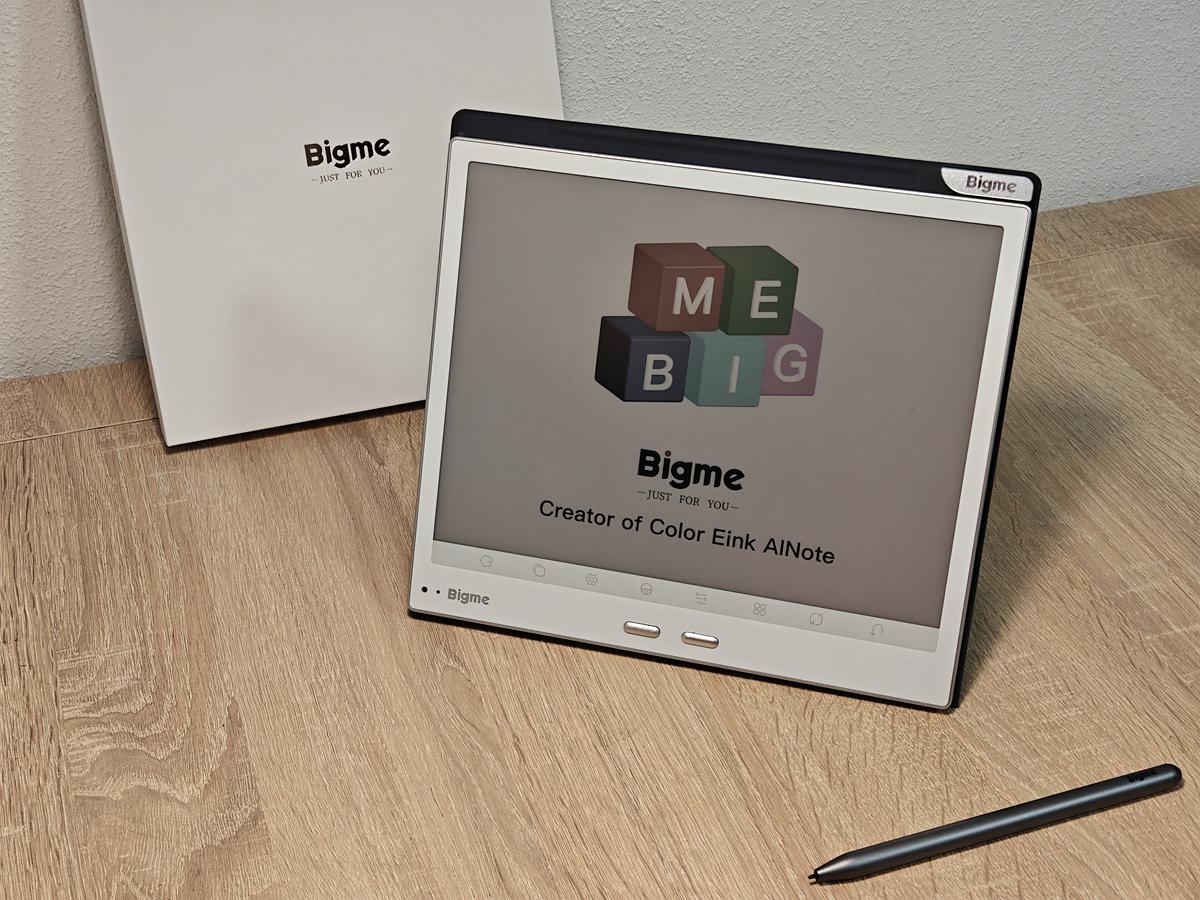

The device won’t fully replace a tablet or laptop, as E Ink displays inevitably come with certain limitations when it comes to video playback, color reproduction, and fast-paced games. But in my case, that turned out to be an advantage rather than a drawback: fewer distractions make it easier to immerse myself in reading. I can follow Frodo’s journey across a map, look up terminology while reading Robert Sapolsky’s research, compile notes from a Domontovych novel in my favorite note-taking app, browse colorful issues of Forbes Ukraine and National Geographic, and, of course, use a convenient PDF reader. The latter is especially important, since Bigme’s own apps still clearly need some refinement. Fortunately, the clean Android environment gives you the freedom to build your own comfortable and intuitive workflow.

A huge advantage for me is the complete freedom of software choice. Finally, you can read virtually anything – from the official Kindle app to any third-party Android application – without worrying about ecosystem restrictions. Books load instantly, page turning is smooth, and the various display refresh modes let you easily find the right balance between image quality and responsiveness.
The physical page-turn buttons are another highlight. They proved so convenient and ergonomic that I found myself wanting to turn pages with them rather than tapping the screen. In everyday use, the Bigme B10 feels like a mature, well-thought-out device rather than some unfinished experimental gadget. I suspect the company’s experience developing the Bigme B1051 played a role here. I’d also add that the reader is large enough to handle most PDF files comfortably, while still being compact enough to carry around without feeling cumbersome or inconvenient.
Conclusion
The Bigme B10 represents the moment when color E Ink devices finally outgrew their status as “toys for geeks” and became fully fledged, mature gadgets. Thanks to the combination of a well-executed Kaleido 3 display, clean Android 14, and 4G connectivity, this reader goes far beyond the capabilities of a conventional e-reader. For me personally, it has become the clear leader among 10-inch devices. The B10 strikes an excellent balance between the cozy, paper-like reading experience and the functionality of a modern tablet, handling a wide range of everyday mobile tasks without forcing you into meaningful compromises.
Where to buy Bigme B10