





© ROOT-NATION.com - Use of content is permitted with a backlink.
I approached this question over a long period of time, without a clear expectation of the final outcome. This text describes the result of that process.
Read also: All reviews of devices for gamers
TABLE OF CONTENTS:
Background of the question
My experience began with Need for Speed: Porsche Unleashed (not strictly a simulator, but at the time it offered relatively demanding handling), followed by NFS Underground, its sequel, several other Need for Speed titles, Project CARS, GRID 2, and WRC. Over time, it became clear what was missing across these games: a consistent and coherent level of simulation. While there are high-quality simulators, they are usually focused on narrow use cases rather than providing a more general driving experience.
This realization led me to American Truck Simulator. The choice of the American version over the European one was driven by personal preference for a specific vehicle model that is available there: the Kenworth K100.

I purchased the game and began playing it regularly. It works well as a low-intensity activity in the evening: short driving sessions with a few deliveries across detailed U.S. road networks. The experience is generally calming rather than demanding.
An additional factor is the vehicle customization system. Most components can be replaced or adjusted, from exterior elements such as paint and accessories to small interior details in the cab. This level of configurability can occupy a significant amount of time and encourages gradual, focused interaction. Overall, the experience functions as a form of relaxation and provides a break from day-to-day distractions.

However, the purpose here is not to review the game itself, nor to evaluate a steering wheel – although hardware will be discussed later. The main objective is to determine whether it is possible to assemble a functional simulator setup without an excessive budget.
The question is framed this way for a practical reason. Building a simulator setup with an unlimited budget is straightforward: commercially available kits combine a dedicated seat, steering wheel, pedals, switches, and other peripherals with a large curved display, resulting in a system that closely resembles a real vehicle cockpit. This approach is well documented and requires little compromise.
The focus here is different. The goal is to work within realistic constraints and available resources. The key question, then, is what is actually required to achieve a competent driving simulation experience without disproportionate expense. This text explores that question step by step.
Read also:
Required hardware
There is little value in discussing the PC itself. At this point, almost any system outside the lowest budget tier is capable of running Truck Simulator without major issues. In most cases, existing hardware is sufficient, with minor upgrades only necessary for very outdated systems.
The more relevant topic is peripheral hardware. In this area, the requirements are relatively straightforward:
A minimally viable setup includes at least a steering wheel; using a keyboard for this type of simulation significantly limits control fidelity.
A mid-range configuration consists of a steering wheel combined with pedals. This allows for foot-based input and provides a more coherent interaction model, even within budget constraints. At this point, it is reasonable to ask what else can be added without substantially increasing costs.
A higher-end budget configuration can include, in addition to the wheel and pedals, a capable webcam and software such as Beam Eye Tracker. The purpose of this addition is gaze or head tracking within the game. When the player turns their head to look at elements such as side mirrors, the software detects the movement and adjusts the in-cabin camera view accordingly. This approach improves situational awareness without requiring dedicated tracking hardware.

I came across this software while searching for dedicated eye-tracking devices, such as the well-known Kinect. Naturally, I also encountered the modern Tobii Eye Tracker 5, but was unable to obtain one for testing. This led me to explore alternative solutions.
At this point, a recommendation from a community member suggested looking at Beam Eye Tracker, which is available for purchase on Steam. User reviews for the software are notably positive. This prompted curiosity: is it really possible to achieve reliable in-game head or gaze tracking purely through software, without specialized hardware?
My setup and possible alternatives
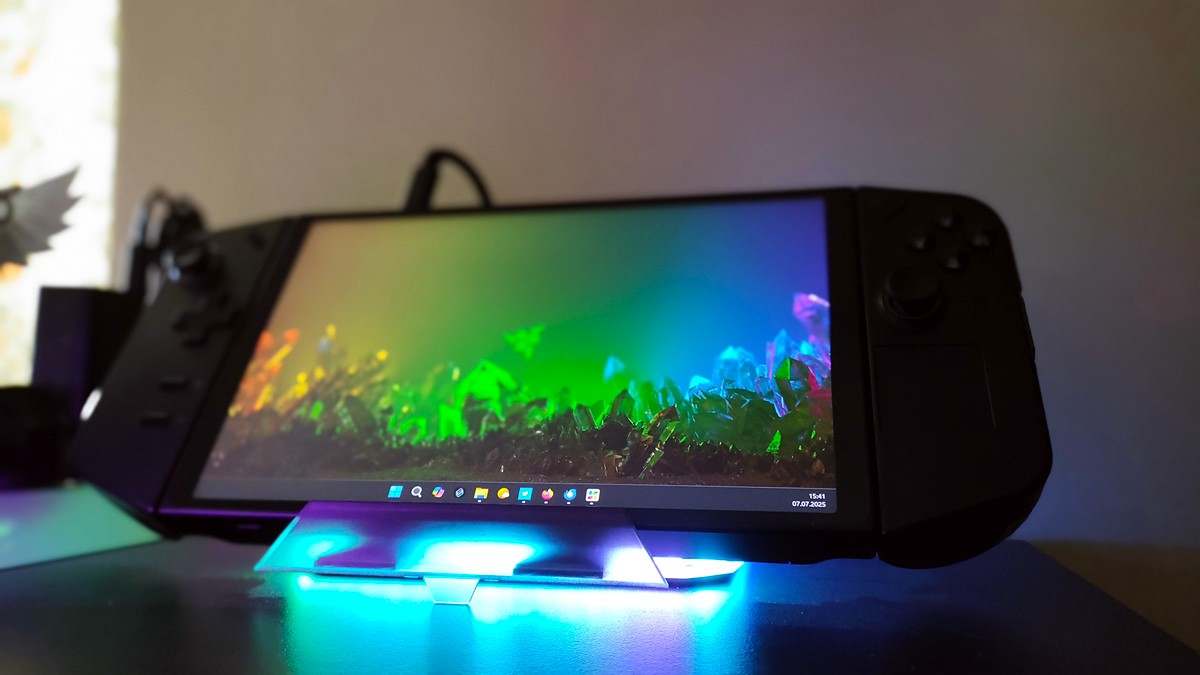
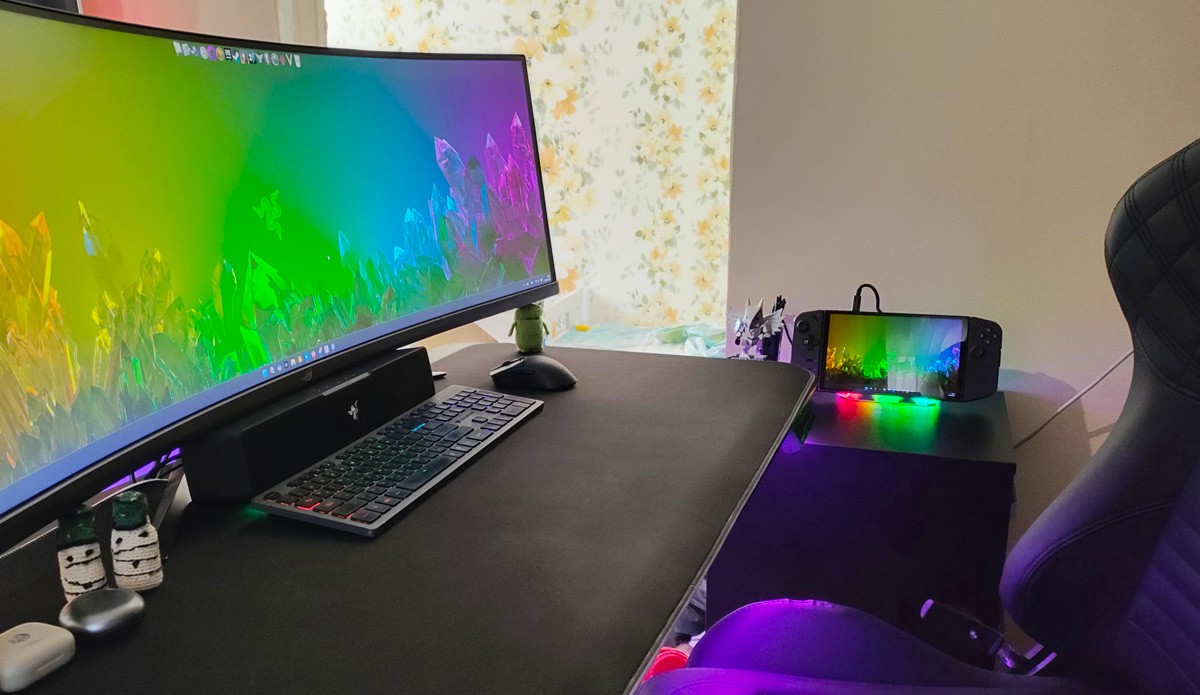
To clarify the configuration, the following is a list of the hardware I currently use, along with potential alternatives. These alternatives may be useful if budget constraints exist or if equivalent devices are already available. My setup includes:
- Logitech G29 steering wheel and pedals


- Logitech MX BRIO webcam


- Lenovo Legion Go portable console
- ASUS ROG Strix XG49VQ monitor
Substitutions and considerations
Naturally, the choice of the primary device for running the game is up to the user. If you are reading this, you likely already have a laptop, PC, or console. In my case, I use a Legion Go 1 TB with an AMD Ryzen Z1 Extreme. This device serves both for work and gaming, with all necessary peripherals connected via a docking station.
Details on the docking station and other accessories are provided here:
- JSAUX Accessories for Portable Consoles Review, part 1: Docking Stations and Joy-Con Connector
- JSAUX accessories for portable consoles review, part 2: Backpack, docking station with M.2 SSD and adapters
The choice of monitor is flexible. A general guideline is that wider screens improve the experience, while other specifications – such as refresh rate and panel quality – can be selected based on budget. While it is possible to play simulators on a laptop display, doing so may reduce the benefits of investing in additional peripherals.
For steering wheels and pedals, a more recent set such as the Logitech G923 is recommended if budget allows. This model is an updated version of the G29, featuring the TRUEFORCE force feedback system for higher-fidelity vibrations, an upgraded internal processor, and improved pedal mechanics. By comparison, the G29 uses an older feedback system and standard pedals.
Key differences between the sets:
- The G923 has TRUEFORCE, while the G29 has standard feedback
- Pedals: The G923 has improved, stiffer springs for a better feel
- Design/buttons: The G29 has a PlayStation theme (PS buttons), the G923 has an Xbox design, but both work with PCs
- Performance: The G923 has a slightly faster response and potentially higher peak torque, although the difference is negligible
- Essentially, the G923 is an evolutionary update, an improvement on the G29.
Choose the G923 if:
- нou have a sufficient budget
- нou want the most advanced experience from Logitech
- нou play on Xbox (or PC) and appreciate the Xbox button layout
- нou want the best possible feedback in supported games (such as Gran Turismo 7 or Forza).
Logitech G29 – for you if you:
- have a slightly smaller budget
- play mainly on PlayStation (or PC).
Of course, you can review wheel and pedal sets from other manufacturers if you choose. I examined alternatives within a similar price range and did not find options that, in my assessment, offered comparable performance characteristics for the same budget.
Read also: Review of Logitech G923 Gaming Wheel
The choice of webcam is relatively straightforward: higher resolution generally improves tracking performance. A quality Full HD camera is sufficient for most use cases, but a 4K model can provide a more precise experience if the budget allows. Additionally, some users can repurpose a smartphone as a webcam. For example, Motorola devices with Smart Connect software can be used in this way, which represents a cost-effective alternative. If similar options exist for other smartphone models, it may be worth exploring.




Configuration, how it all works together
Once all hardware is connected, the next step is to install the necessary software. This includes Beam Eye Tracker (supported games are listed on their website) and the OpenTrack Extension, which functions as a bridge between the tracking software and your simulator. A detailed step-by-step guide is provided by the developers, so a full walkthrough here is unnecessary. The general procedure is as follows:
- Install and configure Beam Eye Tracker via Steam or your chosen platform.
- Install the OpenTrack Extension (detailed instructions are provided by the developers; a video reference is also available).
- Launch the simulator.
- Fine-tune Beam Eye Tracker settings, as noted in step 8 of the official instructions.
- Start playing with gaze-based camera control active.
It should be noted that this setup is not “install the software, launch the game, and it works.” A careful configuration process is required initially, which can take some time. Once properly set up, however, the system operates reliably without further intervention.
It is advisable to configure Beam Eye Tracker to track head movement rather than eye movement. The software is highly accurate, but using eye tracking alone can lead to excessive camera jitter, as the eyes are constantly shifting between instruments and displays within the cab. Tracking head movement instead allows for a stable viewpoint: you can monitor gauges and the navigation display with your eyes, while turning your head controls the in-cabin camera and side or rear mirrors. This approach provides a more natural and usable simulation experience.
Read also:
- How and Why Brands Collaborate with Film
- RAMpocalypse: Everything About the AI Bubble and Rising PC Prices
Conclusions
The resulting system provides a level of realism in gameplay that makes a return to conventional controls feel incomplete. For example, playing with a gamepad that lacks full camera control or a mouse without scrolling feels noticeably limited, even though it is still functional.
The setup delivered the expected results. While the Logitech G29 performed predictably, with no issues in quality or operation, Beam Eye Tracker exceeded expectations. The software effectively enhances the simulation experience, completing the overall setup for American Truck Simulator (or other supported titles). Its impact becomes immediately apparent once implemented, addressing a subtle but significant gap in immersion that is otherwise difficult to quantify.

One notable improvement for future Logitech G models would be a wireless version of the wheel and pedal set. Even with careful cable management – there are at least three cables on the desk – users who value minimalism and a tidy workspace may find the current wired setup somewhat cumbersome.
Read also:
- Review of HATOR Darkside 3 Pro Fabric Gaming Chair: Perfect Balance of Price and Quality… and Cat Approves
- Razer Joro Review: Ultra-Compact Gaming Keyboard
- Everything You Need to Know Before Installing Solar Panels: A Look Into the World of Energy Generation and Storage Systems

