





© ROOT-NATION.com - Use of content is permitted with a backlink.
While browsing the official ASUS website, I came across an interesting and somewhat unusual product: the ROG Herculx. This is a branded GPU support bracket featuring ARGB lighting. Upon first seeing it, I was immediately curious to examine it more closely and share my observations. There is a notable amount to discuss, as the product combines both distinctive design elements and functional features.
TABLE OF CONTENTS:
ASUS as a Source for PC Accessories
In reviewing my recent content, it’s clear that I gravitate toward examining various types of peripherals. Mechanical keyboards and gaming mice, in particular, have always been a focus of interest. Beyond standard peripherals, I am also drawn to smaller branded PC accessories, such as headphone stands, GPU holders, mats, decorative panels, and custom cables. Typically, when evaluating a brand’s products, I take the opportunity to explore other distinctive or unusual items in their lineup.
ASUS, whose products I frequently review, offers a notable range of such accessories. For example, the ROG Throne headphone stand caught my attention some time ago and became part of my setup. It includes a built-in DAC, a two-port USB hub, a headset output, and integrated lighting compatible with Aura Sync. The most recent models also feature wireless charging. In practice, however, I primarily use it for the lighting synchronization. Functionally, it serves as a well-designed decorative stand that holds headphones neatly on the desk.

For instance, there is the unique ROG Aura Terminal controller, which allows for extended monitor lighting and creates an Ambilight-like effect. Another example is the ROG Spotlight, a decorative portable projector that casts the ROG logo onto a wall, adding a gaming-oriented aesthetic to a workspace.
Also worth mentioning is the ROG Strix Touchstone artisan keycap – a miniature GPU design with spinning fans. When it was released amid shortages in 2022, it was perceived almost as a playful gesture by the company, but it has since become a distinctive and rare accessory. These examples represent only a portion of the unusual devices available from the brand.

ROG Herculx Technical Specifications
- Model: XH01
- Adjustment: tool-free (wheel + reset button)
- Support height adjustment: 72 – 128 mm
- Backlight: ARGB with Aura Sync support
- Connection interface: 3-pin 5V ARGB
- Cable: non-removable, length 500 mm
- Features: removable magnetic level, tool-free installation, does not occupy a PCI slot, support for the NVIDIA GeForce RTX 40 series
- Materials: zinc alloy (internal structure), ABS plastic (casing)
- Colours: white, black
- Dimensions: 208×71×46 mm
- Weight: 171 g

Positioning and Pricing
First, a few words on the purpose of GPU support brackets. As modern high-end graphics cards evolve, each new generation tends to be larger, thicker, and consequently heavier. For example, the ROG Astral GeForce RTX 5080 occupies nearly four slots, measures 357.6 × 149.3 × 76.0 mm, and weighs just under 2.9 kg on its own.

As you can imagine, a large and heavy graphics card places considerable stress on the PCI slot, which can lead to PCB bending or microcracks. This, in turn, may affect the stability or even the functionality of the components. Both the card itself and the motherboard’s slot are at risk. To address this issue, support brackets – essentially “crutches” for the GPU – were developed. Typically, such brackets are included with high-end graphics cards as a basic accessory. However, their design is usually minimal, focusing solely on functional support. ASUS appears to have recognized this trend and released a dedicated accessory in its premium ROG style.

At present, the ROG Herculx can be considered one of the most advanced and feature-rich GPU support brackets among mainstream brands. More elaborate options are generally limited to niche, custom models that may include LCD screens from specialized manufacturers. As a result, this accessory is priced at a premium, typically ranging from $42–47 or €35–39.
Read also:
The term “premium” may seem relative, especially from the perspective of mainstream consumers who are not accustomed to spending on such accessories. For enthusiasts and gamers building high-end PCs and curating visually cohesive setups, the price for a device of this level appears reasonable. This is particularly true when considering the cost in dollars or euros and evaluating the product within the context of international markets, rather than solely the local Ukrainian market.
From a personal perspective, I have a strong interest in these types of accessories and consider the cost justifiable. I would purchase this bracket without hesitation, even if I didn’t have a discrete GPU and were relying solely on integrated graphics. Its appeal lies in its visual impact, serving as a striking decorative element within a PC case.

Package Contents
The bracket comes in a relatively large branded box, especially for a GPU support accessory. Honestly, I was pleasantly surprised by the size of the packaging – I had expected the bracket itself to be much smaller. In reality, it is fairly substantial, and the box clearly reflects this. In terms of presentation, the packaging follows standard ROG conventions: glossy logos and lettering, thick quality cardboard, and basic technical information accompanied by illustrations.


Another notable aspect is the box design itself, which is solid and opens in an unusual way: the top section does not lift off but folds backward. To be honest, it’s been a while since I’ve encountered packaging in this format.
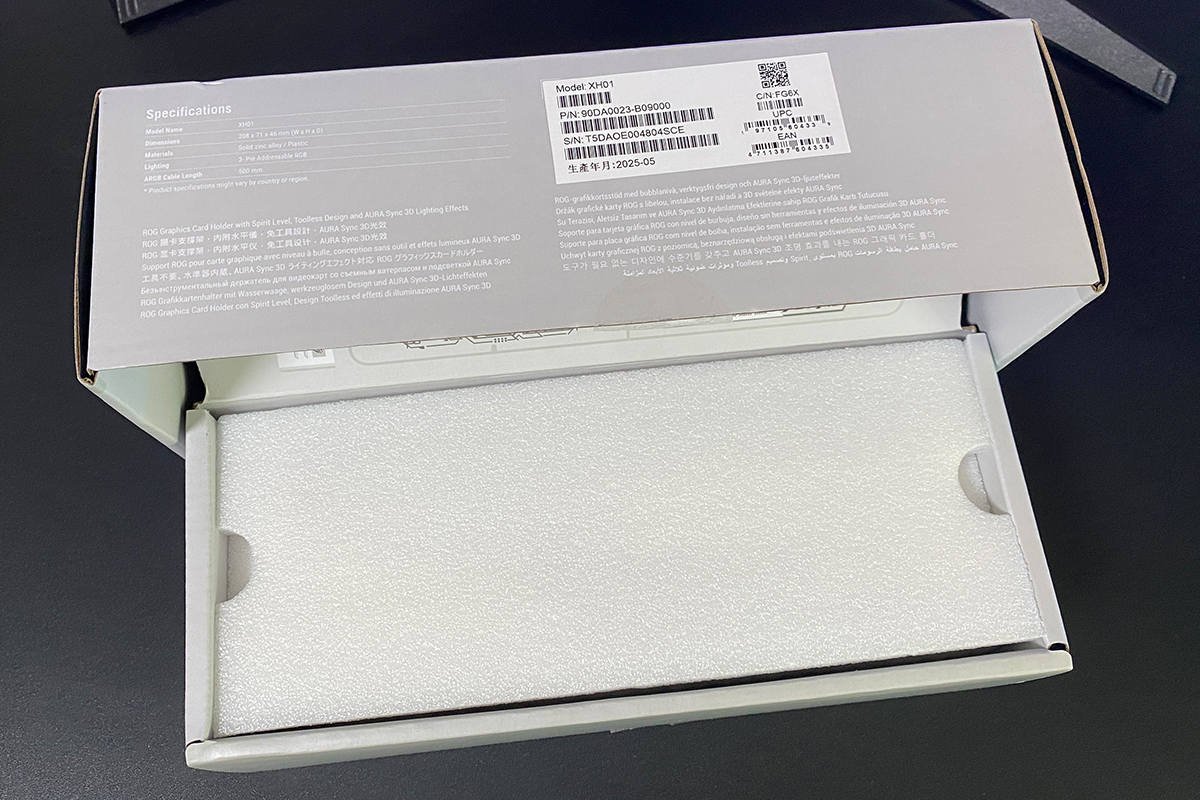
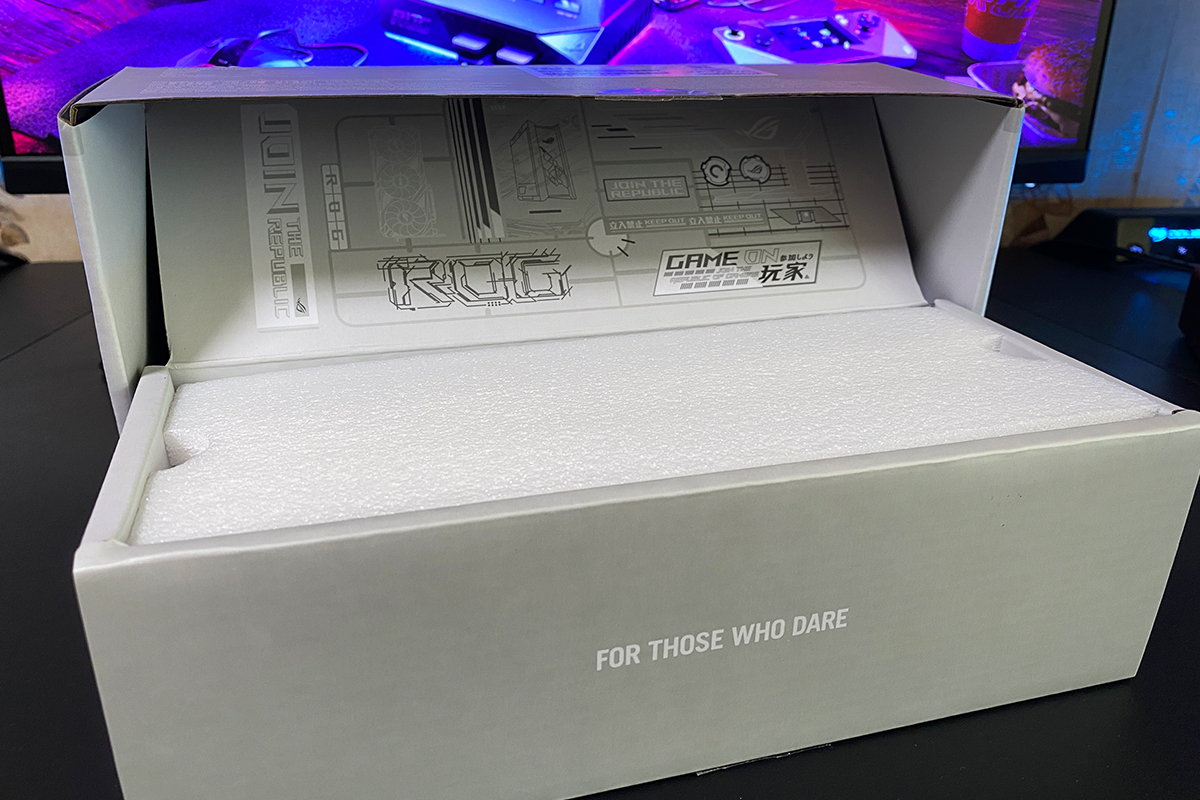
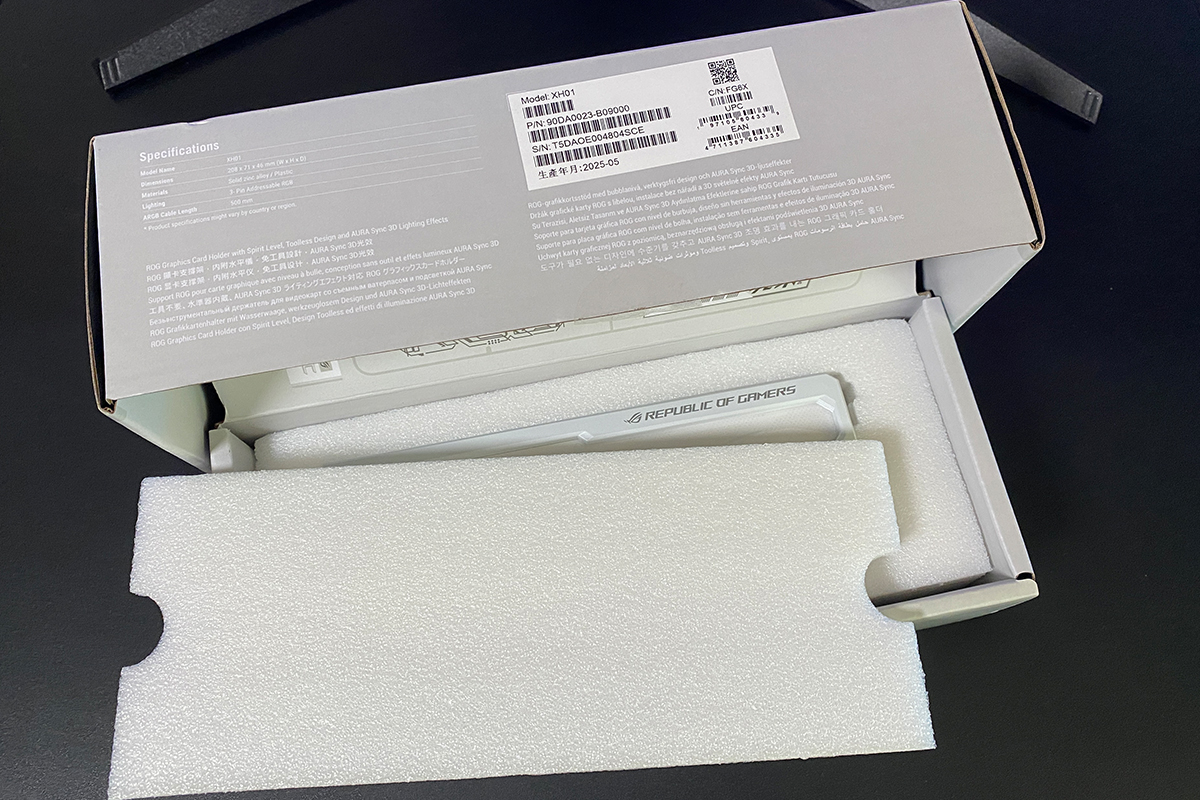
The ROG Herculx package includes only the bracket itself and the accompanying documentation. The bracket is securely seated in a foam polyethylene tray, which, unlike traditional styrofoam, does not crumble and provides reliable protection during shipping. Beneath the bracket is the full set of documentation: a user manual, a warranty booklet, and a small card illustrating the bracket’s installation and adjustment. A more detailed step-by-step installation guide is also included in the full manual.


The package also includes a magnetic level, which can be used to align both the graphics card and the bracket itself. However, since it is integrated directly into the bracket, it will be discussed in more detail in the following section.
Read also:
- ASUS ROG Strix Scope II X Keyboard Review: Hot-Swap Support, Clean Design, and an Accessible Price
- ASUS ROG Azoth X Keyboard Review: Futuristic Design, Hot-Swap Support, and OLED Display
Design, Ergonomics, and Build Quality
As mentioned earlier, the first thing that stands out when removing the bracket from the box is its size. The ROG Herculx is fairly large, which, in my view, is a definite advantage. This immediately distinguishes it from standard, included support brackets and props. The exact dimensions are listed on the box: 208 × 71 × 46 mm. To put it in simpler terms, its length is almost comparable to my ASUS GeForce RTX 4060 Ti DUAL OC.


Visually, the bracket takes the shape of a stylized “wing,” effectively filling the empty space beneath the graphics card. A notable feature is the decorative pattern on this “wing,” which incorporates brand logos that illuminate when the bracket is connected to the motherboard or an RGB controller.


The illuminated “wing” is complemented by another interesting and unusual feature – the magnetic level with blue liquid mentioned earlier. During installation, it can be removed to ensure precise alignment of both the graphics card and the bracket, after which it can be reattached and remain as a decorative element.


The bracket rests on a distinct platform with a rubberized base, which features brand markings and the address of ASUS headquarters in Taipei, Taiwan. The platform also includes a button that allows the bracket to be raised or lowered, enabling height adjustment.
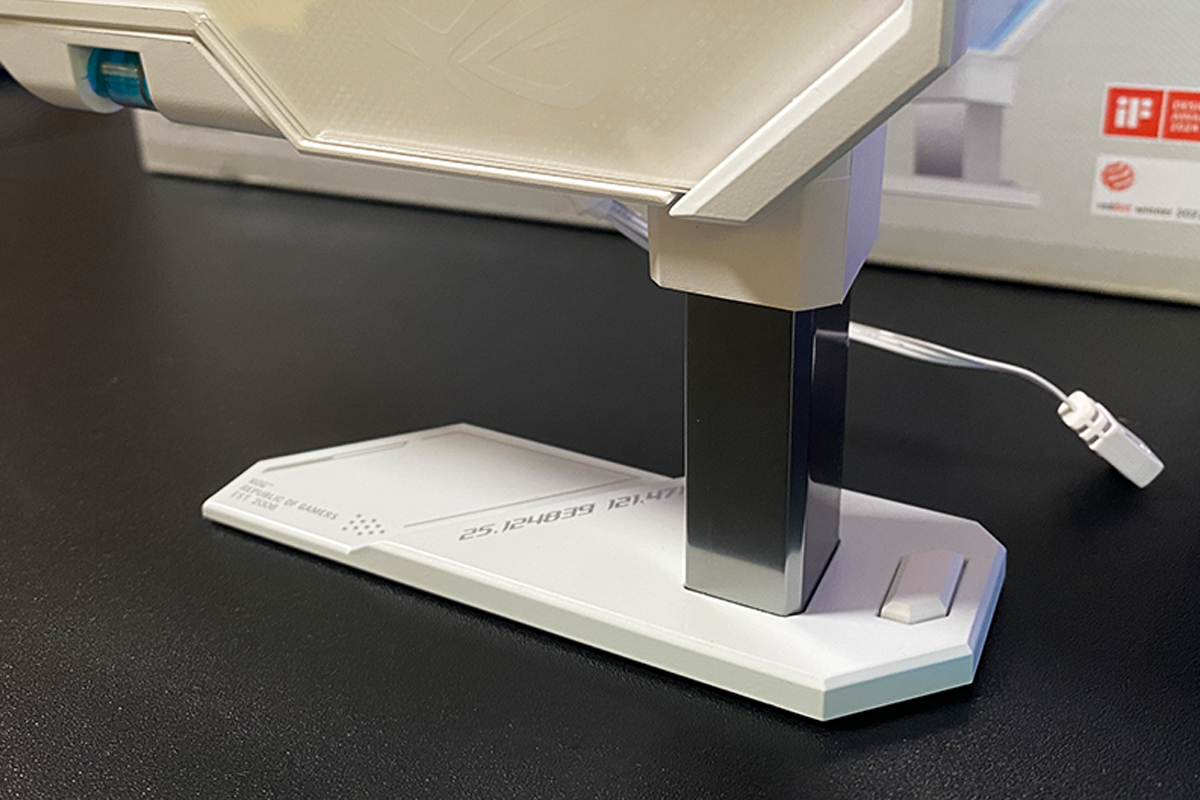
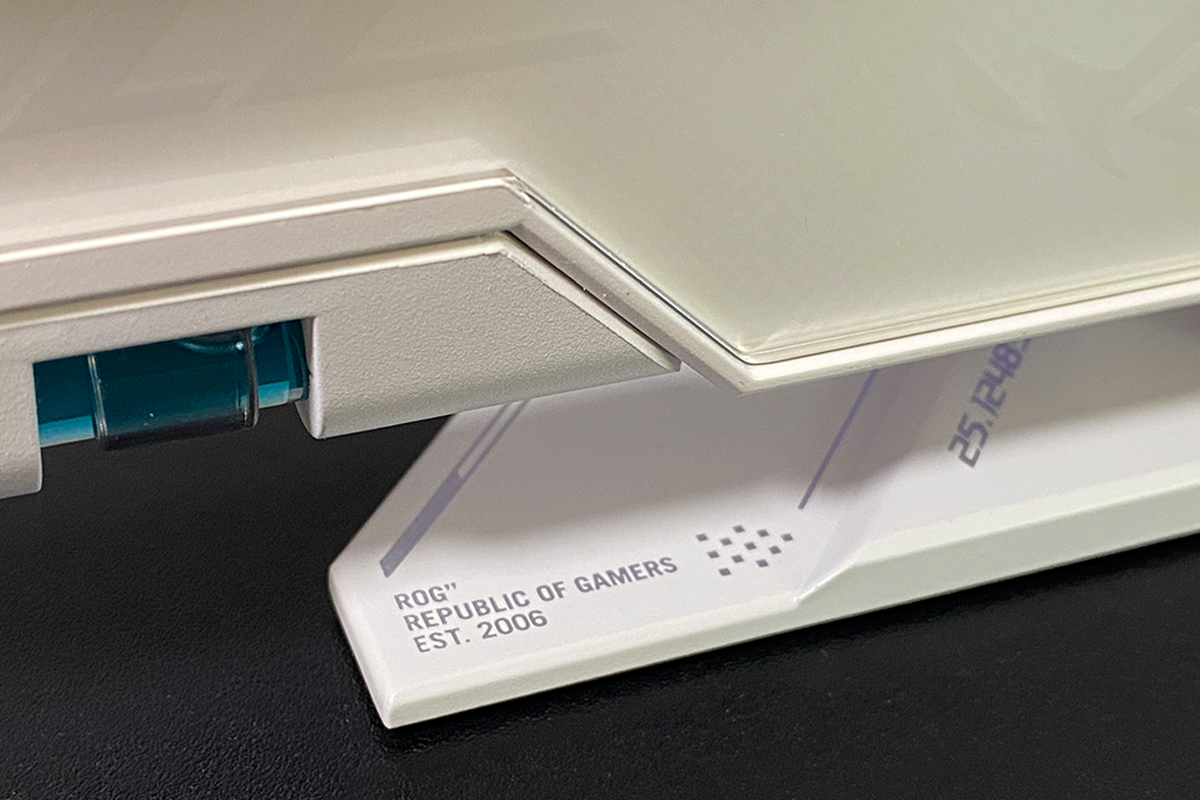
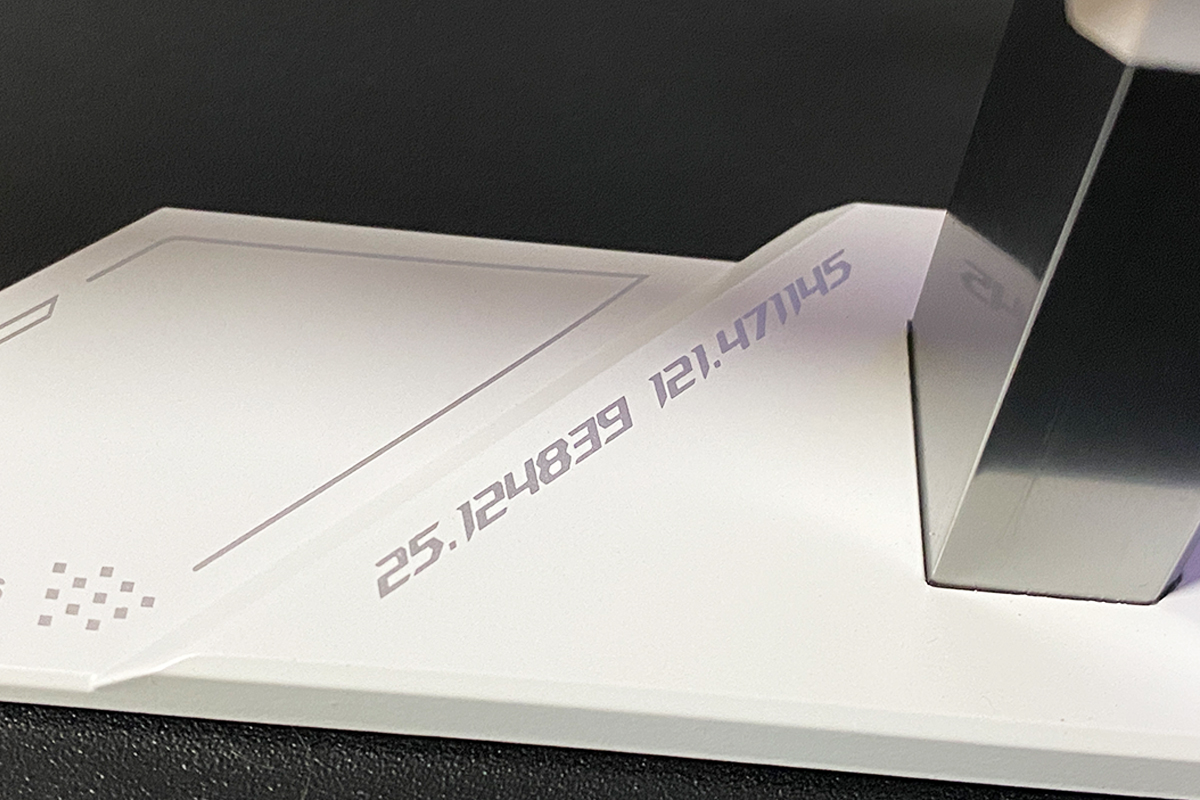
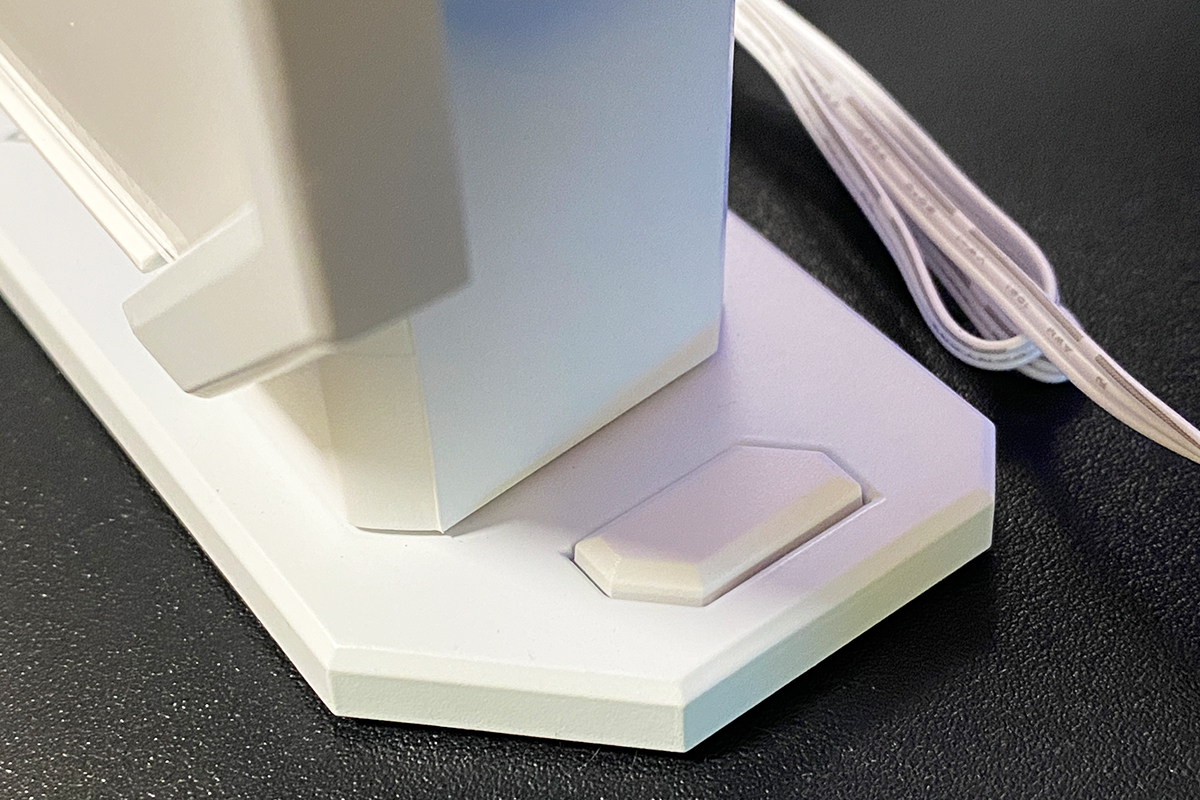
The main support – the adjustable stand that holds the entire structure – is made of metal. During height adjustment, a millimeter-scale ruler is visible on the support, which can be useful for users who want to achieve precise alignment.


On top, there is a small area with an additional support and an adjustment wheel. Turning the wheel extends the support, which serves as the primary contact point that directly props up and secures the graphics card. The surface is rubberized, providing protection for the card’s shroud.


In this way, the ROG Herculx features a two-level adjustment system: the lower metal base controls the overall height of the structure, while the upper contact point allows for fine-tuning and final securing of the graphics card.

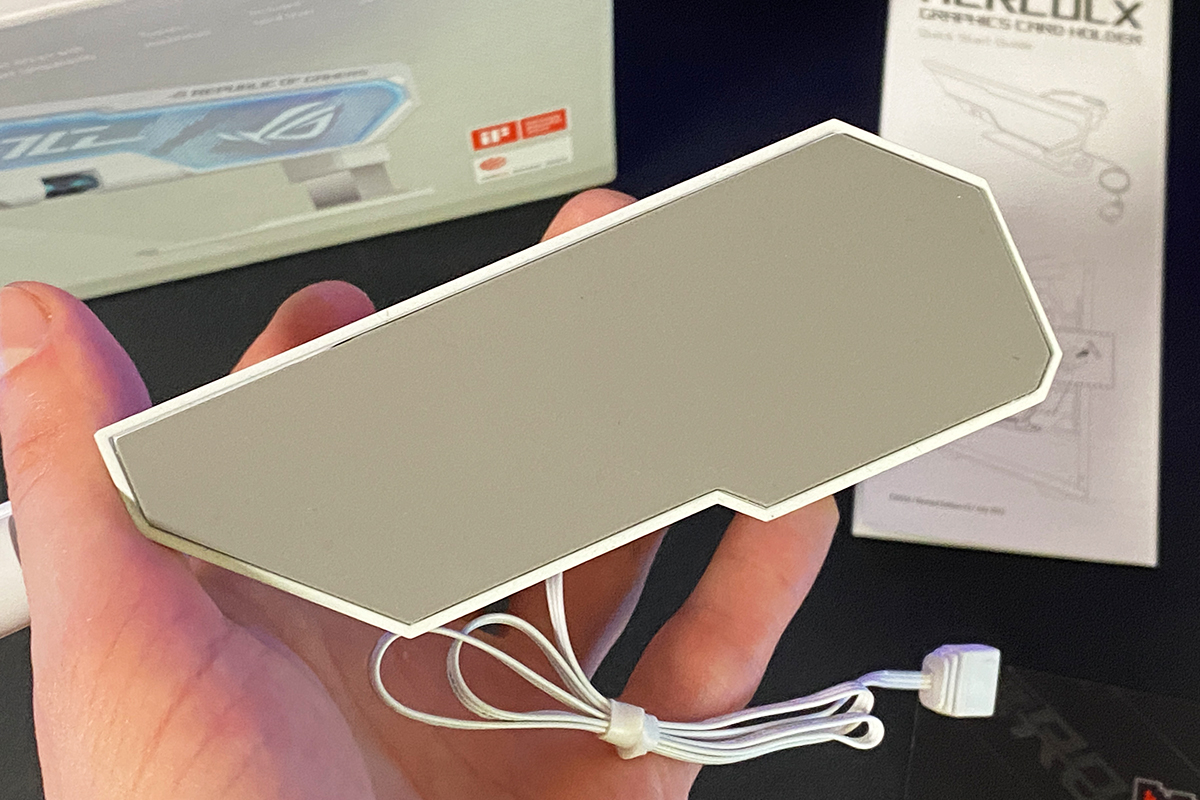
The rear of the bracket is unremarkable: it consists of plain white plastic, a sticker with serial numbers, model and power information, and a 3-pin 5V Addressable RGB cable for connecting the bracket to a motherboard or RGB hub. The connection process and its specifics will be covered in more detail in the next section. For now, let’s summarize.


Design – impressive. It’s immediately clear that this is more than a simple GPU support bracket; it’s a premium accessory that can complement a build and enhance the visual appeal of any gaming setup. The lighting is very bright and vivid, as is evident in the photos.

For this review, I received the white version of the ROG Herculx. The bracket is available in two colors: white and black. An interesting detail is that each color has a different background pattern. The white model features a close-up repetition of the ROG logo, while the black version displays continuous horizontal ROG lettering. A photo of the black model is included below for reference.

Build quality is excellent – the bracket is constructed from high-quality materials, including a sturdy metal base, and there are no creaks or unwanted play in the structure.
The included 50 cm cable is more than sufficient to reach ARGB headers on the motherboard or a hidden RGB hub. Any excess cable can easily be coiled and tucked behind the bracket if needed. Despite its relatively large size, the bracket fits comfortably in any case that accommodates the target graphics card. As mentioned earlier, the sizable “wing” effectively fills the empty space beneath the GPU.

The only potential exceptions are ultra-compact cases, which are becoming increasingly popular. In such cases, graphics cards are typically mounted using specialized methods, making any additional support brackets unnecessary. However, for most standard mid- to full-sized cases, the ROG Herculx fits naturally.
Read also:
- ASUS ROG Keris II Origin Wireless Gaming Mouse Review: Sleek and Affordable
- ASUS ROG Harpe Ace Mini Wireless Gaming Mouse Review
Installation, Connection, and Adjustment
As mentioned earlier, setting up the bracket is quick and straightforward:
- Position the bracket under the graphics card.
- Adjust the overall height by pressing the button on the support platform.
- Fine-tune the height of the upper support point using the adjustment wheel.
- Connect the cable to an ARGB header on the motherboard or an RGB hub.

The adjustable design allows the bracket to accommodate virtually any case and graphics card, with a minimum height of 72 mm and a maximum of 128 mm.
It’s important to note that the ROG Herculx uses a 3-pin 5V Addressable RGB connector. It must be connected to a 3-pin 5V header, and never to a 4-pin 12V header, as the higher voltage could damage the LEDs. ASUS addressed this by blocking the fourth pin, preventing incorrect insertion, so the connection process is straightforward and foolproof.
As for the location of the required headers on your specific motherboard, it’s best to consult the manual. On my Asus ROG Strix X570-E Gaming, for example, there are two such headers, one of which is conveniently positioned at the bottom of the board.

The final step involves configuring the bracket’s lighting and synchronizing it with other devices in the system. This brings us to the next section.
Read also:
- ASUS ROG Harpe Ace Extreme Wireless Gaming Mouse Review
- ASUS ROG STRIX GS-BE18000 Review: Wi-Fi 7 for Gamers
Lighting Control and Aura Sync Synchronization
When the bracket is connected to the motherboard or an RGB hub, it lights up immediately, displaying the default “Rainbow” effect.


Lighting on the ROG Herculx is controlled through ASUS’s Armoury Crate software. The program automatically detects the bracket once it’s connected, allowing it to be configured alongside other compatible devices. If it is not recognized, updating the motherboard firmware and its controllers via the software’s “Update Center” usually resolves the issue.

There is one detail to note: in the software, the bracket does not appear as a separate device with its own icon. Instead, it is recognized as an addressable RGB strip connected to a motherboard header. To view the bracket and synchronize it with other devices, you need to access the Aura Sync device synchronization section.
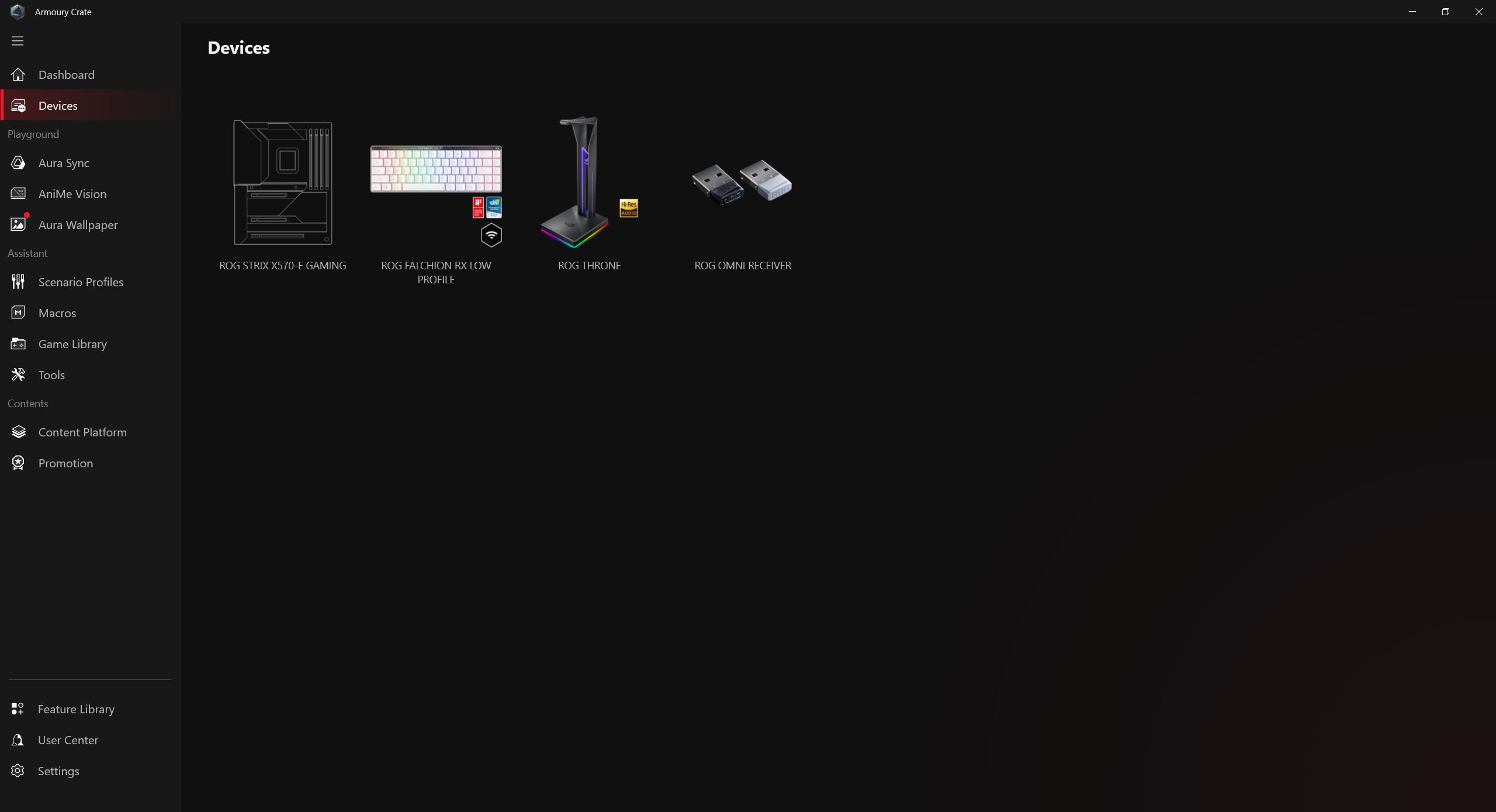
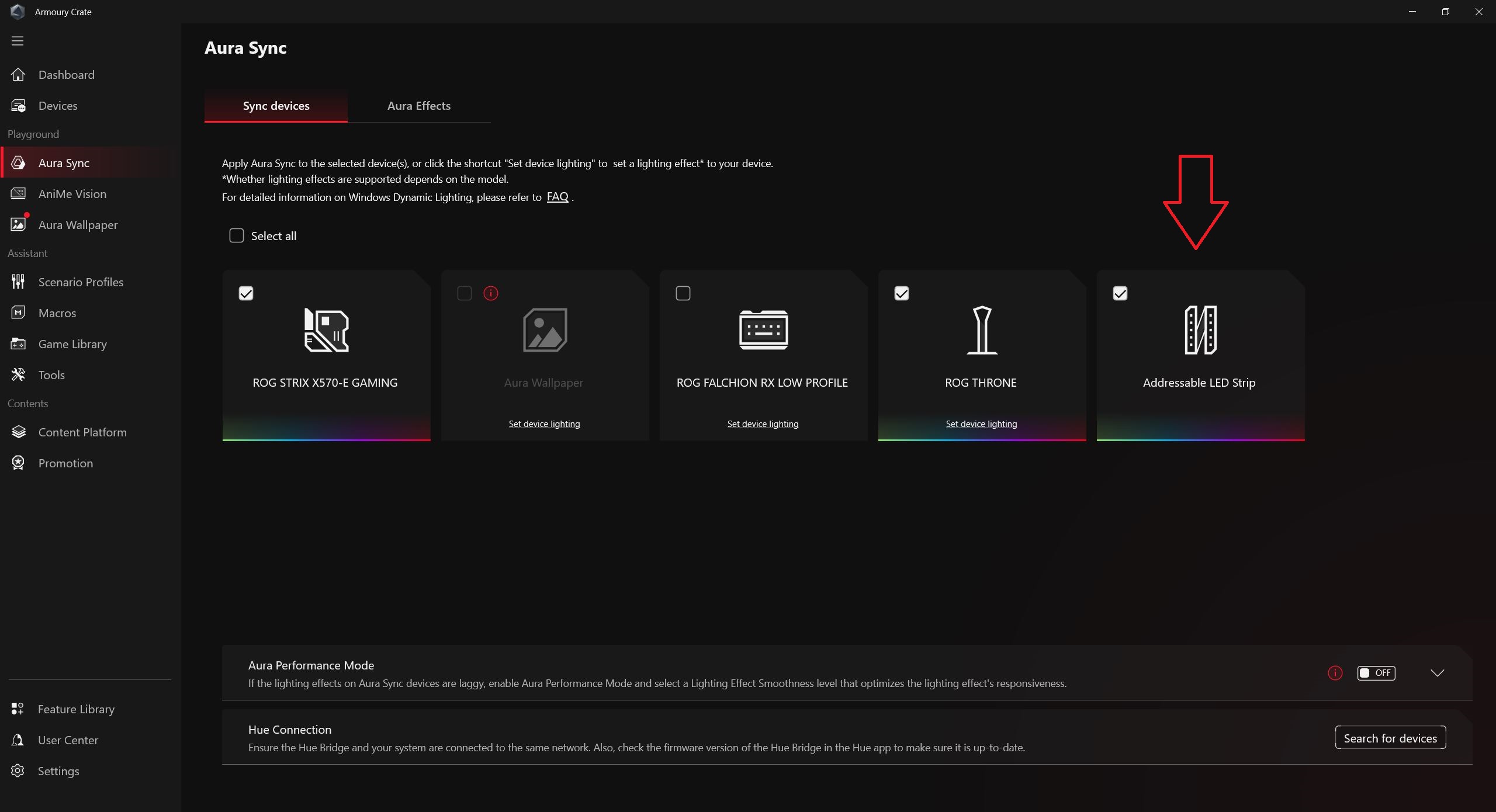
Colors and effects are configured in the adjacent tab – Aura Effects. Here, you can choose from nine preset effects and further adjust parameters such as color, speed, and brightness. It’s worth noting that these settings – effects, colors, and other adjustments – apply simultaneously to all synchronized devices.

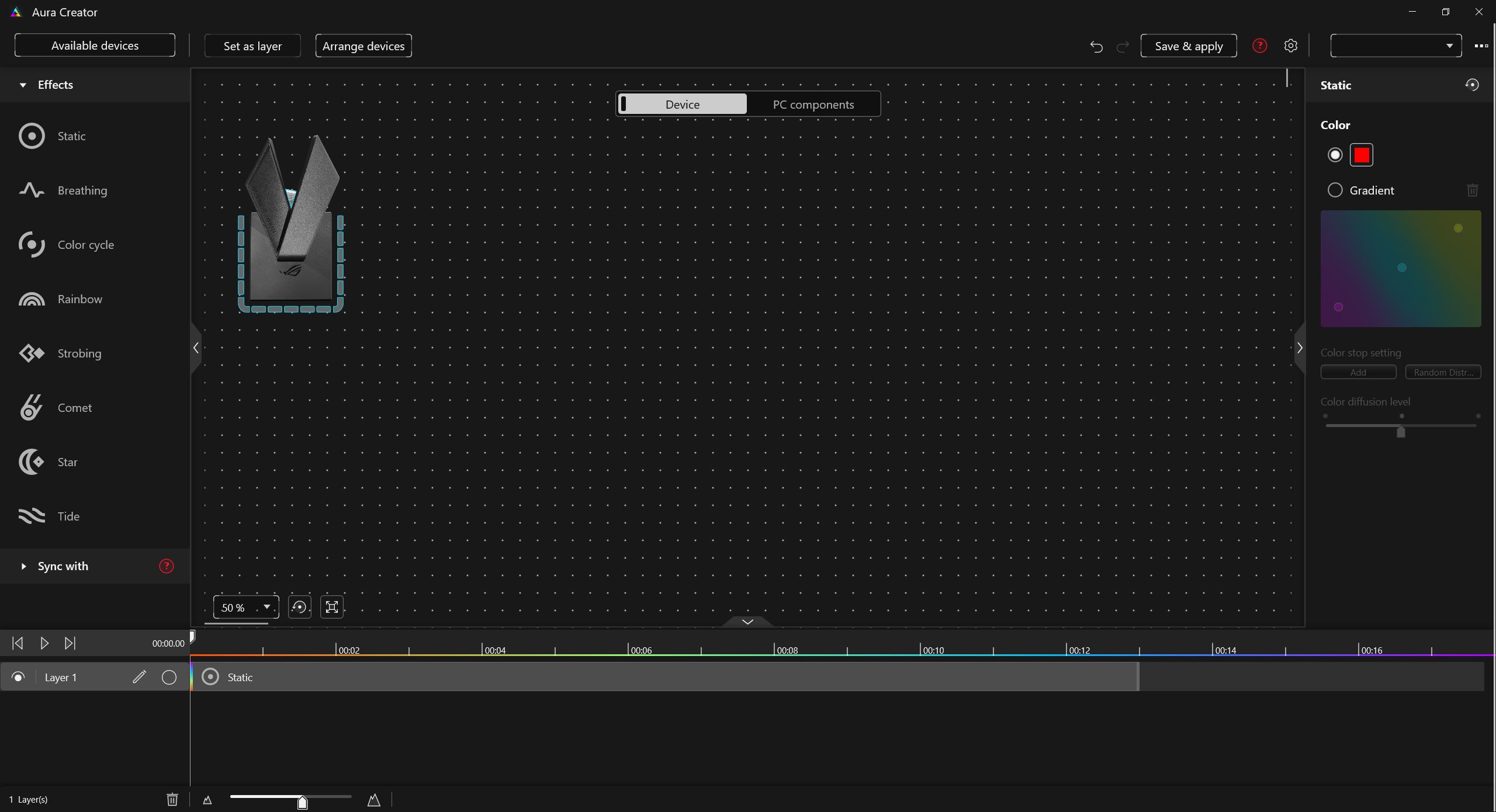
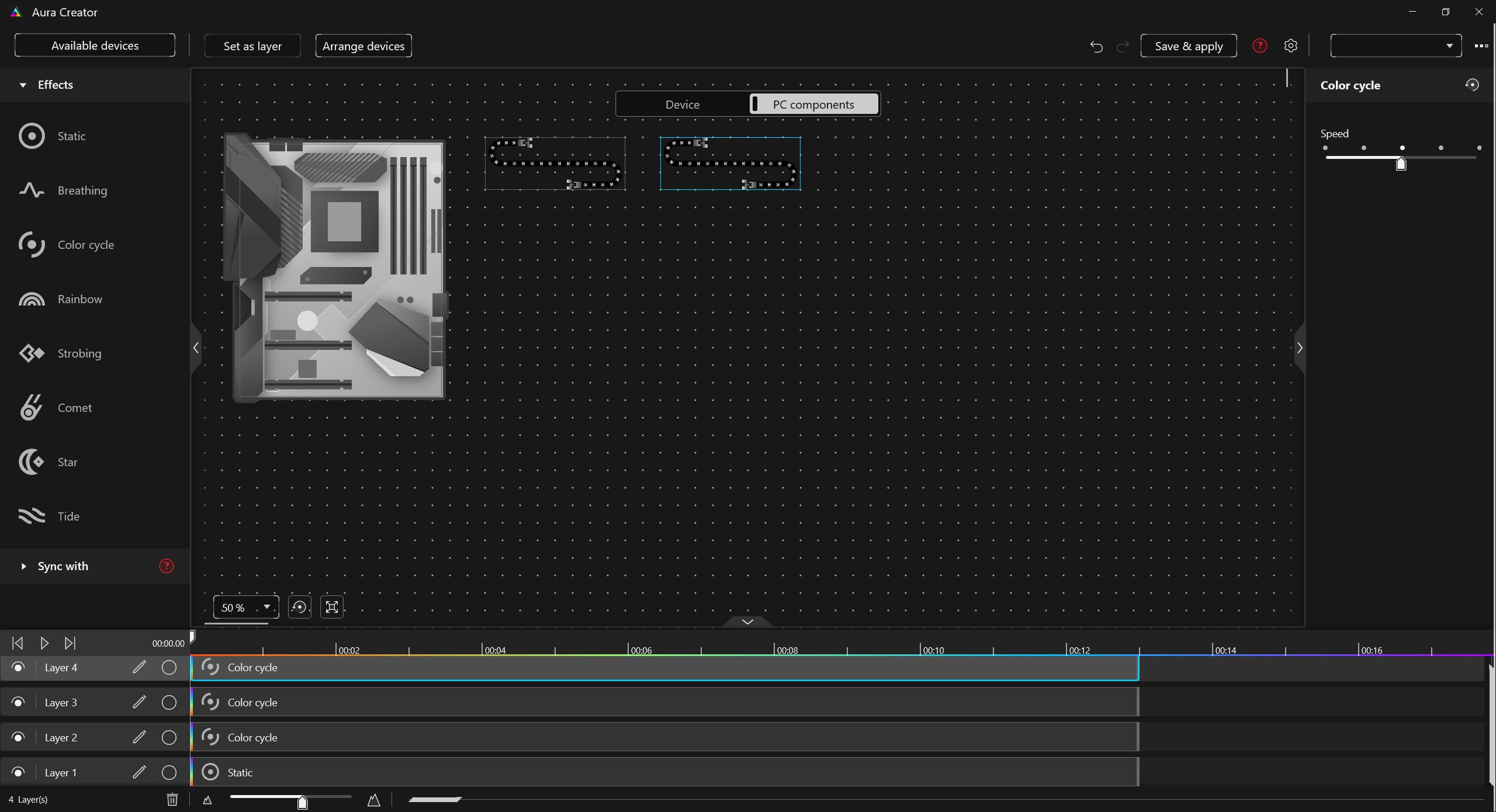
You can also create a custom lighting setup in Aura Creator, assigning specific effects and colors to each device. This is the only way to configure the bracket’s lighting independently from other devices, since, as mentioned earlier, the bracket is not recognized as a separate device with its own controller – it functions simply as an addressable RGB strip.
You might ask: what about users with a motherboard from a different manufacturer? Can the bracket be used with MSI Mystic Light (MSI Center), Gigabyte RGB Fusion (Gigabyte Control Center), ASRock Polychrome Sync, Corsair iCUE, Razer Chroma RGB, or Lian Li L-Connect? Since the ROG Herculx is essentially a standard ARGB strip internally, it works without issues. In a worst-case scenario, third-party lighting software – such as SignalRGB, which supports a wide range of devices across brands – can also be used to control the lighting.
Conclusions
In conclusion, the ASUS ROG Herculx met and even exceeded my expectations. I was genuinely curious about this accessory, and after spending time with it, I can say that interest was well justified. It features a large, stylish, and well-constructed design, with bright and vivid lighting that can be easily synchronized with other devices, including those not made by ASUS. Installation is simple and tool-free, the two-level adjustment system is convenient, and the included magnetic level is a useful addition. As noted throughout the review, this is not just a basic GPU support – it is a premium accessory that enhances and visually elevates any PC build.

I personally did not identify any significant drawbacks or contentious points. Objectively, the main consideration could be the price. As mentioned earlier, for a mainstream user, the cost of what is essentially a GPU support bracket may seem high. However, such users are generally unlikely to purchase this type of accessory. For enthusiasts, modders, ROG series fans, and gamers aiming to perfect their builds, the price is likely reasonable and justifiable. Especially when considering that these brackets are typically paired with high-end graphics cards, whose cost is several times higher – against that backdrop, the price of the ROG Herculx is relatively minor.

Additionally, the ROG Herculx could make an excellent gift. Many of us have faced the dilemma of choosing a present for a gamer who seems to already have everything. A new graphics card, for example, would be ideal but is often too expensive. In this context, the ROG Herculx is a strong option: it’s reasonably priced, offers a visually impressive impact, and is sure to leave a positive impression.
Read also:
- How to assemble a relatively low-cost eye-tracking setup for Truck Simulator and similar applications
- Mission Control: How Ukraine Is Building a Unified Digital Brain for Drone Warfare
- RAMpocalypse: Everything About the AI Bubble and Rising PC Prices

