




© ROOT-NATION.com - Use of content is permitted with a backlink.
Thinking about buying a gaming laptop? This article takes a closer look at the key factors that should guide your decision.
Choosing a gaming laptop has become increasingly complex in recent years. The rapid pace of technological development brings new opportunities, but also new challenges. Manufacturers compete not only in terms of raw performance but also in design, energy efficiency, and portability – while marketing often creates the illusion of “innovation” that may not translate into practical benefits for gamers.
Although desktop PCs remain the gold standard for professional players, the need for mobility has made gaming laptops more appealing than ever. Modern models can now deliver high frame rates, realistic graphics, and efficient cooling – all in a form factor that fits into a backpack.

When choosing a gaming laptop, it’s important to look beyond raw specifications like the processor, graphics card, or memory capacity. Just as critical are factors such as keyboard ergonomics, display quality, acoustics, battery life, and software optimization. The goal of this guide is to help you make an informed decision that fits your individual needs, gaming style, and budget.
Read also: Acer Predator Helios Neo 18 AI PH18-72 Review: Desktop-Level Performance in a Laptop Form
TABLE OF CONTENTS:
What size gaming laptop should you choose?
This question may seem simple, but in reality, size largely determines the nature and purpose of a laptop. When we talk about size, we mean the screen diagonal – typically 14, 16, or 18 inches. This single parameter influences nearly everything: from portability to the cooling system’s performance.
16 inches – the golden mean
Today, 16-inch models have become the new standard – the perfect balance between mobility and performance. They offer enough space for powerful hardware and efficient cooling while remaining relatively compact.
These laptops have effectively replaced the older 15.6-inch models with a 16:9 aspect ratio. Modern versions now feature 16:10 displays with thinner bezels and a larger usable screen area.
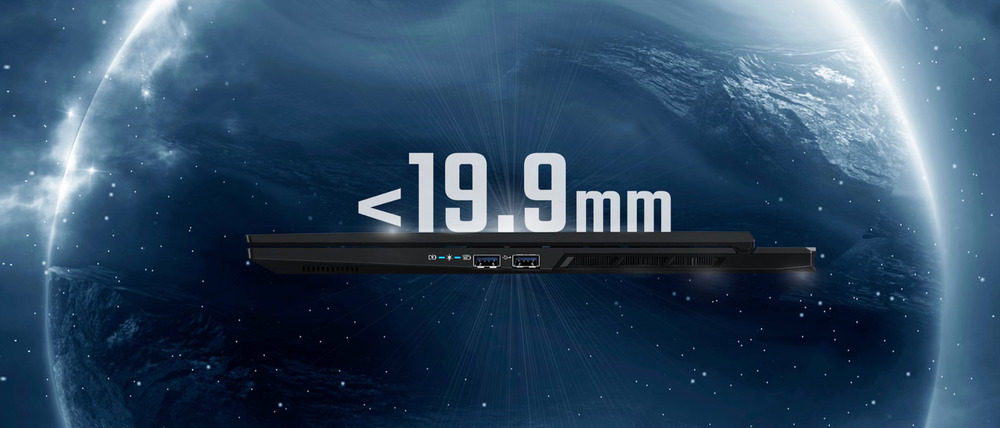
A great example is the Acer Nitro V 16S AI AMD. Despite its slim 19.95 mm profile, it packs an eight-core AMD Ryzen 7 260 processor and an NVIDIA GeForce RTX 5050 graphics card with 8 GB of GDDR6 memory. In other words, even within a relatively thin chassis, you’re getting a fully capable gaming machine that can handle modern titles at high graphics settings.
14 inches – compactness without compromise
14-inch gaming laptops represent a relatively new trend in the gaming world. They’re designed for users who value portability without wanting to compromise on performance.
Take the Acer Predator Helios Neo 14, for example. Weighing just 1.9 kg, it features an Intel Core Ultra 7 155H processor and a dedicated NVIDIA GeForce RTX 4070 GPU – the kind of hardware that, until recently, was reserved for much larger systems. It’s an ideal choice for gamers who travel frequently or anyone looking for a powerful, compact workstation that’s ready to go wherever you are.
18 inches – desktop power
At the opposite end of the spectrum are the 18-inch gaming giants – heavy, bulky machines that completely sacrifice mobility in favor of raw power. But if you play mostly at home, this is exactly what you need.
A larger screen provides full immersion, while the spacious chassis allows for robust cooling systems and top-tier components. These laptops are often viewed as true desktop replacements.
A perfect example is the Acer Predator Helios 18 AI – a powerhouse built to deliver uncompromising performance and comfort. It’s not meant for travel but for those who demand the ultimate gaming experience from a system that can rival a high-end desktop PC.
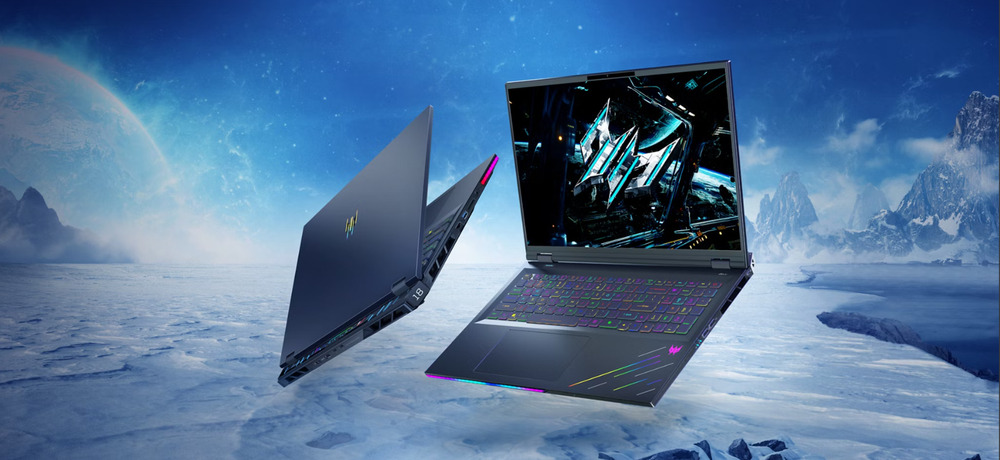
This provides a solid starting point for choosing a gaming laptop. When we talk about the “size” of these devices, we usually refer to the display diagonal, which typically comes in 14-inch, 16-inch, and 18-inch variants across most major brands.
In summary: If you want balance, go for 16 inches. If mobility is your priority, 14 inches is the way to go. And if you’re after a desktop-class powerhouse that knows no limits, then 18 inches is your match.
Read also: Acer Nitro V15 (ANV15-41-R99Y) Gaming Laptop Review
Budget: finding the right balance
Before diving into technical specifications, it’s worth starting with a fundamental question: what’s your budget? Your financial limit determines not only the level of performance but also the laptop’s longevity, upgrade potential, and overall balance between price and quality.
The gaming laptop market shows a clear stratification by price and capabilities. Depending on your budget, you’ll get a different level of graphics power, display quality, cooling efficiency, and overall balance of the device.
Initial level ($1000-1500)
This segment targets users who prioritize affordable gaming without making major compromises on performance. Laptops in this category typically feature mid-range GPUs, such as the NVIDIA RTX 5050 or its equivalents. They handle 1080p gaming at medium to high settings effectively.
The main advantage is the optimal balance between price and performance, though potential buyers should be aware of limitations in cooling capacity and battery life.
Average price range ($1,500–2,500)
This is the most balanced segment for the majority of gamers. Laptops in this category support comfortable QHD (1440p) gaming, are equipped with RTX 5060 or RTX 5070 GPUs, feature high-refresh-rate displays (165–240 Hz), and come with enhanced cooling systems.
These models can deliver stable performance in modern titles while providing a degree of future-proofing for several years.
Premium class (from $2,500 and above)
This segment goes beyond pure gaming performance and serves as a showcase of manufacturers’ technological capabilities. Laptops equipped with RTX 5080 or RTX 5090 GPUs support 4K gaming, real-time ray tracing, and feature high dynamic range (HDR) displays.
They also offer enhanced cooling systems, premium chassis materials, and expanded capabilities for content creation, including video editing, 3D modeling, and similar workloads.

Choosing a gaming laptop in 2025, such as the ACER Predator Helios Neo 16 AI PHN16-73, requires a systematic approach. Each component – from the processor to the cooling system – affects the overall balance between performance, portability, and durability. Below, we examine the key specifications that have the most significant impact on the gaming experience.
This analysis aims to outline the main aspects to consider before making a purchase. Understanding these factors can simplify the selection process and support a more informed decision based on individual needs, gaming preferences, and budget.
Read also: Acer APS321 1800W Review: Compact and Powerful Portable Power Station
Processor
The central processor serves as the core of a laptop’s computing system, determining the speed and efficiency of all operations – from game physics and NPC logic to AI tasks and system multitasking. In 2025, the processor remains a primary factor influencing the perceived smoothness of gameplay and system stability under heavy workloads.
Current flagship options, such as the Intel Core Ultra 9 and AMD Ryzen AI 9, set the benchmark for high-performance laptops. These processors combine high frame rates with improved energy efficiency and hardware-based AI support, which is increasingly used for game optimization and graphics engine performance.

For optimal performance, it is recommended to choose processors with at least 8 cores and a clock speed of 3.5 GHz or higher. This configuration supports smooth gameplay today while helping maintain system relevance as the demands of new AAA titles continue to increase.
A representative example of a high-performance gaming laptop is the Acer Predator Helios 18 AI. It is equipped with the Intel Core Ultra 9 275HX processor and 64 GB of RAM. Its new Nvidia RTX 5090 GPU offers advanced hardware capabilities, including DLSS 4 for improved frame rates and detail, as well as AI-assisted ray tracing for more realistic graphics rendering.

Practical tests indicate that modern mobile processors are approaching desktop-level performance, reducing load times for demanding games such as Starfield or Cyberpunk 2077 to just a few seconds.
In the gaming laptop market, Intel and AMD remain the primary competitors, consistently balancing energy efficiency with computational power.
Intel Core i5 / Ultra 5 and AMD Ryzen 5 represent mid-range solutions, offering stable performance in most games and suitable for users seeking a balance between cost and capability.
- Intel Core i7 / Ultra 7 and AMD Ryzen 7 are versatile processors designed for more demanding tasks, including high-graphics gaming, streaming, and content creation.
Intel Core i9 / Ultra 9 and AMD Ryzen 9 are top-tier options aimed at enthusiasts and professionals working with video editing, 3D rendering, or development. These models provide the highest number of cores and threads, larger caches, and support for the latest technologies.
AMD focuses on integrating neural processing units (NPUs) in its Ryzen AI lineup, enabling laptops to handle machine learning tasks locally without relying on cloud computing. Intel is pursuing a similar approach with its Core Ultra series, promoting the concept of an “AI PC.”

Currently, ARM processors for gaming laptops, such as Qualcomm’s Snapdragon X Elite, have not seen widespread adoption. However, with the development of Windows on ARM and ongoing optimization of game engines for this architecture, this could change in the coming years. The potential advantage of ARM lies in its low power consumption and high efficiency, which may set a new standard for mobile platforms.
Read also: Acer Chromebook 314 CB314-3HT Review
Video card
The graphics card is a central component in a gaming laptop, responsible for everything displayed on the screen – from subtle shadows in Cyberpunk 2077 to explosions in Starfield. Without a capable GPU, any laptop marketed as “gaming” essentially functions as a standard office machine.
For high-resolution gaming, such as 4K, a powerful GPU is required to maintain frame rates under heavy load. It is also important to ensure that the display supports the target resolution. Conversely, if 4K is not a priority, selecting a GPU with lower demands can reduce costs without impacting your experience significantly.
The key guideline is to choose a GPU based on your specific needs rather than marketing claims. In 2025, the market offers a wide range of options across price segments, and a higher price does not always guarantee the best fit.
In the high-end segment, the NVIDIA GeForce RTX 5090 and AMD Radeon RX 7900M are the leading mobile GPUs. The RTX 5090, with 24 GB of video memory, handles 4K gaming and ray tracing, delivering stable 60+ FPS even in demanding titles. The RX 7900M is also competitive, offering high efficiency and lower thermal output, which is particularly beneficial in laptop form factors.
Both platforms support current technologies such as DLSS 4, FSR 3, ray tracing, and Reflex, along with improved power management that helps maintain battery life without significant performance loss.
For a balanced option, consider the NVIDIA GeForce RTX 5070 or AMD Radeon RX 7700S. These GPUs can run modern games smoothly at 1440p and even 4K with moderate settings, offering solid performance without excessive cost for most users.
For those who do not require ultra settings, the NVIDIA GeForce RTX 5060 or AMD Radeon RX 5700 XT are viable choices. While not intended for 4K, they handle 1080p gaming at high settings effectively. It is recommended to have at least 8 GB of VRAM to ensure stable performance in upcoming titles.
Despite the release of newer generations, the NVIDIA RTX 40 series remains relevant. Even the RTX 4060 delivers competent performance in most contemporary games. For example, the Acer Nitro V 15 AMD equipped with an RTX 4060 demonstrates a balanced configuration, combining adequate performance, reliability, and reasonable cost.
In 2025, selecting a GPU involves balancing performance, power consumption, and budget. Opting for the “highest-end” model is not necessary if your gaming requirements do not demand it. Instead, evaluate your own use cases: the games you play, the resolutions you target, and whether you plan to connect an external monitor.
Read also: Acer Swift Go 16 SFG16-72 Laptop Review: Excellent Performance and Solid Battery Life
RAM
When selecting a gaming laptop, it is important to consider not only the processor and GPU but also the system memory (RAM), which is a key factor in overall performance. RAM affects data processing speed, multitasking, and system stability during gaming.
In practical terms, the more RAM a laptop has, the more processes it can handle simultaneously without stuttering or frame drops. This is important not only for modern games but also for resource-intensive applications such as OBS, Photoshop, or Blender.
For most gamers, 16 GB of RAM remains the baseline for comfortable use. However, for smoother performance in the latest titles, simultaneous streaming, or running multiple demanding programs, 32 GB or more is recommended.
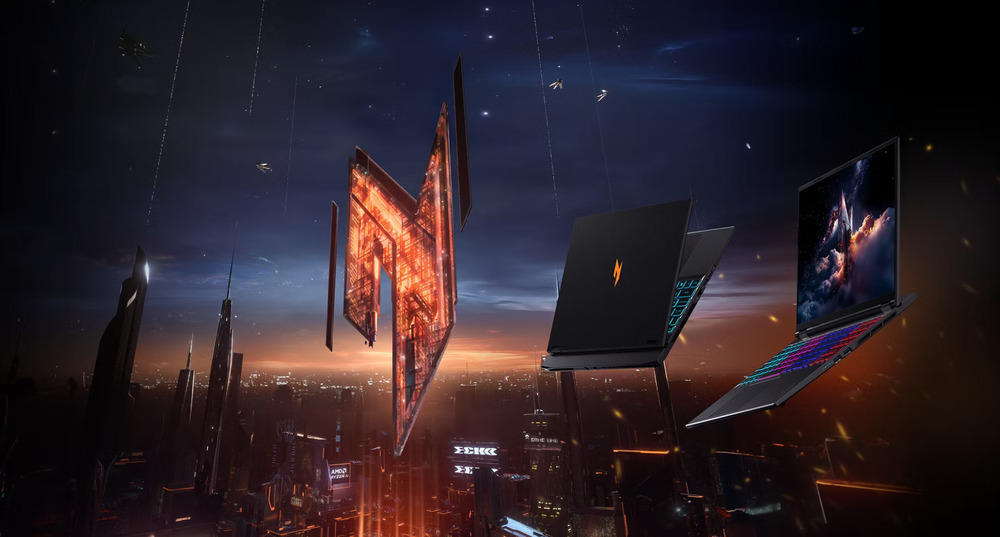
Real-world tests show that in games like Cyberpunk 2077, Alan Wake 2, or Starfield, systems with 16 GB of RAM can sometimes struggle when applications like Discord, a browser, or video recording run in the background. Having extra memory is therefore beneficial, especially if the laptop is intended for long-term use rather than just a year or two.
The type of RAM also plays a significant role. Most modern gaming laptops use DDR5, which offers higher speeds, lower power consumption, and better compatibility with new Intel Ultra and AMD Ryzen AI processors. Compared to DDR4, DDR5 can deliver up to a 20–25% performance improvement in memory-intensive tasks. While this may not always be critical for standard gaming, the difference becomes noticeable in complex scenarios.
Before purchasing, it is important to check whether the laptop allows memory upgrades. Some models have soldered RAM, making it impossible to add more in the future. Laptops that support upgrades can remain relevant for several more years.
For example, the Acer Nitro V 16 AMD, while formally positioned as a budget model, offers practical advantages that make it stand out. Its main benefit is the ability to upgrade RAM independently – a feature that is increasingly rare. This capability extends the laptop’s useful life by several years without additional expense.
This makes the Nitro V 16 a suitable choice for entry-level gamers or those seeking good performance at a reasonable cost. It allows smooth gameplay in modern titles without the need for a flagship model and offers the flexibility to add more memory or storage later for a noticeable performance boost.
In this case, “budget” does not necessarily mean “compromised.” The Acer Nitro V 16 AMD provides a balanced combination of price, performance, and upgrade flexibility, which is relatively uncommon in the current gaming laptop market.
Read also: Acer Swift Go 14 Review: Affordable Laptop with Qualcomm Snapdragon X
Storage: how much space does a gamer really need?
With the number of modern games, updates, and additional content, it’s easy to underestimate how much storage is actually needed. Some games require relatively little space, while others can occupy an entire drive partition. Open-world titles such as Grand Theft Auto V or Starfield can easily exceed 100–150 GB each, not including patches or DLC.
A practical guideline is a minimum of 1 TB SSD. This capacity is sufficient for a main game library, several productivity applications, and personal files. For users who frequently install new titles or work with large projects like video, graphics, or editing, a 2 TB drive is more appropriate.
While hard drives (HDDs) were once standard, SSDs are now the norm. Solid-state drives offer significantly faster read and write speeds, noticeably reducing load times for games, the operating system, and applications.

HDDs can still be useful for storing large files such as movies, archives, or backups, but for gaming they serve more as a secondary solution rather than a primary drive. Any tasks that rely on speed are best handled by an SSD.
Among SSDs, there are two main connection technologies: SATA and NVMe.
- SATA SSDs are an older, more affordable standard. They are significantly faster than HDDs but no longer match the performance demands of modern systems.
- NVMe SSDs are the preferred choice for gaming laptops today. By transferring data directly over the PCIe bus, they operate 5–7 times faster than SATA drives, enabling near-instant level loading and smoother overall system performance.
If a laptop offers a choice, NVMe is the clear option. The ACER Predator Helios Neo 16 AI PHN16-73 exemplifies a well-considered design. It comes equipped with a 2 TB high-speed NVMe SSD, providing ample space for personal and work files as well as a full library of modern games. This capacity allows multiple large titles – such as Cyberpunk 2077, Baldur’s Gate 3, and Starfield – to be installed simultaneously, while still leaving room for updates, DLC, and streaming content.
The NVMe drive in this model delivers extremely fast read and write speeds, significantly reducing system and game load times. The difference is noticeable in daily use: the laptop wakes almost instantly, and game levels load without delay.
Cloud services can be a useful supplement but should not replace local storage. They are suitable for backups, file synchronization, or temporary storage, but still require a stable internet connection and may involve subscription costs. For gaming, cloud storage is primarily an auxiliary option rather than a substitute for a local SSD.
Before purchasing, it is important to check whether the laptop supports storage expansion. Many models include an additional M.2 slot or allow replacement with a larger drive. While this may seem minor, it means the system can be upgraded in a year or two without buying a new device.
User experience shows that laptops with fixed storage can quickly become crowded with large games, updates, and recorded streams. The ability to add an additional SSD is a practical investment in the device’s long-term usability.
Display selection: a key factor in the quality of the gaming experience
The display plays a crucial role in a gaming laptop. Even the most powerful processor or GPU is less meaningful if the visuals do not match the system’s performance. For users who do not plan to rely primarily on an external monitor – where a desktop setup might make more sense – the laptop’s display serves as the main window into the virtual world, conveying game atmosphere, details, and dynamic action.
Modern gaming laptops typically offer several resolution options: 1920×1200 (WUXGA), 2560×1600 (QHD+), and 3840×2400 (UHD+). Some models still use the traditional 16:9 format at 1920×1080 (Full HD), although this standard is gradually being phased out.

Higher resolution increases pixel density, resulting in sharper and more detailed visuals – especially noticeable in open-world or graphically complex games. However, it also places additional load on the GPU, which can reduce frame rates. Finding a balance is important: competitive gamers often opt for lower resolutions to maximize smoothness, while general-purpose gamers may prefer QHD+ as a compromise between image quality and FPS.
Another key specification is display refresh rate, which measures how many times the screen updates per second. While 60 Hz was standard for traditional laptops for many years, modern gaming models have long surpassed this.
Currently, 120–144 Hz is considered a baseline, while esports-oriented laptops offer 240 Hz, 360 Hz, or even 500 Hz panels. Higher refresh rates reduce input lag and produce smoother motion, providing a tangible advantage in fast-paced genres such as shooters, fighting games, and racing. However, increasing the refresh rate only makes sense if the laptop’s hardware can maintain the corresponding frame rates in games.
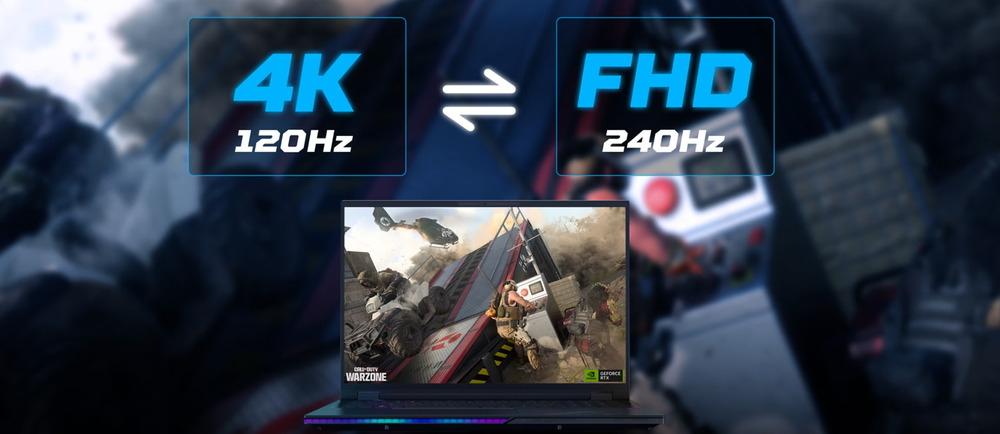
Panel type is another important consideration. IPS panels remain the standard, offering accurate color reproduction, wide viewing angles, and sufficient brightness. For example, the Acer Nitro V 15 features a 15.6-inch Full HD IPS display with a 1920×1080 resolution and a 180 Hz refresh rate, providing bright and sharp visuals along with reliable color accuracy and wide viewing angles.
Premium gaming laptops increasingly adopt Mini-LED and OLED displays. Mini-LED offers improved backlight control, higher peak brightness, and excellent contrast, particularly noticeable in HDR content. The Acer Predator Helios 18 AI exemplifies this approach with its 18-inch 4K Mini-LED panel, delivering deep contrast and vivid visuals. Combined with the Intel Core Ultra 9 processor and the GeForce RTX 5090 laptop GPU, the system handles demanding games at maximum settings with minimal compromise.
OLED panels, in turn, provide perfect black levels, instantaneous pixel response, and highly saturated colors, though they are more susceptible to image retention with prolonged static content.
Choosing a panel type depends on priorities: OLED for visual impact, Mini-LED for versatility, and IPS for a balanced, practical option.
Read also: Acer Swift Go 14 (2024) Review: Laptop with an OLED Display
Cooling system
Gaming laptops generate significant heat, making an effective cooling system essential for maintaining performance and user comfort.
Look for models with vapor chambers, multiple fans, and large heat pipes, all designed to keep the laptop operating efficiently under heavy loads.
High-performance cooling often comes with increased noise, so it is important to consider laptops that offer quiet or adjustable fan modes.
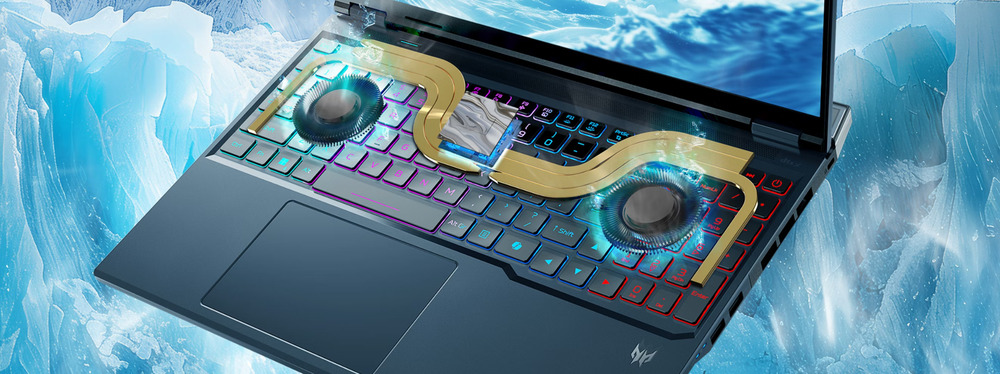
Acer gaming laptops feature the well-regarded AeroBlade 3D 6th-generation fans, developed specifically for the Predator series. These fans efficiently dissipate heat during extended gaming sessions or demanding professional workloads.
The Acer Predator Helios 18 AI is equipped with two AeroBlade 3D 6th-generation fans, keeping temperatures under control for high-performance components like the Intel Core Ultra 9 and GeForce RTX 5090.
Without effective cooling, gaming laptops can quickly overheat – even under titles like Cyberpunk 2077 – leading to reduced FPS and accelerated component wear. It is therefore advisable to consult reviews with thermal tests before purchasing to ensure the system can maintain performance under load.
Read also: All about USB standards and specifications
Battery life
While most modern gaming laptops deliver strong performance on battery, actual battery life varies depending on usage. For light tasks such as web browsing or office work, 4–6 hours of runtime can be expected. During gaming, however, battery life typically drops significantly due to the high power demands of the CPU and discrete GPU.
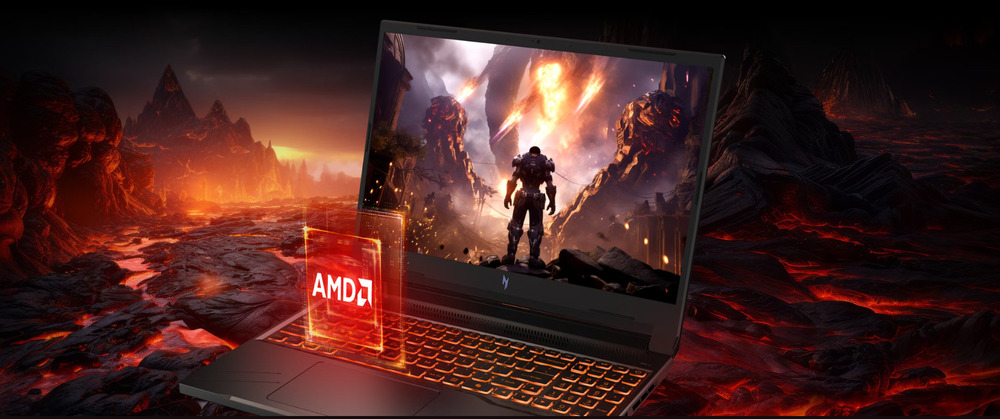
Many modern laptops feature a hybrid mode that automatically switches to integrated graphics, significantly extending battery life. This function is particularly useful for users who travel frequently or work on the go, where access to a power outlet may be limited.
Read also: Lenovo ThinkPad X9 14 Gen 1 Aura Edition Laptop Review – Familiar Design, Minus the TrackPoint
Weight and portability
Laptop weight is another important factor affecting portability. It typically ranges from 2 to 3.6 kg, depending on performance and cooling systems. Lighter models, such as the Predator Helios Neo 14 at 1.9 kg, are well-suited for gamers who frequently move their laptop. Heavier machines, on the other hand, often provide higher performance and more effective cooling, which is critical for demanding games.
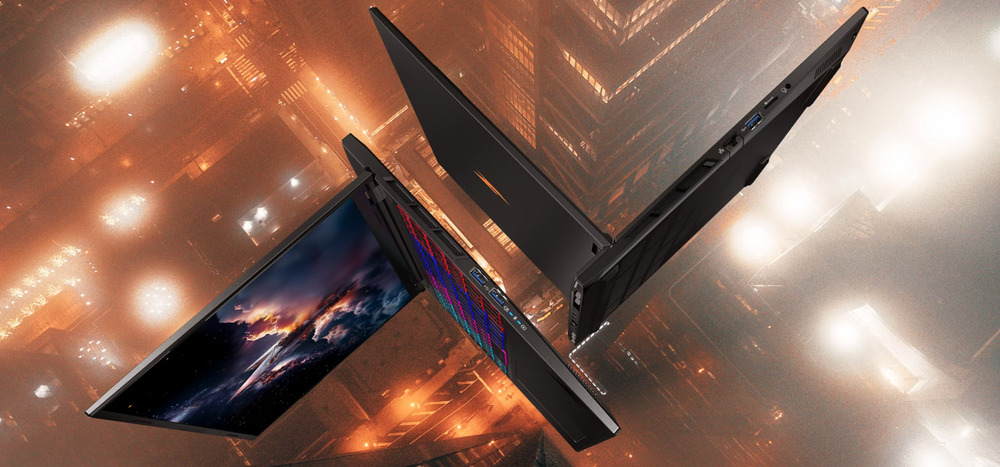
Many gaming laptops feature durable chassis, often made from aluminum or reinforced plastic, which improves resistance to wear during transport. This is particularly important for users who travel frequently, as build reliability directly impacts the device’s longevity.
This guide has outlined how to approach selecting a gaming laptop while avoiding common pitfalls. For newcomers, the process may seem complex, but understanding the key specifications transforms the task into a straightforward comparison of different models. Choosing a gaming laptop ultimately depends on several factors: budget, gaming requirements, and desired portability. In the end, the final decision rests with the user – and their wallet.
Читайте також:
- ASUS ROG Strix G16 (2025) G615 Review: Almost a Flagship on Blackwell
- Acer Nitro V 14 ANV14-61 Review: Pristine White Gift for Gamer
- Acer Aspire Go 15 (AG15-31P) Review: Affordable Windows Laptop

