





© ROOT-NATION.com - Use of content is permitted with a backlink.
Routers have long ceased to be just devices for distributing Wi-Fi; today they function as full-fledged network hubs for managing home digital infrastructure. A small plastic box with several antennas, quietly blinking somewhere under a desk or on a shelf – this is how most people tend to picture a router. In reality, this device has long evolved into a network computer capable of performing dozens of functions that most owners are not even aware of.
Read also: All router reviews

TABLE OF CONTENTS:
A router is not just a “box that distributes internet access”
When we turn on a laptop and open a browser, we rarely think about what happens between our request and the server’s response. In reality, a router is not just a “box that distributes internet access.” It is a device that constantly makes decisions: where to route traffic, which flows to prioritize, which to allow through, and which to block. These decisions can also be configured by the user.
The home router market has undergone significant evolution over the past decade. In the early 2010s, a router was essentially a “dumb” repeater, whereas today even budget models include dual-core or quad-core processors, 128 to 512 MB of RAM, and a dedicated coprocessor for data encryption. In terms of hardware, a modern router resembles a mid-range smartphone from about five years ago and is capable of performing a comparable range of tasks.
VPN server: access to your home network from anywhere
One of the more complex yet practically useful features for travelers is the ability to turn a router into a personal VPN server. Instead of relying on commercial VPN services and routing traffic through third-party providers, users can deploy WireGuard or OpenVPN directly on a home router.
When connecting from a hotel in Kyiv or a café in Lviv, the user gains access to their home network as if they were physically present there. This can be used to reach home resources and may help mitigate certain limitations of public or corporate networks, as well as reduce exposure when using untrusted Wi-Fi. ASUS routers commonly support WireGuard on newer models, offering throughput that is typically close to the performance of a direct connection, depending on hardware capabilities and network conditions.
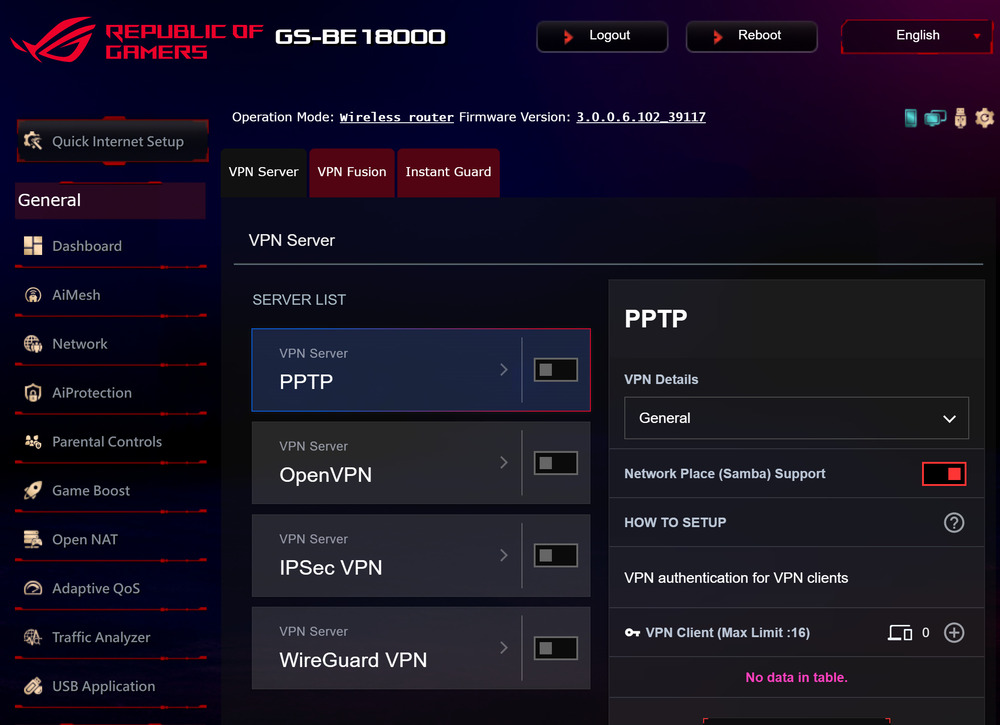
The fundamental difference between a personal VPN and a commercial one lies in who controls your data. A commercial provider may store logs, transfer them to authorities upon request, or share them with advertising networks. A home router-based VPN typically does not do this. In this setup, the only party with direct knowledge of your internet activity is you – assuming logging is not enabled or exported elsewhere.
Read also:ASUS ROG STRIX GS-BE18000 Review: Wi-Fi 7 for Gamers
DNS filtering: no more ads and malware
Most home users install ad blockers in their browsers and stop there. However, a more elegant approach is filtering at the DNS query level directly on the router. A solution such as Pi-hole can run on routers using firmware like OpenWrt or Asuswrt-Merlin. This approach blocks unwanted domains before a connection is even established, applying protection across all devices on the network rather than only within a single browser.
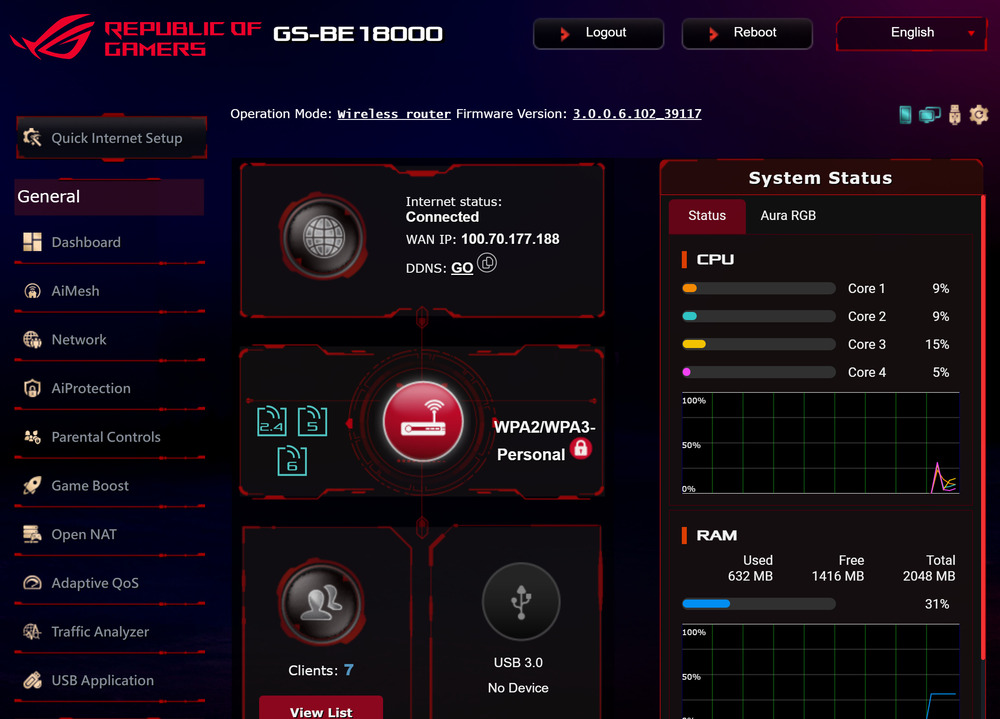
DNS-based blocking at the router level means that ads are not even downloaded on mobile apps, Smart TVs, or any other devices in your network – without requiring browser extensions. A typical home router with DNS filtering can block around 15–40% of all DNS queries on a network, which can significantly reduce page load times and lower data usage.
DNS-level blocking on a router is often presented as a system-wide approach to protection against ads and phishing attempts, covering all devices simultaneously – from a child’s iPhone to a smart light bulb in the kitchen.
Read also: Top 10 Most Powerful Routers
QoS: who gets the bandwidth first
Quality of Service (QoS) – a traffic prioritization mechanism – is available in most ASUS routers, yet it is rarely configured. This is unfortunate, because QoS can make a noticeable difference. Imagine joining an important video conference while someone at home starts downloading a large file or playing an online game. Without QoS, your video call may start to lag or stutter because the router simply distributes available bandwidth evenly across all active devices and traffic streams.
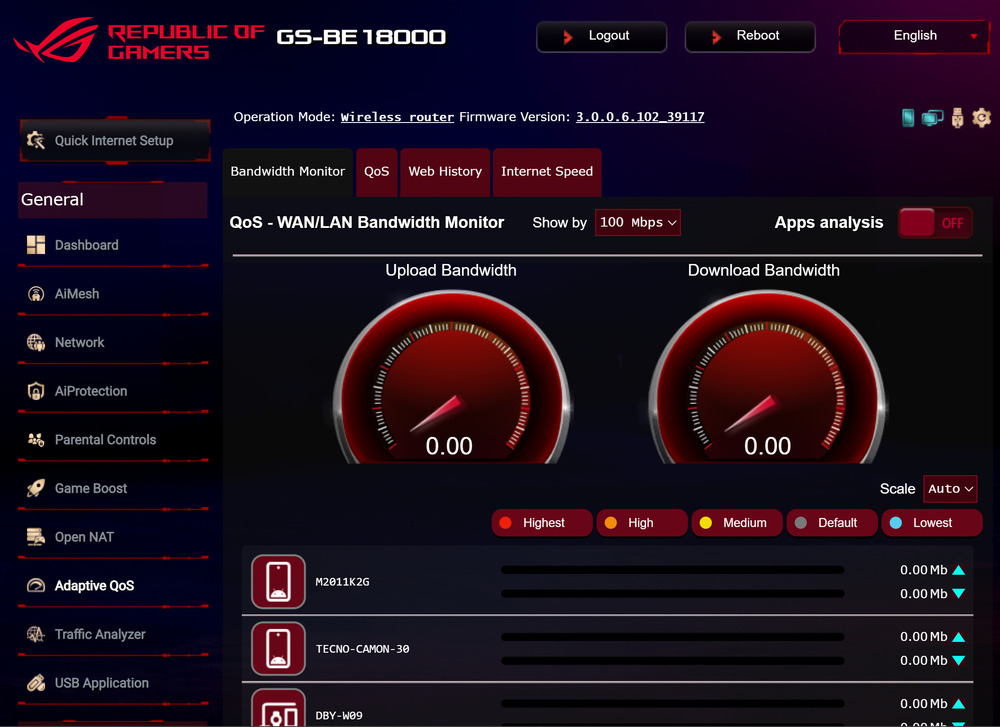
Properly configured QoS ensures that video calls, VoIP traffic, and online games consistently receive priority over torrents and background updates. Some firmware solutions – for example, Asuswrt-Merlin with the CAKE queue management algorithm – can automatically classify traffic types and allocate bandwidth dynamically, reducing the need for manual configuration.
Read also:
- ASUS ROG Rapture GT-AXE16000 review: router for the most demanding users
- ASUS ROG Rapture GT6 review: Mesh system for gamers
Network storage: NAS without extra hardware
Most modern routers include one or more USB ports. This is not merely cosmetic – by connecting an external hard drive or flash storage device to this port, you can create a basic network-attached storage system accessible to all devices on the local network and, with proper configuration, over the internet. This effectively turns the router into a simple file-sharing and storage server, without requiring dedicated NAS hardware.
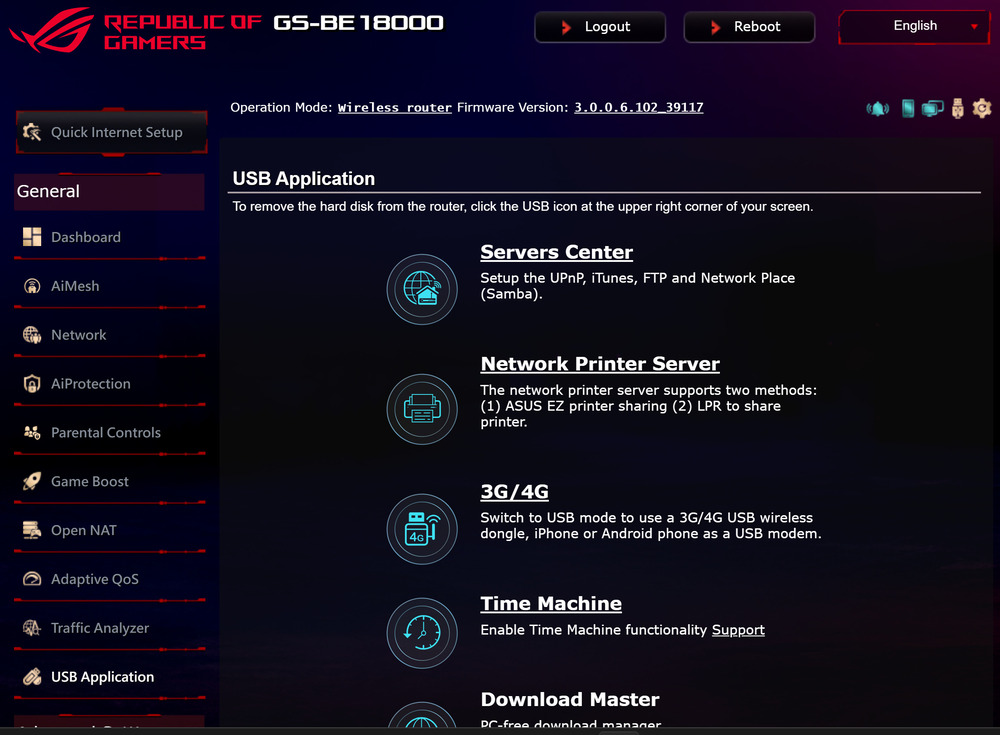
Through protocols such as Samba or AFP, a connected drive appears in Windows Explorer or macOS Finder as a regular network folder. This makes it possible to set up automatic backups for all computers on the network, organize a shared media library, or simply maintain a single centralized storage location for the entire household’s documents.
Read also: ASUS ExpertWiFi EBR63 Review: Router For Business
Parental control: not apps, but the network
Commercial parental control solutions – often paid subscriptions with limited functionality – frequently replicate what a router can do natively, and in some cases more precisely. At the router level, it is possible to block access to specific website categories, set internet access schedules (for example, disabling connectivity for a particular device after 10 p.m.), and even limit maximum bandwidth for an individual smartphone.
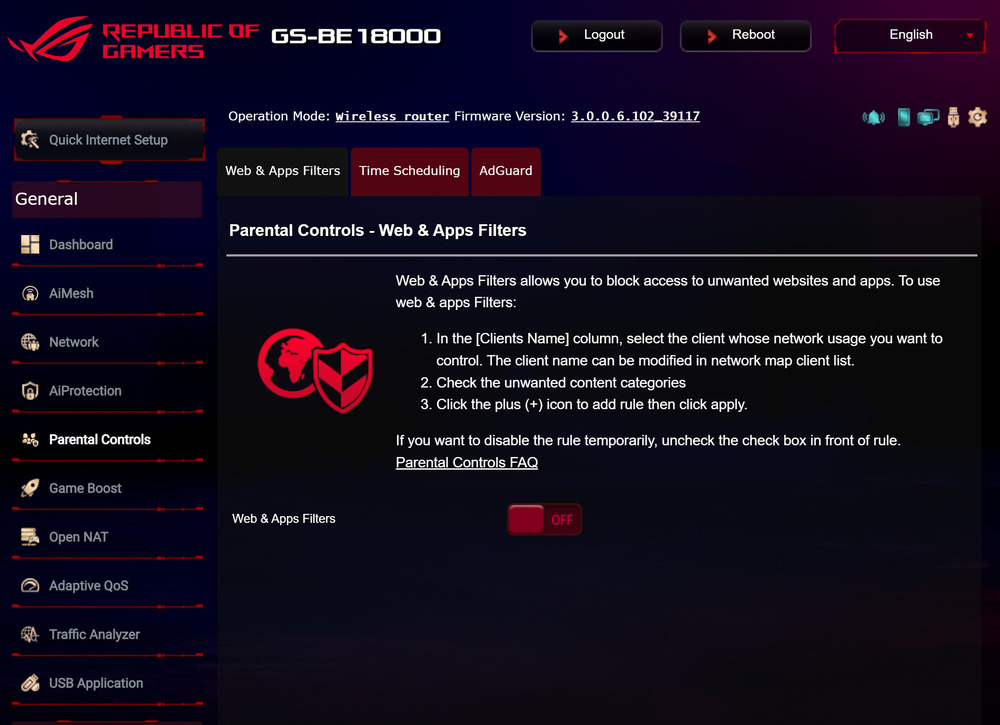
Unlike apps, which a child can uninstall or bypass, network-level restrictions applied on the router work independently of the device and its operating system. Any smartphone, tablet, or gaming console connected to the network is subject to the router’s rules – and bypassing them is significantly more difficult.
Read also: ASUS RT-AX52 Review: Budget Router with Wi-Fi 6
Network monitoring: who is doing what in your network
A router sees essentially all traffic within your network. This allows it to answer questions that previously required dedicated monitoring software: which devices are currently connected, how much traffic each device is consuming, which external servers your “smart” devices are communicating with, and whether a new TV or other IoT device is sending data to unexpected or unknown destinations.
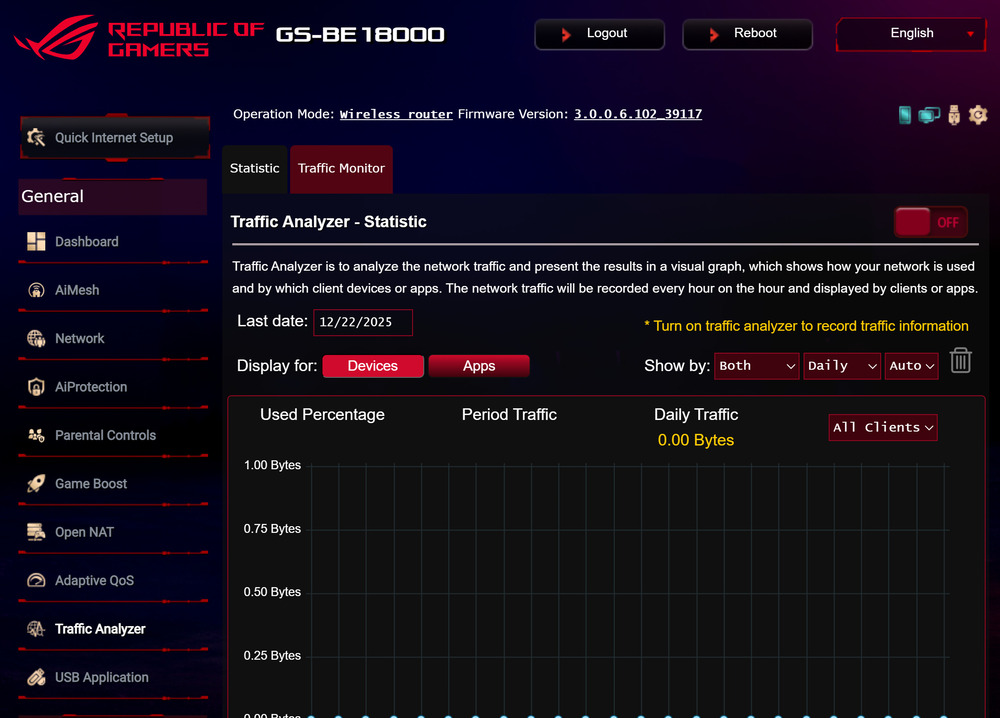
Tools such as ntopng or the built-in Traffic Analyzer available on ASUS routers make it possible to observe what is actually happening on the network. In many cases, it becomes apparent that a “smart” speaker or IP camera is sending data to servers in other countries far more frequently than is necessary for its core functionality.
Read also: ASUS 4G-AX56 Review: a high-quality LTE router
Guest networks and device isolation
Guest networks are often underused – and they are not only meant for sharing Wi-Fi with neighbors without giving away your main password. A properly configured guest network is a separate, isolated segment from the main network. This means that devices connected to the guest network cannot “see” your computers, NAS storage, or printers, providing an additional layer of separation and security within the home network.
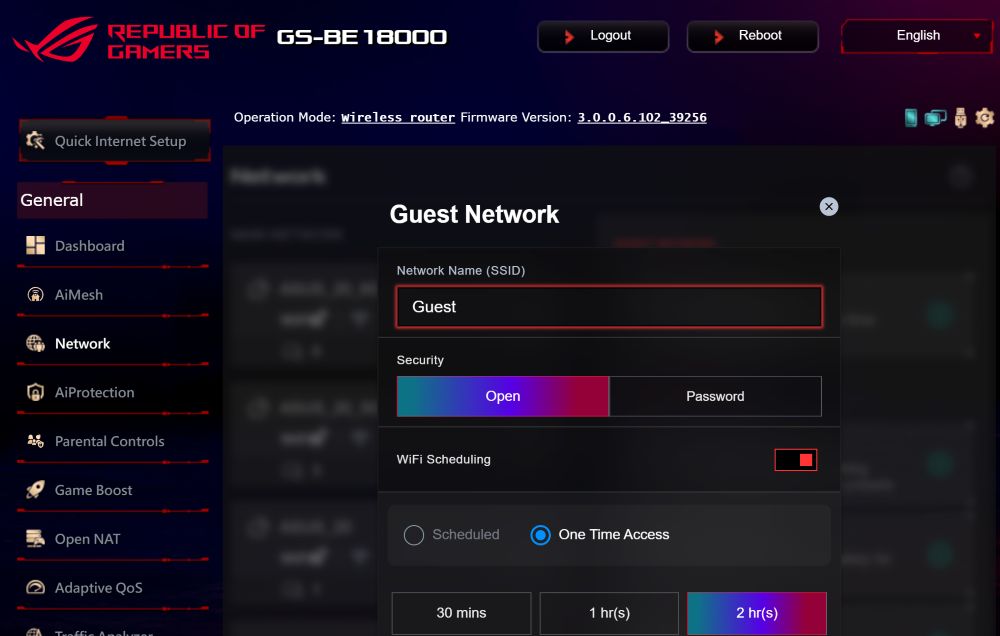
Cybersecurity specialists recommend isolating all IoT devices (smart lights, thermostats, cameras) into a separate network segment. If one of them becomes compromised, an attacker does not gain access to the main devices on the network. The same principle applies to guests: they can use the internet, but they do not have access to your internal traffic or local network resources.
Read also: ASUS ZenWiFi Pro ET12 Review: Powerful Mesh System
Alternative firmware: when stock functionality is not enough
All of the above becomes fully available through alternative firmware such as OpenWrt, DD-WRT, and Asuswrt-Merlin. OpenWrt is effectively a full Linux distribution for routers with its own package manager. Once installed, it allows the router to run a wide range of Linux software – from torrent clients to Python scripts – depending on hardware capabilities and available system resources.
It is clear that alternative firmware is not for everyone. A poorly executed installation process can turn a router into a “brick” – effectively rendering it unusable. However, for a technically proficient user, it can unlock capabilities comparable to a small home server, while consuming only about 5–15 W of power and operating continuously around the clock.
Read also: ASUS RT-AX86S review: Affordable solution for gamers
A router is no longer just a household appliance
A router has long ceased to be “just internet access.” It functions as the first line of security for a home network, a traffic management device, a server, and a central control point for the entire digital environment. Most users leave it at factory settings and do not revisit it for years, which means they use only a small fraction of its capabilities. Spending a few hours understanding its features can provide a level of control over a home network that is not typically achievable through subscription-based services.
Read also:
- Everything About Project Helix: Xbox’s Last Big Bet or a Way Out of the Memory Crisis
- NVIDIA N1 and N1X: The Moment Windows Has Been Waiting for for Twenty Years
- Five AI Cities: Inside the Emergence AI Experiment – Order, Chaos, and Survival

