
© ROOT-NATION.com - Use of content is permitted with a backlink.
I approach reviews of high-performance ASUS laptops with a bit more enthusiasm than usual. No matter how many models from other brands I’ve tested, I rarely find myself wanting to keep them as much as I do with a Strix or Flow series device. In fact, I’m writing this review on my own reliable Scar 15. That’s why the new ASUS ROG Strix G16 (2025) G615 has a particularly tough challenge ahead – more so than most.
I’ll be evaluating this model both as a gaming laptop and as a potential work machine – possibly even a replacement for my own. That includes looking at overall build quality and highlighting any hidden drawbacks along the way.
TABLE OF CONTENTS:
Specifications
- Processor: Intel Core Ultra 9 275HX
- Graphics: NVIDIA GeForce RTX 5080, up to 175 W, 16 GB GDDR7
- Neural processor: Intel AI Boost NPU, up to 13 TOPS
- Display: ROG Nebula, 16 inches, 2.5K, IPS, DCI-P3 100%, 240 Hz
- Memory: 64 GB DDR5-5600 SO-DIMM×2
- Storage: 2 TB PCIe 4.0 + free slot
- Peripherals: 3.5 mm, HDMI 2.1 FRL, 3×USB 3.2 Gen 2 Type-A 10 Gbit, LAN 2.5 Gbit, 2×Thunderbolt 5
- Camera: FHD IR Camera for Windows Hello
- Network and communications: Wi-Fi 7 + Bluetooth 5.4
- Battery: 90 W·h
- RGB backlight: Aura Sync Light Bar
- Weight: 2.65kg
- Dimensions: 35.40×26.80×2.28 cm
- Security: Firmware TPM, Windows Hello
- Package contents: case, 380W charger
ASUS ROG Strix G16 (2025) G615 video review
Price and package contents
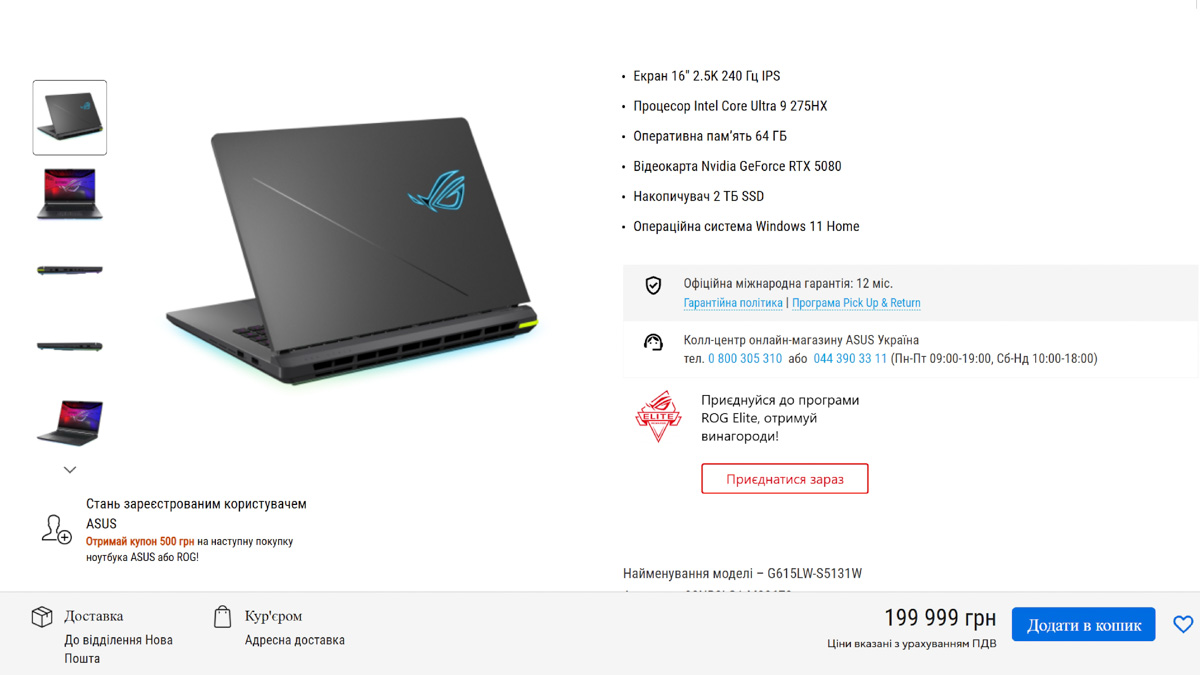
Let’s start with the price. The ASUS ROG Strix G16 (2025), in the configuration I’m testing – model number G615LW-S5131W – costs around $4800 or €4200. Unfortunately, for systems equipped with RTX Blackwell GPUs, that’s a realistic price point. Still, since ASUS positions the ROG line as its flagship, it’s worth noting that there are less expensive alternatives to the Strix G16 out there. Whether those are worth considering is another question entirely.
The ASUS ROG Strix G16 (2025) comes in the brand’s usual premium packaging. Inside the box, you’ll find a carrying bag for transport and a 380W power adapter – a clear sign that this machine is built to handle demanding workloads right out of the box.
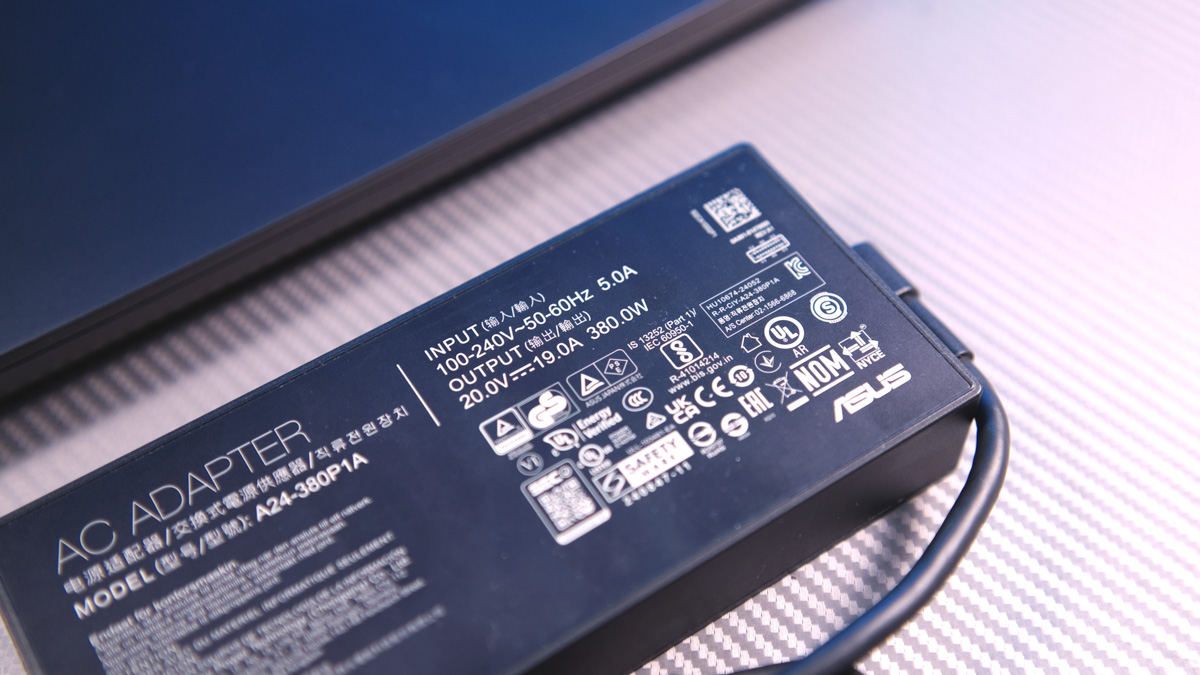
The Slim Power Jack connector used here isn’t exactly proprietary, but it’s also not the typical round barrel plug you’d find on many laptops. I’m not a fan of this design – it tends to flex more noticeably back and forth. That becomes a concern considering the charging port is located on the side of the laptop rather than the rear.
Periphery
Starting with the design, the rear of the laptop features a single large exhaust vent for airflow – nothing else. On the left side, you’ll find most of the key ports: a 2.5 Gbps Ethernet jack, HDMI 2.1, one 10 Gbps USB-A port, a 3.5mm audio jack, and two Thunderbolt 5 ports.
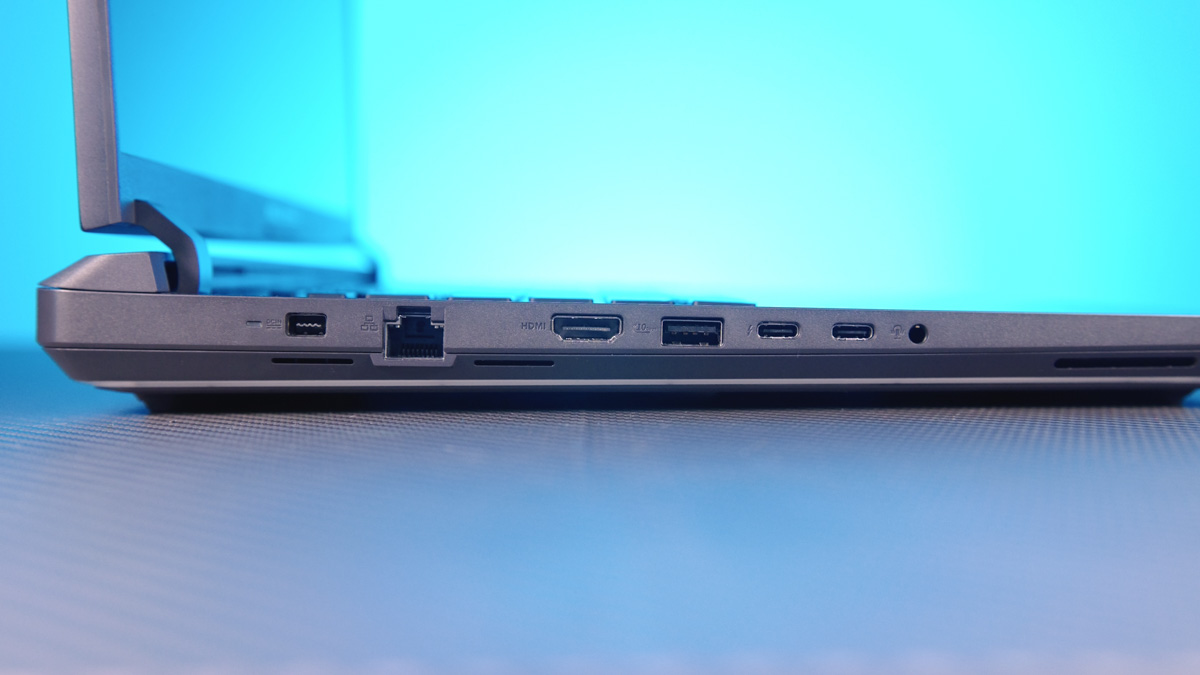
Thunderbolt 5 is not just any Thunderbolt 5, but one that supports Power Delivery up to 100W, G-Sync, and up to 120Gbps of bandwidth. For each of the two connectors!
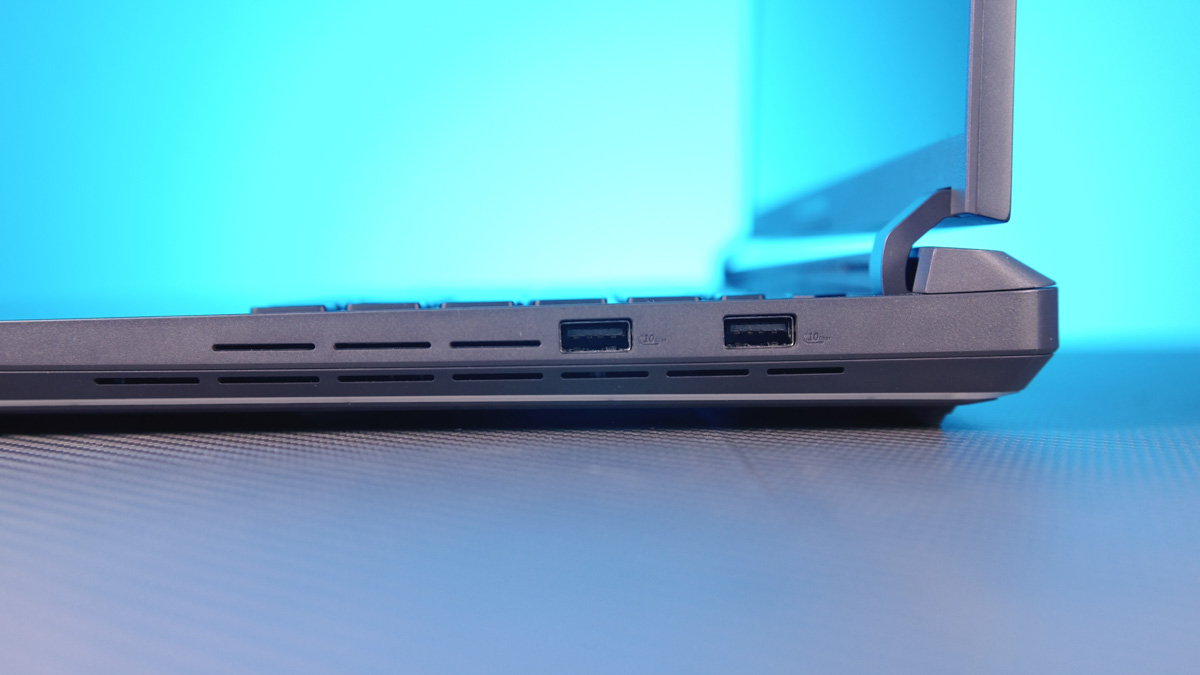
On the right side, there are just two 10 Gbps USB Type-A ports. As mentioned earlier, the back of the laptop is reserved entirely for ventilation – there are no additional ports or connectors there.
Looking inwards
What’s particularly interesting is what’s happening on the underside. The ASUS ROG Strix G16 (2025) belongs to a small group of laptops that allow for quick, screw-free removal of the bottom panel.
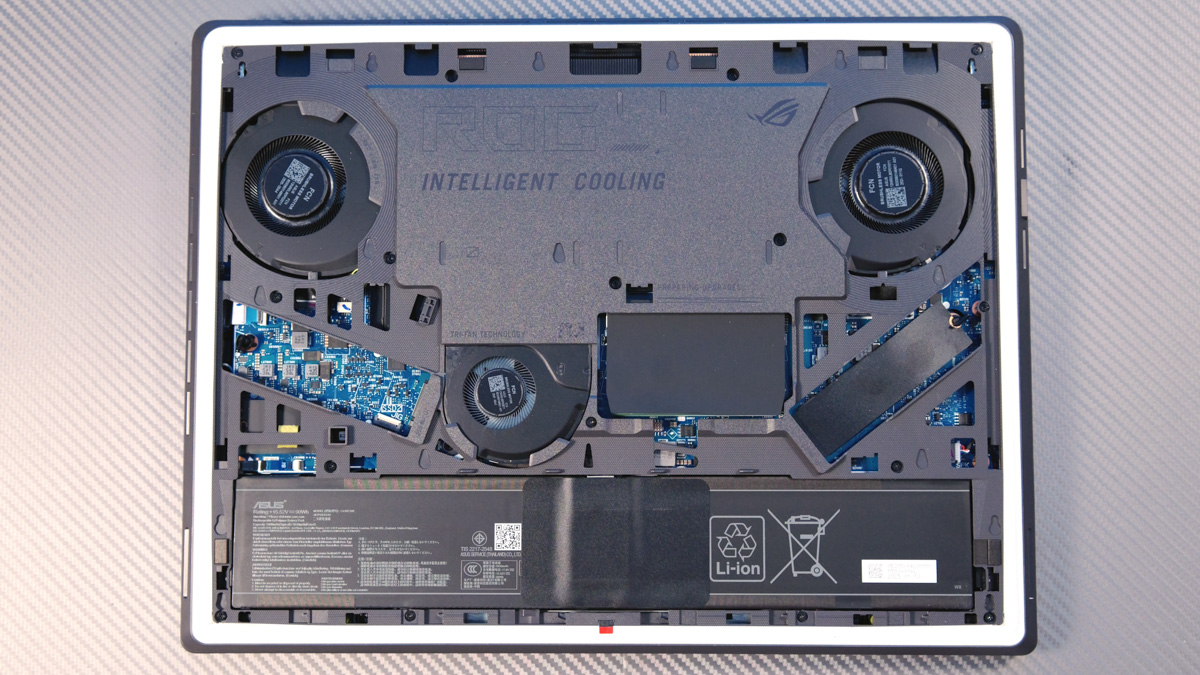
This, in turn, provides quick access to two SO-DIMM slots for RAM and two M.2 PCIe slots for storage, both equipped with ASUS’s Q-Latch system.
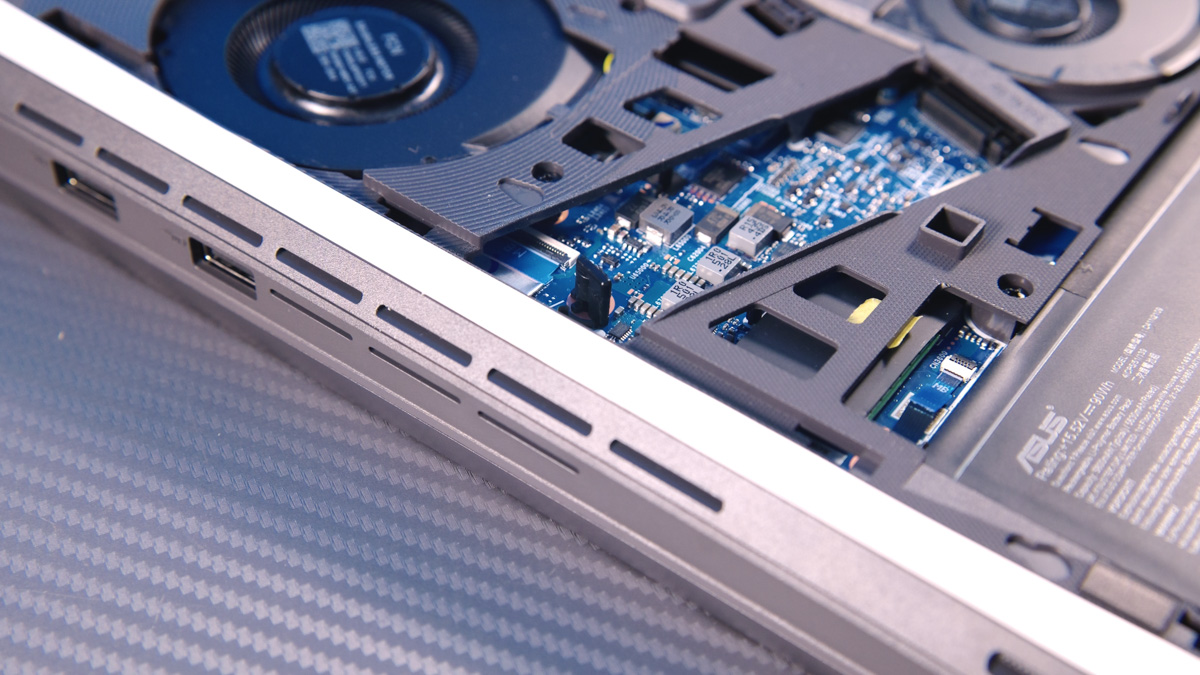
It’s not the doubled-up configuration I had in my first review laptop with an RTX 5080, but this setup is more than enough for both gaming and work tasks.
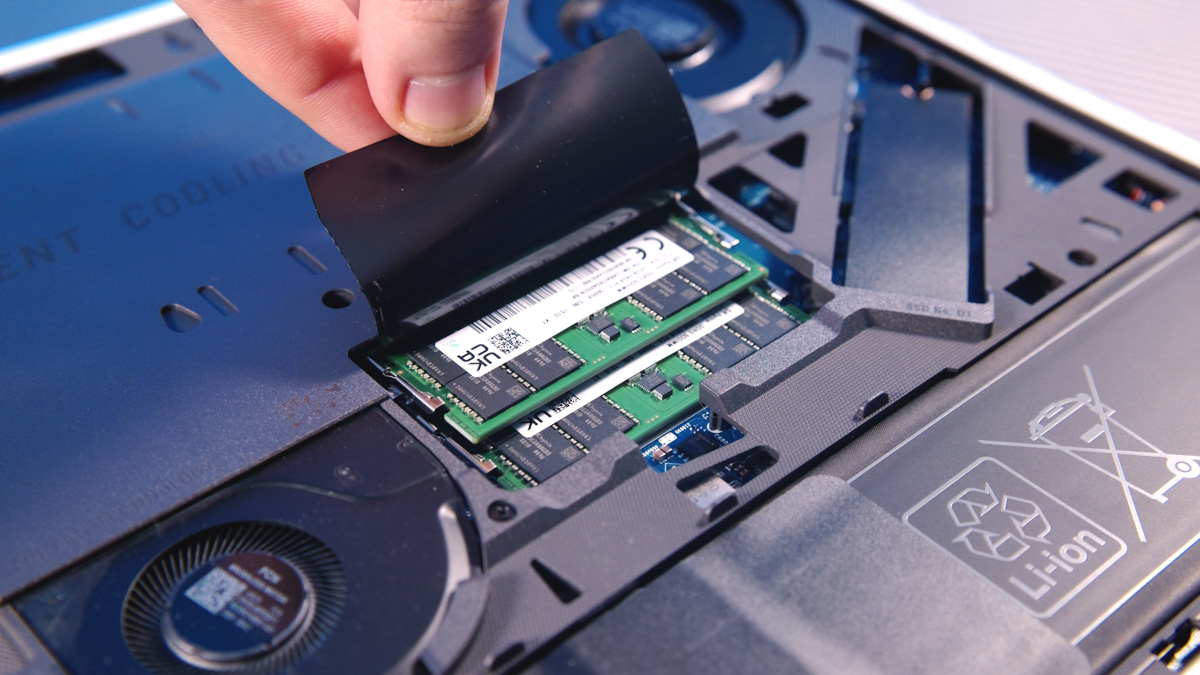
Additionally, 99% of users are most likely to need access only to the memory modules, which significantly reduces the risk of damaging the laptop during upgrades or maintenance. This, in turn, lowers the workload for service centers. From a practical standpoint, that’s definitely a positive.
Design
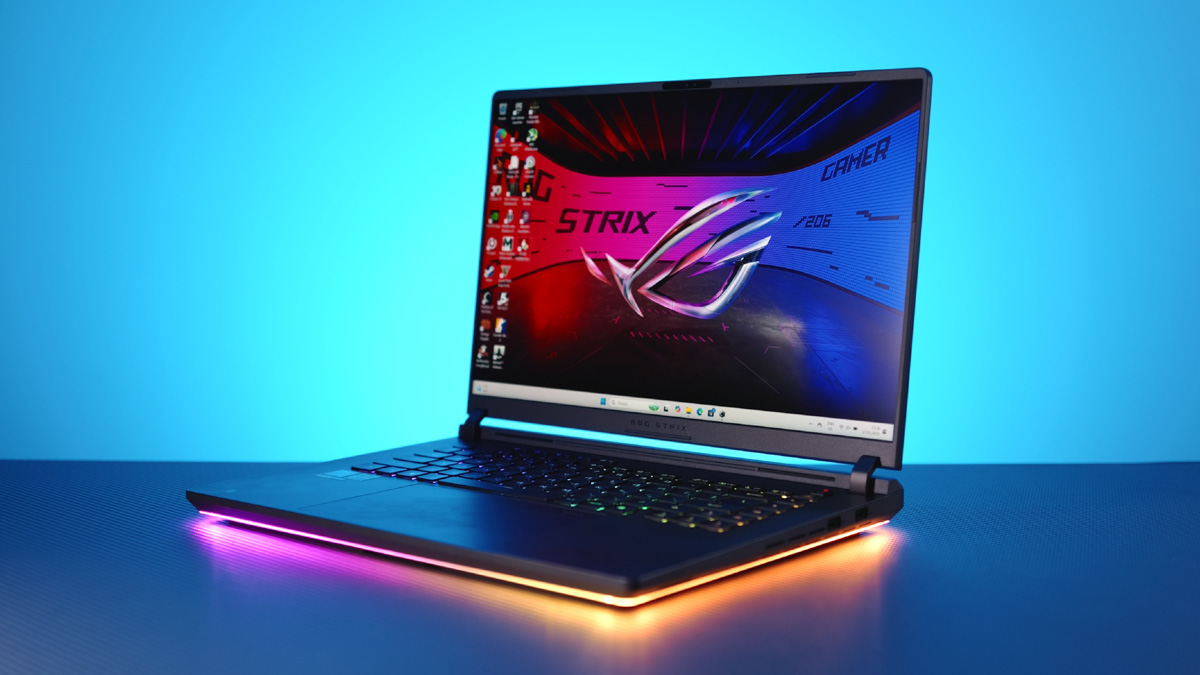
Regarding the design of the ASUS ROG Strix G16 (2025), it presents a generally understated but recognizable look. The chassis is made of gray plastic with rounded corners, and along the bottom edges there’s a continuous RGB light strip. Overall, there are fewer typical ROG styling elements than I expected, but the signature touches are still there.

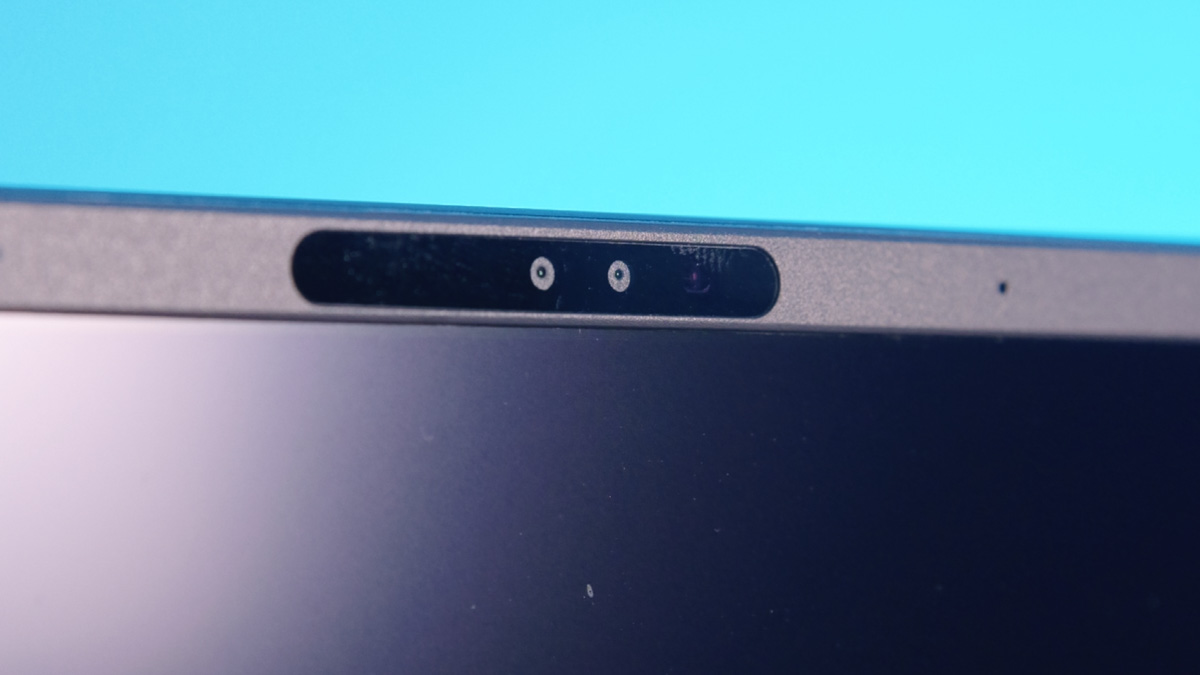
The laptop’s display is framed by relatively thin side bezels, measuring just 3.75 mm, though the top bezel is noticeably thicker to accommodate the webcam. The webcam itself is a decent quality Full HD unit and supports Windows Hello for facial recognition. However, there’s no fingerprint scanner, which was a bit disappointing – I had expected to find one integrated into the power button.
The display on the ASUS ROG Strix G16 is impressive. It features a Nebula Display with a 240 Hz refresh rate, a 16:10 aspect ratio, a 16-inch diagonal, and a 2.5K resolution. It covers 100% of the DCI-P3 color space and supports G-Sync. For comparison, the higher-end Strix SCAR models don’t just use a standard IPS panel – they have Mini LED backlighting with a peak brightness of 1200 nits instead of 500. This provides significantly better HDR performance thanks to around 2,000 local dimming zones.

One feature common to all models is the screen’s ambient contrast coating, which significantly reduces glare from light sources. On IPS panels, this coating cuts reflections by about 2.5 times, while on Mini LED displays, the reduction is even more pronounced at around 4.5 times.
Performance
The ASUS ROG Strix G16 (2025) G615 isn’t the first laptop I’ve reviewed that pairs an Intel Core Ultra 9 275HX processor with an NVIDIA RTX 5080 16GB GPU.
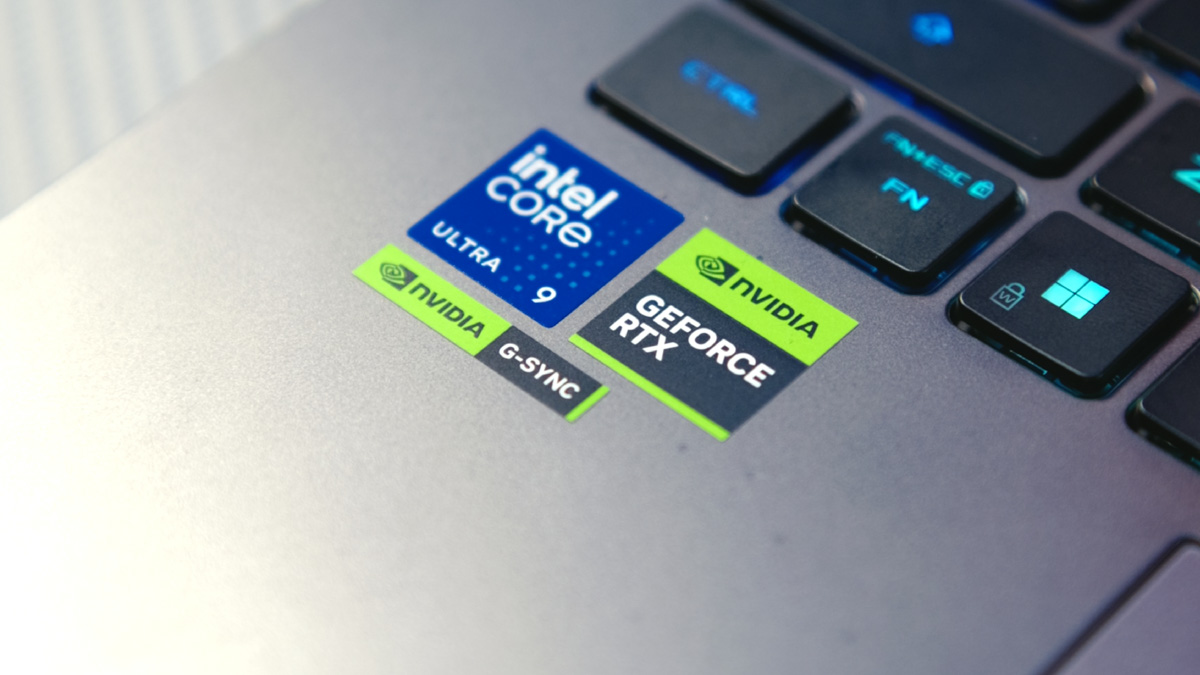
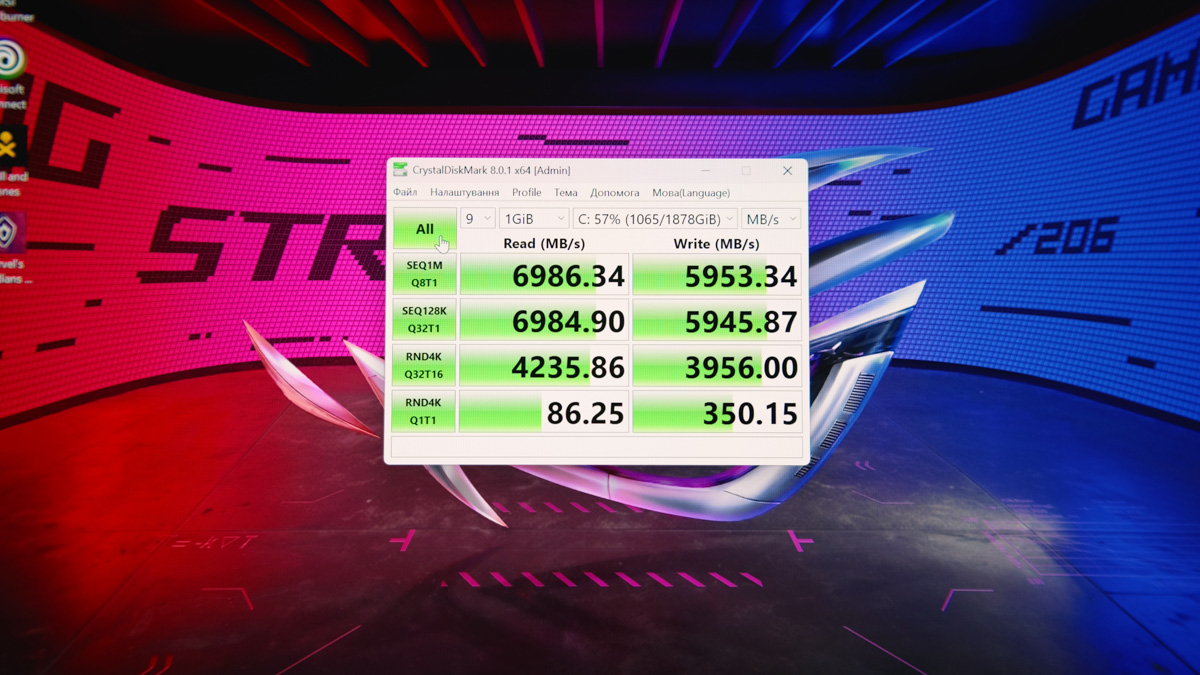
However, this specific configuration comes with 64 GB of SO-DIMM DDR5 RAM running at 5600 MT/s. It also includes a 2 TB SSD – an OEM Micron MTFDKBA2T0QGN-1BN1AABGA model – with read speeds of up to 7 GB/s.
Now, getting into the specifics: previous models fell short of fully leveraging their components, but the ASUS ROG Strix G16 (2025) G615 has a better chance, thanks in part to its more powerful 380W power supply. The Intel Core Ultra 9 275HX is a heterogeneous 24-core, 24-thread processor with 8 performance cores running between 2.7 and 5.4 GHz, and 16 efficiency cores running between 2.1 and 4.6 GHz. It has a total L2 cache of 40 MB and is built on TSMC’s N3B process.
Where this model stands out compared to its predecessor is in power limits: PL1 and PL2 are set at 175W, while the long power limit (LP4) is 291W. This is a much more reasonable and realistic configuration compared to the previous 363W PL4, making it better optimized for sustained performance.
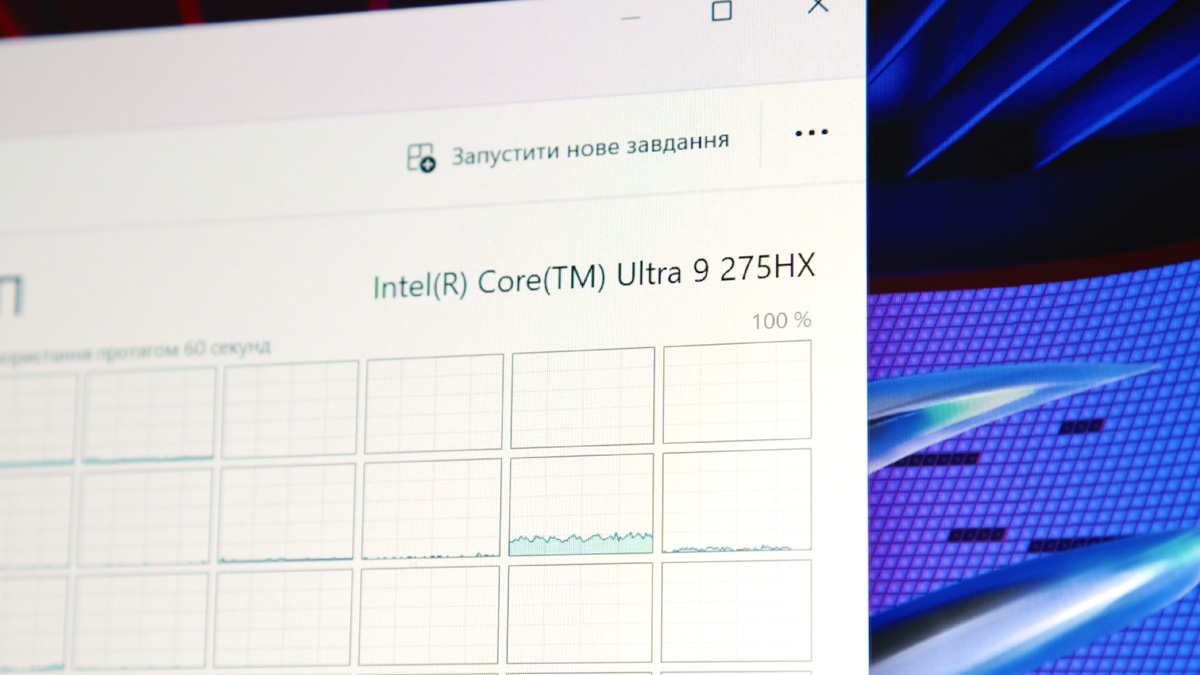
Add to this the integrated Intel Arc GPU running at up to 1900 MHz with 4 execution units, along with an NPU called “AI Boost” delivering 13 TOPS in INT8 performance, and you get a flagship Intel chip that performs well in practice. In real-world stress tests, it can draw just under 170W, but we’ll discuss power consumption further when reviewing the cooling system.
The GPU is an NVIDIA RTX 5080 with 16 GB of memory. It features 7,680 CUDA cores, 240 texture units, and 96 raster operation pipelines (ROPs). The GPU also includes 240 tensor cores and 60 ray-tracing acceleration cores. For the laptop version, the RTX 5080 has a 256-bit memory bus using GDDR7 memory, totaling 16 GB. The base GPU clock is 750 MHz but can boost up to 1,500 MHz or higher. The memory runs at 1,750 MHz.
Performance-wise, the RTX 5080 shouldn’t have any issues, but in reality, there are some complications. Officially, the GPU’s TDP varies widely – from around 80W up to 175W for this specific laptop model. The actual power delivery to the GPU directly impacts gaming performance: the more power it receives, the better the performance. This isn’t an ASUS-specific issue – it’s a broader problem with NVIDIA’s laptop GPUs – but it’s a real drawback.
For example, if your laptop’s RTX 5080 is only getting 150W instead of 180W, its performance could drop close to that of an RTX 5070. This is problematic because you’re still paying for the 5080, yet not getting its full capability. This kind of discrepancy shouldn’t happen – imagine if your desktop GPU was 10% less powerful than an identical model that’s 5% more expensive.
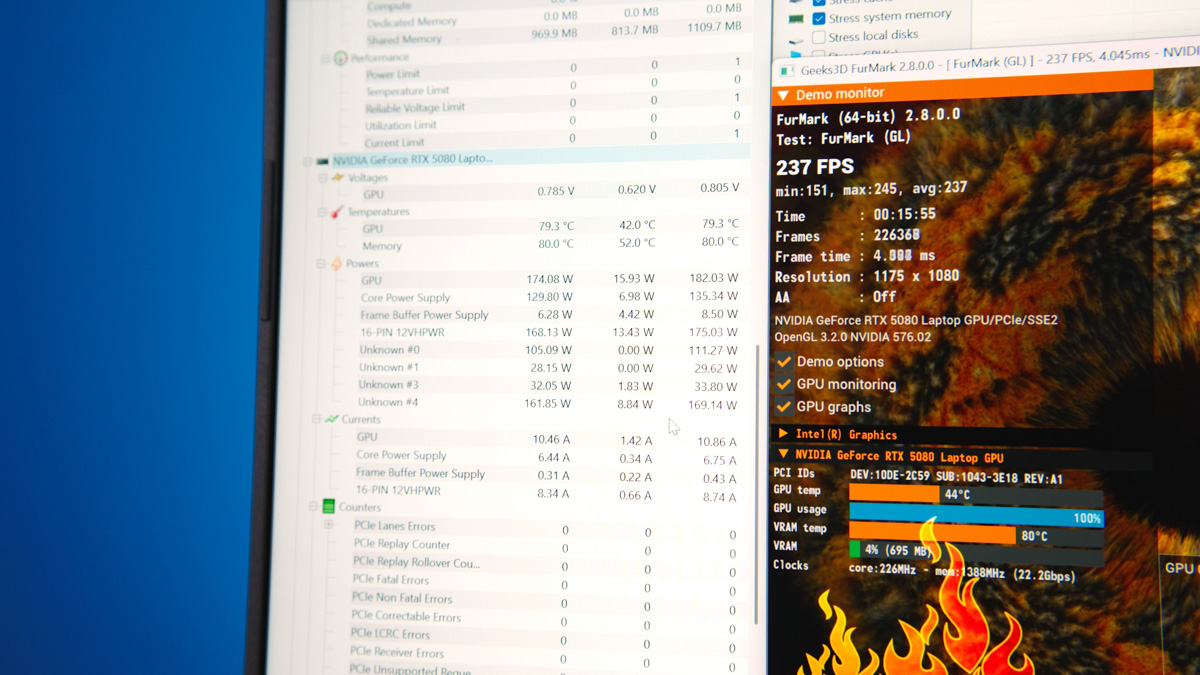
Fortunately, the ASUS ROG Strix G16 (2025) G615 supplies up to 175W to the RTX 5080 16GB, with temperatures reaching up to 80 degrees Celsius during FurMark 2 tests. Benchmarks in the standard performance mode are provided below:
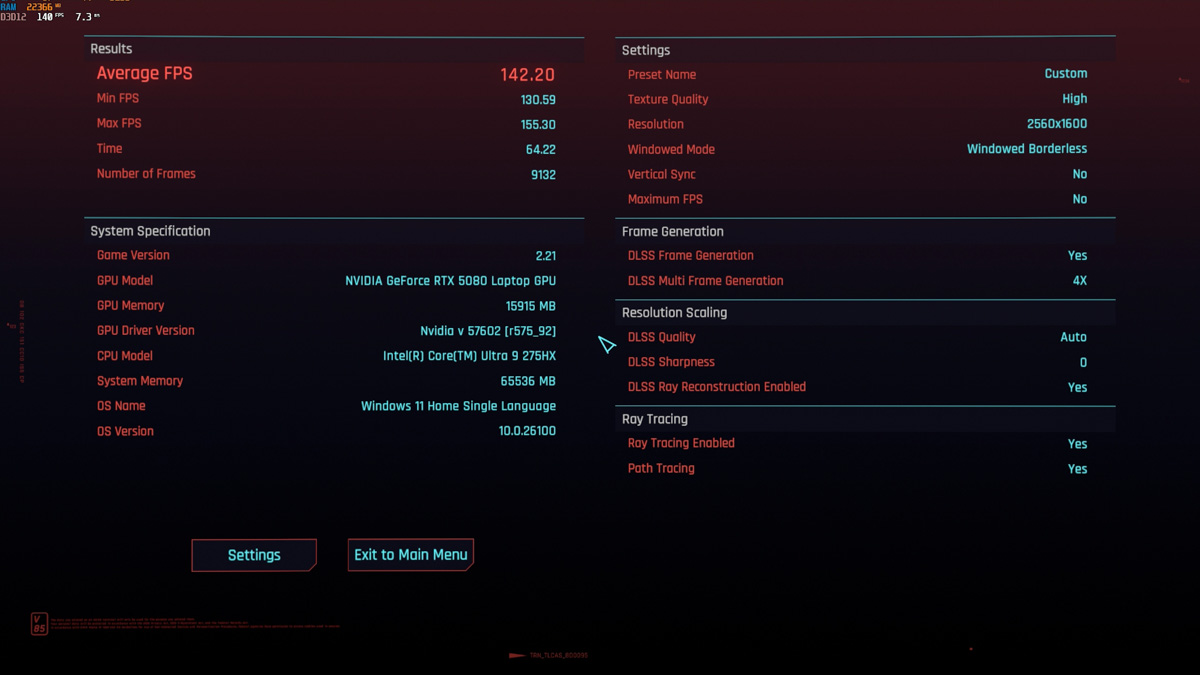


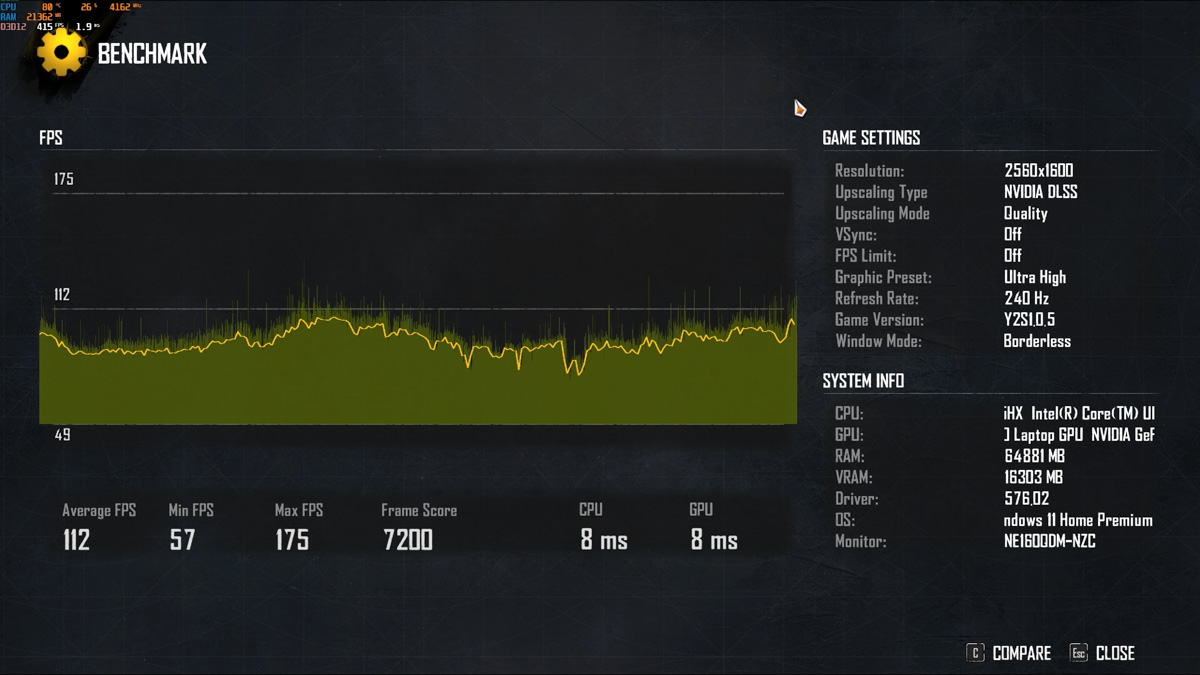
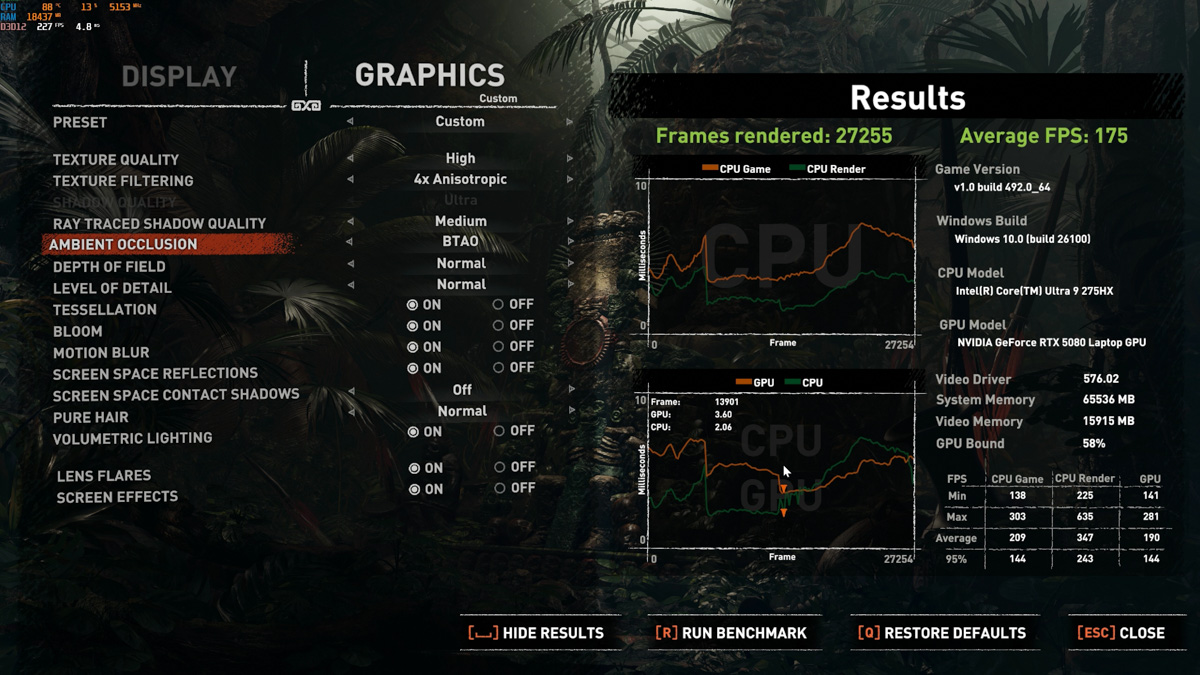
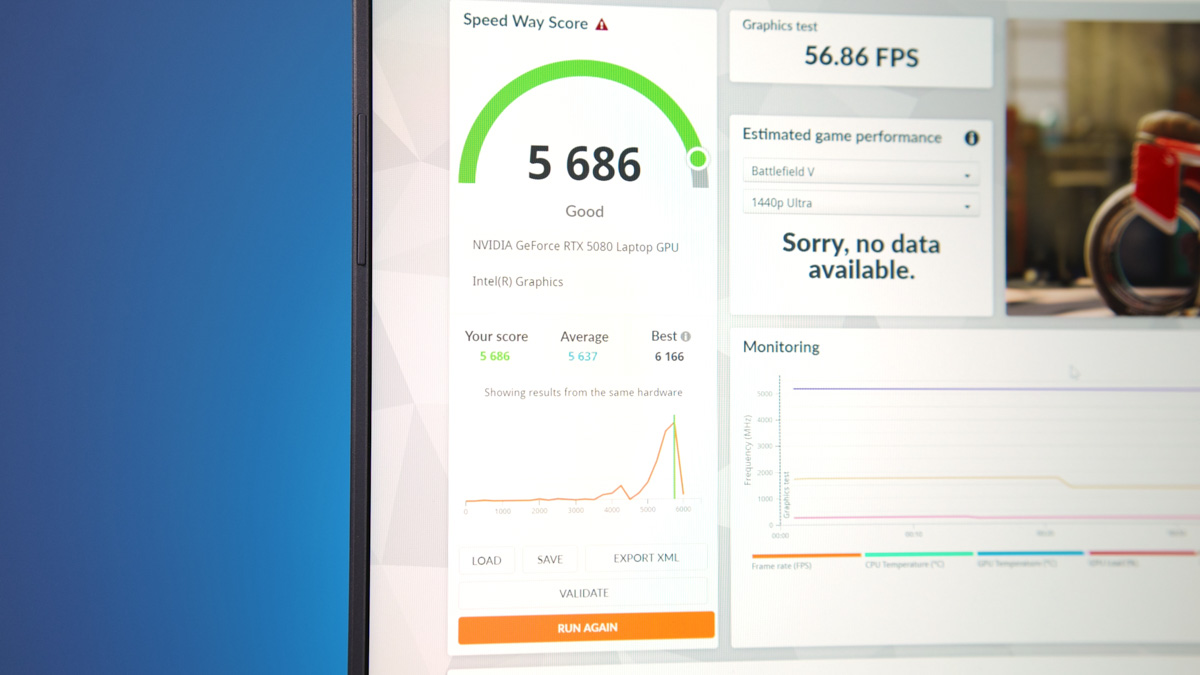
Overall, this is a strong implementation of GPU performance in a laptop. With the addition of DLSS 4 and Frame Generation support, games that take advantage of these features can run very smoothly, making it a powerful machine for gaming. It’s also well-suited for work tasks – updated tensor cores, new codecs, and 16 GB of VRAM enable efficient video editing, 3D projects, and streaming with background replacement.
Data transfer and multimedia
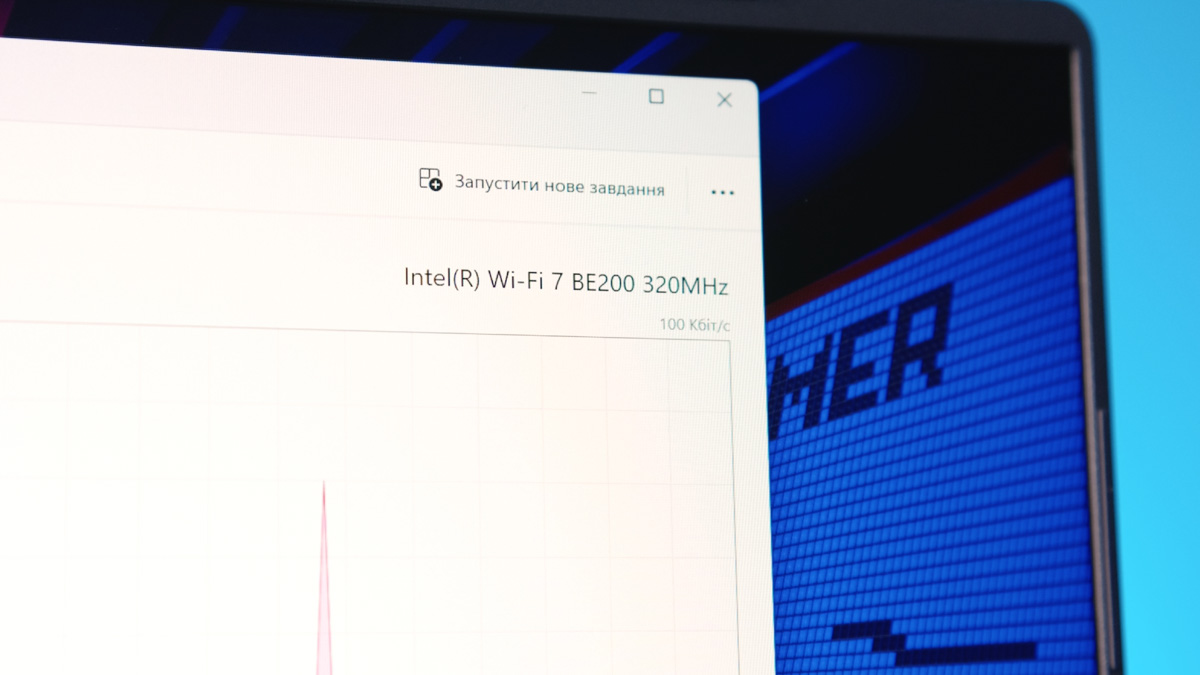
Besides the high-end, though somewhat inconveniently positioned, peripherals, the ASUS ROG Strix G16 (2025) G615 is equipped with an Intel BE200 network card. This represents the current peak of what modern laptops can offer, featuring a modern form factor, Bluetooth 5.4, and Wi-Fi 7 with 2×2 MU-MIMO support.
Keyboard and touchpad
The touchpad is large and made of glass, featuring a NumPad function. By tapping the indicator in the upper right corner, a numeric keypad appears. The laptop’s keyboard is membrane-based and full-size in terms of keycap dimensions, though it lacks a dedicated numeric keypad. It offers excellent backlighting and provides a very comfortable typing experience. It’s worth noting that the manufacturer’s website mentions full-size keyboards, but this likely refers to the G18 model rather than the G16.
Cooling
I can understand if you assumed that the presence of a 380W power adapter with the ASUS ROG Strix G16 (2025) G615 means the laptop can deliver 380W of power to its components.
In reality, that’s not the case. Even with the fans running at maximum speeds – around 5800 RPM for the CPU, 6100 RPM for the GPU, and 6700 RPM for the VRAM cooling system – the total power consumption under full load is roughly 230W. More specifically, about 175W goes to the GPU, 45W to the CPU, with the remaining power distributed among other components. Despite this, the CPU still experienced thermal throttling of up to 11%.
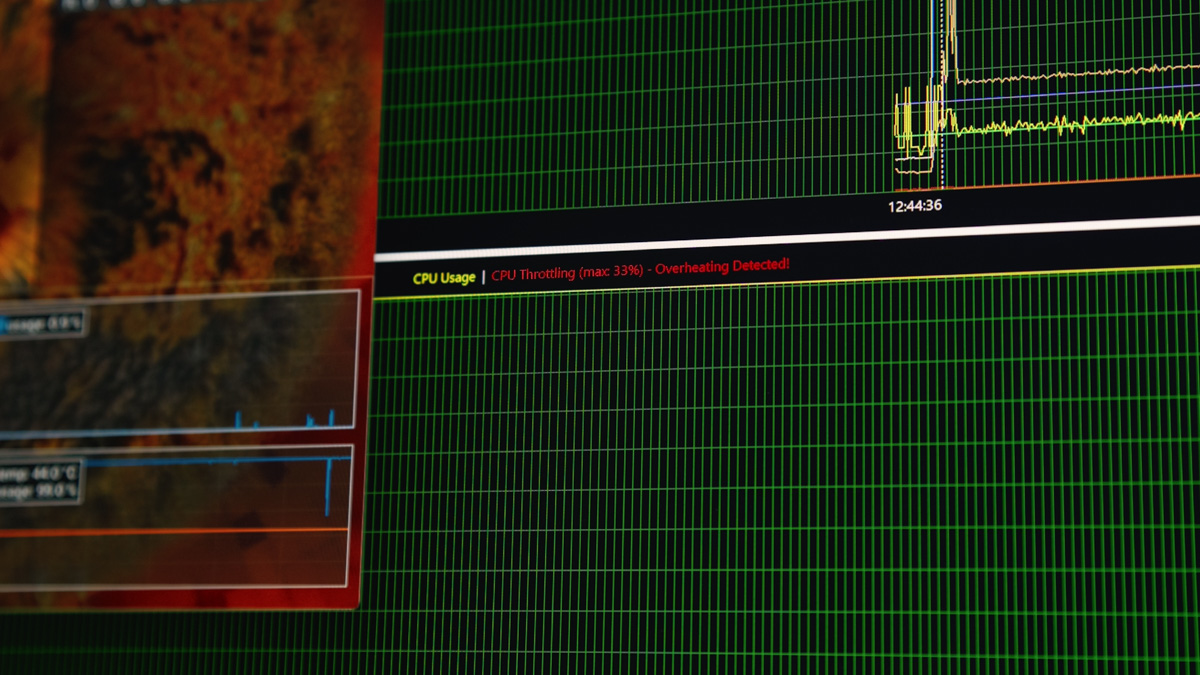
In manual mode, the CPU can be forced to run at 80W even in this configuration. Keep in mind – without any load on the GPU, the processor is capable of drawing over 170W.
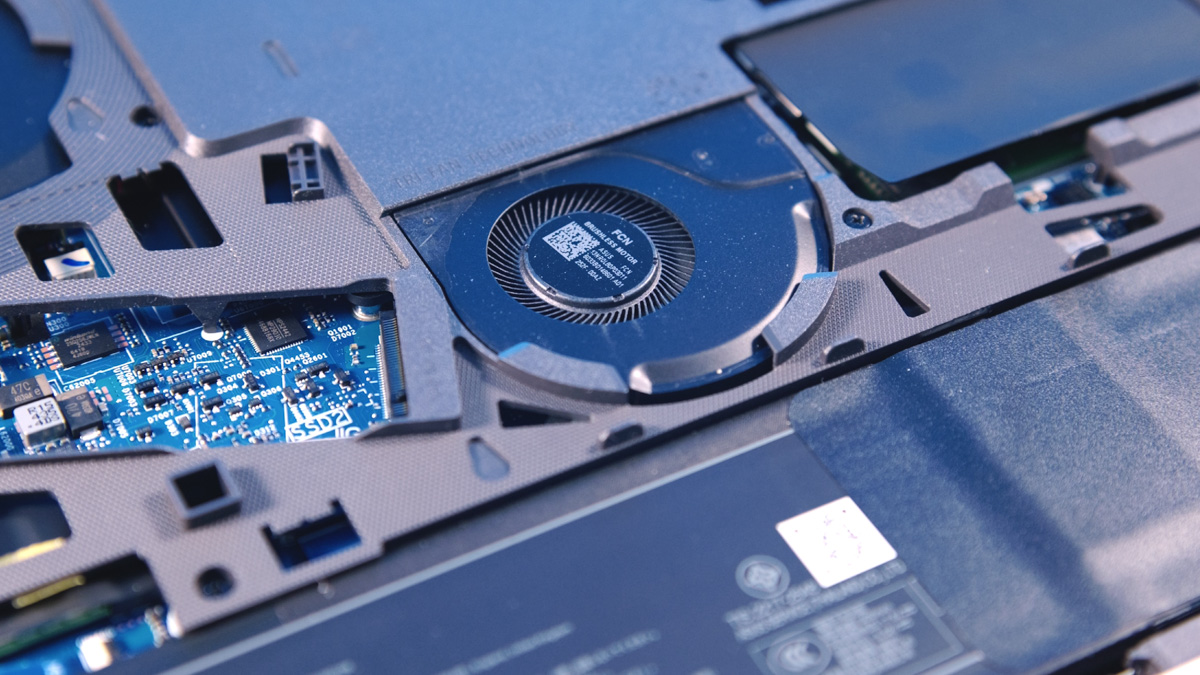
I should note that even at maximum fan speeds, the noise level of the ASUS ROG Strix G16 (2025) G615 remained very manageable. At the lowest speeds – around 1800 RPM on all fans – it was nearly impossible to tell whether they were running at all. The best compliment I can give this laptop is that its fan noise reminded me of the MacBook with the M1 Pro chip – in other words, it sets a solid standard for both performance and quiet operation.
Software
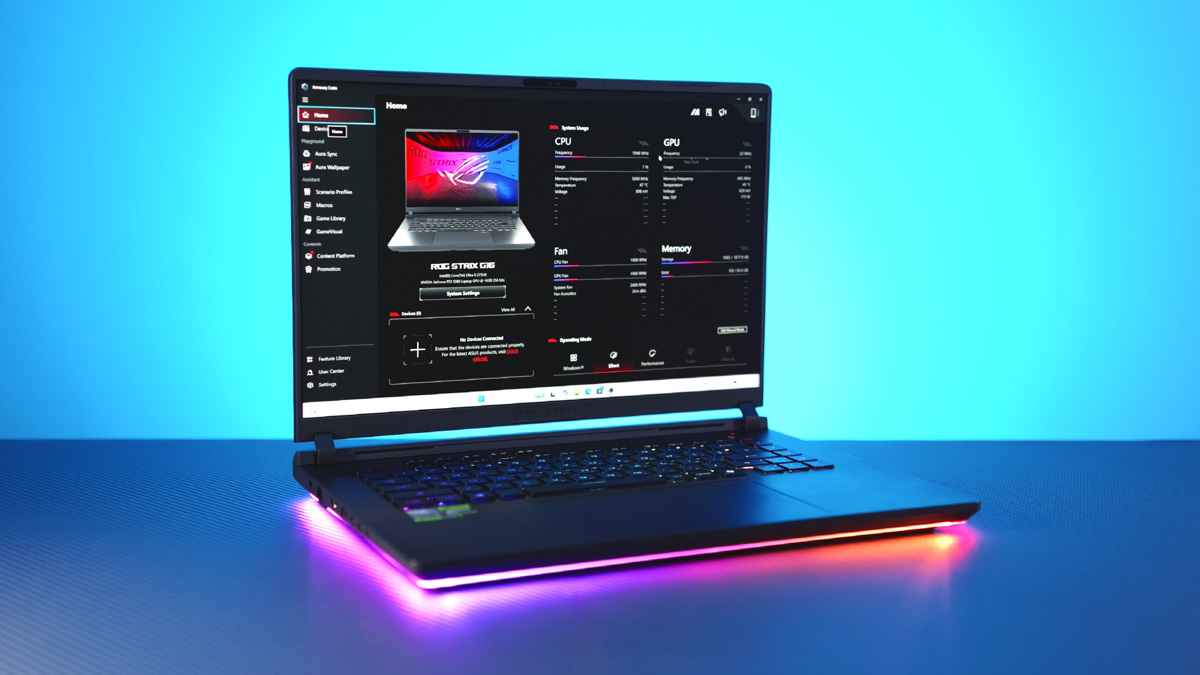
Software is one of the main reasons I consistently choose ASUS laptops. The only real competitor in this regard is Framework, and even then, only because of its modularity. The ASUS ROG Strix G16 (2025) G615 comes pre-installed with ASUS Armory Crate – a management application that, at this point, sets the standard for quality in laptop control software.
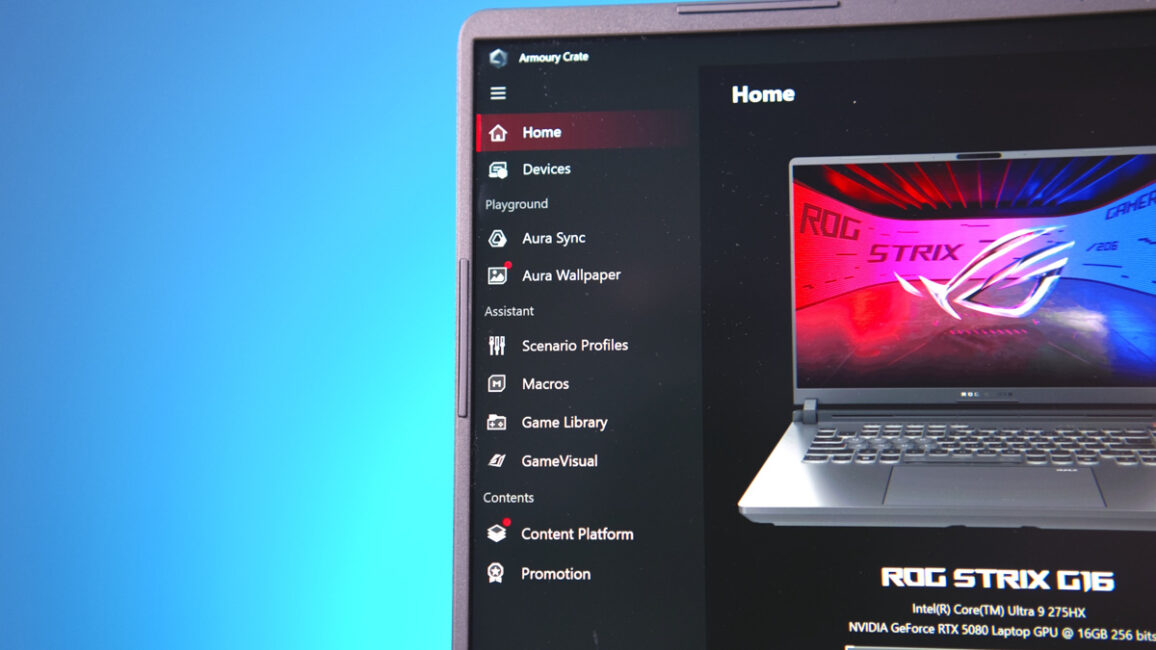
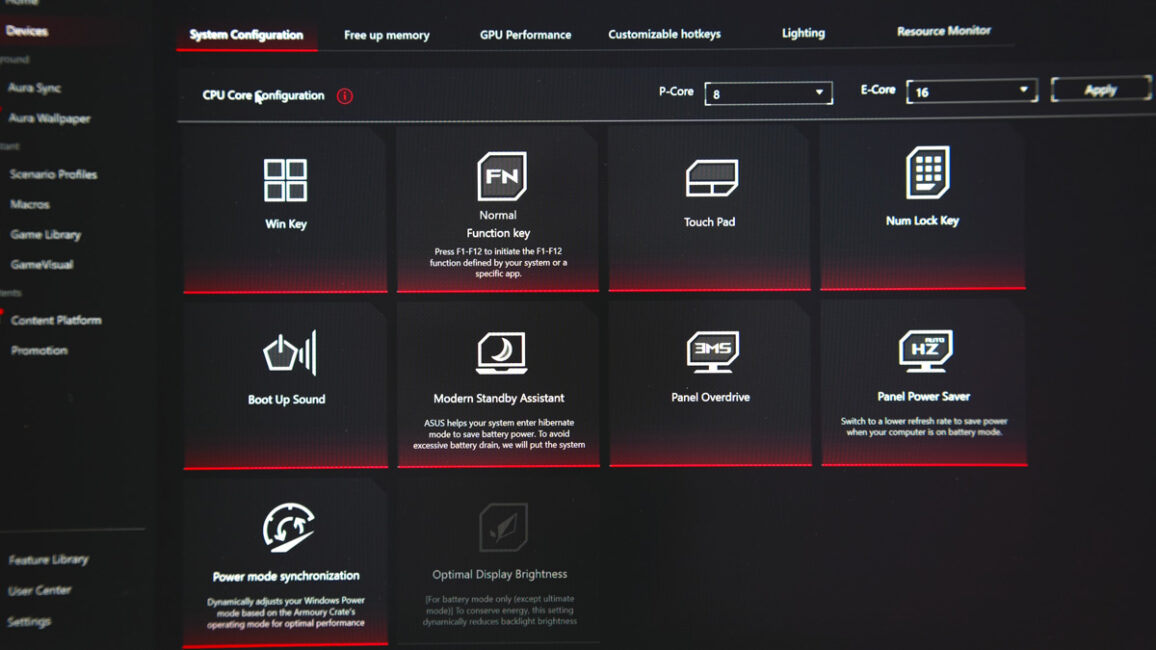
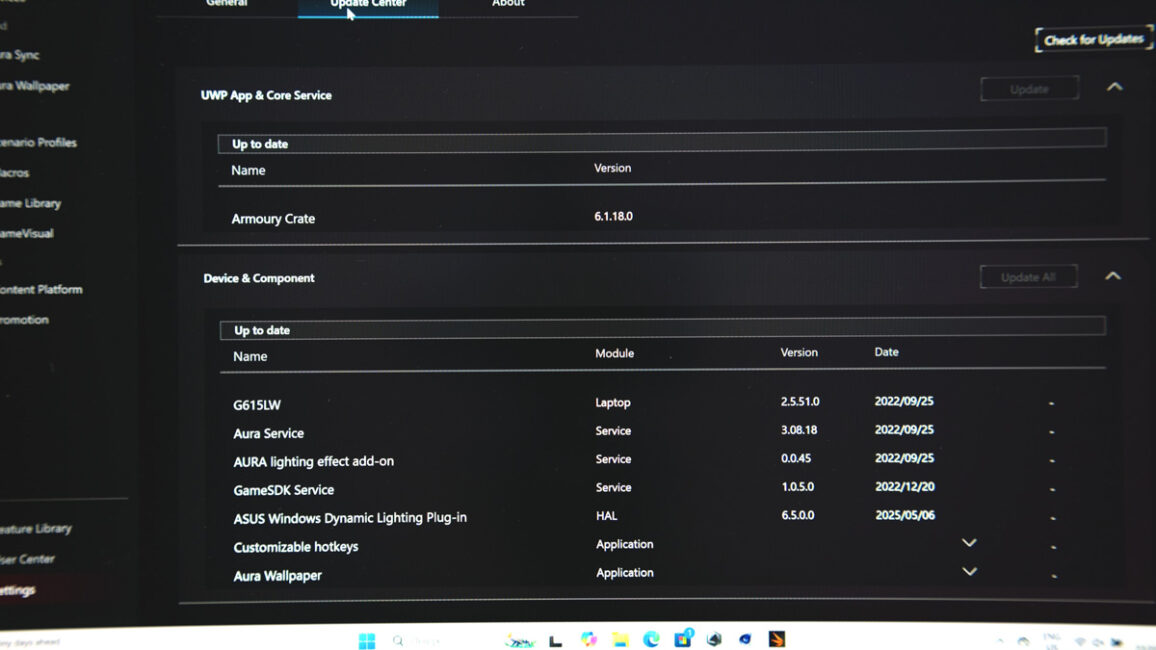
Think of Corsair iCue software, but designed for detailed customization of ASUS laptops and their accessories. You can adjust performance settings, control fan speeds, customize lighting, switch Wi-Fi or Fn key settings, update drivers, and configure the MUX Switch – which this laptop includes.
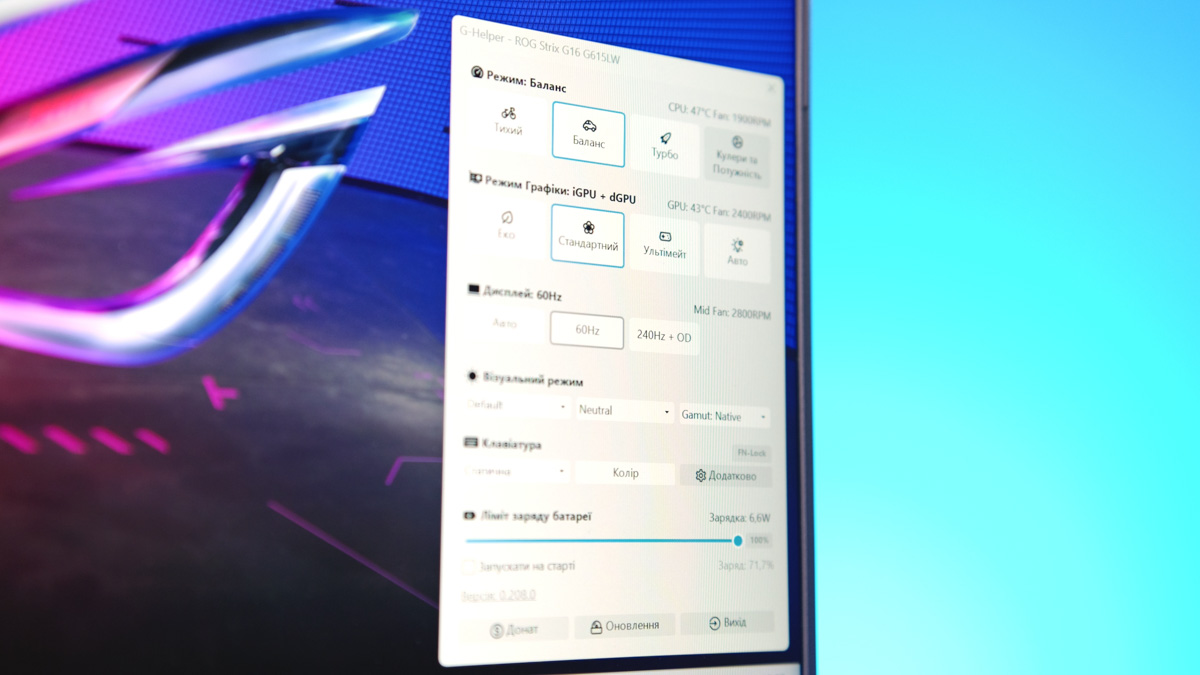
But Armory Crate is only part of ASUS’s software advantage. The ASUS ROG Strix G16 (2025) G615 also supports G-Helper, which is a more advanced tool for performance tuning. G-Helper offers more detailed options and allows you to significantly reduce CPU and GPU performance to minimal levels. If you’re like me and prioritize maximizing battery life through optimization, this program can be a real lifesaver.
Battery life
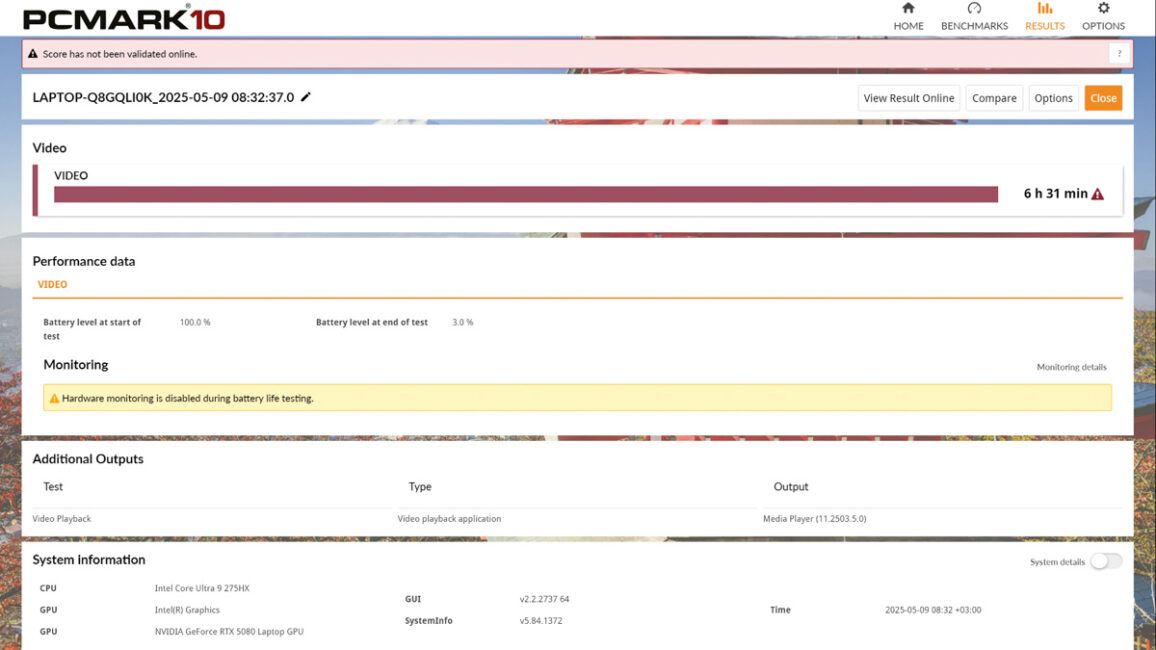
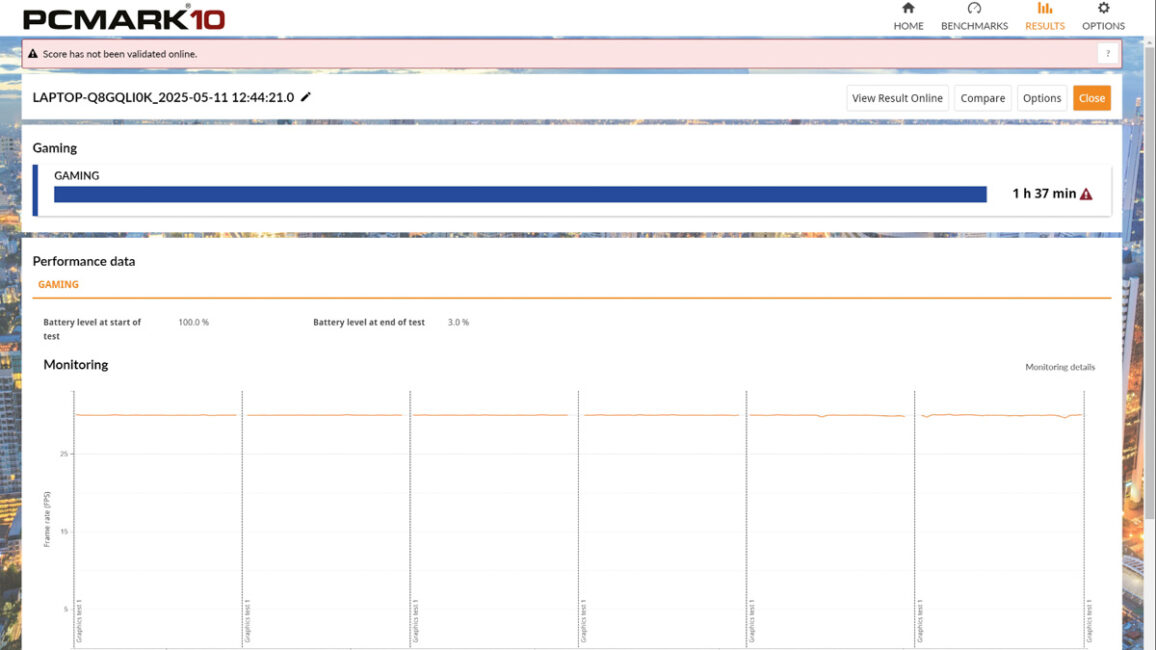
Despite its generally high-performance hardware, the ASUS ROG Strix G16 (2025) G615 can also operate quite efficiently. In the PCMark Battery Test, playing video at half brightness resulted in a runtime of 6 hours and 30 minutes, which was roughly the same for office tasks. In gaming, the battery lasted about 1 hour and 40 minutes.
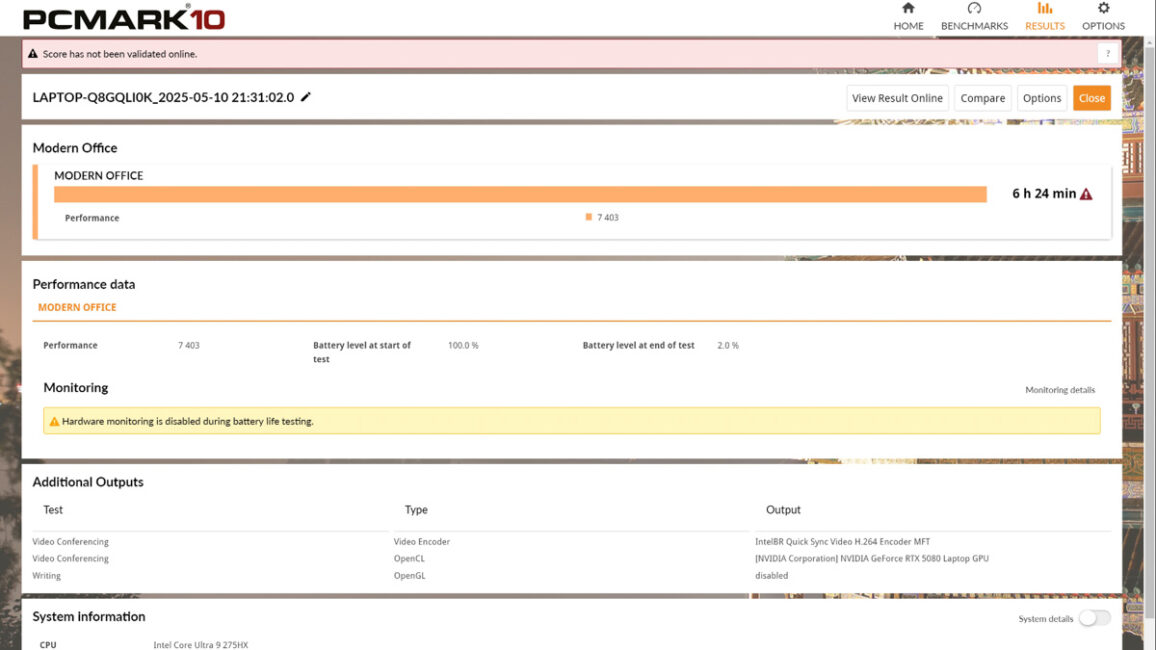
This means the ASUS ROG Strix G16 (2025) G615 can reduce the processor’s power consumption to as low as 8 watts and completely disable the dedicated GPU, running instead on the integrated graphics. On the downside, you shouldn’t expect top-tier performance when running on battery power. Charging speed is typical – about 70 minutes to go from 10% to 97%. The first 25% charges relatively quickly, while the remaining percentage fills more slowly. However, it’s worth noting the laptop supports 100-watt charging via Thunderbolt.
Conclusions
In a way, this laptop demonstrates how RTX 5080-powered notebooks should handle power delivery. Blackwell is demanding in terms of wattage but also delivers high FPS, and cheaper models tend to lose performance if their power limits aren’t adequate. Fortunately, the ASUS ROG Strix G16 (2025) G615 doesn’t overlook this.
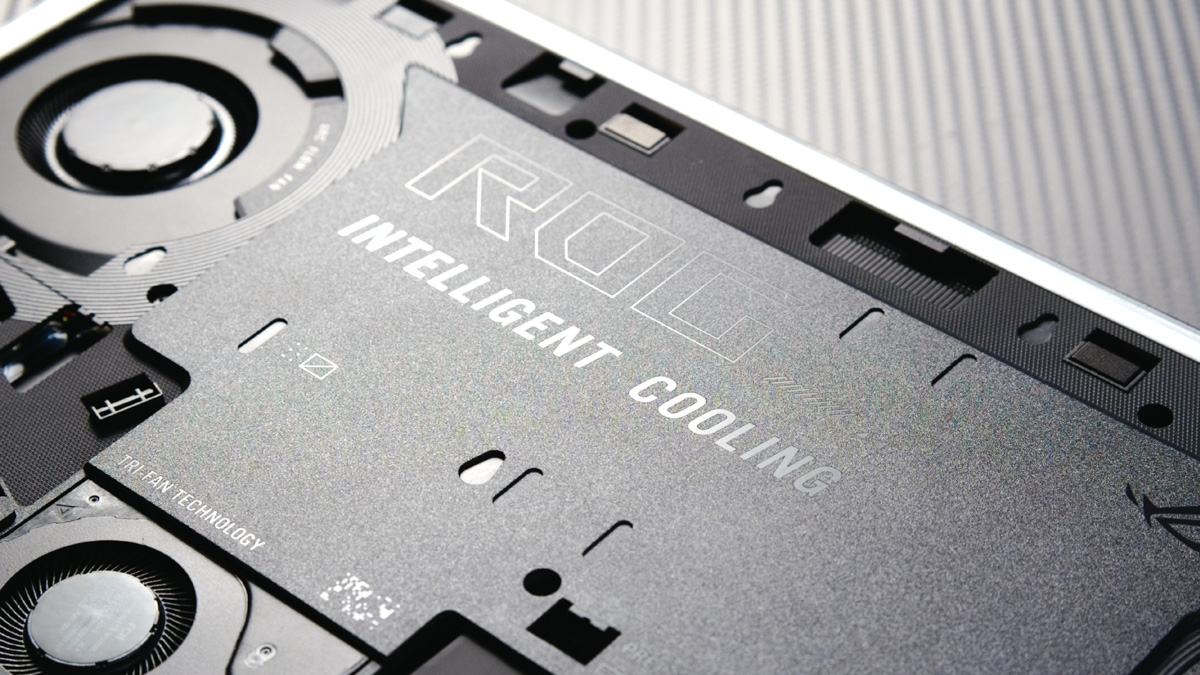
Meanwhile, the company hasn’t overlooked practical and useful features like quick access to the SSD and SO-DIMM slots, Thunderbolt 5 support, three cooling fans, and a range of software advantages. Overall, if you’re prepared to accept the generally high price of laptops equipped with an RTX 5080, the ASUS ROG Strix G16 (2025) G615 comes recommended.
Read also:
- Review of the ASUS ROG Zephyrus G16 2024 Gaming Laptop with AMD Ryzen AI 9 HX 370
- ASUS ROG STRIX SCAR 17 G733PY-LL020X gaming laptop review
- ASUS ROG Strix Scar 16 G634J laptop review: harder, better, faster, stronger