




© ROOT-NATION.com - Use of content is permitted with a backlink.
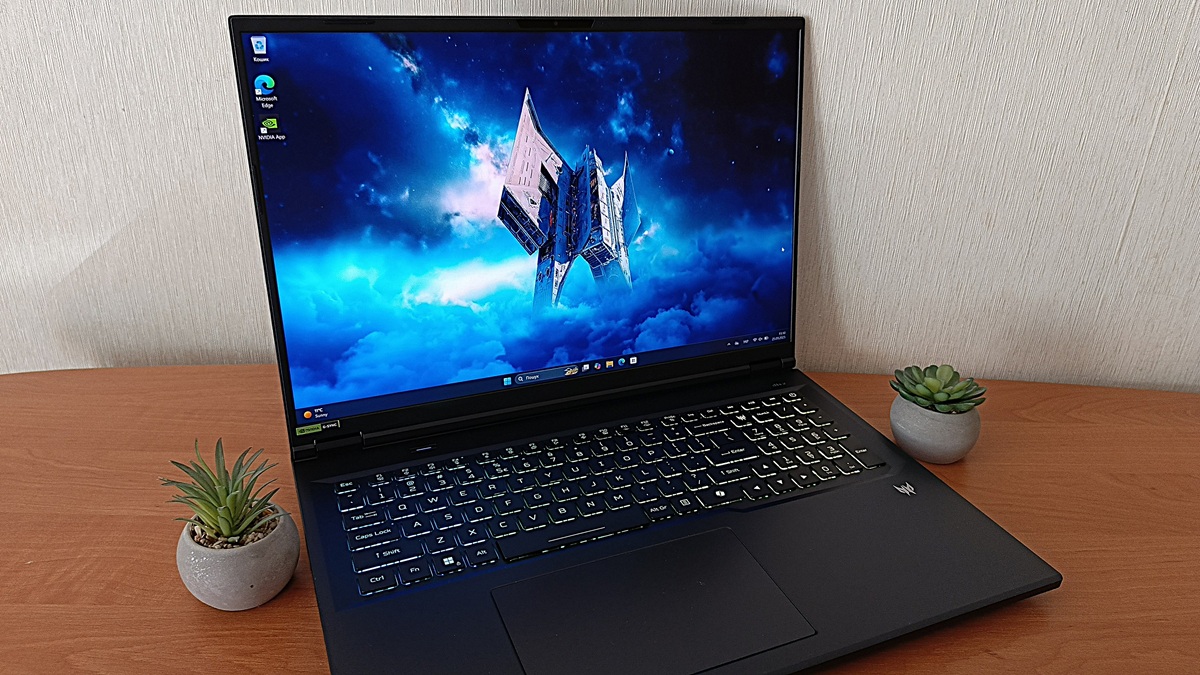
Today we take a closer look at the Acer Predator Helios 18 AI PH18-72 – a hybrid device that combines the performance of a desktop PC with the portability of a laptop.
Acer offers a wide range of products for different users, but the Predator series stands out for its high-end hardware, distinctive aggressive design, and solid build quality. The Predator Helios Neo 18 AI continues this tradition, featuring top-tier components housed in a large, durable chassis that makes a strong impression with both its size and weight.
This is not just another gaming laptop. It represents Acer’s attempt to reach a new level of performance, combining raw power with emerging AI capabilities. But the question remains: is this truly a technological step forward, or simply a well-crafted marketing move? Let’s explore this through a practical review focused on real-world use cases.
Read also: Acer Laptop Reviews
TABLE OF CONTENTS:
Positioning and price
The Acer Predator Helios 18 AI PH18-72 goes beyond the definition of a typical gaming laptop – it comes close to being a full-fledged desktop replacement. While it falls slightly short of the flagship Predator Helios series in certain aspects, that’s by design: the Neo lineup serves as a more accessible version.
The model reviewed here still delivers impressive power, featuring an Intel Core Ultra 9 275HX processor with 24 cores, paired with a mobile GeForce RTX 5070 Ti GPU with 12 GB of VRAM. There are also configurations available with the GeForce RTX 5060 (8 GB VRAM). A dedicated neural processing unit (NPU) complements the main CPU, optimizing streaming and audio processing for smoother broadcasts and a more immersive experience.
This configuration handles demanding AAA titles, complex rendering tasks, and large data processing workloads without significant difficulty.

The 18-inch Mini LED display with a 250 Hz refresh rate provides a high level of comfort for both gaming and demanding professional work. Support for Wi-Fi 7 ensures a stable connection even in congested networks. With up to 64 GB of DDR5 RAM, the Acer Predator Helios Neo 18 AI is a versatile system capable of adapting to a wide range of scenarios – from competitive gaming to complex professional workloads. The laptop is equipped with two 1 TB PCIe NVMe 5.0 SSDs, offering extremely fast game load times and ample storage for large software or media libraries.
The AeroBlade 3D Gen5 cooling system uses ultra-thin 0.05 mm blades and delivers up to 20% better airflow compared to the previous generation. This design helps dissipate heat more efficiently, maintaining stable performance even during intensive AAA gaming sessions. The fans automatically adjust their speed based on system load, allowing the laptop to run cooler and quieter than typical cooling solutions. As a result, users can enjoy extended gaming sessions without thermal throttling or excessive noise.
The Acer Predator Helios Neo 18 AI PH18-72 is priced between $2,580 and $4,660, depending on the configuration and retailer. This range includes both official distributor pricing and offers from third-party sellers. Within the segment of large-format gaming laptops, the model appears to be a competitive option, offering an uncommon balance between high performance and overall value.
Acer Predator Helios Neo 18 AI PH18-72 Specifications
- Model: Acer Predator Helios Neo 18 AI (PH18-72-94QQ)
- Display: IPS, 18 inches, resolution 2560×1600, aspect ratio 16:10, refresh rate 250 Hz, Mini LED
- Processor: Intel Core Ultra 9 275HX (24 cores: 8 P-cores + 16 E-cores), 2.7 GHz to 5.4 GHz
- RAM: 64 GB DDR5-6400 (2×32 GB)
- Storage: 2×1 TB M.2 SSD
- Graphics: NVIDIA GeForce RTX 5070 Ti Laptop GPU, 12 GB GDDR7, TGP 140 W
- Cooling: Two AeroBlade 3D Gen 6 fans (0.05 mm metal blades), evaporative chamber, liquid metal and graphene thermal interface.
- Ports: 2 × Thunderbolt 4 (DisplayPort / Power Delivery 3.1), 2 × Type-A USB3. 2 Gen2, 1 × Type-A USB3.2 Gen1, 1 × SD Card Reader, 1 × HDMI 2.1 (8K @ 60Hz / 4K @ 120Hz), 1 × 2.5 Gigabit Ethernet, 1 × 3.5 mm combo audio jack (microphone/headphones)
- Wireless modules: Wi-Fi 6E (802.11 a/b/g/n/ac/ax) 2×2, Bluetooth 5.4, 2.5Gb Ethernet
- Camera: 2 MP
- Audio: 2 speakers with DTS:X Ultra
- Keyboard: Island-style keys with RGB backlighting, MagKeys 4.0
- Battery and charging: 90 Wh power supply, 330 W
- Dimensions: 400.96 × 307.90 × 14.90 / 28.0 mm
- Weight: 3.3 kg
- Other: Firmware Trusted Platform Module (fTPM) 2.0; Kensington Lock
What’s included?
From the first glance at the box, it’s clear that the Acer Predator Helios Neo 18 AI PH18-72 is not designed for everyday office use. The black packaging with a large Predator logo immediately conveys the device’s bold, gaming-oriented character – even before the laptop is unboxed.
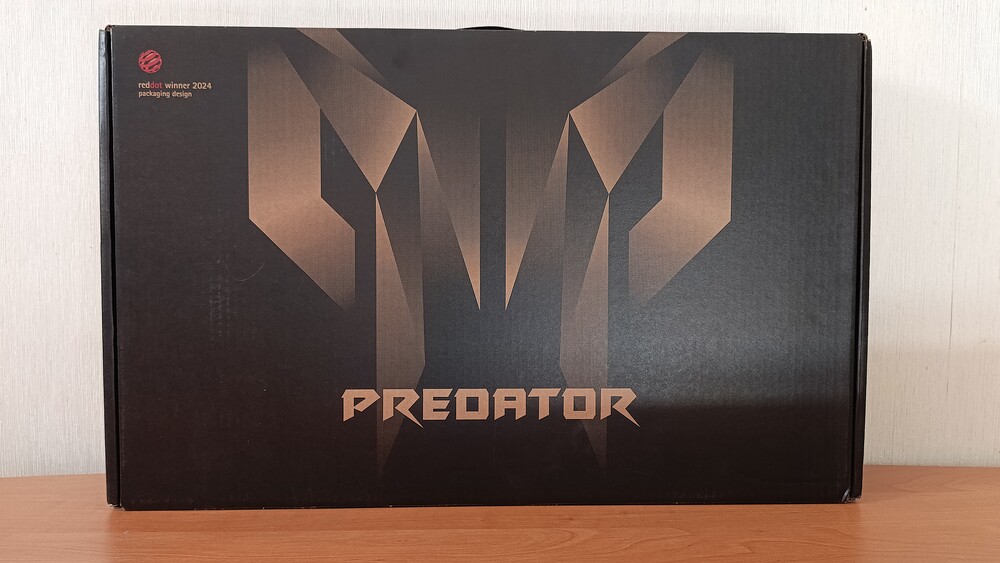
The box follows the familiar format and size typical of flagship gaming laptops: large and heavy, hinting at the powerful hardware inside. At the same time, Acer adheres to current sustainability trends by using cardboard inserts instead of plastic supports.
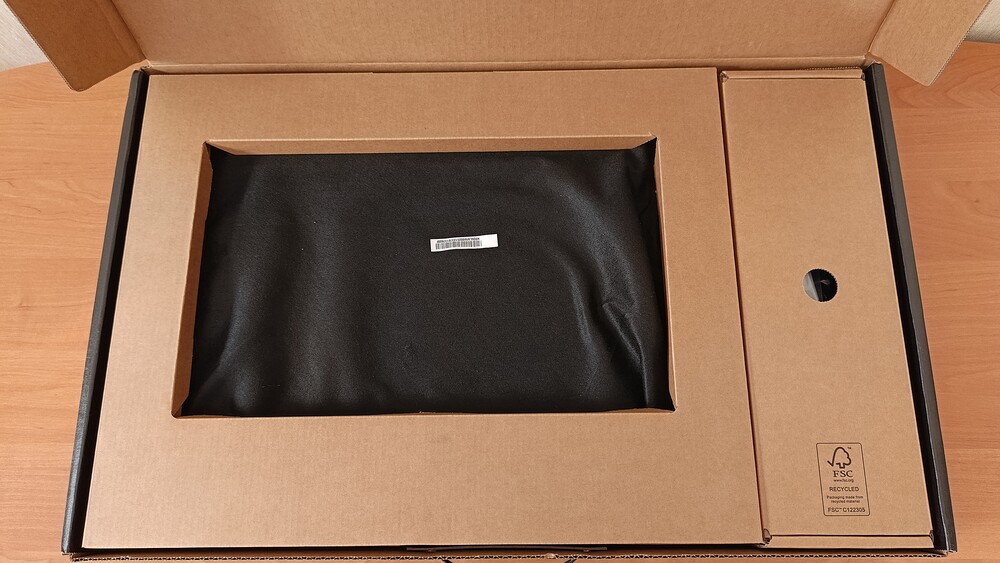
These elements serve a dual purpose – they can be assembled into a headphone stand. While the idea is interesting, in terms of aesthetics and practicality it remains largely symbolic: on a gaming desk, such an accessory appears modest and is unlikely to stand out as a key feature of the setup.
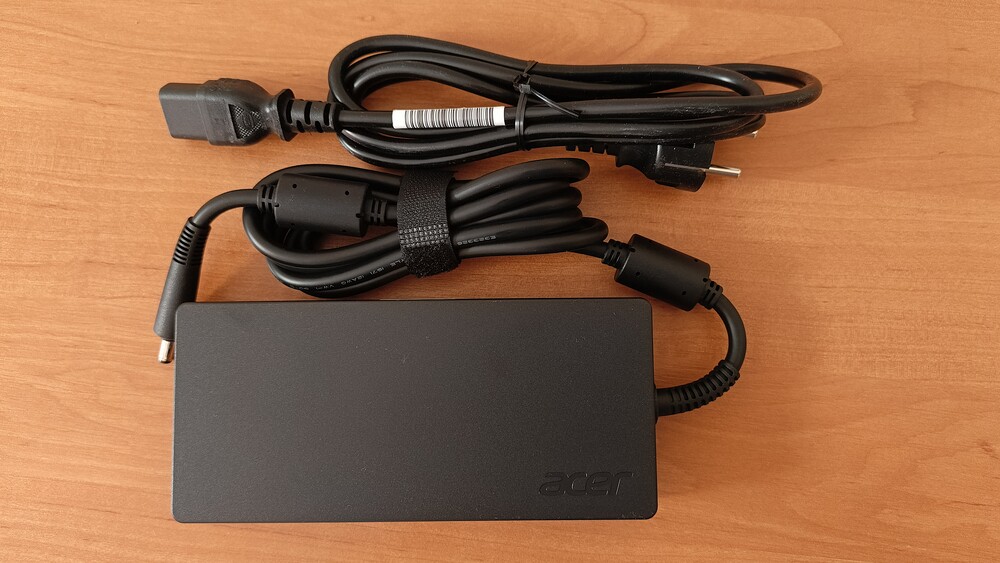
The package includes a powerful 330 W charger, appropriate for the laptop’s high-end hardware. The cable is thick and long, showing no obvious cost-cutting measures. However, the adapter itself is quite bulky, which may be inconvenient during transport – it will take up significant space in a backpack. It’s also worth noting that the laptop does not come with a branded carrying case, which can be seen as a compromise: users will need to source a suitable bag themselves.
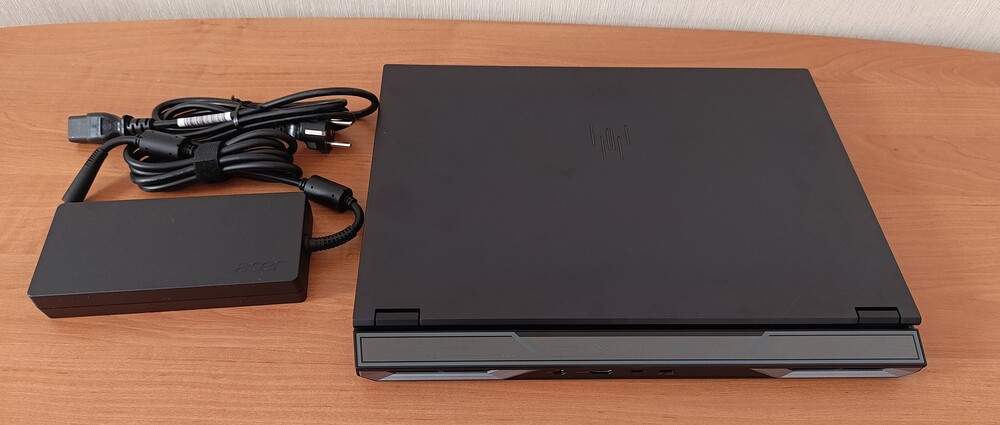
Acer’s documentation remains minimalist, typically including only a warranty card and a brief quick-start guide. Overall, the package feels balanced – free of unnecessary “premium” extras and focused on practicality and actual use. It’s important to remember that this is the Acer Predator Helios Neo, a slightly scaled-down version of the series.
Read also: Acer Nitro V15 (ANV15-41-R99Y) Gaming Laptop Review
Design: heavy, large, sturdy
The Acer Predator Helios Neo 18 AI PH18-72 does not introduce a radically new design; it largely continues the established concept of the series. Similar approaches were seen previously, such as in the Acer Predator Helios 16 AI (PHN16-73), which also featured a larger variant. This model appears to be a logical evolutionary step rather than a revolutionary product. There are minor cosmetic updates in the form of accents on the chassis, but they do not significantly alter the overall design language. In this case, the focus is less on aesthetics and more on the sheer scale of the device.
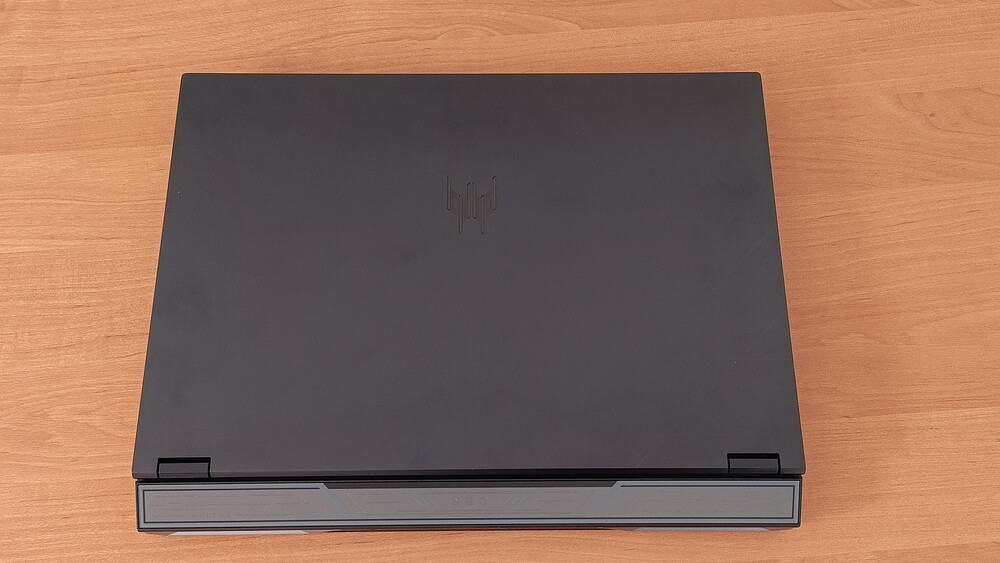
In the laptop world, even among gaming and high-performance models, the Predator Helios Neo 18 AI PH18-72 feels genuinely bulky. Its dimensions are 400.96 × 307.9 × 14.9 / 28.0 mm, and it weighs 3.3 kg. With these specifications, it approaches the footprint of a desktop system in a portable form. This is not a flaw of this particular model but rather a characteristic of the entire 18-inch laptop segment, which is inherently difficult to classify as truly portable.
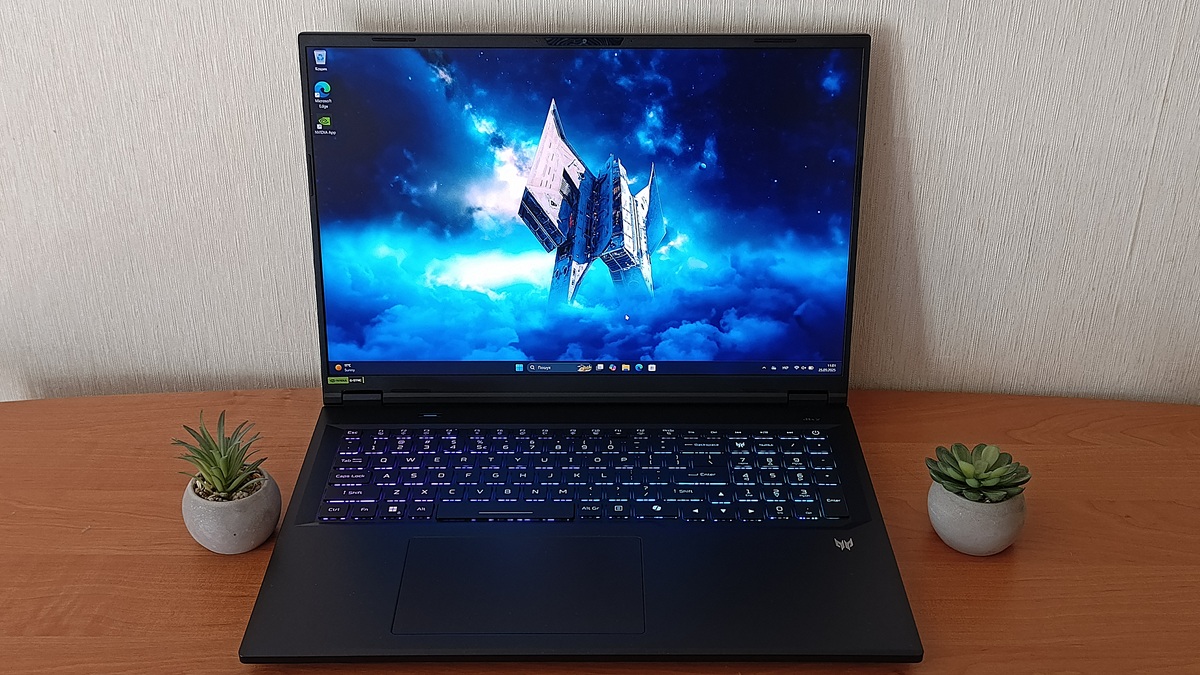
At the same time, the laptop offers practical advantages: the tall chassis and large display mean users don’t need to lean over the screen, as they often must with more compact models. This contributes positively to posture and comfort during extended gaming or work sessions. The effect is noticeable only when sitting in front of the device – it genuinely feels impressively large.
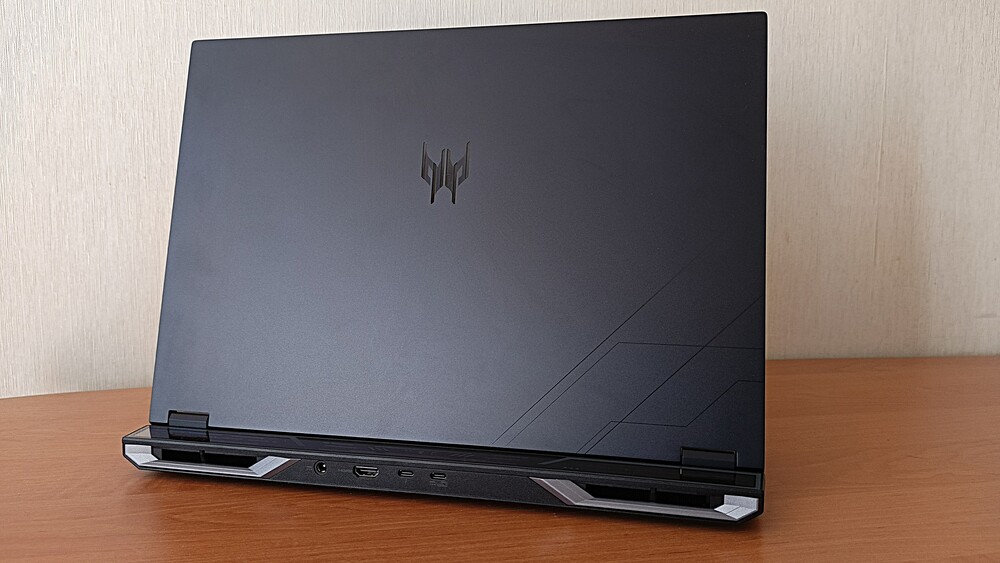
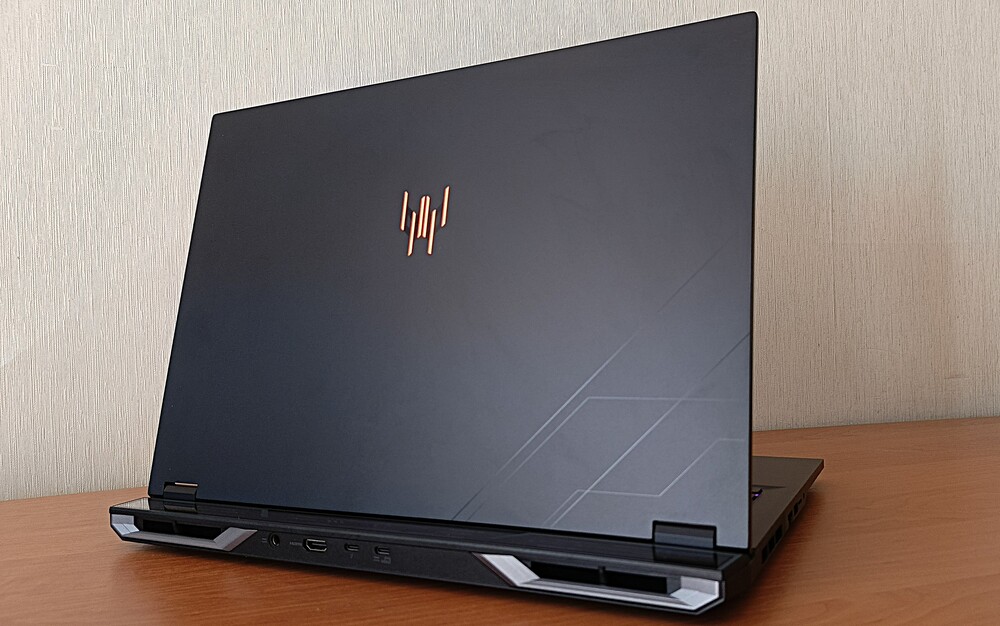
In terms of finish, the Acer Predator Helios Neo 18 AI PH18-72 appears relatively restrained. The manufacturer has limited the use of RGB lighting and elaborate decorative elements commonly seen on the Predator Helios 18 AI. The chassis combines metal, used for the display lid, with black plastic for the main body. Near the hinges, there is a transparent panel that previously featured lighting in earlier generations, but it has been omitted in this model.

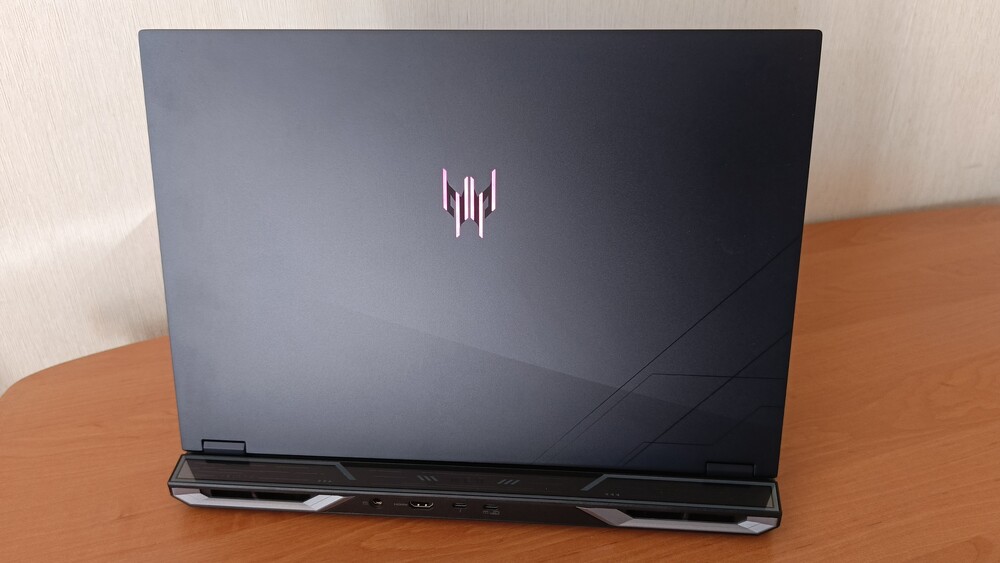

The only illuminated element is the Predator logo on the lid, which can glow in different colors. This approach is less flashy but more logical and restrained.
As mentioned, the chassis is mostly aluminum and fairly well reinforced. The laptop does not creak when flexed, with only minor give under significant pressure on the keyboard area. The fit of individual components is also solid. The display section is attached via two hinges, allowing the screen to tilt nearly 165º.

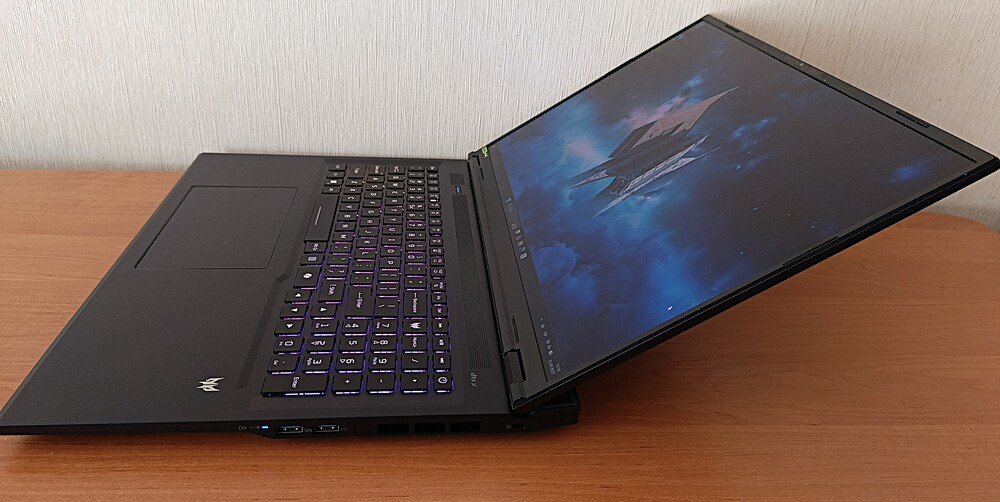
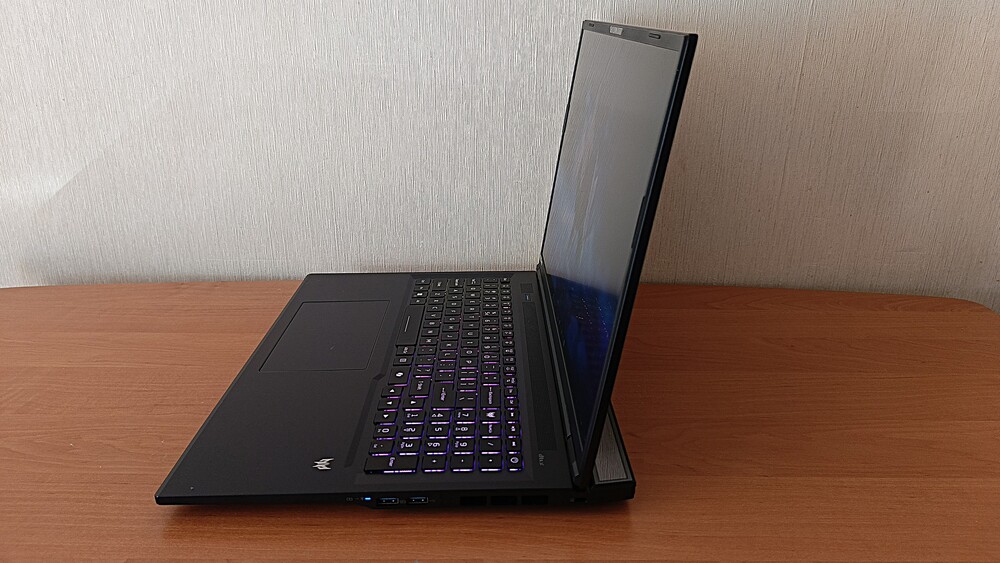
Another advantage is that the display sits slightly closer to the keyboard, while the portion of the chassis behind the screen tends to heat up more under load than other components.
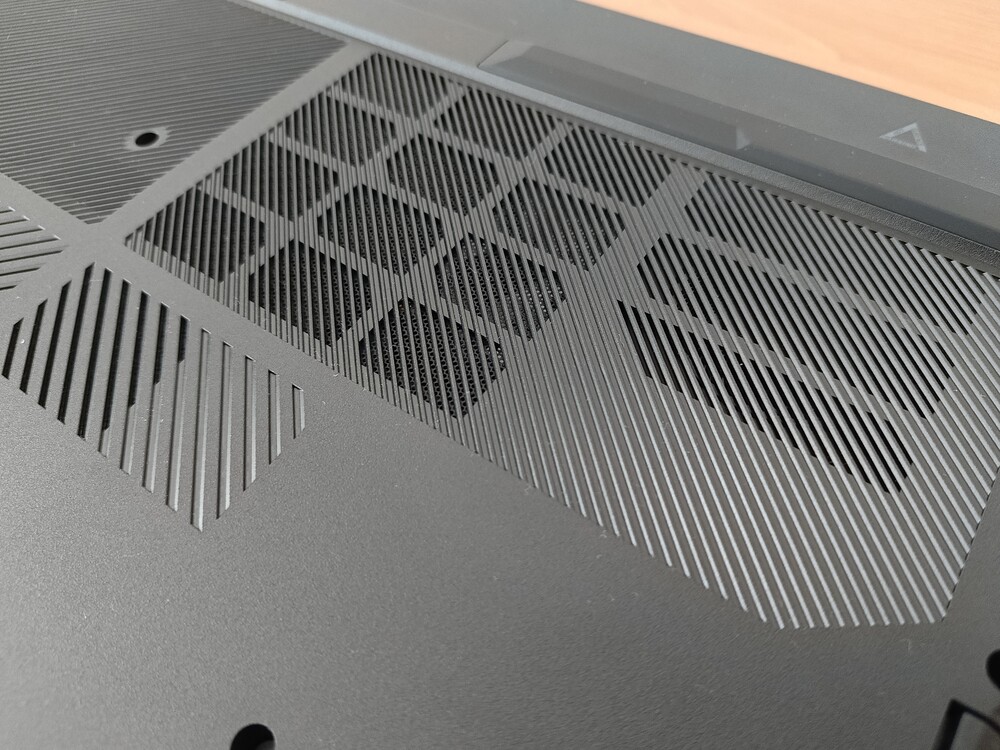
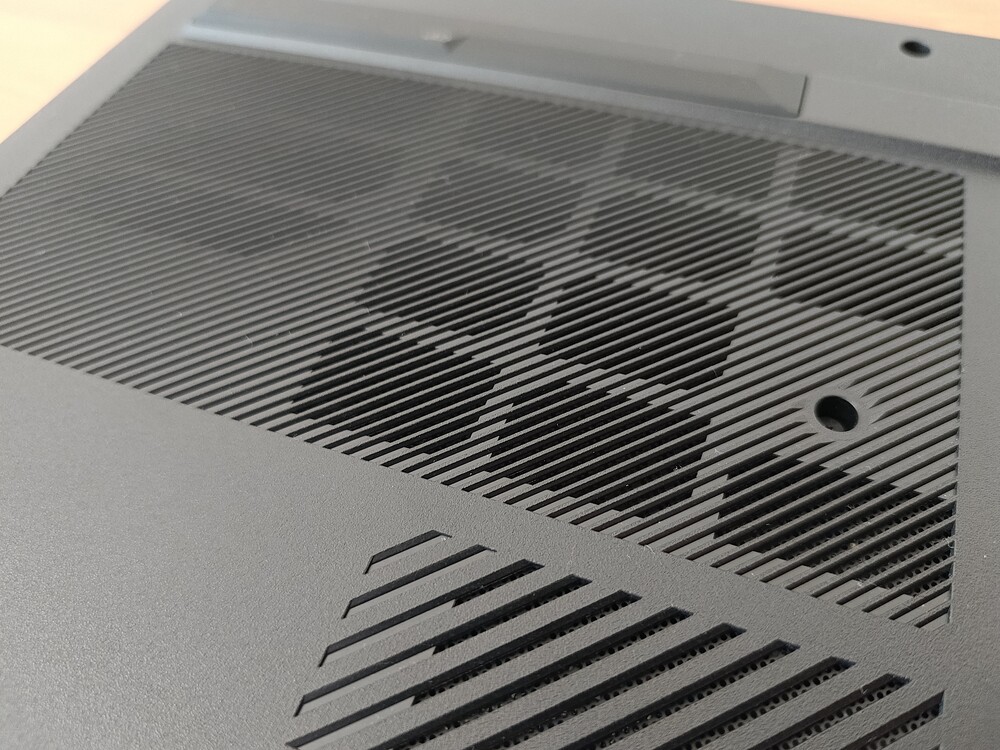
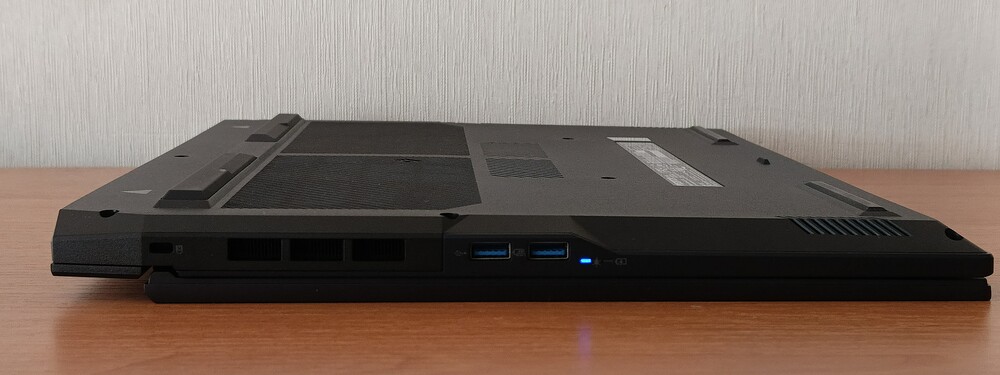
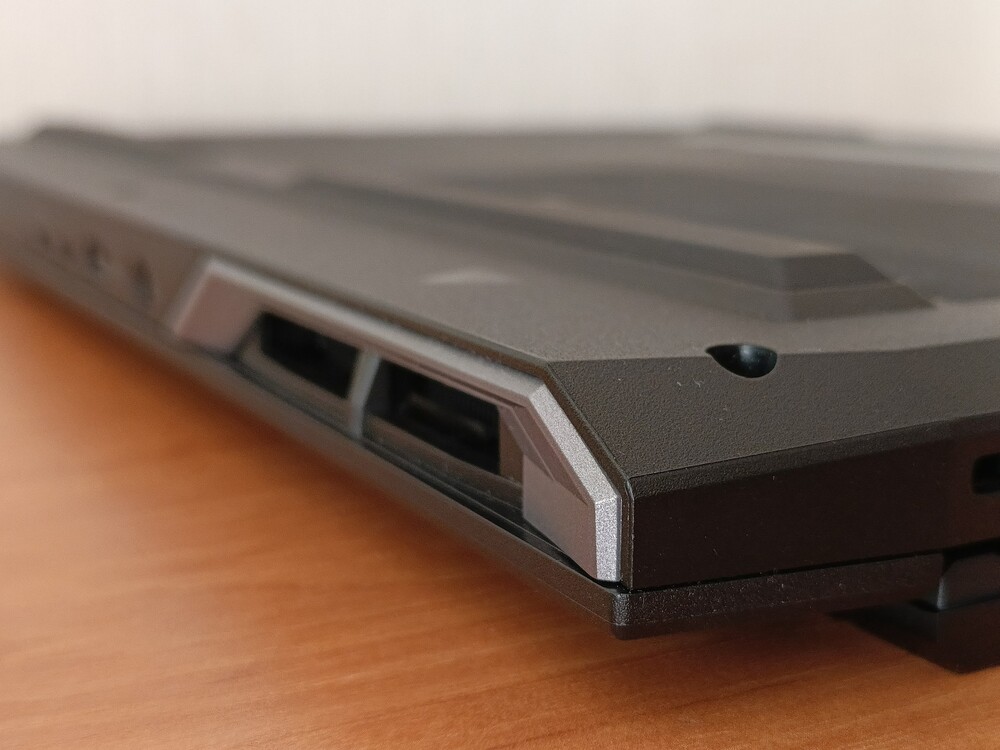
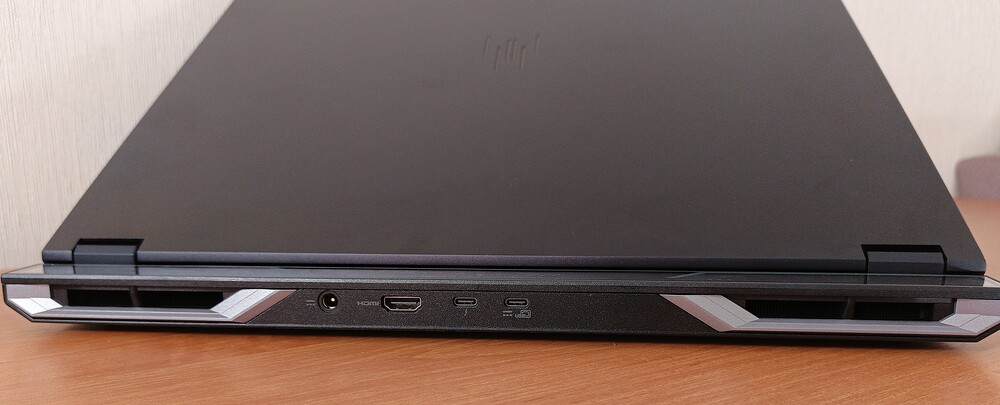
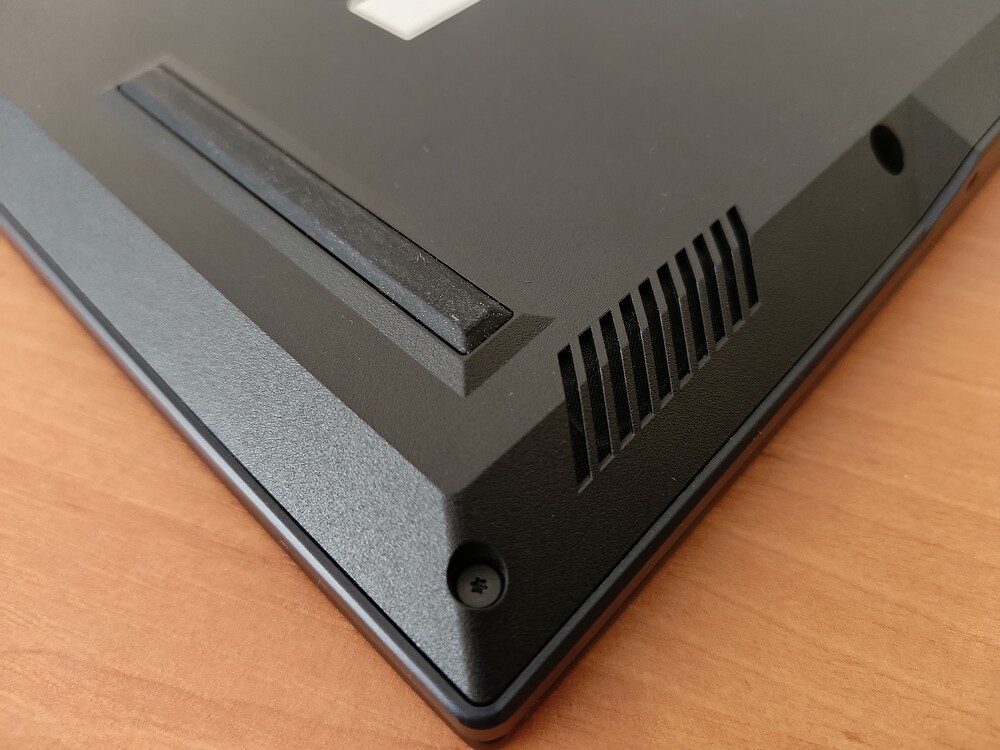
The laptop’s top panel features large ventilation grilles on three sides, while the bottom has dense perforations to improve heat dissipation. In earlier models, the rear frame was removable, but this feature evidently did not gain traction, so it is now fixed.
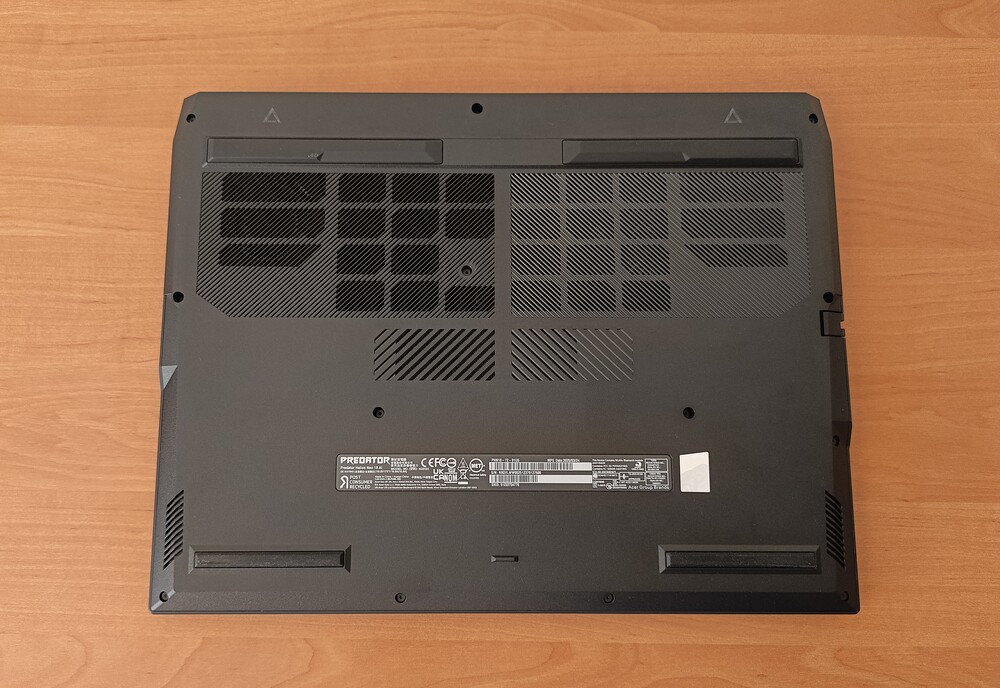
The bottom panel also features four large feet, which, combined with the laptop’s weight, provide excellent stability on a desk. Unlike lighter models, it is virtually impossible to accidentally move the laptop during gaming or work.
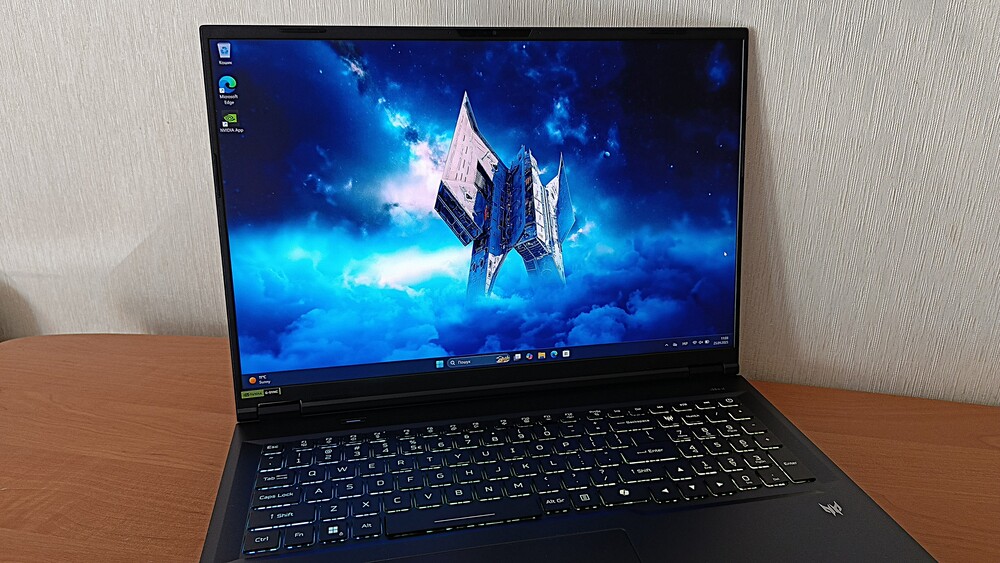
Overall, the design of the Predator Helios Neo 18 AI PH18-72 can be described as concise and practical. Acer prioritizes performance, ergonomics, and stability over flashy visual effects. This approach helps keep the final cost lower compared to flagship models, which can easily exceed several hundred thousand hryvnias, making the concept reasonable. That said, the laptop remains large and heavy, though it is also quite sturdy.
Read also: Acer Swift Go 14 Review: Affordable Laptop with Qualcomm Snapdragon X
Ports and connectors
Now let’s move on to one of the aspects that usually interests most users: the ports and connectors included on the new Acer model.
The Acer Predator Helios Neo 18 AI PH18-72 comes well-equipped in this regard. The selection of ports is extensive enough that even users who rely on multiple USB hubs will find it adequate. Connectors are distributed across three sides of the chassis, seemingly designed to help minimize cable clutter around the laptop.
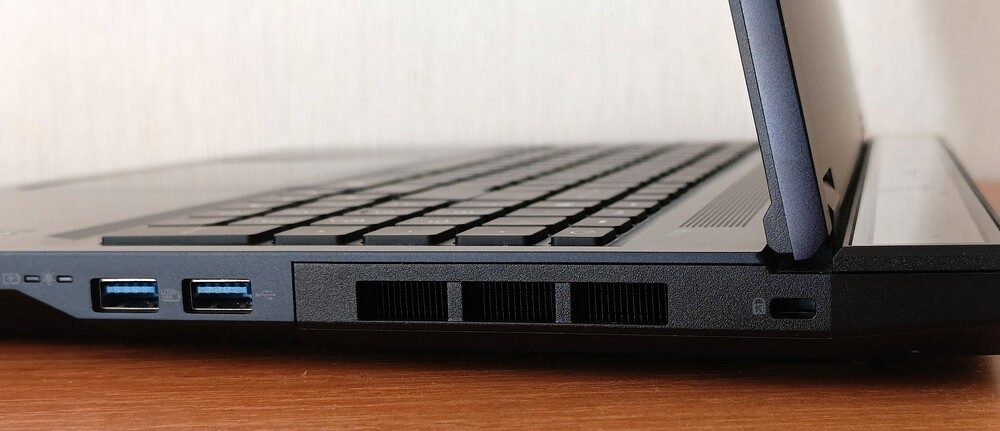
The port layout is practical and avoids unnecessary extras. On the right side, there are two USB-A 3.2 Gen 2 ports for high-speed connections, along with a Kensington lock slot for security.
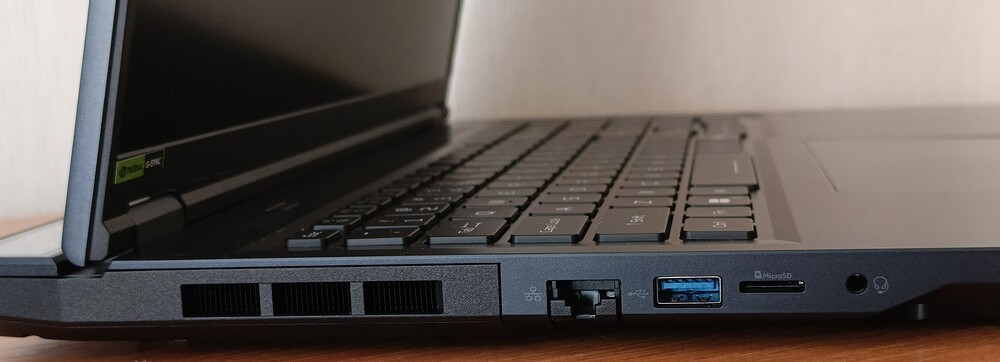
On the left side, there is an additional USB-A 3.2 Gen 1 port for less demanding peripherals, a 2.5 Gigabit Ethernet port for high-speed wired connections useful to gamers, an SD card slot, and a combined audio jack.
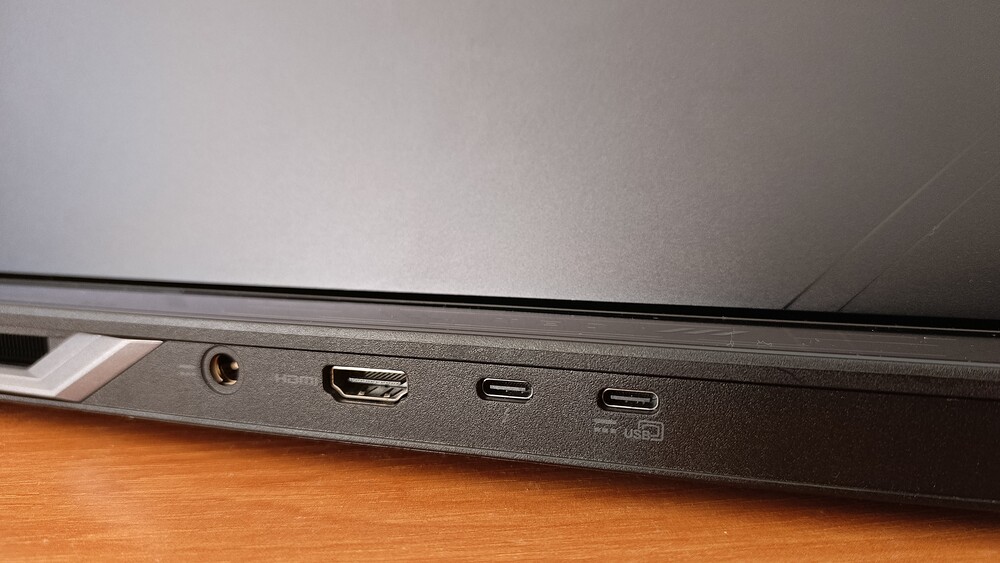
The rear panel is even more interesting. It houses a pair of Thunderbolt 4 ports – ideal for docking stations and external GPUs – along with an HDMI port for monitors or projectors and the standard power connector. Overall, it’s a solid selection that will meet the needs of most users.
Wireless capabilities are equally robust. Wi-Fi 6E is fully functional, enabling 4K streaming or cloud gaming without noticeable lag. Bluetooth 5.4 supports a wide range of wireless peripherals, from headphones to game controllers, replacing the need for cables entirely.
Read also: Acer Chromebook 314 CB314-3HT Review
Full-size keyboard and touchpad
The Acer Predator Helios Neo 18 AI features a full-size MagKey 4.0 keyboard, based on a chicklet-style layout with individually separated keys. The keys have a 0.3 mm travel, offering precise input. Being full-size, the keyboard includes a numeric keypad, and despite this addition, the keys remain reasonably sized.
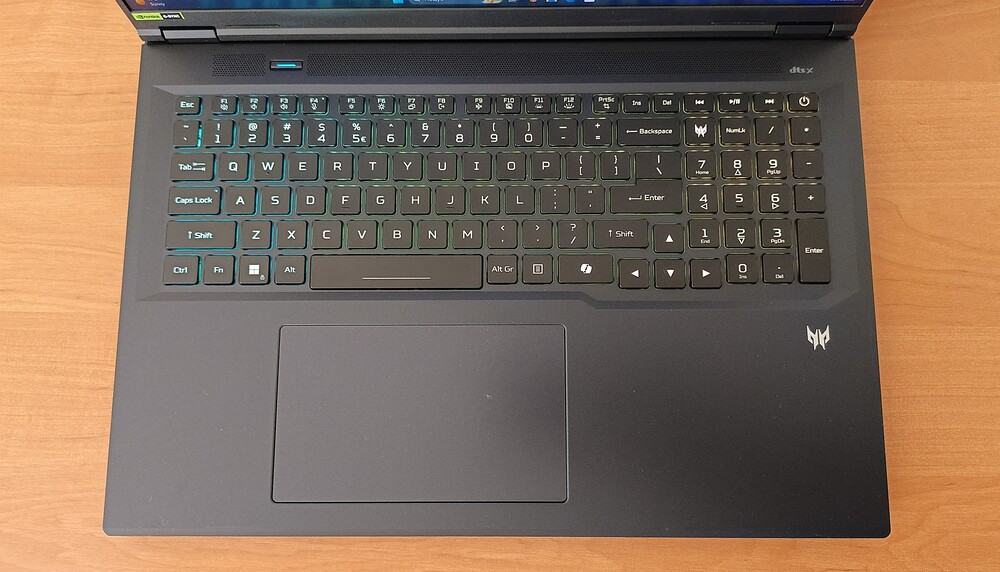
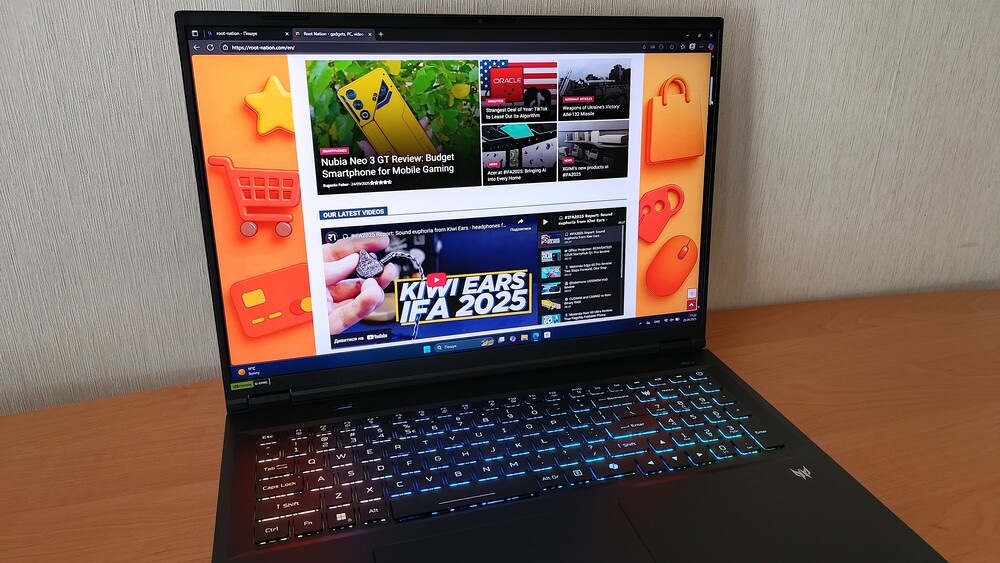
In fact, the keys are fairly large, with clearly defined contours that remain visible both in bright daylight and at night when the 4-zone RGB backlighting is active. The backlighting can be adjusted using the F11 and F12 keys. As expected for a 2025 laptop, there is also a dedicated Copilot key, which launches the aforementioned AI assistant.
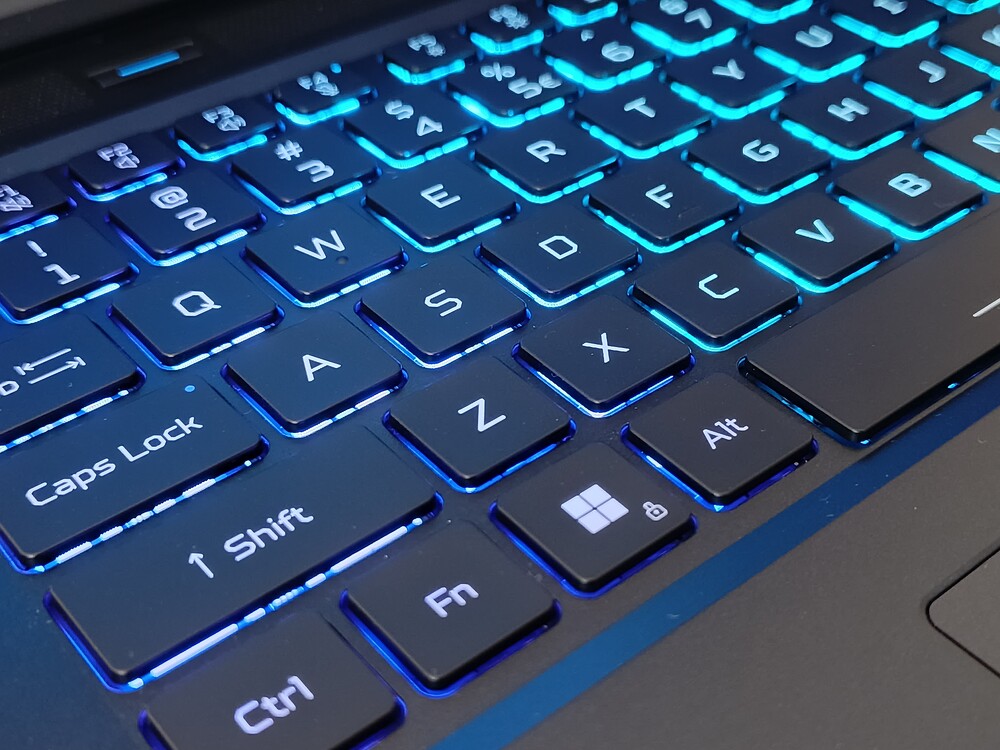
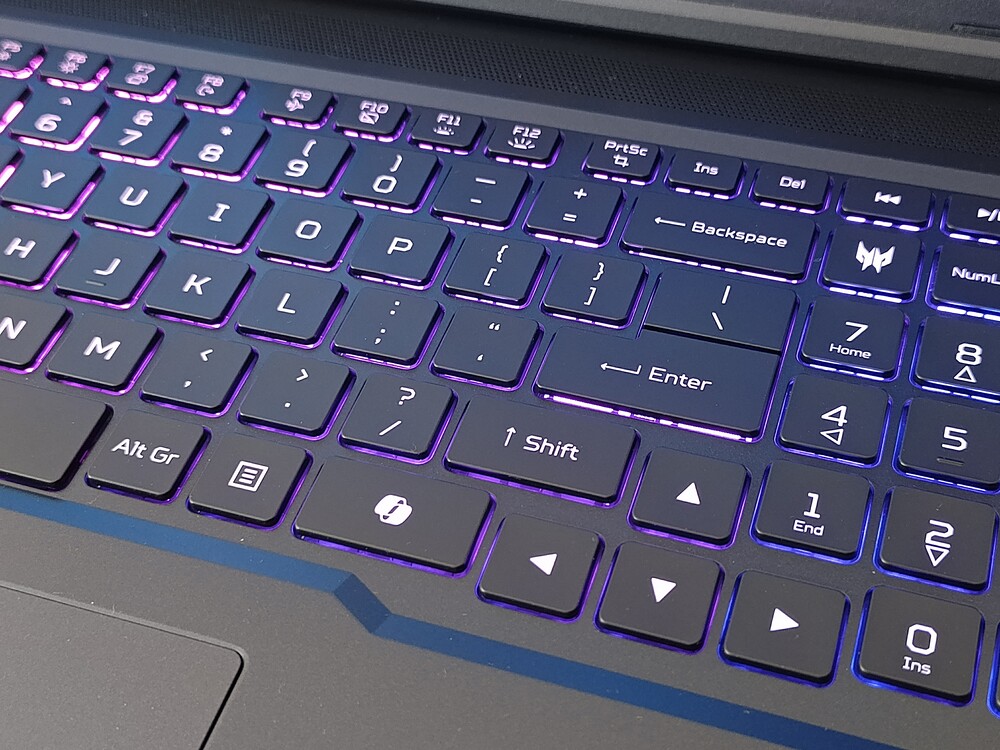
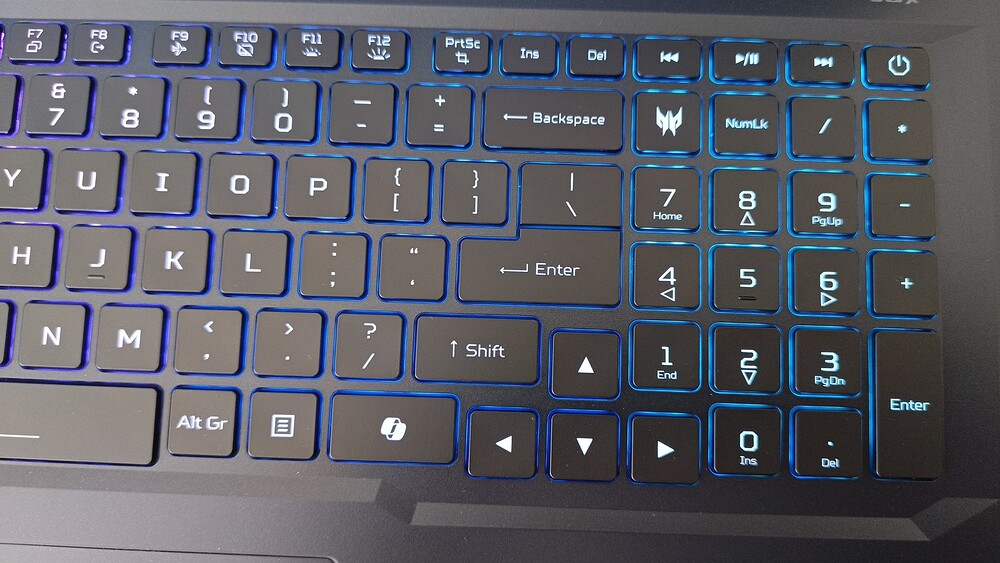
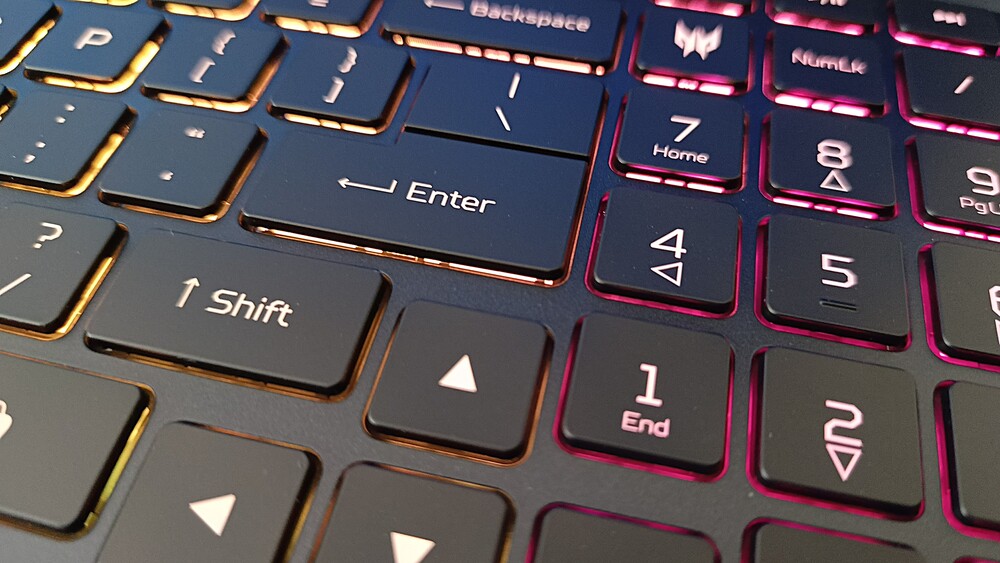




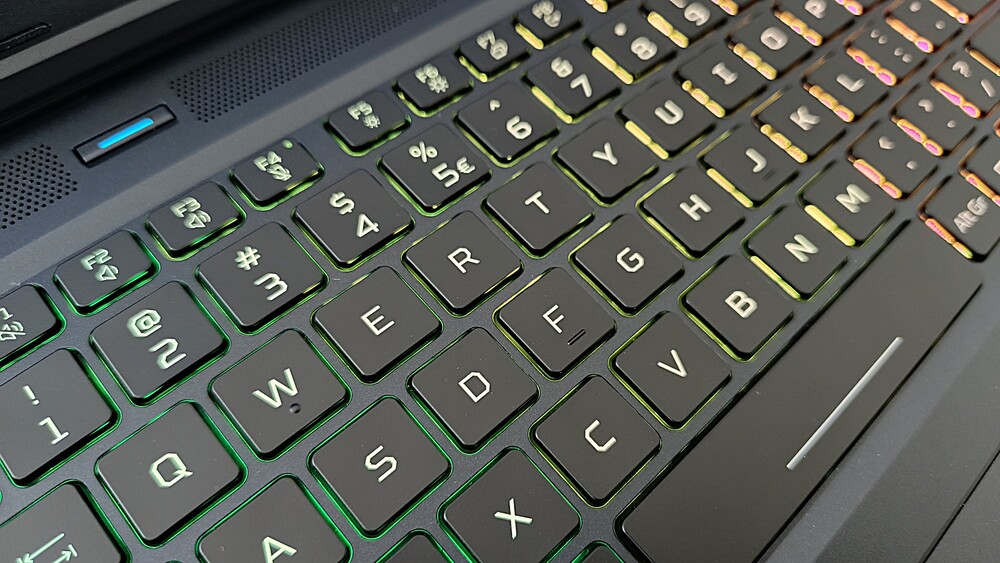
The keyboard offers relatively deep key travel and clear tactile feedback. Thanks to slightly larger keys compared to most 18-inch laptops, typing and gaming are comfortable. Overall, the Predator Helios Neo 18 AI’s keyboard is of a high standard, ranking among the better options in the gaming laptop segment.
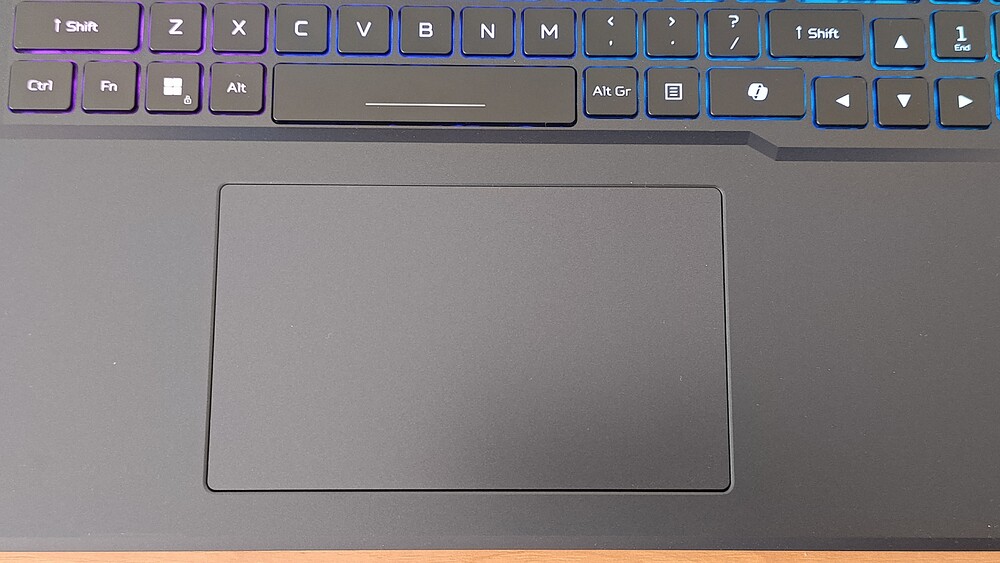
Beneath the keyboard sits a large 15 × 9 cm touchpad. It has no separate buttons; the entire surface is integrated. The smooth surface allows fingers to glide effortlessly, and the front section – where the left and right click areas are – deflects minimally under pressure while maintaining a noticeable click. Accuracy and comfort are high, making this touchpad a capable alternative to a mouse when needed.
Read also: Acer Nitro V 14 ANV14-61 Review: Pristine White Gift for Gamer
Acer Predator Helios Neo 18 AI PH18-72 Display
The laptop features an AU Optronics B180QAN01.2 panel. The 18-inch display has a resolution of 2560 × 1600 pixels with a matte finish, resulting in a 16:10 aspect ratio. Built using IPS technology, the screen offers wide viewing angles both vertically and horizontally.

Additionally, the panel uses Mini LED backlighting with over 2,000 dimming zones. The display offers very high brightness, reaching around 1,100 nits in SDR mode. In HDR mode, the full-screen brightness is nearly 1,000 nits, with peak brightness up to 1,200 nits. Among recently tested laptops with IPS + Mini LED panels, the Acer display is the most impressive in terms of HDR performance. For SDR content, the 1,100-nit brightness ensures comfortable use even outdoors on sunny days.
The screen also features a 250 Hz refresh rate and supports NVIDIA technologies, including G-SYNC, Advanced Optimus, and a hardware MUX switch.
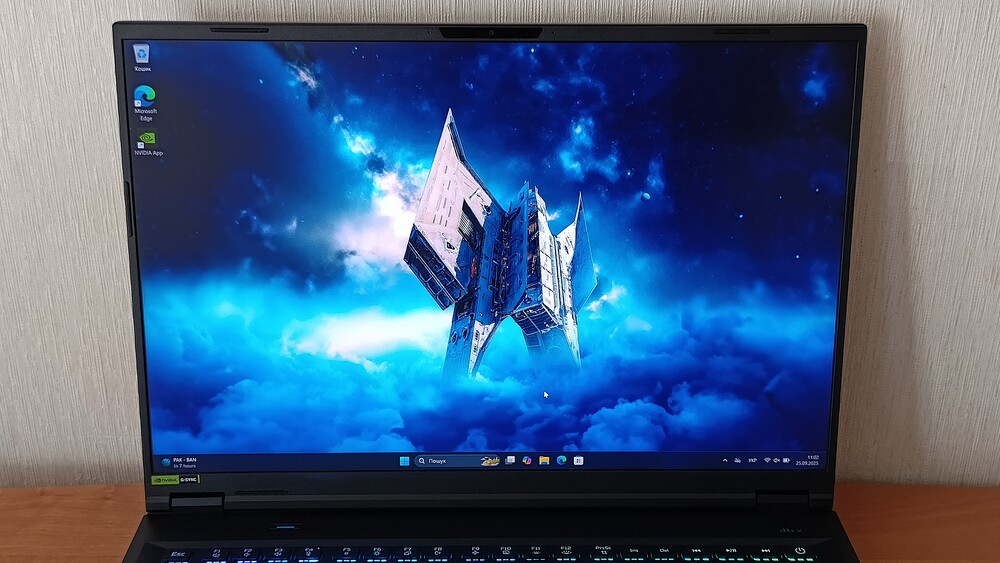
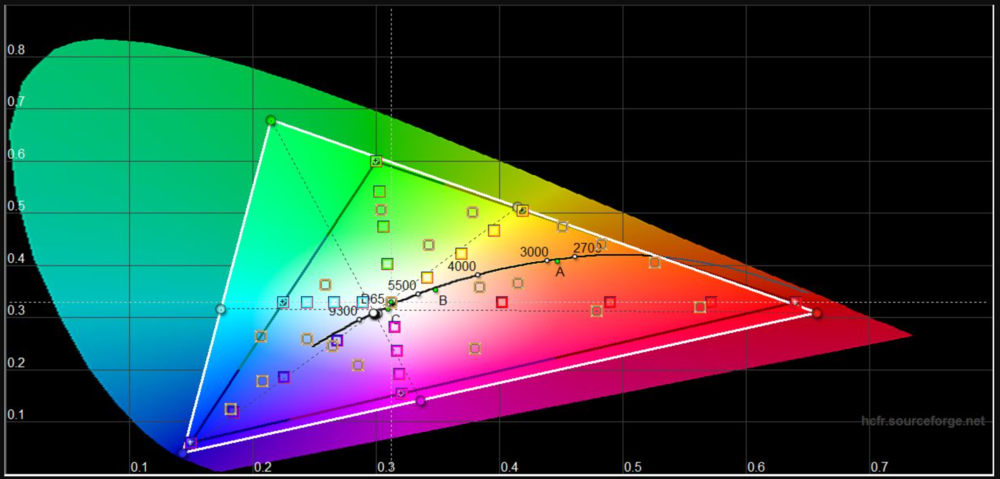
The AU Optronics panel offers a wide color gamut, fully covering sRGB and DCI-P3. For Adobe RGB, it achieves over 90%, which is also an excellent result. Regardless of whether it’s tested in SDR or HDR mode, the Predator Helios Neo 18 AI display delivers very high contrast levels, comparable to those typically seen on OLED panels.
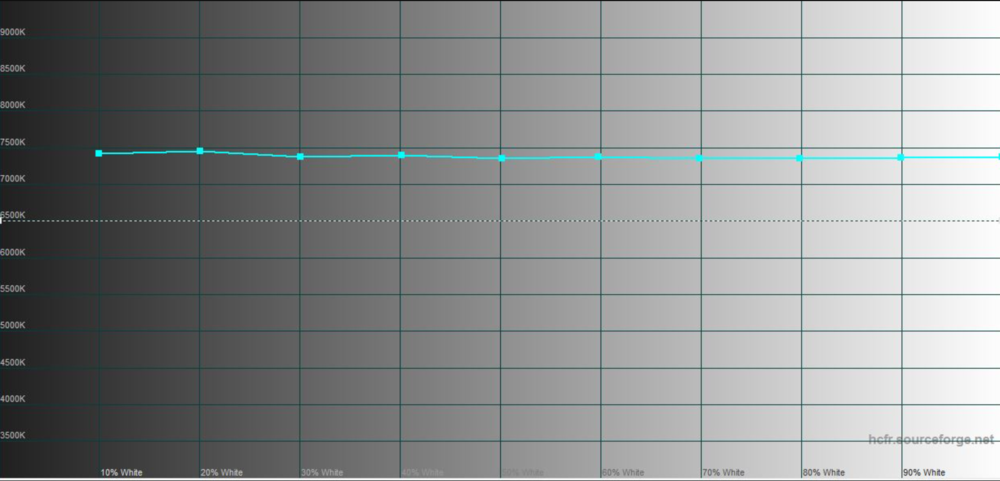
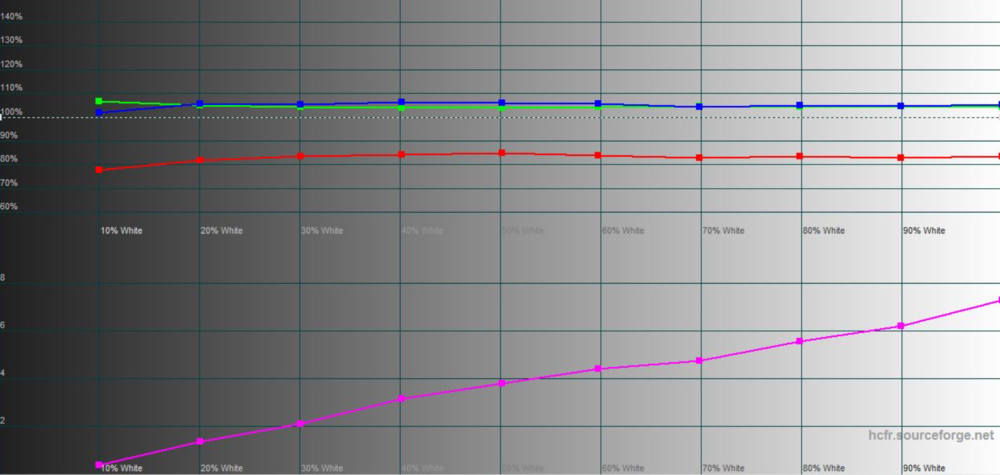
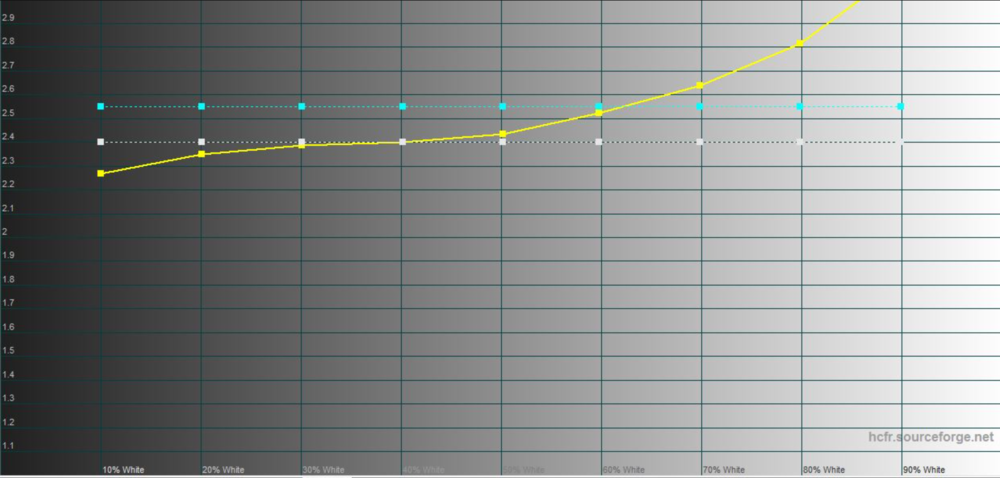
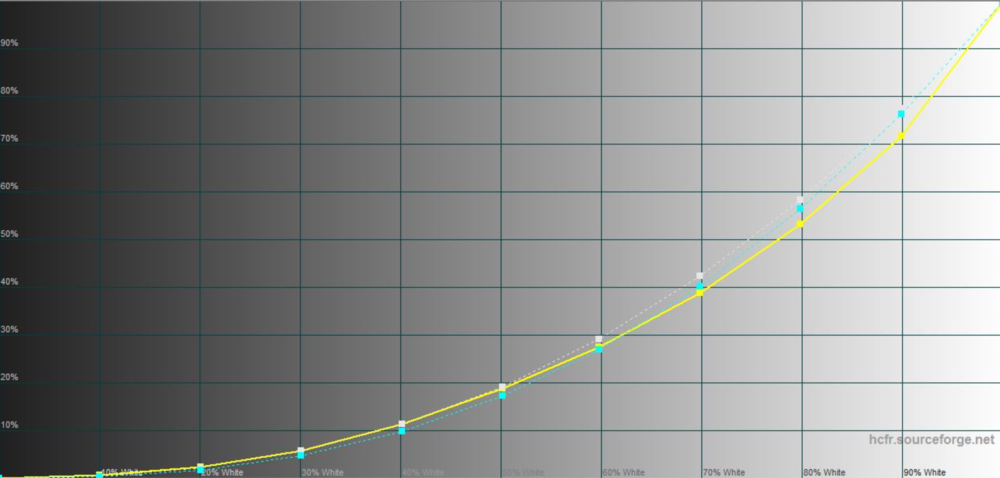
Of course, in real-world use, an IPS + Mini LED panel cannot deliver perfect results under all conditions. LCDs with local dimming can still exhibit blooming – bright halos around small bright elements on a dark background, such as a mouse cursor. The measured black level under optimal conditions is effectively 0 nits.
The display also performs well in terms of input latency, with a 2.3 ms delay at a 250 Hz refresh rate. The best pixel response time is 3.2 ms (average 6.6 ms), which is acceptable for a panel with these specifications.
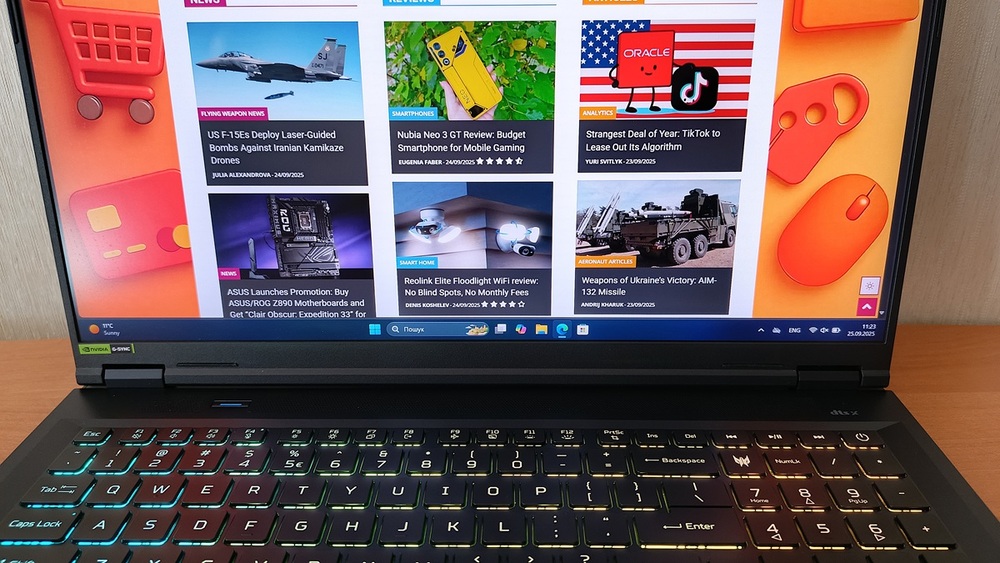
The display covers 100% of DCI-P3, making it suitable not only for late-night gaming but also for professional work – designers, video editors, and streamers will appreciate it. Factory calibration is also at a high level, comparable to monitors that typically require professional adjustment.
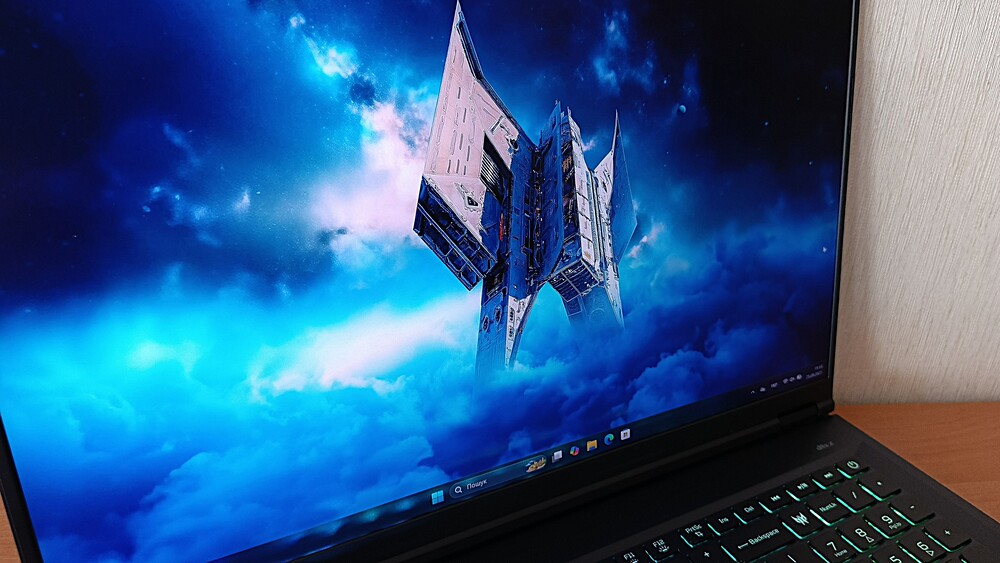
I found the laptop’s screen very impressive. It performs well for gaming, content consumption, and even photo or video editing. Honestly, the Mini LED WQXGA panel at 250 Hz strikes a solid balance: the image is vivid, the refresh rate isn’t compromised, and the laptop handles the load without strain.
Read also: All about USB standards and specifications
Video camera and sound
The standard 2-megapixel webcam is not particularly impressive in terms of image quality, though it performs at an expected baseline. It is sufficient for work calls and basic tasks, but should not be relied upon for higher-quality video needs. The camera does support additional features such as auto-framing, background blur, and “eye correction,” which enhance the user experience slightly. One important point: without proper lighting, the image appears dim, so a desk lamp or natural daylight is recommended.
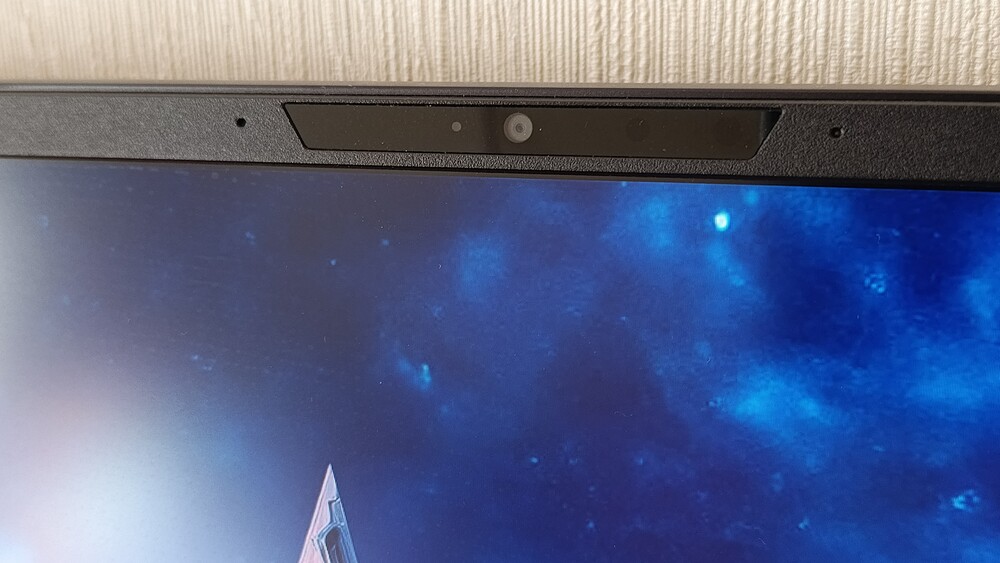
The built-in microphones perform as expected for a modern laptop. They are sensitive to background noise, but Acer includes the PurifiedVoice utility, which offers multiple modes with noise-cancellation features – and it works quite effectively. While recording quality cannot match that of external microphones, it is more than adequate for everyday communication.
It’s also worth noting the speaker setup. Given the laptop’s size, one might expect more speakers, but Acer has limited it to two, with DTS:X Ultra support.
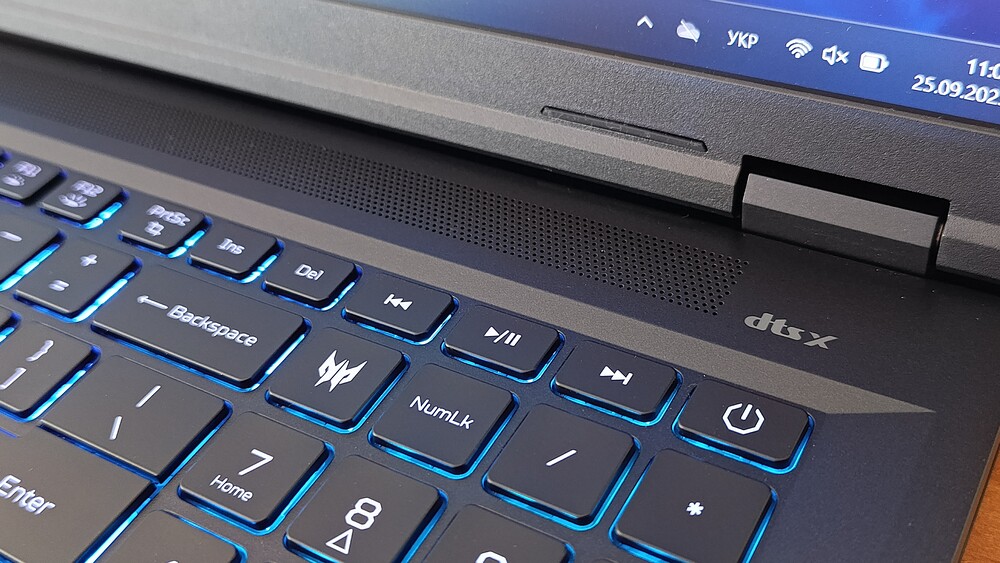
Acer does not specify which speaker handles low or high frequencies. The placement is conventional: at the bottom of the top chassis, near the user on both corners. The system delivers sufficient volume without excessive chassis vibration.
Overall, watching YouTube videos or movies delivers fairly good sound quality. Music, as is typical for laptops of this type, could benefit from richer bass and slightly higher volume, but this is a common limitation across most gaming laptops.
Read also: Lenovo ThinkPad X9 14 Gen 1 Aura Edition Laptop Review – Familiar Design, Minus the TrackPoint
Hardware platform and performance
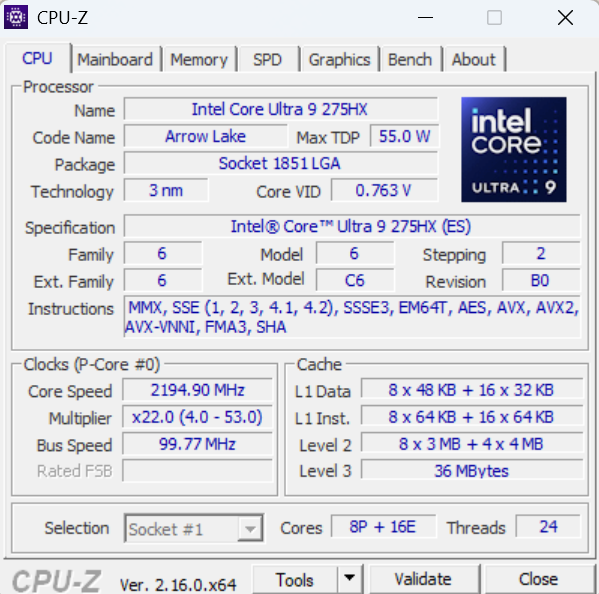
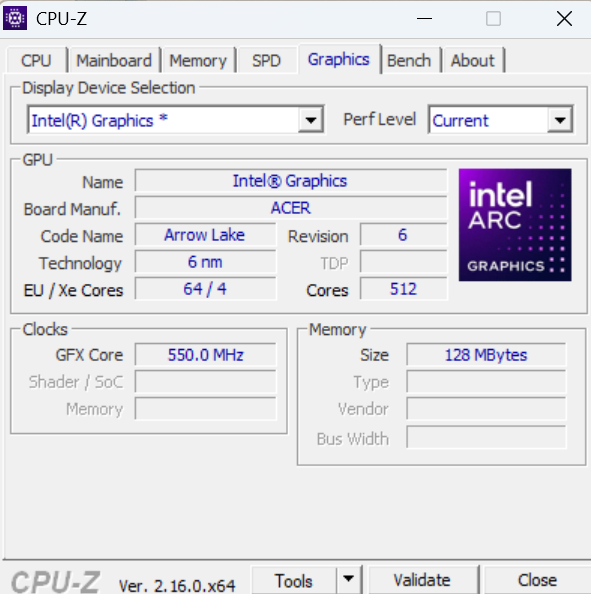
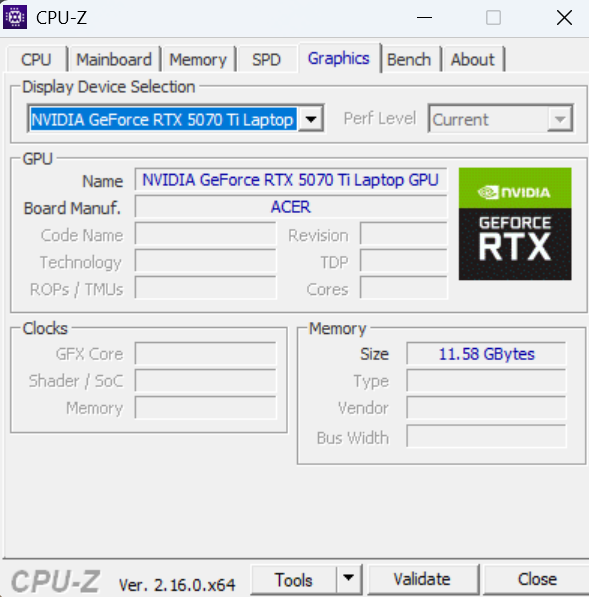
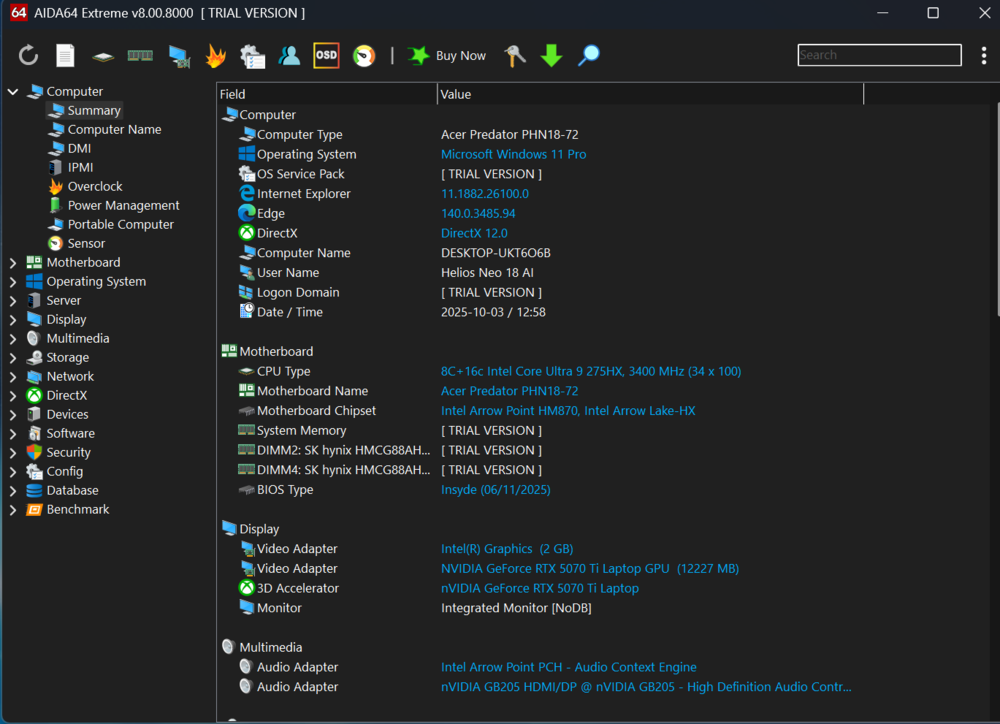
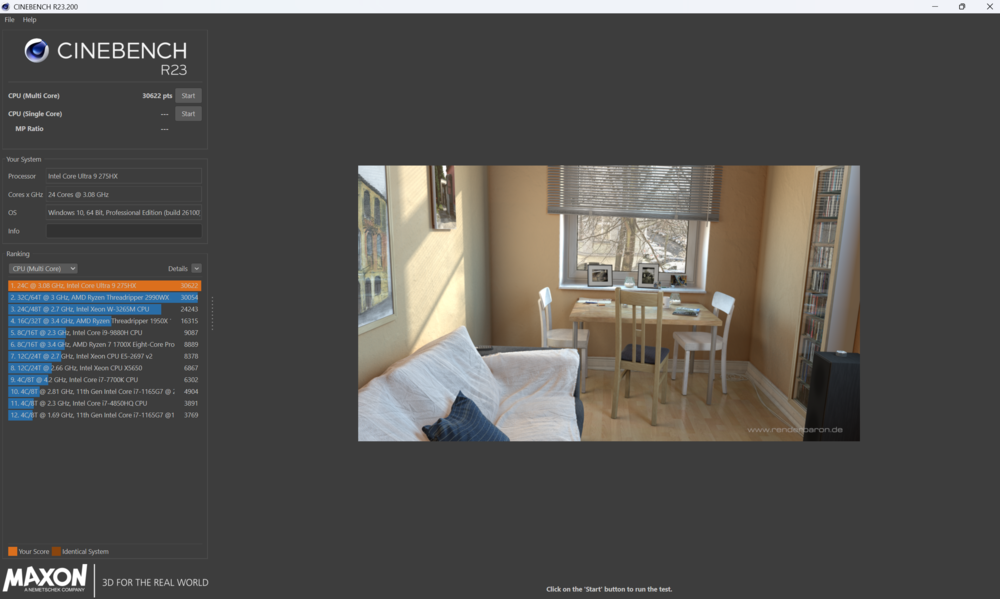
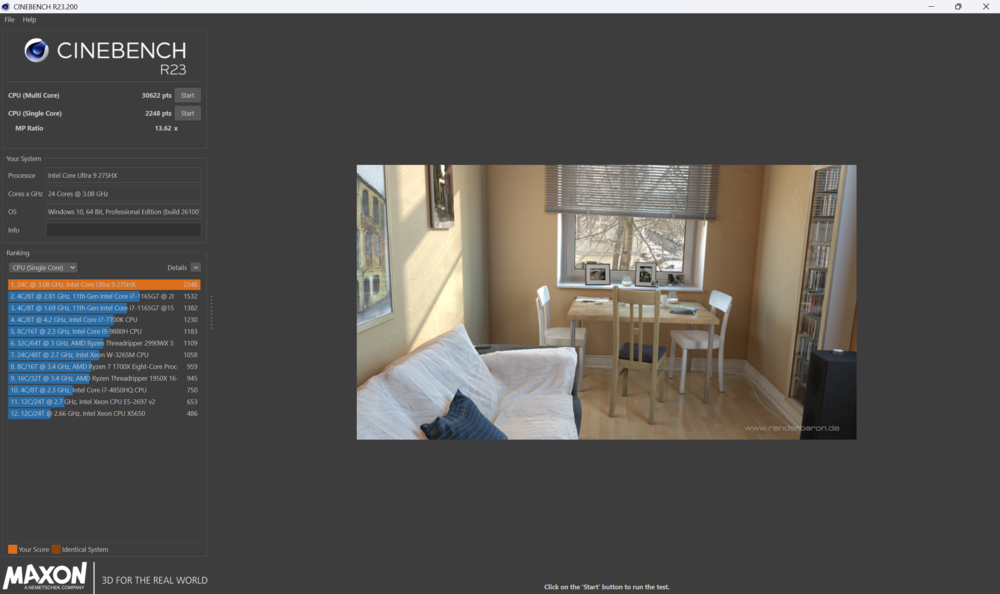
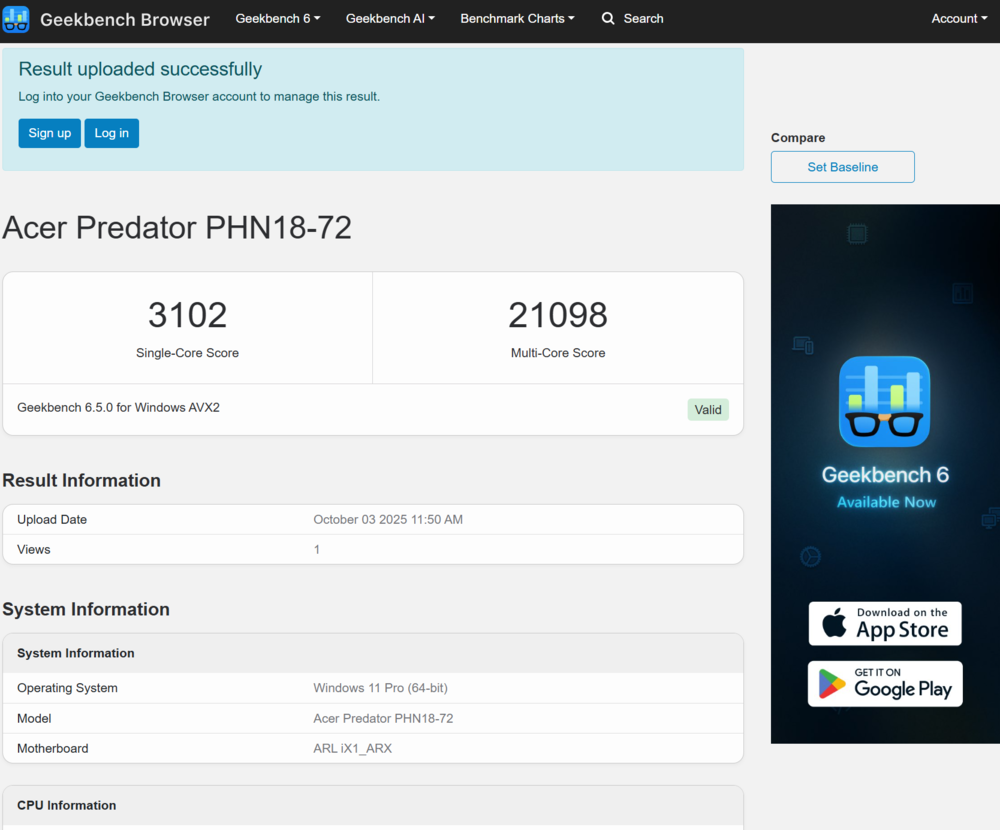
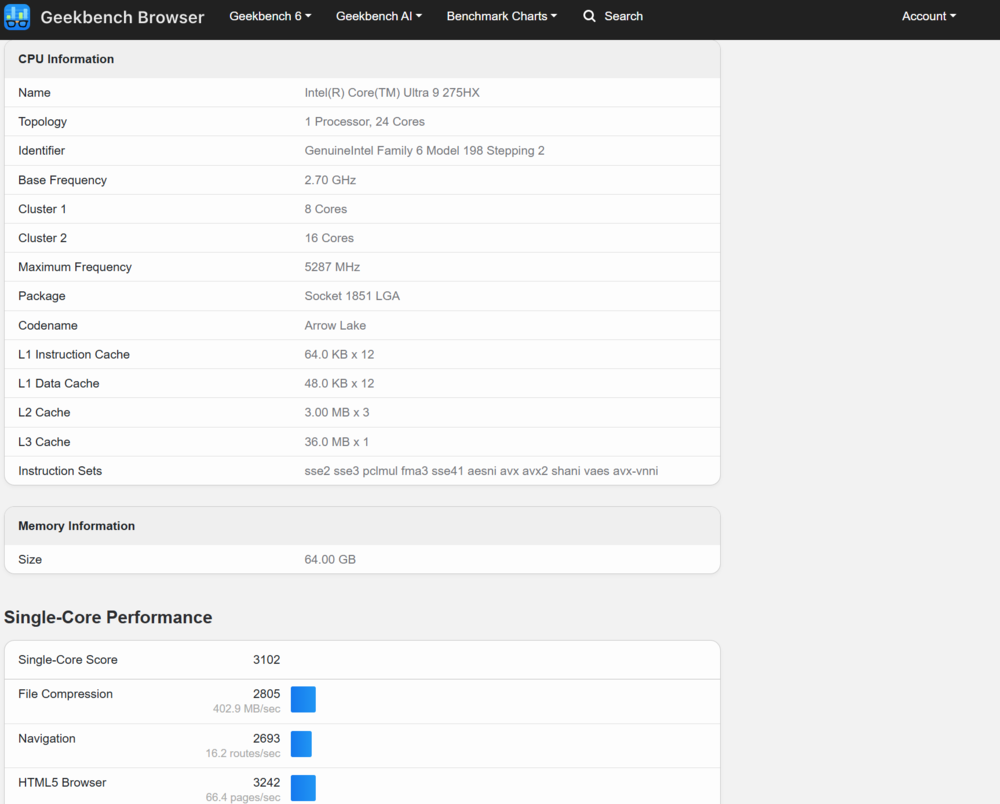
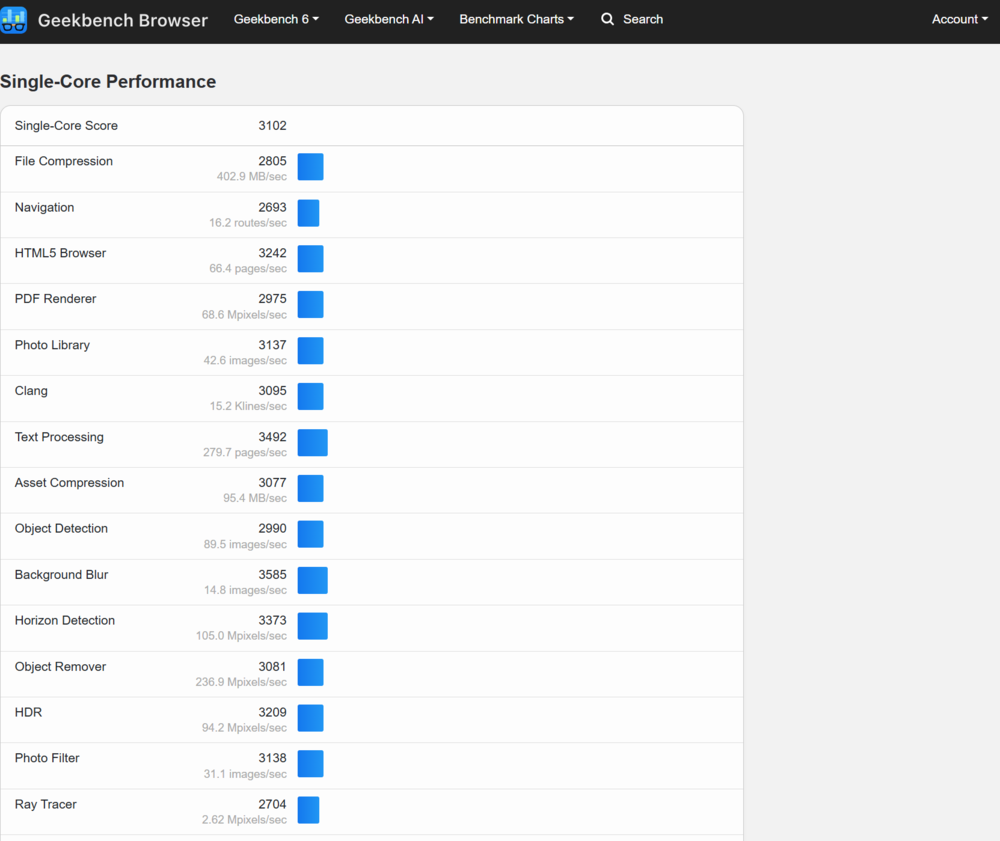
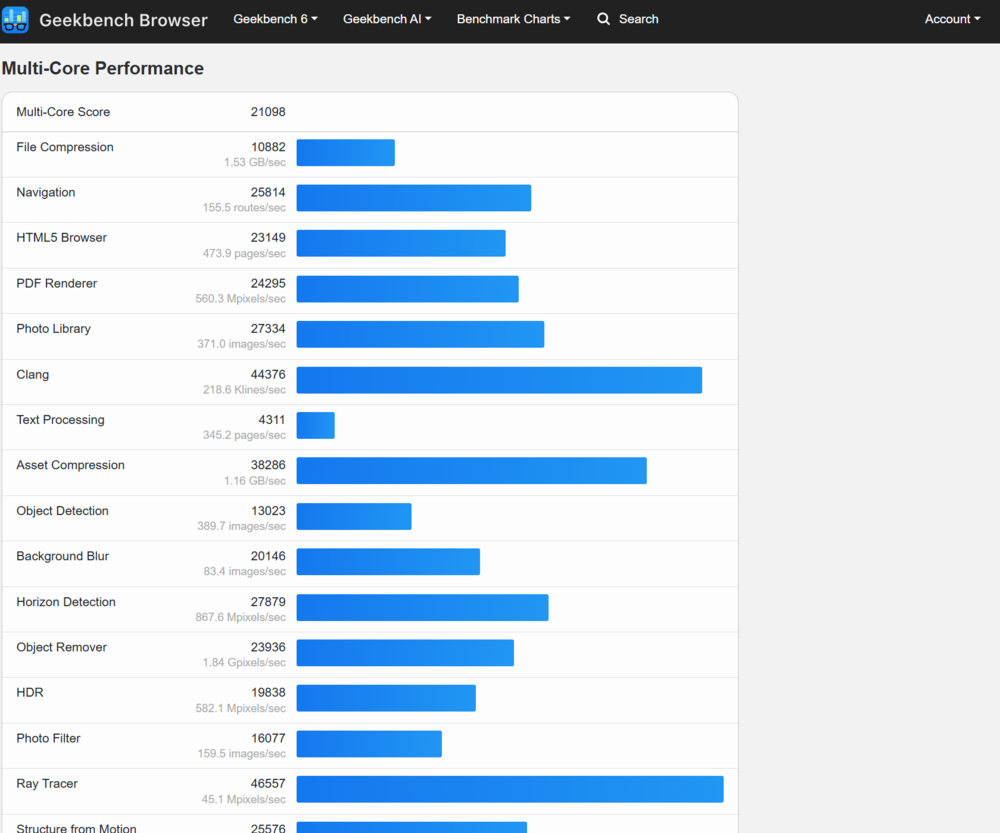
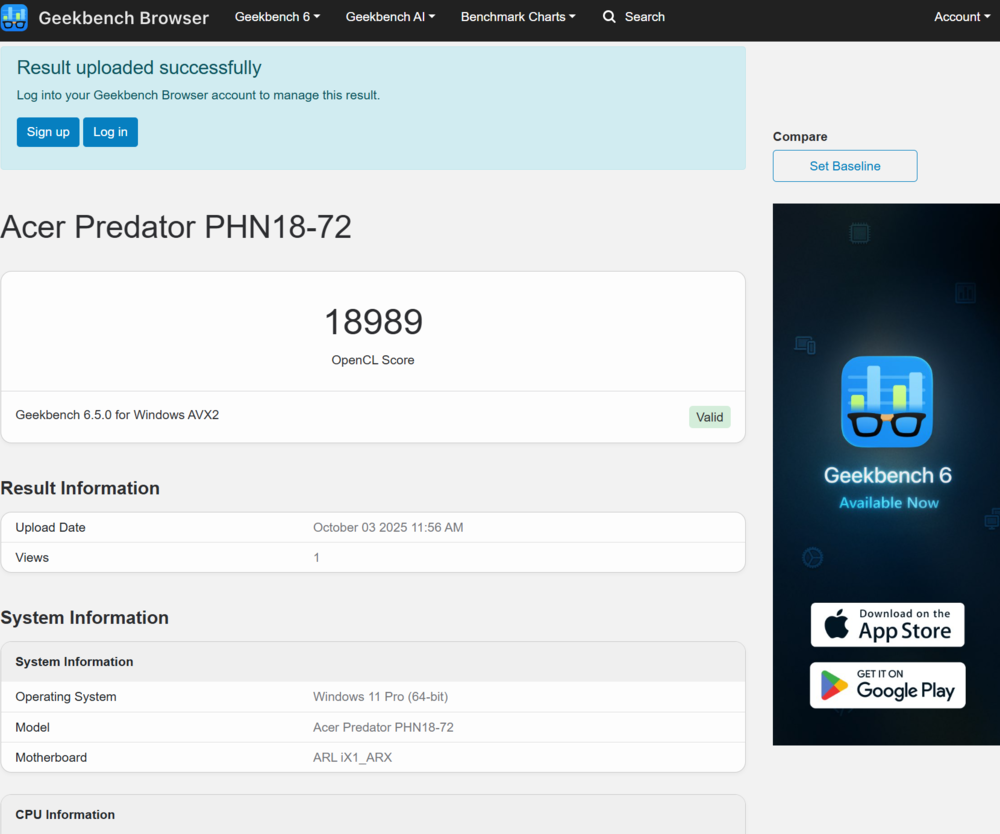
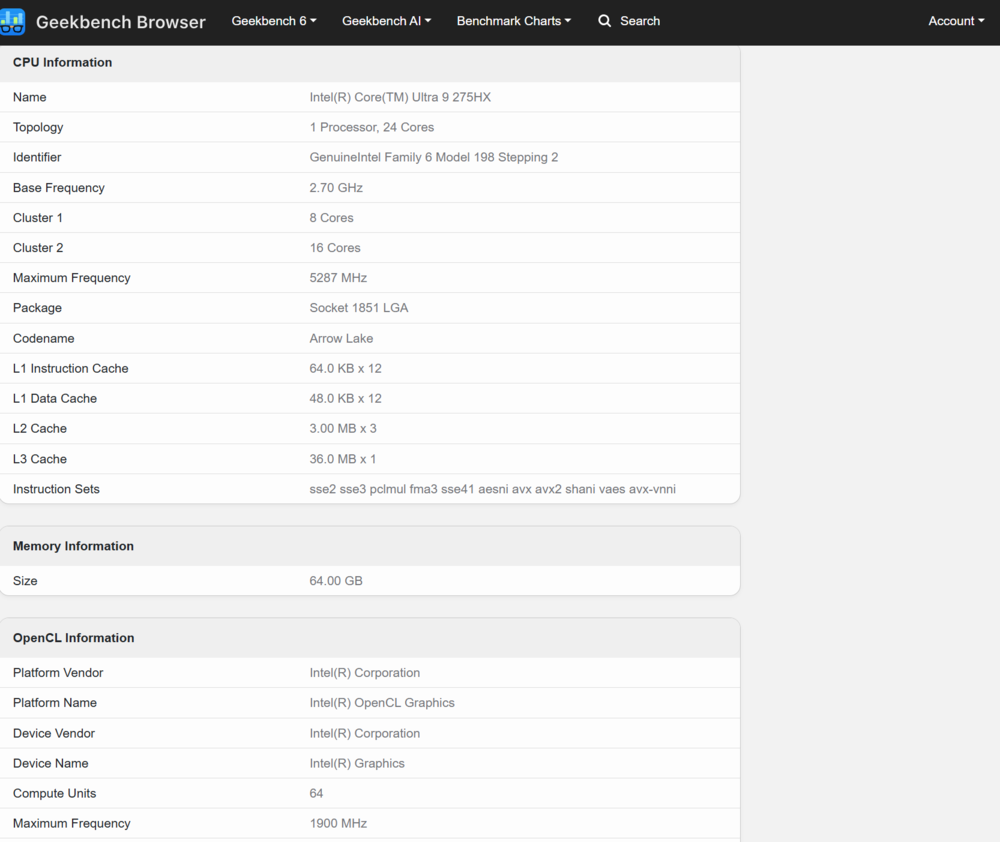
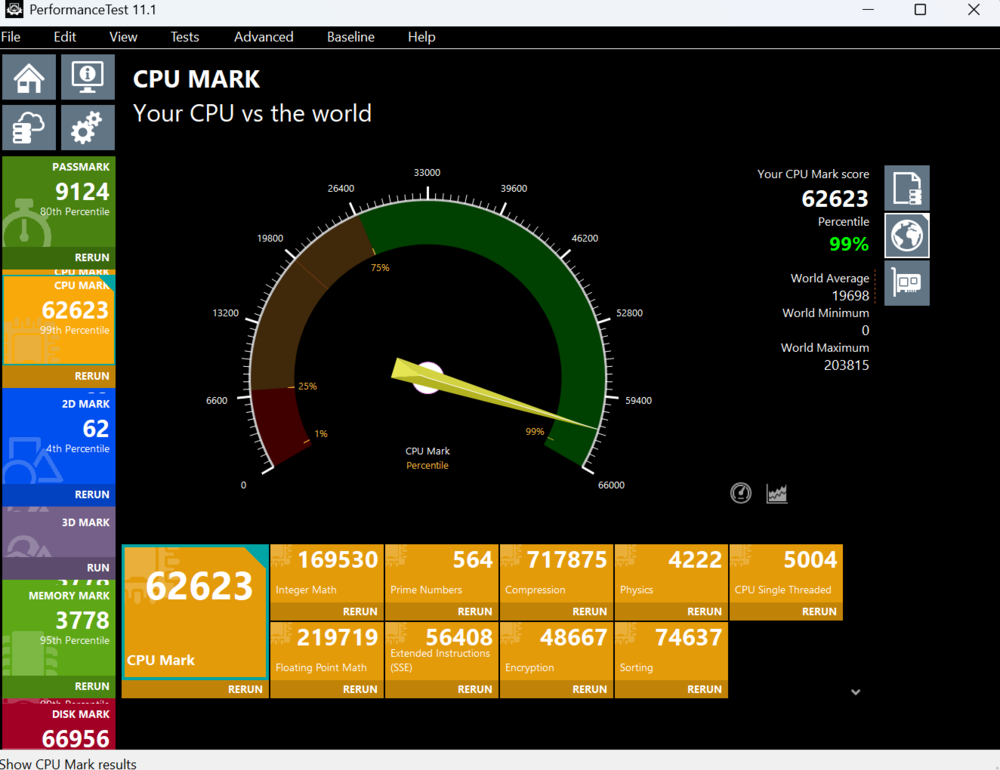
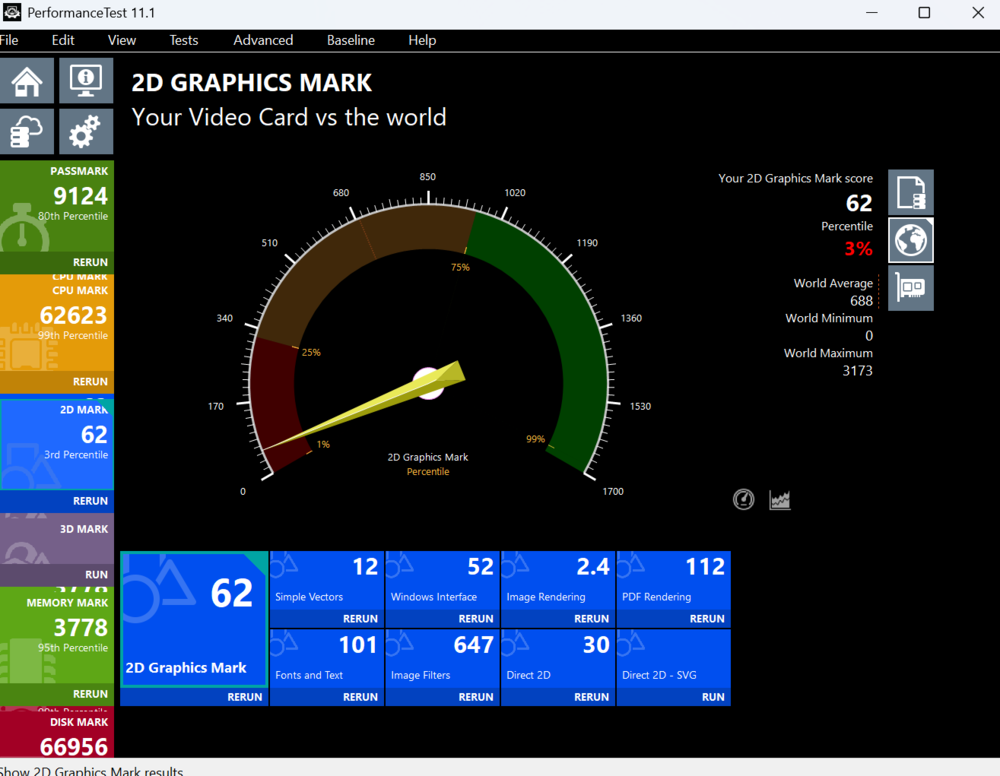
The unit I tested is a Predator Helios Neo 18 AI equipped with a 24-core Intel Core Ultra 9 275HX processor (8 performance cores up to 5.4 GHz, 16 efficiency cores up to 4.6 GHz, 24 threads, 36 MB cache, 55 W) from the Arrow Lake-HX series, an Intel AI Boost neural processor (13 TOPS), an NVIDIA GeForce RTX 5070 Ti GPU (12 GB GDDR7, up to 1,447 MHz, up to 115 W), 64 GB of DDR5-6400 RAM, and dual 1 TB SSDs.
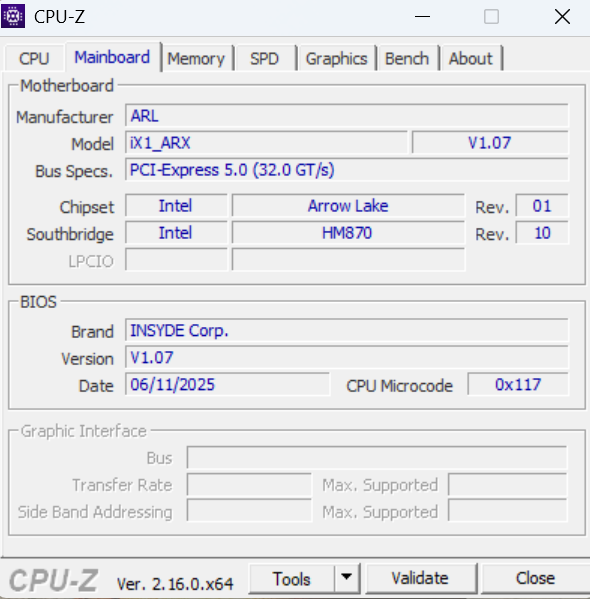
One noticeable omission is Wi-Fi 7 support; the Predator Helios Neo 18 AI instead uses Wi-Fi 6E. This is likely a minor cost-saving measure by Acer, and it doesn’t pose a significant issue. Considering the RJ-45 port, Intel Killer Ethernet E3100G support, and the fact that this laptop is a “tank” that will almost certainly be plugged in for serious gaming, a wired connection is probably the best choice for optimal performance.
Bluetooth 5.4 is also supported. During testing, I did not notice any issues with connection stability or signal strength.
Intel Core Ultra 9 275HX processor
The Intel Core Ultra 9 275HX is a next-generation processor featuring a hybrid design with two types of cores: Performance (P-Core) and Efficient (E-Core). The Arrow Lake-HX generation uses the Lion Cove microarchitecture for P-Cores and Skymont for E-Cores. The Lion Cove core has undergone numerous modifications, making it the most complex x86 core in Intel’s history. Its pipeline has been expanded, now including an eightfold larger branch prediction unit, an eight-channel decoder, and a 12-channel μOP cache (increasing micro-operations from 14 in Golden Cove to 20 in Lion Cove).
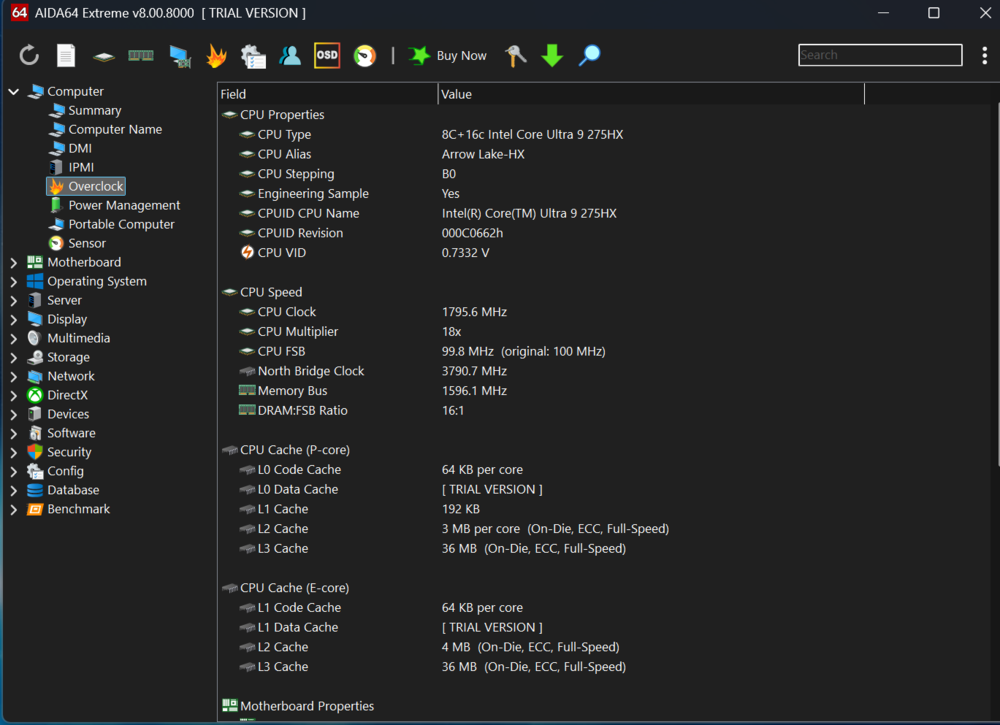
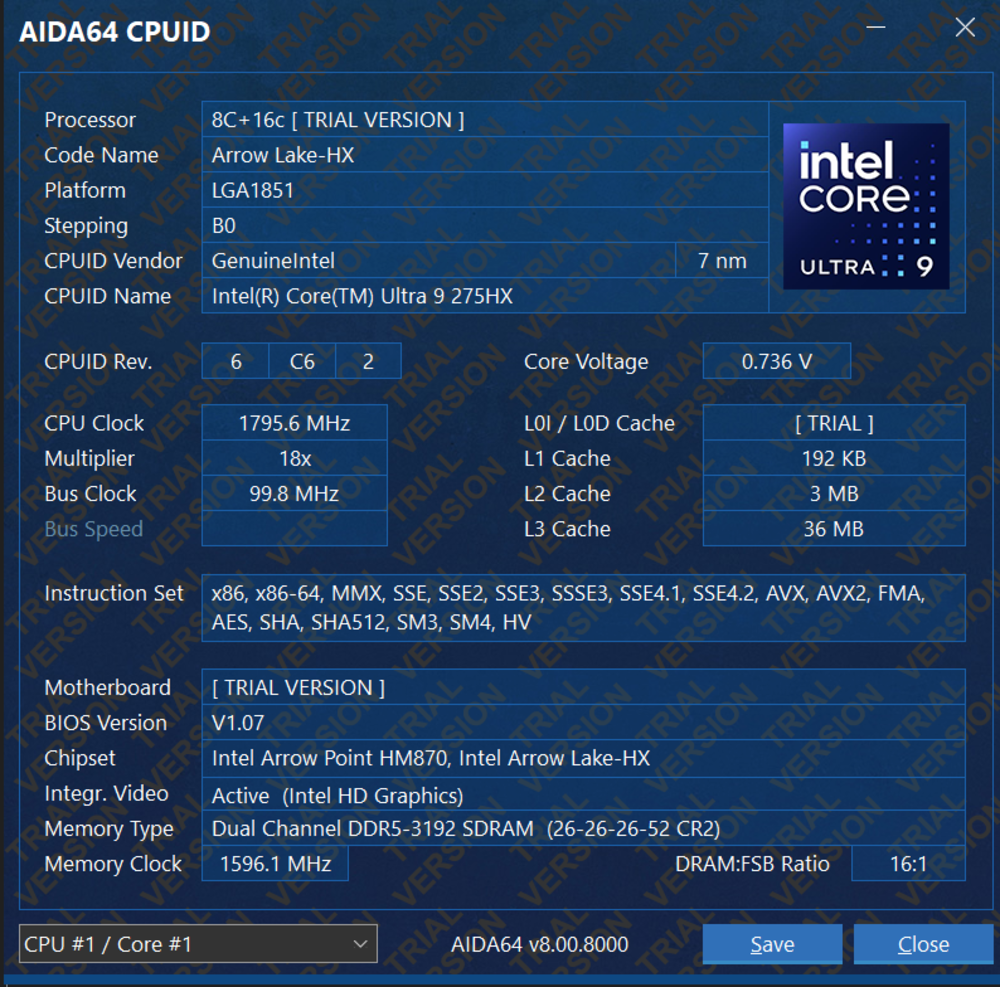
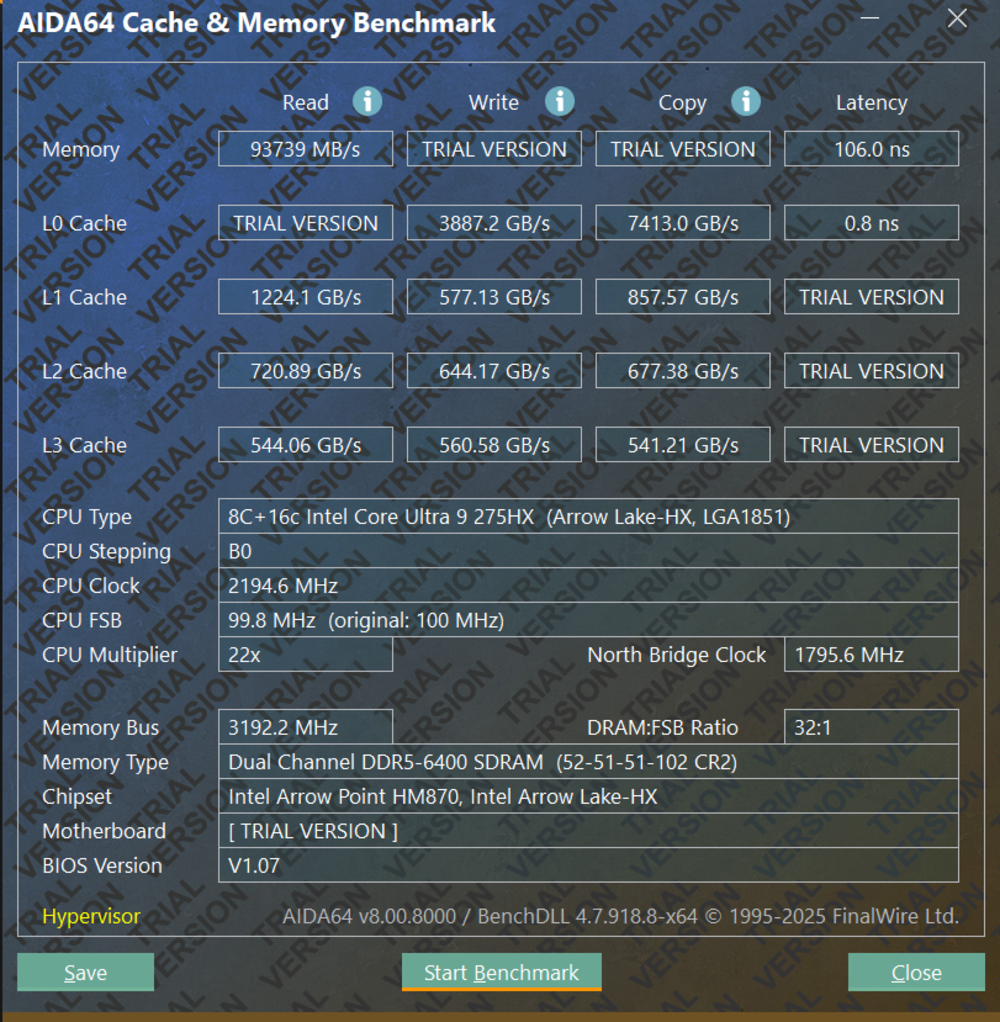
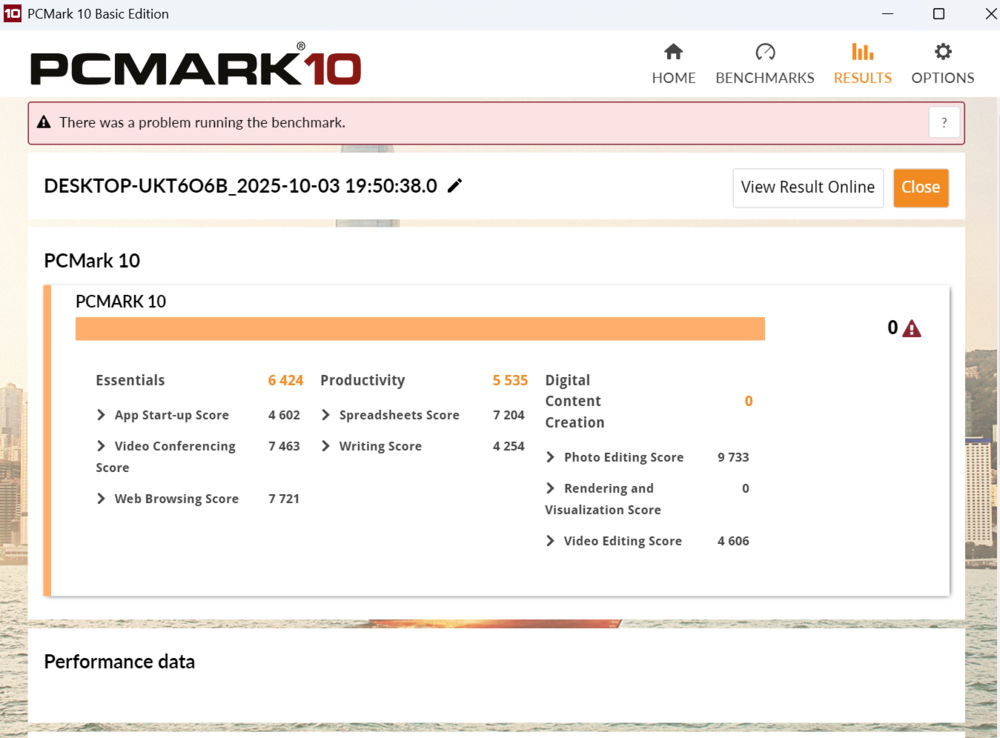
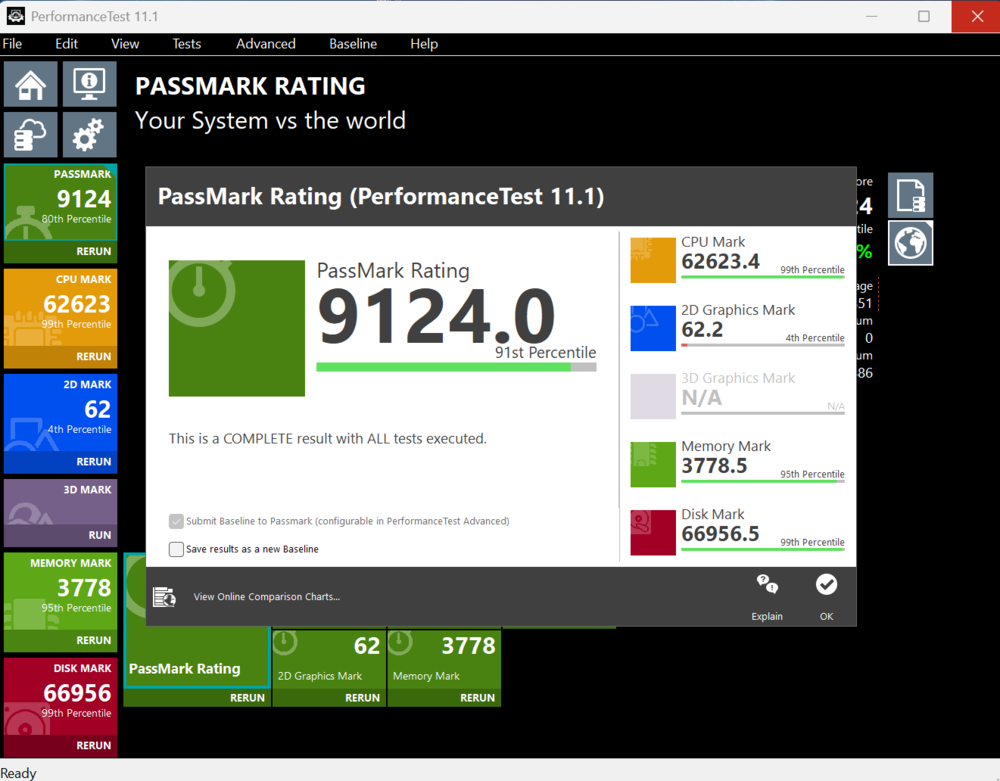
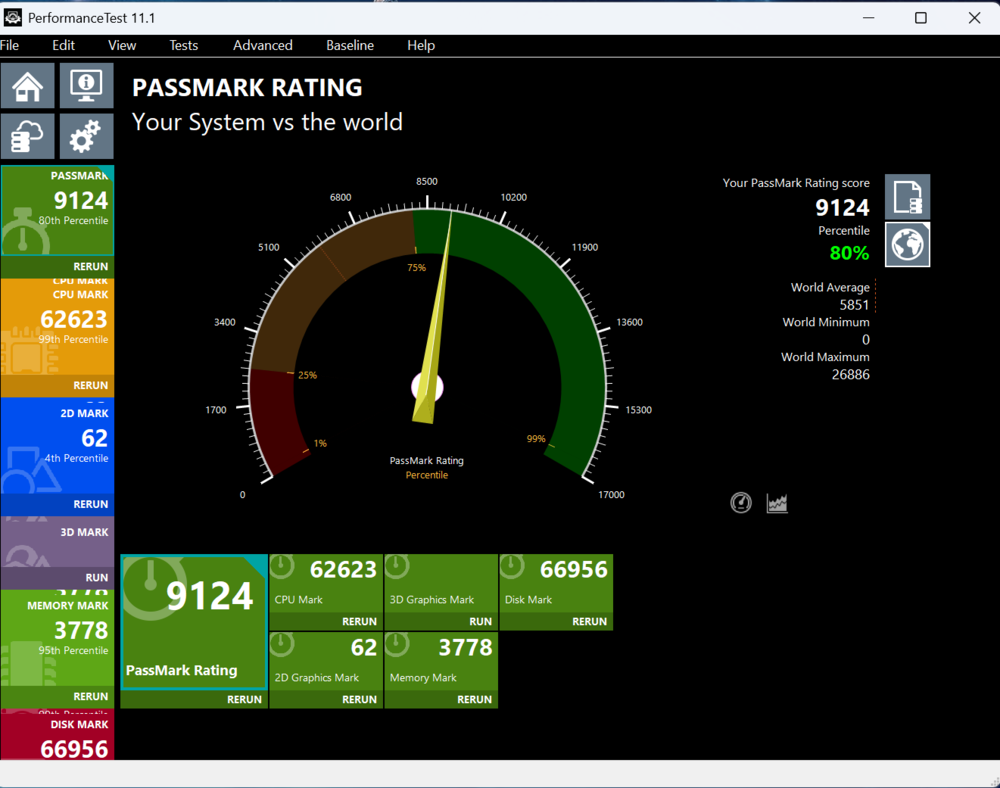
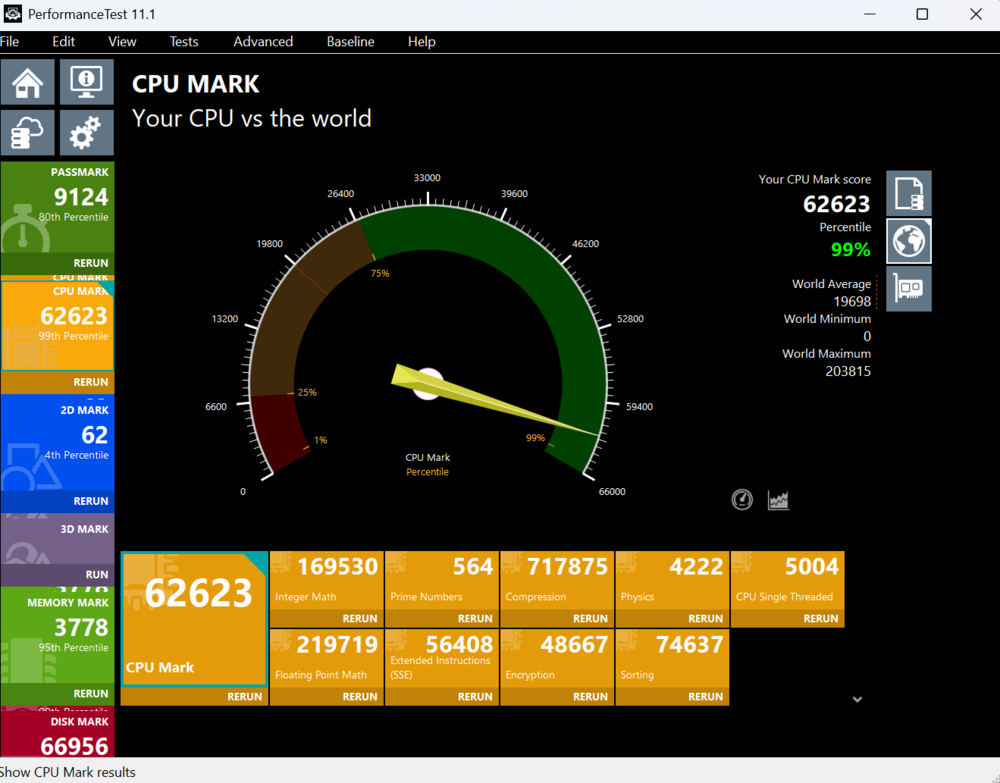
In the Out-of-Order engine, the INT and VEC units have been fully separated, giving them completely independent schedulers and allowing for more scalable designs in future microarchitectures based on demand. Compared to the Redwood Cove core in Meteor Lake, the Dispatch/Rename width has been increased, Wide Retirement widened from 6 to 8, and one of the most significant changes is the expansion of execution ports from 12 to 18.
The out-of-order instruction window has also grown significantly, from 512 in Redwood Cove to 576 in Lion Cove. Integer units increased from 5 to 6, and there are now more branch and shift units, both rising from 2 to 3. Additionally, the number of MUL instructions capable of 64×64>64 operations has increased from 1 to 3.
The Skymont core features an expanded 128-byte branch predictor and significantly faster instruction fetch. A 9-wide decoder (arranged as 3×3) was introduced, increasing the number of clusters by 50% compared to the previous Efficient Core generation. The μOP queue was expanded from 64 to 96 entries. The Out-of-Order engine now has wider Dispatch/Rename capabilities, increasing from 6-wide in Crestmont to 8-wide in Skymont, and the retirement width has doubled from 8-wide to 16-wide. The out-of-order instruction window has also grown substantially, from 256 entries in Crestmont to 416 entries in Skymont.
Skymont features a total of 26 dispatch ports, including eight integer ALUs and three branch ports. The Efficient Core achieves lower latency by supporting FMUL (FP64 multiplication), FADD (64-bit double-precision floating-point addition), and FMA (fused multiply-add). Skymont also includes built-in floating-point rounding support.
NVIDIA GeForce RTX 5070 Ti graphics card
The NVIDIA GeForce RTX 5070 Ti laptop GPU is based on the Blackwell architecture. It features the GB205 core with 5,888 CUDA cores and 12 GB of GDDR7 memory on a 192-bit bus, delivering a bandwidth of 672 GB/s.
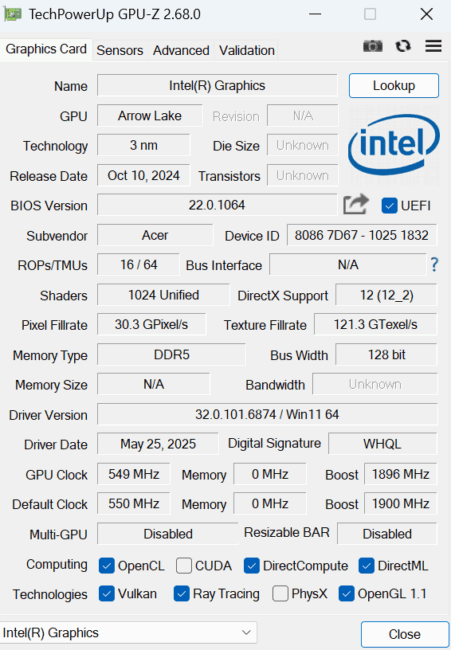
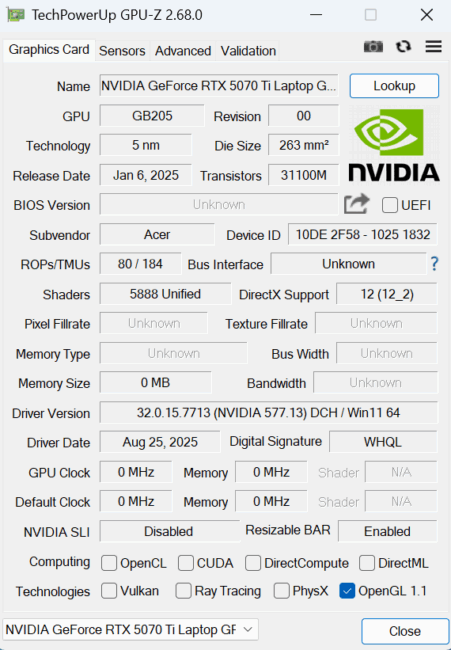
The chip delivers strong performance in both rasterization and ray tracing, making it significantly more efficient than the GeForce RTX 4070 laptop GPU and generally competitive with the RTX 4080 laptop GPU. It fully supports DLSS 4, including Transformer-based upscaling and Multi-Frame Generation in x2, x3, and x4 configurations.
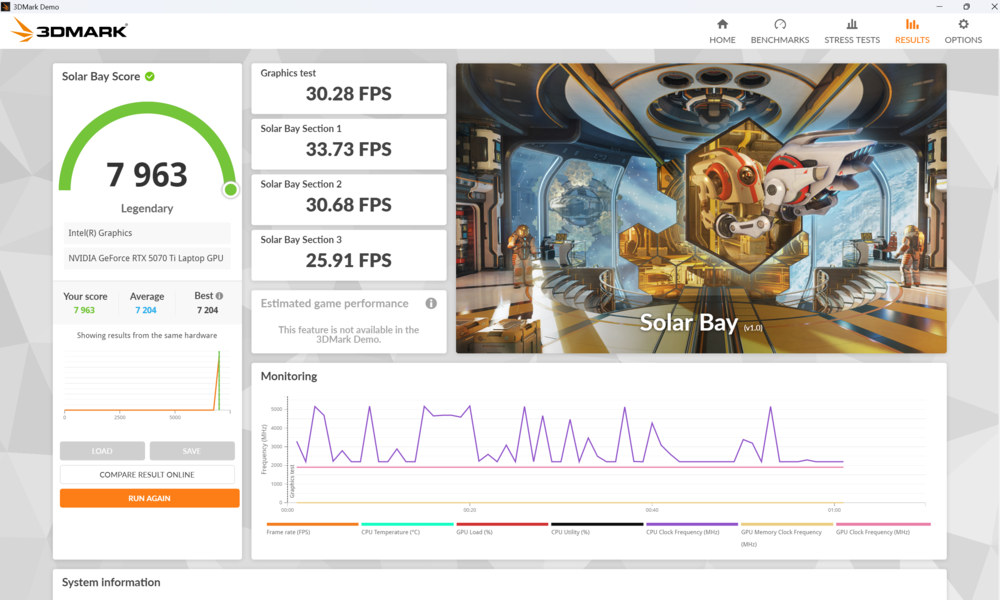
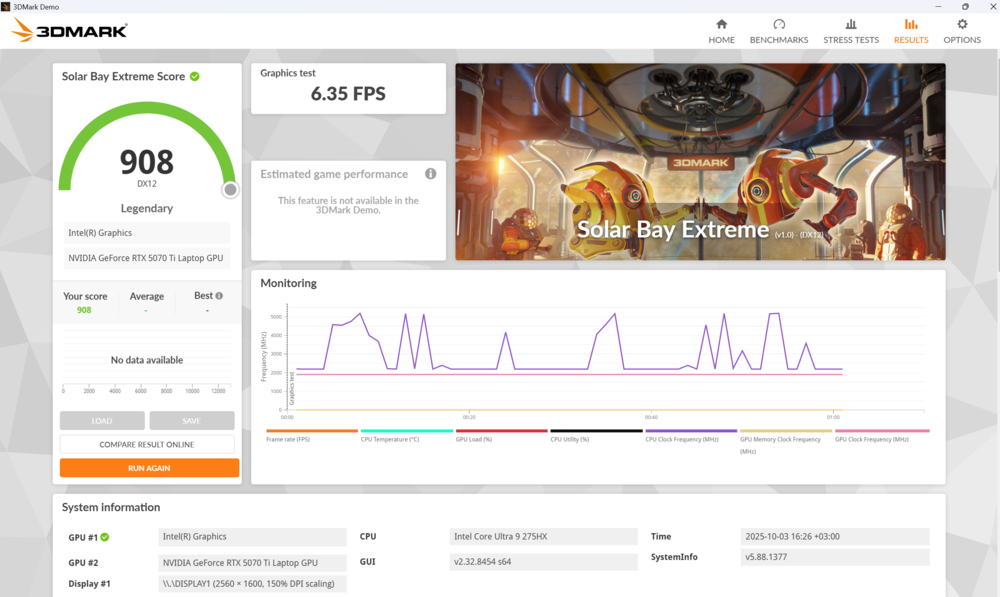
In the Predator Helios Neo 18 AI, the GPU has a maximum TGP of 115 W, indicating a more efficient version of the card. Combined with DLSS 4, this provides adequate performance at the laptop’s native display resolution.
Operating memory
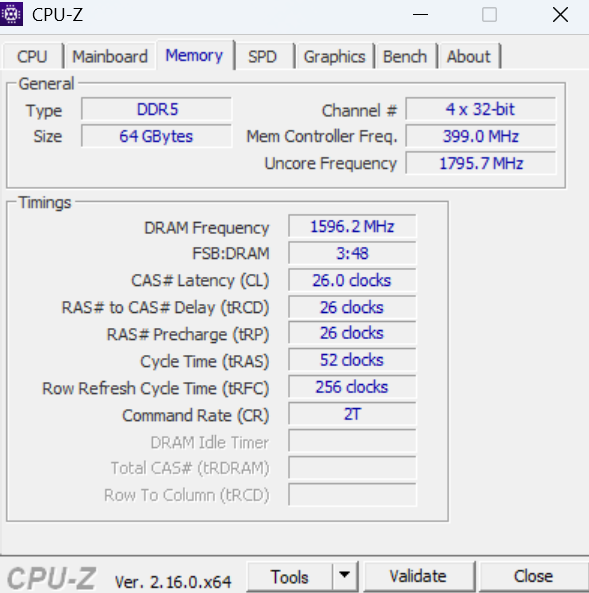
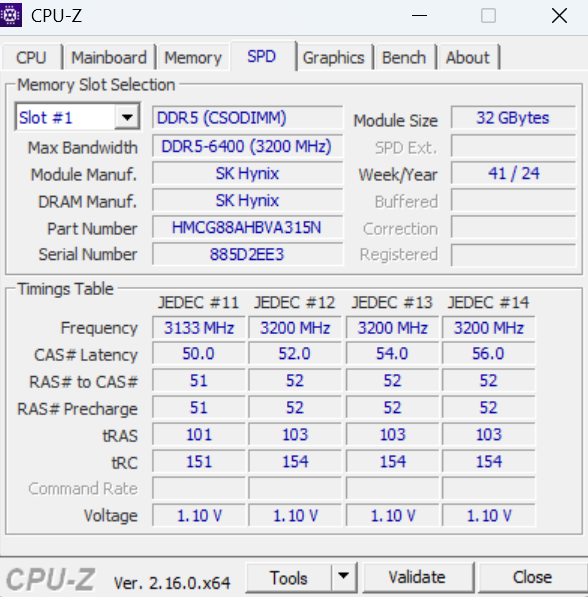
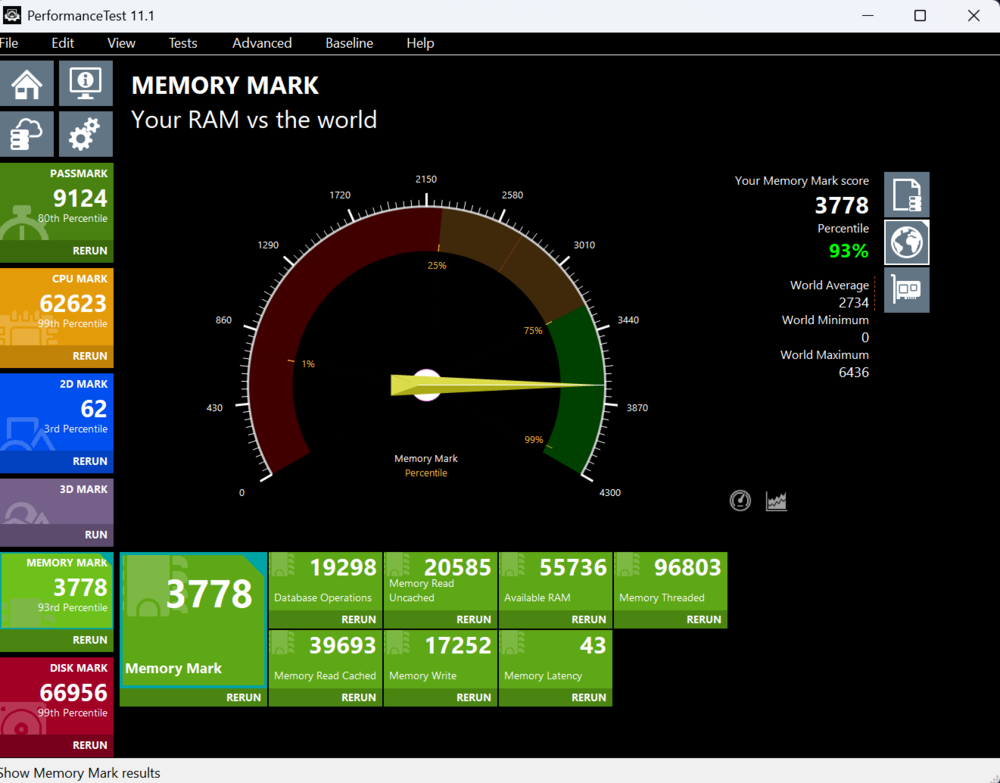
The tested unit is equipped with two 32 GB DDR5 modules from the Polish brand GOODRAM, totaling 64 GB in a dual-channel configuration. They are built on SK Hynix chips and operate at 6,400 MHz.
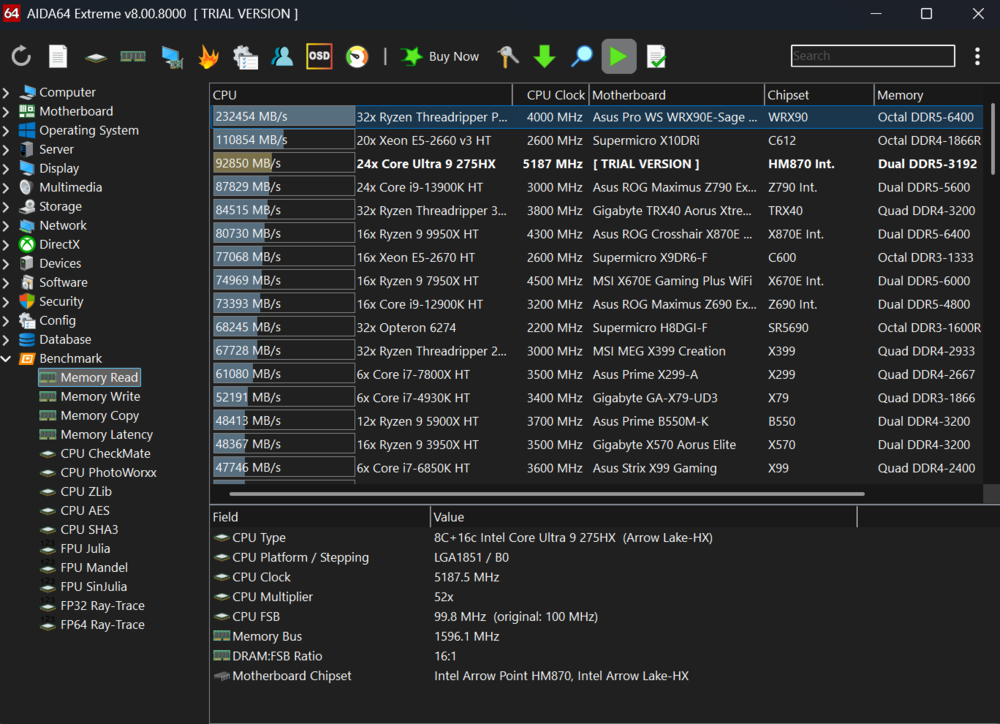
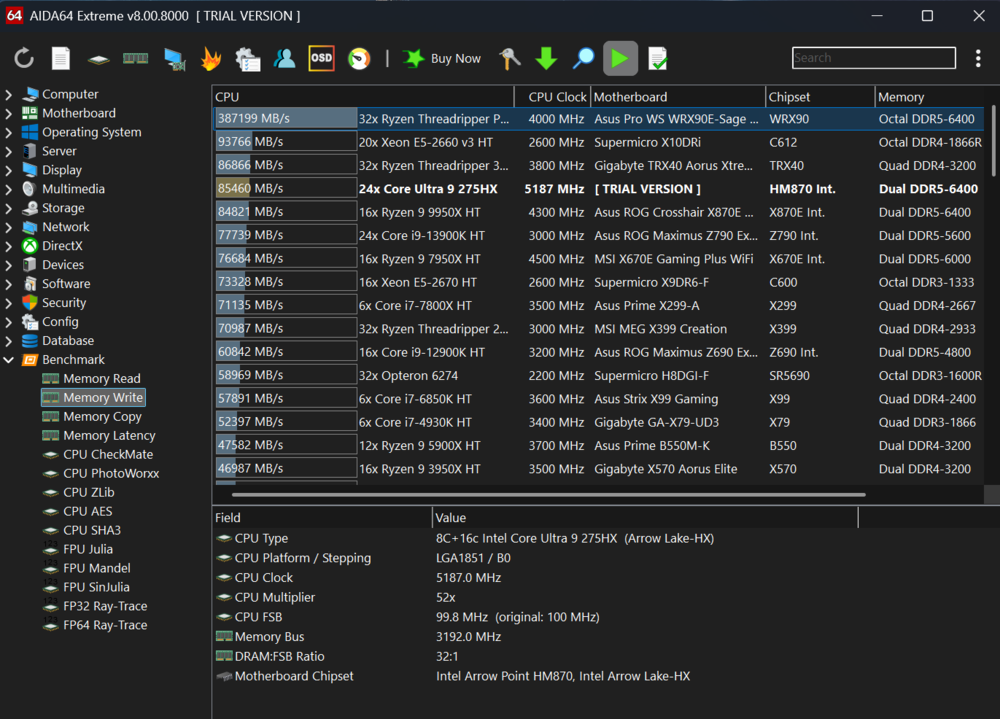
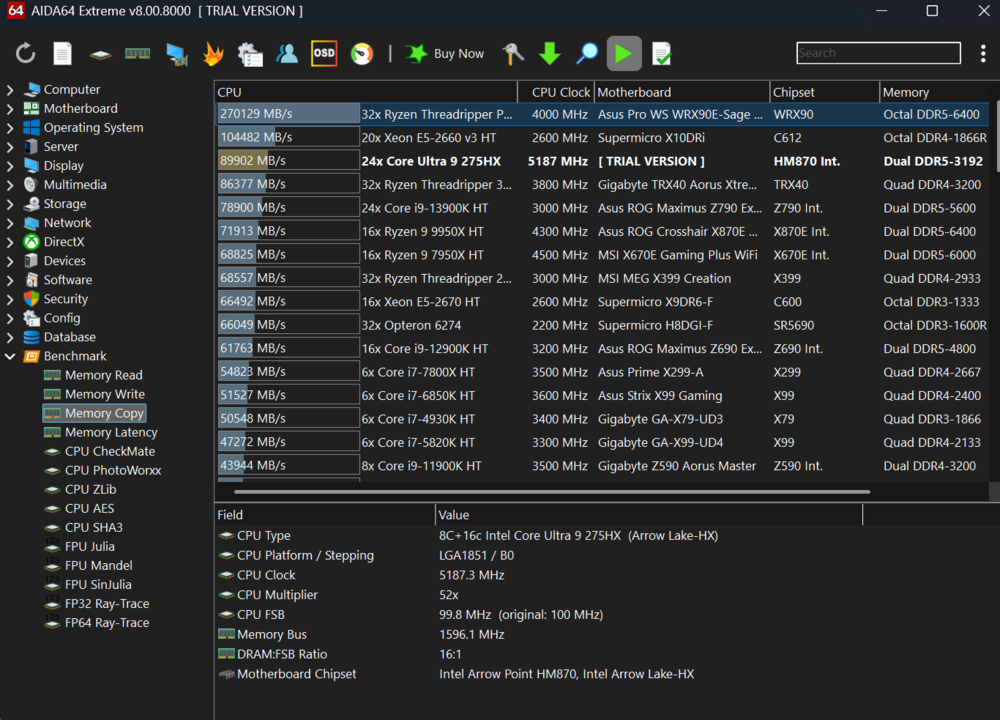
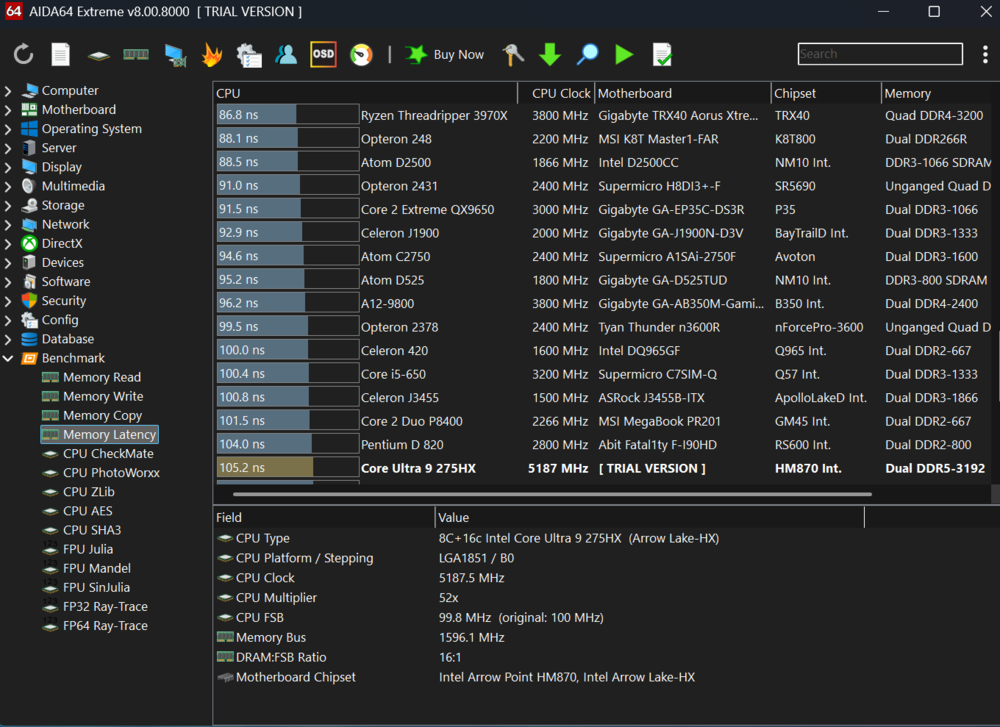
This is the maximum amount of RAM, so there is no option for expansion. For some users, particularly gamers who may need more, this could be a limitation. In that case, the Predator Helios 18 AI offers up to 192 GB of RAM. Personally, 64 GB was more than sufficient for gaming and general use.
SSD drives
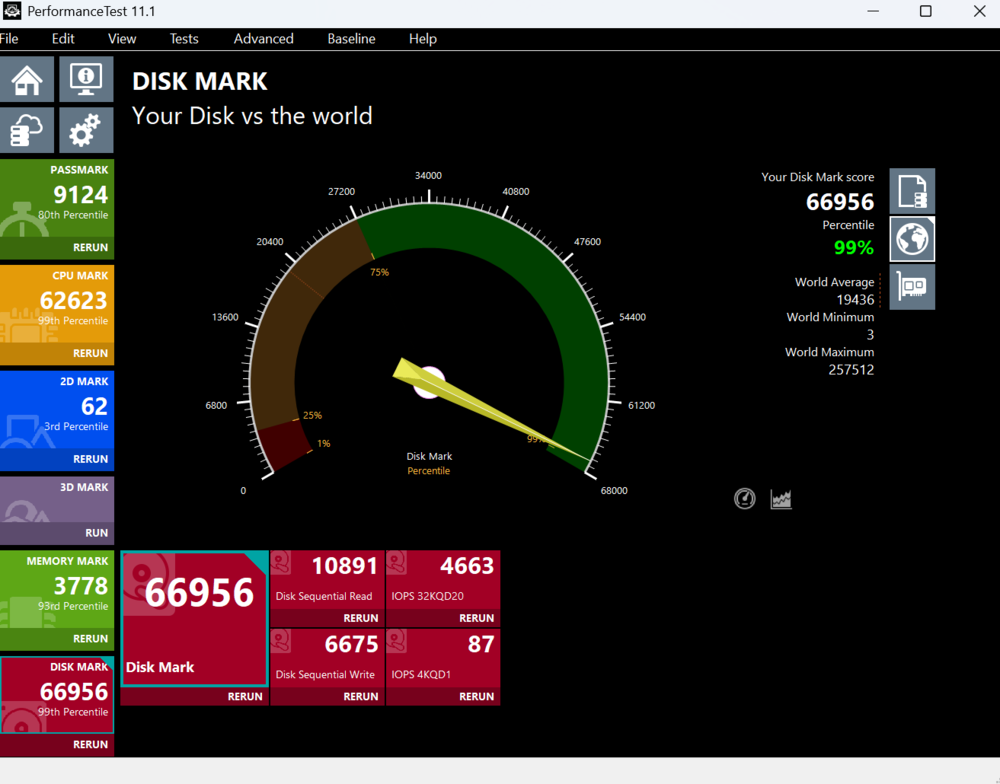
The Predator Helios Neo 18 AI laptop is equipped with two HFS0001TEJ9X125N drives, each with a capacity of 1,024.2 GB (1 TB).
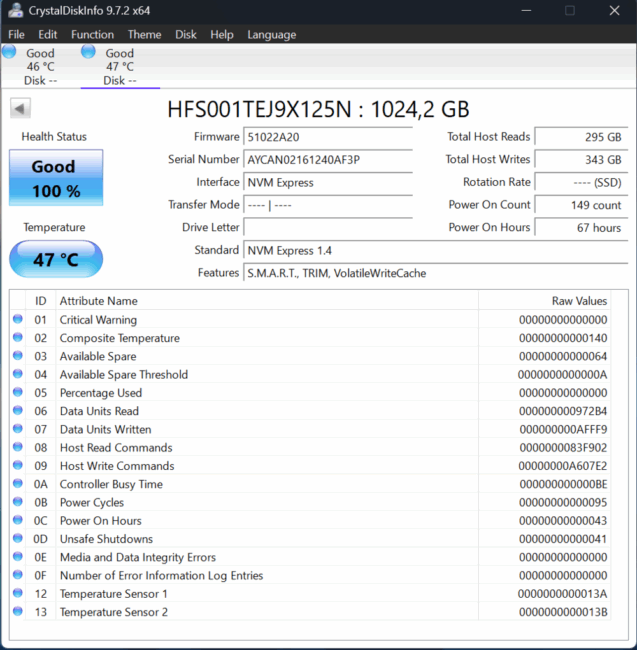
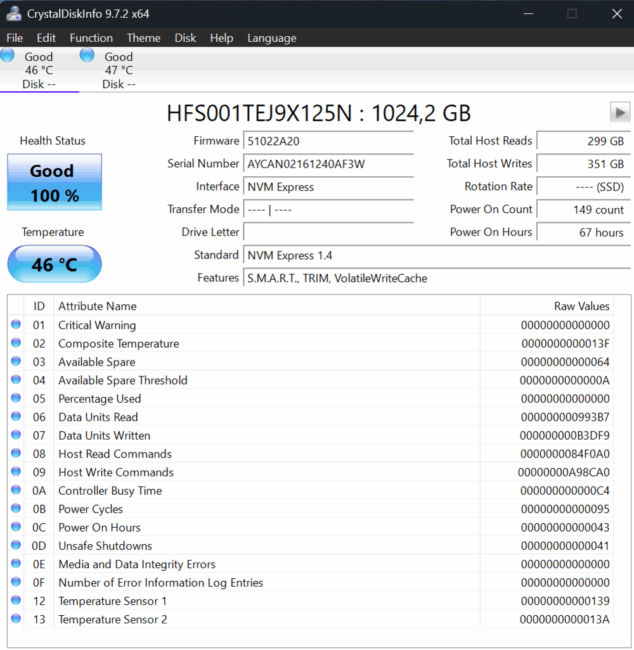
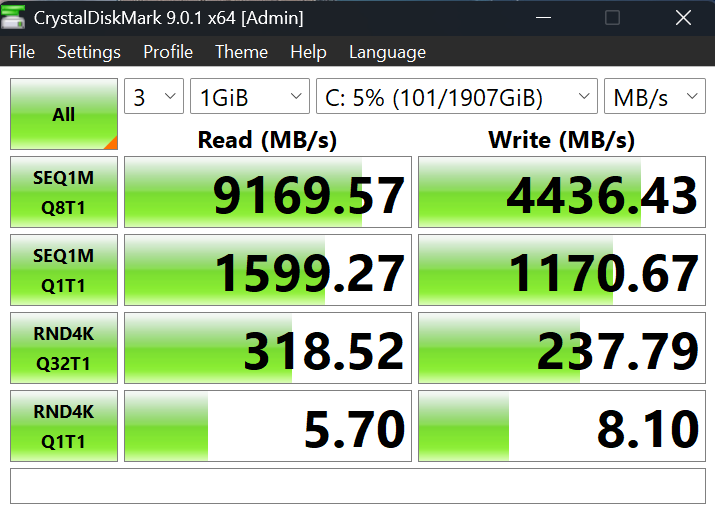
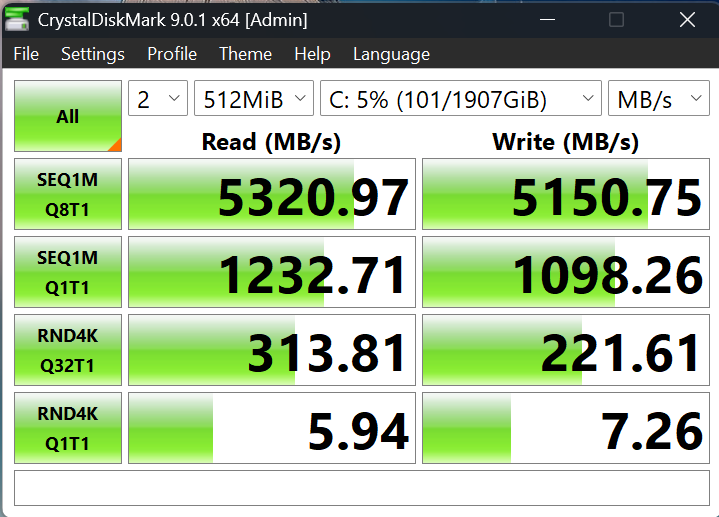
This drive (M.2 2280, PCIe 4.0, NVMe 2.0) uses an Alistar ACN075 controller and 176-layer 3D TLC NAND. Its sequential read and write speeds reach 7,000 MB/s and 6,500 MB/s, respectively, while random read and write performance is 1,500,000 IOPS and 1,400,000 IOPS.
Read also: Dream Machines RT5090-16UA32 Review: RTX 5090, Ryzen X3D, and Liquid Cooling
Acer proprietary software
The laptop comes with Windows 11 Pro preinstalled, which is a logical choice for a machine of this class. The system is ready to function both as a corporate workstation and as a versatile tool for a home office.
Acer’s PredatorSense utility serves as the central control hub. It provides real-time monitoring of CPU and GPU temperatures, fan speeds, performance profile switching, and keyboard lighting management. The interface is straightforward, intuitive, and sufficiently informative.
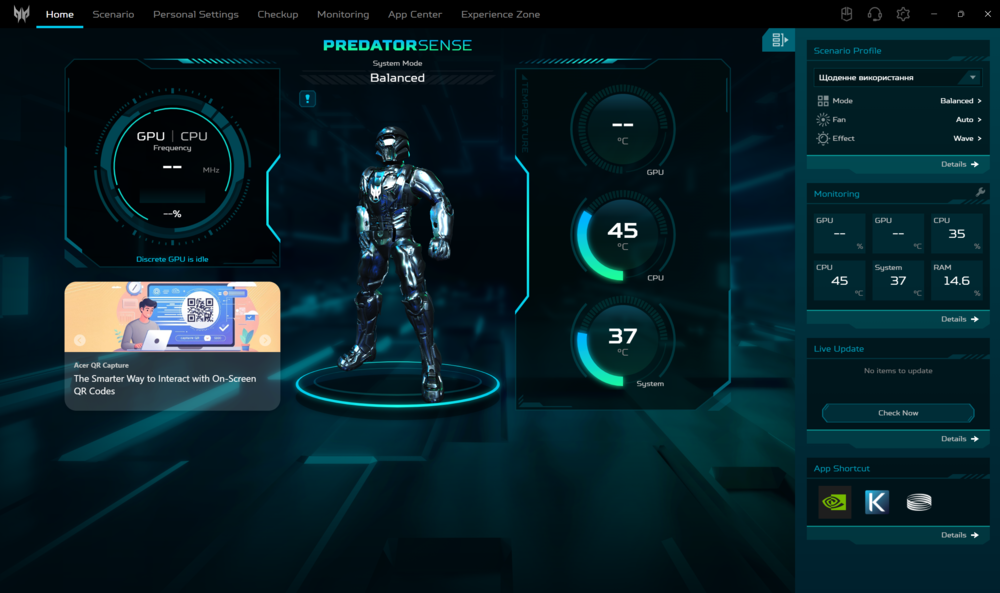
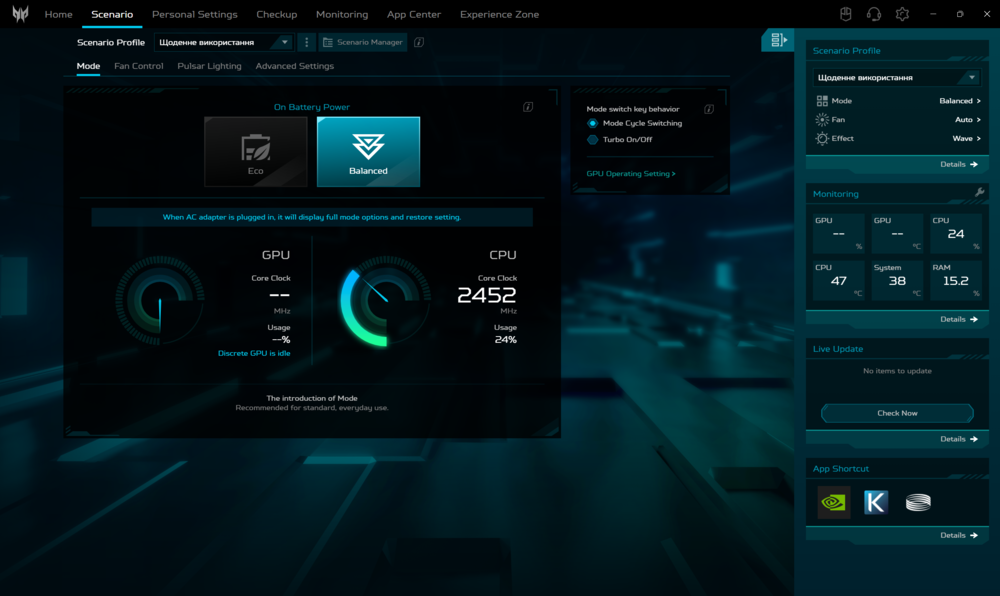
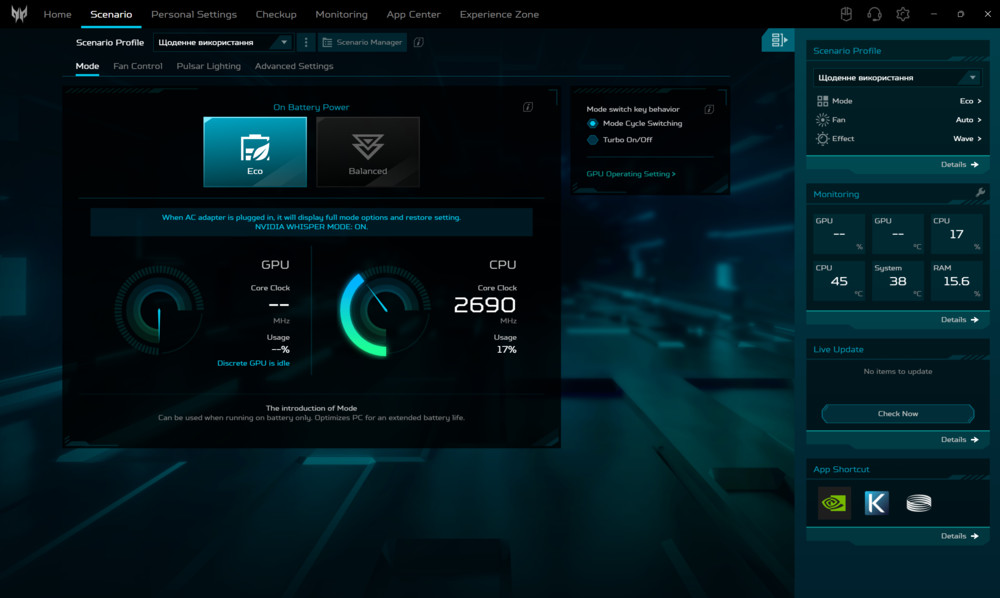
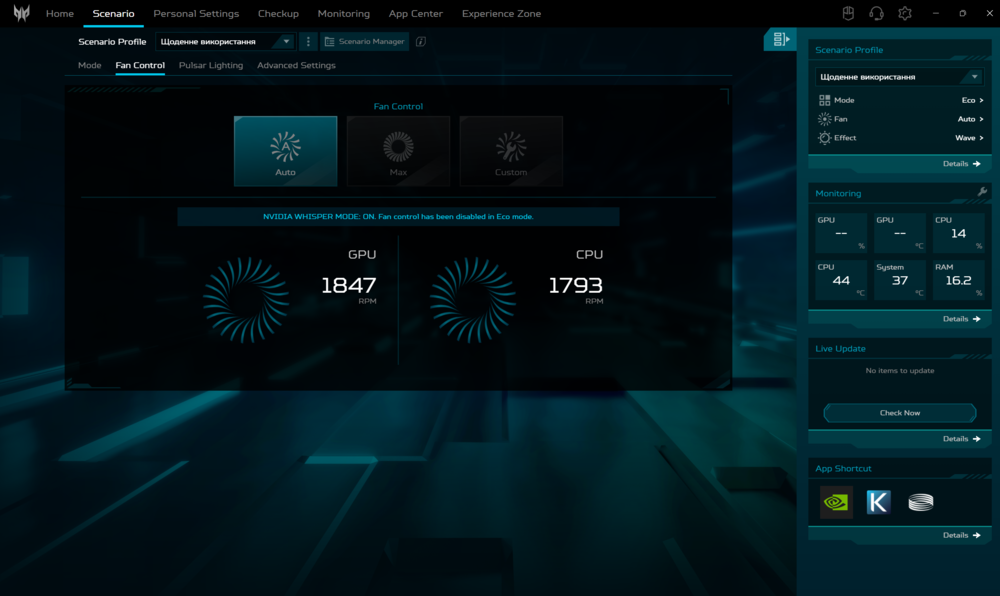
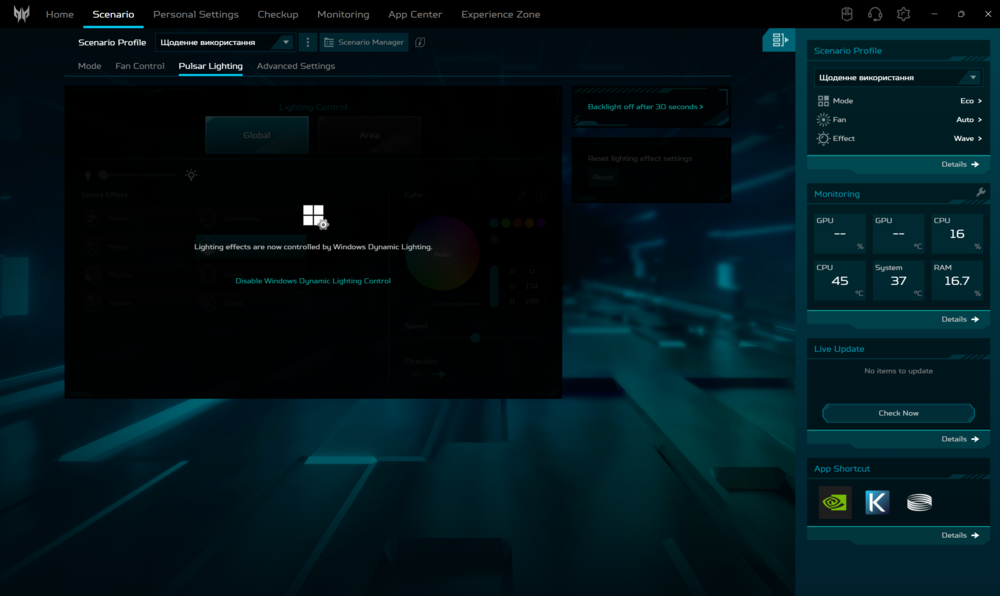
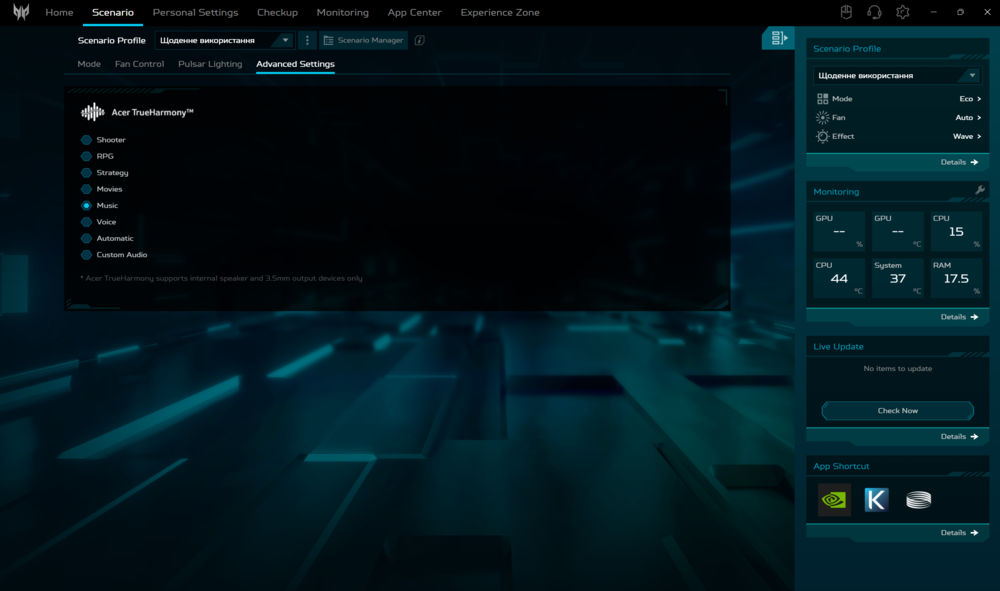
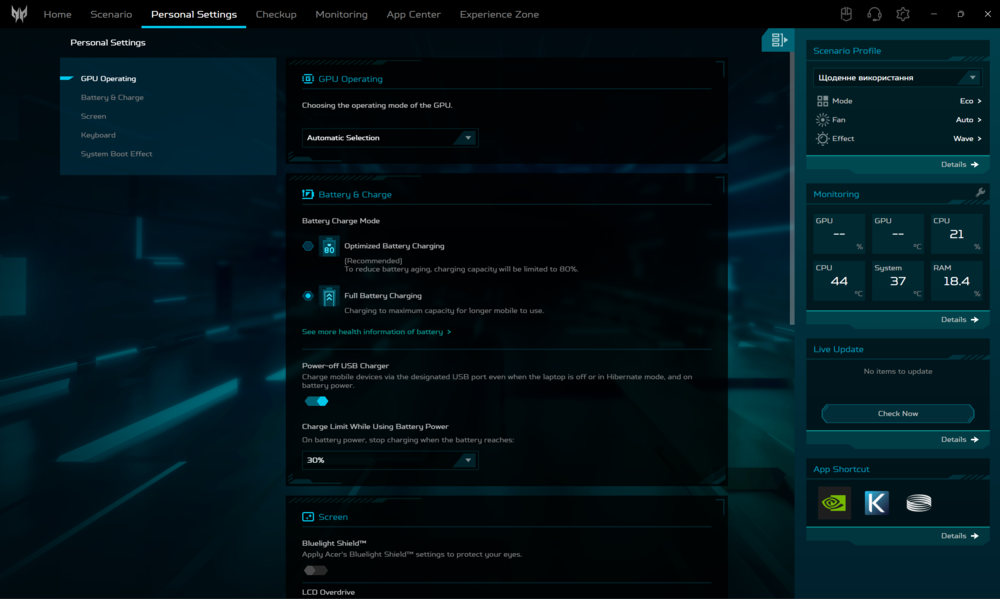
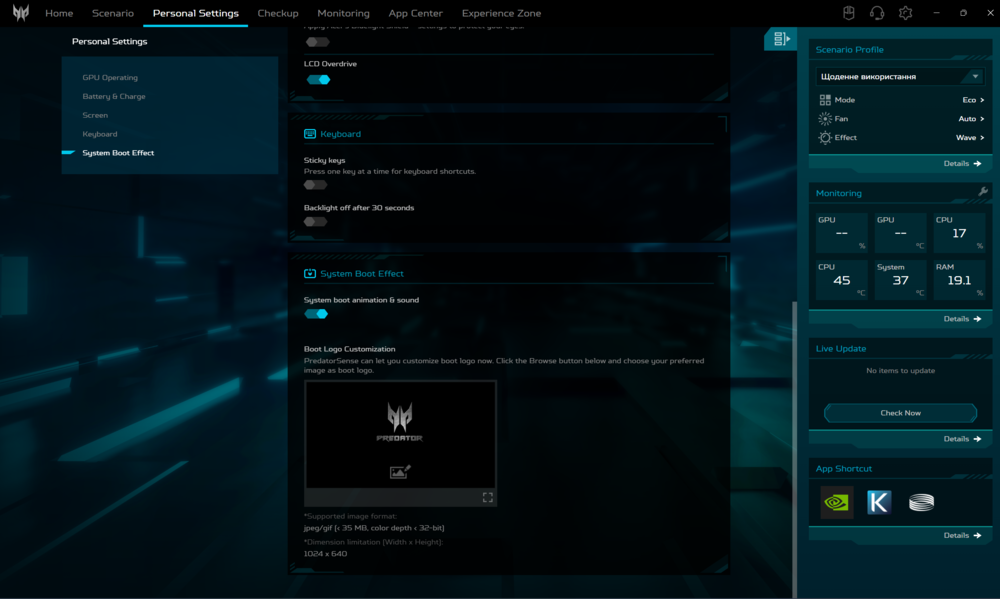
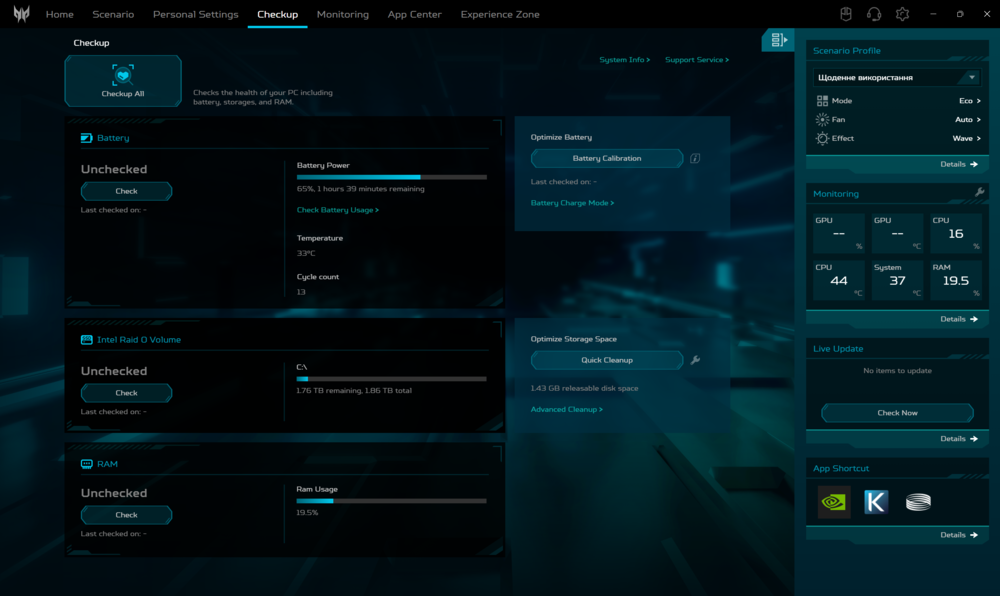
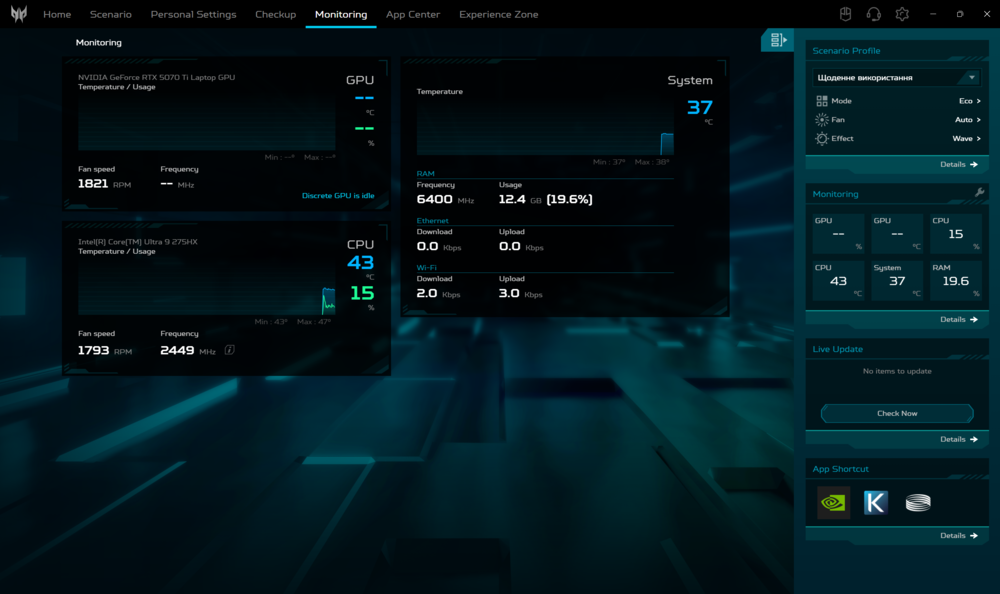
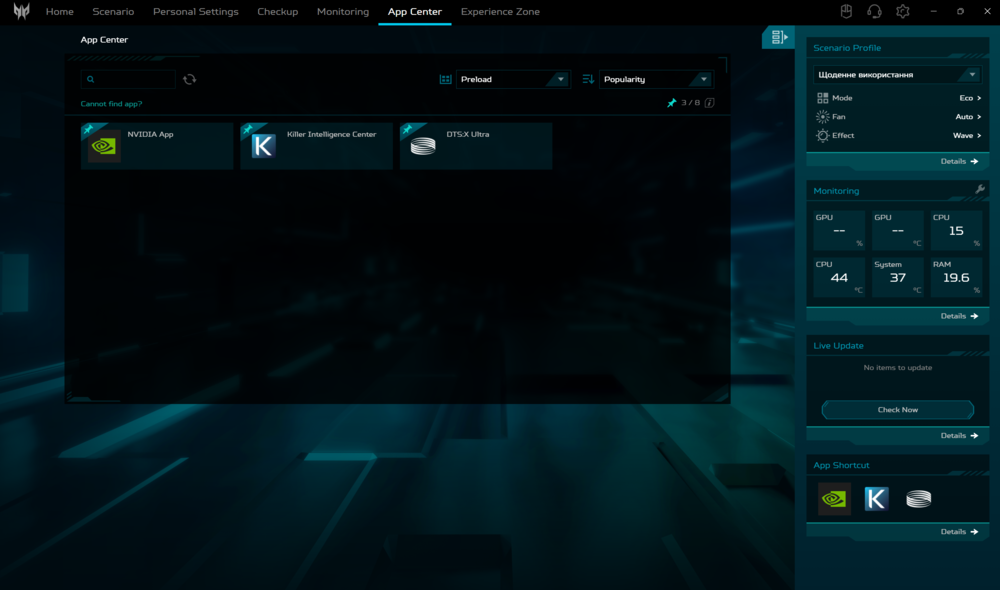
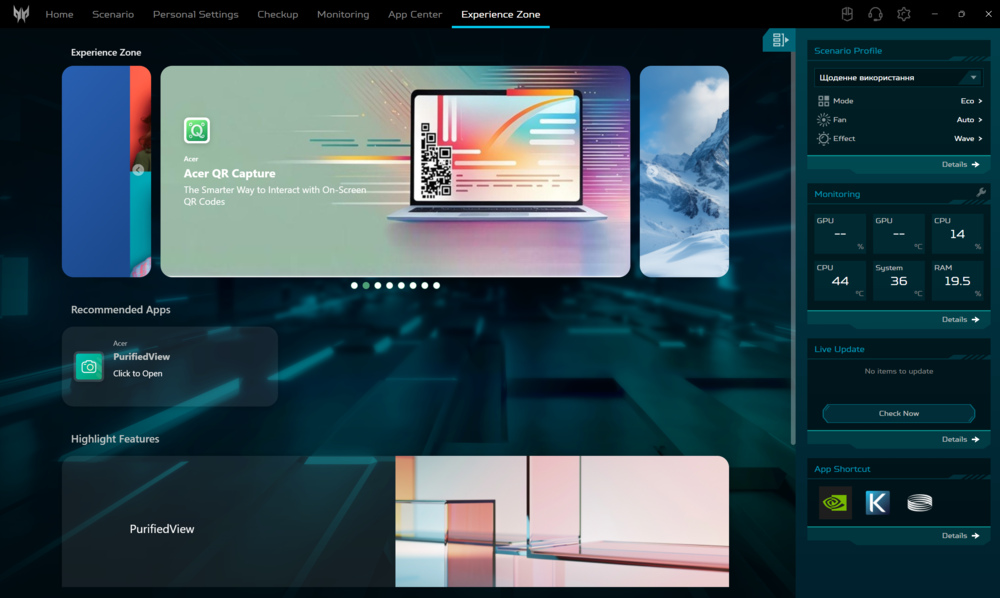
For added convenience, Acer has placed a dedicated PredatorSense key directly on the keyboard, giving quick access to system settings. Users can switch to a quiet “office” mode when needed or activate “turbo” mode with a single press to maximize performance. This functionality is useful for both modern gaming and demanding professional or creative tasks, such as video editing and rendering.
Read also: ASUS Vivobook 16 X1607Q Review: Portable, Versatile, and Affordable
Is it comfortable to play on the Acer Predator Helios Neo 18 AI?
I was particularly interested in seeing how the laptop performs in practical scenarios. The Acer Predator Helios Neo 18 AI is primarily a gaming device, so my main focus was on gaming performance.
At native 4K, performance depends largely on the age of the title and its optimization. Classic games like Horizon Zero Dawn (97 FPS), Guardians of the Galaxy without ray tracing (118 FPS), and Shadow of the Tomb Raider (99 FPS) ran very well. Frame rates were stable at maximum settings, with no compromises – ideal for evaluating the advantages of the 4K display.
With newer titles, performance is more constrained. Black Myth: Wukong, even with DLSS at 90% scaling, managed only 32 FPS on medium settings, dropping to 13 FPS with ray tracing enabled. Cyberpunk 2077 at native 4K on ultra settings reached 45 FPS, while enabling ray tracing reduced it further to 21 FPS.
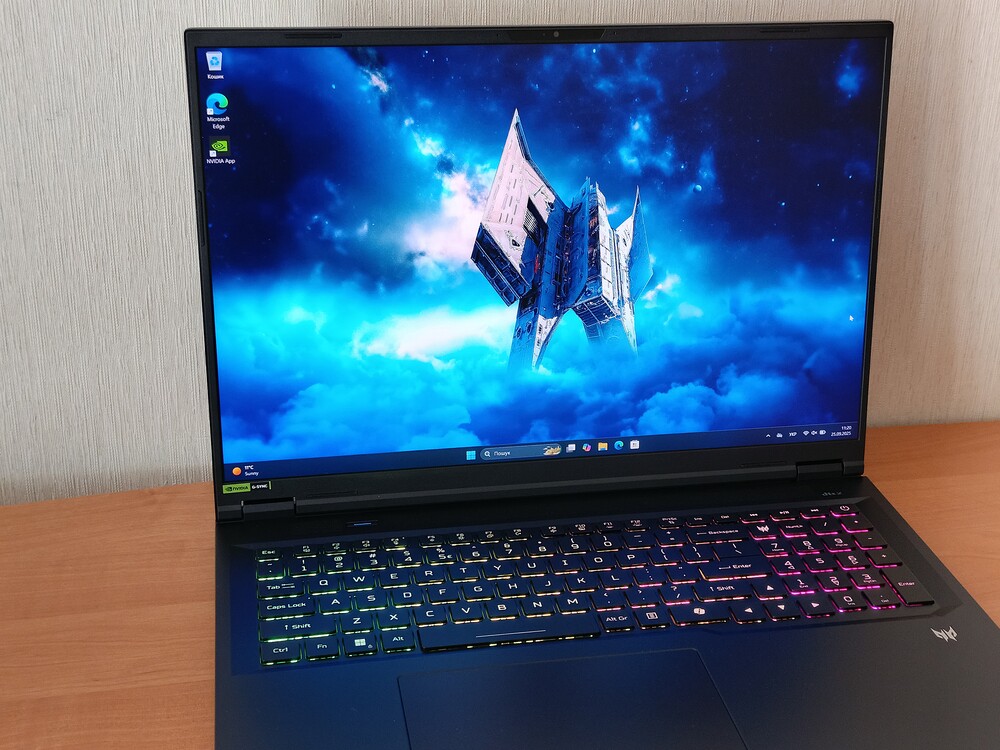
If you want to achieve stable 60+ FPS in modern titles, you’ll need to step down from native 4K to 2560×1600. At this resolution, most games run smoothly on high settings without relying heavily on DLSS or other scaling tricks – though Unreal Engine 5 titles remain an exception, often turning performance into a bit of a lottery.
If you’re committed to staying in 4K, then using DLSS and frame generation becomes essential. For example, in Cyberpunk 2077, switching to DLSS Performance mode with MFG x2 boosted performance from 21 FPS to 94 FPS even with ray tracing enabled. While frame generation can occasionally introduce minor visual artifacts or HUD glitches, at 2× scaling it’s a perfectly viable option that will feel more than adequate for most gamers.
Beyond gaming, I also used the Acer Predator Helios Neo 18 AI for everyday tasks – and it handled them effortlessly. The excellent display, comfortable keyboard, and sheer performance made photo and video editing smooth, while streaming YouTube content or browsing social media was seamless. I even watched a full-length movie on its impressive 18-inch Mini LED screen, and it was a truly enjoyable experience.
Read also: Review of ASUS Zenbook Duo (2025) UX8406CA: Two Screens Are Definitely Not Overkill
Cooling system, temperatures
The Acer Predator Helios Neo 18 AI PH18-72 comes equipped with a serious cooling system designed to tame this gaming “beast.” It combines two AeroBlade 3D Gen 5 fans with ultrathin 0.05 mm blades, a large vapor chamber, a liquid metal thermal interface for the CPU, and a graphene thermal pad on the GPU. This setup ensures efficient heat dissipation even under heavy gaming or intensive workloads.
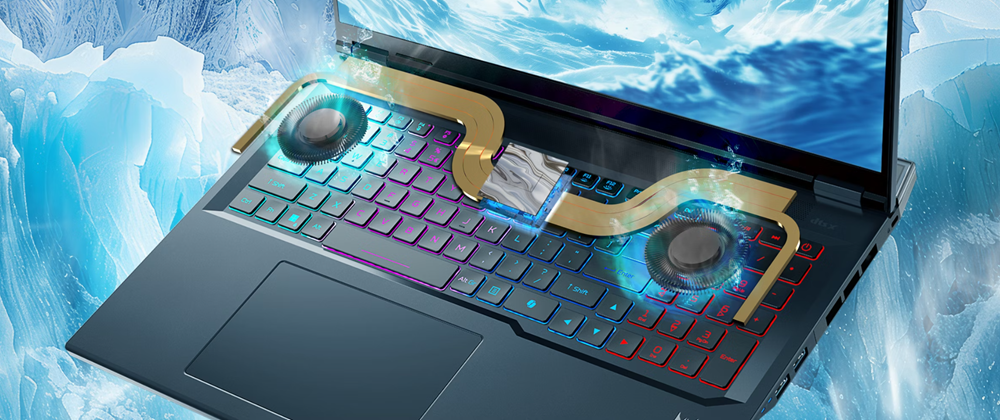
In practice, the cooling system handles its tasks impressively. In “Turbo” mode, the fans spin noticeably faster, yet temperatures remain within safe limits. The fans are audible under heavy gaming or CPU load, but not intrusive enough to disrupt gameplay. Under stress, the powerful CPU hovers around 90 °C, while the GPU stays near 75 °C. Full throttling avoidance isn’t possible, though: in peak scenarios, when the CPU exceeded 105 °C, performance dropped by roughly 10–15%.
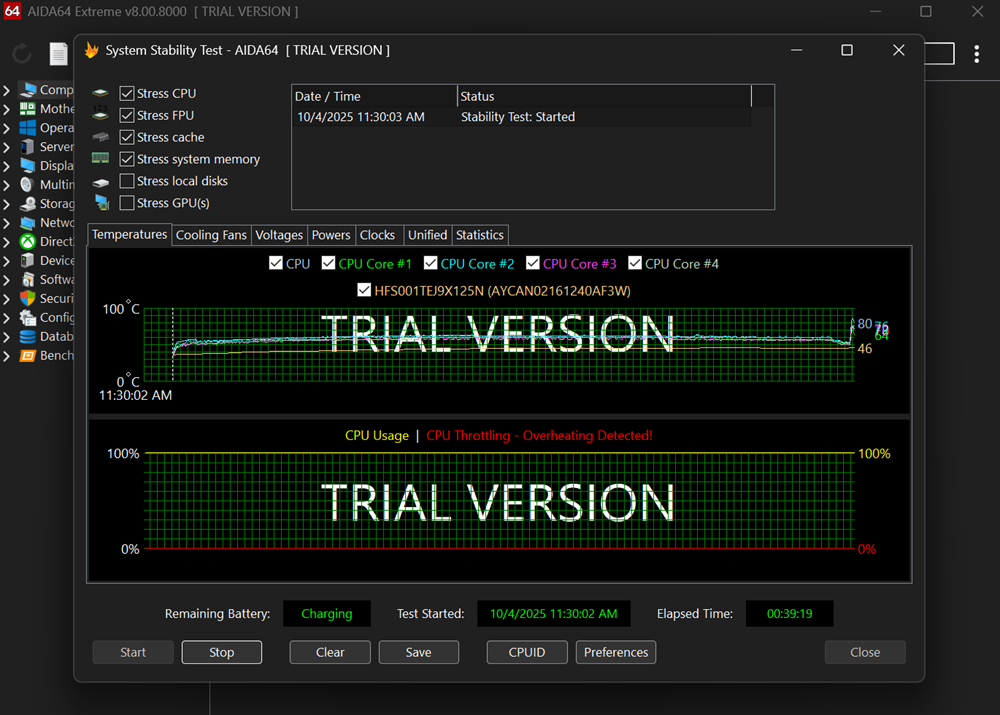
For light tasks, the fans often stop entirely, making the laptop practically silent. Overall, energy efficiency for such a powerful configuration can be described as “good but not perfect.” If your top priorities are absolute quiet or maximum battery life, this format isn’t the best choice. In that case, a standard office laptop would suit you better than this gaming “beast.”
Read also: Review of the ASUS ROG Zephyrus G16 2024 Gaming Laptop with AMD Ryzen AI 9 HX 370
Battery life
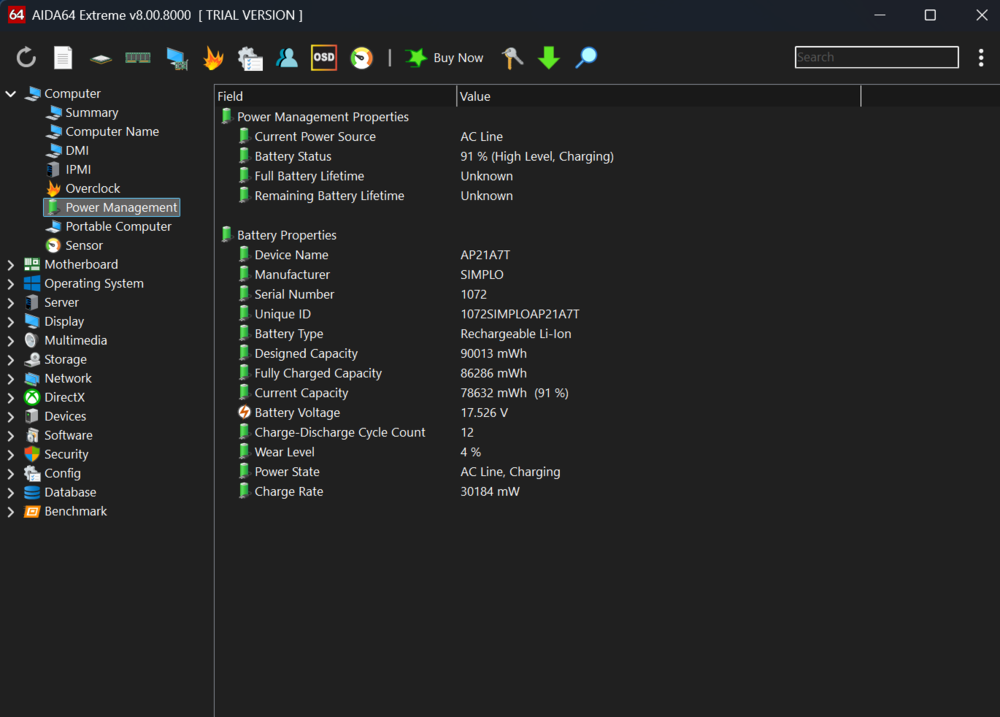
As expected, the Acer Predator Helios Neo 18 AI comes with a fairly large 90 Wh battery for a gaming laptop. Even so, it can’t work miracles: the massive display and powerful hardware quickly drain the charge. In office-type tasks, the battery lasted about 4 hours, while gaming reduced it to just 1 hour and 21 minutes. Watching a two-hour movie consumed roughly 50% of the battery. For a gaming flagship, this isn’t catastrophic, but it’s far from record-breaking. Most gamers play while plugged in, so here the point was more to illustrate that even in the gaming laptop segment, battery life remains a challenging factor.
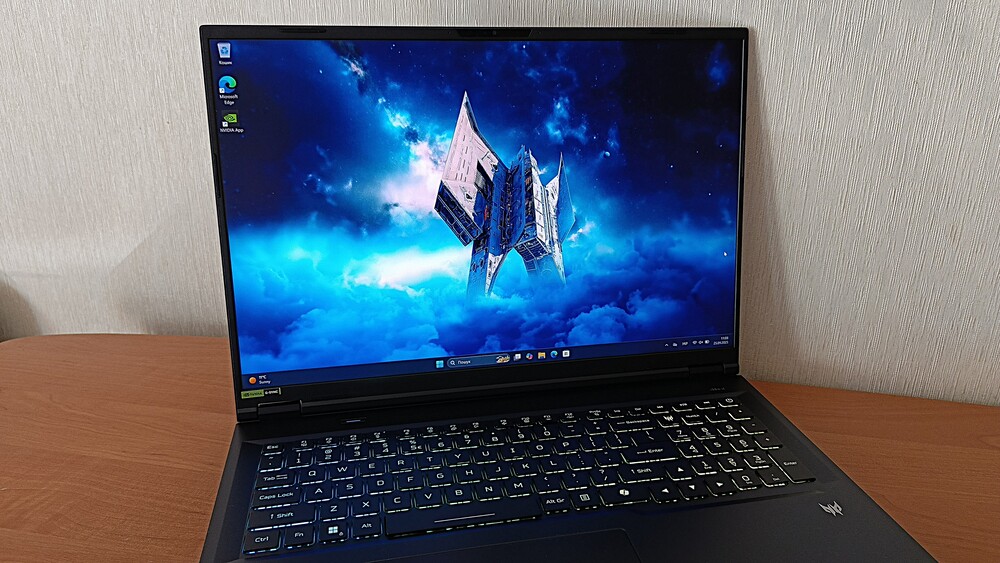
However, the included 330 W power brick is quite substantial, not only easily supplying power to the system but also charging the battery from empty to full in just 1 hour and 35 minutes – truly fast. The downside is that the brick itself weighs over a kilogram, and combined with the 3.3 kg laptop, it completely shatters any illusion of portability.
Still, for this class of devices, that’s fairly standard. The Acer Predator Helios Neo 18 AI is positioned as a “desktop replacement,” so it’s unlikely that owners will carry it around daily.

