




© ROOT-NATION.com - Use of content is permitted with a backlink.
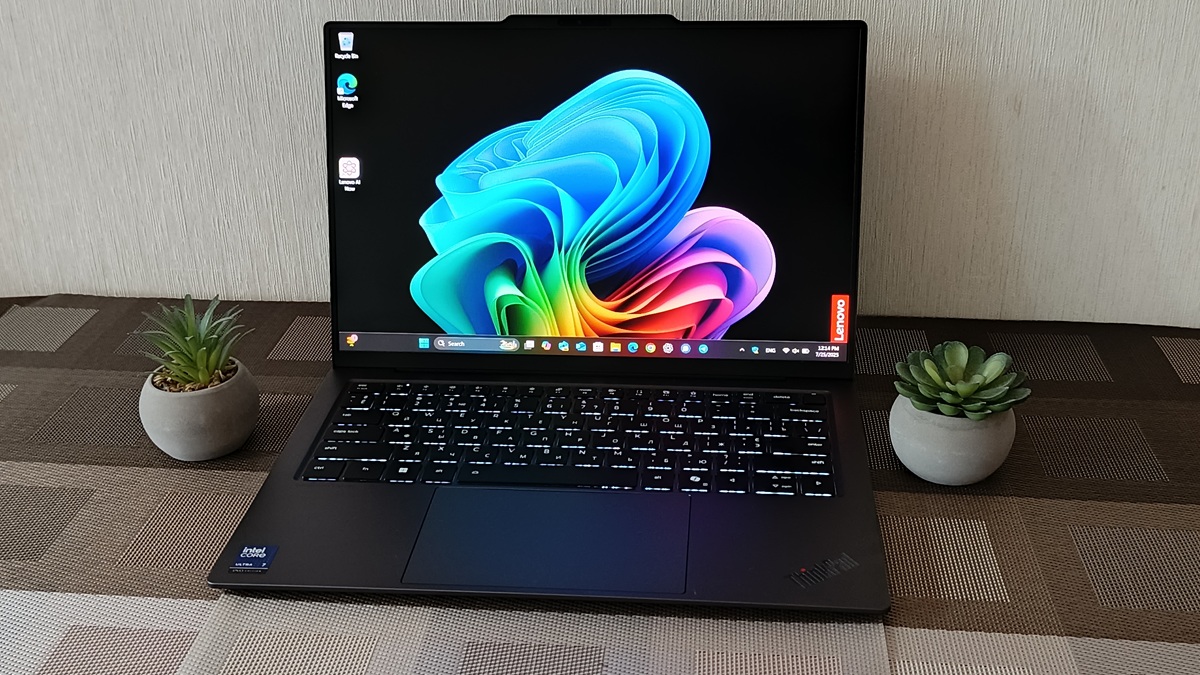
The Lenovo ThinkPad X9 14 Gen 1 Aura Edition has sparked debate among long-time ThinkPad enthusiasts – mainly due to the absence of the iconic TrackPoint. Still, after hands-on testing, it’s clear that this remains a recognizably classic ThinkPad, complete with the qualities that have defined the brand for decades.
ThinkPads have been around for 35 years. The first model, launched under IBM in 1992, quickly grew into a staple for users who prioritize durability, reliability, and a no-nonsense approach to design over flashy extras.
The ThinkPad has become iconic beyond Earth. It first went to space in 1993 during a mission to repair the Hubble Telescope. Since then, ThinkPads have been regular passengers on NASA missions, appearing on every shuttle since 1995 and remaining the only officially approved laptop on the International Space Station for a long time.
Even so, ThinkPad has had its share of headline moments. The legendary ThinkPad 701c, known for its innovative TrackWrite butterfly keyboard, left such an impression that it earned a place in the permanent collection of New York’s Museum of Modern Art. With 27 design awards and the title of the best-selling laptop of 1995, it was far from just another model.
The ThinkPad legacy is more than just history – it’s a living experience. That said, the lineup is evolving. Modern models are beginning to shed even long-standing features like the TrackPoint, signaling a shift in what the brand represents today.
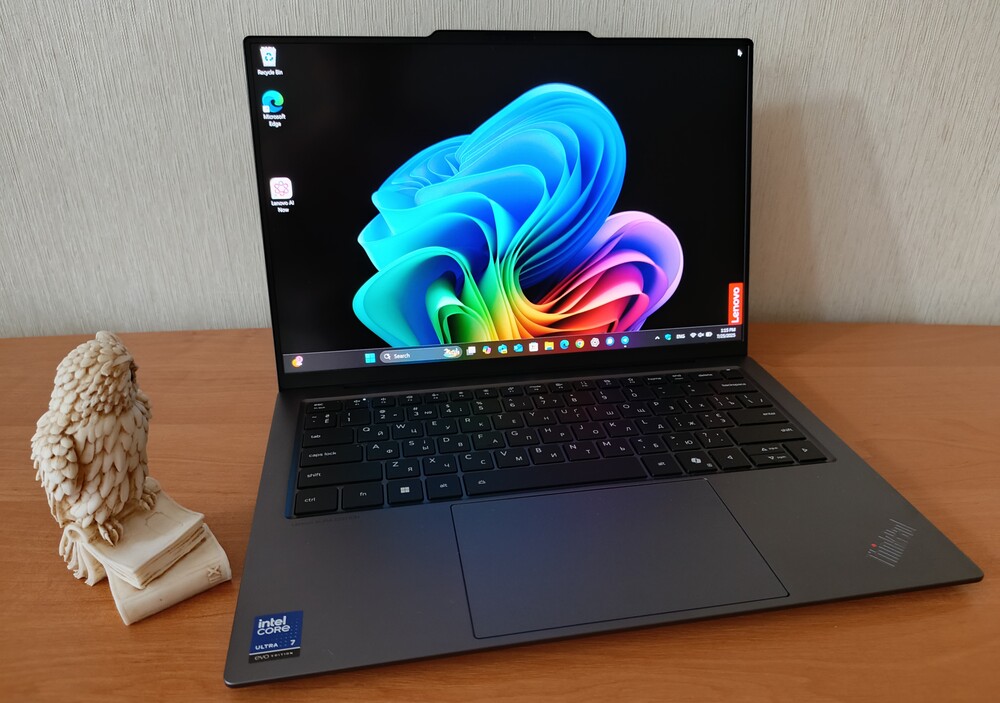
With the ThinkPad X9 Aura Edition, Lenovo is not just breaking stereotypes – it is rewriting its own legend. This is more than just a new stage in the development of the iconic line. It is a decisive break with the strict traditions that have defined the ThinkPad for decades. Instead of square lines and the familiar matte black, it features satin aluminium, sleek shapes, an ultra-thin body and a design aesthetic that is more reminiscent of the lifestyle of professionals than corporate offices.
Read also: Lenovo Laptop Reviews
The removal of the TrackPoint isn’t a betrayal of tradition – it’s part of the ThinkPad’s evolution. The keyboard has been redesigned to be lower-profile and more refined, with a stronger focus on comfort and quiet operation. The ThinkPad X9 is no longer just about utility – it’s about the experience, the tactile feel, and a shift toward a more design-conscious approach.
This is a laptop aimed at a new generation of professionals – people who value not just performance, but also refinement, balance, and mobility. It’s designed for those who work in cafés, on planes, and in coworking spaces, yet still want access to a high-quality OLED display, excellent build quality, and a premium look and feel. The ThinkPad X9 may look different, but it stays true to the ThinkPad philosophy – without compromise.
So how could I pass up the chance to test a machine like this? When Lenovo’s team in Ukraine offered a review unit of the ThinkPad X9 14 Gen 1 Aura Edition, I gladly accepted. I was genuinely curious to see what a modern reimagining of the ThinkPad could offer. After nearly a month of testing, here are my impressions. Let’s dive in.
Read also: Lenovo ThinkPad X13 Yoga Gen 4 Review: Almost Perfect
TABLE OF CONTENTS:
What makes the Lenovo ThinkPad X9 14 Gen 1 Aura Edition interesting
The Lenovo ThinkPad X9 14 Aura Edition isn’t just another business laptop. It’s a tool built for professionals operating in a world of constant deadlines, rapid decisions, and AI that’s no longer futuristic – just part of the workflow.
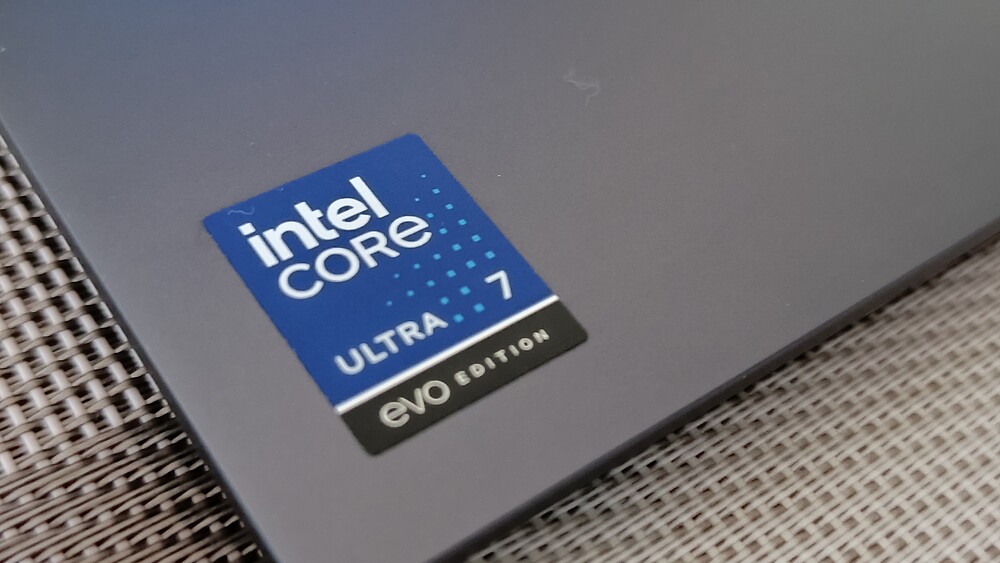
The design is sleek, performance is responsive, and overall, it feels fast and purposeful. At its core is the latest Intel Core Ultra 7 258V processor. It features eight cores – four high-performance P-cores and four efficient LPE cores – striking a balance between speed (up to 4.8 GHz) and energy efficiency. With 12 MB of cache, the system stays quick and responsive under pressure.
But the real standout here is the integrated NPU (neural processing unit) rated at 47 TOPS, paired with graphics capable of 64 TOPS. This isn’t about gaming frame rates – it’s about accelerating machine learning tasks, keeping Zoom calls stable while juggling a dozen tabs, and editing video on the fly without lag. This is where AI genuinely starts to make a difference in day-to-day work – no buzzwords, just results.
The ThinkPad X9 14 Aura Edition comes with 32 GB of LPDDR5X RAM and a 1 TB SSD. It doesn’t just handle multitasking – it powers through it without breaking stride.
All of this runs under Lenovo AI Now – a system that adapts to your workflow in real time, adjusting brightness, power usage, and performance based on how you work. It also supports Copilot+, Microsoft’s built-in AI assistant in Windows, giving users access to features that define the next generation of laptops in this category.
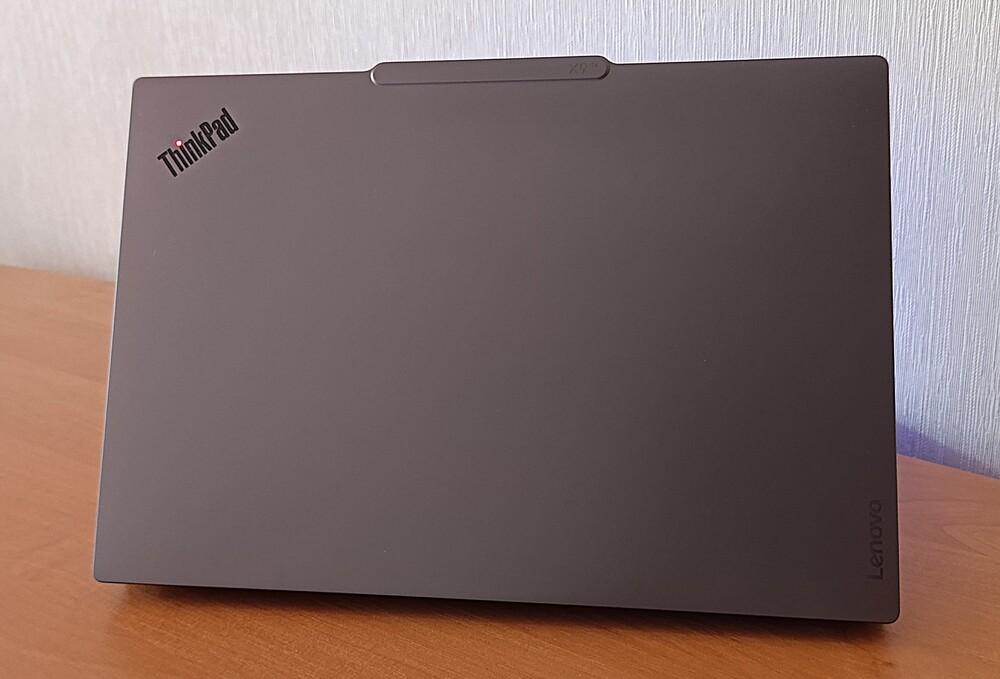
The Lenovo ThinkPad X9-14 Gen 1 Aura Edition isn’t just a “business laptop” in the traditional sense – it’s built for real-world scenarios where every second counts.
Naturally, a machine like this doesn’t come at the price of an average office notebook. The configuration tested – Intel Core Ultra 7 258V, 32 GB of RAM, and a 1 TB SSD – retails in Ukraine for $2360. Upgrading to a 2 TB SSD brings the price to $2820. Still, this is one of those cases where the cost reflects the value: a serious tool for serious work.
Lenovo ThinkPad X9 14 Gen 1 Aura Edition specifications
- Display: 14-inch WUXGA (1920×1200) display, OLED matrix, anti-glare coating, 400 nits brightness, 60 Hz refresh rate, 100% DCI-P3 colour gamut coverage, 16:10 aspect ratio, DisplayHDR 500 support, TÜV Rheinland Low Blue Light certification (hardware level), Eyesafe certification
- Processor: Intel Core Ultra 7 258V, 8 cores up to 4.8 GHz
- RAM: 32 GB LPDDR5x-7500 MHz, soldered to the motherboard
- Storage: 1 TB M.2 2242 PCIe 4.0×4
- Graphics: Intel Arc Graphics 140V
- Ports: 2×Thunderbolt 4 (DisplayPort, Power Delivery), HDMI, 3.5 mm combo jack
- Wireless modules: Wi-Fi 7 802.11a/b/g/n/ac/ax, Bluetooth 5.4
- Camera: hybrid infrared FHD webcam with Mobile Industry Processor Interface (MIPI), machine vision-based security system
- Audio: 2 x 2.0 W speaker system with Dolby Atmos support, 2 microphones with Dolby Atmos Voice
- Keyboard and touchpad: island-style keys with spill protection, 110 mm wide glass TrackPad touchpad
- Battery and charging: 55 Wh, 65 W power supply with USB4 port charging (with Rapid Charge fast charging technology support), up to 13.5 hours
- Dimensions: 311.80 × 221.30 × 17.15 mm
- Weight: 1.24 kg.
Read also: Review of Lenovo ThinkPad X1 Yoga (Gen 8): Business-Oriented
Package contents
I appreciate Lenovo’s continued effort to use eco-friendly packaging made from recycled materials – something that’s become a hallmark of the brand. The ThinkPad X9 14 Gen 1 Aura Edition arrived in similarly modest, sustainable packaging: a basic cardboard outer box with a sturdier inner one providing extra protection.
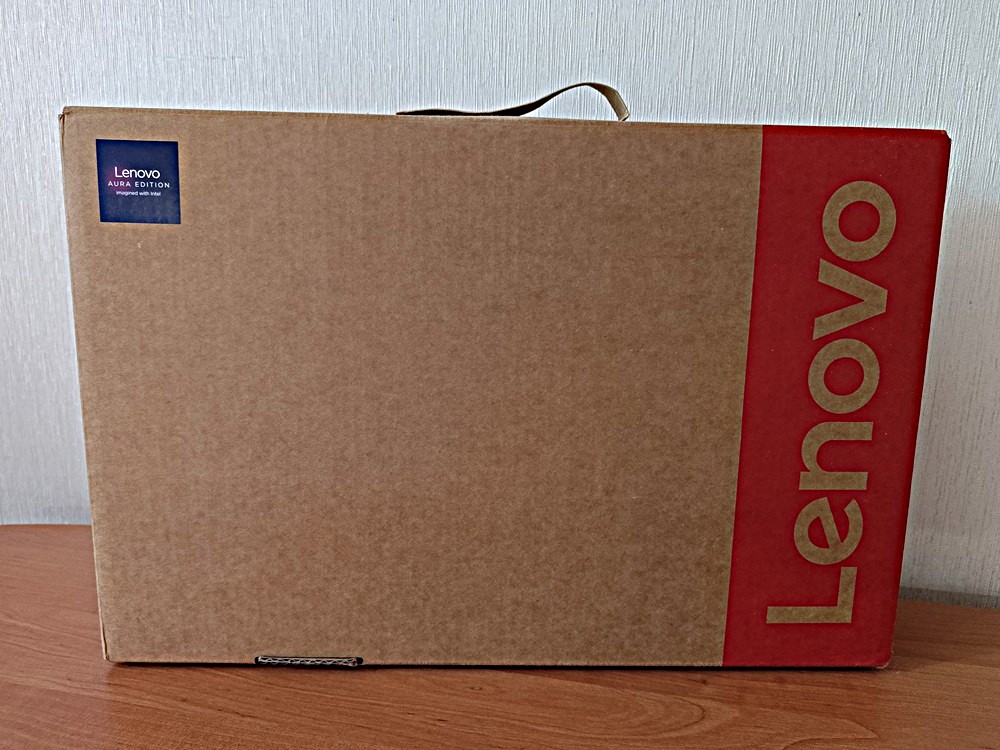
Inside, you will find the laptop itself, as well as a separate compartment containing a charging cable with two USB-C ports and a 65 W Slim GaN power supply. A minimal set of documentation is also included.
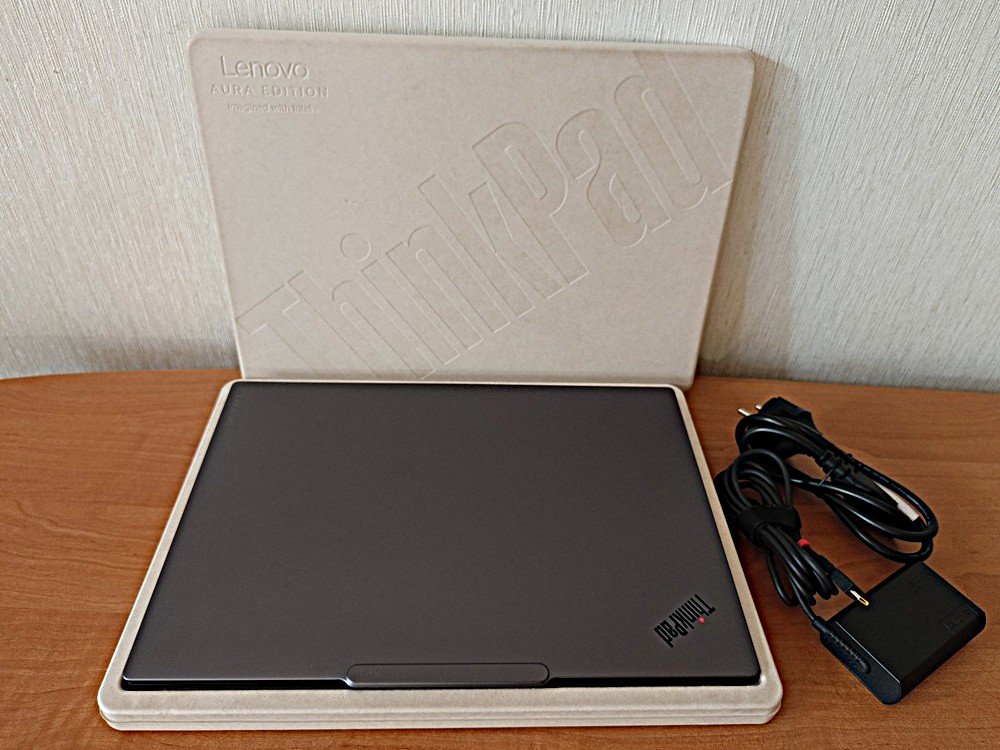
No plastic or foam – the manufacturer is committed to environmental friendliness, which deserves respect, even despite the noticeable ‘austerity’ of the configuration.
Read also: Lenovo ThinkPad X1 Carbon Gen 11 Review: Classic of Genre
ThinkPad X9 14 Gen 1 Aura Edition design
The ThinkPad X9 14 Gen 1 Aura Edition immediately stands out, in part because of its sleek, almost futuristic design. Despite this, it maintains the typical dimensions of a modern ultraportable laptop – 311.8 × 221.3 × 17.15 mm – and weighs 1.24 kg.
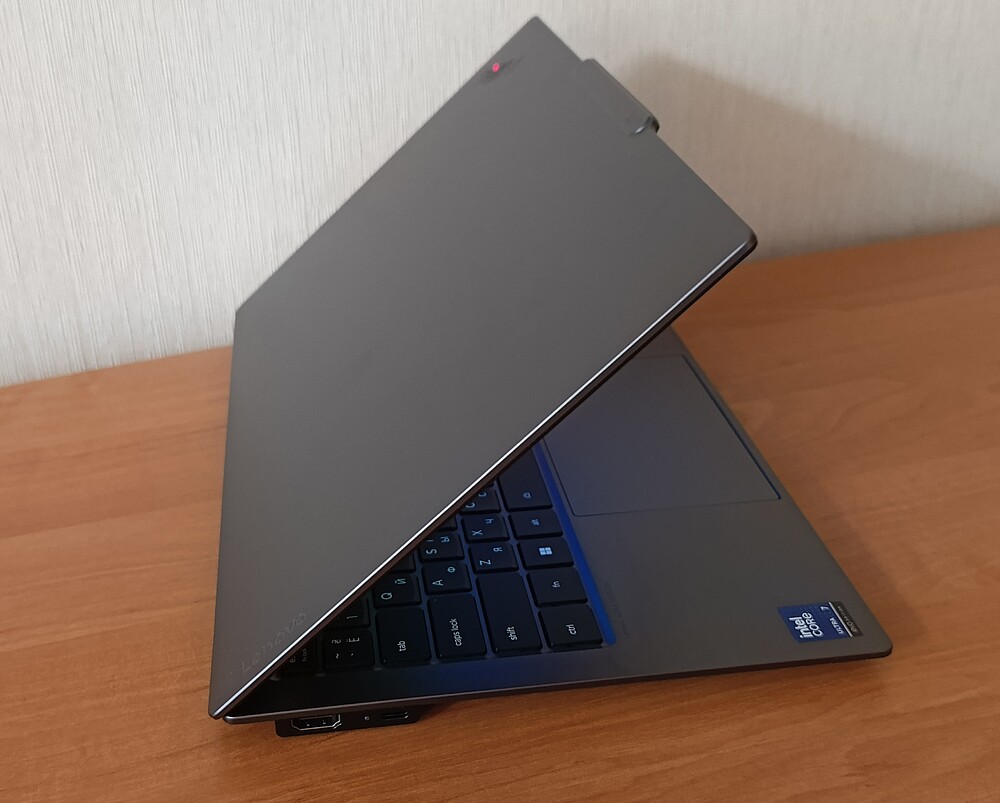
The laptop is impressively thin and thoughtfully designed – though with one caveat: the slight bulge Lenovo refers to as the “Engine Hub.” This is where all the critical components and cooling system are housed, without which this slim device simply wouldn’t function. More on that later.
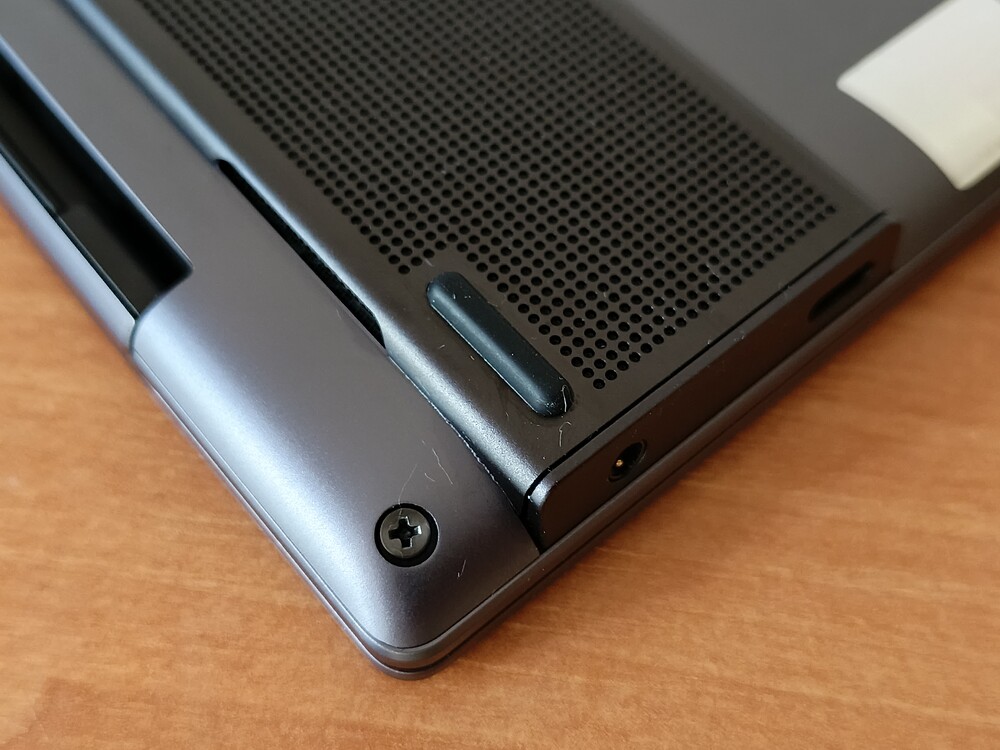
It’s worth noting that while the Lenovo ThinkPad X9 14 Gen 1 Aura Edition is officially part of the ThinkPad family, it feels closer to the Yoga Pro or Slim Pro series in practice. The chassis is made from a smooth, dark aluminum that’s both sturdy and lightweight, giving it a genuinely premium appearance. Additionally, the build meets the MIL-STD-810H military durability standard, offering a level of toughness that matches or exceeds most comparable laptops.

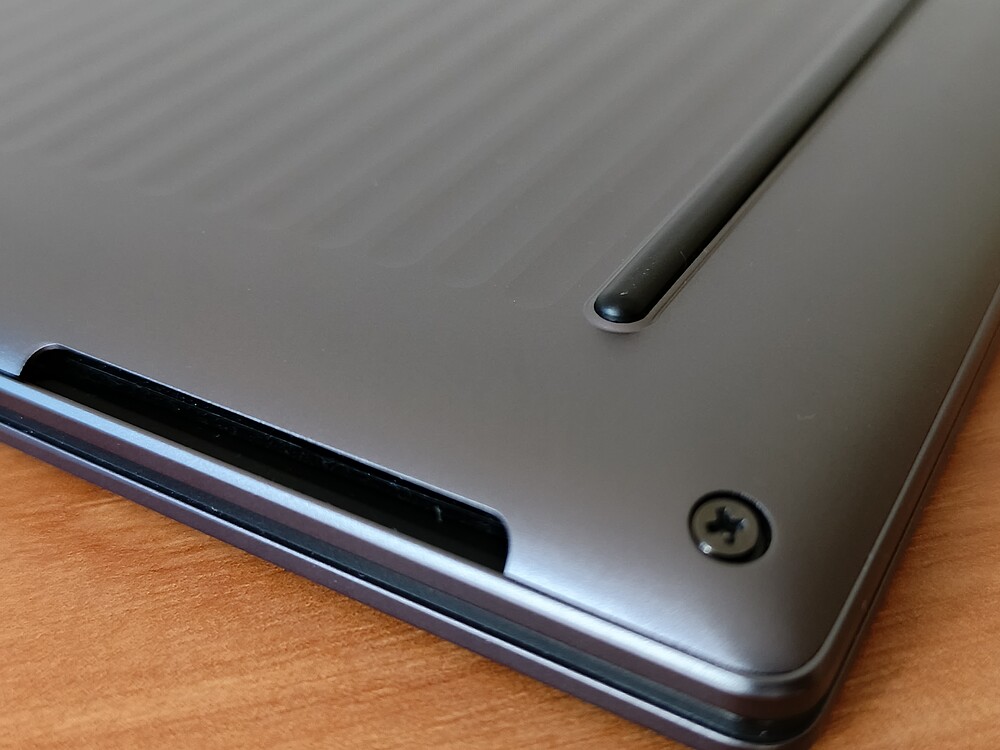
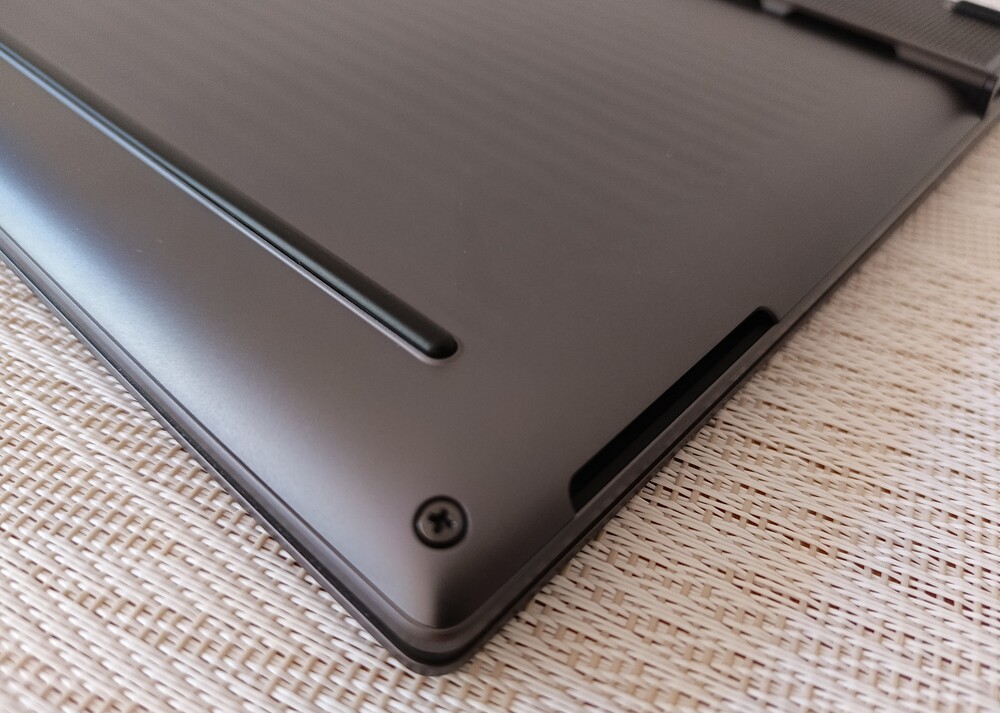
This matters for a laptop aimed at business users who, like many others, often travel with their devices. The ThinkPad X9 14 Aura Edition weighs around 1.24 kg, is very slim, and is well-suited for travel. Rounded corners, chamfered edges, and a textured wavy pattern on the bottom aren’t just for looks – they help prevent the laptop from slipping out of your hands.
For traditional ThinkPad fans, this might feel almost sacrilegious. There’s none of the familiar matte black, boxy design they’re used to. Personally, I find it refreshing – it looks more modern and feels better in the hand.
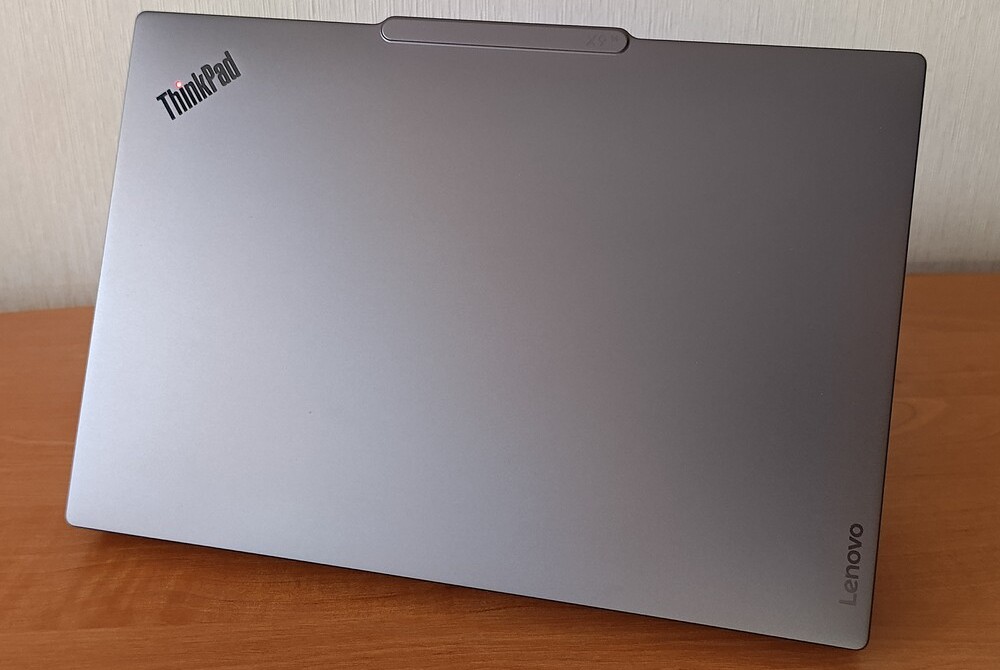
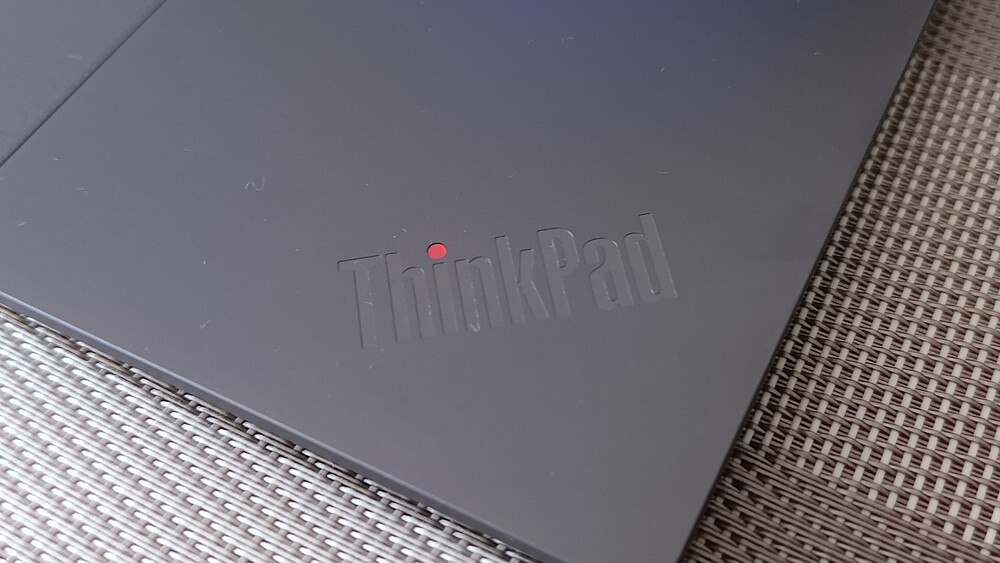
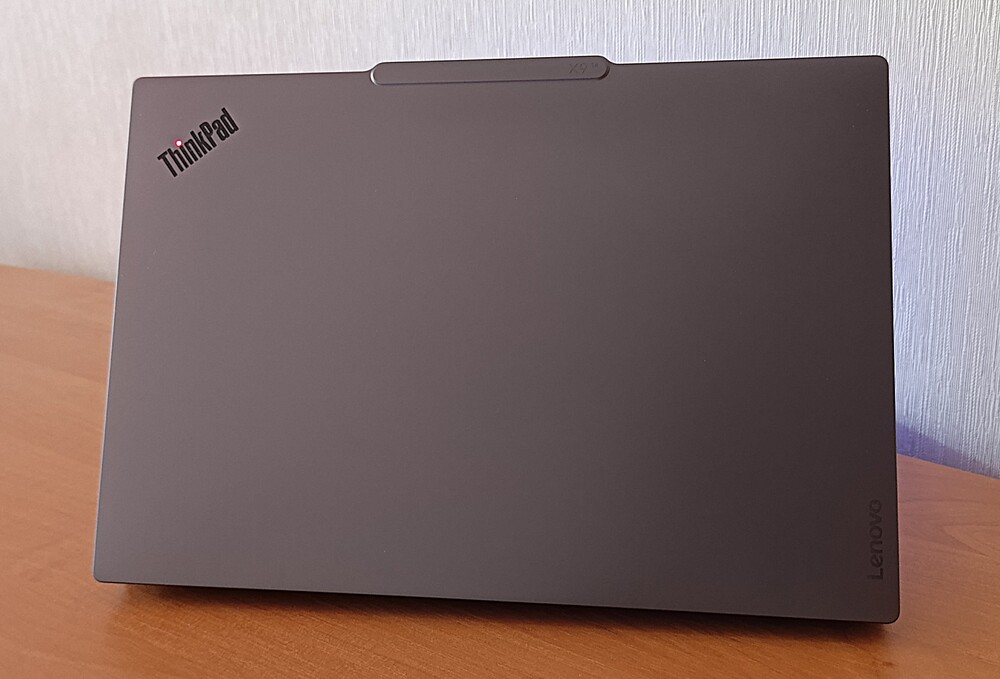
The laptop’s exterior features a single-piece dark gray metal chassis, marked only by the iconic ThinkPad logo. Notably, the signature dot over the “i” remains in place and lights up when the laptop is powered on or charging. The lid’s surface resists fingerprints, helping the device maintain a clean appearance even with heavy use.
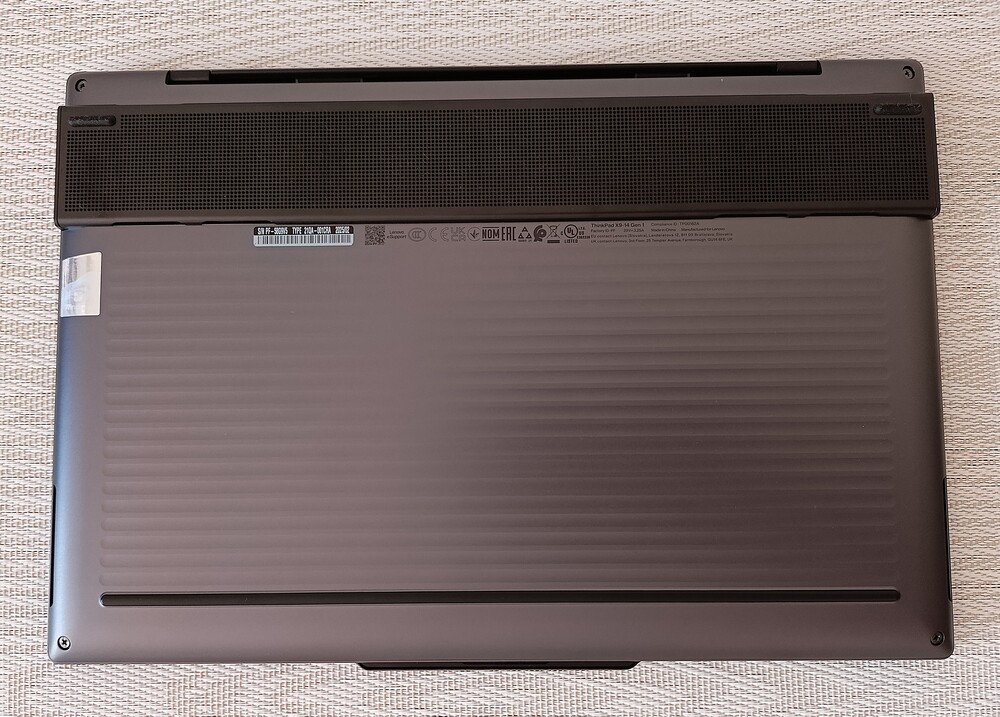
The base of the laptop also features a redesigned look with more rounded corners. The upper section is a raised dark-colored platform with a mesh-like pattern, while the bottom showcases horizontal engraved textures – something not commonly seen in earlier ThinkPad models. To accommodate ports while maintaining a slim profile, Lenovo employed a clever solution: a raised strip along the rear edge of the ThinkPad X9 14 Gen 1 Aura Edition.
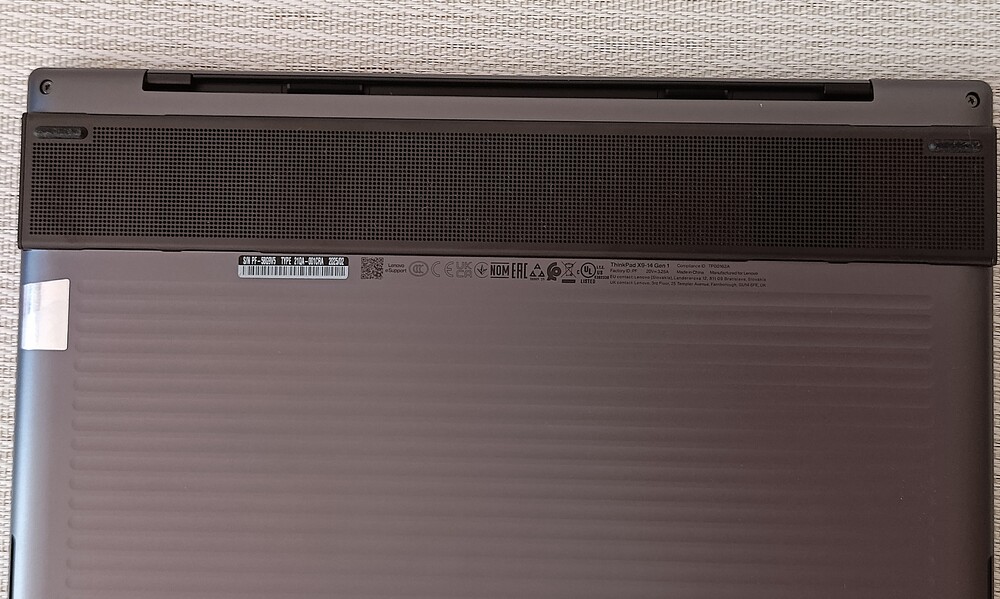
This is the “Engine Hub” section, filled with small ventilation holes. It adds an interesting visual detail and provides a slight tilt to the device.
Lenovo intentionally positioned air vents on both the top and bottom sides near the fans to improve airflow efficiency. Inside, the ThinkPad X9 14 Gen 1 Aura Edition has also been redesigned, featuring a new thermal solution for the processor and a redirected exhaust airflow.
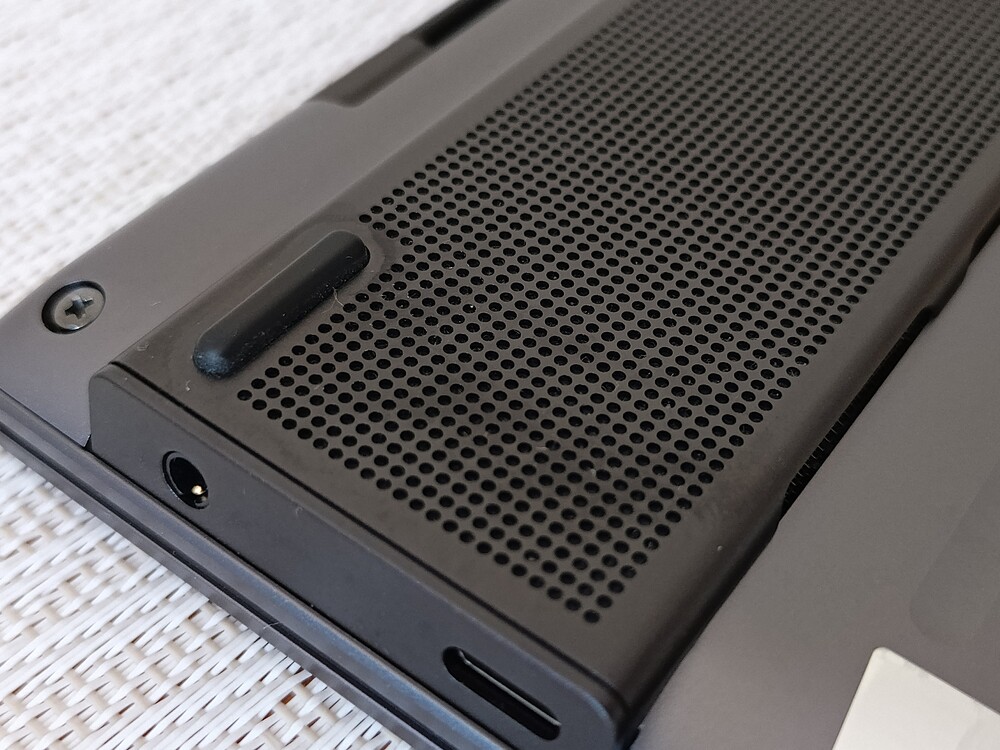
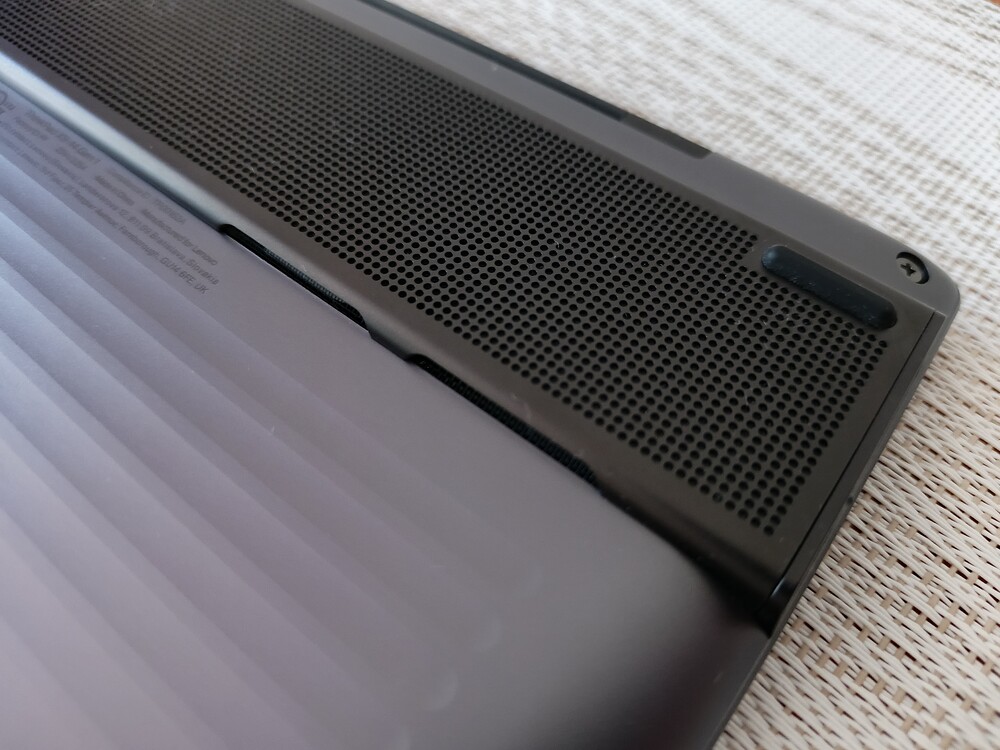
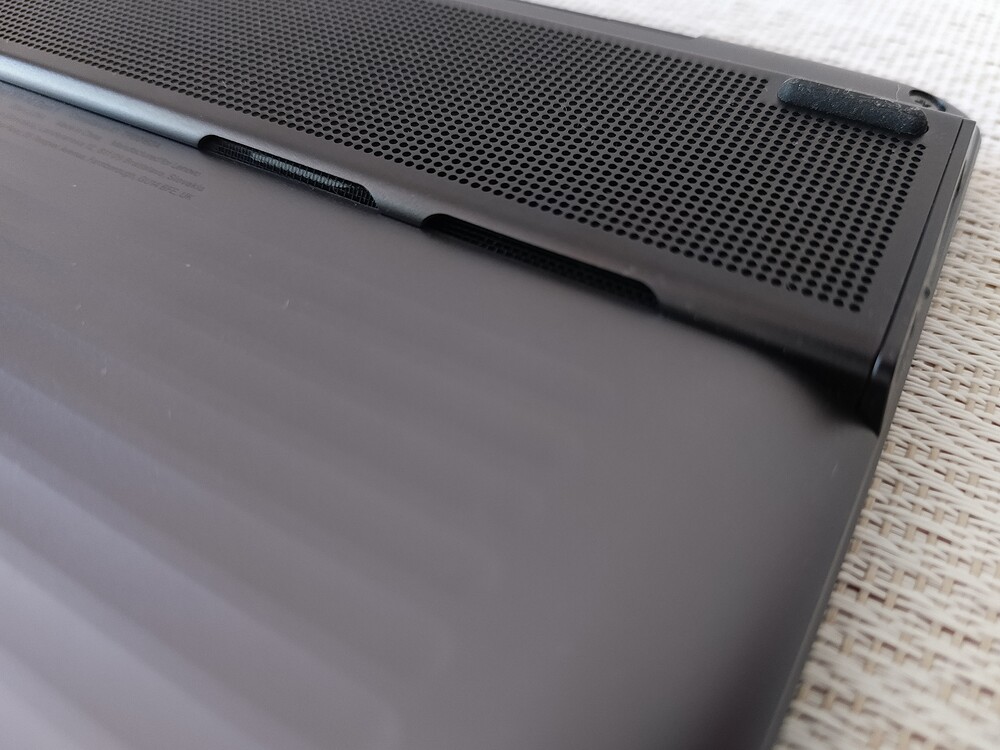
The laptop features a new cooling design with a dual-fan Flex Cooling Gen2 system. At the center of the heat-conducting plate, there’s a triangular cooling diverter that directs airflow toward the lower exhaust vents.
Interestingly, despite the more compact chassis and improved thermal management, the laptop also houses a larger battery, which contributes to longer battery life.
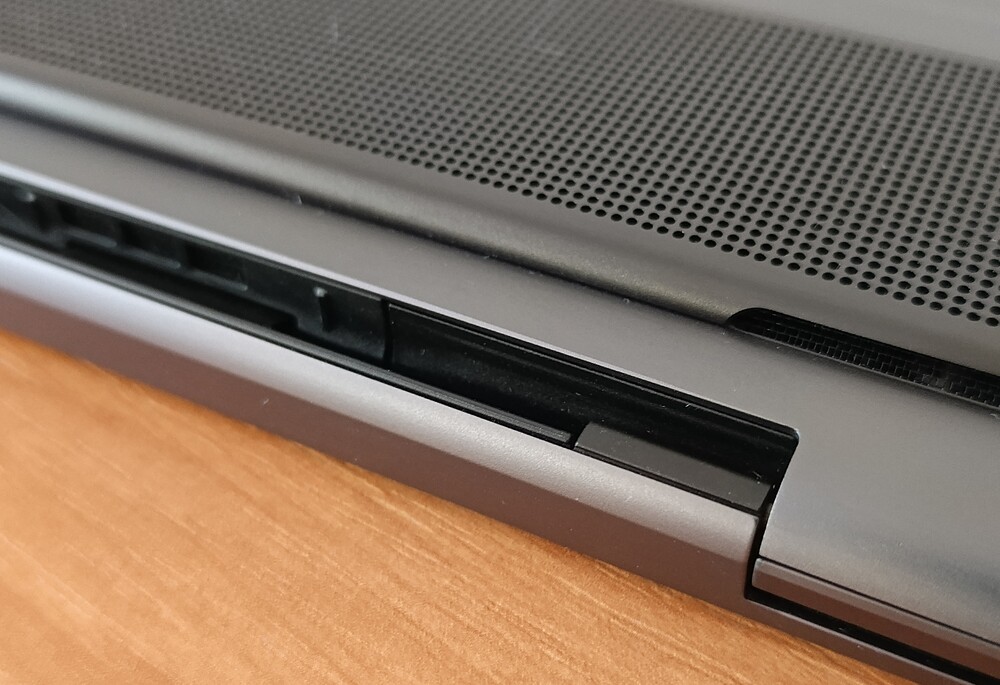
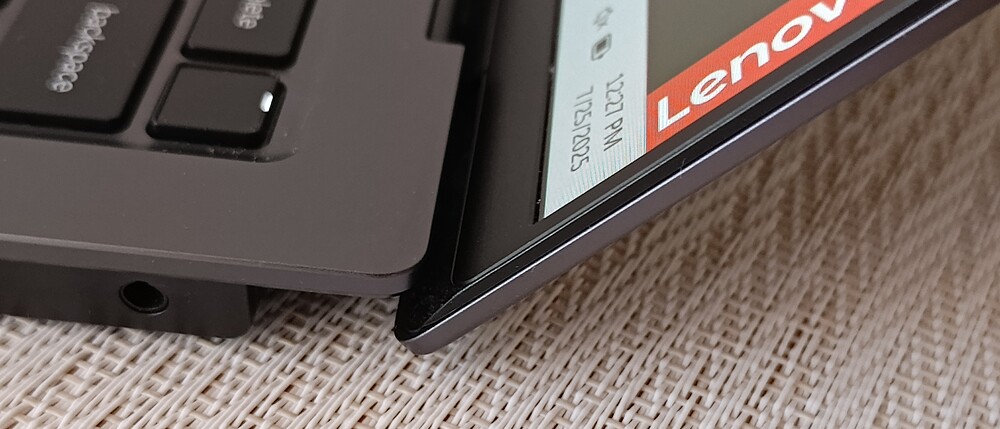
A few words about the hinge: the Lenovo ThinkPad X9 14 Gen 1 Aura Edition features a hinge that performs exactly as expected for a laptop in this class. It moves smoothly across its full range of motion, with no looseness, and holds firmly in any position.
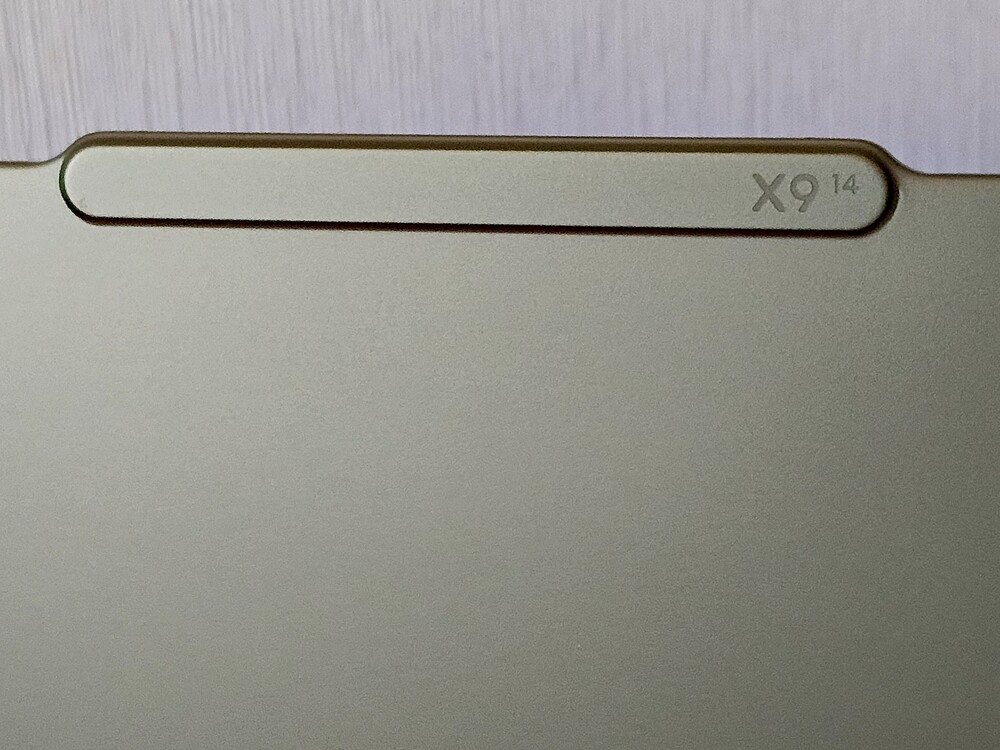
The lid opens easily with one hand, thanks to a contoured lip above the screen. It can tilt back to a full 180°, allowing for comfortable use in a variety of positions.
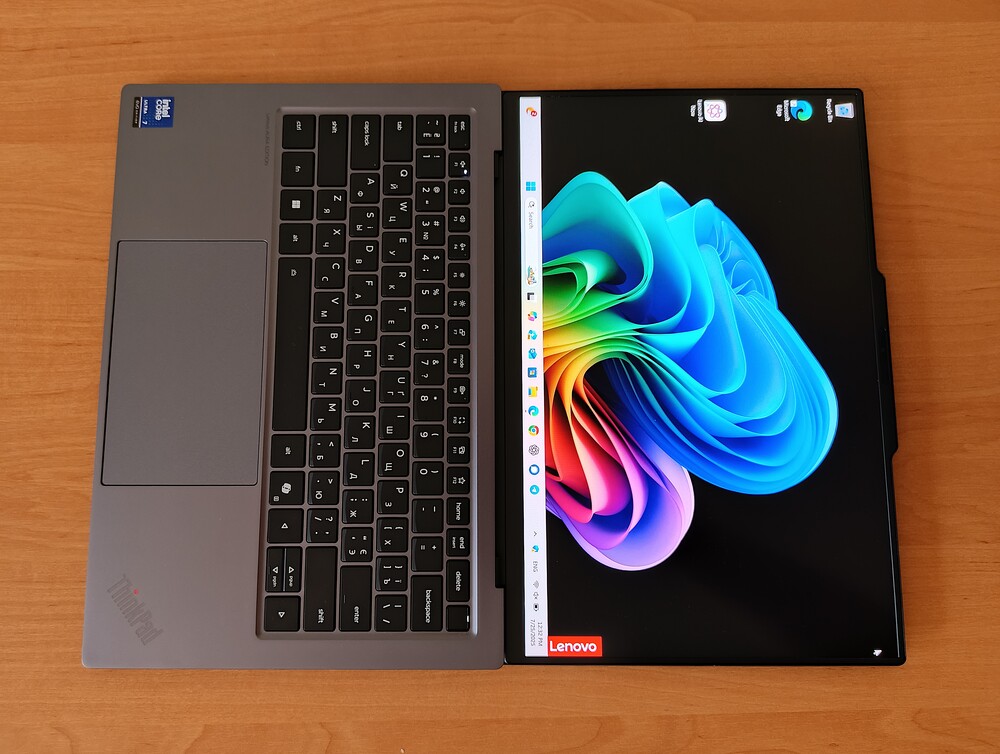
On the sides, there’s a minimal selection of ports – nothing unnecessary – just wide speaker grilles that are integrated neatly into the design.
Despite this shift in design philosophy, certain details help the laptop stay true to its roots. It remains a durable, high-performance business machine. Speaking personally about the design of the Lenovo ThinkPad X9 14 Gen 1 Aura Edition, my impressions are mixed. I really liked the build materials – the rounded edges, slim and lightweight chassis – all of which contribute to a premium and appealing feel. However, the loss of the TrackPoint was a bit surprising, especially since I’ve been a longtime fan.
I found the TrackPoint very comfortable to use, so its absence was a genuine disappointment for me. I understand that times change and there are new preferences, but this is ThinkPad. If you want experimentation and new features, there are the Yoga or ThinBook series – just don’t touch what’s considered sacred.
Read also: Acer Nitro V15 (ANV15-41-R99Y) Gaming Laptop Review
Ports and connectors
Ultrabook manufacturers have long tried to convince us that USB-C is all you need. On one hand, that’s true to some extent – USB-C allows for thinner, sleeker devices. But thinner doesn’t always mean more convenient. When port options become limited, a simple issue arises: connecting peripherals without adapters becomes difficult. If you don’t use flash drives, external SSDs, mice, or other accessories, this isn’t a problem. But for those who do, it’s a less than ideal situation.
The Lenovo ThinkPad X9 14 Gen 1 Aura Edition has a fairly modest selection of ports. On the right side, there is a USB-C/Thunderbolt 4 port and a 3.5 mm audio jack,
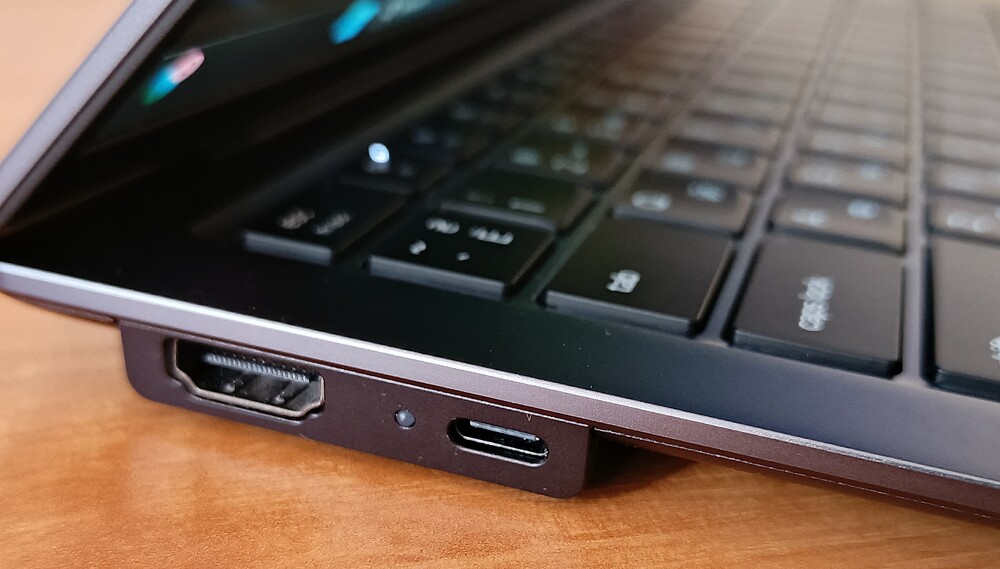
on the left side, there’s an additional USB-C/Thunderbolt 4 port and an HDMI 2.1 port. Both USB-C Thunderbolt 4 ports support power delivery, video output via DisplayPort 1.4, and offer data transfer speeds up to 40 Gbps.
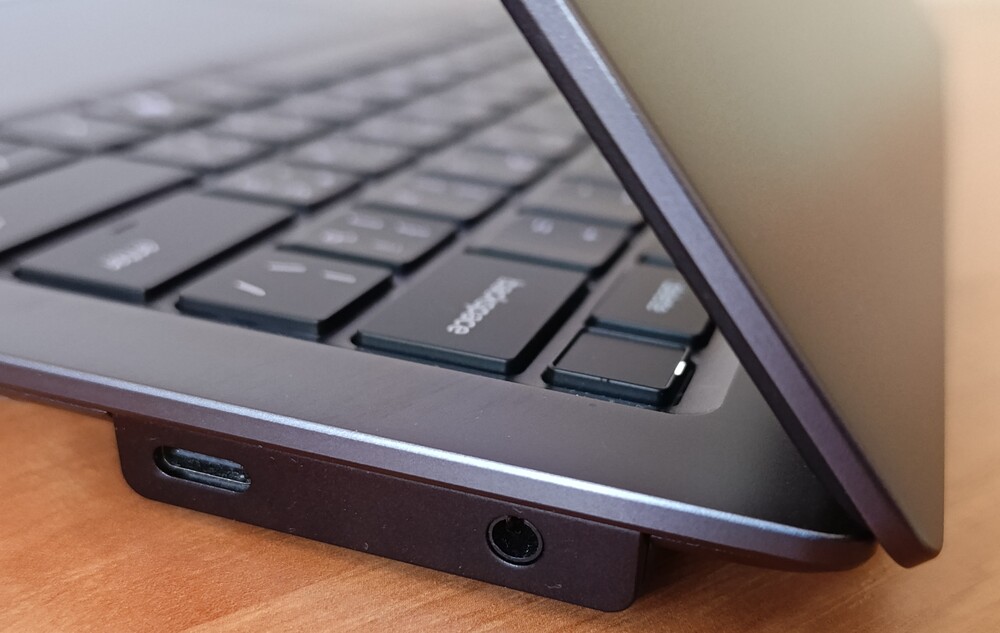
The inclusion of HDMI deserves credit, but the absence of USB-A is hard to overlook. About 90% of my devices still use that port, and I’d rather not carry around hubs or adapters just to use them.
On the wireless front, the laptop is well-equipped with Wi-Fi 7 and Bluetooth 5.4. Security features include Windows Hello with an infrared camera for facial recognition and a fingerprint scanner integrated into the power button.
Read also: Review of the ASUS ROG Zephyrus G16 2024 Gaming Laptop with AMD Ryzen AI 9 HX 370
Keyboard, touchpad
Talking about ThinkPad keyboards is never a simple matter, which is why I always dedicate a separate section to them. For years, the layout and tactile feel of ThinkPad keyboards have been considered the gold standard among professional laptops. Contoured keys, deep travel, crisp feedback – and, of course, the legendary red TrackPoint nestled between the letter keys. With this new model, Lenovo aimed to update these concepts slightly to align with a fresh aesthetic and functional vision.
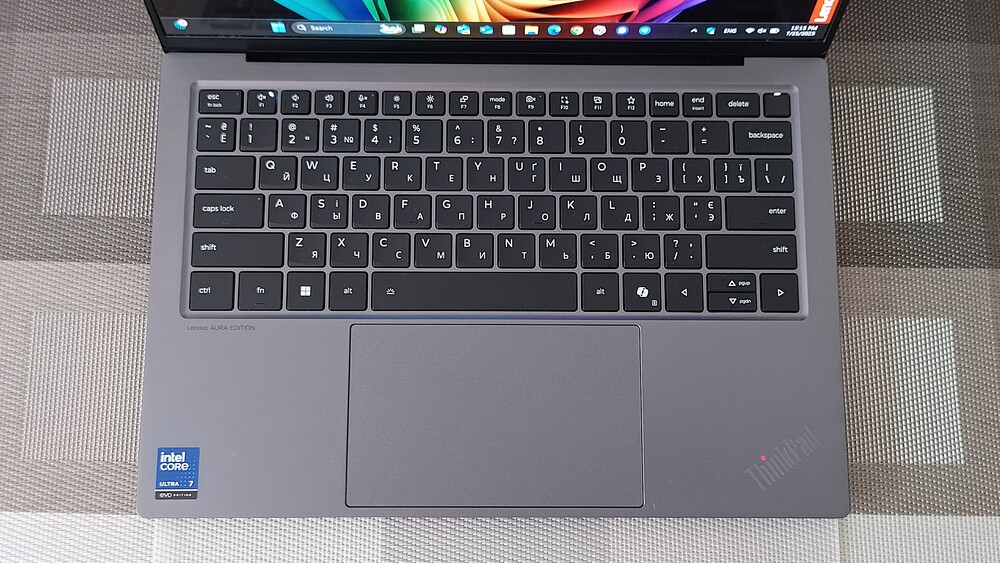
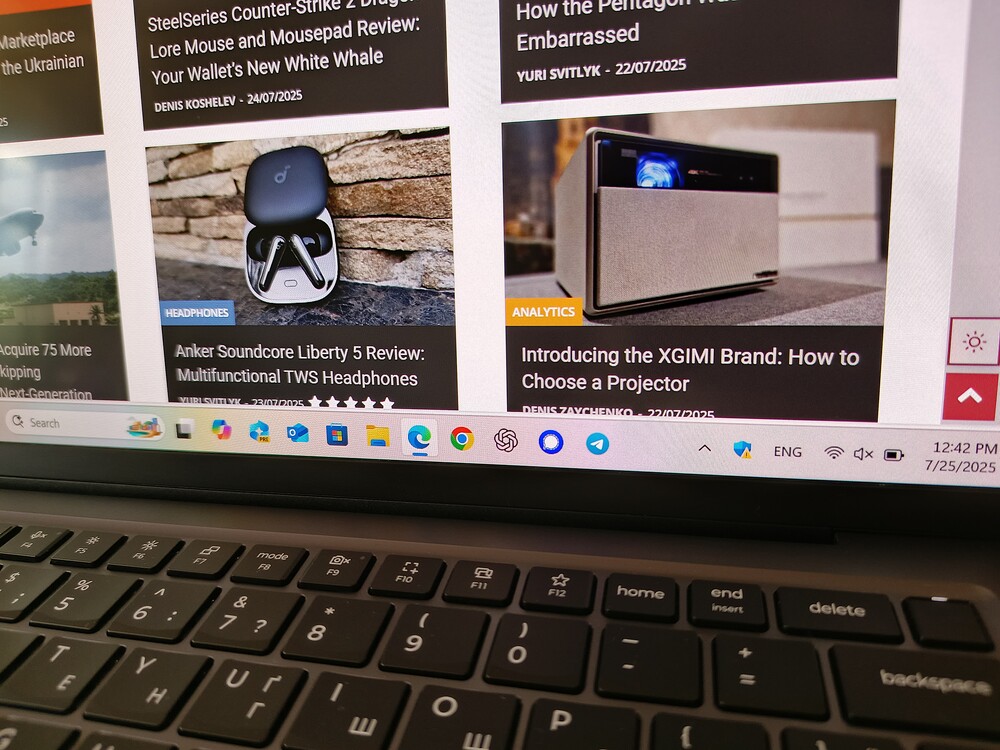
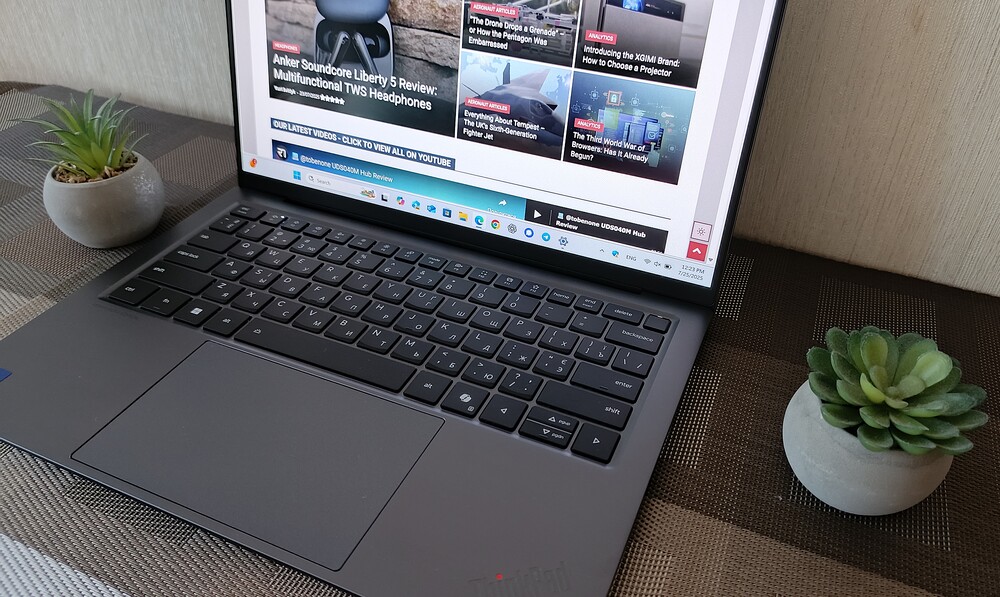
The keyboard on this model stands out with a noticeably thinner profile aimed at portability, and the absence of the TrackPoint. However, Lenovo has thoughtfully worked to preserve a satisfying typing experience despite moving away from the traditional design. The keys have shorter travel compared to classic ThinkPads, but the feedback remains clear and precise.


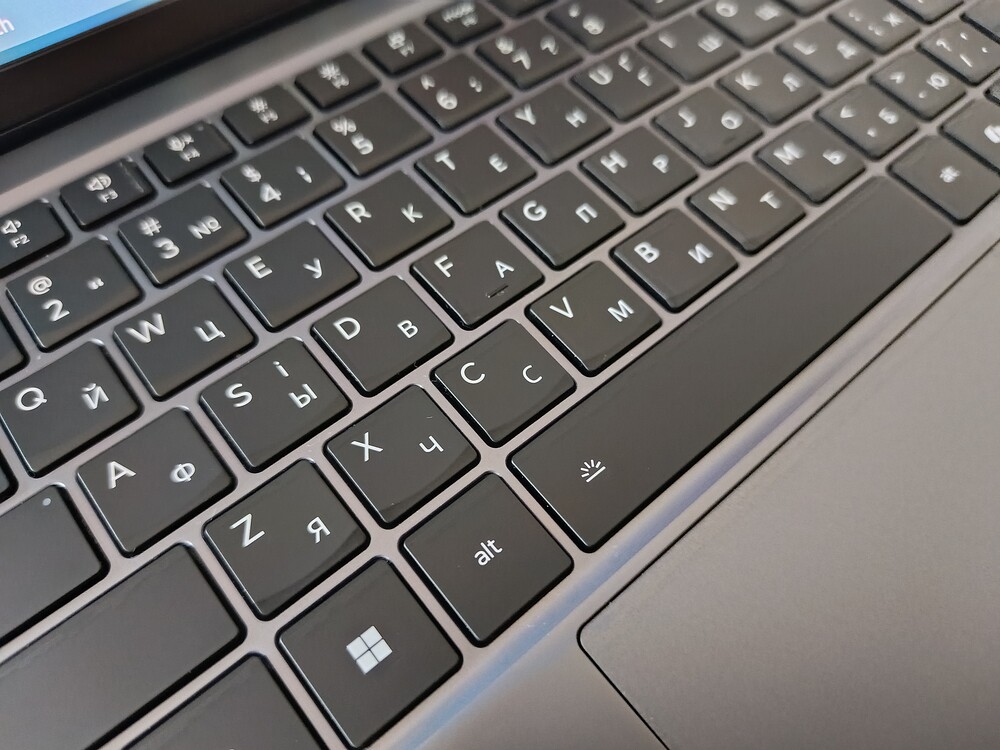
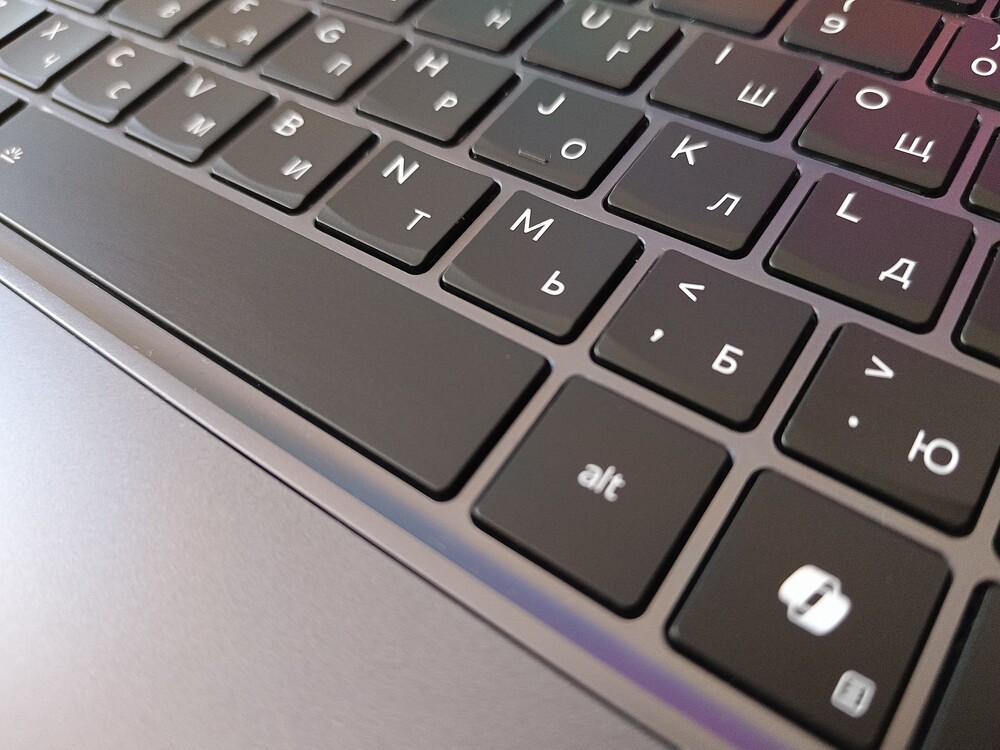
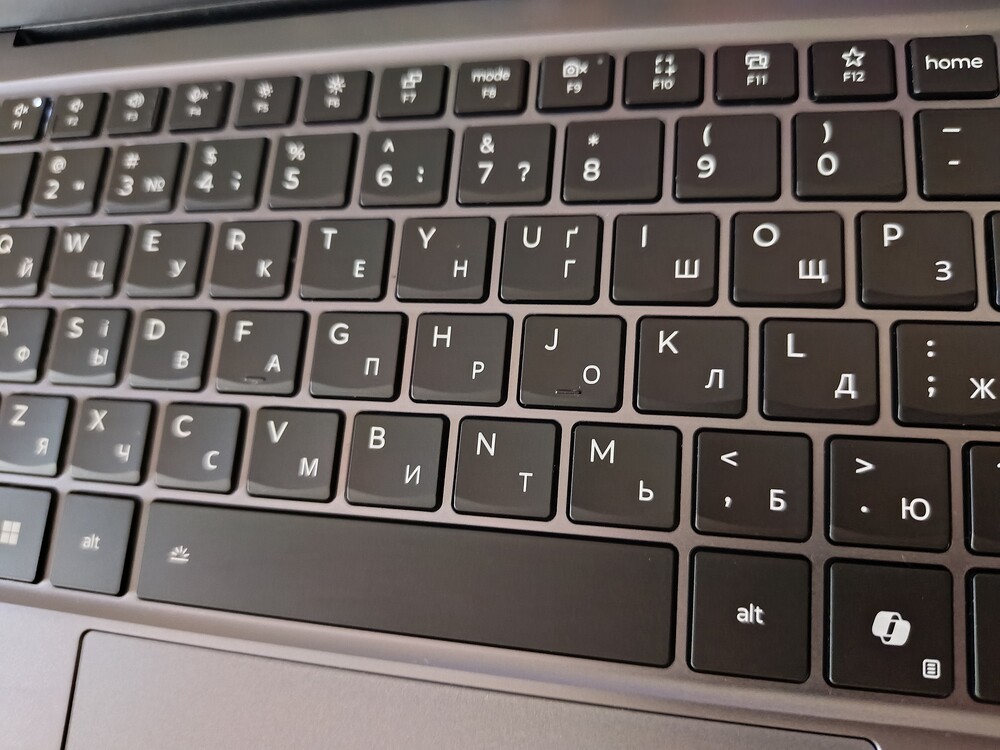
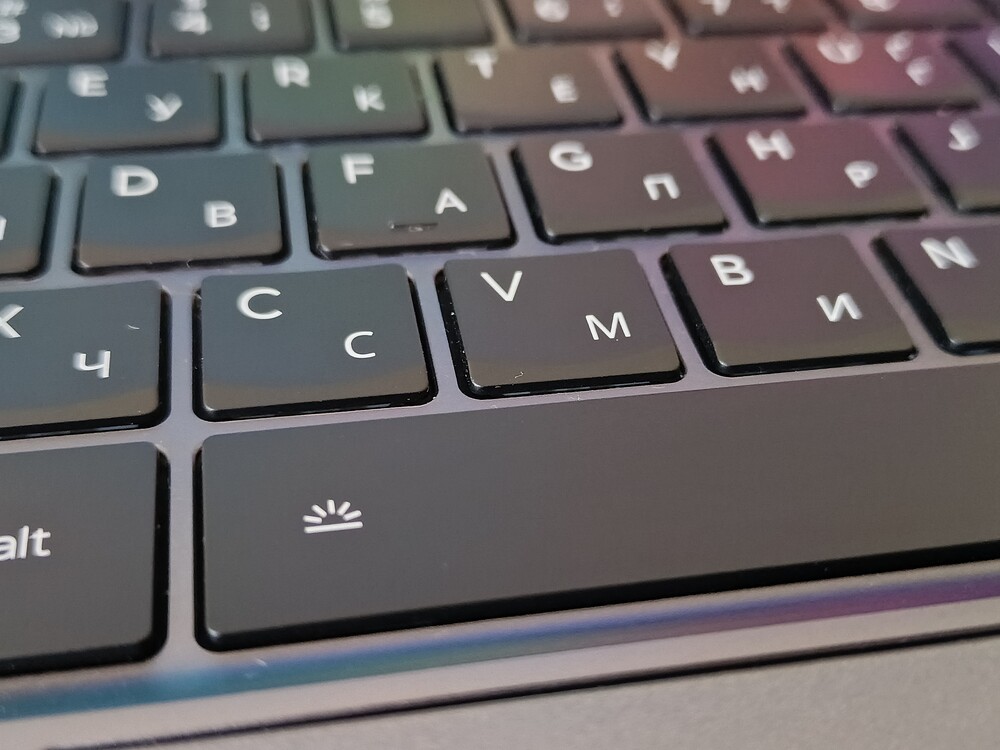
The spacing between the keycaps is well balanced, with an optimal size and slightly recessed shape. There are some compromises, particularly with the arrow keys: the Up and Down arrows are half-sized, and on either side of them in the top row are the Home and End keys. These placements may take some getting used to, especially if you’re accustomed to touch typing extensively.

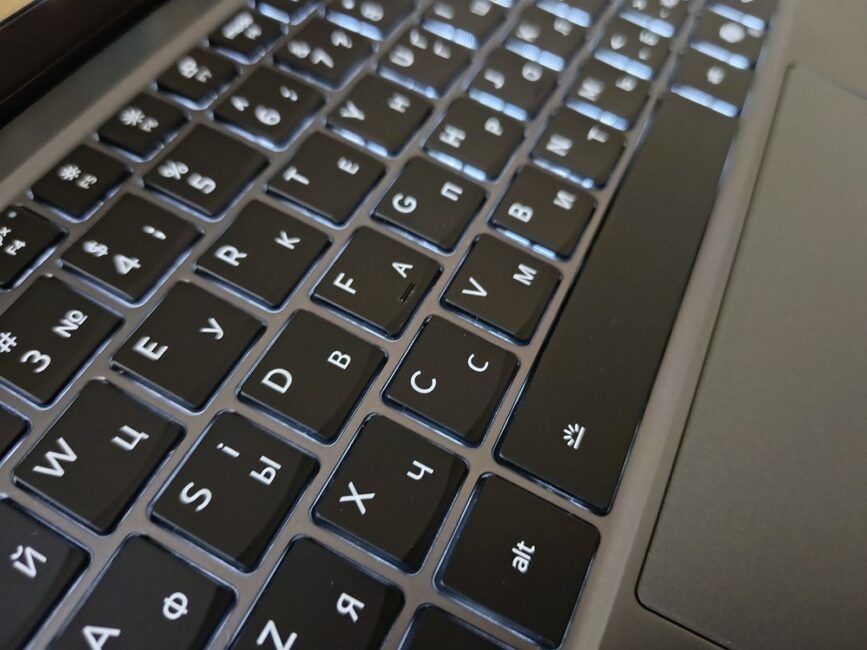
The keyboard backlight offers two brightness levels and is evenly distributed – making the keys easily readable in low-light environments without any haloing or light bleed. The good news is that despite the design changes, the typing experience remains excellent. It took me only a few minutes to reach a fast and accurate typing rhythm. Even updated, this ThinkPad still outperforms many others in this regard.
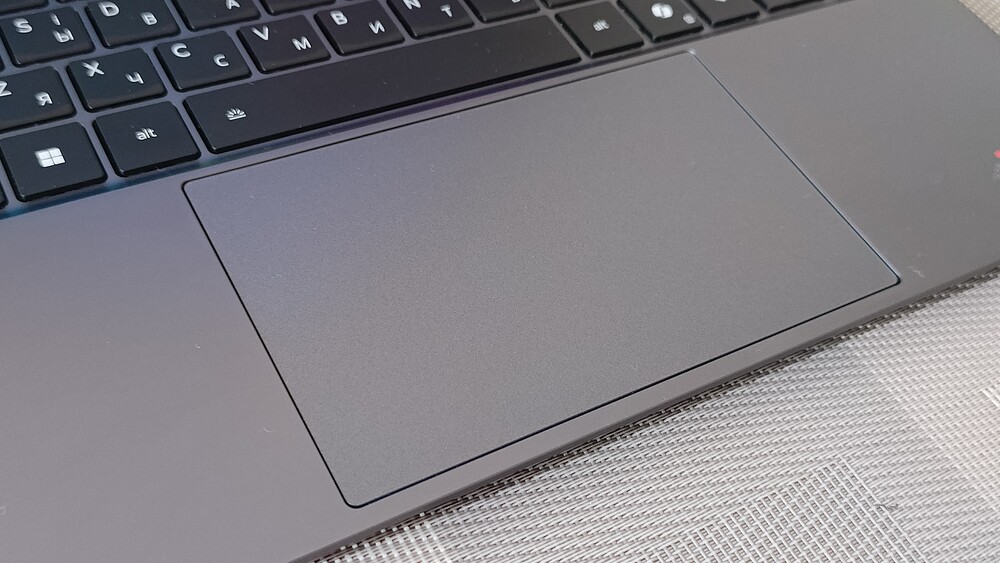
The touchpad received a significant update as well. Lenovo moved away from separate physical buttons, opting instead for a large, tactile touchpad (about 13.4 × 8.4 cm) that uses haptic feedback to simulate clicks. This implementation is among the best I’ve seen on a Windows laptop. The response is consistent across the entire surface, and the “click” sensation is so convincing that you genuinely forget it’s not mechanical but a carefully designed tactile simulation. Multitouch gestures like two-finger scrolling and pinch-to-zoom work smoothly and naturally. Overall, this reflects precise sensor performance and high-quality software calibration.
Read also: Acer Nitro V 14 ANV14-61 Review: Pristine White Gift for Gamer
Lenovo ThinkPad X9 14 Gen 1 Aura Edition display
The laptop features a 1920×1200 OLED display with a 16:10 aspect ratio, which is well-suited for productivity tasks. The panel offers up to 400 nits of brightness, covers 100% of the DCI-P3 color gamut, supports HDR True 500 Black, and includes TÜV Rheinland-certified blue light reduction technology. The screen can also be opened flat to 180°, making it easier to share content during group meetings.
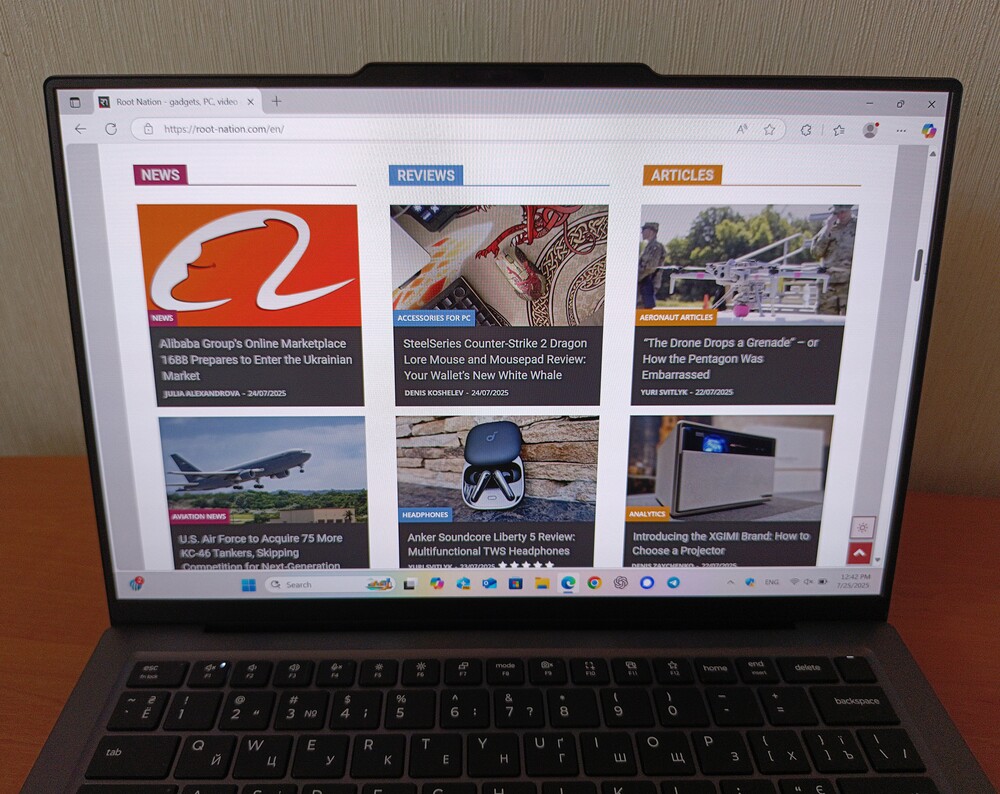
The display has an anti-reflective coating, but its effectiveness is moderate – fortunately. Completely eliminating reflections would come at the cost of the qualities that make OLED panels appealing: deep blacks, strong contrast, and vibrant colors. Additionally, there are no artifacts like the “crystalline” effect often seen on matte screens.
The refresh rate is limited to 60 Hz, which is acceptable for a business laptop, though a 120 Hz panel would be easier on the eyes and smoother for Windows gestures. That said, some versions of the Lenovo ThinkPad X9 14 Gen 1 Aura Edition offer a 14-inch touchscreen OLED panel with a higher resolution of 2880×1800 pixels and a variable refresh rate up to 120 Hz.
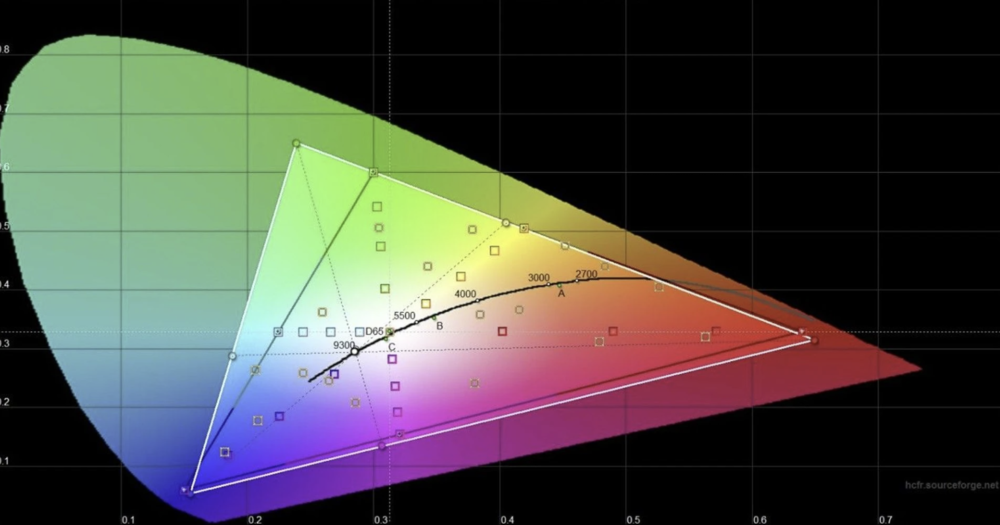
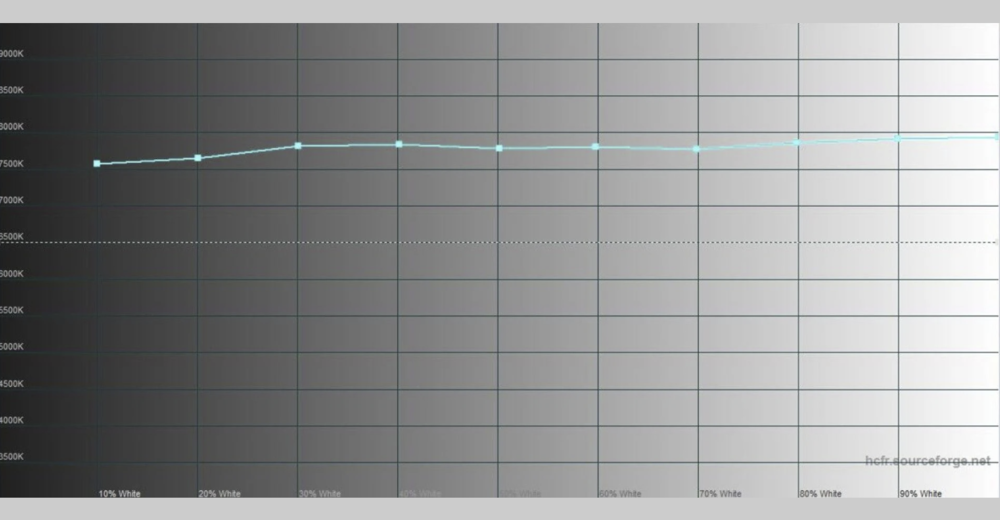
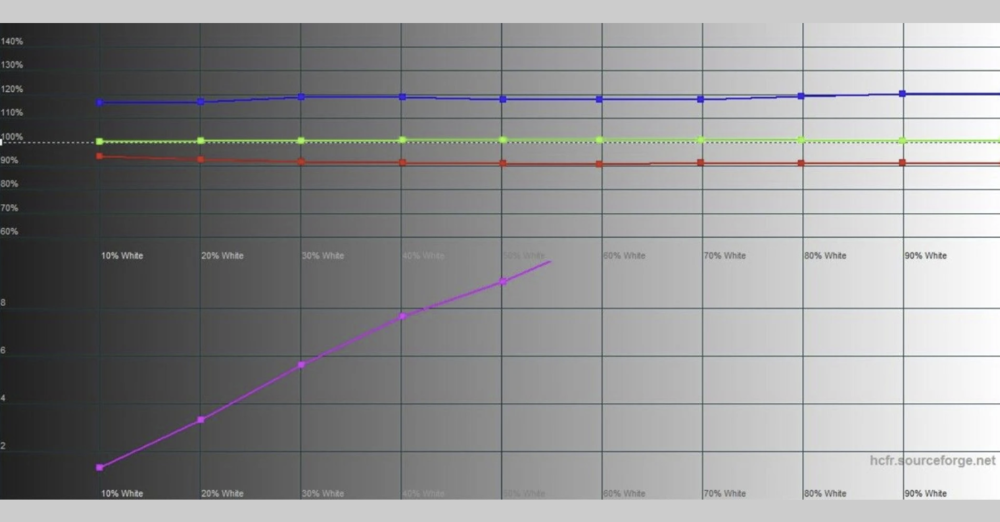
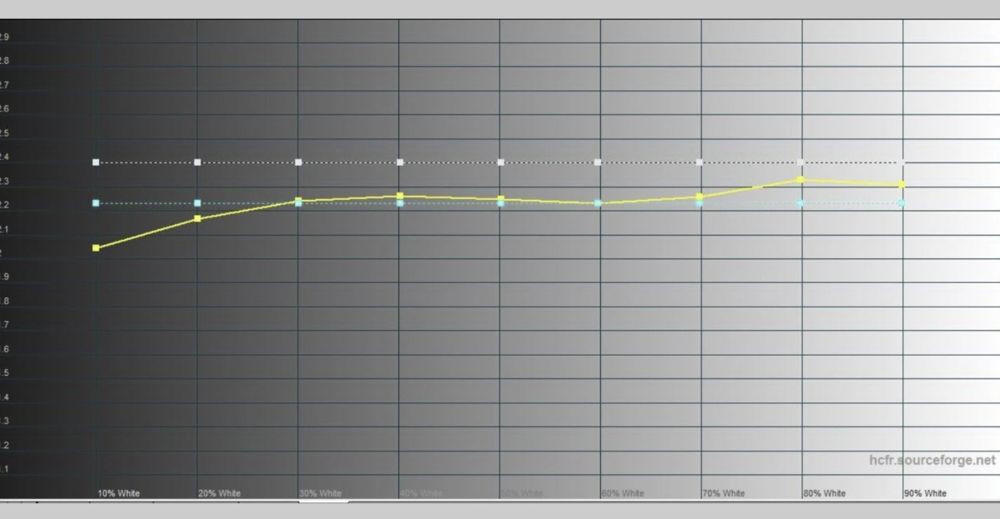
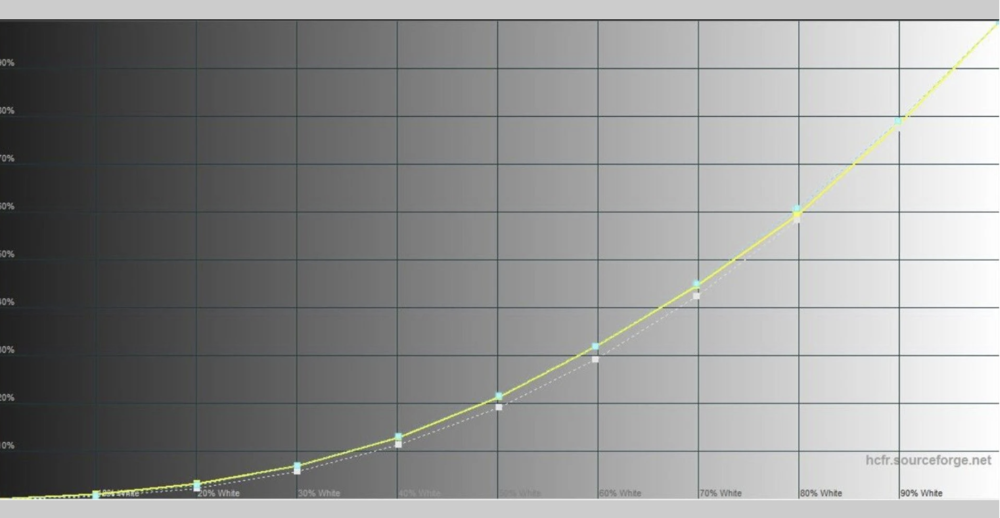
In terms of image quality, the display delivers as expected – offering true, deep blacks and exceptional contrast, with colors that are vivid, rich, sharp, and easy on the eyes. Lenovo’s specifications hold up under scrutiny: the panel covers the full DCI-P3 color gamut and approximately 92% of the Adobe RGB palette.
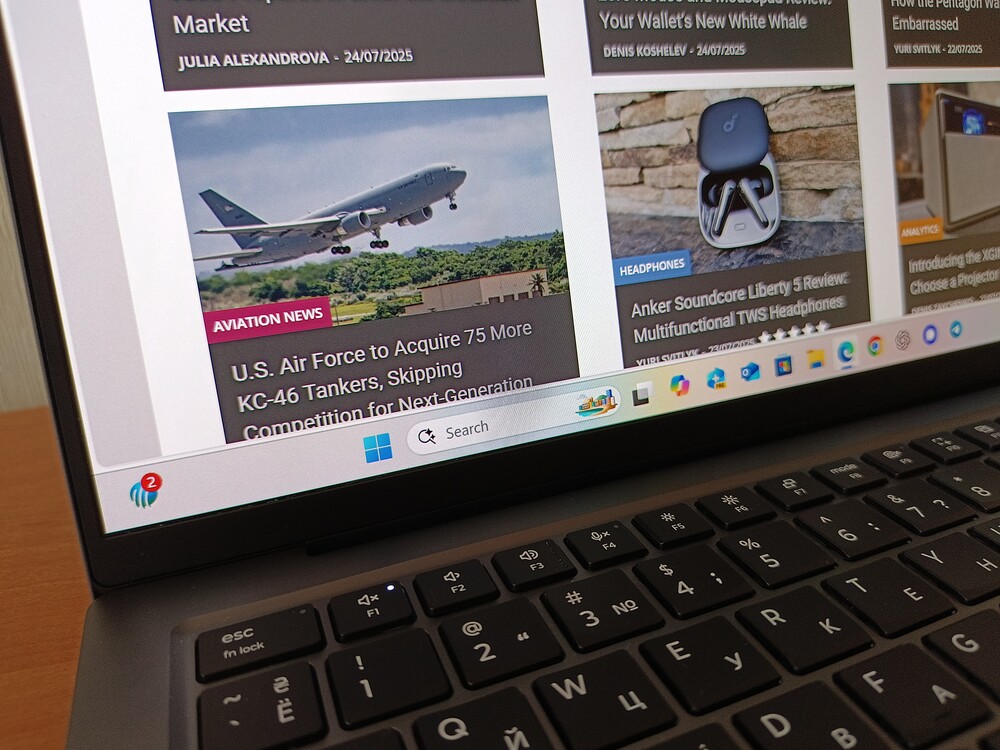
The screen’s brightness is also accurate, delivering nearly the advertised 400 nits. Hardware measurements showed a maximum brightness of 378.76 cd/m², confirming the display’s wide color coverage.
Read also: ASUS Vivobook S 15 S5507 with Snapdragon X review: Powerful, Quiet, and Long-Lasting
Sound, webcam and biometrics
Along the raised edge above the screen, there’s an integrated 8-megapixel Full HD camera with infrared illumination, plus a new TOF sensor. This setup speeds up Windows Hello facial recognition and supports AI-powered features like privacy alerts and enhanced low-light imaging in “smart mode.” Overall, video calls and conferences should be hassle-free.
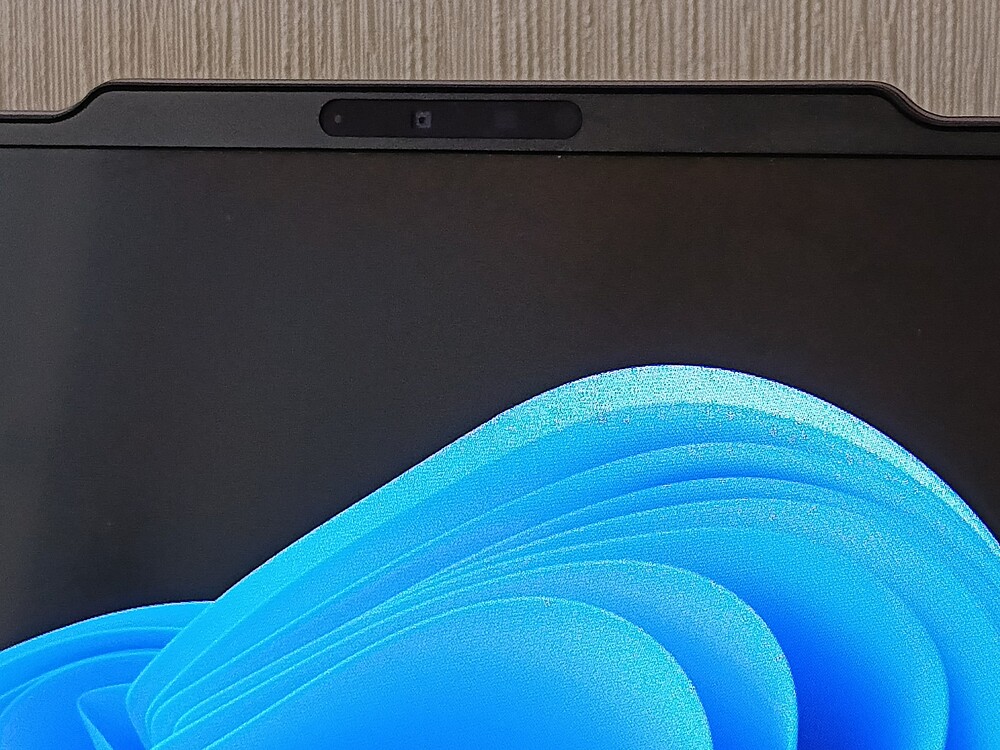
There’s no physical shutter for the camera, which might be a drawback for some. Instead, there’s a dedicated function key that disables the camera and displays an on-screen indicator. While this works reliably, I feel a mechanical shutter offers more peace of mind, especially in corporate environments or for privacy-conscious users.
The camera itself is decent – not perfect, but noticeably better than what you typically find in most laptops. For most tasks, an external webcam won’t be necessary. It also supports Windows Studio Effects like auto-framing, eye contact correction, and background blur – all of which work quite well.
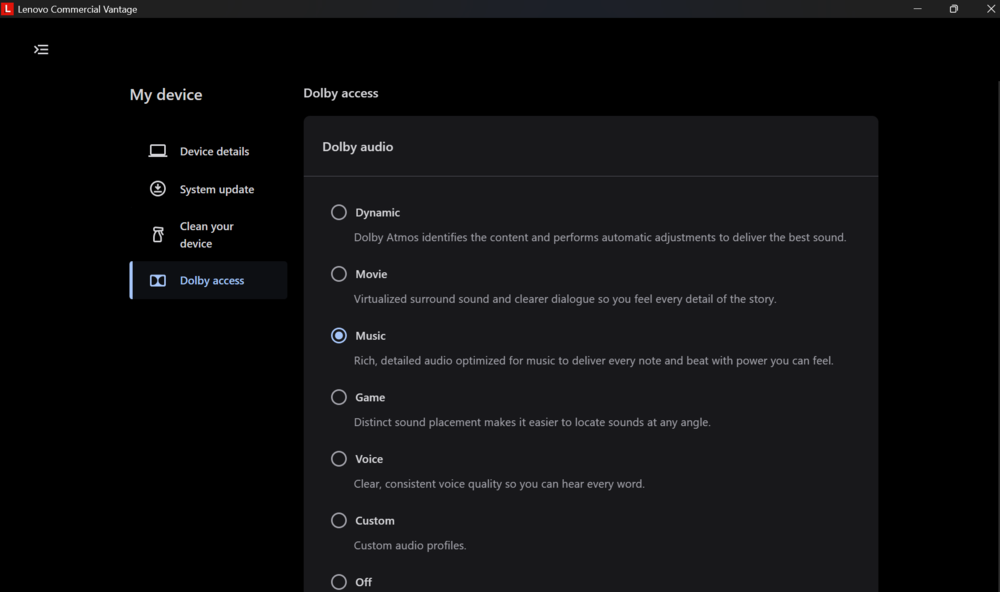
From a multimedia perspective, Lenovo has put considerable effort into the audio system. The ThinkPad X9 14 Gen 1 Aura Edition features two front-facing stereo speakers with Dolby Atmos support. The sound is well-balanced, delivering rich and detailed mids, clear highs, and a surprisingly present bass response given the laptop’s slim profile.
When watching movies, series, or streaming music, the volume is more than enough to fill a room, with minimal distortion even above 80% volume. The presence of a 3.5 mm audio jack is a solid plus for a business laptop, allowing users to connect wired headphones without hassle.
The built-in microphone in the ThinkPad X9 14 Gen 1 does its job well. It’s more than adequate for calls on Zoom, Teams, or Skype, provided you’re not in a noisy café. Of course, for better audio quality, you can always connect a Bluetooth headset without occupying one of the limited ports.
Thanks to the infrared illumination and the new TOF sensor that speeds up Windows Hello facial recognition, logging in has become even easier – you just look at the screen, and the laptop unlocks. For those who prefer fingerprint login, the scanner integrated into the power button remains available and works reliably.
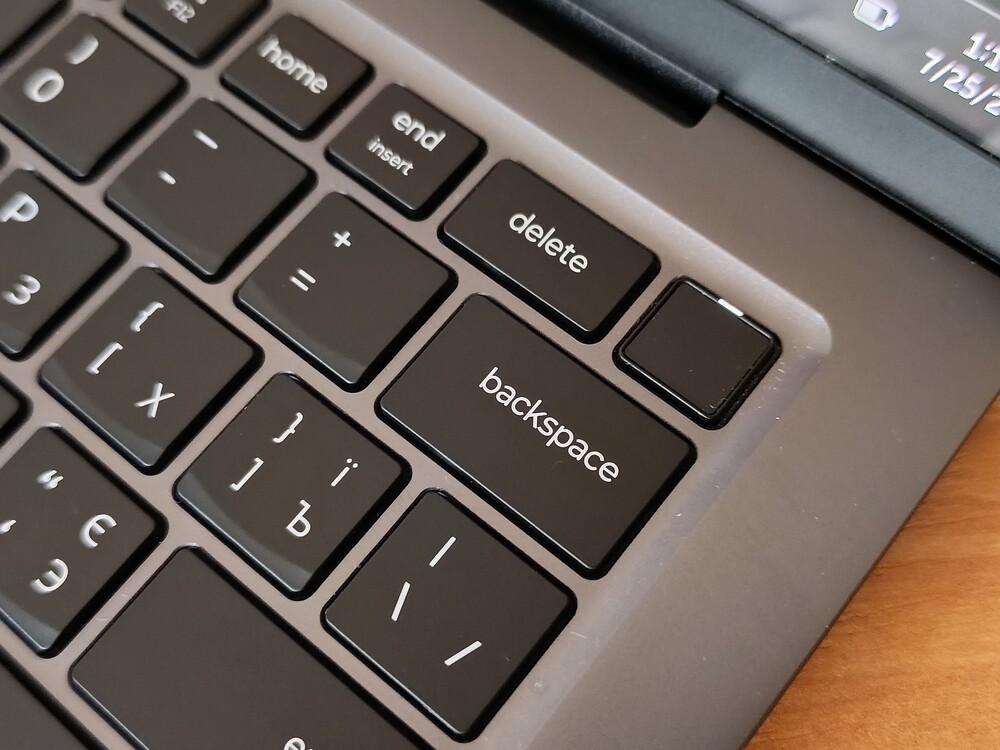
The fingerprint scanner is integrated into the power button, which is convenient and quick to use, though it does carry a slight risk of accidentally powering off the laptop.
Security-wise, the device includes a TPM 2.0 module and an OPAL 2 self-encrypting drive built into the laptop. Additionally, the processor supports vPro Essentials features, providing hardware-level protection for the system.
Read also: Lenovo ThinkPad Z13 Gen 2 Review: Reliable Business Ultrabook
Intel-based performance
The Lenovo ThinkPad X9 14 Gen 1 Aura Edition is part of a product line developed through close collaboration between Lenovo and Intel. It features a latest-generation Intel Core Ultra architecture that combines a central processor, integrated Intel Arc graphics, and a neural processing unit into a design optimized for energy efficiency and AI capabilities.
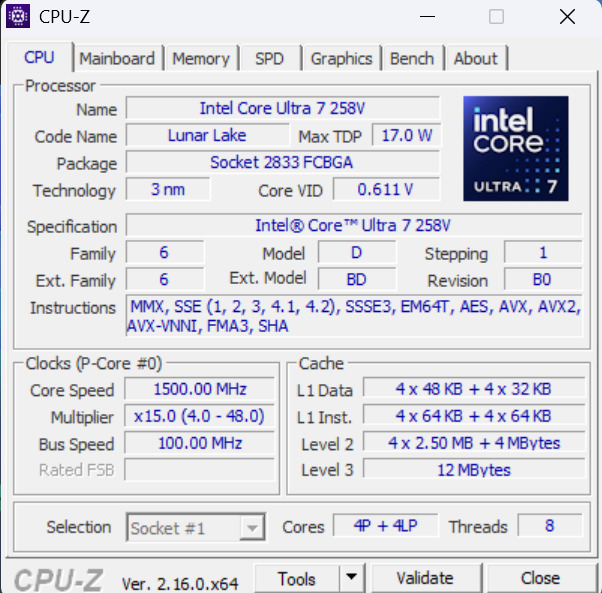
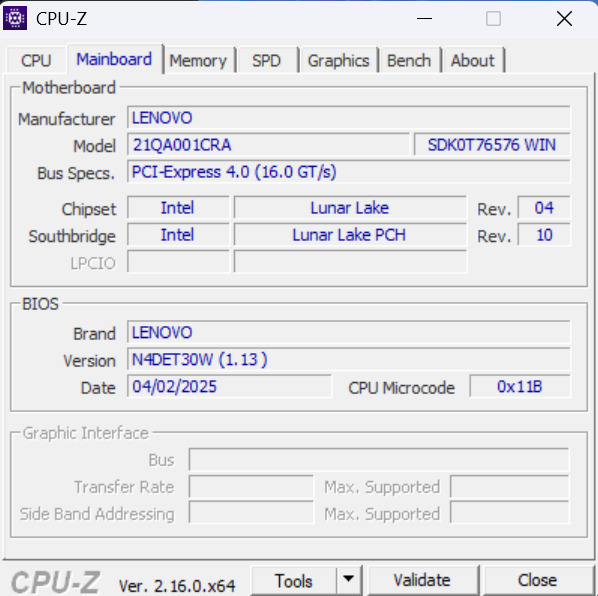
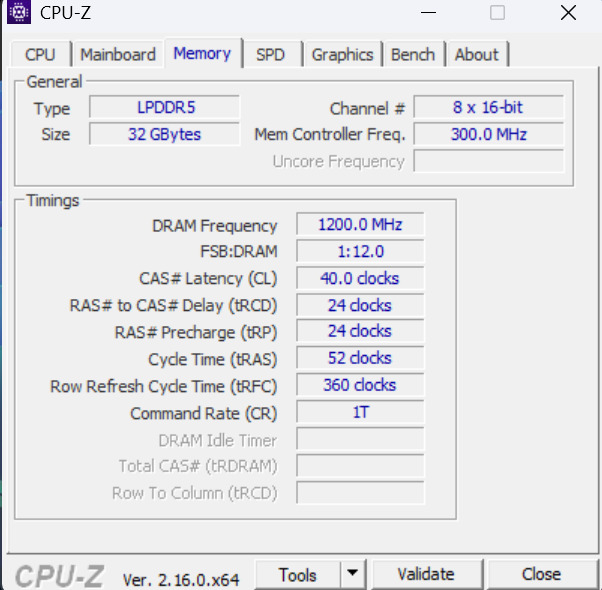
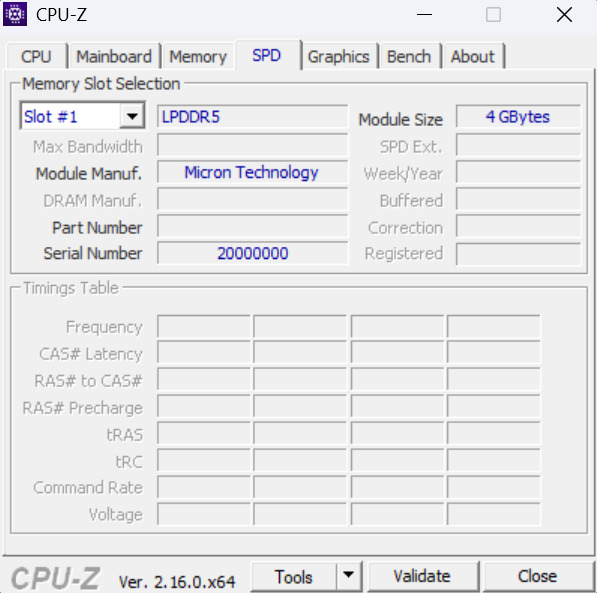
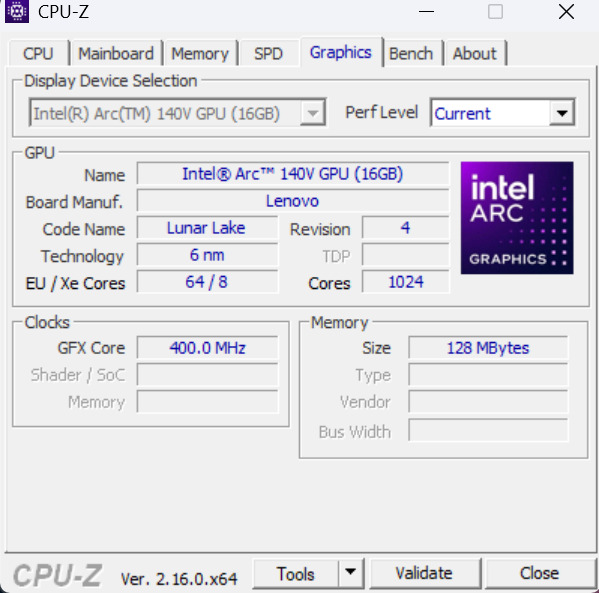
Key specifications of this model include an eight-core Intel Core Ultra 7 258V processor with a clock speed of up to 4.8 GHz, integrated Intel Arc Xe2 140V graphics, 32 GB of LPDDR5x-8533 memory, and a 1 TB M.2 2242 PCIe 4.0 solid-state drive. These specs align with configurations typical for modern mid- to high-end office laptops and meet the requirements of the Copilot+ PC specification. Additionally, both the memory and SSD capacity can be upgraded based on user needs and budget.
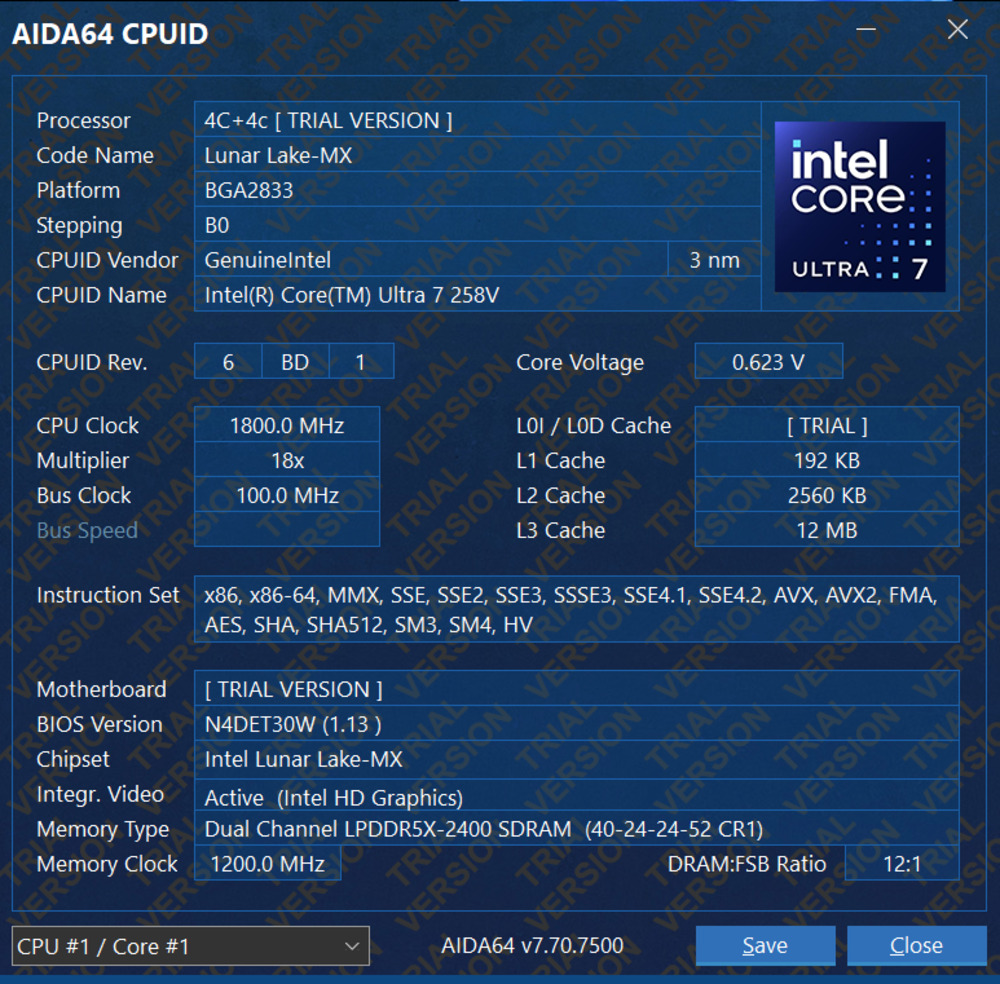
The Intel Core Ultra 7 258V is an upper mid-range model from the Lunar Lake series, featuring 8 cores – 4 performance and 4 efficiency cores. It’s paired with Intel Arc 140V graphics and a neural processor delivering 47 TOPS AI Boost. Based on benchmark results, this platform is well-suited for office tasks and light content creation, which aligns perfectly with what you’d expect from a device like the ThinkPad X9 14 Gen 1 Aura Edition.
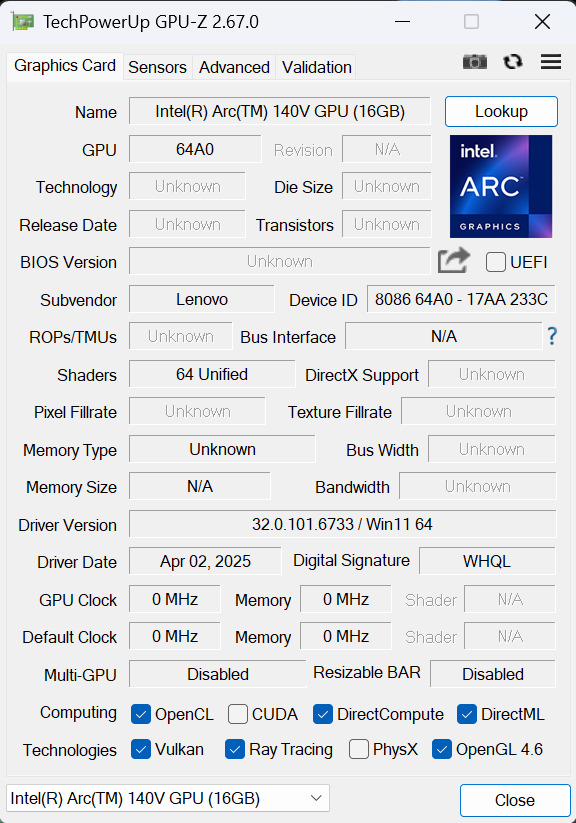
Regarding graphics, the integrated Arc 140V GPU handles 2D rendering, animation, and 4K video encoding quite well. In short, this laptop is designed for work rather than gaming or 3D modeling. That said, with the right settings and some compromises, it can run a few of the latest games at reasonable performance levels. Naturally, it won’t match a system with a dedicated GPU, but that’s not the primary expectation for this device.
When it comes to upgrade and repair options, the news is mixed. On one hand, the RAM is soldered directly onto the motherboard, making it essentially non-upgradable.
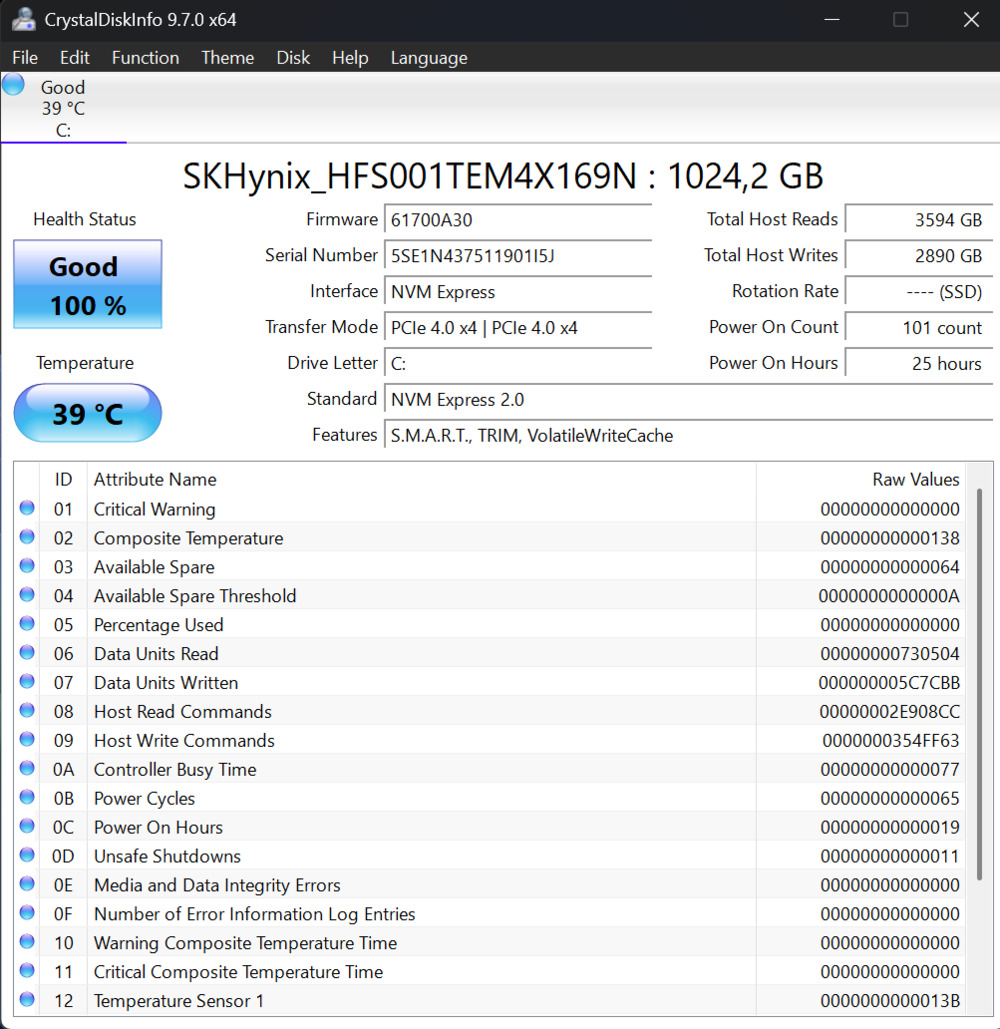
On the other hand, the SSD is upgradeable, but you need to be mindful of its size. The available slot supports the 2242 form factor, rather than the more common 2280 size.
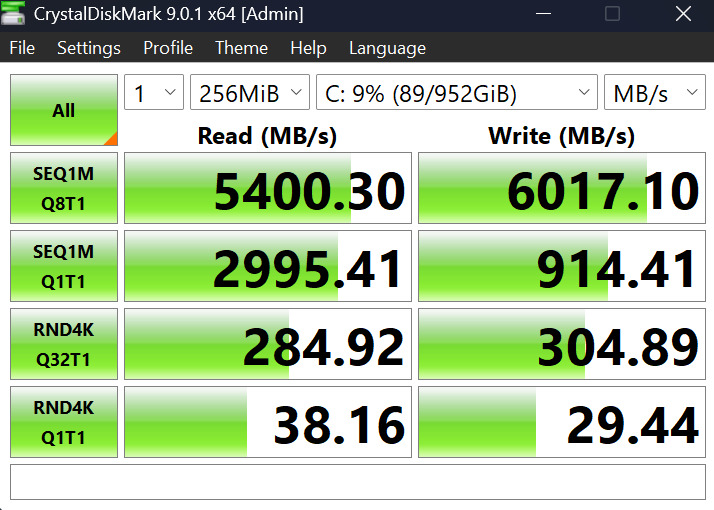
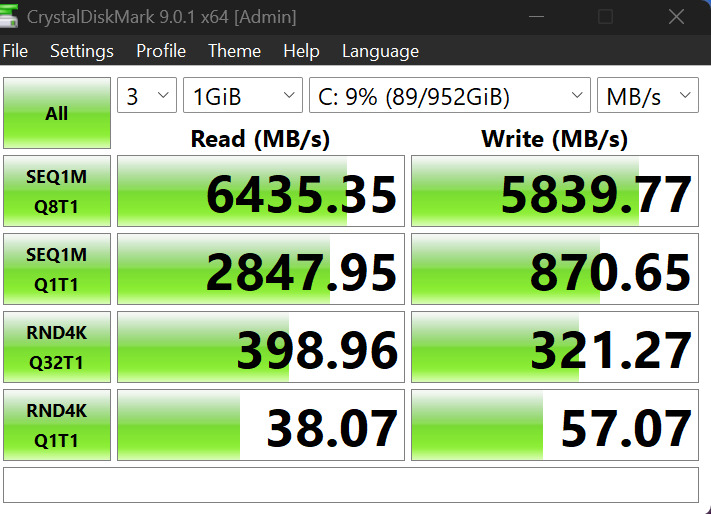
Performance tests show that the laptop delivers enough power for most office and creative tasks. However, they also indicate that it may be less efficient in heavy multitasking scenarios. This isn’t a device designed for the most demanding users, such as gamers or professional video editors.
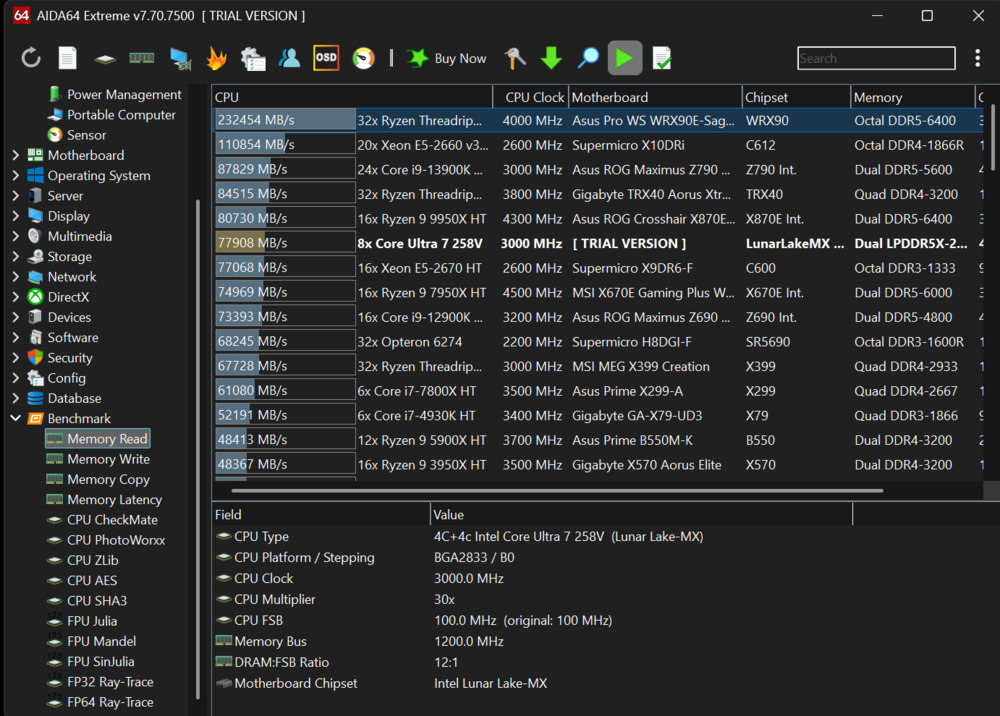
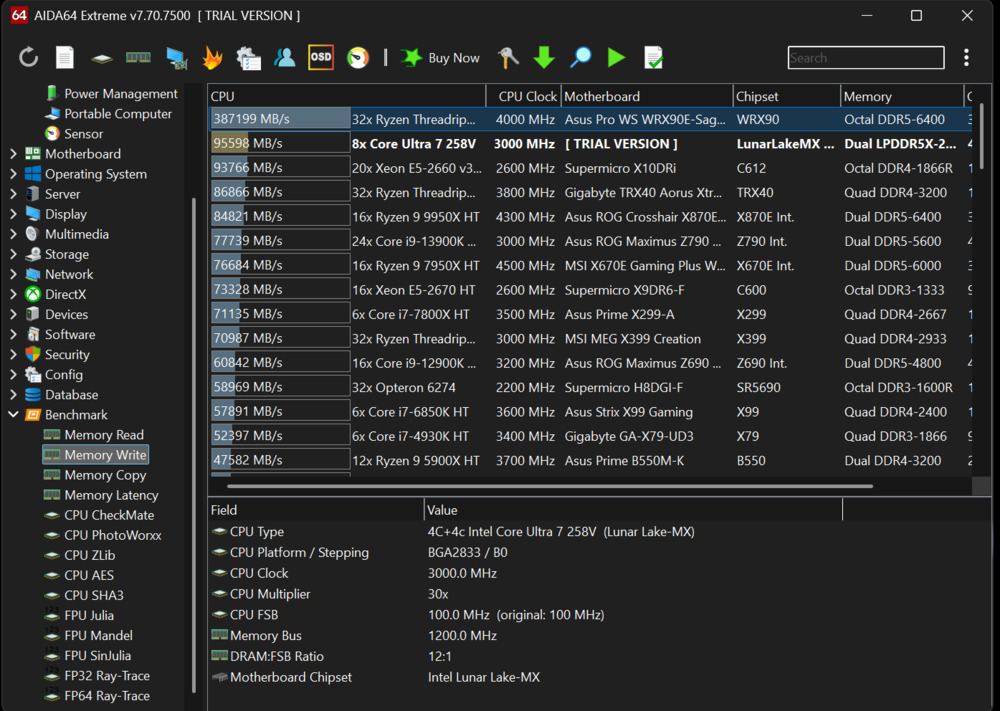
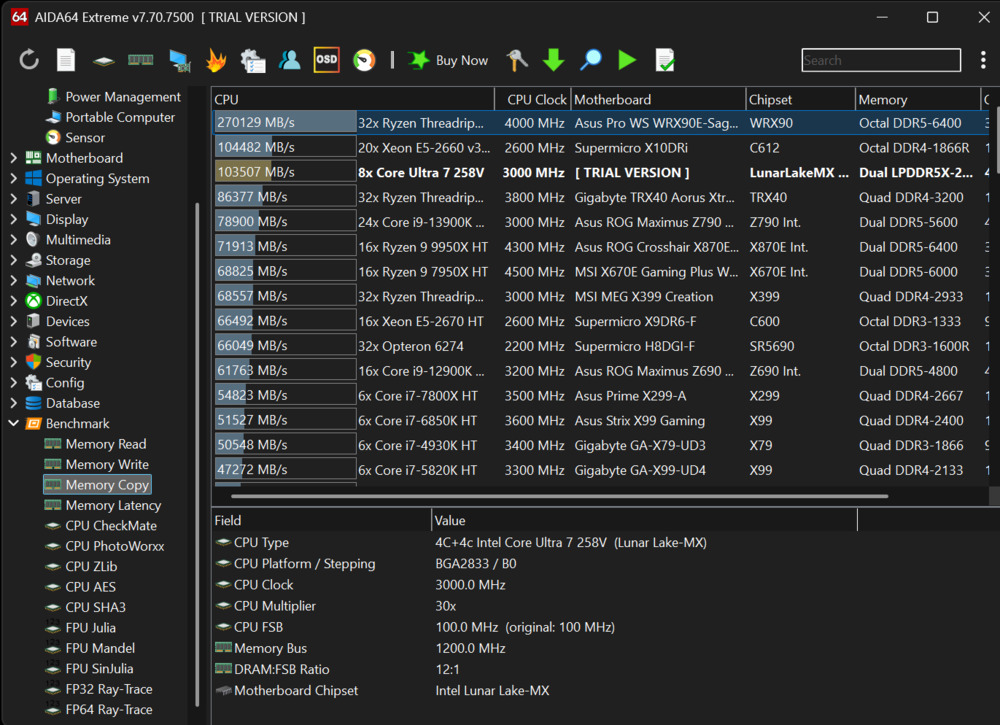
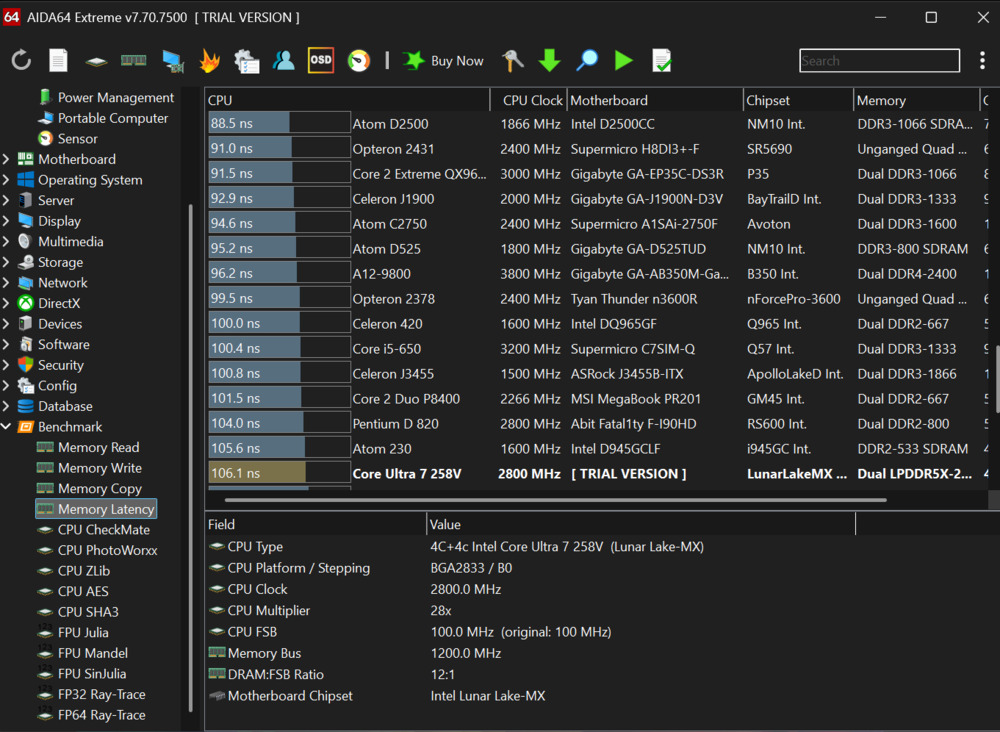
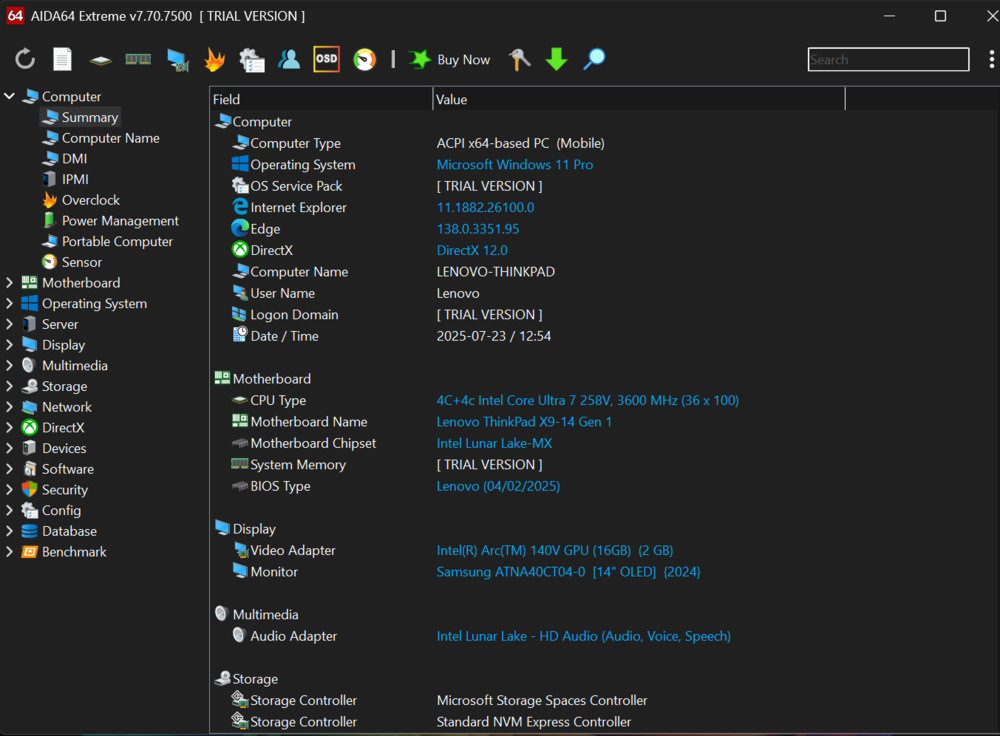
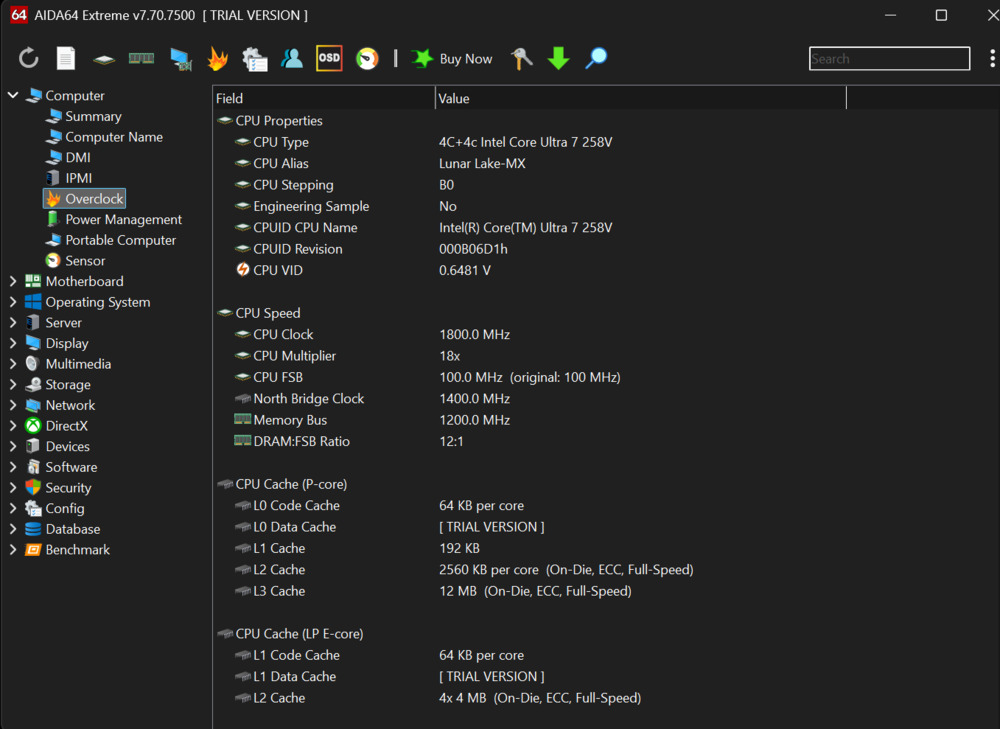
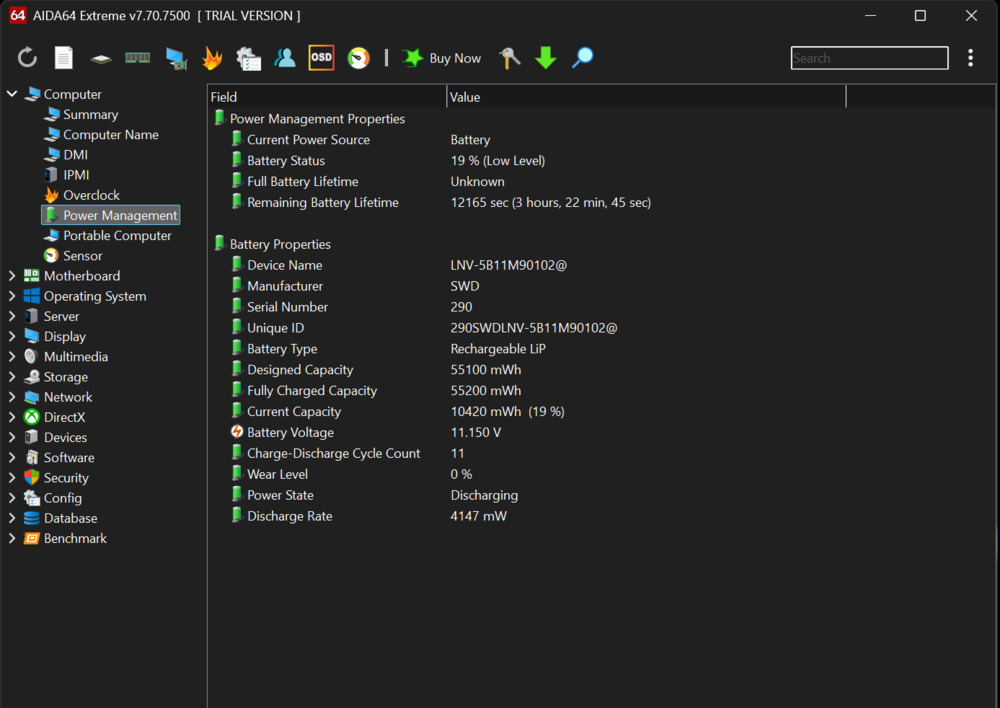
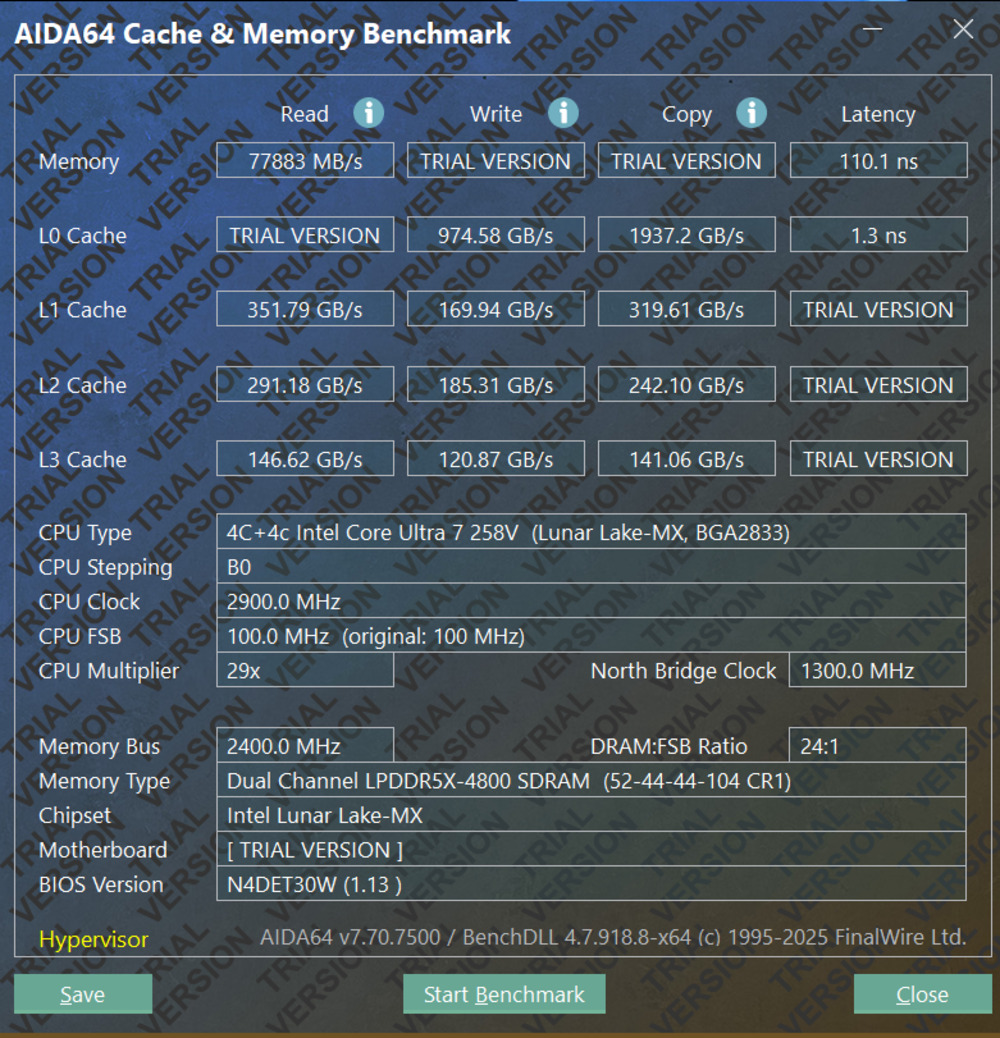
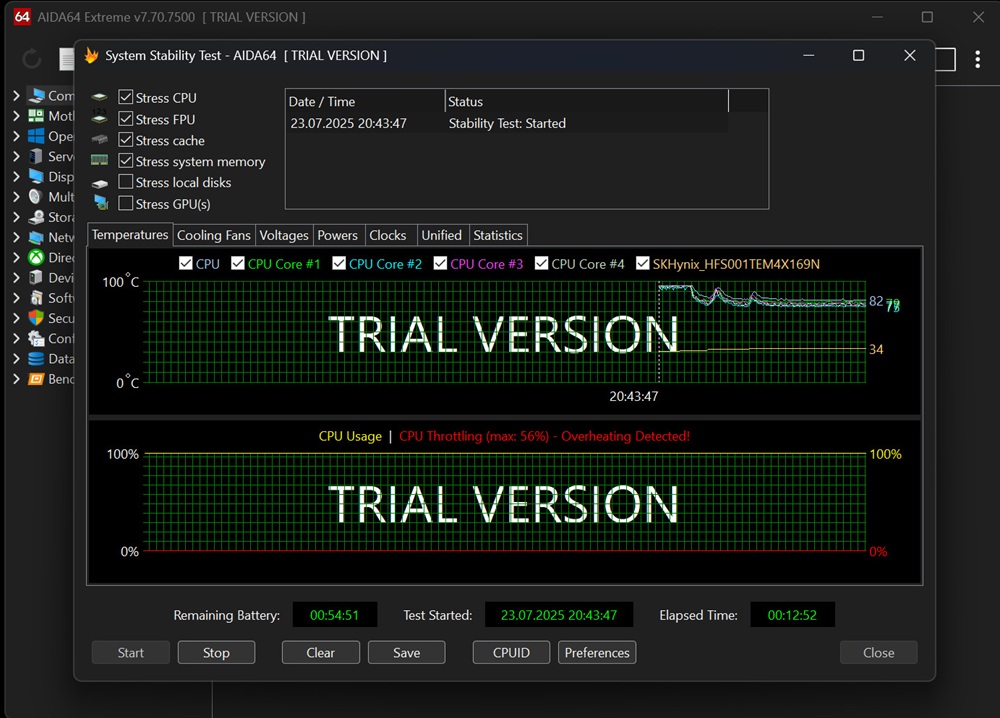
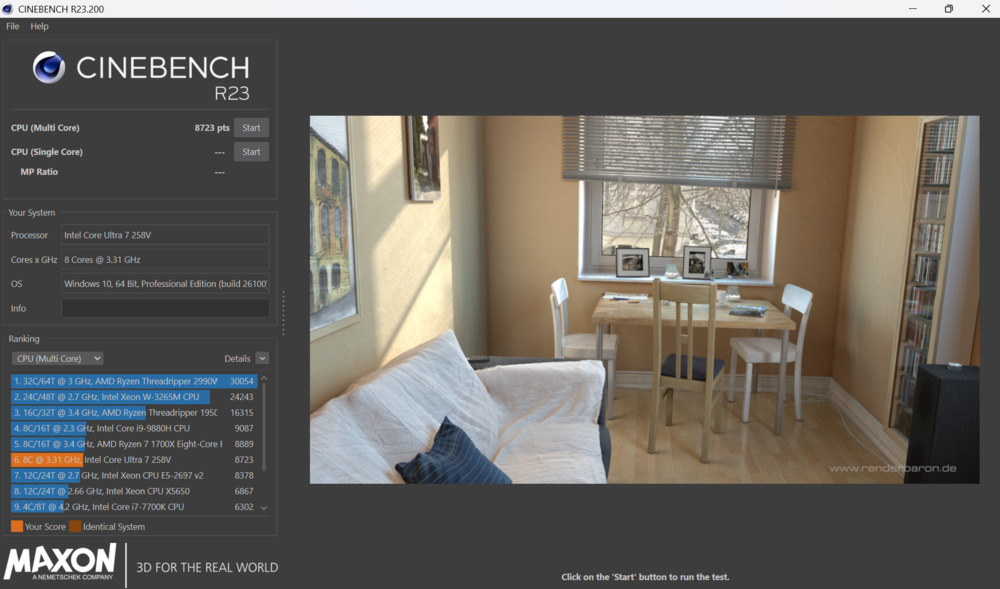
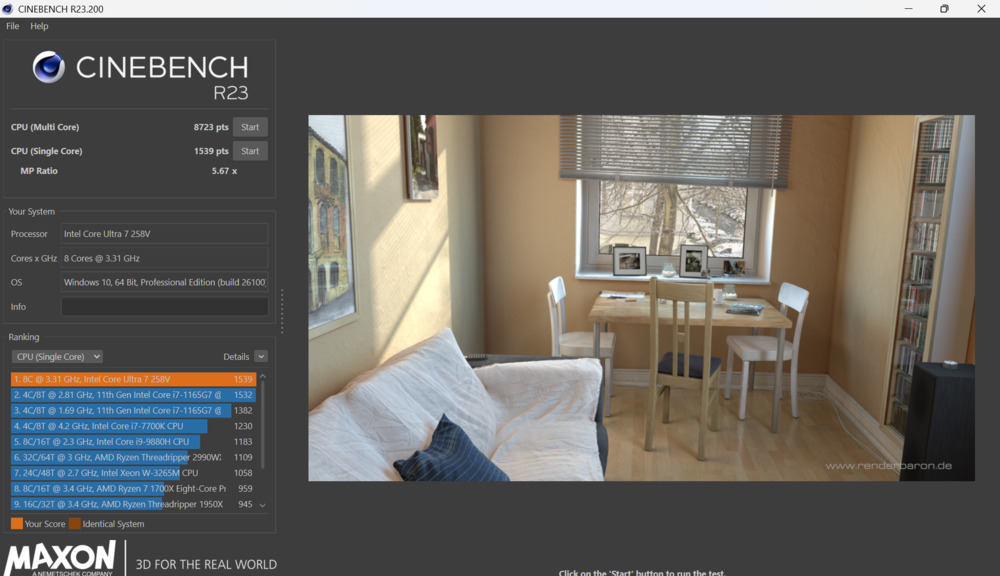
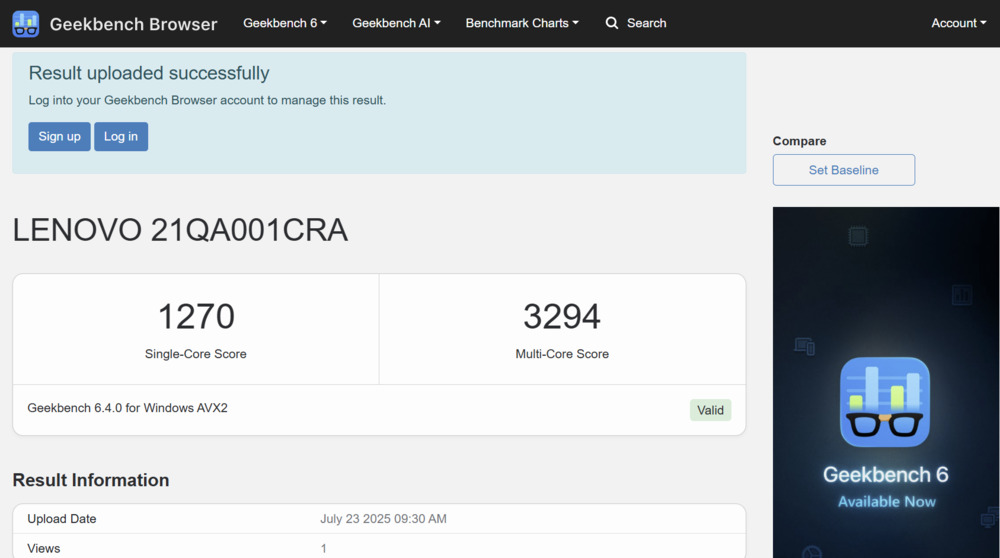
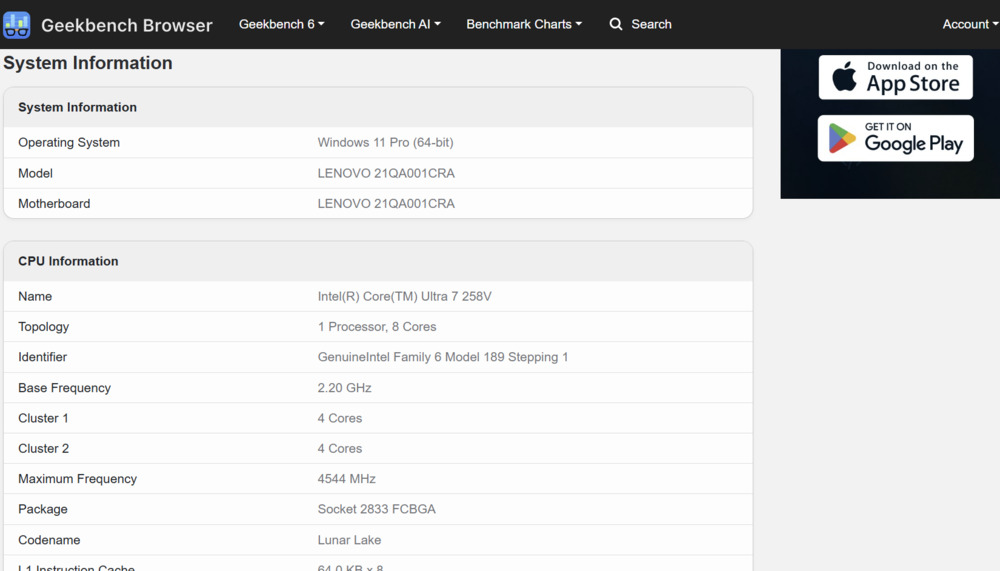
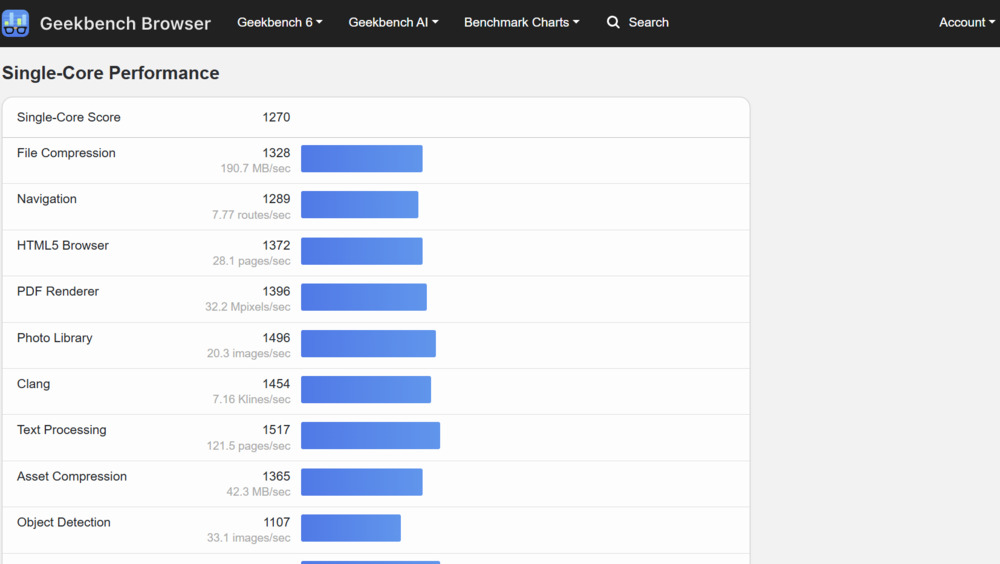
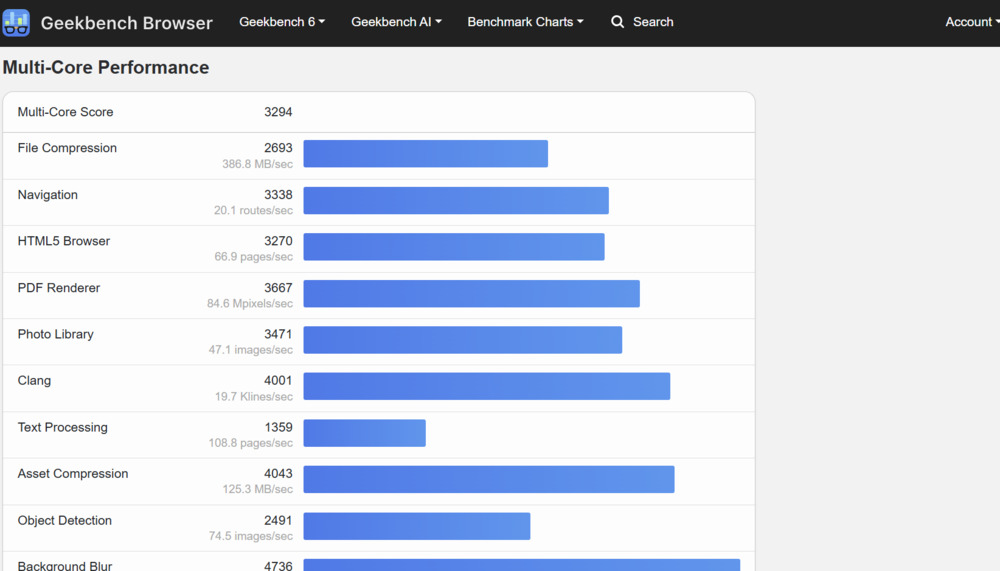
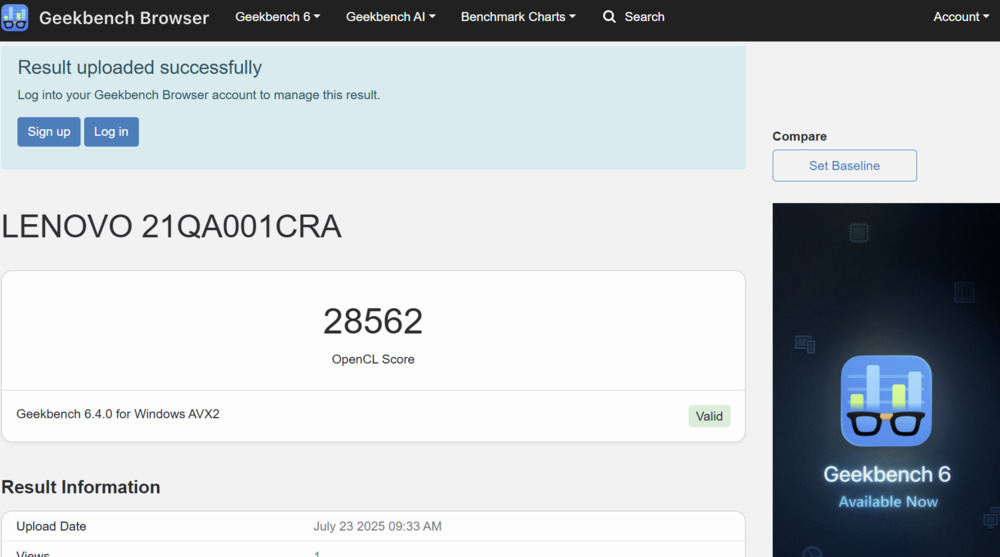
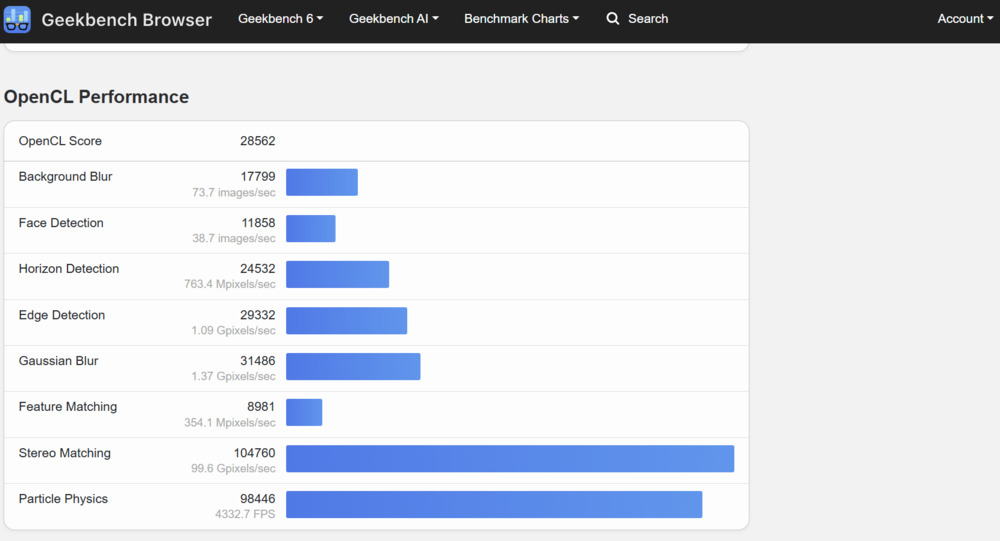
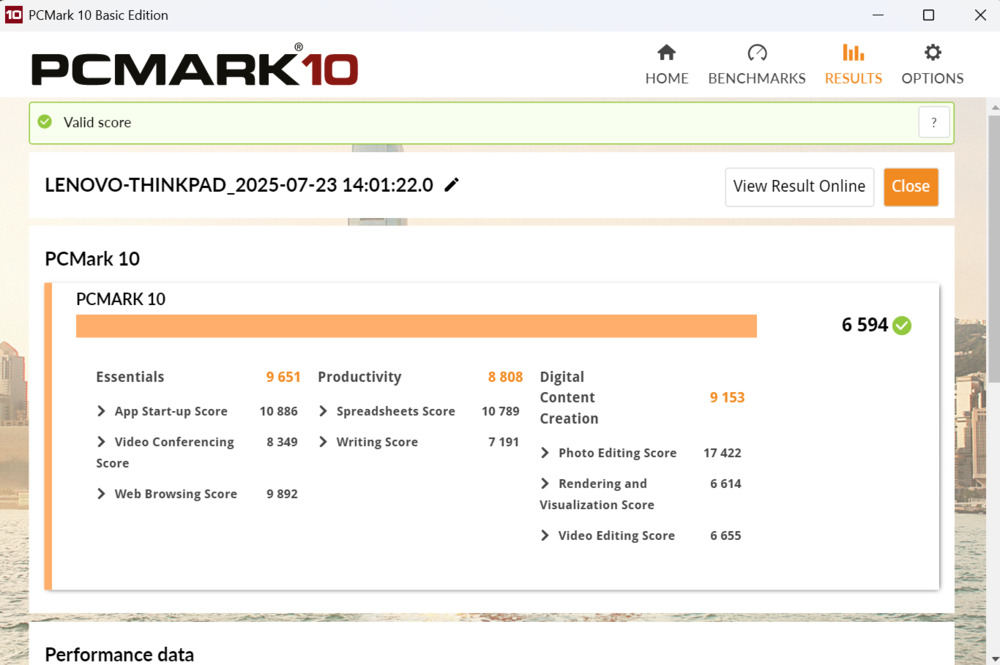
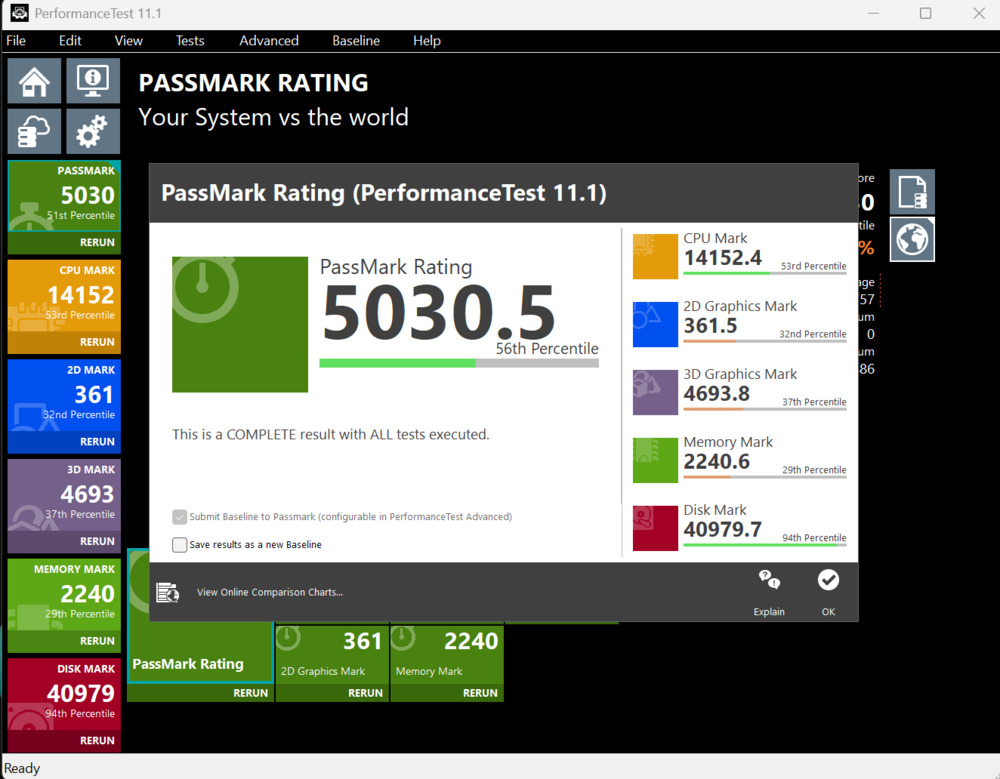
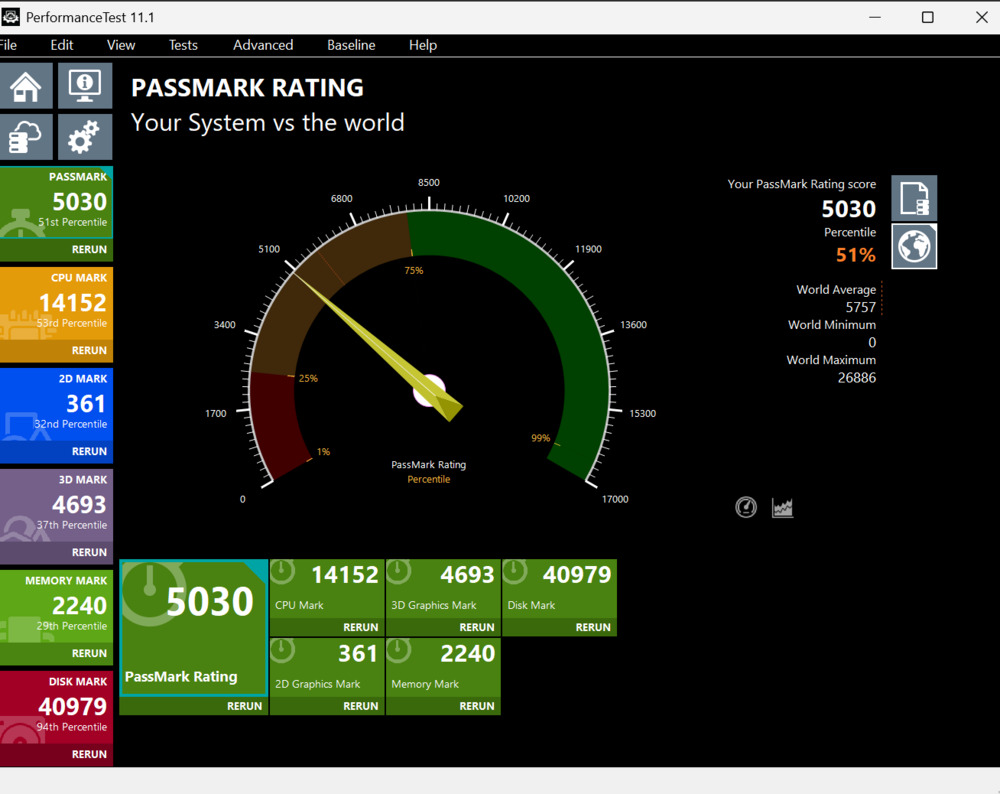
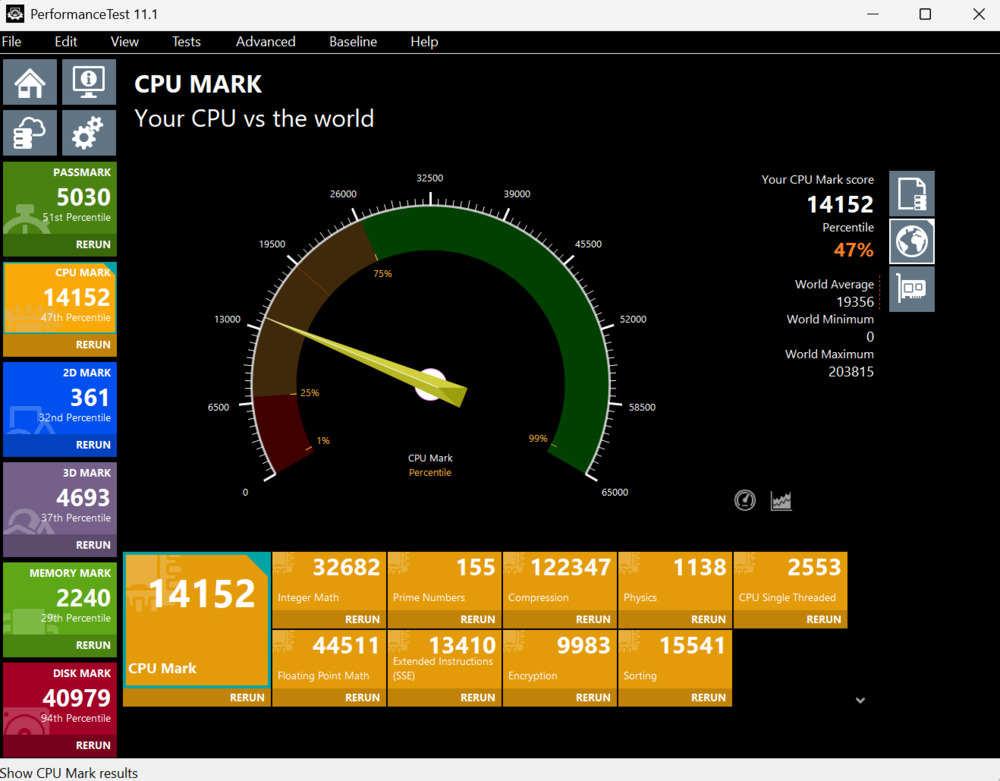
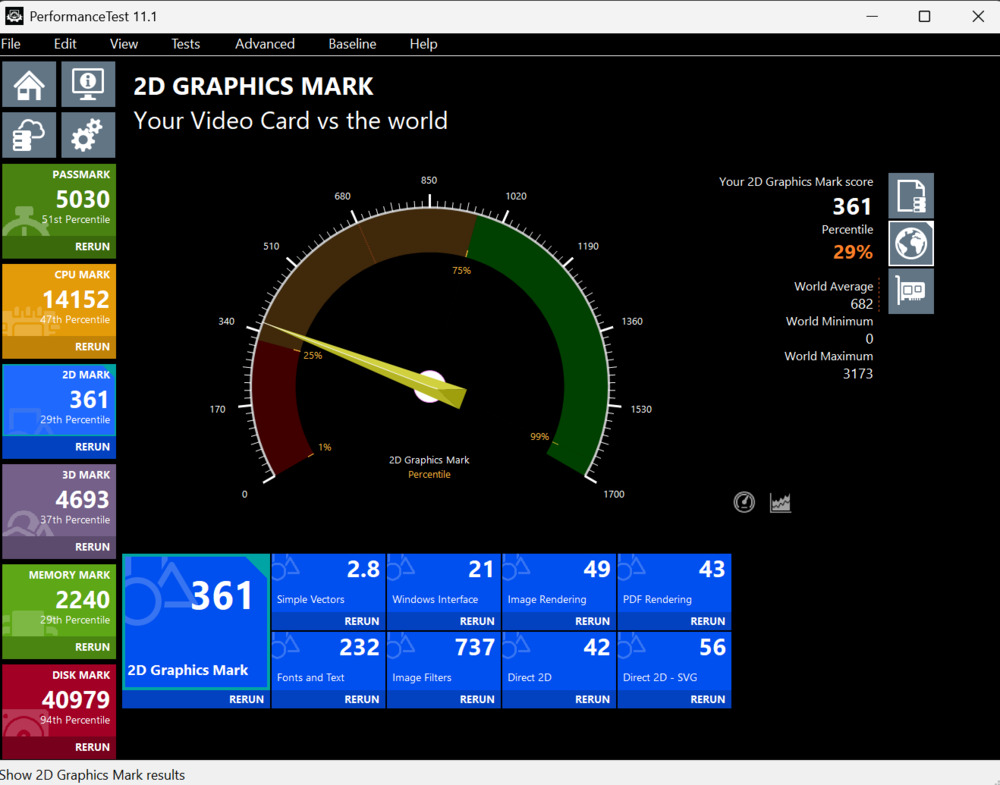
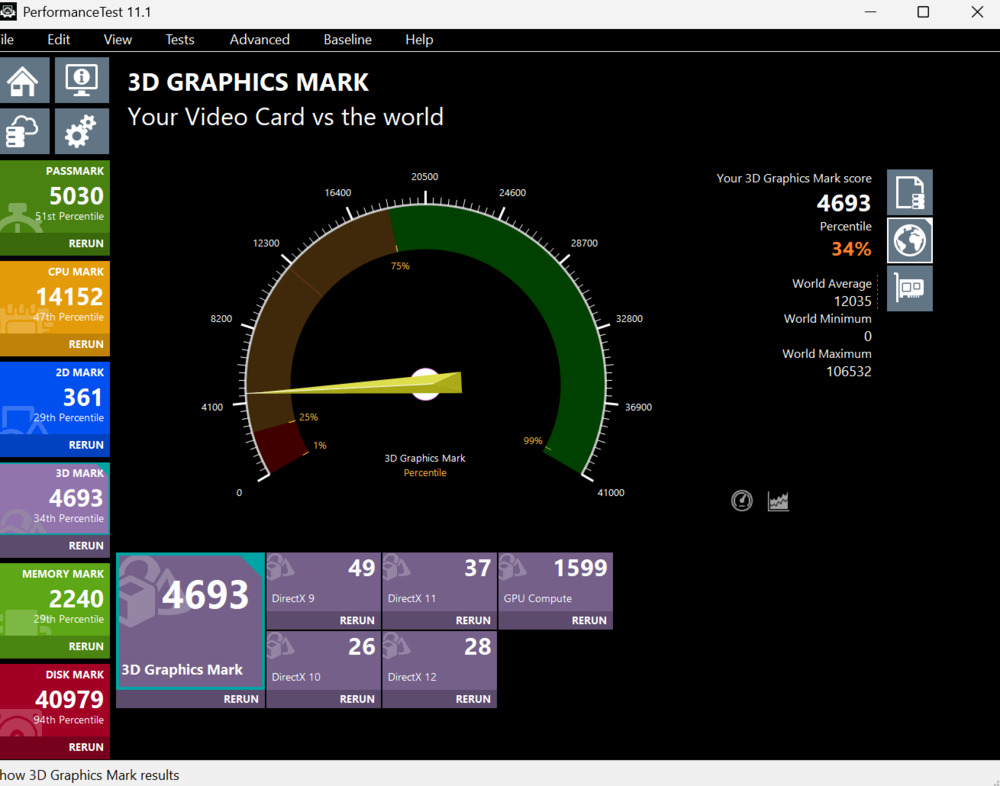
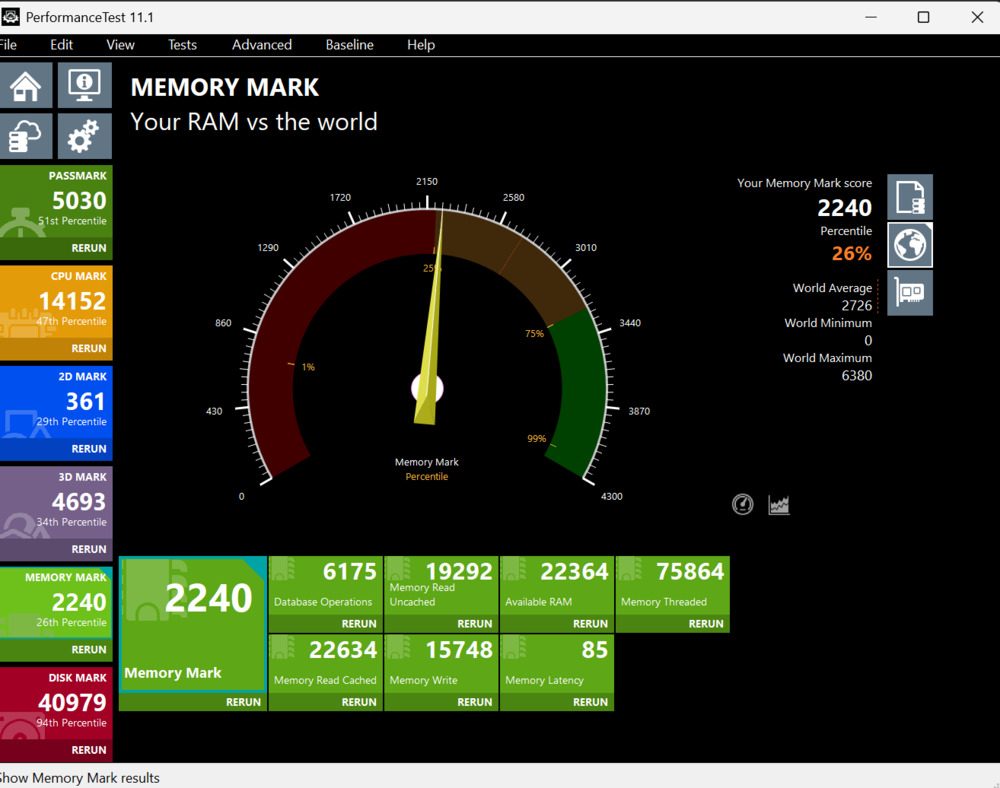
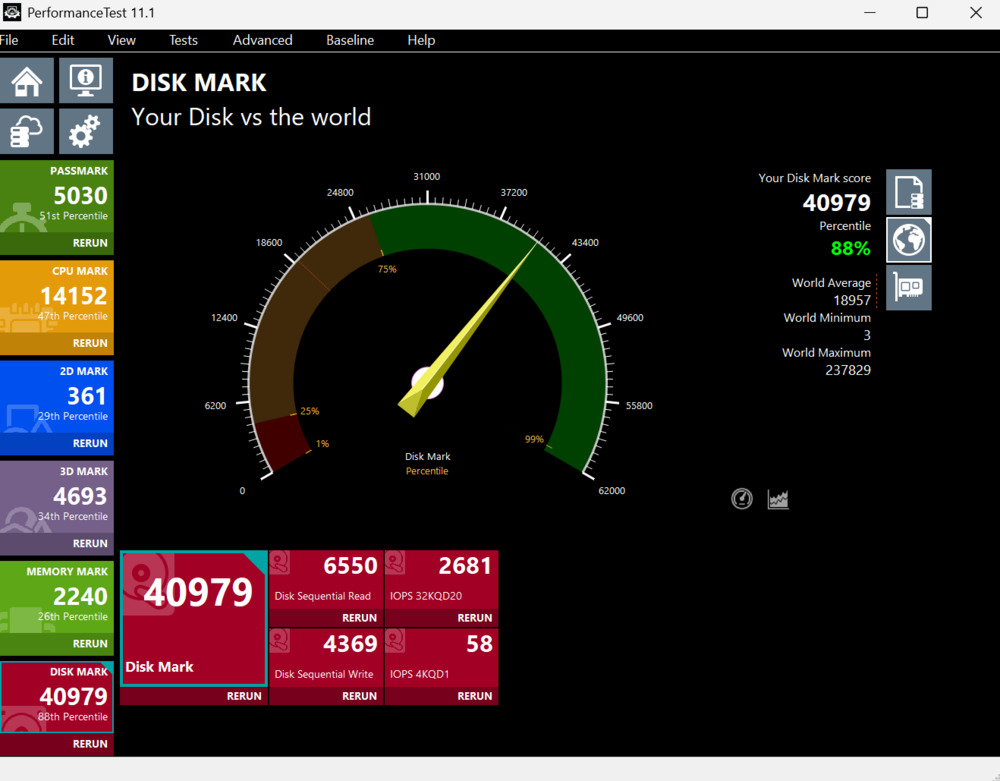
Over the past two weeks, I’ve used the Lenovo ThinkPad X9 14 Gen 1 Aura Edition for both work and entertainment. It performed reliably during remote work, handling tasks like web browsing, social media, and extensive typing with ease. The laptop also managed to run some games, showing it can handle light gaming, though it’s not the most powerful option in its price range.
In everyday use, such as streaming, it delivers solid performance but doesn’t particularly stand out compared to other ultrabooks. Graphics tests reflected average results, which aligns with real-world experience.
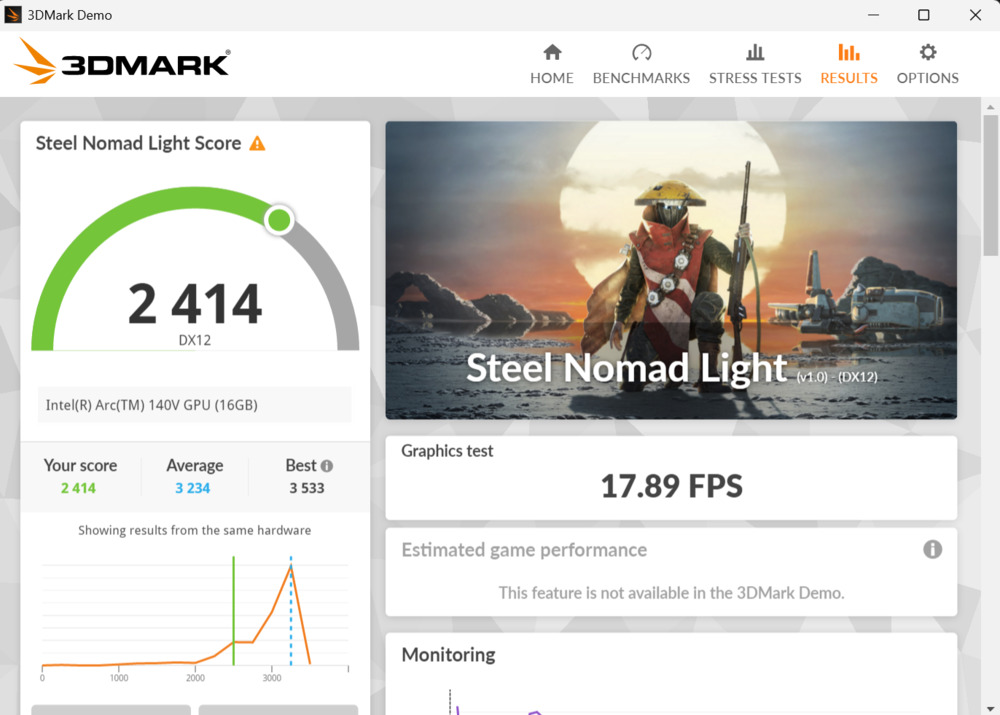
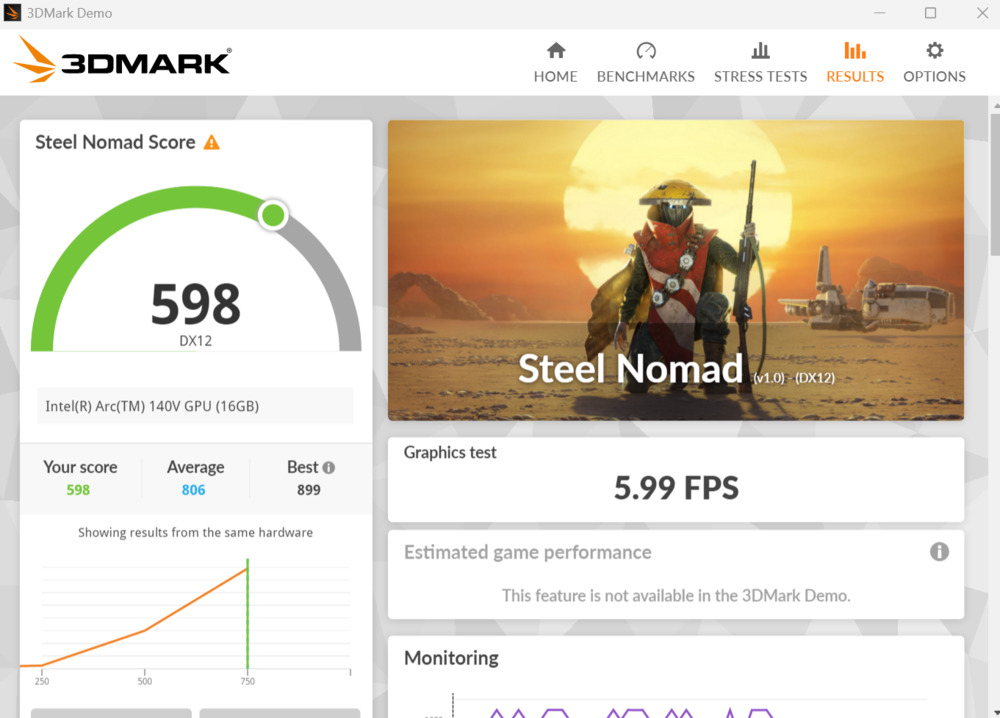
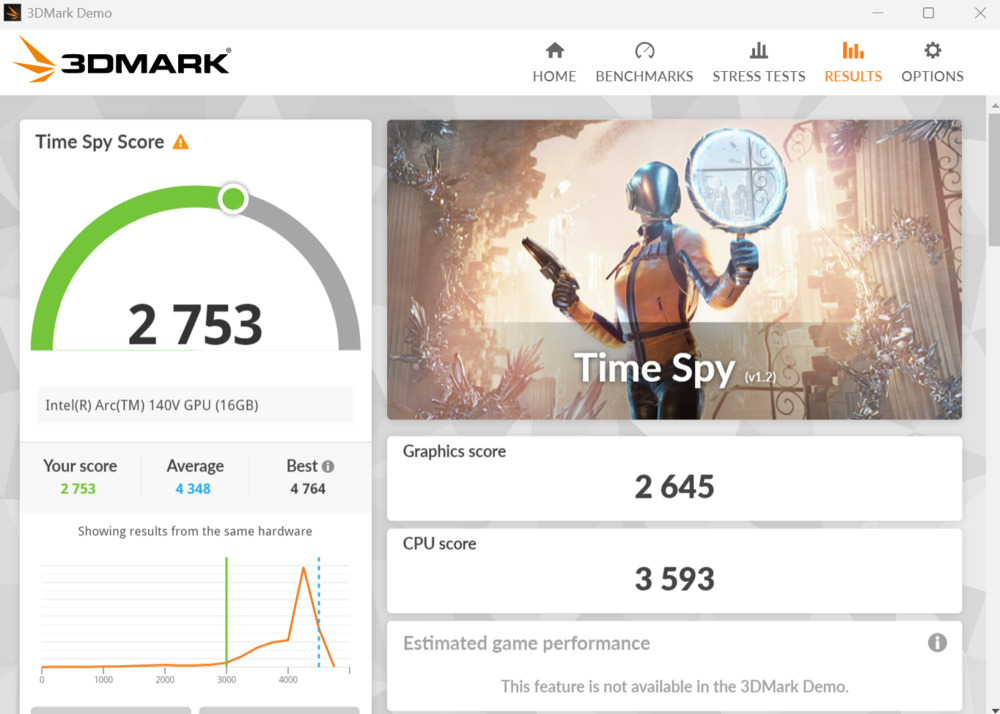
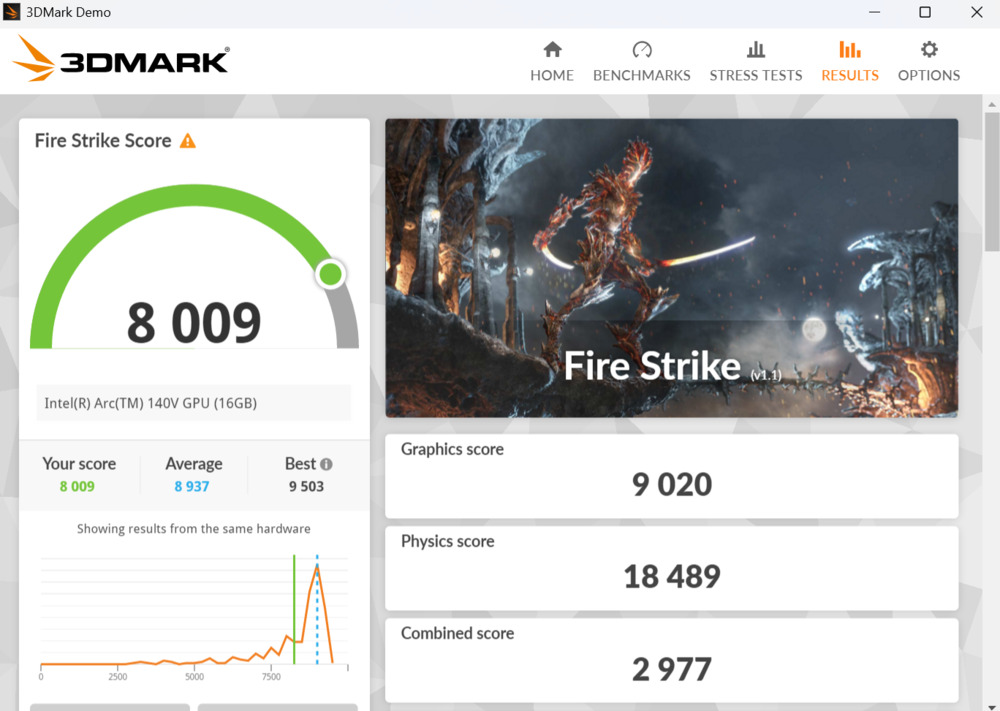
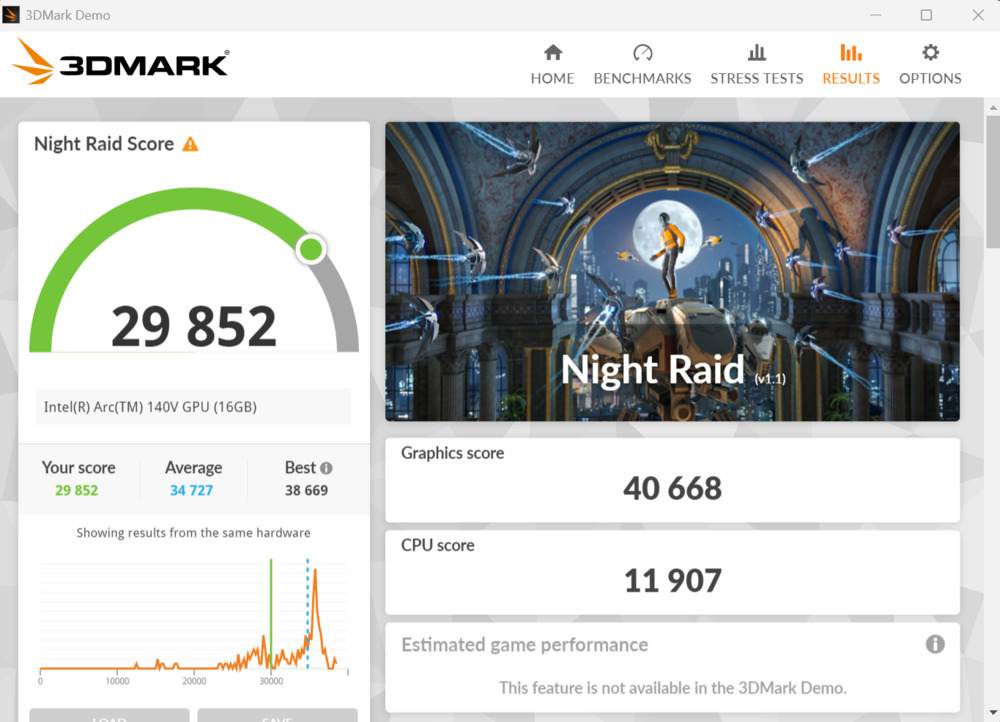
When playing more demanding games, users might need to choose between smoother gameplay by lowering graphics settings or better visuals at the expense of frame rate.
Read also: ASUS ROG Zephyrus G16 2024 (GU605MI-QR064W) Gaming Laptop Review
Software
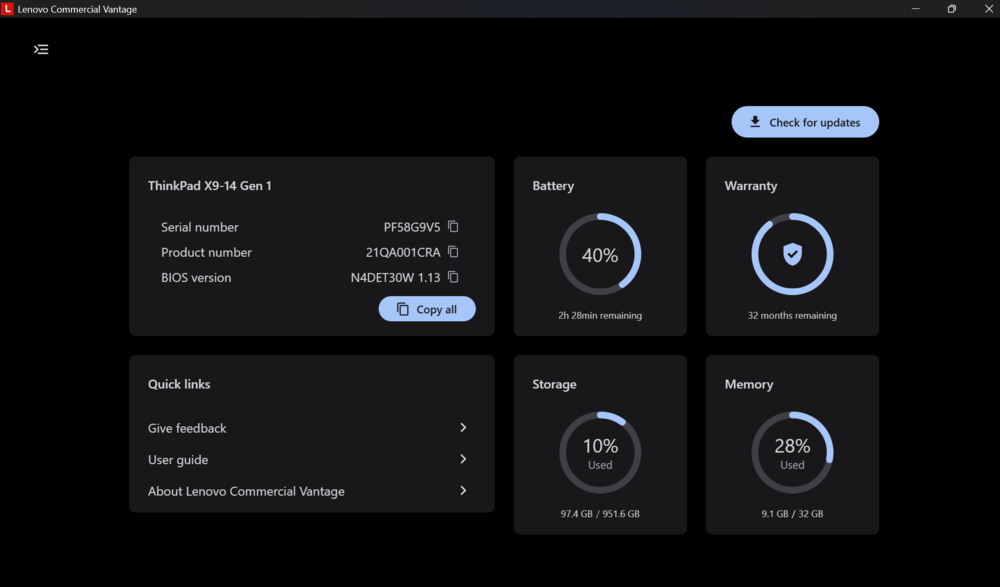
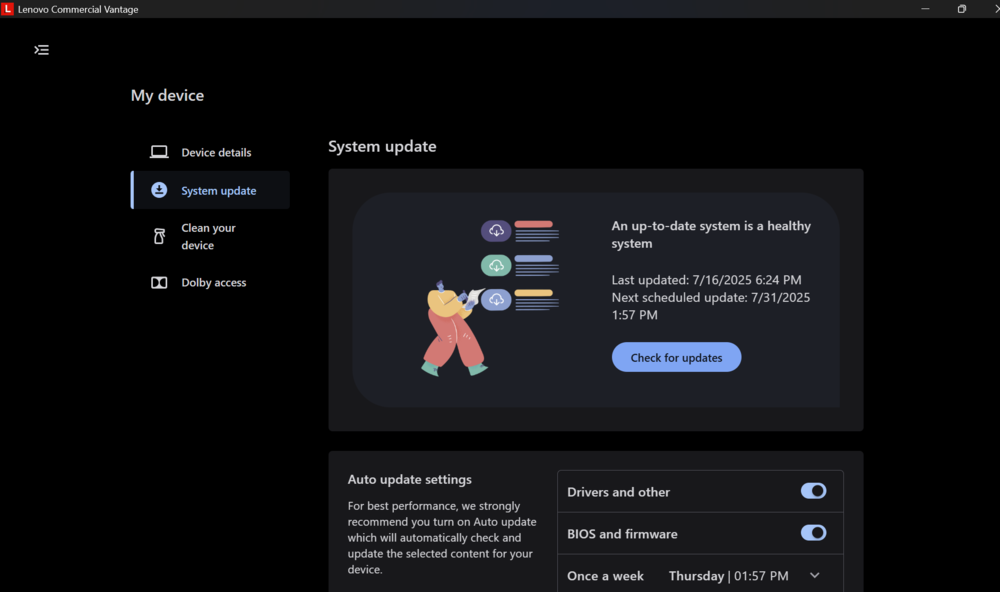
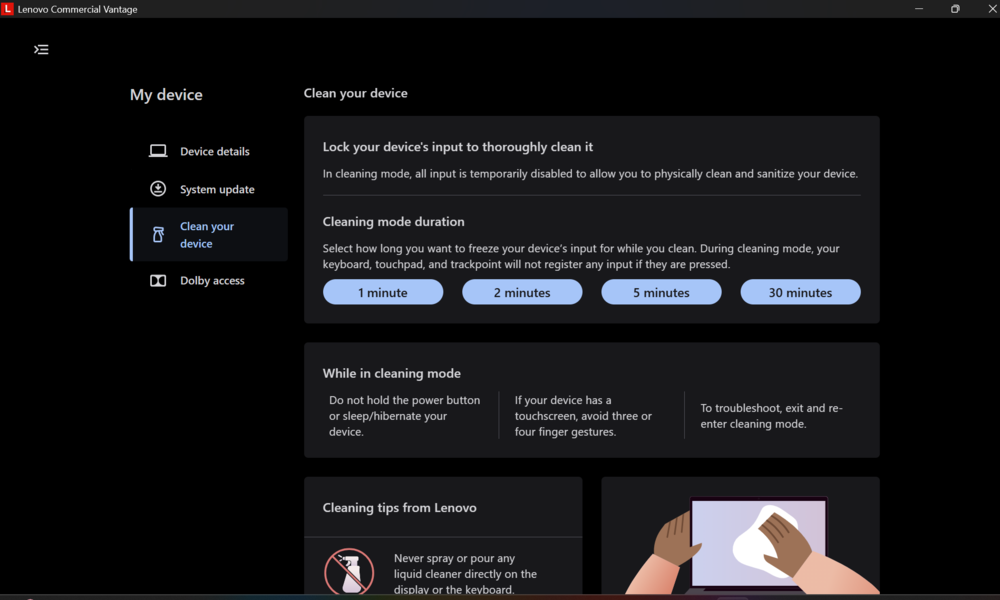
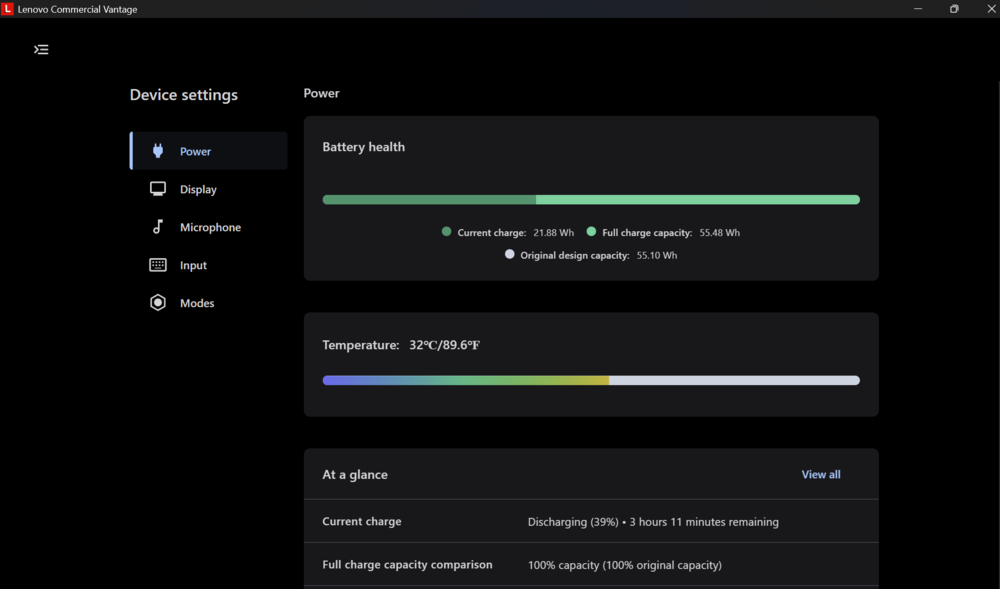
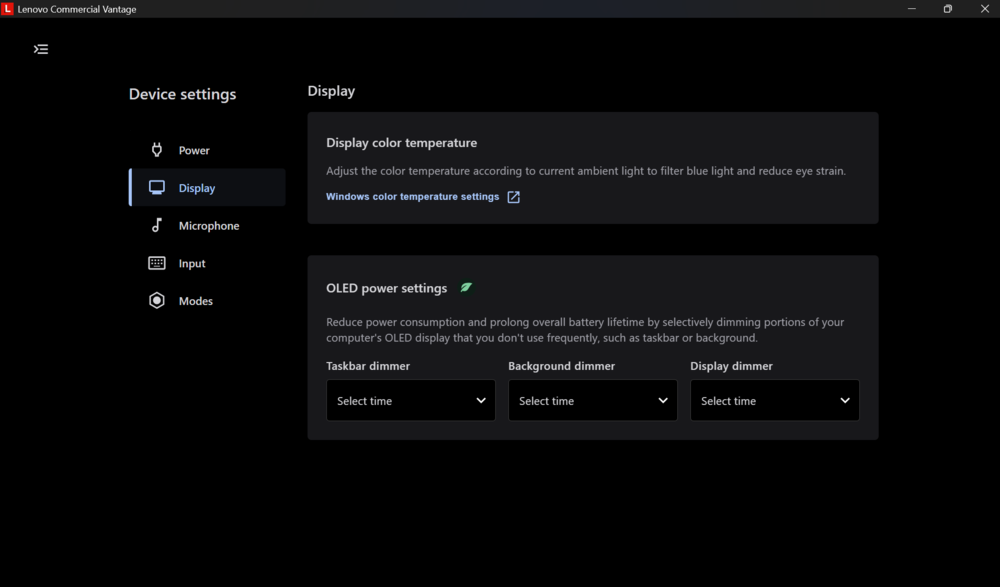
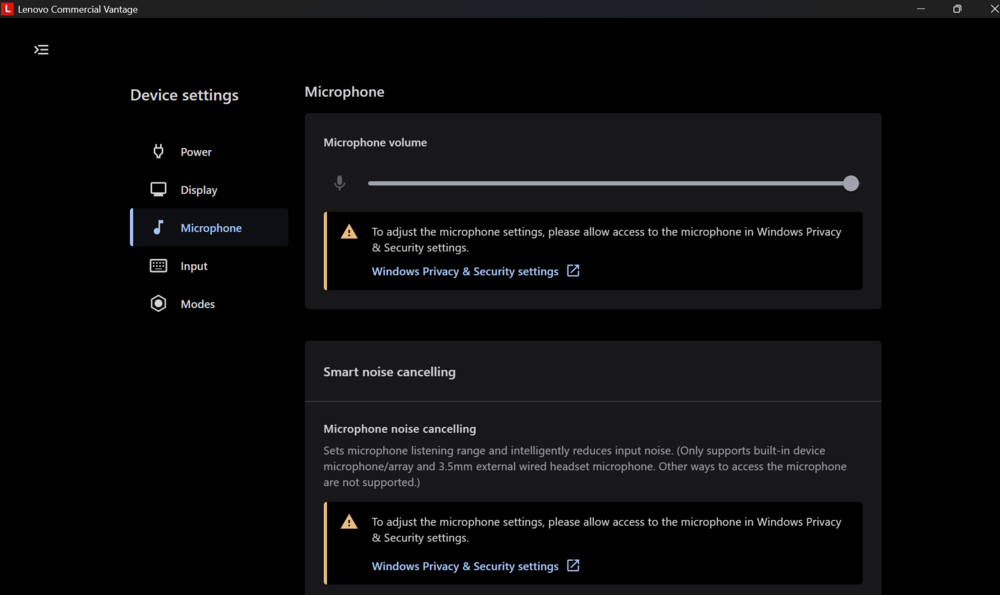
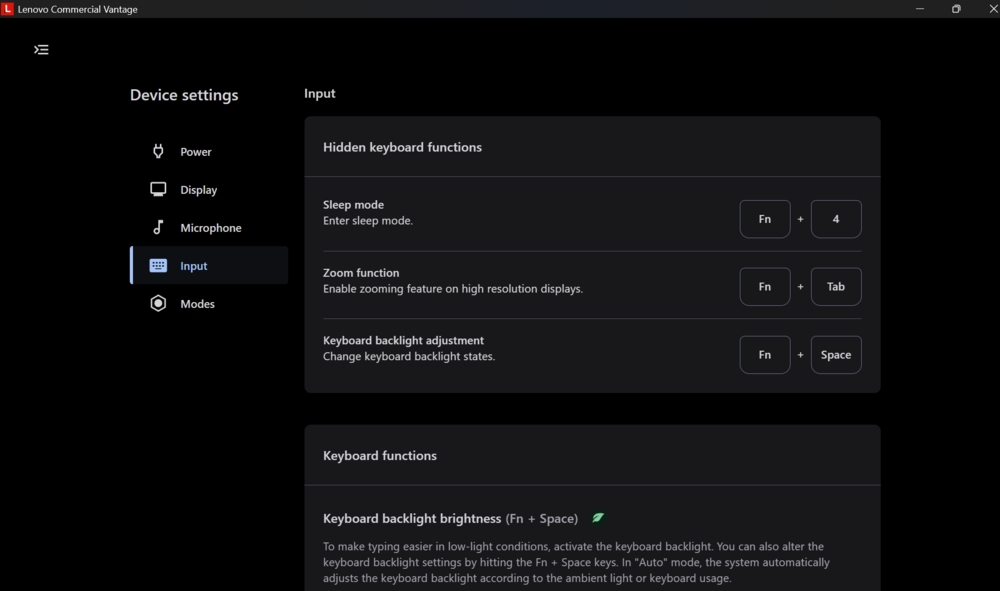
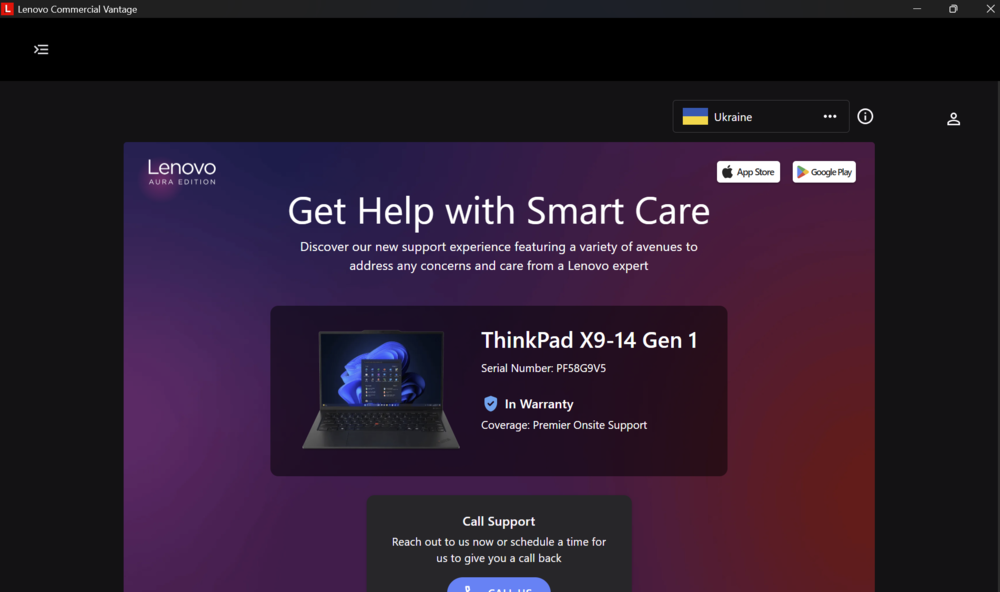
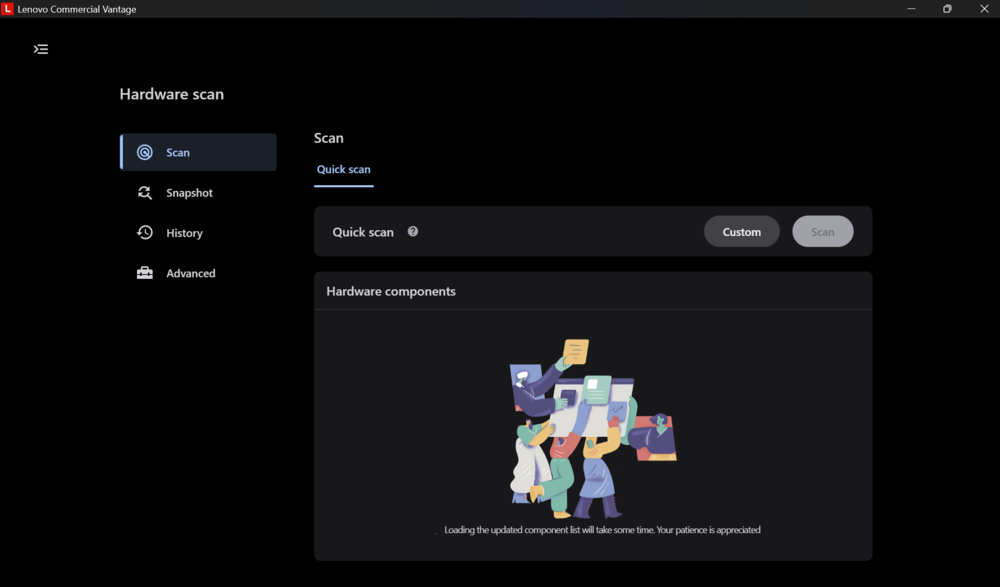
The laptop runs Windows 11 Pro and comes with a comprehensive suite of proprietary software from Lenovo and Intel. Notably, it includes Lenovo Vantage (called Commercial Vantage in business models), which serves as a centralized hub for updates, system settings, and device health monitoring. Through this utility, users can check warranty details, manage Wi-Fi security, adjust device behavior, and even run system scans.
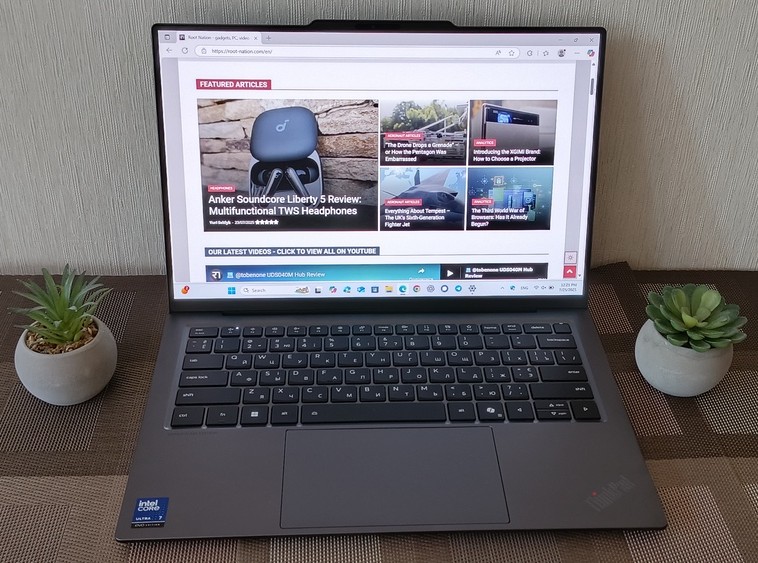
The Lenovo ThinkPad X9 14 Gen 1 Aura Edition also supports Intel Unison, allowing easy synchronization with your phone. By pressing F11, you can quickly transfer photos from your phone to the laptop.
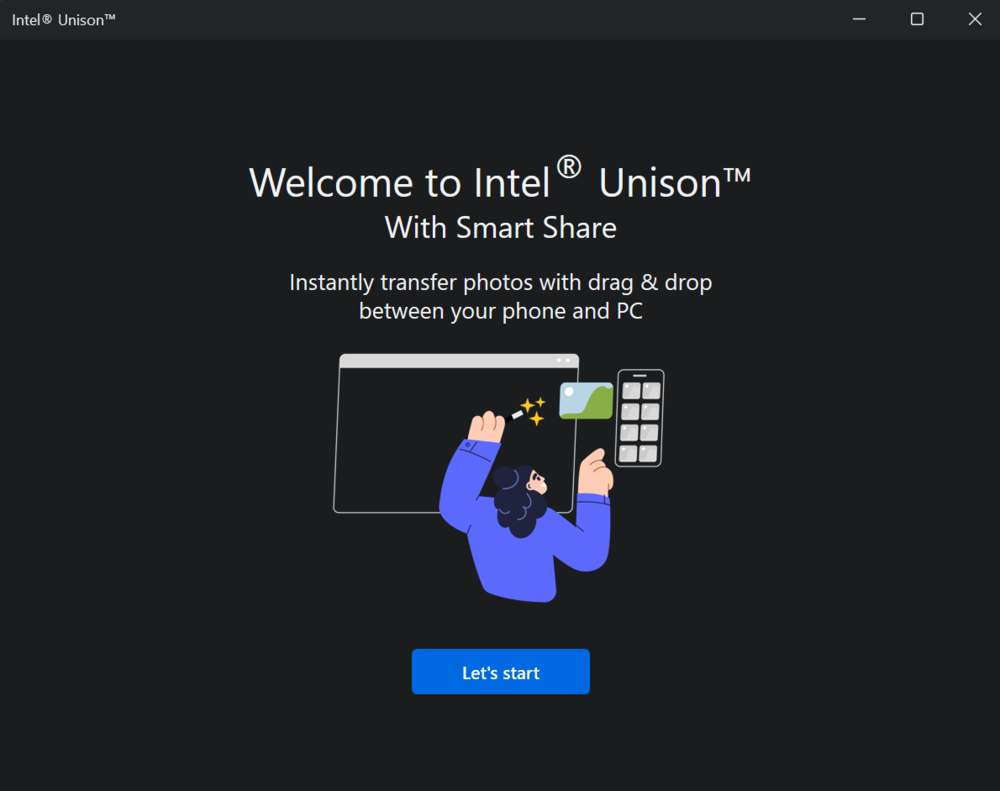

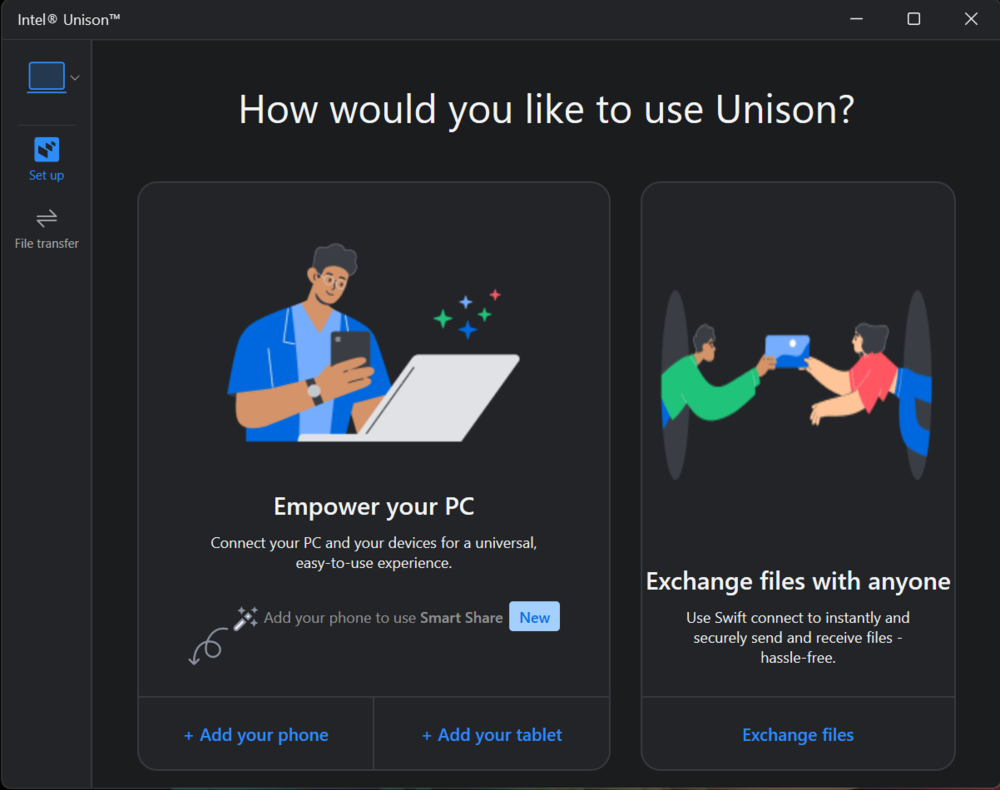
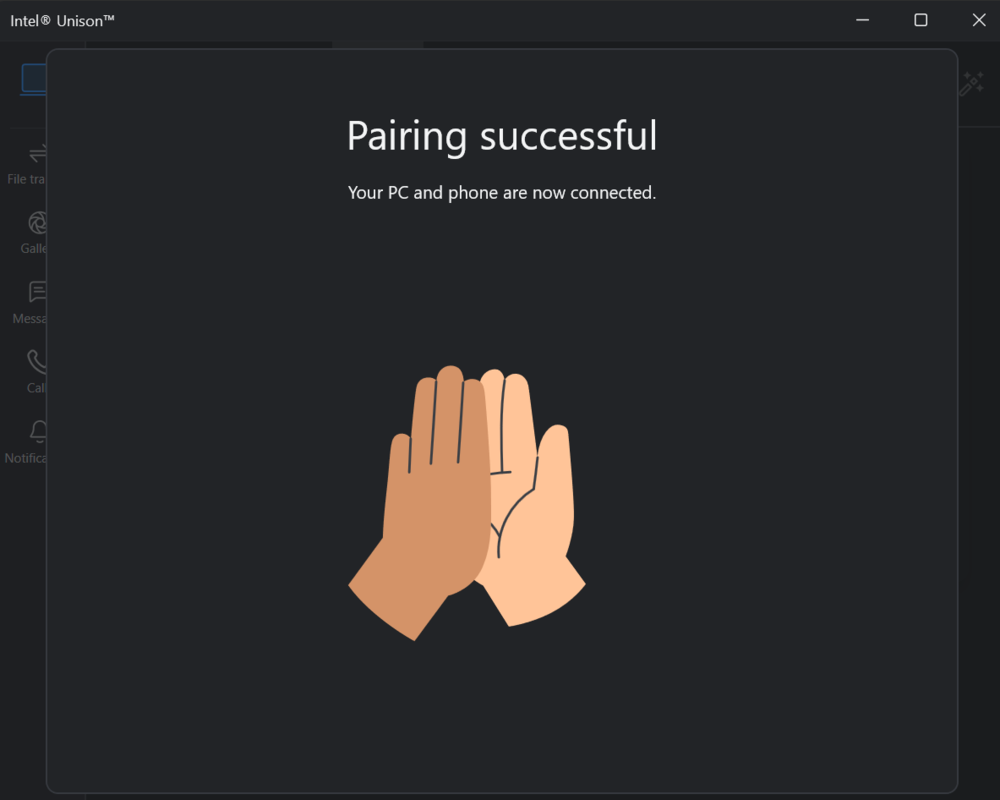
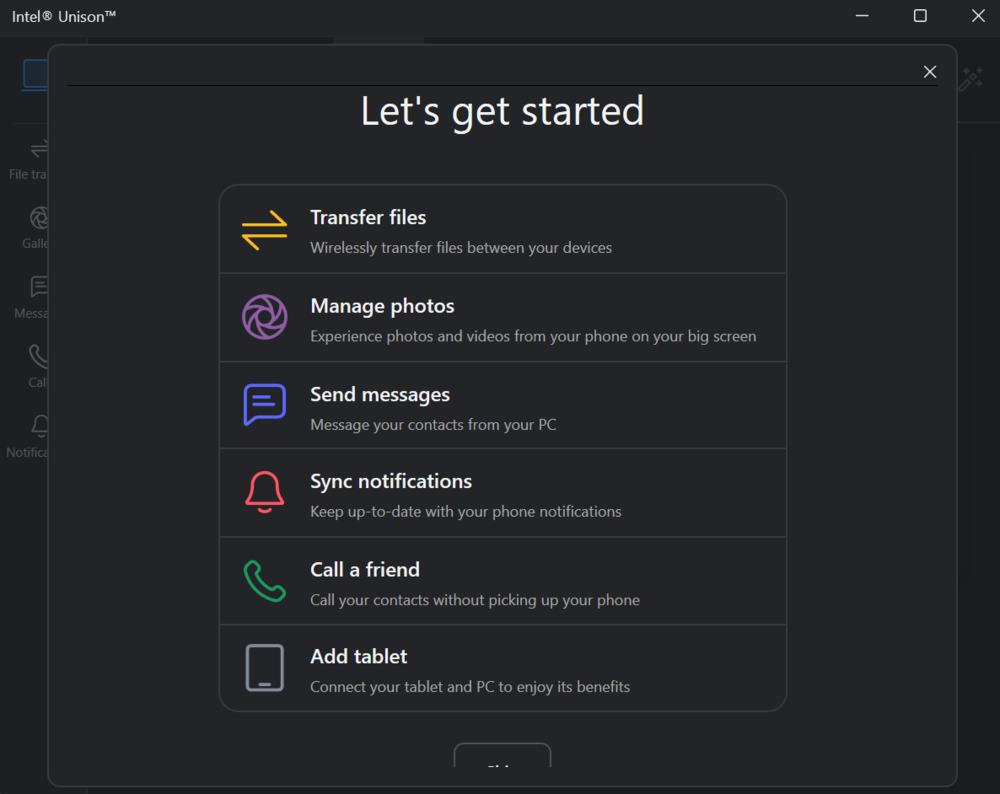
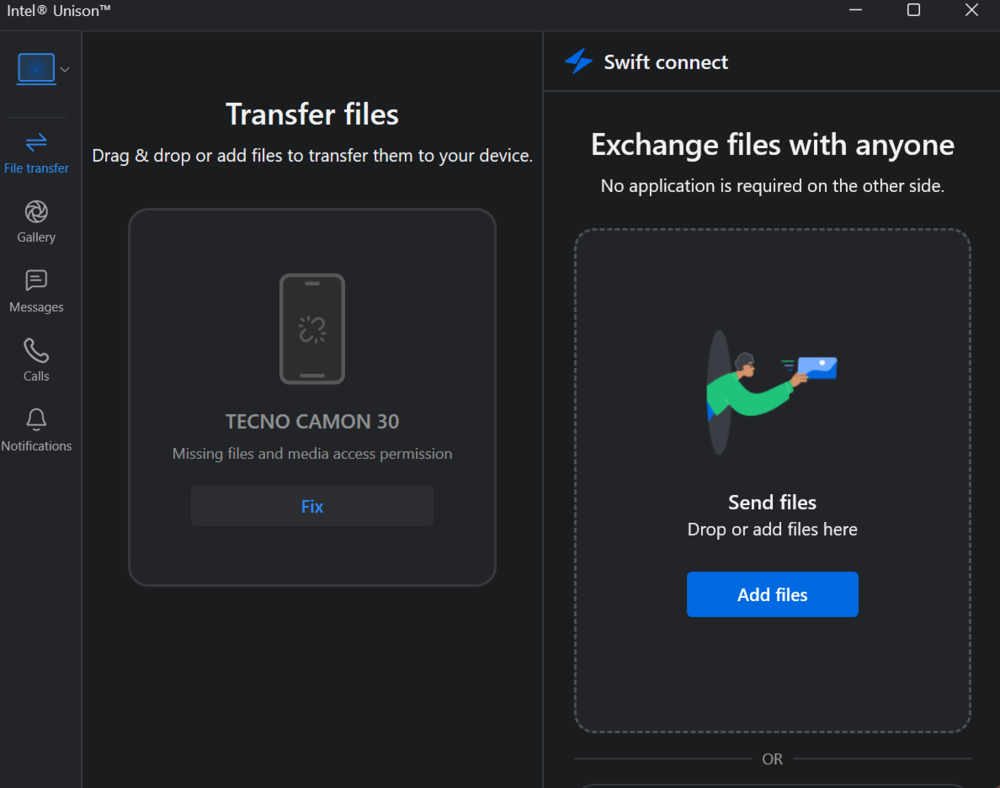
The process is straightforward: open a photo in the Unison app on your smartphone (iOS or Android), tap the laptop screen with your phone, and then drag the image directly into a window on the laptop. However, there is a catch – Intel has announced that by the end of June 2025, this feature will be removed from most devices. After that, Unison will only work on Lenovo Aura Edition models.
What is Aura Edition?
The ThinkPad X9 14 Gen 1 isn’t just another ThinkPad. It’s part of the new Aura Edition series, which aims to rethink the personal computer experience. The concept is that the laptop adapts to your needs by adjusting settings in real time. According to Lenovo, this is made possible by an advanced level of artificial intelligence integration.
It sounds a bit grandiose, but there are specific features that back up this claim. The most noticeable are the intelligent modes activated by the F8 key. You can turn them all on at once or select them individually, with each mode offering flexible customization.
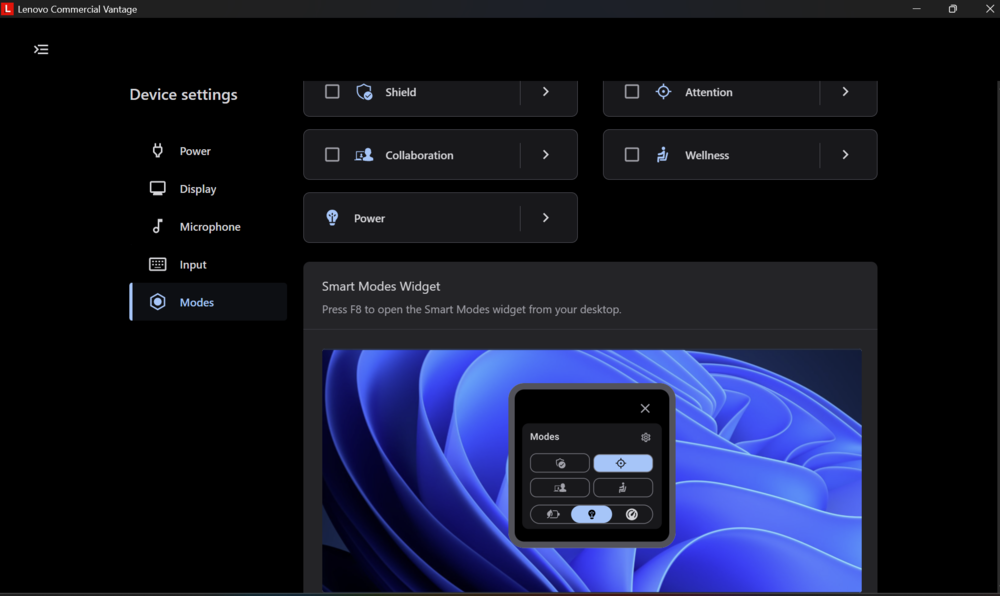
Shield monitors your screen to prevent onlookers and allows quick VPN activation.
Health reminds you to straighten your posture and take breaks.
Collaboration automatically adjusts the microphone, camera, and audio settings for calls.
Attention helps you focus by, for example, blocking distracting websites.
From here, you can also manage power modes – from maximum energy efficiency to a balanced setting or full performance, depending on your needs. Security is also top-notch: ThinkShield AI Security solutions can anticipate threats before they appear, protecting the system not just through software but also at the hardware level.
AI is also responsible for personalization – it “learns” your working style to better manage resources, battery life, and overall performance.
What about Lenovo AI?
Lenovo adds its own AI model that runs alongside Microsoft’s Copilot. Sure, it sounds ambitious – but let’s be honest: most of the tasks this “artificial intelligence” handles have long been achievable using readily available online tools. And while the new AI concept looks impressive in presentations, I don’t think it’s going to change the world.
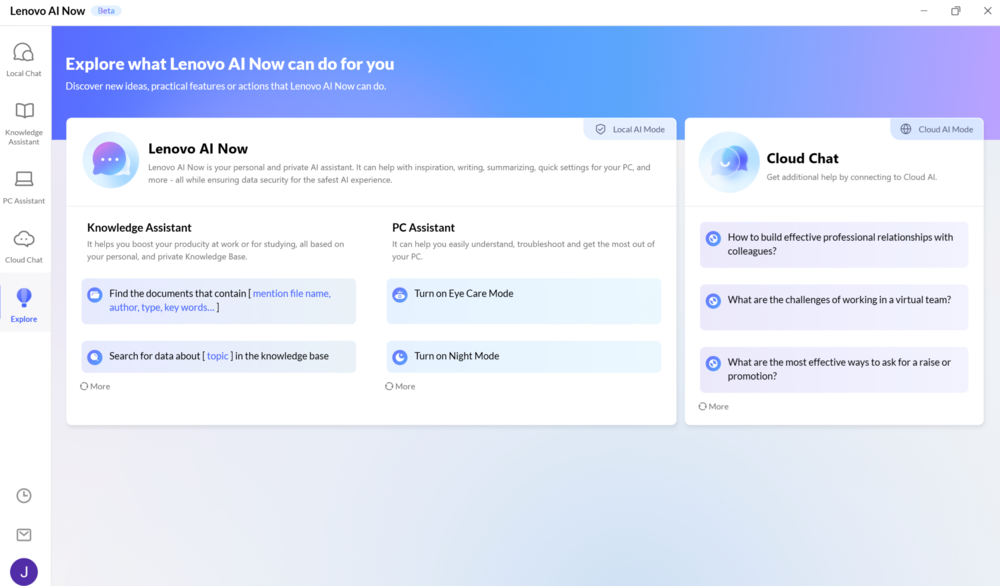
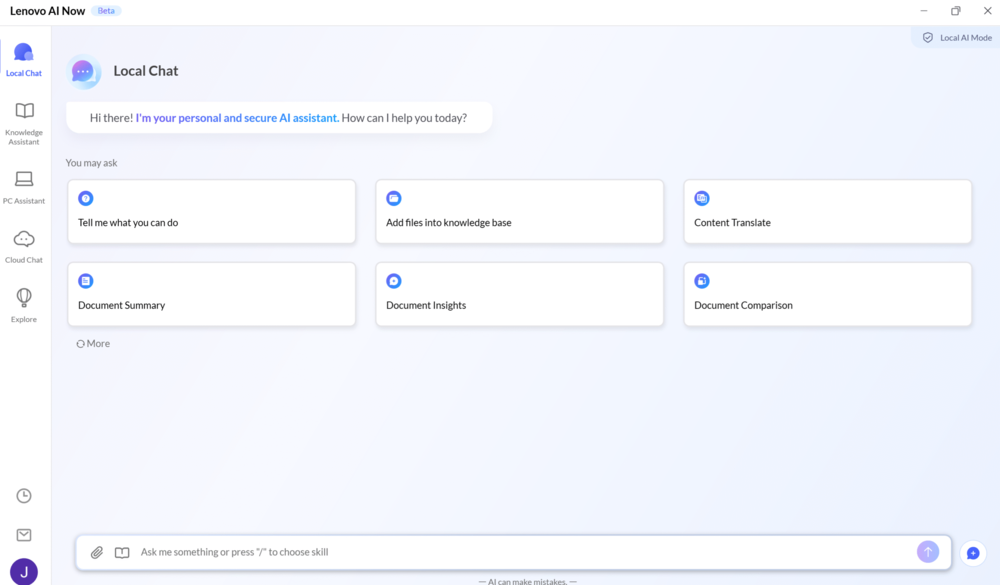
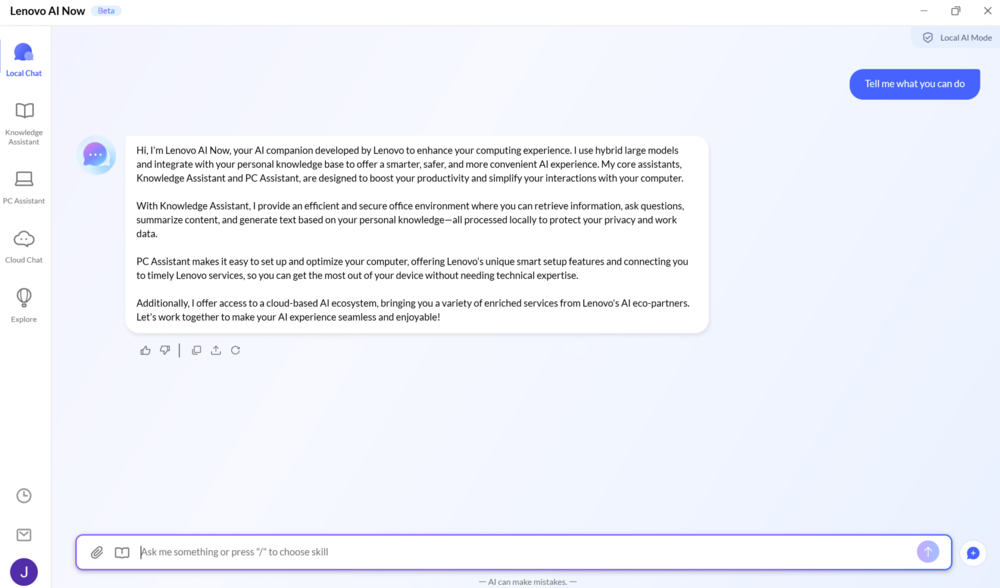

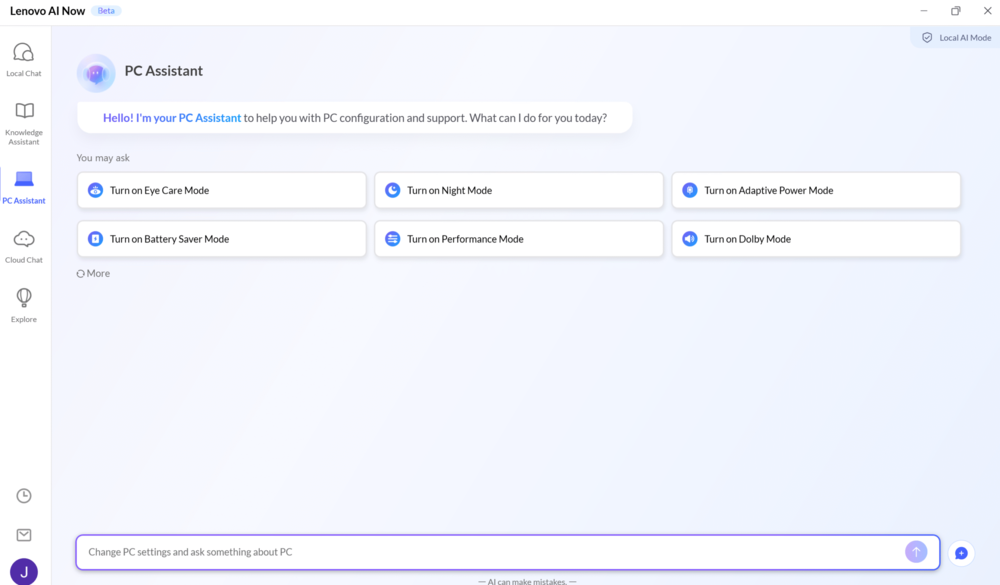
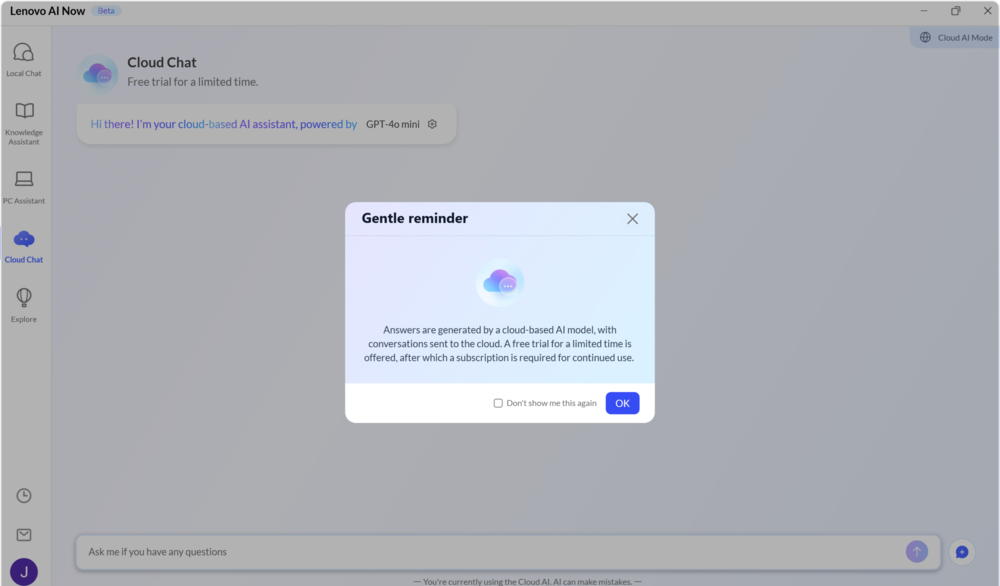
Especially considering the fact that Lenovo’s proprietary AI model still doesn’t support Ukrainian – or many other languages, for that matter – which significantly limits its practical usefulness in local markets.
Read also: Acer Swift Go 14 (2024) Review: Laptop with an OLED Display
Lenovo ThinkPad X9 14 Gen 1 Aura Edition battery life
It’s no secret that the X9 14 Gen 1 Aura Edition was designed with a clear goal in mind. The developers aimed to create a highly portable and convenient laptop for mobile work – without making serious compromises. And overall, they’ve largely succeeded. But physics can’t be cheated: the compact dimensions inevitably came at the cost of battery life.
Under the hood, the laptop houses a 55 Wh battery – slightly below the standard for premium ultrabooks, where we typically see 65 or even 75 Wh. It’s clear this choice was made to keep the device as light and thin as possible, and just as clearly, it affects battery life. According to the manufacturer, the 55 Wh battery can deliver up to 15.6 hours of runtime on a single charge, which is a respectable figure for an OLED-screen ultrabook – though not the best in its class (or price range).
To put it in perspective: just 3–4 years ago, a battery of this size would barely get you 4–5 hours of typical office use without plugging in. But the Lenovo ThinkPad X9 14 Gen 1 Aura Edition shows how far energy-efficient technologies have come. It manages up to 10 hours of use with Wi-Fi on and screen brightness set to 50%.
Speaking of charging – the package includes a compact 65W GaN adapter that’s small enough to fit in a pocket. It supports Power Delivery and can charge the laptop up to 50% in just 30 minutes. You can confidently use alternative USB-C chargers too, as long as they support Power Delivery and offer sufficient power output.
Read also: ASUS Vivobook S 16 OLED (S5606M) Review: Excellent Mid-Range Laptop
Conclusions
The Lenovo ThinkPad X9 Aura Edition isn’t just another new laptop – it’s Lenovo’s attempt to rethink what a modern business tool should be in the age of artificial intelligence. From the chassis to the keyboard, from connectivity to built-in AI features – everything here is designed with emerging usage scenarios in mind.
The Aura Edition comes in a full aluminum body in dark gray, resistant to fingerprints and pleasant to the touch. At the same time, it retains the signature durability of the ThinkPad line and, as expected from a serious business device, has passed MIL-STD-810H military-grade testing.
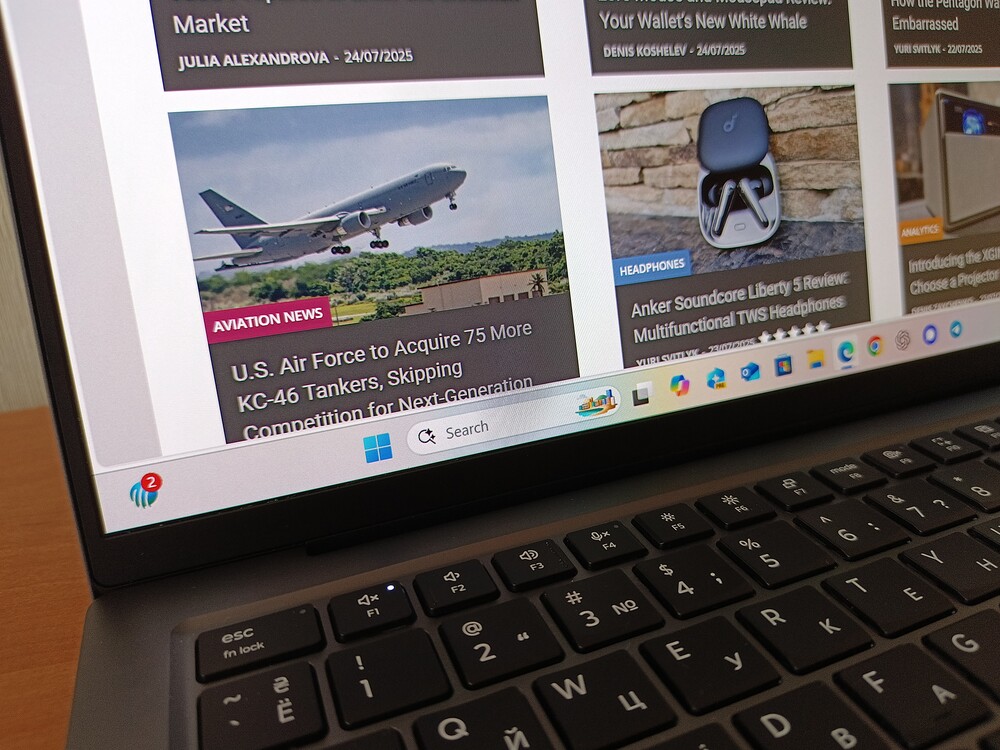
One of the most noticeable changes is the absence of the traditional TrackPoint. It’s been replaced by an enlarged haptic touchpad with tactile feedback. For longtime ThinkPad users, this might feel like a radical move – but new users will likely find it much easier to adapt.
The keyboard offers a deep key travel of 1.35 mm, spill resistance, a dedicated Copilot key, and smart buttons for quick access to essential functions.
The internals match the design: an Intel Core Ultra 7 processor paired with integrated Intel Arc graphics, dual fans, and an updated cooling system. Everything runs smoothly, even under load.
AI capabilities are handled on-device. The built-in Lenovo AI Now enables local operation of a language model – though Ukrainian isn’t supported yet – and offers smart modes along with deep integration into Commercial Vantage. It’s all geared toward better control, privacy, and productivity.
The only real point of contention is the limited selection of ports. It would’ve been nice to have at least one USB Type-A or an SD card reader – still important features for a business-oriented device. The price may spark debate, but it’s worth remembering that we’re dealing with a premium business ultrabook. In this segment, such pricing has long been considered acceptable. Still…
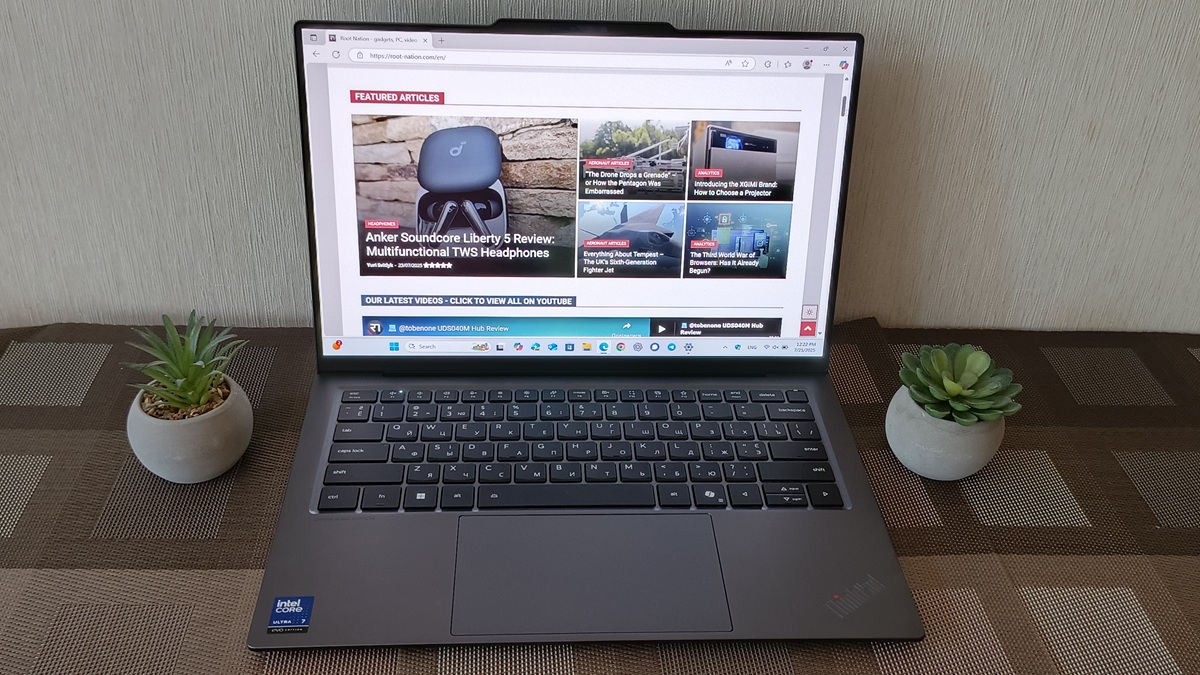
The ThinkPad X9 Aura Edition isn’t just an attempt to modernize a classic – it represents a clear shift in the ThinkPad line. It sheds some of the traditional elements in favor of a focus on efficiency, sleekness, and flexibility. For IT departments rolling out new corporate platforms or users looking for a reliable business device with a contemporary approach, this model stands out as a notable option on the market.
Read also:
- The Third World War of Browsers: Has It Already Begun?
- OpenAI’s New Superpower: What Is a ChatGPT Agent?
- AI in Medicine: Is the Future Already Here?


