© ROOT-NATION.com - Use of content is permitted with a backlink.
The desktop DAC and headphone amplifier market is packed with devices that differ mostly in their choice of chips, output power, and number of connectors. Externally, they are usually compact metal boxes with a display, volume knob, and a few buttons. MuseHiFi has taken a different approach, attempting to turn a utilitarian audio device into a distinctive part of the desktop setup. The MuseHiFi Muse 300 is a desktop DAC, headphone amplifier, and preamplifier featuring a large 5-inch color display, Bluetooth 5.4, and its own MUSE OS operating system. The manufacturer even positions the new model as the world’s first desktop DAC/AMP with a dedicated operating system. It’s difficult to verify such an absolute claim, so let’s instead find out what this unusual device is actually capable of.

Read also: Wireless earbuds reviews (TWS) on our website
TABLE OF CONTENTS:
Key Features of the MuseHiFi Muse 300
First, it’s important to understand exactly what MUSE OS is designed for. It isn’t Android and doesn’t provide a platform for installing Spotify, Tidal, or other apps, so the Muse 300 isn’t a standalone network player. Music has to be sent to it from a computer, smartphone, TV, or another source via USB, Bluetooth, optical, or coaxial input. MUSE OS is a specialized built-in system with a tile-based graphical interface. It handles settings, input and output switching, screen customization, and sound modes. We’ll take a closer look at it below.

The hardware is quite serious: an ESS ES9039 Ultra DAC, a Qualcomm QCC3095 Bluetooth chip, a balanced analog circuit, and an amplifier stage delivering up to 2.2 W per channel into 32 ohms via the balanced output. In other words, the Muse 300 combines a full-fledged audio section, versatile connectivity, and an unusual user experience.
Read also: Soundcore Space 2 Review: Hi-Res Audio, Hybrid ANC, and Solid Battery Life
MuseHiFi Muse 300 Specifications
- Device type: desktop DAC, headphone amplifier and preamplifier
- DAC: ESS ES9039 Ultra
- DAC architecture: fourth-generation HyperStream IV
- Controller: 32-bit MCU
- User interface: MUSE OS
- LPF: 2× OPA1612
- I/V conversion: 2× ES9603
- Operational amplifier in the signal path: NE5532A
- Headphone amplifier: two TPA6120A2-based modules
- Coaxial interface: AK4118
- Maximum resolution via USB: PCM up to 32-bit/384 kHz, DSD256
- Bluetooth chip: Qualcomm QCC3095
- Bluetooth version: 5.4
- Bluetooth codecs: SBC, AAC, aptX, aptX HD, aptX Adaptive, aptX Lossless, LDAC and others
- Display: 5-inch IPS
- Display resolution: 480×854 pixels
- Inputs: USB-B, optical S/PDIF, coaxial S/PDIF, Bluetooth
- Service port: USB-C for data transfer and firmware updates
- Headphone outputs: 6.35 mm and balanced 4.4 mm
- Line outputs: RCA and balanced XLR
- Power output via 6.35 mm: up to 1100 mW at 32 Ω
- Power output via 4.4 mm: up to 2,200 mW at 32 Ω
- Total harmonic distortion plus noise (THD+N): up to 0.0006%
- Signal-to-noise ratio: up to 129 dB
- Gain levels: Low, Medium and High
- Sound profiles: Balanced, Tube Amplifier and ACG
- Digital filters: 8 options
- Interface themes: Cyberpunk, Minimalistic and ACG
- Power supply: external 12 V/5 A adaptor
- Dimensions: 228×140×100 mm
- Product page on the official website
Read also: Fosi Audio MD3 Review: The MagSafe DAC That Finally Makes Dongles Desirable
Positioning and Price
The official retail price of the MuseHiFi Muse 300 is $439.99. On AliExpress, the price may vary depending on promotions, coupons, shipping region, and taxes. Before the device went on general sale, it was also offered through Kickstarter for $349.99–$399.99, but after the campaign ended, the manufacturer switched to the standard retail price. As we can see, the Muse 300 sits toward the upper end of the mid-range desktop DAC/AMP segment. It’s no longer an entry-level option for getting acquainted with high-quality audio, but it’s also not an ultimate audiophile component with a four-figure price tag.

The device competes with desktop all-in-one units from Topping, SMSL, FiiO, Shanling, and xDuoo. Some competitors may offer more physical controls, a remote, a parametric equalizer, or a more powerful amplifier. The Muse 300, on the other hand, focuses on design, its large display, proprietary interface, and three hardware sound profiles. In other words, you’re paying for more than just an ESS chip and amplifier power. A significant part of the Muse 300’s concept is its appearance, screen, animations, and the overall interaction with the device. For some users, all of this will be a major advantage, while others will be perfectly happy with a conventional black box and a volume knob.
So, the Muse 300 should primarily be viewed as a desktop DAC and headphone amplifier designed to work alongside a computer, smartphone, TV, or separate digital source, rather than as a standalone streamer.
Package Contents
The MuseHiFi Muse 300 comes in a bright box with a holographic finish that shimmers with all the colors of the rainbow under the light. Inside, the device is securely packed and held in place by foam polymer supports.
The package includes:
- DAC/AMP
- Power supply
- USB-A to USB-B audio cable
- 6.35 mm to 3.5 mm adapter
- User manual


Overall, everything needed to get started quickly is included. A nice little touch is that all the ports and connectors come with rubber covers out of the box, which immediately adds to the positive first impression of the product.


Read also: Kiwi Ears Cadenza II Review: Entry-Level IEM Earphones with Impressive Sound Quality
Design, Materials, and Build Quality
The design combines light gray, dark gray, and black elements, creating an overall industrial-futuristic aesthetic. The Muse 300 doesn’t try to blend in with the rest of your equipment – quite the opposite: it aims to be one of the central elements of the desktop setup.

And it genuinely succeeds – even when switched off, the Muse 300 is hard to mistake for another desktop DAC/AMP. The chassis has an asymmetrical wedge-shaped design, while the front panel is angled toward the user. This makes the information on the screen easy to read when the device is placed on a desk next to a keyboard or monitor.

This approach seems more logical than the traditional vertical panels, which are often angled not toward the user’s face, but somewhere downward. Here, the display is immediately within your field of view, so there’s no need to lean forward to check the volume level, active input, or amplifier mode.

The chassis is built around an aluminum body. The front panel is made from 8 mm anodized aluminum, while the rest of the enclosure uses approximately 3 mm cast aluminum. The display is protected by a glass panel, and the only control – a push-button volume knob – is also made of metal. The device feels substantial and stable, which is especially important when connecting thick cables and full-size headphones.

Overall, the Muse 300 looks original and premium, and I have absolutely no complaints about its build quality.
Read also: WiiM Sound Lite Wireless Speaker Review: Hi-Fi for the People
Layout, Ports, and Connectors
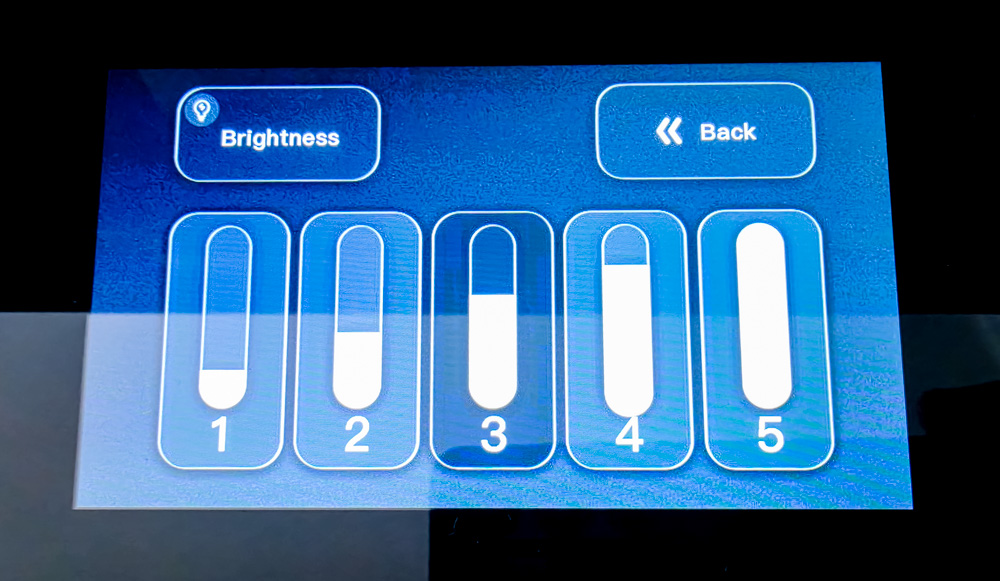
A significant portion of the front panel is occupied by the 5-inch IPS display. Its resolution is 480×854 pixels (854×480 in landscape orientation). By modern smartphone standards, the pixel density is relatively low, but it’s more than sufficient for displaying the volume level, menus, clock, and decorative screensavers. Five brightness levels are available for the backlight.

Next to the display is a large metal push-button volume knob with decorative backlighting. There are no other physical controls, keeping the front panel exceptionally clean. How convenient this minimalist approach is in practice – we’ll find out below.

The headphone outputs are located on the right side of the device. Here you’ll find an unbalanced 6.35 mm output and a balanced 4.4 mm output.

The solution is unusual, but it has a practical explanation. The headphone cable doesn’t obstruct the display or hang down in front of the device. At the same time, convenience will depend on which side of the user the Muse 300 is placed on and which direction the cable of the particular headphones runs.
The main connectors are located on the rear panel:
- threaded mount for the external Bluetooth antenna
- USB-B for connection to a computer or digital device
- Toslink optical input
- S/PDIF coaxial input
- pair of unbalanced RCA outputs
- two balanced XLR outputs
- USB-C for service functions, firmware updates, and data transfer
- 12 V external power supply connector

Using USB-B instead of USB-C for the primary audio connection feels somewhat conservative. On the other hand, USB-B remains a common standard in desktop audio equipment, provides a secure cable connection, and clearly separates the main audio input from the service-oriented USB-C port.

Having both RCA and full-size XLR outputs means the Muse 300 can be used for more than just headphones. You can connect active studio monitors, desktop speakers, or a separate power amplifier to it.

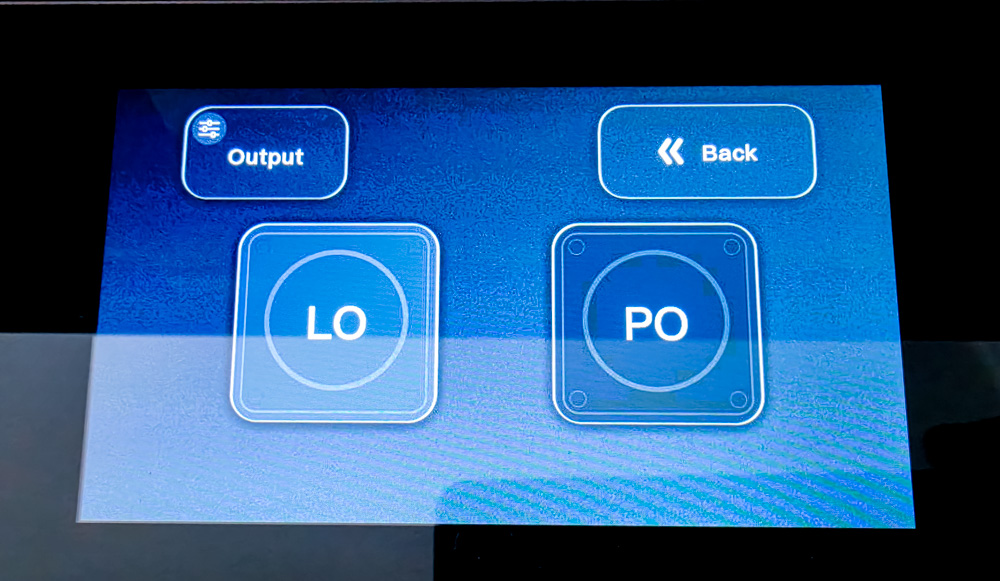
The menu includes an output mode selector. In fixed Line Out mode, the Muse 300 works as a conventional DAC with a constant signal level. In variable mode, the volume of the analog outputs is controlled by the main knob, allowing the device to be used as a preamplifier.

Wireless connectivity is handled by the Qualcomm QCC3095 with Bluetooth 5.4 and two 240 MHz Kalimba DSPs. LDAC, aptX HD, aptX Adaptive, and aptX Lossless are supported, making Bluetooth a perfectly viable option for more than just casual background listening. Of course, the final audio quality also depends on which codec the source device supports.
Read also: Fosi Audio BT20A MAX Review: The Modern Miniature Powerhouse
Controls
The Muse 300’s controls are built around a single rotary knob with push-button functionality. A long press turns the device on or off, while rotating the knob on the home screen adjusts the volume. A double press opens the menu. Within the menu, rotating the knob moves the cursor, a short press confirms an action, and a double press returns to the previous level. The logic is simple and fairly convenient.

The display does not have a touch layer. At first, this may seem odd, as the large color screen practically invites you to tap the desired option with your finger. However, once you get used to it, the entire interface can be navigated using the knob, without leaving fingerprints on the glass.
It’s also worth noting that the Muse 300 has neither a remote control nor a mobile app. For desktop use, this isn’t a major issue, since the knob is always within reach. However, when connected to a TV, power amplifier, or active speakers, adjusting the volume from the couch can be inconvenient.
Read also: Kiwi Ears x Z-Reviews Serene Planar Headphones Review: Collaboration with Distinct Tuning
MUSE OS
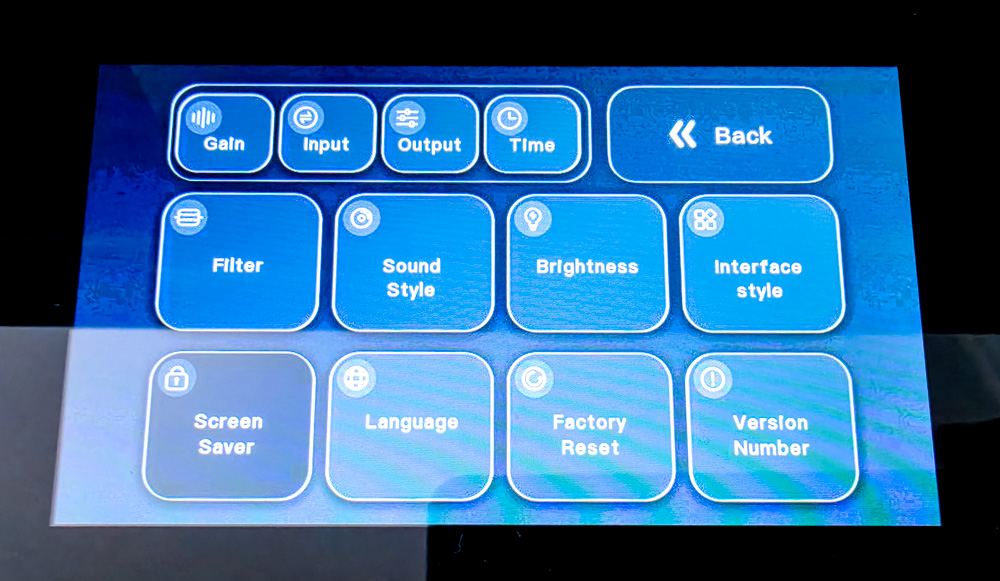
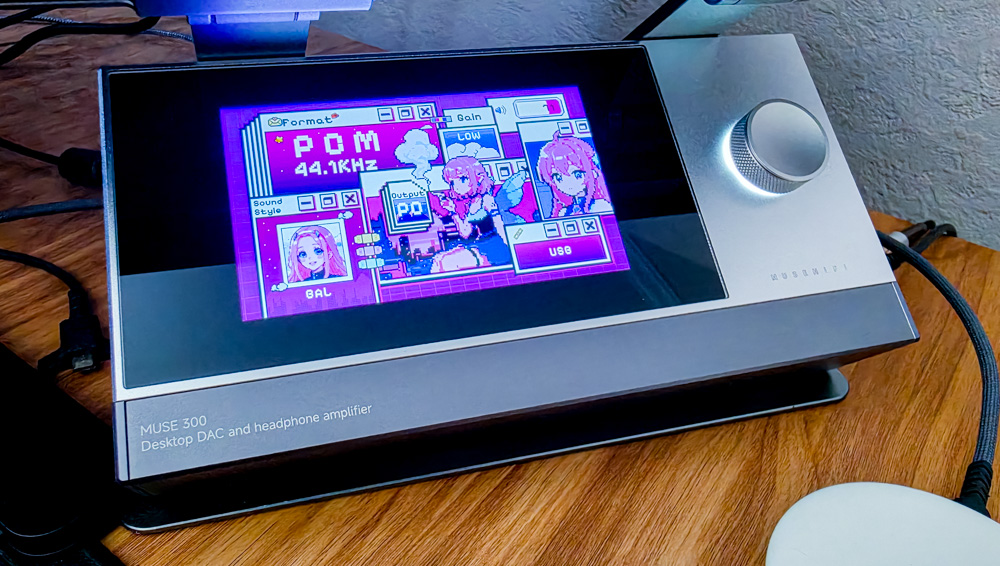
After the startup animation, the main information screen appears, displaying the current DAC/AMP parameters: Gain level, active input and output, sound profile, and sampling rate. On this screen, the knob controls the volume, while the indicator shows its current level.


Settings Menu
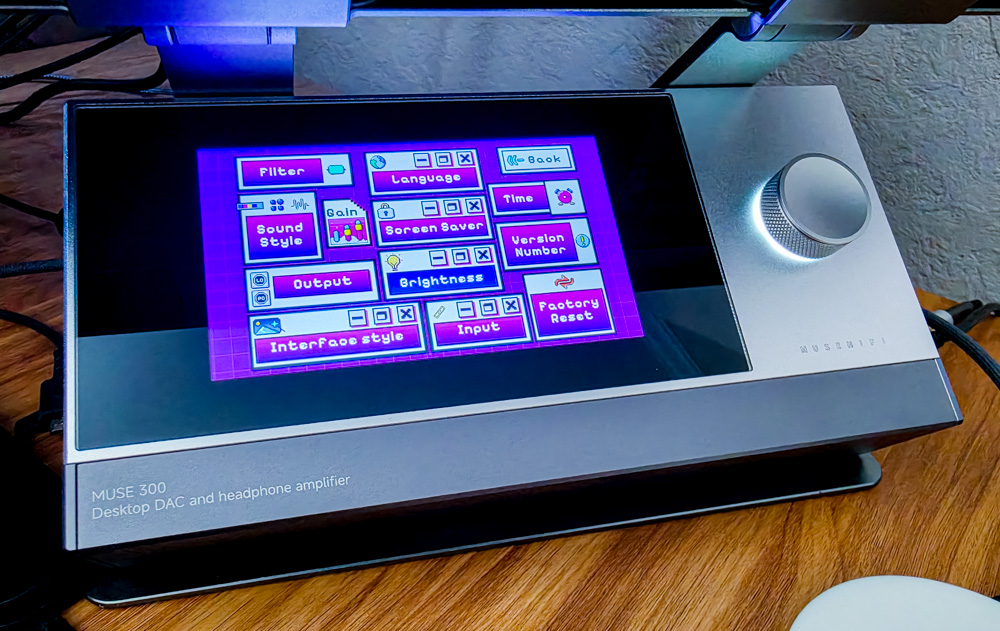
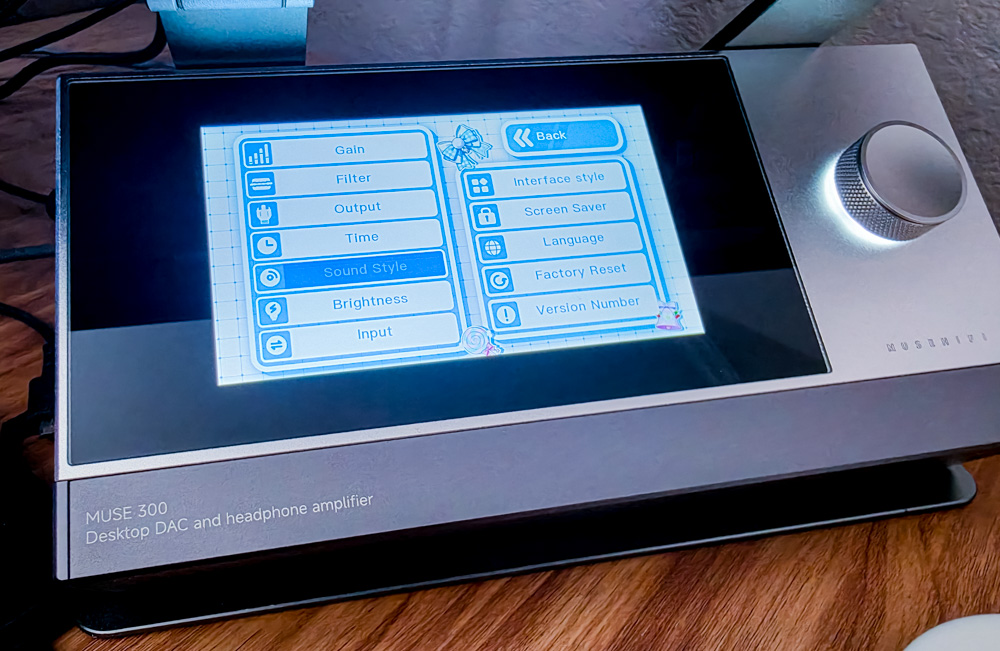
Let’s open the main menu by double-pressing the knob.
MUSE OS offers the following settings:
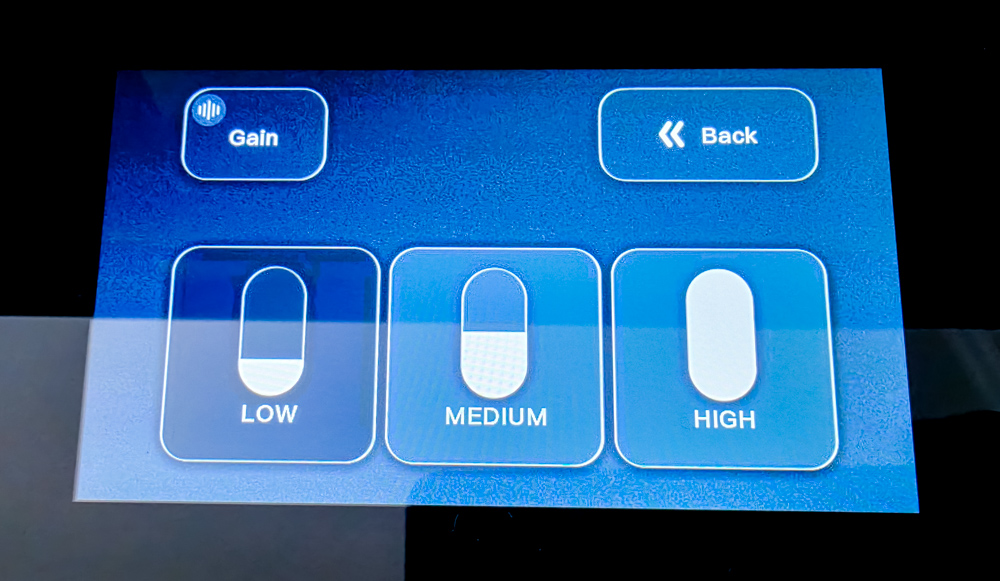
- three Gain levels
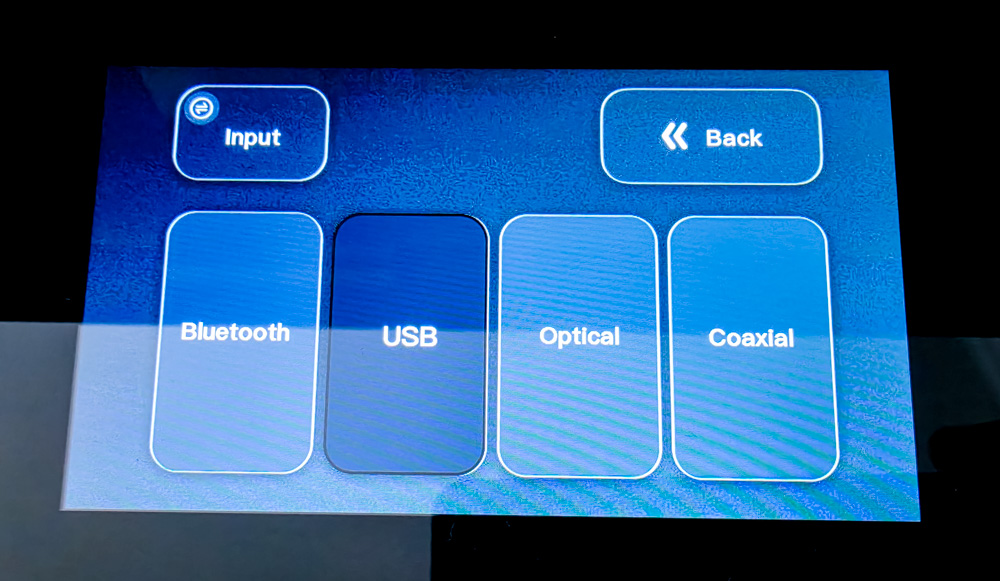
- signal source selection
- active output mode selection
- time settings
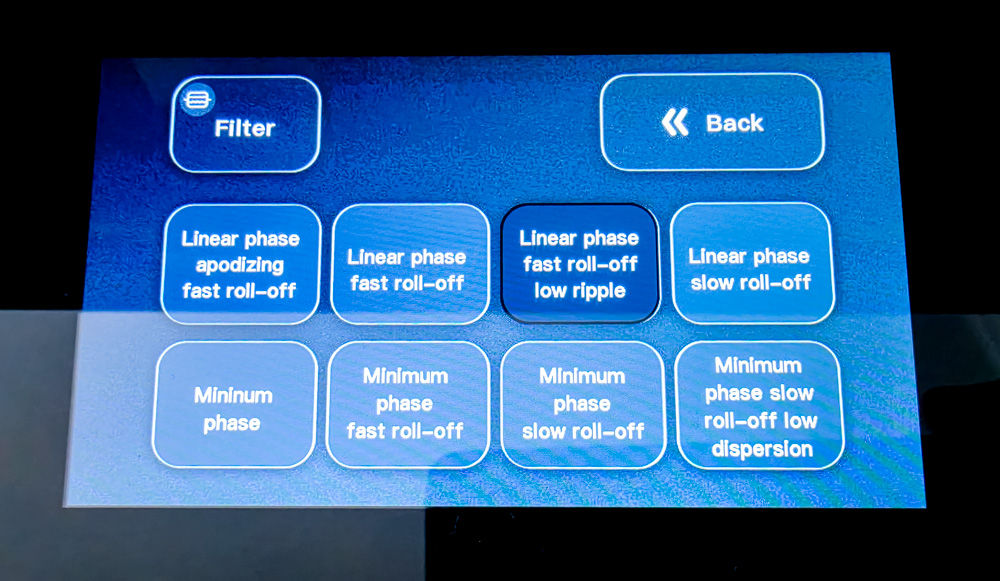
- eight DAC digital filters
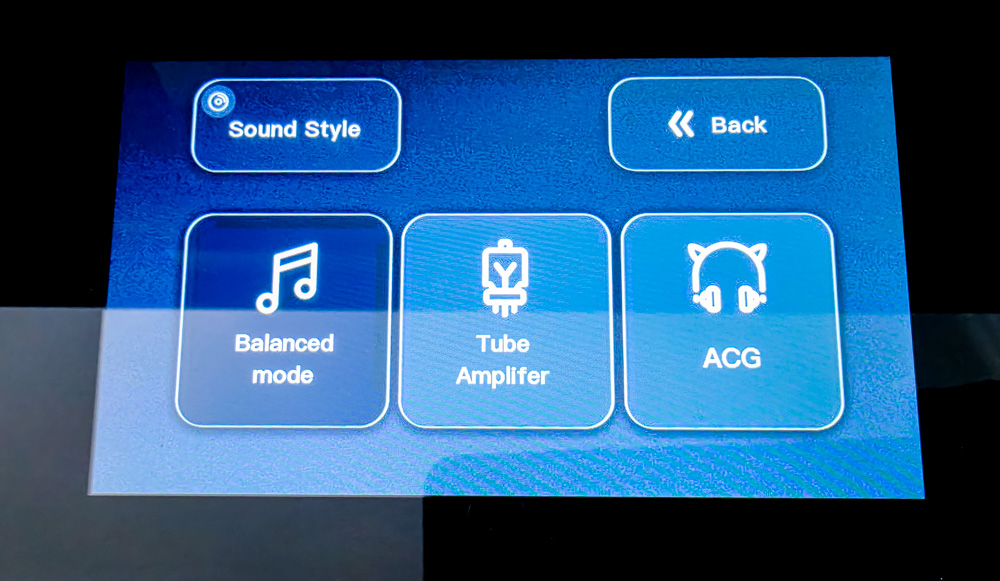
- three hardware sound profiles
- brightness adjustment
- interface theme selection
- screensaver selection
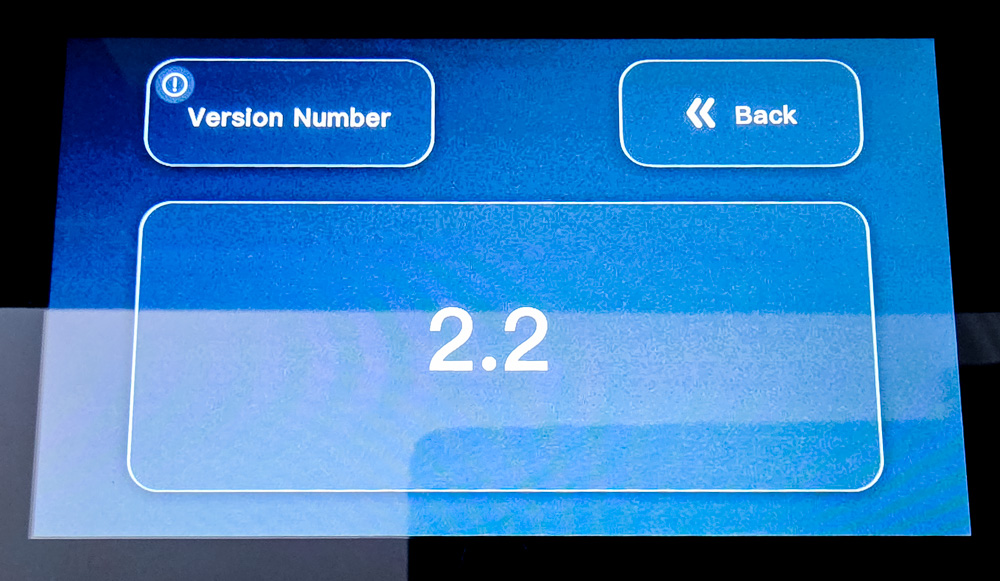
- firmware version and system information
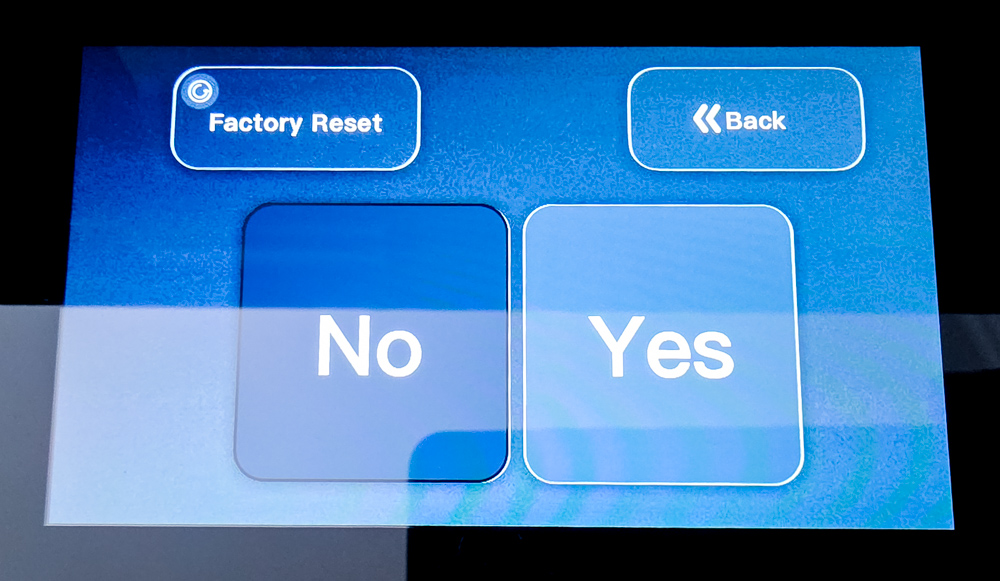
- DAC/AMP settings reset
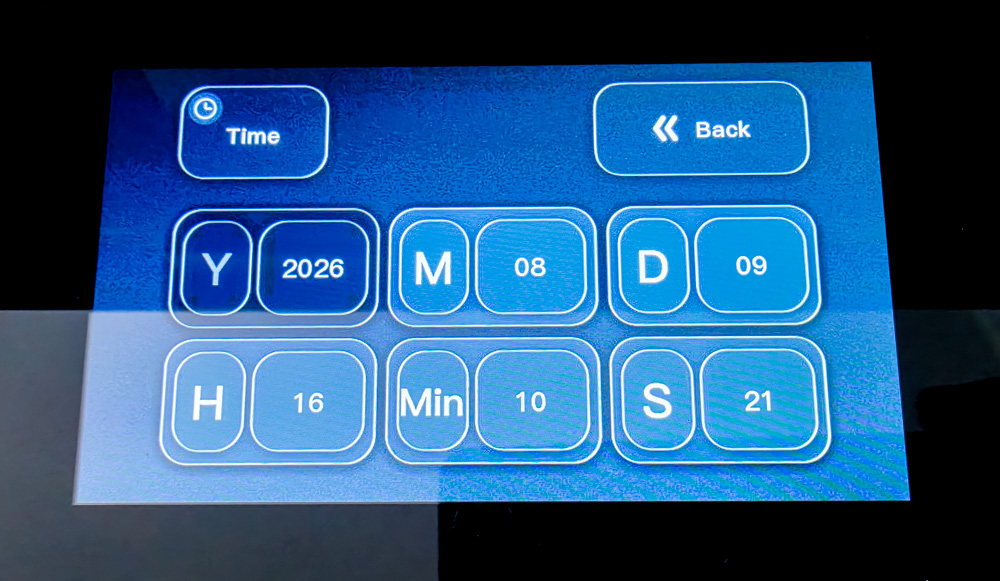
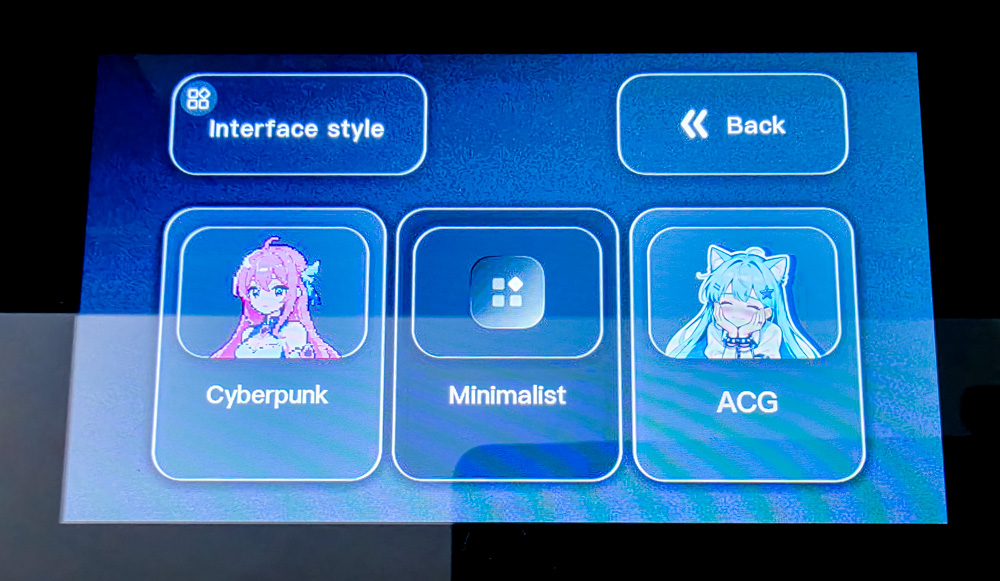
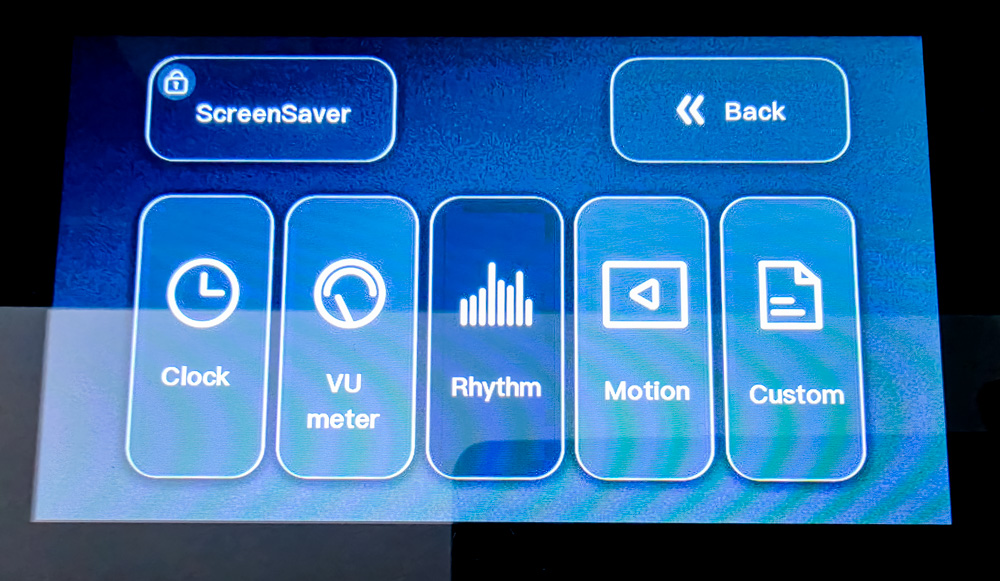
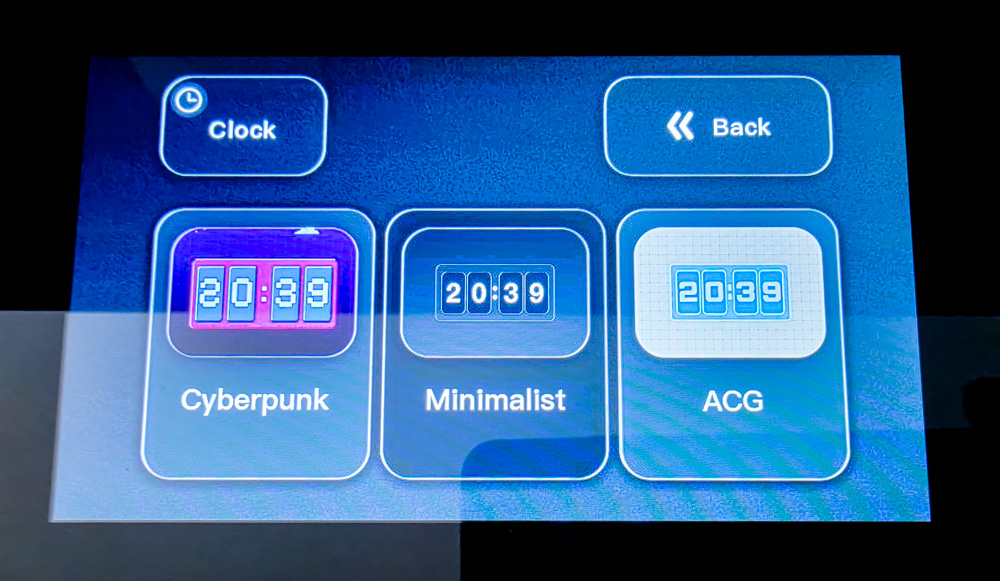
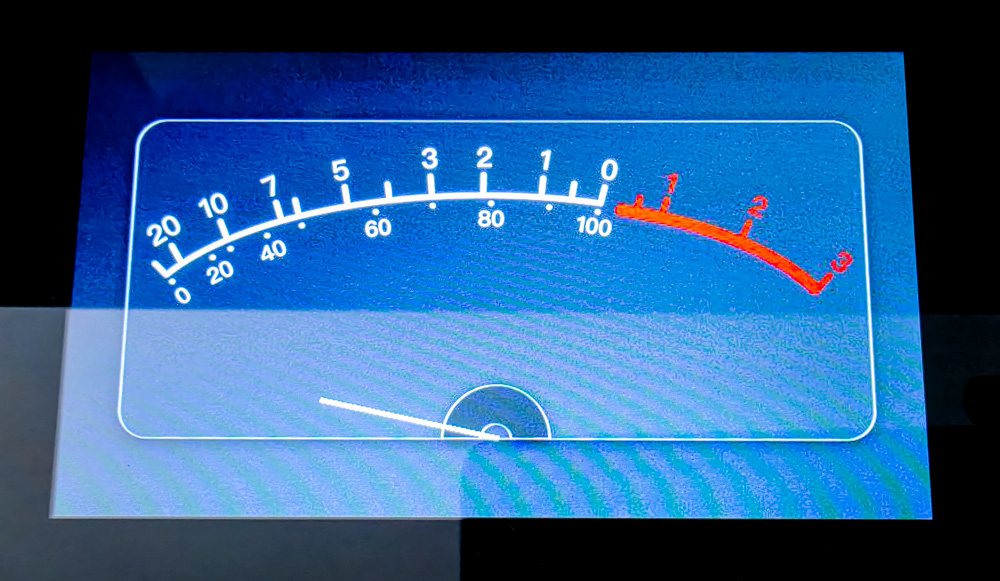
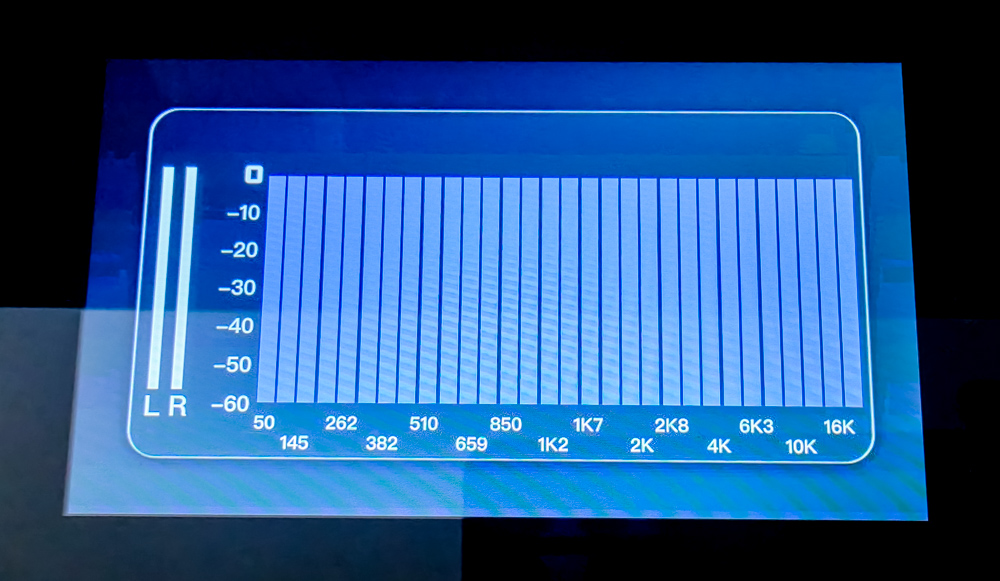
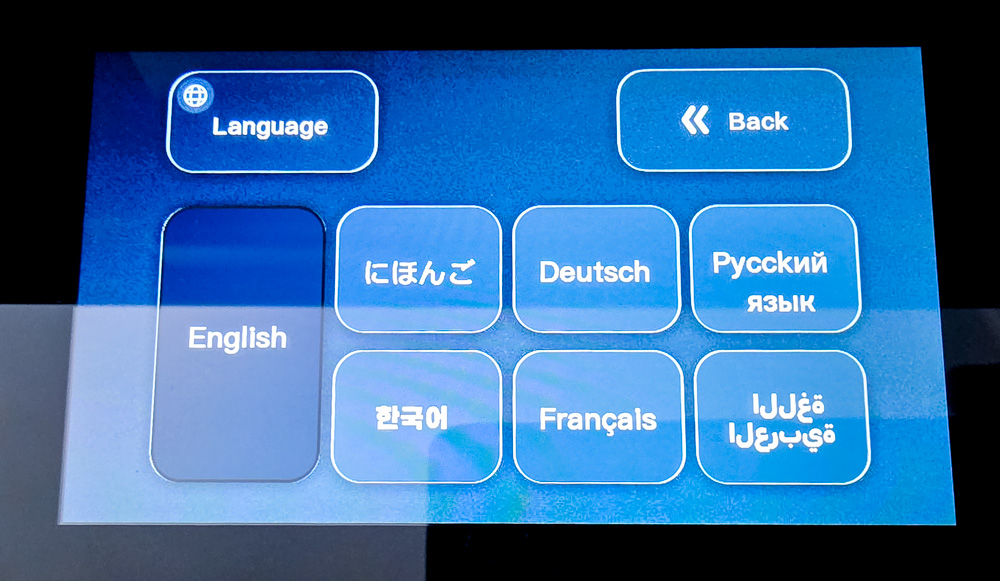
MUSE OS offers three main interface themes. Cyberpunk uses a dark background, neon accents, and futuristic elements. Minimalistic has a more restrained design and fits better into a classic desktop setup. ACG is aimed at fans of anime, comics, and games, featuring bright illustrated graphics.
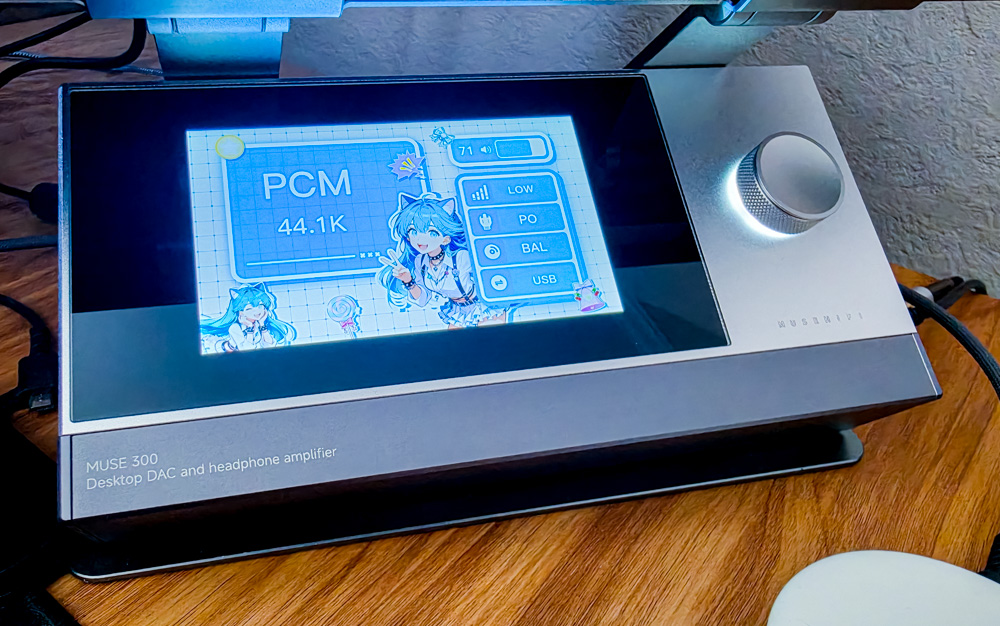
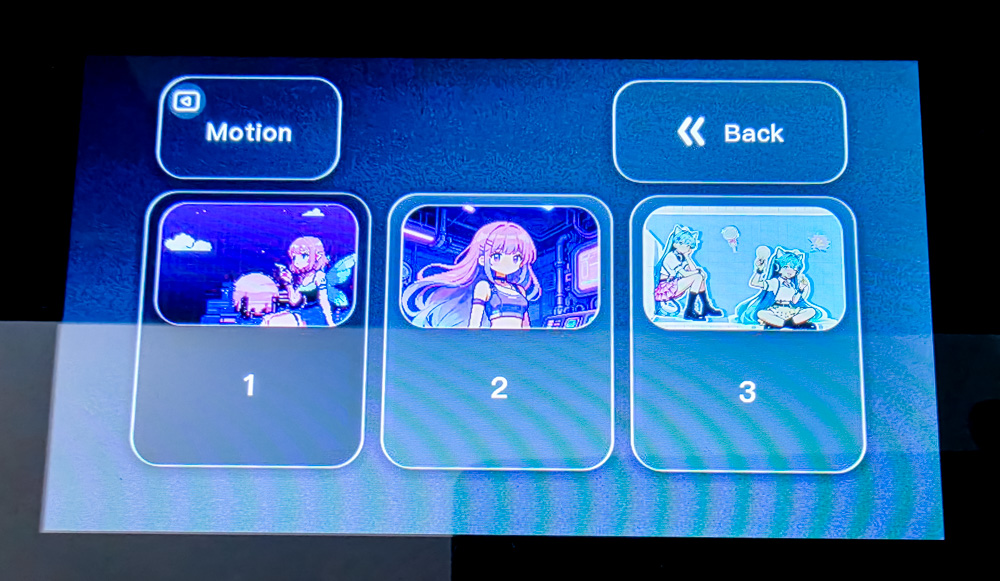
In addition to the standard interface, the display can show a screensaver while the device is running: a clock, VU meter, spectrum analyzer, animations, and custom JPEG images. In other words, when powered on, the Muse 300 can also serve as a digital photo frame or a decorative information display.

The manufacturer’s wording about a “second screen for your computer” can be interpreted in more than one way. I tested the connection to a laptop using a USB-C cable with video-signal support, but the Muse 300 was not detected as an external display. So, at least in its current implementation, this is better understood as a decorative information screen for your desktop rather than a полноценный additional Windows display.
USB Storage Mode
The dedicated USB-C port on the rear of the Muse 300 is not used for audio – that’s what the USB-B port is for. Instead, it’s a service port that provides access to the internal storage and allows you to upload custom screensavers. The feature is implemented somewhat unintuitively: simply connecting a powered-on Muse 300 to a PC does nothing. The correct procedure is described in the official Quick Start Guide.
To switch the Muse 300 to external USB storage mode:
- Completely power off the Muse 300 and disconnect the power cable.
- Connect the device’s service USB-C port to a computer using a data-capable cable. Preferably, use a USB-A port on the laptop or PC.
- Press and hold the Muse 300’s control knob/button.
- While holding the button, reconnect the power cable.
- Windows will then detect the Muse 300’s internal storage as a regular USB drive with approximately 18 MB of capacity. The device’s display remains off during this process.
- After copying the required files, it is recommended to safely eject the drive using Windows, disconnect the USB and power cables, then reconnect the power and start the Muse 300 normally.
This is essentially a service boot mode. There is almost no way to figure out on your own that the knob needs to be held down while power is being connected, and MUSE OS provides no hint about it. It’s a good example of an interesting feature with a less-than-obvious UX.
After connecting my unit, I found the cust and fonts folders in the root directory, along with the SynwitManifest.cfg and ui.bin files. Interestingly, the manufacturer calls the directory for user images Custom in the manual, while on the actual device running MUSE OS 2.2, it has the shorter name cust. In my case, it already contained a custom1 file.


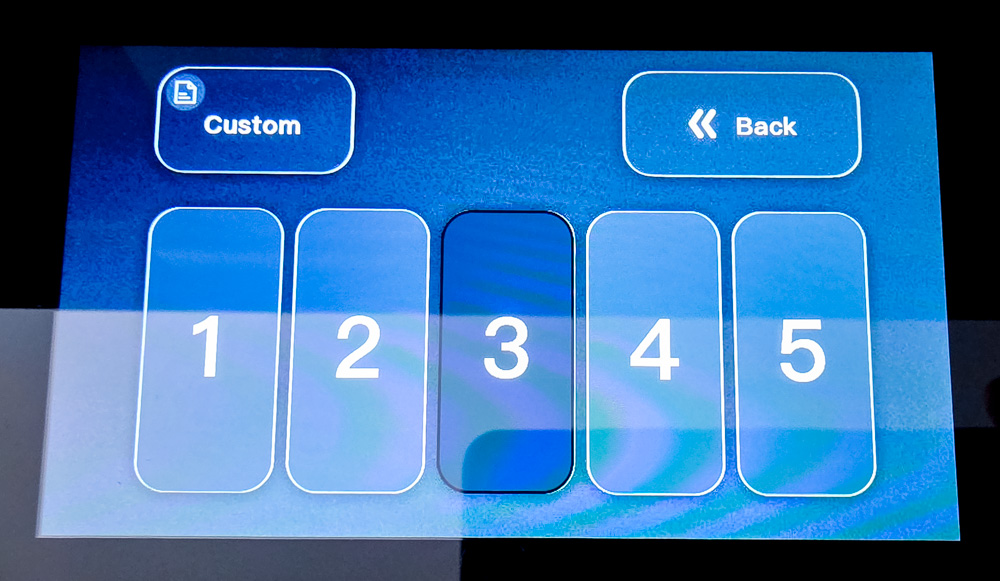
The cust directory is specifically intended for custom screensavers. According to the MuseHiFi manual, the system supports up to five user-defined images, corresponding to the five slots in the Custom Screensaver menu.
After connecting my unit, I found the cust and fonts folders in the root directory of the storage, along with the SynwitManifest.cfg and ui.bin files. Interestingly, the manufacturer refers to the directory for user images as Custom in the manual, while on the actual device running MUSE OS 2.2, it has the shorter name cust. In my case, the folder already contained a custom1 file.
Before experimenting with the storage, I recommend copying its entire contents to a PC. Alongside the user files, the drive also contains system resources. The fonts folder presumably contains interface fonts, while cust stores user graphics. More interesting are SynwitManifest.cfg and the approximately 13 MB ui.bin file. Based on their names, the former appears to be a service manifest, while the latter could be a compiled image or resource package for the MUSE OS interface. Without technical documentation, however, I wouldn’t call ui.bin the device’s complete firmware.
The storage structure itself hints at the possibility of future updates via USB-C. Technically, the manufacturer could distribute new versions of MUSE OS, or at least its graphical component, as files intended for the service mode.
The problem is that, at the time of preparing this review, MuseHiFi does not publish a separate firmware package, changelog, or instructions for manually updating the system for the Muse 300. The official Download Center for the model provides a USB audio driver and Quick Start Guide, but there is no firmware available for download.
Therefore, I wouldn’t recommend replacing ui.bin, editing SynwitManifest.cfg, or deleting system files just for the sake of experimentation. It’s unclear whether there is a straightforward recovery procedure in case an unsuccessful modification leaves the device unable to boot.
Additional Windows Software
The manufacturer’s website also offers a “driver” with little explanation of what exactly it is for. In reality, this isn’t software for controlling the Muse 300, but a USB audio driver package – BRAVO-HD Software Package v3.11.0.36 (HS, ASIO, iAP) from SAVITECH CORP. The package dates back to 2021–2022 and looks rather dated by today’s standards.

For standard PCM playback in Windows 10/11, a separate driver isn’t mandatory – the Muse 300 works through the standard USB Audio interface. However, the package can be useful with applications that support ASIO, where direct access to the audio device and buffer configuration are required. In my experience, the BRAVO-HD control panel itself was not particularly stable.
Drawbacks of MUSE OS
MUSE OS 2.2 also has several noticeable shortcomings. The display cannot be turned off completely through the menu – in practice, you have to choose one of the available screensavers instead. The VU meter and spectrum analyzer look impressive, but they react to music with a noticeable delay.
The clock on my unit gains almost a minute per day, so without regular manual adjustment, the Muse 300 is not particularly practical as a desktop clock. There are also only three built-in animations available. Personally, I eventually settled on the classic interface theme and one of my own photos as a screensaver.
Read also: Fosi Audio IM4 Review: Wide open sound for $99
Sound of the MuseHiFi Muse 300
At the heart of the Muse 300 is the ESS ES9039 Ultra with HyperStream IV architecture. The manufacturer does not specify the full commercial designation of the particular chip variant. The signal path uses two OPA1612 op-amps, two ES9603 chips, and a pair of amplifier modules based on the TPA6120A2. The signal is processed using a fully differential circuit, allowing the balanced 4.4 mm output to deliver up to 2200 mW at 32 ohms. The unbalanced 6.35 mm output provides up to 1100 mW under the same load.

The three Gain levels allow the device to adapt to different loads. Low is suitable for sensitive IEMs, Medium works well with most full-size headphones, while High is intended for high-impedance or less sensitive models.
In practice, I tested the Muse 300 with three of my headphones:
- IEMs: Kiwi Ears Quintet – 32 ohms impedance, 106 dB SPL/mW sensitivity.
- Closed-back full-size headphones: Kiwi Ears Ardor – wired connection, 32 ohms impedance, 100 dB sensitivity.
- Semi-open full-size headphones: Beyerdynamic DT 880 PRO – 250 ohms impedance, 96 dB sensitivity.

Even the 250-ohm Beyerdynamic DT 880 PRO is driven confidently by the Muse 300 on Low Gain. For comfortable listening indoors, 60–70% volume was enough for me, leaving plenty of headroom, so there was no need to switch to a higher Gain level. My 32-ohm models were comfortable at around 50% volume. As a headphone amplifier, the Muse 300 handled all three models with ease.
Sound Modes
One of the main features of the Muse 300’s audio section is its three sound modes. Rather than relying on a conventional digital equalizer, they are implemented by switching components in the analog signal path. According to the manufacturer, this approach makes it possible to alter the character of the sound without additional digital processing or latency.
Personally, I use Balanced most of the time, but occasionally switch to Tube. And here I won’t even try to recommend which mode is better suited to particular music genres. They genuinely sound different, with each one noticeably changing the character of the presentation. I think Muse 300 owners will quickly find their preferred option – or simply switch between modes depending on the particular track, headphones, and mood.

Balanced
Balanced is the main and most neutral mode. The manufacturer describes it as a natural, accurate, and versatile option with well-defined bass and clean instrument reproduction. In my experience, the name fits it well: the frequency range feels well balanced, the bass is punchy, and the sub-bass is clearly present. At the same volume setting, this profile is also the loudest of the three.
Tube Amplifier
The name Tube Amplifier can be misleading: there are no actual vacuum tubes inside the Muse 300. Instead, this is a hardware-tuned analog mode designed to emulate some of the characteristic traits of a tube-style presentation. The manufacturer promises a fuller mid-bass, richer vocals, smoother highs, and a warmer overall character.
In my experience, this mode really does soften the attack, add warmth to the midrange, and make the presentation less analytical. At the same volume setting, it sounds quieter than Balanced, with less sub-bass and a more distinctly vintage character overall.
ACG
ACG stands for Anime, Comics and Games. The manufacturer positions this mode primarily for energetic pop music and ACG content, with a brighter and faster presentation that emphasizes vocals, upper mids, and attack. It is the most distinctive of the three profiles.
At the same volume setting, ACG is the quietest of the three, while the low-frequency range is noticeably attenuated. With rock tracks, there is less bass, and the sub-bass can almost disappear in some recordings. The profile is likely aimed primarily at pop, electronic, and techno music, where low frequencies are often already emphasized in the recording itself.
ESS Digital Filters
There are also eight ESS digital filters available. The differences between them are generally much subtler than those between the three hardware sound modes, so I would treat this feature as a tool for fine-tuning rather than a way to fundamentally change the character of the sound.

- Minimum phase – a versatile, neutral filter with minimal pre-ringing. A good default choice for most types of music.
- Linear phase apodizing fast roll-off – sharply attenuates ultrasonic content while also reducing pre-ringing. Subjectively, it may slightly soften the extreme high frequencies.
- Linear phase fast roll-off – a highly accurate linear-phase filter with a steep roll-off. It provides a flat frequency response and very effective suppression of content outside the passband.
- Linear phase fast roll-off low ripple – similar to the previous filter, but optimized for an even flatter frequency response. The audible difference is minimal and is mainly noticeable in direct A/B comparisons.
- Linear phase slow roll-off – a gentler linear-phase filter with a more gradual roll-off. It may produce a slightly smoother and less aggressive presentation in the high frequencies.
- Minimum phase fast roll-off – combines steep attenuation with minimum-phase behavior and virtually no pre-ringing. A good all-purpose option that preserves crisp transients.
- Minimum phase slow roll-off – the gentlest of the minimum-phase filters, with a gradual roll-off and minimal latency. It may be a better match for bright-sounding headphones or recordings with overly prominent high frequencies.
- Minimum phase slow roll-off low dispersion – a balanced option with low latency, minimal pre-ringing, and reduced phase dispersion. It provides a smooth, natural presentation without introducing noticeable changes to the tonal balance.
To be honest, I did not hear any significant differences between the filters – the three sound modes have a much more pronounced effect on the overall presentation. If you are already using the MuseHiFi Muse 300 and have a different experience, feel free to share your impressions in the comments.
Read also: FiiO JT7 headphones review: The Sweet Spot Between Performance and Practicality
Conclusion
MuseHiFi Muse 300 is one of the more distinctive desktop DAC/AMPs in its price range. Its large color display, wedge-shaped metal chassis, three interface themes, and screensavers make it a noticeable addition to any desktop setup. At the same time, its striking appearance is backed by a serious audio platform that is suitable not only for headphones, but also for active speakers or a separate amplifier.

At the same time, it is important not to overstate the capabilities of MUSE OS. It is a specialized embedded control system for the DAC, rather than a general-purpose operating system like Android with support for third-party applications and streaming services. The lack of touch controls, a remote control, and a mobile app also somewhat limits its use beyond a desktop setup.

At around $440, the Muse 300 is unlikely to be a universal recommendation: those who prefer functional minimalism can find cheaper or more powerful alternatives. However, for those looking for not only high-quality sound but also an interesting piece of hardware to have on their desk, the Muse 300 offers a rare combination of features, design, and customization.
Pros:
- distinctive and recognizable design
- sturdy aluminum chassis
- large 5-inch IPS display
- three interface themes and custom screensavers
- ESS ES9039 Ultra DAC
- fully balanced architecture
- up to 2.2 W of output power via the 4.4 mm output
- three gain levels
- hardware modes: Balanced, Tube Amplifier, and ACG
- Bluetooth 5.4 with LDAC and aptX Lossless
- USB, optical, and coaxial inputs
- RCA and balanced XLR outputs
- can be used as a preamplifier
- conveniently angled display
- intuitive operation via a single control knob
Cons:
- MUSE OS does not support installing apps or standalone streaming
- non-touch display
- no remote control
- no mobile app
- underdeveloped screensavers and limited display controls
- part of the price reflects the design and display rather than the audio hardware itself
Where to buy MuseHiFi Muse 300