





© ROOT-NATION.com - Use of content is permitted with a backlink.
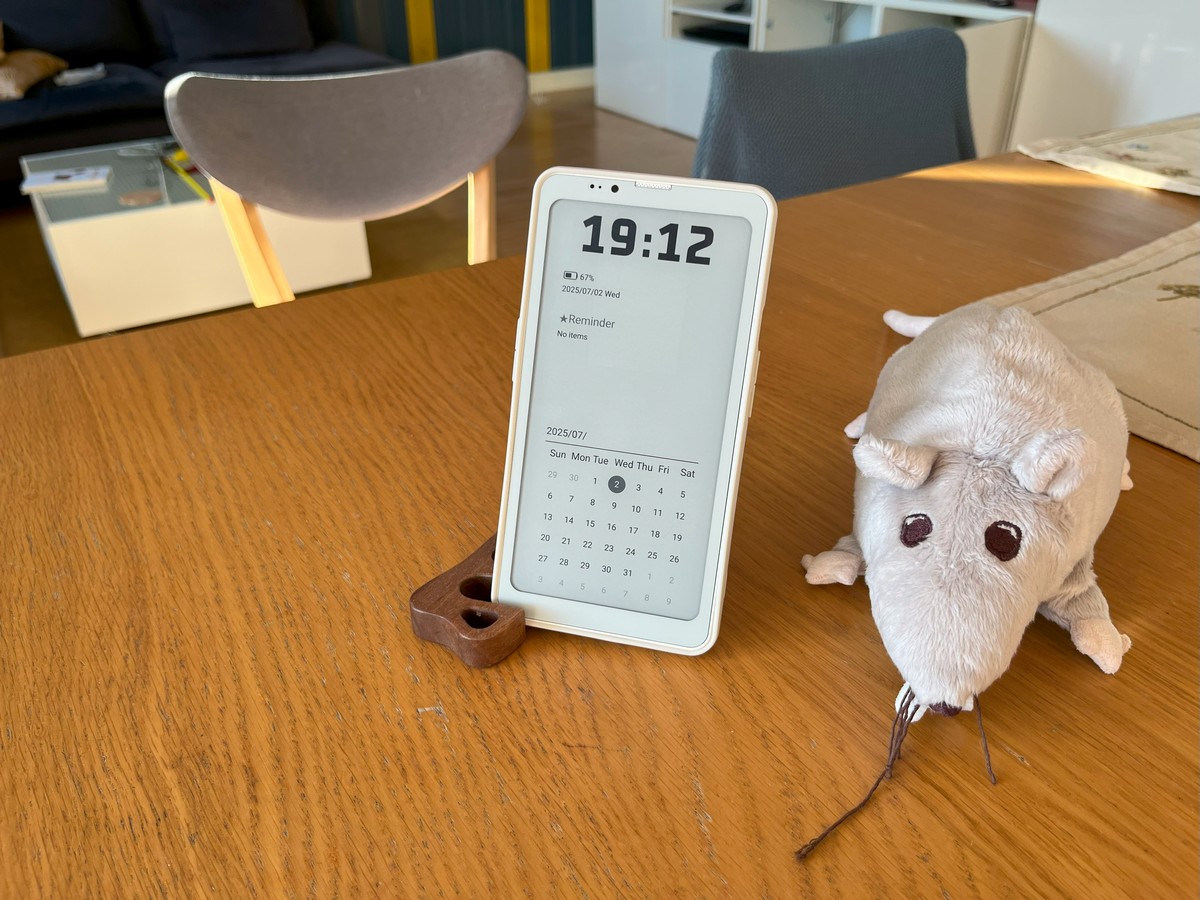
The Bigme HiBreak Pro is one of the few smartphones equipped with an E Ink display. It builds on the earlier Bigme HiBreak B/W Version, introducing several notable upgrades. These include an infrared port for controlling home appliances, NFC support for contactless payments, a fingerprint scanner, and a significantly larger battery with 18W fast charging support. In this review, I’ll walk you through the device and share what it’s like to use the HiBreak Pro as a daily driver.
TABLE OF CONTENTS:
About the detox smartphone market and its features
To understand who the Bigme HiBreak Pro is really for – and what problems it’s trying to solve – it’s worth taking a step back and looking at the bigger picture. For me, this isn’t just a technical curiosity; it’s a personal and increasingly relevant issue.
There’s a growing group of people, myself included, who’ve grown disillusioned with modern smartphones. What once felt like useful tools have gradually turned into constant sources of distraction, cheap dopamine, relentless advertising, and subtle manipulations driven by app developers. And it’s not just a niche sentiment – more people are starting to feel this way every year.
The usual advice – like setting screen time limits or deleting apps such as Instagram, Facebook, TikTok, X, or Threads – often doesn’t stick. Sooner or later, you end up reinstalling them, driven by the fear of missing out on news, updates, or what’s happening in your friends’ lives. And just like that, you’re back to spending two or three hours a day mindlessly scrolling through feeds, posts, and stories. And that’s without even touching on the deeper concern: how modern smartphones track user behavior, habits, and preferences in the background.
Some smartphone manufacturers have started to respond to this growing user frustration, offering alternative devices aimed at addressing these concerns. This gave rise to a new category of so-called “detox smartphones” – devices designed to reduce distractions, limit mindless content consumption, and improve both user privacy and real-world presence.
These goals are typically achieved through different approaches, resulting in a few distinct types of devices – each with their own strengths and trade-offs.
Read also: Bigme B7 Review: When an E-Reader Tries to Be a Tablet – and Actually Pulls It Off
Dumbphones – ‘stupid’ phones, simple phones
This category includes both the more “stylized” options like the Punkt and Mudita Pure, as well as a wide range of basic phones from Nokia and other brands that run on KaiOS or simple proprietary operating systems. These devices typically handle only the essentials: calling, texting, setting alarms, and doing basic calculations. Some models offer limited web browsing or support for third-party apps, but their functionality is usually quite restricted by design.
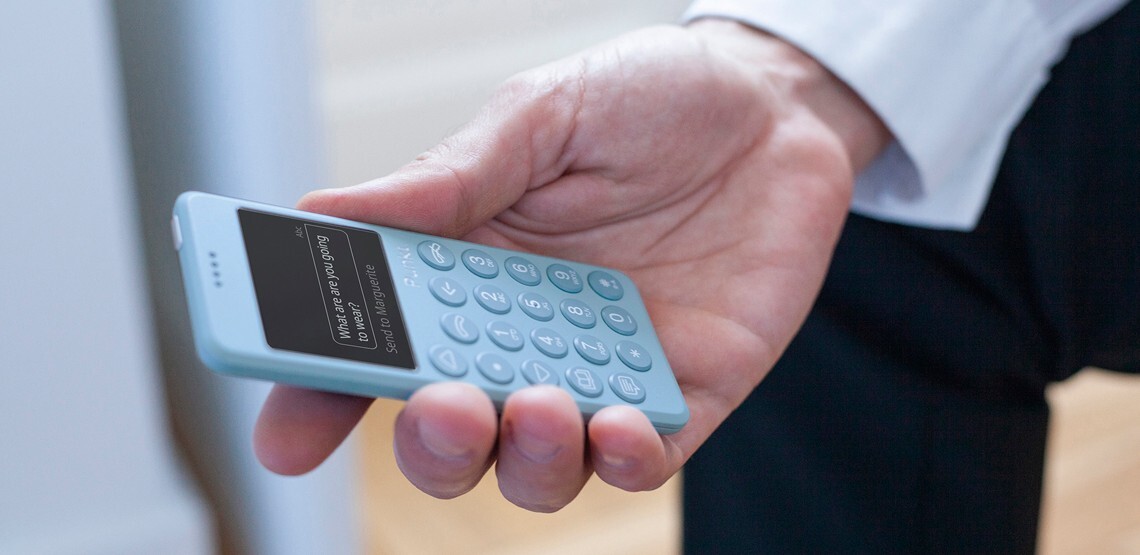
I once owned a Nokia 800 Tough running KaiOS, and I can say with confidence that, despite having a browser, Google Maps, and YouTube, actually using those apps as intended was frustrating and uncomfortable. That’s why dumbphones, in practice, are really just about calls and texts – and not much else.
Advantages of dumbphones:
- Mostly cheap devices
- Quite resistant to drops and damage
- Long battery life: 3-5 days
- They have physical buttons, which gives a pleasant feeling of nostalgia
Disadvantages of dumbphones:
- Do not support installation of useful third-party applications
- Do not support instant messengers
- Do not have navigation and a browser
- Often have mediocre quality of materials and build, speaker and microphone, as they are cheap devices
Overall, dumbphones are a solid fit for people with a predictable, routine lifestyle – think home–work–store–church – where there’s little need for exploration or spontaneous problem-solving. With a phone like this, you won’t easily navigate an unfamiliar city, use turn-by-turn directions on a road trip, check a restaurant’s online menu, rent a bike or scooter, stream music or the latest podcast episode, or even look up how to cook buckwheat with sausages.
That said, a basic phone can still be useful as a “weekend device” or for intentional breaks from the digital world – when you just want to unplug and step away from the constant noise of technology.
Transition devices
This is where things get more nuanced – somewhere between a dumbphone and a full-fledged smartphone. I’d place two types of devices in this middle-ground category. The first group includes small-screen Android phones like the Cat S22 Flip, Qin F21/F22 Pro, and Sonim XP5 Plus. In theory, these can run almost any app from the Play Store, but in practice, their tiny displays and underpowered hardware make them difficult to use for anything beyond the basics. Social media apps like Instagram, TikTok, or Threads technically might launch, but the cramped UI and sluggish performance make them nearly unusable – effectively discouraging any kind of addictive, dopamine-driven content scrolling.
Often, these phones don’t have Google Play installed, so getting apps on them requires jumping through hoops – tracking down APK files and sideloading them via USB using ADB.
The second type of transitional device consists of unique creations from small companies. Examples include the Light Phone 2 and 3, as well as the Mudita Kompakt.
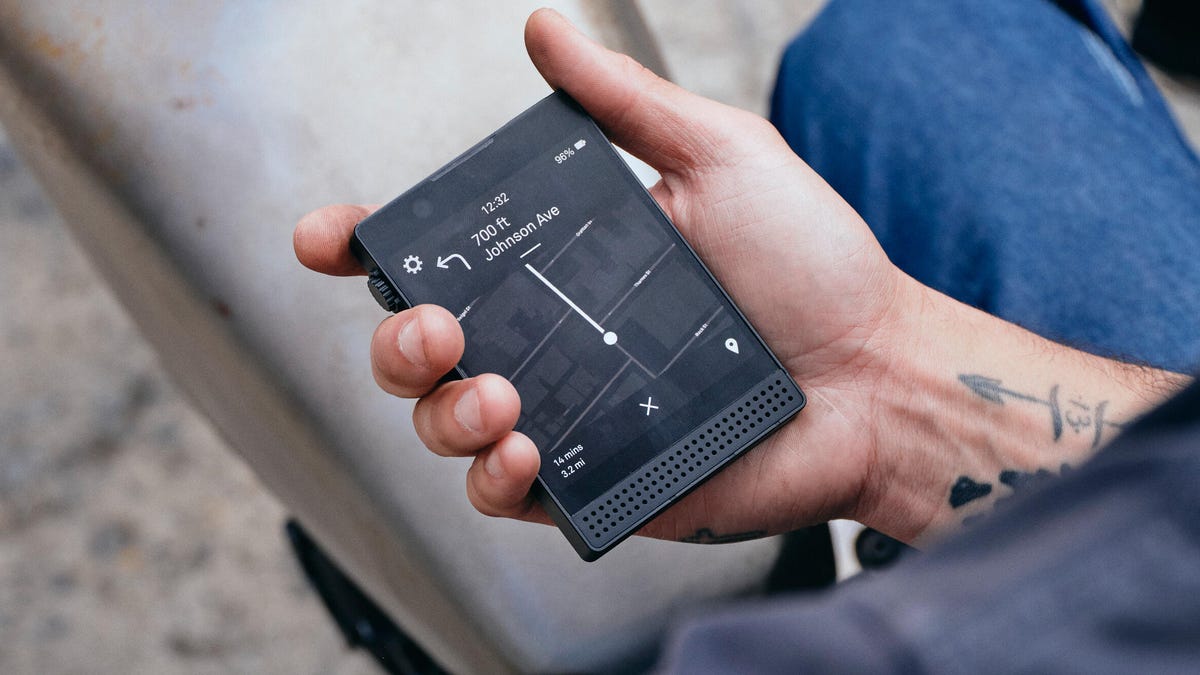
These smartphones support a limited set of apps pre-selected by their manufacturers. For example, the Light Phone 3 allows navigation and podcast playback, while the Mudita Kompakt lets you listen to music, check the weather, and includes a meditation app.
The advantages of transition devices:
- Better accessibility of apps
- More unique features and functions
- Can be a stylish accessory and be admired by friends
Disadvantages of transition devices:
- Basically ‘neither fish nor flesh’ – they don’t perform any tasks properly
- Outdated versions of Android – data security issues
- Rather weak technical specifications
- Unique developments are often unreasonably expensive ($400-700)
- Developers decide for you which apps you need and which you don’t
I’d generally recommend transitional devices to enthusiasts looking for a different experience but aren’t willing to settle for a basic phone. For example, the Qin F22 Pro could be an interesting smartphone alternative – especially if you opt for the version with Google Play. Meanwhile, the Light Phone 3 is likely to attract attention thanks to its distinctive design and unusual form factor.
Full-fledged Android smartphones with E ink screens
These devices essentially combine the best features from all categories. You can install banking apps, ride-hailing services, navigation maps, work tools, password managers – basically anything you need. They usually come with more powerful hardware capable of handling all these applications smoothly.
At the same time, the E Ink display is designed to make scrolling through social media feeds a dull and unappealing experience.

The Boox Palma was an early pioneer in this category, though it lacked calling capabilities because it didn’t support SIM cards. Shortly after, devices like the Hisense A9, Bigme HiBreak, and Minimal Phone entered the market.
Advantages of smartphones with E ink displays:
- Support any Android application
- Have good battery life
- Price tag at the level of mid-budget regular smartphones
Disadvantages of smartphones with E ink displays:
- Features of the screen type limit the comfortable use of some applications
- Usually mediocre cameras
A logical question remains: ‘Is it really convenient to use such a smartphone every day?’

Bigme HiBreak Pro specifications
- Operating system: Android 14 with the manufacturer’s shell
- Chipset: Mediatek Dimensity 1080 (8-core: 2×Cortex-A78 2.6 GHz + 6×Cortex-A55 2 GHz)
- Video card: Mali-G68 MC4
- Display: 6.13″ E-Ink, 824×1648 pixels, ~300 ppi
- Memory versions: 8 GB of LPDDR5 RAM, 256 GB of built-in UFS 3.1
- Memory card slot: none
- Cameras:
- Main camera – 20 megapixels
- Front camera – 5 megapixels
- Video recording – 4K
- Wireless technologies: Dual-SIM 5G/4G, Wi-Fi 5, Bluetooth 5.2, NFC, IR port
- Battery: 4500 mAh, USB-C with wired charging up to 18 W
- Dimensions and weight: 159.8 × 80.9 × 8.9 mm, weight ≈ 180 g
What’s in the package
The smartphone comes with the following accessories:
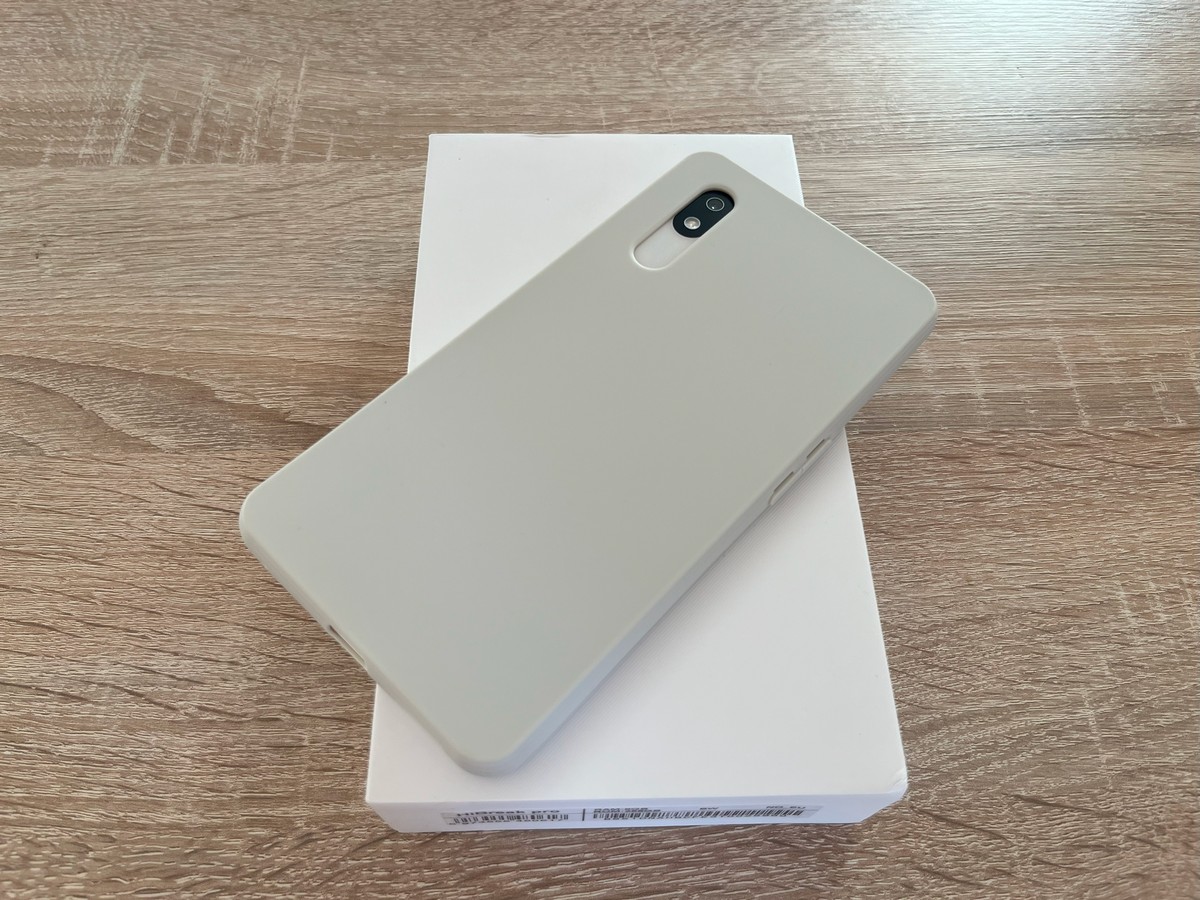
- Silicone case
- USB Type A – USB Type C cable
- SIM card tray ejector needle
- Documentation

It’s a welcome detail that the phone comes with a case included, especially since third-party cases for this kind of device are likely to be scarce.
Bigme HiBreak Pro design and ergonomics
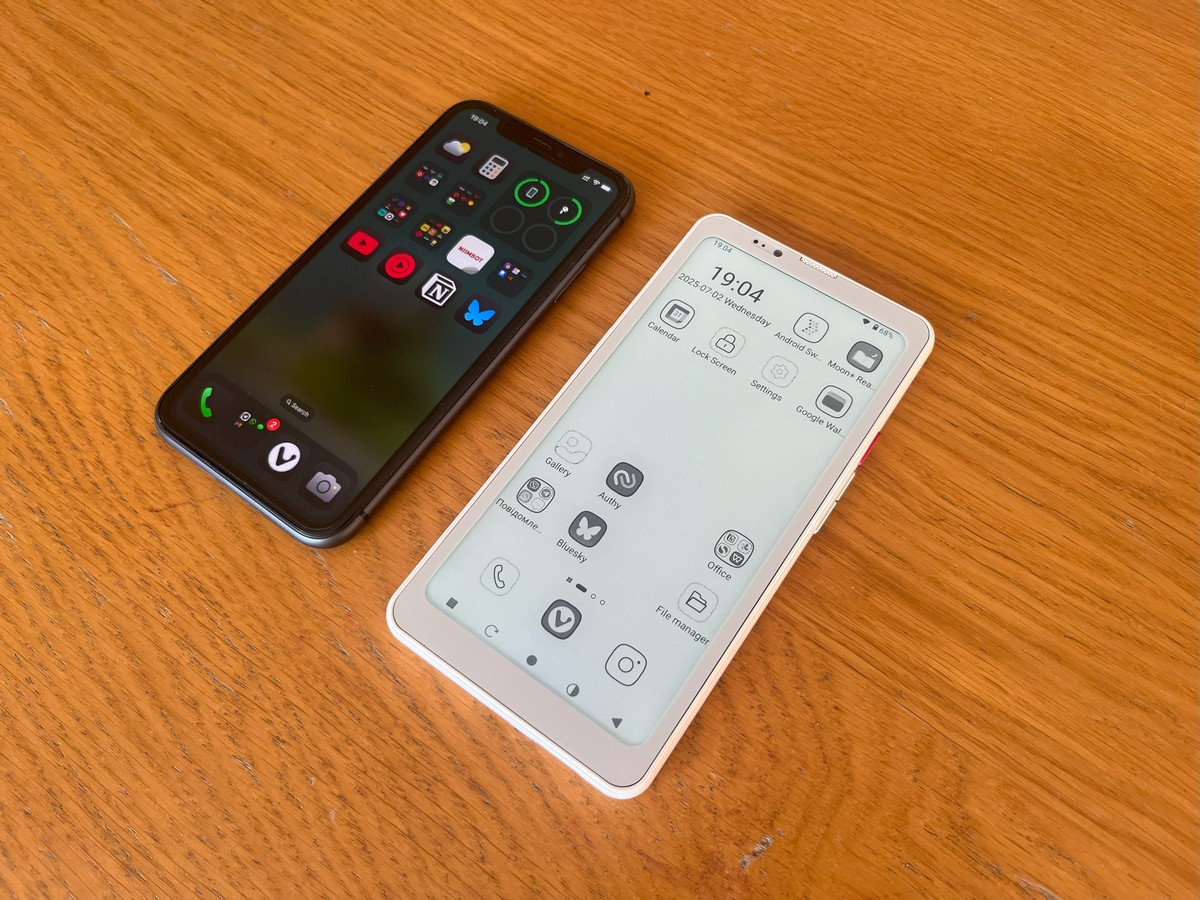
Overall, the Bigme HiBreak Pro isn’t drastically different from a typical smartphone, aside from a few extra physical buttons. The entire body is made of plastic.
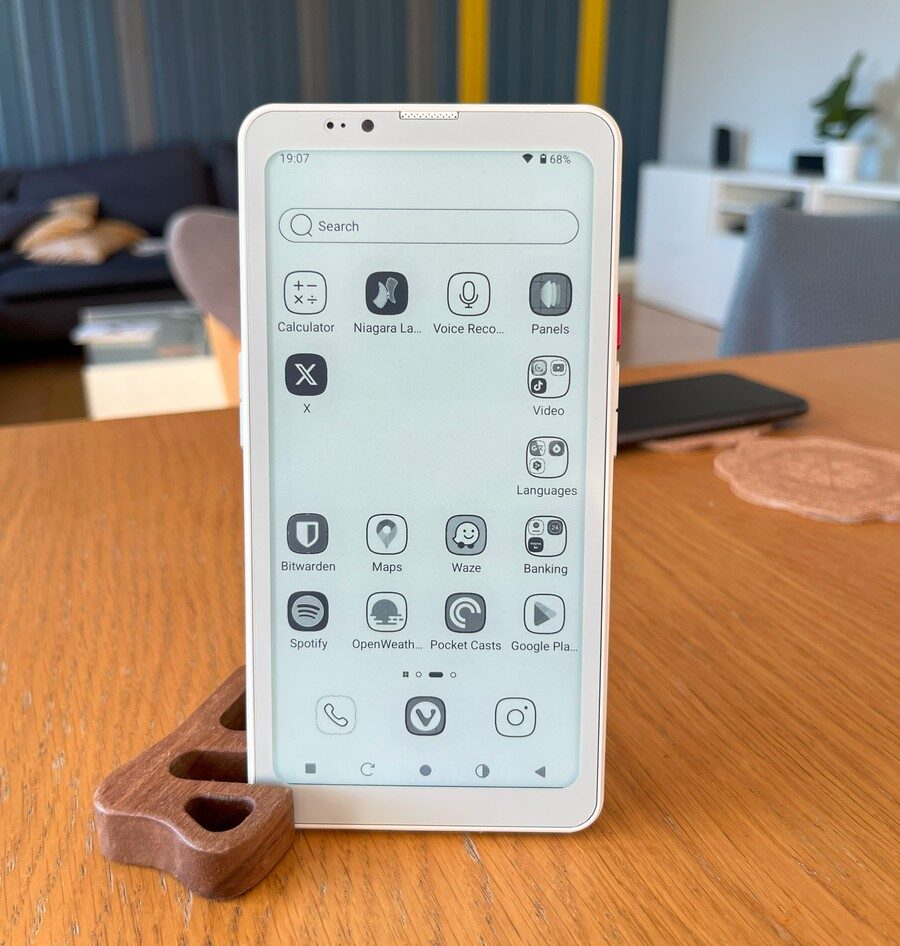
On the right side, the phone has volume buttons – which feel noticeably loose – and a red power button that also functions as a fingerprint scanner. The scanner’s performance is mediocre.
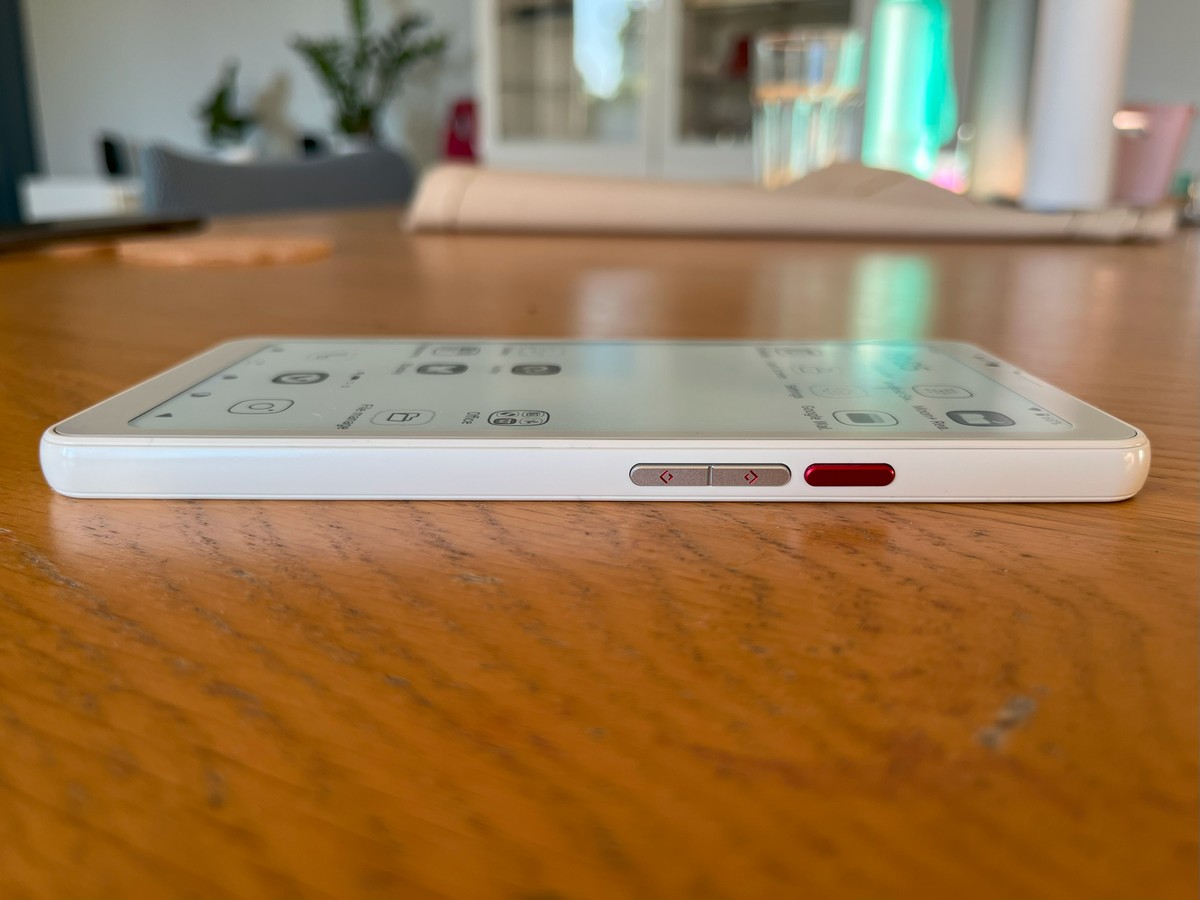
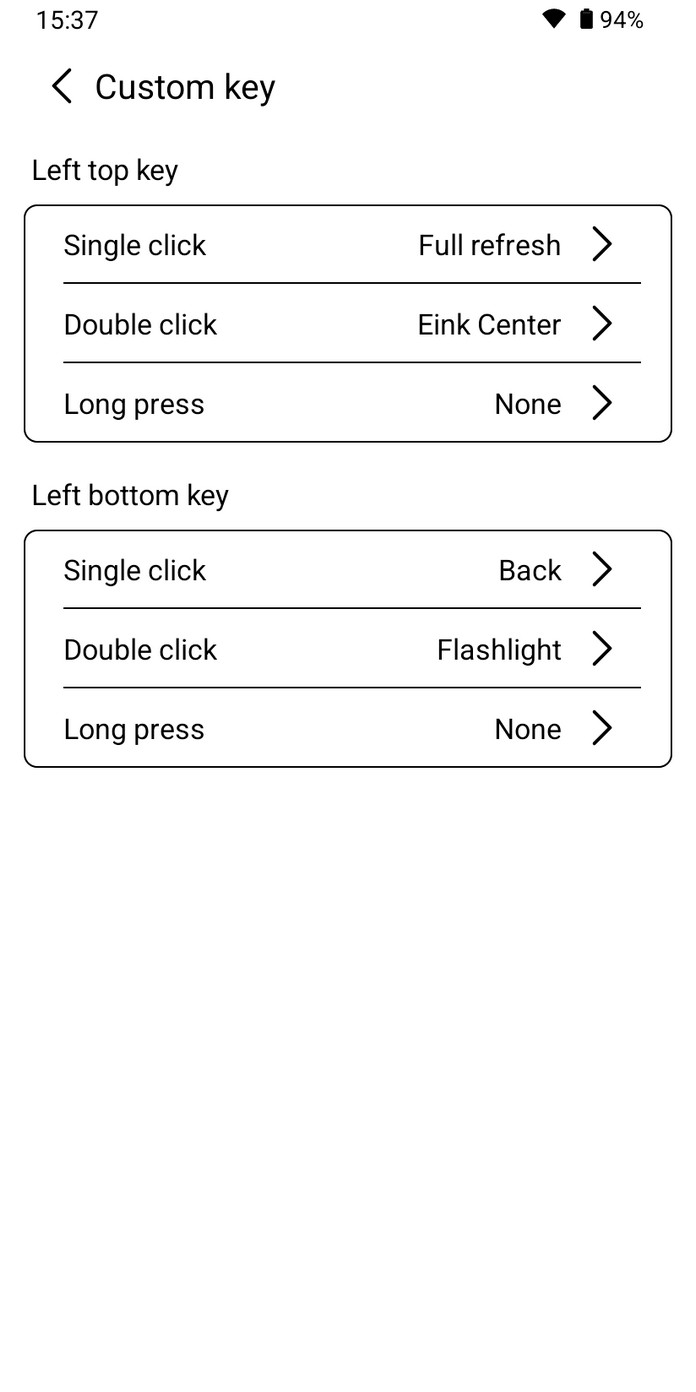
On the left side, there are two programmable buttons, which also have some slight wobble. You can assign them various useful functions like forcing a display refresh, launching the camera or flashlight, or opening additional screen settings.

You can’t assign app launches to these buttons by default, but I believe third-party software could provide a workaround.

On the top edge, the Bigme HiBreak Pro features an infrared port and an additional microphone. There’s no pre-installed app for controlling home devices, but you can use any compatible app available on Google Play.
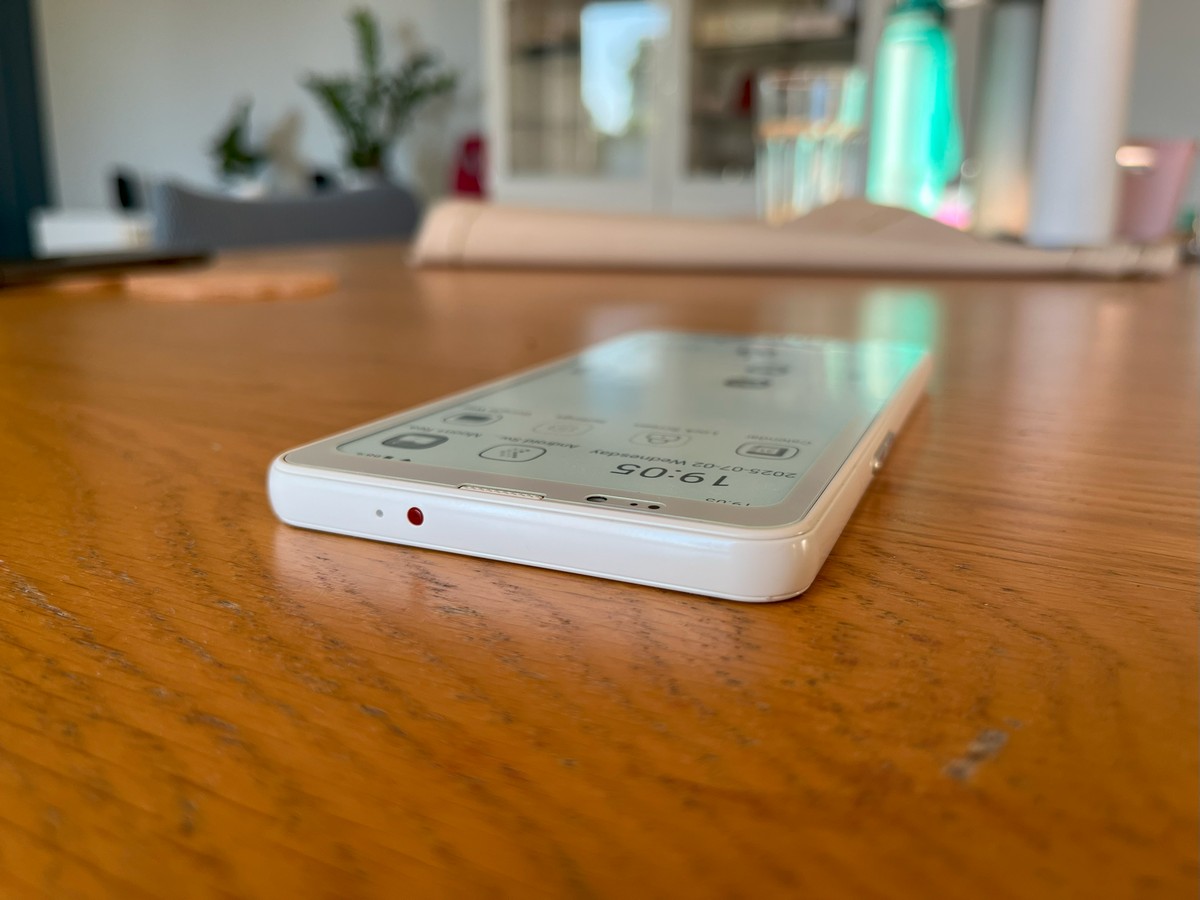
On the bottom edge, there’s a speaker, a USB Type-C port, and a slot for two SIM cards. The SIM tray is painted silver, matching the volume buttons.

The back cover is made of matte plastic with a pleasant texture.

Overall, using the smartphone daily is comfortable, both with and without the case. Although the body is plastic, it doesn’t attract fingerprints. In future models, I’d like to see slightly slimmer bezels around the display.
Bigme HiBreak Pro display
The screen is arguably the most interesting feature of this smartphone. I’ll start with the downside.
First, our unit had one dead pixel. It’s not very noticeable during daily use but still unpleasant.
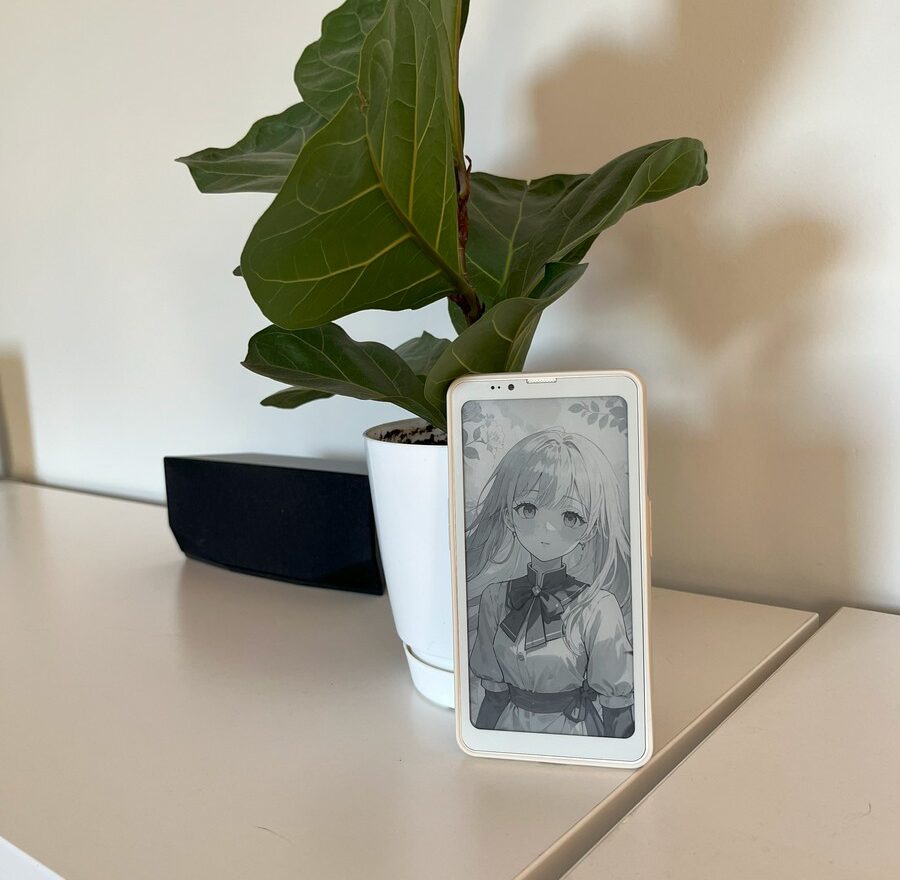
Second, the screen experience is noticeably affected by the backlight – specifically its automatic adjustment. The brightness changes are erratic and reactive. Sometimes the backlight will turn on or off with even slight movements of the phone, as the sensor detects changes in ambient light. Because of this, it’s probably more practical to manually select one of the preset backlight modes (Day, Night, Before Sleep, Off).
The backlight itself can be set to either white or yellow, and brightness is adjustable across 36 levels, which is quite convenient.
There’s also an option to invert colors, switching from a white background with black icons to a black background with white icons. This can be helpful in certain apps or specific situations.
The dedicated Eink Center app allows flexible screen adjustments tailored to different needs, such as video playback or reading. You can increase the display’s refresh rate and improve text sharpness. Interestingly, Eink Center saves settings individually for each app, which is quite convenient.
It’s important to note that the higher the refresh rate you set, the lower the image quality becomes: text tends to blur, and some letters may appear to have missing pixels. In this way, the phone subtly encourages users to choose a lower refresh rate and gradually move away from dynamic content. Considering the target audience and purpose of this device, this approach makes sense.
The 824×1648 pixel resolution is, in my view, more than enough for comfortable use of the Bigme HiBreak Pro in most situations.
The screen comes with a factory-installed protective film, which should suffice for initial use.
Read also: Strange Relationship Between Microsoft and OpenAI
User experience: what you can and cannot do with Bigme HiBreak Pro
For a device like the Bigme HiBreak Pro, a dedicated section on performance and hardware feels unnecessary. Benchmarks for the Mediatek Dimensity 1080 are readily available online, and those numbers rarely reflect real-world usage. Instead, I suggest exploring common scenarios you might encounter with the phone in a Q\&A format.
Is it possible to type comfortably on a smartphone?
Yes, just like on a regular smartphone. The Bigme HiBreak Pro’s refresh rate is sufficient to instantly render letters as you tap the virtual keys. This means messaging or note-taking works smoothly without any noticeable issues.
Can I watch videos?
Yes, but the experience is quite specific. The refresh rate can display video in real time, but since the screen only shows black and white, watching videos isn’t particularly enjoyable. Still, you’ll get the basic idea if you need to.
For a more comfortable video viewing experience, it’s best to set the display refresh rate to “Extreme” in the Eink Center app or simply select the appropriate preset.
So maybe we can play games?
You have a fully functional smartphone with mid-range hardware and 8GB of RAM at your disposal. If the lack of most colors doesn’t bother you, casual gaming is possible. I tested it with Archero and didn’t encounter any issues, though the phone does get noticeably warm under that kind of load.
Do contactless payments and banking apps work?
Yes, just like on any regular smartphone. That’s one of the key advantages of the Bigme HiBreak Pro – it doesn’t feel limited or stripped down in terms of functionality. You can run almost any app on it. The hardware is solid, and it includes a fingerprint scanner for convenient authentication in banking apps and password managers.
Do all applications work perfectly?
Yes and no – it depends on the design of the specific app. If developers use a white text input box on a light blue background, that section will appear as a solid white screen on the Bigme HiBreak Pro. To work around this, you’ll need to adjust contrast settings or use color inversion to improve visibility.
When using Waze in a car, some light-colored objects on the map may become invisible. With Google Maps for city navigation, you won’t be able to distinguish the colors of alternative routes or quickly identify bus routes (usually purple) versus train routes (orange or yellow), as both will appear as nearly identical gray lines.
What about TikTok, Instagram, Youtube?
All three of them are doing a great job.
So, did you manage to get the effect of digital detox and stop constantly scrolling through social media?
This is a rather complex issue.
On one hand, you can install any app on the Bigme HiBreak Pro, including time-consuming ones like TikTok, Instagram, YouTube, Facebook, and Threads – and they will run.
Moreover, when you’re bored – whether waiting in line, in the bathroom, or before bed – the urge to open these apps and watch something arises, even if it’s only in black and white.
On the other hand, consuming dynamic content on the phone is quite difficult and uncomfortable. Over time, this kind of usage becomes less and less appealing.
In contrast, the device encourages you to focus on what it’s really good for – consuming static content, like reading e-books. Overall, the Bigme HiBreak Pro helps gradually build a new habit: reading more often.
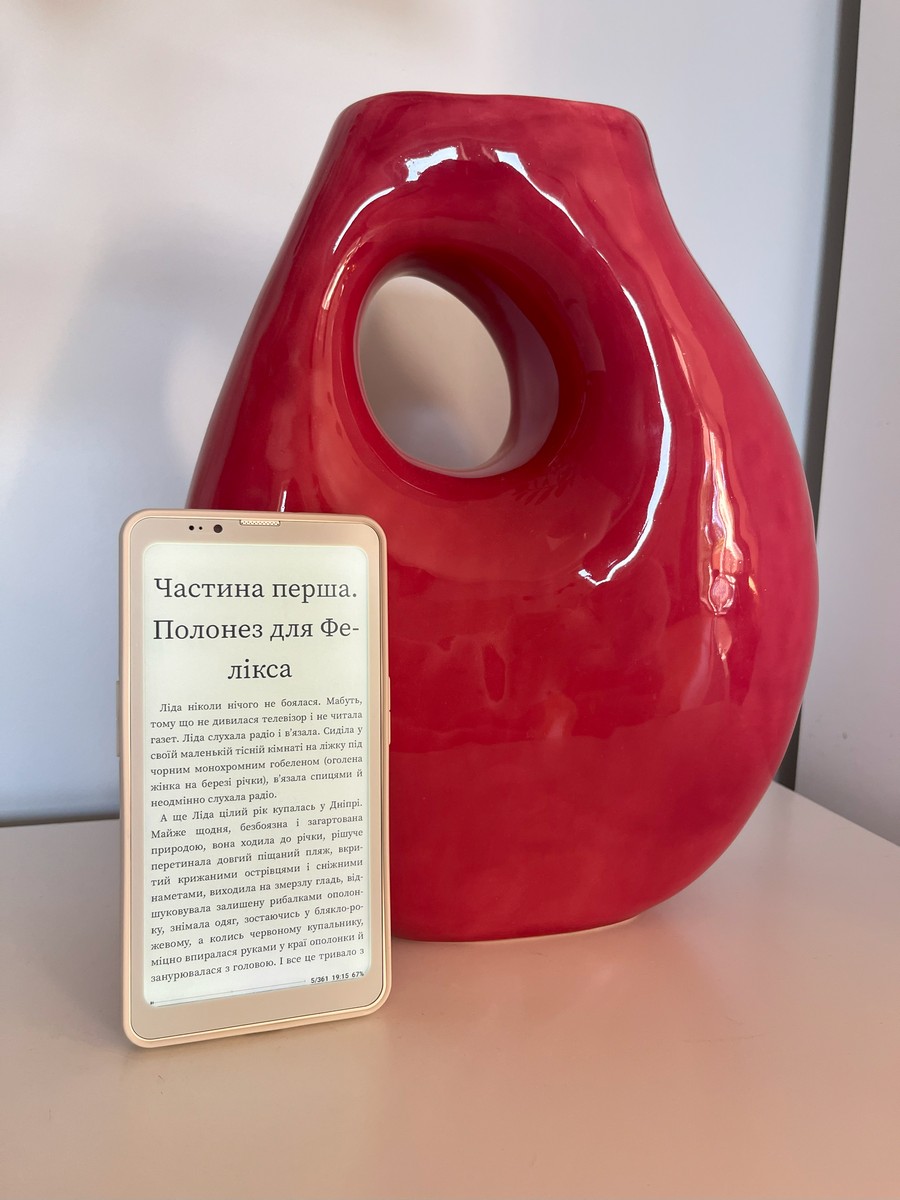
I used to rarely carry my Kindle with me since it’s an extra device and not always convenient to bring along. But when you have a smartphone with an E Ink screen – ideal for tired eyes – right in your pocket, you start to fill spare moments with reading.
Another interesting effect of the E Ink display is that bright notification colors don’t stand out. On a typical screen, a red badge signaling unread messages constantly draws your attention and can be annoying. Here, it simply blends in with other elements. As a result, I find myself less reactive to new notifications and generally a bit less anxious.
And how are the speakers, do they play well?
Like most mid-range smartphones, the Bigme HiBreak Pro comes with two speakers, providing a stereo effect. They’re reasonably loud, but the sound lacks detail and depth.
What kind of software does the manufacturer use? Is it user-friendly?
We will talk about this in a separate section.
Bigme HiBreak Pro’s software interface: a mix of harmony and discord
In my view, one of the most controversial aspects is how the manufacturer approached the software to accommodate the E Ink screen. Some features turned out really well and deserve praise, while others are frustrating and, at times, limit the overall user experience.
An interesting detail: deep within the phone’s software, it actually “believes” it has a color screen. If you take screenshots and view them on a PC, they’ll be in full color – showing the interface very differently from how the user sees it on the E Ink display.
Let’s start with the basics. The Bigme HiBreak Pro runs on Android 14. In theory, the manufacturer could have shipped it with a standard AOSP build and called it a day. However, the E Ink display presents specific challenges that require additional adjustments.
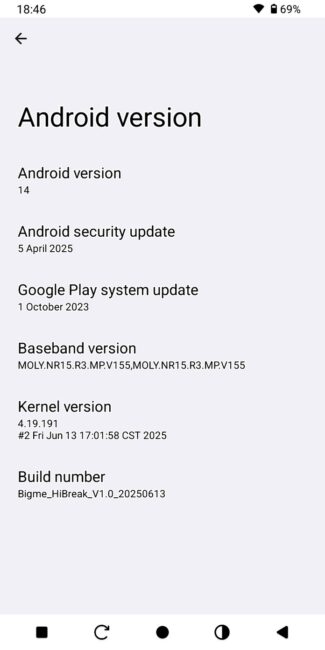
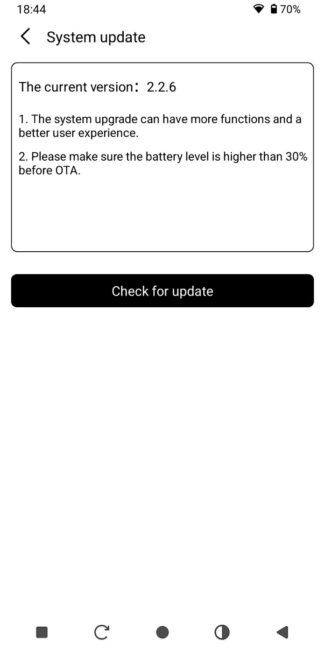
First, the device needs a launcher with high-contrast custom icons for apps. Using the default icons would make it difficult for users to distinguish, for example, the phone app from the radio app. The manufacturer took the right approach by adding such a launcher, but this created a new issue: all apps are displayed directly on the home screens.
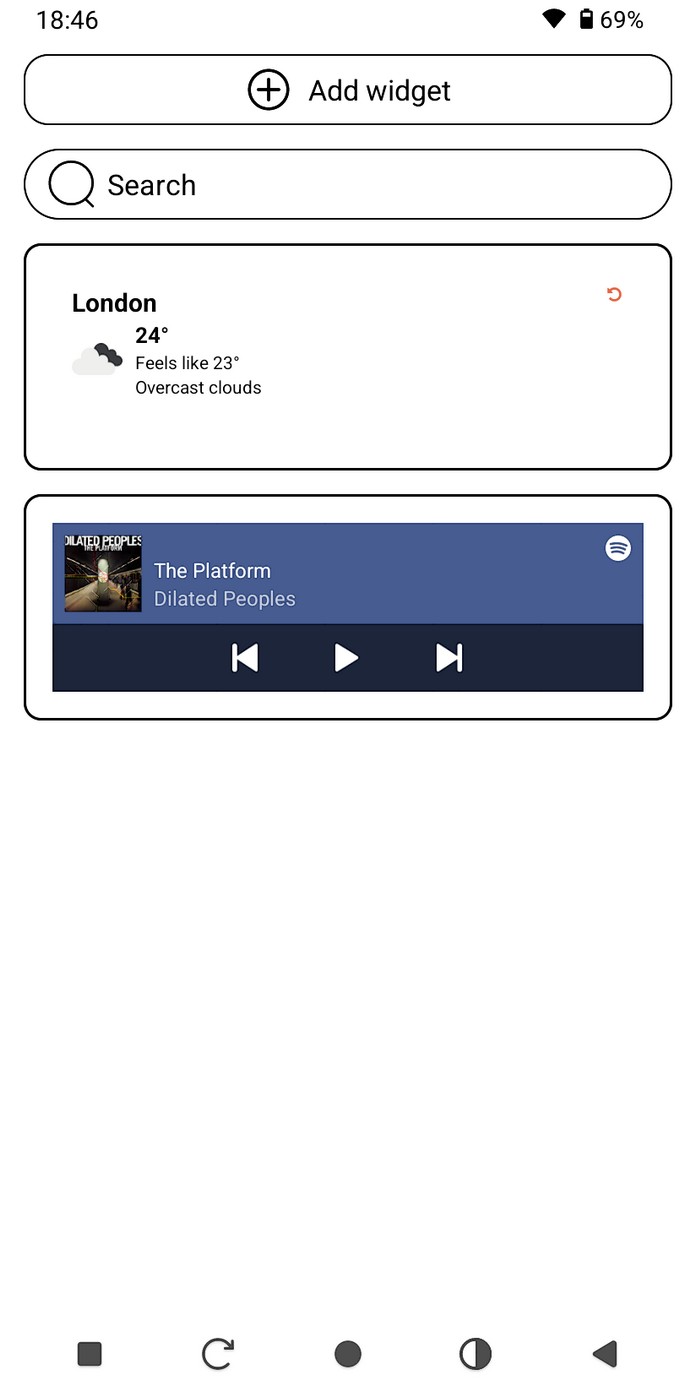

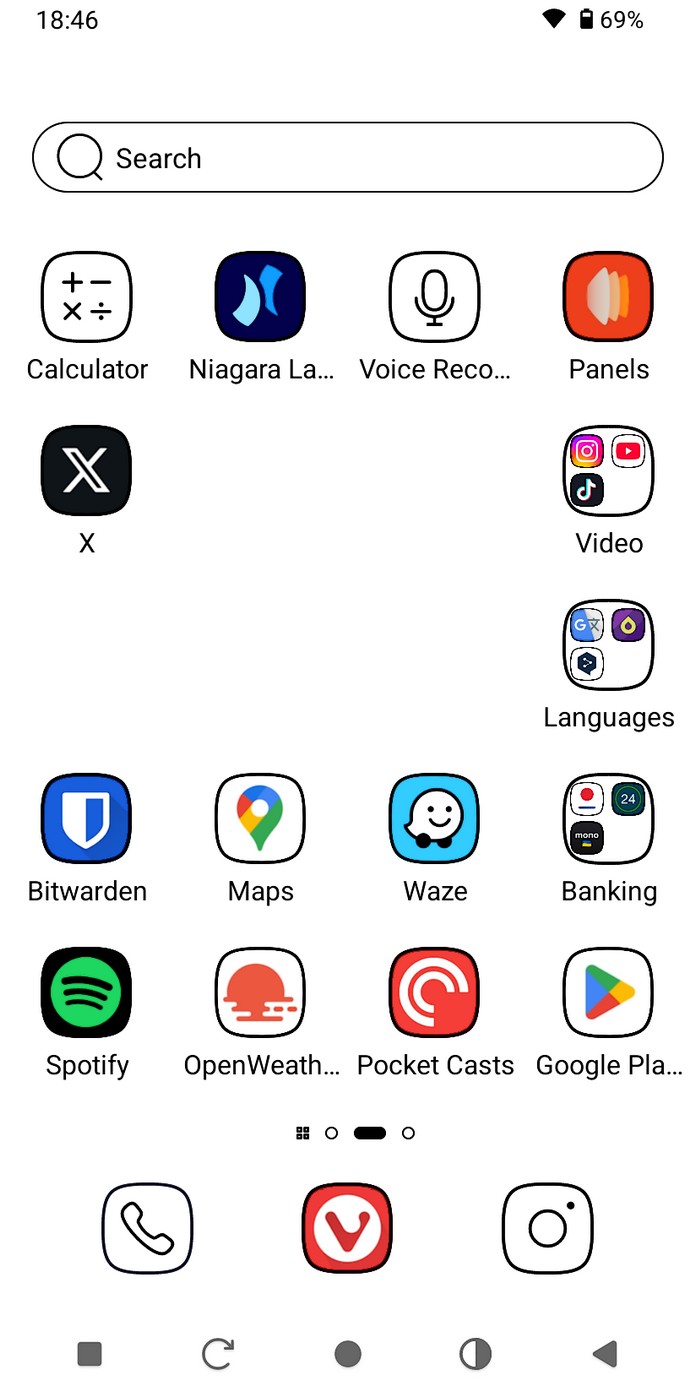
There’s no separate app drawer, nor an option to enable one. You also can’t place widgets directly on the home screens – they can only be added to a dedicated menu on the left. The launcher offers so few customization options that you’ll likely want to replace it with something else quite quickly.
For example, Niagara Launcher performed quite well, while Nova Launcher – which I tried – highlighted the issue of low-contrast icons, so it was quickly dismissed.
The next challenge for the manufacturer was where to place the display’s quick settings, since users will interact with them frequently. The solution was to replace the notification panel with a hybrid dropdown menu, similar to the iPhone interface. Swiping down from the right side reveals the display settings along with quick toggles for WiFi, Bluetooth, airplane mode, and others. Swiping down from the left side opens the standard notification panel.
The third challenge is the lock screen. Here, things get a bit unusual. The standard Android lock screen can’t be used because it refreshes frequently and would drain the battery quickly. Instead, the manufacturer offers four custom lock screens that replace the default one.
These custom lock screens can show whether you have new notifications but don’t allow any interaction with them until the phone is unlocked. For the device’s purpose – reducing distractions – this is probably a positive trade-off.
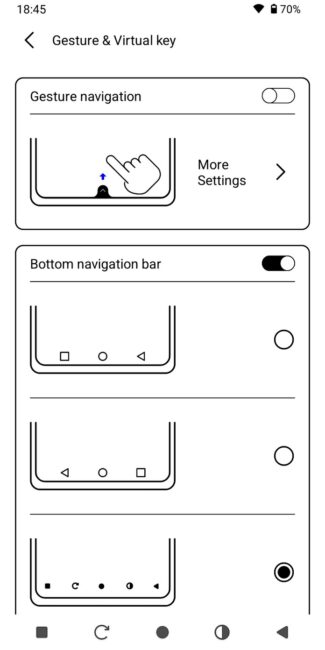
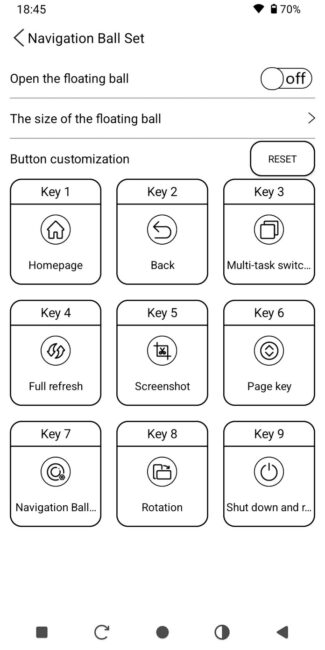
The Bigme HiBreak Pro’s developers also added a separate settings menu that partially duplicates the standard Android settings, which remain available as well. A nice touch is the option to choose from several versions of on-screen navigation buttons, including ones for refreshing the display and quick access to the Eink Center app. This is very convenient.
There’s also a floating button – similar to the one once popular on iPhones with broken Home buttons – that stays in a corner of the interface and opens a quick actions menu.
On the software side, there are some additional apps like a translator, voice recorder, and a Chinese version of ChatGPT. There’s also a local App Store, though it seems unnecessary given that the phone has full Google Play support.
Overall, there’s room for improvement on the software front. The manufacturer should consider merging the two separate settings menus, add more customization options to the launcher, and let users choose between the traditional notification panel and the hybrid version.
Read also: Protect Your Identity: How to Use SMS Services and Temp Numbers
Cameras
There’s not much to say about the cameras – they deliver average-quality photos.
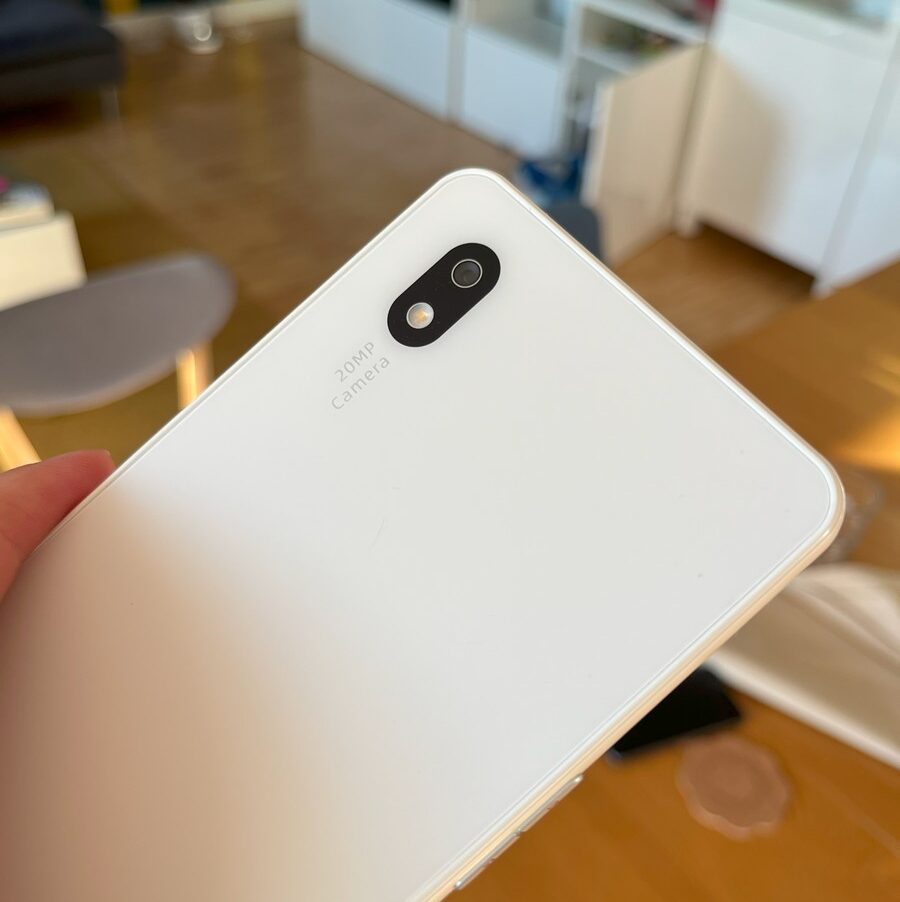
The main 20 MP sensor takes decent photos in good lighting and can even record video in 4K.

However, it’s important to keep in mind that shooting through a black-and-white viewfinder makes it quite difficult to tell what you’re actually photographing. The photo preview will also be in grayscale, since the display can’t show colors.

You can only see the actual colors of a photo by transferring it to another device or opening the file on a computer.
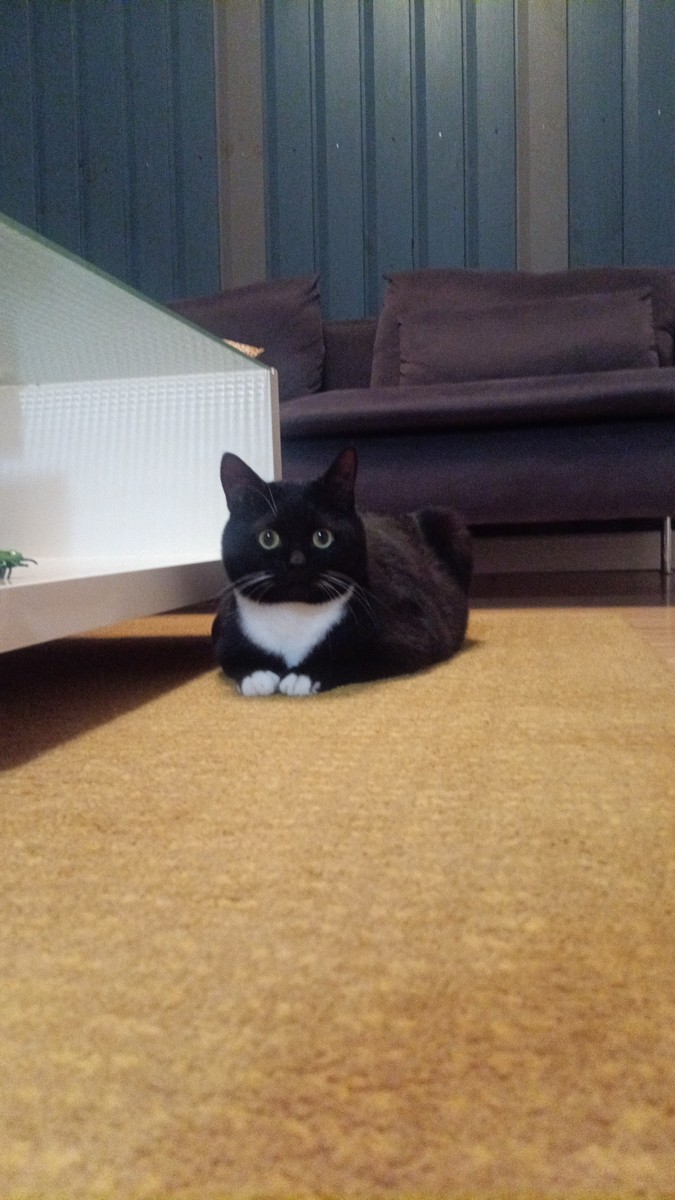



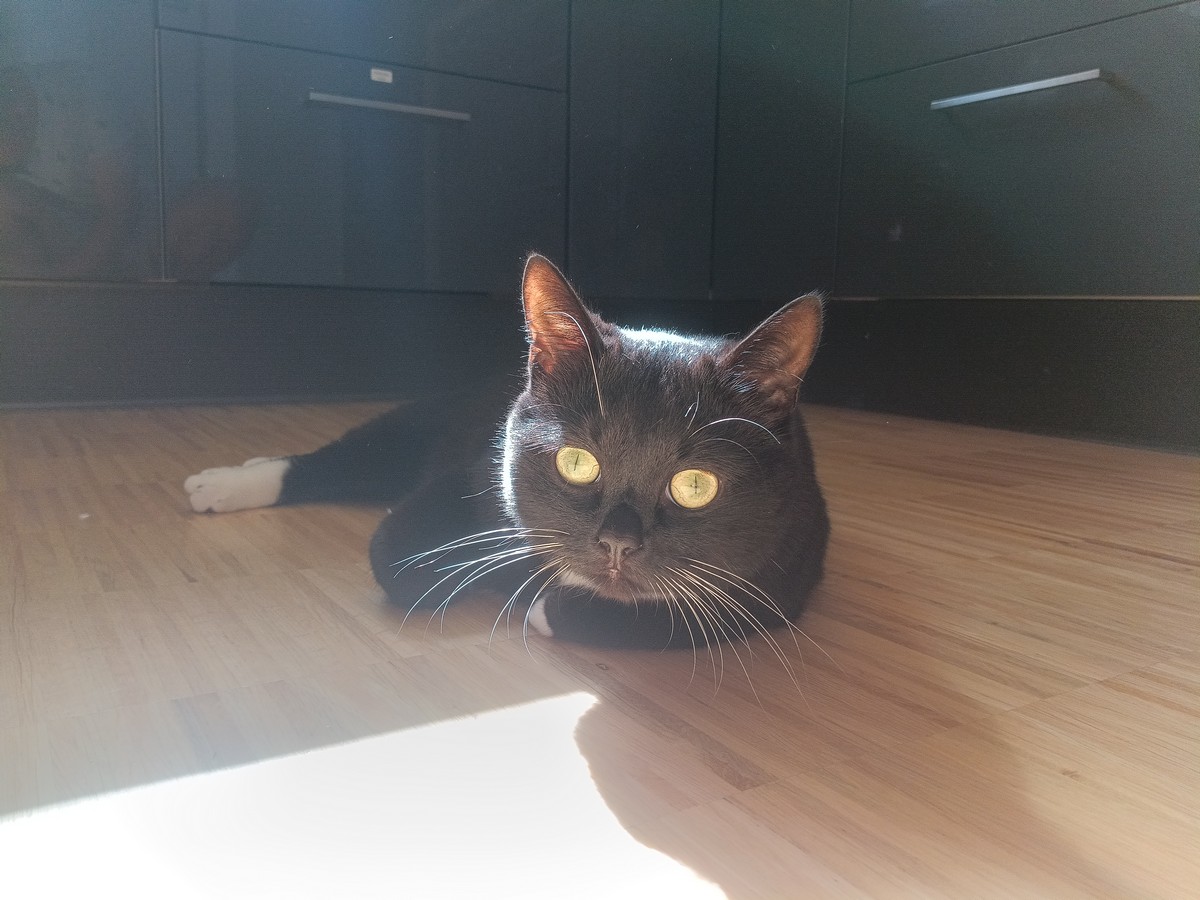




Full-size examples of photos and videos on Google Drive
The 5 MP front camera is suitable for video calls and daytime selfies.
Bigme HiBreak Pro battery life
Battery life is one of the smartphone’s strong points. The 4500 mAh capacity combined with the E Ink display allows the phone to last 3 to 5 days under typical use.
By typical use, I mean what’s usual for the Bigme HiBreak Pro – so no video watching or gaming.
As is common with this type of screen, battery life largely depends on how often the display refreshes. The less frequently it fully updates, the longer the phone lasts. So if you use it for dynamic content and animations, the battery will drain faster. But if you stick to reading books, it can last nearly a week, much like a Kindle.
Conclusions
In my opinion, the Bigme HiBreak Pro is a solid improvement over its predecessor. The addition of a fingerprint scanner, NFC, a better screen, and upgraded hardware makes it a strong candidate for a primary device that doesn’t encourage unnecessary social media use, while also fitting smoothly into everyday life.
The ability to install any apps allows the smartphone to once again become a useful companion and practical assistant in daily life.
Looking ahead, I’d like to see more improvements on the software side, as well as better-calibrated brightness sensors and tighter quality control during manufacturing. Slightly better cameras would also be welcome.
A few minor drawbacks include the button looseness, the relatively thick screen bezels (which make one-handed use less comfortable), and the absence of a charging adapter. On the plus side, the included case is a nice addition.
Overall, it feels like the manufacturer is heading in the right direction. The $439 price tag at the time of this review seems reasonable.
Read also:
- Bigme B1051 Review: Tablet with Colour E ink Display, Stylus and Keyboard
- Bigme B751C review: Finally, Affordable E-Reader With Color E Ink And Android


Great review. Just scored one off of AliExpress for under $300. Looking forward to having this as my PM/after-work wind-down device and hopefully reading more. Less portal to the digital world and more object in our physical plane, if that makes sense