
© ROOT-NATION.com - Use of content is permitted with a backlink.
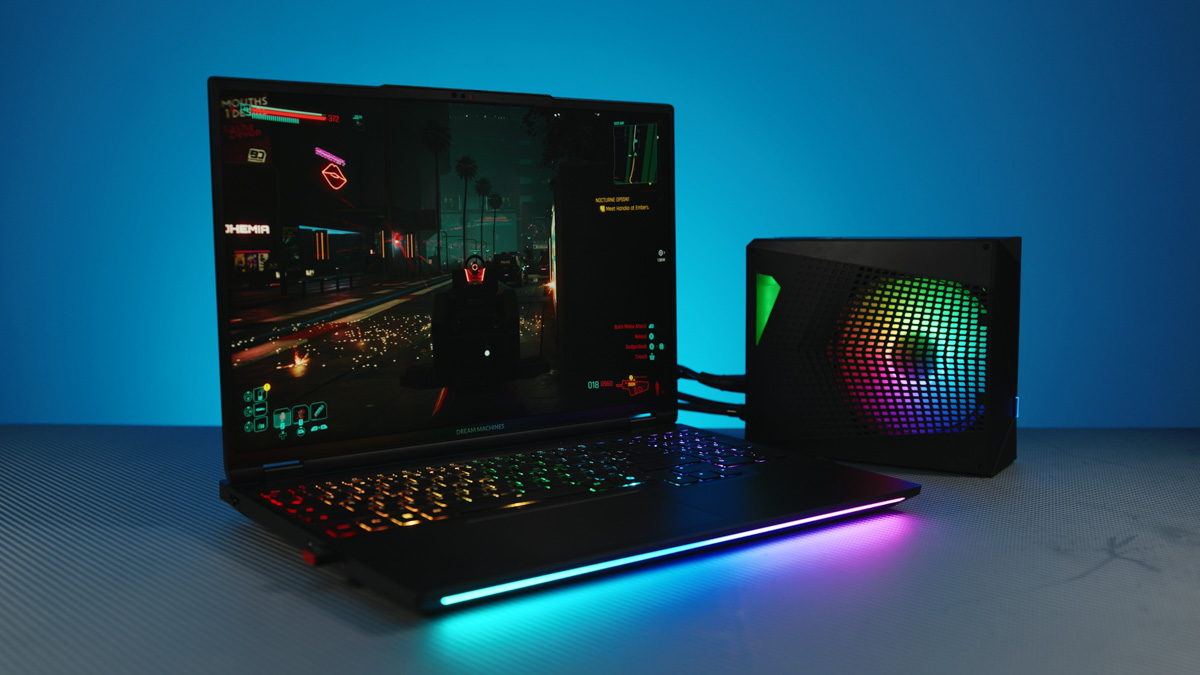
The Dream Machines RT5090-16UA32 gaming laptop is best looked at from two perspectives. At first glance, it comes across as a flagship device with an unusual cooling solution. After testing, however, it proves to be more than that: one of the quietest high-end models, running cool, featuring an almost top-tier display, a wide range of connectivity, and a few other notable strengths. That said, the compromises are there, and the real question is how much each of them matters to you.
Until September 28, 2025, Dream Machines is offering a $365 discount on its flagship laptop models. The promo code is DM15LAPTOP, available for activation here.
TABLE OF CONTENTS:
Dream Machines RT5090-16UA32 video review
Specifications
- Model name: RT5090-16UA32
- Model: Clevo/Tongfang X6FR559Y
- Screen: 16″ WQXGA (2560×1600) mini-LED/DCI-P3/HDR1000
- Frequency: 300 Hz
- Brightness: up to 1200 nits
- GPU: NVIDIA GeForce RTX5090 24GB
- CPU: AMD Ryzen R9 9955HX3D
- RAM: 32 GB 5400 MTs (64 GB maximum)
- M.2 slots: 2
- RJ45: 2.5 Gbps
- Wireless transmission: Wi-Fi 6E + Bluetooth 5.2
- Webcam: FHD & IR Dual-Sensor Camera
- Dimensions: 356.68×245.02×25.60 mm
- Weight: up to 2.45 kg
- Speakers: 2×2 W + Nahimic Equalizer
- Audio connectors: 3.5 mm 4-pin mini jack
- Ports: 3×USB-A 5Gbps, 2×USB-C 10 Gbps (Display Port 1.4 + Power Delivery 3.0)
- Video connectors: Mini Display Port DP2.1a, HDMI 2.1
- Power supply: 420 W
- Battery: 80 Wh
Market position and price
Pricing is influenced by every component, and the Dream Machines RT5090-16UA32 starts at around $4600 for the version with a 16-core processor, RTX 5090, 32 GB of RAM, and a 2 TB PCIe 4.0 NVMe SSD. However, since Dream Machines offers a flexible configurator, it’s easy to check which components can be swapped or upgraded to suit your needs.
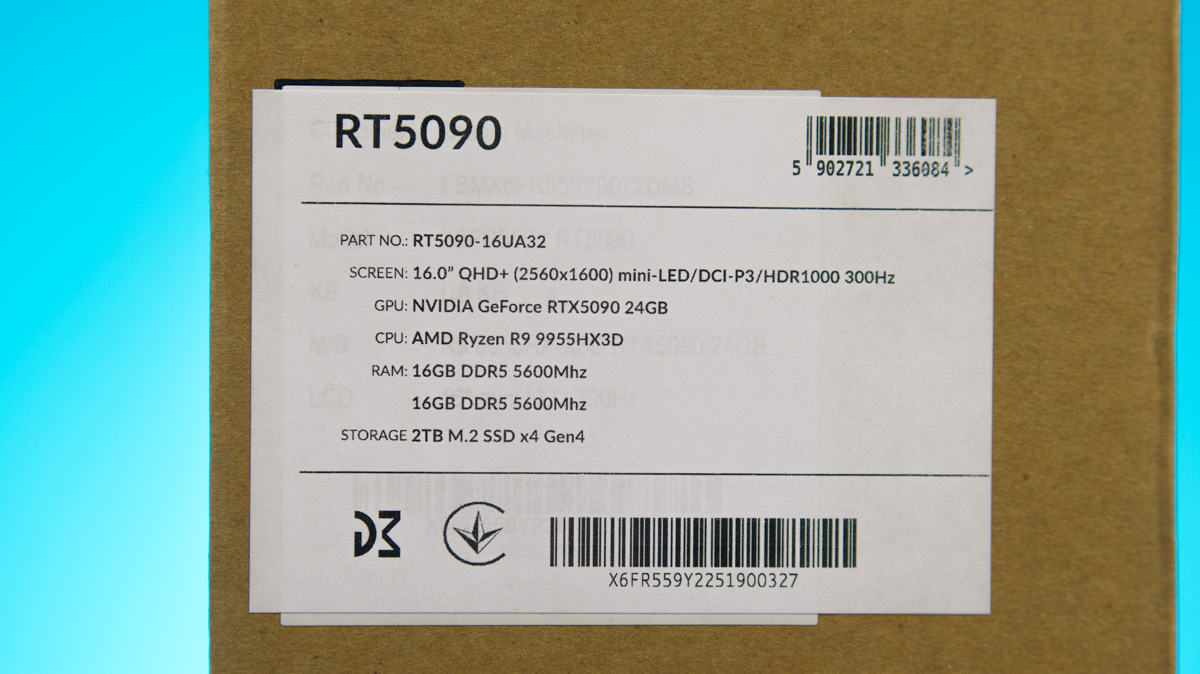
The laptop comes with two DDR5 memory slots, supporting up to 64 GB at 5600 MT/s CL40. There’s also an alternative configuration available: the Dream Machines RX5090-16UA32, based on Intel’s platform. It’s slightly more expensive but supports not only DDR5, but also CSO-DIMM, allowing memory speeds up to 6400 MT/s and beyond (details on CSO-DIMM are provided here).
Returning to the RT5090-16UA32’s configuration, it offers two NVMe PCIe slots, though storage options top out at 4 TB per drive. Additional options include preinstalled Windows (up to the Pro edition with license keys), thermal paste replacement, and even a custom rear cover design.
Package contents
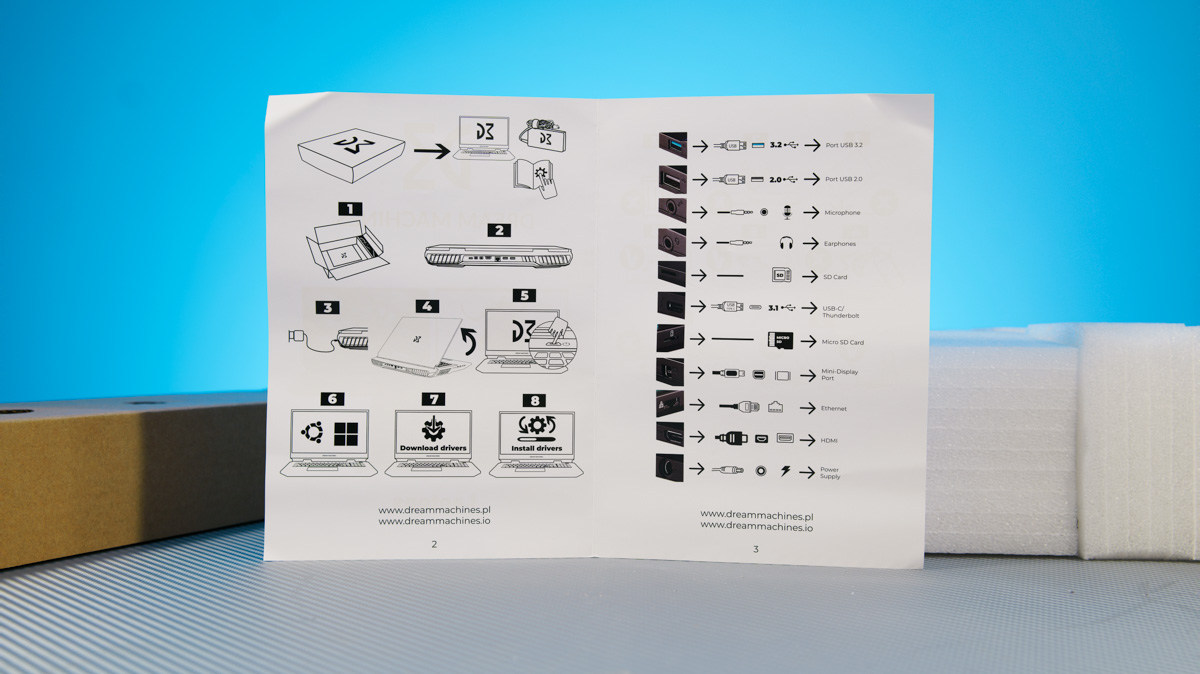
Inside the box you’ll find the laptop itself, a power adapter from FSP rated at over 400 W, and a paper manual. The last time I came across this universal manual in a Dream Machines package, I criticized it and was assured it would eventually be replaced with something more useful. That hasn’t happened yet – the manual remains too generic to be of real value.
However, with the Dream Machines RT5090-16UA32 (and the RX5090-16 as well), a separate liquid cooling unit is included as a bonus. This kit comes with a more complete set of accessories: a dual rubber hose, a pass-through power cable, a hex screwdriver for removing the side panel, a magnetic tool for draining water, and even a detailed manual.
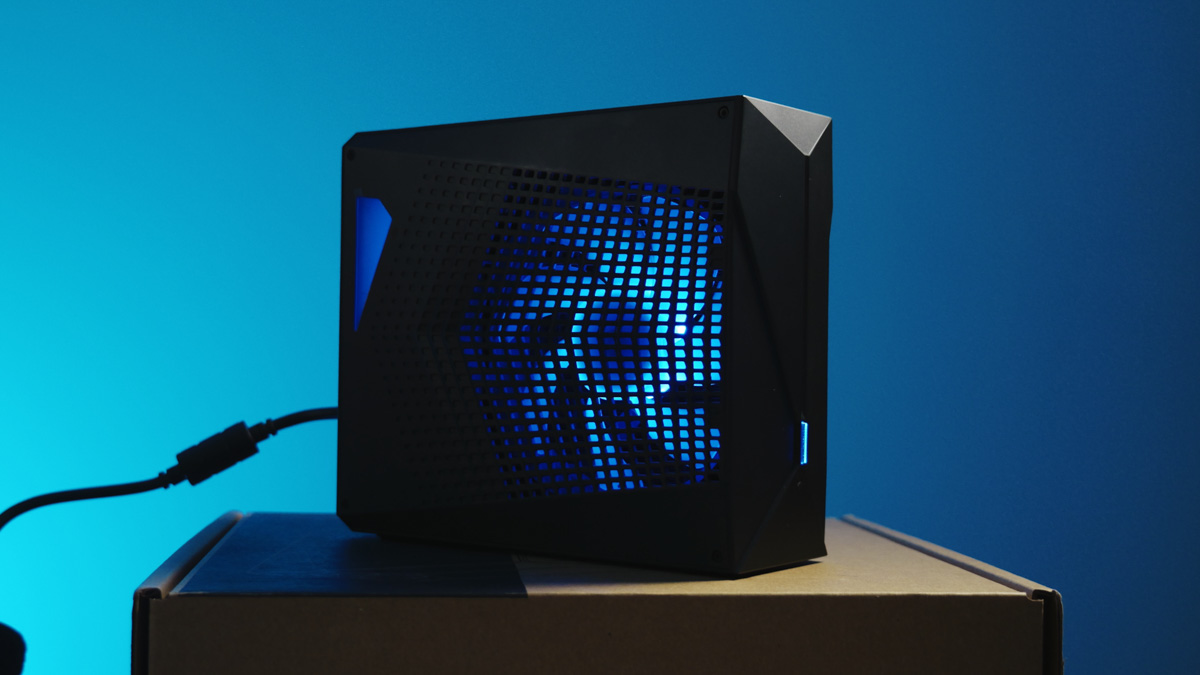
Since I had a pre-release unit for review, the manual wasn’t included in the package, and the pump was already somewhat “worn out.” Because of that, the noise you can hear in the video review above isn’t representative. Still, the key advantages of liquid cooling remain unchanged.
Dream Machines RT5090-16UA32 design
The laptop looks fairly conventional, yet genuine. It’s a gaming model – a true desktop replacement – built from metal and finished in black paint that easily collects fingerprints but still comes across as stylish. Apart from the white logo on the lid, there are no standout design elements.
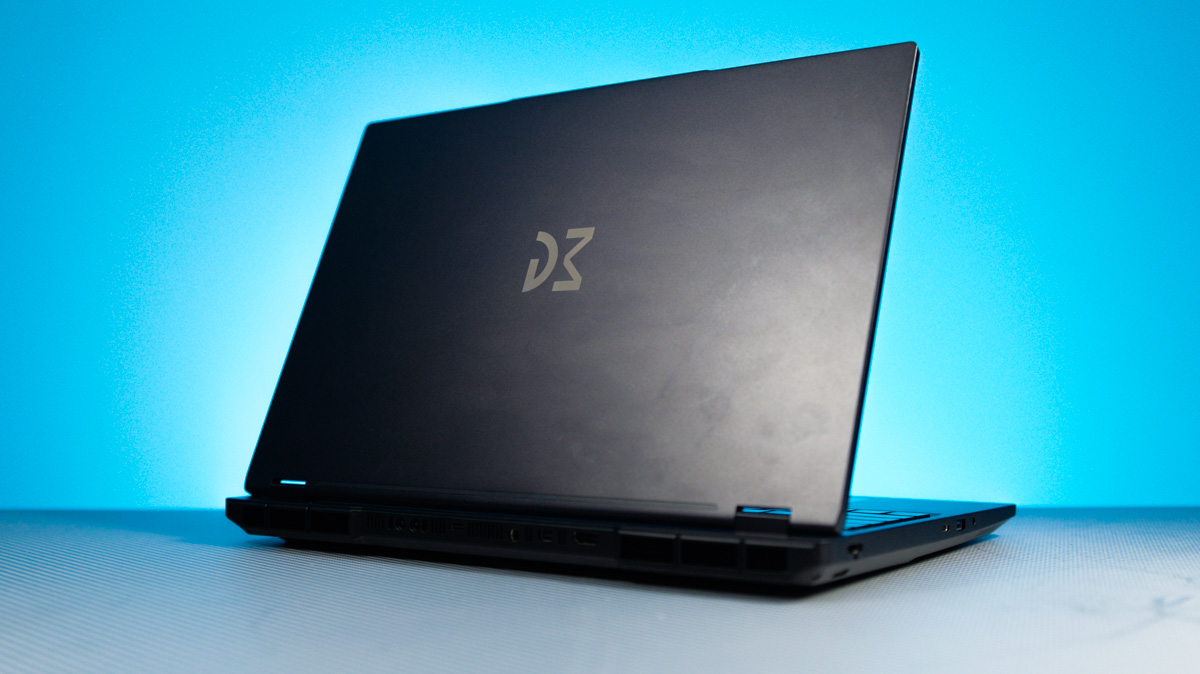
The lid is designed to open smoothly up to 180°, and it’s easy to lift using a finger on the webcam module. In practice, opening it is effortless, unlike some MacBook models that require more force. The lid also shows minimal flex when pressure is applied downward.
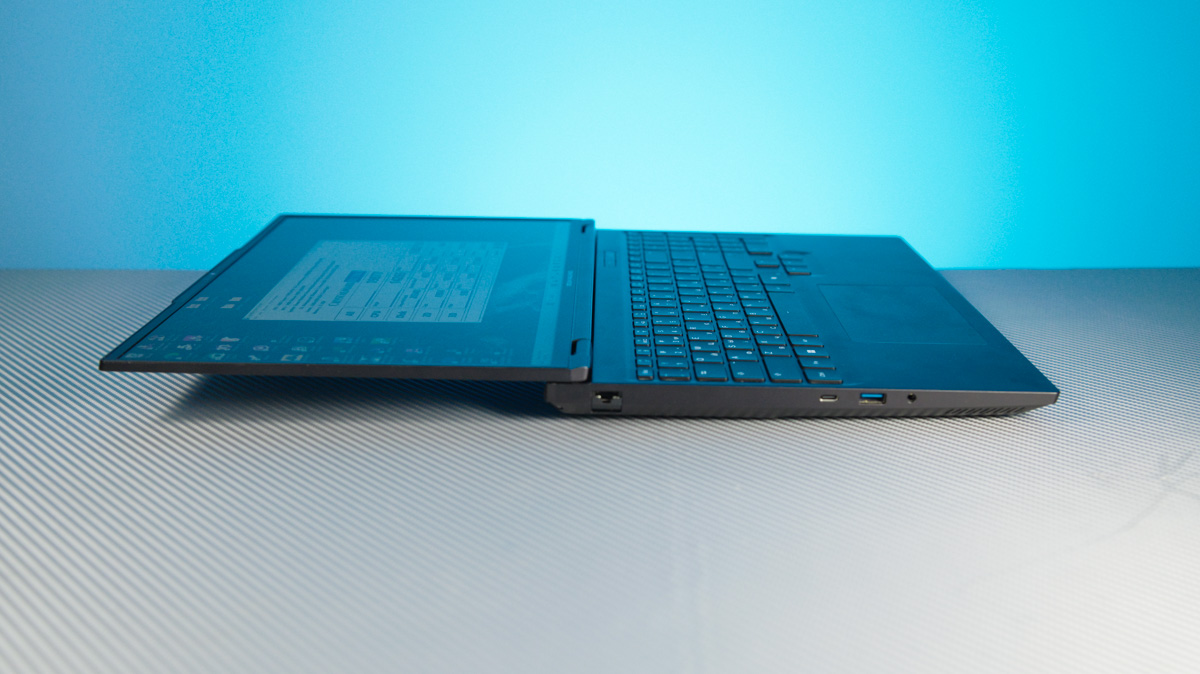
The overall dimensions of the Dream Machines RT5090-16UA32 are 356.68 × 245.02 × 25.60 mm, with a weight of nearly 2.5 kg. However, you also need to account for the liquid cooling unit, which measures 200 × 70 × 165 mm. If you’re opting for the laptop with liquid cooling support, you’re likely looking for both portability and performance – so reserving space for the cooling system is essential.
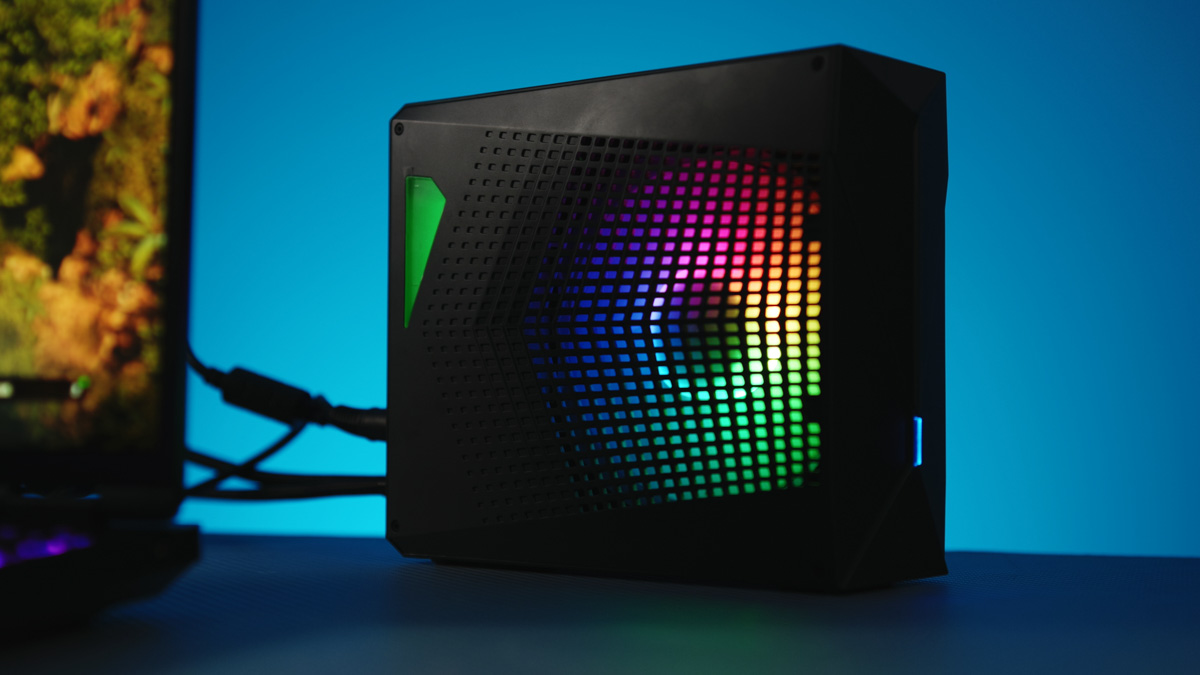
The liquid cooling system itself has a straightforward design: a black box with a semi-transparent fill indicator, side perforations, and rear connectors. At the bottom edge are ports for the magnetic hose, and above that is the pass-through power connection. The setup works so that the cooling unit connects to the laptop first, then the laptop is powered through the included cable.
Inside the cooling system, there’s a 140 mm RGB fan and, as far as I can tell, a 140 mm radiator. This setup strikes a good balance between noise and cooling efficiency. Additionally, because only distilled water is recommended, the system delivers consistent and reliable performance.
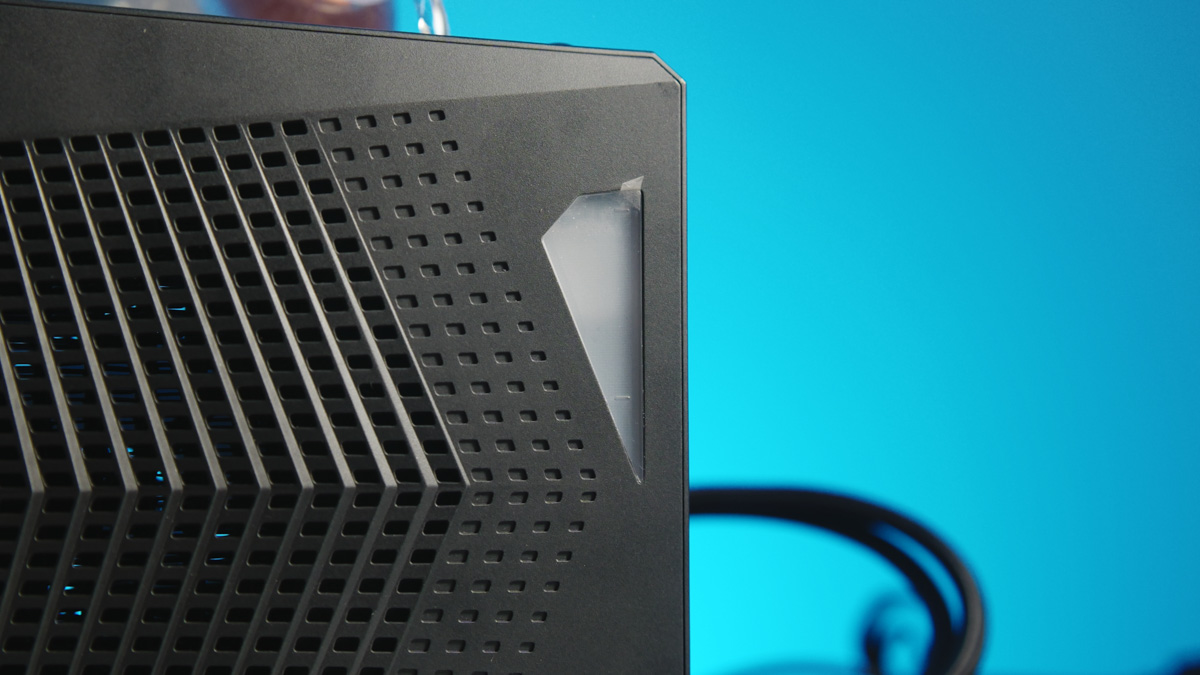
The downside is that most users don’t keep distilled water at home, so it needs to be purchased separately. On the plus side, in the unlikely event of a leak – which the manufacturer claims doesn’t occur – distilled water that hasn’t come into contact with contaminants is non-conductive and won’t short any components.
Periphery
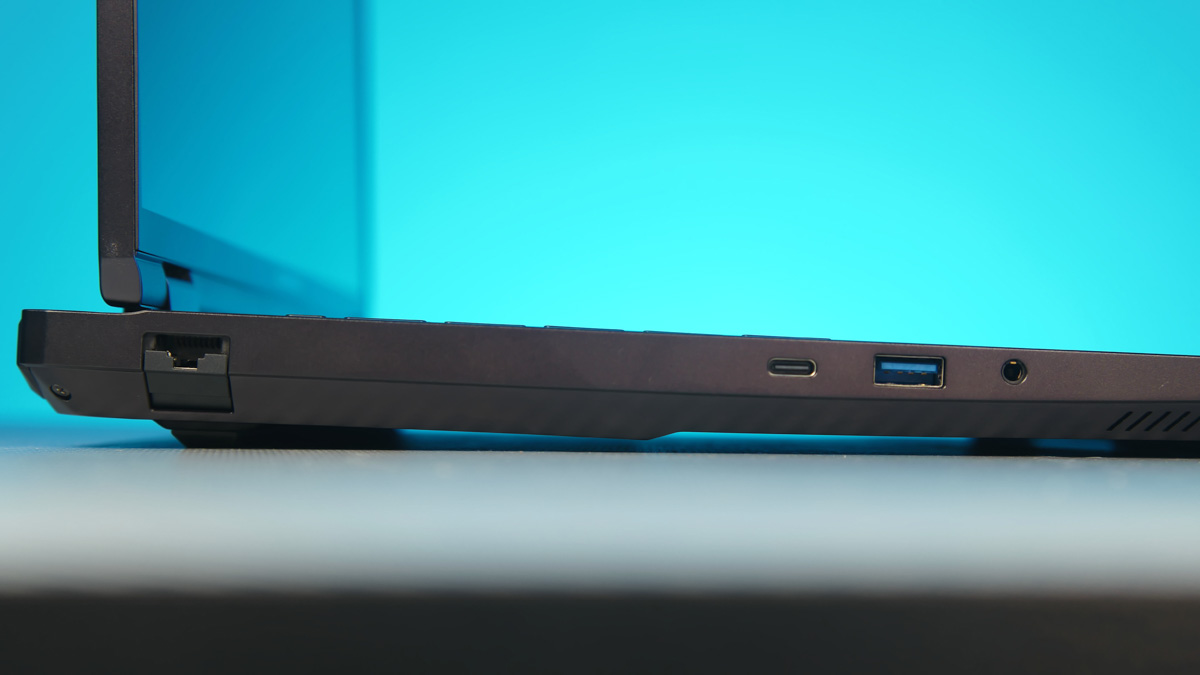
The number and placement of ports on the Dream Machines RT5090-16UA32 are a clear advantage, though their build quality leans toward the negative side. On the left, there’s a full-size 2.5 Gb RJ-45 Ethernet port, a 10 Gb USB Type-C port, a 5 Gb USB Type-A port, and a combined headphone/microphone jack.
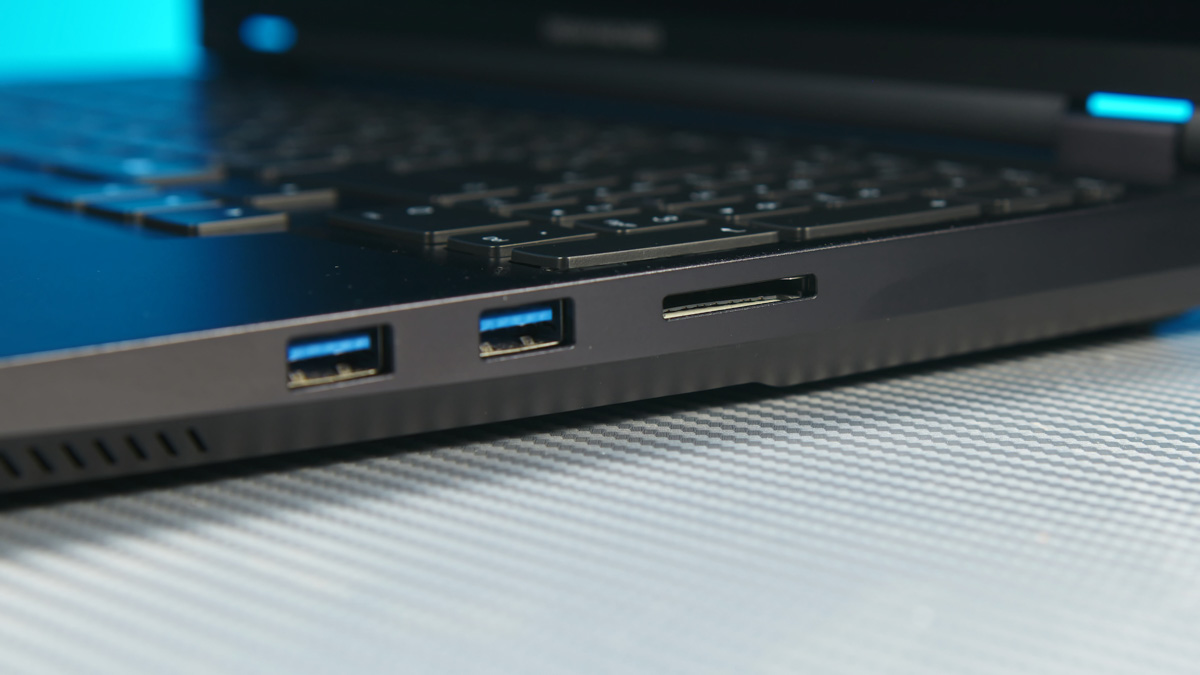
On the right side, there are two 5 Gb USB Type-A ports, a Kensington lock, and an SD card reader, which the manufacturer claims is version 7.0, supporting peak speeds of nearly 1 GB/s. I wasn’t able to test this, as the fastest SD card I have barely exceeds 200 MB/s, so we’ll have to take the manufacturer’s word for it.
At the rear, the laptop includes a mini DisplayPort 2.1a with 80 Gb/s bandwidth, an HDMI 2.1 port at 41 Gb/s, a power connector, another 10 Gb USB Type-C port, and the liquid cooling connection.
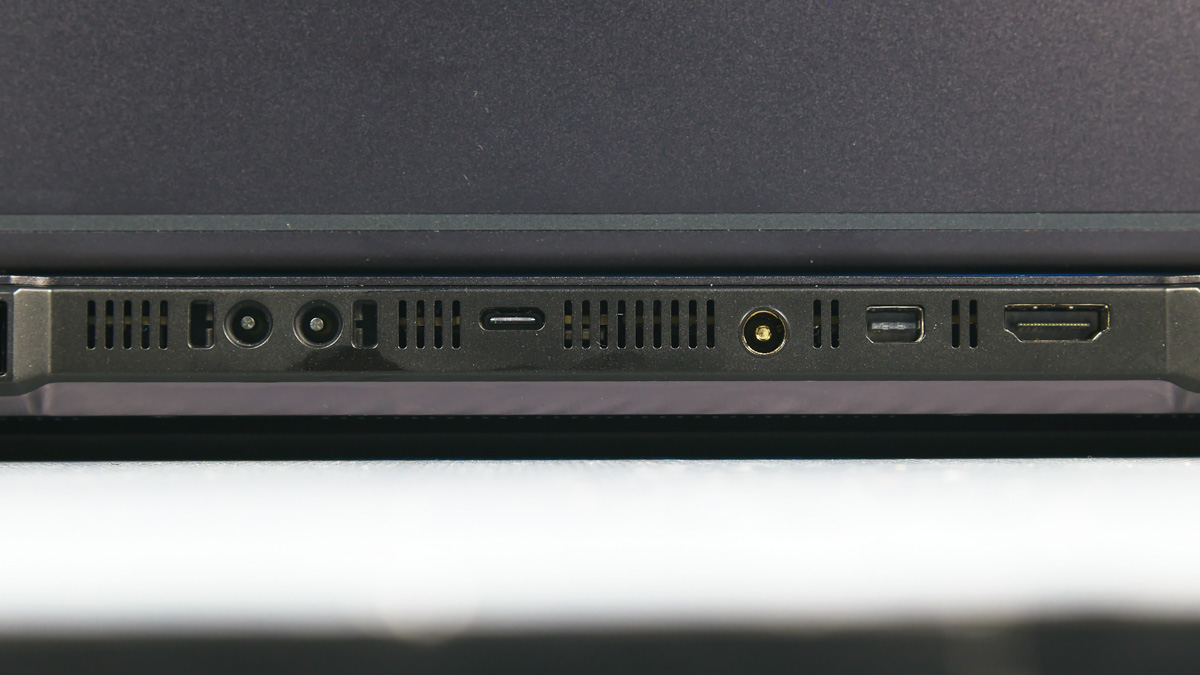
On one hand, having a full-size SD card reader is great, and the 2.5 Gb full-size RJ-45 port is a definite plus. On the other hand, both USB-C ports are limited to 10 Gb/s, which is a drawback in an era when even budget laptops under $500 come with USB4. That said, all USB-C ports support DisplayPort Alt Mode and 100 W charging – especially useful since one of these ports is located at the rear.
Dream Machines RT5090-16UA32 display
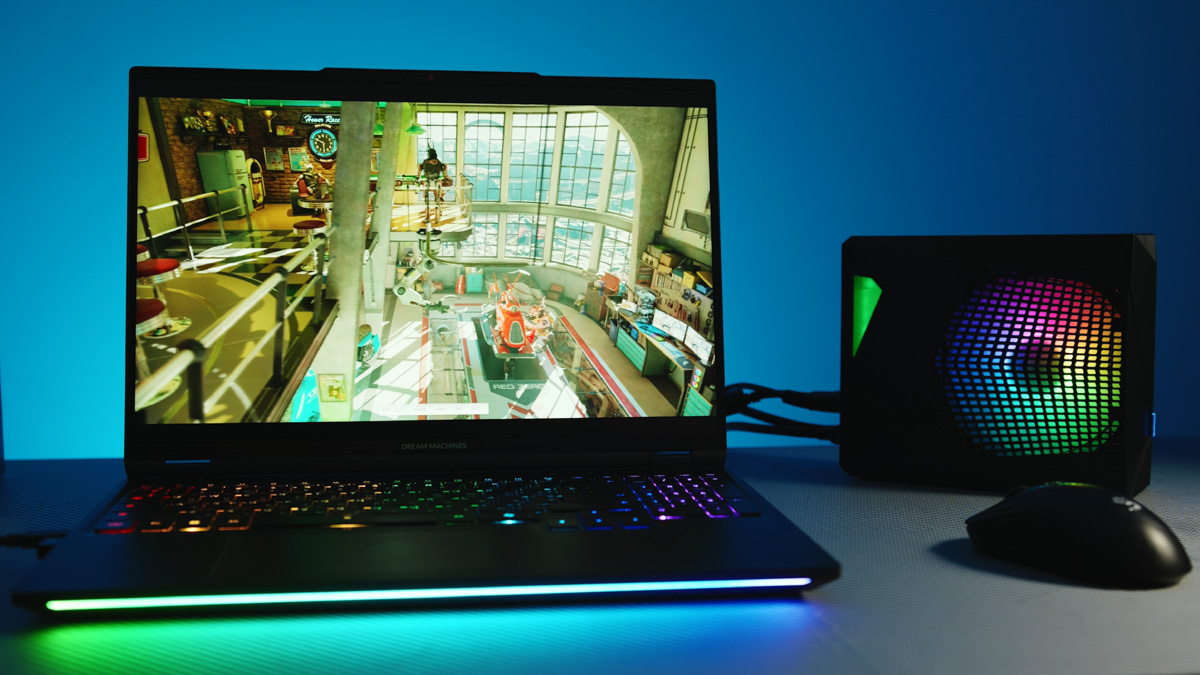
The display is particularly interesting. It’s a 16-inch WQXGA panel (2560×1600) with a 300 Hz refresh rate, using miniLED technology. This is one of the first miniLED-equipped devices I’ve reviewed, and it left a strong impression. It supports genuine HDR1000, thanks to 1200 nits of brightness and a zoned backlighting system.

It also claims 100% coverage of the DCI-P3 color space, with several profiles available in the Control Center. Unlike OLED, there’s no risk of burn-in since there are no organic elements. The only issue I noticed is flickering when filming the screen at low brightness – indicating a basic PWM controller is in use.
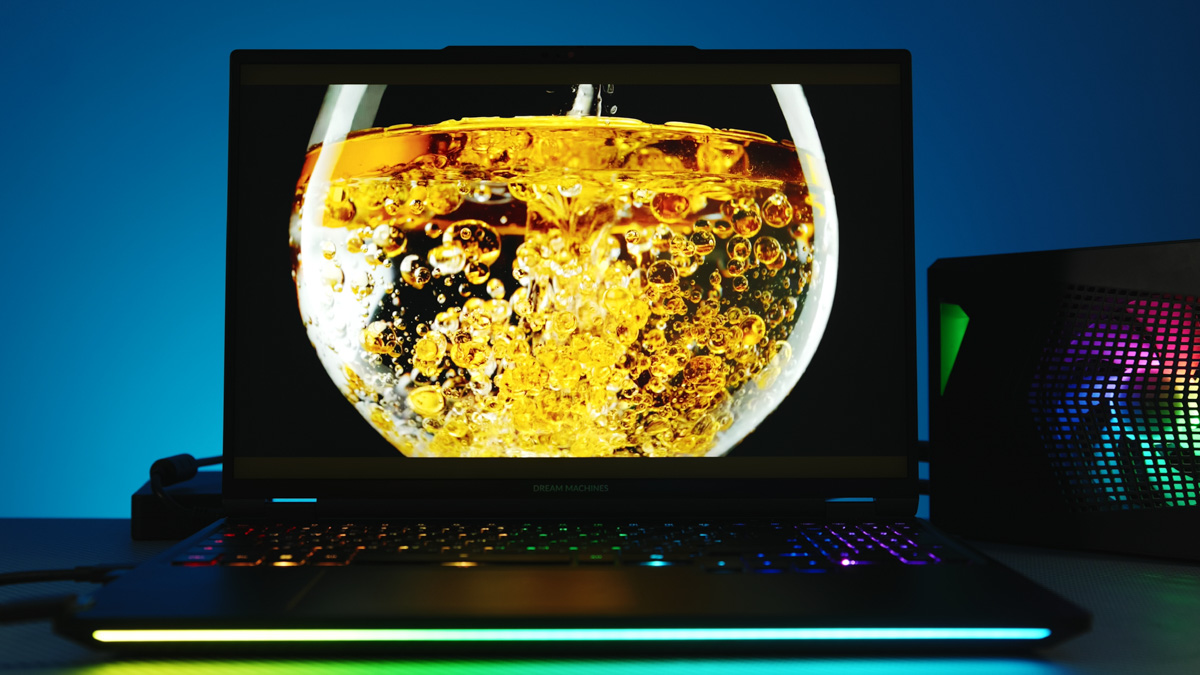
On one hand, noticing PWM on a laptop that costs around $4600 seems unusual. On the other hand, it’s only visible on camera, and using the RT5090-16 at low brightness doesn’t make much sense anyway, since it supports true HDR1000.
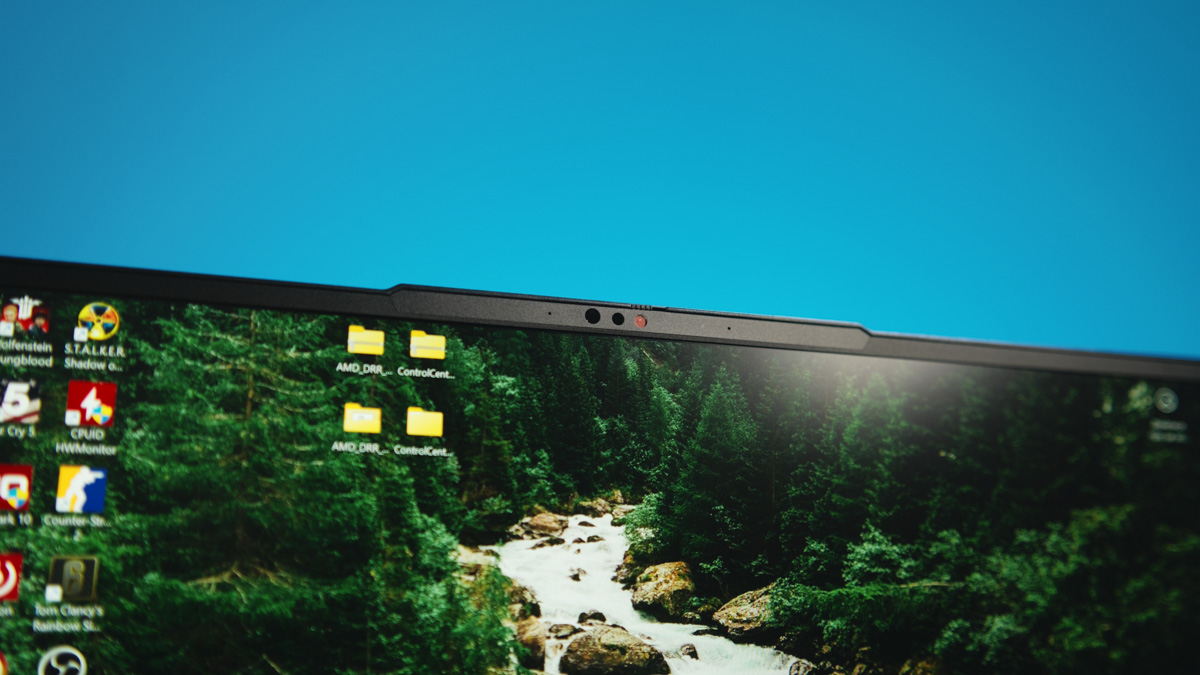
The display also features fairly thin bezels, except at the top, which houses a decent FHD webcam with Windows Hello support and a privacy shutter.

Performance
Just to clarify, my review unit of the Dream Machines RT5090-16UA32 isn’t equipped with the maximum RAM and storage options, but in terms of CPU and GPU, it’s perfectly configured. And that’s not an exaggeration – currently, there’s nothing in the consumer market that outperforms the combination of an AMD Ryzen 9 9955HX3D and an NVIDIA RTX 5090 24 GB.
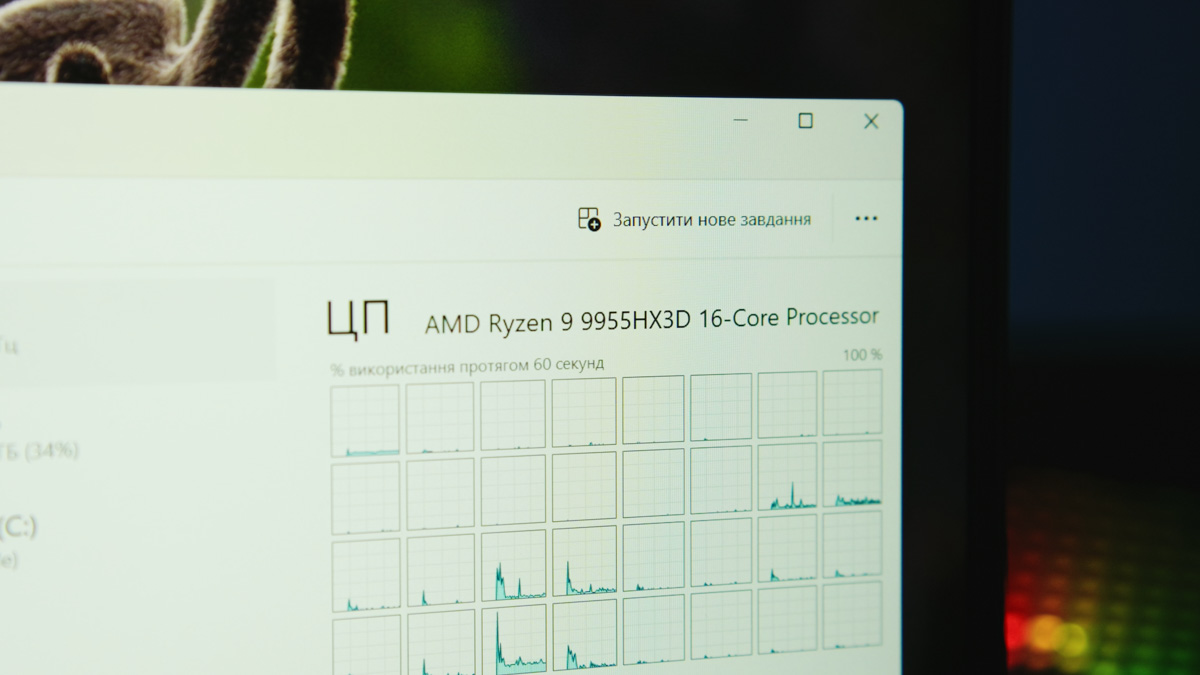
We can exclude portable servers and workstations with Intel Xeon CPUs and A-series RTX cards, as those are significantly more expensive and offer little benefit for gamers. The Dream Machines RT5090-16UA32 is still positioned as a gaming laptop, though it clearly has all the hallmarks of a “portable desktop.”
Starting with the NVIDIA RTX 5090 24 GB, this is currently the only laptop GPU worth considering not just for gamers, but also for content creators. Speaking as a professional video editor in DaVinci Resolve, more VRAM directly translates to faster project processing.
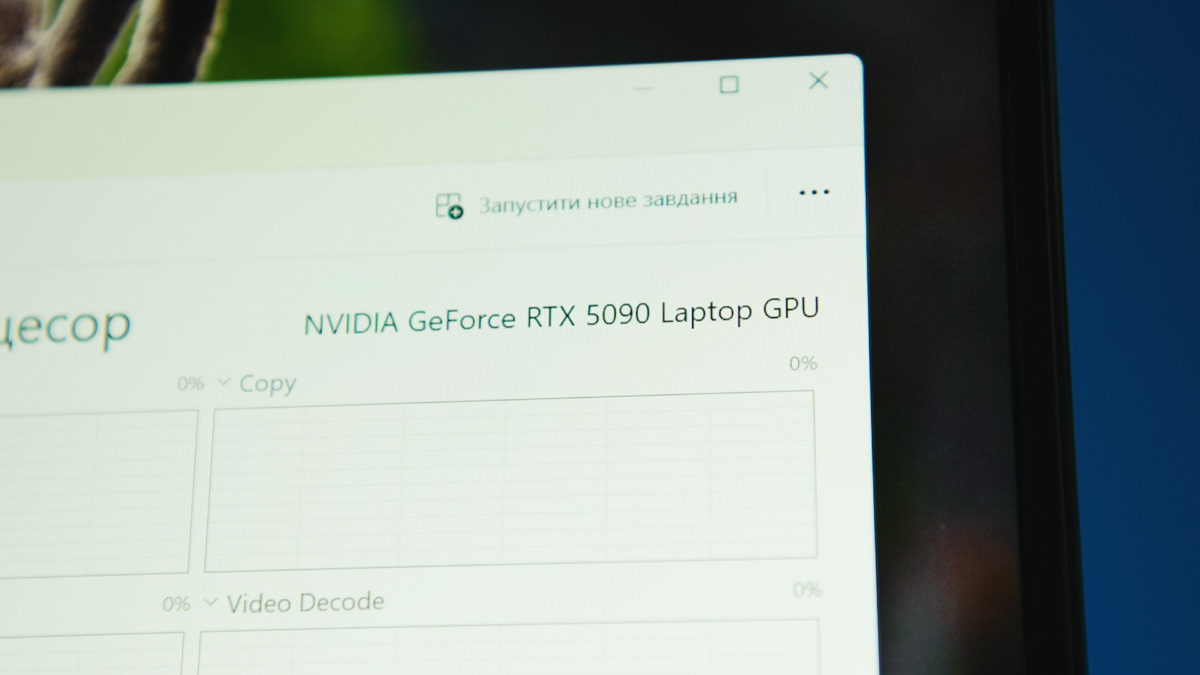
The 16 GB GDDR6 in my current setup stopped handling heavy workloads about three to four months ago. So the only clear upgrade path is the RTX 5090 – specifically, the 24 GB version or the RTX 5090 Mobile. That “Mobile” suffix is important: if you’re unaware, laptop versions of GPUs are significantly cut down compared to their desktop counterparts.


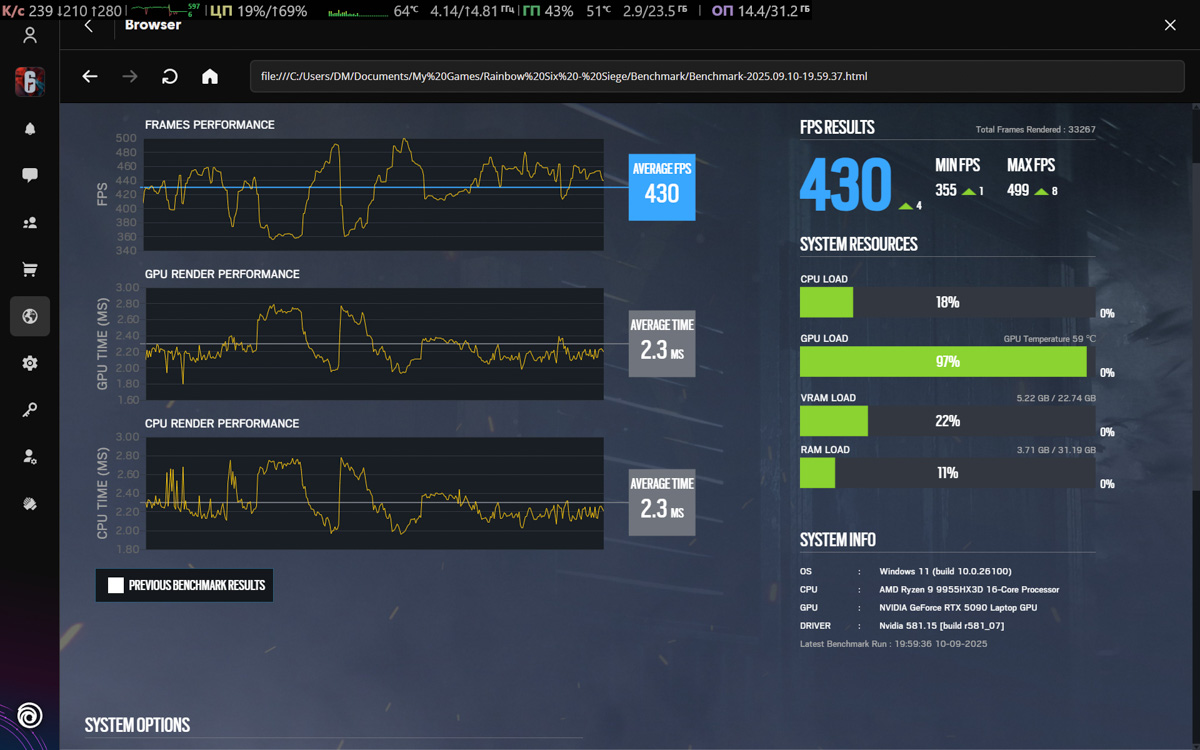
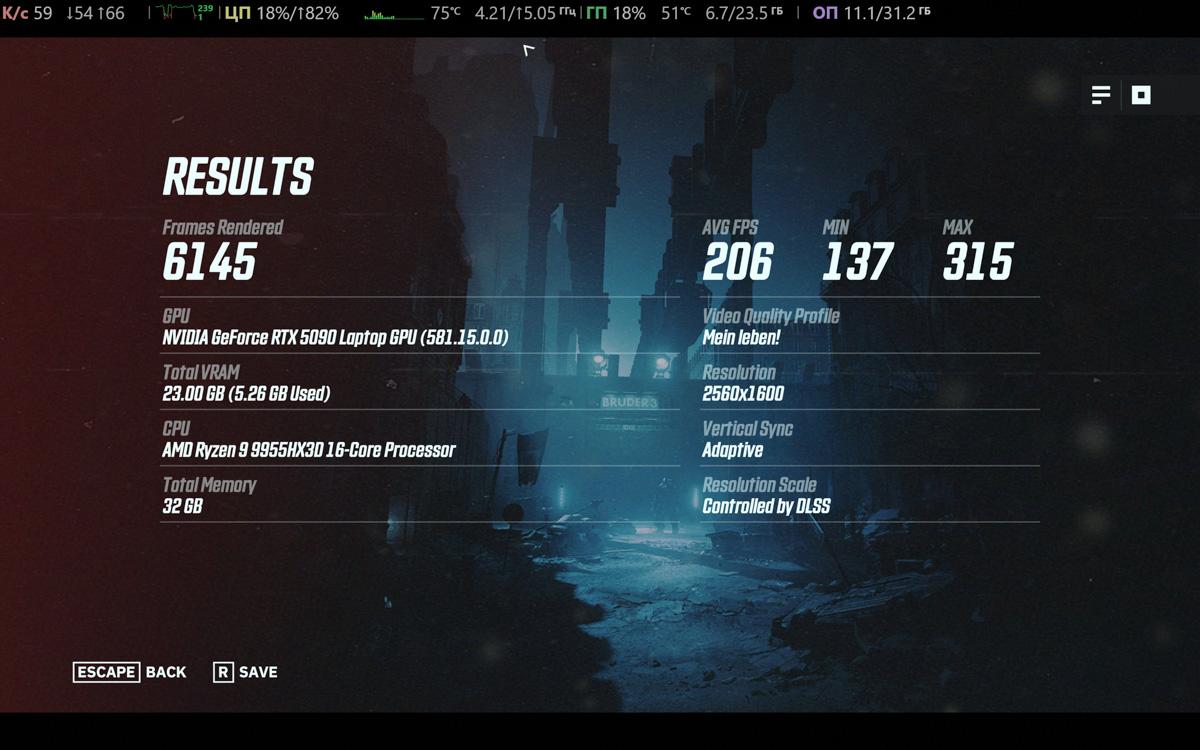
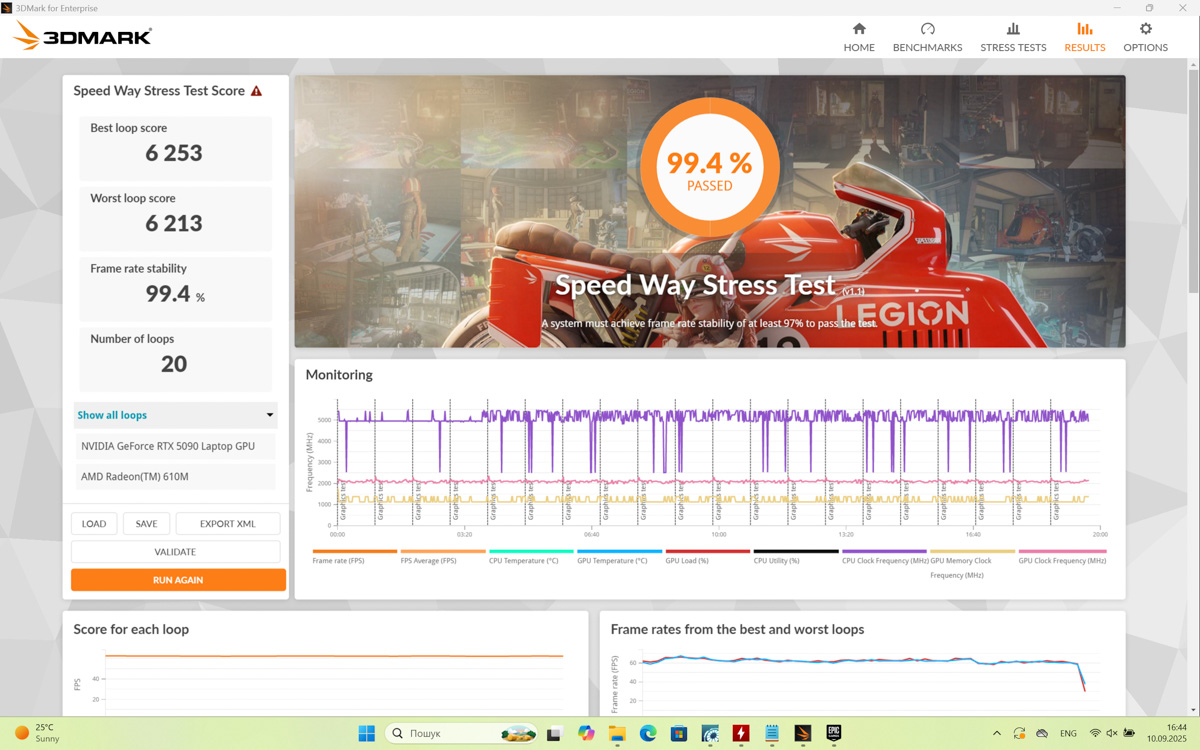
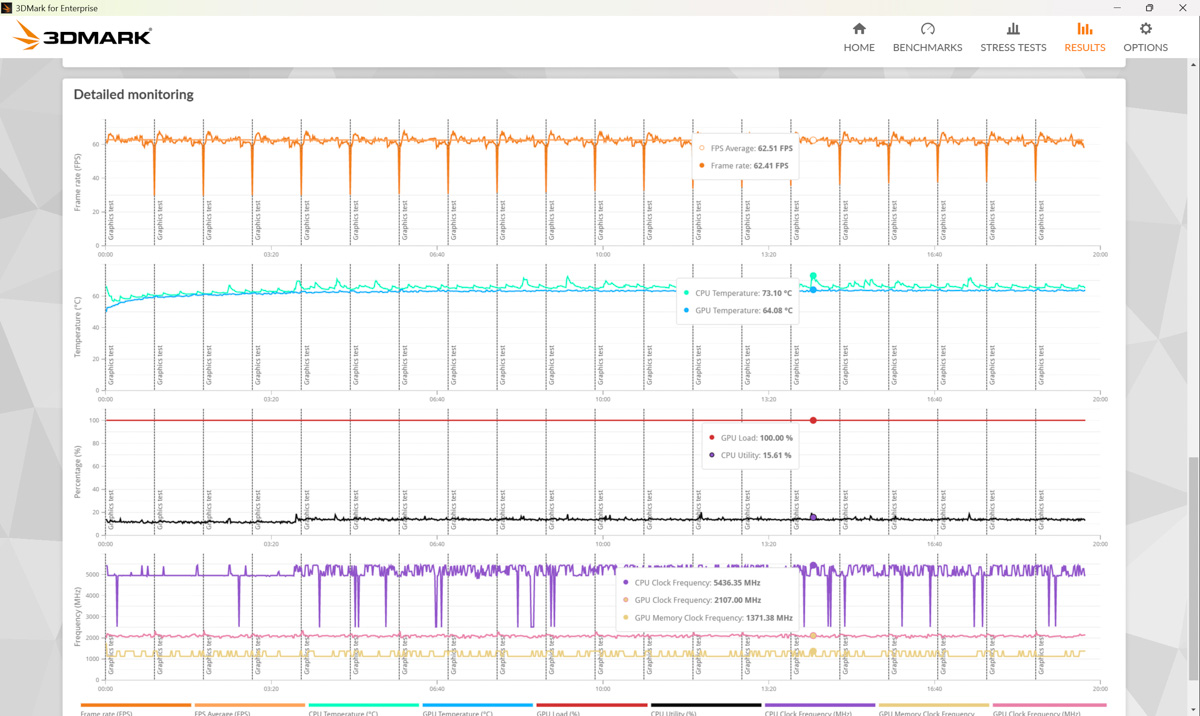
In this case, the RTX 5090 24 GB comes with 24 GB of GDDR7 on a 256-bit bus, compared to 32 GB on a 512-bit bus for the desktop version. It has 10,496 CUDA cores, 382 TMUs (texture mapping units), and 112 ROPs (raster operators). So it’s not surprising that in synthetic and relative performance benchmarks, the RTX 5090 24 GB performs roughly on par with desktop RTX 3080 and Radeon RX 6800 XT cards.
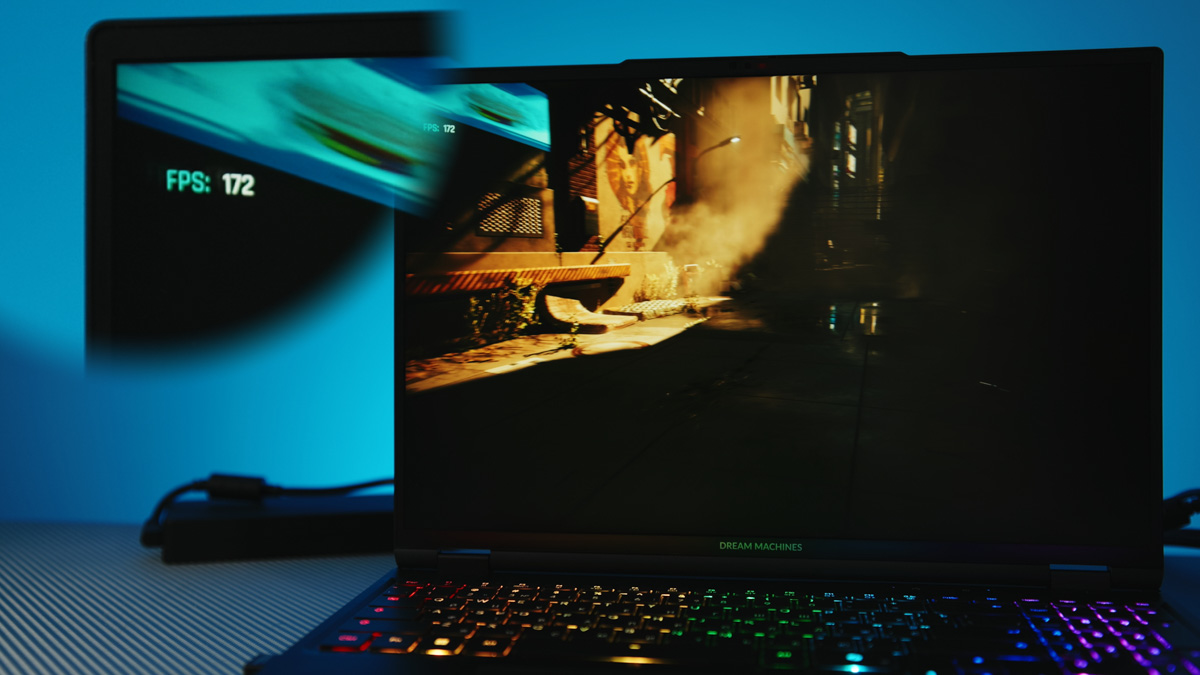
And if that disappoints you, you’re looking at it the wrong way. The mobile RTX 5090 consumes roughly half the power of an RX 6800 XT, supports DLSS 4.0 MFG 4×, and includes a host of new codecs. Not to mention its AI performance – the 5090 24 GB is about 25% faster than a desktop RTX 4090. I won’t even get into the mobile RTX 4090, and comparing it to my RTX 3080 16 GB feels almost embarrassing.
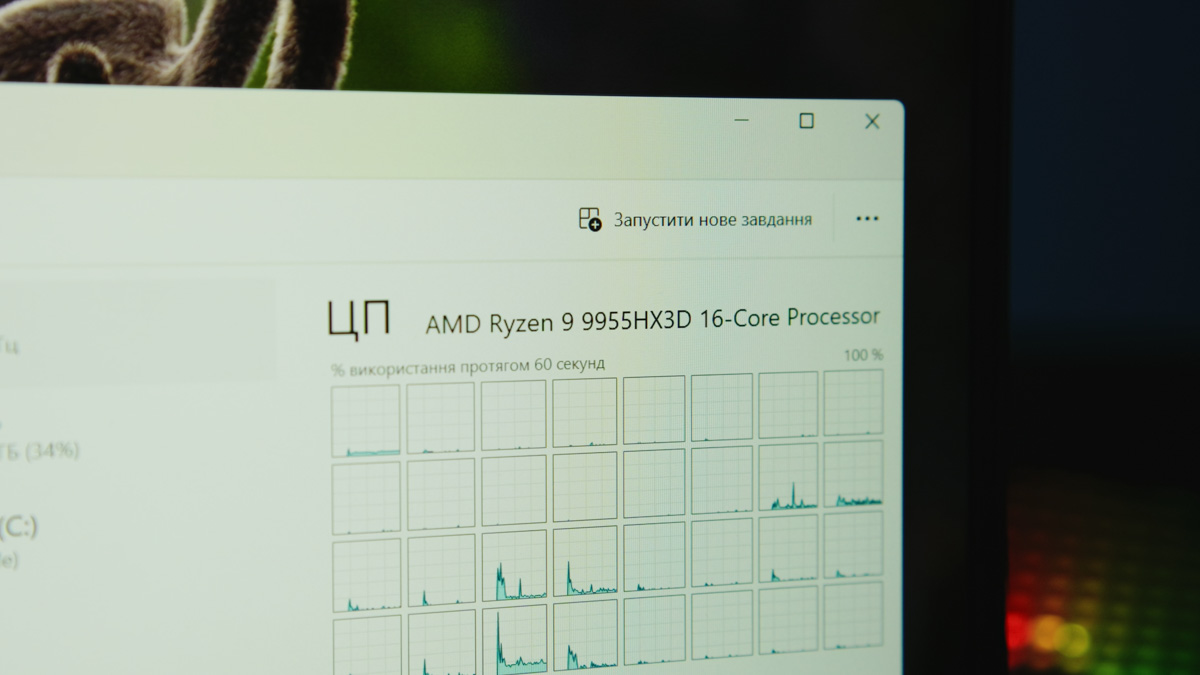
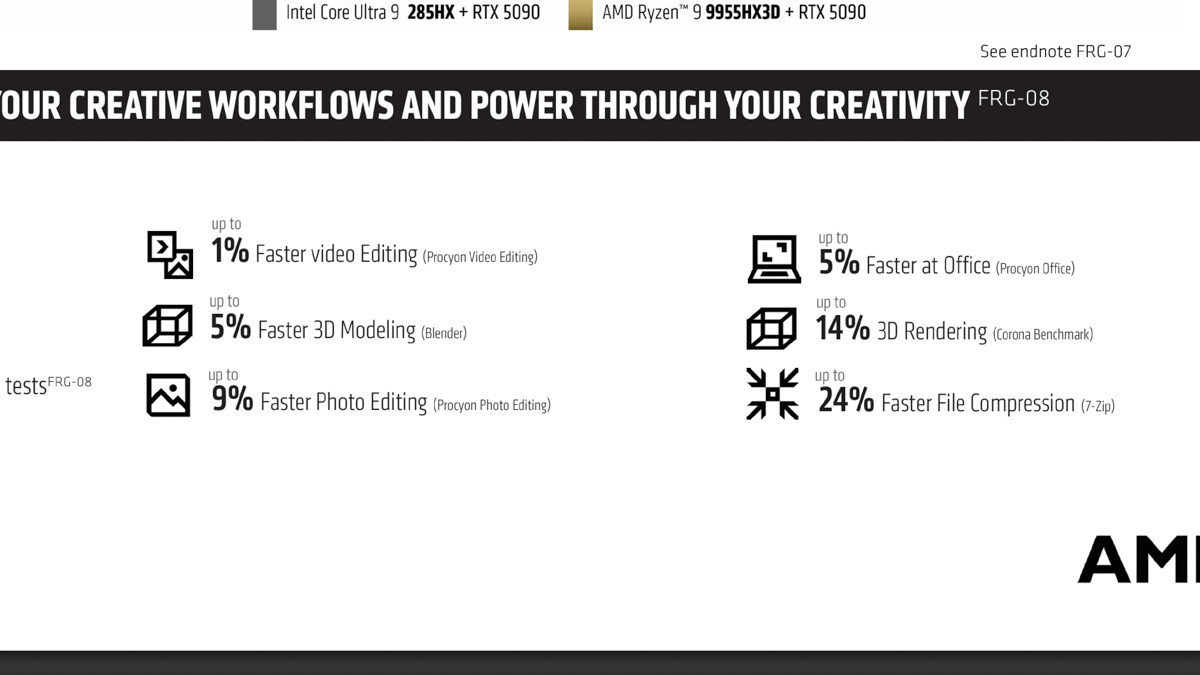
Moving on to the AMD Ryzen 9 9955HX3D. This is likely the last generation of gaming CPUs with this naming scheme – you’ll probably see future models branded as “AI Max” followed by three digits. For now, neither AMD nor Intel offers a gaming processor that surpasses the X3D flagship.
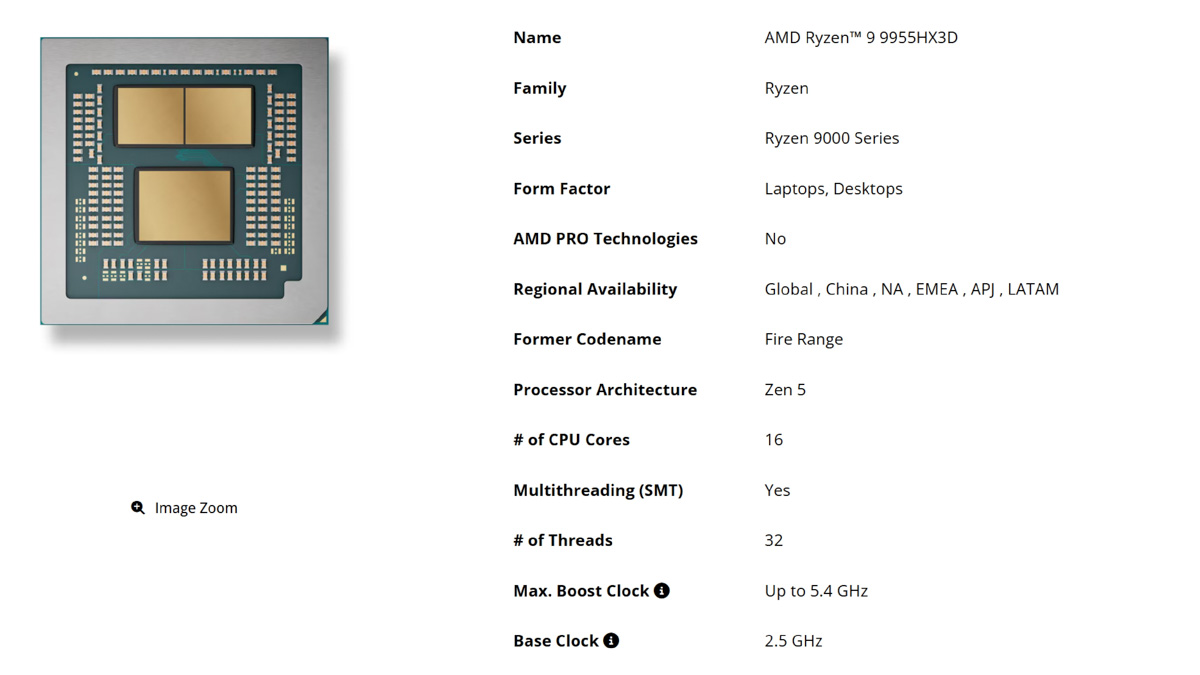
For those unfamiliar, the X3D designation means the CPU includes 3D V-Cache – a significantly enlarged L3 cache. In the 9955HX3D, that amounts to 128 MB. By comparison, its closest competitor on the Intel side, the Core Ultra 9 275HX, only has 36 MB of L3 cache.
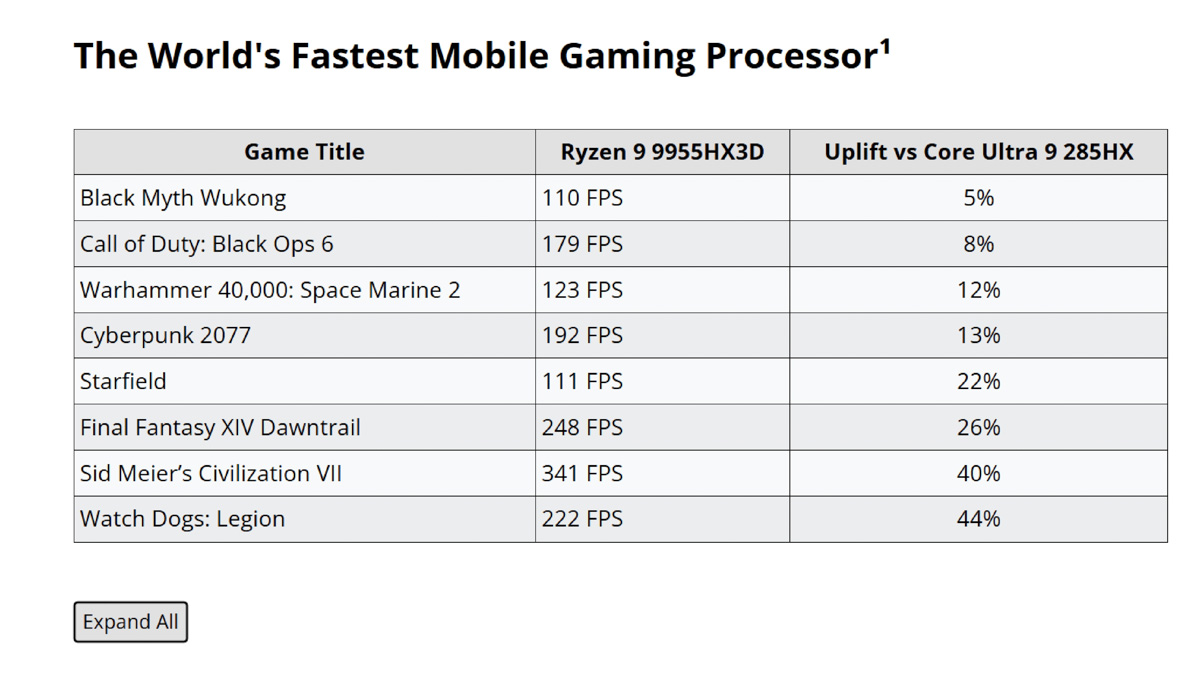
Of course, not all games benefit from a large L3 cache, but in titles that do – like Watch Dogs: Legion and Sid Meier’s Civilization VII – frame rates can be up to 50% higher. The 9955HX3D also avoids low-power cores seen in Intel chips or AMD’s energy-efficient models: it offers 16 cores with simultaneous multithreading, clock speeds up to 5.4 GHz, and can operate at temperatures up to 100°C.
Not to mention the integrated AMD Radeon 610M GPU. It’s not particularly powerful – around 2.5 times weaker than a GT 1030 – but it’s modern, with built-in support for Miracast and codecs including AVC, HEVC, VP9, and AV1. This means that in energy-efficient mode, without using the RTX 5090, you can still expect reasonable battery life.
All tests were conducted in Turbo mode with the liquid cooling system connected. Interestingly, performance differences between the RT5090-16UA32 with liquid cooling and running “air-cooled” were minimal. There was a difference, but as we’ll see, it wasn’t related to raw performance.
It’s also worth noting the significant improvement in repairability. The Split Board system separates the traditionally unified motherboard into distinct CPU and GPU sections. This not only reduces costs – similar to how splitting cores and I/O lowered production costs for AMD Ryzen CPUs – but also makes repairs easier, as individual components can now be replaced more conveniently.
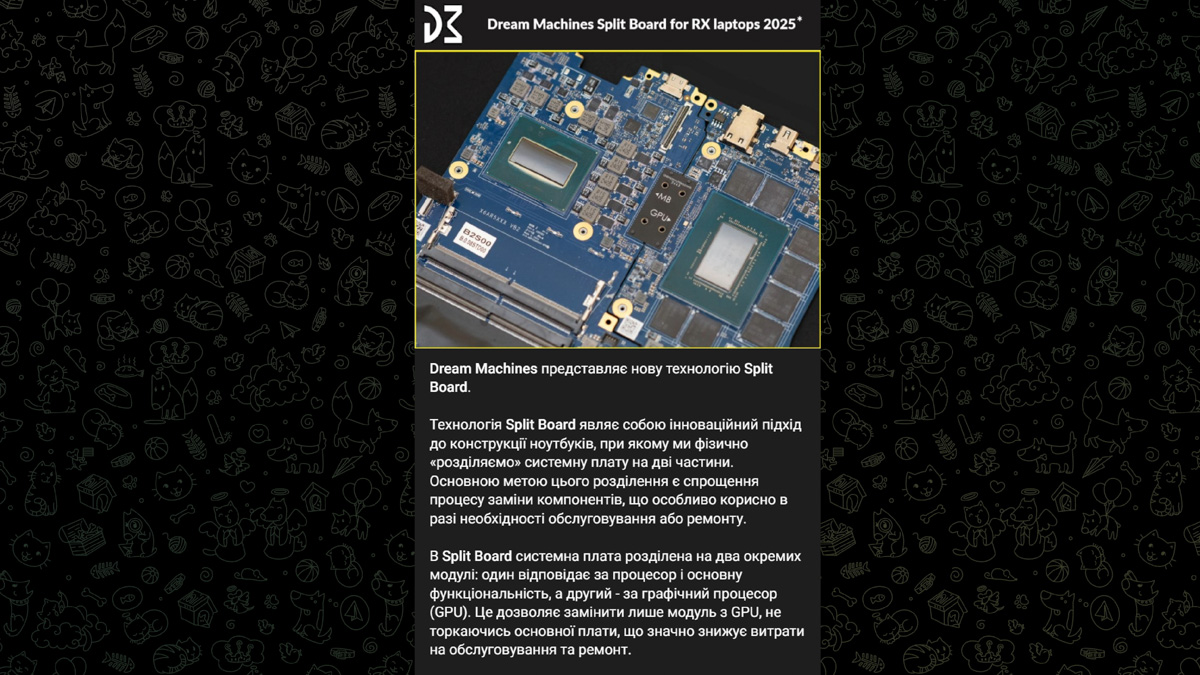
Of course, the Split Board is only available on flagship models, and it’s likely not Dream Machines’ original idea, since the RT5090-16 is essentially a rebranded Tongfend design. Still, the fact remains – repairability in gaming laptops has improved, and that’s a welcome change.
Data transfer and media capabilities
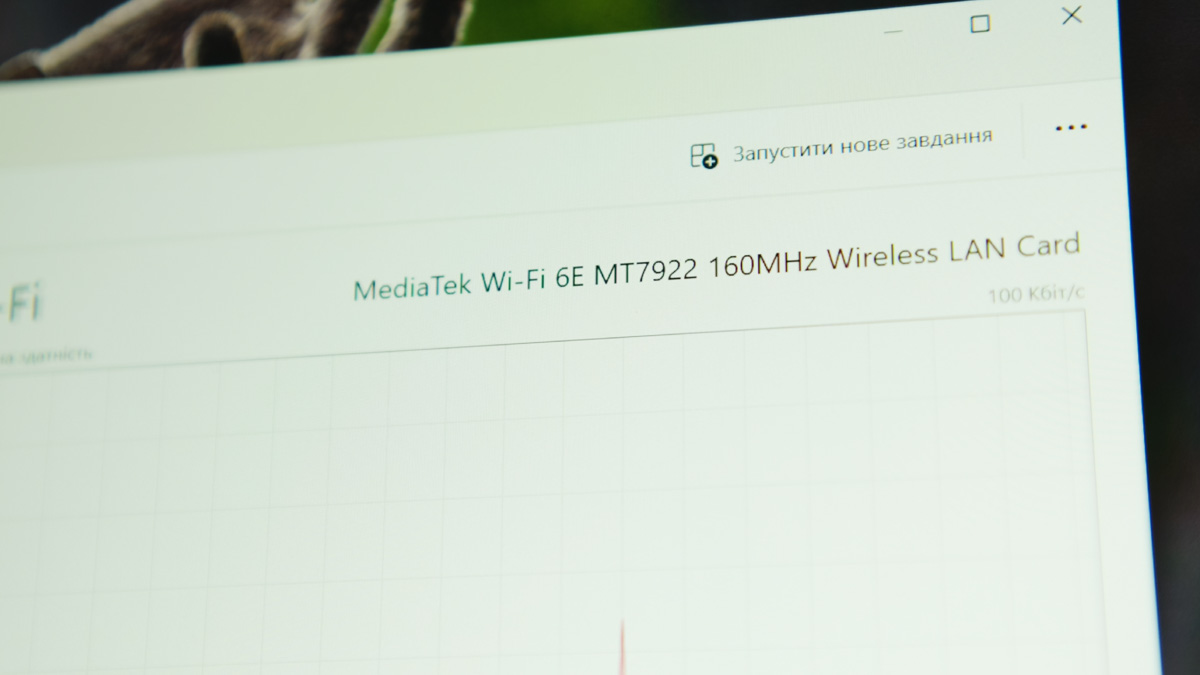
Since this isn’t an Intel-based laptop, it comes with a MediaTek network adapter. Indeed, the Dream Machines RT5090-16UA32 is equipped with the MediaTek MT7922. If possible, it’s worth upgrading, as it only supports up to Wi-Fi 6E and Bluetooth 5.2, though it does include MU-MIMO 2×2. To my knowledge, the MT7922 can be replaced with an Intel AX210 or other network cards with an E-key.
In terms of audio quality, the laptop has stereo speakers with decent volume, but the sound quality is mediocre. An audio sample can be found in the video review above.
Keyboard and touchpad
On one hand, it’s surprising to see a membrane keyboard on the Dream Machines RT5090-16UA32 instead of a scissor or mechanical design. On the other hand, as I mentioned, the starting price requires compromises. That said, the keyboard feels pleasant to type on and produces a decent sound. Plus, there’s a good chance you’ll use the RT5090-16 as a portable desktop setup with an external keyboard and mouse.
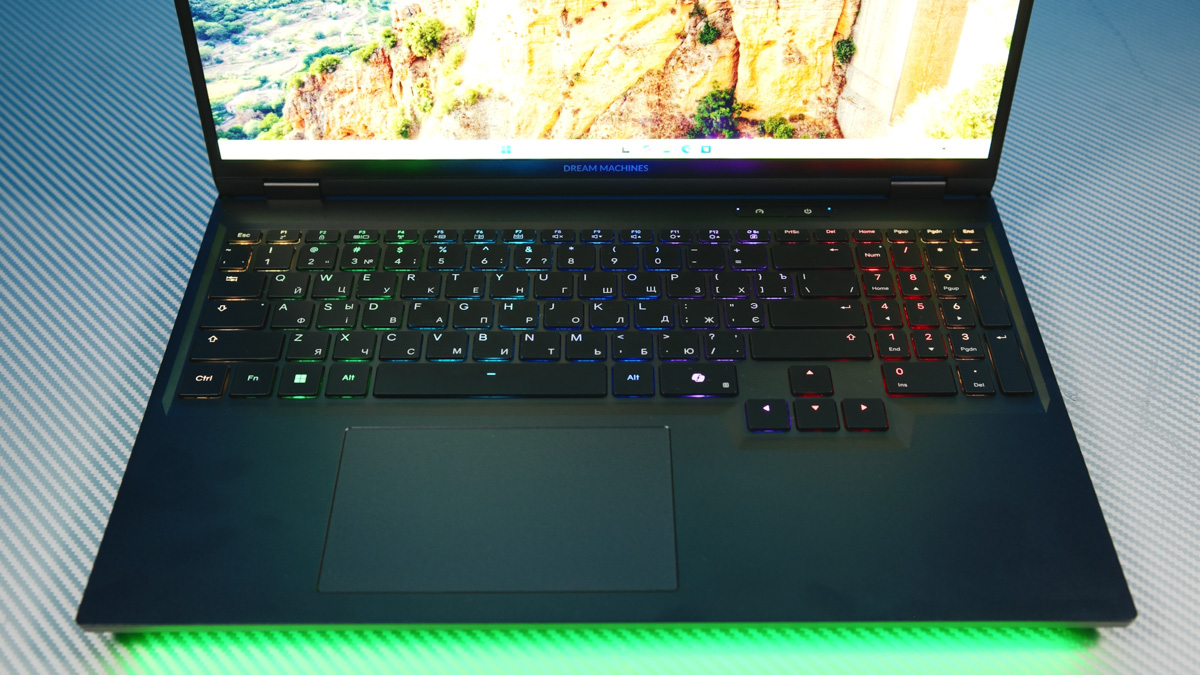
For that reason, I won’t spend much time on the touchpad. I found its precision lacking, and in terms of size, it’s at best average.
Dream Machines RT5090-16UA32 software
Regarding the proprietary software, Control Center, I have just one issue: it doesn’t allow synchronization of RGB lighting across components. On a standard laptop, this might seem minor, but with the RT5090-16UA32 it’s more noticeable because there are three illuminated components instead of two: the keyboard, the bottom light strip, and the liquid cooling system. Each behaves independently.
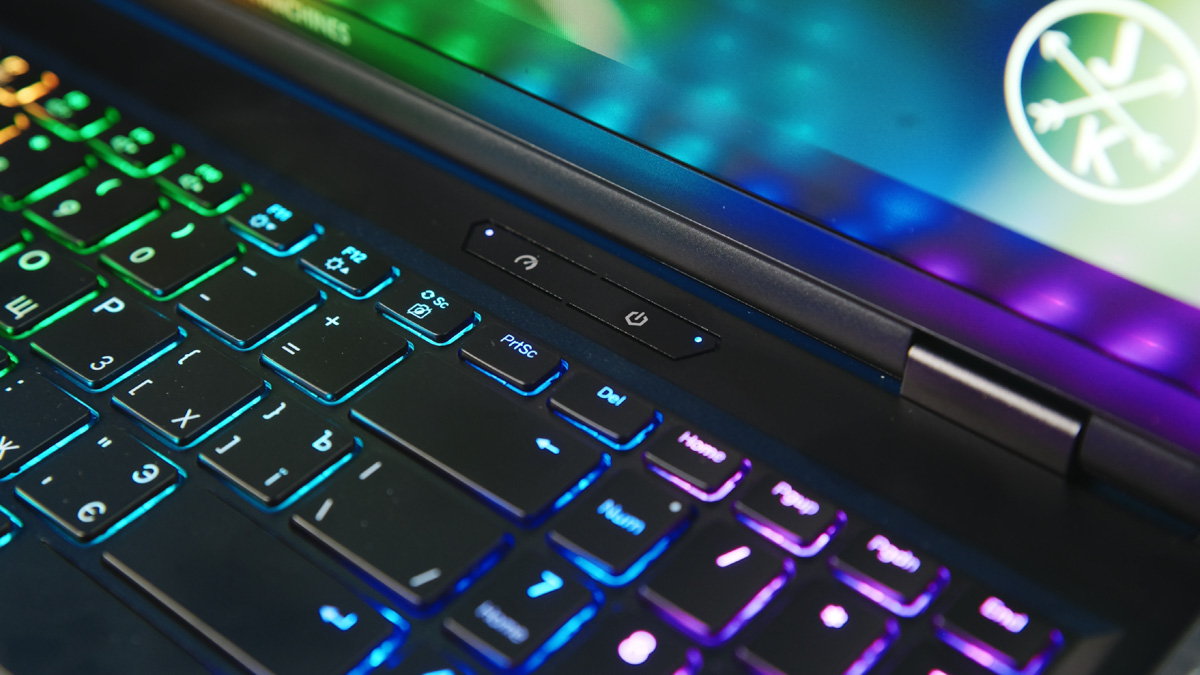
Moving on to the positive aspects, the software does allow for brightness adjustment of the lighting – a feature even my ASUS laptop lacks, as Aura Sync can be inconsistent. Control Center also includes a wide range of toggles, from Fn key behavior to battery charge limits. I was pleasantly surprised to see detailed controls for CPU and GPU performance tuning as well.
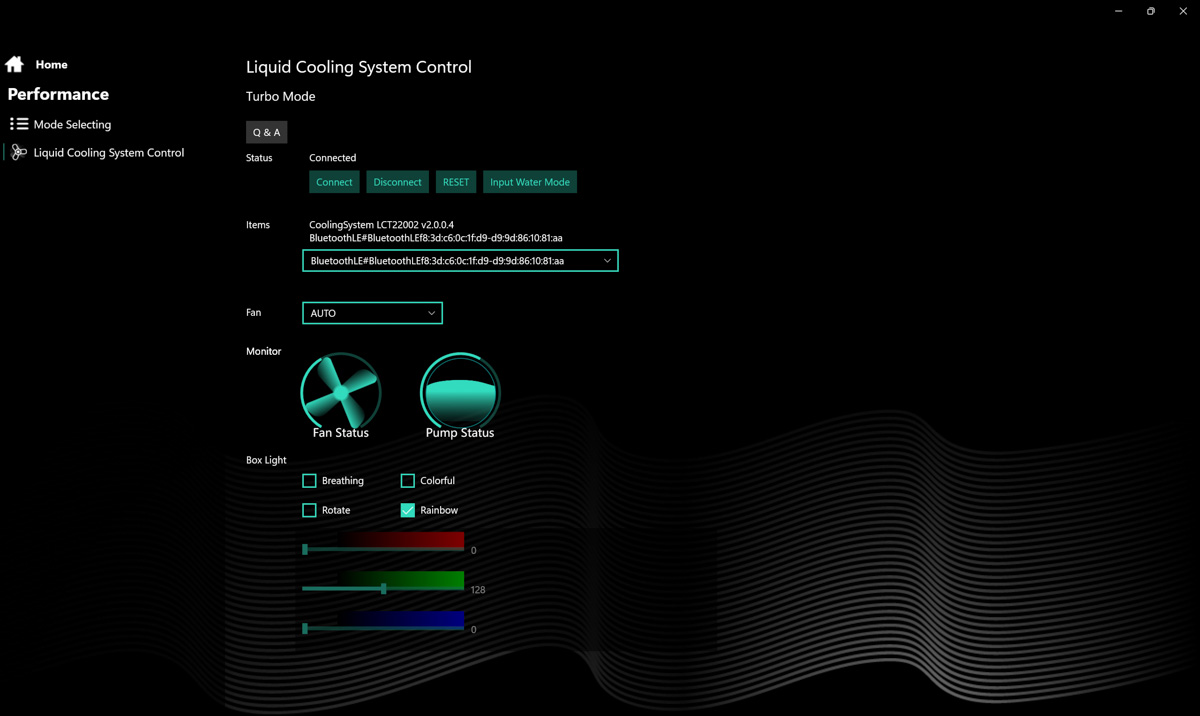
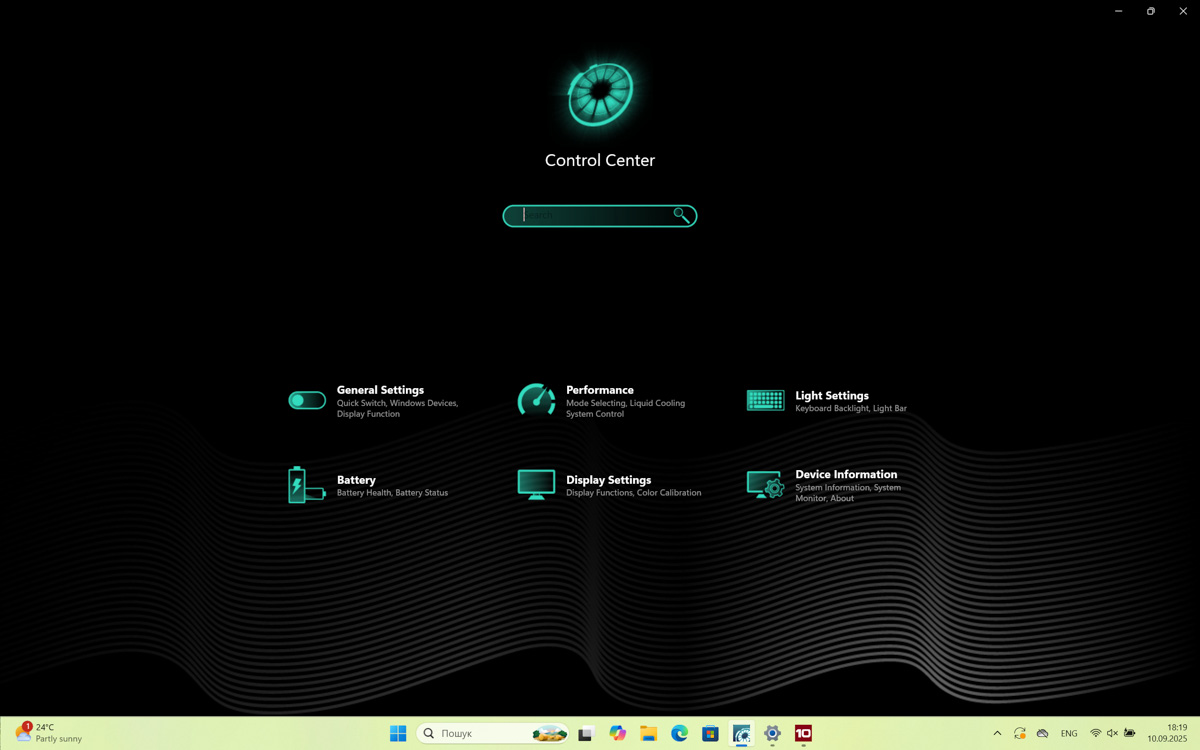
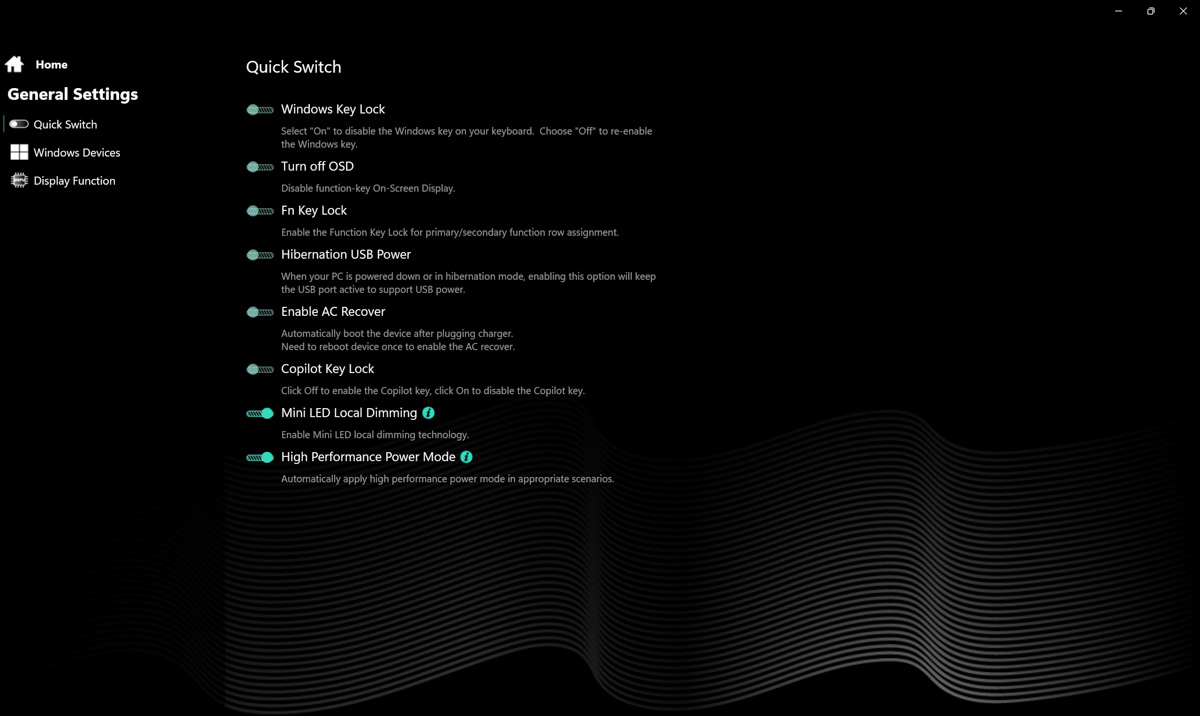
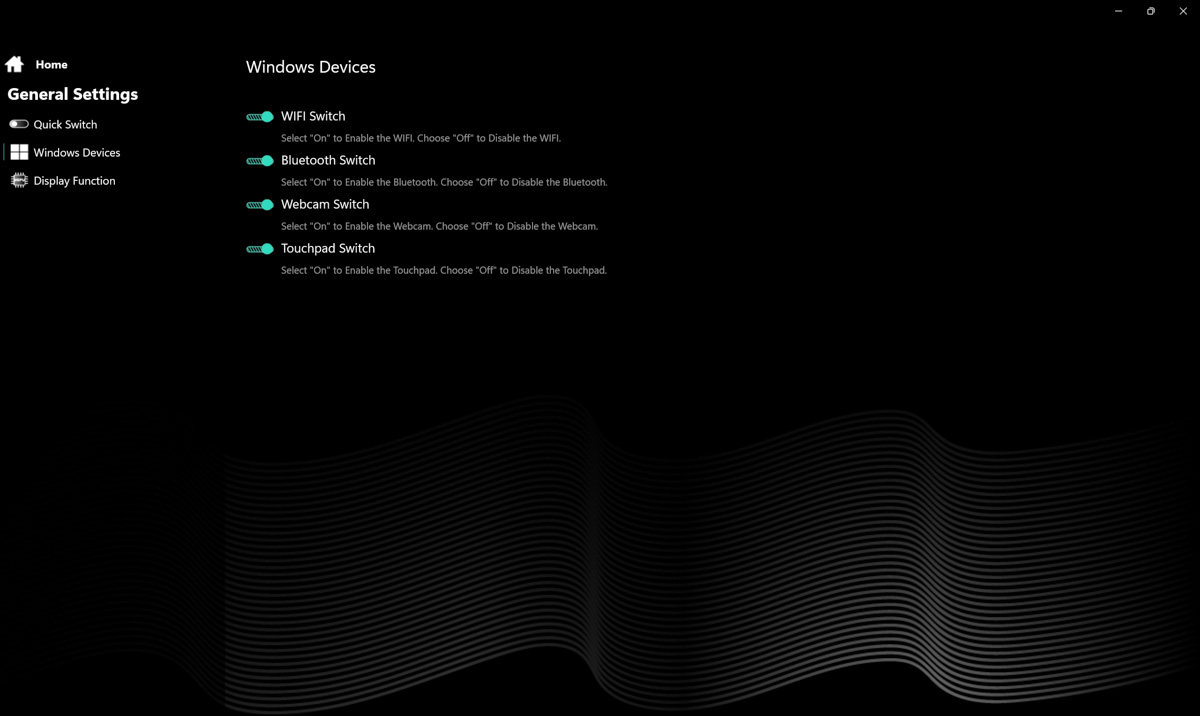
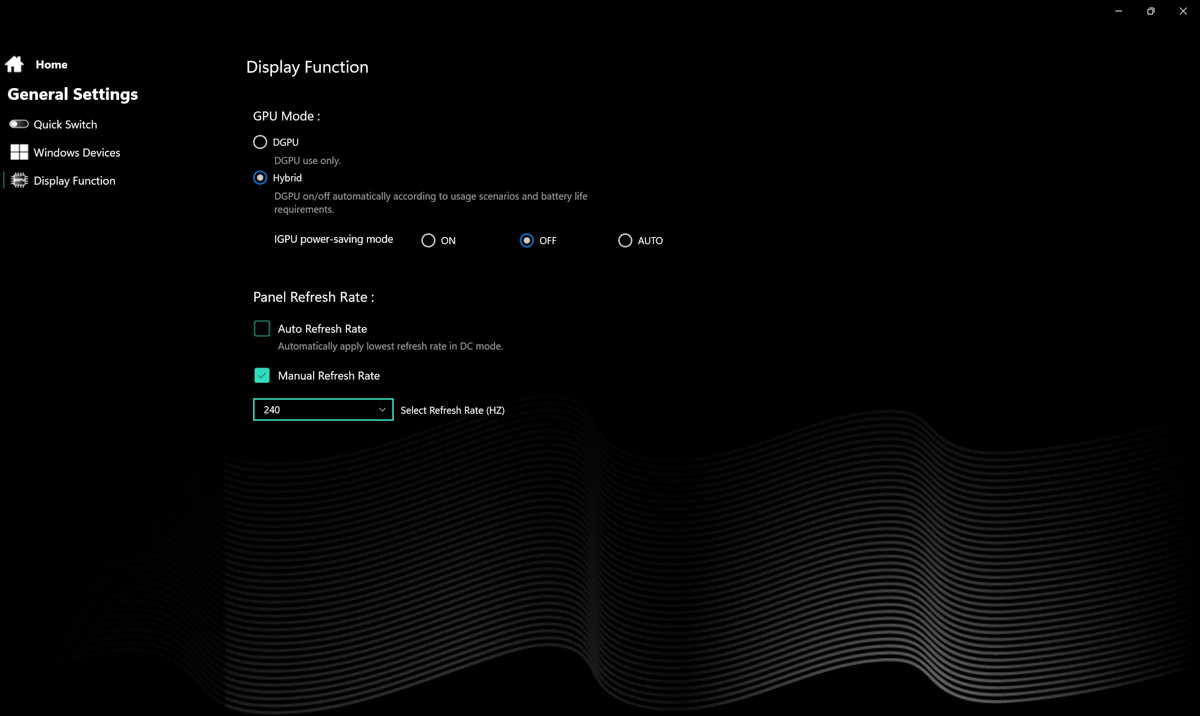
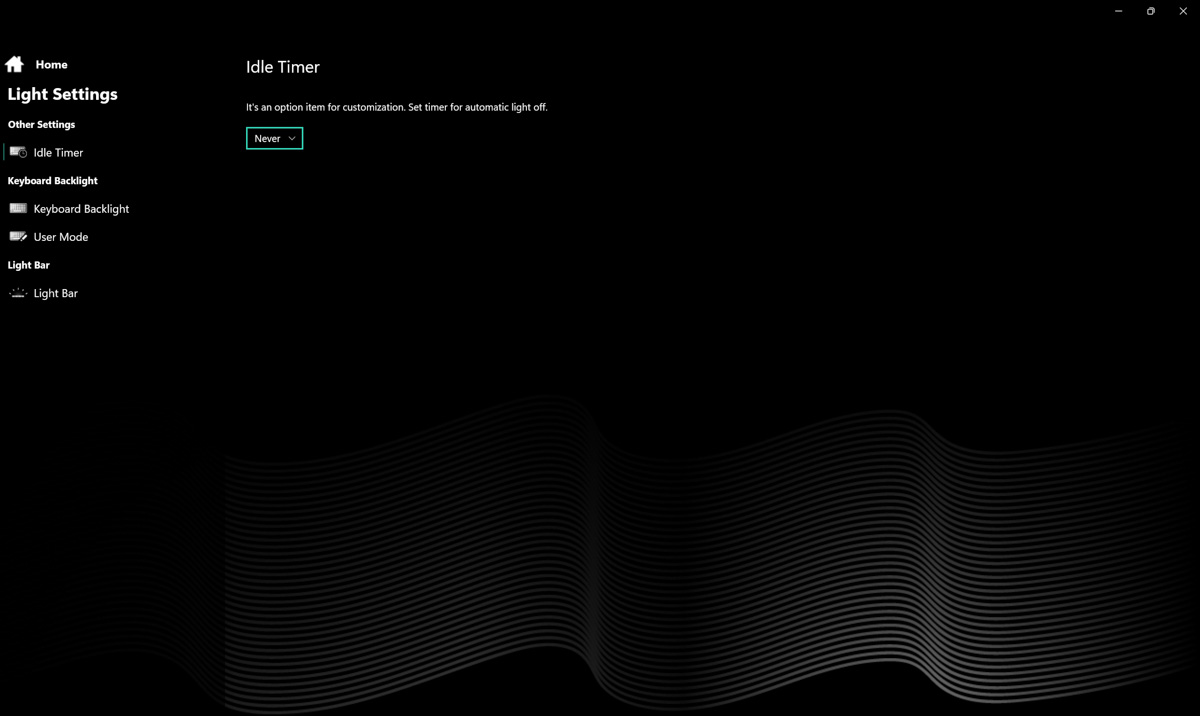
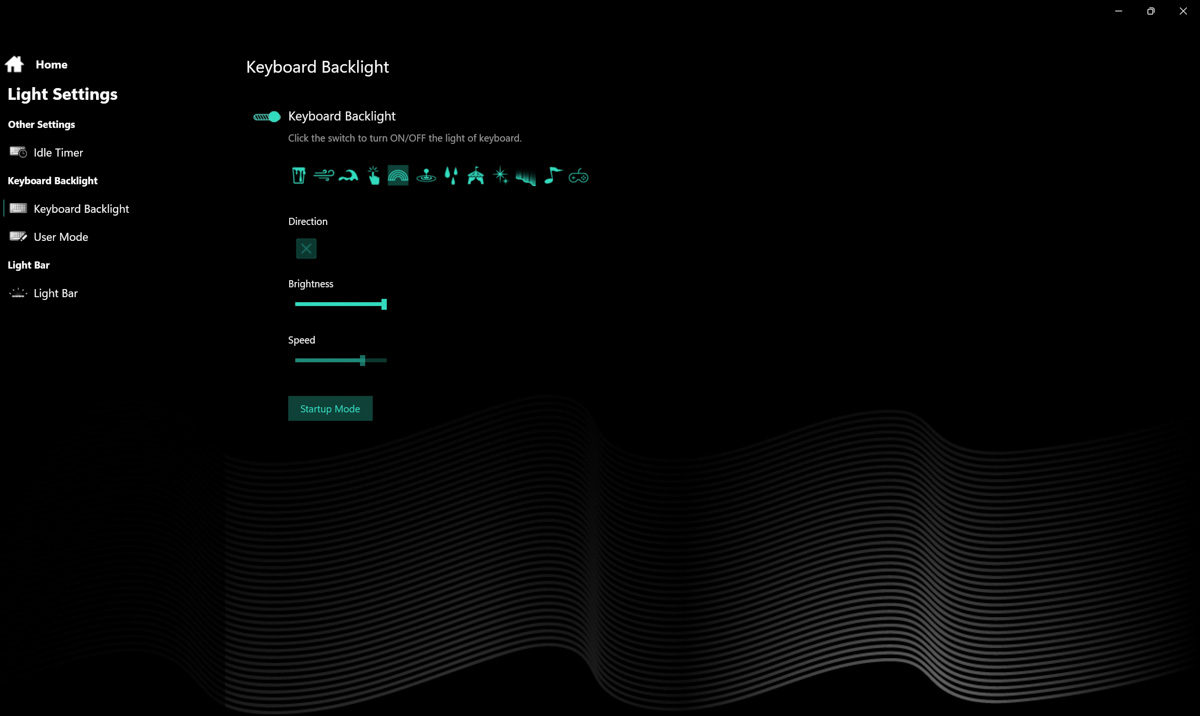
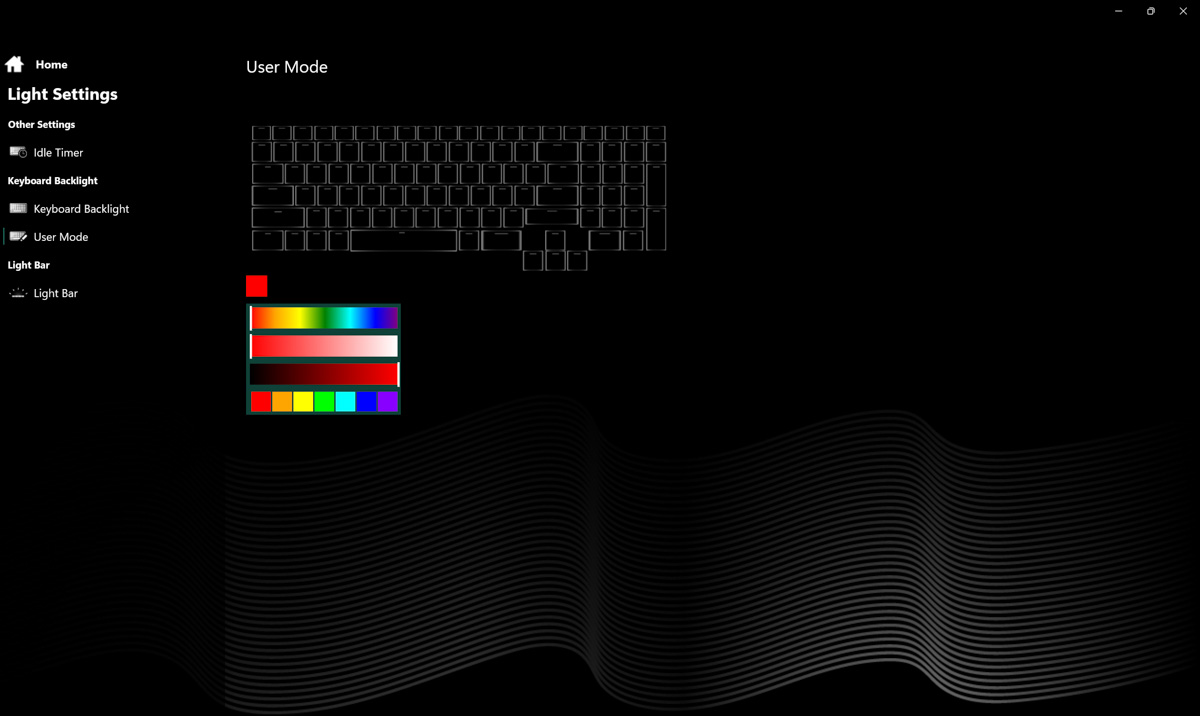
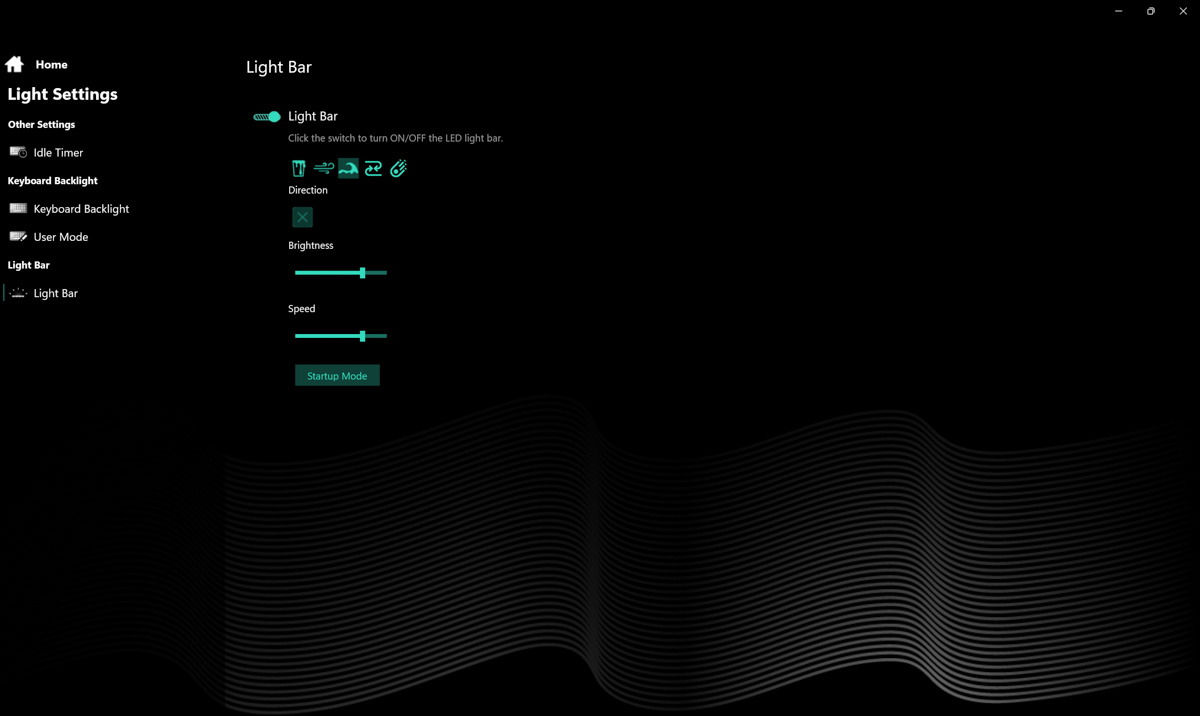
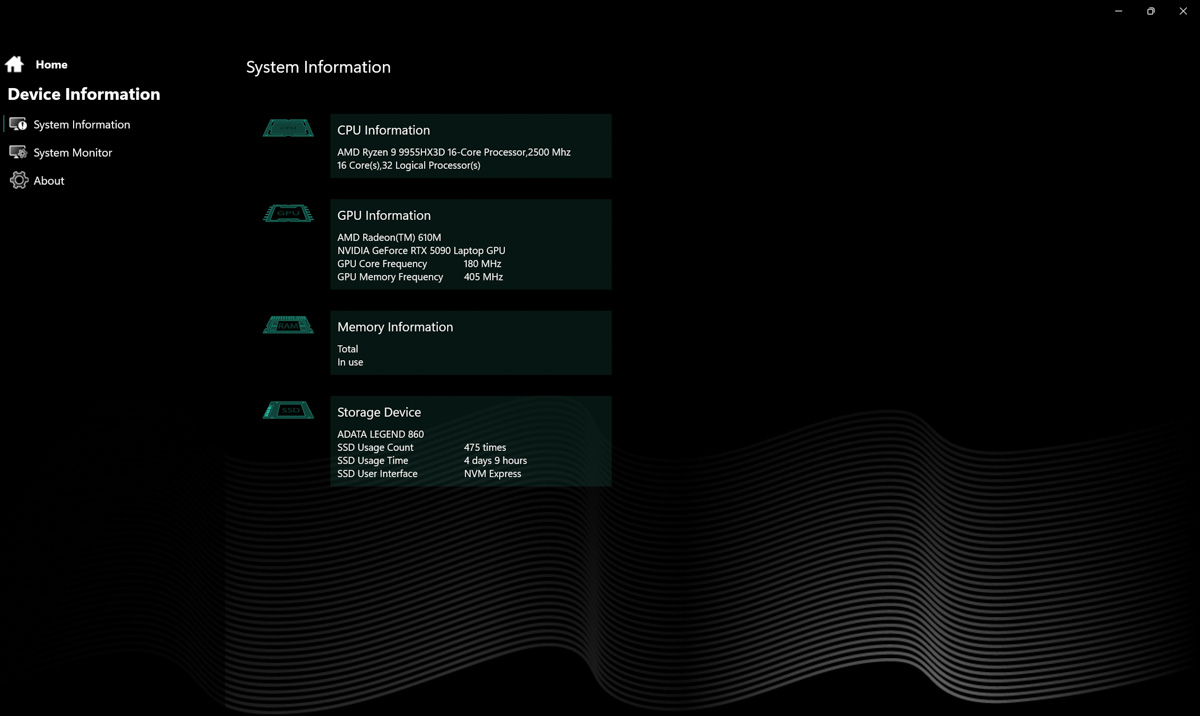
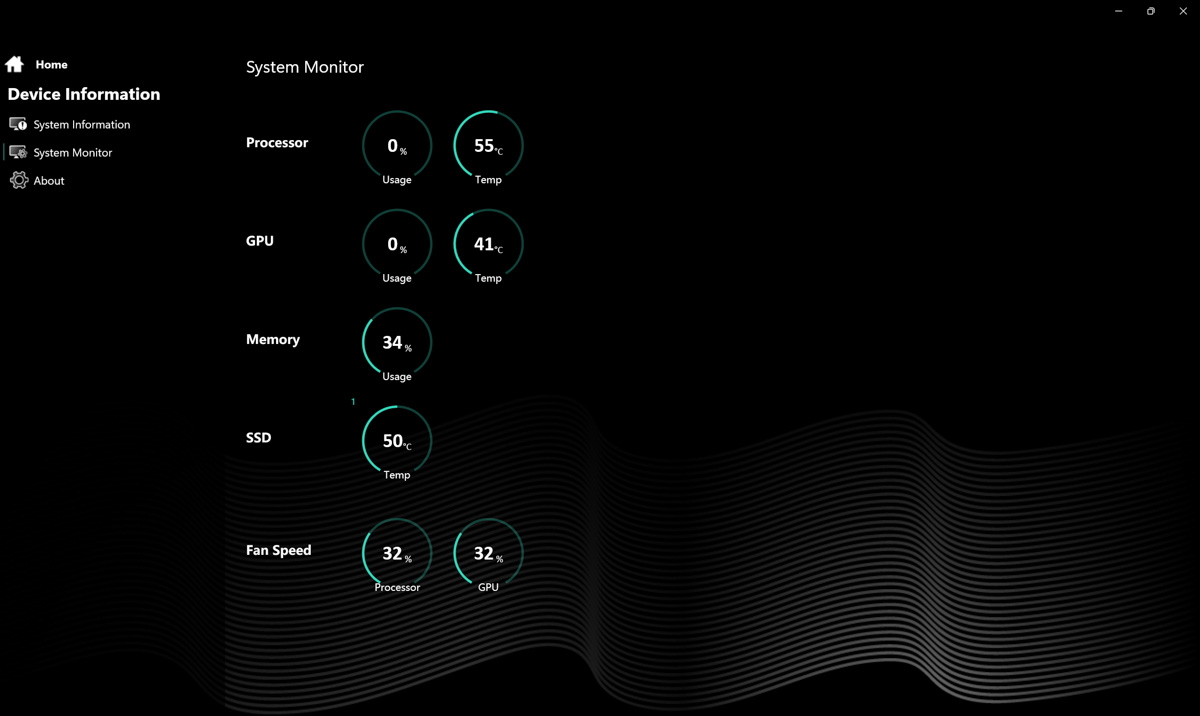
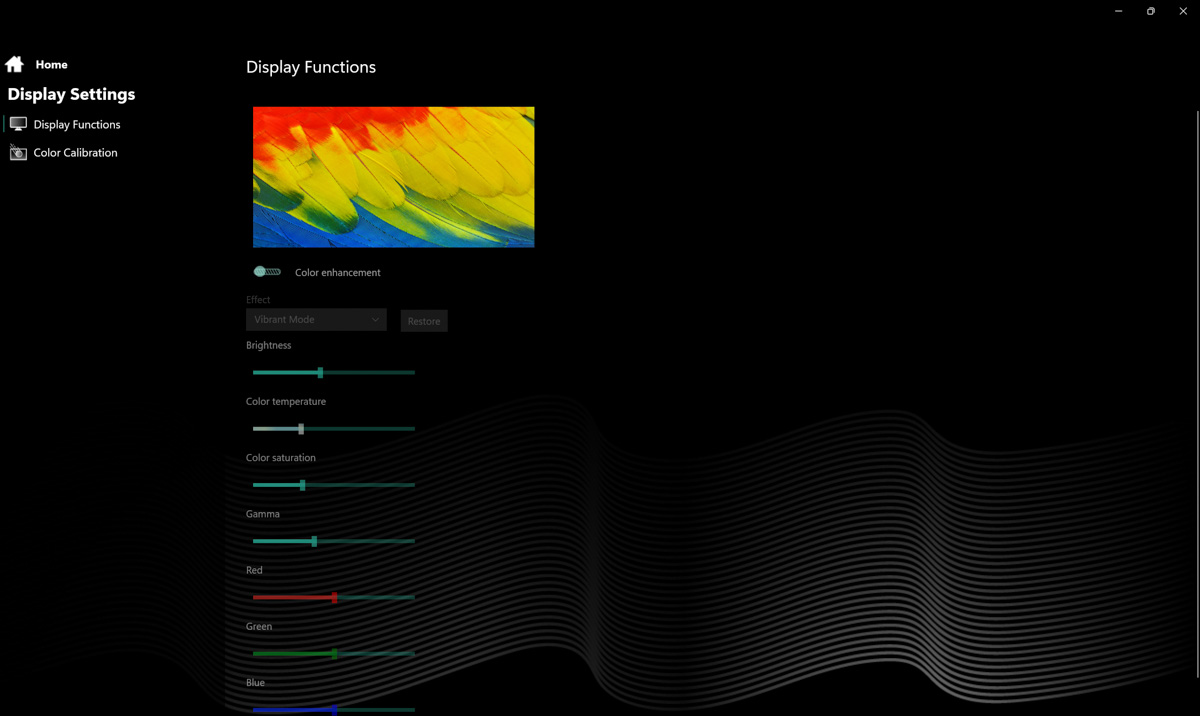


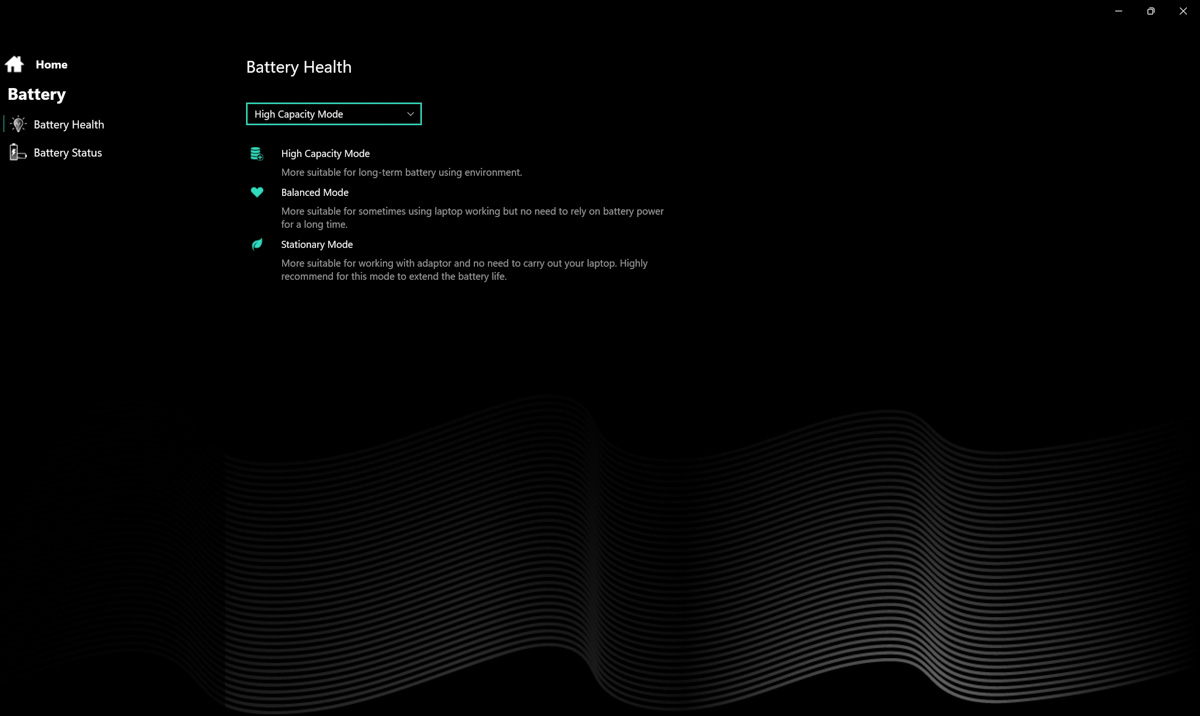
The options are still less advanced than G-Helper, but few laptops offer customization depth comparable to it. I would give Dream Machines a solid 8/10, if not for the fact that launching Control Center via keyboard shortcuts is either impossible or undocumented. Because of this, I’ll rate it 7/10.
Noise level and temperature
This is where the liquid cooling comes into play. Despite having three and a half heat pipes and phase-change thermal pads, the components inside the Dream Machines RT5090-16 still reach high temperatures – up to 95°C on the CPU and around 85°C on the GPU during combined stress tests. Fan noise is what you’d expect from a flagship laptop: noticeable but not extreme, as the fans emit relatively low-pitched sound.
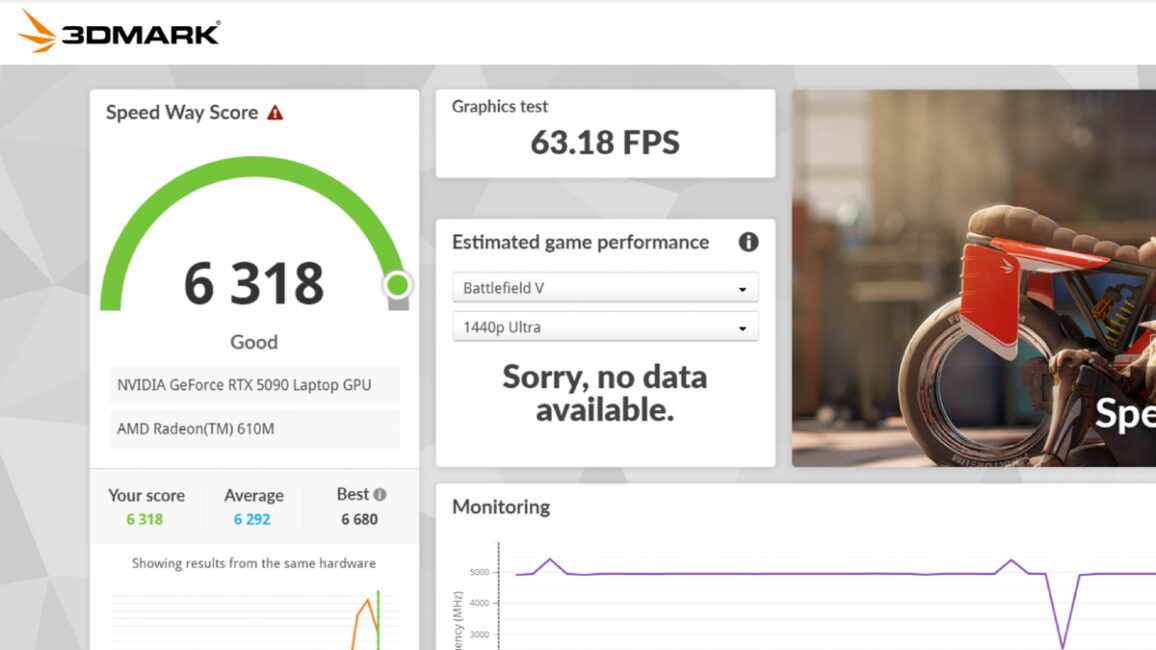
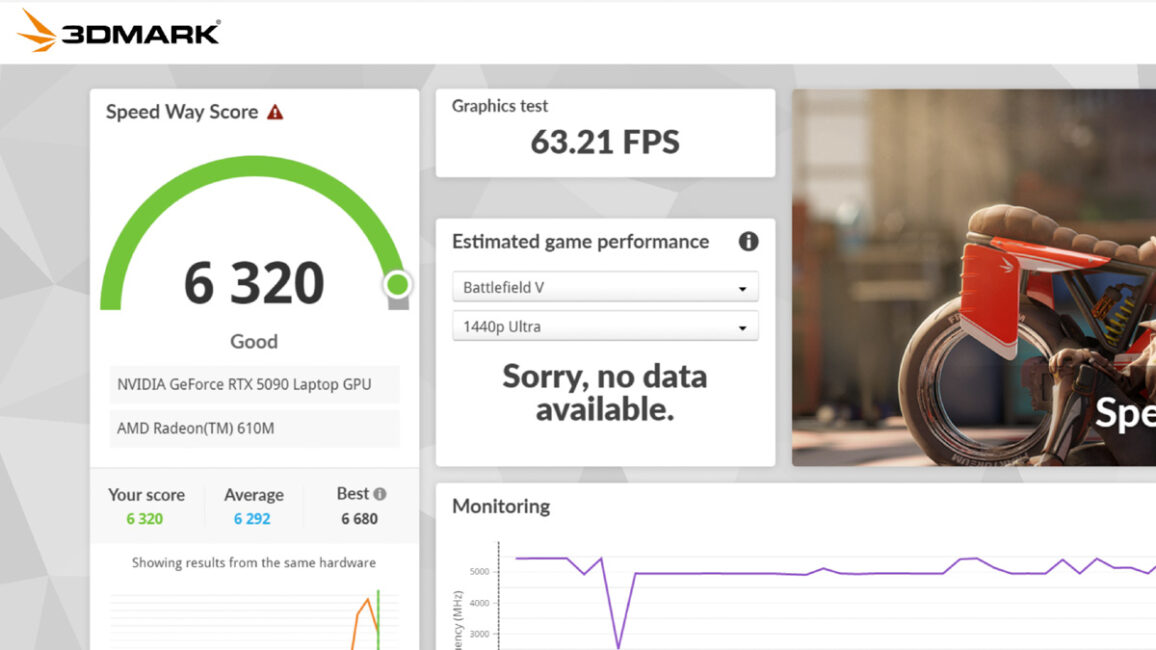
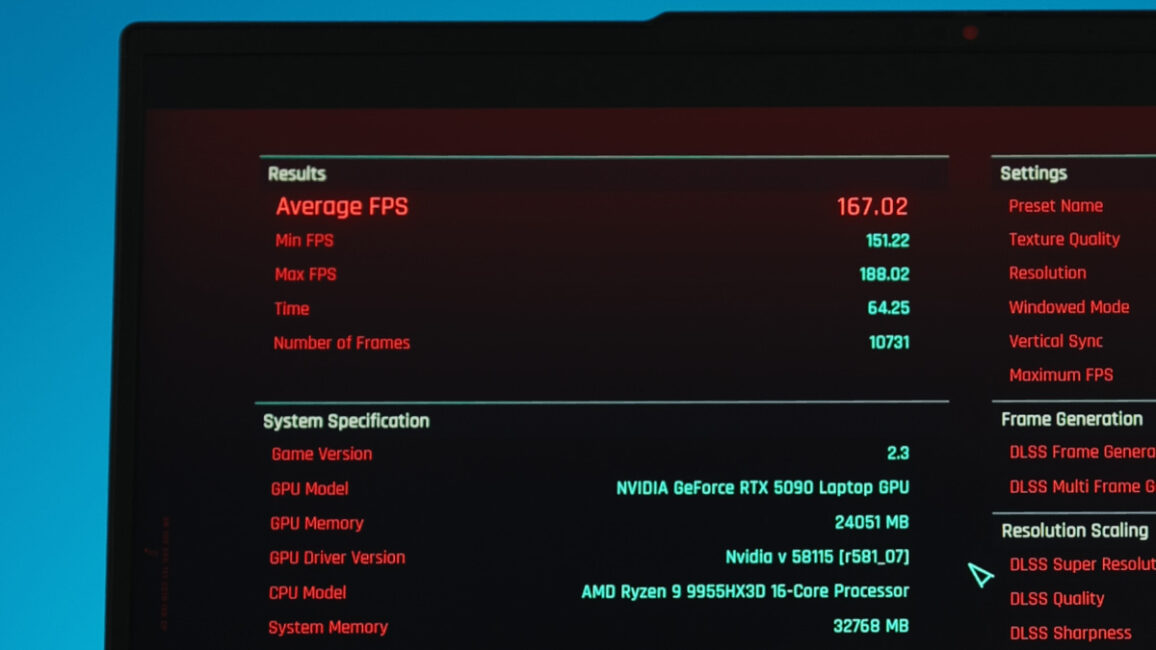
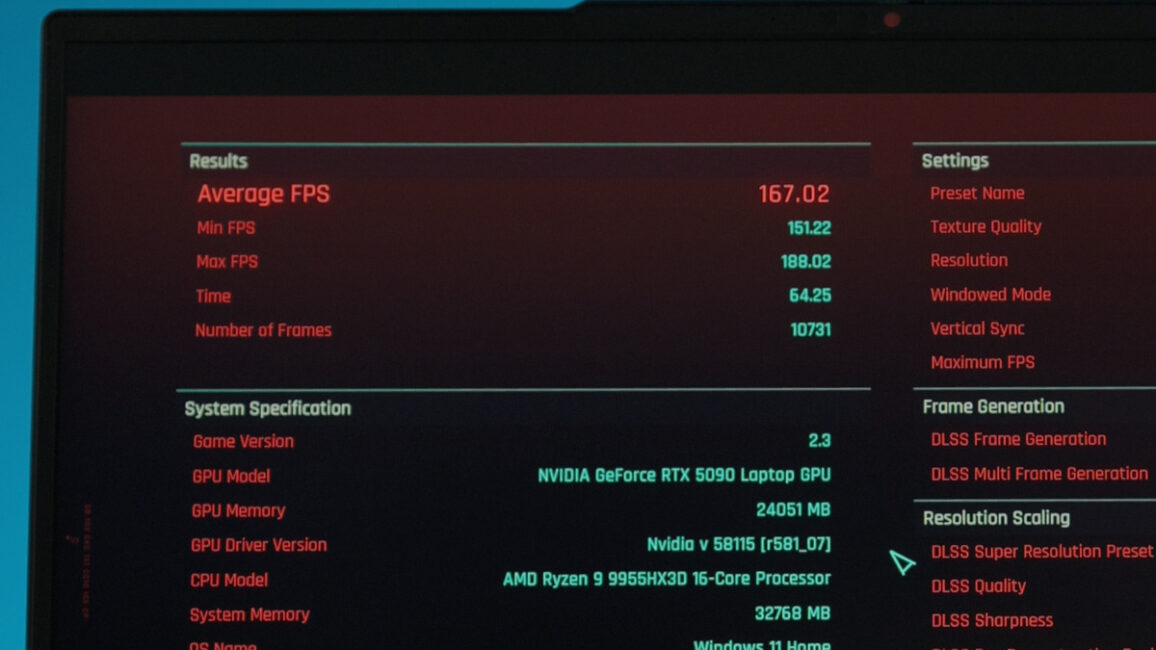
Everything changes once the liquid cooling is installed. Noise drops to nearly inaudible levels, and CPU and GPU temperatures each fall by about 15°C. While the flagship components don’t see a boost in clock speeds, their operating temperatures approach those of desktop counterparts with similar performance.
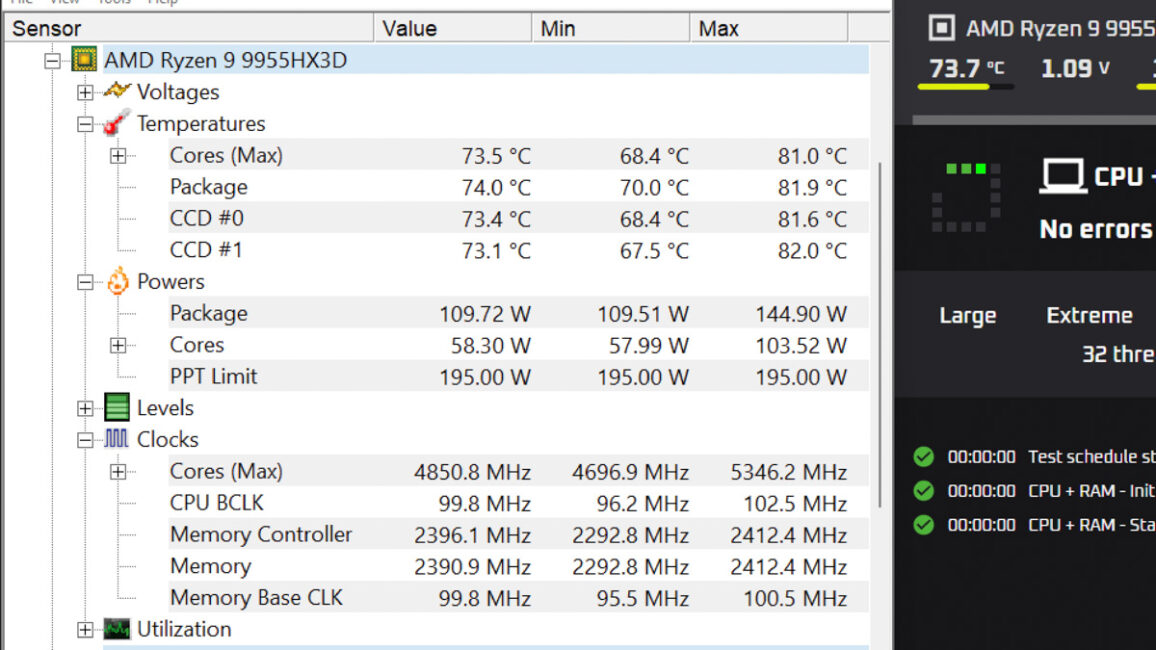
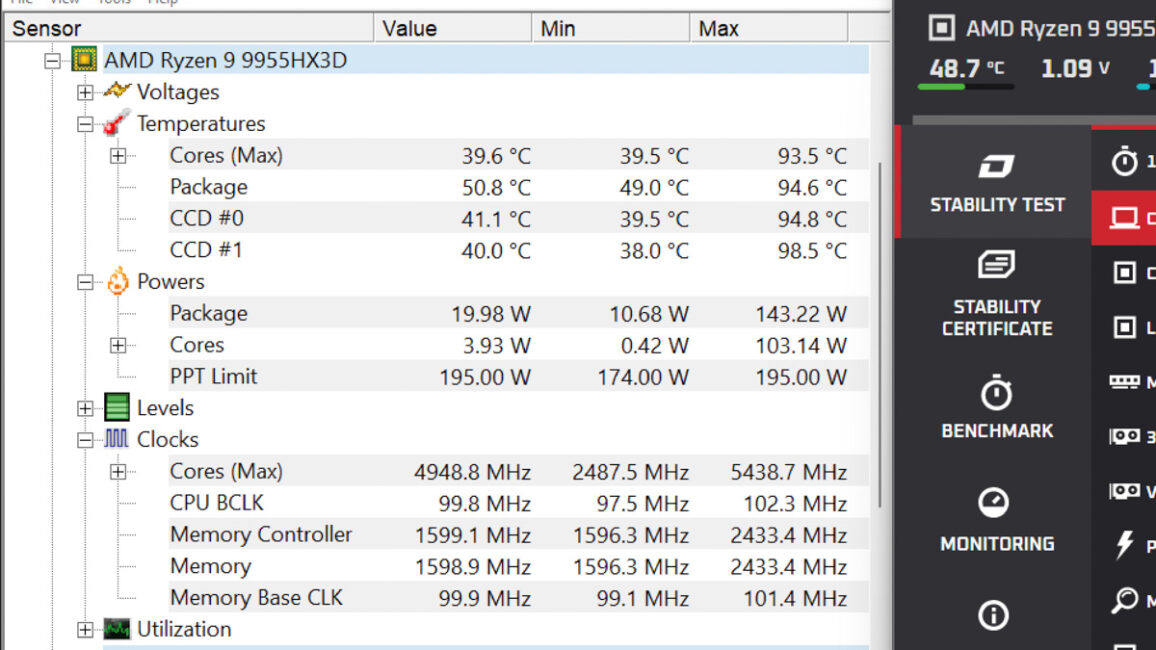
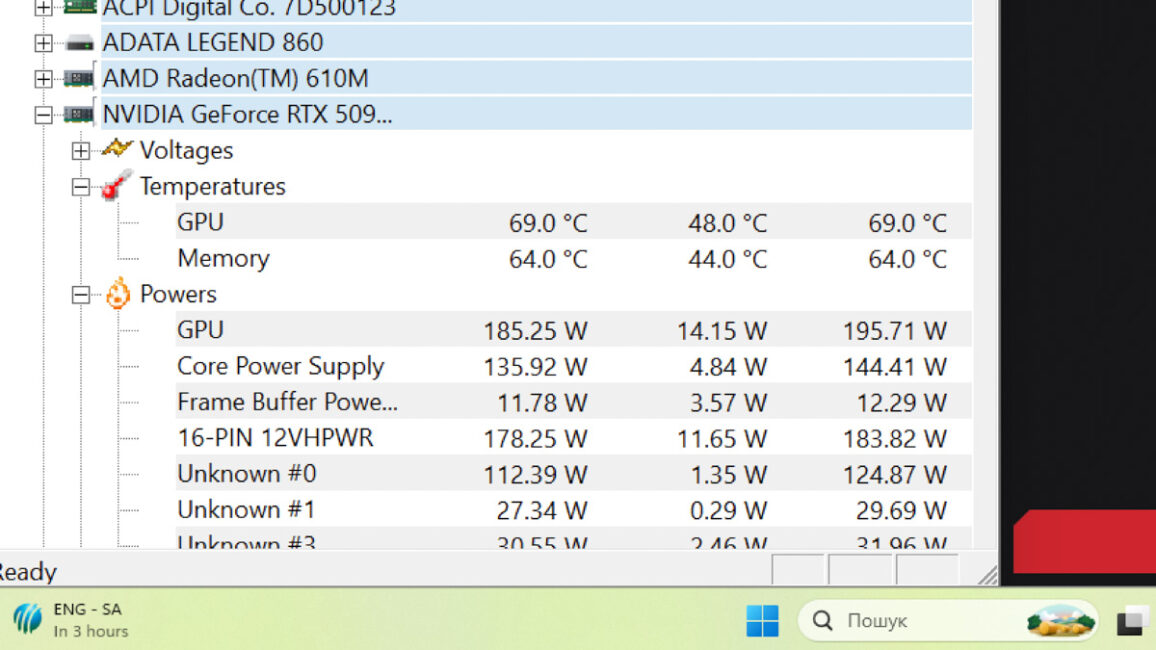
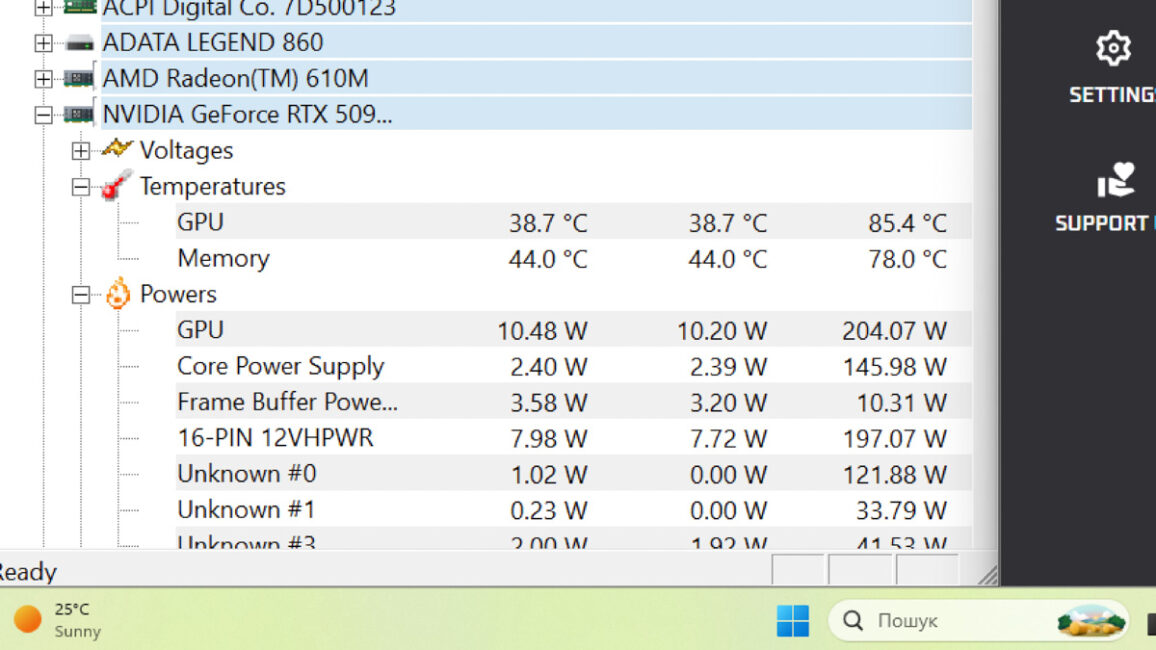
Naturally, the mobility of the liquid cooling setup is far lower than the standalone laptop. However, if stability is as important as portability, keeping temperatures in check has a direct impact. In fact, during OCCT testing with Furmark 2.0 running in the background, the Dream Machines RT5090-16UA32 produced errors on air cooling, but ran flawlessly with the liquid setup.
Dream Machines RT5090-16UA32 battery life
Don’t expect record-breaking battery life. In tests using the turbo preset, the laptop lasted about three hours in PCMark Battery 3.0 during video playback. Other reviewers reported around four hours in typical office workloads.
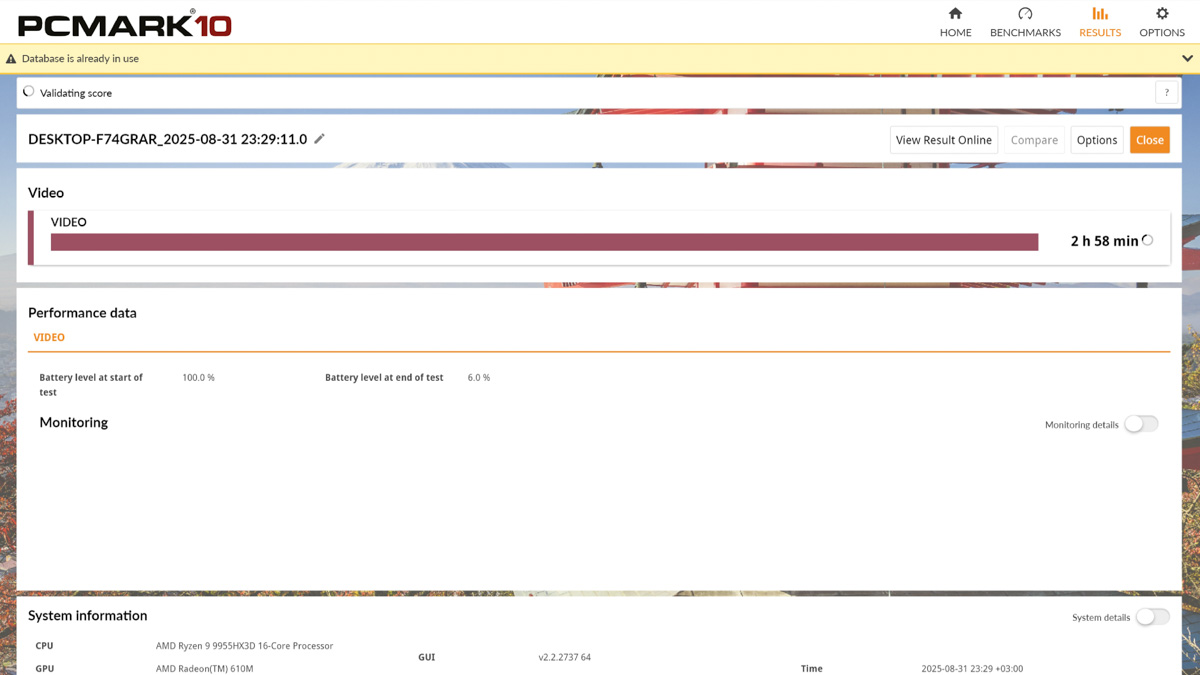
Theoretically, with careful power management tweaks in the Control Center, along with a few system restarts and a bit of trial and error, it might be possible to extend the laptop’s battery life by up to two hours – or perhaps even double it – but that’s far from guaranteed.
Conclusions
I recommend the Dream Machines RT5090-16UA32 for those who need a laptop with flagship mainstream hardware that runs quietly and stays cool, where the reduced portability is easily offset by improved serviceability and stability under stress tests. Yes, the device involves compromises – membrane keyboard, mediocre sound, some PWM flicker on the display, limited peripheral bandwidth – but these shouldn’t deter you. If they do, you’re simply not the target audience for raw performance.
Read also:
- Dream Machines RX5080-18UA22 Review: Powerful Large-Scale Laptop
- Dream Machines RG4060-15UA46 Gaming Laptop Review
- Dream Machines RG4070-17UA21 Laptop Review