





© ROOT-NATION.com - Use of content is permitted with a backlink.
In today’s world, smartphone storage capacity is a somewhat contradictory issue. On the one hand, storage has become far more accessible, with even budget models often offering 256 GB of internal memory. On the other hand, it remains a limited resource. Camera sensors continue to gain megapixels year after year, additional lenses are becoming more common, and as a result, photo and video files keep growing in size.

Add to this messengers, games, and other applications that store gigabytes of cache in internal storage, and many active smartphone users eventually face the familiar question: “What should I delete to free up space?” A portable SSD can help address this problem, and the Orico BookDrive P10PLUS is one such option. So let’s take a practical look at how useful this type of accessory really is.
TABLE OF CONTENTS:
ORICO BookDrive P10PLUS Specifications
- Storage: M.2 NVMe SSD
- USB version: USB 3.2 Gen 2, Type-C
- Speeds: up to 1050 MB/s
- Capacity: 1 TB
- Dimensions: 69×100×12 mm
- Material: plastic + metal
- Operating temperature: 0°C to 60°C
- Amazon
- AliExpress
Package Contents
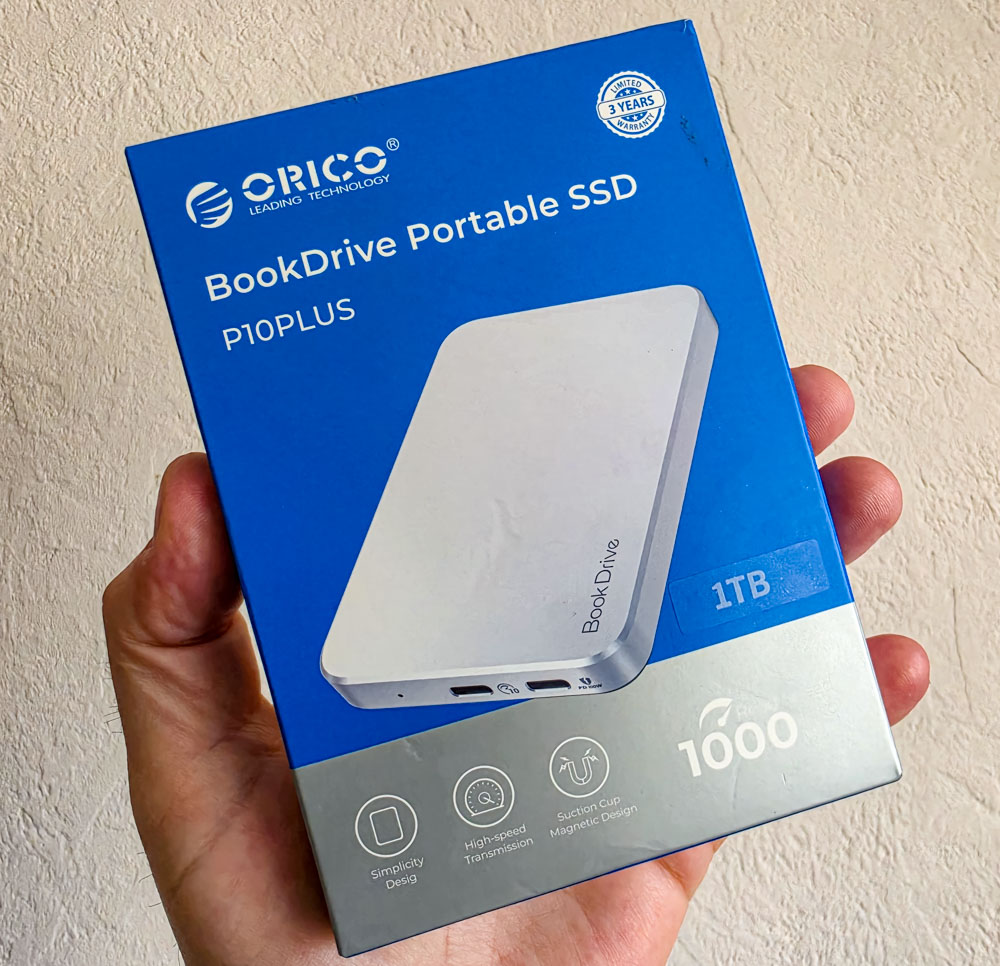
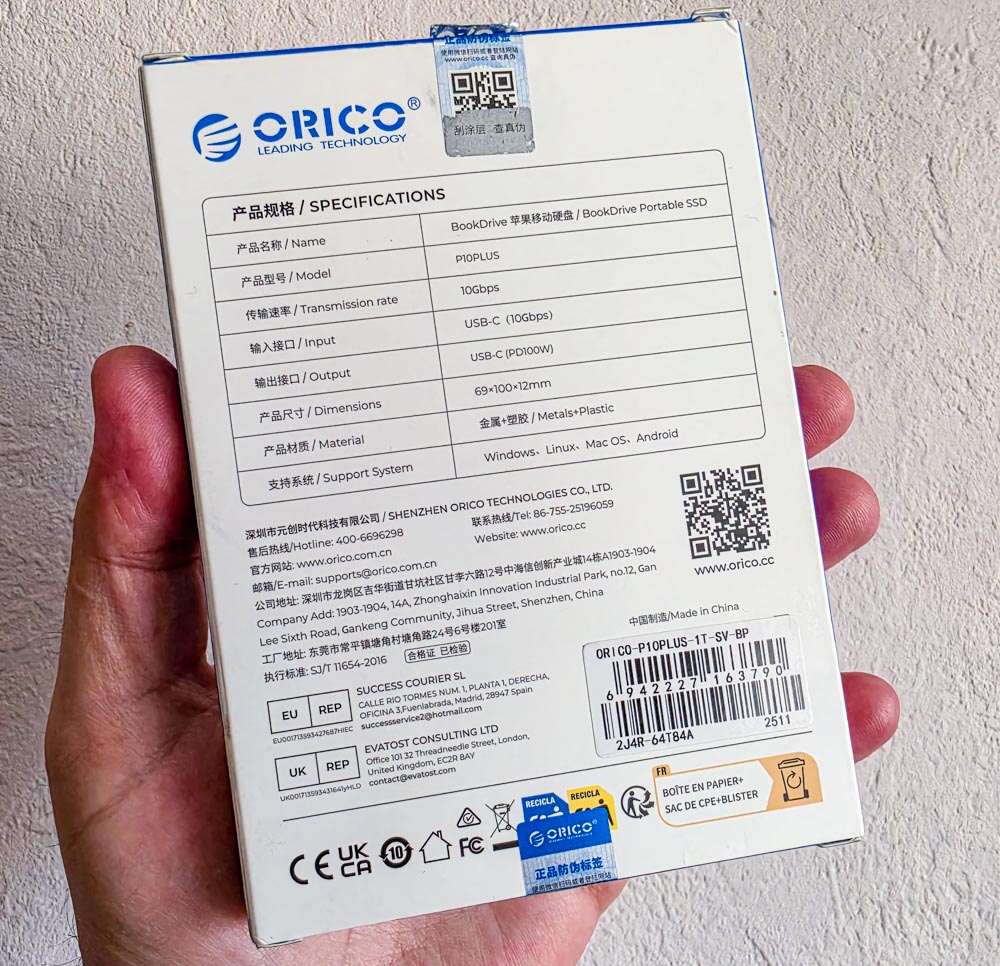
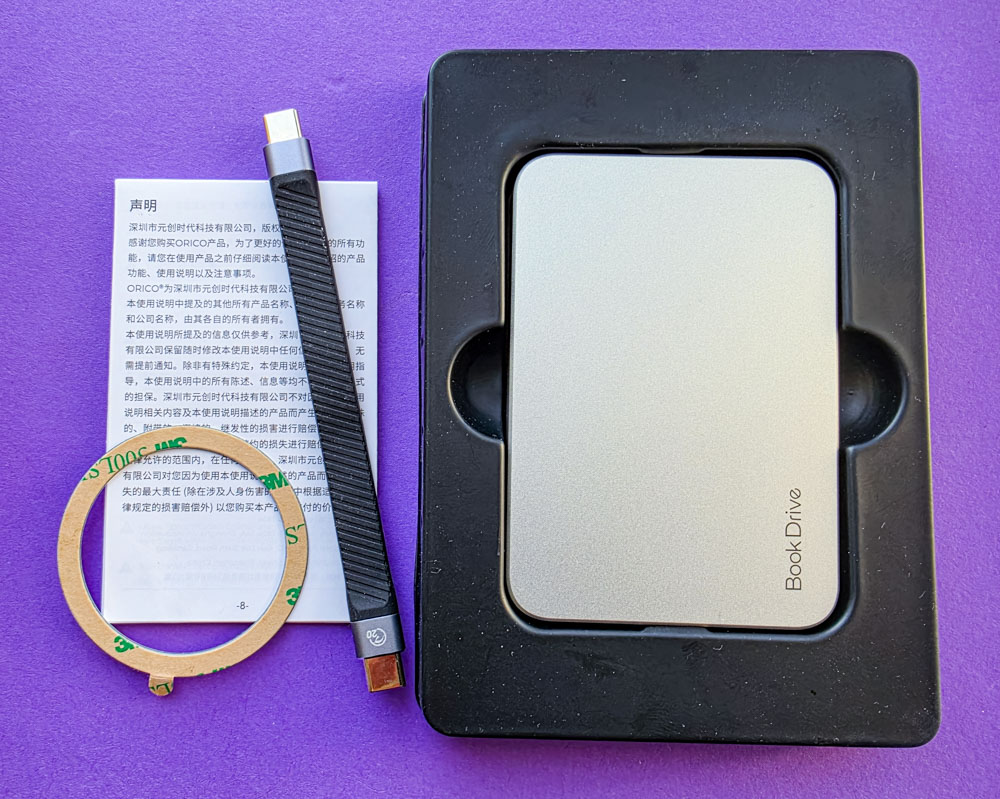
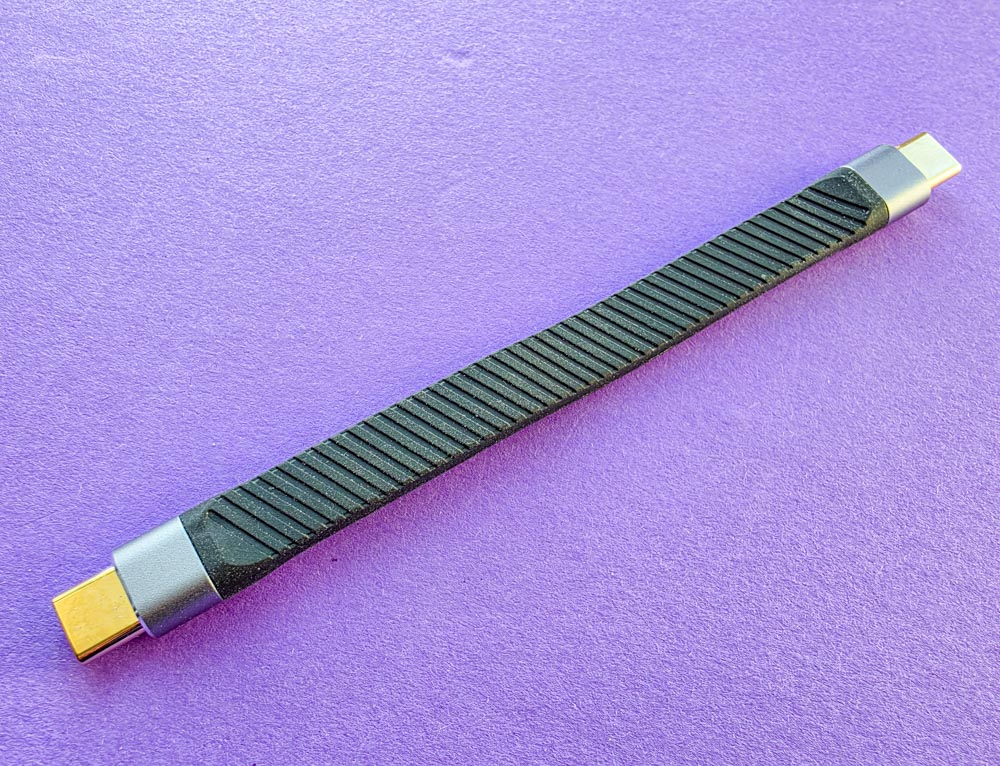
The ORICO BookDrive P10PLUS comes with a fairly minimal but practical set of accessories. Inside the box, users will find the SSD itself, a short flat USB-C to USB-C cable measuring 13 cm, a magnetic ring for attaching the drive to a smartphone, and printed documentation. A USB-C to USB-A adapter for connecting to traditional PCs is not included, which slightly limits out-of-the-box compatibility scenarios.
Read also: Orico X50 Review: A High-Speed SSD Enclosure
Design and Ergonomics
The корпус combines a matte grey metal finish on the main body with black plastic around the magnetic mounting area. Measuring 100 × 69 × 11.5 mm, the device remains compact and does not feel bulky even when attached to a smartphone.
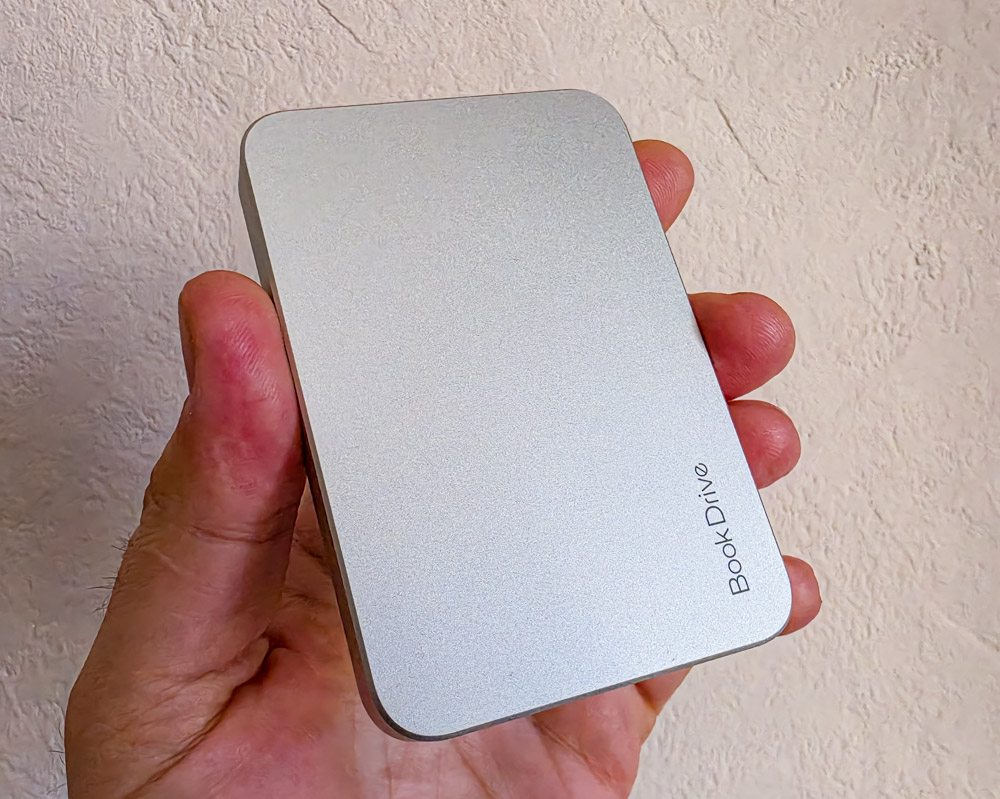
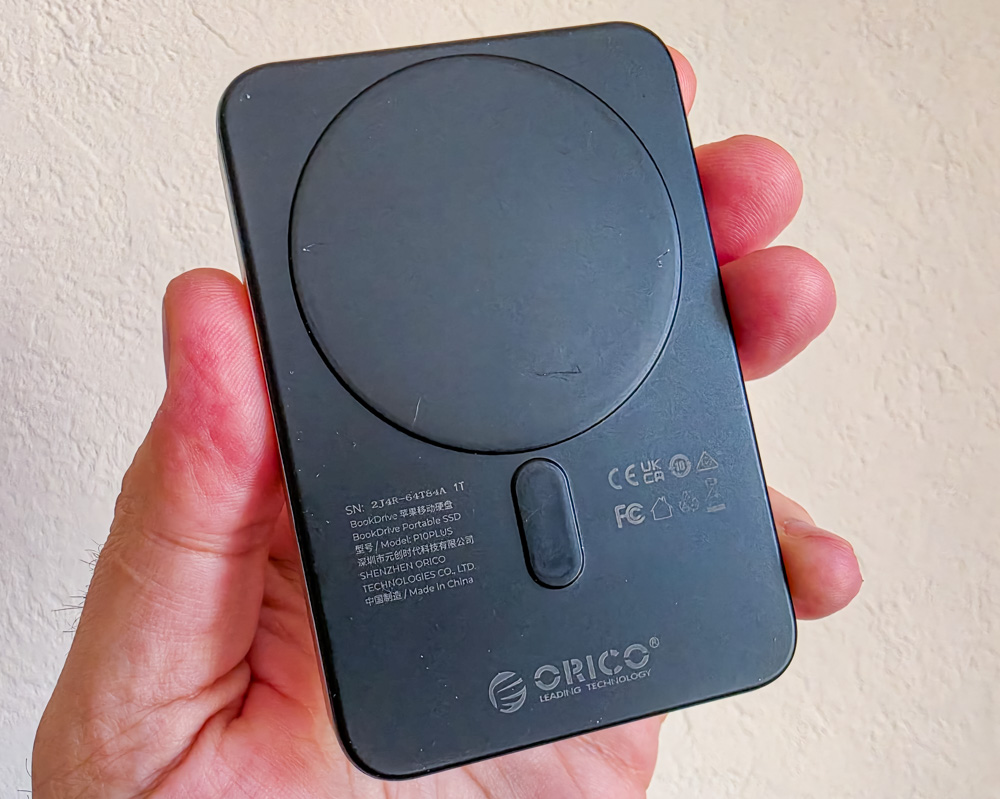
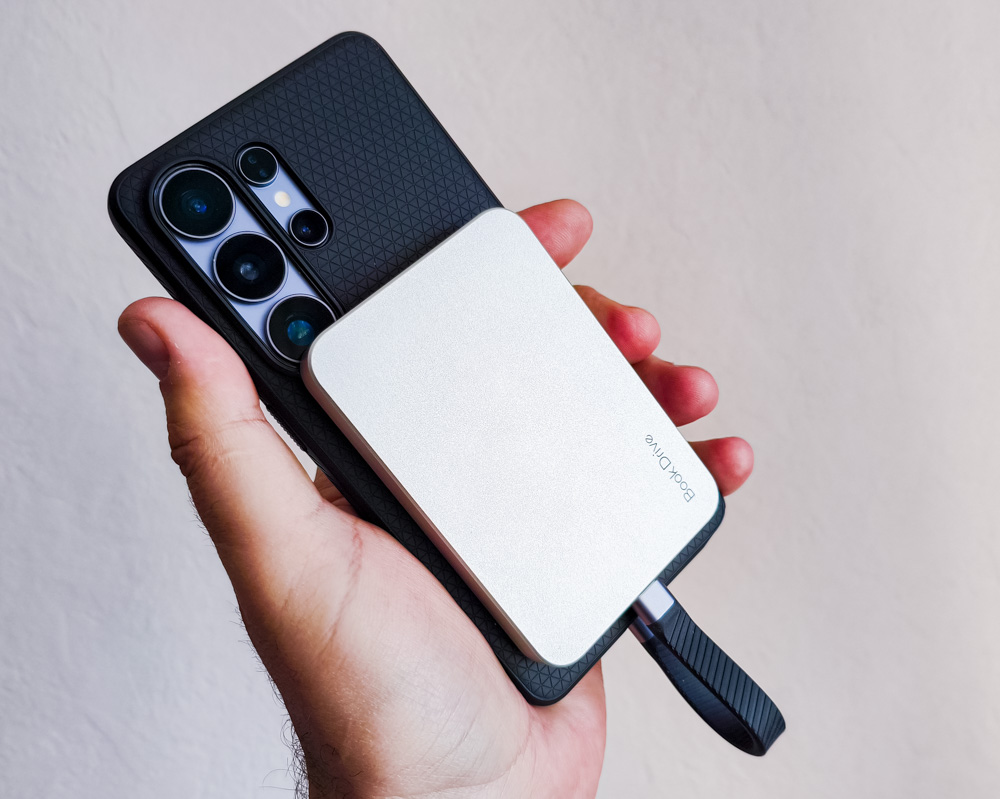
In hand, the ORICO BookDrive P10PLUS feels simple but well-made. It does not give the impression of being cheap, and the overall build quality is solid – there are no creaks, loose elements, or noticeable flex in the корпус.

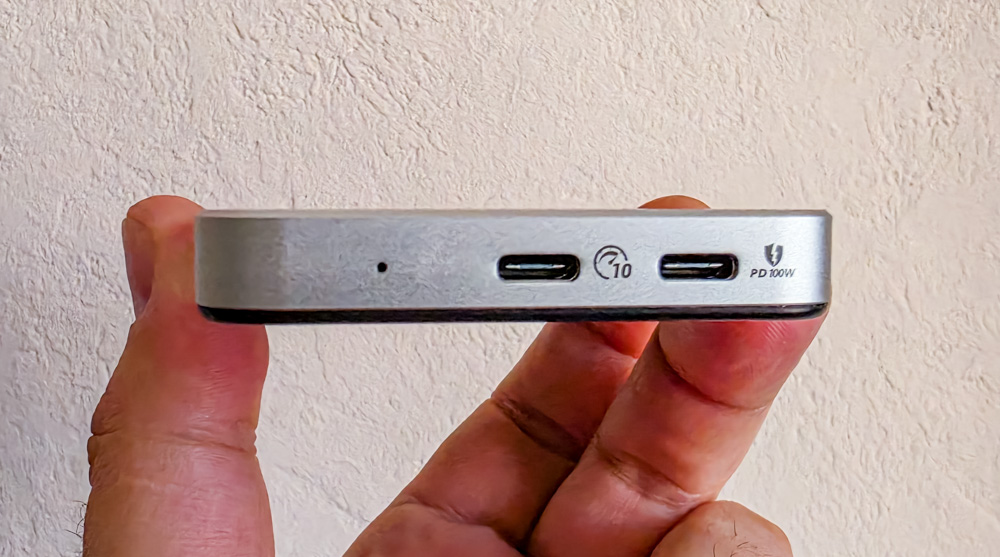
The USB-C connectors are located on the bottom edge – more specifically, there are two of them. One is used for directly connecting the drive to a device, while the second acts as a passthrough port, allowing the device’s USB-C connector to remain usable while the ORICO BookDrive P10PLUS is attached. In the PLUS version, however, this passthrough functionality is limited to charging only. A blue status LED is also positioned next to the ports to indicate drive activity.

Read also: Month with Orico K5 Mini: iPhone Memory Just Got Magnetic
Testing the ORICO BookDrive P10PLUS
PC Performance (CrystalDiskMark)
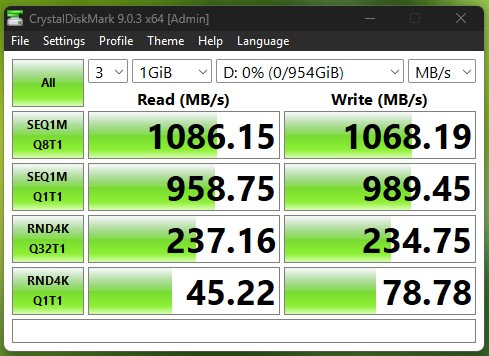
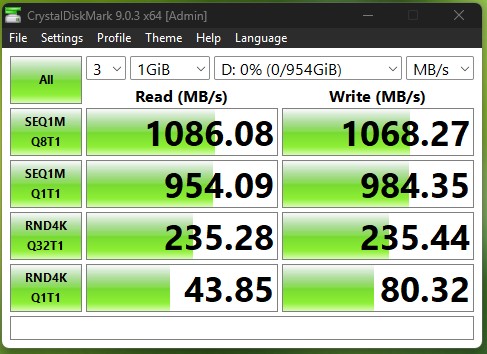
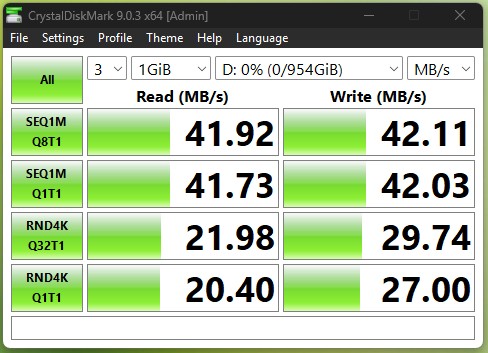
In CrystalDiskMark testing on a PC, the drive is capable of reaching its full performance potential when connected through a compatible USB port using either the included cable or a high-quality third-party high-speed cable (for example, one with DisplayPort support). The test was conducted on an ASUS ROG Strix SCAR 17 G733PY-LL020X laptop via a USB 3.2 Gen 2 Type-C port. The results are shown in the gallery below, with peak sequential read and write speeds reaching 1086 MB/s. When using a standard smartphone charging cable, however, transfer speeds predictably drop to around 40 MB/s (as shown in the final screenshot).
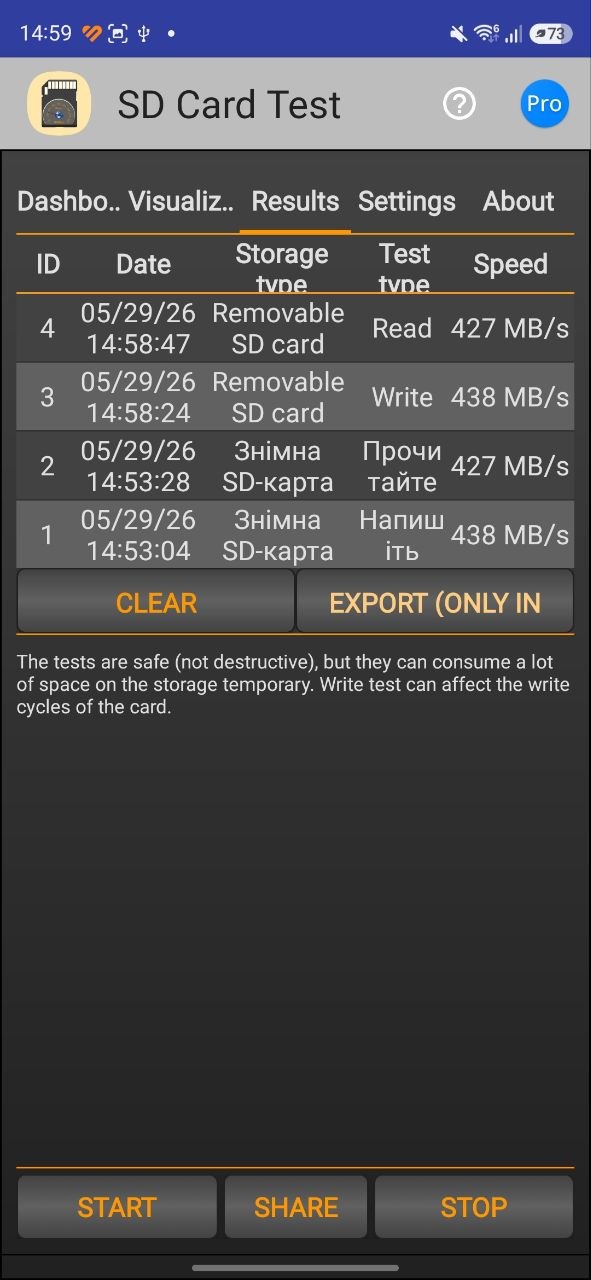
Samsung Galaxy S26 Ultra Smartphone – SD Card Test, Included Cable
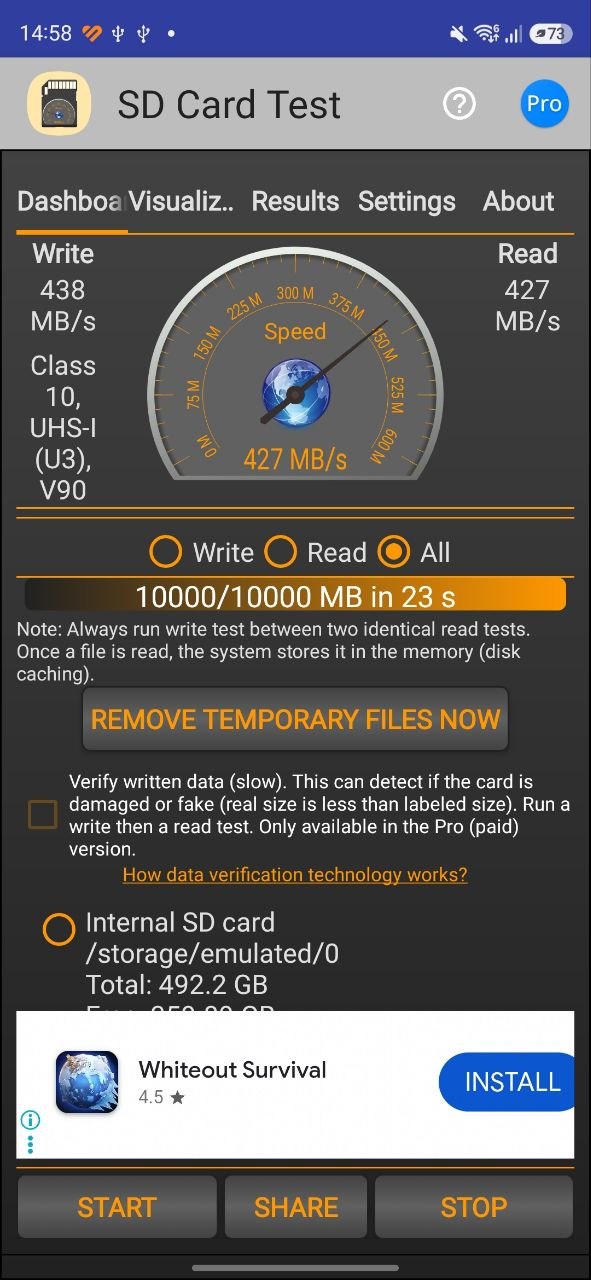
When paired with a modern flagship smartphone equipped with a USB Type-C 3.2 controller, the ORICO BookDrive P10PLUS delivered solid results. Although the drive did not reach its maximum rated speeds, the overall performance remained respectable. Data transfer throughput was reduced by nearly 60%, but read and write speeds of around 430 MB/s are still a strong result for a mobile device scenario. This level of performance is sufficient even for direct real-time storage of cinematic-quality video recorded on a smartphone camera using the APV codec.
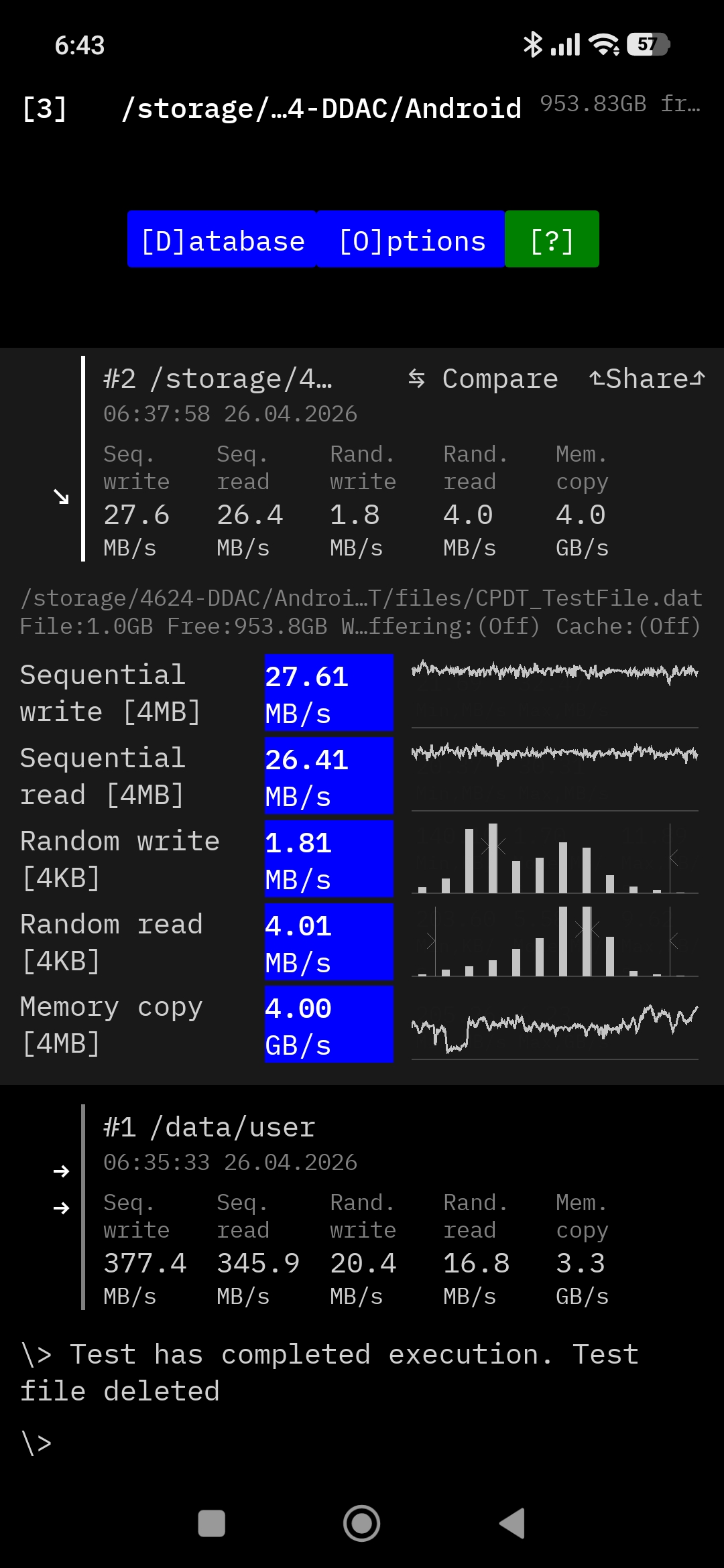
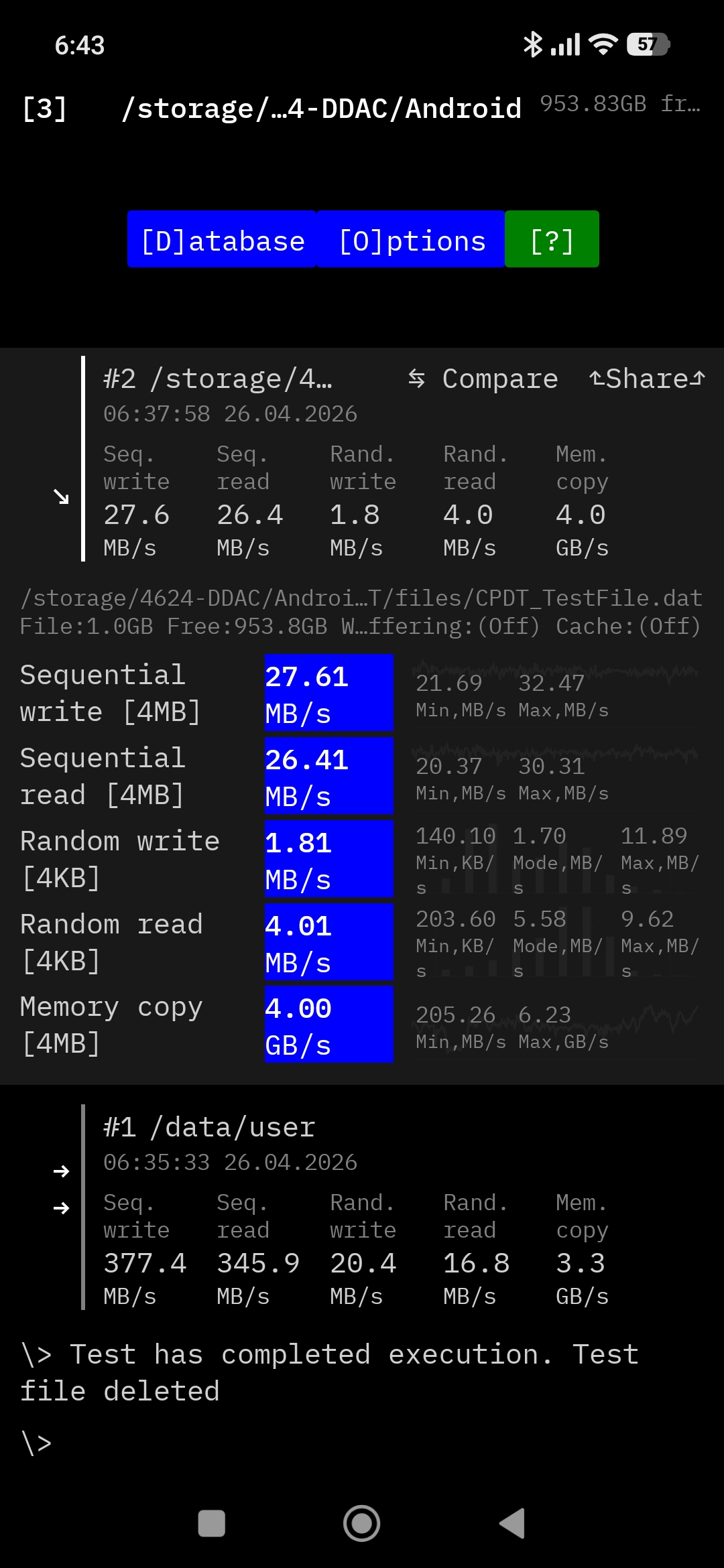
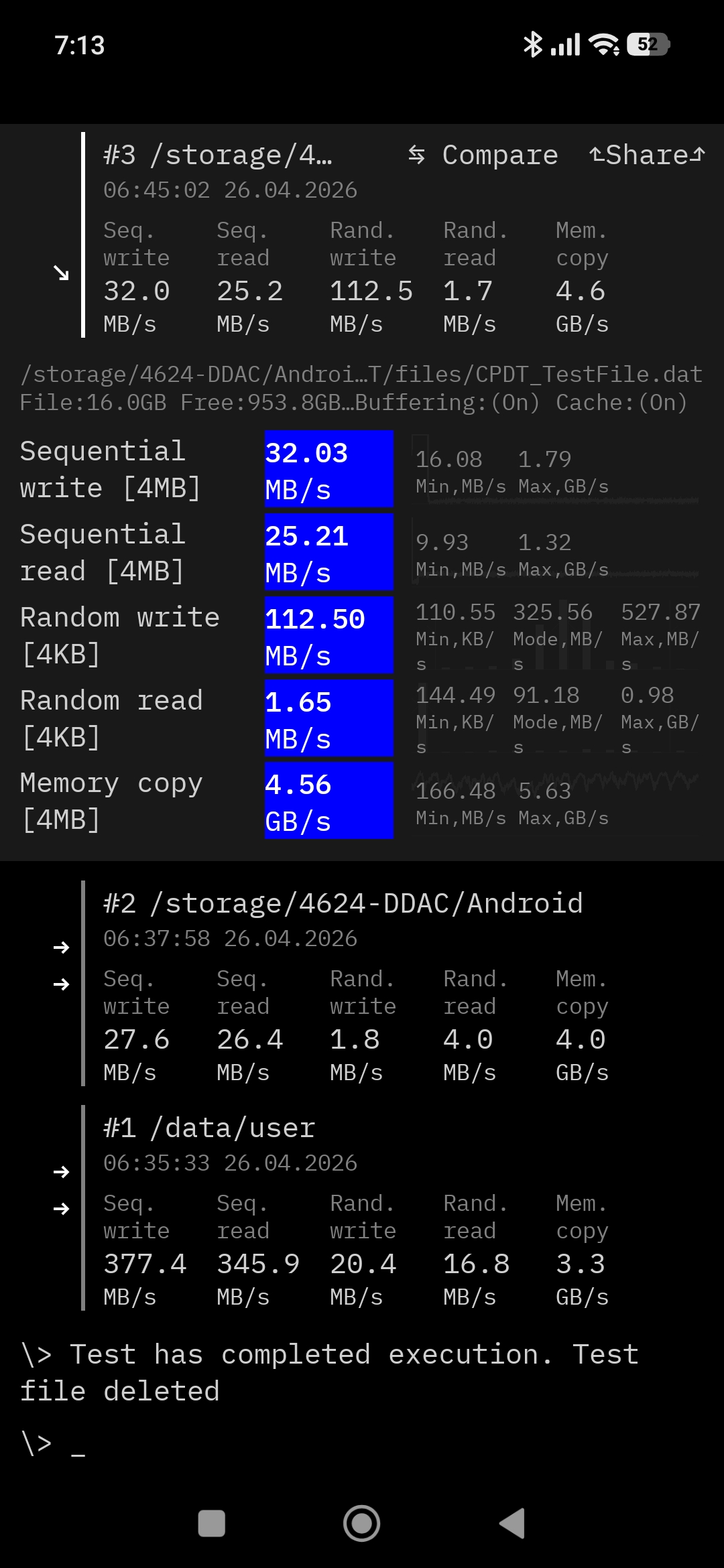
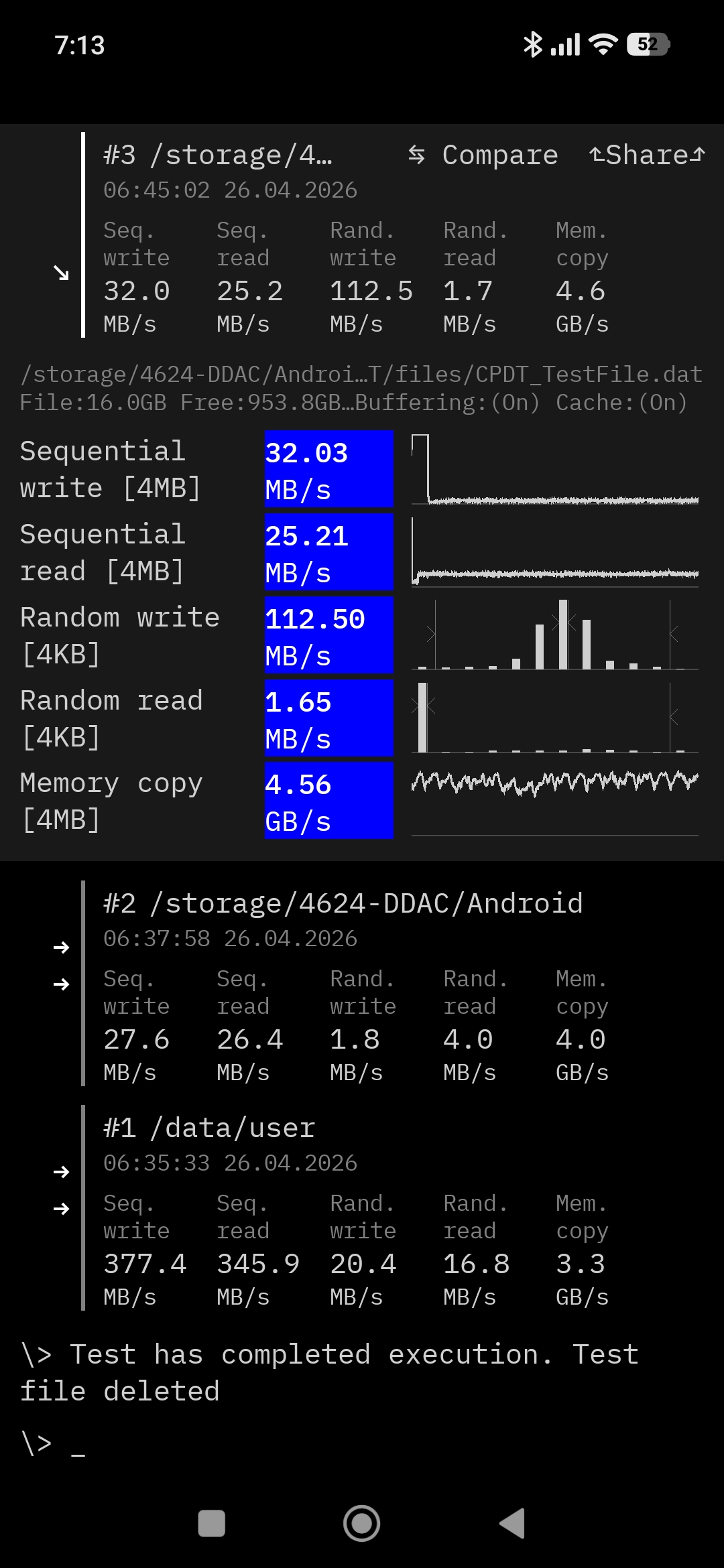
POCO M7 smartphone – CPDT, complete with cable
This was a typical budget Android smartphone equipped with a USB Type-C port, so the relatively modest test results were expected. The main limitation comes from the USB 2.0 standard itself, resulting in read and write speeds in the range of 25–35 MB/s.
Rad also: Orico PN-1 Portable Laptop Stand Review: Adjusting to You
User Experience with the ORICO BookDrive P10PLUS
In everyday use, the ORICO BookDrive P10PLUS left a positive overall impression. In all tested scenarios, the drive connected to devices without issues – the system recognized it immediately, and it was ready for use almost instantly. No overheating was observed during operation, which is important for maintaining stable performance during extended sessions. The magnetic mounting concept also proved genuinely convenient: the device attaches quickly, does not block the camera in most cases, and still allows comfortable day-to-day smartphone use.

However, on the Samsung Galaxy S26, when the magnets are positioned ideally, the drive partially covers the lower camera, and a small gap appears between the SSD and the case on the left side. Still, the attachment remains secure. It is also possible to simply reposition the accessory slightly lower beneath the camera module. In that case, the drive still holds in place, although the magnetic connection becomes somewhat weaker.
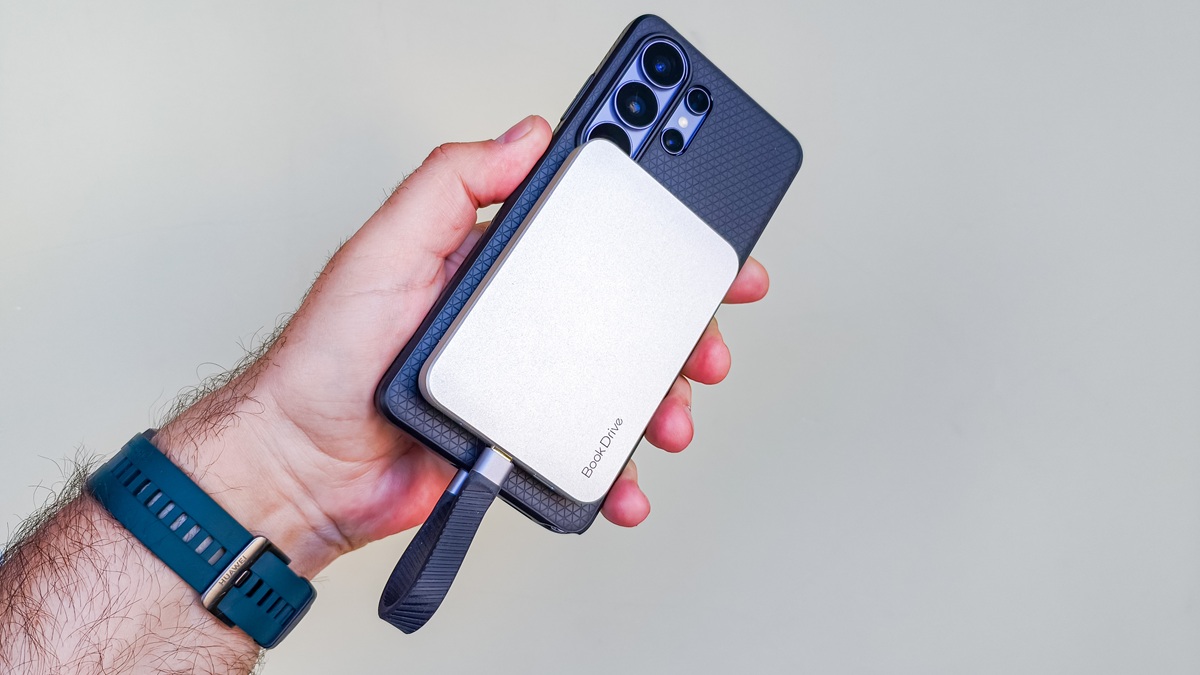
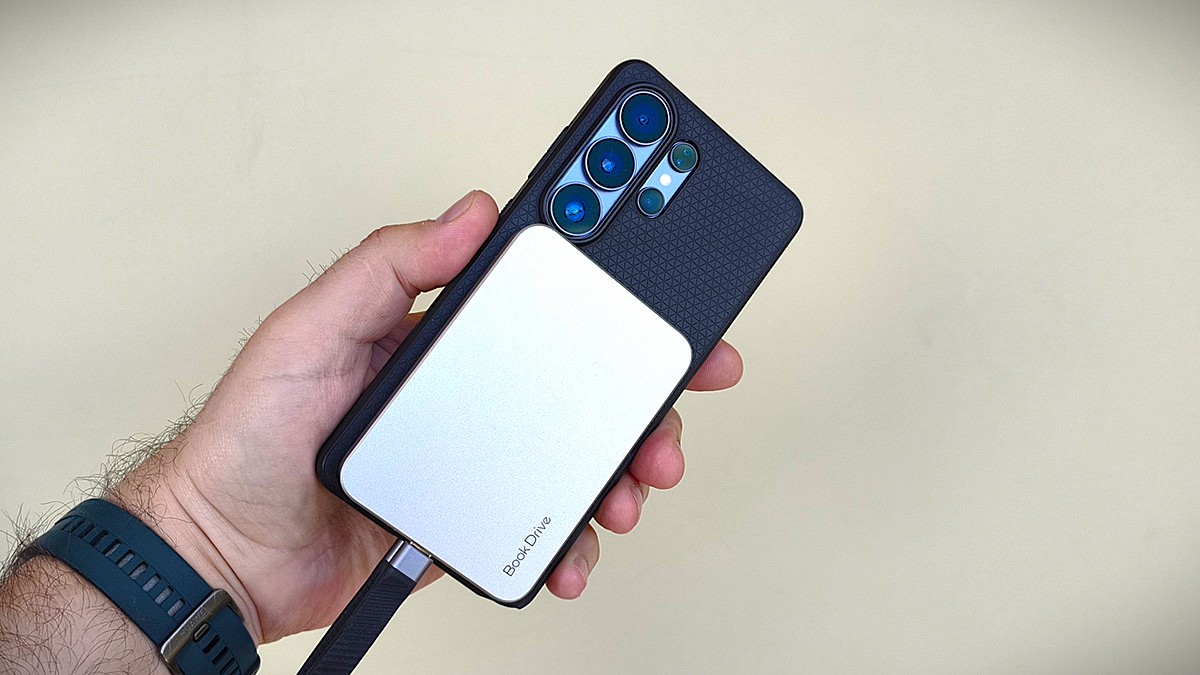
Real-world transfer speeds on a smartphone depend on the supported USB standard. If the device only supports the older USB 2.0 standard, users can expect speeds in the range of 20–40 MB/s. On flagship smartphones with USB 3.2 support, read and write performance increases by roughly a factor of ten. A useful addition is the passthrough USB-C port, which allows the smartphone to be charged while simultaneously using the external storage drive.
Read also: Top 10 Wireless Chargers for Smartphones
Conclusions
The ORICO BookDrive P10PLUS is a rather specific accessory that attempts to solve the problem of expanding smartphone storage in an unconventional way. Its core idea is a magnetic mounting system that allows the drive to be quickly attached to a phone. Compact dimensions, low heat output, and a passthrough USB-C port for simultaneous charging do add a level of convenience in everyday use.

In real-world use, the drive fully matches its stated specifications. The key requirement is having a compatible high-speed port on the host device and using either the included cable or a high-quality third-party alternative. Under these conditions, achieving speeds of up to 1050 MB/s is entirely realistic.

The drawbacks of the product are mostly minor and situational. The stiff included cable slightly detracts from the overall impression, and the magnetic mounting performance depends heavily on the presence and thickness of a phone case. Naturally, if you use a case with a built-in magnetic ring from the factory, the drive will adhere more securely. The enclosure height is also somewhat excessive for certain smartphones and may obstruct the camera. This is worth considering before purchase; a more compact SSD might be a better option depending on your device setup.
Overall, the ORICO BookDrive P10PLUS is an interesting solution for users who need a fast external SSD. It is a compact and convenient device that enables quick transfer of photos, videos, and files between different devices. As a pocket-sized tool for storage or everyday content transfer, it generally justifies its price.
Read also: Gamepad for smatrphone reviews
Where to buy the ORICO BookDrive P10PLUS


