





© ROOT-NATION.com - Use of content is permitted with a backlink.
Reviewing the Orico X50 is relatively straightforward for me, as I belong to the group of users who could theoretically make full use of the transfer speeds this model offers. The conclusion is fairly clear from the start: it is a well-designed, durable, and solidly built enclosure, likely among the fastest most users will encounter in practice. At the same time, it is positioned in the higher price segment.

TABLE OF CONTENTS:
Specifications
- Material: aluminium
- Interface: Thunderbolt 5
- Speeds: up to 6000 MB/s
- Dimensions: 110 × 60 × 18.7 mm
- Weight without SSD: ~150 g
- Total capacity: up to 4 TB (select models; the slot is empty as standard)
- OS support: Windows / Mac / Linux
Orico X50 video review
Price and Positioning
How expensive is it? The retail price for the specific X50-SV-BP configuration – the Orico X50 version without an included SSD – is around $240. On platforms such as AliExpress, the same model can typically be found closer to $210. It is not the most expensive Thunderbolt 5 SSD enclosure currently available, as several competing models are priced noticeably higher. At the same time, the X50 offers a number of advantages that will be covered later in the review.
A 15% discount is also available through the promo code RY6EA7J7HS0E when purchasing from the official website, linked below.
Package Contents
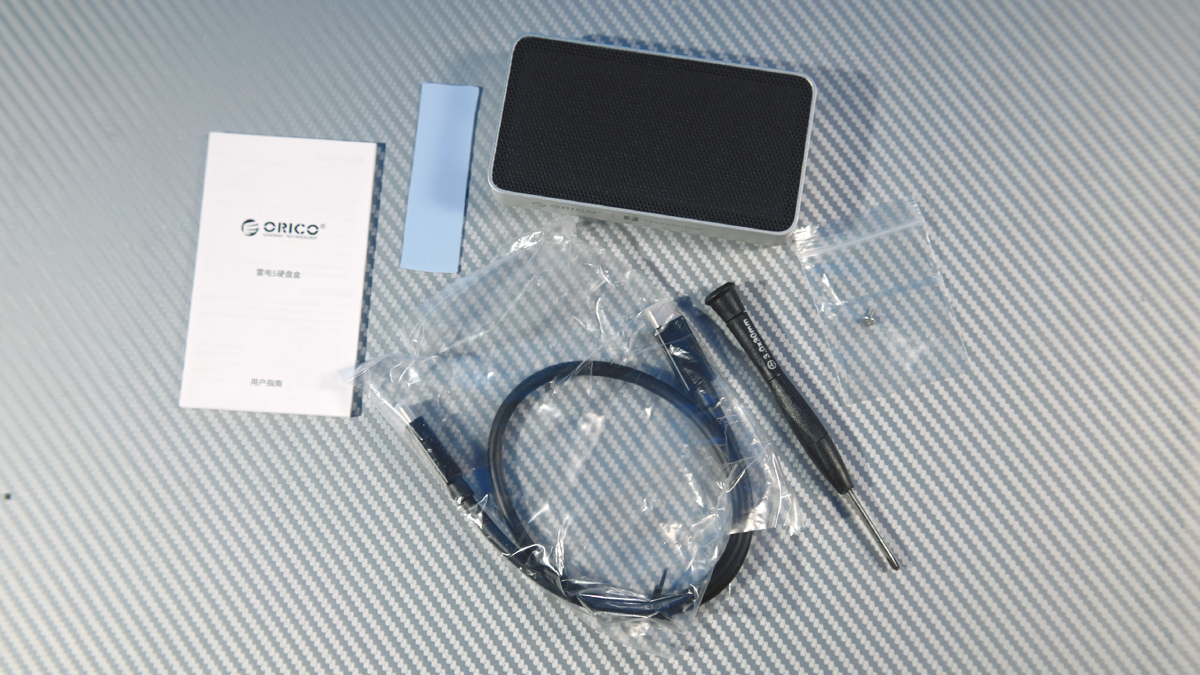
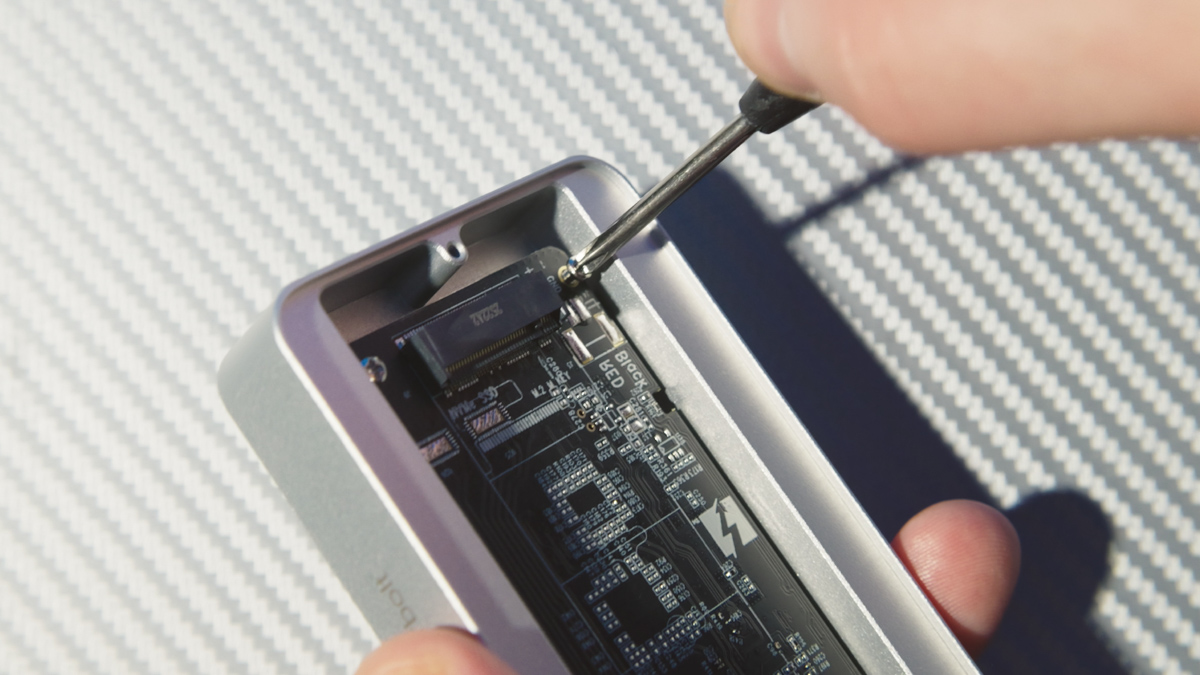
The package for the Orico X50 includes the enclosure itself, a short 80 Gbps Thunderbolt 5 cable, as well as a screwdriver, mounting screw, and thermal pad. The included screwdriver is serviceable, but its magnetic tip is quite weak and unable to reliably lift any of the six screws used to secure the components inside the enclosure. The screws themselves are standard and generally fine to work with, while the screwdriver feels more like a basic accessory than a particularly well-designed tool.
Design and Specifications
That said, what components are we actually talking about? Structurally, the Orico X50 consists of three main parts. The enclosure itself is built from roughly 150 grams of CNC-machined aluminum, split into two sections: the main body and the bottom cover. The cover also includes four rubber feet. Their contribution to the overall weight is minimal, bringing the total to approximately 154 grams.

The third major component is the PCB itself, equipped with the Intel JHL9480 and Realtek RTL9210 controllers. The former handles data transmission over Thunderbolt 5, Thunderbolt 4, Thunderbolt 3, and USB4, with theoretical support for USB 20/10/5 Gbps modes as well. The latter is responsible for bridging USB and PCIe communication within the enclosure.


The enclosure provides a single storage slot: an NVMe PCIe 4.0 x4 interface with an M-key connector. There is only one mounting position available, designed specifically for the 2280 form factor. In practice, shorter SSDs such as the IRDM Pro Nano can still be installed in the Orico X50, but they will not be secured as firmly inside the chassis due to the lack of additional mounting points.

On one hand, this makes the use of the thermal pad somewhat less convenient with shorter SSDs. On the other hand, slight movement of the drive inside the enclosure is unlikely to become a practical issue, as the Orico X50 is not designed as a rugged or impact-resistant device and does not carry any IP-rated protection. What it does emphasize instead is cooling capability, which appears to be one of the enclosure’s primary design priorities.
Cooling
For example, the black perforated section on the top of the Orico X50 is what Orico refers to as HydroSkin. According to the manufacturer, this is a hydrogel-based membrane intended to simulate the evaporative cooling process of human skin.

In practice, this means it is intended to transfer heat more efficiently to the surrounding environment, helping the roughly 150 g of aluminum mass avoid excessive heat buildup even without active cooling. In addition, the bottom cover is shaped like a heatsink and does not sit flush against the surface, since it is elevated by rubber feet.

Why is this necessary? This design matters because mainstream NVMe PCIe 4.0 drives can reach speeds of up to around 7 GB/s. Sustained data transfers at this level – for example, when working with video files – can cause the SSD to dissipate up to roughly 10 W of heat.
If this heat is not properly managed, the drive may throttle performance to reduce temperature, leading to lower sustained speeds. In more extreme cases, prolonged overheating can also negatively affect the lifespan of the memory cells or the controller.

The Orico X50 weighs only 187 g and measures 110 × 60 × 18.7 mm, while still being designed to dissipate up to around 10 W of continuous thermal load. From an engineering standpoint, that is a relatively compact footprint for this level of sustained heat handling. For comparison, some higher-end enclosures are significantly larger and heavier while targeting similar performance envelopes.
Intended Use Case
Before moving on to testing, it is worth clarifying who would realistically benefit from this level of performance and why this context matters. The only practical justification for purchasing the Orico X50 is to use it as a direct editing medium for video work. This is not limited to basic video editing, but specifically includes multi-stream interview footage recorded on high-end cameras.


For example, Apple ProRes 4444 XQ 12-bit at 8K and 24 fps produces a bitrate of around 810 MB/s. This is an extremely high-quality format, arguably beyond what is necessary for many practical workflows. In this context, the Orico X50 would be capable of sustaining roughly four such streams simultaneously from the SSD, with additional headroom remaining beyond that.


Why would you need four simultaneous streams like this? In practice, it is used for multi-angle interview editing, where footage comes from several cameras at once. Yes, this is a worst-case, highly demanding scenario. But if you are spending more on an SSD enclosure such as the Orico X50 than SSDs themselves used to cost before the price surge, then either you need substantial future-proofing, or your workflow has strict performance requirements that justify the investment.
Read also: ASUS TUF Gaming A16 2025 FA608UH Review: RTX 5050 Holds Its Own
Both are valid reasons. It simply may not be obvious to everyone.
In my case, it is understandable because I have worked with this type of workload more than once. However, my perspective is not universal.
Test Results
That said, let’s move on to the testing. This part requires some clarification, because the situation is not entirely straightforward. The theoretical peak bandwidth of Thunderbolt 5 is 80 Gbps. This corresponds to 10 GB/s of data throughput when converting bits to bytes by dividing by eight.

The manufacturer specifies speeds of up to 6 GB/s for the Orico X50. This is below the theoretical maximum of PCIe 4.0 SSDs, which can reach peak sequential speeds of around 7 GB/s. In other words, the full bandwidth potential of Thunderbolt 5 is not utilized. However, there is also no significant performance loss compared to the SSD’s native capabilities, unlike what would typically be observed with Thunderbolt 3, Thunderbolt 4, or USB4-based enclosures.

I tested the Orico X50 with several ASUS laptops, including models equipped with USB4 and others with Thunderbolt 5. The results were in line with expectations, with consistently solid performance and generally good thermal behavior under load.


Чесно – не кожен високошвидкісний SSD в КОМП’ЮТЕРІ такі температури побачить, тобто за перегрів не турбуйтесь.

The main concern here is compatibility rather than performance. Whenever I connected the Orico X50 to any port other than Thunderbolt 3 or higher, a system warning appeared indicating limited functionality for the connected interface. This behavior was consistent across all tested laptops, including the ASUS ProArt PX13, ASUS ProArt P16, and ASUS ROG Strix G16 G615LW. The issue was not device-specific; it occurred uniformly across all non-Thunderbolt 3+ connections.
The Issue
At first glance, this might seem acceptable – limited functionality is still better than no functionality at all. After all, no one expects USB 10 Gbps ports to provide USB4-level capabilities. However, the issue is more nuanced than that.

If a system warning about limited functionality appears, the enclosure is not actually recognized in a usable way. In other words, this is not a case of reduced performance; the drive simply does not mount or function properly. When connected to a port rated at 40 Gbps or higher, however, the enclosure works normally and operates as expected.

I do not attribute this to Orico. This appears to be a compatibility issue rooted in USB4 ecosystem implementation rather than a single vendor’s design choices.
The USB4 protocol is tightly integrated into Windows 11 behavior, and backward compatibility with USB 10/20/5 Gbps modes is not something that peripheral manufacturers like Orico can fully control. Instead, negotiation and fallback behavior are largely determined by the operating system stack and the USB-IF specification implementation. As a result, this is not an isolated case. Similar behavior can be observed with other USB4 devices, including my own USB4 hub, which also fails to properly enumerate when connected to USB 10 Gbps ports.

In this respect, credit is due to Orico. The company does not claim full backward compatibility with USB 20 Gbps or lower-speed modes anywhere in its official materials. Even the stated performance figures are presented with appropriate disclaimers.
Conclusions
In summary, the Orico X50 is not only visually well-executed, but also maintains good thermal performance and high transfer speeds under appropriate conditions. It is also reasonably versatile, within the limits defined by Orico. Unfortunately, the broader industry ecosystem does not always work in its favor and, in some cases, introduces compatibility constraints that reduce usability across different platforms. This is less about the product itself and more about the current state of USB/Thunderbolt implementation across hardware and software. Overall, the enclosure performs well within its intended operating conditions and can be considered a viable option for users with compatible systems.
Read also:
- Samsung Galaxy Buds4 Pro Review: Capable Flagship Earbuds, but Not for Everyone?
- SUNRA K6 electric scooter review: Quieter than water, faster than the wind
- Notepad++ for Mac Controversy: Detailed Breakdown of Conflict
Where to buy the Orico X50



Thunderbolt 5 Compatible, not native support?