





© ROOT-NATION.com - Use of content is permitted with a backlink.
Since the beginning of the year, I have used more than ten mechanical keyboards, which provides a basis for a more detailed evaluation of the be quiet! Light Mount than usual. At the same time, some aspects are considered with allowance for the fact that this is the first keyboard released by be quiet!.
Read also: All reviews of gaming keyboards

TABLE OF CONTENTS:
be quiet! Light Mount Specifications
- Dimensions: 212×461×44 mm
- Total weight: 1.19 kg
- Switch type: be quiet! Silent Linear
- Switch socket: Cherry MX 5-pin
- Layout: US layout, ANSI
- Materials: aluminium, ABS base, PBT keycaps
- N-key: Full NKRO via USB
- Caps: be quiet! PBT double-shot
- Stabilisers: Genuine Cherry, lubricated
- Polling rate: 1000 Hz
- USB port: 2.0
- Software support: be quiet! IO Center & IO Center Web
be quiet! Light Mount Video review
Price and positioning
Well, okay, not the first, but ONE of the first, because as well as the be quiet! Light Mount, there’s also the be quiet! Dark Mount, and the be quiet! Dark Perk mouse. And if you were expecting the be quiet! Light Mount to be cheap just because it’s the first one – no, it’s nearly $200.
Package contents and options
The included accessories reflect the product’s positioning. Notably, the be quiet! Light Mount comes with a wrist rest included in the box, which is not always standard even in this price segment. The wrist rest attaches magnetically and has a soft surface with a compliant feel. The package also includes a keycap and switch removal tool, as well as a two-meter USB-A to USB-C cable with a braided nylon sleeve.

Overall, there are eight versions available in the Light Mount lineup. Four use linear switches, and four use tactile switches. Among these, three configurations follow the ISO layout, while one uses the ANSI layout. These terms refer to differences in key shape and placement, where certain keys are adjusted to accommodate others. In simplified terms, an ISO layout can be identified by a taller Enter key.

The unit shown here is an ANSI sample. All versions are available in a single color option: black. The chassis features a polished metal surface that reflects light noticeably and resembles the finish often used on cooling hardware. Notable elements include a volume control wheel and a set of additional function keys on the left side.
Key advantages of the be quiet! Light Mount
The question, then, is why the Light Mount is priced at a level comparable to roughly two and a half typical keyboards, despite lacking both an internal battery and wireless connectivity.

First, size. The Light Mount does not aim for compactness. In fact, it exceeds the typical 108-key full-size format due to the inclusion of additional macro keys and relatively wide spacing between key clusters. A larger physical footprint generally correlates with higher manufacturing and material costs.

Next, the keycaps. These are among the highest-quality examples I have encountered. They are translucent double-shot PBT. While a previous sample of similar construction raised some concerns, this implementation does not exhibit those issues. The surface texture is noticeably rough and provides a firm, high-friction feel, comparable to fine-grit sandpaper.

It is difficult to identify equivalent aftermarket components for these parts, so they are most likely proprietary designs developed by be quiet!, which also contributes to the overall cost. The same applies to the custom be quiet! switches.

There are also proprietary mechanical switches rated for up to 100 million keystrokes, available in both linear and tactile variants. In addition, the keyboard includes factory-lubricated stabilizers and a standard Cherry-style stem for keycap compatibility. Other design elements include two-stage adjustable feet and a recessed cable routing channel. The construction also incorporates a three-layer sound-dampening system aimed at reducing keypress noise. An audio sample is available in the video review above.
Software and lighting
Next is the proprietary software, IO Center. It is positioned as a unified configuration tool and is available in both online and offline versions. In terms of functionality, it provides a relatively broad set of customization options compared to typical keyboard configuration utilities.
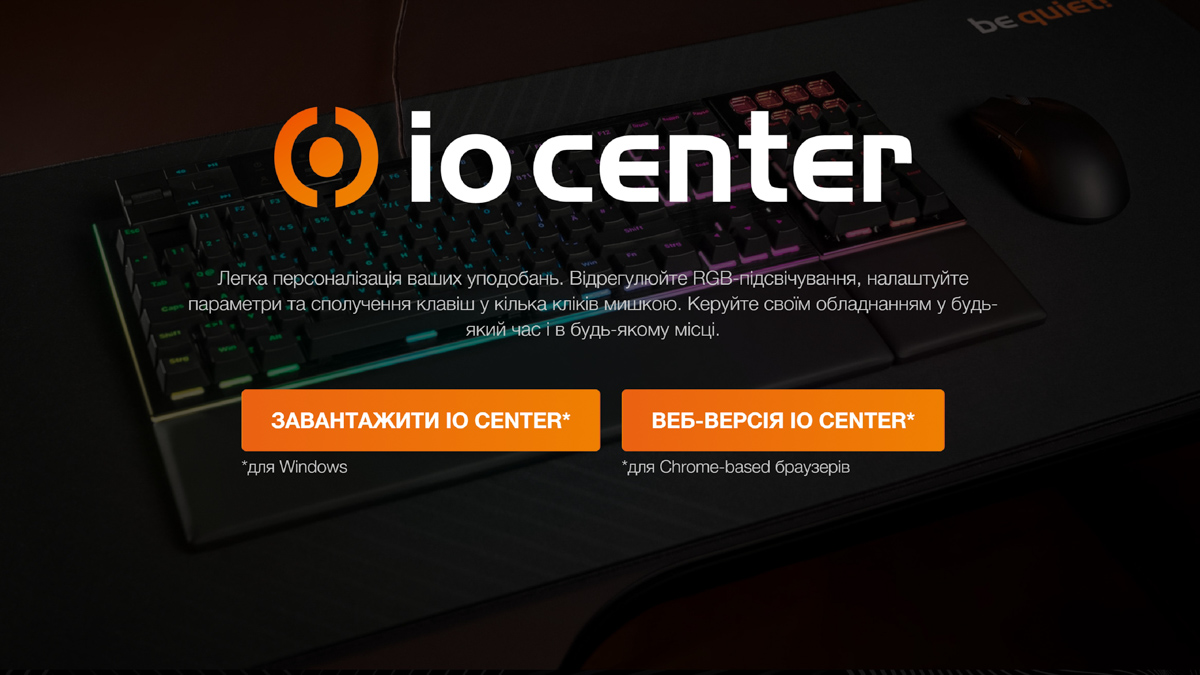
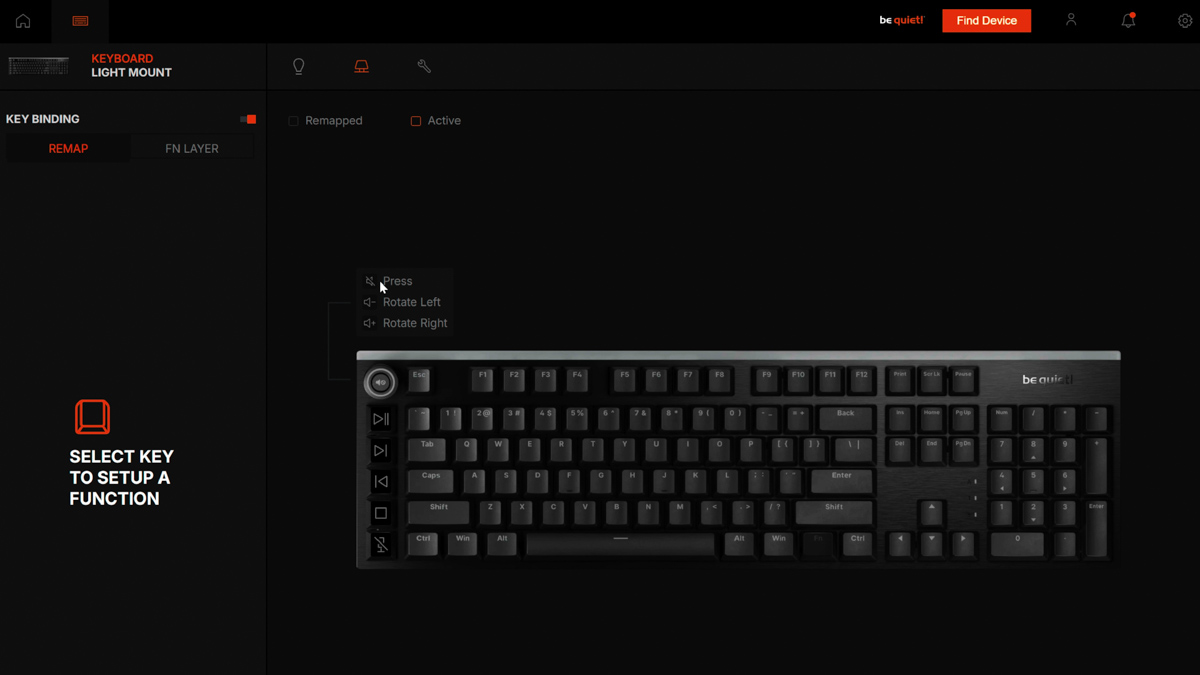
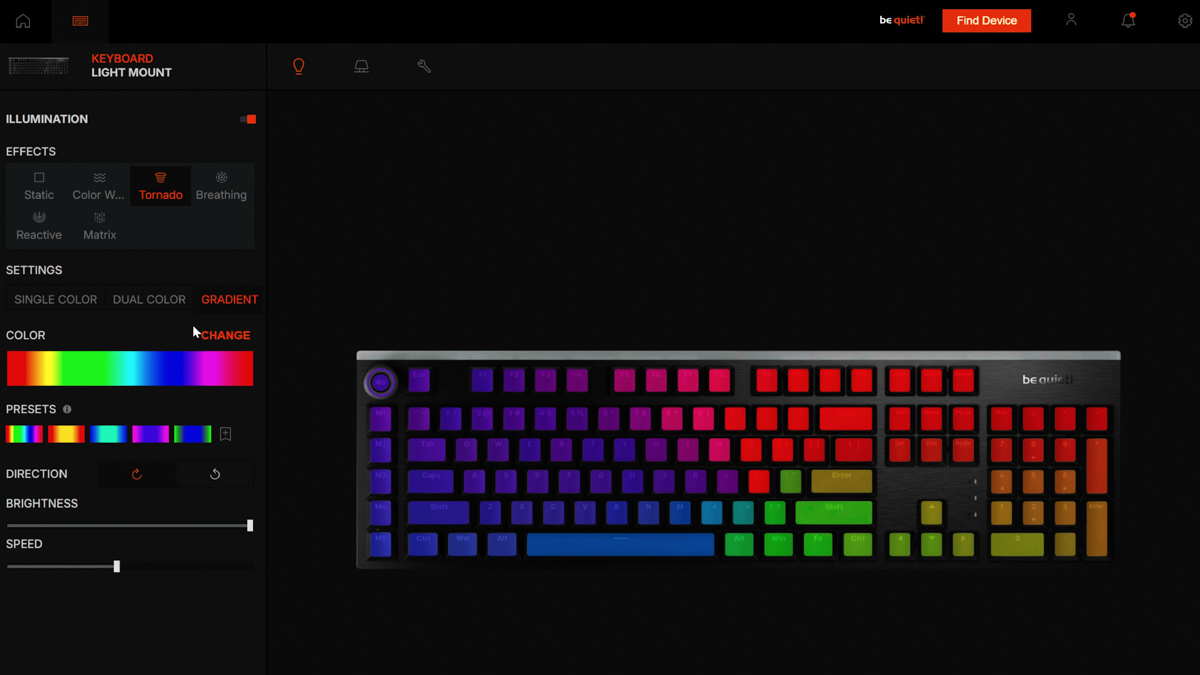
The number of options is somewhat lower than expected, but there is still a substantial set of key remapping functions available. The Fn layer switch also adds additional input possibilities, and the lighting presets cover a reasonable range of effects. IO Center does not provide every feature that might be anticipated, but it does offer a fairly broad feature set and appears stable in operation.

The lighting system is also extensive. The keycaps are semi-transparent PBT, and the keyboard additionally uses a top diffuser strip along with side light bars on both edges. While minimal lighting setups are often preferable for some users, this implementation clearly prioritizes maximum illumination coverage.
Drawbacks
The following section outlines the observed drawbacks. These are partly subjective, partly non-critical for everyday use, and in some cases likely related to initial software or firmware maturity. For example, out of the box and without a firmware update, the Alt+Tab shortcut did not function correctly: both Alt and Tab keys worked independently, but the combined shortcut did not register.

Firmware updates are performed via a web interface and complete quickly. It is reasonable to assume that early firmware behavior may be imperfect, and in this case it is not considered a critical issue.
However, a more unexpected finding was that compatibility mode for Microsoft Dynamic Lighting was enabled by default. This initially created the impression of a malfunction, as it appeared that only a blue lighting mode was available.

The test setup uses an ASUS ProArt P16 laptop, which has a single-zone keyboard backlight. It was initially assumed to be white, but it is actually blue-tinted. This became apparent when the Light Mount keyboard synchronized its lighting with Windows Dynamic Lighting and matched the laptop’s blue backlight. After disabling Dynamic Lighting in Windows, full RGB functionality on the keyboard was restored.
In practice, Dynamic Lighting had not previously been encountered in a way that affected external keyboards, so this behavior was unexpected. It is not a hardware defect; rather, it is a software-level interaction that can override expected lighting behavior. If the keyboard backlight behaves incorrectly, checking the Windows Dynamic Lighting settings is a necessary troubleshooting step.
User experience with the be quiet! Light Mount
The third point is subjective and cannot be strictly classified as a defect, since in other contexts it may be considered an advantage. The be quiet! Light Mount is deliberately not designed around my personal preferences. It uses OEM-profile keycaps with sharp edges and a notably high-friction surface texture.

In an earlier video, I explained the difference between sharp OEM profiles and softer KAT profiles. The key distinction is that softer profiles reduce finger catch on edges during typing. In this case, however, the keycaps combine sharp OEM-style edges with a high-friction, textured surface. As a result, typing felt noticeably less comfortable in my use case. It should be noted that I rely on visual typing rather than touch typing due to carpal tunnel syndrome, which makes the interaction with the keycap shape and texture more noticeable in daily use.

Is the keyboard good for gaming? Yes, it performs well in games. Is it useful that the macro keys have a distinct tactile height? Yes, that distinction is functional. Would I want the be quiet! Light Mount to be different? No. It is intentionally designed this way. The keyboard is not meant to match my personal preferences. Different keyboards are intended for different users, and different keycap profiles are suited to different tasks.

Would it change the situation if the keyboard included an additional set of custom semi-transparent black KAT-profile keycaps with a smooth surface? Yes, that would effectively resolve most of the comfort-related issues in my use case. Such an inclusion would likely increase the overall cost significantly. Whether this is feasible in future revisions remains uncertain. If it happens, it would be a welcome addition.

However, there is a fourth issue. These keyboards will not include Cyrillic legends. This limitation is related to the keycaps themselves: with semi-transparent PBT materials, implementing additional legends remains technically challenging. According to the manufacturer, engraving was not considered a viable option from a commercial standpoint. This justification is not particularly relevant in the context of user experience priorities. In practical use, the absence of Cyrillic labeling is a noticeable drawback. Typing becomes less stable due to the lack of visual reference points, which affects muscle memory support and overall input consistency.

In practice, there are two main solutions: adhesive stickers or some form of engraving. I proposed that the manufacturer could potentially coordinate with retailers to offer discounted or even complimentary laser engraving services specifically for the Light Mount and Dark Mount models. This would introduce a trade-off: the keyboard’s visual consistency would be reduced, since additional engraved legends would not be backlit and only the primary legends would remain translucent. However, this approach could significantly improve usability for users who rely on Cyrillic input and visual key guidance.

Custom keycaps are also always an option, and in this case I would consider it a practical workaround. If a user is already spending around 200 USD on a keyboard, allocating an additional ~25 USD for replacement keycaps is generally feasible, provided this is planned in advance. This is precisely the kind of consideration this note is intended to highlight.
Conclusions
So, the conclusion is the following. Who should consider the be quiet! Light Mount? It is primarily suitable for users who are already aligned with the be quiet! ecosystem, such as those choosing the be quiet! Dark Rock 5, where the price is relatively high despite the absence of lighting features. The same logic applies to the keyboard. It does not include wireless connectivity or an internal battery, but instead focuses on a different set of design priorities and build characteristics.

It emphasizes high durability, deliberate engineering choices, structural solidity, and a unified design approach. The keyboard uses semi-transparent PBT keycaps, provides extensive RGB lighting, and includes feature-rich configuration software. The identified drawbacks are either subjective in nature or unlikely to affect everyday operation after a short adaptation period. Therefore, if the absence of Cyrillic legends is not a limiting factor for the user, the keyboard can be reasonably recommended.
Read also:
- Samsung Galaxy S26 Ultra Review: Reference Flagship Without Major Changes
- Zalman P50 DS Review: Gaming Case with Integrated Display
- Quasar 3 ULTIMA 8K Gaming Mouse Review: New Offering from HATOR
Where to buy the be quiet! Light Mount


