




© ROOT-NATION.com - Use of content is permitted with a backlink.
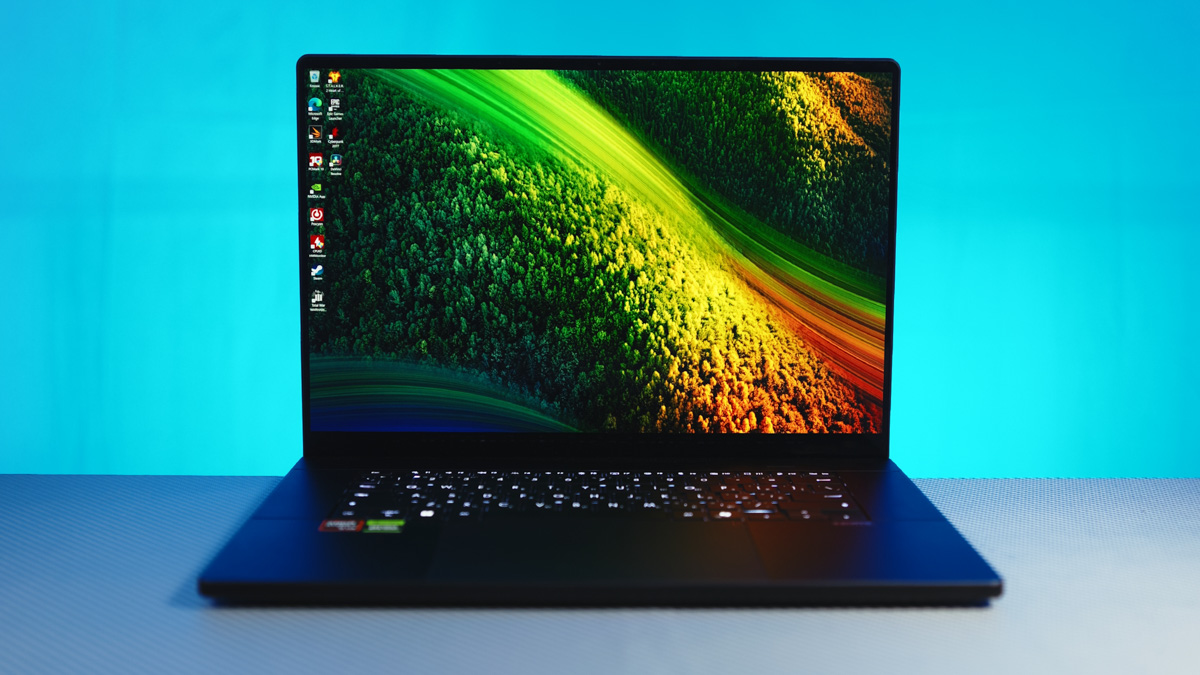
The more I examine and analyze the performance of desktops and laptops, the clearer it becomes that 2025 has been a year in which gaming is no longer the industry’s main focus. What has taken its place? Artificial intelligence, as well as rendering and energy efficiency. This shift has eliminated many of the common issues associated with portable formats – something particularly noticeable in high-end workstation laptops like the ASUS ProArt P16 H7606WX.
Read also: All ASUS laptop reviews
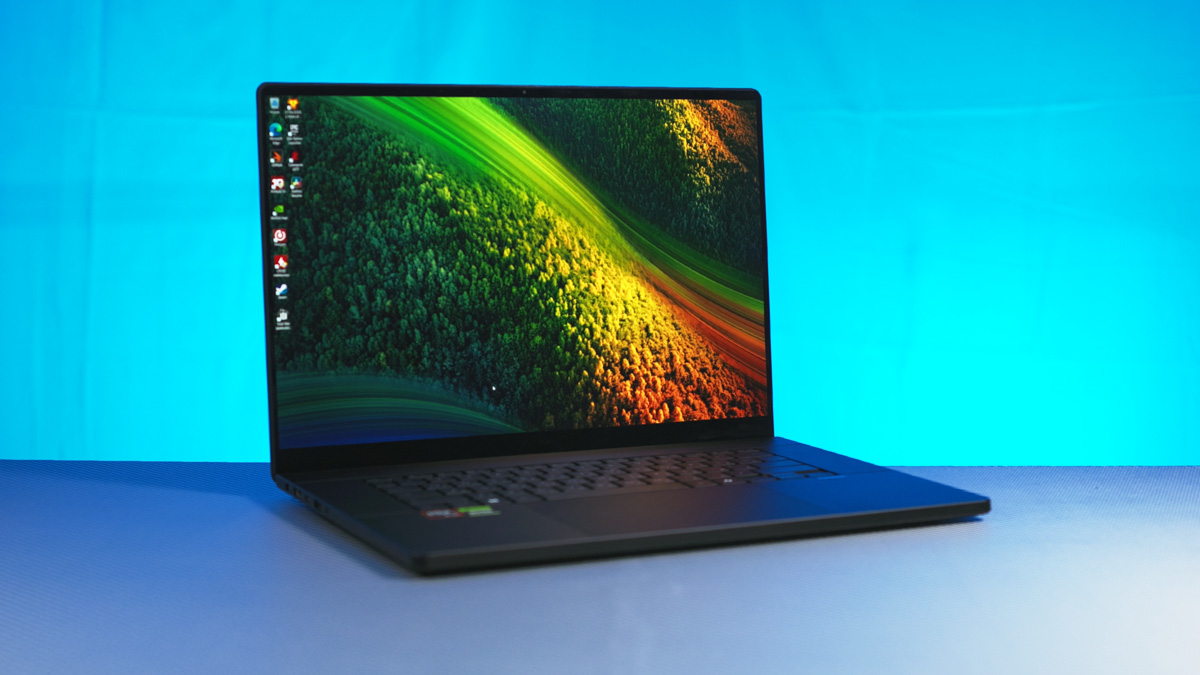
TABLE OF CONTENTS:
Specifications
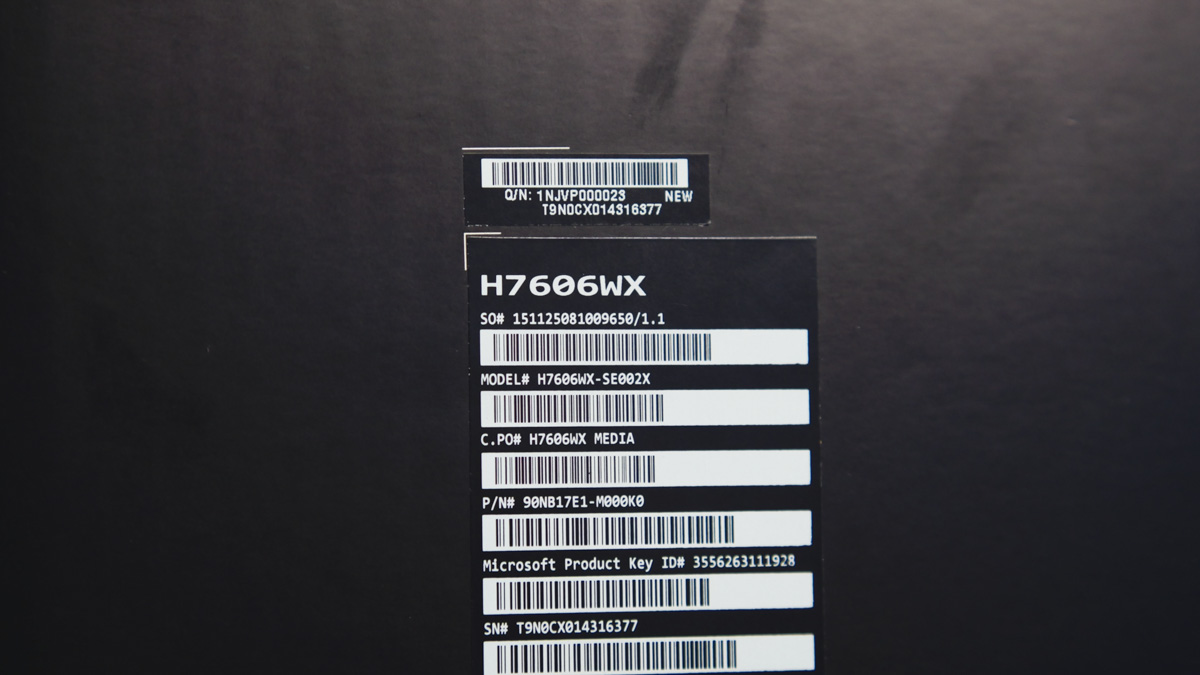
- Configuration: 90NB17E1-M000K0
- Model name: H7606WX-SE002X
- Touchscreen: Yes
- Display: 16-inch, 4K (3840×2400) OLED 16:10, 16 inches, 120 Hz refresh rate, 0.2 ms response time
- Peak brightness: 1600 nits
- Color gamut: 100% DCI-P3
- Processor: AMD Ryzen AI 9 HX 370
- Integrated graphics: AMD Radeon 890M Graphics
- Video card: NVIDIA GeForce RTX 5090 Laptop GPU
- Video memory: 24 GB GDDR7
- Neural processor: AMD XDNA NPU up to 50TOPS
- Expansion slots: M.2 2280 PCIe 4.0×4 + 1x M.2 2280 PCIe 4.0×2
- Storage: 2 TB M.2 NVMe PCIe 4.0 SSD ×2
- Built-in memory: 64 GB LPDDR5X 7500 MT/s
- Webcam: FHD + IR, with Windows Hello support
- Wireless adapter: MediaTek MT7925 Wi-Fi 7 802.11be 2*2 + Bluetooth: 5.4
- Power supply: rectangular plug, 240 W
- Required USB charging power: 45 to 100 W
- Battery: lithium-ion, 90 Wh
- Dimensions: 35.49×24.69×1.49 cm
- Weight: 1.98 kg
ASUS ProArt P16 H7606WX video review
Positioning and price
However, everything has its price, and the transition is not cheap. Specifically, the review model, H7606WXWX-SE002X in the 90NB17E1-M000K0 configuration, costs $5,500. And for a laptop with maximum performance (not counting corporate and professional components such as Quadro), this price is justified and expected.
In particular, unlike 99% of laptops in its class, the ASUS ProArt P16 H7606WX is built not on an Intel Core Ultra, but on the AMD AI 9 HX 370. I can’t recall the last time a processor generation brought with it so many striking advantages alongside equally significant limitations.
Package contents
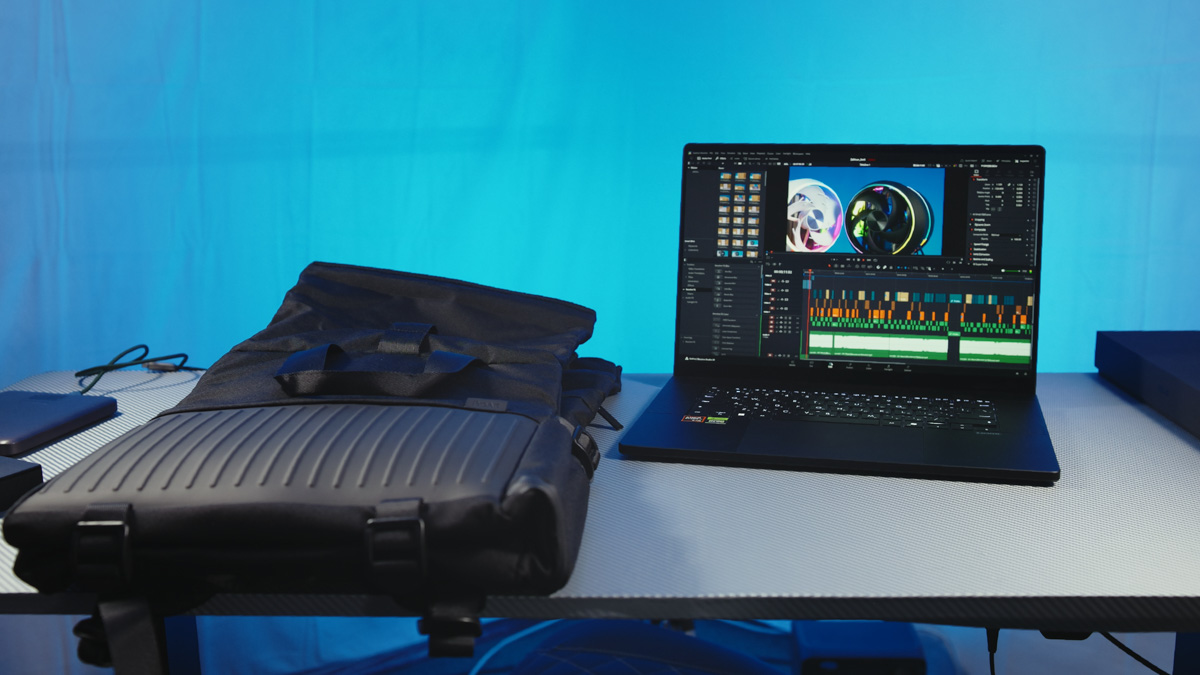
Being a true flagship model, the ProArt P16 H7606WX comes not only with the laptop and a 240 W charger, but also includes a branded backpack.
Design
If the laptop’s design were to be summarized in two words, they would be “restraint” and “classic.” It is a very typical workstation laptop in aluminum, finished in solid black. It has few distinguishing features, with the logo on the lid positioned subtly at the top.
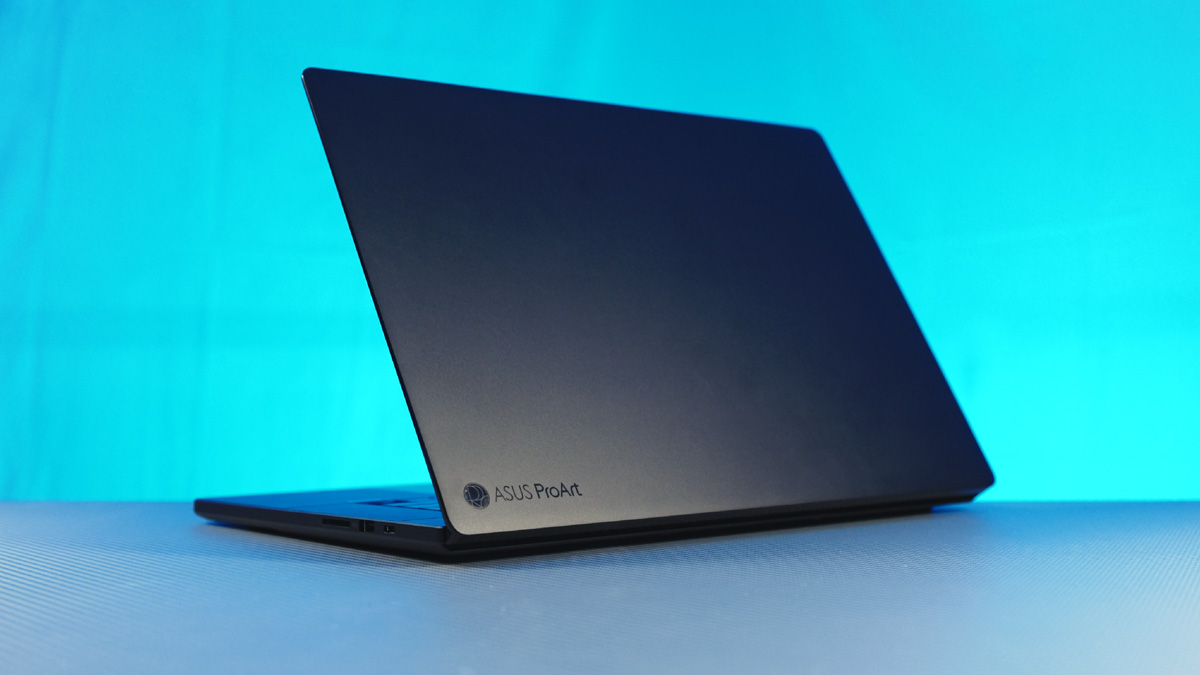
There are no RGB lights or unnecessary decorative elements, and all ports are positioned on the left and right sides, with none at the rear. The lid features a chamfered edge around the perimeter, making it easier to open the laptop with one hand. The metal construction is sturdy, with minimal flex, and the display bezels are thin.
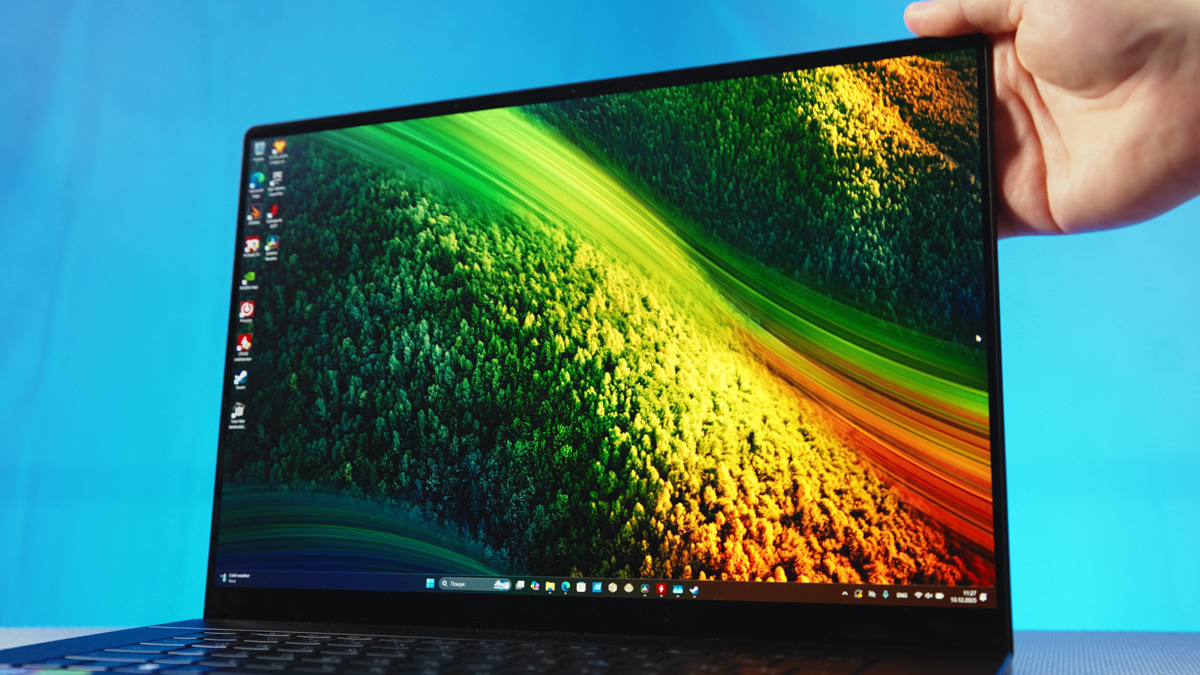
It was surprising to find that the 16-inch laptop lacks a numeric keypad. This can be partly forgiven, as the ProArt P16 is one of the smallest and lightest laptops equipped with an RTX 5090 – measuring 35.49 × 24.69 × 1.49 cm and weighing under 2 kg. It has also passed MIL-STD 810H tests for shock and temperature resistance. For more details on what this means and why IP68 is not relevant, see a separate article.
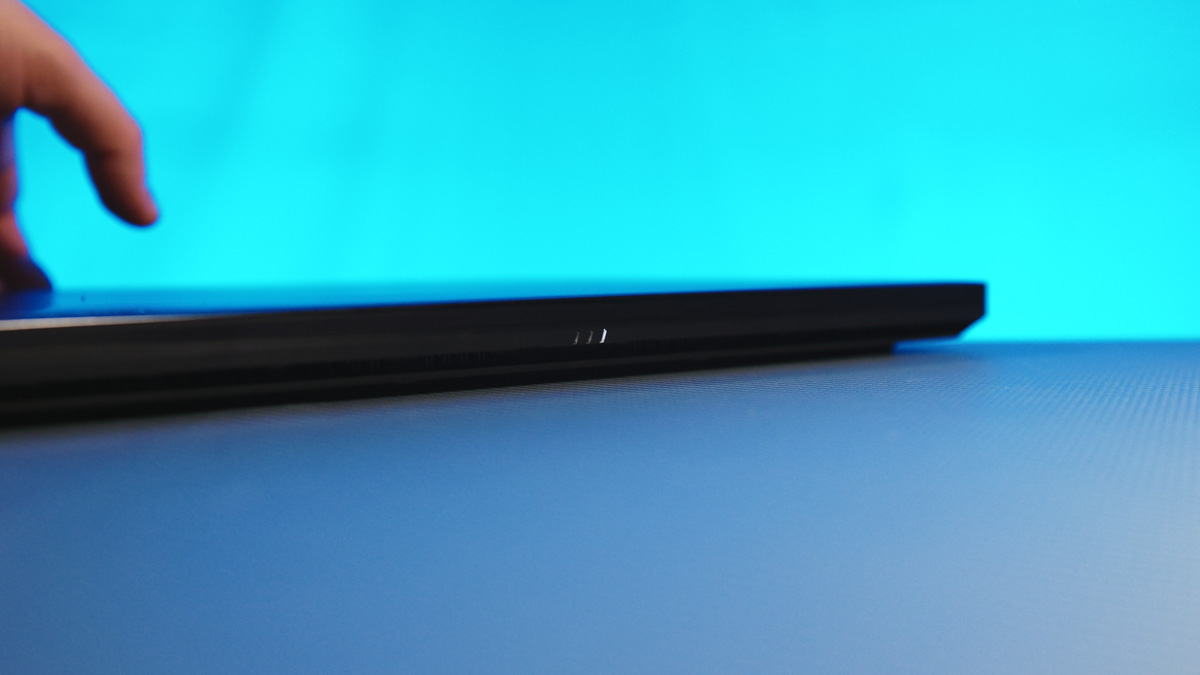
The only major issue I have is the placement of the power and charging indicator – it’s located on the bottom edge. This means that when the laptop is open, you cannot see whether it is charging or not.
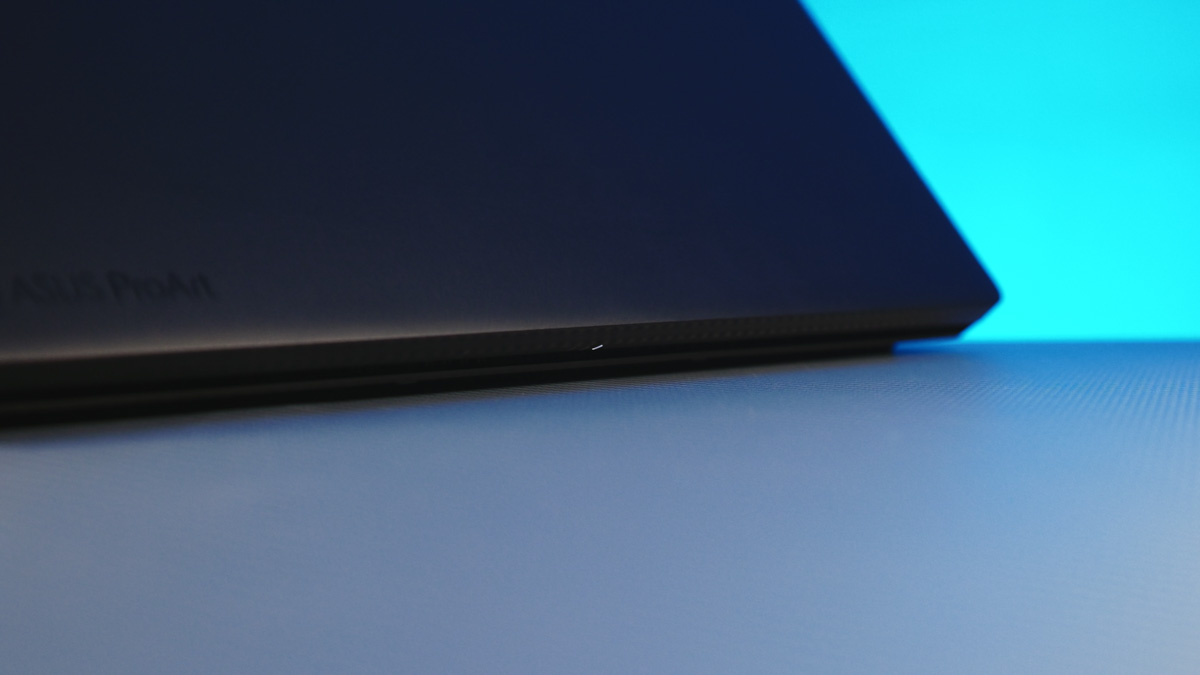
It would be better to integrate the indicator into the power button, since it already lights up during operation. In other words, there is already an LED present.
Connectivity
On the left edge, there is a rectangular, but fortunately non-proprietary, 240 W power connector, along with HDMI 2.1 with FRL, USB4 at 40 Gbps, USB Type-A at 10 Gbps, and a combined 3.5 mm audio jack. On the right edge, there is a full-size SD Express 7.0 card reader, USB Type-A at 10 Gbps, and USB 3.2 Gen 2 Type-C at 10 Gbps.
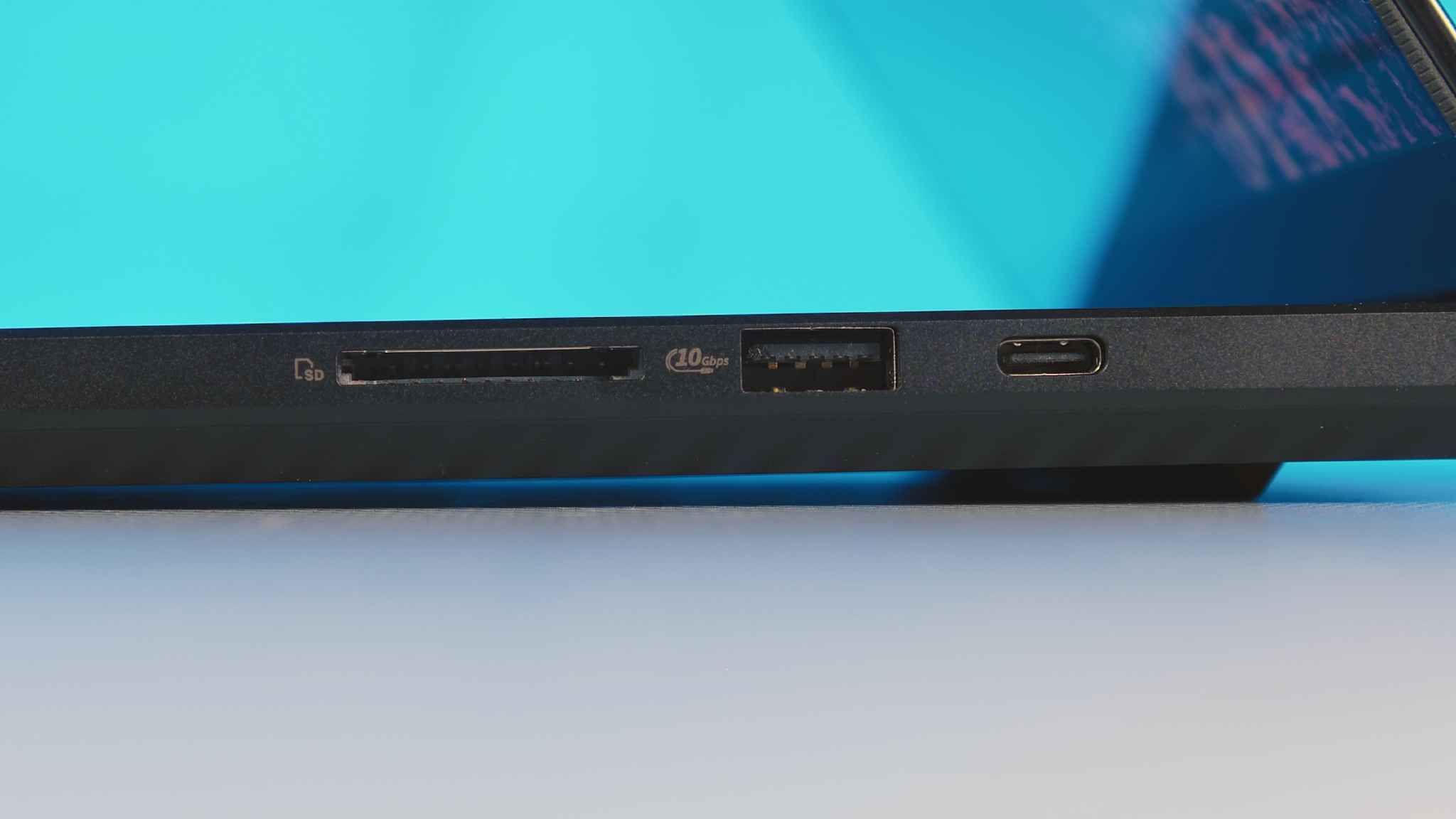
On a positive note, it’s worth highlighting that the ASUS ProArt P16 H7606WX features two USB Type-C ports, both supporting charging and video output, and conveniently located on opposite sides of the chassis.
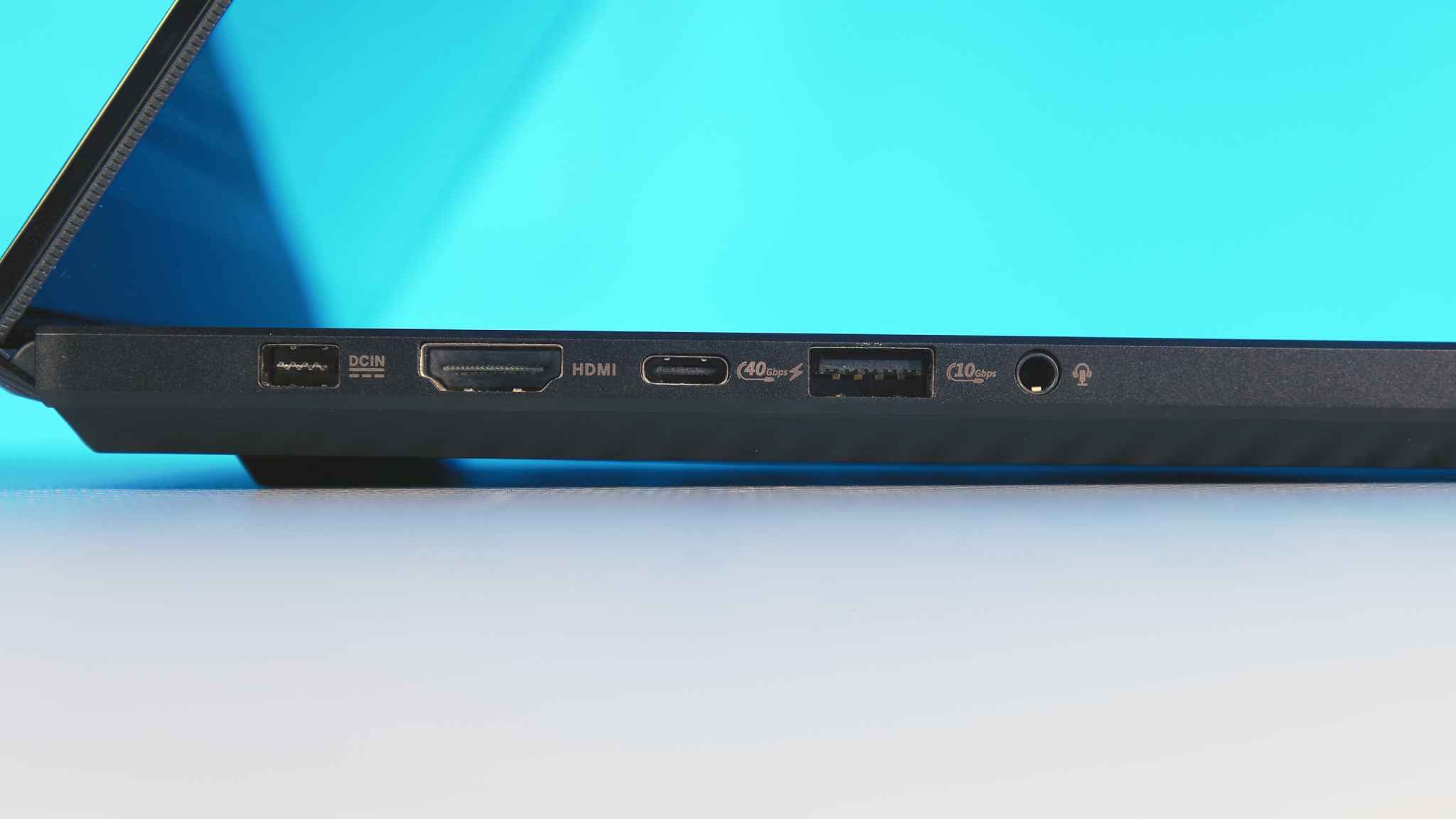
On the other hand, the fact that one port is USB4 and the other is USB 3.2 Gen 2 Type-C – with both offering the same functions but at different speeds – highlights how chaotic and inconsistent the USB standard has become, and how poorly the USB Implementers Forum manages the development of arguably the most important connector in modern technology.
Читайте також:ASUS TUF Gaming A16 2025 FA608UH Review: RTX 5050 Holds Its Own
Display
The display is an area where I really can’t find any major faults – well, there’s a minor nuance, but I’ll save that for later. Overall, the ProArt P16 H7606WX features an excellent 120 Hz OLED screen with a 16:10 aspect ratio, a resolution of 3840×2400 pixels, and a 0.2 ms response time.
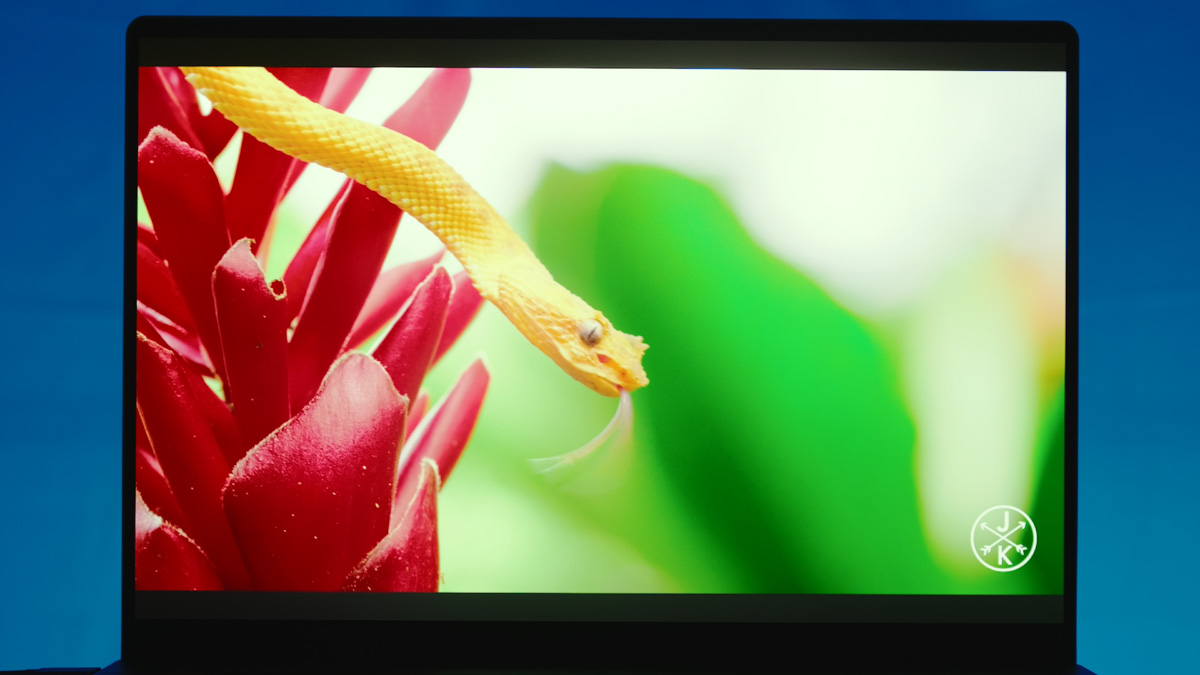
The display not only covers 100% of the DCI-P3 color gamut – making it ideal for professional color grading – but also carries VESA True Black 1000 certification, with a peak brightness of 1600 nits. To put that in perspective, 1000 nits is already impressive; 1600 nits is exceptional even for smartphones with much smaller screens. On the ASUS ProArt P16 H7606WX, creating HDR content for cinema is easily achievable.
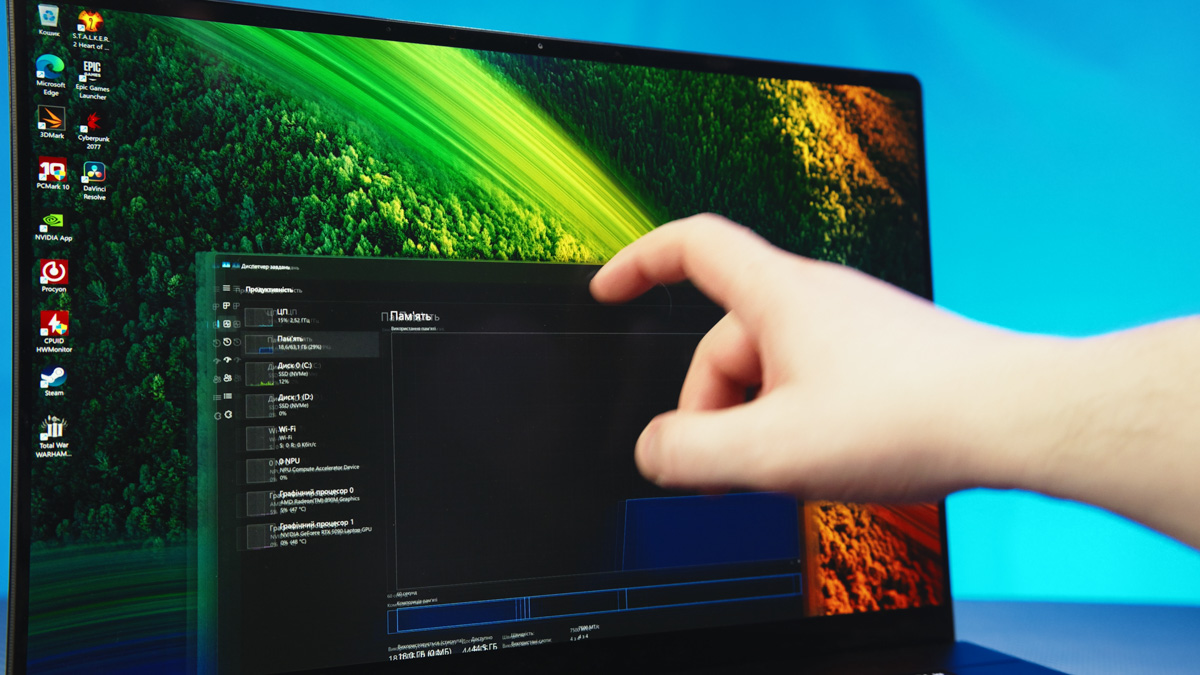
Additionally, the panel is PANTONE validated and supports Low Blue Light and OLED Care technologies. A premium touch is the support for a stylus, as the display is touchscreen. However, it has a glossy finish and, like many high-end OLED panels, exhibits some visible texture on solid-color backgrounds – something to keep in mind. Fortunately, it also features an anti-reflective coating.
Performance
Before diving into the AMD AI 9 HX 370, it’s worth starting with the NVIDIA RTX 5090 Mobile. This is the world’s first consumer laptop GPU to feature 24 GB of VRAM. Remember the focus on professional workloads? No modern game, even at 4K, requires 24 GB of video memory.
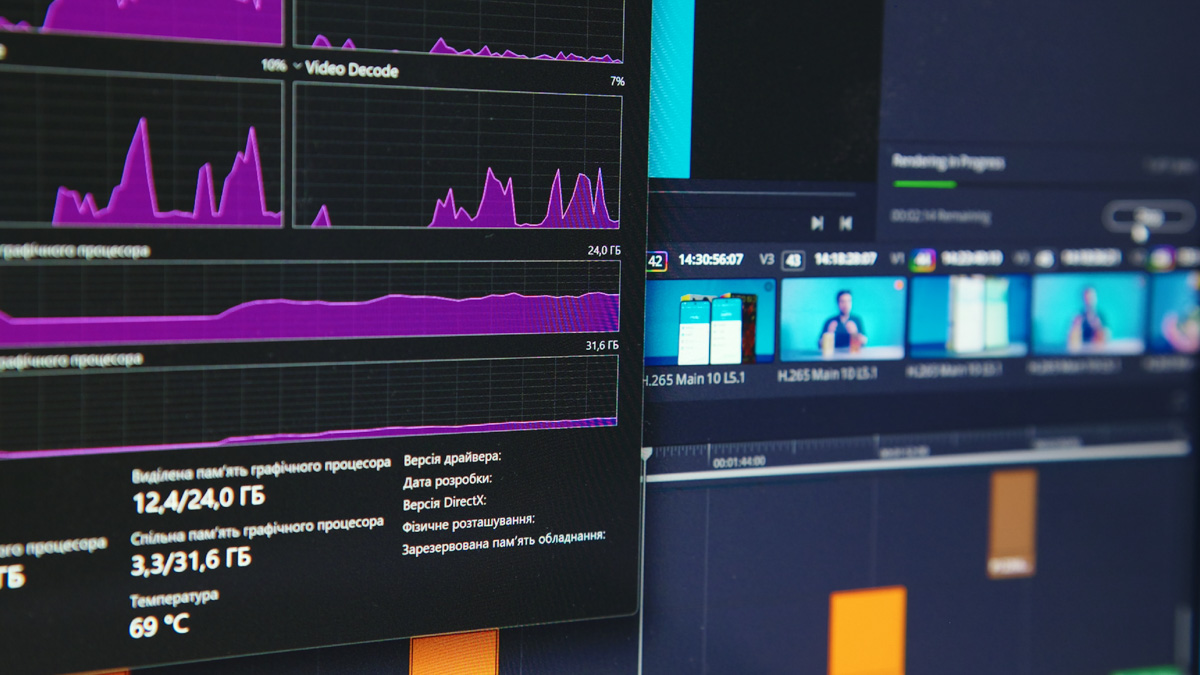
For professional work, even 128 GB of VRAM can sometimes be insufficient. I’ve explained why this matters in previous desktop GPU reviews, but it’s worth revisiting.
If a task is optimized for video memory – whether it’s AI training, storing textures in games, or processing heavy effects in DaVinci Resolve – once the VRAM is exhausted, the system starts offloading the workload to system RAM.
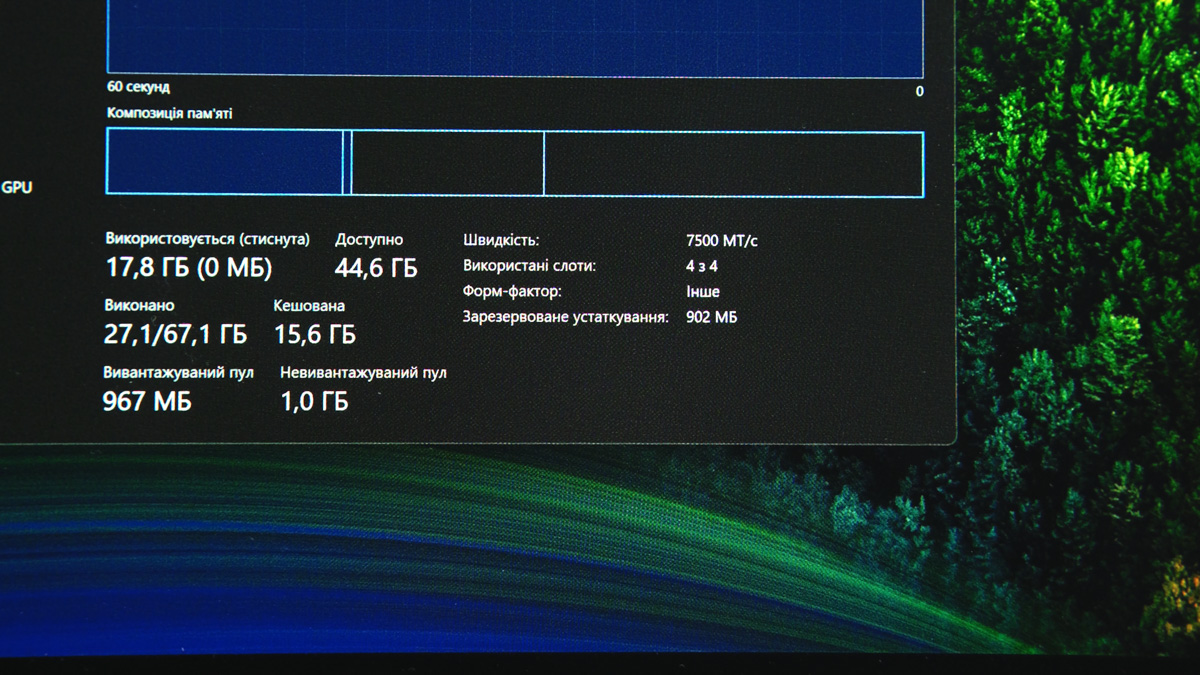
Even with LPDDR5X 8000 MT/s – the fastest soldered system memory – bandwidth reaches around 136 GB/s. In GDDR7, it can hit 1700 GB/s – more than ten times higher. So, if you’re rendering a heavy project in DaVinci Resolve and all effects occupy 24 GB of VRAM, offloading to system RAM can turn a 30-minute render into several hours.
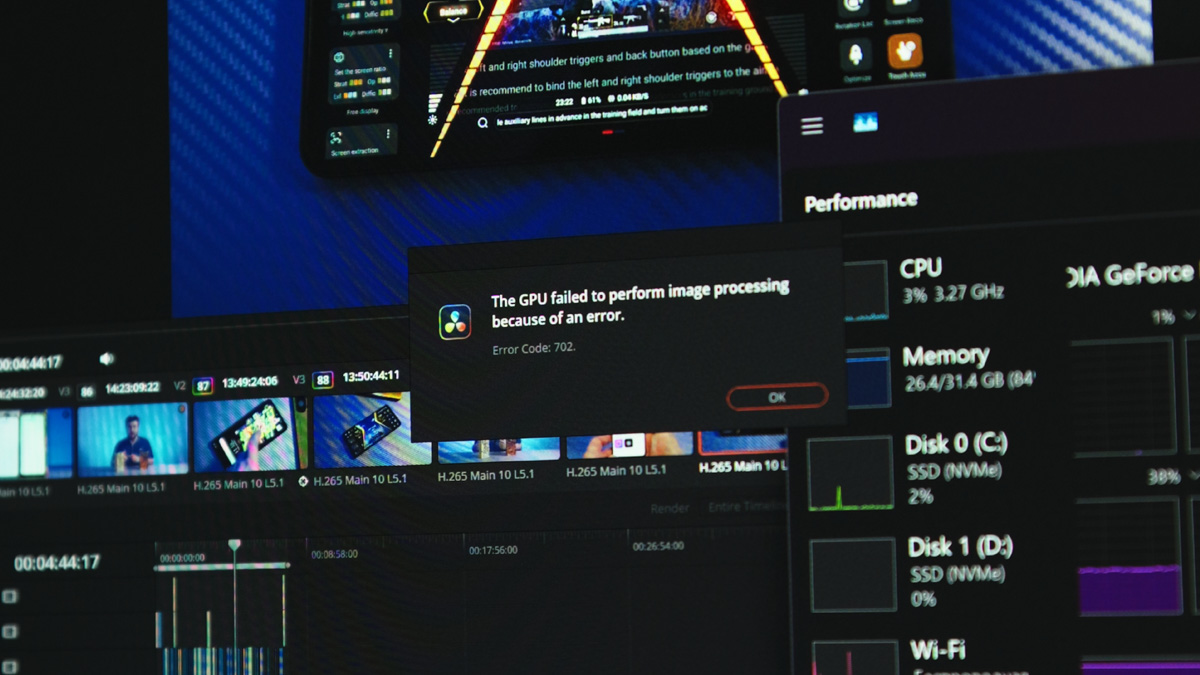
This assumes DaVinci doesn’t crash, since Windows cannot reliably manage dynamic allocation of system memory as VRAM if it hasn’t been predefined.
For those interested, I also checked the memory bandwidth of the MacBook Pro with M5 processors, and it’s 200 GB/s – about nine times less than GDDR7. While macOS offers far greater stability and 5–7 times better energy efficiency, raw processing speed still favors NVIDIA, whereas memory capacity leans toward Windows. For professional workloads, this difference is often more significant.
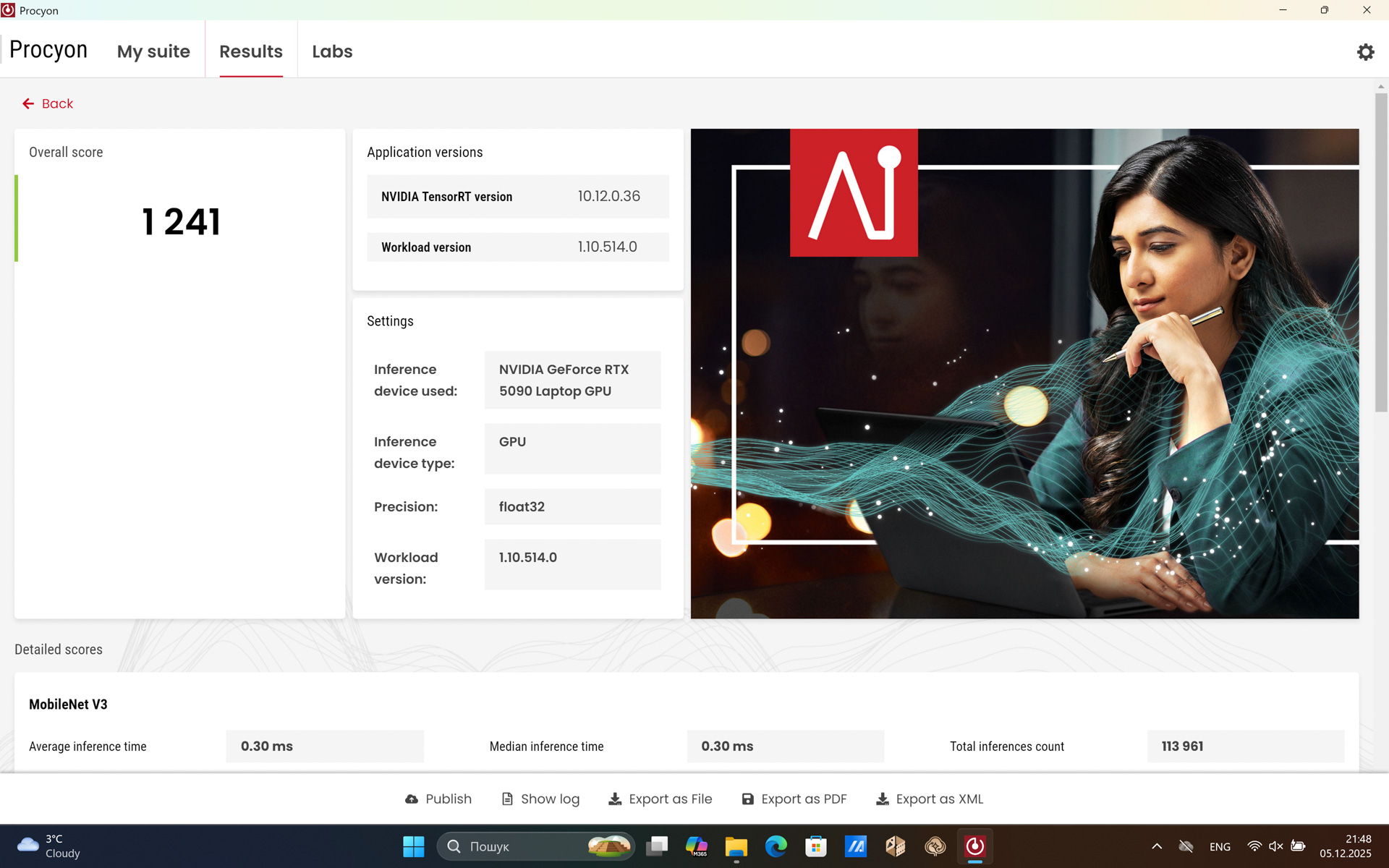
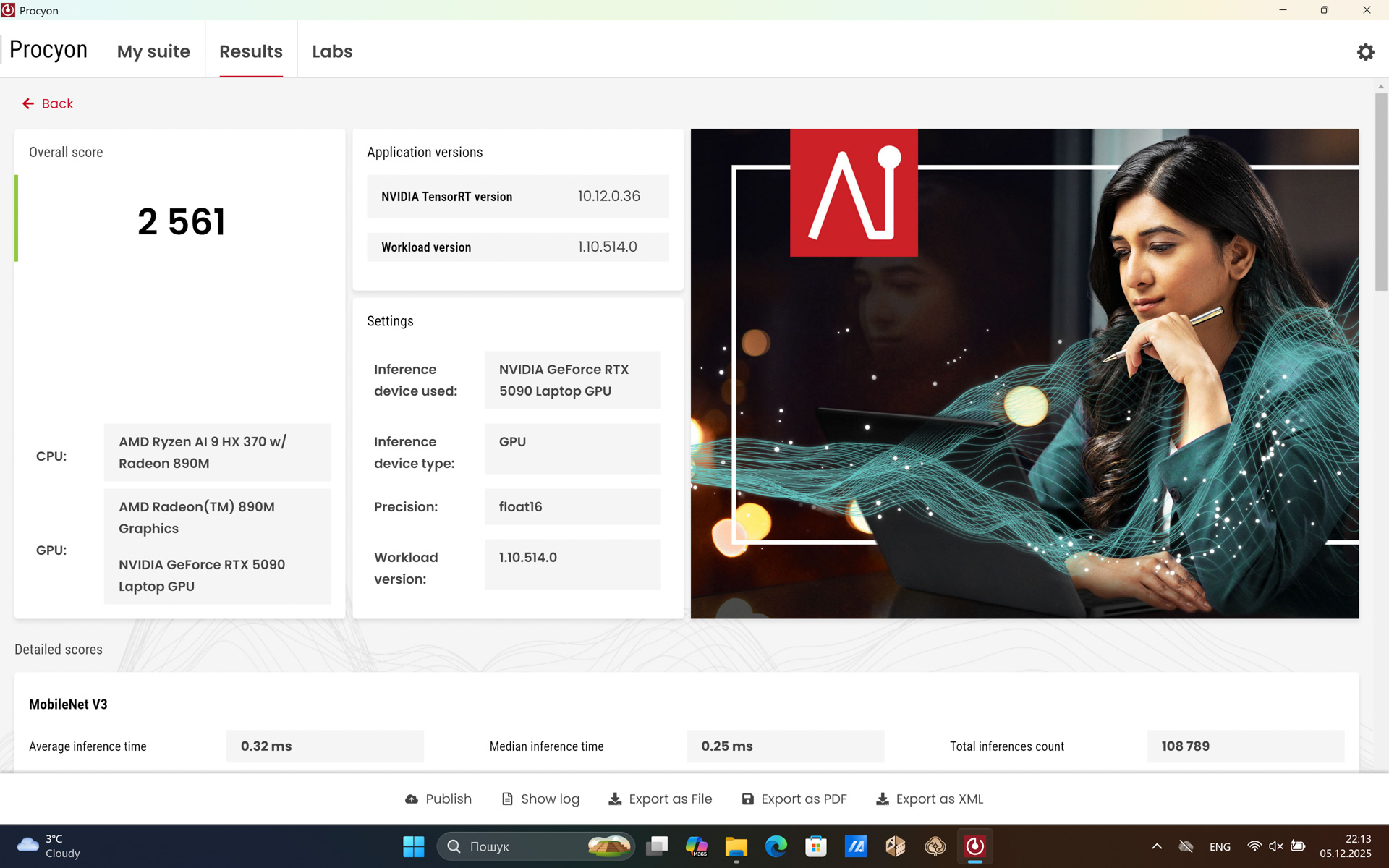
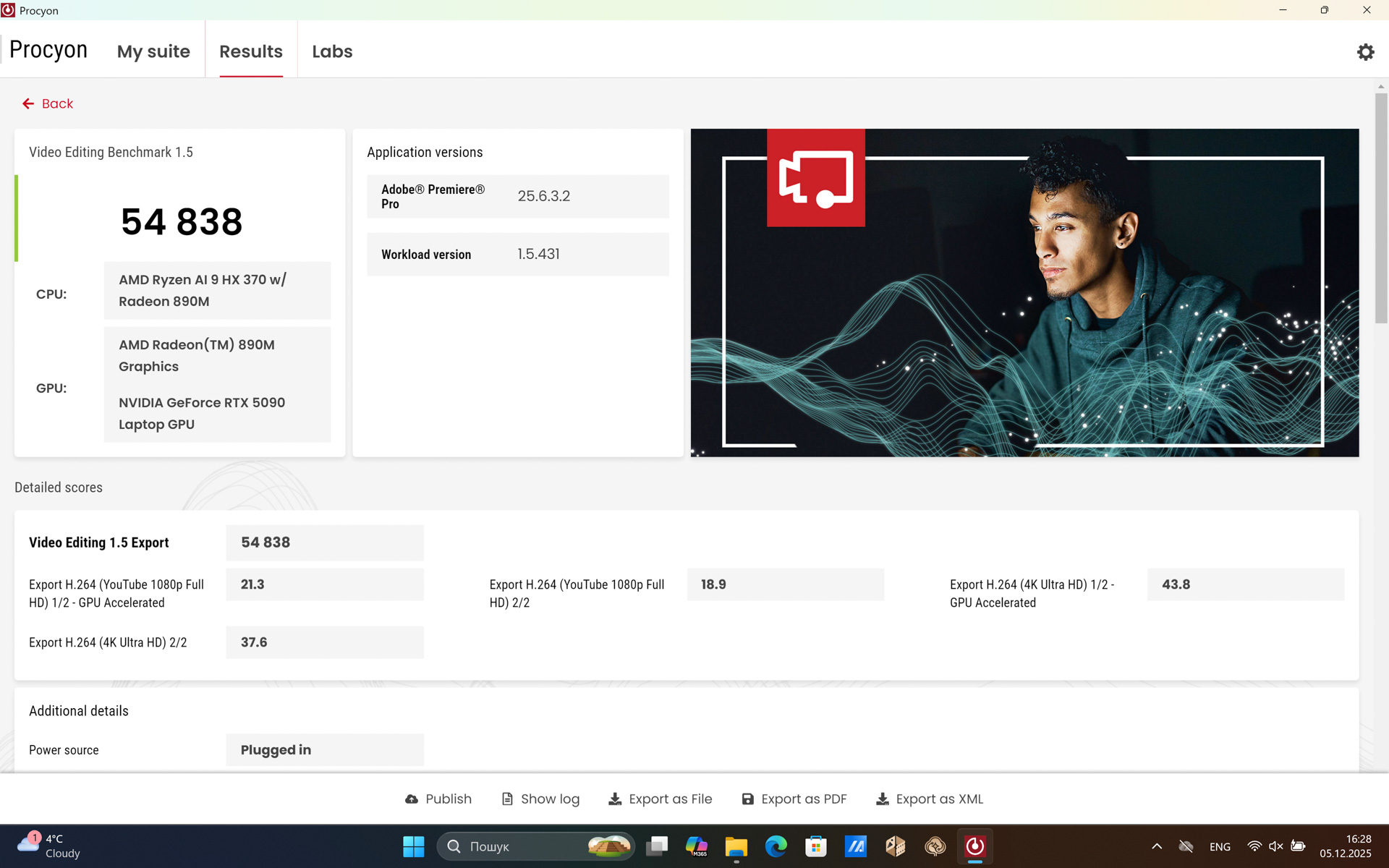
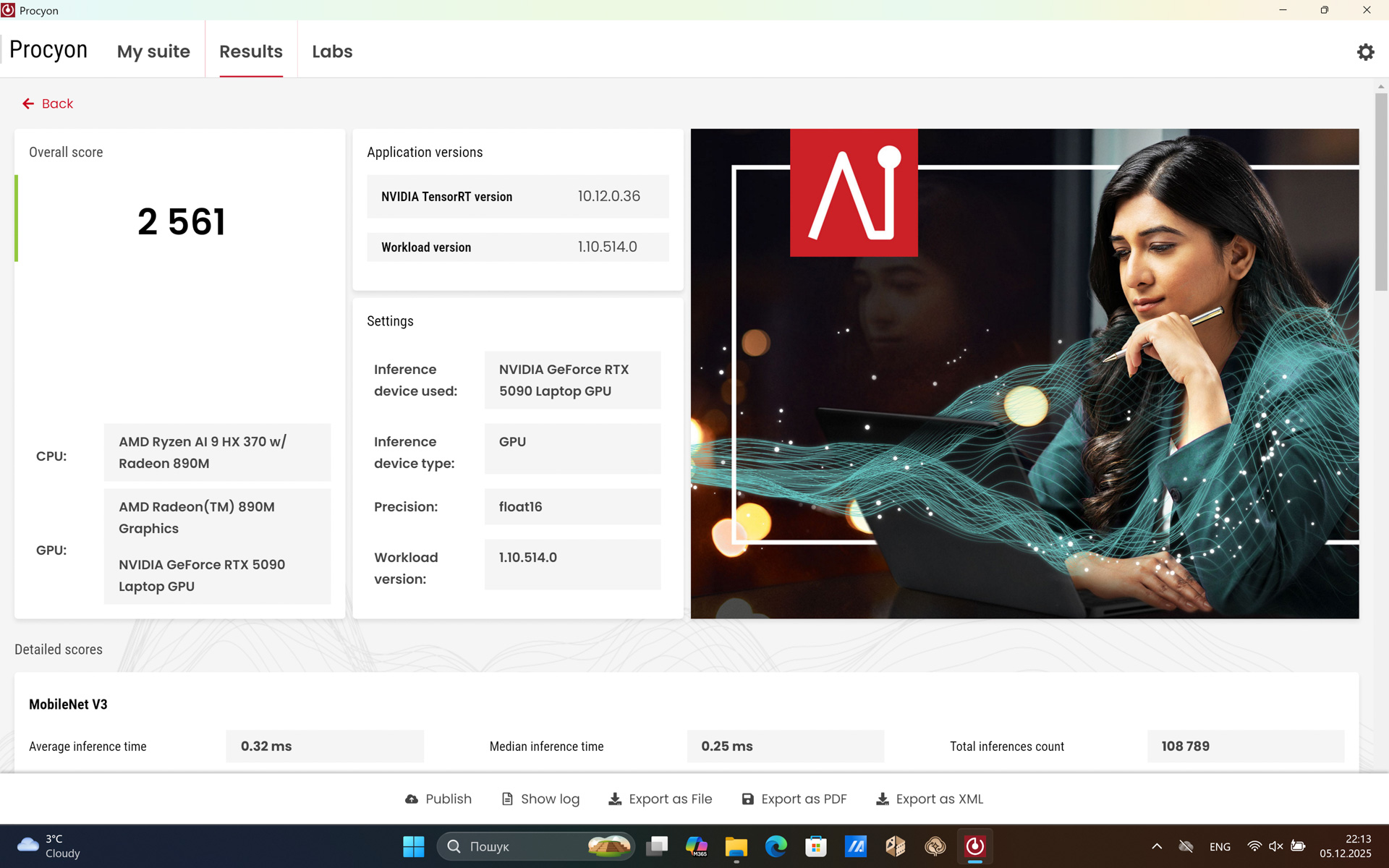
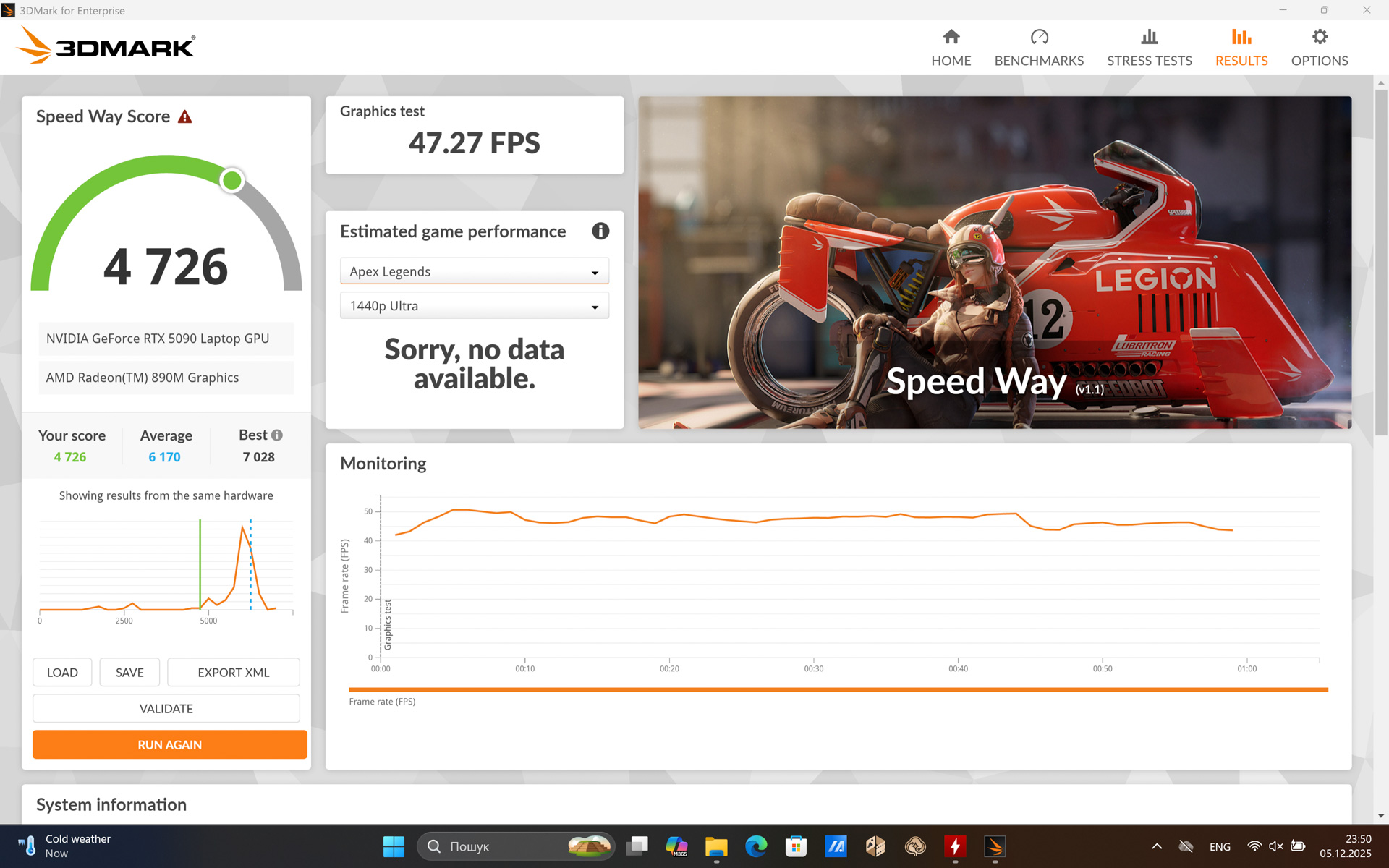
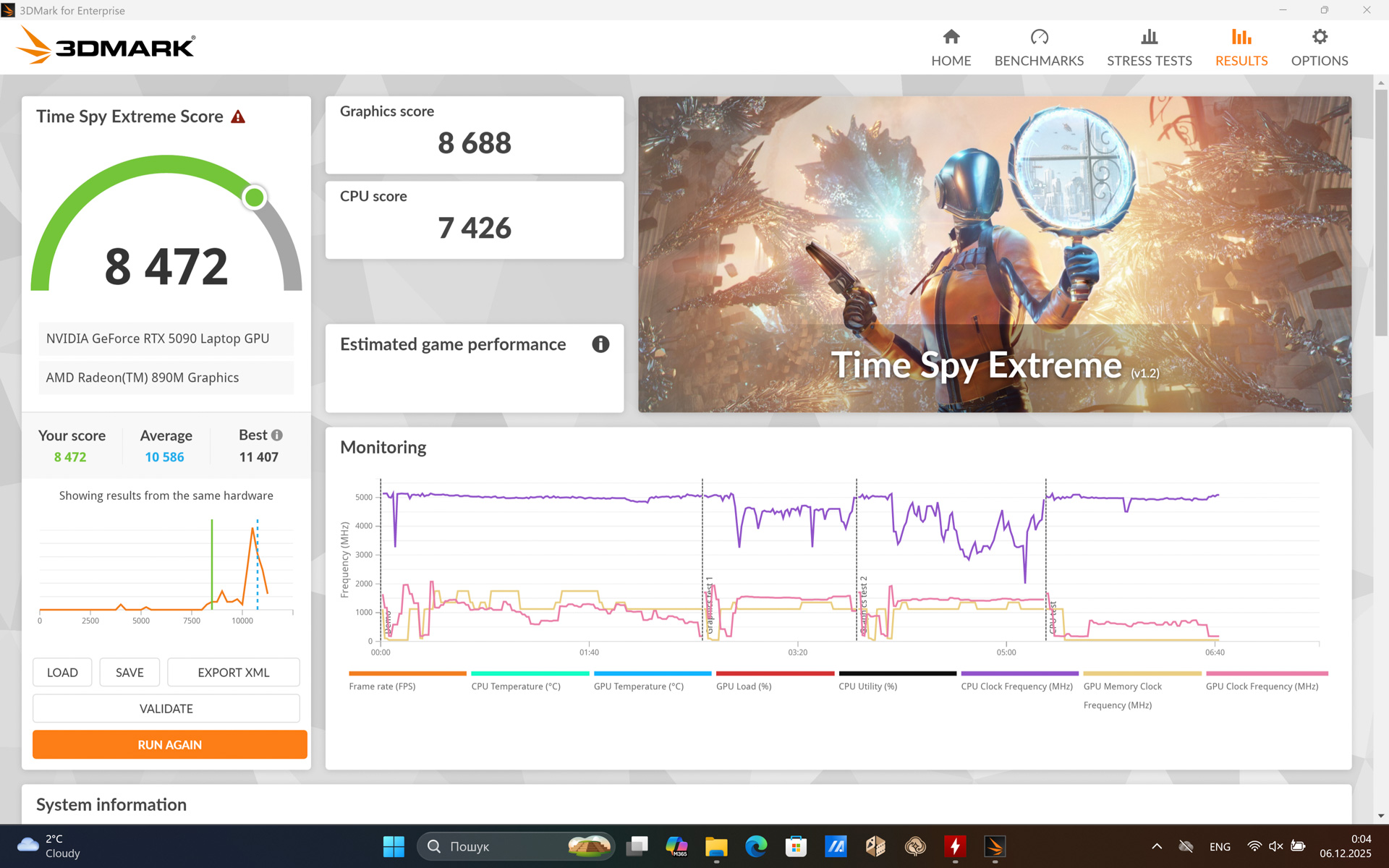
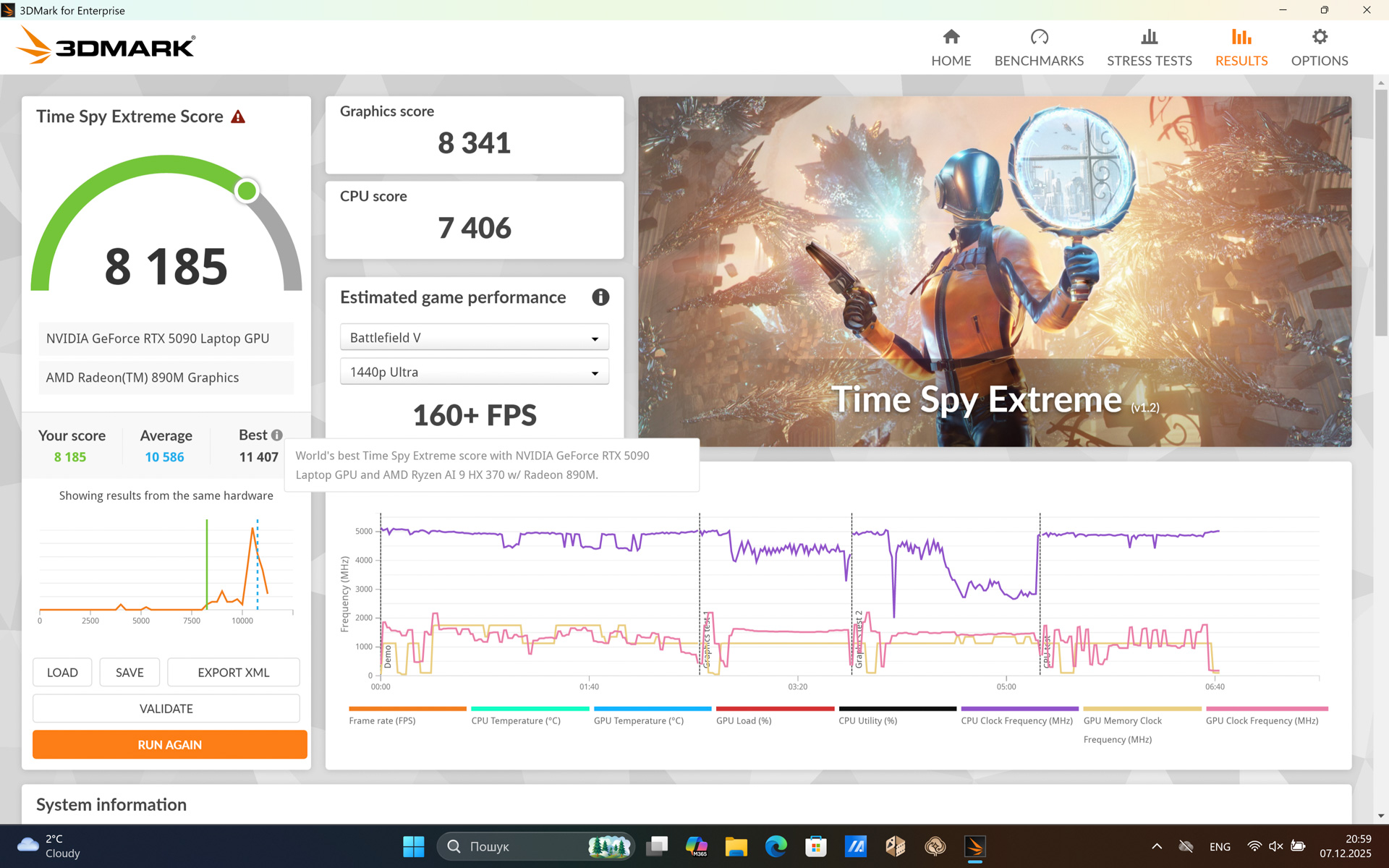
It’s also worth noting that, unlike the RTX 5050 – which actually performs better in laptops than on desktops – the RTX 5090 Mobile is about 30% weaker than its desktop counterpart. It has 25% less VRAM, half as many CUDA cores, a 1 GHz lower core clock, roughly half the number of rendering and tensor cores, and overall delivers about half the teraflop performance.
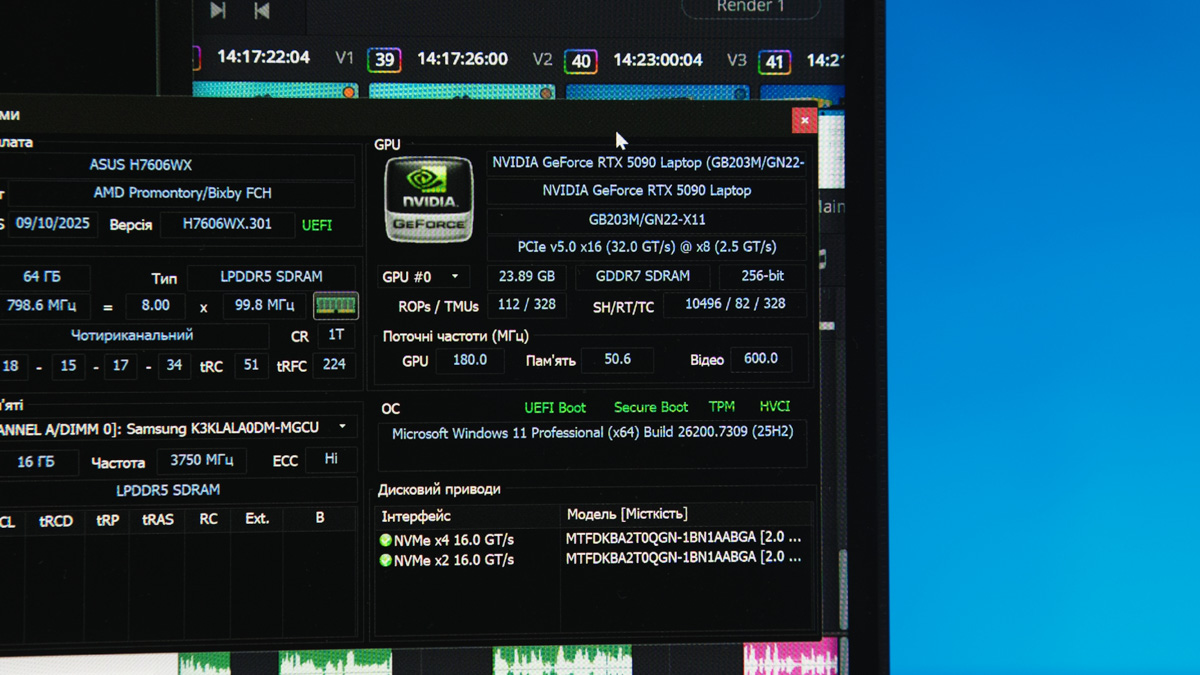
At the same time, the mobile version’s power consumption can be nearly four times lower in the best-case scenario and up to seven times lower in the worst case compared to the desktop variant. Transient power spikes are also not a concern. Overall, the RTX 5090 Mobile is roughly equivalent to a desktop RTX 4090 in performance, but with the energy consumption of a full RTX 5060 and significantly better software optimization – beneficial for both gaming and professional workloads.
For more on how the NVIDIA Blackwell generation outperforms its predecessors, I’ve covered it in these articles:
- 5 Key Features of a High-Performance Laptop Using the Lenovo Legion Pro 7 and NVIDIA GeForce RTX 50XX Series as an Example
- USB-C 100W PD Power for Gaming Laptops: Why NVIDIA Blackwell Makes It Possible
- Why I Always Choose NVIDIA – ft. ASUS
CPU and RAM
This brings us to the processor. Surprisingly, the AMD Ryzen AI HX 370 – according to official specifications – does not require soldered RAM. However, in the ASUS ProArt P16 H7606WX, the RAM is indeed soldered for maximum performance of the integrated GPU: 64 GB of LPDDR5X 8000 MT/s, and not a byte more.
This distinction is important, as I often mix up the AI HX 370 with the AI Max+ 395. And that’s a mistake – despite the similar name and flagship pricing, the AMD Ryzen Max+ significantly outperforms the HX 370.
It has 50% more threads, and the performance of the integrated AMD Radeon 8060S GPU is more than twice that of the AMD Radeon 890M, putting it on par with the RTX 5050 and RTX 4060. The TDP differences are so significant that in laptops with the AI Max+ 395, adding a discrete GPU is often unnecessary, as the processor alone can consume up to 120 W.
This isn’t intended to downplay the performance of the AI HX 370; it simply illustrates how differently the balanced Strix Point line is designed compared to the Strix Halo, which was optimized around its iGPU.
I’m also glad to see AMD in the ASUS ProArt P16 H7606WX, rather than, say, an Intel Core Ultra 9 275HX. While Intel may be faster, AMD still leads in energy efficiency, which is objectively more important for a thin and lightweight laptop.
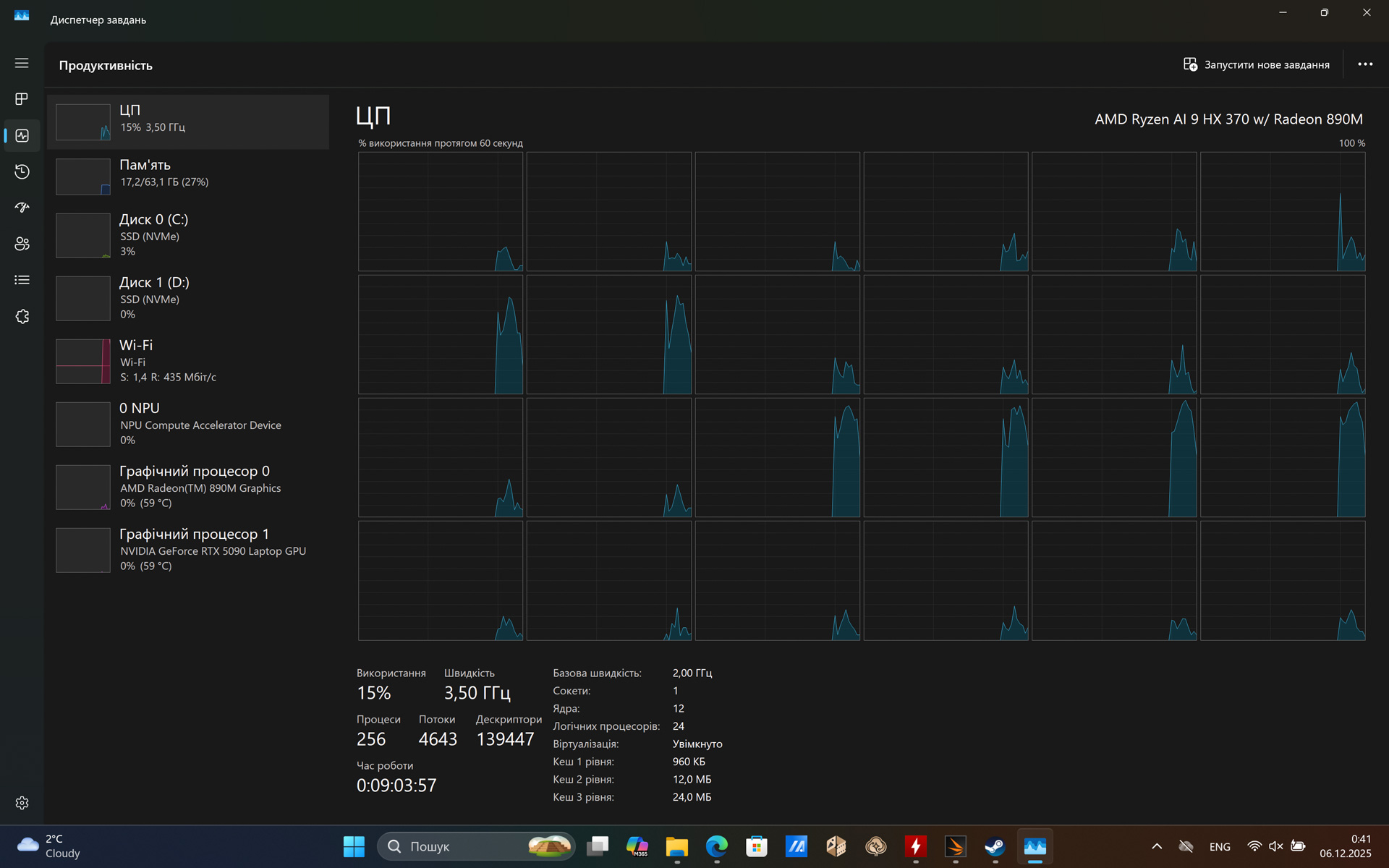
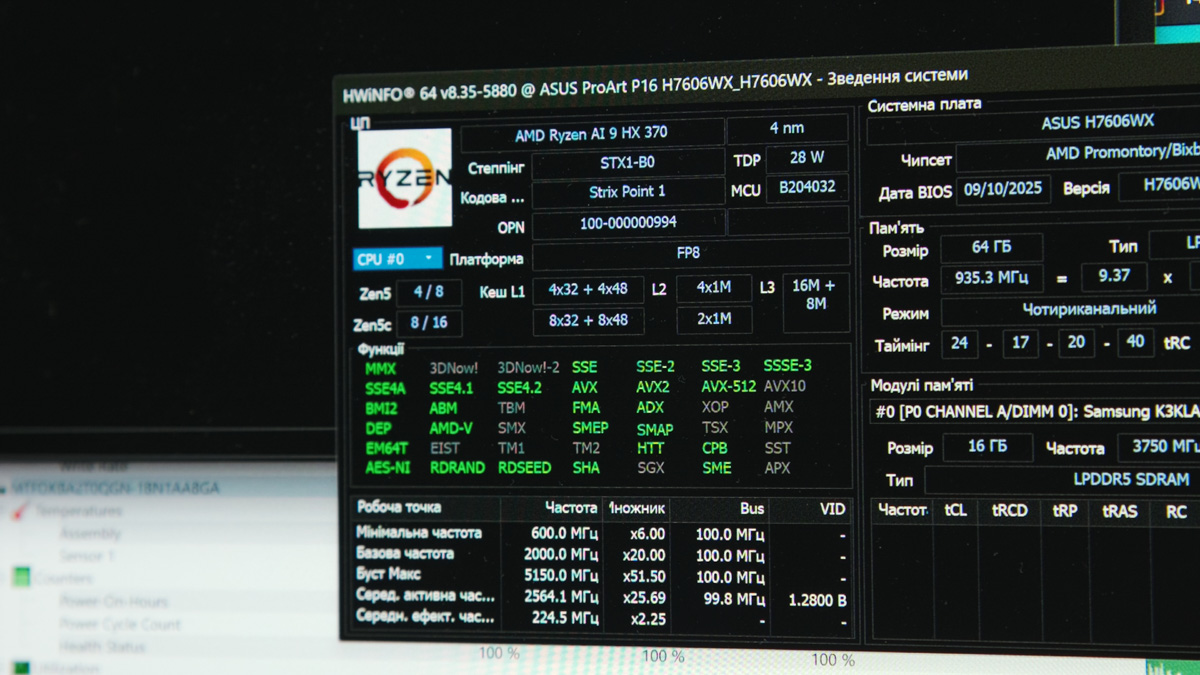
In terms of specifications, the AMD Ryzen AI HX 370 features four high-performance Zen 5 cores and eight low-power Zen 5C cores, both supporting multithreading, for a total of 12 cores and 24 threads. The boost clock reaches 5.1 GHz for the high-performance cores and 3.3 GHz for the efficiency cores, while the base frequency is 2 GHz across all cores.
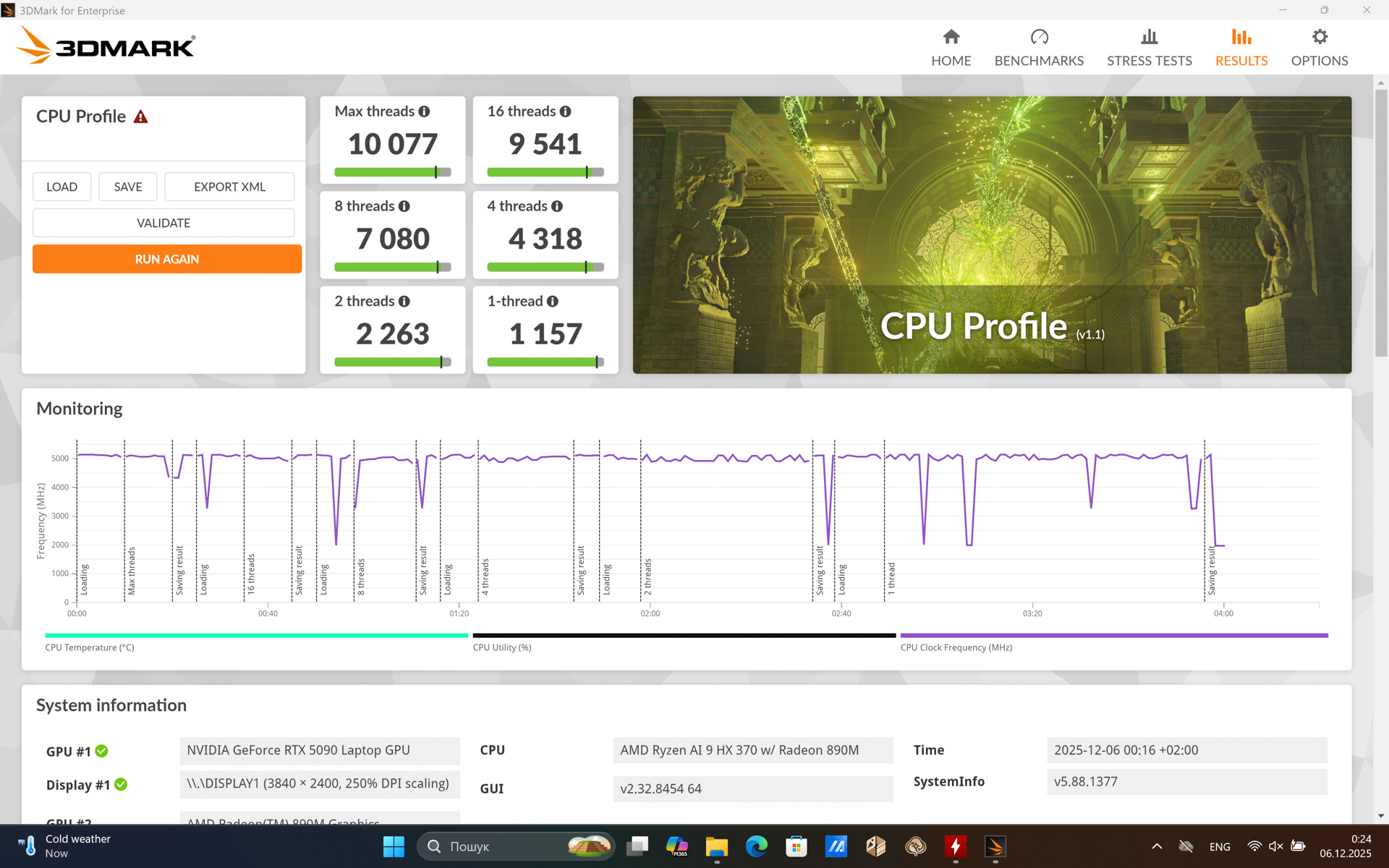
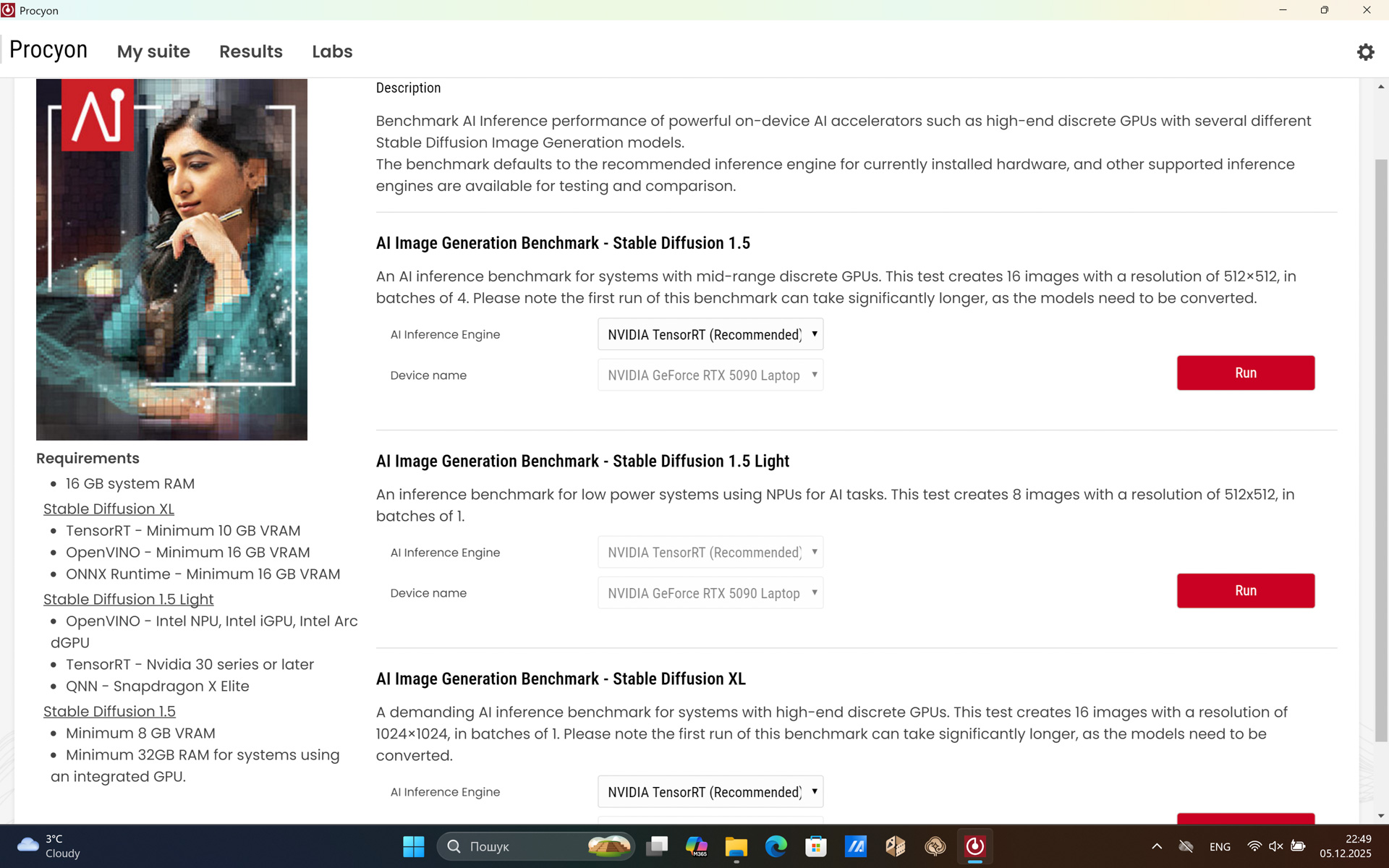
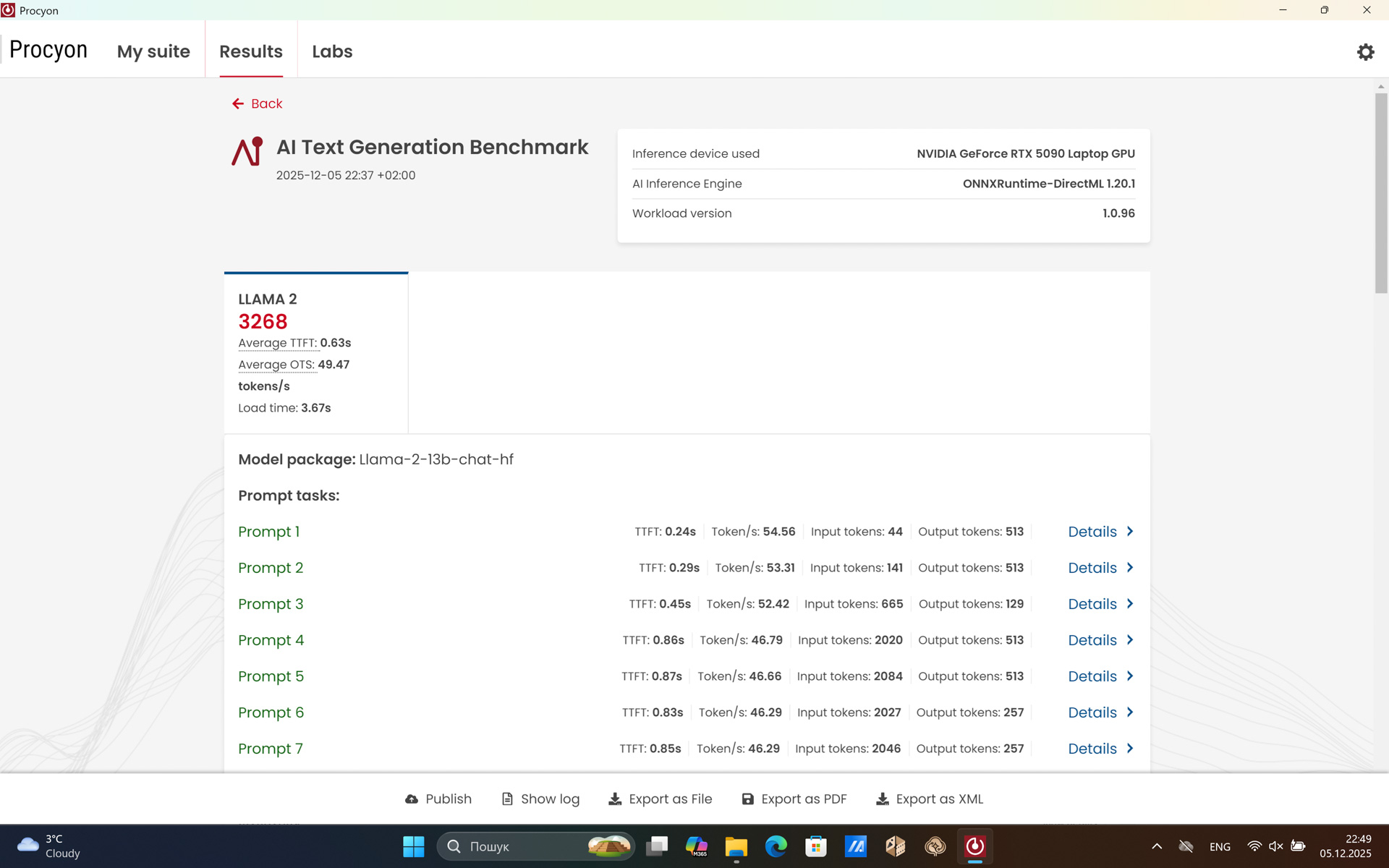
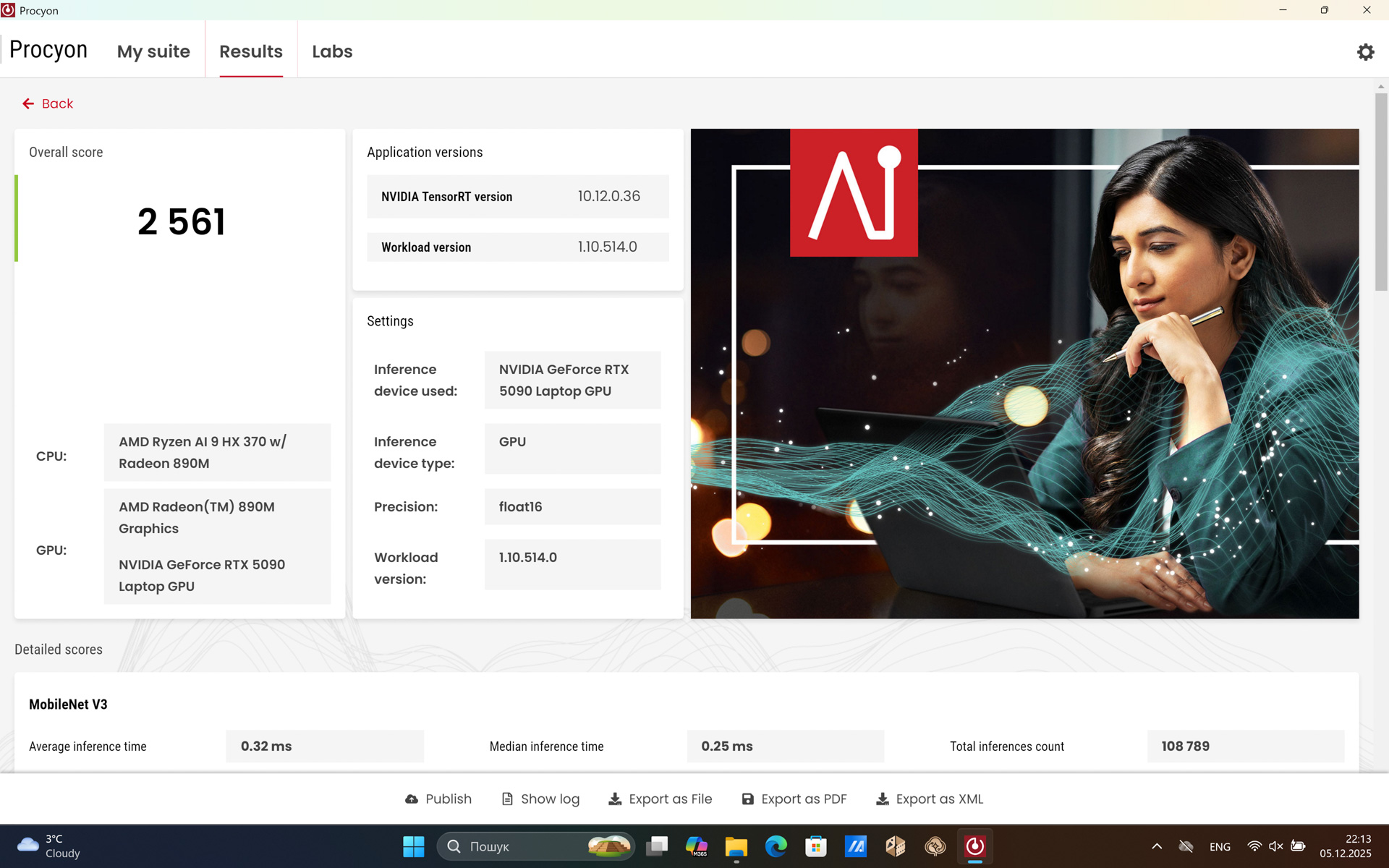
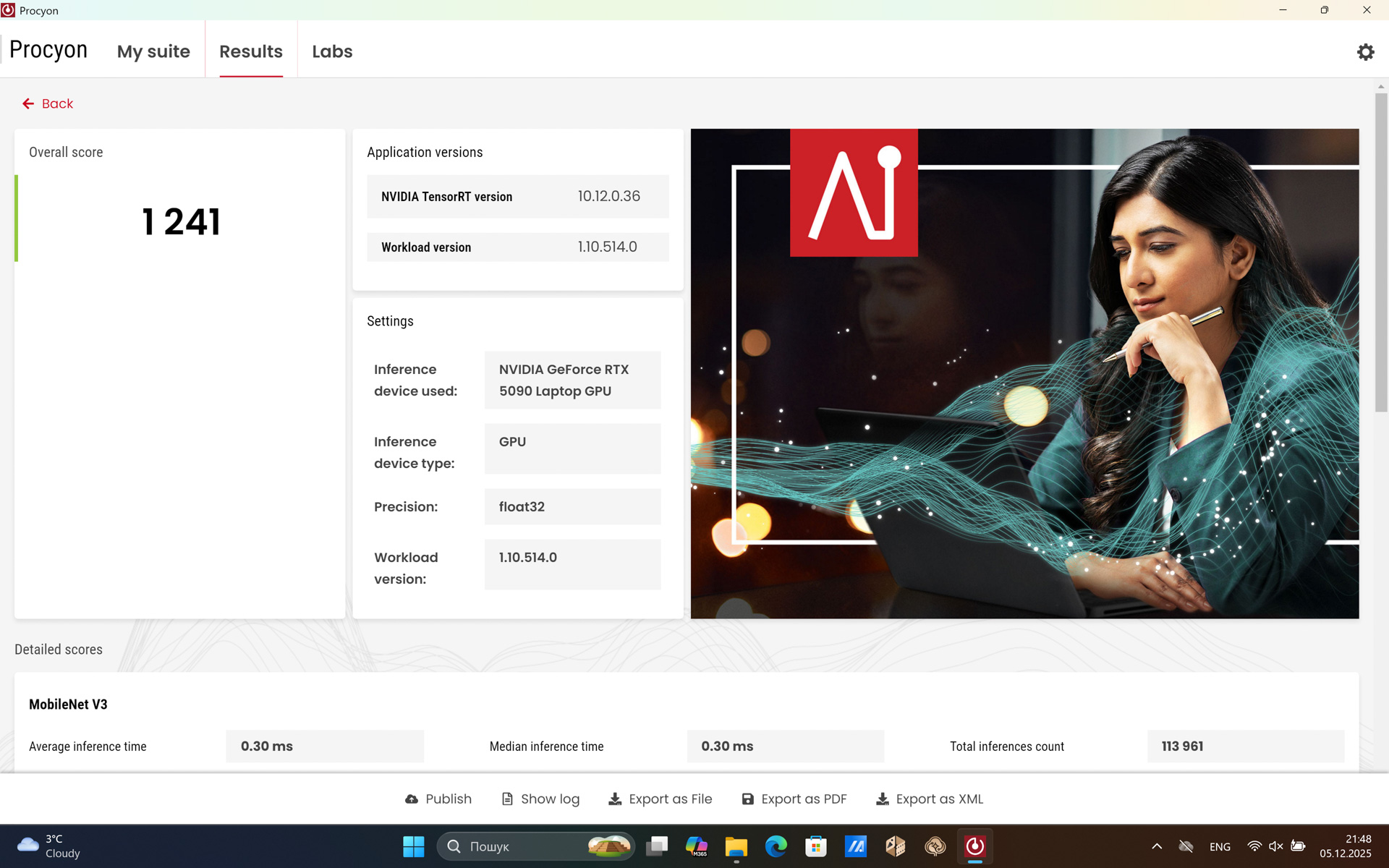
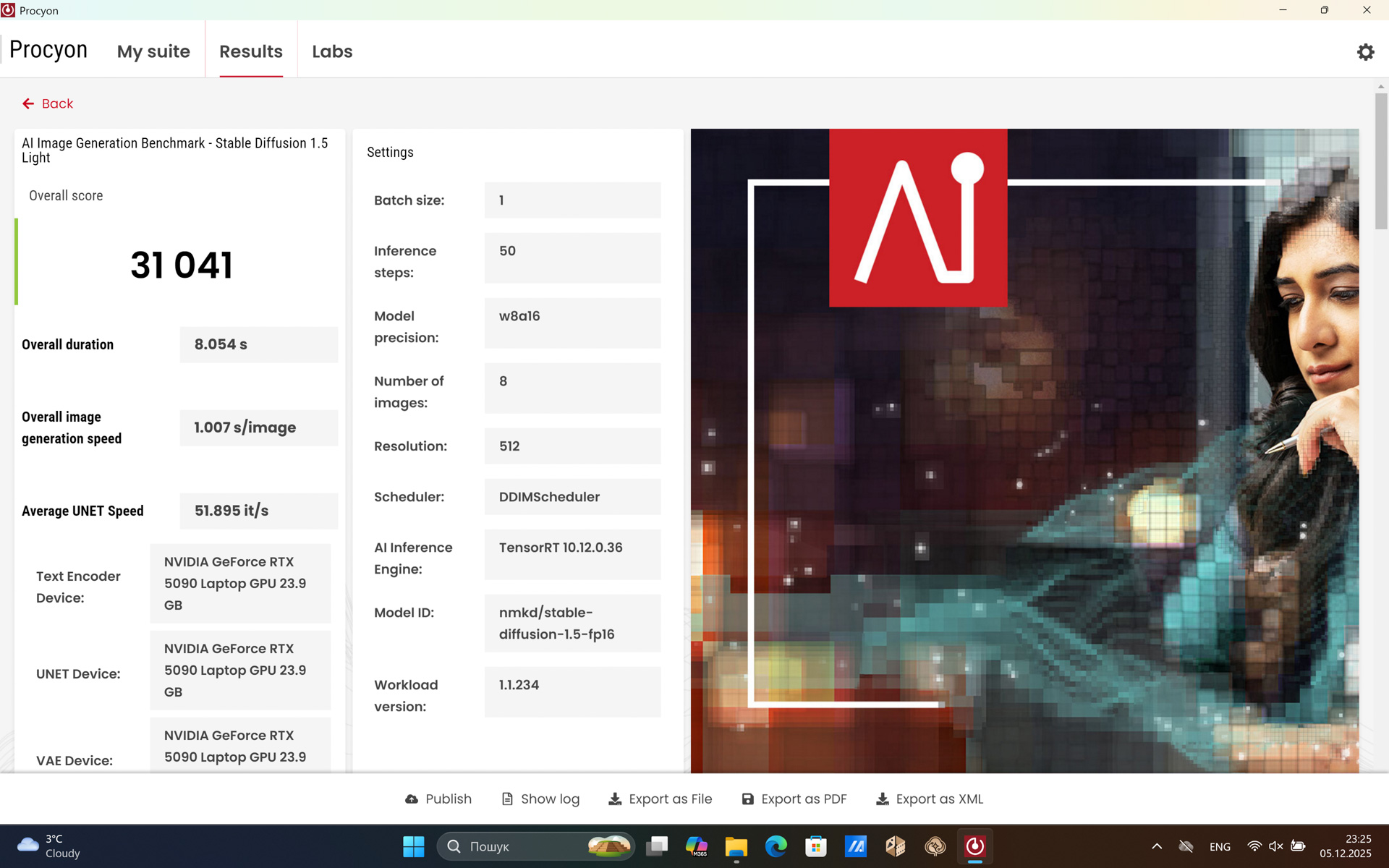
The CPU features a shared 12 MB L2 cache and 24 MB L3 cache, with a base TDP of 28 W. The neural processing unit delivers up to 50 TOPS (Windows 11 with Copilot requires 40 TOPS). I’ll provide benchmarks below, but in short – the processor in the ASUS ProArt P16 H7606WX functions like a professional session bassist: it doesn’t steal the spotlight, but it performs its role flawlessly, and without it, the whole setup would fall apart.
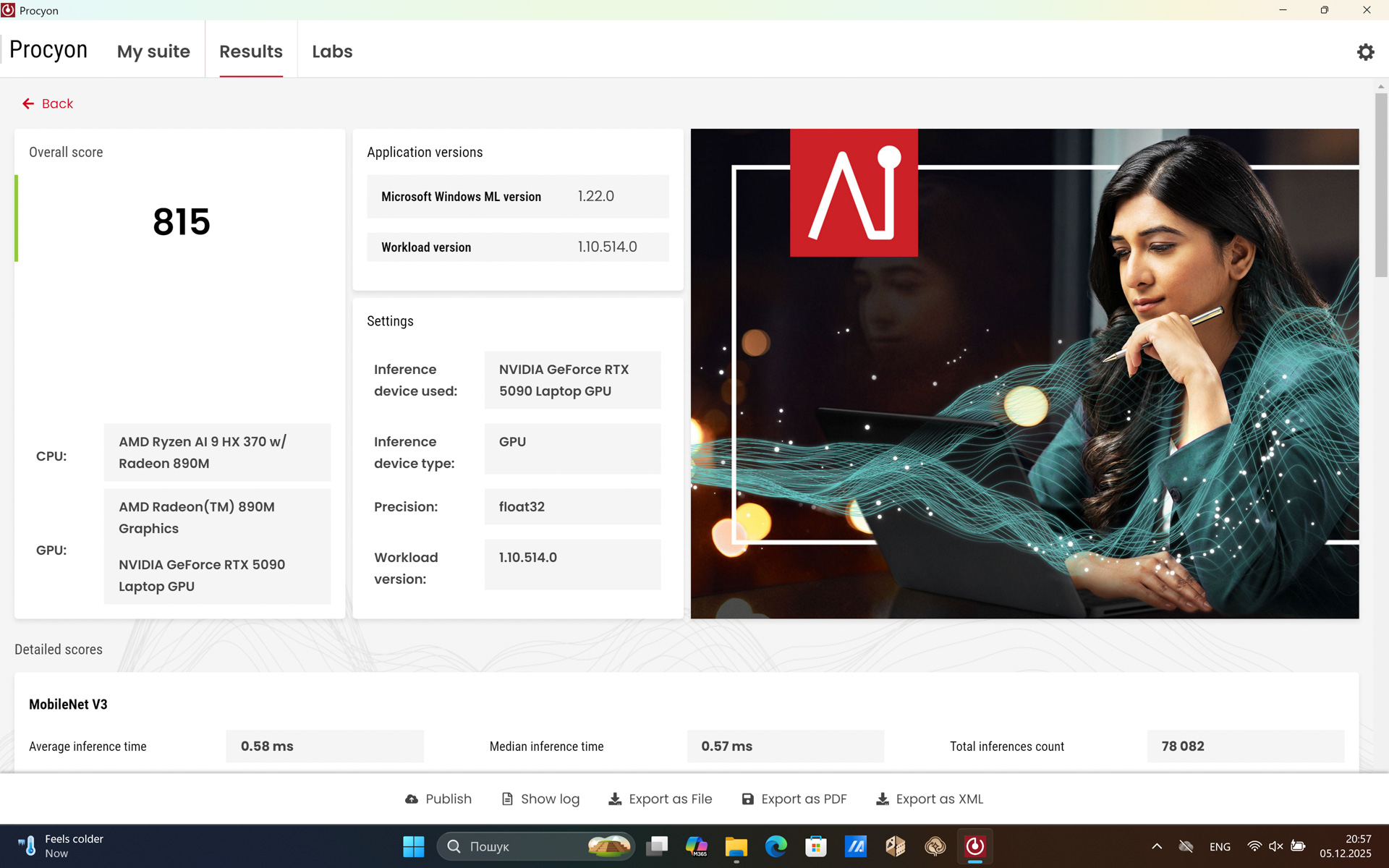
For those interested, here are the basic benchmarks for the Radeon 860:
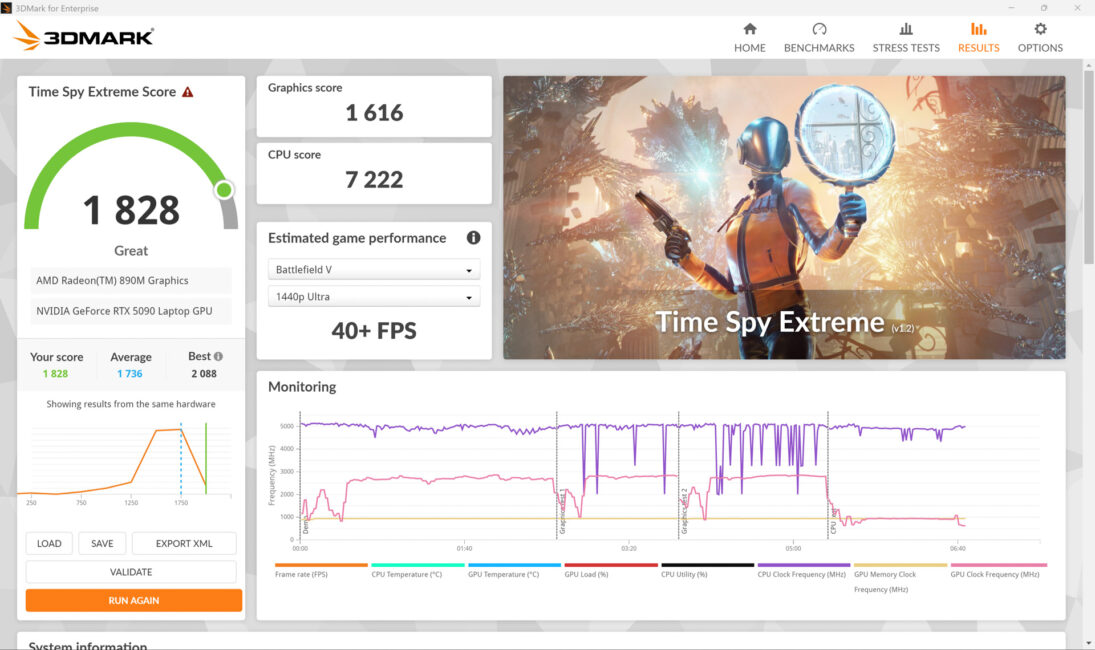
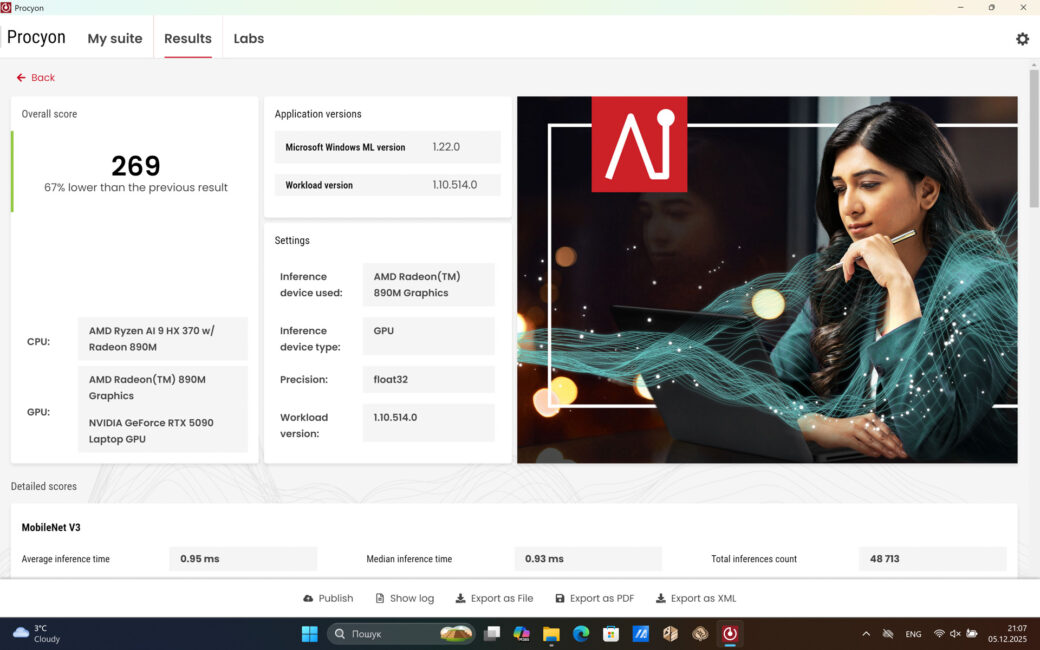
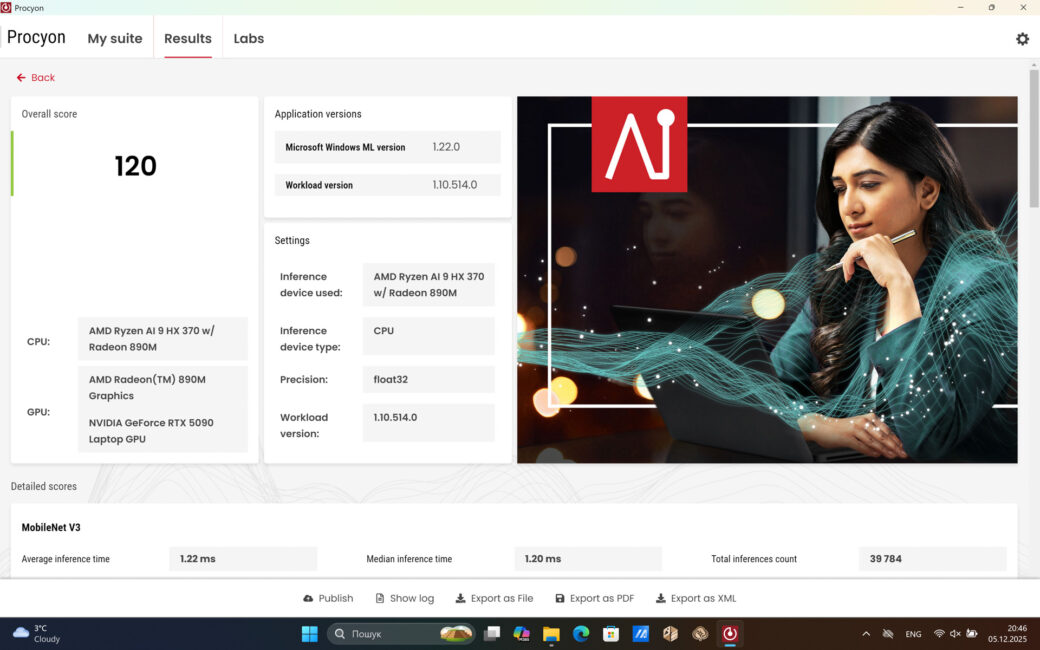
Games and Other Compromises
Regarding gaming tests, it’s important to note that a 4K display on a laptop with a GPU limited to 120 W presents a challenge. Games look impressive, especially in HDR, but overall performance of the RTX 5090 at 120 W is only about 10% higher than an RTX 5070 Ti at 150 W.
Factor in the nearly doubled workload at 4K resolution, and the result is that, at its native resolution, the ASUS ProArt P16 H7606WX performs worse in games than a dedicated gaming laptop with 150+ W allocated to the GPU. Personally, I value multitasking more: I can comfortably run S.T.A.L.K.E.R. 2 in the background while working in DaVinci Resolve, something that isn’t feasible with an RTX 5070 Ti with 12 GB of VRAM. For workflows requiring high stimulation, the ability to switch tasks seamlessly is crucial.
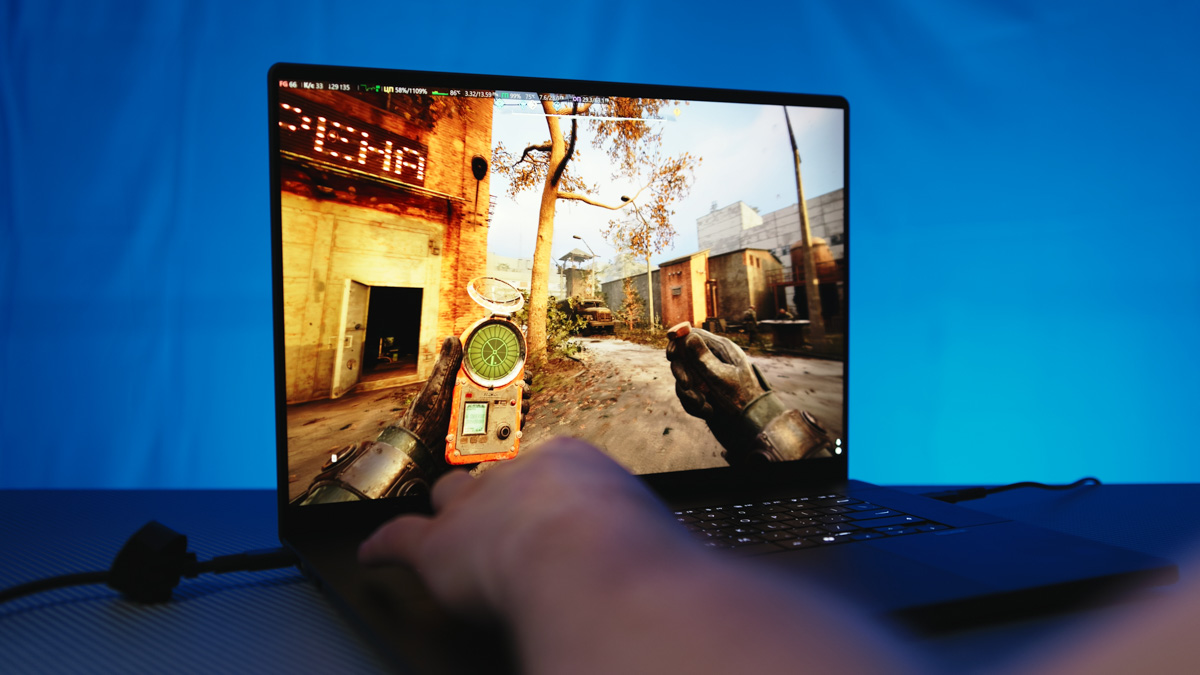
Also, don’t forget to use DLSS 4 with MFG – especially since many DLSS 4-enabled games also support NVIDIA Reflex, which helps minimize latency. This is particularly important at 4K resolution, far more so than at 2K or even FHD.
As for the question of why include a flagship GPU in a laptop if it runs 30% slower than in a gaming laptop, the answer is straightforward. First, gaming laptops are generally larger, louder, and hotter. Second, the advantages of the RTX 5090 extend beyond raw raster performance, and not all of them are relevant to everyone.

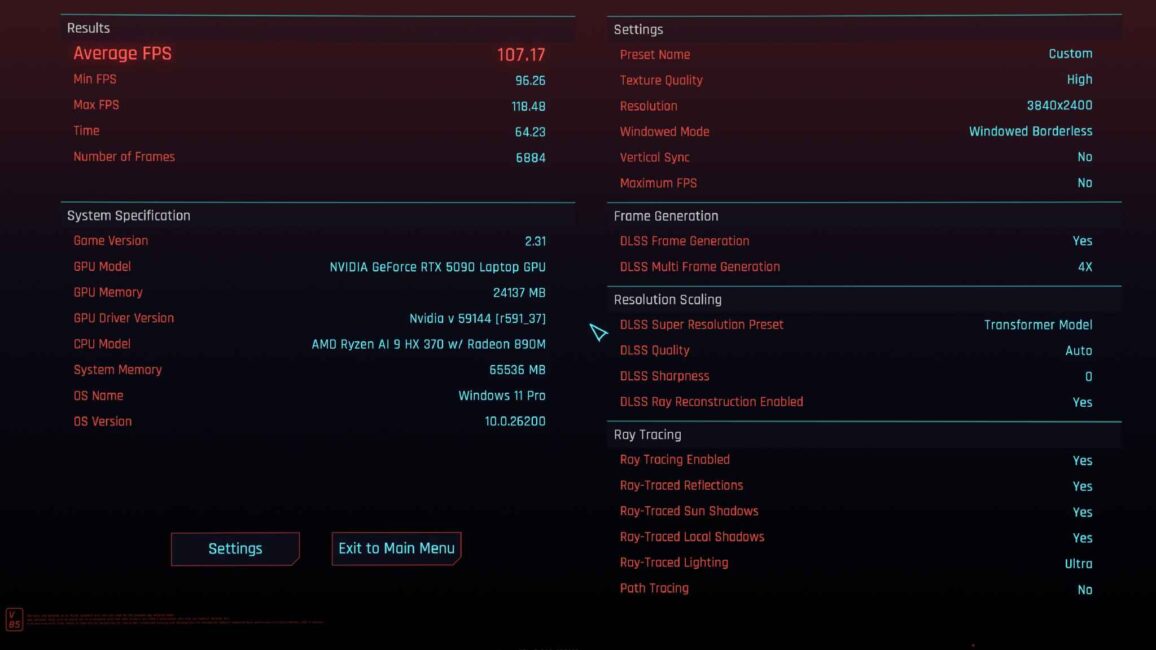
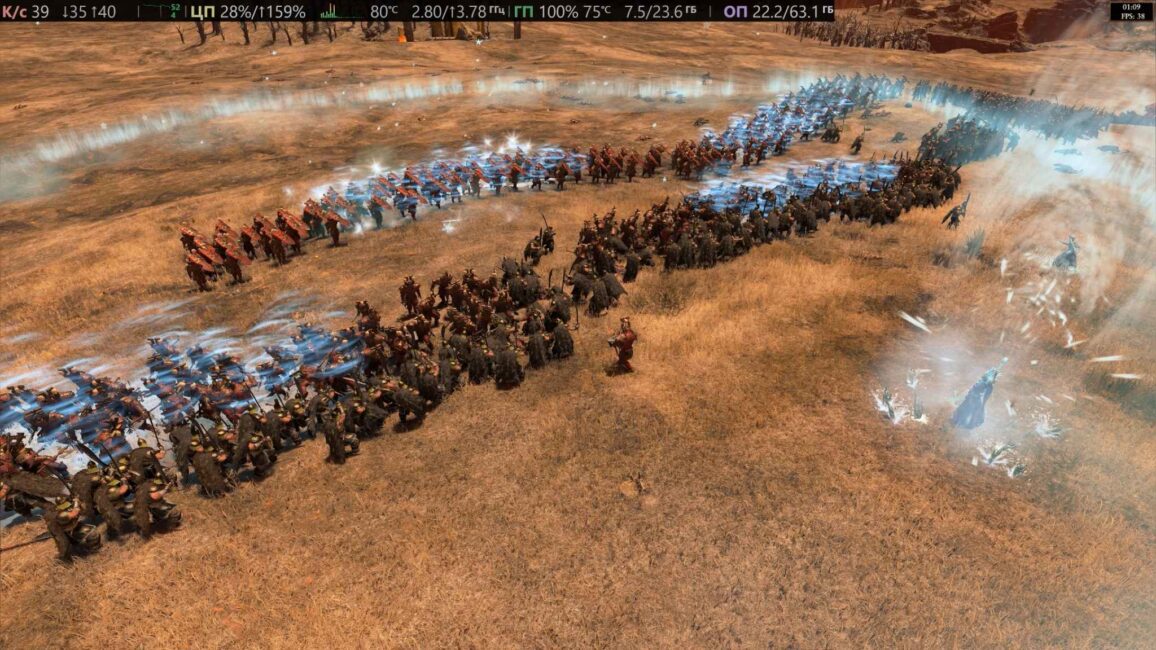
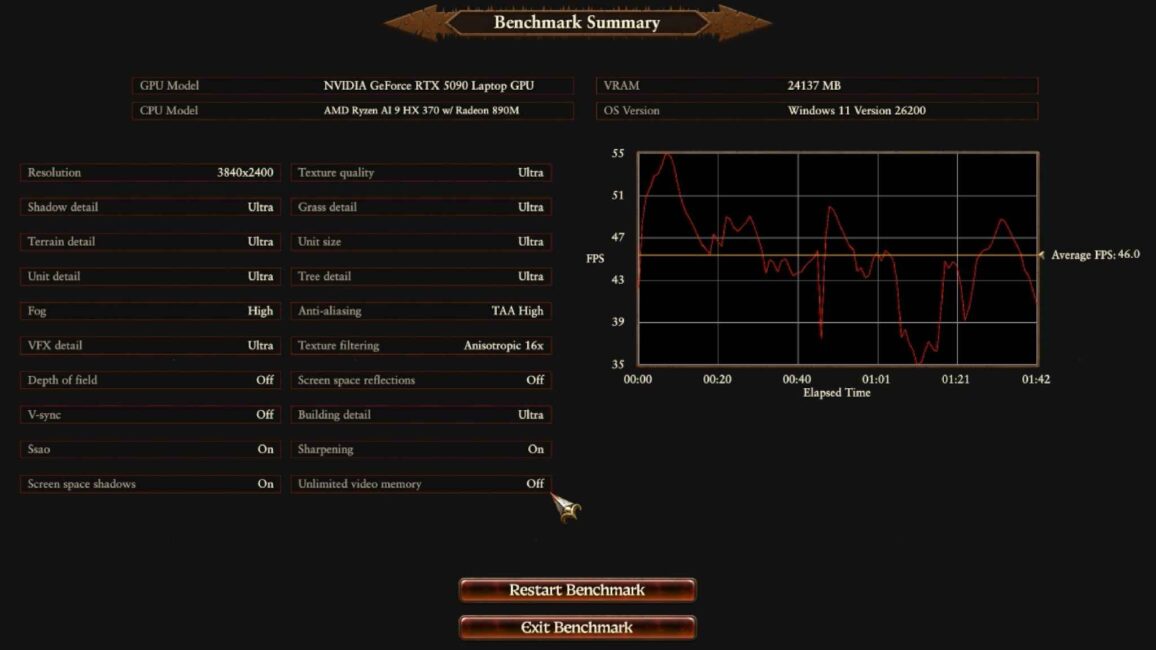
In AI workloads, even a 100 W RTX 5090 with 24 GB of VRAM can be more versatile and efficient than a 300 W RTX 5070 Ti, even on a desktop – simply due to the larger memory capacity. Is this necessary for everyone? Obviously not. But for the target audience of professional laptops like the ProArt series, it is likely very relevant.
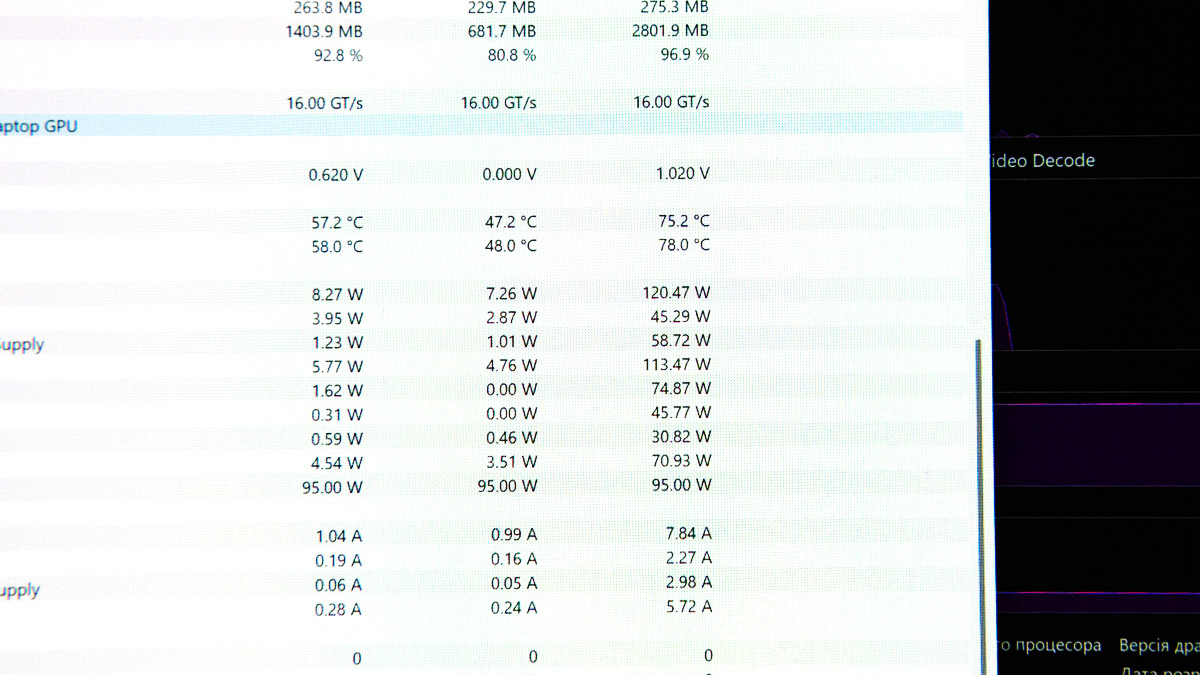
If you argue that “a gaming laptop with an RTX 5090 is more versatile because it can be forced to run at higher power, whereas this one can’t,” you’re correct. Gaming laptops can indeed operate at lower power levels if the battery allows, but they cannot be made as compact.
For example, the ASUS ROG Strix SCAR 18 with an RTX 5090 weighs 1.5 times more than the ProArt P16. This raises questions about portability, and the benefit of the extra 50 W TGP in the GPU, as I’ve already noted, is also debatable.
SSD and disassembly
The ASUS ProArt P16 H7606WX comes with two 2 TB SSDs. I’ve included speed results below. On a scale of upgrade difficulty – where 0 represents an ASUS ROG Strix with dedicated, easily accessible RAM and SSD compartments, and 10 represents a Microsoft Surface Pro, which is nearly impossible to upgrade or repair – I would rate this laptop at 6 out of 10.
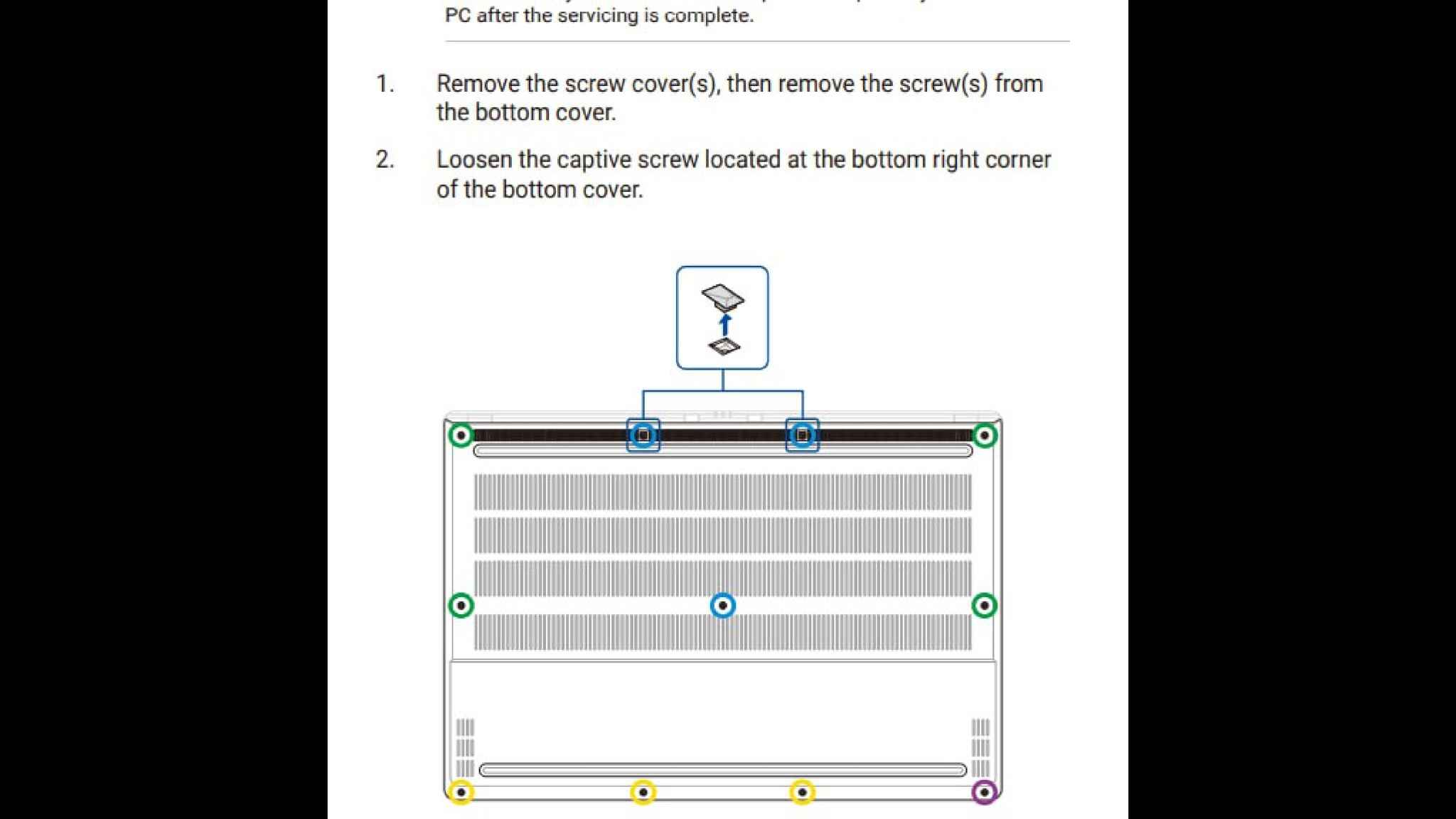
Why a 6/10 rating? Removing the back panel requires taking off two rubber feet that cover the screws at the top. It’s not as frustrating as dealing with the multiple tiny screws on something like the Lenovo Legion 7 Pro, but it’s still somewhat inconvenient.
Once opened, you’ll find two fans inside – a setup that has become standard for high-performance laptops without liquid cooling. For reference, we’ve also reviewed laptops with liquid cooling solutions (link here).
I would have loved to see quick-access SSD bays in the ProArt, but it’s understandable why they’re not included – out of the box, you already get two identical 2 TB drives installed: MTFDKBA2T0QGN-1BN1AABGA, aka Micron 2500 2 TB.
There is, however, a compromise with the M.2 slots. The second slot isn’t full PCIe 4×4 like the primary; it’s only PCIe 4×2 – essentially PCIe 3×4 in practice.
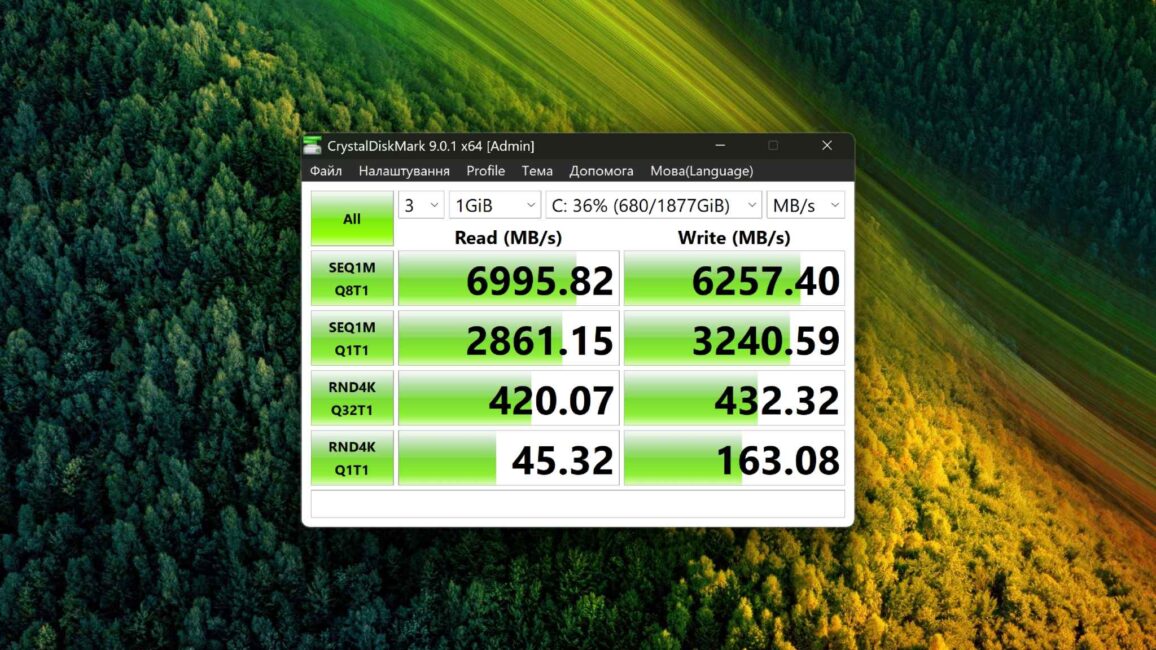
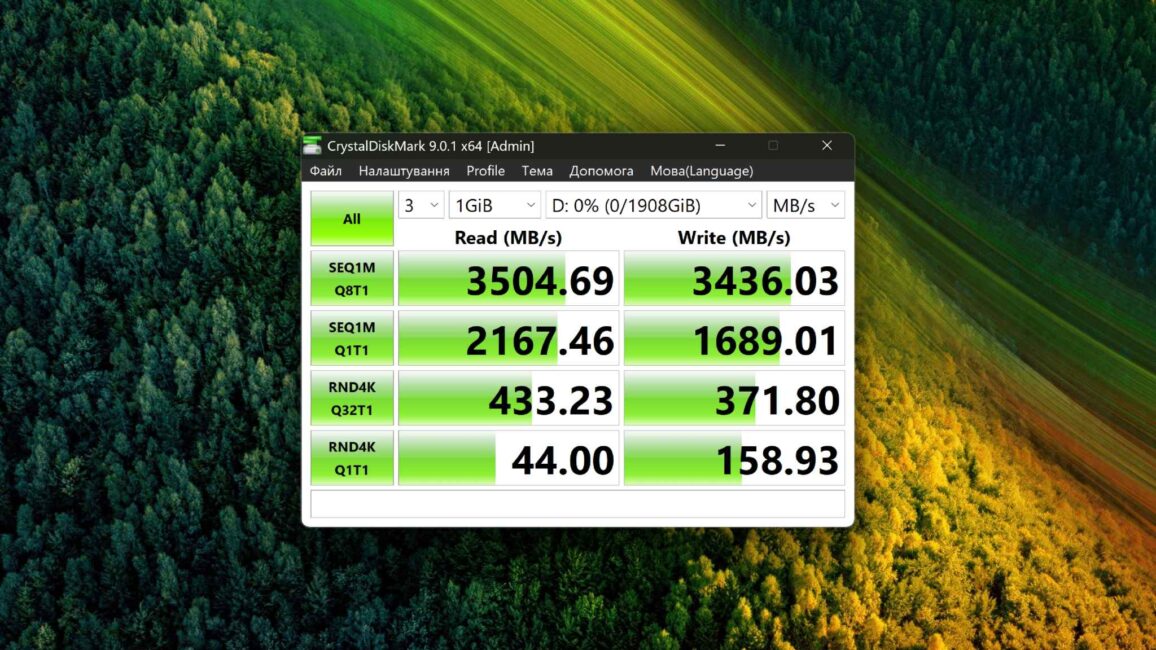
On one hand, such a limitation on a $5,000 WORK laptop is unpleasant, no doubt. On the other hand, in my experience – documented more than once – speed limits at the level of PCIe 3×4 (around 3,500 MB/s) very rarely become the bottleneck in a workflow. Honestly, I can hardly imagine a scenario where it would.
Still, if you’ve ever hit that limit and a drive twice as fast as PCIe 3×4 would have saved you, let me know in the comments.
Wireless Capabilities
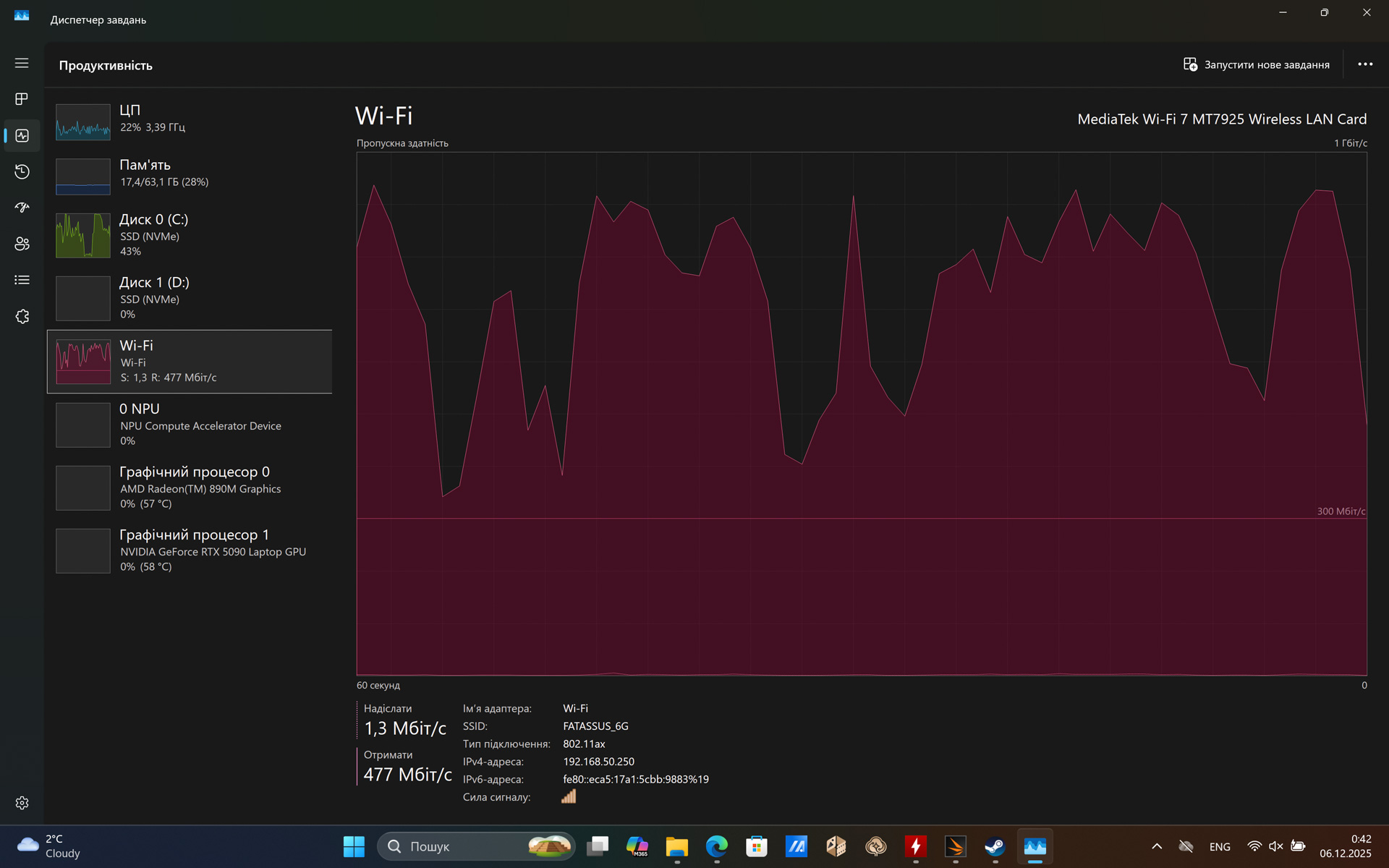
Data transfer is handled by the MediaTek MT7925 network card. This is essentially the best option you can get in an AMD laptop, offering support for Wi-Fi 7 802.11be 2×2 and Bluetooth 5.4. That said, since it’s an M.2 E-key module, future replacement will be possible.
Keyboard and Touchpad
Believe it or not, even here the laptop offers more surprises than expected. For instance, I didn’t anticipate seeing a keyboard without a numeric keypad on a 16-inch chassis – especially considering that 15-inch models often include one without issue. The good news: the switches feel pleasant and well-built, and backlighting is obviously present.
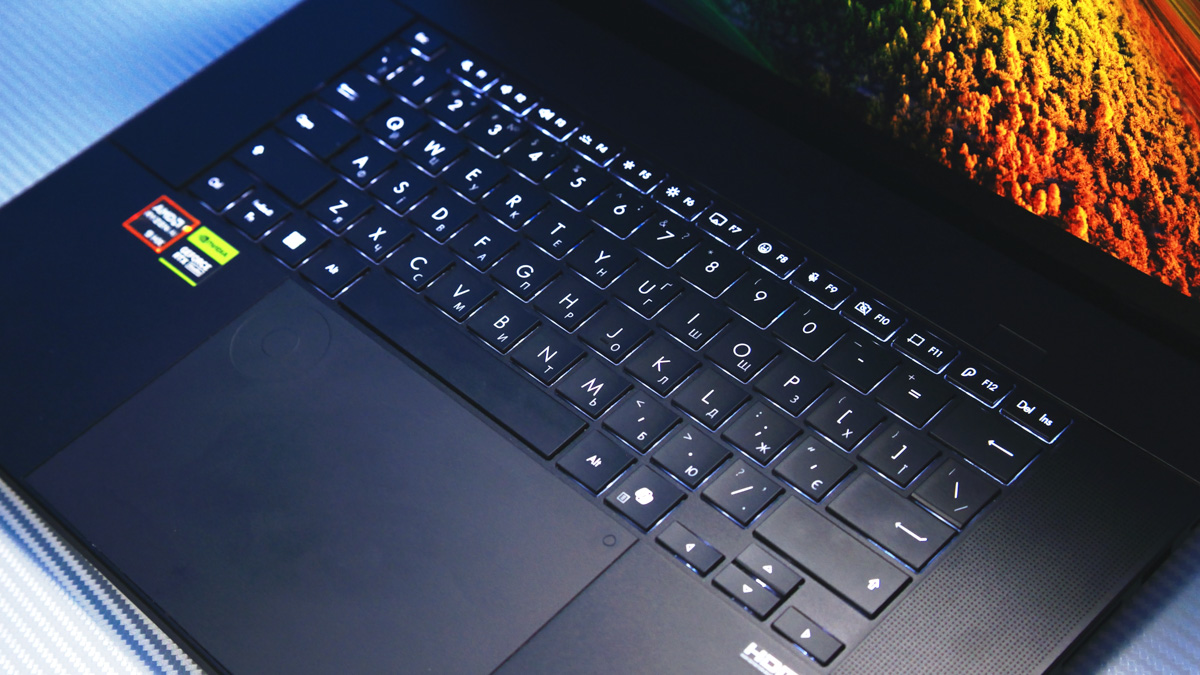
The touchpad is huge by Windows laptop standards and standard-sized compared to a MacBook – a compliment in itself for a productivity tool. What the Cupertino device lacks, however, is the built-in ASUS DialPad, which gives quick access to tools like moving the playhead on a timeline, adjusting brush size, fonts, colors, or pretty much anything else.

The ASUS DialPad supports apps like Adobe Photoshop, Lightroom Classic, DaVinci Resolve, Premiere Pro, CapCut, and Adobe Substance 3D Stager, and even allows creating custom presets in the proprietary software.
Personally, I found the DialPad almost useless for my workflow, because my laptops sit on a stand above a full-size keyboard. It’s often easier to use something like a TourBox on the side than reach up to the touchpad, taking my hands off the keys. That said, for on-the-go work, the DialPad is obviously incredible – it can really save time once you get used to it.
Media сapabilities of the ASUS ProArt P16 H7606WX
The ProArt P16 H7606WX features a Full HD webcam with an infrared sensor for Windows Hello support. While functional, the laptop does not include a fingerprint scanner, which could have been a convenient addition – potentially integrated into the power button or centrally on the DialPad.
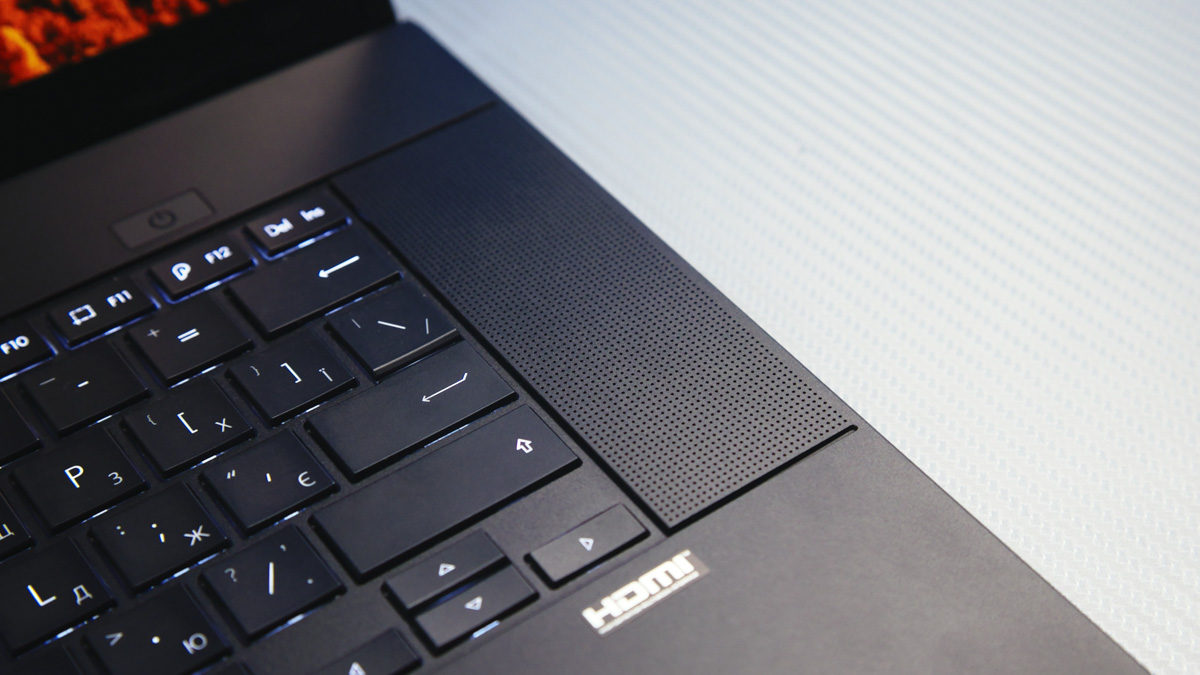
The laptop features stereo speakers with sound quality among the best I’ve encountered on Windows laptops, approaching the levels of a MacBook Pro. Combined with the built-in microphone array, along with ASUS and NVIDIA software enhancements, the system offers a solid setup for media consumption and video communication.
Software
The ASUS ProArt P16 H7606WX comes with several pre-installed applications. CapCut provides basic video editing capabilities, while MuseTree offers AI-assisted music creation. MyASUS allows users to manage hardware settings on the laptop. ScreenXpert facilitates management of physical monitors, and GlideX complements this by supporting virtual monitor workflows.
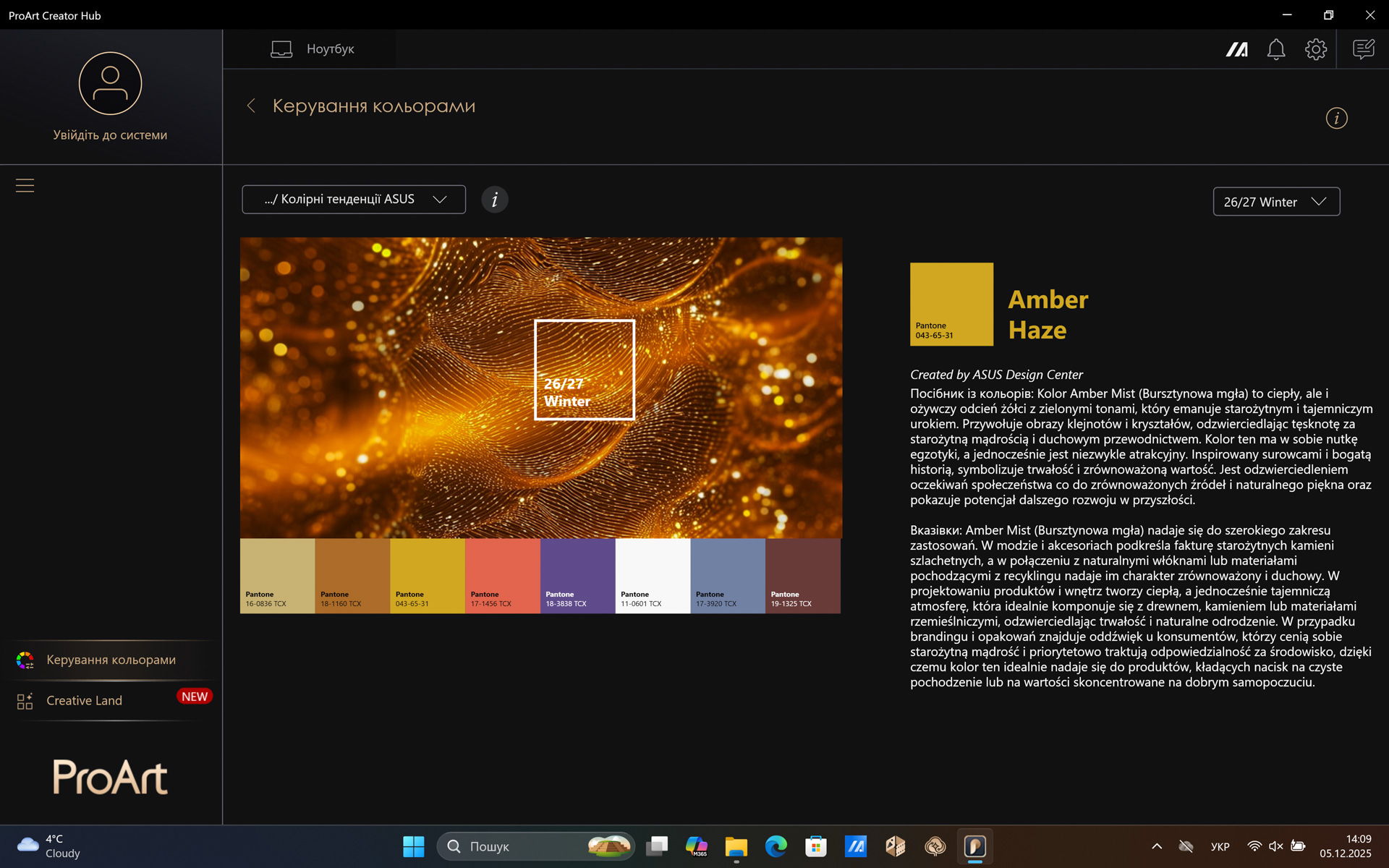
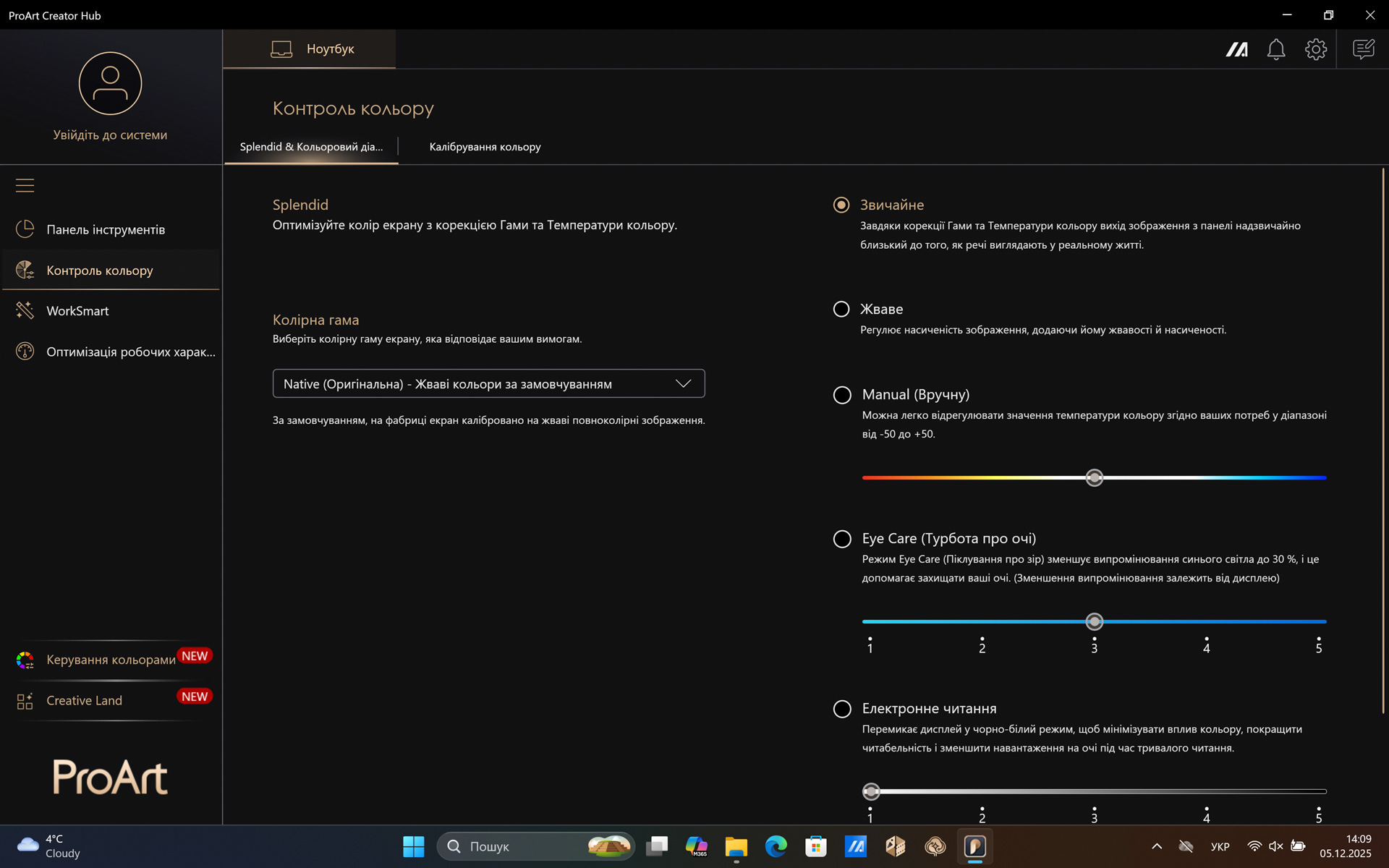
However, the standout applications are ProArt Creator Club and MuseTree. ProArt Creator Club is notable for its advanced color management capabilities: it allows users to create custom color palettes, extract colors from images, and even calibrate the display using X-Rite, Datacolor, or Klein devices. As a reminder, displays gradually lose color accuracy over time and should be recalibrated every one to two years. The app also provides options to adjust DialPad presets.
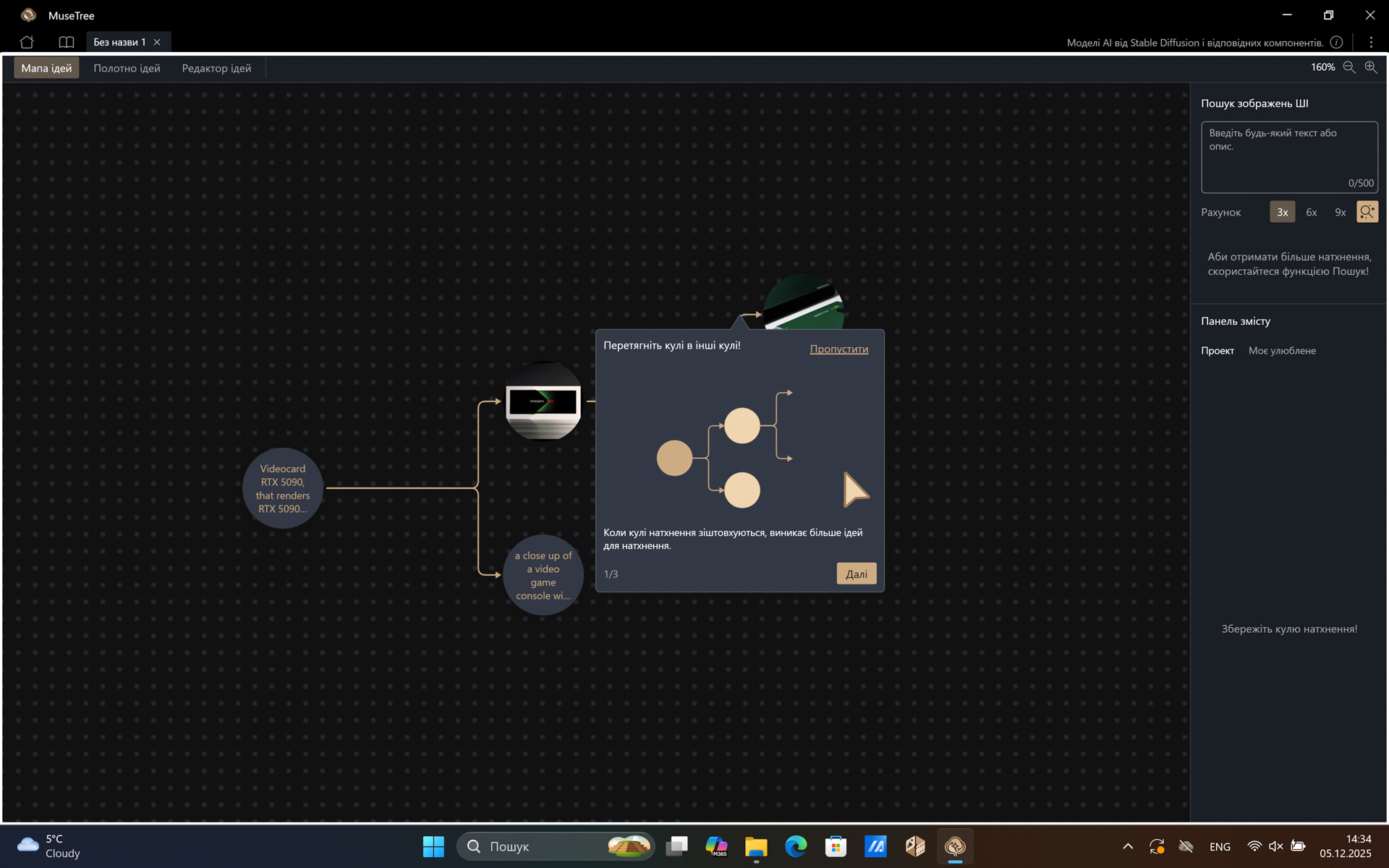
MuseTree, meanwhile, enables users to visualize concepts as an “idea tree,” where each branch represents a specific item and its description is transformed into an image using AI. The application can serve both as a tool for practicing effective AI prompt formulation and, once mastered, as a digital alternative to a physical idea board.
Compared to the other applications on the P16, one program clearly stands out: GHelper. This utility excels in both functionality and usability when it comes to precise control over individual components of ASUS ROG and ProArt laptops, from fine-tuning CPU TDP to customizing fan speed curves.
The only reason GHelper is not featured in official reviews or on ASUS channels is that it is not an official ASUS application. Nevertheless, it surpasses Armory Crate in many aspects, largely due to its remarkable versatility.
Battery Life
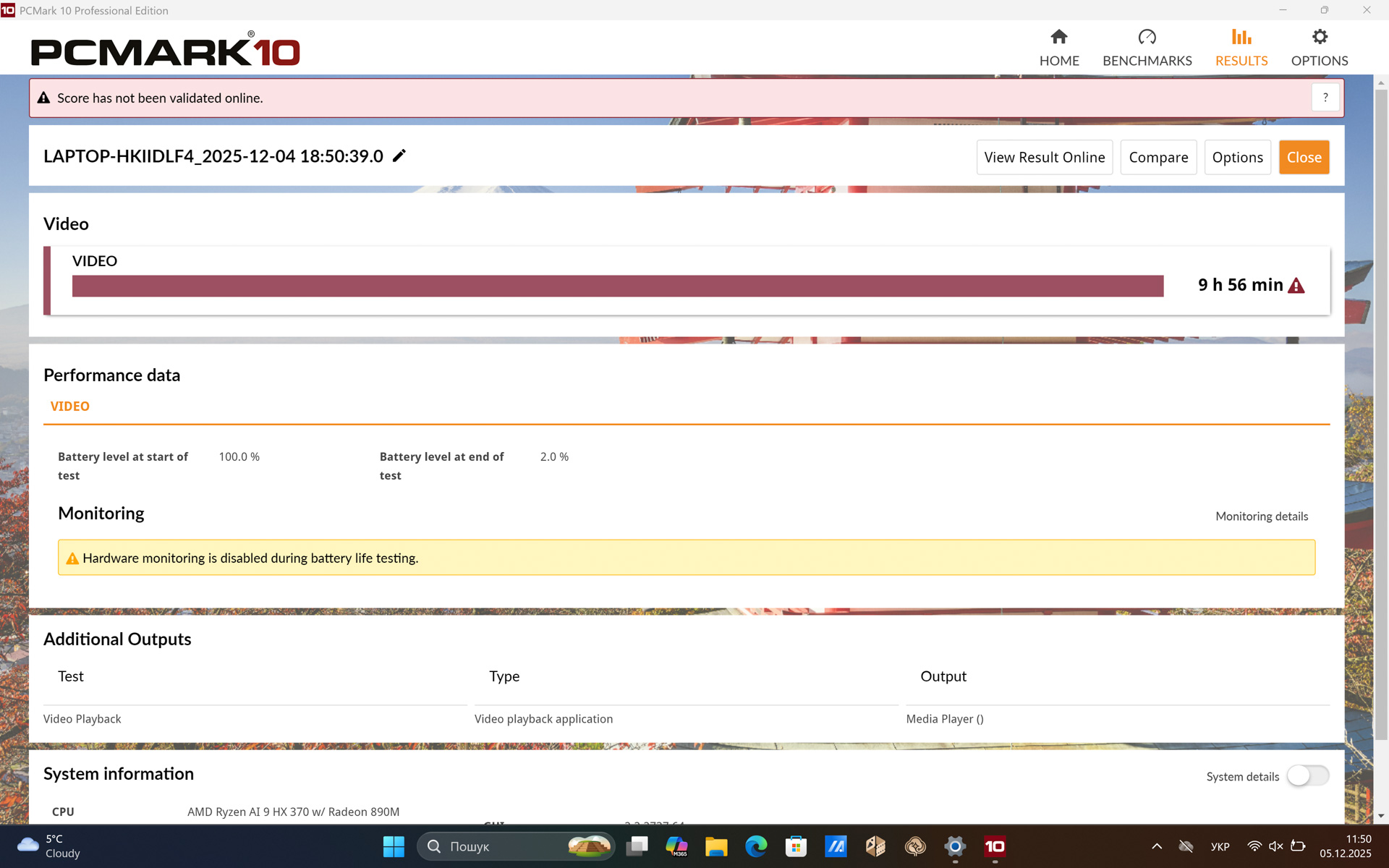
Equipped with an AMD AI 9 HX 370 processor and a 90 Wh battery, the ASUS ProArt P16 H7606WX achieved nearly 10 hours in the PCMark Battery Test Video when tested at half brightness and using Windows’ balanced performance profile. (Performance benchmarks were conducted under a higher-power profile.)
Charging with the included 240 W adapter takes exactly 60 minutes. The laptop can also charge via USB-C on either side at rates between 45 W and 100 W. Even the lower 45 W rate is sufficient, as the ASUS ProArt P16 H7606WX can be easily optimized for energy-efficient operation, a process where GHelper proves particularly useful.
Conclusions
As evident, the ASUS ProArt P16 H7606WX illustrates that while Windows devices are generally versatile, they can still be optimized for specific tasks. This model is neither the most expensive nor the highest-performing in ASUS’ lineup – particularly for gaming – nor the most design-focused. However, it is lightweight, compact, well-built, highly capable for professional workloads, and offers solid battery life. Overall, it represents a compelling option for professionals seeking a portable, productivity-oriented machine.
Read also:
- ASUS Vivobook S14 S3407QA Review: More Than Just a “Typing Machine”
- ASUS ROG Strix G16 (2025) G615 Review: Almost a Flagship on Blackwell
- Review of the ASUS ROG Zephyrus G16 2024 Gaming Laptop with AMD Ryzen AI 9 HX 370
Where to buy ASUS ProArt P16 H7606WX


