





© ROOT-NATION.com - Use of content is permitted with a backlink.
I received the Gembird TVS-DESK-01-BK presentation desk, also referred to as the Gembird Mobile Lecture Desk, for a fairly specific use case shaped by current work practices. The mobile desk was intended not only for studio work, but also for video editing using a game controller. While this may sound unconventional and the plan changed partway through testing, the original intent remains relevant and is described below.
Also interesting: All reviews of devices for office and business

TABLE OF CONTENTS:
Gembird TVS-DESK-01-BK Video review
Specifications
- Material: steel, plastic, MDF
- Table tilt angle: -30°
- Table load capacity: 20 kg
- Shelf load capacity: 10 kg
- Height adjustment: 1110-1345 mm
- Product dimensions: 690×530×(1110-1345) mm
- Table dimensions: 600×400 mm
- Shelf dimensions: 400×215 mm
- Base dimensions: 690×530 mm
Assembly and Specifications
As is customary in furniture reviews, the assembly process was assessed first. No significant issues were identified: the instructions are clear, and the fasteners are compatible with a standard screwdriver bit. The only point requiring attention is the correct alignment of the mounting holes. Overall, assembly takes no more than thirty minutes for someone without prior experience. In this case, the process was unfamiliar mainly because the product is not a chair.

What, then, is this product? It is a mobile steel presentation desk. The design consists of two platforms and four casters, with a trapezoidal wheeled base intended to reduce the risk of tipping. The upper surface measures 600 × 400 mm, can support up to 20 kg, and tilts forward by up to 30°, with the angle secured by screws underneath. The lower shelf measures 400 × 215 mm and is rated for loads of up to 10 kg.

The desk also allows height adjustment within a range of 1110 to 1345 mm. This is implemented via screw clamps rather than a gas lift. The casters are equipped with locking mechanisms, which is a reasonable inclusion for a stand of this type at a price point of around $115. The presence of a plastic laptop stopper was also noted; it enables the use of the 30° tilt angle without the device sliding forward.

One practical note is worth mentioning: if a screw insert pulls out of a particleboard panel, filling the hole with PVA glue and reinserting the anchor can help. As the glue dries, it expands slightly and improves retention. In this case, one insert was pulled out during assembly, largely due to overtightening the screw with a power driver and then having to remove it.

The only clear drawback identified is the plastic drawer. It is intended solely for stationery and lacks sufficient depth even for storing cables. In addition, it is notably noisy: the drawer fits loosely within its sliding channels and produces a loud rattling sound when opened or closed.

On the other hand, the drawer appears to be designed with an office environment in mind, and its use is not essential to the overall functionality of the desk.
Use Case
The reason for requesting this desk was practical. One of its intended applications is in monitor testing, where a laptop is used as a signal source but should remain outside the camera frame. In this context, placing the laptop on a dedicated mobile desk of this type is a reliable solution.

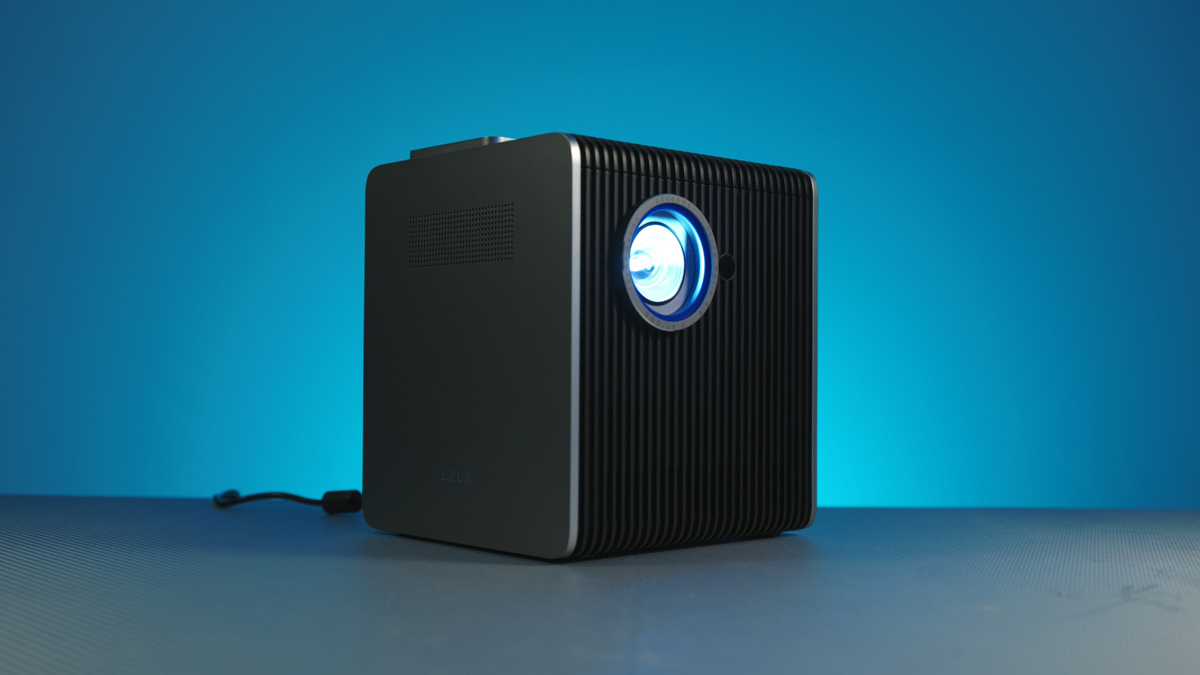
I also placed an EcoFlow River 3 Max on the lower shelf, which weighs 1.6 kg less than the maximum rated load, and used it to power the CZUR Starry Hub Q1.
However, this was not the primary reason for acquiring the desk. The main purpose was to use it for video editing with a game controller. In my apartment, there is a hallway where I can work with greater peace of mind during emergencies, as it is enclosed on all four sides rather than just two walls.

However, because I do not use touch typing and rely solely on full-sized keyboards, and because the desk surface needs to accommodate a sufficiently large mouse pad, the Gembird Mobile Lecture Desk is not suitable for conventional mouse-and-keyboard work. That said, I have long been curious whether video editing could be done using a game controller. Not a budget model – currently, I am testing with an ASUS ROG Raikiri Pro.

In addition to the D-pad, lettered buttons, two sticks, and bumper and trigger buttons, the controller features four buttons on the underside. These are pressed in a manner somewhat analogous to the additional buttons on my current mouse, the Cougar Dualblader. The specific actuation mechanism of these buttons is precisely why I use only this mouse and no other.

During editing, I do not use half of the keyboard; essentially, I map around 10 functions, which can be assigned either to individual buttons or to button combinations. Precise cursor movement is controlled with one stick or the D-pad, while rapid movement is handled by the other. This setup leaves me with 12 available buttons in total, including the lettered, side, and underside buttons.
Change of Plans
Originally, I intended to create an entire video about transitioning from a mouse to a game controller. However, since my primary video-rendering laptop became the ASUS ProArt P16, which features both a large touchpad and a dedicated DialPad for quick control, I found myself at a crossroads.

If you weren’t aware, adapting to a game controller is significantly more challenging than adapting to a touchpad. Even in games, don’t expect to play titles like Halo or The Last of Us comfortably right out of the box if you’re used to a keyboard. Touchpads, on the other hand, are essentially like using a smartphone screen.
Considering that the P16 has an unusually large and convenient touchpad, and the DialPad has been reliable for years with plenty of presets for workflow, the laptop can be used even on your lap. At the same time, it also works comfortably on the Lecture Desk. Additionally, instead of the River 3 Max, I am now using the Trail 300 DC – still 100 W via USB, but smaller and easier to transport. The desk itself remains unchanged.
Conclusions
In summary, the Gembird TVS-DESK-01-BK, or Gembird Mobile Lecture Desk, is more versatile than it might initially appear – provided it is used creatively and not solely for office or educational purposes. The desk is mobile, convenient, and thoughtfully designed, exceeding my expectations in several respects. Based on my experience, it is suitable for a range of personal and professional tasks.
Read also:

