





© ROOT-NATION.com - Use of content is permitted with a backlink.
Based on recent trends in keyboards and other tech, retro styles are becoming popular again. In line with that, we aim to keep you informed about notable gadgets in this category. You may already have seen our review of the YUNZII QL75 Retro Typewriter mechanical keyboard, which would fit well in a late-1990s-style PC setup. Today, I will introduce the YUNZII B75 PRO MAX, a model that features a dedicated display and offers flexible customization options via QMK or VIA.
Look also our post collection: Gaming keyboard reviews

TABLE OF CONTENTS:
Specifications
- Format: 75%
- Number of keys: 81 keys
- Connection: wireless (Bluetooth / RF 2.4 GHz); wired (USB Type C – Type A)
- USB polling rate: 125-1000 Hz
- Switches: YUNZII: Milk V2 / Cocoa Cream V2 / Candy
- Hot swap: yes, 5-pin connectors (3-pin and 5-pin switches are compatible)
- Anti-Ghosting: yes
- Keycaps: PBT (Cherry Profile)
- Backlighting: RGB
- Proprietary software: yunzii-game and VIA / QMK online services
- Supported platforms: no restrictions
- Battery: 8000 mAh
- Cable: detachable USB-A – USB-C, 2 m long
- Dimensions: 334.40×143.60×42.15 mm
- Weight: 993 grams
- Features: Gasket Mount design, pre-lubricated switches and stabilisers, built-in memory, multifunctional scroll wheel, 160×96px TFT display
Positioning and Price
At the time of writing, the YUNZII B75 PRO MAX is available from the manufacturer’s website for $85. The keyboard is offered with three switch options and several color variants. In addition to the retro-themed design, buyers can choose a black version with partially transparent keycaps or a more vivid pink color option.
YUNZII B75 PRO MAX Package Contents
The primary item worth reviewing first is the user manual. It clearly explains a range of non-obvious key combinations used to control the display, lighting, multimedia functions, and Bluetooth connectivity.

In addition to the documentation, the box includes:
- Seven keycaps
- Two spare switches
- A combined keycap and switch removal tool
- A USB Type-C to USB Type-A cable

Overall, the included accessories form a practical package that allows the keyboard to be adapted to different operating systems and user requirements.
Read also:
- Weapons of Ukraine’s Victory: MICA Air-to-air Missile
- Witches, Orcs, and Chinese Moms: A Selection of “Cozy” Books for Turbulent Times
Design, Ergonomics, and Build Quality
The design of the YUNZII B75 PRO MAX is immediately distinctive. The white chassis is paired with white keycaps, complemented by gray and light blue accents. The choice of fonts on the modifier keys is consistent and contributes to a clearly retro-inspired appearance. Together, these elements create a keyboard that references classic designs, although the 75% layout itself was not common during the period it visually evokes.

A notable detail is the decision to label the key between Control and Alt as “System” rather than using a Windows logo or “Win” text, as seen on the previous Pro version of the keyboard. This results in fewer visually distracting elements and contributes to a cleaner overall appearance.


Due to its gasket-mount structure, the keyboard is relatively heavy at 993 g. Combined with five rubber feet, this provides good stability and helps keep the keyboard firmly in place on a desk.


The keycaps are made of PBT plastic, which should offer improved durability and resistance to wear. For typing comfort, the keys are sculpted with varying heights. The keyboard’s корпус is made of practical matte plastic.

At the top-right corner of the keyboard, there is a scroll wheel that can be used for adjusting volume or scrolling through pages. In addition to scrolling, the wheel can also be pressed to perform functions such as muting all system sounds.

Next to the scroll wheel is the display. The screen comes with a protective film, which in my case was prone to scratching fairly quickly. As a result, removing the film is not ideal, since it would eliminate the protection, but leaving it on slightly affects the appearance due to visible scratches.

Between the keys, there are four LED indicators: two show the active connection mode, while the other two indicate whether Caps Lock is on and whether the System key (Windows) is locked – a feature that could be particularly useful for gamers.
On the top edge of the YUNZII B75 PRO MAX, there is a white hub featuring a three-position connectivity switch, a Type-C port for charging, and a concealed receiver. The gaps between the hub and the keyboard body vary in different areas, which is somewhat noticeable.

Another minor drawback is the included Type-C cable, which feels slightly loose in the charging port and differs in color from the keyboard’s body.

Lighting and Display
The YUNZII B75 PRO MAX features RGB key backlighting, which can be customized either through the web app or manually via hotkey combinations. As mentioned in the package section, it is highly recommended to study the manual to understand how to switch between the numerous lighting modes.
Read also:
- How to Charge a Power Station in a Car Using the EcoFlow Alternator Charger
- A4Tech FX53 and A4Tech FX55 Review: Scissor-Switch Keyboards with Additional Features
On the positive side, users can select any color, adjust brightness, and choose from a dozen different lighting effects that activate when keys are pressed, adding a dynamic and customizable visual experience.
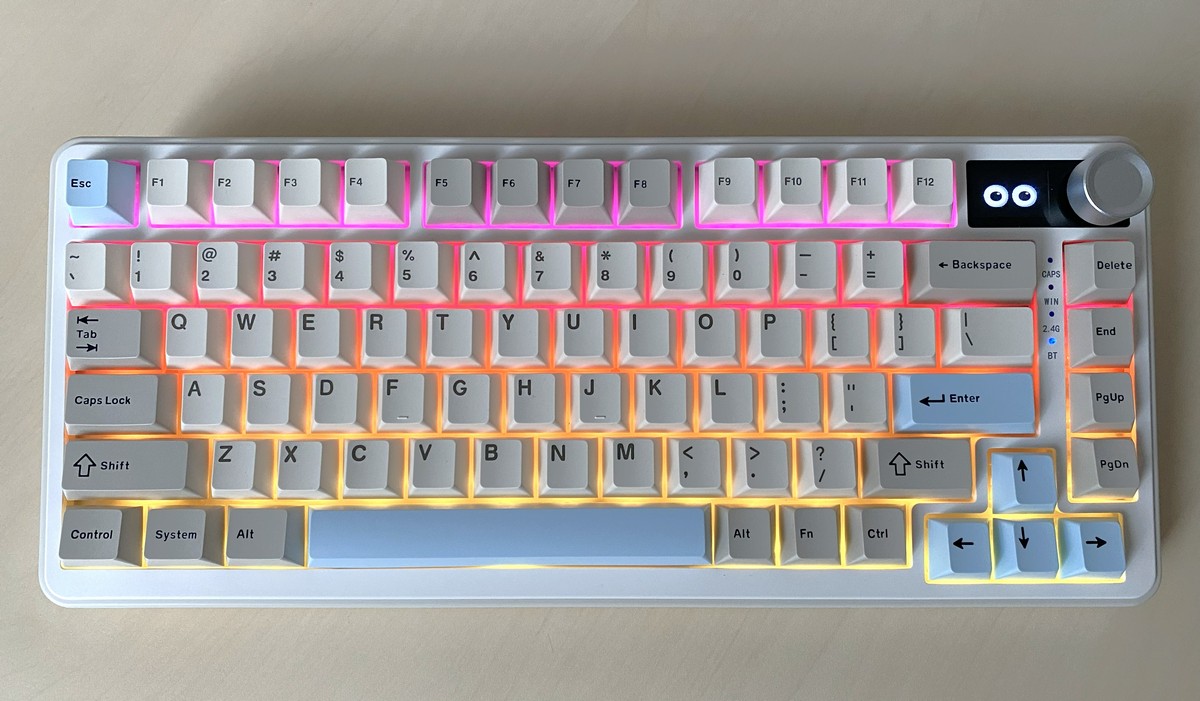
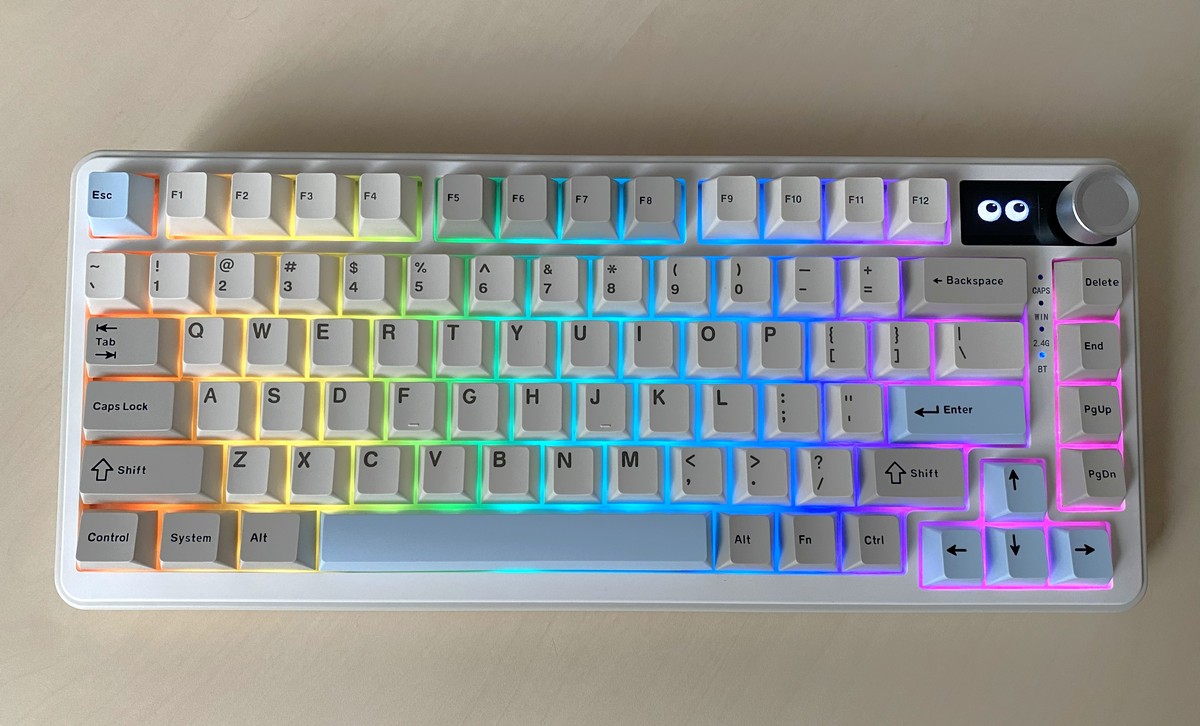
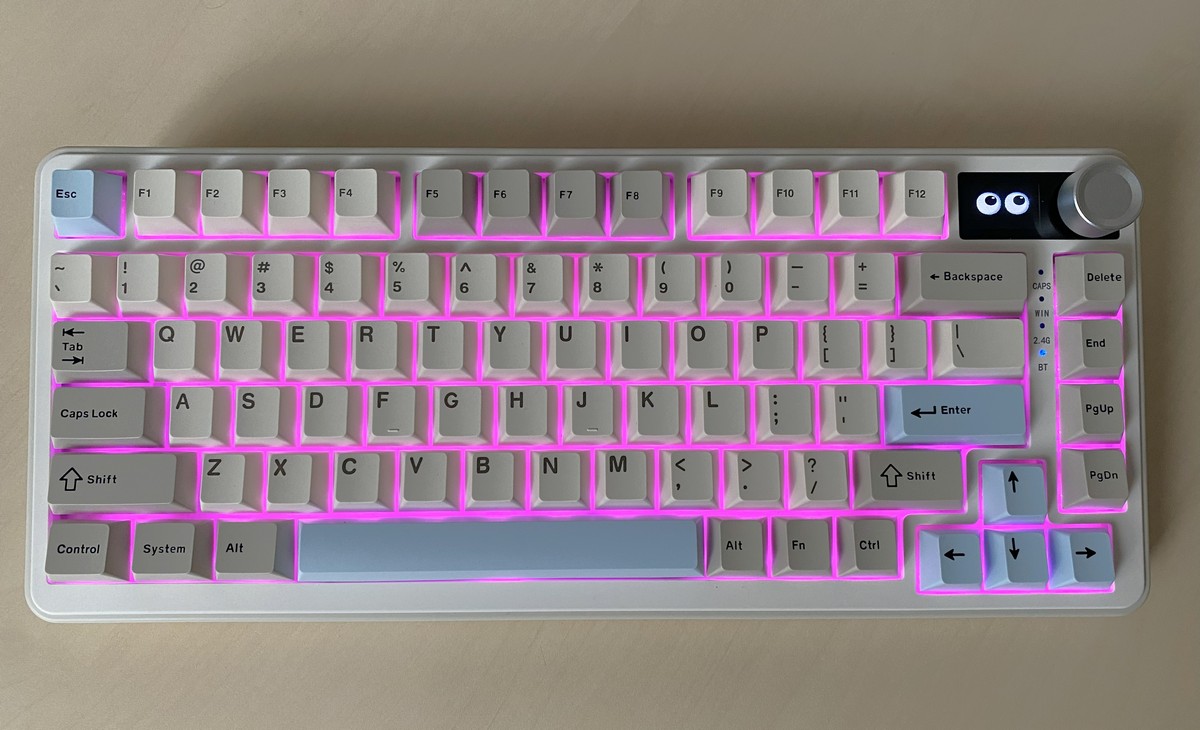
On the downside, the keycaps themselves are not transparent, so the backlighting only illuminates their edges. However, the maximum brightness, combined with light from a monitor, is sufficient for comfortable use of the YUNZII B75 PRO MAX in low-light conditions.
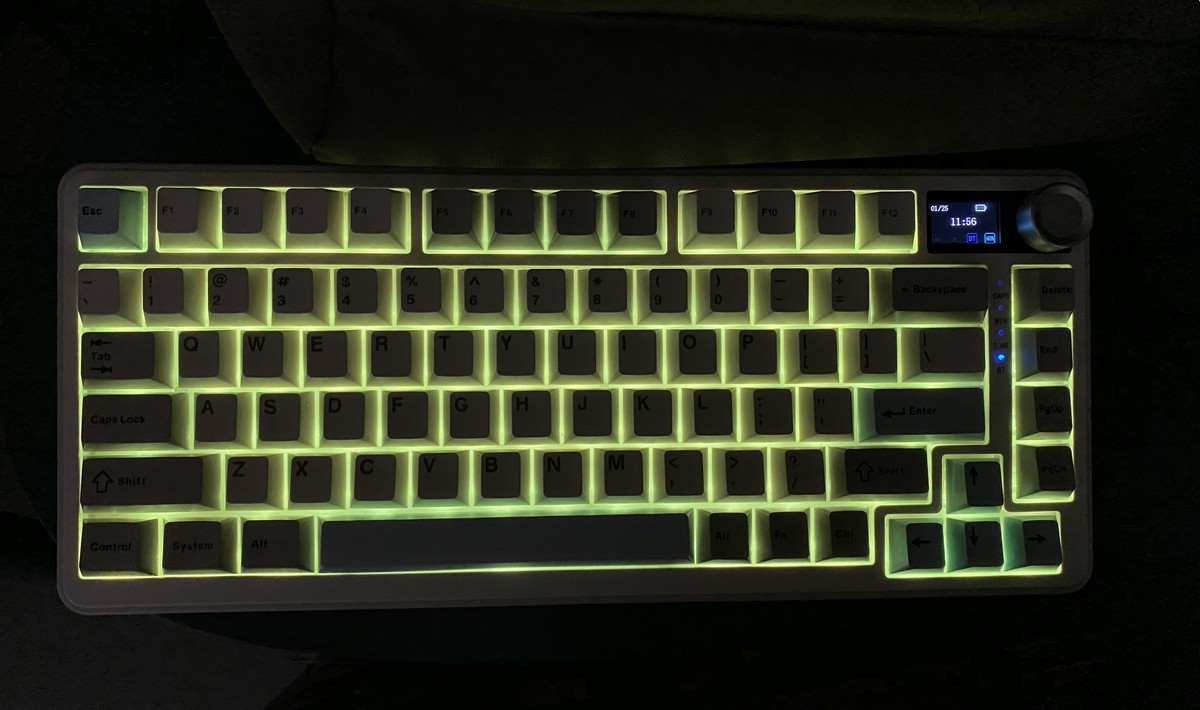
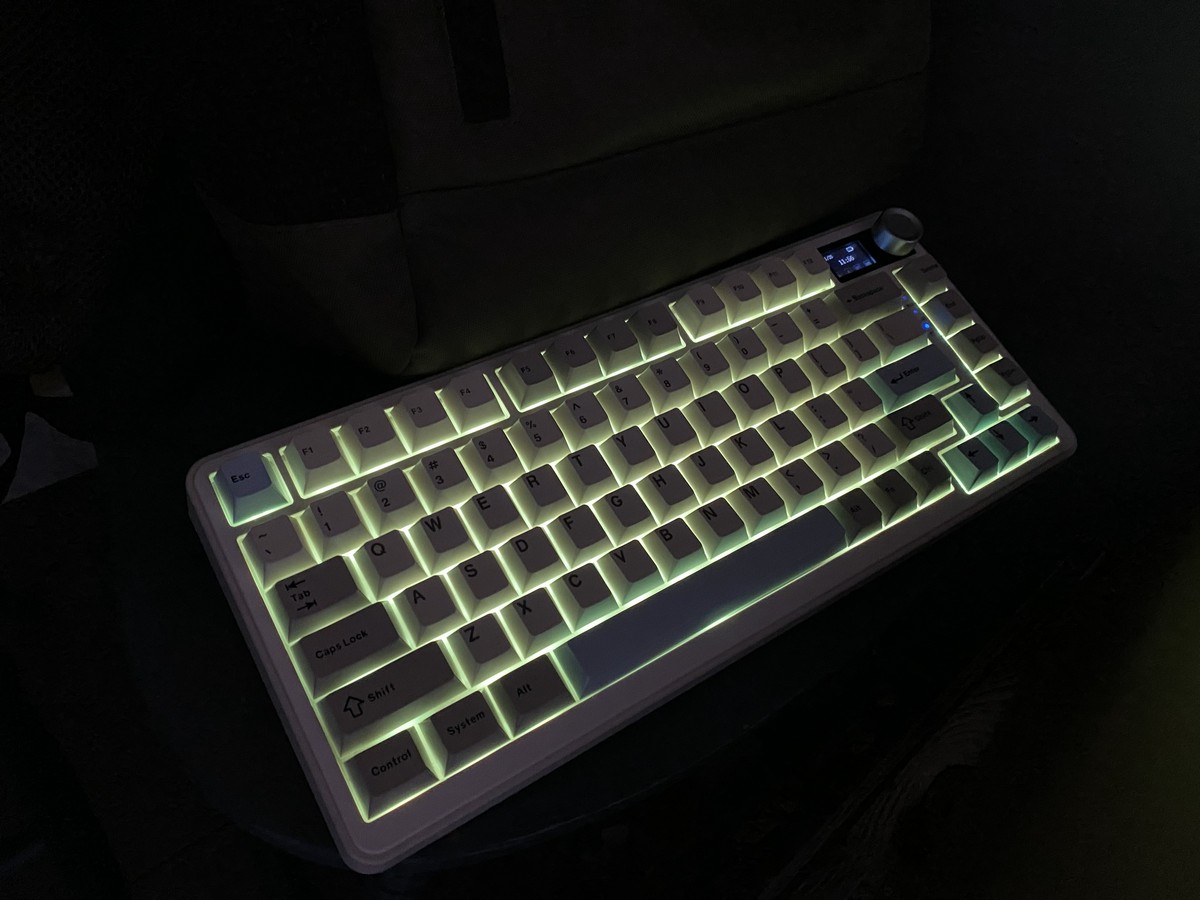
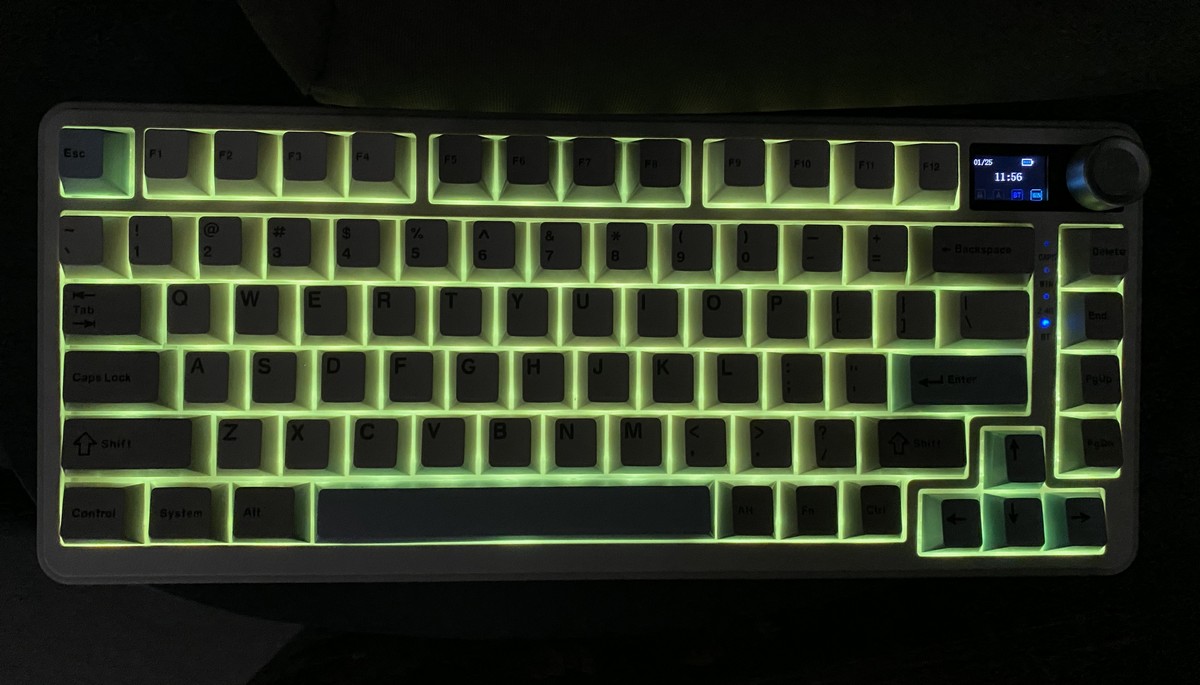
Now, a few words about the display. For me, it was a bit of a “wow” factor and a standout feature of the keyboard, so I was curious about its capabilities. In practice, there isn’t a huge amount it can do. The display has a resolution of 160×96, offers three modes, and can show:
- Any image of your choice
- Any GIF animation of your choice
- System information, including date, time, keyboard battery level, and active connection
Overall, that covers the full functionality of the display.
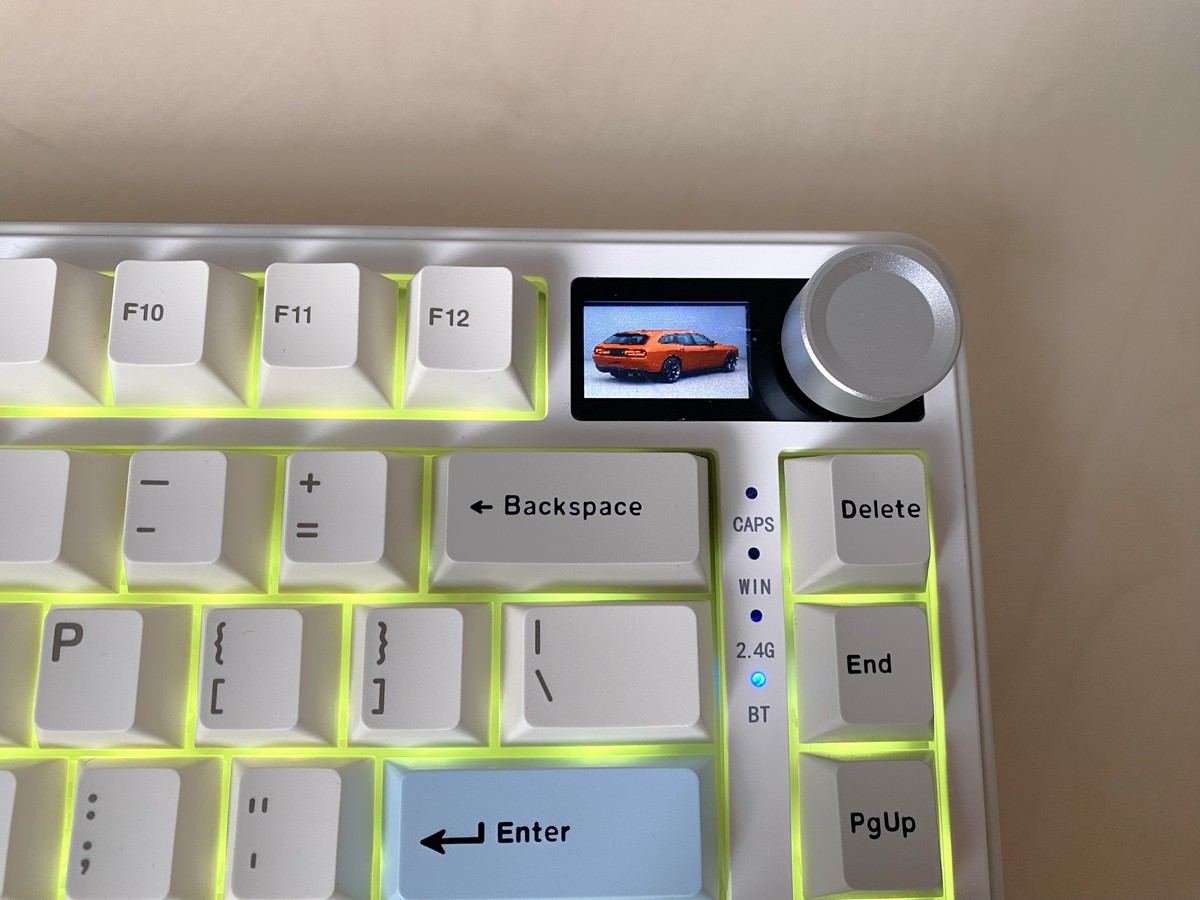
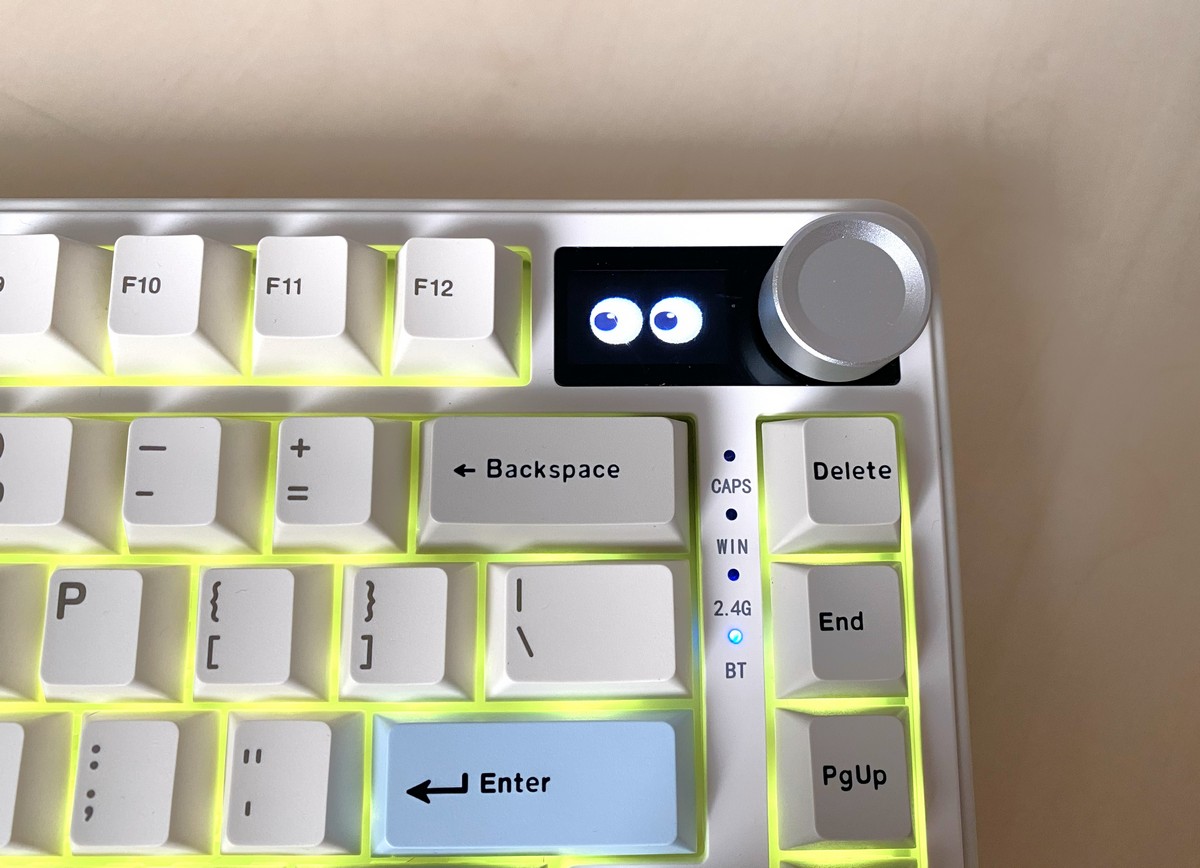
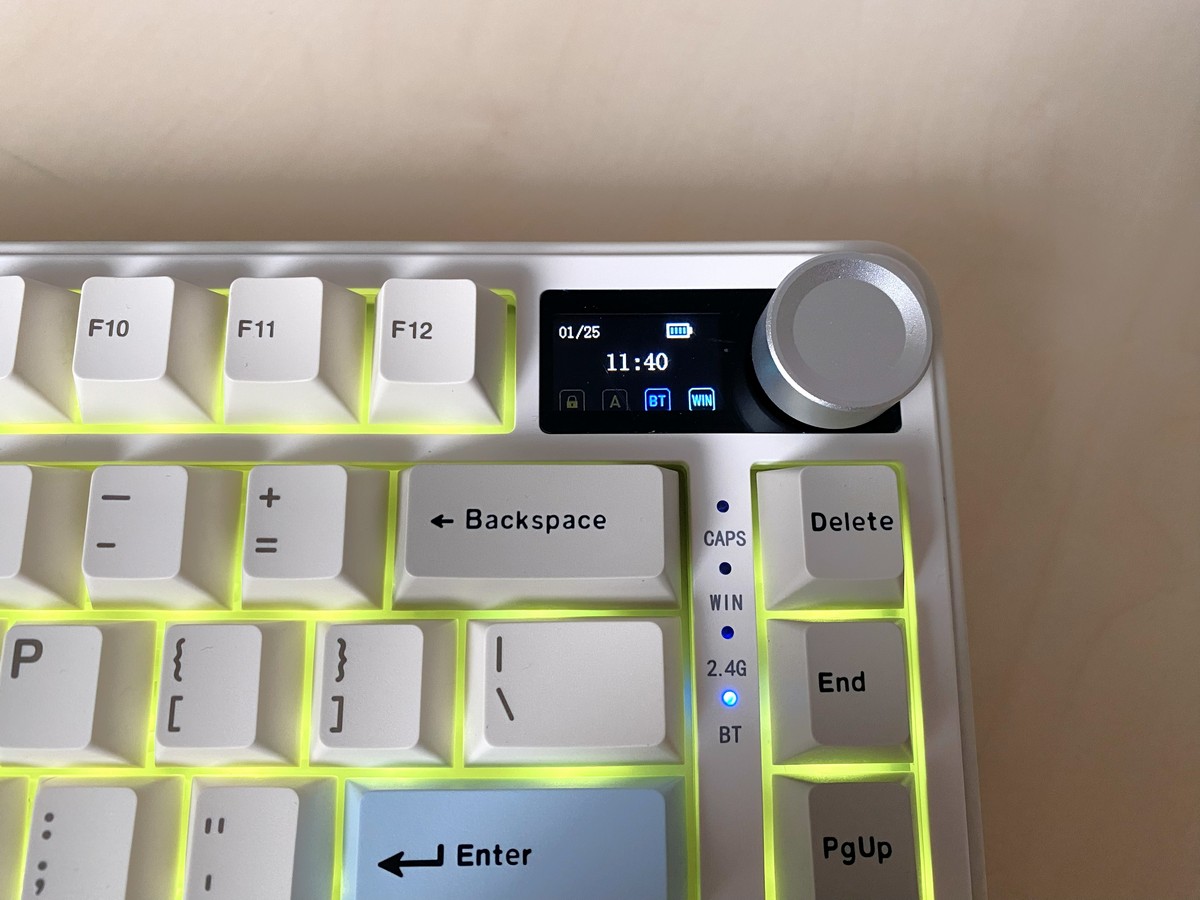
The display can be configured using the web app: https://yunzii-game.com
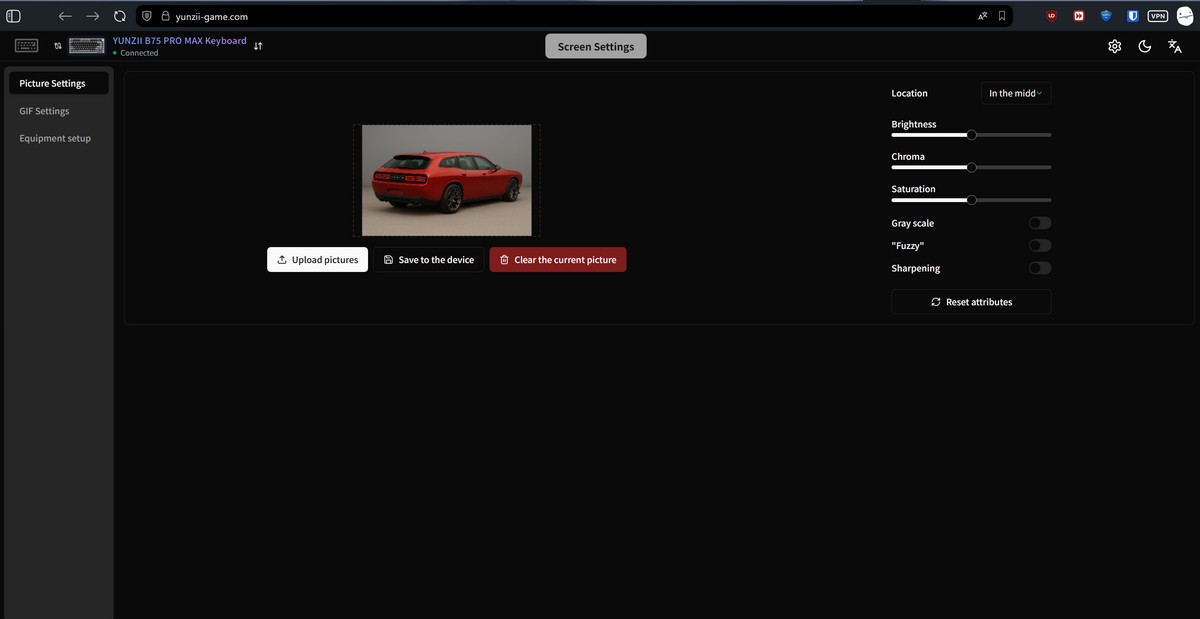
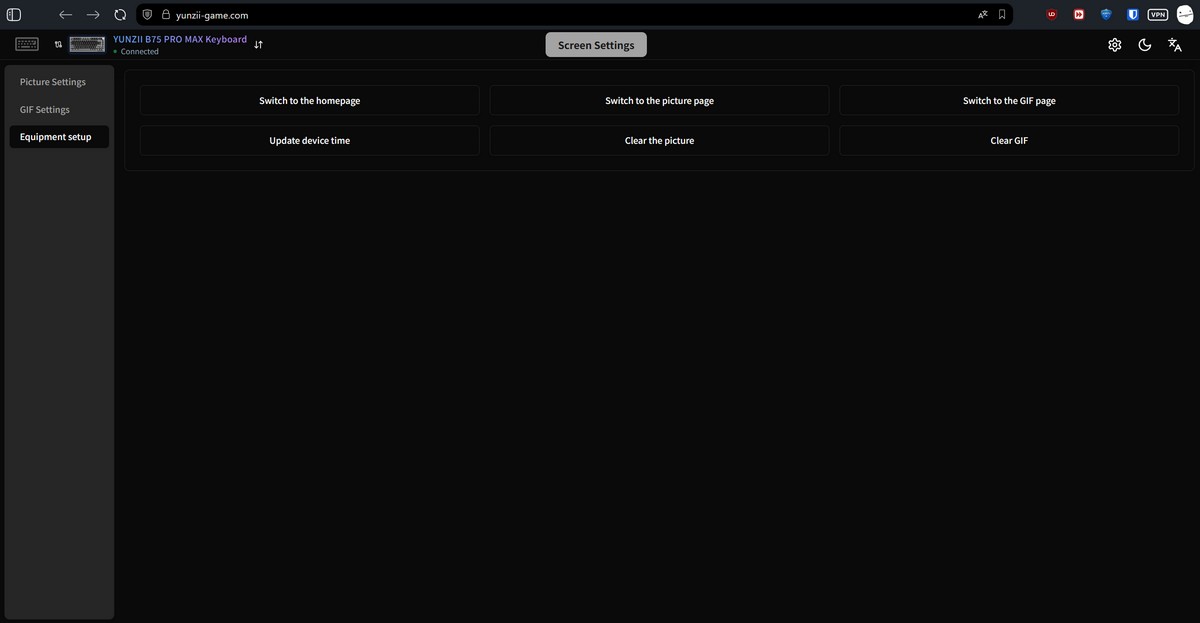
The display uses TFT technology, so the image fades when viewed from an angle (though in practice, you’ll rarely look at it this way). Additionally, if a lamp is positioned above your monitor, the screen may produce glare.

This creates an interesting situation: the display is present, but finding a practical use for it can be somewhat challenging. From an emotional or aesthetic perspective, however, it’s enjoyable – seeing blinking eyes or other cute animations on the keyboard adds a playful touch.
In future versions of the YUNZII B75 PRO MAX, an IPS or OLED display with broader customization options would be welcome. It would be useful, for example, to display system information such as CPU load or GPU temperature.
Additionally, it would be helpful to have the option to disable the power-on animation. Currently, every time the keyboard wakes from sleep and a key is pressed, the display plays a startup animation featuring the manufacturer’s logo.

This was somewhat annoying during testing, especially when playing Stronghold Crusader, where the keyboard only needed to be used every 3–5 minutes – just enough time for it to go to sleep.
Connectivity and Supported Platforms
The YUNZII B75 PRO MAX supports both wired and wireless operation. When using a cable, the keyboard connects to a PC or laptop via a standard USB Type-A interface. For wireless connections, two options are available: a 2.4 GHz RF channel (using the included adapter) or Bluetooth.
In Bluetooth mode, the keyboard can pair with up to three devices simultaneously – for example, a laptop, tablet, and TV. Switching between devices is done quickly using the Fn + 1 / 2 / 3 key combinations.
Read also:
- How to assemble a relatively low-cost eye-tracking setup for Truck Simulator and similar applications
- ARZOPA Z3FC Review: A 2K 180Hz Mobile Monitor for Gamers and Professionals – Affordable!
Official Application
The manufacturer does not provide a dedicated app for configuring the YUNZII B75 PRO MAX, unlike the previous YUNZII B75 PRO. Instead, users are directed to use the web-based VIA service (or QMK). A JSON file with the keyboard’s default configuration is provided in the Software section of the manufacturer’s website to facilitate setup.

Using VIA instead of a desktop application has both advantages and drawbacks. VIA is less user-friendly for beginners, but as an online service, it is not tied to a specific operating system. Linux users, in particular, will likely appreciate this flexibility.
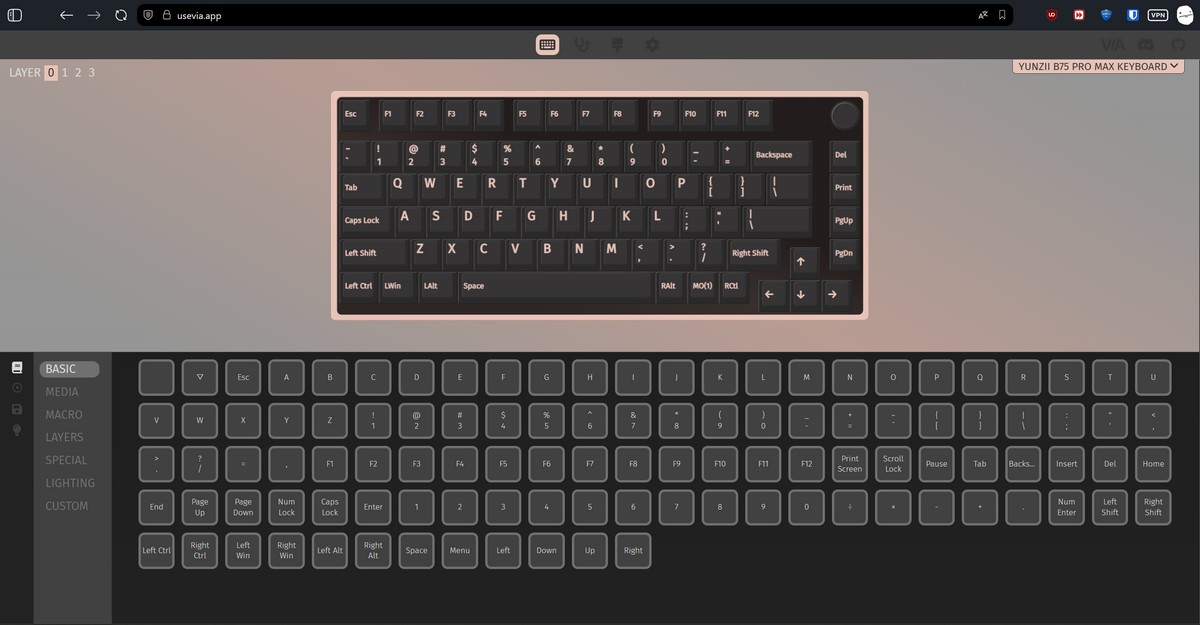
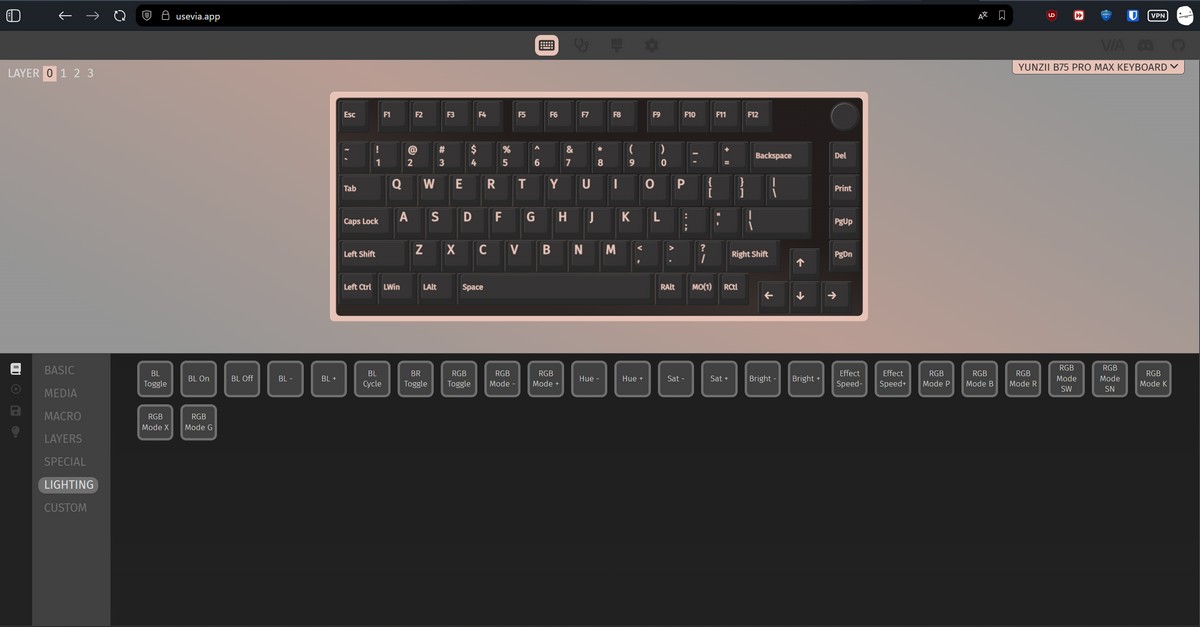
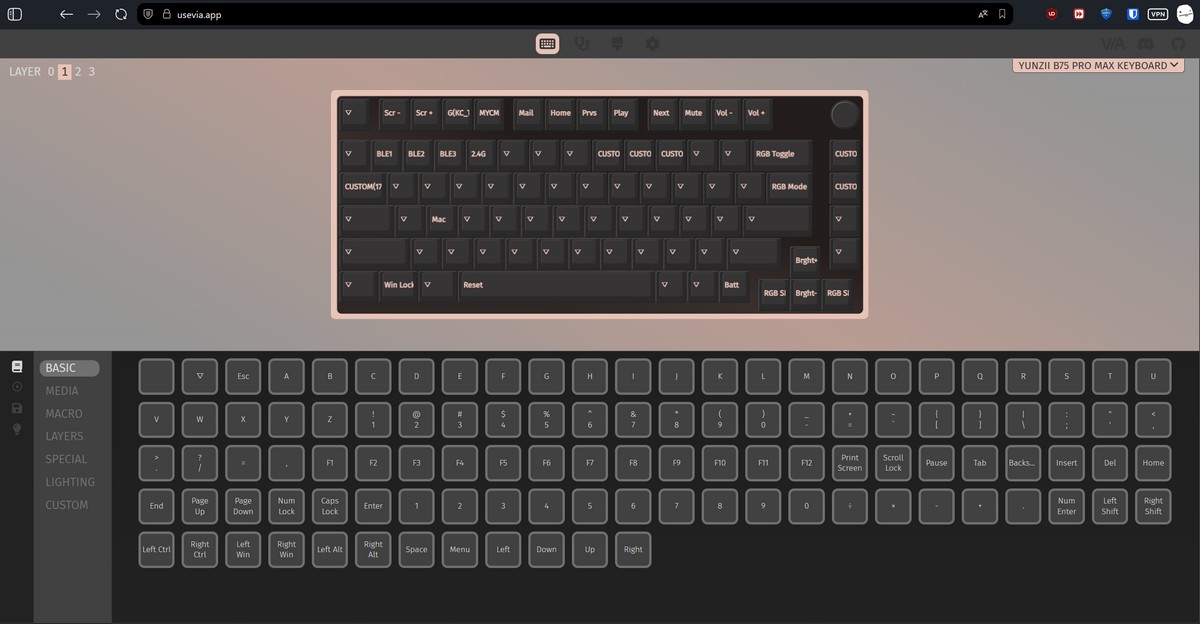
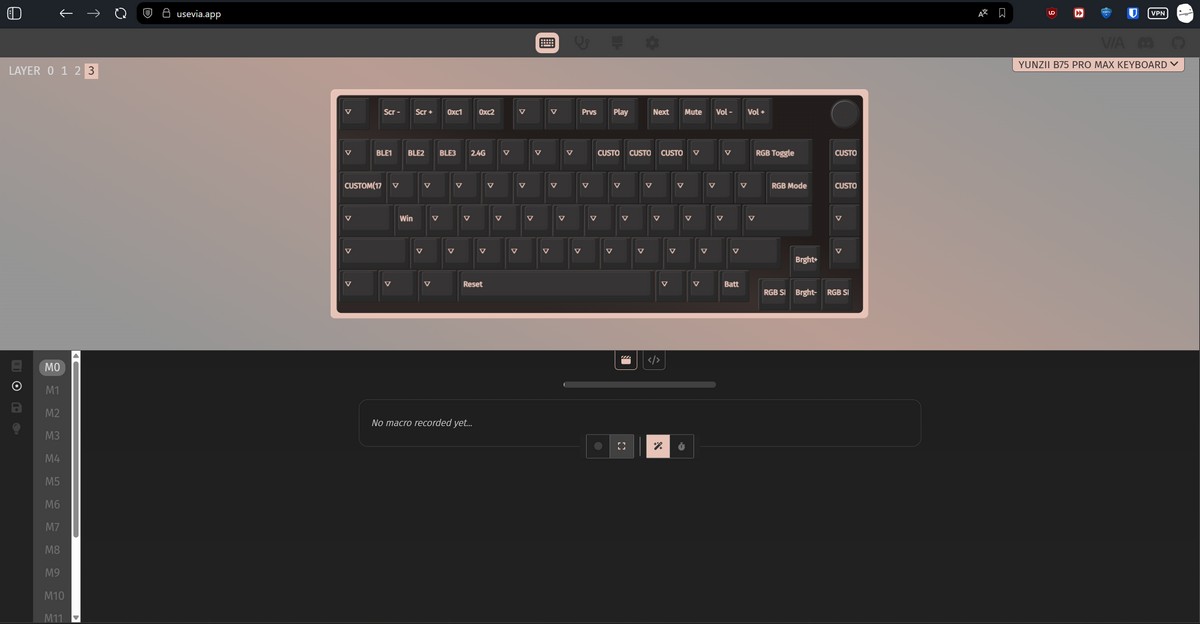
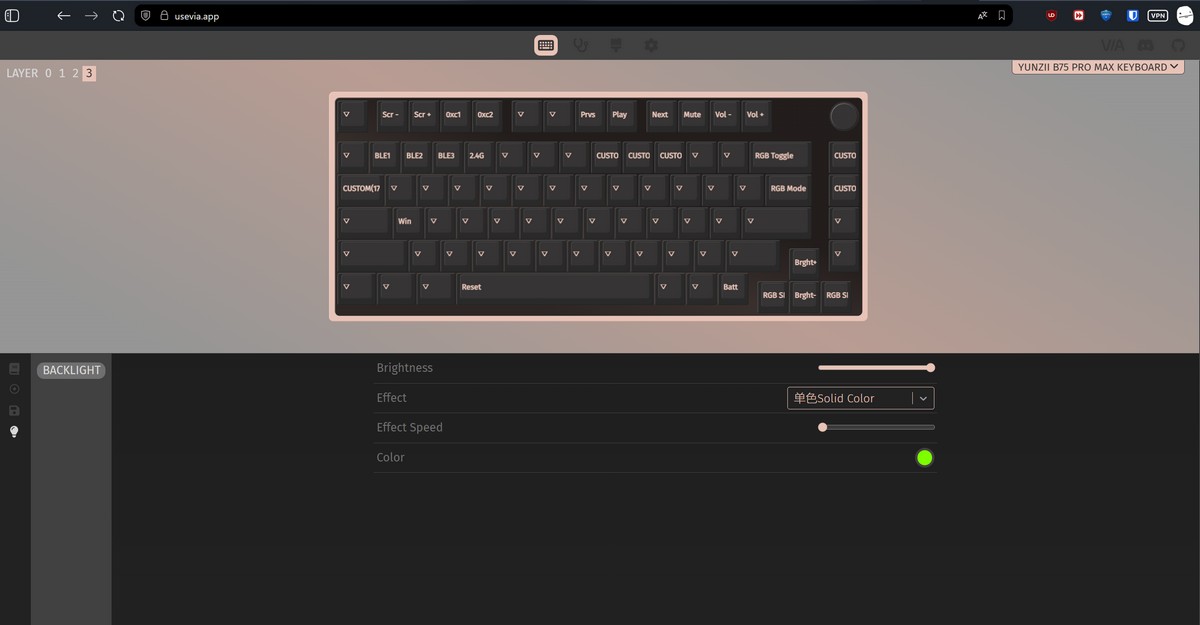
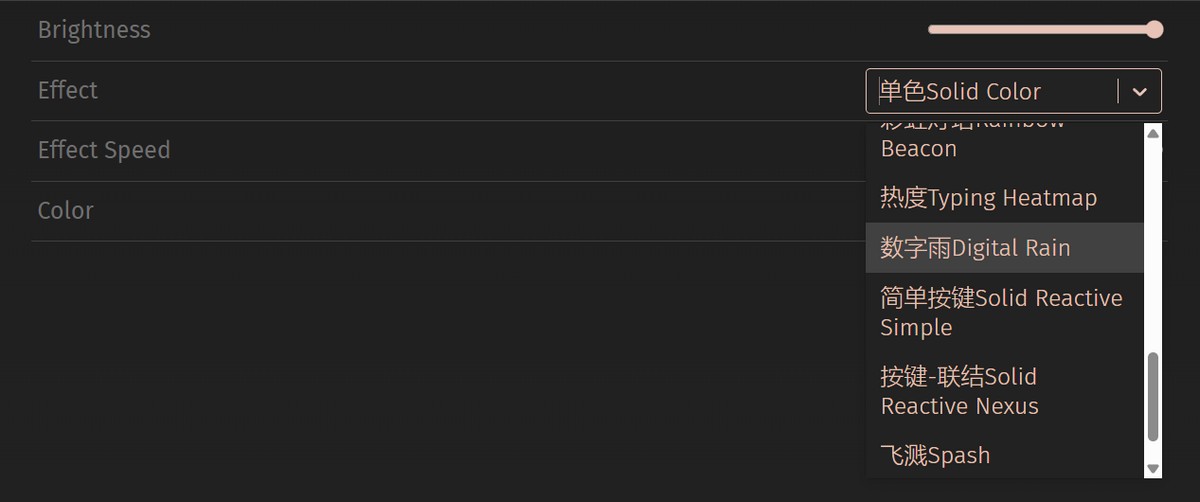
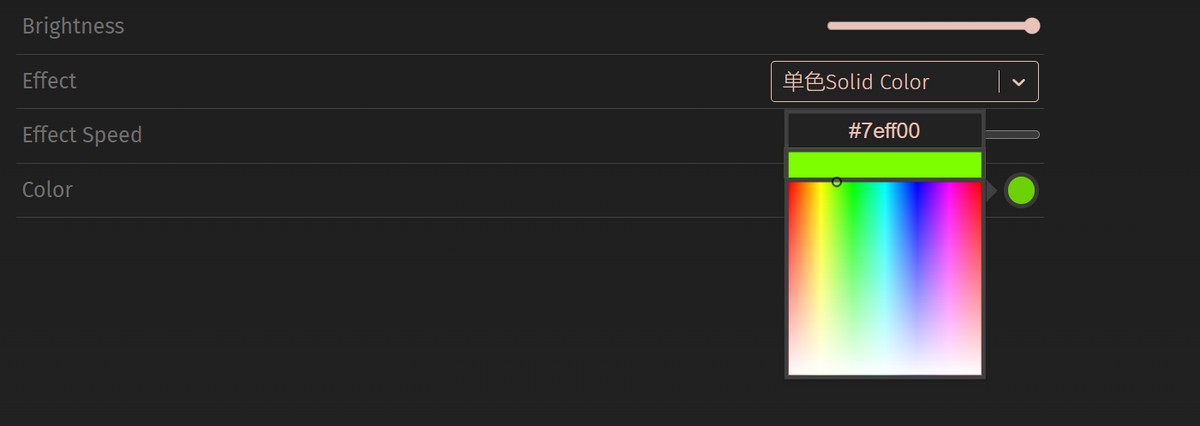
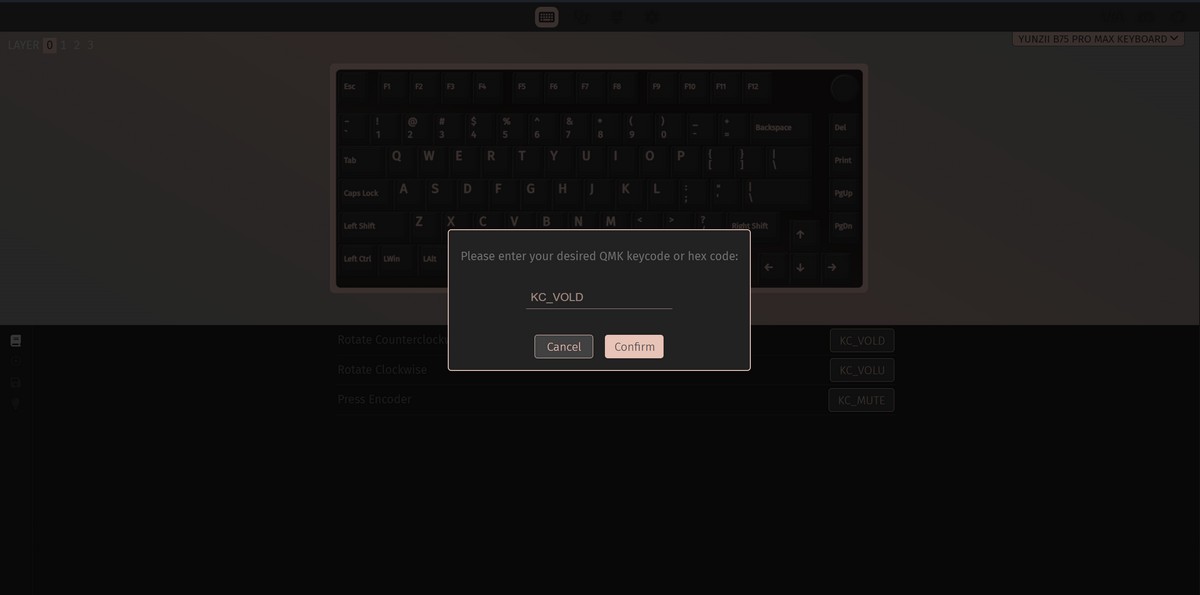
VIA allows you to easily remap keys, create macros, and set up complex key combinations. You can also configure the backlighting without relying on hotkeys. However, keep in mind that any customization is only possible when the keyboard is connected to a PC via cable.
The only issue I couldn’t find an answer to is how to adjust the keyboard’s sleep timer in wireless mode – a setting that was available in the app for the B75 PRO version.
User Experience with the YUNZII B75 PRO MAX
Overall, the keyboard left a positive impression. It serves as a versatile tool for multiple purposes: a stylish retro accessory, a functional keyboard compatible with various devices, and a solid base for extensive customization for users who want to modify it to their needs.
The VIA app, combined with the mechanical nature of the keyboard, allows users to transform it in numerous ways – changing keycaps and switches, and adding new functions or layouts as desired.

The review unit I tested featured Milk V2 switches, which made a very positive impression. They offer a quiet, light, and precise click with no extraneous noise. Typing or gaming for 5–6 hours at a stretch was comfortable, with minimal fatigue. For details on the characteristics of other switches available for these keyboards, see my colleague’s review of the YUNZII B75 PRO.
Battery Life of the YUNZII B75 PRO MAX
The keyboard is equipped with an 8,000 mAh battery, twice the capacity of the previous YUNZII B75 PRO. The manufacturer claims up to 48 hours of operation with RGB lighting and the display enabled, and up to 30 days when used without them.
In practice, these figures are fairly accurate. During testing, the keyboard lasted a full week on Bluetooth with the backlighting and display active, before indicating the need for charging via a red LED under the Space key. Daily usage during this period was 5–7 hours.
Based on my observations, it makes sense to keep the display off and only enable it (Fn + Del) when checking the time or keyboard battery level.
Read also:
- All About Starship V3: Technological Platform for the Next Spaceflight Era
- RAMpocalypse: Everything About the AI Bubble and Rising PC Prices
Conclusions
Overall, I liked the YUNZII B75 PRO MAX. Switching from a Keychron K8 felt like an upgrade for me – I gained a more interesting design, longer battery life, a volume control wheel, and a display that can be fun to use occasionally.

Of course, there is still room for improvement in future models, particularly regarding display customization and overall screen quality. However, at the current price of $85, the YUNZII B75 PRO MAX can be confidently recommended for purchase.
Where to buy YUNZII B75 PRO MAX
Read also:
- How and Why Brands Collaborate with Film
- “Business Amid War”: AMD, Intel, and Texas Instruments at the Center of a Controversy Related to the War in Ukraine
- Motorola Moto G57 Power Review: 7000 mAh Battery and 120 Hz Display
- Five Windows 11 Tools for Improving Productivity

