
© ROOT-NATION.com - Use of content is permitted with a backlink.
The Arctic Senza 5700G takes an unusual approach to desktop design: it’s effectively invisible. This is the kind of nettop that quietly disappears into the workspace – silent, compact, cooler than you might expect, and intended to be mounted underneath a desk. It’s a versatile mini-PC, but its strengths and limitations reflect the nature of this form factor, with a few quirks specific to its unconventional mounting design.
A quick look at the demonstration video is enough to understand what the Senza 5700G is aiming for:
Read also: All reviews of PCs, all-in-ones and nettops
TABLE OF CONTENTS:
Specifications
- Operating system: Windows 11 Home N 64-Bit
- Processor: AMD Ryzen 7 5700G
- Graphics card: AMD Radeon RX Vega 8
- RAM: 32 GB DDR4-3200 SO-DIMM
- Storage: 1 TB TCL NVMe M.2 SSD
- Rear ports: 2x USB Type-A 2.0, 2x USB Type-A 5 Gbit, 2x 3.5 mm, DisplayPort 1.2, HDMI 2.0
- Front panel ports and buttons: USB Type-A 10 Gb, USB-C 10 Gb, combo mini jack, reset button, power button, activity indicator.
- Network card: Intel AX210, 2.5 G LAN, Wi-Fi 6E 2×2, Bluetooth 5.3
- Audio chip: CX2063
- Power supply: 19 V, 6.3 A, 120 W
Arctic Senza 5700G video review
Don’t want to read the text? Watch the video!
Positioning and price
The Arctic Senza 5700G costs approximately €550 in Europe, which is quite affordable.
Concept
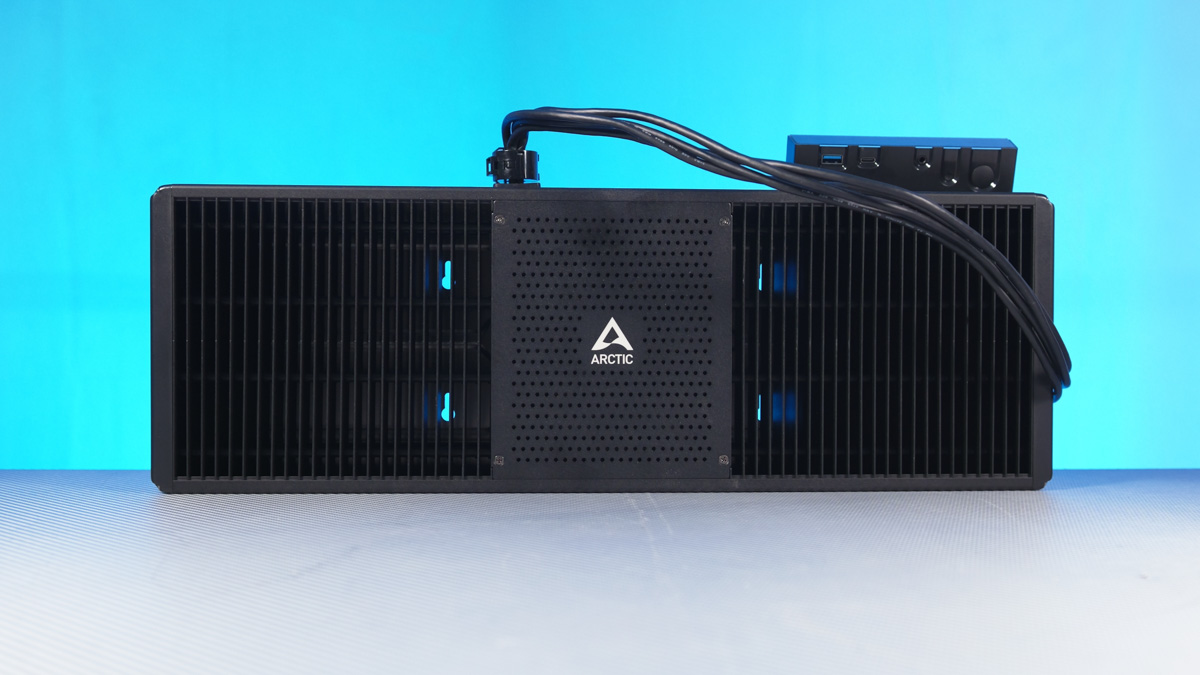
So what exactly is the Arctic Senza 5700G? It’s a nettop – a compact desktop PC built around a fully passive cooling system.
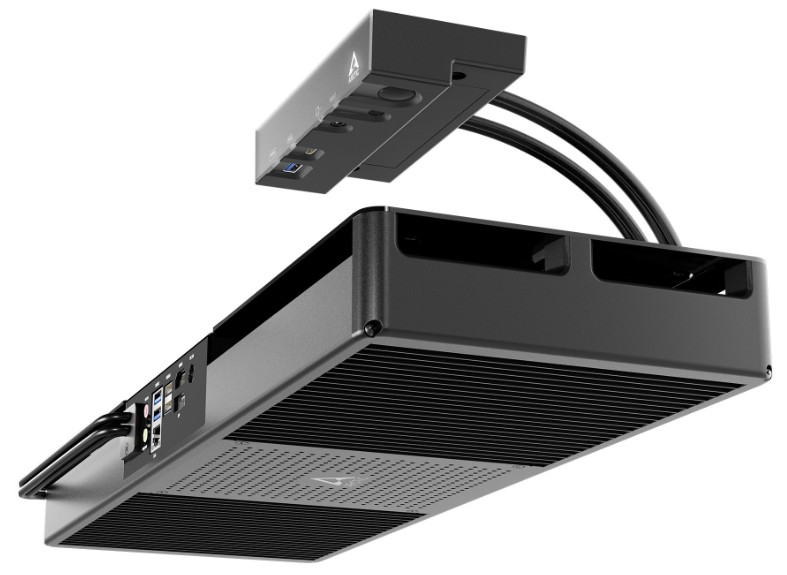
In other words, imagine a motherboard paired with a dual-tower heatsink roughly 18 cm tall, 16 cm wide, and equipped with four 6 mm heat pipes – and all of it operating without active airflow.

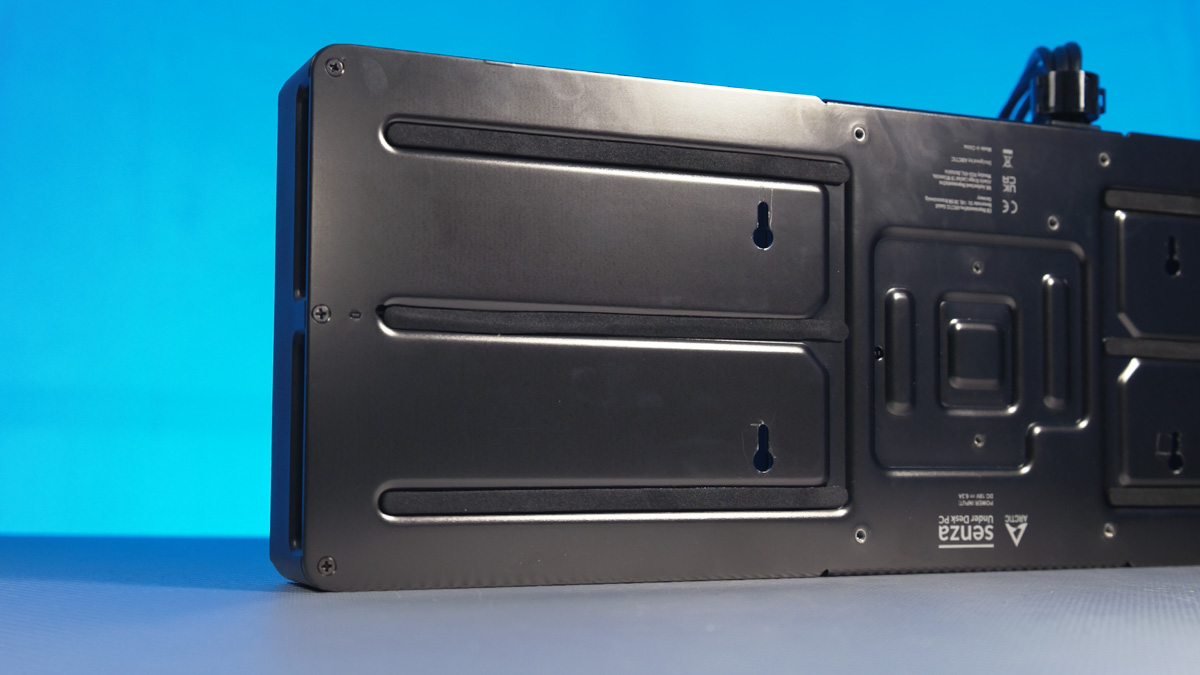
And this cooler is essentially “unfolded” – the towers are spread outward, a gap is added underneath, and the whole structure is mounted onto a sturdy metal plate. Near the center of that plate are several screw holes. It’s not a VESA pattern, as far as I can tell, but the screw specifications are printed directly on the packaging, so it’s hard to mix them up.
In practice, what you get is a fairly large piece of hardware – 282×618 mm and about 3.5 kg – but one that remains slim and deliberately unobtrusive when mounted under a desk. Its height is just 120 mm, and the design is clearly optimized for minimal maintenance. With no moving parts, there’s no airflow; without airflow, there’s no need for dust filters; and with no fans, there’s nothing that will eventually need replacing.
Read also: Noctua NF-A12x25 G2/G2 LS/S2-PP PWM PC Fans Review: My First Experience!
In practical terms, you mount the Arctic Senza 5700G under the desk, route the front I/O to where it’s convenient, connect your cables or extensions to the rear panel – and that’s it. You can leave the system untouched for years. Of course, if you plan to upgrade components you’ll need to take it down, and the thermal paste will eventually age, but beyond that there’s little regular maintenance to worry about.
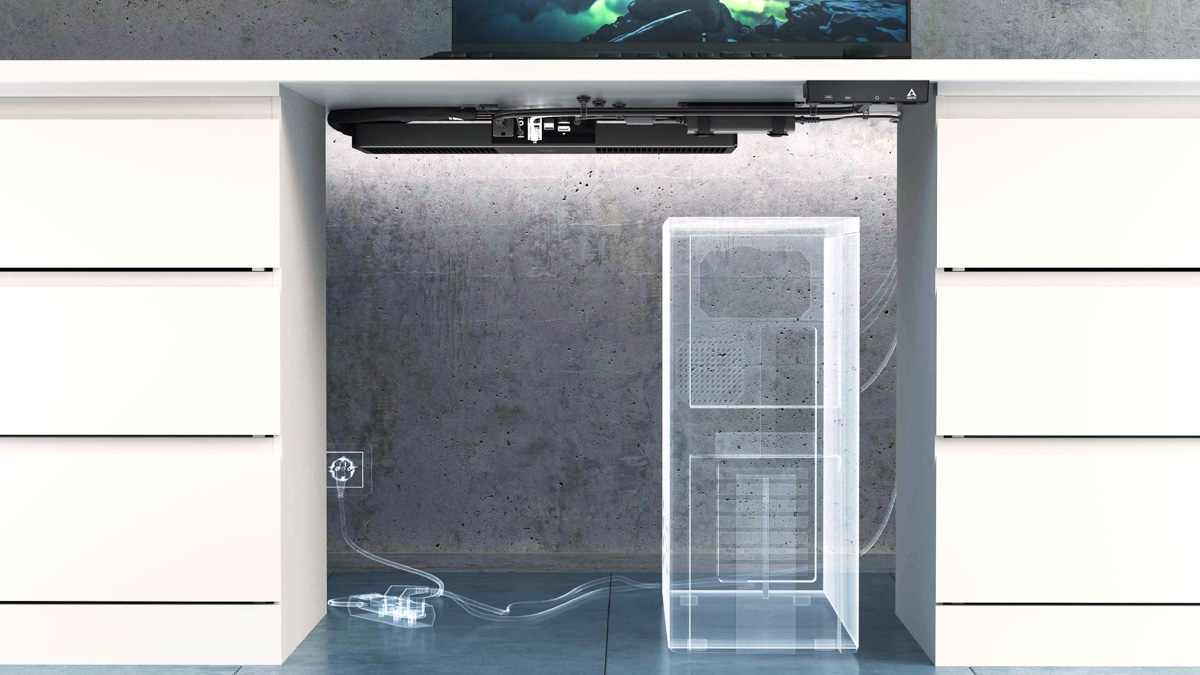
But let’s be fair – this is Arctic we’re talking about, the same company behind the well-known MX4 thermal compound. If anyone knows how to make thermal paste last as long as possible in a system like this, it’s probably them.
Arctic Senza 5700G hardware
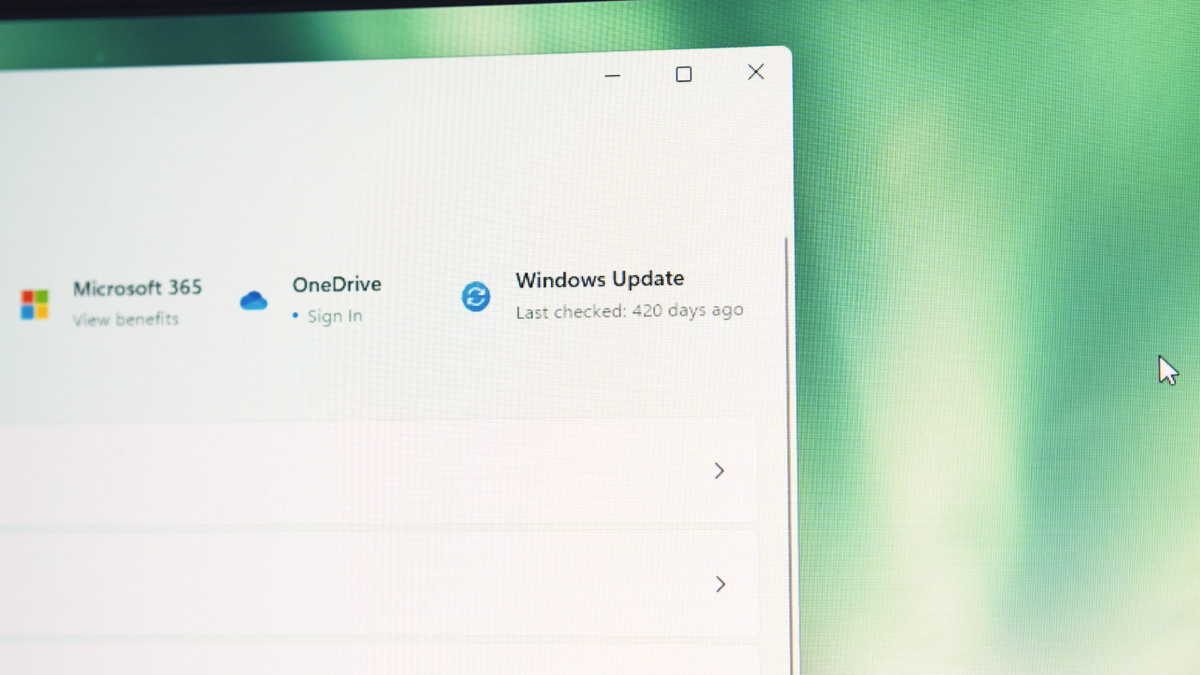
When it comes to upgrades, the Arctic Senza 5700G turned out to be very different from what I expected in a passive mini-PC. Instead of a typical off-the-shelf board, it uses a proprietary Arctic motherboard – and based on the BIOS timestamp, it hasn’t been updated in at least 420 days. The board is marked as revision 1.0, but that’s not necessarily a drawback; it simply reflects that this is a purpose-built platform rather than a generic small-form-factor solution.
The board itself looks almost monolithic – a solid block of hardware – but the surprising part is that none of the key components are soldered down. The AMD Ryzen 7 5700G is socketed in a standard AM4 socket. The memory isn’t soldered either; it uses SO-DIMM DDR4 modules, laptop-style but fully replaceable. The AX210 network card is also a separate module, with support for Wi-Fi 6E and Bluetooth 5.3. Even the SSD is a full-size M.2 PCIe 2280 drive tucked under an Arctic-branded heatsink.
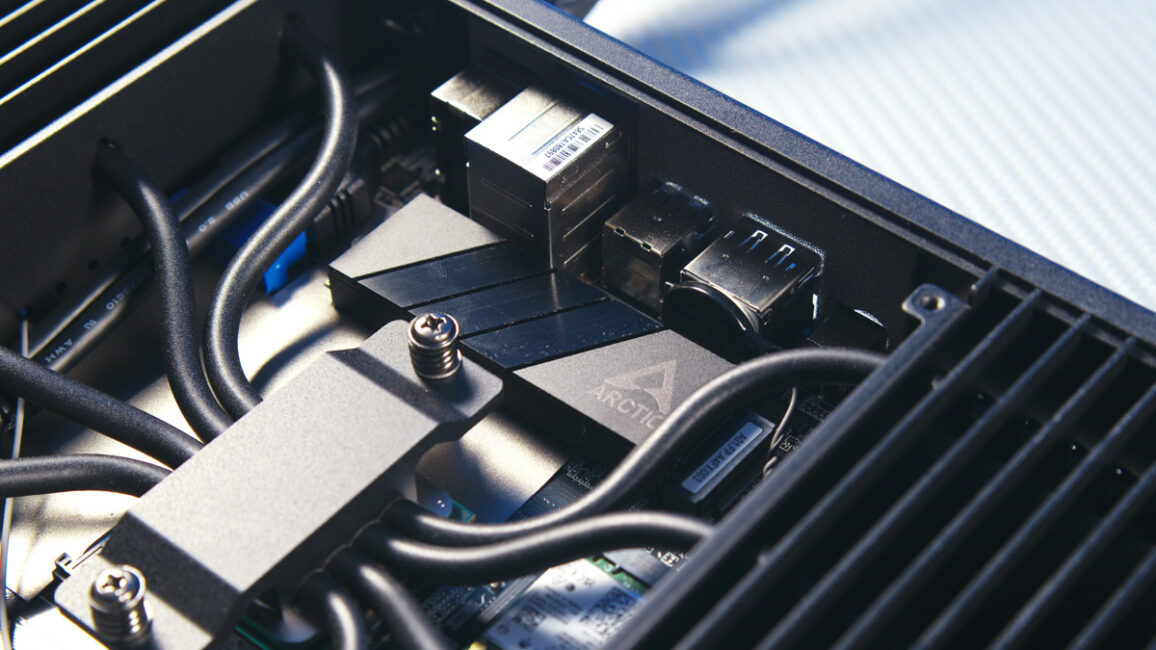
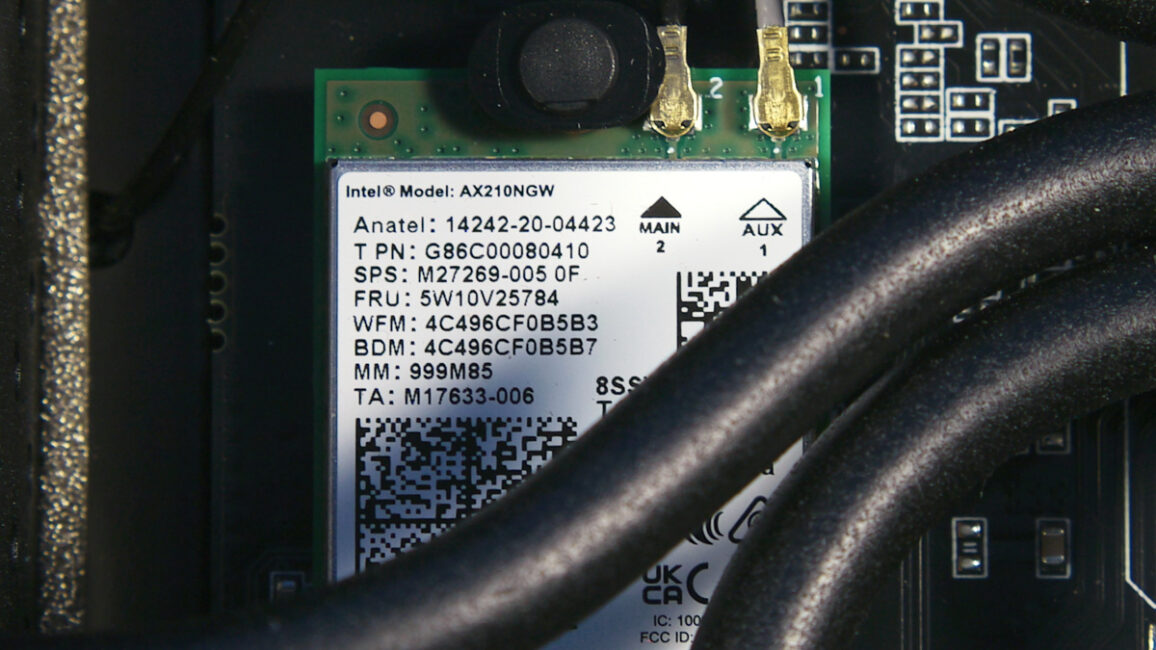
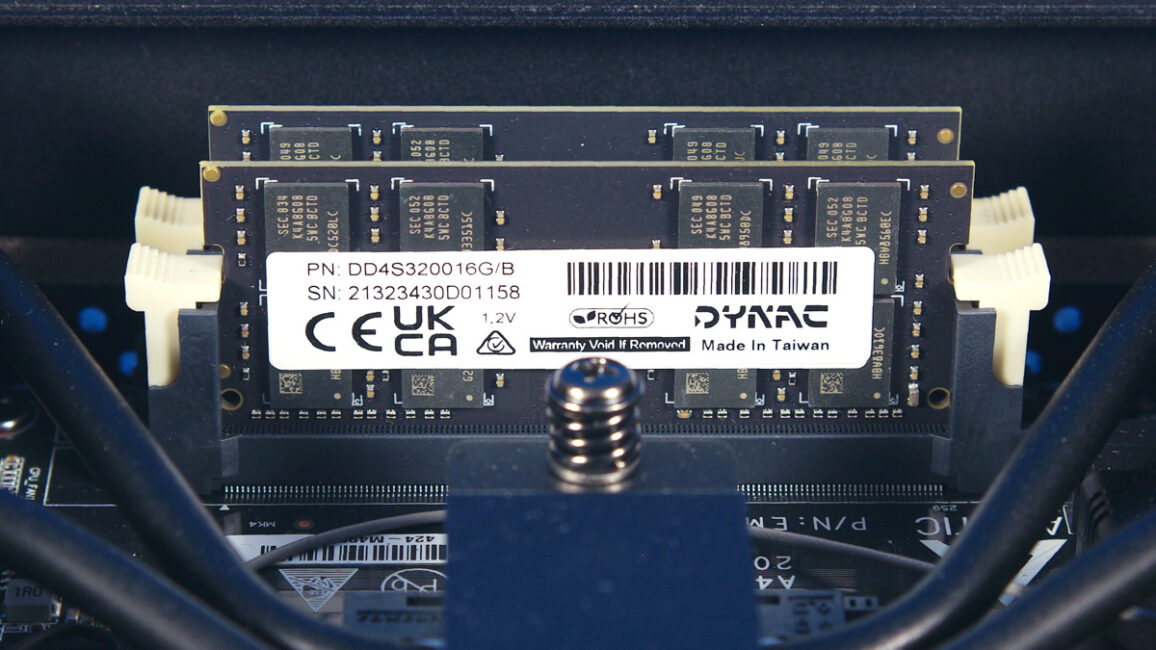
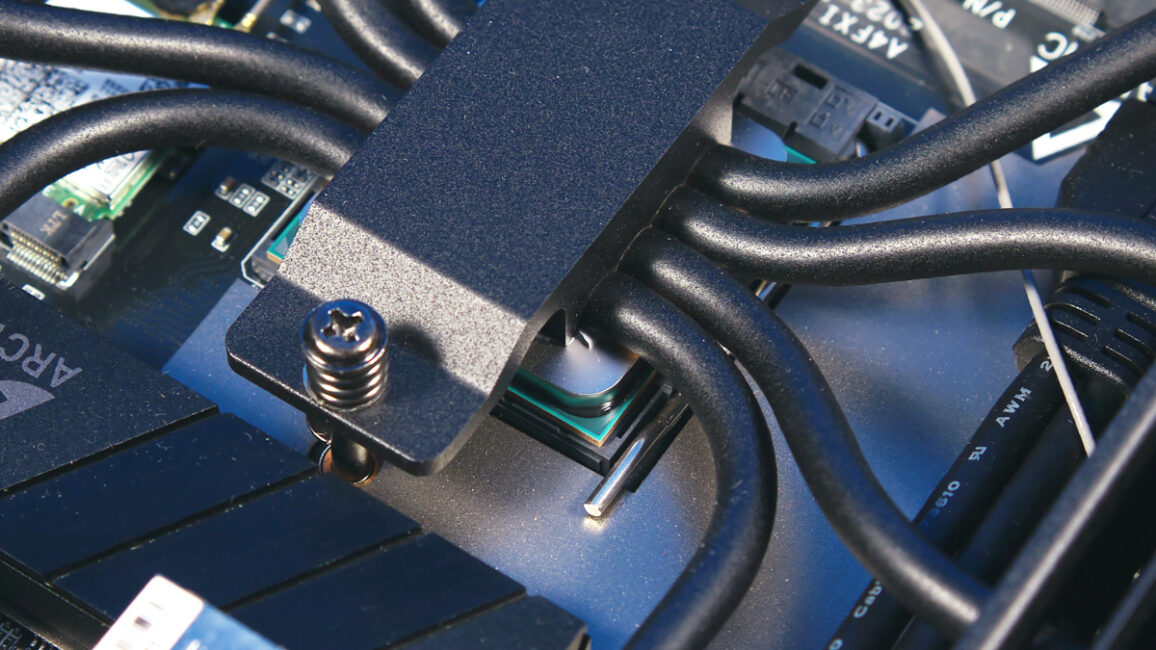
In other words, there are four main components – and all of them are replaceable. True, there aren’t two M.2 slots here, but that’s rare in a nettop anyway. We’ll cover the upgrade potential in more detail later, as there are some caveats to consider.
Periphery
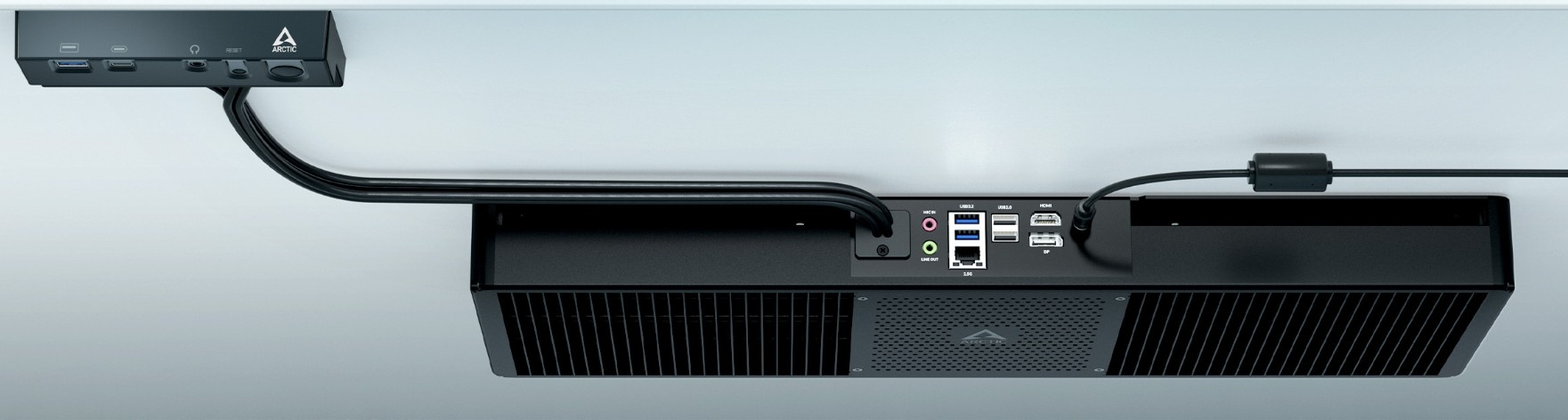
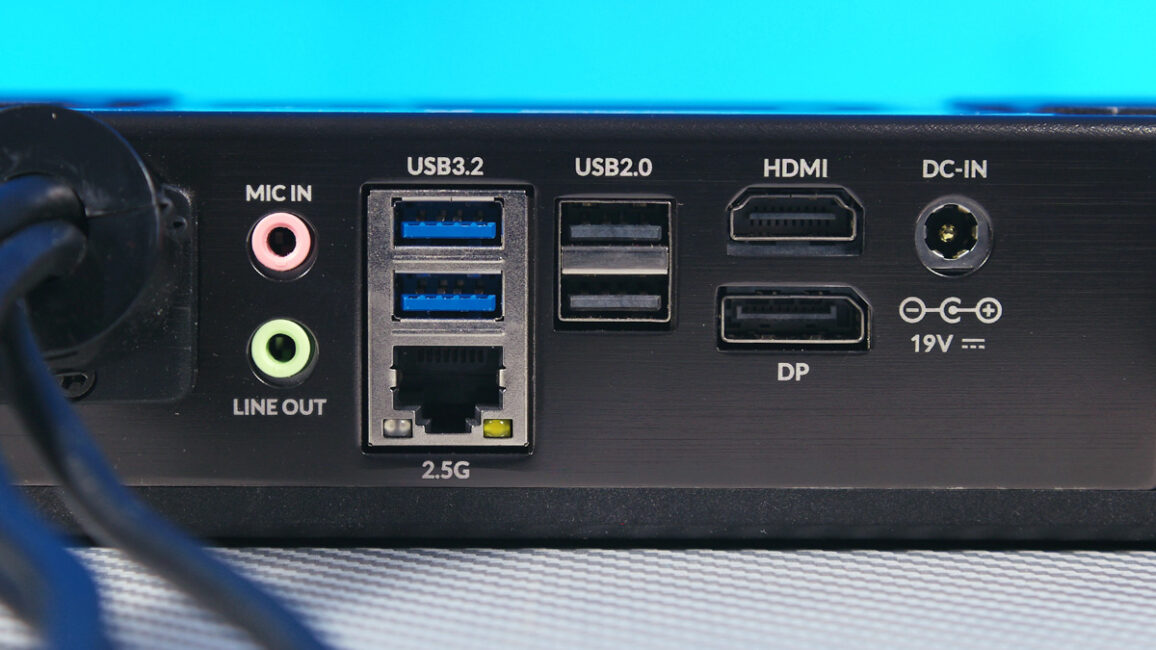
On the Arctic Senza 5700G chassis, you’ll find two USB Type-A 2.0 ports, two USB Type-A 5 Gbps ports, a 3.5 mm audio jack for input and output, DisplayPort 1.2, HDMI 2.0, and a 2.5 GbE RJ45 port. Nearby is the DC barrel input, with a 120 W power adapter included in the package.
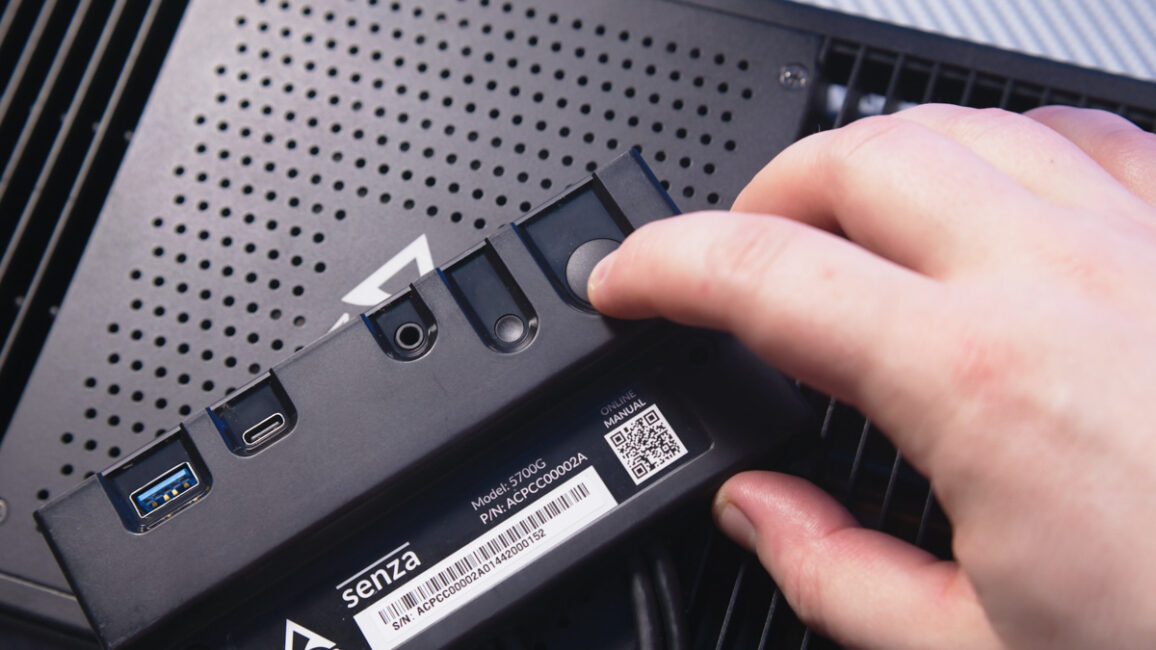
There’s also an external I/O panel connected via a 70 cm cable. The panel includes a USB Type-A 10 Gbps port, a USB-C 10 Gbps port, a combined 3.5 mm audio jack, a small reset button, a large power button, and an activity LED. All ports and buttons face downward rather than forward, making it unlikely to accidentally bump them when moving nearby.
Software
The Arctic Senza 5700G comes with Windows 11 preinstalled, but it’s a special N edition – meaning it lacks Media Player and most features for using the PC as a media center. Additionally, upon the first boot, the System Preparation Tool window appeared.
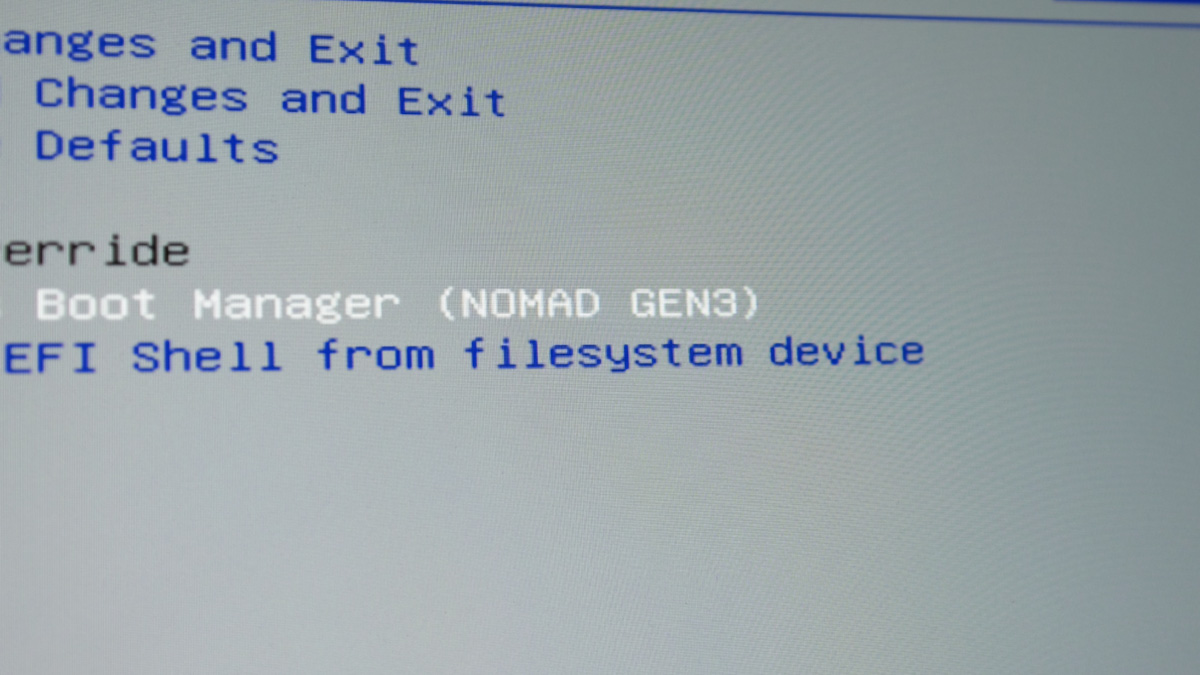
For those familiar with it, this information is useful. Simply put, the installed version of Windows still supports OOBE\BYPASSNRO, so keep that in mind.
Versatility
The main advantage of this system has already been mentioned: with no moving parts, dust is not an issue. Any version of the Arctic Senza can be used in environments with high dust, particulate matter, or where forced airflow is restricted, relying solely on convection. In other words, this PC is suitable not only for gamers but also for professional use.
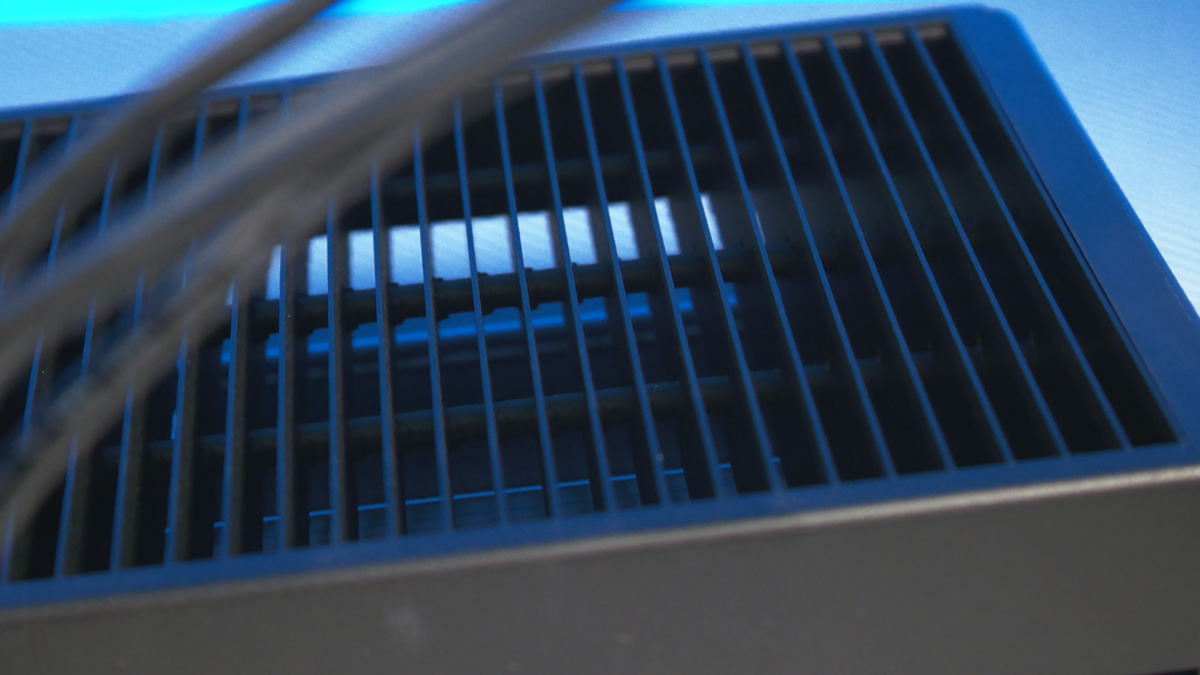
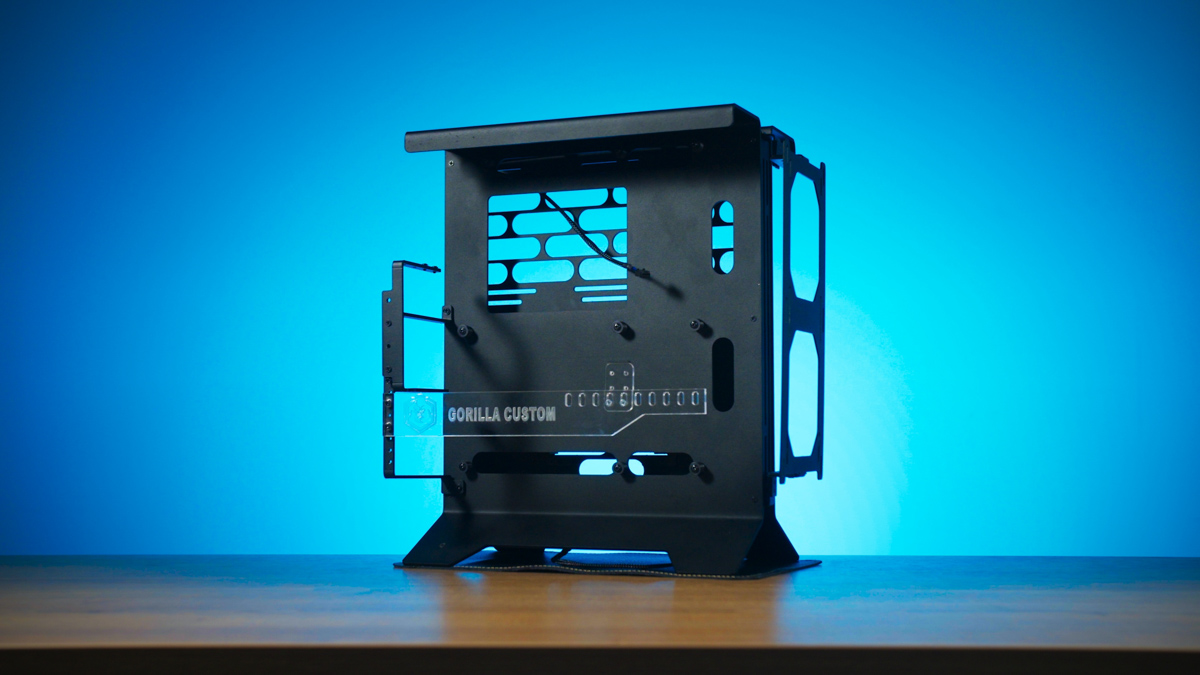
It’s not limited to under-desk mounting – it can be placed anywhere with a flat surface and available screw points. You could mount it on a wall, inside a cabinet, or on a vertical platform like the Gorilla Custom X. The result is a setup that’s nearly as sleek as an all-in-one, but with a deliberately industrial design.
However, the main limitation here is the CPU. When you buy the Arctic Senza 5700G, you’re essentially getting the best processor that can be installed in this system, so the fact that it’s socketed doesn’t offer much practical upgrade potential.
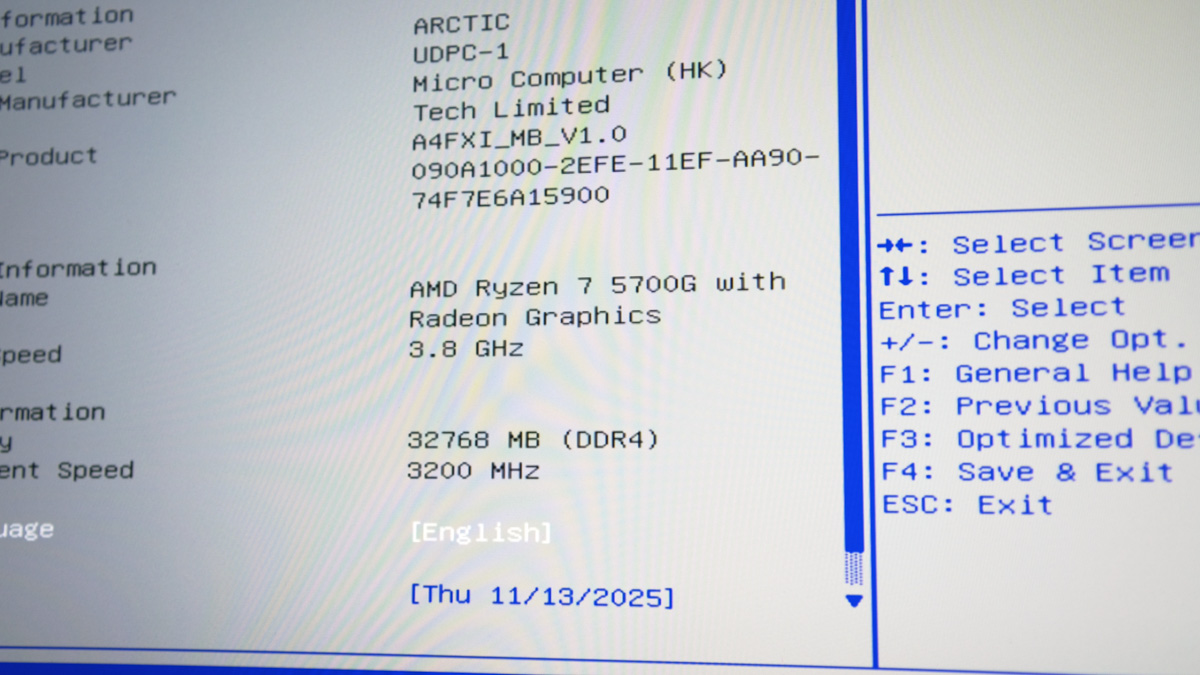
On one hand, the AMD Ryzen 7 5700G is the top APU available for the AM4 platform. An APU – or Accelerated Processing Unit – is an AMD processor with a relatively powerful integrated GPU. How powerful? The Vega 8 graphics in the 5700G delivers performance roughly comparable to a GTX 1050 – not an RTX, a GTX.
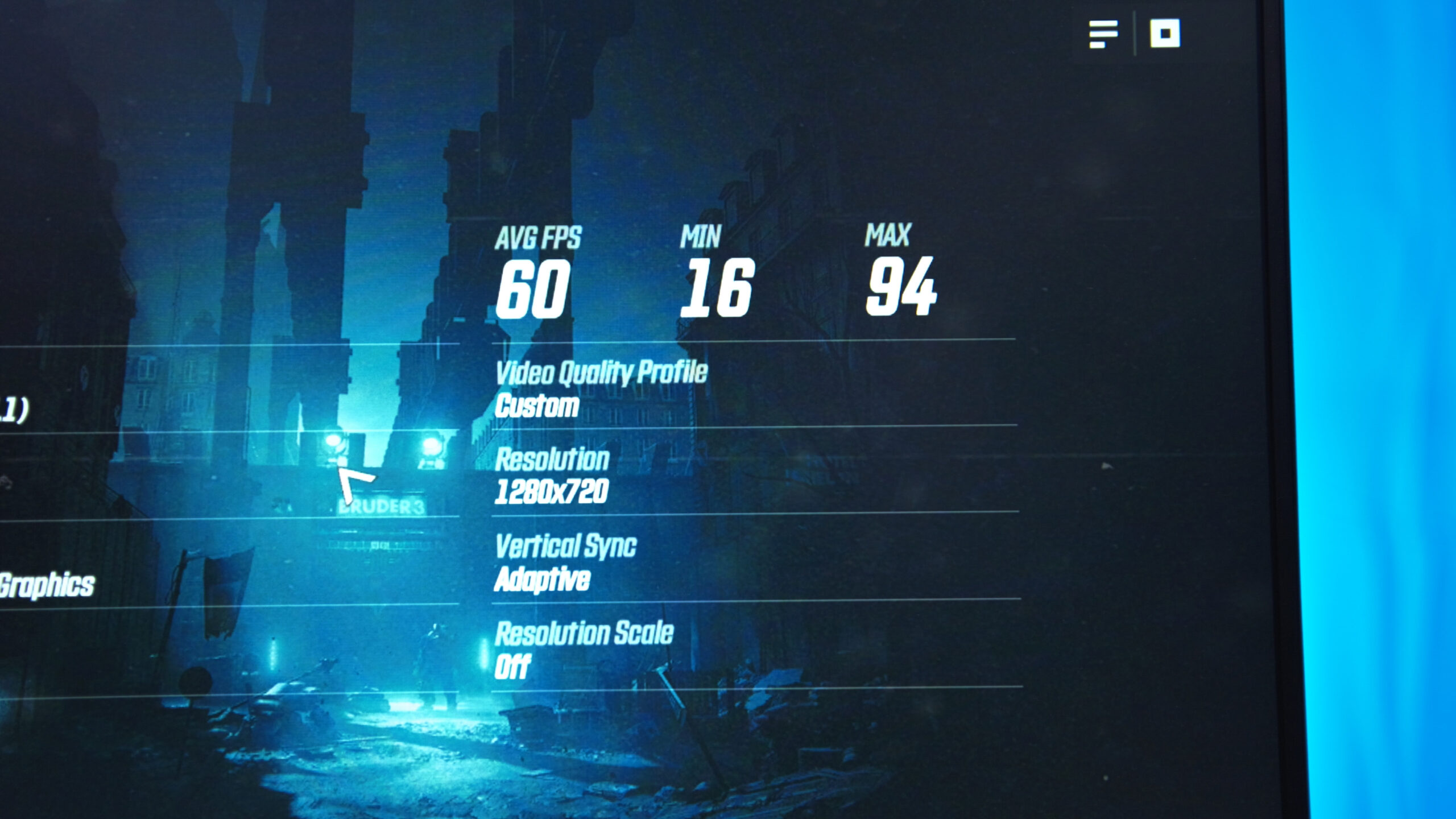
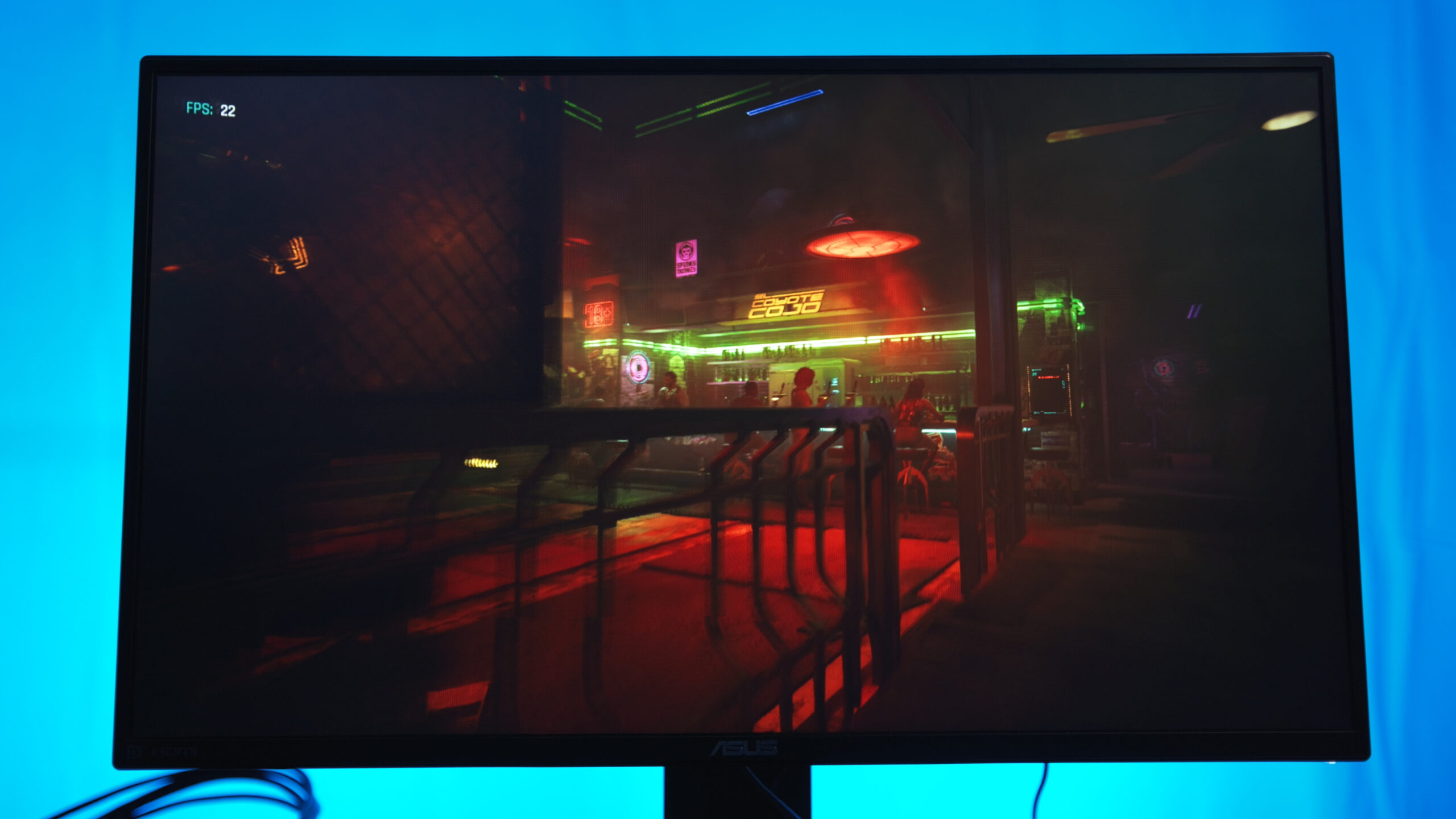
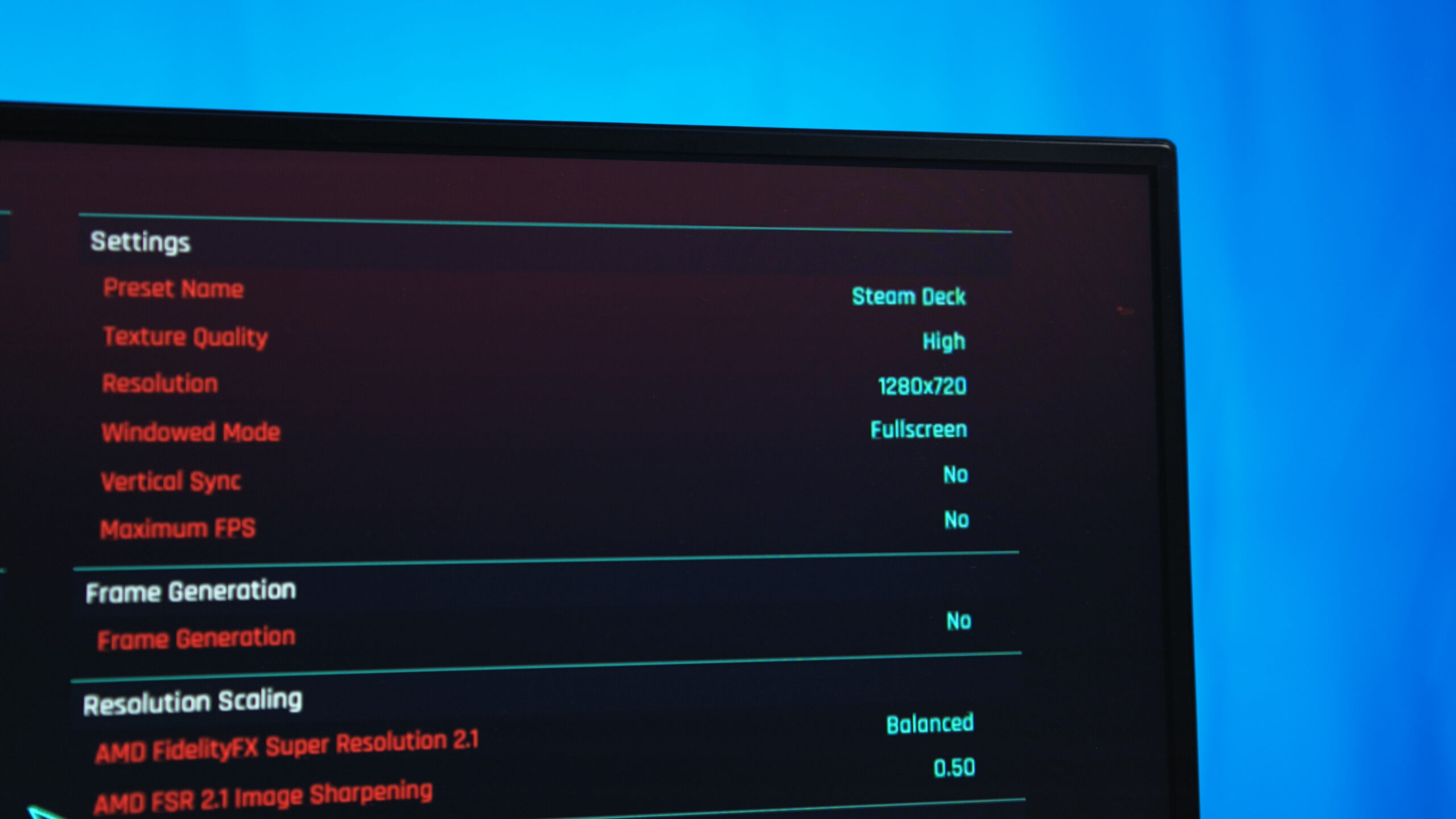
In practical gaming terms, don’t expect to run any AAA titles released this year. In Cyberpunk 2077 on minimum settings at HD resolution, the system reaches around 45 FPS; in Counter-Strike 2, up to 100 FPS with occasional dips; and in Wolfenstein: Youngblood, about 60 FPS on average. This assumes the VRAM allocation in the BIOS has been increased to 8 GB, since the default is only 1 GB. In other words, the integrated GPU isn’t really suited for modern competitive shooters – it’s closer to handling games like Counter-Strike: Source.

At the same time, the overall hardware performance reaches a level that even surpasses the APU in the Steam Deck. In essence, you’re getting a “Steam Deck under the desk.” And where the newer RDNA2 architecture in Valve’s handheld might provide a performance boost, the desktop system has one significant advantage.
Heating
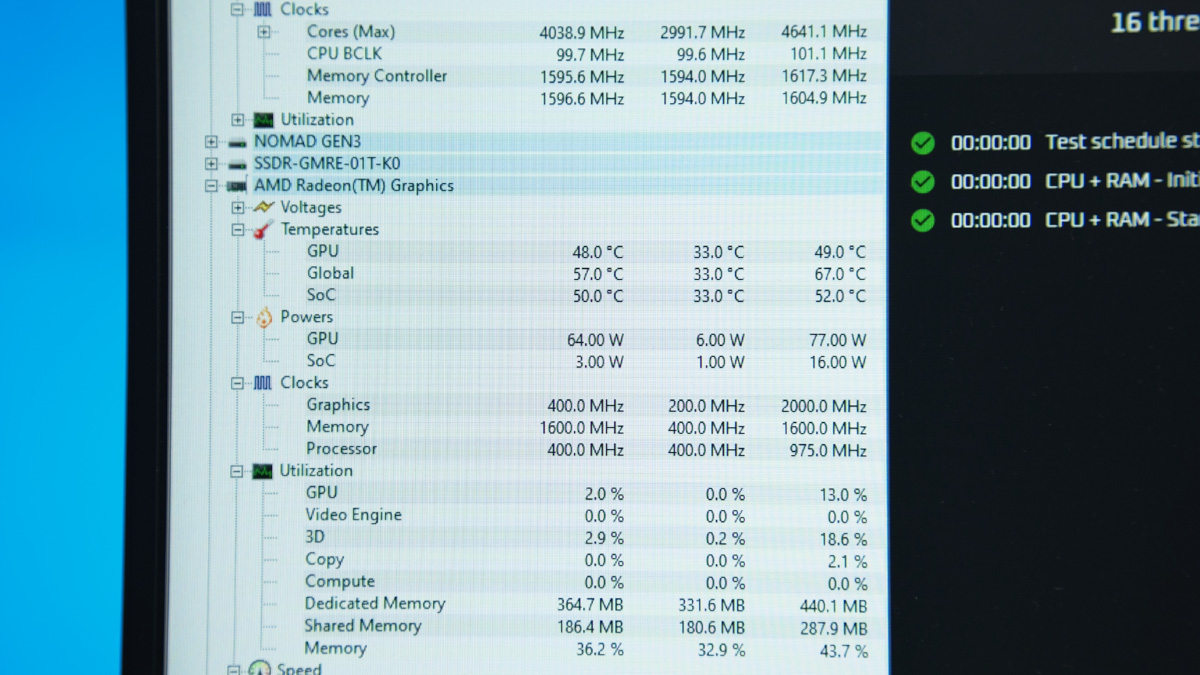
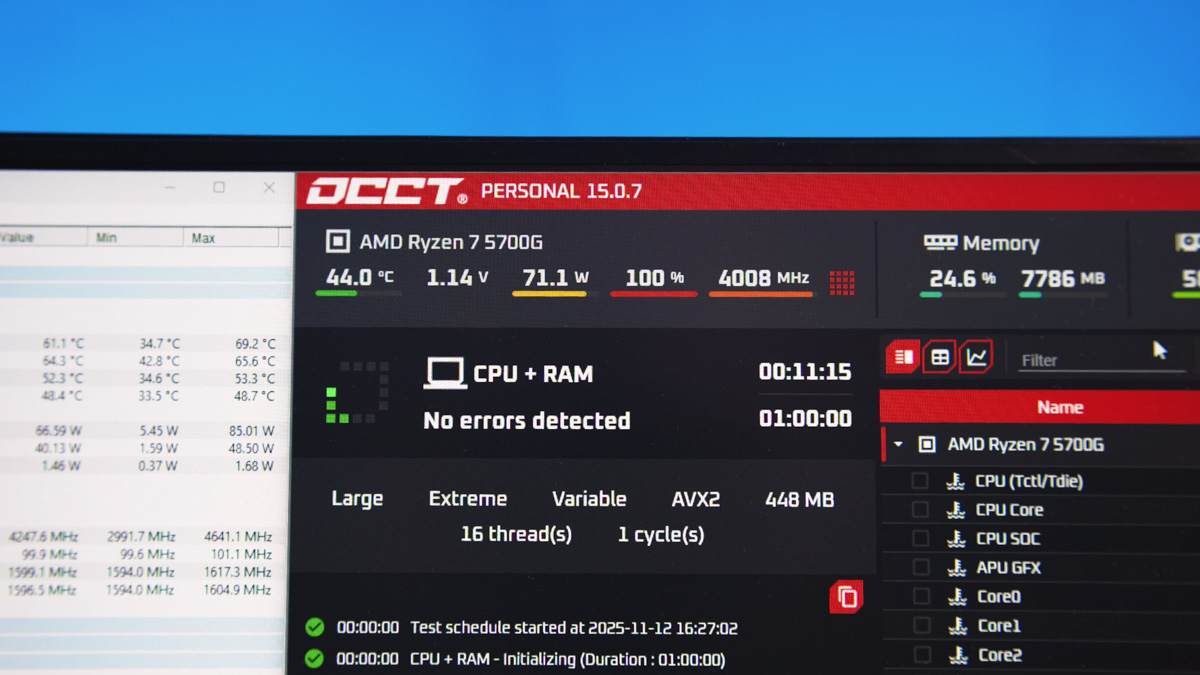
The Arctic Senza 5700G can draw up to around 85 W, compared to 15–20 W in the Steam Deck. Admittedly, this isn’t exact, as HWMonitor’s readings on the Senza can be inconsistent. Still, considering the 120 W power supply, the technically unlocked CPU, and available thermal headroom, the 5700G could even be overclocked if desired.
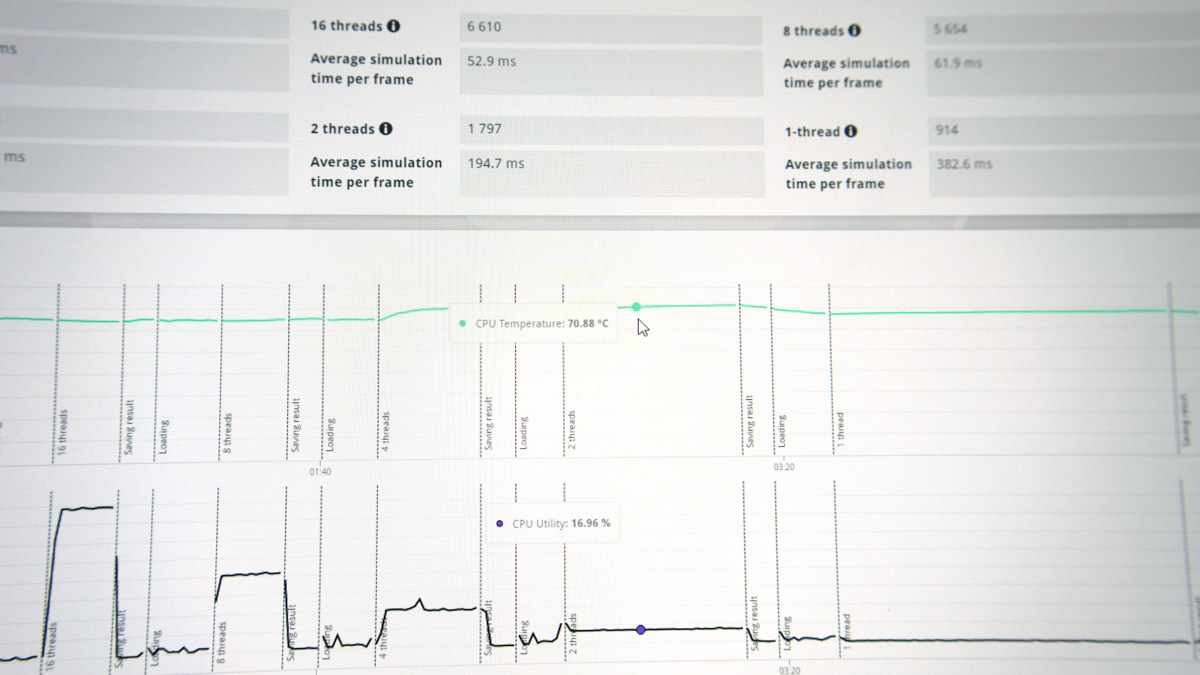
The temperatures here are excellent – even under stress tests they don’t exceed 75 °C. Clock speeds remain stable at around 4.6 GHz. Keep in mind, this is an 8-core, 16-thread processor. Plus, the Ryzen Cezanne on Zen 3 isn’t Zen 1 – its IPC is very strong. Not quite at Zen 5 levels, but still impressive. In short, this is a modern, powerful CPU that fits perfectly in a system like this.
That raises the question: if this system uses an APU, can the Arctic Senza 5700G be used for work? The answer is yes – video editing, for example, is feasible. Especially since the somewhat old-school BIOS allows you to allocate up to 8 GB of system RAM as video memory.
As for artificial intelligence workloads, it’s probably not suitable. The Vega 8 wasn’t designed with AI acceleration in mind – it’s not an AI Max+ 395. It might be sufficient for very light tasks, depending on your needs, but don’t expect anything close to 96 GB of video memory.
Conclusions
This is a product that will need to find its niche. For an office PC, it’s more than powerful enough. For a gaming rig, it’s too weak, and there’s no real option to upgrade with a discrete GPU. At the same time, the Arctic Senza 5700G is extremely compact, convenient, and refined. In environments where it fits, nothing else works quite as well. For that reason, it comes recommended.
Read also:
- HAVN HS 420 Case Review: Looks Like the Hype Was Real
- Bigme B13 Portable E-Ink Monitor Review: Who Is It For and What Is It Good For?
- Kingston Dual Portable SSD 1TB Review: Compact External SSD
Where to buy Arctic Senza 5700G