





© ROOT-NATION.com - Use of content is permitted with a backlink.
In a smart home setup, the local network serves not only as a central hub but also as the primary layer of system intelligence. That’s why stable Wi-Fi coverage and proper network segmentation are critical. ASUS routers are well-suited for this role, offering features that
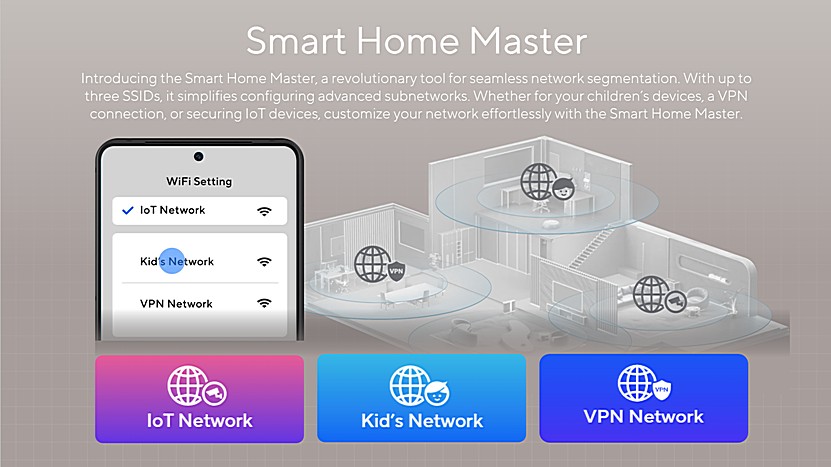
ASUS Smart Home Master makes it easy to set up multiple virtual local area networks (VLANs), even over Wi-Fi. This allows users to separate data traffic between different types of devices – improving overall security without requiring advanced technical knowledge. It’s especially useful for creating dedicated networks for guests, children, or IoT devices. Additionally, this structure supports more efficient VPN usage and helps prevent congestion on the main data channel.
Many traditional routers struggle to maintain stable performance when handling a large number of simultaneous connections. This often leads to network congestion, device malfunctions, and the need for frequent reboots. In contrast, ASUS routers support AI-Mesh technology, which provides reliable connectivity for at least twenty smart devices – ranging from lighting and thermostats to security cameras and other components of a smart home setup. These devices are integrated into a single, cohesive system with centralized control, which improves both usability and overall network stability.
Another significant advantage of ASUS routers is the built-in AiProtection cybersecurity system, developed in collaboration with Trend Micro. This system actively monitors the network, detects potential external threats, and automatically blocks infected devices, preventing malware from spreading within the local network. Such a level of security is critically important for any smart home system, where many connected devices – often without screens or manual control options – operate continuously and could otherwise become entry points for cyberattacks.
Read also: ASUS ROG Strix G16 (2025) G615 Review: Almost a Flagship on Blackwell
TABLE OF CONTENTS:
What is ASUS Smart Home Master and what is it for
ASUS Smart Home Master is a feature implemented in the latest models of ASUS routers and Wi-Fi Mesh systems. It is available in both entry-level devices and high-performance solutions, and is designed to efficiently manage a large number of wireless clients within a network. All settings related to this technology are centralized in the “General / Network” menu, making configuration straightforward and accessible even for non-expert users.
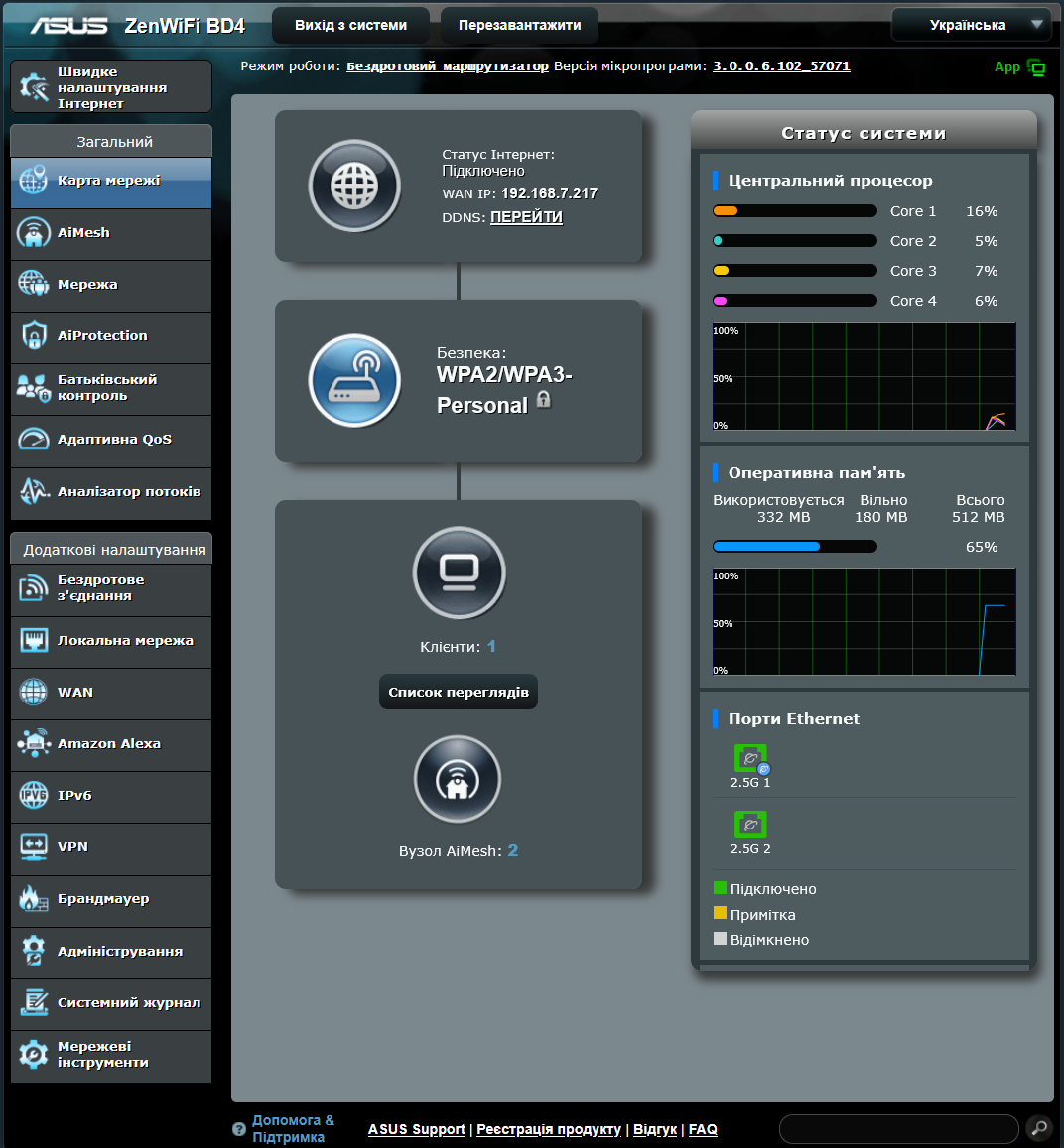
This feature is tightly integrated with ASUS’s proprietary AiMesh technology, which allows multiple routers to be combined into a single network to achieve maximum Wi-Fi coverage and stability. Any changes made by the user to the main router are automatically synchronized with other AiMesh nodes connected to the system. At the same time, users have the flexibility to specify whether certain settings should be applied to a specific node within the network.
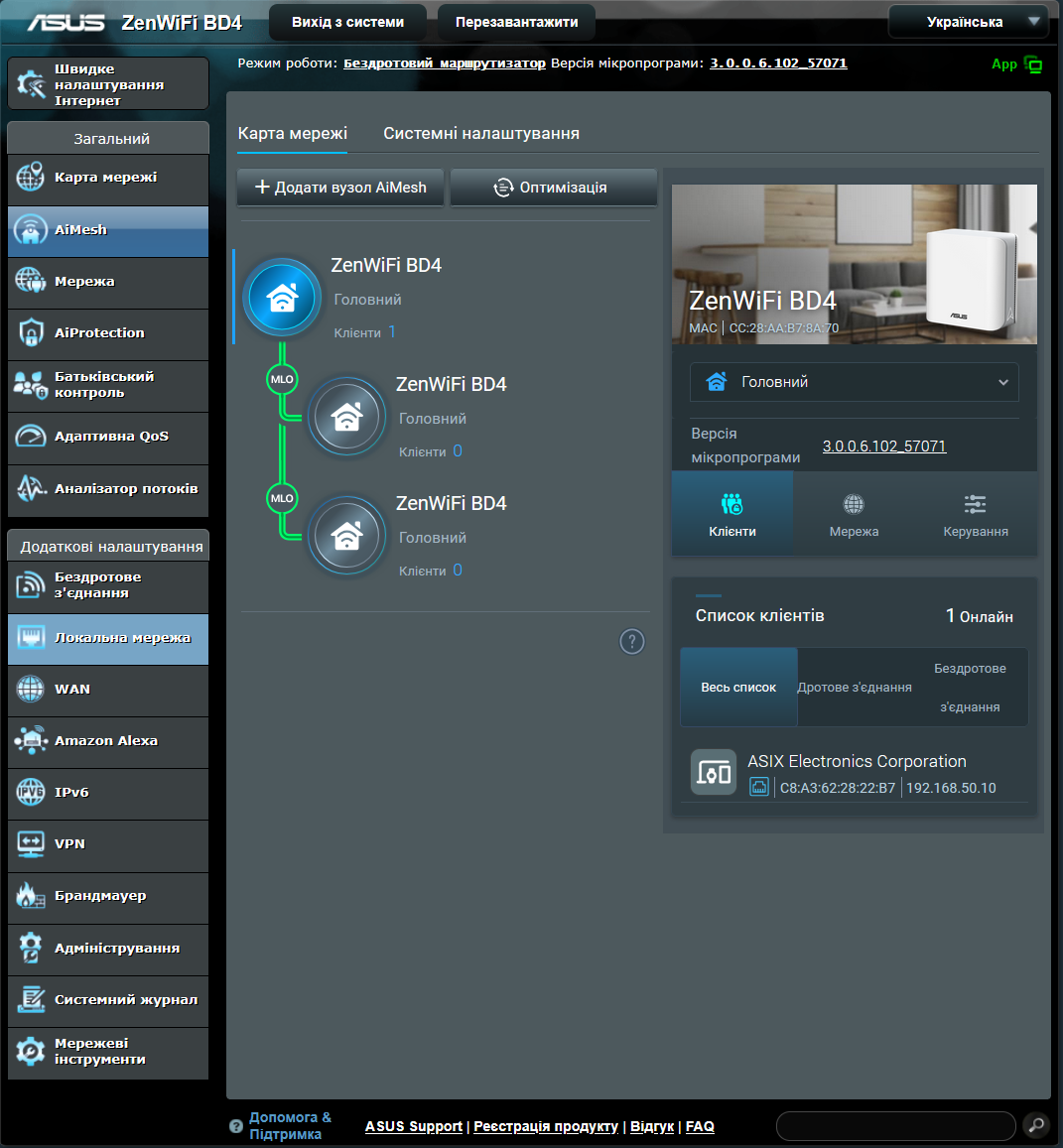
This makes it possible to precisely control which nodes participate in network broadcasting and which remain inactive. For instance, if you want the Wi-Fi signal to be transmitted only from the main router without the involvement of additional access points, this can be configured in just a few clicks by selecting the appropriate options in the settings.
Main advantages of ASUS Smart Home Master
ASUS’s Smart Home Master technology provides advanced capabilities for organizing a home network, significantly surpassing the functionality of traditional routers. Below are the key advantages of this system:
First, users benefit from complete home coverage thanks to AiMesh support. This allows the creation of a unified high-speed Wi-Fi network with broad coverage by using multiple ASUS devices that work together as a single system.
Secondly, the system supports flexible segmentation of the wireless environment. This means connections can be divided into separate logical segments: the main network, guest access, a network for smart home devices, a dedicated network for children, VPN connections, and even a separate line for using the multi-link operation (MLO) mode featured in Wi-Fi 7.
The third key aspect is the efficient management of connected devices. Users gain access to complete information about active network clients and can quickly respond to load changes or troubleshoot issues as they arise.
Another significant advantage is the ability to configure advanced network parameters. This includes changing IP subnets and setting up VLANs for each separate Wi-Fi network, allowing traffic to be tailored to specific needs – whether in a home or professional environment.
It is also worth highlighting the support for VPN at the wireless network level. This functionality enables routing traffic through a VPN server, which provides access to content blocked in certain countries or allows bypassing restrictions imposed by internet service providers.
Finally, within a specific network, built-in parental controls can be activated. This tool creates a safe environment for children by routing their internet connection through a dedicated kid’s network, where access to undesirable content is automatically restricted.
Another key advantage of ASUS Smart Home Master is the flexible deployment of separate networks in specific zones of the house. This means you can activate a certain network only on the main router or selectively enable it on one or several AiMesh nodes. This approach gives users full control over their home network structure and allows customization according to individual needs – for example, providing a dedicated children’s network in the kids’ room or guest access only in the living room.
Network control panel and settings
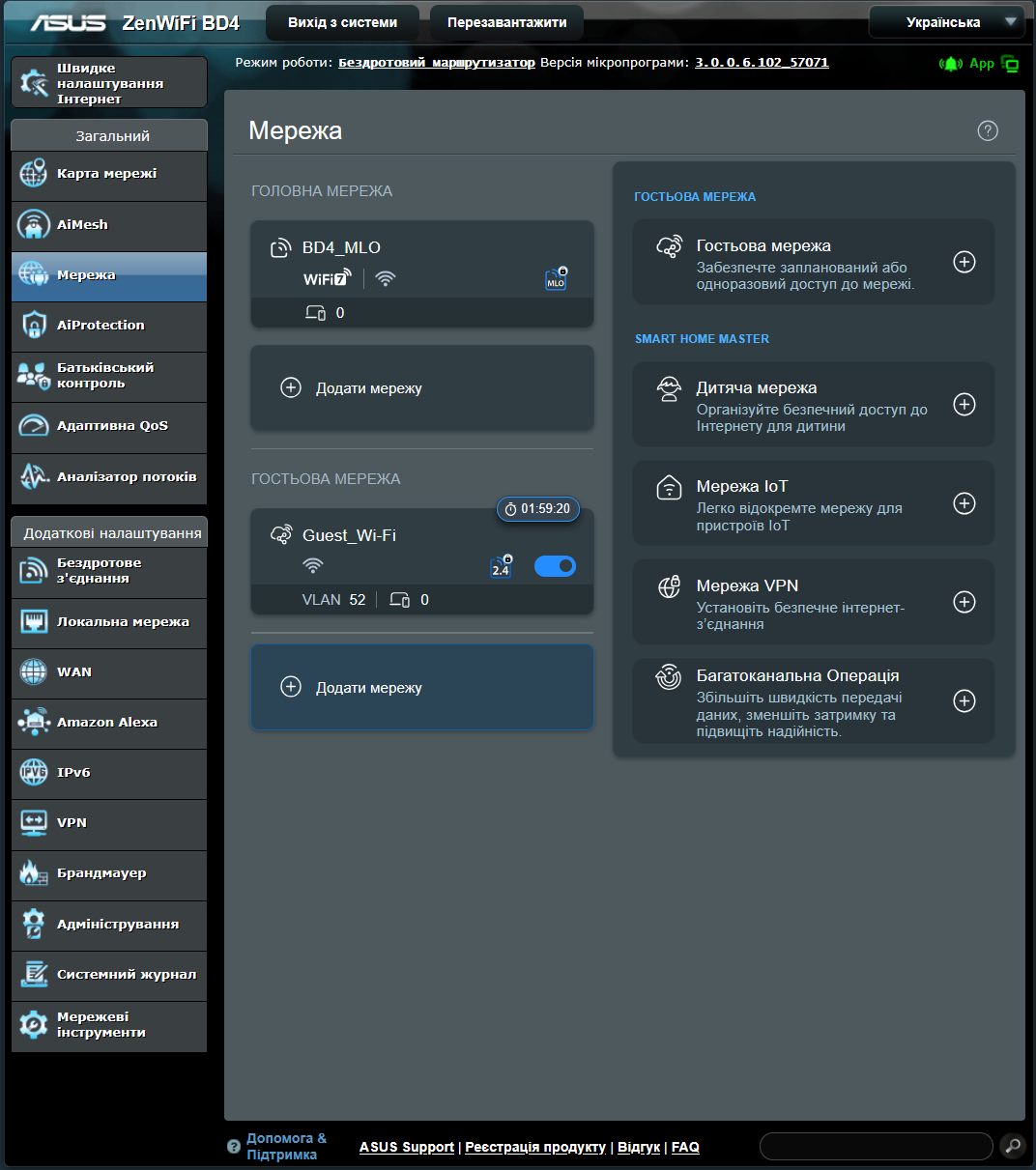
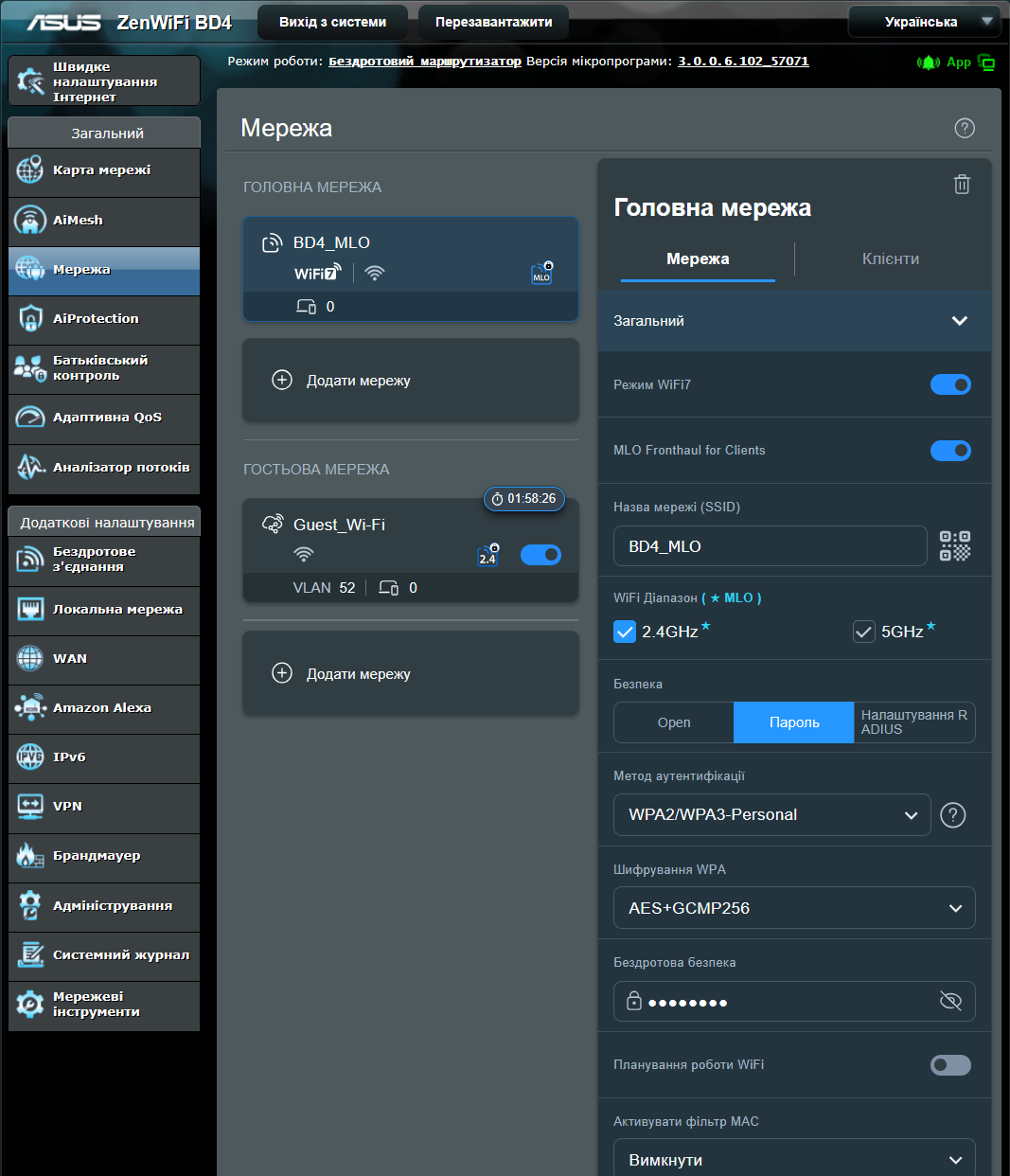
All necessary options for managing the Smart Home Master functions are available in the menu section labeled “General / Network.” This is where you can control both the primary network and additional networks designated as “guest networks.” The screen displays all available SSIDs for each supported frequency band. Notably, ASUS devices allow configuring unique SSID identifiers for each band – for example, separately for 2.4 GHz and 5 GHz – enabling connections to the most suitable signal depending on the situation.
On the right side of the control panel, there are profiles that can be created and edited. The available options include the following network types:
- Guest network
- Children’s network
- Internet of Things network
- VPN network
- MLO network.
Now that you’re familiar with the main menu layout and the types of networks that can be created, we will take a closer look at the configuration options available for each network, both primary and secondary.
Core network
When creating a primary network in the 2.4 GHz, 5 GHz bands, or both simultaneously (if Smart Connect is enabled), the following configuration options are available:
- Wi-Fi 7 Mode
This mode should be enabled to take full advantage of the new standard. If there are no devices on the network that support Wi-Fi 7, the mode can be disabled, and the router will operate in Wi-Fi 6 mode. - MLO Fronthaul for Clients
This option enables Multi-Link Operation (MLO) for wireless devices. To use this feature, the frequency bands must be combined under a single SSID, which requires Smart Connect to be enabled. - Network Name (SSID)
This is where you set the name of the Wi-Fi network. - Wi-Fi Band
This setting lets you choose the frequency band in which the given SSID will be active. You can select 2.4 GHz, 5 GHz, or both simultaneously. In the primary network, only one SSID is allowed per frequency band. Safety
Authentication Method: WPA3-Personal is recommended. If some devices do not support this standard, a mixed WPA2-Personal/WPA3-Personal mode can be selected. WPA3 is required for Wi-Fi 7 functionality.
Wi-Fi password: Sets a password to protect the network.
- Wi-Fi Scheduling
Allows you to set specific times for the network to turn on and off. Typically, the network operates continuously. - MAC Address Filtering
This feature can be enabled to restrict access to only registered devices. While it provides an extra layer of security, it is relatively easy to bypass and therefore is not always recommended. Advanced settings
- Hide SSID
This option makes the network invisible, but it does not enhance security and can make connecting more difficult. - Isolated Access Point
Prevents direct communication between clients on the network. This setting is typically enabled for guest networks but is recommended to be turned off for the primary network.
- Hide SSID
Important: Only one SSID can be created per frequency band for the primary network. Attempting to add more will result in a system message indicating the limit has been reached.
In summary, the primary network offers extensive options for Wi-Fi customization with a wide range of settings. The most interesting features become available when working with additional network profiles that can be created separately.
Guest network
When creating a guest Wi-Fi network, various configuration options are available. Some of them are similar to those in the primary network, but there are also unique settings specific to guest networks.
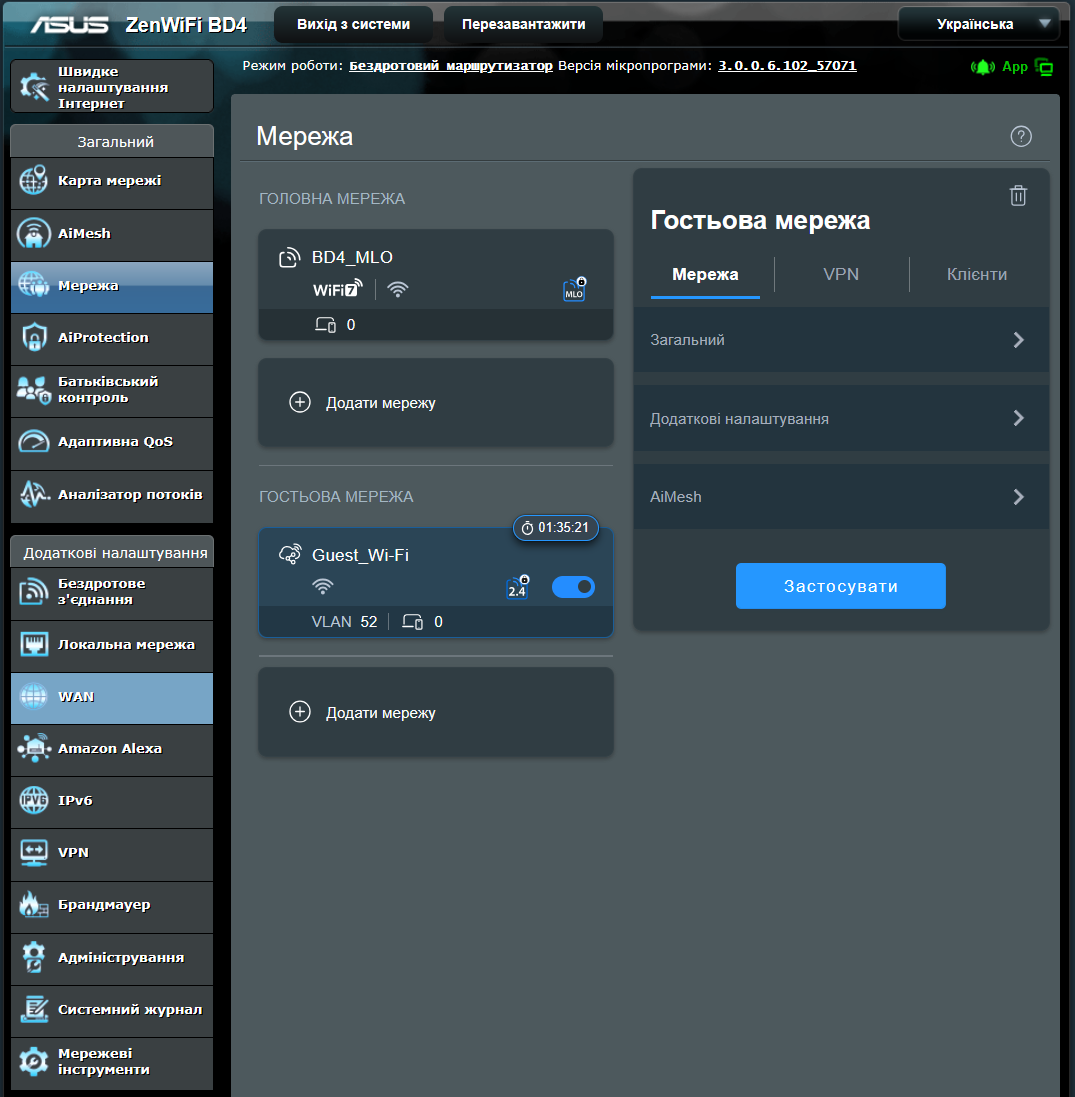
Below are the main options available for configuring a guest network:
- Bandwidth Limiter
Allows you to set a maximum internet speed for devices connected to the guest network. - Network Name (SSID)
Here, you specify the name of the guest Wi-Fi network.
Safety
- Authentication Method:
You can choose between open access or password-protected access. If a password is selected, different security protocols are available. - Wireless Security:
This option allows you to set a password for the network, if required.
- Authentication Method:
Wi-Fi planning
You can configure the network mode:- Always active
- Temporary access for a few hours
- Personalised schedule
- Wi-Fi band
Defines the frequencies on which the network will operate. - AiMesh nodes
Selects the AiMesh access points on which the network will be active. - Bandwidth limiter
Limits the Internet speed for devices on this network - Use the same subnet as the main network:
When enabled, the guest network operates within the same subnet as the primary network. This setting is usually disabled to keep guests isolated in a separate VLAN, preventing access to the main network. - AdGuard:
This option enables DNS filtering to block ads, malware, and other unwanted content.
After setting up a guest network, the same parameters as the main network are available, along with some additional options:
- Intranet Access
This setting controls whether devices on the guest network can interact with the main network or other secondary networks. Enabling it allows two-way communication between the networks. - Advanced Settings
- You can enable a DHCP server for the guest network.
- Configure Static DHCP to bind a specific IP address to a specific device by MAC address.
- Configure the LAN IP address, subnet mask, and VLAN ID for the network.
- Configure custom DNS servers for the network.
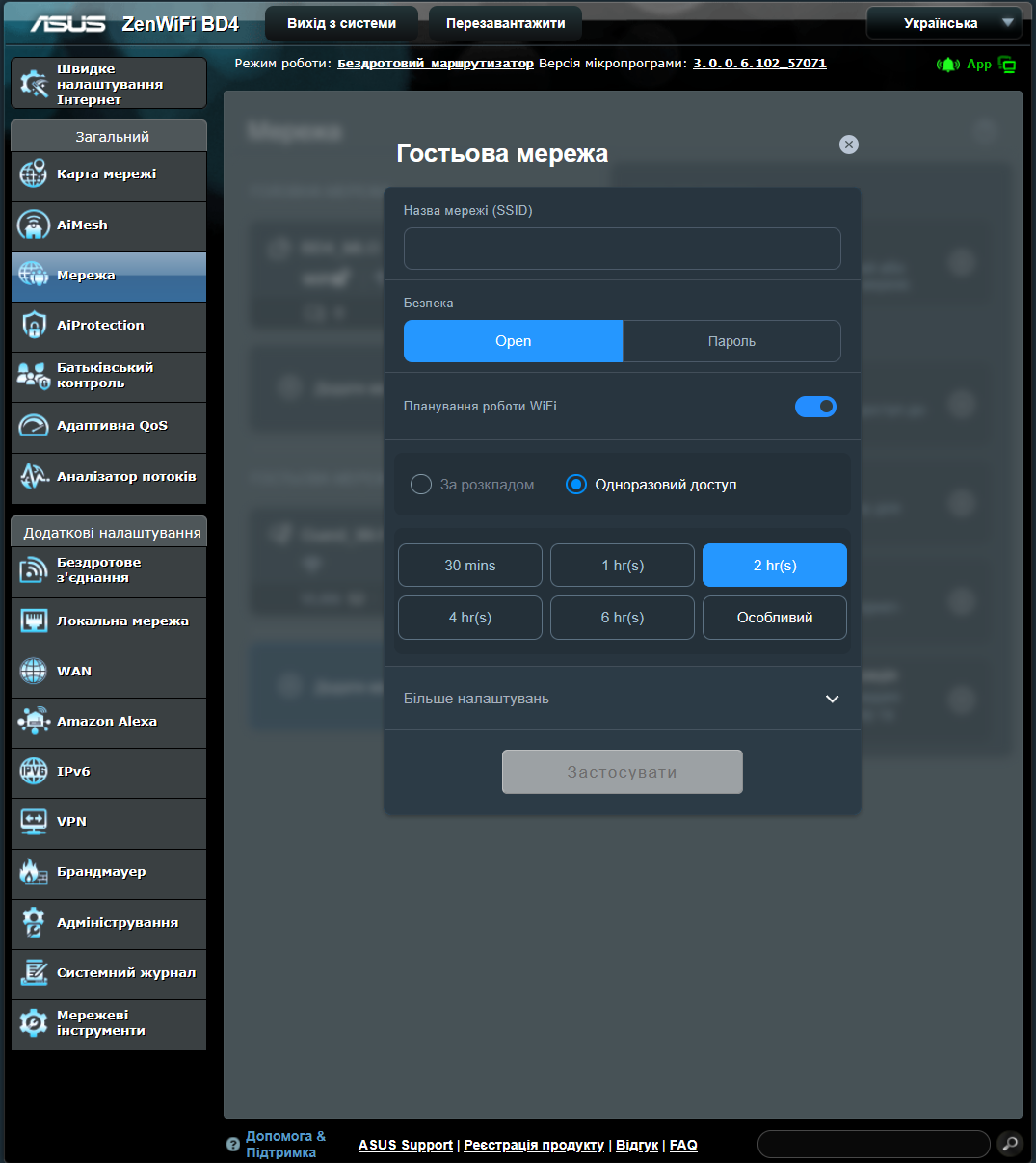
As observed, ASUS Smart Home Master offers extensive options for detailed configuration of the guest network, allowing for flexible and convenient network management.
Children’s network
The child network feature in ASUS Smart Home Master is designed to provide a safer internet connection for children. It allows scheduling internet access, limiting usage to specific hours through built-in parental controls. The system also supports integration with AdGuard to block unwanted content and ads. For added security, this network typically operates within a separate VLAN, isolated from the main network.
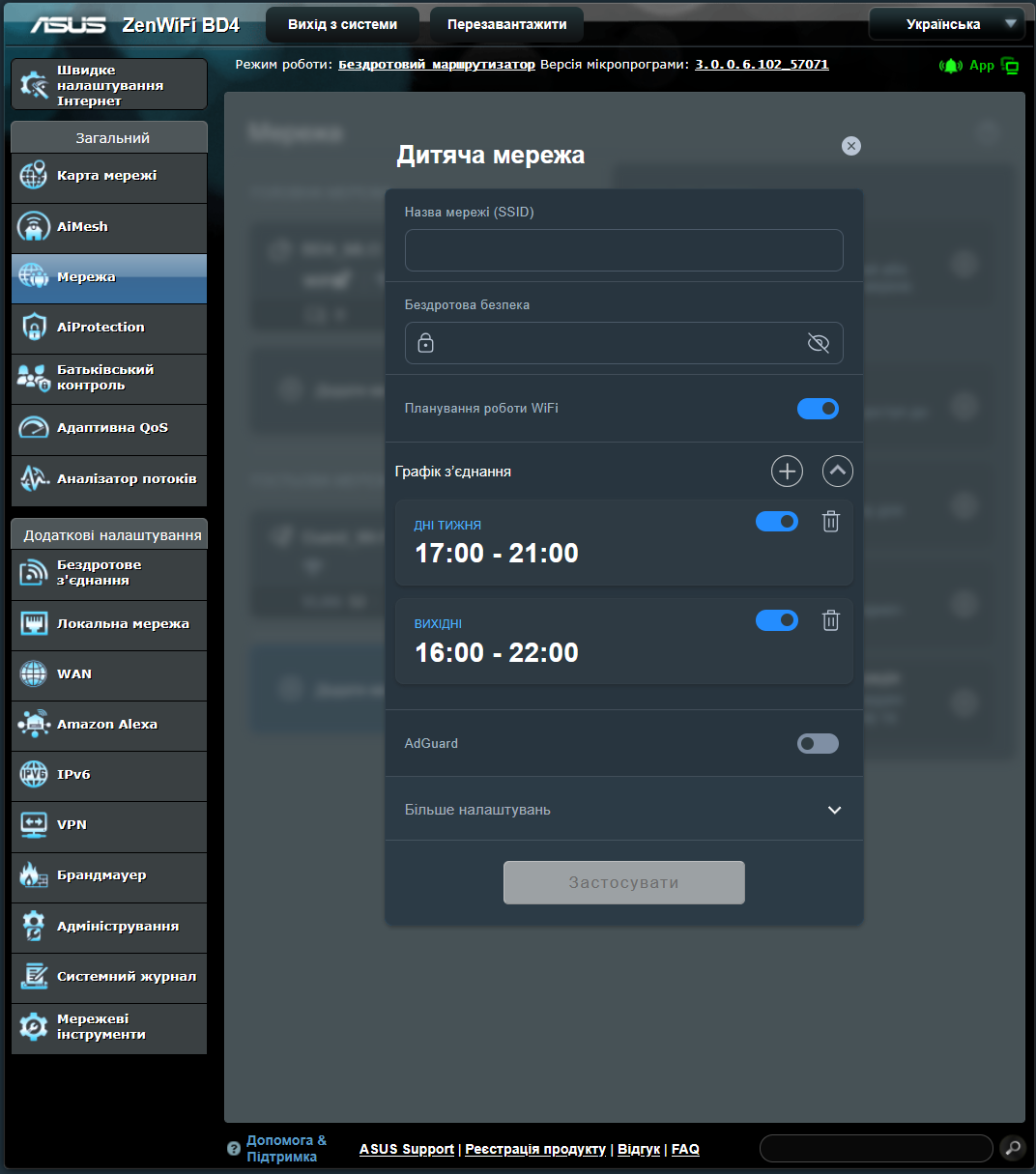
All other settings are similar to those of the guest network: you can set the SSID, choose the frequency band, define AiMesh nodes, set bandwidth limits, and adjust subnet parameters. The main advantage of the child network is that it provides a controlled, secure environment with flexible tools for managing access time and content.
Internet of Things (IoT) network
The Internet of Things (IoT) network in ASUS Smart Home Master is designed specifically for connecting home automation devices. It typically operates within the same subnet as the main network, allowing devices to communicate seamlessly. However, if needed, it can be isolated into a separate VLAN with selective access to the main network. The network can be deployed across all or only selected AiMesh nodes, providing flexibility in coverage.
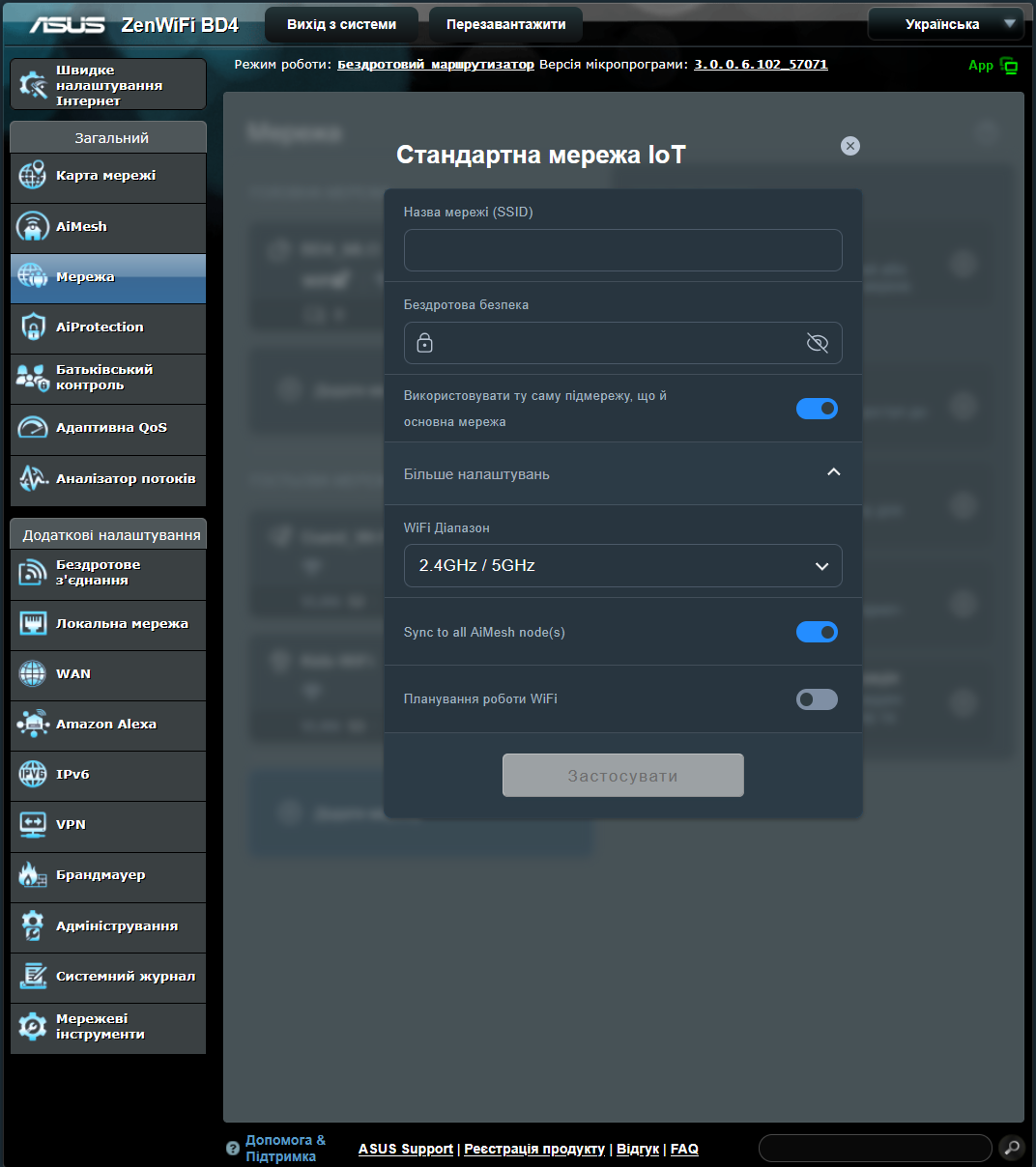
The configuration of this network is similar to the main network but takes compatibility with older IoT devices into account: Wi-Fi 6 is enabled along with WPA2-Personal security, even if the equipment supports Wi-Fi 7. This approach helps ensure stable operation of smart devices and a consistent user experience.
Мережа VPN
The VPN network feature in ASUS Smart Home Master allows the creation of a separate Wi-Fi network where all traffic is automatically routed through a pre-configured VPN client. This setup is useful for users looking to bypass regional restrictions or enhance privacy. Additionally, it’s possible to assign a dedicated WireGuard server to this VLAN instead of just using a VPN client. Standard configuration options remain available, including SSID selection, security settings, deployment on specific nodes, Wi-Fi scheduling, bandwidth limits, subnet settings, and parental controls via AdGuard.
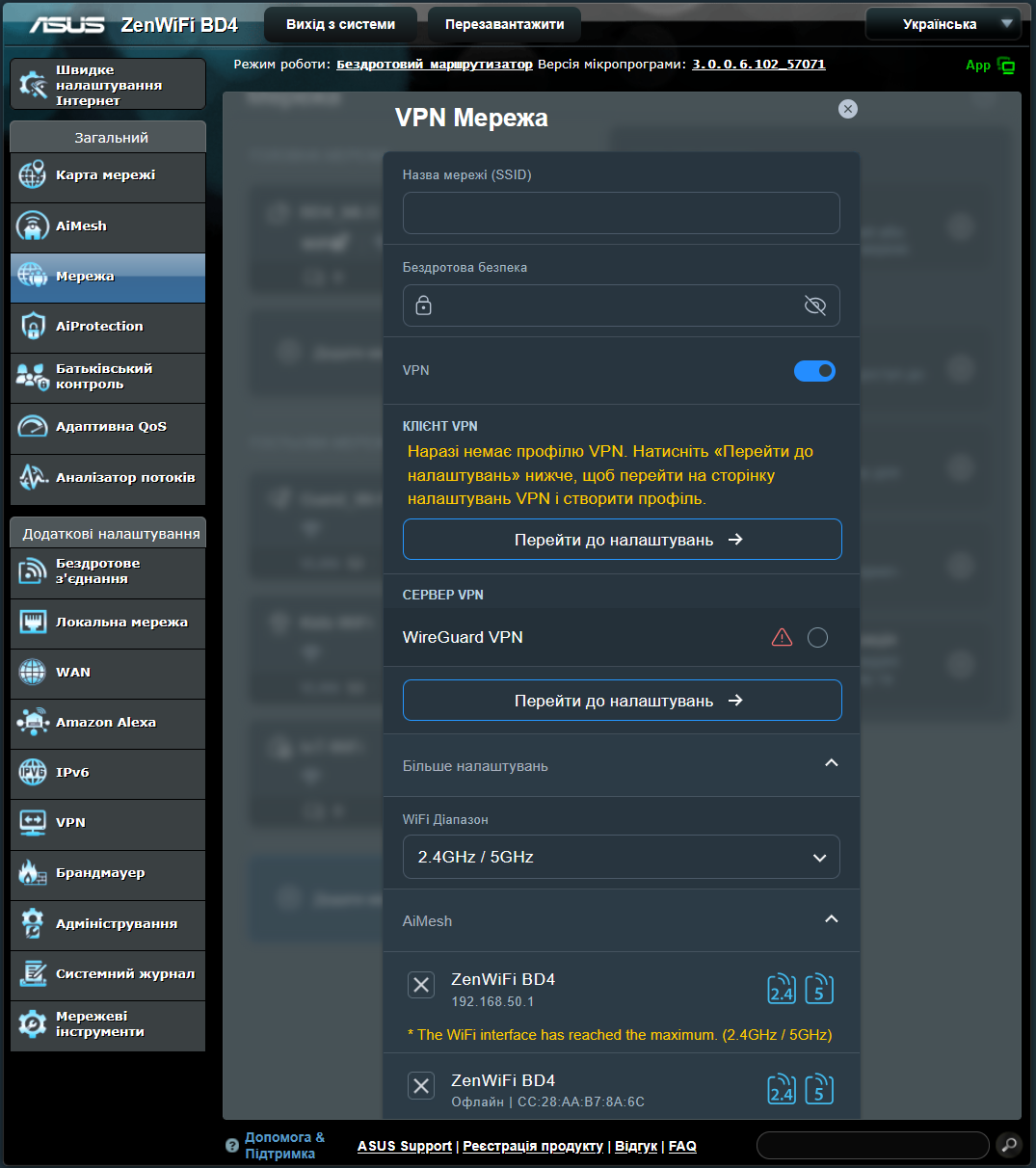
Before setting up this network, it is important to properly configure both the Fusion VPN and the VPN server itself; otherwise, the network may not function correctly. Once configured, you can ensure a stable and secure VPN connection for the entire network or for individual devices.
Multi-Link Operation network
The MLO (Multi-Link Operation) network in ASUS Smart Home Master is designed to maximize Wi-Fi speed by combining multiple frequency bands under a single SSID. To enable this feature, Smart Connect must be activated. ASUS also allows the creation of a separate MLO network if users want to keep it distinct from the main network. During setup, users can configure the SSID, password, frequency bands, AiMesh nodes, and additional options such as scheduling, bandwidth limits, subnet settings, and AdGuard integration.
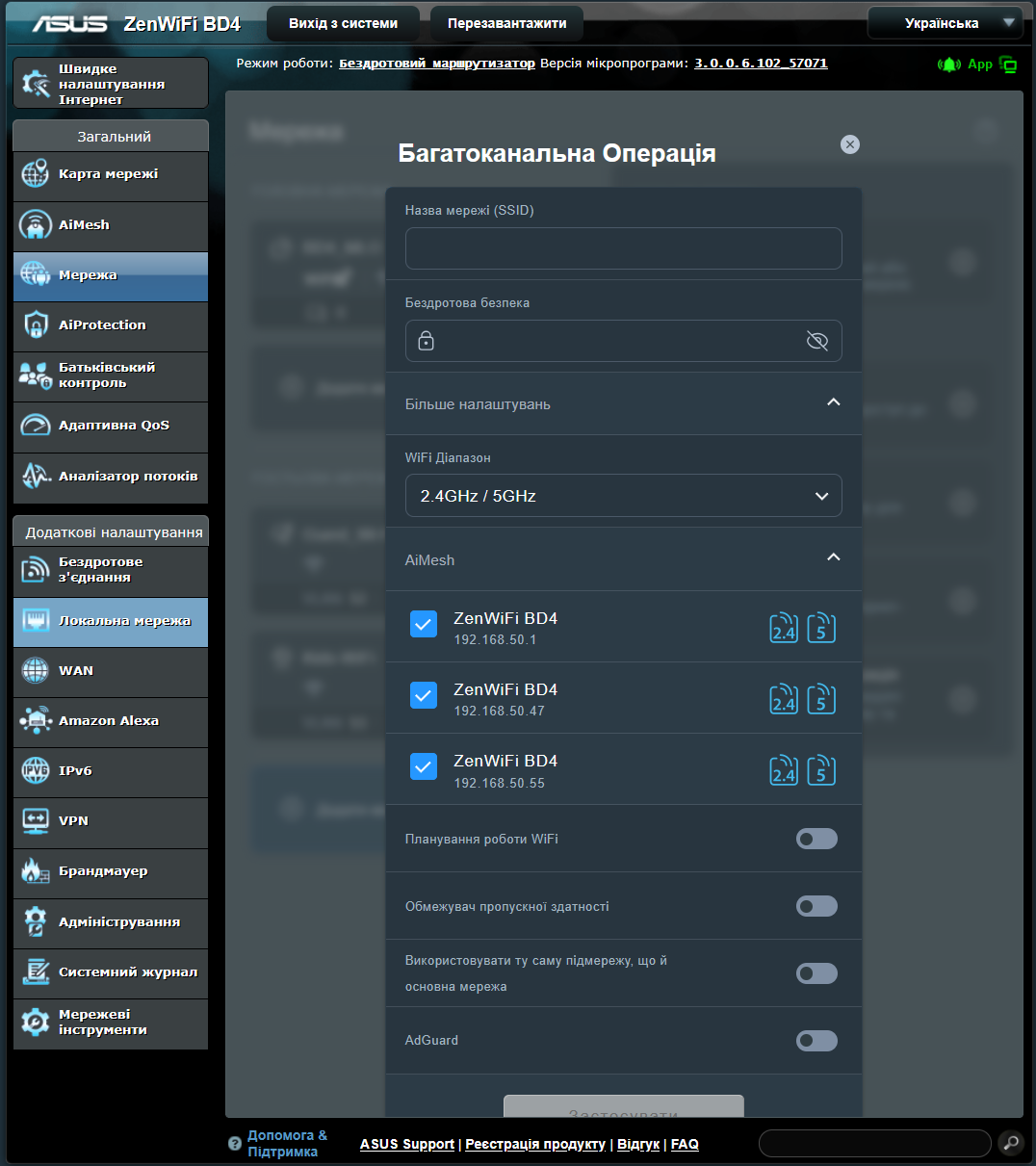
By default, the MLO network operates within the main subnet, but it can be isolated into a separate VLAN. To fully benefit from MLO, the network needs to operate across all available frequency bands, combining their bandwidth. Additionally, users can enable MLO Fronthaul on the main network, provided a single SSID is used for all frequency bands.
Read also: ASUS TUF RX 7900 XT 16GB Review: 5 Key Facts and a Full Set of Benchmarks
Conclusions
The ASUS Smart Home Master feature offers home users capabilities similar to business-grade solutions without requiring external Wi-Fi controllers or complex VLAN configurations. Within a single AiMesh router, users can create segmented networks including a main network, guest network, child network with parental controls, an IoT network designed for compatibility with older devices, and a VPN network linked either to a client or a WireGuard server. These networks can operate within the same subnet or be isolated in separate VLANs for improved security and easier traffic management.
This flexible system is available in new ASUS models and across all their AiMesh solutions. In some devices, it’s referred to as “Guest Network Pro,” while the ExpertWiFi series also supports segmentation of wired connections, a feature not found in the home versions. Smart Home Master allows users to tailor network operation to specific needs – from content filtering to VPN traffic management – all integrated into the router’s interface without added complexity.
Read also:
- ASUS NUC 14 Essential Review: Affordable and Productive Mini PC
- ASUS TUF Gaming BE6500 Review: Cool Wi-Fi 7 Router

