




© ROOT-NATION.com - Use of content is permitted with a backlink.
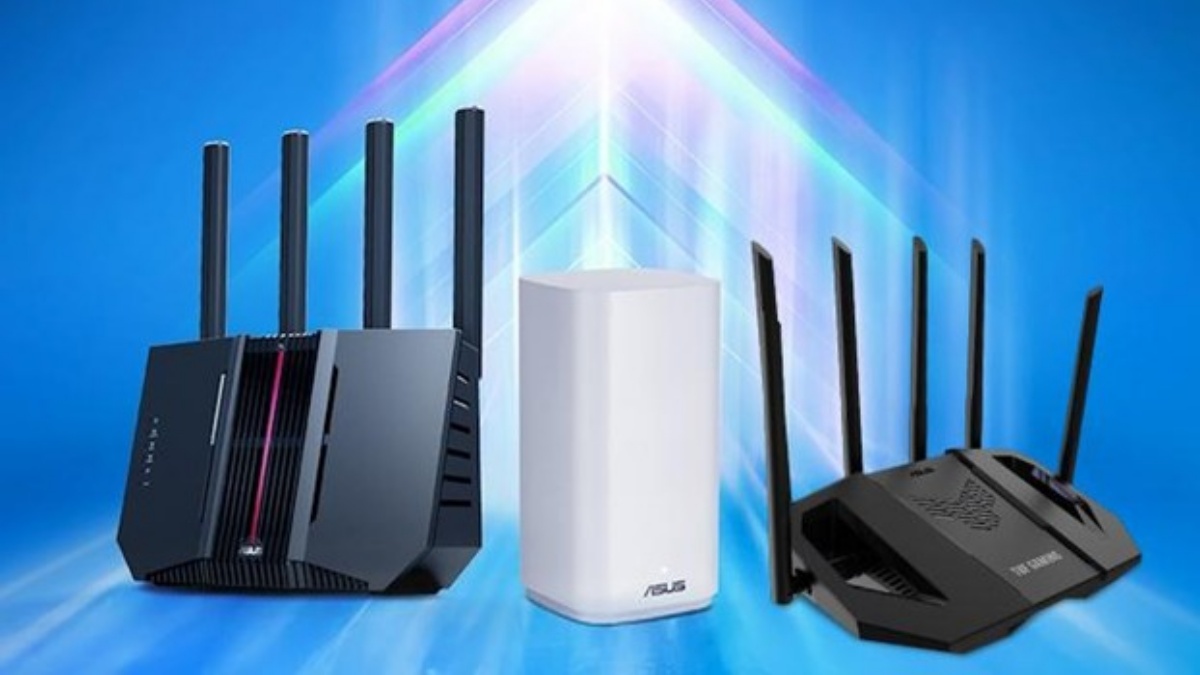
A home network is a constantly evolving system. A router that met all your needs yesterday may become limiting tomorrow. New smart devices, a switch to high-speed internet, home renovations that change layout, or the addition of gadgets supporting the latest Wi‑Fi standards – any of these events can require a network upgrade. Traditional routers usually lack upgrade options, forcing you to buy a new model. ASUS network expansion routers change this approach, offering flexibility and room for growth.
The range of these solutions spans various price points and configurations. They allow you to extend coverage, increase speeds, enhance security, and gain greater control over your network – while the existing router remains in use as a fully integrated part of the upgraded system.
TABLE OF CONTENTS:
Why can’t one router handle the load anymore?
Let’s face it: the number of Wi‑Fi devices in a home is growing exponentially. The network serves not only laptops and smartphones but also smart lights, switches, security cameras, TVs, consoles, and household appliances. Each device relies on a reliable, fast, and secure connection.
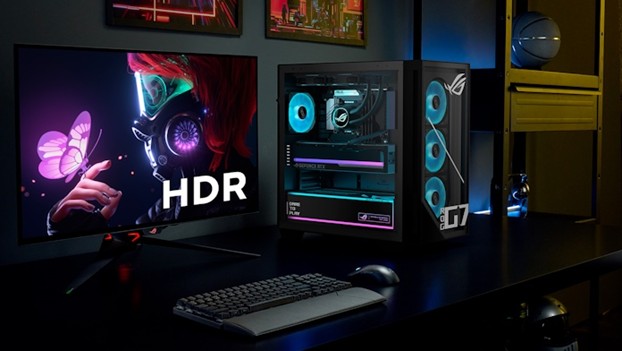
At the same time, speed requirements are increasing. Full HD is becoming secondary, with 4K streaming taking priority and 8K already on the horizon. Millions of people play via cloud platforms like NVIDIA GeForce Now or Xbox Cloud Gaming, placing significant demand on bandwidth.
For those working from home, the impact is even more noticeable: video conferences, large file transfers – all require high throughput. Maintaining the freedom to move around – to the kitchen, living room, or terrace – without a drop in connection quality is essential.

Read also: ASUS ROG Strix Scope II X Keyboard Review: Hot-Swap Support, Clean Design, and an Accessible Price
Wi-Fi dead zones are an archaism
Wi‑Fi needs to cover the entire space. Smart devices are often located at the periphery: cameras by the front door, outlets in the garage, or an EV charging station outside. If you’re equipping a basement or backyard, internet access is required there too. This is why having a solution that can be easily expanded is critical.
More control and security
Modern users are looking not just for speed but for extensive management features: VPN, guest networks, secure remote connections, backup connectivity, and multi-layered cybersecurity.
What is required of a router in modern housing
To build a reliable network with long-term prospects, pay attention to these factors:
- High-speed connectivity: Gigabit plans are now standard, and providers increasingly offer multi-gigabit options – up to 10G.
- Multi-gigabit Ethernet ports: To fully utilize high-speed internet, the router should have 2.5G or 10G ports for WAN and LAN.
- Wi‑Fi 7 support: The latest standard delivers higher speeds, stability, and efficiency – an ideal combination for a smart home.
- Wide coverage: A single router is enough for a compact apartment. For a larger home, a mesh system or a router with AiMesh support is a smarter choice to extend the network.
- Comprehensive protection: Many IoT devices are poorly secured, making it critical to have a network with built-in threat detection and protection across the entire infrastructure.
- Backup connection: Dual WAN support or 4G/5G USB modems safeguard against connectivity loss at critical moments.
- Convenient management: The ASUS Router mobile app provides quick setup, monitoring, and advanced management options.
Why conventional Wi-Fi repeaters are a poor choice
Many users, when facing dead zones, look for signal extenders. The problem is that most of these devices create a separate network with their own SSID, requiring manual switching between them. Additionally, speed and security often remain subpar.
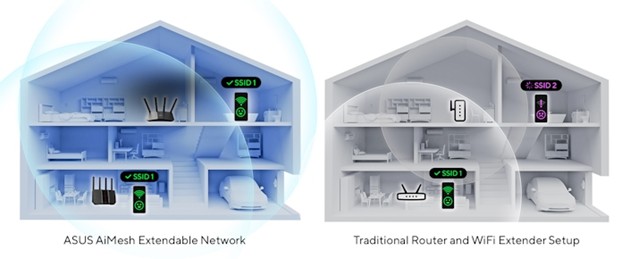
Certain models, like the ASUS RP-BE58 with AiMesh, perform much better by integrating directly into the main network. However, if you need a truly powerful and flexible long-term solution, it’s better to look directly at routers designed for network expansion.
Routers for network expansion: architecture for a smart home
Instead of a single access point, a scalable system is built from multiple routers that function as a single unit. They connect either wirelessly or via wired Ethernet backhaul, providing consistent coverage in all areas – even in challenging spots like basements, verandas, or garages.
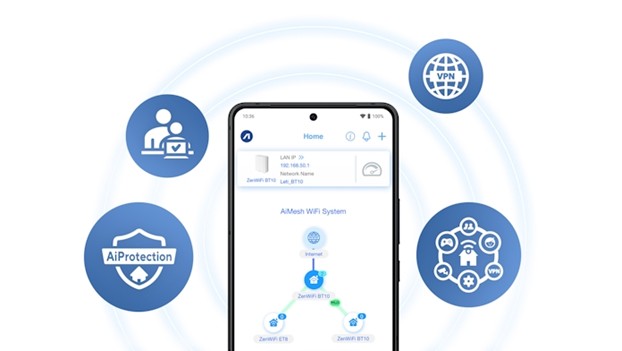
Management is intuitive: the ASUS Router app allows you to quickly set up the network, monitor traffic, and customize features to your needs.
Easy scaling of coverage area
Suppose you need a stable signal in the garage. Simply add another scalable router. The system will automatically determine which node provides the optimal connection for each device and seamlessly hand off the connection between them – no manual intervention required.
Just place the second router closer to the garage but within range of the main one, or connect them via an Ethernet cable. The result is seamless roaming, a single SSID, and the ability to expand the network further by adding additional nodes.
Combine routers at your discretion
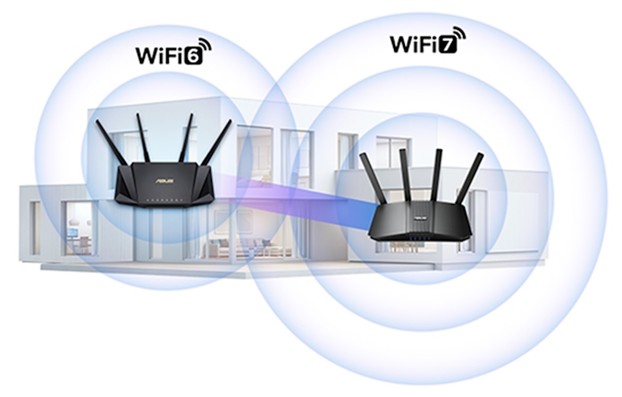
You don’t need to buy two new devices to build an AiMesh network. Many previous-generation ASUS models already support AiMesh. Additionally, the brand ensures compatibility between scalable routers and ZenWiFi mesh systems, allowing you to create a configuration that perfectly fits your needs.
Manage your network according to your own rules
In a standard Wi-Fi network, all devices connect to a single SSID. This creates several inconveniences: guests gain access to your main password, children have uninterrupted internet, and IoT devices can see the entire network.
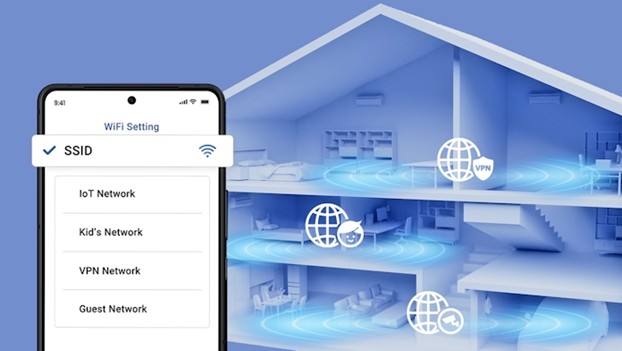
ASUS Smart Home Master in Wi-Fi 7 routers breaks this pattern. It allows you to create multiple SSIDs, each with its own settings:
- A separate network for children – with scheduled access and parental controls
- A guest network with its own password
- A network with automatic VPN for selected devices
- A network for IoT devices – limited to the 2.4 GHz band and minimal access to the rest of the infrastructure
Safety at all levels
A router + repeater setup often has different security levels for each device. With an AiMesh system, security is unified and consistent across all nodes.

ASUS AiProtection Pro provides:
- Detection of malicious activity and infected devices
- Protection for IoT devices, which rarely receive updates
Additionally, some models allow creating a separate wireless network exclusively for IoT, isolated from the main network containing sensitive data. This reduces the risk of information leakage even if one of the smart devices is compromised.
Powerful VPN capabilities

VPN is an essential tool for privacy and security, especially for remote workers and gamers. ASUS Wi-Fi 7 routers offer flexible VPN options:
- VPN Client: routes all home traffic through a VPN
- VPN Server: provides secure remote access to your home network
- Dedicated VPN Network (SSID): for selected devices
- VPN Fusion: allows simultaneous connections to multiple VPNs for different devices
- Site-to-Site VPN: connects two remote networks via VPN (requires two ASUS routers)
Please note: VPN functionality availability depends on the specific router model. It is recommended to check the information on the product page or in the ASUS support section.
Read also: ASUS RT-BE50 Review: Affordable Router with Wi‑Fi 7
Scalable network for any scenario
The ASUS range of network expansion routers covers a broad spectrum, making it relatively straightforward to choose a model with the desired specifications at a reasonable price. Below are recommendations for different use cases.
The perfect start to Wi-Fi 7: ASUS RT-BE58U

The ASUS RT-BE58U is one of the more affordable options for entering the new Wi-Fi standard. It is a dual-band router that does not operate in the 6 GHz range but still offers a noticeable increase in throughput compared to the previous generation. A 2.5 G Ethernet port allows for multi-gigabit internet connections, and the feature set includes Smart Home Master and AiProtection security.
Multiple ports – maximum possibilities with ASUS RT-BE82U

While wireless connections are often prioritized, wired connectivity remains relevant. The ASUS RT-BE82U is a suitable option for those seeking a balanced Wi-Fi 7 solution with five 2.5 G Ethernet ports (one WAN and four LAN). The router delivers speeds up to 6,500 Mbps in dual-band mode and is suitable for establishing a modern wired network infrastructure.
Simple AiMesh network expansion: ZenWiFi BD4

If you already have an ASUS router with AiMesh and need to extend coverage, the ZenWiFi BD4 is a practical option. This dual-band Wi-Fi 7 router supports 2.5 G Ethernet ports and integrates easily into an existing network. It is available in two- or three-unit kits, preconfigured to form a single mesh network. For a large house or multi-unit dwelling, it provides a straightforward way to achieve consistent coverage.
Wi-Fi outdoors: ZenWiFi BD4 Outdoor
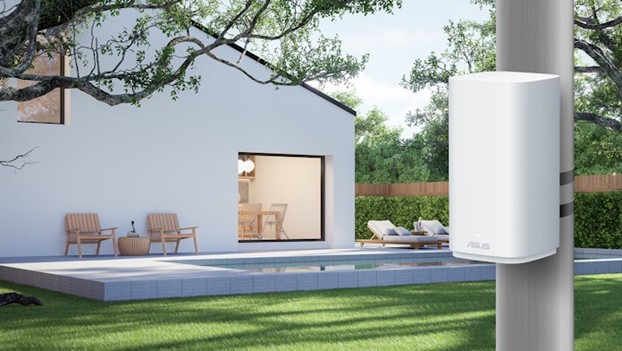
Need a reliable connection on a terrace, in the yard, or near an EV charging station? The ZenWiFi BD4 Outdoor fits the requirement. This mesh router comes in a weather-resistant IP65 enclosure, capable of withstanding rain, dust, and temperature fluctuations. Dual 2.5 G ports with PoE support allow installation even without a nearby power outlet. Multiple mounting options – wall, pole, or horizontal – provide flexible installation.
Best for home: ASUS RT-BE92U
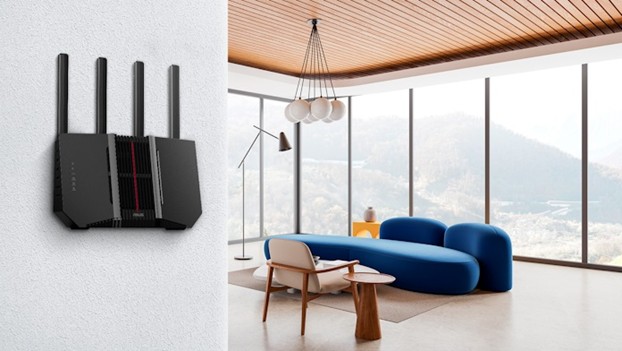
For users without budget constraints, the ASUS RT-BE92U delivers maximum performance. It supports the 6 GHz band, 320 MHz channel width, and Smart AiMesh with AI-assisted optimization for backbone connections via Multi-Link Operation. The router also offers up to 20 G total wired throughput, making it suitable for a high-capacity, future-ready network.
Ideal for gamers: TUF Gaming BE6500
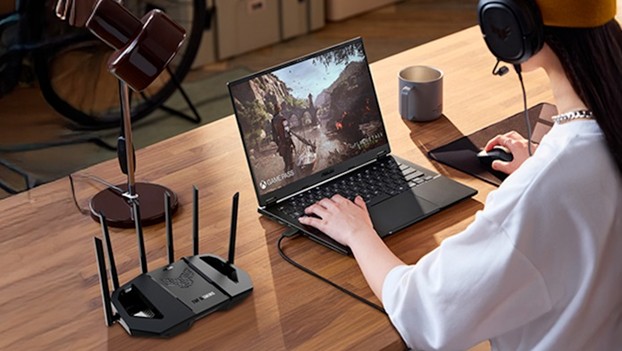
Connection stability can often make the difference between success and failure in gaming. The TUF Gaming BE6500. is designed with this in mind. This dual-band Wi-Fi 7 router (including 4K-QAM) delivers speeds up to 6,500 Mbps. A dedicated 2.5 G gaming port prioritizes a chosen device, and the mobile gaming mode in the ASUS Router app reduces latency with a single tap.
Read also:
- YUNZII QL75 Retro Typewriter Keyboard Review: Modern Mechanical Design with Vintage Aesthetic
- TV Show Enthusiast, a Mechanic Cinderella, and a Gosling Mother: A Selection of Notable Books Featuring Robots
- Cubot KingKong 11 Review: Rugged Smartphone with Dual Displays

