© ROOT-NATION.com - Use of content is permitted with a backlink.
At the beginning of summer, Razer introduced the Hammerhead V3 X HyperSpeed, the entry-level model in its gaming TWS lineup, which also includes the Hammerhead V3 HyperSpeed. The higher-end version was unveiled back in April and features Hybrid ANC, Bluetooth 6.0, and up to 40 hours of battery life. The V3 X, by comparison, offers a simpler feature set and a lower price, while retaining the key features: low-latency 2.4 GHz HyperSpeed connectivity and multi-platform support. According to Razer, these earbuds are designed not only for PC gaming, but also for PlayStation 5, smartphones, Steam Deck, and other compatible devices. Importantly, HyperSpeed connectivity does not require a separate dongle, as the wireless receiver is built into the charging case.
On paper, this approach makes a lot of sense. But it also raises an obvious question: how much of the higher-end V3 HyperSpeed remains after the cost-cutting, and is the V3 X really enough for a comfortable gaming experience? Let’s take a closer look.
Read also: Wireless earbuds reviews (TWS)
TABLE OF CONTENTS:
Positioning and Price
As mentioned above, the Razer Hammerhead V3 X HyperSpeed is the entry-level model in the Hammerhead V3 lineup. At the time of this review, its price on the manufacturer’s official website was $99.99, while Amazon prices ranged from $82 to $93 depending on the version. Razer currently lists the Hammerhead V3 X HyperSpeed for PlayStation and Xbox at $99.99.

For that price, you get TWS earbuds with 2.4 GHz HyperSpeed connectivity, Bluetooth 5.3, 11 mm drivers, THX Spatial Audio, and up to 35 hours of battery life with the charging case. There is also basic IPX4 water resistance. However, it is important to understand where the lower price comes from. The V3 X does not have Hybrid ANC, uses Bluetooth 5.3 instead of Bluetooth 6.0, and has the HyperSpeed receiver integrated directly into the charging case.
It is also worth noting that Razer offers the Hammerhead V3 X HyperSpeed in a standard version, which we are testing here, as well as dedicated Xbox and PlayStation variants. The core hardware platform is shared between them, while the main differences concern console compatibility, spatial audio features, and design. The standard version remains multi-platform and can be used with PC, Mac, PlayStation 5, Nintendo Switch, Steam Deck, Android, and iOS.
Razer Hammerhead V3 X HyperSpeed Specifications
- Type: TWS, in-ear
- Drivers: 11 mm
- Impedance: 32 ohms
- Frequency response: 20 Hz–20 kHz
- Sensitivity: 102 dB
- Connectivity: Razer HyperSpeed Wireless 2.4 GHz, Bluetooth 5.3
- Microphones: 2, cardioid pickup pattern
- Noise cancellation: None
- Controls: Touch controls
- Battery life: Up to 35 hours (up to 10 hours from the earbuds + up to 25 hours from the charging case)
- Charging: USB Type-C
- Lighting: Razer Chroma RGB on the charging case
- Protection: IPX4
- Weight: 5.3 g per earbud
Package Contents
The box includes:
- the earbuds
- the charging case
- interchangeable silicone ear tips in different sizes
- a USB Type-C cable
- stickers and documentation.

However, the main feature is not among the accessories but built directly into the charging case. As I mentioned earlier, the earbuds can connect not only via Bluetooth but also using a 2.4 GHz wireless connection. This would normally require a separate dongle, as is the case with the Razer BlackShark V3. Here, however, Razer has integrated the receiver directly into the charging case. In my view, this is much more convenient than having a small standalone receiver that can easily get lost or left behind at the most inconvenient moment.
Read also: Razer BlackShark V3 Headphones Review: Full Immersion in Gameplay and Solid Sound Quality
Design, Ergonomics, and Layout
The Hammerhead V3 X HyperSpeed is available in three versions: PC, Xbox Edition, and PlayStation Edition. The standard version comes with an all-black design, while the Xbox Edition features a black exterior with a bright green interior. The PlayStation Edition, meanwhile, has a white charging case with the PlayStation logo and black interior. The PlayStation variant also differs in the design of the earbuds themselves, which follow the console’s signature color scheme.

I have the standard version of the Hammerhead V3 X HyperSpeed for testing. It looks more understated than the console-focused variants. The charging case is made of matte plastic, with the Razer logo on the lid and RGB lighting on the front. The latter is essentially the only design element that hints at the gaming focus. The charging port and pairing button are located on the bottom edge of the case.


The TWS earbuds clearly look like a gaming accessory: they are relatively bulky, with a distinctive housing shape and the brand logo on the touch-sensitive control area. Despite their size, each earbud weighs just 5.3 g. Unlike the charging case, the earbuds have a glossy finish.

All the components fit together well, and the earbuds easily slot into the charging case and stay securely in place.
As for the fit, the V3 X left a positive impression. I am not usually a fan of in-ear earbuds, but these turned out to be more comfortable than expected. They are lightweight, and the included ear tips in several sizes make it easy to find a fit that works well for you. Even after extended use, my ears did not feel sore or fatigued, and there was no noticeable pressure. For gaming TWS earbuds, this is an important detail, as gaming sessions can often be quite long.
Connectivity and Controls
For testing, I connected the earbuds in two ways: via Bluetooth to a smartphone and via HyperSpeed to a Lenovo Legion Go. There were no issues in either case.
One important detail when using the dongle is that the Razer Audio app needs to be installed on the device beforehand (we’ll take a closer look at it later). Once that is done, the earbuds connect without any additional steps. The connection remains stable, and switching between the two protocols is quick.
To switch between 2.4 GHz and Bluetooth, simply triple-tap either earbud. This is handled by Razer SmartSwitch. Here is the full list of touch controls:
- Single tap: play/pause
- Double tap: next track (right), previous track (left)
- Double tap + hold for 2 seconds: volume up (right), volume down (left)
- Hold for 2 seconds: mute/unmute microphone
- Triple tap: switch between Bluetooth and 2.4 GHz
There is one limitation worth mentioning: the two protocols cannot be used simultaneously. So, if you are gaming over 2.4 GHz and want to answer a call via Bluetooth, you will have to switch manually using a triple tap. This is not a problem for most use cases, but there is no full-fledged multipoint support here, so it is worth keeping in mind.
Software
The Hammerhead V3 X HyperSpeed can be configured using two apps: Razer Audio for smartphones and Razer Synapse for PC. Their functionality is broadly similar, but each is intended for a different platform.
Razer Audio
Razer Audio is used to connect and configure the earbuds from a smartphone. It shows the battery level of each earbud, the current audio source, and the main settings.
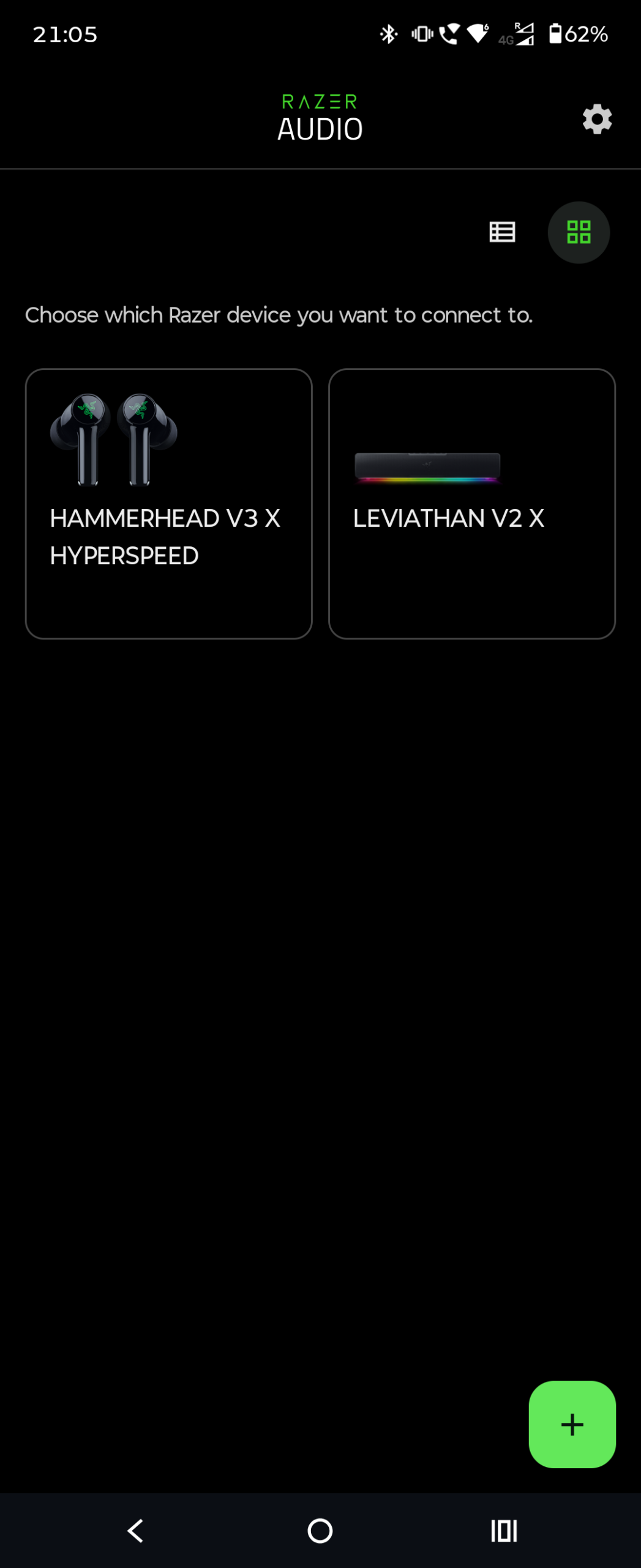
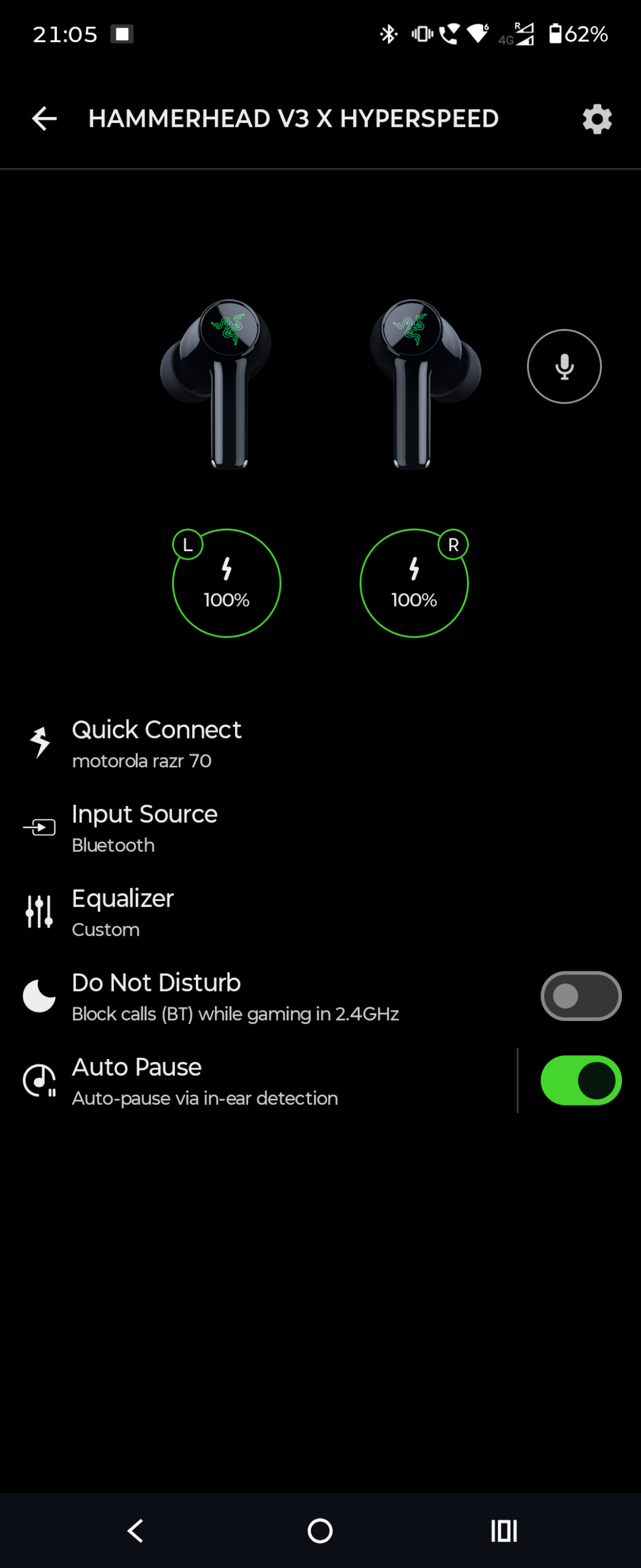
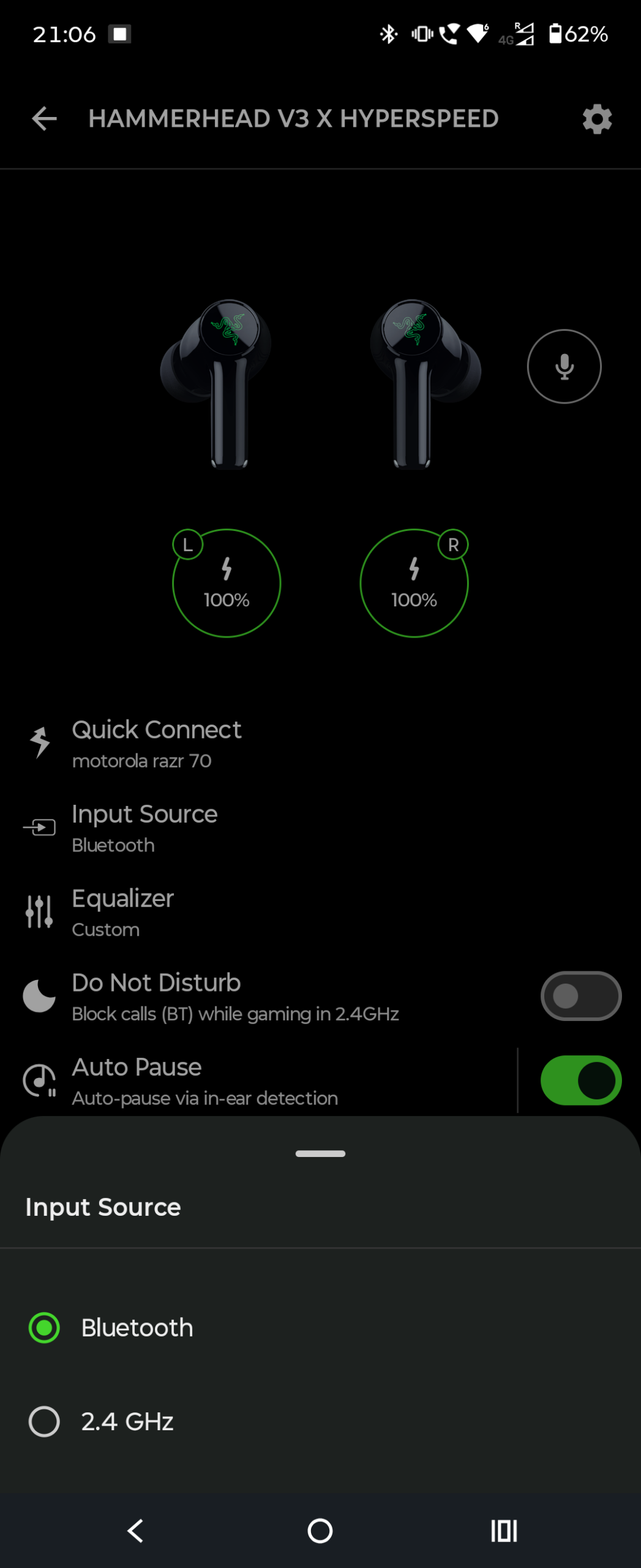
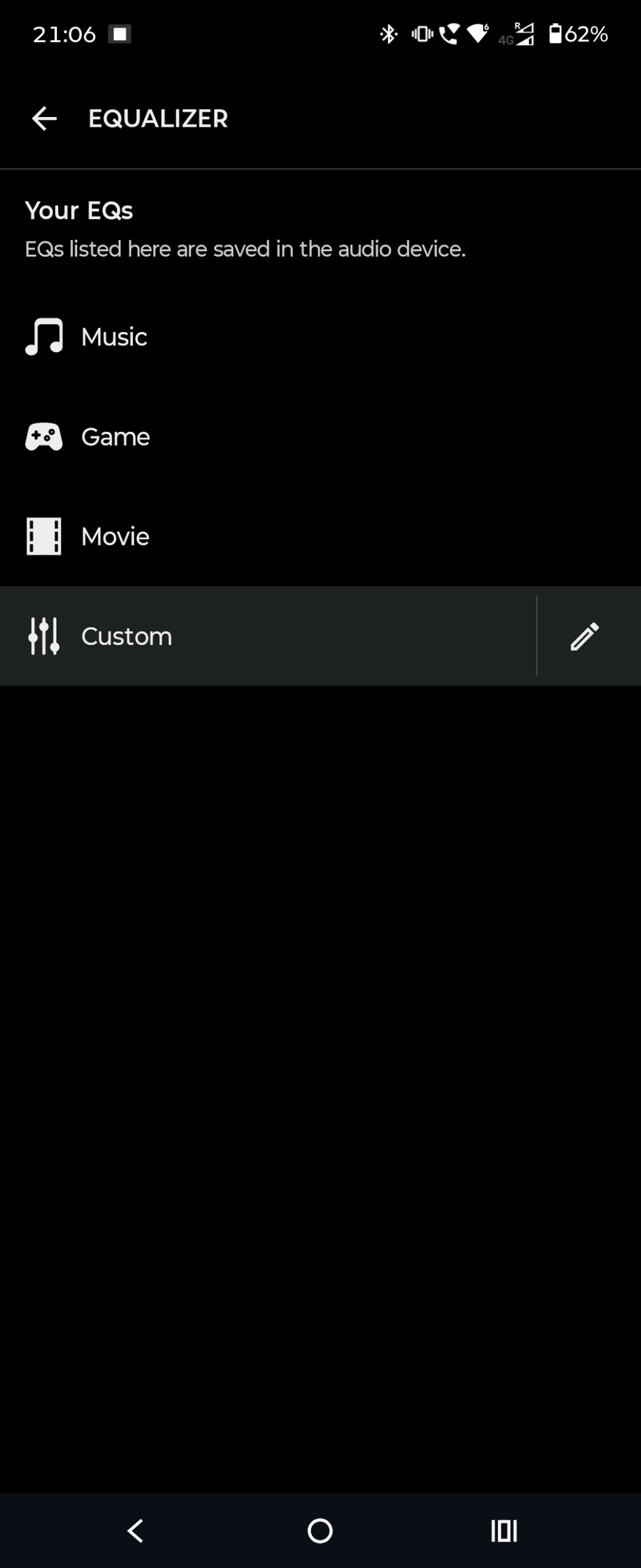
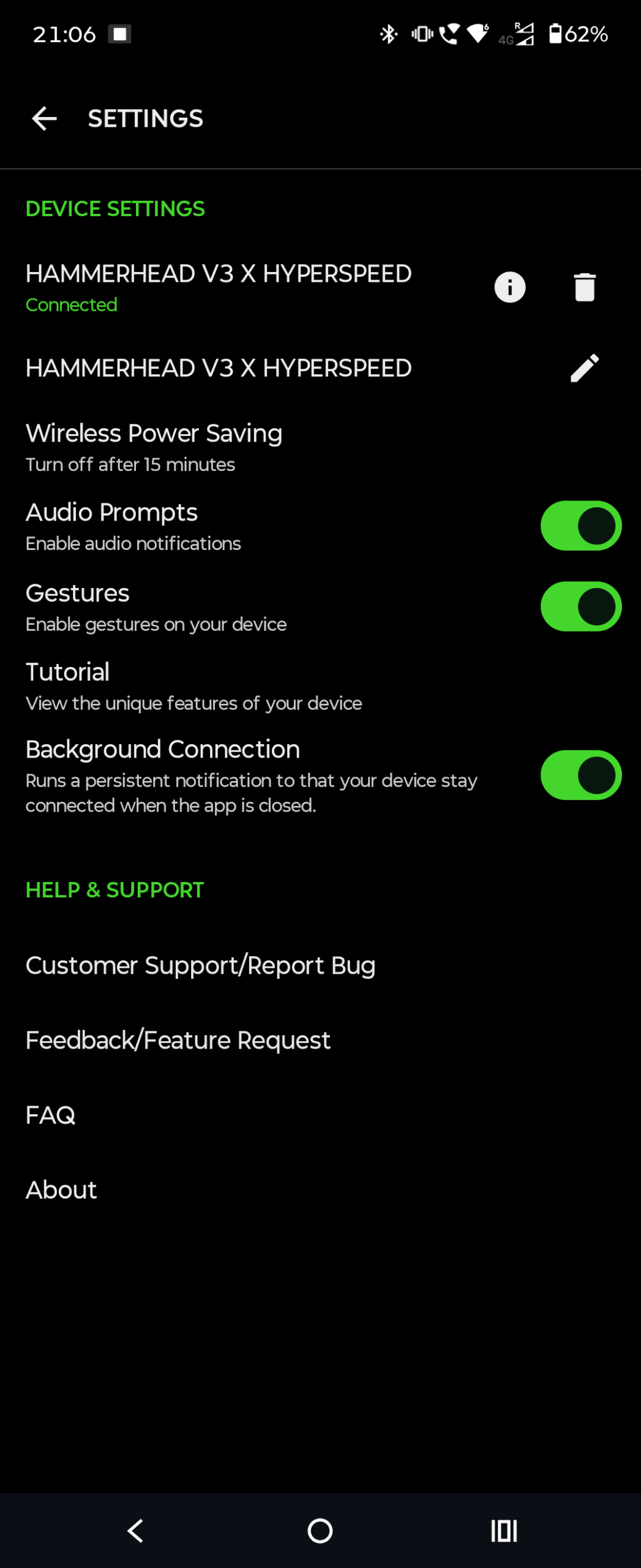
The app includes the following sections and settings:
- Input Source – select the connection source. You can switch between Bluetooth and 2.4 GHz.
- Quick Connect – quickly connect to an available device.
- Equalizer – includes Music, Game, and Movie presets, as well as a Custom mode for manually adjusting the sound.
- Auto Pause – playback pauses when you remove an earbud and resumes when you put it back in.
- Do Not Disturb – blocks incoming Bluetooth calls from a smartphone, which can be useful while gaming.
- Wireless Power Saving – lets you set the automatic power-off time after a period of inactivity: 5, 15, 30, 45, or 60 seconds.
- The settings also include audio prompts, touch gestures, a user guide, and background connectivity, which allows the app to maintain a connection with the device while running in the background.
Overall, Razer Audio is well organized and intuitive, with all the key functions gathered in one place without requiring you to dig through multiple menus.
For Android:


For iOS:


Razer Synapse
On PC, the earbuds are configured through Razer Synapse. The app provides four main settings tabs: Sound, Enhancement, Mic, and Power.
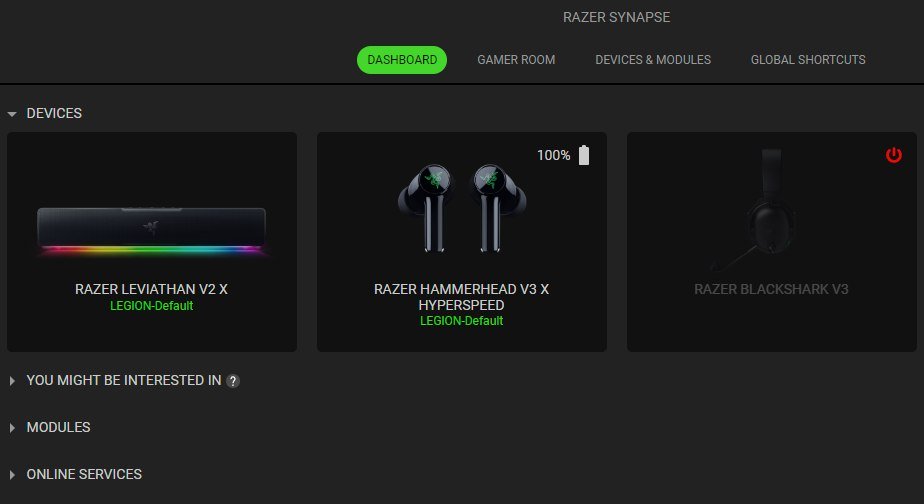
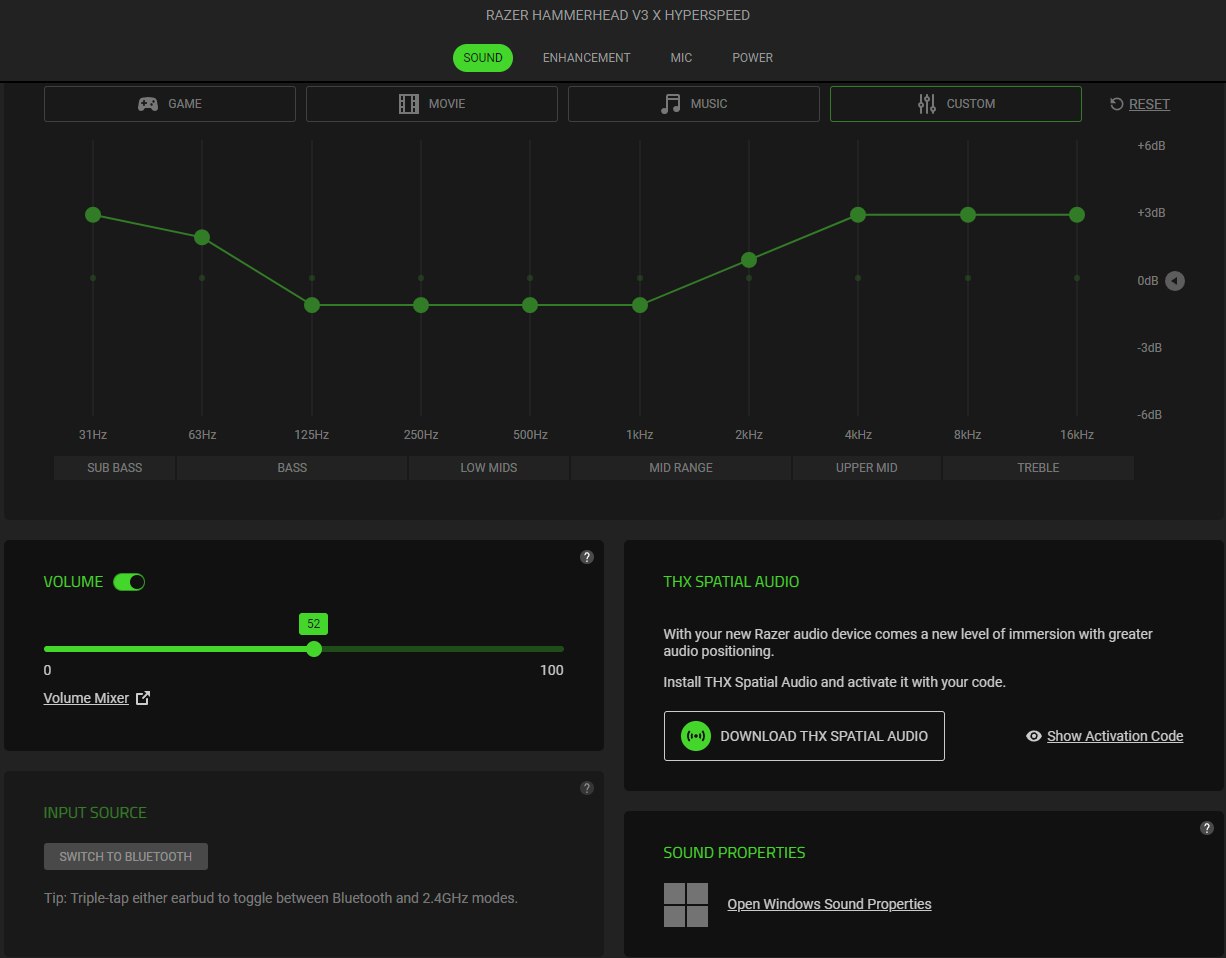
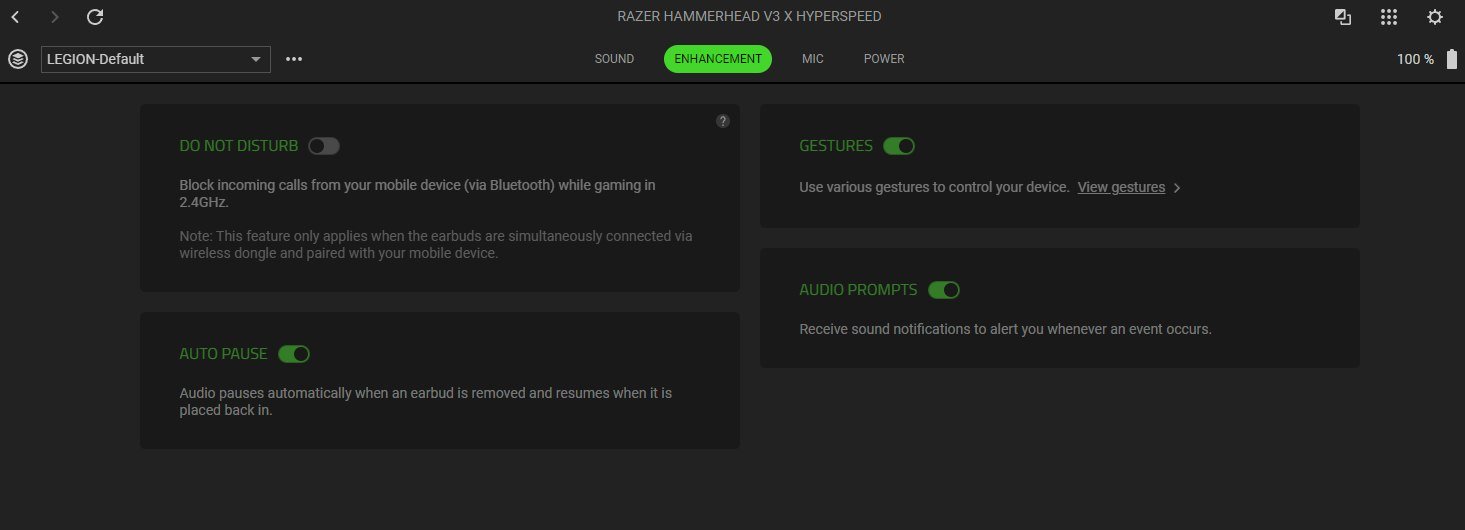
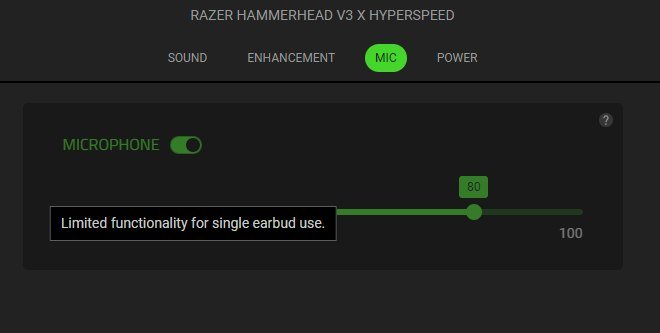
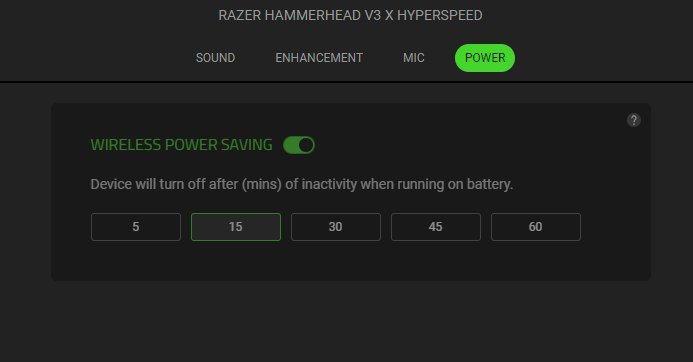
In addition to the equalizer with preset profiles and custom tuning options, as in Razer Audio, Razer Synapse also allows you to manually adjust the frequency range. This section also provides volume controls and lets you select the audio source.
The Enhancement section contains the additional features mentioned earlier: Do Not Disturb, Auto Pause, Gestures, and Audio Prompts.
The Mic tab is dedicated to voice communication settings. It also includes a separate warning about limited functionality when using only one earbud.
The Power section contains the same automatic power-off settings as Razer Audio.

One of the key differences in Synapse is support for THX Spatial Audio. This technology provides immersive spatial sound with precise 360° audio positioning, designed to enhance the gaming experience. To enable it, you need to download and install the corresponding component.
Read also: Razer Joro Review: Ultra-Compact Gaming Keyboard
Sound Quality
The earbuds have a fairly standard configuration for gaming TWS models in this price range: 11 mm dynamic drivers, a frequency response of 20 Hz–20 kHz, and 102 dB sensitivity. For their class and price, the sound quality is solid. The audio is reasonably rich, with noticeable but not overpowering bass. Of course, these are not audiophile-grade earbuds, nor are they positioned as such, but their performance is more than adequate for gaming, movies, and everyday music listening.

The connection method does not affect sound quality, but it does make a difference when it comes to latency. Over 2.4 GHz, latency is minimal, which is exactly what you want for gaming, where audio response can sometimes make a difference. Bluetooth has higher latency, but it is still relatively low. So, for gaming, HyperSpeed Wireless 2.4 GHz is the better choice, while Bluetooth is more suitable for music on the go and everyday use.
There are two microphones with a cardioid pickup pattern. This setup is designed primarily for voice chat, where clear speech is important. For a compact TWS headset, the microphones perform well for their intended use.
Battery Life
The manufacturer claims up to 10 hours of battery life from the earbuds and up to 25 additional hours from the charging case. In practice, the battery life is roughly in line with the advertised figures. For earbuds in this price range, that is a solid result.

The charging case supports USB passthrough, allowing you to keep using the earbuds while the case itself is charging. This is a useful feature for extended gaming sessions when you do not want to interrupt your gameplay.
Conclusion
The Razer Hammerhead V3 X HyperSpeed is a straightforward and well-balanced proposition. There are no questionable compromises or attempts to cram every feature of the higher-end V3 HyperSpeed into the entry-level model. Instead, Razer has focused on the essentials: multi-platform support, low-latency HyperSpeed connectivity, and solid battery life.

The charging case with an integrated HyperSpeed receiver is arguably one of the model’s best design decisions, solving the perennial problem of a lost dongle. The fit is comfortable even for those who are generally skeptical of the in-ear form factor. Sound quality is also solid for this class.
The compromises are clear: there is no Hybrid ANC, Bluetooth 5.3 instead of 6.0, the touch gestures cannot be customized, and simultaneous connections over both wireless protocols are not supported. Switching between them is easy, though, requiring just a triple tap. These are all deliberate trade-offs that help keep the price under $100.
If you are looking for low-latency, multi-platform TWS earbuds without paying extra for features you do not need, the Hammerhead V3 X HyperSpeed is a compelling option.
Where to buy Razer Hammerhead V3 X HyperSpeed